1 The New Era of AI-Driven Development
AI has moved from novelty to necessity in modern software engineering. Frameworks like ASP.NET Core 8, Entity Framework Core, and frontend stacks such as Angular 17 and React 18 have already matured — yet the way we build with them is changing faster than ever. Instead of typing every controller, service, and component by hand, developers now collaborate with AI companions that generate, refactor, and even reason about code in real time.
1.1 AI as the Developer’s Co-Pilot: From Assistant to Partner
For most developers, AI first appeared as an autocomplete helper — finishing sentences, closing parentheses, or guessing variable names. That era is ending. The new generation of AI-powered code generation tools (GitHub Copilot, ChatGPT, Cursor, Replit Agent, etc.) no longer waits for you to type—they interpret intent.
When you describe a need such as “Create a REST API to manage customer invoices with pagination and JWT-based auth”, AI can scaffold a production-ready ASP.NET Core API, configure EF Core mappings, and even propose Angular service stubs.
What transforms these systems from assistants to partners is contextual prompting. Instead of saying “write controller,” you define role, technology, and expected behavior:
“You are a senior ASP.NET Core developer. Build a
CustomerControllerwith CRUD endpoints using Entity Framework Core and async/await. ReturnPagedResult<CustomerDto>for list endpoints and secure them with JWT authentication.”
That single sentence contains more implementation signal than 20 lines of pseudo-requirements. The AI understands architecture, libraries, and patterns because you’ve communicated like a peer, not a boss issuing half-orders.
In practice, this partnership cuts boilerplate and keeps human developers focused on judgment calls — domain modeling, API contracts, and UX flow — while AI handles syntax, scaffolding, and refactors.
1.2 What Is “Vibe Coding”?
1.2.1 Defining the Concept: Guiding AI with Natural Language
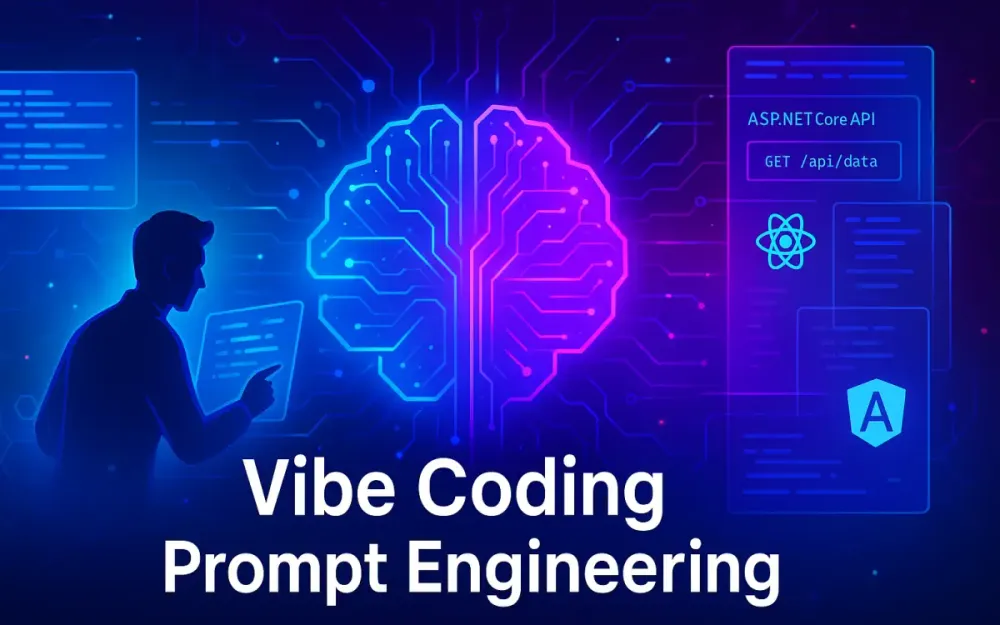
“Vibe coding” is the shorthand many engineers use for prompt-driven development: instead of hand-crafting every class, you describe the intent and feel of the solution. You give the AI the vibe — a mixture of tone, purpose, and pattern — and it constructs the mechanical details.
For example, in traditional development you might open Visual Studio, create a controller, and start typing:
[ApiController]
[Route("api/[controller]")]
public class ProductsController : ControllerBase
{
    ...
}
In vibe coding, you start with a conversation:
“You are a senior ASP.NET Core developer. Build a REST API for product management using EF Core with repository + service pattern. Include endpoints for listing, filtering by category, and updating stock levels asynchronously.”
Within seconds, the AI can outline data models, suggest migrations, and draft Angular services that consume the endpoints. You iterate by refining prompts rather than manually editing every file.
This conversational layer isn’t laziness — it’s leverage. You remain the architect, ensuring design integrity and performance, while the AI executes repetitive or mechanical work.
1.2.2 Staying in the Creative Flow
Every developer knows the mental “flow” that comes from deep focus. Context-switching — jumping from requirement documents to code to debugging — breaks that rhythm. Vibe coding minimizes friction: you express intent once, the AI handles translation.
Instead of searching Stack Overflow for syntax reminders, you guide with intent:
“Refactor this EF Core LINQ query to use projection and avoid N+1 issues.” or “Add pagination to the
/api/ordersendpoint usingSkip()andTake(), and exposeX-Total-Countin response headers.”
By externalizing low-value tasks, AI lets you stay anchored in problem-solving mode. The result: faster feedback cycles, cleaner codebases, and less fatigue from repetitive chores.
1.3 The Single Most Essential New Skill: Prompt Engineering
1.3.1 What It Is
Prompt engineering is the art of writing effective instructions for AI. It’s the new literacy of software development — blending technical clarity with linguistic precision. The prompt is your new interface, the function call to the model.
A well-structured prompt tells AI:
- Who it is (role and expertise level)
- What to do (task and boundaries)
- How to do it (frameworks, conventions, tone)
- What to produce (format and level of detail)
For instance, instead of:
“Generate login page”
you write:
“You are a senior full-stack developer. Create an Angular 17 login component with a reactive form (email, password). On submit, post to
/api/auth/loginin an ASP.NET Core 8 API. Display validation errors and store the JWT token in localStorage.”
That’s a blueprint any modern AI model can expand into a full working prototype.
1.3.2 Why It Matters
AI output quality is a direct reflection of your input. A vague prompt yields generic boilerplate. A precise prompt delivers maintainable, idiomatic code. The same principle that drives good API design applies to AI interaction: clear contracts, predictable outcomes.
Poor prompt:
“Fix this bug.”
Good prompt:
“You are an ASP.NET Core developer. My
/api/productsendpoint throws aNullReferenceExceptionwhen querying related entities. Here’s the repository method:var products = context.Products.Include(p => p.Category).ToList();Analyze and suggest a fix for potential N+1 issues or uninitialized navigation properties.”
That difference — context plus intent — turns an unhelpful AI into a genuine debugger partner.
2 Foundations of a “Good” Developer Prompt
A great prompt behaves like a clear technical specification: it defines role, technology context, and behavioral expectations. When those three align, AI models produce structured, idiomatic, and production-ready results.
2.1 Core Components of an Effective Prompt
2.1.1 Role-Oriented: Setting the AI’s Persona
Always start by defining who the AI is. This frames its assumptions about depth and vocabulary. The difference between “junior developer” and “solution architect” changes the level of abstraction in the response.
Example prompt:
“You are a senior ASP.NET Core architect specializing in microservices and clean architecture. Design the folder structure for a large e-commerce API that uses CQRS, MediatR, and Entity Framework Core.”
AI output:
/src
  /Application
  /Domain
  /Infrastructure
  /WebAPI
plus explanations for dependency injection and separation of concerns.
By clarifying role, you control both scope and tone — whether you want scaffolding, optimization advice, or architectural reasoning.
2.1.2 Technology-Specific: Naming the Stack
Generic prompts produce one-size-fits-none answers. To get relevant code, name your frameworks, tools, and versions. The AI tailors syntax and best practices accordingly.
Example prompt:
“You are a senior full-stack developer. Build an ASP.NET Core 8 Web API with EF Core 8 using PostgreSQL. Create an Angular 17 frontend that consumes
/api/customersand displays paginated results in a material table.”
Partial AI output:
// ASP.NET Core Controller
[HttpGet]
public async Task<IActionResult> GetCustomers([FromQuery]int page = 1)
{
    var pageSize = 10;
    var items = await _context.Customers
        .OrderBy(c => c.LastName)
        .Skip((page - 1) * pageSize)
        .Take(pageSize)
        .ToListAsync();
    ...
}
// Angular service snippet
getCustomers(page: number) {
return this.http.get<Customer[]>(`${this.baseUrl}/api/customers?page=${page}`);
}
...By explicitly naming ASP.NET Core 8, EF Core 8, and Angular 17, the AI knows which language features and APIs to use.
2.1.3 Behavior-Aware: Defining Expected Patterns and Practices
The final element of a powerful prompt is behavior — how the system should act. Specify design patterns, performance expectations, or architectural boundaries.
Example prompt:
“Implement repository and service layers for
Orderentity using EF Core 8. Ensure async/await is used throughout, and inject the repository into a controller following the dependency-injection pattern.”
Partial AI output:
public class OrderRepository : IOrderRepository
{
    private readonly AppDbContext _context;
    public async Task<IEnumerable<Order>> GetPendingOrdersAsync() =>
        await _context.Orders.Where(o => o.Status == "Pending").ToListAsync();
    ...
}
Behavior-aware prompts communicate quality expectations: asynchronous programming, clean architecture, secure error handling, etc. The AI internalizes these cues when generating additional methods or refactors.
2.2 Real-World Example: Poor Prompt vs. Good Prompt
Let’s compare side by side how context changes everything.
2.2.1 Poor Prompt
“Fix login.”
That’s all. The AI has no idea whether the issue is in frontend validation, API authentication, or database storage. It might hallucinate irrelevant fixes.
2.2.2 Good Prompt
“You are a senior full-stack developer. In our ASP.NET Core 8 application, the
/api/auth/loginendpoint returns 401 even for valid credentials. Here’s the controller method:[HttpPost("login")] public async Task<IActionResult> Login(LoginDto dto) { var user = await _userManager.FindByEmailAsync(dto.Email); ... }The Angular 17 frontend posts to this endpoint using
AuthService.login(). Analyze possible misconfigurations in JWT setup or CORS policy and propose corrections.”
AI response outline:
- Check JWT token generation (
AddAuthentication().AddJwtBearer()). - Ensure
ValidIssuer,ValidAudience, andSigningKeymatch frontend config. - Confirm CORS policy allows
POSTfrom the Angular domain. - Suggest code changes in
Program.csto registerapp.UseAuthentication(); app.UseAuthorization();.
That’s a collaborative debugging session — precise, contextual, and immediately actionable.
Why Good Prompts Matter Across the SDLC
| Phase | Poor Prompt | Result | Good Prompt | Result |
|---|---|---|---|---|
| Requirements | “Build e-commerce app.” | Generic template | “Generate user stories for ASP.NET Core 8 shopping cart with REST API endpoints and Angular 17 frontend.” | Concrete backlog |
| Design | “Create dashboard.” | Random layout | “Design sales dashboard using ASP.NET Core API (/api/sales/summary) and React chart component.” | Cohesive architecture |
| Development | “Write service.” | Missing interfaces | “Implement CustomerService using EF Core repository pattern with async methods.” | Testable code |
| Testing | “Write tests.” | Minimal coverage | “Create XUnit tests for OrderController covering 200, 404, 400 responses.” | Robust coverage |
| Deployment | “Deploy site.” | Manual steps | “Create GitHub Actions pipeline to build/test/publish ASP.NET Core 8 API and deploy Angular app to Azure Static Web Apps.” | Automated CI/CD |
Good prompts are not just about wording — they encode software-engineering discipline. The clearer you express role, tech, and behavior, the more reliable and reusable the AI output becomes.
3 Practical AI Prompting Across the Full SDLC (ASP.NET Core + React/Angular Focus)
Now that we’ve covered how effective prompts are structured, let’s explore how to use them through the entire software development lifecycle (SDLC). Each phase—requirements, design, development, testing, deployment, and maintenance—benefits from the same principle: clarity drives quality. When AI understands context, technology, and intent, it behaves like a teammate who knows the stack, not a text generator guessing syntax.
3.1 Phase 1: Requirements Gathering
3.1.1 Goal: Translating vague ideas into clear, actionable requirements
The foundation of any project lies in how well the requirements are captured. In an AI-assisted workflow, your prompt is the bridge between vague stakeholder input and structured specifications. Instead of starting from “we need an e-commerce website,” you can use AI to turn this concept into user stories, API definitions, and even acceptance criteria.
3.1.2 Ineffective Prompt
“Generate app for e-commerce.”
This gives AI no direction about scope, modules, or technology. You’ll likely get a generic “shopping app” description that’s too abstract to use.
3.1.3 Effective Prompt
“You are a senior full-stack developer. Generate user stories for a web-based shopping cart module. Specify the ASP.NET Core 8 API requirements (e.g.,
POST /api/cart) and the expected frontend behavior (e.g., ‘user can update quantity and see totals refresh without a page load’).”
Sample AI output:
User Story: As a customer, I can add items to my cart so I can review them before checkout.
API Endpoint: POST /api/cart
Payload: { "productId": 101, "quantity": 2 }
Frontend: React component `CartPage` should update subtotal and total dynamically.
Acceptance Criteria:
 - API returns updated cart items.
 - UI reflects changes without page reload.
 - Cart persists between sessions.
A few well-structured prompts like this can generate a backlog covering login, catalog, payment, and order history. In agile terms, your prompt acts like a Product Owner’s assistant, converting vision into backlog items.
3.2 Phase 2: Design (Architecture & UI/UX)
3.2.1 Goal: Creating visual and structural blueprints for a decoupled web application
Once requirements are established, AI can help visualize architecture and data flow. You can instruct it to define REST endpoints, propose data models, or even sketch component trees.
3.2.2 Ineffective Prompt
“Design a login page.”
You’ll get either a generic HTML form or a random snippet that ignores authentication flow, validation, or data binding.
3.2.3 Effective Prompt
“You are a senior full-stack architect. Create a high-level design for a customer dashboard. Specify the ASP.NET Core API endpoints (e.g.,
GET /api/dashboard/sales) and the props for a React component (e.g.,<SalesChart props={...}>) that will consume this data. Follow clean REST API principles.”
AI output summary:
Backend Design:
 - Endpoint: GET /api/dashboard/sales
 - Response: { "totalSales": 12450, "monthlyBreakdown": [...] }
 - Use DTOs to separate entity models from API contracts.
Frontend Design:
 - React component: <SalesChart data={salesData} />
 - Props: salesData: { totalSales: number, monthlyBreakdown: [...] }
 - Use Recharts or Chart.js for rendering.
Here, the AI helps you bridge architecture and UX. It defines how APIs feed the frontend, how data structures align, and how the interface should react to asynchronous updates. This is particularly powerful in large projects with many cross-functional teams, where AI can standardize conventions across the stack.
3.3 Phase 3: Development
3.3.1 Goal: Writing API endpoints, service layers, and UI components
This is where AI becomes most tangible. Instead of scaffolding every class by hand, you use prompts to create tested, pattern-driven implementations.
3.3.2 Ineffective Prompt
“Write a login function.”
This could generate anything from a random form handler to incomplete code that doesn’t integrate with ASP.NET Identity.
3.3.3 Effective Prompt (Backend)
“You are a senior ASP.NET Core developer. Write a C# API Controller endpoint (HTTP POST) for user login. It should accept a
LoginDto(Email, Password), use ASP.NET Core Identity for authentication, and return a JWT token upon success.”
AI-generated structure:
[HttpPost("login")]
public async Task<IActionResult> Login([FromBody] LoginDto dto)
{
    var user = await _userManager.FindByEmailAsync(dto.Email);
    if (user == null || !await _userManager.CheckPasswordAsync(user, dto.Password))
        return Unauthorized("Invalid credentials");
    var token = _jwtService.GenerateToken(user);
    return Ok(new { token });
}
...
That’s production-ready scaffolding in seconds. You can follow up with refinement prompts like:
“Add error logging using Serilog and mask sensitive data.”
3.3.4 Effective Prompt (Frontend)
“You are a senior React developer. Write a functional component with a form that collects email and password. On submit, call the
/api/auth/loginendpoint. On success, save the JWT token to localStorage and redirect to ‘/dashboard’. Handle and display any login errors.”
AI output (partial):
export default function Login() {
  const [form, setForm] = useState({ email: '', password: '' });
  const handleSubmit = async (e) => {
    e.preventDefault();
    try {
      const res = await fetch('/api/auth/login', {
        method: 'POST',
        headers: { 'Content-Type': 'application/json' },
        body: JSON.stringify(form)
      });
      if (!res.ok) throw new Error('Invalid credentials');
      const { token } = await res.json();
      localStorage.setItem('token', token);
      window.location.href = '/dashboard';
    } catch (err) { ... }
  };
  ...
}
The generated code becomes a scaffold — you can extend it with hooks, state management, or routing as needed. AI accelerates coding, but you maintain architectural intent.
3.4 Phase 4: Testing
3.4.1 Goal: Generating unit tests for services, controllers, and components
Testing is where many developers lose time, but it’s also one of the best use cases for AI. By prompting for test intent—not just “write tests”—you can generate robust coverage that fits your conventions.
3.4.2 Ineffective Prompt
“Write tests for the API.”
AI doesn’t know what framework, what methods, or what outcomes to assert.
3.4.3 Effective Prompt (Backend)
“You are a senior .NET developer writing unit tests for an ASP.NET API Controller using XUnit and Moq. Write tests for the
GetByIdaction, including cases for ‘found’ (200 OK), ‘not found’ (404), and ‘bad request’ (400) if the ID is invalid.”
AI outline:
[Fact]
public async Task GetById_ReturnsOk_WhenEntityExists() { ... }

[Fact]
public async Task GetById_ReturnsNotFound_WhenEntityMissing() { ... }

[Fact]
public async Task GetById_ReturnsBadRequest_WhenIdInvalid() { ... }
AI can scaffold mocking setup, Arrange–Act–Assert patterns, and even explain best practices like fixture reuse and test naming.
3.4.4 Effective Prompt (Frontend)
“You are a senior Angular developer. Write unit tests for an
AuthServiceusing Jasmine and TestBed. Mock theHttpClientand test thelogin()method, ensuring it correctly handles both successful (200) and error (401) responses from the backend.”
Generated structure:
it('should call API and return token on success', async () => { ... });
it('should throw error on 401 unauthorized', async () => { ... });
A simple refinement like “Add coverage for network timeout scenarios” can help AI fill in missing edge cases. This iterative prompt-testing workflow is faster than hand-writing specs, and ensures developers focus on edge logic instead of boilerplate mocks.
3.5 Phase 5: Deployment (CI/CD)
3.5.1 Goal: Automating the build and deployment of the decoupled application
AI can write your pipelines, environment scripts, and infrastructure templates—if you specify tools and targets precisely.
3.5.2 Ineffective Prompt
“Help me deploy my website.”
This could produce a random deployment guide or outdated instructions.
3.5.3 Effective Prompt
“Create a GitHub Actions pipeline. The pipeline must have two separate jobs:
- Build, test, and publish an ASP.NET Core 8 API to Azure App Service.
- Build and deploy an Angular (or React) frontend application to Azure Static Web Apps.”
AI response (partial YAML):
jobs:
  backend:
    runs-on: ubuntu-latest
    steps:
      - uses: actions/checkout@v4
      - name: Setup .NET
        uses: actions/setup-dotnet@v4
        with:
          dotnet-version: 8.0.x
      - run: dotnet restore
      - run: dotnet build --configuration Release
      - run: dotnet publish -c Release -o ./publish
      - uses: azure/webapps-deploy@v2
        with:
          app-name: 'my-api'
          package: ./publish
  frontend:
    runs-on: ubuntu-latest
    steps:
      - uses: actions/checkout@v4
      - run: npm ci && npm run build
      - uses: Azure/static-web-apps-deploy@v2
        with:
          app_location: "/"
          api_location: "api"
          output_location: "dist"
This gives you a working CI/CD baseline with minimal manual setup. Follow-ups can fine-tune secrets handling, environment promotion, and rollback automation.
3.6 Phase 6: Maintenance
3.6.1 Goal: Assisting with debugging performance bottlenecks or runtime errors
The maintenance phase is where AI shines as a diagnostic partner. Instead of staring at logs for hours, you describe the scenario, paste the logs or SQL query, and let AI suggest hypotheses.
3.6.2 Ineffective Prompt
“My website is slow.”
There’s no information about which endpoint, database, or environment is affected. The AI can’t provide actionable help.
3.6.3 Effective Prompt
“You are a senior ASP.NET developer. My web API endpoint
/api/productsis suddenly slow. I’m using Entity Framework Core. Here is the query:var products = _context.Products.Include(p => p.Category).ToList();Analyze this query for potential N+1 problems or missing indexes, and suggest an optimized async version.”
AI response pattern:
- Identify N+1 from
.Include()misuse or lack of projection. - Suggest
Selectprojection to DTO to reduce payload size. - Recommend adding indexes or async
ToListAsync(). - Provide optimized version:
var products = await _context.Products
    .AsNoTracking()
    .Select(p => new ProductDto { Id = p.Id, Name = p.Name, Category = p.Category.Name })
    .ToListAsync();
With this approach, AI becomes your performance consultant, offering insight across EF Core, caching strategies, and SQL indexing. Prompt refinement like “Also include caching suggestions for high-read endpoints” makes maintenance iterative and data-driven.
4 Advanced Techniques: Moving Beyond Basic Prompts
AI prompting doesn’t stop at scaffolding or debugging. Once developers master base syntax and role-based clarity, the next step is to use AI as an architectural reasoning engine — one that tests hypotheses, validates logic, and interacts with real project data.
4.1 Test-Driven Development (TDD) with AI
TDD is one of the most natural fits for AI assistance. The workflow flips: you ask AI to write tests first, then generate code that passes them.
Example prompt pair:
“You are a senior .NET developer. Write XUnit tests for an
OrderServicethat validates order totals and prevents submission if items are out of stock.”
AI generates the tests first:
[Fact]
public void ShouldThrowException_WhenItemOutOfStock() { ... }
Follow-up:
“Now write an
OrderServiceimplementation that passes all these tests.”
The AI understands intent through test coverage, often yielding more robust business logic. This test-first prompting reinforces specification by example — you communicate expectations through behavior, not prose.
4.2 Chain-of-Thought (CoT) Prompting
For complex debugging or logic design, you can explicitly ask the AI to reason step-by-step before writing code. This “thinking out loud” approach helps in diagnosing tricky async issues, deadlocks, or migration conflicts.
Prompt:
“You are an experienced ASP.NET Core developer. Step by step, explain how EF Core handles transactions when
SaveChangesAsync()is called inside a service method wrapped by an explicitBeginTransaction(). Identify any risk of deadlocks or partial commits.”
AI’s reasoning chain might list:
- EF Core wraps all pending changes in a single transaction by default.
- Explicit
BeginTransaction()can overlap with internal transactions if not handled carefully. - Recommend pattern: use ambient transaction scope or DI-managed unit of work.
- Show adjusted service implementation with
await using var transaction = await _context.Database.BeginTransactionAsync();
Chain-of-thought prompting transforms AI from code generator to technical mentor, explaining why before how.
4.3 Retrieval-Augmented Generation (RAG)
RAG combines your codebase with AI reasoning. Instead of relying on generic training data, RAG tools (like GitHub Copilot Workspace, Cursor Context Search, or custom embeddings) let AI reference your own repositories, documentation, and API definitions during prompting.
Example scenario:
“You are a full-stack engineer working on our existing ASP.NET Core 8 + React app. Refer to our
/Data/OrderRepository.csand/src/components/OrderTable.tsx. Suggest performance optimizations in database access and lazy-loading behavior.”
AI then fetches contextual snippets from your repo before answering, ensuring the suggestions are aligned with your actual architecture. This makes AI project-aware, capable of discussing naming conventions, EF migrations, and React hooks within the context of your codebase.
RAG-driven prompting also supports:
- Inline documentation generation.
- Cross-layer dependency tracing.
- Automated code reviews that respect your standards.
5 The Near Future: From AI Assistants to AI Agents
Over the past two years, developers have gone from experimenting with autocomplete tools to relying on conversational copilots that understand frameworks, design patterns, and workflows. The next leap will be more dramatic — AI agents that not only suggest code but also execute, test, and deploy it autonomously. For teams building on modern web stacks like ASP.NET Core 8, Entity Framework Core, and React/Angular, this evolution will redefine how projects are planned, built, and maintained.
5.1 Understanding the Shift: Assistants Complete Lines; Agents Complete Projects
Today’s assistants—GitHub Copilot, ChatGPT, Cursor—act as intelligent sidekicks. They predict code, explain errors, and scaffold snippets based on prompts. But they depend on human direction at every step.
AI agents, such as early prototypes like Devin AI, represent the next phase: they don’t just respond to instructions—they interpret goals, plan multi-step tasks, and execute workflows end-to-end. The shift is not in capability alone but in autonomy.
Consider a traditional session:
Developer: “Generate an ASP.NET Core controller for managing invoices.”
An assistant responds with a neatly formatted class and methods. You integrate it manually.
Now compare it to an agent:
Developer: “Build a complete invoicing module for our existing ASP.NET Core 8 + React project. Include backend CRUD endpoints, EF Core migrations, frontend components for invoice listing and editing, and update the CI pipeline.”
The agent would:
- Analyze your repo to detect architecture patterns and existing database context.
- Plan tasks: model creation → controller → service → migrations → frontend component → pipeline update.
- Execute them sequentially, creating branches, running tests, committing code, and notifying the team upon completion.
This is not speculative — it’s the logical endpoint of the trends we already see: contextual models, tool integrations, and self-validating output loops. Assistants predict text; agents predict outcomes.
5.2 How AI Agents Will Automate Entire SDLC Phases
Agents won’t just write code faster—they’ll manage the entire SDLC. The workflow will shift from “tell me what to code” to “describe what to deliver.” Imagine an engineer entering a single structured prompt:
“Build a full-stack ASP.NET Core 8 e-commerce site with a React frontend. Use EF Core with SQL Server for persistence. Implement authentication, cart management, and order history based on these user stories:
- As a customer, I can register and log in.
- I can browse products and add them to my cart.
- I can check out with saved payment details. Include API documentation with Swagger and deploy to Azure App Service.”
A capable AI agent would then autonomously:
- Parse Requirements – Extract modules (auth, catalog, checkout) and dependencies.
- Design Architecture – Propose clean architecture layers: WebAPI, Application, Infrastructure, Domain.
- Generate Backend – Scaffold
Product,Cart, andOrderentities with EF Core, repository pattern, and async endpoints. - Build Frontend – Create a responsive React app using hooks, routing, and Material UI for UX consistency.
- Integrate & Test – Run unit and integration tests using XUnit and Jest.
- Deploy – Push build artifacts to Azure via GitHub Actions, provisioning test and production slots automatically.
In other words, what once required weeks of coordination across multiple roles could be bootstrapped by one engineer and an AI orchestrator in hours. The human developer transitions from executor to strategist—shaping requirements, reviewing code, and validating outcomes.
The automation of SDLC phases won’t eliminate developers; it will amplify them. For instance:
- Requirements Gathering: Agents will interview stakeholders (via chat) to translate vague goals into technical backlogs.
- Design: Agents will generate architecture diagrams aligned with organizational standards.
- Development: Agents will write code, refactor existing modules, and open pull requests automatically.
- Testing: Agents will run continuous validation, analyze coverage, and flag regressions.
- Deployment: Agents will optimize cost, manage environment secrets, and handle blue-green rollouts.
This shift unlocks a new dynamic where AI becomes the first-line implementer and humans focus on product value, user experience, and compliance.
5.3 The Developer’s New Role: AI Orchestrator and Reviewer
In this agent-driven world, the developer’s role evolves from coder to AI orchestrator. You’ll no longer be writing every controller or component—instead, you’ll define intent, constraints, and review criteria.
Picture a day in this future workflow:
-
You begin by issuing a high-level prompt:
“Add an order tracking feature to our ASP.NET Core + React application. Reuse existing authentication, integrate with the
Orderstable, and expose both API and UI endpoints.” -
The AI agent designs, implements, and pushes a new branch.
-
You review the pull request with reasoning commentary generated by the agent: “OrderTrackingController implemented using async endpoints, DTO validation added via FluentValidation, and React component built with pagination hooks.”
Your time shifts from syntax review to decision review:
- Does this meet business intent?
- Does this maintain architectural integrity?
- Does this handle security and compliance correctly?
The orchestration layer becomes the most critical human skill. You’ll learn to chain prompts (breaking tasks into logical stages) and set clear constraints:
“Build feature X, but don’t modify existing auth logic or database schemas.”
AI agents also raise governance needs: version control policies, audit trails, and explainability become mandatory. In regulated industries—finance, healthcare, government—AI-generated code will require provenance tagging (who/what created it, when, and under what instruction).
As this paradigm matures, the software engineer becomes both director and quality gate—ensuring that speed doesn’t compromise reliability or ethics. Those who master AI orchestration will lead the next wave of engineering teams: fewer hands-on coders, more system designers, reviewers, and maintainers of autonomous workflows.
6 Role-Based Prompting: A “Cheat Sheet” for Your Team
To make the most of AI-powered workflows, every role in your development team should learn to prompt differently. A well-written prompt is not just about syntax—it’s about scope control and domain framing. Below are role-specific examples tailored for teams building modern ASP.NET Core + React/Angular solutions.
6.1 For Product Managers
Product Managers sit at the intersection of strategy and delivery. Their prompts should translate business metrics into actionable technical insights.
Example prompt:
“You are a strategic PM. Use web analytics (e.g., Application Insights) to track user flow and conversion rates on our ASP.NET Core + React application. Identify where users drop off during checkout and recommend three roadmap priorities based on behavioral data.”
AI output pattern:
- Integration steps for Application Insights SDK in both frontend and backend.
- Query examples for funnel analysis (
/api/orders/checkout-start→/api/orders/complete). - Data-driven roadmap suggestions: improve checkout UX, optimize API response time, add guest checkout option.
Follow-up prompt refinement:
“Create a dashboard wireframe summarizing these KPIs and tag them with user journey stages (Landing, Cart, Checkout, Payment).”
This approach turns AI into an analytics co-analyst, surfacing trends before backlog planning. PMs can rapidly validate assumptions, prioritize effectively, and communicate data-backed insights to stakeholders.
6.2 For UX/UI Designers
Designers can leverage AI to review and enhance interfaces directly from live projects. By describing context precisely—framework, layout goals, and constraints—they can receive actionable feedback instead of generic design advice.
Example prompt:
“You are a UX/UI Designer. Review our Angular 17 application’s product detail page for usability, responsiveness (mobile/desktop), and accessibility (WCAG 2.1). Highlight color contrast issues, missing ARIA labels, and layout inconsistencies.”
AI response pattern:
- Flags missing
aria-labelattributes on buttons or inputs. - Suggests CSS grid/flexbox adjustments for small screens.
- Recommends contrast-friendly color combinations compliant with WCAG AA.
- Provides code snippets like:
button.primary {
  background-color: #005A9E; /* Improved contrast */
  color: #fff;
}
Designers can also use AI to generate variants:
“Suggest an improved layout for our checkout form using a responsive two-column grid. Ensure it aligns with our existing Material UI theme.”
By integrating these iterative reviews into the SDLC, UX teams ensure every release maintains design integrity and accessibility compliance.
6.3 For QA Engineers
Testing teams can use AI not only to write scripts but also to analyze coverage and identify risk areas.
Example prompt:
“You are a QA Engineer. Use Playwright to automate end-to-end tests for our React app’s registration flow, including API calls to the ASP.NET Core backend. Validate both client-side form validation and backend 201 responses.”
AI-generated structure:
test('user registration flow', async ({ page }) => {
  await page.goto('/register');
  await page.fill('#email', 'test@example.com');
  await page.fill('#password', 'Password123');
  await page.click('button[type=submit]');
  await expect(page).toHaveURL('/dashboard');
});
Follow-up refinement:
“Add a test case for existing user registration to confirm API returns 409 conflict and proper error message.”
AI can also analyze test suite outputs:
“Review these test results and identify areas of redundant coverage or missing negative test cases.”
In large environments, QA engineers can prompt AI to generate CI-integrated testing pipelines that combine XUnit, Playwright, and Azure DevOps test runs, creating a feedback loop where failures auto-generate issue reports.
6.4 For Backend Developers
Backend engineers benefit the most from AI’s ability to reason about architecture and performance. The key is to include constraints that align with production patterns: async behavior, caching, and scalability.
Example prompt:
“You are a Backend Developer. Design and optimize our ASP.NET Core Web APIs for performance and scalability. Ensure secure endpoints and proper error handling. Suggest improvements for caching and pagination.”
AI reasoning path:
- Analyze potential bottlenecks (e.g., synchronous DB calls, missing indexes).
- Recommend caching using MemoryCache or Redis.
- Demonstrate paginated API structure:
[HttpGet]
public async Task<IActionResult> GetProducts(int page = 1, int pageSize = 20)
{
    var data = await _repository.GetPagedProductsAsync(page, pageSize);
    Response.Headers.Add("X-Total-Count", data.TotalCount.ToString());
    return Ok(data.Items);
}- Suggest error handling middleware for consistent exception responses.
- Highlight optimizations like
AsNoTracking()for read-only queries.
Backend prompts can also span system diagnostics:
“Review this EF Core LINQ query for performance and propose improvements for SQL index usage.”
or DevOps considerations:
“Generate a health check endpoint that verifies database connectivity and Redis cache availability, formatted for Azure Application Insights alerts.”
In practice, backend developers evolve into performance curators, guiding AI toward production-grade standards through precise, outcome-oriented prompts.
7 Conclusion: Prompting is Not Optional, It’s the Skill
AI-driven development isn’t a temporary trend; it’s the new baseline for how modern software is built. The transition from manual coding to collaborative coding—with AI copilots, context-aware agents, and orchestration tools—has changed what it means to be a developer. What once relied purely on syntax mastery now depends on how well you communicate intent. That communication happens through prompting.
Just as version control, testing, and deployment automation became core engineering practices over the past decade, prompt engineering has become a foundational skill in the new SDLC. It’s not an add-on; it’s how developers lead intelligent systems to produce predictable, high-quality results.
7.1 Recap: Prompt Engineering is the Key to Unlocking AI’s Potential in Software Development
Across this guide, we’ve seen that prompt engineering isn’t about “talking to an AI”—it’s about designing structured, contextual instructions that mirror technical specifications.
When you write a prompt like:
“You are a senior ASP.NET Core developer. Build a REST API for product management using EF Core 8. Include pagination, input validation, and JWT authentication.”
you’re not just asking for code—you’re encoding best practices, architecture rules, and security expectations into a single declarative instruction.
This skill directly impacts productivity and code quality. Poor prompts waste compute cycles and human time. Clear prompts create reusable patterns that align with your architecture and stack. The same discipline that drives clean architecture—clear boundaries, single responsibility, consistent naming—applies equally to AI collaboration.
Throughout each SDLC phase, the difference between a mediocre and an excellent AI output has hinged on the prompt’s precision:
- During requirements gathering, clear prompts converted vague goals into actionable user stories and API definitions.
- In design, detailed prompts produced consistent, scalable architectures that respected REST principles and frontend contracts.
- In development, structured prompts delivered secure, idiomatic ASP.NET Core and React/Angular code aligned with async and clean architecture conventions.
- During testing and deployment, concise role-based prompts generated automation scripts, pipelines, and regression suites that would take hours to configure manually.
- Finally, in maintenance, diagnostic prompts turned AI into a performance analyst capable of identifying database bottlenecks and caching inefficiencies.
Each example underscored the same truth: clarity in prompting equals clarity in execution.
Effective prompting isn’t luck—it’s craft. It combines technical literacy (knowing what’s right), architectural awareness (knowing why), and linguistic precision (communicating how). The engineers who learn to balance these three dimensions will extract the most value from AI systems.
Prompt engineering has also proven to be stack-agnostic yet context-sensitive. Whether the project uses ASP.NET Core APIs, EF Core repositories, or React frontends, the AI’s ability to generate accurate, maintainable solutions depends entirely on how the developer defines:
- Role – the perspective AI should assume (senior architect, QA engineer, DevOps specialist).
- Technology – the stack and framework versions (ASP.NET Core 8, Angular 17, SQL Server 2022).
- Behavior – the expected pattern or practice (async/await, dependency injection, clean architecture).
When all three are present, the AI can operate at near-human reasoning quality—suggesting optimizations, refactoring code, or automating tasks that previously required multiple iterations.
The ultimate realization is that prompt engineering is not separate from software engineering—it’s the new interface of it. You’re still defining inputs and outputs; you’re just doing it in a human-readable, context-rich language that an intelligent system can interpret.
As teams embrace this discipline, they also build institutional memory: reusable prompt templates, standardized wording for test generation, and consistent role definitions for each project phase. Over time, these evolve into prompt libraries, becoming as valuable as internal frameworks or coding standards.
Organizations that treat prompting as a teachable, measurable skill—rather than an ad hoc art—will develop AI maturity faster than those that rely on intuition alone.
7.2 Final Takeaway: The Future of Development Is a Partnership, and Effective Communication (Prompting) Is How You Lead It
The next generation of developers will spend less time typing code and more time directing intelligent systems that write, test, deploy, and monitor software. The best among them won’t be those who know the most APIs by heart, but those who can translate complex intent into structured instruction—a form of leadership through language.
AI will keep getting better at reasoning, but it will always need direction. Just as an orchestra needs a conductor to maintain rhythm and harmony, AI-driven teams need developers who can articulate goals, set boundaries, and interpret results.
That’s what prompting really is: leadership through clarity.
In a practical sense, this means:
- Developers will evolve into curators—reviewing and refining AI output rather than hand-coding everything.
- Architects will design multi-agent ecosystems that handle testing, deployment, and analytics autonomously.
- Managers will rely on prompt-based dashboards to align team priorities with live application metrics.
- Designers and QA teams will embed prompt-driven audits into CI pipelines, ensuring accessibility, compliance, and regression validation are never afterthoughts.
AI isn’t replacing human creativity—it’s amplifying it. But amplification only works when the signal is clear. The quality of your prompts defines the quality of your results, just as the clarity of your system design defines maintainability.
Think of prompting as the new design document: compact, expressive, and executable. The more thoughtfully you write it, the more faithfully AI executes your intent.
In a decade, we may look back on this transition the same way we view the shift from manual builds to CI/CD pipelines—a moment when automation expanded what humans could achieve. The developers who thrive won’t be those who resist change, but those who shape AI through mastery of communication.
As every framework and language—from ASP.NET Core to React, from SQL to CI scripts—becomes accessible through natural language interfaces, one truth will remain constant:
The most powerful tool in software development is not the framework you use, but the clarity with which you describe what you want it to build.
Prompting is not optional anymore—it’s the modern developer’s syntax for thinking. The better you prompt, the smarter your AI becomes, and the stronger your partnership grows.