1 The Era of Hybrid Code Review: Beyond Static Analysis
Software teams rely on pull requests to maintain code quality and consistency, but expectations around PR review have grown significantly. Reviewers are no longer asked to check naming or formatting—they’re expected to spot subtle logic issues, identify design drift, and understand the intent behind a change. Traditional linters and static analyzers help with the basics, but they can’t interpret why a piece of code changed or whether it aligns with the project’s broader architecture. And the burden often falls on senior developers, who spend hours reviewing code that mostly needs structured feedback, not deep architectural analysis.
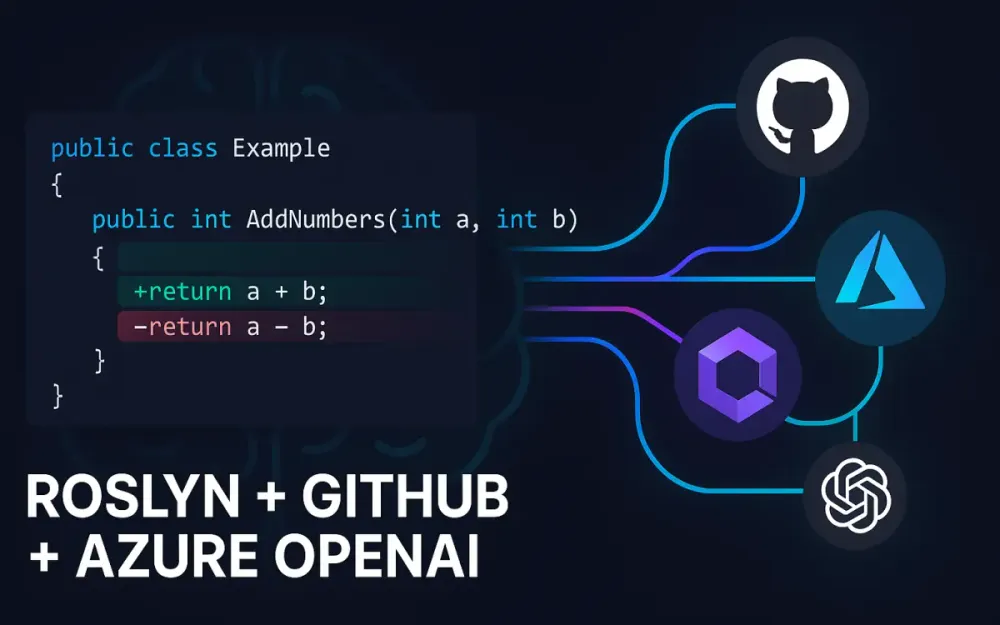
A hybrid approach solves this: combining deterministic static analysis with the reasoning abilities of modern LLMs. By using Roslyn for structure, GitHub for automation, and Azure OpenAI for interpretation, you can build a Code Review Copilot that scales with your repositories and reduces cognitive load on human reviewers.
1.1 The Limitations of Traditional Linters and the Cost of Human Review
1.1.1 Why StyleCop and SonarQube Aren’t Enough (Context vs. Syntax)
Tools like StyleCop, FxCop, Roslyn rulesets, and SonarQube are excellent at what they’re designed for: enforcing formatting, detecting straightforward code smells, and catching rule violations. They work through pattern matching and syntax analysis. But they operate without context. They don’t understand why a change was made, how it fits into the larger system, or what the business rules dictate.
For example:
Incorrect
public decimal CalculateDiscount(decimal amount)
{
    if (amount < 100)
        return amount * 0.10m;
    return amount * 0.15m; // Should be 0.20m for VIP customers
}
A static analyzer sees valid C# code. It doesn’t know that the logic is wrong. It doesn’t know the VIP rules. It doesn’t know a previous method in the same class uses 20%, or that the team agreed on these rules during refinement. These tools understand syntax, not intent or domain knowledge. That’s where traditional analysis falls short.
1.1.2 The Cognitive Load on Senior Engineers: The “Rubber Stamp” Problem in PRs
Senior engineers often handle large volumes of PRs each week. Many changes are small and repetitive—renames, minor refactors, dependency injection updates. After a while, reviewers begin scanning instead of reading. It’s not negligence; it’s the reality of limited time and constant context switching. The result is a “rubber stamp” effect: PRs get approved quickly without meaningful review because the cost of in-depth evaluation is too high.
When this happens:
- subtle bugs slip through
- patterns become inconsistent
- architectural boundaries weaken
- review quality fluctuates based on who is on duty and how busy they are
A hybrid review system reduces that load. It prepares structured feedback, highlights unusual changes, and explains complex diffs so reviewers can spend their time where it matters.
1.2 The “Hybrid” Solution: Deterministic Parsing + Probabilistic Reasoning
A Code Review Copilot relies on two complementary forms of intelligence.
Roslyn provides deterministic analysis, giving the system structure and accuracy:
- AST parsing
- semantic model evaluation
- symbol resolution and scope understanding
- method and class boundaries
- extraction of only the relevant code
Azure OpenAI provides probabilistic reasoning, allowing the system to interpret meaning and intention:
- reasoning about developer intent
- identifying ambiguous or risky logic
- recommending idiomatic .NET patterns
- comparing changes against domain expectations
- explaining diffs clearly
Together, they build a review system that understands both the shape of the code and the reasoning behind it.
1.2.1 Defining the Architecture: Using Roslyn for Structure and AI for Semantics
Roslyn’s job is to identify exactly where a change occurred and to capture the surrounding context. The AI only receives the relevant part of the file—never the entire file unless absolutely necessary. The extracted “semantic envelope” typically includes:
- the method containing the change
- referenced fields or properties
- related interface or base-class members
- any XML documentation tied to the code
- a small amount of surrounding code for clarity
This ensures the AI sees just enough to reason, but not so much that it becomes unfocused or expensive. Roslyn acts as the gatekeeper that defines scope and ensures predictable AI behavior.
1.2.2 Cost Optimization: Why We Don’t Just Send the Whole File to GPT-4o
Sending entire files to GPT-4o or GPT-5 models increases cost and slows down response times, especially in busy repositories. The cost model is straightforward:
- Larger files → larger prompts
- Larger prompts → more tokens
- More tokens → higher cost and slower processing
And in most cases, the model doesn’t need the whole file. If a two-line change appears inside a 600-line class, only the relevant method and surrounding details matter. Providing too much context also increases the chance of hallucinations because the model has more unrelated code to interpret. Selective context extraction keeps the system fast, predictable, and cost-effective—critical for any real-world AI review solution.
1.3 Setting the Scope
1.3.1 Goal: A Bot That Identifies Logic Bugs, Suggests Idiomatic Refactors, and Explains Complex Diffs
The goal of a Code Review Copilot isn’t to replace reviewers. It’s to give them structured, relevant insights so they can focus on judgment—not mechanical checks. The bot’s responsibilities include:
- identifying logic errors and risky patterns
- spotting missing edge cases or null checks
- recommending idiomatic .NET improvements (LINQ, async/await, caching, patterns)
- explaining complicated diffs in plain language
- surfacing architectural drift
- detecting inconsistencies across the PR
With this support, reviewers spend less time scanning code and more time validating correctness and alignment with system goals.
1.3.2 The Tech Stack
A production-ready Code Review Copilot brings together tools designed for automation, static analysis, and reasoning:
- .NET 8/9 for Roslyn integration and modern language features
- Azure Functions (Isolated Worker) for scalable, event-driven execution
- Octokit for authenticated GitHub App access and diff retrieval
- Microsoft.CodeAnalysis (Roslyn) to parse syntax and extract the right context
- Azure OpenAI SDK for semantic reasoning
- Semantic Kernel (optional) to orchestrate prompts and reusable analysis skills
This stack cleanly separates responsibilities: GitHub supplies the diff, Roslyn isolates the context, the model interprets it, and Azure Functions automates the workflow.
2 High-Level Architecture and Event-Driven Design
A Code Review Copilot works best when treated as an event-driven system. GitHub emits pull-request events, the bot reacts, Roslyn analyzes the changed files, Azure OpenAI interprets the meaning behind those changes, and GitHub receives the final comments. Each part handles one clear responsibility, which keeps the workflow predictable and easy to maintain. This section explains how those pieces fit together and how the system moves from a PR update to actionable review feedback.
2.1 The Workflow Diagram
At a high level, the architecture follows a simple sequence:
-
A developer opens or updates a pull request.
-
GitHub sends a
pull_requestwebhook event to your service. -
An Azure Function receives the event payload.
-
The Function authenticates to GitHub through Octokit.
-
The bot retrieves PR metadata, file lists, and the unified diff.
-
Roslyn examines each changed file and:
- identifies which methods or blocks were modified
- extracts the semantic context
- prepares the analysis envelope
-
Azure OpenAI receives a structured prompt containing the diff and the extracted context.
-
The model returns structured JSON describing issues, suggestions, and reasoning.
-
The bot validates the output and posts inline comments back to the PR.
-
The bot stores state in Redis or Table Storage to avoid reprocessing the same diff.
This process isolates responsibilities—GitHub signals changes, Azure Functions handle execution, Roslyn defines context, and OpenAI provides reasoning. This separation keeps latency low and makes the system easier to evolve.
2.2 Triggering the Workflow: GitHub Webhooks
2.2.1 Configuring the pull_request Event (opened, synchronized)
The workflow starts with GitHub webhooks. Your GitHub App or repository-level webhook should listen for the following events:
{
  "pull_request": ["opened", "reopened", "synchronize"],
  "installation": ["created"]
}
The synchronize event is essential. It fires whenever new commits are pushed to the PR’s branch. Without it, the bot would only review the initial commit and miss updates the developer makes in response to feedback.
2.2.2 Security: Verifying the GitHub Webhook Signature (HMAC SHA-256)
Because webhook endpoints are public, the bot must verify that GitHub actually sent the request. GitHub includes a signature in the X-Hub-Signature-256 header. Your Function should compute its own HMAC value and compare it to the provided signature:
bool VerifySignature(string body, string signature)
{
    var secret = _settings.GitHubWebhookSecret;
    var keyBytes = Encoding.UTF8.GetBytes(secret);
    var payloadBytes = Encoding.UTF8.GetBytes(body);

    using var hmac = new HMACSHA256(keyBytes);
    var hash = "sha256=" + Convert.ToHexString(hmac.ComputeHash(payloadBytes)).ToLowerInvariant();

    return CryptographicOperations.FixedTimeEquals(
        Encoding.UTF8.GetBytes(hash),
        Encoding.UTF8.GetBytes(signature)
    );
}
If the values don’t match, ignore the request. This prevents spoofing and ensures only legitimate events enter your workflow.
2.3 The Compute Layer: Azure Functions
2.3.1 Why Serverless? Handling Burst Traffic from PRs
Pull request traffic is unpredictable. Some days there are no changes at all; other times, several teams push updates at once. A serverless model fits this pattern well:
- it scales automatically
- you pay only for execution time
- .NET 8/9 isolated worker gives full control over startup and DI
- no servers or containers to manage
- perfect for lightweight webhook endpoints
This makes Azure Functions a natural home for a Code Review Copilot.
2.3.2 Setup: Dependency Injection for OpenAI and GitHub Clients
Azure Functions (isolated worker model) uses the same DI patterns as ASP.NET Core. This allows you to configure clients once at startup and reuse them across requests:
builder.Services.AddSingleton<GitHubClient>(sp =>
{
    var appId = settings.GitHubAppId;
    var privateKey = settings.GitHubPrivateKeyPem;

    return GitHubClientFactory.Create(appId, privateKey);
});

builder.Services.AddSingleton(new OpenAIClient(
    new Uri(settings.OpenAiEndpoint),
    new AzureKeyCredential(settings.OpenAiKey)
));
By reusing authenticated clients, you reduce the overhead of repeated logins and keep response times low.
2.4 State Management Strategy
2.4.1 Handling Multiple Commits in a Single PR
Developers often push a burst of commits when refining a feature or responding to feedback. Without state, the bot would re-analyze the entire PR for each commit—even if nothing changed in the files under review. To avoid this, track minimal metadata:
- the commit SHA
- paths of modified files
- a diff hash representing the current state
Cache these values in Redis or Azure Table Storage. This lets the bot decide quickly whether the new event reflects meaningful changes or just repeated pushes.
2.4.2 Storing Analysis State to Avoid Re-reviewing Unchanged Files
You only want to review what’s new. A simple stored record is enough:
{
  "pr": 842,
  "file": "UserService.cs",
  "lastReviewedDiffHash": "87be1d96..."
}
When a new diff arrives:
- compute the fresh diff hash
- compare it with the stored value
- skip analysis if they match
This avoids unnecessary calls to Roslyn and OpenAI, reduces cost, and keeps feedback focused. It also ensures the bot feels responsive even when developers push multiple incremental commits in quick succession.
3 The “Eyes”: Fetching and Pre-processing the Diff
To generate meaningful review feedback, the system first needs an accurate picture of what actually changed. GitHub diffs are plain text, not structured data. They show added and removed lines but don’t directly reveal which methods or classes those lines belong to. Before Roslyn or the LLM can do anything useful, the diff has to be parsed, cleaned, and converted into a structured form. This section covers how the bot connects to GitHub, retrieves the diff, understands it, and filters out anything not worth reviewing.
3.1 Interacting with the GitHub API
3.1.1 Authenticating as a GitHub App (JWT) vs. Personal Access Token (PAT)
A production-grade Code Review Copilot should authenticate as a GitHub App instead of using a Personal Access Token (PAT). PATs seem simpler at first, but they come with practical issues:
- they’re tied to a specific user
- they expire or require manual rotation
- they usually grant more permissions than necessary
A GitHub App avoids these problems. It uses a short-lived JWT to authenticate the app itself, and then requests an Installation Access Token scoped to the specific repository. This is cleaner, more secure, and easier to automate.
Here’s a simple example of generating the JWT:
public static string CreateJwt(string appId, string privateKey)
{
    var now = DateTimeOffset.UtcNow;
    var handler = new JwtSecurityTokenHandler();

    var token = new JwtSecurityToken(
        issuer: appId,
        expires: now.AddMinutes(9).UtcDateTime,
        issuedAt: now.UtcDateTime,
        signingCredentials: new SigningCredentials(
            new RsaSecurityKey(RsaHelper.FromPem(privateKey)),
            SecurityAlgorithms.RsaSha256
        )
    );

    return handler.WriteToken(token);
}
Once you have the JWT and installation token, Octokit can access PR metadata and file diffs with the correct permissions.
3.1.2 Using Octokit.net to Fetch the Specific PR Diff
After authentication, fetching diffs is straightforward. Octokit exposes the PullRequest.Files API, which returns all changed files along with their unified diff patches:
var diff = await _github.PullRequest.Files.GetAll(
    owner, repo, pullNumber
);

foreach (var file in diff)
{
    var patch = file.Patch; // unified diff text
}
Each Patch contains the raw unified diff, which is the starting point for the rest of the analysis pipeline.
3.2 Parsing the Unified Diff Format
3.2.1 Identifying Added/Modified Chunks
Unified diffs organize changes into “hunks” with a predictable header format:
@@ -oldStart,oldLines +newStart,newLines @@A snippet might look like:
@@ -42,6 +42,7 @@ public class UserService
+    var isActive = user.IsActive;
To understand what changed, the bot extracts:
- which line numbers are affected
- which lines were added or removed
- how changes are grouped into hunks
These hunks become the anchor points for mapping diff lines back into Roslyn’s syntax tree.
3.2.2 Mapping Diff Lines Back to Physical File Line Numbers
GitHub’s diff line numbers don’t match the actual file’s line numbers directly. To add inline review comments accurately, the bot must translate diff positions into real line numbers. A simplified example of this mapping:
int newLine = hunk.NewStart;
foreach (var line in hunk.Lines)
{
    if (line.Type == DiffLineType.Added)
        changedLines.Add(newLine);

    if (line.Type != DiffLineType.Removed)
        newLine++;
}
This produces a clean list of “true” changed lines in the file. Roslyn uses these to locate the affected method or property.
3.3 Filtering Noise
3.3.1 Exclusion Logic: Generated Files, .designer.cs, AssemblyInfo.cs
Not every file in a PR should trigger AI review. Some files are generated or boilerplate and don’t benefit from semantic analysis. Common examples include:
- EF Core migration snapshots
.designer.csfiles- scaffolding or build artifacts
AssemblyInfo.cs- code generated by tools
These files can be skipped with simple path checks:
bool IsIgnorable(string path)
{
    return path.EndsWith(".designer.cs")
        || path.Contains("obj/")
        || path.Contains("bin/")
        || path.EndsWith("AssemblyInfo.cs")
        || path.Contains("Generated");
}
Filtering these out reduces cost and keeps the review focused on meaningful changes.
3.3.2 The “Governance Layer”: Magic Comments or PR Labels
Developers sometimes need to override the default review behavior. A governance layer lets them control when the AI should or shouldn’t participate.
Two simple mechanisms work well:
-
Magic comments inside the file
// no-aiIf the bot sees this comment anywhere in the file, it skips AI review.
-
PR labels
ai-review-requested→ force AI reviewai-review-skip→ skip AI review entirely
This gives teams confidence that the bot won’t comment on sensitive files or early-stage work unless invited.
4 The “Brain” (Part 1): Surgical Context Extraction with Roslyn
At this stage, the goal is to give the AI only the information it needs—no more, no less. Roslyn gives us structural insight the LLM doesn’t have. Instead of passing raw diffs or entire files to a model, we identify the exact parts of the syntax tree that relate to the change. The extraction must be predictable, lightweight, and aligned with the actual semantics of the codebase. The process follows a simple sequence:
- map changed lines to the correct syntax node
- build a semantic model for deeper context
- collect referenced fields, parameters, and declarations
- produce a clean context block to send to the AI
This creates a focused input that helps the model reason accurately and efficiently.
4.1 Why Roslyn is Critical for LLM Efficiency
4.1.1 The Context Window Problem: Sending 5000 Lines for a 2-Line Change Is Wasteful
LLMs have finite context windows, and using them efficiently matters. A large class can contain many unrelated methods, nested types, or helper utilities. If we send the entire file every time a small change occurs, token usage skyrockets and performance drops. A minor modification near the bottom of a file shouldn’t require the model to parse thousands of lines of unrelated code. Roslyn solves this by letting us pinpoint exactly which method, property, or block contains the change. By checking whether the diff line falls inside a node’s span, we isolate the minimal relevant code. This dramatically reduces tokens and keeps the review near real-time, even in large enterprise repositories.
4.1.2 The “Hallucination” Problem: LLMs Need Scope
LLMs can produce incorrect assumptions when they don’t have all necessary context. Missing a referenced field, constructor parameter, or interface method can cause the model to “fill in the blanks” with guesses. These hallucinations happen because the model sees the code in isolation. Roslyn prevents this by giving us the full semantic picture behind the changed method. By building a semantic model and resolving symbol references, we can include the required fields, injected services, and interface contracts. This anchors the AI in the actual structure of the codebase and keeps its reasoning grounded.
4.2 Building the Syntax Tree
4.2.1 Using CSharpSyntaxTree.ParseText on the File Content
Once the bot retrieves the file contents from GitHub, the first step is to parse them into a Roslyn syntax tree:
var tree = CSharpSyntaxTree.ParseText(fileContent);
var root = tree.GetRoot();
With this tree, we can navigate every part of the file—methods, properties, classes, and local functions. The tree also gives us precise position information, which is crucial when mapping diff lines to syntax nodes. At this stage, a full compilation isn’t required. The syntax tree alone is enough to locate the method or property containing the changed line.
4.2.2 Identifying the “Parent Method” of the Changed Lines
Each diff line corresponds to a specific position in the file. After converting the diff index to the actual line number, we search the syntax tree for the smallest enclosing method:
var lineSpan = tree.GetText().Lines[lineNumber - 1].Span;

var containingMethod = root
    .DescendantNodes()
    .OfType<MethodDeclarationSyntax>()
    .FirstOrDefault(m => m.Span.Contains(lineSpan));
If the change occurs outside a method—for example, in a property expression body or constructor—we fall back to alternative containers:
PropertyDeclarationSyntaxConstructorDeclarationSyntaxLocalFunctionStatementSyntax
This ensures the context block truly represents the area where the developer made modifications.
4.3 Semantic Analysis (The “Superpower”)
4.3.1 Locating Referenced Types and Variables
A syntax tree shows structure but not meaning. To understand which symbols the changed method depends on, we compile a semantic model:
var compilation = CSharpCompilation.Create(
    "Analysis",
    new[] { tree },
    references: RoslynReferenceProvider.Resolve(),
    options: new CSharpCompilationOptions(OutputKind.DynamicallyLinkedLibrary)
);

var semanticModel = compilation.GetSemanticModel(tree);
With the semantic model, we resolve identifiers inside the method:
var referencedSymbols = new HashSet<ISymbol>();

foreach (var identifier in containingMethod.DescendantNodes().OfType<IdentifierNameSyntax>())
{
    var symbol = semanticModel.GetSymbolInfo(identifier).Symbol;
    if (symbol != null)
        referencedSymbols.Add(symbol);
}
These symbols help us identify:
- fields referenced inside the method
- injected services used through constructor DI
- constructor parameters
- base class or interface members being called
The LLM needs this information because these referenced elements often define behavior or constraints the method relies on.
4.3.2 Extracting the Relevant “Context Block”
Once we know which method changed and which declarations support it, we assemble a minimal, ordered context block for the model. It typically includes:
- the full method containing the change
- relevant interface or base-class signatures
- field declarations for referenced symbols
- documentation comments associated with the method
Example structure:
[Method]
public Task<User> GetUserAsync(int id) { ... }

[Fields]
private readonly IUserRepository _repo;

[Interface Contract]
Task<User> GetUserAsync(int id);

[Comments]
/// Retrieves the user from the repository.
The order matters. Starting with the method gives the model the core logic. Fields and contracts provide supporting context. Comments help clarify intent. This predictable packaging gives the LLM everything it needs and nothing it doesn’t.
4.4 Example Implementation
4.4.1 SyntaxWalker to Extract the Method Containing Diff Lines
Here’s a simplified SyntaxWalker that finds the first method containing a specific line:
public class MethodLocator : CSharpSyntaxWalker
{
    private readonly int _targetLine;
    private readonly SyntaxTree _tree;

    public MethodDeclarationSyntax? Result { get; private set; }

    public MethodLocator(int targetLine, SyntaxTree tree)
    {
        _targetLine = targetLine;
        _tree = tree;
    }

    public override void VisitMethodDeclaration(MethodDeclarationSyntax node)
    {
        var span = node.Span;
        var lineSpan = _tree.GetLineSpan(span);

        if (_targetLine >= lineSpan.StartLinePosition.Line + 1 &&
            _targetLine <= lineSpan.EndLinePosition.Line + 1)
        {
            Result = node;
        }

        base.VisitMethodDeclaration(node);
    }
}

// Usage
var locator = new MethodLocator(changedLine, tree);
locator.Visit(root);
var methodNode = locator.Result;
This example is intentionally minimal. A production implementation typically handles constructors, properties, local functions, and nested types, but the core idea is the same: locate the exact syntax container for the change. This prepares the context that Azure OpenAI will analyze in the next stage.
5 The “Brain” (Part 2): Semantic Analysis with Azure OpenAI
Once Roslyn prepares a clean and focused context block, the reasoning layer takes over. This is where Azure OpenAI models contribute what deterministic analysis cannot: understanding logic, intent, idioms, and architectural expectations. The LLM looks at the code change, interprets what the developer meant to do, and identifies potential issues that a syntactic tool would never catch. To make this reliable, you must choose the right model variant, configure consistent parameters, and guide the LLM with structured prompts and predictable output formats.
5.1 Model Selection and Configuration
5.1.1 GPT-5 vs. GPT-5 thinking-mini: Balancing Cost vs. Reasoning Capability
Azure OpenAI provides several GPT-5 variants tuned for different workloads. For code review, the decision usually comes down to two:
- GPT-5 — stronger reasoning, better for complex diffs, deeper multi-step analysis
- GPT-5 thinking-mini — faster and cheaper, suitable for small PRs or isolated logic changes
A practical pattern is to start with thinking-mini and fall back to the full GPT-5 model when the PR becomes semantically complex. Examples of when the system should escalate:
- the modified method is large or touches several dependencies
- the diff references multiple classes or shared abstractions
- the model previously asked for more context
- the token estimate exceeds a threshold
This adaptive routing keeps cost predictable without sacrificing review quality.
5.1.2 Setting Temperature (Low for Code) and Top_P
For code review, creativity is not desirable. You want the model to be stable and consistent.
- Temperature: 0.0–0.2
- Top_P: 0.1–0.3
This reduces randomness and keeps responses focused on accuracy. A typical configuration looks like:
var options = new ChatCompletionsOptions
{
    Temperature = 0.1f,
    TopP = 0.2f,
    ResponseFormat = ChatCompletionsResponseFormat.JsonObject
};
These values ensure the model avoids wandering off into guesses or overly “creative” refactoring suggestions.
5.2 Prompt Engineering for Code Review
5.2.1 The System Persona: “You Are a Principal .NET Architect…”
Your system prompt sets the tone and expectations for the model. It should clearly define how the LLM should behave, what principles it should follow, and what kind of output is acceptable. A well-structured persona helps achieve consistent results across thousands of PRs.
A common persona for a Code Review Copilot:
You are a Principal .NET Architect.
You review code according to Clean Architecture, SOLID principles, async/await best practices, and maintainability.
You produce concise, actionable feedback with correct reasoning.
If information is missing, you request clarification rather than guessing.
This framing helps the model interpret code the same way a senior engineer would, which leads to more trustworthy suggestions.
5.2.2 Few-Shot Prompting: “Bad Code → Review Comment → Refactored Code”
Including a few short examples dramatically improves clarity and consistency. These “few-shot” examples teach the model the format and tone you expect.
Example:
[Bad Code]
var user = _repo.Get(id).Result;

[Review Comment]
Avoid blocking on async calls. Using .Result can cause thread starvation.

[Refactored Code]
var user = await _repo.GetAsync(id);
Two or three examples are enough. More examples add unnecessary tokens and rarely improve output quality. What matters is that the examples mirror your team’s review standards and formatting style.
5.3 Structured Outputs (JSON Mode)
5.3.1 Why Free Text Fails
Early experiments with AI code review often used natural-language output, which quickly became unmanageable. Free text is difficult to parse and rarely maps cleanly to GitHub’s inline comment structure. Problems included:
- inconsistent formatting
- ambiguous references to code
- multi-paragraph responses that mixed issues together
- difficulty pinpointing the target line
- no guarantees the output was machine-readable
Structured JSON completely solves this. Each suggestion becomes a predictable object that the bot can validate and convert into a GitHub review comment.
5.3.2 Defining the JSON Schema
A typical schema used by the Code Review Copilot looks like:
{
  "file_path": "Services/UserService.cs",
  "line_number": 52,
  "severity": "warning | suggestion | critical",
  "suggestion": "Proposed improvement or fix...",
  "reasoning": "Why this matters and how it impacts behavior."
}
This schema is intentionally simple. Each entry corresponds to a single inline comment. Because it’s predictable, the bot can:
- check whether the line exists in the diff
- map the suggestion cleanly to a GitHub API call
- batch comments efficiently
- store and analyze feedback patterns later
This is where the system becomes scalable.
5.4 Using Microsoft.SemanticKernel (Optional but Recommended)
5.4.1 Implementing Plugins for Specific Checks
Semantic Kernel can orchestrate multiple analysis steps around the LLM call. Plugins allow you to run lightweight checks that don’t require an LLM at all, which reduces cost and offloads routine validations.
Useful plugin examples:
- SecurityCheck: flag patterns like
new HttpClient()inside loops - PerformanceCheck: warn about unnecessary allocations or sync IO
- AsyncCheck: identify missing
ConfigureAwait(false)in library code
A simple plugin might look like:
public class SecuritySkill
{
    [KernelFunction]
    public string CheckForSecrets(string code)
    {
        if (code.Contains("ApiKey"))
            return "Potential secret detected. Consider masking.";

        return "";
    }
}
You can run these plugin results before sending anything to the LLM or combine them with the model’s final output. This layered approach keeps simple issues out of the LLM’s token budget and helps maintain predictable, high-quality review behavior.
6 The “Mouth”: Constructing and Posting Feedback
This is the final step of the review pipeline—turning the AI’s structured reasoning into GitHub comments developers can act on. The system needs to map suggestions back to the correct lines, make sure everything is valid, format comments cleanly, and avoid spamming the PR with too many messages. This stage is where trust is either reinforced or lost. If comments appear on the wrong lines or look messy, developers stop taking the bot seriously. A good Code Review Copilot produces clear, accurate, and well-formatted feedback every time.
6.1 Parsing the AI Response
6.1.1 Deserializing the JSON Response
The AI returns structured JSON rather than free-form text. This predictable format makes it possible to reliably convert the response into actionable GitHub comments. After receiving the JSON payload from Azure OpenAI, the first step is to deserialize it:
public sealed class ReviewComment
{
    public string File_Path { get; set; } = "";
    public int Line_Number { get; set; }
    public string Severity { get; set; } = "";
    public string Suggestion { get; set; } = "";
    public string Reasoning { get; set; } = "";
}

var result = JsonSerializer.Deserialize<List<ReviewComment>>(json);
Once deserialized, the comments can be validated and formatted. Logging the raw JSON is helpful for diagnosing malformed responses or adjusting prompt design if necessary.
6.1.2 Validation: Ensuring the Suggested Line Numbers Exist in the Diff
Before posting a comment, the system must confirm that the line number still exists in the current diff. GitHub rejects inline comments that reference invalid locations, and mismatches confuse reviewers. Using the diff metadata collected earlier, we create a quick lookup:
var validLines = new HashSet<int>(diff.ChangedLines); // built during diff processing

bool IsValid(ReviewComment rc)
{
    return validLines.Contains(rc.Line_Number);
}
If a suggestion is no longer valid—often because the developer pushed another commit—the bot can:
- convert it into a general PR comment, or
- skip it and log the issue
Turning invalid inline comments into top-level feedback prevents losing useful insights during fast iteration.
6.2 Posting to GitHub
6.2.1 Inline Comments vs. General PR Reviews
Inline comments map to specific lines and are ideal for pinpointing issues inside a method or block. General PR reviews work better for packaged feedback or broader design observations. The bot chooses the appropriate type based on validation:
if (IsValid(rc))
{
    await github.PullRequest.ReviewComment.Create(
        owner, repo, prNumber,
        new PullRequestReviewComment
        {
            Body = rc.Suggestion,
            Path = rc.File_Path,
            Line = rc.Line_Number
        });
}
else
{
    generalComments.Add(rc);
}
This approach keeps inline comments tightly scoped and prevents clutter when line numbers shift.
6.2.2 Formatting the Comment: Using Markdown for Code Blocks and Diff Highlighting
Comments need to be readable. Developers should immediately understand what the AI is pointing out and how to fix it. GitHub supports fenced markdown, which means we can present suggestions in a clean, structured way.
Example formatting:
var formatted = $@"
**{rc.Severity.ToUpperInvariant()}**

{rc.Reasoning}

````diff
{rc.Suggestion}
”;
A `diff` block visually highlights additions and removals. When the suggestion includes complete code blocks, use a regular fenced C# block for clarity:


```csharp
// updated implementation
Good formatting improves trust and reduces friction during review.
6.2.3 Handling “Batching”: Grouping Comments to Avoid Hitting GitHub API Rate Limits
Large PRs can generate dozens of comments. Posting each one individually risks exceeding GitHub’s rate limits. To avoid failures, the bot groups comments:
- Inline comments are posted in batches of up to 30
- General comments are combined into one top-level review
Example batching logic:
var batch = new List<PullRequestReviewComment>();

foreach (var rc in inlineComments)
{
    batch.Add(CreateComment(rc));

    if (batch.Count == 30)
    {
        await github.PullRequest.ReviewComment.Create(owner, repo, prNumber, batch);
        batch.Clear();
    }
}

if (batch.Count > 0)
{
    await github.PullRequest.ReviewComment.Create(owner, repo, prNumber, batch);
}
This makes the bot efficient and prevents failures caused by excessive API calls.
6.3 The “Suggestion” Feature
6.3.1 Using GitHub’s suggestion Markdown Syntax for One-Click Fixes
GitHub supports a special suggestion syntax that lets developers apply the fix with a single click. This turns comments into actionable patches and dramatically speeds up the PR workflow.
The syntax looks like this:
<replacement code>Here’s an example integrated into the formatted message:
var formatted = $@"
**{rc.Severity}**

{rc.Reasoning}

``suggestion
{rc.Suggestion}
These suggestions help reviewers accept improvements quickly without manually editing the file. It reduces cycle time and makes the bot feel like a helpful collaborator rather than a passive observer.
7 Governance, Security, and Production Constraints
A production-ready Code Review Copilot needs more than accurate code analysis. It must operate within governance rules, protect sensitive information, handle costs responsibly, and give teams control over when and how it participates in PR workflows. Without these guardrails, the bot can leak secrets, create unnecessary noise, or become too expensive to run. This section covers the safeguards that help the system run reliably at scale.
7.1 Data Privacy and PII Scrubbing
7.1.1 Using Roslyn to Detect and Mask Secrets Before Sending to OpenAI
Even though earlier steps filter out irrelevant files, the system still needs to ensure no sensitive literals reach the LLM. Roslyn makes this practical by letting us inspect string literals directly from the syntax tree.
var literals = root.DescendantNodes()
    .OfType<LiteralExpressionSyntax>()
    .Where(l => l.IsKind(SyntaxKind.StringLiteralExpression));

foreach (var literal in literals)
{
    if (LooksLikeSensitive(literal.Token.ValueText))
    {
        masked = masked.Replace(literal.Token.ValueText, "***MASKED***");
    }
}

bool LooksLikeSensitive(string text)
{
    return text.Contains("key=", StringComparison.OrdinalIgnoreCase)
        || text.Contains("secret", StringComparison.OrdinalIgnoreCase)
        || Regex.IsMatch(text, @"^[A-Za-z0-9_\-]{32,}$"); // long random-looking strings
}
This process masks API keys, passwords, tokens, or anything that resembles a credential. Because masking is deterministic, developers can see exactly what was removed and understand why.
7.1.2 Azure OpenAI Data Policies (Opting Out of Training Data)
Azure OpenAI doesn’t train on customer data, but many organizations still need clear documentation or compliance notes. Your internal documentation or onboarding material should explicitly state:
- how OpenAI handles data
- what masking rules are enforced
- what metadata is logged for traceability
In logs, it helps to annotate every LLM call with:
- the type of analysis performed
- whether masking was applied
- which repository or PR triggered the request
This level of transparency builds trust across engineering teams and satisfies compliance reviews.
7.2 Cost Management and Throttling
7.2.1 Implementing a “Token Budget” per PR
A predictable cost model requires setting an upper bound on token usage. The system can estimate tokens before sending a request and track actual usage afterward. If the PR exceeds the budget, the bot simply stops processing new contexts.
int tokenUsed = 0;
const int TokenBudget = 15000;

foreach (var ctx in contexts)
{
    var estimated = EstimateTokens(ctx);
    if (tokenUsed + estimated > TokenBudget)
        break;

    var result = await openAi.GetCompletionAsync(ctx);
    tokenUsed += result.Usage.TotalTokens;
}
This prevents unexpected spikes in usage, especially on large or refactor-heavy PRs. It also makes it easier for teams to plan monthly cost expectations.
7.2.2 Rate Limiting the Bot (e.g., Reviewing Only the Last Commit If Several Are Pushed at Once)
Developers often push a series of quick commits as they iterate. Without throttling, the bot would analyze each commit immediately, wasting compute and producing duplicate comments. A simple rule is to examine how many commits were pushed recently and only process the latest if the count exceeds a threshold.
if (commitsInLastMinute.Count > 3)
{
    ProcessOnlyLatest(commitsInLastMinute);
    return;
}
This keeps the bot responsive while avoiding redundant work. It also ensures developers only receive feedback for the final, stable version of their changes.
7.3 Opt-in/Opt-Out Mechanisms
7.3.1 Config Files (.ai-reviewer.json) at the Repository Root
Different repositories have different expectations. Some want aggressive automated reviews; others prefer minimal suggestions. A small config file at the root gives projects full control:
{
  "enabled": true,
  "ignorePatterns": ["*/Tests/*", "*.g.cs"],
  "maxTokensPerFile": 2000,
  "reviewDrafts": false
}
This config can control which files to skip, how many tokens to allocate per file, and whether the bot should review draft PRs. It lets teams calibrate the bot to their own processes without modifying code.
7.3.2 Logic to Skip “Draft” PRs
Draft PRs are not ready for formal review. Developers expect them to remain quiet while they experiment. GitHub exposes draft status via:
pullRequest.Draft == true
If a PR is marked as draft, the bot exits immediately unless the repository config explicitly says otherwise. This small rule dramatically improves developer satisfaction because the bot stays out of the way until the PR is ready.
7.4 Monitoring and Logging
7.4.1 Using Azure Application Insights to Track “Helpful” vs. “Unhelpful” Comments
Once the bot is live, it’s important to measure impact. GitHub reactions provide a simple signal—reviewers often upvote comments they found helpful and downvote those that missed the mark.
You can track these reactions through Application Insights:
_ai.TrackEvent("ReviewFeedback", new Dictionary<string, string>
{
    ["pr"] = prNumber.ToString(),
    ["commentId"] = commentId.ToString(),
    ["reaction"] = reactionType
});
Over time, patterns emerge:
- which prompts perform well
- which repositories benefit most
- whether GPT-5 yields better results than GPT-5 thinking-mini
- which suggestions developers tend to accept
These insights let teams tune the system, improve personas, refine filters, and continuously raise the quality of automated reviews.
8 Real-World Refinements and Future Roadmap
Once the Code Review Copilot is deployed, it immediately starts improving the review process. But like any production system, its value grows as it adapts to real-world usage. Teams discover edge cases, large-scale refactors, and patterns the model consistently struggles with. This section focuses on practical enhancements that help the system mature and the capabilities that become possible as projects grow and models evolve.
8.1 Handling Large Refactors
8.1.1 Strategy for “Too Large to Review”: Detecting When a PR Is 50+ Files
Some pull requests are simply too large for file-by-file inline review. A PR touching 50 or more files—or hundreds of lines across multiple layers—usually represents a structural change or sweeping refactor. Generating dozens of inline comments would create noise, increase token usage, and slow down review rather than help.
Instead of reviewing every change in detail, the bot should automatically fall back to a high-level summary mode. A simple heuristic works well:
if (changedFiles.Count > 50 || totalChangedLines > 1500)
{
    GenerateSummaryReview(prMetadata, highLevelInsights);
    return;
}
In summary mode, the system focuses on patterns rather than line-by-line comments. Typical themes include:
- inconsistent dependency injection usage
- synchronous I/O introduced inside async paths
- repeated null-handling issues
- architectural boundaries being crossed or weakened
This kind of feedback gives reviewers a useful starting point without overwhelming them. It also keeps token usage predictable during large refactors.
8.2 RAG (Retrieval-Augmented Generation) for Repository Context
8.2.1 Future Step: Vectorizing the Codebase for Project-Specific Understanding
As the system evolves, one of the most valuable upgrades is adding retrieval-augmented generation. The idea is to give the model awareness of project-specific patterns—custom abstractions, architectural guidelines, helper utilities, and domain language—that it wouldn’t otherwise know.
A basic RAG setup might include:
- splitting each repository file into semantic units (methods, classes, interfaces)
- generating embeddings for those units using Azure OpenAI
- storing the embeddings in a vector store such as Azure Cognitive Search or Postgres with pgvector
Then, during review:
var embedding = await openAi.GetEmbeddingAsync(methodContext);
var neighbors = await vectorDb.SearchAsync(embedding, topK: 5);
The closest matches—usually relevant helper methods, related handlers, or domain-specific utilities—get added to the LLM context. This allows the model to make smarter recommendations, such as:
- pointing to an existing internal helper instead of suggesting new code
- identifying incorrect usage of project-specific abstractions
- reinforcing domain-driven conventions
- recognizing when naming or boundaries drift from established patterns
This is especially valuable in large enterprise repositories where consistent patterns matter.
8.3 Conclusion
8.3.1 Summary of the “Roslyn + AI” Advantage
The hybrid approach aligns deterministic analysis with probabilistic reasoning. Roslyn gives the system precise structure: which methods changed, what symbols were referenced, and how those pieces fit together. Azure OpenAI interprets intent, logic, and design. The combination keeps token usage under control, reduces hallucinations, and produces consistent, high-quality feedback.
Together, they create a review system that understands both how code is written and why it was written that way.
8.3.2 The Value Proposition: Reducing Cycle Time, Not Replacing Developers
The purpose of a Code Review Copilot is not to replace reviewers—it’s to remove the repetitive, mechanical parts of review so engineers can focus on what actually matters. The bot highlights risky logic, inconsistent patterns, and architectural issues before a human even opens the PR. This shortens review cycles, reduces regressions, and ensures the same standard of quality across teams and timezones. Senior engineers get more time to focus on design and correctness. Developers get faster feedback. The entire review process becomes more predictable and consistent.