Abstract
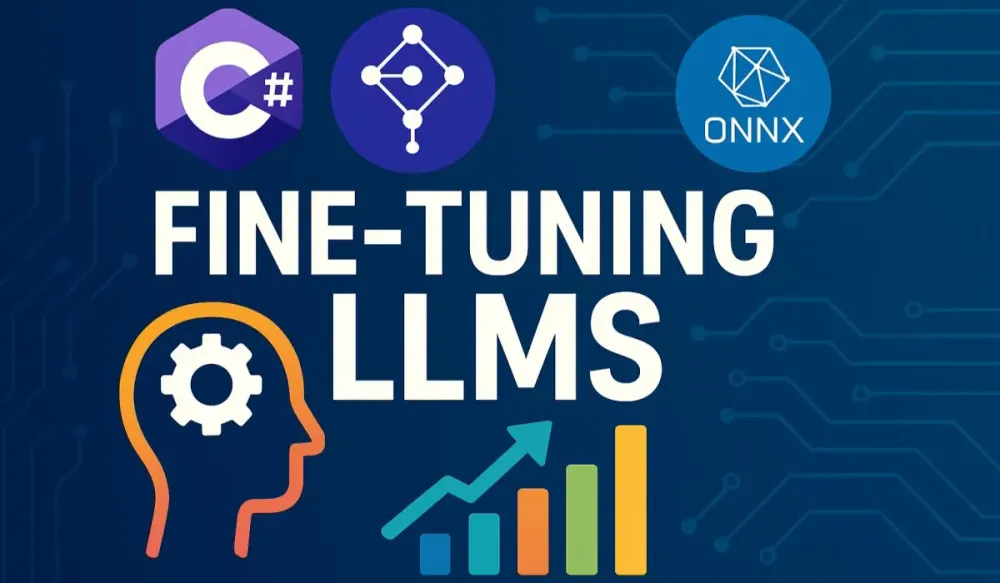
As artificial intelligence continues to shape the modern enterprise, Large Language Models (LLMs) like GPT, Llama, and Mistral are increasingly integrated into business solutions. While these models are pre-trained on vast and diverse datasets, enterprise demands frequently extend beyond generic text generation, requiring adaptation to industry-specific tasks, unique data, and brand tone. This article provides C# and .NET architects with a practical, end-to-end guide to fine-tuning LLMs, merging the power of Python-based LLM tooling with the enterprise-readiness and familiarity of C# and ML.NET.
You will discover foundational concepts around LLMs and fine-tuning, pragmatic guidance for configuring your .NET and Python environments, and a full walkthrough of the hybrid workflow—leveraging Python for fine-tuning and ML.NET for orchestration, data handling, evaluation, and deployment. The article also examines the emerging ecosystem of native C# libraries for LLMs and offers best practices for integrating, deploying, and managing custom AI models at scale.
1 Introduction to Large Language Models and the Power of Fine-Tuning
1.1 What are Large Language Models?
Large Language Models (LLMs) have fundamentally changed how software can understand, generate, and transform human language. As a software architect, you may already know models such as OpenAI’s GPT, Meta’s Llama, and Mistral AI’s LLMs. But what underpins their power?
At their core, LLMs are neural networks trained on enormous corpora of text—ranging from books and code to conversations and web articles. They employ the Transformer architecture, first introduced in the seminal paper “Attention is All You Need.” The transformer’s key innovation is the attention mechanism: rather than processing language in a strict sequence, the model dynamically weighs the importance of all input tokens at every step, capturing subtle relationships and context.
The scale is staggering. GPT-4, for example, was trained on trillions of words, allowing it to perform myriad language tasks, from translation and summarization to programming and question answering—all without explicit task-specific programming.
Key Concepts at a Glance:
- Transformers: Allow parallel processing of sequence data and capture long-range dependencies.
- Attention: Computes contextual weights for each token relative to every other token.
- Pre-training: Models are exposed to diverse, large-scale data, learning language patterns, facts, and reasoning skills.
However, generality is both a strength and a limitation. Pre-trained LLMs often lack specific knowledge or may not align perfectly with enterprise requirements. This brings us to fine-tuning.
1.2 Why Fine-Tuning is a Game-Changer for Enterprises
You may have noticed that out-of-the-box LLMs often sound generic. They can be helpful, but they may:
- Use language not matching your organization’s brand voice.
- Miss crucial nuances of your domain.
- Provide inaccurate or hallucinated answers for specialized topics.
Fine-tuning allows you to adapt a general-purpose LLM to your specific needs. By continuing training on a curated dataset (say, legal documents, proprietary support tickets, or internal technical docs), you align the model’s responses with your data, terminology, and business context.
Enterprise Benefits:
- Domain Adaptation: Achieve higher accuracy on tasks like compliance checks, technical Q&A, or industry-specific summarization.
- Consistent Tone: Reflect your brand’s voice and values in all generated text.
- Factual Consistency: Reduce hallucinations by focusing the model on verified, up-to-date information.
- Task Specialization: Outperform prompt-based solutions on tasks like code generation, sentiment analysis, or chatbot dialogues.
In short, fine-tuning bridges the gap between generic intelligence and enterprise value.
1.3 When to Fine-Tune vs. When to Use Prompt Engineering or RAG
LLMs can be adapted in three primary ways: prompt engineering, Retrieval-Augmented Generation (RAG), and fine-tuning. How do you decide?
Prompt Engineering:
- Crafting clever prompts to steer model behavior.
- Fast and cost-effective.
- Works well for simple customizations or “one-off” tasks.
- Limitations: Difficult to enforce style or reliability; prompt complexity grows with task sophistication.
Retrieval-Augmented Generation (RAG):
- Combines LLMs with a search system (e.g., Azure Cognitive Search, Elastic, FAISS).
- At query time, relevant documents are fetched and injected into the prompt.
- Powerful for dynamic, up-to-date knowledge.
- Limitations: Relies on retrieval quality; responses can be inconsistent in voice or depth.
Fine-Tuning:
-
Trains the LLM on your dataset, adapting weights for domain or task.
-
Produces a model intrinsically “aware” of your context.
-
Best for:
- High-volume, repetitive tasks (e.g., support bots).
- Strong voice, policy, or factual requirements.
- Consistent performance across similar queries.
-
Considerations: Higher compute and data requirements. Changes are persistent.
Decision Framework (for architects):
| Scenario | Prompt Eng. | RAG | Fine-Tuning |
|---|---|---|---|
| Quick prototype / proof of concept | ✓ | ||
| Dynamic data, needs up-to-date answers | ✓ | ||
| Highly specialized language or style | ✓ | ||
| Complex task with repetitive input | ✓ | ||
| Strong brand or compliance requirements | ✓ |
Cost and maintainability matter. Fine-tuning is most effective where high performance justifies the investment, or where prompt engineering and RAG reach their limits.
1.4 The C# and .NET Advantage in the AI Landscape
C# and .NET remain core technologies for enterprise backends, web services, desktop applications, and even cloud-native workloads. As LLMs move from research to real-world deployments, the .NET ecosystem plays a critical role:
- Existing Skills: Most enterprise engineering teams already have C# expertise, reducing barriers to AI adoption.
- Infrastructure Integration: Seamlessly connect AI with your current .NET APIs, business logic, and workflows.
- ML.NET: Microsoft’s mature machine learning library for .NET, providing data prep, model scoring, evaluation, and deployment tools.
While Python dominates model training and research, the hybrid approach leverages Python’s extensive AI ecosystem (for fine-tuning) and .NET’s enterprise-readiness (for everything else). This allows you to maintain agility without rearchitecting your stack.
2 Setting the Foundation: Your .NET Environment for AI
Fine-tuning LLMs involves two main technology stacks. You need a robust .NET setup for data engineering, model evaluation, and application integration, plus a Python stack for model fine-tuning. Let’s break down the setup process.
2.1 Essential Tools and Libraries for the .NET Architect
Start by ensuring your .NET environment is up-to-date and optimized for machine learning workflows.
Key Components:
- Visual Studio 2022: For C# development, debugging, and data exploration.
- .NET 8/9 SDK: Offers improved performance, language features, and library support.
- ML.NET: Microsoft’s open-source ML library for C#. Enables data transformations, model evaluation, and ONNX runtime integration.
ML.NET Primer
ML.NET structures machine learning workflows around a few core classes:
- MLContext: The central entry point for all ML.NET operations.
- IDataView: The fundamental data pipeline object (similar to DataFrame in Python).
- Transformers: Used to preprocess data, score models, and make predictions.
Here’s a simple example to load data, transform text, and score a model using ML.NET:
using Microsoft.ML;
using Microsoft.ML.Data;

public class TextData
{
    public string Text { get; set; }
}

public class TextPrediction
{
    public float[] Features { get; set; }
}

var context = new MLContext();
var data = context.Data.LoadFromEnumerable(new[] {
    new TextData { Text = "Fine-tune LLMs with C#." }
});

var textPipeline = context.Transforms.Text.FeaturizeText(
    outputColumnName: "Features", inputColumnName: nameof(TextData.Text));

var transformer = textPipeline.Fit(data);
var transformedData = transformer.Transform(data);

var predictions = context.Data.CreateEnumerable<TextPrediction>(transformedData, reuseRowObject: false);
This pipeline can be extended to preprocess training data, score ONNX models, or connect with custom LLM inference endpoints.
2.2 A Primer on Python Interoperability
While C# and ML.NET handle orchestration, data preparation, and scoring, Python remains essential for fine-tuning due to its mature AI libraries:
- transformers (Hugging Face): Pre-trained LLMs, tokenization, and training utilities.
- datasets: Efficient data loading and processing for NLP.
- PyTorch / TensorFlow: GPU-accelerated deep learning frameworks.
Python Environment Setup
-
Use Anaconda or Python’s
venvto manage dependencies. -
Install core libraries:
pip install transformers datasets torch
Interoperability Patterns
How does your C# application communicate with Python scripts for fine-tuning or inference?
- File-based exchange: C# exports data to disk (CSV, JSONL, Parquet), Python loads it for fine-tuning. After training, Python exports the model (ONNX, TorchScript).
- REST APIs: Host Python fine-tuning or inference as a service (Flask, FastAPI), C# calls via HTTP.
- Process invocation: C# launches Python scripts as child processes and captures stdout/stderr.
Example: Invoking a Python script from C#
using System.Diagnostics;

var psi = new ProcessStartInfo
{
    FileName = "python",
    Arguments = "fine_tune_llm.py --config config.json",
    RedirectStandardOutput = true,
    UseShellExecute = false
};

using var process = Process.Start(psi);
string output = process.StandardOutput.ReadToEnd();
process.WaitForExit();
Console.WriteLine(output);
This approach is simple for orchestration, allowing C# to manage datasets, kick off training jobs, and retrieve results.
2.3 Preparing for GPU-Accelerated Training
Fine-tuning LLMs is computationally intensive. Training even a moderate model without a GPU is impractical.
Local GPU Setup
- NVIDIA GPUs: Required for PyTorch/TensorFlow CUDA acceleration.
- Drivers: Install the latest NVIDIA drivers for your card.
- CUDA Toolkit: Compatible version for your framework (official downloads).
- cuDNN: Deep neural network acceleration library.
Verify installation:
python -c "import torch; print(torch.cuda.is_available())"Returns True if the setup is correct.
Cloud-Based GPU Training
If you lack local GPUs, use cloud resources. All major providers offer scalable, on-demand GPU VMs:
- Azure: Azure Machine Learning with GPU VMs.
- AWS: EC2 G4/G5, P3/P4 instances.
- Google Cloud: Compute Engine with NVIDIA GPUs.
These platforms simplify setup, offer pre-configured images, and support distributed training.
3 Preparing and Preprocessing Data in C#
Fine-tuning is only as good as your data. Let’s walk through data preparation best practices in C#, including cleaning, structuring, and exporting data for LLM consumption.
3.1 Defining Your Fine-Tuning Objective
Start with a clear definition. What business value do you want to unlock?
- Customer Support Bot: Use support ticket data, annotated with responses.
- Code Generation: Curate high-quality code snippets and their descriptions.
- Legal Document QA: Use internal policy documents and curated question-answer pairs.
Structure your data to reflect the task: input and desired output pairs (e.g., “user prompt” and “model response”).
3.2 Ingesting and Transforming Data with ML.NET
ML.NET streamlines data loading, cleaning, and transformation.
Example: Cleaning and Exporting Support Tickets
Suppose you want to fine-tune an LLM for a helpdesk chatbot. Start by extracting and sanitizing past ticket exchanges.
using Microsoft.ML;
using Microsoft.ML.Data;

public class TicketData
{
    public string Question { get; set; }
    public string Answer { get; set; }
}

var context = new MLContext();
var tickets = context.Data.LoadFromTextFile<TicketData>("tickets.csv", hasHeader: true, separatorChar: ',');

// Optional: Clean or filter rows (e.g., remove short or incomplete exchanges)
var filteredTickets = context.Data.FilterRowsByMissingValues(tickets, nameof(TicketData.Question), nameof(TicketData.Answer));

// Export to JSONL for Python consumption
using (var writer = new StreamWriter("tickets_clean.jsonl"))
{
    foreach (var row in context.Data.CreateEnumerable<TicketData>(filteredTickets, reuseRowObject: false))
    {
        var json = System.Text.Json.JsonSerializer.Serialize(row);
        writer.WriteLine(json);
    }
}
Exporting data in JSONL (JSON Lines) format is a common practice for LLM fine-tuning tasks, as it’s natively supported by Hugging Face datasets.
3.3 Annotating and Augmenting Data
Quality matters more than quantity. Manual annotation—validating questions and crafting accurate responses—improves outcomes. Consider tools like Label Studio or custom annotation UIs for internal teams.
Data Augmentation
Simple data augmentation techniques can help:
- Paraphrase questions.
- Add variations in phrasing.
- Remove duplicates.
C# can automate some of these tasks, but human review is critical for factual accuracy.
3.4 Splitting Data for Training, Validation, and Test
For robust evaluation, split your dataset:
- Training: 80%
- Validation: 10%
- Test: 10%
Example in C#:
var split = context.Data.TrainTestSplit(filteredTickets, testFraction: 0.2);
var trainValSplit = context.Data.TrainTestSplit(split.TrainSet, testFraction: 0.1111); // ~10% for validation

// Export splits to separate files
// (See earlier JSONL export snippet)
4 The Heart of the Matter: A Practical Fine-Tuning Walkthrough
This section demystifies the end-to-end fine-tuning process using an enterprise scenario. You’ll learn how to select an appropriate base LLM, prepare data with C# and ML.NET, execute fine-tuning in Python, and export a cross-platform model ready for integration in .NET applications.
4.1 Choosing the Right Base Model
Before you begin, it’s vital to select an LLM that meets both your technical and organizational requirements. The open-source community now offers robust alternatives to closed models, each with its own strengths.
Popular Fine-Tuning Candidates
-
Llama 3 (Meta) Known for strong reasoning abilities, open weights, and good documentation. Llama 3 is suitable for a wide range of business tasks, including conversation, code, and summarization.
-
Mistral 7B Delivers impressive performance in a smaller package. Efficient on commodity hardware and optimized for speed without a drastic trade-off in quality.
-
Phi-3 (Microsoft) Focuses on compactness and efficiency. Often chosen for edge and mobile scenarios or where resource constraints are a concern.
Considerations for Selection
- Model Size: Larger models generally deliver better accuracy but require more memory and GPU resources. For most business fine-tuning, 7B or 13B parameter models strike a good balance.
- Performance: Consider published benchmarks, especially for your target language and task. Always verify model performance on your own validation data.
- Licensing: Review each model’s license for commercial use and redistribution. Some require attribution or impose restrictions for SaaS deployments.
Ultimately, base model choice influences not only hardware requirements but also deployment flexibility, inference latency, and maintenance overhead. Start with a smaller model and scale up as needed.
4.2 Real-World Use Case: Building a Customer Support Sentiment Analyzer
Let’s ground the workflow with a concrete business case. Imagine your organization wants to automatically classify incoming customer support tickets by sentiment—not simply as “positive” or “negative,” but with more nuance. Examples might include “frustrated but hopeful,” “urgent and negative,” or “confused but satisfied.”
The Challenge
Generic sentiment models typically classify text into three or five categories and often fail to recognize the subtleties present in real enterprise communications. Such models might mislabel a critical issue raised in polite language as “neutral” or miss sarcasm and urgency.
Why Fine-Tuning?
Fine-tuning on your own ticket data, labeled with nuanced sentiment classes, allows the model to:
- Internalize your customers’ unique language and tone.
- Recognize sentiment patterns specific to your product or service.
- Distinguish between routine and urgent tickets more accurately, aiding faster triage.
This is a perfect case where out-of-the-box models fall short, but a tailored LLM can deliver actionable insight and efficiency.
4.3 Data Preparation and Preprocessing with C# and ML.NET
The success of your fine-tuning initiative depends heavily on how well your data is prepared. Quality, consistency, and relevance all matter.
4.3.1 Sourcing and Loading Your Dataset
You might have customer support data in several places—CSV exports from your ticketing system, logs in JSON format, or structured data in an SQL database.
Loading Data with ML.NET
Here’s how you can ingest data from multiple sources using C#:
using Microsoft.ML;
using Microsoft.ML.Data;

public class SupportTicket
{
    public string Message { get; set; }
    public string Sentiment { get; set; }
}

var mlContext = new MLContext();

// CSV Example
var dataCsv = mlContext.Data.LoadFromTextFile<SupportTicket>(
    "tickets.csv", hasHeader: true, separatorChar: ',');

// JSON Example (requires Newtonsoft.Json)
var ticketsList = JsonConvert.DeserializeObject<List<SupportTicket>>(File.ReadAllText("tickets.json"));
var dataJson = mlContext.Data.LoadFromEnumerable(ticketsList);

// SQL Example
var connectionString = "...";
var dataSql = mlContext.Data.LoadFromDatabase(
    connectionString: connectionString,
    sqlCommand: "SELECT Message, Sentiment FROM Tickets"
);

// Combine data if needed
var data = mlContext.Data.Append(dataCsv, dataJson); // Hypothetical, for demonstration
Structuring for Fine-Tuning
Each data row should represent a “prompt-completion” or “input-label” pair. For sentiment classification, the “prompt” is the ticket message, and the “completion” is the correct sentiment label.
4.3.2 Cleaning and Transforming Data with ML.NET
Noisy or inconsistent data can undermine even the most sophisticated model. ML.NET provides robust tools for preprocessing:
- Handling missing values: Remove or impute missing entries.
- Text normalization: Lowercasing, punctuation stripping, removing excess whitespace.
- Noise removal: Filtering out automated system messages, signatures, or irrelevant content.
Example C# Code: Cleaning and Transforming
var data = mlContext.Data.LoadFromTextFile<SupportTicket>("tickets.csv", hasHeader: true);

var pipeline = mlContext.Transforms.Text.NormalizeText(
    outputColumnName: "CleanedMessage", inputColumnName: nameof(SupportTicket.Message))
    .Append(mlContext.Transforms.Text.TokenizeIntoWords(
        outputColumnName: "Tokens", inputColumnName: "CleanedMessage"))
    .Append(mlContext.Transforms.Conversion.MapValueToKey(
        outputColumnName: "Label", inputColumnName: nameof(SupportTicket.Sentiment)));

var transformedData = pipeline.Fit(data).Transform(data);

// Export cleaned data to JSONL for Python
using var writer = new StreamWriter("tickets_preprocessed.jsonl");
foreach (var row in mlContext.Data.CreateEnumerable<SupportTicket>(transformedData, reuseRowObject: false))
{
    var json = System.Text.Json.JsonSerializer.Serialize(row);
    writer.WriteLine(json);
}
Now your data is standardized, cleansed, and ready for fine-tuning.
4.4 The Fine-Tuning Process in Python
With your curated, exported dataset, you can proceed to the Python phase for fine-tuning. This workflow leverages Hugging Face’s mature ecosystem.
4.4.1 Loading the Pre-trained Model and Tokenizer
Python’s transformers library simplifies model and tokenizer loading:
from transformers import AutoModelForSequenceClassification, AutoTokenizer

model_name = "mistralai/Mistral-7B-v0.1"
tokenizer = AutoTokenizer.from_pretrained(model_name)
model = AutoModelForSequenceClassification.from_pretrained(model_name, num_labels=5)  # Adjust for your sentiment classes
4.4.2 Creating a Custom Dataset for Training
Load your preprocessed JSONL data and structure it for sequence classification:
from datasets import load_dataset

dataset = load_dataset("json", data_files={
    "train": "tickets_train.jsonl",
    "validation": "tickets_val.jsonl"
})

def tokenize_function(example):
    return tokenizer(
        example["CleanedMessage"],
        truncation=True,
        padding="max_length",
        max_length=256
    )

tokenized_datasets = dataset.map(tokenize_function, batched=True)
4.4.3 Configuring Training Arguments
Set your training hyperparameters for efficient experimentation:
from transformers import TrainingArguments

training_args = TrainingArguments(
    output_dir="./sentiment_model",
    learning_rate=2e-5,
    per_device_train_batch_size=8,
    per_device_eval_batch_size=8,
    num_train_epochs=4,
    evaluation_strategy="epoch",
    save_strategy="epoch",
    logging_steps=100,
    fp16=True  # Enable if running on a supported GPU
)
4.4.4 Executing the Fine-Tuning Job
Now, launch the training process and monitor metrics in real time:
from transformers import Trainer

trainer = Trainer(
    model=model,
    args=training_args,
    train_dataset=tokenized_datasets["train"],
    eval_dataset=tokenized_datasets["validation"],
    tokenizer=tokenizer
)

trainer.train()
Monitor logs for loss, accuracy, and validation metrics. Adjust learning rates or epochs as needed based on validation performance.
4.5 Saving the Fine-Tuned Model and Converting to ONNX
When training is complete, it’s time to export the model for enterprise deployment—ideally in a format that’s agnostic to programming language and runtime.
Saving Model and Tokenizer
model.save_pretrained("./sentiment_finetuned")
tokenizer.save_pretrained("./sentiment_finetuned")
Why ONNX Matters
The Open Neural Network Exchange (ONNX) format provides cross-platform compatibility, enabling you to run inference using ML.NET, ONNX Runtime, or other high-performance runtimes—without being tied to a specific framework or language.
Step-by-Step: PyTorch to ONNX Conversion
-
Prepare a Sample Input
import torch inputs = tokenizer("Example support ticket message", return_tensors="pt") -
Export to ONNX
torch.onnx.export( model, (inputs["input_ids"], inputs["attention_mask"]), "sentiment_model.onnx", input_names=["input_ids", "attention_mask"], output_names=["output"], dynamic_axes={ "input_ids": {0: "batch_size", 1: "sequence"}, "attention_mask": {0: "batch_size", 1: "sequence"}, "output": {0: "batch_size"} }, opset_version=17 # Ensure this matches your deployment environment ) -
Validate the ONNX Model
Use ONNX Runtime to ensure the model runs as expected:
import onnxruntime as ort
ort_session = ort.InferenceSession("sentiment_model.onnx")
The ONNX model can now be loaded in .NET for fast, scalable inference—an ideal bridge between your AI innovation and robust production environments.
5 Integrating and Evaluating Your Fine-Tuned Model in C#
With your fine-tuned sentiment analyzer now converted to ONNX, the next step is practical integration and evaluation inside your C# applications. ML.NET, combined with the ONNX Runtime, makes this process accessible and scalable for enterprise scenarios. Here, we’ll focus on robust inference, model scoring, and iterative evaluation, giving you a repeatable blueprint for deploying LLM-powered solutions in .NET environments.
5.1 Loading Your ONNX Model into an ML.NET Pipeline
ML.NET’s support for ONNX is mature and production-ready. You’ll need the Microsoft.ML.OnnxTransformer NuGet package, which provides the bridge between ONNX and the ML.NET data processing pipeline.
Setting Up Your Project
First, install the necessary package:
dotnet add package Microsoft.ML.OnnxTransformerDefining Schemas
You must define C# classes representing the ONNX model’s input and output schema. The property names and types must correspond precisely to the tensors defined during export.
public class TicketInput
{
    [VectorType(256)] // Adjust based on your tokenizer’s max_length
    public long[] input_ids { get; set; }
    [VectorType(256)]
    public long[] attention_mask { get; set; }
}

public class SentimentOutput
{
    [VectorType(5)] // Number of sentiment classes
    public float[] output { get; set; }
}
Creating the ML.NET Pipeline
The pipeline loads the ONNX model and prepares it for scoring:
using Microsoft.ML;
using Microsoft.ML.Transforms.Onnx;

var mlContext = new MLContext();

var pipeline = mlContext.Transforms.ApplyOnnxModel(
    modelFile: "sentiment_model.onnx",
    outputColumnNames: new[] { "output" },
    inputColumnNames: new[] { "input_ids", "attention_mask" });

var emptyData = mlContext.Data.LoadFromEnumerable<TicketInput>(Enumerable.Empty<TicketInput>());
var model = pipeline.Fit(emptyData);
With the pipeline and model prepared, you’re ready to perform inference.
5.2 Making Predictions with Your Custom Model in a C# Application
Most production scenarios require both batch scoring and real-time, single-record prediction. ML.NET’s PredictionEngine is well-suited for interactive applications, such as chatbots or ticket triage services.
Building the Prediction Engine
var predictionEngine = mlContext.Model.CreatePredictionEngine<TicketInput, SentimentOutput>(model);Example: Console Application
Suppose you want to classify a new support ticket’s sentiment:
// Tokenization: Precompute input_ids and attention_mask using the same tokenizer as during training.
// You might expose this via a Python service or, for common models, replicate tokenization in C#.

var ticketInput = new TicketInput
{
    input_ids = /* array of token ids */,
    attention_mask = /* corresponding mask */
};

var prediction = predictionEngine.Predict(ticketInput);
int predictedLabel = Array.IndexOf(prediction.output, prediction.output.Max());

// Optionally, map predictedLabel to sentiment category (e.g., 0 = "Positive", 1 = "Negative", etc.)
Console.WriteLine($"Predicted Sentiment: {predictedLabel}");
Integrating with Real Applications
For most enterprise solutions, you’ll wrap this logic in a web API or microservice, allowing your CRM, helpdesk, or BI platforms to consume predictions seamlessly.
5.3 Evaluating the Performance of Your Fine-Tuned Model with ML.NET
No fine-tuning process is complete without rigorous evaluation. ML.NET provides comprehensive evaluation metrics out of the box.
Using a Held-Out Test Set
Prepare your test dataset using the same preprocessing pipeline as your training and validation data. You can load this as an IDataView:
var testData = mlContext.Data.LoadFromTextFile<TicketInput>("tickets_test.csv", hasHeader: true);Evaluating Model Performance
Score the test data:
var predictions = model.Transform(testData);Evaluate using classification metrics:
var metrics = mlContext.MulticlassClassification.Evaluate(
    data: predictions,
    labelColumnName: "Label", // The actual sentiment label
    predictedLabelColumnName: "PredictedLabel"
);

Console.WriteLine($"Accuracy: {metrics.MicroAccuracy}");
Console.WriteLine($"Precision: {metrics.MacroAveragePrecision}");
Console.WriteLine($"Recall: {metrics.MacroAverageRecall}");
Console.WriteLine($"F1-score: {metrics.MacroAverageF1Score}");
Comparing Fine-Tuned and Base Models
For a true measure of improvement, compare these metrics against a baseline model (e.g., a generic, un-fine-tuned LLM or traditional sentiment analyzer). This helps you quantify the impact of domain adaptation.
Iterating on Fine-Tuning
Evaluation often uncovers new data issues or classes where performance lags. Use these findings to:
- Refine your dataset (add more samples for underperforming classes).
- Adjust training hyperparameters.
- Revisit preprocessing or augmentation strategies.
This iterative loop is at the heart of effective LLM deployment in the enterprise.
6 The Emerging Native C# Landscape for LLMs
While Python dominates model training, the .NET ecosystem is beginning to offer native alternatives for inference—and even, increasingly, for fine-tuning.
6.1 A Glimpse into Native Fine-Tuning with C#
A handful of open-source initiatives now aim to bring direct LLM fine-tuning to C#. Projects like LM-Kit.NET are pioneering this effort.
Concepts and Benefits
- Unified Tech Stack: Enables .NET-centric teams to handle data prep, training, inference, and deployment without switching languages.
- Enterprise Integration: Reduces friction in security, compliance, and operationalization compared to hybrid workflows.
- Potential for Real-Time Adaptation: In the future, customer data could directly improve models within regulated .NET environments.
Current State and Limitations
Disclaimer: Native C# fine-tuning libraries are at a very early stage. Many features are experimental, and documentation is limited. Community and enterprise support remain much smaller than in Python’s ecosystem. As of mid-2025, these tools are best viewed as promising for the future, but not yet mature for mission-critical workloads.
6.2 Efficient Inference with LLamaSharp
For inference and rapid prototyping, the LLamaSharp library allows you to run quantized Llama models directly in .NET applications—without needing ONNX or Python as an intermediary.
How It Works
- Supports Llama-family models and other quantized LLMs.
- Lightweight, with minimal dependencies—ideal for embedding LLMs in desktop or edge scenarios.
- Enables running inference on CPUs and, with hardware support, on certain GPUs.
Example Use Cases
- Edge Computing: Run sentiment analysis or summarization models locally on customer devices, ensuring privacy and low latency.
- Desktop Applications: Add advanced natural language features to .NET client apps, such as intelligent search, real-time transcription, or AI-driven document editing.
- Internal Tools: Prototype AI features for internal users without additional infrastructure.
Sample Initialization:
using LLama;

var modelPath = "llama-7b-quantized.bin";
var engine = new LLamaModel(modelPath);
var output = engine.Predict("How can I reset my account password?");
Console.WriteLine(output);
Practical Considerations
While LLamaSharp and similar projects lower the barrier to entry for .NET-first teams, there are trade-offs in terms of model size support, inference speed, and available model architectures. For large-scale production deployments, ONNX or REST-based serving may still be preferable today.
7 Architecting and Deploying Your Fine-Tuned Model
Building a high-performing model is only half the story. The true business value comes when your model operates as a reliable, scalable, and maintainable service. For .NET architects, the deployment and operationalization phase brings its own set of challenges and opportunities. Here, we address how to architect robust inference services, choose effective deployment patterns, and instill the discipline of MLOps for ongoing success.
7.1 Designing a Scalable and Maintainable Inference Service
For most organizations, models are not consumed as isolated scripts but as endpoints integrated with business workflows—APIs, bots, or analytics dashboards. The recommended approach is to wrap your ML.NET pipeline in an ASP.NET Core Web API, exposing predictions to client applications securely and efficiently.
Creating an ASP.NET Core Web API
Let’s sketch the essentials for a robust inference service.
Project Structure
Controllers/PredictionController.cs: API endpoints for predictions.Services/SentimentPredictionService.cs: Encapsulates ML.NET prediction logic.Models/: DTOs for input/output.
Example: Service Registration and Dependency Injection
Proper dependency injection (DI) ensures your PredictionEngine or PredictionEnginePool is thread-safe and reusable.
public void ConfigureServices(IServiceCollection services)
{
    services.AddControllers();

    // For scalable, thread-safe inference use PredictionEnginePool
    services.AddPredictionEnginePool<TicketInput, SentimentOutput>()
        .FromFile(modelName: "SentimentModel", filePath: "sentiment_model.zip", watchForChanges: true);
}
Controller Example
[ApiController]
[Route("api/[controller]")]
public class PredictionController : ControllerBase
{
    private readonly PredictionEnginePool<TicketInput, SentimentOutput> _predictionEnginePool;

    public PredictionController(PredictionEnginePool<TicketInput, SentimentOutput> predictionEnginePool)
    {
        _predictionEnginePool = predictionEnginePool;
    }

    [HttpPost("predict")]
    public IActionResult Predict([FromBody] TicketInput input)
    {
        var prediction = _predictionEnginePool.Predict(modelName: "SentimentModel", example: input);
        // Map output to class label
        int labelIndex = Array.IndexOf(prediction.output, prediction.output.Max());
        string sentiment = MapIndexToSentiment(labelIndex);

        return Ok(new { sentiment, scores = prediction.output });
    }
}
This architecture encourages separation of concerns, testability, and future extensibility.
Containerizing with Docker
Containerization has become standard for portability, reproducibility, and scaling. Packaging your .NET inference service as a Docker image allows consistent deployment from your laptop to any cloud.
Dockerfile Example
FROM mcr.microsoft.com/dotnet/aspnet:8.0
WORKDIR /app
COPY . .
ENTRYPOINT ["dotnet", "YourWebApiApp.dll"]- Build with:
docker build -t sentiment-inference . - Run locally with:
docker run -d -p 8080:80 sentiment-inference
Containerization lets you scale horizontally, manage dependencies, and migrate between environments seamlessly.
7.2 Deployment Strategies for .NET Architects
After containerization, you need a strategy for deploying and operating your model in production.
Deploying to Azure App Service and Azure Functions
Azure App Service is a straightforward way to host containerized ASP.NET Core APIs, offering built-in scaling, monitoring, and integration with Azure Active Directory and Key Vault.
Azure Functions allow you to expose your inference logic as serverless functions. This model works best for lightweight or bursty workloads, where you only pay for compute when predictions are made.
- Both options support zero-downtime deployment, environment variables for configuration, and secure networking options.
- Azure’s built-in CI/CD with GitHub Actions or Azure DevOps streamlines updates and rollbacks.
Leveraging Azure Machine Learning for Model Management
Azure Machine Learning (AML) is a managed service offering:
- Model versioning, tracking, and registration.
- Managed endpoints for real-time inference with autoscaling.
- A/B testing and canary deployments.
- Seamless integration with ML.NET via ONNX Runtime.
A typical workflow involves registering your ONNX model in AML, deploying as an Azure ML endpoint, and updating your .NET applications to call this endpoint over HTTPS. This centralizes model governance and allows auditability across your ML lifecycle.
7.3 Monitoring and MLOps for Your Fine-Tuned Model
No production system is static. LLMs, like any other software, degrade over time as user behavior shifts and external context evolves. Monitoring and MLOps are essential disciplines for sustaining business value.
Monitoring Model Performance
Key indicators to track:
- Prediction Distribution: Are class frequencies drifting?
- Latency: Are inference times staying within SLAs?
- Error Rates: Are there unexpected failures or anomalies in inputs?
- Feedback Loops: Can users provide feedback or flag incorrect predictions?
Use Application Insights, Prometheus/Grafana, or Azure Monitor to capture both infrastructure and application-level metrics. For more advanced monitoring, consider capturing model inputs and outputs for offline review.
Detecting Data Drift and Model Degradation
Data drift refers to changes in input data distribution over time. For example, a sudden increase in support tickets about a new product feature may lead to a spike in previously rare sentiment categories.
ML.NET does not provide built-in data drift detection, but you can compare feature statistics (mean, variance, class frequencies) over rolling windows, and alert when thresholds are breached. When accuracy drops or drift is detected, schedule a retraining cycle.
Strategies for Retraining and Updating
- Shadow Testing: Deploy new models in parallel with the current version, comparing predictions before switching over.
- Canary Deployments: Route a small percentage of live traffic to the new model and monitor results before a full rollout.
- CI/CD for Models: Treat your model as code; automate training, evaluation, and deployment using Azure Pipelines or GitHub Actions.
- Model Registry: Store all model artifacts and metadata, enabling rollback if issues arise.
By embedding these practices, you shift from one-off projects to an ongoing system that evolves with your business and your data.
8 Advanced Concepts and Future Directions
Fine-tuning and deploying LLMs is rapidly evolving. .NET architects should remain aware of emerging trends to future-proof their AI investments.
8.1 Parameter-Efficient Fine-Tuning (PEFT) Techniques
Large models often present prohibitive compute and memory costs. Parameter-efficient fine-tuning (PEFT) techniques allow you to adapt models with a fraction of the resources.
LoRA: Low-Rank Adaptation
LoRA is a popular PEFT approach that freezes most model weights and introduces a small number of trainable parameters. This enables:
- Dramatically lower GPU and memory requirements during fine-tuning.
- The ability to host multiple custom adapters for different tasks on the same base model.
- Fast switching and rollback—important in regulated industries or multi-tenant systems.
How does this help C# architects? ONNX models exported from LoRA-adapted models are smaller and cheaper to deploy. With advances in ONNX Runtime, you can even select which adapters to load at runtime, supporting personalized or context-aware AI solutions.
8.2 Orchestrating Fine-Tuned Models with Semantic Kernel
Semantic Kernel is Microsoft’s open-source orchestration framework for building sophisticated AI agents that blend LLMs, tools, and native .NET code.
Integrating Custom Models
Semantic Kernel abstracts away the details of prompt engineering, chaining, and tool integration. You can register your fine-tuned model as a custom “skill,” allowing agents to:
- Invoke your sentiment analyzer as part of multi-step workflows (e.g., classify tickets, generate responses, escalate based on severity).
- Combine your domain-tuned model with general-purpose LLMs (e.g., GPT-4 for summarization, your own model for compliance checks).
Example Integration:
var kernel = new KernelBuilder()
    .WithLogger(ConsoleLogger.Instance)
    .WithSkill(new SentimentAnalysisSkill(sentimentPredictionService))
    .Build();

// Use within AI agent workflows, chaining skills as needed.
This architecture lets you rapidly prototype AI-driven apps, automate business processes, and maintain a high level of modularity.
8.3 The Future of LLMs in the .NET Ecosystem
The .NET AI landscape is changing quickly. Architects should expect several major developments in the next 12–24 months:
- Native Training and Fine-Tuning: As projects like LM-Kit.NET mature, training and adapting large models entirely in C# will become feasible, shrinking the Python/.NET divide.
- Multi-Modal Models: Next-generation LLMs process not just text, but also images, audio, and structured data. ONNX and ML.NET are already being extended to handle multi-modal inference scenarios.
- Better Tooling and Standardization: Expect further improvements in model versioning, explainability, and compliance tooling—especially as AI regulation advances.
- Edge Deployment: Lighter-weight models and quantization techniques will allow more LLM-powered features in desktop and IoT applications, managed natively from C#.
Staying engaged with the open-source community, Microsoft’s AI roadmap, and standards like ONNX will position your team to lead rather than follow.
9 Conclusion and Key Takeaways for C# Architects
As LLMs move from hype to mainstream adoption, .NET architects are uniquely positioned to deliver high-value, domain-adapted AI solutions that plug directly into enterprise systems. Here’s what to keep in mind as you plan your first or next LLM project.
9.1 Summary of the Practical Fine-Tuning Workflow
- Model Selection: Choose an open, well-documented base model that fits your requirements for size, license, and performance.
- Data Preparation: Leverage C# and ML.NET to collect, clean, annotate, and structure your business data.
- Fine-Tuning: Use Python and Hugging Face tools for robust, cost-effective model adaptation.
- Model Conversion: Export your tuned model to ONNX for seamless integration with C# applications.
- Inference & Evaluation: Wrap your model in scalable .NET APIs, rigorously evaluate with ML.NET metrics, and iterate as needed.
- Deployment: Containerize and deploy to cloud or on-prem environments, leveraging Azure or your preferred platform.
- MLOps: Monitor, retrain, and automate updates to ensure long-term business value.
9.2 Final Checklist for Your First Fine-Tuning Project
- Is your data clean, balanced, and well-labeled?
- Have you validated the model’s business impact on a holdout set?
- Are all deployment artifacts versioned and reproducible?
- Is your inference API containerized and monitored?
- Do you have a strategy for retraining and handling data drift?
- Are your security, compliance, and privacy requirements met?
- Is your documentation up to date for future maintainers?
A disciplined approach pays off with scalable, future-proof solutions.
9.3 Resources for Continued Learning
-
ML.NET Documentation: https://docs.microsoft.com/dotnet/machine-learning/
-
ONNX Runtime for .NET: https://onnxruntime.ai/docs/api/dotnet/
-
Hugging Face Transformers: https://huggingface.co/docs/transformers/index
-
Microsoft Semantic Kernel: https://github.com/microsoft/semantic-kernel
-
Azure Machine Learning: https://learn.microsoft.com/azure/machine-learning/
-
LLamaSharp: https://github.com/SciSharp/LLamaSharp
-
Community Forums and Blogs:
-
Sample Repositories: