1 Introduction: The New Architectural Imperative
1.1 The Modern Architect’s Dilemma
If you’re a solution architect, system architect, or technical leader, you’re living in a time of relentless change. Today’s technology stack is deeper and wider than ever—sprawling across clouds, on-prem, dozens of frameworks, and new integration points popping up every quarter. You’re likely juggling legacy systems with one hand and greenfield microservices with the other. Sound familiar?
Pressure comes from every angle: deadlines are tight, business needs shift quickly, and everything needs to be “documented.” But what does that even mean, when yesterday’s architecture diagram is outdated today?
Keeping up is hard. Documentation quickly becomes a patchwork of half-finished diagrams, stale ADRs, and disconnected wikis. It’s not that you don’t care; there’s just not enough time. You want to focus on design and strategy, but you’re forced into hours of grunt work—redrawing boxes, hunting for that one diagram in Confluence, or manually updating spreadsheets for compliance.
Have you ever wished you had an extra set of hands—ideally, someone who could take on the tedious parts, surface the insights you’re too busy to see, and keep your documentation alive without stealing hours from your day? You’re not alone.
1.2 Enter the Copilot: Generative AI in the Real World
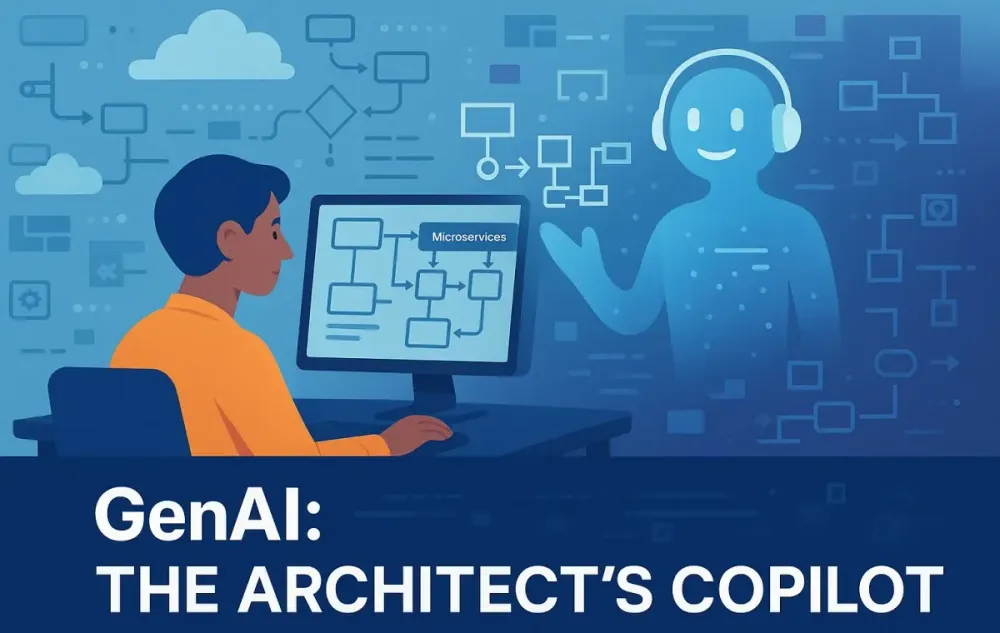
This is where Generative AI comes in—but let’s be clear. We’re not talking about some silver-bullet robot architect. The point isn’t to “replace” your expertise, judgment, or creativity. You are still in the pilot’s seat. The real opportunity is treating GenAI as your copilot: a tool that works with you, understands your context, and handles repetitive or analysis-heavy tasks.
Think about how airline pilots rely on autopilot systems for routine flying, but always take over for tricky landings or unexpected situations. That’s the relationship we’re aiming for. The AI copilot can scan documentation, connect dots across hundreds of pages and lines of code, draft first versions of diagrams, or even challenge your assumptions when you’re exploring a design.
What’s in it for you? Less time on tedious work. More time and mental energy for the big questions—system strategy, trade-offs, technical leadership.
1.3 Why This Article? Your Roadmap
If you’re reading this, you probably want practical answers. Not another marketing pitch, but a real guide to what’s possible, what’s not, and how to get started. Here’s what you’ll find as you read on:
- The essential technology concepts (without the hype) that matter for system architects
- Realistic, everyday ways GenAI can help—from brainstorming to documentation
- Code examples you can actually use, in C# or Python
- A walk-through of using GenAI from requirements to working documentation
- Straight talk about pitfalls, gotchas, and how to keep control
Let’s start with the basics: what’s behind this new “copilot” approach, and why does it matter for your architecture practice?
2 Foundations: Understanding the GenAI Engine for Architecture
2.1 Beyond ChatGPT: What GenAI Means for System Design
2.1.1 Not Just Another Chatbot
Most people’s first brush with GenAI is probably ChatGPT or Microsoft Copilot—something you type questions into, hoping for a clever or useful answer. That’s a fun starting point, but let’s be honest: generic chatbots are rarely useful for the specific, messy, and high-stakes reality of architecture work.
For example, you don’t just want to know “what’s an API gateway?” You want to know whether introducing a gateway to your company’s aging platform will actually reduce incident rates, or if it’ll just add more moving parts. Generic chatbots don’t have your context. They don’t know your history, your stack, or what’s gone wrong in the past.
The takeaway: If you want AI to help with system design, it needs to operate in your world, with your data, on your terms.
2.1.2 The Tech Under the Hood (Plain English Edition)
If you’re going to trust AI as a copilot, you should have a rough sense of what’s powering it. Here’s a practical summary:
Large Language Models (LLMs): These are very advanced pattern-matching engines trained on enormous amounts of text, code, and technical docs. Think of them as supercharged auto-complete systems. They predict what comes next in a sequence, whether that’s English or Python or architecture diagrams.
Transformers: This is the core algorithm that lets LLMs understand not just the last word you typed, but the entire sentence or even the whole document. They’re good at “paying attention” to relevant details in your input.
Retrieval-Augmented Generation (RAG): This is where things get interesting for architects. RAG combines an LLM with a “search engine” over your real documentation, code, and past designs. Instead of guessing, it retrieves relevant facts from your actual systems and uses them as the basis for its answers or drafts. So when you ask, “What did we decide about authentication in our payments platform?” you don’t get a generic answer, you get something grounded in your docs and code.
Why Should You Care About RAG?
Without it, GenAI is just making educated guesses. With RAG, it’s like having a junior architect who’s memorized your entire documentation set, read every incident report, and can instantly summarize the relevant pieces for you.
Imagine sitting with a team member who can answer, “What did we learn from that SSO outage last quarter?” and actually pull up the right post-mortem, ADR, and design diagram—all before you finish your coffee.
2.1.3 How RAG Works in Practice
- Ingest: Feed your documentation, code, tickets, and diagrams into a searchable index. This can be as simple as a folder of Markdown files or as advanced as a full vector database.
- Ask: You pose a natural language question, just like you would to a colleague.
- Retrieve: The system finds the most relevant snippets or docs, based on real similarity—not just keywords.
- Generate: The AI synthesizes an answer using those sources, weaving them into a tailored, context-aware response.
Here’s a small, practical Python example using a hypothetical GenAI copilot library:
from genai_copilot import Copilot

copilot = Copilot(knowledge_base='company_architecture_docs')
response = copilot.ask("How are we handling API authentication in our e-commerce platform?")
print(response)
The AI will pull up the ADRs, relevant code samples, and even Slack threads, then summarize them into a clear, referenced answer.
2.2 The “Architect’s Copilot” Paradigm: Three Practical Roles
Let’s get concrete. How does GenAI actually fit into your architecture workflow? From what we’ve seen in leading teams, there are three main ways.
2.2.1 The Sparring Partner
Design work is rarely about picking from a menu of right answers. You need options, trade-off analysis, and a challenge to your assumptions—ideally before costly mistakes make it to production.
Here’s where GenAI shines as a tireless brainstorming partner. You can ask it to:
- Generate alternative architectures for a specific problem, grounded in your stack
- Summarize trade-offs between patterns (e.g., microservices vs. modular monolith)
- Flag inconsistencies with your existing decisions or standards
Example:
Say you’re planning to refactor a legacy monolith into smaller, independently deployable modules. You could ask:
alternatives = copilot.suggest_alternatives(
    current_architecture='Monolith',
    goals=['independent deployments', 'easier scaling'],
    constraints=['.NET 8', 'PostgreSQL', 'Azure']
)
for alt in alternatives:
    print(alt['summary'])
You get back not just a few textbook patterns, but options that take into account your real constraints—your language, database, cloud provider, even past migration attempts.
2.2.2 The Accelerator
Let’s be honest—most documentation isn’t strategic. It’s updating diagrams, rewriting boilerplate, or generating tables and checklists that are necessary but eat into time you could spend on real design work.
AI can generate draft documentation, diagram skeletons, or even code snippets directly from code or high-level requirements. You review, adjust, and approve—rather than start from scratch.
Practical C# Example (using a hypothetical library):
var copilot = new GenAICopilot("company_docs");
string doc = copilot.GenerateDesignDocument(
    serviceName: "OrderService",
    codePath: "./Services/Order",
    template: "C4Container"
);
Console.WriteLine(doc);
You can quickly get a draft architecture doc, including diagrams in PlantUML or Mermaid syntax. Your job is now about editing and validating, not endless reformatting.
2.2.3 The Analyst
No matter how much experience you have, you can’t keep every incident, workaround, or anti-pattern in your head. GenAI can scan across your docs, code, and even monitoring data to spot problems before they bite you.
Real-World Scenario:
You’re considering adding event sourcing to your order management service. You want to know, “What’s gone wrong with similar changes before?”
issues = copilot.analyze_change_risks(
    proposed_change="Add event sourcing to order service",
    search_scope="incidents, ADRs, past tickets"
)
for issue in issues:
    print(f"Risk: {issue['risk']} | Evidence: {issue['evidence']}")
You might learn that a previous event-sourcing rollout caused downstream consumers to break, or that certain audit requirements weren’t met.
Key Takeaways So Far
- AI as your copilot is not about “auto-architecting.” It’s about helping you do your job faster and better, with more confidence and less toil.
- The best results come from context-aware, RAG-enabled GenAI. If your AI isn’t using your own data, it’s just guessing.
- You stay in charge. The AI helps, but it’s your judgment, experience, and final decisions that matter.
3 The GenAI-Powered Architect’s Toolkit (As of 2025)
The real impact of GenAI is felt not in abstract theory, but in the hands-on tools and workflows that architects use every day. In 2025, GenAI is no longer a “bolt-on” novelty. It’s becoming central to how modern architecture teams diagram, document, analyze, and govern complex systems. Here’s what this new toolkit looks like in practice—and how you can make it work for you.
3.1 The Rise of Intelligent Diagramming
Visual thinking is the architect’s bread and butter. Diagrams make complex systems understandable, align teams, and reveal design flaws before they become production fires. But maintaining diagrams—especially in rapidly evolving environments—has always been a headache. GenAI is changing the game, turning diagrams from static artifacts into living, generative assets.
3.1.1 Diagrams as Code (DaC) on Steroids
In recent years, “Diagrams as Code” has helped many teams automate architecture diagrams using tools like PlantUML or Mermaid. But these tools traditionally required manual scripting—tedious and error-prone. In 2025, GenAI supercharges this approach.
Now, you can describe what you want in plain English, and GenAI translates your intent into precise diagram code. Need a C4 container diagram for your order service? Just ask. Want a sequence diagram showing an API call? The AI can parse your request, review code snippets, and output the diagram in seconds.
Example Workflow:
“Show a sequence diagram of the checkout flow, including payment, inventory check, and notification.”
GenAI instantly generates the corresponding Mermaid or PlantUML markup. You tweak if needed—no more hunting through syntax docs or manually drawing arrows.
3.1.2 Tool Deep Dive: Mermaid, PlantUML, and Eraser.io
Let’s break down how these tools now fit into a GenAI-powered workflow.
- Mermaid: Lightweight and popular for C4 models and sequence diagrams, especially inside markdown.
- PlantUML: More expressive, great for complex class, sequence, and deployment diagrams.
- Eraser.io: A modern, collaborative diagramming tool with AI features for real-time design collaboration.
What’s new in 2025 is the way GenAI acts as the engine behind these tools. You can feed code, API specs, or text prompts to the AI, and get instant, accurate diagrams.
Sample (Python):
prompt = """
Create a C4 container diagram for our e-commerce platform.
Components: Web App (.NET 8), API Gateway, Order Service, Payment Service, Inventory DB (PostgreSQL), Notification Service.
Show all interconnections.
"""

diagram_code = copilot.generate_diagram(prompt, format='mermaid')
print(diagram_code)
Paste the result into your docs, or visualize it in Eraser.io with a single click. The process is natural, iterative, and collaborative—no more bottlenecks or outdated visuals.
3.1.3 From Whiteboard to Code: Multimodal AI in Action
Here’s a workflow that would have seemed sci-fi just a few years ago: Snap a photo of your whiteboard sketch during a design session, upload it, and GenAI turns it into editable Mermaid or PlantUML code—instantly.
This “multimodal” capability means the AI understands both images and text, bridging the gap between informal ideation and production-grade documentation.
Real-World Scenario:
You finish a brainstorming session, take a picture of your whiteboard with your phone, and drop it into your GenAI tool. Seconds later, you have the diagram rendered in code—ready for refinement or embedding in your architecture repo.
This eliminates one of the biggest sources of lost knowledge: the “dead whiteboard” whose value disappears as soon as the meeting ends.
3.2 Automated Documentation and Knowledge Management
The curse of architectural documentation has always been its shelf life. Most docs are out of date the moment they’re written. GenAI, when harnessed properly, lets you break this cycle—making documentation living, reliable, and easy to query.
3.2.1 The End of Documentation Drudgery
In 2025, documentation can practically write—and rewrite—itself. Modern GenAI tools can scan code, configs, and even commit messages to generate clear, up-to-date docs without endless manual editing.
How it works:
- Analyze source code, APIs, and configuration files for key entities, endpoints, dependencies, and behaviors.
- Generate or update Markdown, AsciiDoc, or HTML docs in your preferred format.
- Suggest summaries, cross-references, and diagrams automatically.
Example (C#):
var copilot = new GenAICopilot("my_repo/docs");
string doc = copilot.GenerateAPIDocs(
    sourceCodePath: "./Services/Payment",
    outputFormat: "Markdown"
);
Console.WriteLine(doc);
The tool keeps these docs fresh—triggered on pull requests, merges, or even daily scans—so your documentation actually matches what’s in production.
3.2.2 Creating the “Living Architecture”
The holy grail for architects is documentation that never goes stale. With GenAI, you can connect your codebase, documentation, diagrams, and even operational telemetry into a single, continuously synchronized knowledge system.
This “living architecture” means:
- ADRs, sequence diagrams, and integration maps always reflect the current state of the code.
- When someone changes an API, the affected docs and diagrams update automatically.
- New team members onboard faster, since the system’s real story is always accessible and up to date.
You can also integrate with version control, so every doc change is tracked, reviewed, and auditable—no more mystery “tribal knowledge.”
3.2.3 Querying Your Architecture: Natural Language, Real Answers
Perhaps the most empowering feature is the ability to ask your architecture questions, just like you would with a senior team member.
Sample queries:
- “Which services depend on the legacy authentication API?”
- “Show all components that are not covered by E2E tests.”
- “What external vendors does our payments flow interact with?”
The AI sifts through your architecture knowledge graph, codebase, and documentation, returning answers with links, evidence, and sometimes even recommended actions.
Example (Python):
result = copilot.query_architecture(
    "List all microservices calling the payment API that lack end-to-end tests"
)
for service in result['services']:
    print(service)
No more digging through wikis, spreadsheets, or ancient flowcharts—your architecture becomes interactive and explorable.
3.3 Architectural Analysis and Validation Engines
Documentation and diagrams are great, but real architectural impact comes from design quality, risk management, and compliance. GenAI is rapidly becoming an expert assistant for these higher-order tasks, as well.
3.3.1 AI-Powered Design Reviews
Traditionally, design reviews relied on manual checklists and the collective wisdom of the team. Now, GenAI can participate as an expert reviewer—flagging issues, suggesting improvements, and checking proposals against both industry best practices and your own standards.
Example Workflow:
- Submit your proposed architecture doc or diagram.
- GenAI reviews it against known patterns (e.g., CQRS, Event Sourcing), anti-patterns, security frameworks like STRIDE, and even your company’s historical postmortems.
- Get back a concise report with strengths, risks, and action items.
Sample prompt:
review = copilot.review_design(
    design_doc_path="docs/payment_architecture.md",
    focus_areas=["security", "scalability", "org standards"]
)
print(review['summary'])
You can tailor reviews to specific domains—security, cost, compliance—or ask for a holistic evaluation.
3.3.2 Proactive Flaw Detection
Even the best architects miss things. GenAI can analyze architecture models, code, and deployment manifests for:
- Performance bottlenecks (e.g., synchronous calls in high-latency paths)
- Single points of failure (e.g., unreplicated databases)
- Security gaps (e.g., unencrypted communication between services)
GenAI doesn’t just check boxes—it explains why something might be risky, often with real examples from your own incident history.
Practical Example:
findings = copilot.analyze_for_flaws(
    design="current_system_model.mmd",
    areas=["performance", "availability", "security"]
)
for finding in findings:
    print(f"Type: {finding['type']} | Details: {finding['details']}")
Over time, the AI learns from your environment, getting sharper at finding real issues and filtering out false positives.
3.3.3 Compliance and Governance as Code
Compliance is no longer a back-office afterthought. In many industries, architectures must meet legal and regulatory requirements from day one.
GenAI can check your designs and implementations against:
- Regulations like GDPR, HIPAA, PCI DSS, or CCPA
- Internal policies—data residency, access controls, encryption requirements
- Automated “governance as code” rules integrated into CI/CD pipelines
Workflow:
- Architect drafts a system change
- GenAI checks it for compliance gaps, generates a report, and even drafts remediation steps
- The report is linked to the change for auditability
Sample prompt:
compliance_report = copilot.check_compliance(
    design_doc="payment_service_design.md",
    regulations=["GDPR", "PCI DSS"],
    internal_policies=["data_encryption", "audit_logging"]
)
print(compliance_report['summary'])
This reduces risk, streamlines audits, and lets architects focus on design rather than chasing checklists.
4 Practical Implementation: A Real-World Project Lifecycle with GenAI
To truly understand how GenAI transforms the day-to-day of architecture, let’s follow a realistic, end-to-end project—one many large organizations will recognize. We’ll see how GenAI moves from brainstorming partner to automation engine, and ultimately, to the heartbeat of a living documentation system.
4.1 Scenario: “TradeShift” - A Monolith to Microservices Modernization Project
Imagine you’re the lead architect for TradeShift, a busy e-commerce platform running on a classic monolithic backend. The system has served the company well for years, but growth is starting to strain the seams. The business wants to scale quickly, and developer velocity has slowed under the weight of an aging codebase. Your mission? Break up the monolith, shift to microservices, and set up the foundation for the next phase of growth.
You have a small team, tight deadlines, and a ton of business risk riding on your technical decisions. Let’s see how GenAI augments every step.
4.2 Phase 1: Conceptualization and Requirements Gathering
Goal: Define the “why” and “what” for your modernization, with a focus on clarity, speed, and consensus.
4.2.1 The Prompt: Laying the Foundation
You open your GenAI copilot and type:
Act as an enterprise architect. We need to migrate our monolithic e-commerce backend ‘TradeShift’ to a microservices architecture. The key drivers are scalability and developer velocity. Generate a set of key non-functional requirements and a proposed list of bounded contexts.
Output: Within seconds, you get a structured draft:
Non-functional requirements (NFRs):
- High scalability (supporting 10x traffic bursts during sales)
- Independent deployment of services
- Consistent API performance under load
- Secure data sharing between services (PCI-DSS readiness)
- Operational monitoring and distributed tracing
- Fault isolation (no single point of failure)
- Automated, zero-downtime deployments
Proposed Bounded Contexts:
- Order Management
- Product Catalog
- Inventory
- Customer Account
- Payments & Billing
- Promotions & Discounts
- Notifications
This isn’t just boilerplate—it’s context-aware and reflects the actual drivers of the project.
4.2.2 The AI as a Brainstorming Partner
You decide to stress-test the AI’s initial output:
What are the trade-offs between a shared database and database-per-service for our new microservices?
The copilot explains:
- Shared DB: Simpler migrations but introduces coupling, schema conflicts, and shared-fate outages.
- Database per Service: Enables true autonomy, but increases operational complexity and challenges around consistency.
You follow up:
Generate user stories for the “Order Management” epic.
The AI outputs a backlog:
- As a customer, I want to create an order so I can purchase products.
- As an admin, I want to view all orders placed in the last 24 hours.
- As a system, I want to notify customers when an order status changes.
- …and more, each mapped to the new bounded context.
With these, your product manager and delivery teams are already accelerating.
4.3 Phase 2: High-Level Design and Visualization
Goal: Turn ideas into concrete, visual artifacts the whole team can rally around.
4.3.1 The Prompt: Automated C4 Modeling
You hand the copilot a clear prompt:
Based on the ‘Order Management’ bounded context, generate a C4 Model (Context and Container diagrams) using Mermaid syntax. The system should include a Web App, an API Gateway, an Order Service, a Payment Gateway integration, and a notification service.
AI Output (Mermaid):
%% C4 Context Diagram
graph TD
    WebApp[Web App (.NET 8)]
    APIGateway[API Gateway]
    OrderService[Order Service]
    PaymentGateway[Payment Gateway Integration]
    NotificationService[Notification Service]

    WebApp --> APIGateway
    APIGateway --> OrderService
    OrderService --> PaymentGateway
    OrderService --> NotificationService
You get a ready-to-review diagram, no manual coding or fiddling required.
4.3.2 Iterative Refinement
You refine the diagram, adding details through natural prompts:
Add database containers and define the REST APIs between the Order Service and Payment Gateway.
The AI updates the model, including “OrderDB (PostgreSQL)” and an explicit /process-payment REST call.
You ask:
Generate a sequence diagram for the “Create Order” flow.
AI Output:
sequenceDiagram
    participant Customer
    participant WebApp
    participant APIGateway
    participant OrderService
    participant PaymentGateway
    participant NotificationService

    Customer->>WebApp: Place order
    WebApp->>APIGateway: POST /orders
    APIGateway->>OrderService: POST /orders
    OrderService->>PaymentGateway: POST /process-payment
    PaymentGateway-->>OrderService: Payment confirmation
    OrderService->>OrderDB: Save order
    OrderService->>NotificationService: Send order confirmation
    NotificationService-->>Customer: Confirmation email
This instantly communicates flow to engineers, testers, and stakeholders.
4.4 Phase 3: Deep-Dive Analysis and Decision Making
Goal: Validate designs, mitigate risks, and document decisions before coding starts.
4.4.1 Feeding the Design to the Analyst
You drop the diagrams and notes into your RAG-enabled GenAI system:
Analyze the proposed ‘Order Service’ architecture for potential resilience issues. Specifically, evaluate the impact of a Payment Gateway failure and suggest patterns like Circuit Breakers or fallback mechanisms.
4.4.2 AI-Driven Risk Analysis
The AI flags:
- The
OrderService -> PaymentGatewaycall is a critical path. - If the Payment Gateway is down, orders will not be completed, potentially causing lost revenue and customer frustration.
It recommends:
- Implementing a Circuit Breaker on the outbound Payment Gateway calls (using Polly in .NET or Hystrix patterns in Python).
- Introducing a fallback mechanism to queue failed payments for retry.
- Notifying customers gracefully about payment issues.
4.4.3 Automating Architecture Decision Records (ADRs)
You prompt:
Draft an ADR for adopting a Circuit Breaker pattern in the Order Service when calling external payment providers.
AI Output (Sample ADR):
Title: Adopt Circuit Breaker Pattern for Payment Gateway Integration Status: Proposed Context:
- Payment Gateway outages have high business impact.
- Current design lacks failure isolation. Decision:
- Integrate a Circuit Breaker (using Polly for .NET 8) into the Order Service’s Payment Gateway client. Consequences:
- Improved resilience and graceful degradation during outages.
- Additional operational monitoring required.
You edit and publish—documenting the “why” and “how” for future teams.
4.5 Phase 4: Implementation Handoff and Continuous Documentation
Goal: Move seamlessly from design to code, while keeping all documentation accurate and living.
4.5.1 Generating Implementation Skeletons
You ask GenAI:
Generate starter code for the Order Service’s API controller and data models in .NET 8.
AI Output (C# Sample):
[ApiController]
[Route("api/orders")]
public class OrderController : ControllerBase
{
    [HttpPost]
    public IActionResult CreateOrder([FromBody] CreateOrderRequest request)
    {
        // TODO: Add order creation logic
        return Ok();
    }
}

public class CreateOrderRequest
{
    public int CustomerId { get; set; }
    public List<OrderItemDto> Items { get; set; }
}

public class OrderItemDto
{
    public int ProductId { get; set; }
    public int Quantity { get; set; }
}
You get production-ready scaffolding that matches your architecture docs. Teams can build on top of this, minimizing handoff friction and missed requirements.
4.5.2 The “Living Document” Pipeline
This is where the real operational value shines through.
You set up a Git hook so that every time a PR is merged to main:
- GenAI scans code comments (tagged
// @doc:), API contracts, and infrastructure-as-code changes. - It updates corresponding diagrams, sequence flows, and documentation pages (e.g., in Confluence or SharePoint).
- All changes are tracked and auditable.
Example:
A developer adds a new endpoint and annotates it:
// @doc: Adds a POST /orders/cancel endpoint to allow customers to cancel orders.
[HttpPost("cancel")]
public IActionResult CancelOrder([FromBody] CancelOrderRequest request)
{
    // ...
}
On merge, the AI updates the API docs, related diagrams, and even notifies interested stakeholders.
Result: Docs, diagrams, and implementation are always in sync. Onboarding new team members or preparing for compliance reviews becomes a breeze—everything you need is up to date and discoverable.
Key Takeaways from the “TradeShift” Walkthrough
- GenAI accelerates each stage: From requirements and design, through risk analysis, to implementation and ongoing documentation.
- You maintain control: The AI generates, you review, refine, and approve. Human expertise guides every decision.
- The architecture becomes “living”: No more guessing if docs match code. The system self-updates with every meaningful change.
This isn’t theory or a sales pitch—it’s how forward-looking architecture teams are already working in 2025. You can start small (automate diagram generation), or go big (full living doc pipeline), but the core pattern is the same: GenAI as your partner, not your replacement.
5 Advanced Strategies and Patterns
By now, it’s clear that GenAI isn’t just about “saving time” on documentation or automating diagrams. The real competitive edge comes from using these technologies deliberately—choosing the right approaches, integrating them deeply, and preparing for the next wave of capability: intelligent agents that can orchestrate multi-step workflows. Let’s explore the advanced patterns that the leading organizations are already adopting in 2025.
5.1 Fine-Tuning vs. RAG: When to Use Which?
A common question for technical leaders is whether to fine-tune a Large Language Model (LLM) on your data, or to set up a Retrieval-Augmented Generation (RAG) system. Both approaches have value—but their sweet spots differ.
Fine-Tuning: What Is It Good For?
Fine-tuning means taking an existing LLM (like OpenAI’s GPT or Meta’s Llama) and training it further with your own data: architectural docs, code, emails, design decisions, and so on. The result is a model that “speaks your language” and internalizes your best practices.
When does fine-tuning make sense?
- You have proprietary, confidential, or highly domain-specific data.
- You want the AI to consistently use your naming conventions, design patterns, or standards.
- Your documentation is highly structured and you have the resources (and patience) to maintain periodic retraining.
Limitations: Fine-tuning can be expensive and time-consuming. It’s best for companies with mature data pipelines, and the need for very tailored outputs. Once fine-tuned, the model is only as current as its last training run—keeping it fresh requires ongoing investment.
RAG: The Flexible, Always-Up-to-Date Option
Retrieval-Augmented Generation (RAG) combines a general-purpose LLM with a dynamic, real-time retrieval layer. When you ask a question or prompt, the system fetches relevant data (from your docs, code, tickets, or wikis) and injects it into the AI’s context.
When is RAG the right choice?
- You want your copilot to always have access to the latest documentation, code, and decisions.
- Your architecture changes frequently, and static training would go stale.
- You want to avoid leaking sensitive information to a model host—you control the retrieval layer.
Example: Ask, “What were the main findings from the last security audit?” The RAG system instantly retrieves the latest report—even if it was written after the AI was trained.
Best Practice: For most organizations, RAG is the default starting point. It’s easier to set up, safer from a data privacy perspective, and keeps your copilot’s knowledge fresh. Fine-tuning becomes valuable once you have stable, well-defined internal standards or highly unique requirements.
Choosing the Right Tool
- Start with RAG: Connect your documentation, codebase, and ticketing systems.
- Layer in fine-tuning: As your AI adoption matures and your data grows richer, consider fine-tuning for truly tailored interactions.
- Blend approaches: Some organizations combine both: a fine-tuned base model plus a live RAG overlay for context.
5.2 Building a “Corporate Brain”: Vector Databases and Secure RAG
So, how do you actually make your RAG copilot smart, secure, and context-aware across your entire organization? The answer is by building what some call a “corporate brain.”
What Is a Corporate Brain?
Think of it as a centralized, searchable, and up-to-date memory of all your technical knowledge: code, architectural decisions, diagrams, incident postmortems, onboarding guides, and more. This isn’t just a document repository—it’s a vectorized, semantically rich index that your GenAI can query in real time.
Why Vector Databases?
Vector databases (like Pinecone, Weaviate, or Azure AI Search) store your documents as high-dimensional “embeddings,” allowing the AI to find meaningfully similar content—even if your query doesn’t match exact keywords. This makes RAG systems far more context-aware.
Practical Steps:
-
Data Ingestion: Regularly scan and convert your architectural docs, code comments, Jira tickets, emails, and wiki pages into embeddings.
-
Secure Indexing: Apply access controls and encryption. Sensitive data should be segmented—don’t mix financial compliance docs with everyday design patterns.
-
Connect Retrieval to GenAI: When a user asks a question (“How does our fraud detection work?”), the AI queries the vector database for the most relevant context before responding.
-
Continuous Updates: Schedule regular re-indexing—either through CI/CD triggers, webhook notifications, or nightly jobs—so the brain never gets stale.
Example:
A team member asks, “What ADRs mention event sourcing in the past year?” The copilot scans embeddings, pulls out the relevant records, and summarizes them—no more searching through email threads or endless wikis.
Security and Privacy
Building a corporate brain demands robust controls:
- Authentication and Authorization: Integrate with your SSO, LDAP, or Azure AD.
- Audit Trails: Log every access and modification.
- Data Minimization: Only index what’s needed for architectural work; sensitive PII or trade secrets should be carefully filtered.
Business Payoff
With this setup, every technical decision, lesson learned, and design is at your fingertips. The AI can answer, suggest, or validate—with a depth and accuracy far beyond generic chatbots.
5.3 The Rise of Agentic Workflows
For years, AI’s power has been limited to single prompts: ask a question, get an answer. But in 2025, a new capability is emerging—the agentic workflow. Here, GenAI doesn’t just answer; it acts as a multi-step assistant, coordinating tasks and integrating outputs.
What Are Agentic Workflows?
An “agent” isn’t just a smarter chatbot—it’s an orchestrator that can perform a series of actions, make decisions, and even interact with external tools on your behalf. Imagine giving the AI a high-level goal, and it works through the necessary steps—consulting docs, updating diagrams, filing tickets, and more.
Real-World Example
Suppose user feedback reveals friction in the order cancellation process. You want to address it, but you’re busy preparing for a roadmap review. With an agentic workflow, you could trigger a scenario like this:
Prompt: “Analyze the latest user feedback, propose a new service to address cancellation issues, draft the architecture, and create tickets for the development team.”
What happens behind the scenes?
- Analysis: The AI reads support tickets, feedback forms, and incident reports to pinpoint pain points.
- Proposal: It drafts a plan for a “Cancellation Service,” describing bounded contexts, APIs, and integration points.
- Design: Generates C4 diagrams, sequence flows, and key non-functional requirements.
- Tickets: Files actionable Jira or Azure DevOps tickets, each tied to architecture artifacts.
- Notification: Alerts relevant team leads and attaches the proposal to the upcoming review calendar.
Code Example (Python):
agent = copilot.create_agentic_workflow([
    "review_feedback('user_feedback.csv')",
    "design_service('Cancellation Service')",
    "generate_diagram('C4', context='Order Management')",
    "create_tickets('Jira', epic='Order Cancellations')",
    "notify('Architect Team')"
])
agent.run()
Where Are Agentic Workflows Headed?
While still early, this is the next leap: not just automating tasks, but orchestrating them. Architects can offload routine coordination—freeing themselves to focus on strategic, creative, and high-impact work.
Practical Advice
- Start with simple flows: Have agents draft ADRs, update diagrams, or scan incident logs.
- Integrate with existing tools: Connect your source control, ticketing system, and documentation platforms.
- Maintain oversight: Review, refine, and approve outputs—AI is a partner, not an autonomous owner.
6 The Human in the Loop: Challenges, Ethics, and Governance
The excitement around GenAI is real—but so are the risks and the need for real human oversight. As the technology gets more capable, the architect’s role is shifting, not disappearing. Responsible adoption depends on awareness, critical judgment, and a strong governance framework.
6.1 Navigating the Pitfalls
6.1.1 Hallucinations and Inaccuracy
GenAI is a powerful assistant, but it’s not infallible. “Hallucination”—where the AI produces plausible-sounding but incorrect information—remains an ongoing challenge, especially when the stakes are high.
Strategies for Verification:
- Treat every AI-generated artifact (diagrams, code, summaries) as a draft—not gospel.
- Always cross-check against primary sources (your code, current documentation, actual business processes).
- Encourage peer review: let another architect or engineer verify AI outputs before anything goes live.
- Use GenAI’s output to frame questions for deeper analysis, not as a shortcut for critical thinking.
In short, the architect’s ability to spot gaps, inconsistencies, or subtle errors is more important than ever. GenAI accelerates, but only humans can guarantee quality.
6.1.2 Data Privacy and IP Security
Feeding proprietary code, designs, or business logic into public GenAI services can expose you to IP leakage, privacy breaches, or compliance violations.
How to Manage the Risks:
- Prefer private, enterprise-grade, or on-premise GenAI solutions for sensitive tasks.
- Set clear data handling policies—don’t allow unrestricted uploads to cloud-based models.
- Mask, redact, or abstract confidential details wherever possible when using third-party tools.
- Regularly audit usage and access logs to ensure compliance.
A little paranoia goes a long way. The more valuable your IP, the more carefully you should handle GenAI integration.
6.1.3 Bias in, Bias Out
AI models, even the best, are reflections of the data they’re trained on. This means they can repeat old patterns—sometimes perpetuating outdated architectural approaches, ignoring modern anti-patterns, or reinforcing biases about “the right way” to build systems.
Mitigation Tips:
- Regularly review GenAI outputs for diversity of design: Are new patterns considered, or does the AI always default to monolith-vs-microservices debates?
- Continually inject fresh, relevant, and diverse data into your corporate brain or RAG system.
- Create a feedback loop—when the AI suggests something outdated or suboptimal, document it and tune your prompts or dataset.
Staying critical and curious keeps the organization’s architecture from becoming stagnant.
6.2 The Architect’s Evolving Role
As GenAI takes on more “artifact generation” and grunt work, the human architect’s job changes. It’s less about producing documentation from scratch and more about steering, curating, and integrating insights.
- Curator: You decide what knowledge matters, what’s included in the knowledge base, and how it’s updated.
- Interpreter: You validate and contextualize GenAI’s suggestions in light of business goals, risks, and strategy.
- Strategist: You use GenAI to expand your thinking, but you’re still the decision-maker—balancing technical possibilities with what’s actually right for the organization.
In other words, the architect’s value shifts from “maker” to “multiplier.” Your impact is amplified by AI—but your judgment, experience, and context awareness remain irreplaceable.
6.3 Establishing Governance
GenAI is too powerful—and the stakes too high—to let adoption happen without structure. Here’s how leading organizations are setting the rules:
- Policies and Training: Make clear what data can and cannot be shared with GenAI systems. Offer hands-on training for best practices and risks.
- Defined Roles: Assign responsibility for data curation, prompt engineering, and model oversight to trusted architects or technical leaders.
- Transparency: Document how GenAI is used, what’s automated, and what always requires human sign-off.
- Feedback Loops: Encourage teams to log issues, edge cases, and near-misses so that tools and processes evolve.
- Auditing and Traceability: Make sure every GenAI-driven architectural decision, code generation, or documentation update can be traced, reviewed, and, if necessary, rolled back.
Governance is not just about compliance; it’s about building trust in the system and giving architects confidence to innovate with AI.
7 Conclusion: Architecting the Future, Together
7.1 Summary of the Copilot’s Value
Throughout this article, we’ve seen how GenAI—used wisely—becomes an indispensable copilot for architects and technical leaders. It helps teams:
- Move faster, by generating diagrams, user stories, and documentation on demand
- Raise quality, with automated risk detection, design reviews, and continuous documentation
- Achieve consistency, by connecting decisions, patterns, and standards across the organization
- Uncover insights, by making the “corporate brain” searchable and interactive
7.2 The Irreplaceable Architect
No matter how advanced GenAI gets, the architect’s role stays central. Business context, stakeholder alignment, strategic vision, and ethical oversight aren’t tasks you can automate. GenAI can draft, accelerate, and suggest—but only human architects can lead, judge, and inspire.
Let the AI handle the heavy lifting. You bring the critical thinking, creativity, and responsibility.
7.3 A Call to Action
The era of the AI-augmented architect is not a distant future. It’s here. If you haven’t started, now is the time:
- Pick one architectural task—maybe generating a sequence diagram, drafting an ADR, or updating documentation.
- Experiment with a GenAI tool, even a free or open-source one.
- Observe where it saves you time, sparks new ideas, or reveals gaps.
- Build from there, growing your comfort and influence step by step.
Your toolkit is evolving. The opportunity is immense. Start small, stay curious, and lead your team into the next era of architecture.
8 Appendix
8.1 Glossary of Terms
GenAI (Generative AI): AI that creates content—text, code, diagrams—rather than just analyzing it.
LLM (Large Language Model): A type of AI model trained on huge amounts of text data to generate human-like language and code.
RAG (Retrieval-Augmented Generation): A system where AI answers questions by pulling relevant documents or code snippets from a specific knowledge base, then synthesizing the answer.
Vector Database: A specialized database that stores documents as mathematical vectors, enabling semantic search and similarity matching.
DaC (Diagrams as Code): The practice of defining architecture diagrams in text (e.g., PlantUML, Mermaid), allowing them to be versioned and automated.
C4 Model: A visual framework for describing software architecture at different levels of detail: Context, Container, Component, and Code.
8.2 Recommended Tools & Resources
Diagramming & Modeling:
- Mermaid (https://mermaid-js.github.io/)
- PlantUML (https://plantuml.com/)
- Eraser.io (https://eraser.io/)
GenAI Platforms:
- OpenAI (GPT-4o, custom copilots)
- Azure AI Studio (Enterprise LLM hosting, RAG)
- Google Gemini for Code and Docs
- Local LLMs (e.g., Llama.cpp, Ollama)
Vector Databases:
- Pinecone (https://www.pinecone.io/)
- Weaviate (https://weaviate.io/)
- Azure AI Search
Knowledge Management & Integration:
- Confluence
- Notion
- GitHub Copilot for Docs
Agentic Workflow Platforms:
- LangChain (Python, orchestration)
- Semantic Kernel (.NET)
8.3 Example Prompt Library for Architects
Requirements Gathering & Refinement
- “As an enterprise architect, identify the top five scalability and security non-functional requirements for moving our e-commerce monolith to microservices.”
- “Given our current pain points (list below), suggest bounded contexts and service boundaries for a modernization effort.”
- “Generate acceptance criteria and user stories for the ‘Order Cancellation’ epic.”
- “Compare and contrast the trade-offs between using a shared database and database-per-service in our context.”
- “From the following stakeholder interviews, extract and organize technical and business requirements by priority.”
Diagram Generation & Visualization
- “Create a C4 context diagram showing all major external systems interacting with our platform.”
- “Generate a Mermaid container diagram for our new Inventory Service, including dependencies and data stores.”
- “Based on this OpenAPI spec, draft a sequence diagram for the entire checkout process.”
- “Update the payment workflow diagram to reflect the addition of a fraud detection microservice.”
- “Convert this hand-drawn whiteboard photo into editable PlantUML code.”
- “Show a deployment diagram for our services running in both AWS and Azure.”
Analysis, Risk Review, and Decision Support
- “Analyze this proposed architecture for performance bottlenecks and suggest improvements.”
- “Evaluate the impact of adding event sourcing to the Order Service. What are the likely operational and data consistency risks?”
- “Review this integration diagram and identify any security gaps, such as missing TLS or public endpoints.”
- “Based on these architecture notes, draft an ADR for adopting the Outbox pattern to ensure reliable messaging.”
- “Cross-check our design against organizational cloud security standards and highlight any deviations.”
- “Summarize lessons learned from all post-mortems involving the Payment Service over the past year.”
Automated and Living Documentation
- “Detect undocumented API endpoints in the current Order Service and generate missing documentation.”
- “Summarize code comments marked with ‘// @doc:’ and create updated architecture documentation in Markdown.”
- “List all microservices that call the payment API and do not have end-to-end test coverage.”
- “Scan recent pull requests and update the sequence diagrams for all modified workflows.”
- “Draft onboarding documentation for new engineers joining the Inventory bounded context.”
- “Identify discrepancies between current infrastructure-as-code files and our official architecture diagrams.”
Governance, Compliance, and Knowledge Management
- “Check our architecture design for GDPR and PCI-DSS compliance, highlighting any data storage or access issues.”
- “Generate an audit report of all ADRs created in the last quarter and their current implementation status.”
- “Summarize all data flows involving customer PII and map their storage and transfer locations.”
- “Identify which services are missing operational dashboards or alerting coverage according to policy.”
- “Suggest a process for ongoing documentation review and knowledge base updates using GenAI.”
Advanced Agentic and Workflow Prompts
- “Analyze the latest production incident logs, summarize common failure patterns, and propose design changes.”
- “Based on this quarter’s user feedback, propose a new service, design its architecture, and generate Jira tickets for required tasks.”
- “For each deprecated API, list all dependent services and recommend migration steps.”
- “Draft a migration plan, including risk mitigation actions, for breaking out the Inventory domain from the monolith.”
- “Create a knowledge graph from our existing architecture docs and enable natural language querying.”