1 Introduction: The Generative AI Revolution and the Unseen Challenge for .NET Architects
1.1 The Generative AI Gold Rush
Over the past several years, the landscape of software development has been reshaped by the explosive growth of Generative AI (GenAI). If you’re a software architect, you’ve likely watched (or participated in) this evolution with a mix of excitement and trepidation. Technologies like GPT-4, DALL-E 3, and others have transitioned from futuristic curiosities to mainstream powerhouses, driving innovation across industries. You now see these models integrated into customer support, content creation, code generation, and even creative fields such as art and music.
The appeal is obvious. With just a few API calls, you can tap into the immense capabilities of these models—drafting emails, summarizing documents, generating images, or powering conversational agents. Yet, as more organizations rush to infuse GenAI into their digital experiences, an unseen challenge emerges for those responsible for architecting robust, scalable systems.
1.2 Beyond the Hype: The Architectural Shift
Many early GenAI solutions looked deceptively simple: send data to an LLM or generative model, receive a result, display it to the user. But as you dig deeper and build real-world products, you realize that true value comes from applications that are context-aware and capable of remembering past interactions, adapting to new data, and grounding their output in reliable, domain-specific knowledge.
This is where the notion of long-term memory and context becomes crucial. Without these, your GenAI-powered apps risk becoming little more than clever party tricks—impressive in isolation, but shallow in terms of business impact. How can your system remember a user’s previous queries, understand domain-specific terminology, or draw on up-to-date documents? If you’re finding that out-of-the-box LLMs hallucinate or deliver generic results, you’re not alone.
1.3 The Data Dilemma in the World of Unstructured Information
The problem deepens when you look at the type of data fueling GenAI systems. Unlike the structured rows and columns of a traditional business app, GenAI thrives on unstructured information: text documents, emails, images, audio clips, and more. Standard relational databases excel at storing and retrieving structured data but falter when asked to manage or search through high-dimensional, context-rich information.
NoSQL databases help with flexibility and semi-structured data, but even they struggle with a core requirement of GenAI: finding items that are “similar” in meaning, not just exact matches on fields. When you need to answer questions like, “Show me all documents related to supply chain disruptions, even if they use different words,” traditional indexes and SQL queries hit a wall.
1.4 Introducing the Hero: The Vector Database
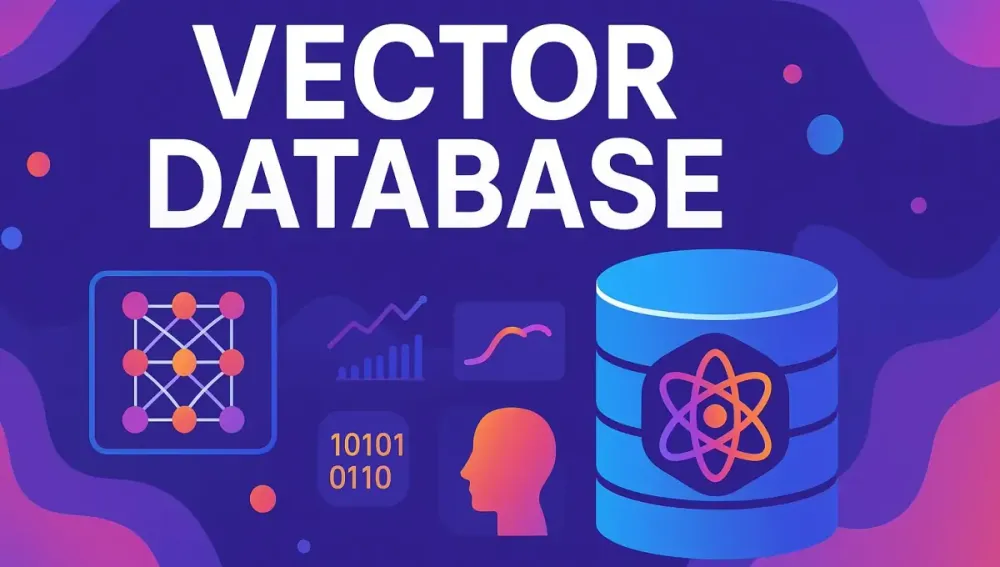
This is where vector databases step in as the missing piece for modern AI systems. Purpose-built for storing, indexing, and searching vector embeddings—the mathematical representations of unstructured data—vector databases empower GenAI applications to reason over meaning, similarity, and context at scale. If you’re building GenAI systems with .NET and you want them to remember, reason, and retrieve relevant knowledge, understanding vector databases isn’t optional—it’s essential.
1.5 What This Article Will Cover
In the rest of this article, we’ll break down everything you need to know about vector databases, tailored for the .NET architect. We’ll start with foundational concepts, explore how vector databases differ from traditional data stores, explain their core mechanics, and then demonstrate practical usage—complete with modern C# examples—so you can confidently make architectural decisions for your next GenAI-powered project.
2 Demystifying Vector Databases: The Core Concepts
2.1 Back to Basics: What are Vectors and Embeddings?
2.1.1 A Simple, Intuitive Explanation of Vectors in Mathematics
Let’s start at the root. In mathematics, a vector is simply an ordered list of numbers. You can think of it as an arrow pointing from one place to another in space, where the numbers represent coordinates.
For example, the vector [3, 4] represents a point that is 3 units along the X axis and 4 units up the Y axis in 2D space. In higher dimensions, vectors just have more numbers, like [0.5, -1.2, 3.7, 0.0, 2.2].
If you’ve used arrays in C#, you’ve already worked with something conceptually similar. For instance:
float[] vector = new float[] { 0.5f, -1.2f, 3.7f, 0.0f, 2.2f };2.1.2 The Concept of “Embeddings”: Transforming Unstructured Data into Meaningful Vectors
But why should you care about vectors in AI? Here’s where embeddings come into play.
When dealing with unstructured data (like text, images, or audio), you need a way to translate that data into a form computers can efficiently compare and reason about. That’s what embeddings do—they take a word, sentence, image, or even an entire document, and transform it into a vector of numbers. Each number in the vector captures some aspect of the data’s meaning or features.
For example, the word “king” might be represented as:
float[] king = new float[] { 0.21f, 0.35f, -0.12f, 0.88f, ... };These numbers are learned by neural networks trained on massive datasets, so that similar concepts end up with similar vectors.
2.1.3 The Magic of Semantic Similarity
What makes embeddings so powerful? It’s all about semantic similarity. In vector space, similar concepts are close together, while unrelated ones are far apart. The direction and distance between vectors capture nuanced relationships.
A classic example in natural language processing is this analogy:
- The vector for “king” minus the vector for “man,” plus the vector for “woman,” lands you near the vector for “queen”.
Think about that. The relationships between words become math problems. This allows you to ask questions like, “Which documents are most similar in meaning to this query?”—something that’s nearly impossible with basic SQL or keyword search.
2.2 What is a Vector Database? An Architect’s Perspective
2.2.1 A Formal Definition
A vector database is a purpose-built data store optimized for storing, indexing, and searching high-dimensional vectors—these are the embeddings we just discussed. Unlike traditional databases, which excel at querying structured or semi-structured data, vector databases are all about fast, efficient similarity search in “vector space.”
2.2.2 How it Differs from Traditional Databases
Let’s clarify the architectural differences:
| Feature | Relational Database | NoSQL Document Database | Vector Database |
|---|---|---|---|
| Data Model | Tables, Rows, Columns | Documents (JSON/BSON/etc) | Vectors (Arrays of Floats) |
| Querying | SQL (filters, joins, etc.) | Query by fields, filters | Similarity Search (KNN, ANN) |
| Indexing | B-Trees, Hash Indexes | Inverted Indexes, Trees | ANN Indexes (HNSW, IVF, LSH, etc) |
| Optimized For | Structured Data | Flexible, semi-structured | High-dimensional, unstructured |
| Example Use Case | Banking systems, ERPs | Content management, IoT | GenAI, Semantic Search, RAG |
2.2.3 Comparative Table: Vector Database vs. Relational vs. NoSQL
Here’s a clearer breakdown:
| Characteristic | Relational Database | NoSQL Document Database | Vector Database |
|---|---|---|---|
| Query Language | SQL | Varies | Similarity Query API |
| Schema | Rigid | Flexible | Flexible |
| Data Type | Structured | Semi-Structured | High-Dimensional |
| Index Types | B-Tree, Hash | Inverted, Tree | ANN, Custom |
| Search Type | Exact Match | Filter/Range | Approximate/Nearest |
| Scaling | Vertical | Horizontal | Horizontal |
| Example Vendors | SQL Server, MySQL | MongoDB, Cosmos DB | Pinecone, Milvus |
2.3 Under the Hood: How Vector Databases Work
2.3.1 The Indexing Powerhouse: Approximate Nearest Neighbor (ANN) Search
When working with thousands or millions of high-dimensional vectors, brute-force comparison quickly becomes impractical—a phenomenon known as the curse of dimensionality. The more dimensions you have, the more computationally expensive it is to find which vectors are “nearest” to a given query.
Enter ANN algorithms. Rather than exhaustively comparing every vector, ANN algorithms build intelligent “maps” or “graphs” of the vector space, enabling rapid, probabilistic retrieval of the most similar items. A few popular algorithms you’ll encounter:
- HNSW (Hierarchical Navigable Small World): Think of this as creating a series of layered “roads” between vectors, so you can travel quickly from any point to another by following the shortest connections.
- IVF (Inverted File Index): This partitions the space into “buckets,” letting you search only relevant regions instead of everywhere.
- LSH (Locality-Sensitive Hashing): Here, similar vectors are mapped to the same or nearby “hash buckets” using mathematical functions.
Each approach balances speed and accuracy differently, but the upshot is clear: ANN search lets you find the “closest” vectors without checking every single one, often with sub-second latency even at massive scale.
2.3.2 Similarity Metrics: How Are Vectors Compared?
Core to vector search is the idea of distance metrics—how “far apart” or “close together” two vectors are. The main metrics include:
- Cosine Similarity: Measures the angle between two vectors, capturing their orientation rather than magnitude.
- Euclidean Distance: The straight-line distance between two points in space.
- Dot Product: Measures how aligned two vectors are.
Here’s how you might compute these in C#:
// Cosine Similarity
float CosineSimilarity(float[] v1, float[] v2)
{
    float dot = 0, normA = 0, normB = 0;
    for (int i = 0; i < v1.Length; i++)
    {
        dot += v1[i] * v2[i];
        normA += v1[i] * v1[i];
        normB += v2[i] * v2[i];
    }
    return dot / (float)(Math.Sqrt(normA) * Math.Sqrt(normB));
}

// Euclidean Distance
float EuclideanDistance(float[] v1, float[] v2)
{
    float sum = 0;
    for (int i = 0; i < v1.Length; i++)
        sum += (v1[i] - v2[i]) * (v1[i] - v2[i]);
    return (float)Math.Sqrt(sum);
}

// Dot Product
float DotProduct(float[] v1, float[] v2)
{
    float dot = 0;
    for (int i = 0; i < v1.Length; i++)
        dot += v1[i] * v2[i];
    return dot;
}
The choice of metric depends on your use case and the nature of the embeddings you’re working with.
3 Why Vector Databases are the Engine for Modern GenAI Applications
3.1 The Power of Retrieval-Augmented Generation (RAG)
3.1.1 Explaining the RAG Pattern
Perhaps the most transformative architectural pattern in GenAI today is Retrieval-Augmented Generation (RAG). In simple terms, RAG combines the strengths of large language models (LLMs) with the ability to pull in factual, domain-specific data in real time.
How does it work? When a user sends a query, the application first retrieves relevant knowledge from a database (using vector search to find the most semantically similar information). This knowledge is then “fed” to the LLM as context, grounding its response in your data rather than just its training set.
The result: More accurate, up-to-date, and contextually aware answers. This approach dramatically reduces “hallucinations” (confident but wrong answers) and allows your AI system to reflect your organization’s expertise, policies, and latest documents.
3.1.2 The Role of the Vector Database in RAG
The vector database is the retrieval engine in this workflow. Whenever a user asks a question, your .NET application:
- Generates an embedding for the question (using an AI model)
- Queries the vector database for documents, passages, or facts with the most similar embeddings
- Supplies these retrieved results to the LLM for answer generation
Without a fast, scalable, and accurate vector database, RAG simply isn’t feasible at scale.
3.1.3 A Diagram Illustrating the RAG Architecture
While I can’t show an actual diagram here, picture this:
- User Query
- Embedding Model (turn query into a vector)
- Vector Database (retrieve top-k relevant documents)
- LLM (generates final response using both query and context)
- Response to User
Every step relies on the vector database to deliver context quickly and accurately.
3.2 Beyond RAG: Other Critical Use Cases for .NET Applications
3.2.1 Semantic Search
Traditional search engines match keywords. But users often want results based on intent, not just exact words. With vector search, you can retrieve documents that are semantically related, even if they use different language.
Imagine a user searches for “healthy dinner recipes.” With a vector database, you can return recipes that mention “nutritious meals” or “low-calorie dinners,” even if those words don’t explicitly appear in the document.
3.2.2 Recommendation Engines
E-commerce platforms, content aggregators, and streaming services use embeddings to understand user preferences and product similarities. By storing these in a vector database, you can instantly recommend items that are “close” to a user’s past behavior or interests, improving personalization and engagement.
3.2.3 Image and Multimedia Similarity Search
Ever wanted to find visually similar products in a catalog, identify duplicate images, or detect plagiarized content? By generating embeddings for images, you can search for “similar” images using a vector database, opening up a new world of multimedia search possibilities.
3.2.4 Anomaly Detection
Fraud detection, cybersecurity, and monitoring systems often need to spot rare or unusual patterns. By embedding events, logs, or user behaviors as vectors, you can identify outliers in high-dimensional space—a task that’s difficult with conventional databases.
3.2.5 Question-Answering Systems and Chatbots
For chatbots and digital assistants, vector databases make it possible to retrieve the most relevant answers, knowledge base articles, or past interactions—allowing your .NET application to deliver accurate and context-aware responses every time.
4 The .NET Ecosystem for Vector Databases: Tools of the Trade
As the popularity of GenAI applications rises, the supporting technology ecosystem continues to evolve—especially for .NET architects. Let’s take a closer look at the major players and supporting tools you’ll encounter when bringing vector search to life in your .NET solutions.
4.1 An Overview of Popular Vector Databases
The vector database landscape is broadening rapidly, from cutting-edge managed services to robust open-source engines and new capabilities within established database platforms. As a .NET architect, understanding the pros and cons of each approach is essential for making strategic decisions.
4.1.1 Managed Cloud Services
Pinecone, Weaviate Cloud, Zilliz Cloud (Managed Milvus):
Pinecone is often the first name that comes up in discussions about managed vector search. Designed for simplicity and scale, Pinecone abstracts away the complexities of deployment, scaling, and maintenance. You get a managed environment with built-in support for millions (even billions) of vectors, high availability, and robust performance. Pinecone’s straightforward REST and gRPC APIs, coupled with an emerging .NET client ecosystem, make it a natural fit for cloud-native .NET projects.
Weaviate Cloud offers a managed version of the popular Weaviate engine, emphasizing not only vector search but also hybrid search, where vector and keyword filters combine for nuanced results. It brings a schema-driven, GraphQL-powered interface and integrates well with embedding models via built-in modules.
Zilliz Cloud is the managed offering for Milvus, one of the most battle-tested open-source vector databases. With Zilliz Cloud, you gain the benefits of Milvus’s high performance and horizontal scalability, but offload the operational burden to a managed service.
When should you choose a managed service? If your team is focused on delivering business value rather than operating infrastructure, managed services provide the fastest path to production. They shine in environments where time-to-market, SLA-backed reliability, and elastic scaling are top priorities.
Pros:
- Zero ops: No infrastructure to manage
- Automatic scaling, updates, and backup
- Predictable costs (pay for what you use)
- Fast setup for rapid prototyping
Cons:
- Less control over deployment and custom configuration
- Long-term costs can rise as data volumes grow
- Data residency and compliance may be concerns for some organizations
4.1.2 Self-Hosted/Open-Source Options
Milvus, Qdrant, Chroma:
Milvus is widely considered the “PostgreSQL of vector search.” Its open-source core delivers best-in-class performance for high-dimensional search, with support for billions of vectors, multiple ANN algorithms, and a strong plugin ecosystem. Milvus’s distributed architecture lets you scale horizontally, and its active open-source community keeps it evolving.
Qdrant is another standout, praised for its API simplicity, efficient storage engine, and real-time updates. Qdrant is easy to deploy (including via Docker), supports metadata filtering, and offers REST, gRPC, and websocket APIs. Its clear documentation and robust .NET client libraries make it a popular choice for custom deployments.
Chroma is a newer player, built with a strong Python focus, but can be run locally or in the cloud. It’s designed for developer-friendliness, making it great for rapid prototyping and small-to-medium production workloads.
Architectural considerations for self-hosting:
- Operational Complexity: You’ll be responsible for deployment, scaling, monitoring, and security updates.
- Integration: More flexibility to integrate with internal systems or custom authentication.
- Cost Control: Capex-friendly; great for organizations with existing infrastructure or specific compliance needs.
Strengths of self-hosting:
- Full control over performance tuning and security
- No vendor lock-in
- Can run in air-gapped or on-premises environments
- Customizable to unique requirements
Potential challenges:
- Higher initial setup and ongoing maintenance effort
- Must plan for resilience, backup, and scaling strategies
- May lag behind managed solutions in some operational features
4.1.3 Vector Capabilities in Existing Databases
pgvector for PostgreSQL, Azure Cosmos DB, Elasticsearch:
Not every project requires a dedicated vector database. Increasingly, mainstream databases are adding vector search capabilities, letting you combine structured queries with semantic search.
pgvector is a popular PostgreSQL extension that adds vector data types and ANN indexing directly to your relational database. This approach is ideal when you need to blend traditional SQL features (joins, filters) with similarity search, all in a single platform. With pgvector, you can write queries like:
SELECT id, description
FROM products
ORDER BY embedding <-> '[0.1, 0.2, ...]' LIMIT 5;
where <-> is the distance operator.
Azure Cosmos DB has introduced vector search (currently for MongoDB vCore and native API), giving .NET teams a fully managed, cloud-native option that pairs vector search with enterprise-grade distributed data capabilities. This can be a strategic advantage for Microsoft-centric shops looking to minimize new technologies.
Elasticsearch also offers vector search using dense vector fields and k-NN algorithms. For organizations already leveraging the Elastic stack for search, analytics, and observability, this can be a way to extend existing investments without introducing another database.
When does this approach make sense?
- When you already use the database for core business workloads and want to extend it to semantic search.
- When schema flexibility and advanced querying (joins, filters, analytics) are important.
- When consolidating operational complexity is a top priority.
4.2 Essential .NET Libraries for a .NET Architect
Building AI applications in .NET means working with a rapidly evolving set of libraries and SDKs. Let’s spotlight those that matter for vector search and GenAI integration.
4.2.1 Official C#/.NET SDKs
Pinecone.Client, Milvus.Client, Qdrant.Client, and More:
Several popular vector databases now offer official or community-supported .NET SDKs, making integration with your applications straightforward.
-
Pinecone.Client Provides a strongly-typed interface for managing indexes, upserting vectors, and performing searches. Built for async patterns and integrates easily with ASP.NET Core apps.
-
Milvus.Client Supports collection management, vector CRUD, and ANN search operations with modern .NET idioms. Built for performance and type safety.
-
Qdrant.Client Well-documented, actively maintained, with features like metadata filtering and batch operations.
Sample usage pattern (Qdrant):
var client = new QdrantClient("http://localhost:6333");
var vector = new float[] {0.13f, 0.55f, ...};
await client.UpsertAsync("products", id: "prod-123", vector, metadata: new { Category = "Shoes" });
Always review the documentation for each client, as feature coverage and idiomatic .NET integration can vary.
4.2.2 Microsoft Semantic Kernel
Abstraction for LLMs, Vector Stores, and More:
Microsoft’s Semantic Kernel is emerging as a central toolkit for GenAI integration in the .NET world. It provides an abstraction layer for orchestrating AI models (LLMs), embedding providers, and vector databases. Semantic Kernel lets you switch between vector database backends, embedding models, and even LLM providers with minimal code changes.
You can configure your pipeline declaratively, plug in Pinecone or Azure Cognitive Search as your vector database, and focus on the logic of your application rather than on plumbing and wiring.
Key advantages:
- Reduces vendor lock-in
- Simplifies orchestration of multi-step AI workflows (e.g., RAG)
- Strongly-typed, async, and idiomatic .NET codebase
Example (Semantic Kernel workflow):
var builder = new KernelBuilder()
    .WithAzureOpenAITextEmbedding(...)
    .WithPineconeVectorStore(...);
var kernel = builder.Build();
// Use kernel to index documents, retrieve context, and call LLMs.
4.2.3 LangChain for .NET
Emerging, but Promising:
LangChain, originally a Python-first framework for building AI-powered applications, has inspired ports to other ecosystems. As of this writing, LangChain for .NET is in early stages but evolving quickly. Its vision is to enable LLM “chains” (composable workflows with vector retrieval, prompt engineering, etc.) natively in C#.
If it matures, you’ll gain more options for reusable, plug-and-play GenAI components, further reducing integration friction for .NET teams.
4.3 Choosing the Right Vector Database for Your .NET Project: An Architect’s Checklist
Every technical decision involves trade-offs. Here’s a checklist to guide your vector database selection:
4.3.1 Performance and Scalability
- Query Latency: How fast can you retrieve top-k similar vectors at scale?
- Indexing Speed: How quickly can you add or update vectors as data grows?
- Throughput: How does the database handle concurrent queries under load?
- Scale: Is sharding or replication seamless? Can you handle billions of vectors if needed?
4.3.2 Cost
- Managed Service Pricing: Pay-per-use, per-index, or flat monthly fees? Are data egress and storage costs predictable?
- Self-Hosted TCO: Hardware, operations, scaling, backups, and support. What are the hidden costs of self-management?
4.3.3 Ecosystem and Integration
- .NET SDK Quality: Is there a mature, idiomatic C# client? Does it support async/await and fit with modern .NET practices?
- Documentation and Samples: How deep is the documentation? Are there sample projects and code for .NET?
- Community and Support: Is there an active open-source community or vendor support? How quickly are issues addressed?
4.3.4 Ease of Use and Managed vs. Self-Hosted
- Operational Overhead: Who is responsible for scaling, patching, monitoring, and backups?
- Onboarding: How steep is the learning curve for your team? Are there wizards, wikis, or guided UIs?
- Resilience: Does the solution offer built-in failover, HA, and durability guarantees?
4.3.5 Specific Feature Requirements
- Metadata Filtering: Can you filter search results using metadata (e.g., user IDs, tags, categories)?
- Hybrid Search: Support for blending keyword, Boolean, and vector queries?
- Security and Compliance: Encryption at rest, in transit, and support for audit logs or RBAC?
By systematically evaluating these criteria, you can align your technical choice with business needs and team capabilities.
5 Practical Implementation: Building a GenAI-Powered Support Bot for a Fictional E-commerce Site with C# and .NET
Let’s bring everything together in a detailed, realistic scenario. Imagine you’re architecting a GenAI-powered support bot for an e-commerce business. This walkthrough demonstrates the architecture, step-by-step implementation, and practical code needed to deploy a RAG (Retrieval-Augmented Generation) solution using C# and modern .NET.
5.1 The Project Goal: “E-Shop Helper”
Fictional Scenario:
“E-Shop Helper” is an intelligent support bot designed for a mid-sized online retailer. Customers often ask about products, order statuses, and return policies. The company wants a solution that can:
- Instantly answer customer queries by drawing from product catalogs, FAQ documents, and policy files.
- Reduce repetitive support tickets.
- Improve accuracy by grounding answers in up-to-date knowledge, minimizing LLM hallucinations.
- Integrate seamlessly with existing ASP.NET Core infrastructure.
This scenario will use a managed vector database (Pinecone or Azure Cosmos DB with vector search) for simplicity, but the architecture supports pluggable backends.
5.2 The High-Level Architecture
System Components:
- Frontend: A simple web client (Blazor or HTML/JavaScript) where users interact with the bot.
- Backend: ASP.NET Core Web API, orchestrating requests, embedding generation, vector search, and LLM calls.
- Vector Database: Pinecone or Azure Cosmos DB for storing and searching embeddings and associated metadata.
- LLM Provider: Azure OpenAI or OpenAI for generating embeddings and producing final answers.
- Knowledge Base: A set of structured and unstructured documents (product data, FAQs, policies).
Architecture Diagram (text description):
- User interacts via web UI
- Web UI sends query to ASP.NET Core API
- API generates query embedding (calls embedding model)
- API performs vector search (calls vector database)
- API retrieves relevant knowledge snippets
- API crafts prompt and calls LLM for answer
- API streams answer back to web UI
This architecture is modular. Swap in different vector stores, LLM providers, or UI frameworks as needed.
5.3 Step-by-Step Implementation
5.3.1 Setting up the .NET Project
Initialize the project:
dotnet new webapi -n EShopHelper
cd EShopHelper
Install NuGet packages:
-
Azure OpenAI SDK for embeddings/LLM:
dotnet add package Azure.AI.OpenAI -
Pinecone .NET client (if using Pinecone):
dotnet add package Pinecone.Client -
Qdrant .NET client (if self-hosted):
dotnet add package Qdrant.Client -
HTTP client extensions:
dotnet add package Microsoft.Extensions.Http -
Configuration (optional):
dotnet add package Microsoft.Extensions.Configuration.Binder
5.3.2 The Data Ingestion Pipeline: Populating the Vector Database
1. Data Source Preparation
Suppose you have a folder of text files or a JSON document such as:
[
  {
    "id": "faq-001",
    "type": "faq",
    "question": "How do I return an item?",
    "answer": "You can return an item within 30 days of purchase by..."
  },
  {
    "id": "prod-987",
    "type": "product",
    "name": "ErgoFlex Office Chair",
    "description": "An ergonomic office chair with adjustable lumbar support..."
  }
]
2. Generating Embeddings
Using Azure OpenAI’s text-embedding-ada-002 model:
public class EmbeddingService
{
    private readonly OpenAIClient _client;
    public EmbeddingService(OpenAIClient client) => _client = client;

    public async Task<float[]> GetEmbeddingAsync(string text)
    {
        var options = new EmbeddingsOptions("text-embedding-ada-002", new[] { text });
        var response = await _client.GetEmbeddingsAsync(options);
        return response.Value.Data[0].Embedding.ToArray();
    }
}
3. Storing Embeddings and Metadata
Assuming a Pinecone client setup:
public class VectorStoreService
{
    private readonly PineconeClient _client;
    public VectorStoreService(PineconeClient client) => _client = client;

    public async Task UpsertDocumentAsync(string collection, string id, float[] embedding, object metadata)
    {
        await _client.UpsertAsync(collection, id, embedding, metadata);
    }
}
Ingest pipeline:
foreach (var doc in documents)
{
    string textForEmbedding = doc.type == "faq"
        ? $"{doc.question} {doc.answer}"
        : doc.description;

    float[] embedding = await embeddingService.GetEmbeddingAsync(textForEmbedding);

    await vectorStoreService.UpsertDocumentAsync(
        collection: "eshop-docs",
        id: doc.id,
        embedding: embedding,
        metadata: new { doc.type, doc.name, doc.question }
    );
}
5.3.3 Building the RAG-powered Query Engine
1. Receiving User Query
Controller endpoint example:
[ApiController]
[Route("api/chat")]
public class ChatController : ControllerBase
{
    private readonly RAGService _ragService;

    public ChatController(RAGService ragService) => _ragService = ragService;

    [HttpPost("ask")]
    public async Task<IActionResult> Ask([FromBody] UserQuery query)
    {
        var response = await _ragService.AnswerQueryAsync(query.Text);
        return Ok(new { response });
    }
}
2. Query Vectorization
// In RAGService
float[] queryEmbedding = await _embeddingService.GetEmbeddingAsync(queryText);
3. Similarity Search
var results = await _vectorStoreService.SearchAsync(
    collection: "eshop-docs",
    embedding: queryEmbedding,
    topK: 5
);
// Returns top 5 most similar documents/snippets
4. Prompt Engineering for the LLM
You want your prompt to give the LLM both the user’s question and relevant snippets:
string BuildPrompt(string userQuery, IEnumerable<DocumentSnippet> context)
{
    var sb = new StringBuilder();
    sb.AppendLine("You are a helpful support assistant for an e-commerce store.");
    sb.AppendLine("Here are some relevant facts from the knowledge base:");
    foreach (var snippet in context)
        sb.AppendLine($"- {snippet.Text}");

    sb.AppendLine();
    sb.AppendLine($"Customer question: {userQuery}");
    sb.AppendLine("Answer as helpfully and accurately as possible.");

    return sb.ToString();
}
5. Calling the LLM
public async Task<string> GetLLMResponseAsync(string prompt)
{
    var options = new ChatCompletionsOptions()
    {
        Messages = { new ChatMessage(ChatRole.User, prompt) },
        MaxTokens = 300
    };
    var response = await _openAIClient.GetChatCompletionsAsync(options);
    return response.Value.Choices[0].Message.Content;
}
6. Returning the Response
You can stream the LLM’s response for real-time chat, or return the answer as a single message.
5.4 Code Walkthrough and Explanation
Here’s a more detailed look at how these pieces come together in a modern, robust .NET app. We’ll focus on clean architecture, best practices, and practical patterns.
1 Dependency Injection and Configuration
Register your services in Startup.cs (or in Program.cs for .NET 6+):
builder.Services.AddSingleton<EmbeddingService>();
builder.Services.AddSingleton<VectorStoreService>();
builder.Services.AddSingleton<RAGService>();
builder.Services.AddHttpClient(); // For HTTP APIs
Store sensitive config (API keys, endpoints) securely
using appsettings.json and environment variables.
2 Error Handling and Resilience
Wrap external calls (OpenAI, Pinecone) with try-catch, implement retries or circuit breakers where needed, and validate inputs at each step.
3 End-to-End Query Flow
Here’s a simplified, high-level process:
public class RAGService
{
    // ...constructor omitted...

    public async Task<string> AnswerQueryAsync(string userQuery)
    {
        // 1. Generate embedding for the query
        var embedding = await _embeddingService.GetEmbeddingAsync(userQuery);

        // 2. Perform vector search
        var docs = await _vectorStoreService.SearchAsync("eshop-docs", embedding, 5);

        // 3. Build prompt
        var prompt = BuildPrompt(userQuery, docs);

        // 4. Call LLM
        var answer = await _llmService.GetLLMResponseAsync(prompt);

        return answer;
    }
}
This structure keeps each concern isolated, testable, and swappable.
4 Frontend Interaction
For the frontend, a simple Blazor page or JavaScript client can POST user questions to /api/chat/ask and render the streamed response.
6 Advanced Topics and Real-World Considerations for .NET Architects
Building a proof-of-concept GenAI application is one thing; running a production-grade solution at scale is another. As you take your vector-powered .NET projects from pilot to production, several advanced topics and practical concerns come to the forefront.
6.1 Scaling Your Vector Database Implementation
6.1.1 Horizontal vs. Vertical Scaling
Vertical scaling means making a single server or node more powerful—adding CPU, RAM, or faster storage. This approach can yield diminishing returns and eventually hits physical or economic limits, especially as vector indexes grow and queries increase in complexity.
Horizontal scaling—adding more nodes—enables your system to handle larger datasets and more queries by distributing the workload. This model aligns with the cloud-native, distributed ethos embraced by most modern vector databases.
.NET Perspective: As a .NET architect, you’re likely familiar with scaling SQL Server clusters or document stores horizontally. Vector databases like Milvus, Pinecone, and Qdrant are designed for sharding and distributed deployment, letting you start small and scale out as demand grows.
6.1.2 Sharding and Replication Strategies
- Sharding involves splitting your data across multiple machines or partitions. Each shard contains a subset of the vectors, and queries are distributed and then aggregated. This is essential for ultra-large vector collections—think millions or billions of embeddings.
- Replication provides resilience by duplicating data across nodes, protecting against hardware failures and supporting high-availability (HA) configurations.
Both strategies are typically configurable in leading vector databases, with managed services handling much of the orchestration.
.NET Consideration: Plan your sharding key based on your data model and query patterns. For instance, if your support knowledge base contains both public FAQs and customer-specific records, sharding by tenant or data type may balance performance and isolation.
6.1.3 Performance Tuning Your Vector Index
A vector index’s performance hinges on several factors:
- Index algorithm selection: HNSW, IVF, or other ANN algorithms each have tunable parameters (e.g., number of connections, probe count) affecting search accuracy and speed.
- Vector dimensionality: Higher dimensions can capture more nuance, but increase index size and query cost. Evaluate the trade-off for your use case.
- Batching operations: Bulk inserts or updates are more efficient than thousands of single upserts.
- Index maintenance: Regularly rebuild or optimize indexes if your data changes frequently.
Practical Tuning Example:
If using Qdrant, you can adjust the ef (efficiency) parameter at query time to trade search accuracy for speed:
var searchParams = new SearchParams { Ef = 32 }; // Increase for more accurate search
var results = await client.SearchAsync(
    collection: "eshop-docs",
    vector: queryEmbedding,
    top: 10,
    searchParams: searchParams
);
6.2 Hybrid Search: The Best of Both Worlds
6.2.1 Combining Keyword-Based and Semantic Search
Pure semantic (vector-based) search excels at finding “meaningfully similar” results, but sometimes precision matters—such as filtering by product ID, keywords, or attributes. Hybrid search combines classic keyword/Boolean search with ANN similarity, delivering both relevance and precision.
Real-World Example: A customer searches for “ergonomic chair under $300.”
- Vector search finds descriptions matching the concept of “ergonomic chair.”
- Metadata or keyword filters ensure only products priced under $300 are returned.
This is supported by most mature vector databases, either via query-time filters or post-processing.
6.2.2 Implementing Metadata Filtering in Your Vector Queries
Vector databases like Qdrant, Weaviate, and Pinecone let you specify filter criteria alongside your similarity search. Metadata might include product categories, price ranges, brands, or any business-specific tags.
6.2.3 A C# Code Example of a Hybrid Search Query
Here’s how you might combine a semantic search with metadata filtering for a “chairs under $300” query in C#:
var filter = new MetadataFilter
{
    Conditions = new List<Condition>
    {
        new Condition("category", "=", "Chair"),
        new Condition("price", "<=", 300)
    }
};

var searchResult = await vectorStoreService.SearchAsync(
    collection: "products",
    vector: queryEmbedding,
    topK: 5,
    filter: filter
);

// Now searchResult contains only "Chair" products costing $300 or less, ranked by semantic similarity.
Hybrid search is critical in production e-commerce, legal search, or any workflow where context and business constraints go hand-in-hand.
6.3 Security and Data Privacy in the Age of Embeddings
As soon as you’re dealing with customer queries, proprietary documents, or potentially sensitive data, security must be a first-class concern.
6.3.1 Data Encryption at Rest and In Transit
- At Rest: Ensure your vector database encrypts stored vectors and metadata. Managed services typically do this by default; for self-hosted deployments, configure file system and disk encryption as needed.
- In Transit: Always connect over TLS/SSL. All API calls (embedding generation, vector search, LLM) should be secured with HTTPS and—if supported—mutual authentication.
6.3.2 Access Control and Authentication
- API Keys & Tokens: Use strong authentication for every vector store and LLM provider. Rotate keys regularly.
- RBAC: Role-based access control helps segment permissions by environment (dev, staging, production) and by team roles (admin, operator, developer).
- Auditing: Enable logs for all CRUD and query operations, especially if your application touches regulated or customer-facing data.
6.3.3 Handling PII Before Generating Embeddings
Never embed PII or sensitive data directly. Embeddings are not inherently reversible, but research has shown that with access to enough vectors, some information could be inferred or reconstructed. It’s best practice to:
- Remove or mask PII (names, emails, phone numbers, etc.) from source documents before generating embeddings.
- Use entity recognition or regex to identify and redact sensitive values.
- Avoid using user-specific context in prompts unless absolutely necessary and ensure it’s managed securely.
Example – Simple Redaction:
string CleanText(string input)
{
    // Basic email redaction
    return Regex.Replace(input, @"\b[A-Za-z0-9._%+-]+@[A-Za-z0-9.-]+\.[A-Z]{2,}\b", "[REDACTED_EMAIL]");
}
6.4 Cost Management and Optimization
6.4.1 Understanding Cost Drivers
Major cost contributors for vector databases and GenAI solutions include:
- Storage: Vectors (typically float arrays) and associated metadata can add up, especially at high dimensions and large scale.
- Compute: Indexing vectors and performing similarity searches are CPU- and memory-intensive, especially as data volume grows.
- Query Volume: Most managed services charge per query or by request volume.
- Embedding Generation: If using paid LLM APIs for embedding, costs can increase with document count and query frequency.
6.4.2 Strategies for Cost Optimization
- Reduce Embedding Dimensions: Use the minimum vector size that delivers acceptable search quality. Test with lower-dimension models if available.
- Batch Operations: Insert or update vectors in batches to reduce API call overhead.
- Index Only What’s Needed: Don’t embed and store the entire document—index only key sections, summaries, or metadata that are most relevant for search.
- Monitor Usage: Set up alerts for unusual spikes in query volume, storage growth, or embedding API usage.
- Purge Old Data: Archive or delete stale vectors/documents no longer needed for search.
.NET Automation Example: Schedule periodic jobs to archive or delete expired knowledge base records, reducing storage and query costs:
public async Task CleanupOldVectorsAsync(DateTime cutoffDate)
{
    var expiredIds = await vectorStoreService.ListIdsAsync(createdBefore: cutoffDate);
    await vectorStoreService.DeleteVectorsAsync("eshop-docs", expiredIds);
}
7 The Future of Vector Databases and Their Role in the .NET Landscape
What does tomorrow look like for vector search, GenAI, and .NET? While no one can predict the future with certainty, several clear trends are emerging.
7.1 The Convergence of Databases
As vector search becomes mainstream, traditional databases (SQL Server, PostgreSQL, Cosmos DB, MongoDB) are racing to add native vector search and ANN index support. The distinction between “vector database” and “database with vector search” is blurring.
Implication for .NET Architects: Expect your favorite general-purpose databases to offer more semantic search features out-of-the-box, making it easier to blend transactional, analytical, and AI-powered queries without introducing new infrastructure.
7.2 The Rise of Multimodal Models and Databases
The next generation of GenAI models and applications won’t just process text—they’ll reason over text, images, audio, and video together. Vector databases are evolving to support multimodal embeddings: the ability to store, index, and search vectors generated from different types of data, linked via metadata or cross-modal similarity.
Example: Imagine a search for “blue ergonomic chair”—your application could retrieve product images, descriptions, and even customer audio reviews, all using unified vector queries.
7.3 The Impact on the .NET Developer
Proficiency with vector databases and GenAI workflows is quickly becoming a must-have skill for .NET engineers. As more organizations seek to infuse intelligence into business processes, developers and architects who understand both the “why” and the “how” of vector-powered retrieval will be uniquely valuable.
New Core Skills:
- Orchestrating RAG pipelines with .NET and modern SDKs
- Managing hybrid (vector + keyword) search
- Integrating security, compliance, and cost optimization in GenAI systems
- Designing for scale, resilience, and observability
7.4 A Look Ahead: Potential Developments
- Automated Index Tuning: Expect smarter, self-optimizing vector databases that adjust indexing strategies based on workload patterns.
- Better Tooling: Visual query explorers, embedding analytics, and deeper .NET integration in tools like Visual Studio.
- Federated Vector Search: Seamless search across multiple databases or clouds, abstracted away from the developer.
- On-Device and Edge AI: Lightweight vector search and embedding generation for offline/edge scenarios—think smart devices or IoT.
- Governance: Richer support for tracking vector provenance, audit trails, and data lineage.
8 Conclusion: Your Journey as a GenAI .NET Architect Starts Now
8.1 Recap of Key Takeaways
- Vector databases are a foundational technology for GenAI applications that need to reason over unstructured data.
- Embeddings transform text, images, and more into vectors, enabling powerful semantic search and retrieval.
- The .NET ecosystem is rapidly evolving, with robust SDKs, frameworks, and integration patterns for leading vector databases and LLM providers.
- Real-world production systems demand careful attention to scaling, hybrid search, security, cost, and operational resilience.
- Mastery of these technologies will define the next generation of intelligent .NET solutions.
8.2 A Call to Action
Ready to build? Start with a small prototype using real company data—whether it’s FAQs, documents, or product info. Experiment with embedding generation, vector storage, and hybrid queries. Integrate an LLM using Azure OpenAI or your provider of choice. Focus on clear architecture, modularity, and observability. Join community forums, read the documentation, and contribute your learnings back to the .NET and GenAI ecosystem.
8.3 Further Reading and Resources
- Microsoft Semantic Kernel Documentation
- Pinecone Docs
- Qdrant Docs
- Milvus Docs
- Azure AI Search
- OpenAI Embeddings Guide
- pgvector for PostgreSQL
- LangChain for .NET
9 Appendix
9.1 Glossary of Terms
- Embedding: A vectorized representation of text, image, or other unstructured data, used for similarity search.
- Vector Database: A data store designed for high-performance storage and retrieval of vectors (embeddings).
- RAG (Retrieval-Augmented Generation): A pattern where retrieved context (via vector search) is fed into a generative model to produce grounded, up-to-date responses.
- ANN (Approximate Nearest Neighbor): Algorithms for finding “similar” vectors quickly, even in very high-dimensional spaces.
- Hybrid Search: Combining traditional keyword or filter-based queries with semantic (vector-based) search.
- Metadata Filtering: Restricting vector search results using structured fields (e.g., price, category, user ID).
- Sharding: Splitting a dataset across multiple nodes to enable horizontal scaling.
- Replication: Duplicating data across nodes for high availability and fault tolerance.
- Multimodal: Handling and searching across multiple data types (text, image, audio, video) in a unified way.