1 Introduction: The Paradigm Shift in Software Development
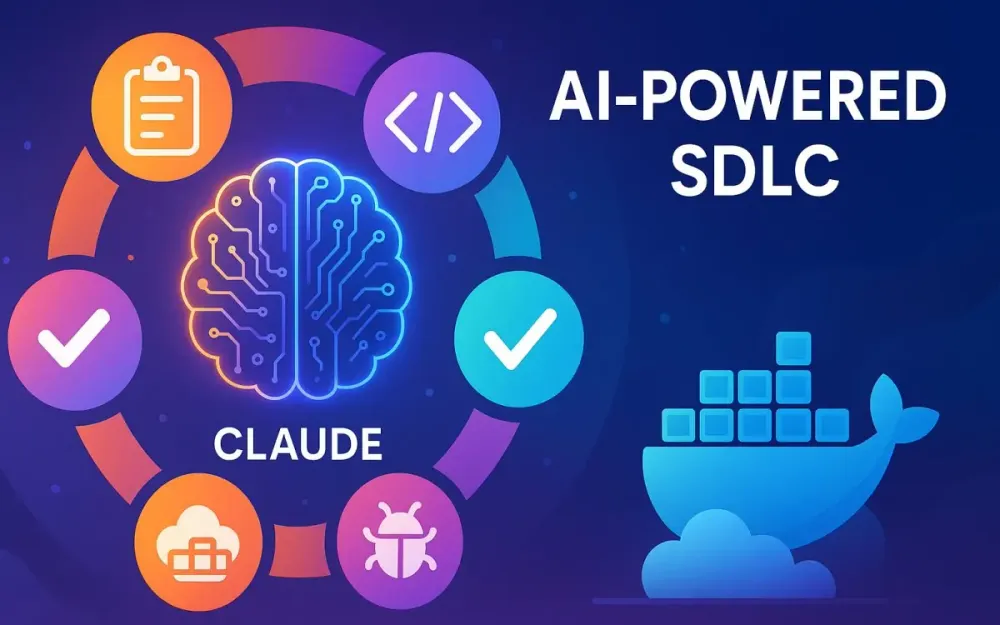
Software development has always been shaped by new abstractions—assembly to high-level languages, bare-metal to cloud, monoliths to microservices. Today, we are experiencing a similar inflection point: the arrival of Large Language Models (LLMs) like Claude in the software development lifecycle (SDLC). This isn’t about replacing engineers with code-spitting machines; it’s about shifting the engineer’s role higher up the value chain.
Instead of spending the bulk of our time on syntax or boilerplate, we’re moving toward a model where developers orchestrate, review, and architect AI-assisted output. The Claude Protocol is one framework for harnessing this shift: treating AI as an expert pair programmer, while humans retain architectural vision and accountability.
Responsible Use: The Claude Protocol emphasizes responsible AI adoption. Teams must safeguard data privacy, avoid exposing personally identifiable information (PII), and practice disciplined model versioning/pinning. These guardrails ensure that velocity never comes at the expense of compliance or trust.
This introduction frames what’s changing, what stays the same, and what this guide promises: a structured approach to integrating Claude into your end-to-end SDLC—without sacrificing control, quality, or security.
1.1 The New Role of the Senior Developer
For years, the industry’s caricature of the senior developer was the “10x engineer”—someone who could out-type their peers. That mindset doesn’t hold in an era when an LLM can generate hundreds of lines of code in seconds. What differentiates a senior developer today isn’t typing speed but direction, judgment, and system thinking.
Consider two developers given the same vague feature requirement:
- Developer A manually codes from scratch, building stories, models, and APIs step by step.
- Developer B uses Claude to draft stories, propose architectural trade-offs, and generate initial scaffolding. But instead of blindly merging, they scrutinize every artifact against business goals, performance needs, and compliance requirements.
Developer B delivers faster and with fewer blind spots—not because they “outsourced coding,” but because they elevated their role into curation and critical review.
This new role centers on:
- Designing prompts that elicit useful, context-aware outputs.
- Validating AI output against organizational standards and constraints.
- Using AI not just for coding but across requirements, architecture, testing, DevOps, and refactoring.
In short: the senior developer is now an AI-driven systems architect.
1.2 What is the Claude Protocol?
The Claude Protocol is a structured methodology for integrating LLMs like Claude into the SDLC. It is not a tool, nor a silver bullet, but a set of practices and artifacts that let teams collaborate with AI consistently and safely.
The protocol rests on four pillars:
- Context First: AI is only as useful as the context you provide. Developers must invest in machine-readable and human-readable artifacts that encode project intent.
- Human-in-the-Loop: AI outputs are treated as drafts, never as truth. Developers remain the architects, testers, and ultimate sign-off authorities.
- Phase Alignment: The AI is used differently at different stages of the SDLC—requirements elaboration, architecture decisions, coding, testing, refactoring, and deployment.
- Consistency Through Artifacts: By standardizing configuration (
.claude/settings.json) and guiding principles (CLAUDE.md), teams ensure AI outputs align with project vision and style.
In practice, the protocol feels less like “AI coding for you” and more like “pair programming with an infinitely patient, fast, and wide-read assistant.”
1.3 Target Audience and Technology Stack
This guide is written for senior developers, tech leads, and solution architects who already own design decisions but want to boost velocity without losing control. You’ll recognize yourself if you:
- Are responsible for translating business needs into technical direction.
- Care as much about architecture and maintainability as you do about velocity.
- Want to use AI safely in regulated, enterprise-grade environments.
To ground examples, we’ll use a representative modern enterprise stack:
- Frontend: Angular 19 with Angular Material, using RxJS and NgRx for state management.
- Backend API: .NET 8/9 Web API, following Onion or Clean Architecture principles, built with Entity Framework Core and Serilog.
- Database: SQL Server with migrations managed via EF Core.
While examples target this stack, the principles are stack-agnostic. You can apply the same patterns with React + Spring Boot + Postgres, or Vue + Node + MongoDB.
1.4 The Core Principle: Human as the Architect, AI as the Expert Pair Programmer
At the heart of this new paradigm is one non-negotiable principle: humans remain the architects.
AI is not here to “think for you.” Claude cannot know your domain’s compliance requirements, your user’s unspoken needs, or your organization’s appetite for trade-offs. What it can do is:
- Generate options you may not have considered.
- Translate your architectural intent into consistent boilerplate.
- Highlight edge cases, tests, or refactors that speed up your workflow.
Think of it as the relationship between an architect and a draftsman: the architect conceives the system, the draftsman rapidly produces renderings, and together they iterate toward a solid design.
When you engage with Claude in this way, you avoid both extremes:
- The hype that AI can “replace developers.”
- The cynicism that AI is “just autocomplete.”
Instead, you unlock a third path: developers elevated into orchestrators of intelligent tooling.
2 The Foundation: Setting Up Your AI-Augmented Project
Before AI can be woven into your SDLC, it needs structured context. This is the equivalent of setting up version control, CI/CD, or logging frameworks—it’s an upfront investment that pays off throughout the lifecycle. Without it, AI outputs risk being inconsistent, brittle, or misaligned with your standards.
2.1 The Philosophy of Context
You’ve heard the maxim “garbage in, garbage out.” Nowhere is it more relevant than in LLM-assisted development.
Claude doesn’t “know” your project. It knows software patterns in general, but unless you provide project-specific context—your stack, standards, entities, constraints—it will generate generic solutions. Generic code often leads to costly rewrites.
The philosophy of context boils down to:
- Persistent Context: Create machine-readable files that Claude can ingest repeatedly (
settings.json). - Guiding Principles: Define a “constitution” (
CLAUDE.md) that encodes architectural intent and business constraints. - Incremental Context: Supplement with file trees, code snippets, and runtime errors as you go.
Providing context isn’t overhead—it’s leverage. It prevents drift, enforces standards, and lets you scale AI assistance across teams.
2.2 The Core Project Artifacts for AI Collaboration
There are two cornerstone artifacts in the Claude Protocol: one for machines, one for humans. Together, they ensure Claude “knows” your project and outputs aligned artifacts.
2.2.1 The .claude/settings.json File
This JSON file encodes the ground rules for your AI collaboration. Think of it as the .editorconfig or .eslintrc of your AI workflow.
Purpose:
- Provide Claude with consistent technical metadata.
- Ensure style, naming, and library preferences are respected.
- Allow any developer on the team to engage AI with the same baseline context.
Example:
{
  "project_name": "QuantumLeap CRM",
  "tech_stack": {
    "frontend": "Angular 19",
    "backend": ".NET 9",
    "database": "SQL Server"
  },
  "coding_standards": {
    "csharp_style": "PascalCase for methods, _camelCase for private fields",
    "typescript_style": "camelCase functions, kebab-case selectors"
  },
  "preferred_libraries": {
    "testing": ["xUnit", "Moq"],
    "logging": "Serilog",
    "state_management": "NgRx"
  },
  "api_design": "RESTful with OpenAPI v3",
  "model": {
    "name": "claude-3-opus",
    "temperature": 0.2,
    "max_tokens": 4000,
    "environment": "dev"
  }
}
This file becomes a reusable context snippet. Instead of reminding Claude every session, you reference it once: The result: output aligned with your project’s rules.
2.2.2 The CLAUDE.md “Constitution” File
If settings.json is for machines, CLAUDE.md is for humans. It’s a Markdown document encoding the “North Star” of your project.
Purpose:
- Define high-level goals, constraints, and principles.
- Anchor Claude’s outputs to business and architectural intent.
- Act as a living reference for both humans and AI.
Starter Template (copy-paste):
# Project Name – Claude Constitution

## Project Vision
[Insert project vision here.]

## Architectural Principles
- [Insert principles: e.g., Onion Architecture, SOLID, modular design]

## Key Business Entities
- [Entity 1]
- [Entity 2]
- [Entity 3]

## Security & Compliance
- [Security classification: e.g., Confidential / Internal / Public]
- Data handling rules: [PII, encryption, retention]
- Authentication/authorization approach

## Performance & Latency
- Target SLOs: [e.g., API <200ms under normal load]
- Scalability considerations

## Error Taxonomy
- User errors (4xx): [e.g., validation]
- System errors (5xx): [e.g., DB timeouts]
- Retryable vs. non-retryable errors
This ensures every project starts with a baseline of compliance, performance, and reliability expectations.
Example Structure:
# QuantumLeap CRM – CLAUDE Constitution

## Project Vision
QuantumLeap CRM is a next-generation customer relationship platform designed for mid-sized enterprises. The goal is to streamline sales pipelines and improve customer engagement.

## Architectural Principles
- Backend will follow Onion Architecture.
- All business logic must reside in service layers.
- Frontend state will be managed centrally via NgRx.
- Code must be testable and follow SOLID principles.

## Key Business Entities
- Customer
- Order
- Product

## Security & Compliance
- All endpoints authenticated with JWT.
- No Personally Identifiable Information (PII) logged.
- Audit logs must be immutable.

## Performance
- API responses must return within 200ms under normal load.
- SQL queries must use clustered indexes on primary keys.
When prompting Claude, you can say:
“Based on our
CLAUDE.md, design the API endpoints for Order Management.”
2.3 Essential Tooling for the Modern Workflow
Finally, context and artifacts are only useful if you can seamlessly bring them into conversation with Claude. That requires modern tooling.
IDE Integration:
- Visual Studio Code with the Anthropic Claude extension lets you highlight code, ask questions, and receive inline suggestions.
- Visual Studio or JetBrains Rider can be wired to similar integrations.
CLI Tools:
-
The
treecommand to provide project structure:tree -I "node_modules|bin|obj" > structure.txt -
Scripts to pipe key context into prompts:
# Include project tree, DTOs, and OpenAPI spec
tree -I "node_modules|bin|obj" > context/tree.txt
cat src/Models/*.cs > context/dtos.txt
curl http://localhost:5000/swagger/v1/swagger.json > context/openapi.json

cat context/* | claude prompt "Ingest full project context for analysis."
This repeatable ingestion routine minimizes drift and ensures Claude always reasons with current, authoritative artifacts.
3 Phase 1: From Idea to Actionable Plan
Every successful project begins not with code but with clarity. Requirements are often underspecified, ambiguous, or expressed in business terms that don’t map directly to system design. Senior developers and architects already spend much of their time transforming these fuzzy inputs into actionable stories and tasks. Here’s where AI acts as an intelligent analyst—translating vague requirements into structured artifacts that can be implemented consistently.
3.1 Requirements Elaboration
The first step is to turn ambiguous business goals into user stories with explicit acceptance criteria. Claude excels at unpacking high-level statements into actionable details, but only if prompted carefully.
Imagine a business stakeholder saying: “Users should be able to manage their profile.” That’s broad and unhelpful. Instead of jumping into code, we ask Claude to expand this requirement into user stories, using the Gherkin format.
Prompting Strategy Example:
“You are a business analyst. The requirement is: The user should be able to manage their profile. Generate user stories with acceptance criteria in Gherkin format. Cover common actions such as updating email, changing password, and uploading a profile picture.”
Sample AI Output (refined by human review):
Feature: Profile Management

  Scenario: Update email address
    Given I am a logged-in user
    When I navigate to the profile settings page
    And I update my email to "new@email.com"
    Then I should see a confirmation message
    And my email should be updated in the system

  Scenario: Change password
    Given I am a logged-in user
    When I enter my current password
    And I provide a new valid password
    Then my password should be updated
    And I should receive a success notification

  Scenario: Upload profile picture
    Given I am a logged-in user
    When I upload a JPEG or PNG file under 2MB
    Then the file should be stored
    And my profile should display the new picture
Notice that Claude generates stories, but the human must still validate: Are size limits correct? Do we allow GIFs? What about two-factor verification when changing email? The AI provides scaffolding; the architect ensures completeness and compliance.
A good practice is to store these stories alongside source code in a docs/user-stories/ folder. This way, they can be referenced by both developers and AI during later phases.
Acceptance Criteria Library (examples to keep stories consistent):
- Authentication & session flows
- File uploads (size, type, error states)
- Pagination and sorting rules
- Retry logic for transient failures
- PII redaction and masking
3.2 Unleashing “Plan Mode”: Decomposing Features into Tasks
Once stories exist, the next temptation is to dive into implementation. Resist. Instead, enter what we call Plan Mode—a workflow where Claude is prohibited from generating code and instead produces a step-by-step task breakdown.
Plan Mode Contract:
- 🚫 No code in Plan Mode.
- ✅ Only structured task breakdowns, file/class names, and responsibilities.
Prompt Template (reusable header):
“Plan Mode engaged. Do not generate code. Break down the requirement into a detailed task list across backend, frontend, and database. Include file paths, class names, and method signatures, but no code.”
This mode emphasizes design-first thinking and provides a human-readable implementation checklist. It also ensures you don’t miss dependencies across backend, frontend, and database layers.
Prompting Strategy Example:
“You are a senior full-stack developer. Based on the user story ‘As a user, I want to add a new product to the catalog,’ generate a detailed breakdown of tasks. List all files to be created or modified for the .NET 9 API and Angular 19 frontend. Specify class names, method signatures, and component names. Do not generate code—only a task list.”
Sample AI Output (curated):
-
Backend (.NET 9)
- Create
Productentity inDomain/Entities/Product.cs. - Add
ProductsDbSet toApplicationDbContext. - Create
IProductRepositoryinterface withTask AddProductAsync(Product product). - Implement
ProductRepositoryinInfrastructure/Repositories/ProductRepository.cs. - Create
ProductServiceinApplication/Services/ProductService.cswith method:Task<Product> AddProductAsync(CreateProductDto dto) - Add API controller
ProductsControllerinWeb/Controllers/ProductsController.cswith endpoint:POST /api/products
- Create
-
Frontend (Angular 19)
- Generate
product-formcomponent undersrc/app/products/. - Create
ProductServiceinsrc/app/services/product.service.tswith method:addProduct(product: Product): Observable<Product> - Add route
/products/addpointing toProductFormComponent. - Integrate Angular Material form controls for name, description, and price fields.
- Generate
This breakdown becomes a blueprint. Developers can use it for task tracking in Jira or GitHub Issues. More importantly, it gives a senior developer a chance to review architecture before any line of code is written.
Benefits of Plan Mode:
- Encourages separation of concerns.
- Provides cross-team visibility into backend/frontend touchpoints.
- Reduces rework caused by jumping straight into implementation.
3.3 AI-Assisted Database Design
Data modeling is often where requirements meet reality. Claude can help accelerate schema design, but human oversight is critical for enforcing naming conventions, indexing strategies, and compliance needs.
Let’s design the basic relationship between Products and Categories.
Prompting Strategy Example:
“Generate a T-SQL script to create
ProductsandCategoriestables. Each product belongs to one category. Include primary keys, foreign keys, data types, non-null constraints, and a clustered index on primary keys.”
Sample Output (reviewed and edited):
CREATE TABLE Categories (
    CategoryId INT IDENTITY(1,1) PRIMARY KEY CLUSTERED,
    Name NVARCHAR(100) NOT NULL,
    Description NVARCHAR(500) NULL
);

CREATE TABLE Products (
    ProductId INT IDENTITY(1,1) PRIMARY KEY CLUSTERED,
    Name NVARCHAR(200) NOT NULL,
    Description NVARCHAR(1000) NULL,
    Price DECIMAL(18,2) NOT NULL,
    CategoryId INT NOT NULL,
    CONSTRAINT FK_Products_Categories FOREIGN KEY (CategoryId)
        REFERENCES Categories(CategoryId)
        ON DELETE CASCADE
);
From this SQL schema, we can ask Claude to scaffold Entity Framework Core classes and update the DbContext.
The AI accelerates boilerplate creation, but the architect must ensure details: Should foreign key deletes cascade? Should we use GUIDs instead of ints? Are decimal precision and collation settings compliant with our domain? These questions remain human responsibilities.
4 Phase 2: System and Feature Design
Once requirements and plans are ready, the next step is turning them into architectural and component-level designs. Here, AI serves as a sounding board—surfacing trade-offs, generating templates, and enforcing consistency. Human architects still own the final decision.
4.1 Architectural Decision Support
One common decision is whether to structure the backend using Clean Architecture or Vertical Slice Architecture. Instead of relying solely on personal bias, we can ask Claude to generate comparisons grounded in our CLAUDE.md file.
Prompting Strategy Example:
“Our .NET API needs a scalable and maintainable architecture. Compare Clean Architecture vs. Vertical Slice Architecture for this project, referencing the Onion principles in
CLAUDE.md. Provide a sample folder structure for the recommended approach.”
Claude’s Reasoned Comparison (summarized):
-
Clean Architecture
- Pros: High testability, separation of concerns, aligns with Onion Architecture, easier onboarding.
- Cons: Boilerplate-heavy, slower for small features, may feel rigid.
-
Vertical Slice
- Pros: Features are self-contained, faster iteration, fewer cross-project dependencies.
- Cons: Risk of duplication, less centralized business logic, harder to enforce global policies.
Given that CLAUDE.md specifies Onion Architecture, Claude recommends Clean Architecture.
Sample Folder Structure:
src/
  Application/
    Services/
    DTOs/
  Domain/
    Entities/
    Interfaces/
  Infrastructure/
    Repositories/
    EFCore/
  Web/
    Controllers/
    Filters/
Human oversight is still required—perhaps hybridizing approaches, e.g., Clean Architecture with slice-like grouping for high-change areas.
4.2 Designing the API Layer (.NET)
With architecture chosen, Claude helps scaffold API endpoints aligned to REST and OpenAPI standards.
Contract-First Rule: Always generate OpenAPI specifications first, then scaffold server stubs and client SDKs. For integration stability, add consumer-driven contract tests with Pact to verify backend–frontend alignment.
Prompting Strategy Example:
“Design the RESTful API endpoint for adding a new product. Specify HTTP verb, URL, request body DTO, and possible responses. Generate the C# record for
CreateProductDtowith validation annotations.”
AI Output (edited):
-
Endpoint:
POST /api/products -
Request Body (DTO only, no entities):
{ "name": "Laptop", "description": "14-inch ultrabook", "price": 1299.99, "categoryId": 1 } -
Responses:
201 Createdwith product resource in body.400 Bad Requestif validation fails.500 Internal Server Errorif persistence fails.
DTO Example (no PII, no entities over the wire):
public record CreateProductDto(
    [Required, StringLength(200)] string Name,
    [StringLength(1000)] string? Description,
    [Range(0.01, 100000)] decimal Price,
    [Required] int CategoryId
);
DTO Policy:
- No entities exposed over the wire.
- Always map domain models to DTOs.
- Never include PII fields in DTOs.
This accelerates compliance with RESTful standards and avoids ad-hoc API designs that frustrate frontend developers.
4.3 Designing the Frontend (Angular)
On the frontend, Claude aids in deciding component hierarchy and state management strategy.
Prompting Strategy Example:
“Based on the feature Product Management, suggest a component hierarchy for Angular 19. Should we use smart/dumb components? Where should API calls be made?”
Claude’s Suggested Hierarchy:
-
ProductListComponent(smart)- Fetches product list via service, manages state.
- Uses
ChangeDetectionStrategy.OnPushandtrackByin*ngForfor performance. - Renders child components.
-
ProductItemComponent(dumb)- Displays product details, receives
@Input.
- Displays product details, receives
-
ProductFormComponent(smart)- Handles add/edit form.
- Use Reactive Forms with Signals (or
@ngrx/signals) for enterprise scalability.
-
ProductFilterComponent(dumb)- Provides UI for filtering, emits events.
API calls belong in a centralized service (ProductService), injected into smart components.
Example Angular Service:
@Injectable({ providedIn: 'root' })
export class ProductService {
  private baseUrl = '/api/products';

  constructor(private http: HttpClient) {}

  addProduct(product: ProductDto): Observable<ProductDto> {
    return this.http.post<ProductDto>(this.baseUrl, product);
  }

  getProducts(): Observable<ProductDto[]> {
    return this.http.get<ProductDto[]>(this.baseUrl);
  }
}
State Management Decision:
- For small features, Signals + RxJS may be enough.
- For enterprise scale, pair NgRx with Reactive Forms and OnPush change detection for predictable state handling.
Example NgRx Snippet:
export const addProduct = createAction(
  '[Product Form] Add Product',
  props<{ product: ProductDto }>()
);

export const addProductSuccess = createAction(
  '[Product API] Add Product Success',
  props<{ product: ProductDto }>()
);

export const addProductFailure = createAction(
  '[Product API] Add Product Failure',
  props<{ error: any }>()
);
This guidance ensures Angular apps remain performant, scalable, and maintainable across large teams.
5 Phase 3: The AI-Augmented Development Loop
This is the heart of day-to-day delivery: turning plans into shippable increments with fast feedback and uncompromising quality. The trick is resisting the urge to “let the AI code everything” and instead running a tight loop where you curate what gets generated, validate it against your standards, and prove it works with repeatable checks. Think of it as a three-beat rhythm: generate the smallest viable slice, interrogate it like a seasoned reviewer, then lock it in with tests and executable documentation.
5.1 The Code -> Review -> Verify Cycle
A predictable loop beats a heroic sprint. You’ll move feature by feature, artifact by artifact, keeping context tight and scope small. Claude accelerates each step, but your judgment determines the outcome.
5.1.1 Step 1: Code Generation
Pick one task from the Plan Mode checklist. Keep scope to one class or function whenever possible. Provide Claude with just enough context to produce an idiomatic, compile-ready draft: the DTO, the entity, and any interfaces it must honor.
Prompting skeleton:
“You are a senior .NET engineer. Implement
ProductService.AddProductAsync(CreateProductDto dto, CancellationToken ct)that validates input, enforces uniqueNamewithin aCategory, retries on transient conflicts, persists viaIProductRepository, logs withILogger<ProductService>, and returns aProductDto. Use EF Core idioms and async/await. Only produce the service class.”
Representative ProductService (first draft worth reviewing):
public interface IProductRepository
{
    Task<bool> ExistsByNameAsync(string name, int categoryId, CancellationToken ct);
    Task<Product> AddAsync(Product product, CancellationToken ct);
}

public interface IClock
{
    DateTime UtcNow { get; }
}

public sealed class SystemClock : IClock
{
    public DateTime UtcNow => DateTime.UtcNow;
}

public sealed class ProductService
{
    private readonly IProductRepository _repo;
    private readonly ILogger<ProductService> _log;
    private readonly IClock _clock;

    public ProductService(IProductRepository repo, ILogger<ProductService> log, IClock clock)
    {
        _repo = repo;
        _log = log;
        _clock = clock;
    }

    public async Task<ProductDto> AddProductAsync(CreateProductDto dto, CancellationToken ct)
    {
        if (dto is null) throw new ArgumentNullException(nameof(dto));
        if (string.IsNullOrWhiteSpace(dto.Name)) throw new ArgumentException("Name required.", nameof(dto));
        if (dto.Price <= 0) throw new ArgumentOutOfRangeException(nameof(dto.Price), "Price must be positive.");

        for (var attempt = 0; attempt < 3; attempt++)
        {
            try
            {
                var exists = await _repo.ExistsByNameAsync(dto.Name.Trim(), dto.CategoryId, ct);
                if (exists)
                {
                    _log.LogWarning("Product name conflict: {Name} in Category {CategoryId}", dto.Name, dto.CategoryId);
                    throw new ProductConflictException(dto.Name, dto.CategoryId);
                }

                var entity = new Product
                {
                    Name = dto.Name.Trim(),
                    Description = dto.Description?.Trim(),
                    Price = dto.Price,
                    CategoryId = dto.CategoryId,
                    CreatedUtc = _clock.UtcNow
                };

                var saved = await _repo.AddAsync(entity, ct);

                _log.LogInformation("Product created: {ProductId} '{Name}'", saved.ProductId, saved.Name);

                return new ProductDto(
                    saved.ProductId,
                    saved.Name,
                    saved.Description,
                    saved.Price,
                    saved.CategoryId,
                    saved.CreatedUtc
                );
            }
            catch (ProductConflictException) when (attempt < 2)
            {
                _log.LogWarning("Retrying due to transient product conflict.");
                await Task.Delay(50, ct);
            }
        }

        throw new ProductConflictException(dto.Name, dto.CategoryId);
    }
}
This is “good enough to review,” not good enough to ship. Your job now is to put on your reviewer hat.
5.1.2 Step 2: Human Review (The Most Critical Step)
Read the code like an adversary. Does it truly uphold the principles in CLAUDE.md? Have we validated invariants at the right layer? Are we over-trusting input? Do we leak internal error details? Will this behave under load? Here’s a lightweight checklist you can paste into PRs:
- Architecture & Boundaries: Is business logic inside services, not controllers? Repos abstract persistence? No domain logic in EF configurations?
- Validation: Are rules centralized (e.g., FluentValidation or DataAnnotations with manual validation)? Do errors map to
ProblemDetails(400 for invalid input, 409 for conflicts)? - Concurrency & Safety: Are uniqueness checks race-safe? DB unique indexes backstop app checks? Retries on transient 409 conflicts? Idempotency keys supported for POST?
- Async Correctness: Proper cancellation propagation? No
Result/.Wait()? - Error Semantics: Do exceptions map to domain-specific types that translate cleanly into API responses?
- Security & Compliance: Are we logging only non-PII? Do we prevent IDOR via category ownership checks if multi-tenant?
- Observability: Are we using typed
ILogger<T>logs, not mixing with Serilog’sILogger? - Performance: Avoid N+1? Use
AsNoTracking()where appropriate? Reasonable allocation patterns?
Database backstop for uniqueness (migration excerpt):
migrationBuilder.CreateIndex(
    name: "IX_Products_CategoryId_Name",
    table: "Products",
    columns: new[] { "CategoryId", "Name" },
    unique: true);
Even if the service checks, enforce constraints where data lives.
5.1.3 Step 3: AI-Assisted Verification
Now let Claude draft tests that you then refine. Ask for xUnit tests that isolate ProductService via Moq and assert behavior, not implementation details.
Prompting skeleton:
“You are a test engineer. For
ProductService.AddProductAsync, write four xUnit tests: 1) happy path returns DTO; 2) null DTO throwsArgumentNullException; 3) existing name triggers conflict; 4) property-based tests for Unicode names and varying lengths. Add one contract test to verify the OpenAPI spec matches responses.”
Representative tests (excerpt):
[Fact]
public async Task AddProductAsync_Conflict_ThrowsDomainException()
{
    var dto = new CreateProductDto("Desk", null, 100, 1);
    _repo.Setup(r => r.ExistsByNameAsync("Desk", 1, It.IsAny<CancellationToken>())).ReturnsAsync(true);
    var sut = new ProductService(_repo.Object, _log.Object, _clock);

    await Assert.ThrowsAsync<ProductConflictException>(() => sut.AddProductAsync(dto, CancellationToken.None));
}

[Property]
public void ProductName_PropertyBased_LengthAndUnicode(string name)
{
    if (string.IsNullOrWhiteSpace(name)) return;
    name.Length.Should().BeLessOrEqualTo(200);
    name.Should().NotContain("\0"); // reject null chars
}

[Fact]
public async Task OpenApi_Contract_ShouldMatchResponseSchema()
{
    var client = new HttpClient { BaseAddress = new Uri("http://localhost:5000") };
    var response = await client.GetAsync("/swagger/v1/swagger.json");
    response.EnsureSuccessStatusCode();
    var schema = await response.Content.ReadAsStringAsync();
    // parse and validate response schema...
}
By the end of this step, you’ve transformed a speculative draft into a proven unit bounded by validation, retries, and multi-level tests.
6 Phase 4: Keeping Code Maintainable (Enhancements & Refactoring)
Shipping code is table stakes; keeping it clean as the domain evolves is where teams either compound speed or accumulate drag. Here we use Claude as a refactoring assistant and an impact analyzer while we retain editorial control. You will lean on it to propose options, but you decide which trade-offs you’ll accept.
6.1 AI as a Refactoring Partner
Feed Claude a real code smell and ask it to critique, then propose an improvement that preserves behavior. You want it to point out violations of SOLID, excessive branching, hidden dependencies, or leaky abstractions. Always request a side-by-side “before/after” so you can diff intent.
Smelly method (violates SRP, conflates policy and data access):
// Incorrect
public async Task<bool> UpdatePriceAsync(int productId, decimal newPrice)
{
    if (newPrice <= 0) return false;
    var product = await _db.Products.FirstOrDefaultAsync(p => p.ProductId == productId);
    if (product == null) return false;
    // business rule hidden here:
    if (newPrice < product.Price * 0.5m) return false; // avoid huge discounts
    product.Price = newPrice;
    await _db.SaveChangesAsync();
    _log.Information("Price updated: {Id} -> {Price}", productId, newPrice);
    return true;
}
Refactored with explicit policy, guard clauses, and async best practices:
// Correct
public interface IPricingPolicy
{
    bool IsAllowedChange(decimal currentPrice, decimal newPrice);
}

public sealed class DefaultPricingPolicy : IPricingPolicy
{
    private const decimal MaxDiscountFactor = 0.5m; // 50% max drop
    public bool IsAllowedChange(decimal currentPrice, decimal newPrice)
        => newPrice >= currentPrice * MaxDiscountFactor && newPrice > 0;
}

public sealed class PricingService
{
    private readonly ApplicationDbContext _db;
    private readonly IPricingPolicy _policy;
    private readonly ILogger _log;

    public PricingService(ApplicationDbContext db, IPricingPolicy policy, ILogger log)
        => (_db, _policy, _log) = (db, policy, log);

    public async Task UpdatePriceAsync(int productId, decimal newPrice, CancellationToken ct)
    {
        if (newPrice <= 0) throw new ArgumentOutOfRangeException(nameof(newPrice));

        var product = await _db.Products.FirstOrDefaultAsync(p => p.ProductId == productId, ct)
                      ?? throw new KeyNotFoundException($"Product {productId} not found.");

        if (!_policy.IsAllowedChange(product.Price, newPrice))
            throw new InvalidOperationException("New price violates pricing policy.");

        product.Price = newPrice;
        await _db.SaveChangesAsync(ct);
        _log.Information("Price updated: {Id} -> {Price}", productId, newPrice);
    }
}
Now you can unit-test DefaultPricingPolicy in isolation, swap policies per tenant, and surface precise API responses. Claude can originate the policy extraction suggestion and draft initial tests; you finalize the boundaries and exceptions.
6.2 Implementing Enhancements with Impact Analysis
A common enhancement: adding DateAdded to Product. The danger is forgetting a DTO, a mapping, or a column default. Ask Claude to list every impacted artifact based on your tree output, then generate precise changes. You’ll still review for defaults, UTC handling, and API contracts.
Zero-downtime migration strategy (expand/contract):
- Expand: add new column with default.
- Backfill: update existing rows safely.
- Dual-write: temporarily populate both old and new fields.
- Cutover: switch consumers to the new column.
- Contract: drop legacy column after verification.
Impact checklist (back end + front end):
- SQL migration (expand/contract, UTC default, backfill).
- EF Core entity and configuration.
- DTOs: add to
ProductDtoonly; omit fromCreateProductDto. - Service: set via
IClock.UtcNow. - Controllers/queries: project new field.
- Angular: update model + views.
- Tests: assert timestamp set server-side.
SQL migration (safe default + backfill):
ALTER TABLE Products
ADD CreatedUtc DATETIME2 NOT NULL CONSTRAINT DF_Products_CreatedUtc DEFAULT (SYSUTCDATETIME());

-- Backfill existing rows (if any predate the default)
UPDATE Products SET CreatedUtc = SYSUTCDATETIME() WHERE CreatedUtc = '0001-01-01T00:00:00.0000000';
EF Core entity update:
public class Product
{
    public int ProductId { get; set; }
    public string Name { get; set; } = null!;
    public string? Description { get; set; }
    public decimal Price { get; set; }
    public int CategoryId { get; set; }
    public Category Category { get; set; } = null!;
    public DateTime CreatedUtc { get; set; } // new
}
Fluent config for default (optional if DB default exists):
modelBuilder.Entity<Product>()
    .Property(p => p.CreatedUtc)
    .HasDefaultValueSql("SYSUTCDATETIME()");
DTOs (read model includes, create model omits):
public record ProductDto(
    int ProductId,
    string Name,
    string? Description,
    decimal Price,
    int CategoryId,
    DateTime CreatedUtc
);
Service sets value via clock (already shown in Section 5):
var entity = new Product { /* ... */ CreatedUtc = _clock.UtcNow };Controller projection returns the field (already demonstrated).
Angular model + UI:
models/product.ts already includes createdUtc. Show it in list/detail views:
<!-- e.g., product-details.component.html -->
<mat-list>
  <mat-list-item>
    <div matListItemTitle>{{ product.name }}</div>
    <div matListItemLine>Price: {{ product.price | currency }}</div>
    <div matListItemLine>Added: {{ product.createdUtc | date:'medium' }}</div>
  </mat-list-item>
</mat-list>
Unit test asserting timestamp assignment:
[Fact]
public async Task AddProductAsync_SetsCreatedUtc_FromClock()
{
    var fakeClock = Mock.Of<IClock>(c => c.UtcNow == new DateTime(2030, 5, 5, 12, 0, 0, DateTimeKind.Utc));
    var repo = new Mock<IProductRepository>();
    repo.Setup(r => r.ExistsByNameAsync(It.IsAny<string>(), It.IsAny<int>(), It.IsAny<CancellationToken>())).ReturnsAsync(false);
    repo.Setup(r => r.AddAsync(It.IsAny<Product>(), It.IsAny<CancellationToken>()))
        .ReturnsAsync((Product p, CancellationToken _) => { p.ProductId = 7; return p; });

    var sut = new ProductService(repo.Object, Mock.Of<ILogger>(), fakeClock);
    var dto = new CreateProductDto("Chair", null, 49.99m, 1);

    var result = await sut.AddProductAsync(dto, CancellationToken.None);

    Assert.Equal(new DateTime(2030,5,5,12,0,0, DateTimeKind.Utc), result.CreatedUtc);
}
Claude can enumerate the impacted files instantly. Your value is deciding the defaulting strategy (DB vs service), enforcing UTC, and writing the one or two tests that keep future refactors honest.
Feature flags for staged rollout:
Wrap new behavior behind a toggle (e.g., IFeatureManager in .NET or ConfigCat/LaunchDarkly). This allows enabling the refactor for a subset of users before cutting over globally.
Automated impact analysis prompt scaffold:
You are a senior developer. Given the following project tree and git diff, enumerate:
- DTOs affected
- Mappers
- Views/templates
- Tests requiring updates

Provide a checklist of impacted files with reasoning.
This lets Claude act as an impact enumerator, while you decide how to implement changes.
6.3 Dependency Upgrades
Upgrades (e.g., .NET 8 → .NET 9) are less about syntax churn and more about surfacing latent assumptions—middleware ordering, DI lifetimes, and behavior changes in defaults. Use Claude as a second set of eyes: paste your Program.cs, ask it to flag obsolete calls, ordering hazards, or places where new platform defaults might change behavior. Treat its feedback as hints, then verify with build analyzers and targeted smoke tests.
Typical areas to scrutinize (middleware & DI):
- Ordering:
UseExceptionHandler/UseHstsbefore routing;UseAuthenticationbeforeUseAuthorization; health checks/endpoints at the right stage. - Minimal Hosting: Ensure all registrations happen via
builder.Servicesand avoid legacyStartuppatterns that hide ordering. - ProblemDetails: Prefer
app.UseExceptionHandler()+ standardized problem details over ad-hoc exception JSON. - Options & Validation: Use
OptionsBuilder<T>.ValidateandValidateOnStartto fail fast. - Keyed Services / Named Options: Where you previously used factories, consider keyed registrations for clarity.
- HttpLogging / CORS: Reconfirm policies; new defaults can change header exposure.
Before (fragile ordering, ad-hoc error JSON):
var app = builder.Build();
app.UseRouting();
app.UseAuthorization();
app.UseAuthentication(); // Incorrect order
app.Use(async (ctx, next) =>
{
    try { await next(); }
    catch (Exception ex)
    {
        ctx.Response.StatusCode = 500;
        await ctx.Response.WriteAsJsonAsync(new { error = ex.Message });
    }
});
app.MapControllers();
app.Run();
After (resilient ordering & modern idioms):
var builder = WebApplication.CreateBuilder(args);

// Services
builder.Services.AddControllers();
builder.Services.AddEndpointsApiExplorer();
builder.Services.AddSwaggerGen();
builder.Services.AddAuthentication().AddJwtBearer(); // configure as needed
builder.Services.AddAuthorization();
builder.Services.AddProblemDetails(); // standardize error responses
builder.Services.AddHealthChecks();

// Example: options with validation
builder.Services.AddOptions<MyApiOptions>()
    .Bind(builder.Configuration.GetSection("Api"))
    .Validate(o => !string.IsNullOrWhiteSpace(o.BaseUrl), "BaseUrl required")
    .ValidateOnStart();

// DI lifetimes explicit
builder.Services.AddScoped<ProductService>();
builder.Services.AddScoped<IProductRepository, ProductRepository>();
builder.Services.AddSingleton<IClock, SystemClock>();

var app = builder.Build();

// Middleware order
if (app.Environment.IsDevelopment())
{
    app.UseSwagger();
    app.UseSwaggerUI();
}
else
{
    app.UseExceptionHandler(); // produces RFC 7807 responses with ProblemDetails
    app.UseHsts();
}

app.UseHttpsRedirection();
app.UseAuthentication();
app.UseAuthorization();

app.MapControllers();
app.MapHealthChecks("/health");
app.Run();
Checklist to run during upgrade PRs:
- Build analyzers clean: Treat warnings as errors; upgrade analyzer packages if needed.
- Middleware smoke tests: Intentionally trigger auth failures and exceptions; confirm you get
401/403andProblemDetailspayloads. - DI verification: Resolve critical services in a minimal integration test to catch missing registrations and options validation failures early.
- End-to-end traces: Validate logs include correlation IDs across API, repository, and external calls—log pipeline changes can alter scopes or enrichers.
Small integration test to prove pipeline basics:
public class PipelineSmokeTests : IClassFixture<WebApplicationFactory<Program>>
{
    private readonly HttpClient _client;
    public PipelineSmokeTests(WebApplicationFactory<Program> factory)
        => _client = factory.CreateClient();

    [Fact]
    public async Task UnknownRoute_Returns_ProblemDetails_NotHtml()
    {
        var res = await _client.GetAsync("/api/does-not-exist");
        Assert.Equal(HttpStatusCode.NotFound, res.StatusCode);
        var payload = await res.Content.ReadFromJsonAsync<ProblemDetails>();
        Assert.NotNull(payload);
        Assert.Equal(404, payload!.Status);
    }
}
Claude can draft this test from your intent; you confirm it captures the right behavior for your environment. The goal is not to “fix everything the AI suggests,” but to let it enumerate likely pitfalls so you can verify or dismiss them quickly.
Angular dependency bumps (quick notes):
- Re-run
ng updateto apply schematic codemods; reviewHttpClientinterceptors and standalone component migrations if flagged. - Validate RxJS operator imports and any deprecated APIs; prefer pipeable operators and strict typing for
HttpClient. - Re-smoke
MatFormFieldandMatSelectbehavior; Material theme updates can change default density or form-field messages. Keep visual diffs in PR to catch regressions.
By using Claude as an accelerant for refactoring, impact analysis, zero-downtime migrations, and staged rollouts—while keeping humans in charge of standards and risk—you preserve the velocity you gained in earlier phases without sacrificing long-term maintainability.
7 Phase 5: AI-Powered Defect Fixing
Even with thorough planning and testing, defects surface once real users start interacting with the system. Debugging has traditionally been a painstaking process: combing through logs, isolating conditions, and guessing root causes. With Claude in the loop, you gain a debugging assistant that can interpret stack traces, reason about likely causes, and even propose minimal reproduction cases. Still, the final responsibility for diagnosis and resolution sits with the developer; AI accelerates discovery but cannot replace deep system knowledge.
7.1 The AI Debugging Assistant
When faced with an exception, the first instinct should be to capture the exact stack trace, relevant logs, and the implicated code. Instead of manually hypothesizing, you can paste this context into Claude and ask for structured triage.
Prompting Strategy Example:
“I’m getting this
NullReferenceExceptionin my .NET API. Here is the stack trace and the relevantCartService.cscode. What are the three most likely causes and how can I fix them?”
Representative stack trace:
System.NullReferenceException: Object reference not set to an instance of an object.
   at QuantumLeapCRM.Services.CartService.AddItemAsync(Int32 cartId, ProductDto product, CancellationToken ct)
   at QuantumLeapCRM.Controllers.CartController.AddItem(Int32 cartId, ProductDto product) in CartController.cs:line 45
   at lambda_method6(Closure, Object)
   at Microsoft.AspNetCore.Mvc.Infrastructure.ActionMethodExecutor.AwaitableObjectResultExecutor.Execute(...)
Relevant method excerpt:
public async Task<CartDto> AddItemAsync(int cartId, ProductDto product, CancellationToken ct)
{
    var cart = await _db.Carts
        .Include(c => c.Items)
        .FirstOrDefaultAsync(c => c.CartId == cartId, ct);

    cart.Items.Add(new CartItem
    {
        ProductId = product.ProductId,
        Quantity = 1
    });

    await _db.SaveChangesAsync(ct);
    return cart.ToDto();
}
Claude’s likely causes (summarized):
cartis null if no matching cart exists forcartId.cart.Itemsmay be null if not initialized correctly in the entity.product.ProductIdmay be default (0) if DTO mapping was faulty, causing foreign key issues later.
Improved defensive implementation:
public async Task<CartDto> AddItemAsync(int cartId, ProductDto product, CancellationToken ct)
{
    var cart = await _db.Carts
        .Include(c => c.Items)
        .FirstOrDefaultAsync(c => c.CartId == cartId, ct)
        ?? throw new KeyNotFoundException($"Cart {cartId} not found.");

    if (product is null) throw new ArgumentNullException(nameof(product));
    if (cart.Items is null) cart.Items = new List<CartItem>();

    cart.Items.Add(new CartItem
    {
        ProductId = product.ProductId,
        Quantity = 1
    });

    await _db.SaveChangesAsync(ct);
    return cart.ToDto();
}
The AI’s job is to enumerate plausible failure points. Your job is to decide how the system should behave: is a missing cart an exception or should the service create one automatically? That’s a domain decision beyond the AI’s scope.
Observability recipe (for coherent debugging):
- Enable OpenTelemetry tracing in API and DB layers.
- Ensure every request carries a correlation ID from HTTP → service → EF Core → SQL logs.
- When pasting a trace into Claude, include the full span dump so the AI can reason across one coherent execution path instead of isolated log lines.
This gives both humans and AI a unified narrative for debugging.
7.2 Bug Reproduction and Test Case Generation
Beyond fixing, you want to lock in regressions. The fastest way is to reproduce the bug in a failing test, then confirm it passes after the fix. Claude can quickly scaffold these targeted tests.
Bug-to-test discipline: Every production bug must first be expressed as a failing test. Fixes are only merged when that test passes. This ensures regressions never silently reappear.
Template for bug tests:
[Fact]
public async Task Bug_[ShortDescription]_Repro()
{
    // Arrange: reproduce the scenario (e.g., invalid DTO, edge case input)

    // Act + Assert: assert the failure you observed in prod
    await Assert.ThrowsAsync<ExpectedException>(() =>
        sut.SomeMethod(problematicInput, CancellationToken.None));
}
Scenario: A user reports that adding a product with a name longer than 255 characters crashes the app. The Product entity currently defines Name NVARCHAR(200) in SQL, but the validation is missing in DTOs.
Prompting Strategy Example:
“Based on this C#
Productentity, write an xUnit test that reproduces a crash when the product name exceeds 255 characters.”
Entity excerpt:
public class Product
{
    public int ProductId { get; set; }
    [MaxLength(200)]
    public string Name { get; set; } = null!;
    public string? Description { get; set; }
    public decimal Price { get; set; }
    public int CategoryId { get; set; }
}
Generated failing test:
[Fact]
public async Task AddProductAsync_NameTooLong_ThrowsValidationException()
{
    // Arrange
    var longName = new string('X', 300);
    var dto = new CreateProductDto(longName, "Desc", 9.99m, 1);
    var repo = new Mock<IProductRepository>();
    var sut = new ProductService(repo.Object, Mock.Of<ILogger>(), new SystemClock());

    // Act + Assert
    await Assert.ThrowsAsync<ValidationException>(() => sut.AddProductAsync(dto, CancellationToken.None));
}
After implementing the fix (e.g., adding [StringLength(200)] to DTOs and enforcing validation), the previously failing test will now pass. Claude helps with the scaffolding; you ensure the rule is consistently enforced across database, DTO, and UI.
8 Phase 6: Making the Application Production-Ready
By this stage, the application works functionally but isn’t ready for real-world deployment. Production readiness involves packaging the app, automating delivery, and proving security and performance properties. AI accelerates the boilerplate here too, but human architects must still decide which trade-offs are acceptable.
8.1 Containerization with Docker
Containerization is standard practice, but multi-stage builds and optimized images are tedious to handcraft. Claude can produce templates you then tailor for your environment.
Guidelines:
- Prefer
distrolessormcr.microsoft.com/dotnet/aspnet:9.0-alpine. - Run containers as non-root.
- Add a
HEALTHCHECKfor liveness. - Use
PublishTrimmed/ReadyToRun (R2R) only with analyzer approval (reflection can break).
Prompting Strategy Example:
“Generate a multi-stage Dockerfile for my .NET 9 API project. It should build in the SDK image, copy published output to a lean ASP.NET runtime image, run as non-root, and include a healthcheck.”
Dockerfile for API:
# Build stage
FROM mcr.microsoft.com/dotnet/sdk:9.0 AS build
WORKDIR /src
COPY ["src/Web/Web.csproj", "src/Web/"]
COPY ["src/Application/Application.csproj", "src/Application/"]
COPY ["src/Domain/Domain.csproj", "src/Domain/"]
COPY ["src/Infrastructure/Infrastructure.csproj", "src/Infrastructure/"]
RUN dotnet restore "src/Web/Web.csproj"
COPY . .
WORKDIR "/src/src/Web"
RUN dotnet publish -c Release -o /app/publish /p:UseAppHost=false

# Runtime stage
FROM mcr.microsoft.com/dotnet/aspnet:9.0 AS runtime
WORKDIR /app
COPY --from=build /app/publish .
ENTRYPOINT ["dotnet", "Web.dll"]
Prompting Strategy Example:
“Generate a Dockerfile for the Angular 19 app that builds and serves via Nginx.”
Dockerfile for Angular:
# Build stage
FROM node:20 AS build
WORKDIR /app
COPY package*.json ./
RUN npm ci
COPY . .
RUN npm run build -- --configuration=production

# Runtime stage
FROM nginx:1.27-alpine
COPY --from=build /app/dist/quantum-leap-crm /usr/share/nginx/html
COPY nginx.conf /etc/nginx/conf.d/default.conf
EXPOSE 80
CMD ["nginx", "-g", "daemon off;"]
This gets you a predictable, repeatable containerization setup. You must still secure images (e.g., trivy scans), minimize attack surface, and ensure secrets aren’t baked into builds.
8.2 CI/CD Pipeline Generation
Continuous Integration and Deployment is where AI saves hours by spitting out YAML scaffolding for GitHub Actions or Azure Pipelines. You refine secrets handling, deployment specifics, and environmental guards.
Guidelines:
-
Cache NuGet/npm to speed up builds.
-
Publish test reports and coverage artifacts.
-
Add static analysis and scanning:
- SAST: CodeQL.
- SCA:
dotnet list package --vulnerable, Dependabot. - Secret scanning: gitleaks.
- SBOM: CycloneDX.
- Container scan: Trivy.
-
Gate production deployment with manual approvals and smoke tests.
Prompting Strategy Example:
“Generate a
github-actions.ymlwith three jobs: build, test, deploy to Azure.”
Example GitHub Actions Workflow:
name: CI/CD Pipeline

on:
  push:
    branches: [ "main" ]
  pull_request:
    branches: [ "main" ]

jobs:
  build:
    runs-on: ubuntu-latest
    steps:
      - uses: actions/checkout@v4
      - name: Set up .NET
        uses: actions/setup-dotnet@v4
        with:
          dotnet-version: '9.0.x'
      - name: Build .NET
        run: dotnet build --configuration Release
      - name: Set up Node
        uses: actions/setup-node@v4
        with:
          node-version: '20'
      - name: Build Angular
        run: |
          cd src/WebApp
          npm ci
          npm run build -- --configuration=production

  test:
    runs-on: ubuntu-latest
    needs: build
    steps:
      - uses: actions/checkout@v4
      - uses: actions/setup-dotnet@v4
        with:
          dotnet-version: '9.0.x'
      - run: dotnet test --configuration Release --no-build --verbosity normal
      - uses: actions/setup-node@v4
        with:
          node-version: '20'
      - run: |
          cd src/WebApp
          npm test

  deploy:
    runs-on: ubuntu-latest
    needs: test
    steps:
      - uses: azure/docker-login@v1
        with:
          login-server: ${{ secrets.ACR_LOGIN_SERVER }}
          username: ${{ secrets.ACR_USERNAME }}
          password: ${{ secrets.ACR_PASSWORD }}
      - name: Build and push images
        run: |
          docker build -t ${{ secrets.ACR_LOGIN_SERVER }}/api:latest src/Web
          docker build -t ${{ secrets.ACR_LOGIN_SERVER }}/webapp:latest src/WebApp
          docker push ${{ secrets.ACR_LOGIN_SERVER }}/api:latest
          docker push ${{ secrets.ACR_LOGIN_SERVER }}/webapp:latest
      - uses: azure/webapps-deploy@v2
        with:
          app-name: 'quantumleap-crm'
          publish-profile: ${{ secrets.AZURE_WEBAPP_PUBLISH_PROFILE }}
          images: |
            ${{ secrets.ACR_LOGIN_SERVER }}/api:latest
            ${{ secrets.ACR_LOGIN_SERVER }}/webapp:latest
Claude generates the scaffolding; you confirm secrets are stored in GitHub Secrets, jobs run in the correct environments, and approvals exist before production deployment.
8.3 Security and Performance Audits
Production readiness also means actively looking for holes. Claude can perform a first-pass audit, flagging vulnerabilities or inefficient queries. You must still validate against organizational security standards and run load tests.
Security Checklist
- Prevent IDOR by scoping queries to the authenticated user.
- Redact or exclude PII in DTOs and logs.
- Use JWT/OIDC for authentication.
- Define a strict CORS policy.
- Apply rate limiting on APIs.
- Harden headers: HSTS, CSP, X-Frame-Options, X-Content-Type-Options.
Security Audit Example
Prompting Strategy Example:
“Review this C# controller method for common vulnerabilities like IDOR or XSS.”
Controller snippet:
[HttpGet("{id}")]
public async Task<IActionResult> GetOrder(int id)
{
    var order = await _db.Orders.FindAsync(id);
    if (order == null) return NotFound();
    return Ok(order);
}
AI Findings:
- Potential IDOR: Any user can access any order by ID. Need to filter by authenticated user.
- Directly returning entity leaks internal fields (e.g., billing address, PII).
Corrected implementation:
[Authorize]
[HttpGet("{id}")]
public async Task<IActionResult> GetOrder(int id, CancellationToken ct)
{
    var userId = User.FindFirstValue(ClaimTypes.NameIdentifier);
    var order = await _db.Orders
        .AsNoTracking()
        .Where(o => o.OrderId == id && o.UserId == userId)
        .Select(o => new OrderDto(o.OrderId, o.Total, o.Status, o.CreatedUtc))
        .FirstOrDefaultAsync(ct);

    return order is null ? NotFound() : Ok(order);
}
Performance Checklist
- Use AsNoTracking for read-only queries.
- Project to DTOs to avoid materializing full graphs.
- Ensure proper indexes exist.
- Include perf tests (e.g., k6, Bombardier) in the definition of done.
Example k6 snippet:
import http from 'k6/http';
import { check } from 'k6';

export let options = {
  vus: 50,
  duration: '30s',
  thresholds: {
    http_req_duration: ['p(95)<200'],
    http_req_failed: ['rate<0.01'],
  },
};

export default function () {
  let res = http.get('https://api.example.com/products');
  check(res, { 'status is 200': (r) => r.status === 200 });
}
This ensures performance validation is baked into CI/CD alongside functional tests.
Performance Audit Example
Prompting Strategy Example:
“This EF LINQ query is slow. Suggest optimizations.”
Query:
var results = await _db.Products
    .Where(p => p.Price > minPrice)
    .Include(p => p.Category)
    .ToListAsync();
AI Recommendations:
- Use
AsNoTracking()for read-only. - Project to DTO instead of materializing entire entity graphs.
- Ensure index exists on
Price.
Corrected Query:
var results = await _db.Products
    .AsNoTracking()
    .Where(p => p.Price > minPrice)
    .Select(p => new ProductDto(
        p.ProductId,
        p.Name,
        p.Description,
        p.Price,
        p.CategoryId,
        p.CreatedUtc
    ))
    .ToListAsync();
This reduces EF overhead and prevents loading unneeded navigation properties.
9 Advanced Strategy: Scaling the Workflow with “Sub-Agents”
So far, we’ve treated Claude as a single assistant that flexibly responds to whatever context you provide. That works for an individual developer or a small feature team. But at scale—when you have multiple teams, dozens of services, and varied concerns—ad hoc prompting becomes brittle. People forget conventions, copy/paste poor prompts, and drift in quality creeps in.
The solution is to formalize sub-agents: predefined, persona-like modes of Claude that you invoke for specialized tasks. They’re not separate models, but structured prompt scaffolds that consistently align AI responses with team expectations. Think of them as specialized hats you ask Claude to wear—each one tuned for a specific discipline.
9.1 The Concept of “Sub-Agents”
A sub-agent is simply a prompt template with a role definition, tone, and scope of expertise. By switching Claude into a sub-agent mode, you constrain its reasoning to a domain, making results more predictable and reusable across the team.
For example, instead of saying:
“Hey Claude, can you check this SQL query for performance issues?”
You’d invoke:
“Claude, switch to DBA-Agent mode. Here’s a SQL query plan. Diagnose performance bottlenecks, recommend indexing strategies, and explain trade-offs.”
This repeatable pattern ensures you get deep, focused feedback rather than generic advice. It also reduces cognitive overhead because developers no longer have to rephrase every request—just summon the relevant persona.
Benefits of sub-agents:
- Consistency of feedback across teams.
- Faster onboarding: new developers learn which persona to invoke rather than memorizing prompt styles.
- Documentation of organizational knowledge: sub-agent prompts codify the way your company approaches certain concerns.
- Ownership and governance: every sub-agent has a maintainer, a version tag, and a changelog so teams know who is accountable for updates.
9.2 Example Sub-Agent Personas
Let’s walk through some practical sub-agent personas you can establish in a mid-to-large engineering organization.
9.2.1 DBA-Agent
Role: Database performance and schema design expert. Inputs contract: Expects schema definitions and/or SQL query plans.
Invocation Example:
“Okay Claude, you are now DBA-Agent. Analyze the following query plan and recommend improvements.”
Sample SQL for Review:
SELECT p.ProductId, p.Name, c.Name AS CategoryName
FROM Products p
INNER JOIN Categories c ON p.CategoryId = c.CategoryId
WHERE p.Price > 100
ORDER BY p.CreatedUtc DESC;
AI Output (DBA-Agent style):
- Missing index on
Products.Priceif query runs frequently with varying thresholds. - Composite index
(Price, CreatedUtc)might accelerate both filtering and ordering. - Consider covering index
(Price, CreatedUtc, Name)to avoid key lookups. - For reporting workloads, consider columnstore indexes instead of rowstore.
Improved Index Suggestion:
CREATE NONCLUSTERED INDEX IX_Products_Price_CreatedUtc
ON Products (Price, CreatedUtc)
INCLUDE (Name, CategoryId);
This ensures developers don’t just get vague “optimize query” advice but specific, context-aware guidance.
9.2.2 Security-Agent
Role: Reviews code for vulnerabilities with OWASP Top 10 awareness. Inputs contract: Expects route definitions + claims context for access control, plus controller/service code.
Invocation Example:
“Activate Security-Agent mode. Review this C# controller for vulnerabilities.”
Controller Snippet:
[HttpGet("{id}")]
public async Task<IActionResult> GetInvoice(int id)
{
    var invoice = await _db.Invoices.FindAsync(id);
    return Ok(invoice);
}
AI Output (Security-Agent style):
- Issue: Insecure Direct Object Reference (IDOR). Any authenticated user could fetch arbitrary invoices.
- Issue: Direct entity exposure; potential leakage of sensitive fields (e.g., bank details).
- Recommendation: Restrict by
UserId, map entity to DTO, and sanitize output.
Corrected Implementation:
[Authorize]
[HttpGet("{id}")]
public async Task<IActionResult> GetInvoice(int id)
{
    var userId = User.FindFirstValue(ClaimTypes.NameIdentifier);
    var invoice = await _db.Invoices
        .AsNoTracking()
        .Where(i => i.InvoiceId == id && i.UserId == userId)
        .Select(i => new InvoiceDto(i.InvoiceId, i.Amount, i.Status, i.CreatedUtc))
        .FirstOrDefaultAsync();

    return invoice is null ? NotFound() : Ok(invoice);
}
By channeling Security-Agent, reviews become consistent and focused on exploitable risks.
9.2.3 UX-Agent
Role: Guides frontend design decisions, emphasizing accessibility (a11y), responsiveness, and usability. Inputs contract: Expects component templates, user flows, or wireframes.
Invocation Example:
“Claude, switch to UX-Agent. Review this Angular component template for accessibility gaps.”
Component Snippet:
<mat-form-field>
  <mat-label>Username</mat-label>
  <input matInput [(ngModel)]="username">
</mat-form-field>

<button mat-raised-button (click)="submit()">Submit</button>
AI Output (UX-Agent style):
- Missing
aria-labelor association with form input. - Button lacks
type="submit"inside a<form>for proper semantics. - No validation error messaging for the input.
- Suggest adding
requiredattribute if this is mandatory.
Improved Template:
<form (ngSubmit)="submit()" #form="ngForm">
  <mat-form-field>
    <mat-label>Username</mat-label>
    <input matInput [(ngModel)]="username" name="username" required aria-label="Username">
    <mat-error *ngIf="form.submitted && !username">Username is required</mat-error>
  </mat-form-field>

  <button mat-raised-button type="submit" color="primary">Submit</button>
</form>
Instead of debating minor details, developers can rely on UX-Agent to flag a11y issues systematically.
9.3 Building a Shared Prompt Library
Once you define useful sub-agent prompts, the next step is to share them across teams. Storing them in a Git repository alongside code ensures they evolve with your practices.
Repository Structure Example:
prompts/
  dba-agent.md
  security-agent.md
  ux-agent.md
  testing-agent.md
  refactoring-agent.md
Each file should contain:
- Persona Definition: “Act as a DBA with 15 years’ experience in SQL Server.”
- Scope: What the agent should and should not cover.
- Invocation Template: Copy/paste starting text.
- Inputs Contract: Explicitly define what context this persona requires.
- Owner & Version: Maintainer name, version number, and last updated date.
- Changelog: Track prompt refinements over time.
Sample security-agent.md:
# Security-Agent

## Persona
You are a senior application security engineer. You apply OWASP Top 10 and secure coding practices.

## Scope
- Review controllers, services, and EF Core queries for vulnerabilities.
- Flag IDOR, SQL injection, XSS, and improper error handling.
- Recommend code-level fixes, not just high-level guidance.

## Invocation
"Activate **Security-Agent** mode. Review the following code for vulnerabilities. Suggest corrections with code examples."

## Do
- Provide concrete fixes.
- Assume C#/.NET 9 with Angular 19 frontend.
- Suggest tests where applicable.

## Don’t
- Restate OWASP Top 10 definitions without context.
- Provide unrelated best practices.
9.4 Evaluation Harness for Sub-Agents
To keep sub-agents reliable and cost-effective, add a light LLMOps layer:
- Prompt A/B testing: Compare different prompt variants for quality and efficiency.
- Hallucination checks: Run regression prompts to ensure consistency.
- Red-teaming: Test against prompt injection, secret exfiltration, and adversarial inputs.
- Cost budgets: Track token usage per persona with telemetry to prevent runaway costs.
This ensures that sub-agents don’t just exist as static text but are continuously validated against business and security requirements.
10 Conclusion: The Future of Software Engineering
We’ve walked through the full lifecycle of an AI-augmented project: from vague business idea to containerized, production-ready deployment. Along the way, we saw how Claude—used carefully—can accelerate delivery without sacrificing control. The central theme is not replacement but elevation: developers moving up the value chain, while AI handles the grunt work.
10.1 Put It to Work Monday
If you do nothing else, take these five actions to bring AI into your workflow safely and productively:
- Add persistent context: Create
.claude/settings.jsonandCLAUDE.mdin your repo. - Adopt Plan Mode: Use the “no code in Plan Mode” checklist before writing any implementation.
- Go contract-first: Generate OpenAPI specs first and back them with contract tests.
- Standardize error handling: Implement
ProblemDetailsand consistent exception-to-HTTP mapping. - Secure your pipeline: Add CI scanners—CodeQL (SAST), Trivy (container), CycloneDX (SBOM)—to catch vulnerabilities early.
Each is small, concrete, and executable within a sprint. Together, they create the foundation for an AI-augmented SDLC that is consistent, secure, and resilient.
10.2 The Evolving Skillset
What does this mean for developers, tech leads, and architects? The skillset shifts:
- Less: memorizing syntax, writing boilerplate, repetitive scaffolding.
- More: designing systems, validating assumptions, enforcing security, and making trade-offs explicit.
- Critical Thinking: The ability to interrogate AI output, spot subtle flaws, and refine prompts becomes as important as code literacy.
- Architectural Vision: Understanding how parts fit together—API boundaries, state management, scaling strategies—remains firmly human territory.
In essence, AI narrows the gap between juniors and seniors on rote tasks, but it widens the gap on judgment and system-level thinking. Senior developers who embrace this shift become orchestrators, not operators.
10.3 A Call to Action
The temptation with AI workflows is to feel overwhelmed by the breadth of possibilities. Don’t. Start small. Implement the checklist above. Expand from there: integrate AI into bug triage, try sub-agents for security reviews, and share prompt libraries across teams.
The future of software engineering isn’t AI writing all our code. It’s humans designing resilient systems, using AI to accelerate execution and enforce quality. Your role as architect, lead, or senior developer is not diminished—it’s amplified.