1 The Documentation Dilemma: Why Your Best Data is Your Most Obscure Asset
Every senior developer, data architect, or tech lead has felt the sting of missing or outdated documentation. The database is sprawling, the pipelines are intricate, the dashboards are countless—and yet, the actual explanations of what the data means are either nowhere to be found or buried in half-forgotten Confluence pages. Ironically, the more critical the dataset, the more likely it is to be locked in someone’s head rather than on a page.
The central problem is this: your best data is often your most obscure asset. It powers revenue dashboards, regulatory filings, customer experiences, and machine learning models, but its meaning remains tribal knowledge. The costs of this opacity are substantial, and traditional methods of documentation haven’t kept pace with the agile, cloud-native, data-intensive world we work in.
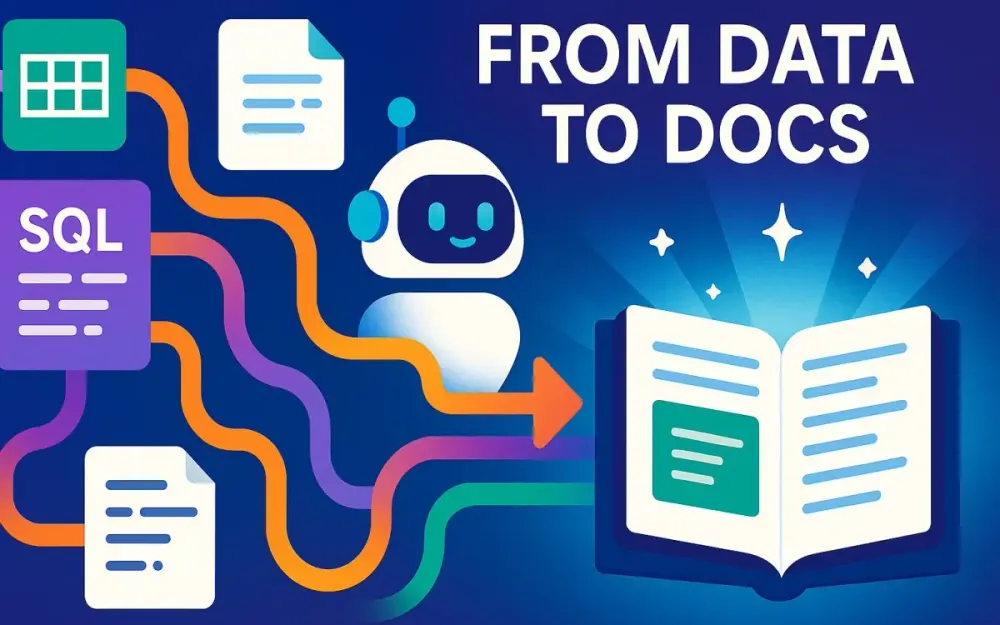
This section frames the dilemma and introduces Generative AI (GenAI) as a turning point—shifting documentation from a static, after-the-fact burden into a dynamic, always-on service that evolves alongside your data ecosystem.
1.1 The High Cost of “Tribal Knowledge”
Every data team inherits lore. Maybe only one engineer knows that the fct_orders table filters out test transactions. Or perhaps the revenue team knows to avoid a certain “daily revenue” view because it double-counts cancellations. This undocumented wisdom is what we call tribal knowledge—and it comes at a steep price.
1.1.1 Slowed Onboarding and Lost Productivity
Picture onboarding a new data engineer. Instead of reading clear docs, they spend weeks pinging Slack threads, setting up one-on-one meetings, and reverse-engineering queries. A ramp-up that should take days stretches into months. Multiply that across a team, and the inefficiency compounds.
Pro Tip: Treat documentation debt as seriously as technical debt. Both erode team velocity and introduce invisible costs.
1.1.2 Duplicated Work and Reinvented Wheels
In organizations with poor documentation, analysts and engineers unknowingly re-create datasets, metrics, or pipelines. The same KPI might exist in three slightly different flavors across dashboards. The absence of shared definitions breeds inconsistency and undermines trust in analytics outputs.
Incorrect vs Correct:
-- Incorrect: Analyst creates a new metric definition, unaware of an existing standard
SELECT SUM(revenue) - SUM(refunds) AS net_sales
FROM transactions
WHERE region = 'US';

-- Correct: Analyst references the documented, approved revenue model
SELECT * FROM revenue_reporting.fct_net_sales_us;
1.1.3 Erroneous Analysis and Business Risks
Without authoritative documentation, critical mistakes slip into analyses. Consider an executive presentation that accidentally includes sandbox or test data because no one flagged a table as non-production. Or compliance reports filed with the wrong logic because definitions were assumed rather than verified.
The downstream risks aren’t trivial: misreported earnings, GDPR fines, inaccurate forecasting, and loss of stakeholder trust.
1.1.4 The “Bus Factor” Problem
The Bus Factor measures how many people would need to leave—or get “hit by a bus”—before a system becomes inoperable. In many data teams, the bus factor is terrifyingly low. If a single data engineer exits, whole domains of knowledge vanish with them.
That’s not resilience; that’s fragility disguised as expertise.
1.1.5 An Analogy: Navigating Without Street Signs
Imagine driving in a new city where no streets have names. Locals navigate by memory: “turn left at the bakery, then right where the old cinema used to be.” Outsiders are lost, traffic snarls, and no one agrees on the fastest route.
Your undocumented data landscape is that city. Documentation is the signage system that makes navigation reliable and scalable.
1.2 Why Traditional Documentation Fails
If the costs of poor documentation are so high, why does the problem persist? The answer is that traditional documentation practices are fundamentally mismatched with modern data realities.
1.2.1 Manual Effort vs. Agile Pace
Writing documentation is tedious, unglamorous work. Engineers prefer to build pipelines, not annotate them. Even when teams commit to documentation, the pace of schema evolution makes it nearly impossible to keep docs current. Agile delivery cycles that deploy weekly (or daily) break the traditional “write once, update later” model.
Pitfall: Assigning documentation as a one-off project guarantees staleness. Documentation must evolve in lockstep with systems.
1.2.2 Static Nature: Docs Decay on Contact with Reality
By the time a Confluence page is written, the schema may have changed. A pipeline refactor invalidates the ERD diagram. A business pivot renders KPIs obsolete. Traditional documentation is brittle—frozen snapshots of a moving target.
Trade-off: While wikis centralize knowledge, they lack mechanisms for automatic updates. Teams must weigh control against currency.
1.2.3 Scattered and Siloed Knowledge
Even when documentation exists, it’s fragmented. Some knowledge lives in Jira tickets, some in Tableau dashboards, some in inline SQL comments. Discovery is a nightmare. Analysts searching for column definitions may wade through half a dozen disconnected sources.
Note: Documentation without discoverability is noise. For documentation to add value, it must be searchable, accessible, and contextual.
1.2.4 Misaligned Incentives
Data engineers are measured on delivery, not on documentation quality. Analysts are rewarded for insights, not for leaving breadcrumbs. Documentation becomes an afterthought—a “nice to have” that slips off sprint priorities.
Pro Tip: To change documentation culture, embed it into the definition of done. A pipeline isn’t complete until it’s documented.
1.3 The GenAI Paradigm Shift: From Scribe to Synthesizer
Generative AI changes the calculus. It doesn’t just make documentation faster to write—it transforms what documentation is.
1.3.1 From Writing Text to Understanding Context
Traditional approaches treat documentation as text generation: humans write sentences, others read them. GenAI goes further. By analyzing schemas, query logs, dashboards, and even existing human-written docs, it can synthesize context. It doesn’t just parrot definitions—it infers purpose and usage.
Example: Given a column cust_id, GenAI doesn’t merely expand it to “customer ID.” It notices that it frequently joins with users.user_identifier and describes it as “the unique customer key used across transactional and user tables.”
1.3.2 Living Documentation: Always On, Always Current
With GenAI integrated into the data platform, documentation becomes a service, not a static product. As schemas change, query logs evolve, or dashboards are updated, the system regenerates explanations automatically.
Think of it as continuous integration for documentation. Just as CI/CD ensures code changes ship safely, GenAI ensures knowledge changes are instantly captured.
1.3.3 From Burden to Byproduct
The genius of automation is shifting documentation from a manual burden into a byproduct of normal operations. Query logs, schema metadata, and BI dashboards already exist. GenAI leverages them, meaning documentation is generated in the background without requiring engineers to stop and write prose.
Pro Tip: Don’t fight human nature. If documentation depends on discipline alone, it will fail. Let automation do the heavy lifting.
1.3.4 Explaining Data in Plain English
One of GenAI’s greatest strengths is translation. Complex SQL joins, cryptic column names, and nested JSON schemas can all be rendered into human-readable explanations. Analysts no longer have to reverse-engineer what dim_cust_hist_actv_cd means—the system can tell them: “Historical activity code for customer segmentation, used primarily in churn analysis.”
This is not fluff—it’s clarity at scale.
1.3.5 A Teaser: Toward the Automated Data Companion
What if documentation didn’t live in a dusty wiki but was conversational, contextual, and always at hand? Imagine asking in Slack:
“What does the
fct_orderstable represent?”
And receiving an answer that’s both precise and contextual, drawn from the freshest metadata, query logs, and human-authored notes.
That’s the promise of GenAI-powered documentation: a trusted, dynamic companion that makes your data landscape navigable, explainable, and resilient.
2 Core Technologies: The Engine Behind Intelligent Documentation
If Section 1 illustrated the problem, Section 2 is about the machinery of the solution. Automated documentation powered by Generative AI is not a single “magic box.” It is a stack of complementary technologies that work in concert: large language models (LLMs) that interpret; embeddings that encode meaning; vector databases that retrieve relevant knowledge; and Retrieval-Augmented Generation (RAG) that ties it all together.
For senior developers, architects, and tech leads, understanding these components is not optional. Each brings trade-offs in accuracy, cost, and scalability. Each has implementation details that separate a proof of concept from a production-ready service. And each must be evaluated in the context of your data ecosystem.
Let’s examine them in detail.
2.1 Large Language Models (LLMs): The Natural Language Interface
At the heart of intelligent documentation lies the ability to explain structured information in plain English—or Spanish, or Japanese, depending on your stakeholders. LLMs are the engines that make this translation possible.
2.1.1 Beyond ChatGPT: Foundational Models in Practice
While “ChatGPT” has become shorthand for LLMs, it’s only one member of a rapidly evolving family of foundational models. Senior teams today have choices across several leading platforms:
- OpenAI GPT-4o: Optimized for reasoning and multimodal input, capable of ingesting SQL schemas, code, and even charts.
- Google Gemini 1.5 Pro: Exceptional at handling long context windows—critical for ingesting entire schemas or large knowledge bases in one pass.
- Anthropic Claude 3.5: Known for steerability and safety features, valuable in enterprise contexts where hallucinations and compliance matter.
- Cohere and Mistral models: Lightweight alternatives for organizations that need cost-effective deployments at scale.
For documentation, the differentiator is not creativity but accuracy, context retention, and interpretability.
Trade-off: Larger models handle more complexity but cost more per token. Smaller models are cheaper and faster but may misinterpret nuanced business logic.
2.1.2 Key Skill for Documentation: Schema-to-Text Translation
Consider a database schema extract:
CREATE TABLE fct_orders (
    order_id STRING PRIMARY KEY,
    cust_id STRING NOT NULL,
    order_date DATE NOT NULL,
    order_amount DECIMAL(10,2),
    order_status STRING
);
An LLM’s value is its ability to turn this into something a human can immediately understand:
“
fct_ordersstores customer purchase orders. Each row represents a single order, with a unique ID, associated customer, date of purchase, amount, and status (e.g., pending, shipped, canceled).”
Without human intervention, the LLM performs the tedious but essential translation of database jargon into business context.
Python example using OpenAI’s API:
from openai import OpenAI

client = OpenAI()

ddl = """
CREATE TABLE fct_orders (
    order_id STRING PRIMARY KEY,
    cust_id STRING NOT NULL,
    order_date DATE NOT NULL,
    order_amount DECIMAL(10,2),
    order_status STRING
);
"""

prompt = f"Translate the following SQL DDL into a human-readable business description:\n\n{ddl}"

response = client.chat.completions.create(
    model="gpt-4o",
    messages=[{"role": "user", "content": prompt}],
    temperature=0.2
)

print(response.choices[0].message.content)
Pro Tip: Always constrain generation with a consistent style guide (“one-sentence description” vs. “detailed paragraph”) to ensure uniform documentation quality.
2.1.3 Why Developers Should Care
It’s tempting to see LLMs as black boxes, but understanding their strengths and limits helps architects design guardrails:
- They reason over code and data definitions, saving human time.
- They hallucinate when context is missing, making grounding essential.
- They are stateless between calls; context must be provided each time.
This sets the stage for embeddings and vector search, which solve the grounding problem.
2.2 Embeddings: The Universal Translator for Data
LLMs need context to produce accurate, relevant documentation. Embeddings are how we give them that context.
2.2.1 What Are Embeddings?
An embedding is a numerical vector representation of text, code, or data. Each embedding captures the semantic meaning of an item, allowing similar concepts to cluster together in vector space.
Analogy: Imagine placing every column, table, and query log as a point in a galaxy. Columns with related meanings (e.g., cust_id, customer_identifier) appear close to each other, while unrelated ones (order_date, revenue_usd) float elsewhere.
2.2.2 Why They Matter for Documentation
Embeddings unlock capabilities like:
- Semantic similarity search: Finding relevant documentation chunks even if users don’t use the exact same words.
- Context clustering: Grouping related assets for broader summaries.
- Schema mapping: Detecting that
usr_idin one system aligns withcustomer_idin another.
Example in Python using OpenAI’s embedding API:
from openai import OpenAI

client = OpenAI()

text_samples = [
    "cust_id column in orders table",
    "customer_identifier field in users table",
    "order_date column in transactions"
]

embeddings = [
    client.embeddings.create(
        model="text-embedding-3-large",
        input=txt
    ).data[0].embedding
    for txt in text_samples
]

print(len(embeddings[0]))  # dimension of the embedding vector
Note: The vectors are not human-readable, but they are mathematically comparable with cosine similarity or Euclidean distance.
2.2.3 Real-World Application
Imagine an analyst asking:
“Where can I find customer IDs?”
Without embeddings, the system might fail if the column is named usr_key or account_identifier. With embeddings, the semantic similarity ensures the query surfaces all related fields.
Pitfall: Embeddings drift when models are upgraded. Recomputing embeddings across large datasets can be expensive. Plan for migration strategies.
2.3 Vector Databases: The Semantic Search Engine
Embeddings are powerful, but only if you have a place to store and query them efficiently. That’s where vector databases come in.
2.3.1 What Are Vector Databases?
Vector databases specialize in storing high-dimensional vectors (embeddings) and retrieving them quickly using approximate nearest neighbor (ANN) search.
Examples include Pinecone, Weaviate, Milvus, Chroma, and relational extensions like pgvector for PostgreSQL.
2.3.2 How They Differ from Relational Databases
Traditional relational databases excel at exact matching (e.g., WHERE column = 'foo'). Vector databases excel at similarity search—finding the vectors most similar to a given input.
This matters because documentation queries are semantic, not literal. Users ask “customer identifier,” not “cust_id.”
2.3.3 Example: Semantic Search with Chroma
import chromadb
from chromadb.utils import embedding_functions

client = chromadb.Client()
openai_ef = embedding_functions.OpenAIEmbeddingFunction(
    api_key="YOUR_API_KEY",
    model_name="text-embedding-3-large"
)

collection = client.create_collection("data_docs", embedding_function=openai_ef)

# Insert some schema chunks
collection.add(
    documents=["cust_id column links orders to users", "order_date indicates purchase timestamp"],
    ids=["1", "2"]
)

# Query semantically
results = collection.query(
    query_texts=["customer identifier"],
    n_results=2
)

print(results)
This search will return the cust_id description even though the query used different wording.
Pro Tip: Keep embeddings short and contextual (e.g., per column, per table, per query pattern). Large monolithic documents dilute semantic precision.
2.3.4 Role in Automated Documentation
Vector databases serve as the knowledge store for your documentation system. They allow the system to:
- Retrieve the right context for LLM queries.
- Scale to millions of schema elements and documentation fragments.
- Support real-time updates as schemas evolve.
2.4 Retrieval-Augmented Generation (RAG): The Open-Book Exam for LLMs
Even the best LLMs cannot be trusted to invent factual documentation from scratch. RAG is the architectural pattern that grounds them in truth.
2.4.1 What Is RAG?
RAG combines three steps:
- Retrieve: Use embeddings and vector search to find the most relevant context.
- Augment: Insert this retrieved knowledge into the LLM’s prompt.
- Generate: Let the LLM synthesize a coherent, human-readable answer.
Think of it as giving the LLM an “open-book exam.” Instead of relying on memory, it looks up the right notes.
2.4.2 The RAG Flow in Action
Suppose a user asks:
“What does the
fct_orderstable represent?”
The system executes:
- Convert the question into an embedding.
- Query the vector database for relevant schema chunks (
fct_orders, joins withdim_customers, query logs showing filters). - Package the retrieved chunks into a structured prompt.
- Send to LLM for synthesis.
Python pseudo-implementation using LangChain:
from langchain.chains import RetrievalQA
from langchain_openai import ChatOpenAI, OpenAIEmbeddings
from langchain.vectorstores import Chroma

# Setup LLM and vector store
llm = ChatOpenAI(model="gpt-4o", temperature=0.2)
embeddings = OpenAIEmbeddings(model="text-embedding-3-large")

vectorstore = Chroma(persist_directory="./chroma_store", embedding_function=embeddings)

# Create RAG pipeline
qa = RetrievalQA.from_chain_type(
    llm=llm,
    retriever=vectorstore.as_retriever(),
    chain_type="stuff"
)

query = "What does the fct_orders table represent?"
answer = qa.run(query)
print(answer)
2.4.3 Why RAG Is Essential
- Prevents hallucination: The model is grounded in actual schema and usage data.
- Keeps docs current: As new schema elements are ingested, retrieval surfaces them automatically.
- Scales with complexity: You can retrieve hundreds of relevant context fragments without overloading humans.
Pitfall: Retrieval quality depends heavily on chunking strategy and embedding quality. Poorly chunked schemas may surface irrelevant or fragmented context.
2.4.4 RAG for Documentation vs. Other Use Cases
In chatbot or summarization contexts, RAG improves accuracy. In data documentation, RAG is non-negotiable. You cannot rely on static training data to explain proprietary schemas and business logic.
Pro Tip: Layer business rules into the RAG system—for example, “never expose columns flagged as PII”—to build trust with stakeholders.
3 Architectural Blueprint: Designing Your GenAI Documentation System
Armed with the knowledge of core technologies, the next step is to put them together into a cohesive architecture. The challenge is not whether LLMs, embeddings, or vector databases can work in isolation—they clearly can. The real challenge is weaving them into an ecosystem that ingests data context, enriches it intelligently, stores it efficiently, and exposes it to users in ways that feel natural.
This blueprint is not theoretical. It is a pragmatic design senior developers and architects can use to kickstart their own implementation or benchmark vendor solutions. The architecture is layered, each level handling a specific concern, yet flexible enough to scale across enterprises with thousands of data assets.
3.1 High-Level Architecture Overview
Think of the system as a pipeline with five interconnected layers:
- Ingestion Connectors: Capture metadata and context from every corner of your data ecosystem.
- Processing Pipeline: Clean, chunk, and enrich raw inputs into semantically rich representations.
- Knowledge Store: Persist enriched chunks and embeddings for fast retrieval and structured querying.
- Generation Service: Run the Retrieval-Augmented Generation (RAG) loop to synthesize human-readable documentation.
- User Interface: Deliver documentation in forms that developers, analysts, and business users naturally consume.
A simplified flow:
[ Databases | Query Logs | BI Tools | Existing Docs ]
               ↓
        Context Ingestion Layer
               ↓
      Processing & Enrichment Pipeline
               ↓
       Knowledge Store (Vector + Graph)
               ↓
       Generation & Presentation Service
               ↓
 [ Documentation Portal | IDE | Chatbot ]
Pro Tip: Keep the layers decoupled. A pluggable ingestion system or modular presentation layer ensures you can swap technologies (e.g., Pinecone → Weaviate) without rewriting the entire system.
3.2 Layer 1: The Context Ingestion Layer
Without comprehensive ingestion, your GenAI system will generate shallow, incomplete documentation. This layer ensures raw context is captured consistently across all sources.
3.2.1 Database Schemas
The most direct source of truth is the schema itself. Every warehouse or database offers system views that expose tables, columns, and constraints.
Example: Extracting schema details from Snowflake:
SELECT table_schema,
       table_name,
       column_name,
       data_type,
       is_nullable
FROM information_schema.columns
WHERE table_schema NOT IN ('INFORMATION_SCHEMA')
ORDER BY table_schema, table_name, ordinal_position;
In Python, this metadata can be piped into JSON:
import snowflake.connector
import json

conn = snowflake.connector.connect(
    user="USER",
    password="PASS",
    account="ACCT"
)

cur = conn.cursor()
cur.execute("""SELECT table_schema, table_name, column_name, data_type
               FROM information_schema.columns
               WHERE table_schema != 'INFORMATION_SCHEMA'""")

columns = [dict(zip([c[0] for c in cur.description], row)) for row in cur.fetchall()]
print(json.dumps(columns, indent=2))
Pitfall: Don’t overlook constraints and indexes. These often encode implicit business rules (e.g., uniqueness of email).
3.2.2 Query Logs: The Hidden Goldmine
Schemas tell you what exists; query logs tell you what’s important. Usage patterns reveal relationships, joins, and business-critical tables.
Example: Mining Snowflake’s query_history for common joins:
SELECT query_text
FROM snowflake.account_usage.query_history
WHERE start_time > DATEADD(day, -90, CURRENT_TIMESTAMP)
  AND query_text ILIKE '%JOIN%'
LIMIT 1000;
Parsing these logs programmatically allows you to infer:
- Which tables are “golden” (heavily used).
- Which columns serve as de facto foreign keys.
- Which filters define business segments (e.g.,
WHERE country = 'US').
Pro Tip: Don’t treat all tables equally. Usage frequency is the best prioritization heuristic for documentation.
3.2.3 BI Tools Metadata
BI layers (Looker, Tableau, Power BI) contain business-facing definitions. These often explain KPIs, dashboards, and relationships in plain English—perfect material for enriching documentation.
Example: Pulling Looker model metadata (Python SDK):
import looker_sdk

sdk = looker_sdk.init40("looker.ini")
explores = sdk.all_looks()
for exp in explores:
    print(exp.title, exp.query.model, exp.query.view)
Note: BI metadata bridges the technical schema with business semantics. Ignoring it leaves your documentation overly technical.
3.2.4 Existing Documentation
Don’t reinvent the wheel. Many teams already have scattered notes in Confluence, Markdown repos, or Notion. Crawlers or API connectors can ingest these into your pipeline.
Example: Extracting Markdown docs for ingestion:
import glob

docs = []
for file in glob.glob("./docs/**/*.md", recursive=True):
    with open(file, "r") as f:
        docs.append({"filename": file, "content": f.read()})
Trade-off: Legacy docs may be outdated. Use them as context but clearly mark AI-generated docs versus human-authored ones.
3.3 Layer 2: The Processing and Enrichment Pipeline
Raw metadata is messy. This layer normalizes, chunks, and enriches it into forms that can be embedded, stored, and used effectively.
3.3.1 Parsing and Chunking
Large DDL scripts or lengthy Markdown pages overwhelm embedding models. Smart chunking ensures semantic clarity without losing coherence.
Incorrect vs Correct:
# Incorrect: Treats entire DDL as one chunk
ddl_chunk = full_ddl_text

# Correct: Split by table definition
ddl_chunks = full_ddl_text.split("CREATE TABLE")
ddl_chunks = [f"CREATE TABLE{chunk}" for chunk in ddl_chunks if chunk.strip()]
Pro Tip: Chunk by logical unit (per table, per dashboard, per doc section), not arbitrary size. Quality of chunks directly affects retrieval quality.
3.3.2 Metadata Enrichment with LLMs
Before embedding, you can pass raw names through an LLM for “zero-shot” enrichment.
Example: Generate first-pass descriptions:
from openai import OpenAI
client = OpenAI()

prompt = "Provide a one-sentence business description for column: cust_id (STRING)."

resp = client.chat.completions.create(
    model="gpt-4o",
    messages=[{"role": "user", "content": prompt}]
)

print(resp.choices[0].message.content)
This creates a bootstrap layer of documentation even before logs or profiling are analyzed.
3.3.3 Query Log Analysis
Once logs are parsed, relationships can be inferred. A Python regex pass can identify join patterns:
import re

query = "SELECT * FROM orders o JOIN customers c ON o.cust_id = c.id"
join_pattern = re.findall(r"JOIN\s+(\w+)\s+ON\s+(\w+\.\w+)\s*=\s*(\w+\.\w+)", query, re.I)
print(join_pattern)  # [('customers', 'o.cust_id', 'c.id')]
Note: Automated relationship discovery allows the system to document how data is used, not just what exists.
3.3.4 Data Profiling (Optional but Valuable)
Profiling gives statistical context. For example, NULL ratios can tell you which columns are reliable versus “junk drawers.”
Example: Profiling a column in PostgreSQL:
SELECT
    COUNT(*) AS total_rows,
    COUNT(*) FILTER (WHERE column_x IS NULL) AS null_count,
    COUNT(DISTINCT column_x) AS distinct_count
FROM some_table;
Automated profiling results can be appended to column docs:
“Column
zip_codeis nullable in 35% of rows, with ~2,000 unique values.”
Pitfall: Profiling large tables naively can be costly. Sample intelligently or profile on a schedule.
3.4 Layer 3: The Knowledge Store
Once context is enriched, it must be stored in a retrieval-friendly format.
3.4.1 The Vector Store
All chunks are embedded into vectors and indexed in a vector database. This provides semantic search capability for the RAG loop.
Example with pgvector in PostgreSQL:
CREATE EXTENSION IF NOT EXISTS vector;

CREATE TABLE docs (
    id SERIAL PRIMARY KEY,
    content TEXT,
    embedding vector(1536)
);

-- Insert with embedding (Python pre-computed)
INSERT INTO docs (content, embedding)
VALUES ('cust_id links orders to customers', '[0.12, 0.23, ...]');
Pro Tip: Persist raw text alongside embeddings. This ensures future embedding model migrations won’t lose the original material.
3.4.2 The Metadata Graph (Advanced)
Vector similarity alone is sometimes too fuzzy. For structured relationships (foreign keys, joins, lineage), a graph database shines.
Example schema in Neo4j:
CREATE (t:Table {name: "orders"})
CREATE (c:Column {name: "cust_id"})
CREATE (u:Table {name: "customers"})
CREATE (uc:Column {name: "id"})
CREATE (t)-[:HAS_COLUMN]->(c)
CREATE (u)-[:HAS_COLUMN]->(uc)
CREATE (c)-[:JOINS_WITH]->(uc)
Now you can query:
MATCH (t:Table {name: "orders"})-[:HAS_COLUMN]->(c)-[:JOINS_WITH]->(uc)<-[:HAS_COLUMN]-(u)
RETURN u.name;
This hybrid approach—vector search for semantics, graph for structure—gives both breadth and precision.
Trade-off: Graph DBs add complexity and maintenance overhead. Use them when explicit relationships matter (e.g., lineage, compliance).
3.5 Layer 4: The Generation and Presentation Layer
The final step is surfacing documentation where people need it. This is where technical sophistication translates into organizational impact.
3.5.1 The RAG Service
A central API orchestrates retrieval and generation:
- Accept user query.
- Retrieve relevant context from vector/graph stores.
- Stuff context into LLM prompt.
- Return synthesized documentation.
Python FastAPI example:
from fastapi import FastAPI
from rag_pipeline import answer_query

app = FastAPI()

@app.post("/ask")
async def ask(question: str):
    return {"answer": answer_query(question)}
3.5.2 Documentation Outputs
Static Site Generation
Automatically generate docs in MkDocs or Docusaurus:
mkdocs new datadocs
# Populate docs/ with AI-generated markdown
mkdocs serve
This creates a searchable, browsable portal always synced with the latest metadata.
IDE Integration
Push column/tooltips directly into developer environments. For example, a VS Code extension that shows:
Hover over
cust_id: “Customer identifier. Joins tocustomers.id. Used in churn models.”
Pro Tip: Integrations at the IDE level reduce context switching for developers and drive adoption.
Conversational Chat Interfaces
Expose documentation through Slack or Teams bots. Example user interaction:
User: "What is fct_daily_revenue?"
Bot:  "A fact table storing daily revenue by product and region. Joins with `dim_products` and `dim_regions`. Commonly filtered by `order_date`."
Note: Chat interfaces democratize access beyond developers—business analysts and product managers can self-serve documentation without SQL skills.
4 Practical Implementation: A Step-by-Step Guide
Designing the architecture is one thing; building it in practice is another. The reality for senior developers and architects is that proof-of-concepts must demonstrate value quickly while remaining extensible enough to grow into production systems. In this section, we walk through a concrete, end-to-end implementation using modern, accessible tools. The goal is not to create a “toy demo” but to assemble a working prototype that your team could expand into enterprise-scale adoption.
We will use Python as our primary language because of its rich ecosystem for data engineering and GenAI integration. You’ll see how metadata is extracted, enriched with LLMs, indexed in a vector store, and surfaced through an interactive UI. The workflow unfolds in three phases, each adding depth: bootstrapping documentation from schemas, enriching with query logs, and enabling conversational discovery.
4.1 Our Tech Stack
Choosing the right stack is half the battle. We select components for their balance of power, simplicity, and community support.
- Language/Framework: Python with LangChain for orchestrating RAG pipelines. LangChain’s abstractions keep us from reinventing the wheel for prompt templates, retrievers, and chaining.
- Database: Snowflake, leveraged for its
information_schemaviews andquery_historylogs. These provide both structural and behavioral metadata. - LLM: Google Gemini 1.5 Pro via API. Its long context window lets us ingest complex schemas and usage logs without aggressive truncation.
- Vector Database: Chroma, chosen for local simplicity and easy migration later to Pinecone or Weaviate.
- Frontend: Streamlit, a lightweight yet effective way to build data apps. Within minutes, you can spin up a UI for interactive documentation search.
Note: This stack is modular. You could swap Snowflake for BigQuery, Gemini for GPT-4o, or Chroma for pgvector with minimal design changes.
4.2 Phase 1: Bootstrapping Documentation from a Database Schema
Before logs, dashboards, or profiling, the most immediate win is to generate baseline documentation from the schema itself. This bootstrap ensures every table and column at least has a machine-generated description.
4.2.1 Step 1: Connecting and Extracting Schema
Snowflake exposes schemas via information_schema. A simple Python script can extract metadata into structured JSON.
import snowflake.connector
import json

conn = snowflake.connector.connect(
    user="USER",
    password="PASSWORD",
    account="ACCOUNT"
)

query = """
SELECT table_schema, table_name, column_name, data_type, is_nullable
FROM information_schema.columns
WHERE table_schema NOT IN ('INFORMATION_SCHEMA')
ORDER BY table_schema, table_name, ordinal_position;
"""

cur = conn.cursor()
cur.execute(query)
rows = cur.fetchall()

columns = [dict(zip([col[0] for col in cur.description], row)) for row in rows]

with open("schema_metadata.json", "w") as f:
    json.dump(columns, f, indent=2)
Output example:
{
  "table_schema": "SALES",
  "table_name": "FCT_ORDERS",
  "column_name": "CUST_ID",
  "data_type": "STRING",
  "is_nullable": "NO"
}
Pro Tip: Store this raw extract separately. Even if enrichment pipelines change, the underlying metadata remains a single source of truth.
4.2.2 Step 2: The “Zero-Shot” Description Prompt
With raw metadata in hand, we craft a prompt template to ask Gemini for concise descriptions. The goal is uniformity: one clear sentence per column.
from google import genai

client = genai.Client(api_key="YOUR_API_KEY")

prompt_template = """
You are a data documentation assistant.
Given the following metadata:
Table: {table}
Column: {column}
Type: {dtype}

Write a concise, one-sentence description of the column's likely business meaning.
"""

def describe_column(table, column, dtype):
    prompt = prompt_template.format(table=table, column=column, dtype=dtype)
    response = client.models.generate_content(
        model="gemini-1.5-pro",
        contents=prompt
    )
    return response.text.strip()
Example input/output:
- Input:
Table: FCT_ORDERS, Column: CUST_ID, Type: STRING - Output: “Unique identifier linking each order to a customer in the system.”
4.2.3 Step 3: Generating and Storing Initial Docs
Loop through schema JSON, call Gemini, and persist results.
import json

with open("schema_metadata.json") as f:
    schema = json.load(f)

docs = []
for entry in schema:
    desc = describe_column(entry["table_name"], entry["column_name"], entry["data_type"])
    docs.append({
        "table": entry["table_name"],
        "column": entry["column_name"],
        "description": desc
    })

with open("bootstrap_docs.json", "w") as f:
    json.dump(docs, f, indent=2)
Pitfall: Running this naively on thousands of columns may exceed API rate limits or budgets. Batch requests where possible and cache results.
4.3 Phase 2: Enriching with Usage Context from Query Logs
Schema docs are helpful, but they miss the business reality: how data is actually used. Query logs fill that gap.
4.3.1 Step 1: Mining the Query History
Snowflake’s account_usage.query_history provides a record of executed queries. Extract joins and filters to reveal context.
SELECT query_text
FROM snowflake.account_usage.query_history
WHERE start_time > DATEADD(day, -90, CURRENT_TIMESTAMP)
  AND query_text ILIKE '%JOIN%'
LIMIT 1000;
Export results into a file query_samples.sql for downstream parsing.
4.3.2 Step 2: Inferring Relationships
We parse queries to detect patterns such as joins and filters. Regular expressions or SQL parsers like sqlparse work well.
import re

def extract_joins(sql):
    return re.findall(r"JOIN\s+(\w+)\s+ON\s+(\w+\.\w+)\s*=\s*(\w+\.\w+)", sql, re.I)

sql = "SELECT * FROM orders o JOIN customers c ON o.cust_id = c.id"
print(extract_joins(sql))
# [('customers', 'o.cust_id', 'c.id')]
We can then map relationships:
{
  "table": "FCT_ORDERS",
  "joins_with": ["DIM_CUSTOMERS"],
  "common_filters": ["order_date >= CURRENT_DATE - 30"]
}
Note: Even noisy, partial inferences are valuable. They guide LLM prompts to provide richer summaries.
4.3.3 Step 3: The “Context-Aware” Summary Prompt
Now we combine schema metadata with inferred relationships to generate richer documentation.
prompt = f"""
You are a data architect.
Schema: FCT_ORDERS (columns: order_id, cust_id, order_date, order_amount)
Usage context:
- Frequently joined with DIM_CUSTOMERS on cust_id = id
- Often filtered by order_date in the last 30 days

Write a detailed summary of this table’s purpose and common use cases.
"""

response = client.models.generate_content(
    model="gemini-1.5-pro",
    contents=prompt
)
print(response.text)
Sample output:
“
FCT_ORDERSrecords customer purchase transactions, with each order linked to customer demographics viaDIM_CUSTOMERS. Analysts typically use it to calculate revenue trends, customer activity, and time-based sales performance.”
Pro Tip: Treat context-aware summaries as canonical documentation. Zero-shot bootstrap docs are useful, but context-driven docs reflect how the business truly uses data.
4.4 Phase 3: Building an Interactive Data Discovery Chatbot
The final step is to make documentation discoverable. Analysts shouldn’t dig through JSON or Markdown—they should ask and get answers.
4.4.1 Step 1: Indexing Everything
All enriched docs must be embedded and stored in Chroma for semantic search.
import chromadb
from chromadb.utils import embedding_functions

client = chromadb.Client()
openai_embed = embedding_functions.OpenAIEmbeddingFunction(
    api_key="YOUR_API_KEY",
    model_name="text-embedding-3-large"
)

collection = client.create_collection("data_docs", embedding_function=openai_embed)

# Load enriched docs
with open("enriched_docs.json") as f:
    docs = json.load(f)

for i, doc in enumerate(docs):
    text = f"Table {doc['table']} Column {doc['column']}: {doc['description']}"
    collection.add(documents=[text], ids=[str(i)])
4.4.2 Step 2: Setting up the RAG Chain
Using LangChain, we configure a retrieval pipeline with Gemini as the generator.
from langchain.chains import RetrievalQA
from langchain_google_genai import ChatGoogleGenerativeAI
from langchain.vectorstores import Chroma

llm = ChatGoogleGenerativeAI(model="gemini-1.5-pro", temperature=0.2)
vectorstore = Chroma(persist_directory="./chroma_store", embedding_function=openai_embed)

qa = RetrievalQA.from_chain_type(
    llm=llm,
    retriever=vectorstore.as_retriever(),
    chain_type="stuff"
)

query = "Explain the fct_daily_revenue table."
print(qa.run(query))
Pitfall: Retrieval relevance depends heavily on chunk size. Too small, and context is fragmented. Too large, and irrelevant noise slips in. Experiment until accuracy stabilizes.
4.4.3 Step 3: Creating the Streamlit UI
Finally, a lightweight interface makes the chatbot accessible across teams.
import streamlit as st

st.title("Data Discovery Assistant")

user_query = st.text_input("Ask about your data:")

if user_query:
    answer = qa.run(user_query)
    st.write("### Answer")
    st.write(answer)
Run with:
streamlit run app.pyNow any analyst can type:
- “Where can I find customer email addresses?”
- “Explain the fct_daily_revenue table.”
- “Write a query for active users per month.”
And receive contextual, LLM-powered documentation instantly.
Pro Tip: Start with Streamlit for demos, but plan long-term integration into Slack, Teams, or IDEs to meet users where they already work.
5 Advanced Strategies and Future Frontiers
By now, we have a functional blueprint and a working prototype of a GenAI-powered documentation system. But senior developers, architects, and data leaders are rarely satisfied with “it works.” The real questions are: How do we scale it? How do we make it autonomous? How do we ensure it is trusted, secure, and delivering ROI?
This section explores those frontiers. It’s about moving from pilot to production, from a reactive tool to an intelligent agent, and from basic adoption to cultural transformation.
5.1 From RAG to Agents: The Autonomous Documentarian
RAG systems are powerful, but they are still largely passive. They wait for queries or scheduled triggers. The next frontier is agents—LLMs equipped with goals, memory, and tools that allow them to act proactively.
5.1.1 What Are LLM Agents?
Agents extend the LLM pattern by giving the model the ability to:
- Plan steps toward a goal (e.g., “keep documentation up to date”).
- Use external tools like APIs, SQL engines, or Git clients.
- Iterate with memory, adjusting based on feedback or results.
In documentation, an agent can autonomously detect schema drift, generate docs, and propose updates without human initiation.
5.1.2 Example Workflow: Autonomous Documentation Agent
Imagine an agent running daily in your CI/CD pipeline:
- Detect Schema Changes: Run introspection queries to identify new columns or modified tables.
- Generate Documentation: Call the enrichment pipeline for just those deltas.
- Validate with PII Checks: Flag sensitive fields before publication.
- Create Pull Request: Push updated Markdown files into your documentation repo.
- Notify Reviewer: Alert a data steward in Slack to review and approve.
Python pseudocode sketch:
from git import Repo
from doc_pipeline import generate_docs

def agent_run():
    changes = detect_schema_changes()
    new_docs = [generate_docs(change) for change in changes]

    repo = Repo("/repo/datadocs")
    for doc in new_docs:
        path = f"docs/{doc['table']}.md"
        with open(path, "w") as f:
            f.write(doc['content'])

    repo.index.add([f"docs/{doc['table']}.md" for doc in new_docs])
    repo.index.commit("Auto-update docs for new schema changes")
    repo.remote("origin").push()

agent_run()
Pro Tip: Integrate this with GitHub Actions or GitLab CI to automate runs and tie documentation updates directly to version control practices.
5.1.3 Pitfalls of Autonomy
- Overgeneration: Agents may flood repos with noisy updates. Introduce thresholds (e.g., only document new columns weekly).
- False positives: Schema drift detectors might misinterpret temporary dev schemas. Add filters for production schemas only.
- Change fatigue: Too many PRs desensitize reviewers. Batch updates for balance.
Trade-off: Autonomy saves human effort but risks accuracy. Always keep humans in the loop for governance.
5.2 Fine-Tuning vs. RAG: When to Specialize Your Model
Architects often face the question: “Should we fine-tune a model on our data, or is RAG enough?” The answer requires nuance.
5.2.1 Why RAG Wins Most of the Time
- Cheaper: No need to train or host custom models.
- Dynamic: Schema changes are immediately reflected without retraining.
- Resilient: Avoids model drift when your business logic evolves.
Example: If cust_id is renamed to customer_identifier, embeddings + RAG automatically surface it in context, whereas a fine-tuned model would hallucinate outdated terms.
5.2.2 When Fine-Tuning Adds Value
- Company-Specific Vocabulary: If your business uses unique jargon (e.g.,
SRN= “Service Request Number”), RAG may repeatedly misinterpret it. Fine-tuning fixes that. - Unique SQL Dialect: If you have proprietary macros or heavy dbt Jinja usage, teaching the model directly helps.
- Stylistic Consistency: Some orgs demand specific documentation tone or formatting (e.g., regulated industries). Fine-tuning enforces style.
5.2.3 Hybrid Approach
You don’t have to choose one exclusively. A pragmatic architecture:
- Use RAG for factual grounding.
- Use a lightly fine-tuned model for style and vocabulary alignment.
Python example (conceptual):
from langchain.chains import LLMChain
from langchain.prompts import PromptTemplate

style_prompt = PromptTemplate.from_template("""
Rewrite the following documentation in ACME Corp's official style guide.
Input: {doc}
""")

chain = LLMChain(llm=fine_tuned_llm, prompt=style_prompt)

doc = "The fct_orders table stores order transactions."
print(chain.run({"doc": doc}))
Note: Fine-tuning is not permanent. Models and business vocabularies evolve—budget for re-training cycles.
5.3 Governance and Security: The Trust Layer
Automated documentation is only as useful as it is trusted. Governance ensures that documentation is accurate, compliant, and respects access boundaries.
5.3.1 PII Detection
LLMs can act as classifiers to scan column names and sample values for potential PII. This adds guardrails against accidentally exposing sensitive data.
Example classifier prompt:
prompt = """
You are a data privacy checker.
Given the following column metadata, classify if it likely contains PII.
Column: email_address, Type: STRING
Sample Values: ["alice@example.com", "bob@company.org"]
"""

resp = client.models.generate_content(model="gemini-1.5-pro", contents=prompt)
print(resp.text)
Output:
“This column likely contains PII (email addresses).”
Pro Tip: Run classifiers at ingestion time to tag columns, then enforce rules in the RAG pipeline (e.g., “never show sample values for PII fields”).
5.3.2 Role-Based Access
The documentation system must respect user roles. Analysts should not see tables restricted to finance, even in descriptive form. This requires tying retrieval layers to identity providers (e.g., Okta, Azure AD).
Implementation sketch:
def authorized_retriever(user_role):
    base_retriever = vectorstore.as_retriever()
    return FilteredRetriever(base_retriever, role=user_role)

answer = RetrievalQA.from_chain_type(
    llm=llm,
    retriever=authorized_retriever("analyst")
).run("Explain the payroll table")
Pitfall: If access filters are bypassed, sensitive schema information could leak. Always enforce at the retrieval layer, not just UI.
5.3.3 Human-in-the-Loop
No matter how advanced, GenAI must not become judge and jury. Establish workflows where humans review high-stakes updates (e.g., financial reporting metrics).
Note: A hybrid approval model—AI drafts, humans approve—yields both speed and accountability.
5.4 Measuring Success: The ROI of Automated Documentation
Finally, leadership will ask: “Is this worth the investment?” ROI measurement is critical for adoption.
5.4.1 Quantitative Metrics
- Coverage: Percentage of tables/columns with generated documentation.
- Freshness: Time lag between schema change and doc update.
- Support Reduction: Decline in “What does this table mean?” tickets.
- Usage Analytics: Queries to the chatbot or portal, proving adoption.
SQL to measure coverage:
SELECT COUNT(DISTINCT table_name) AS total_tables,
       COUNT(DISTINCT table_name) FILTER (WHERE documented = TRUE) AS documented_tables,
       ROUND(100.0 * COUNT(DISTINCT table_name) FILTER (WHERE documented = TRUE) / COUNT(DISTINCT table_name), 2) AS coverage_pct
FROM table_metadata;
5.4.2 Qualitative Metrics
- Developer Satisfaction: Surveys before and after deployment.
- Onboarding Speed: Time for new hires to ship their first analysis.
- Business Trust: Stakeholder confidence in analytics outputs.
Pro Tip: Don’t just measure volume—measure impact. One saved analyst-week is more persuasive than 500 generated docs.
5.4.3 Building the Business Case
Frame ROI in executive language:
- Reduced onboarding costs.
- Faster analytics → faster business decisions.
- Lower compliance risks.
- Happier engineers (lower attrition).
Trade-off: Quantifying cultural improvements (like reduced tribal knowledge) is hard. Balance hard metrics with narrative storytelling.
6 Conclusion: Your Data’s Story, Told Automatically
Every organization knows that documentation is both indispensable and notoriously difficult to sustain. We began this journey by examining the documentation dilemma—the way tribal knowledge, scattered notes, and outdated wikis undermine trust and productivity. From there, we explored how GenAI transforms documentation from a manual afterthought into an intelligent, living service. We broke down the core technologies—LLMs, embeddings, vector stores, and RAG—before layering them into a reference architecture. Finally, we walked step by step through a practical implementation, and then stretched our vision toward autonomous agents, governance, and ROI.
What emerges is not just another tool, but a cultural shift. Documentation is no longer a static product created once and forgotten. It is a continuous service that evolves as your data evolves. This section closes the loop: where we’ve come, what’s now possible, and what you should do first.
6.1 The New Baseline for Data Culture
The baseline has moved. For years, data documentation lagged behind agile development and cloud-native systems. Teams tolerated this gap by relying on Slack threads, office hours, and institutional memory. That compromise is no longer necessary. With GenAI-powered pipelines, documentation can keep pace with change, update automatically, and surface insights where they are needed most.
Think of it as the CI/CD of knowledge. Just as automated pipelines made manual deployments obsolete, automated documentation makes static wikis obsolete. It is no longer “science fiction” to have a bot explain fct_orders in natural language or to see hover-over tooltips in your IDE describe columns in context. The technology is here, proven, and accessible to any team with the will to implement it.
Note: Data-driven organizations that cling to static documentation risk falling behind. The new baseline is living documentation—always on, always current, and always accessible.
6.2 Your First Three Steps
For teams eager to begin, the key is not boiling the ocean but choosing practical entry points. Success comes from incremental wins that prove value and build confidence.
6.2.1 Start Small
Don’t attempt to document the entire warehouse on day one. Pick one critical domain—say, customer transactions, marketing events, or finance reporting. Choose something important enough to demonstrate impact, but not so sprawling that it overwhelms the pilot. This scope gives you a manageable sandbox to test ingestion, enrichment, and presentation workflows.
Pro Tip: Tie your pilot to a real business pain point (e.g., onboarding analysts faster for Q4 sales analysis). That way, the value is immediately tangible.
6.2.2 Focus on Usage
Query logs are your treasure map. Instead of evenly documenting every obscure staging table, prioritize the top 10% of tables that drive 90% of queries. Those “golden” tables will deliver outsized impact because they are the ones most analysts touch. By focusing here first, you maximize ROI and earn goodwill quickly.
SQL example to find top tables by frequency in Snowflake:
SELECT referenced_table_name, COUNT(*) AS usage_count
FROM snowflake.account_usage.access_history
WHERE event_time > DATEADD(day, -30, CURRENT_TIMESTAMP)
GROUP BY referenced_table_name
ORDER BY usage_count DESC
LIMIT 20;
This ensures your GenAI assistant shines on the tables people care about most.
6.2.3 Empower, Don’t Replace
Position the system as an assistant, not a replacement. Senior data experts are understandably wary of AI that might misinterpret complex business logic. Show them that the assistant handles the tedious first drafts and usage summaries, while humans still have the final word for nuance and approval.
This framing builds trust and turns skeptics into champions. Once experts see the assistant eliminating repetitive “what does this mean?” interruptions, they will embrace it as a force multiplier.
Pitfall: If experts perceive the tool as replacing their judgment, adoption will stall. Make human-in-the-loop review a visible feature, not a hidden safeguard.
6.3 Final Thought: The Future is Conversational
The long arc of data tooling has been toward accessibility. SQL replaced raw file parsing. BI dashboards replaced ad hoc queries. Now, natural language interfaces replace the need to memorize schemas or sift through wikis. The future is conversational: asking, “Where can I find customer email addresses?” and getting a precise, contextual, trustworthy answer instantly.
Your data already has a story. Every schema, join, and filter encodes business meaning. Until now, that story has been hidden in code and in people’s heads. With GenAI, we can finally surface it automatically, tell it clearly, and keep it alive as the business changes.
The organizations that embrace this shift will spend less time deciphering, more time analyzing, and most importantly—make decisions with confidence because they understand their data.
Trade-off: The question is not whether documentation should be automated, but how quickly you can adapt your workflows and governance to unlock its benefits.
The future of data work is not endless queries, diagrams, and tribal explanations. It is a natural language conversation with an intelligent system that already knows the context. That future is here—and it is time to let your data tell its own story.