1 Introduction: Beyond the JavaScript Hegemony
For decades, building robust web applications has meant living in two worlds: a C# (or Java, or PHP) backend serving APIs, and a JavaScript (Angular, React, Vue) frontend managing the browser. This division, once necessary, now carries hidden costs for teams and businesses. If you’ve ever context-switched between writing a LINQ query and fixing a tricky TypeScript bug, you know what I mean.
1.1 The Modern Web’s Challenge
The traditional split between C# on the server and JavaScript on the client introduces architectural overhead. Every handoff—data models, validation logic, authentication, error handling—needs to be duplicated, synchronized, and maintained. This leads to “skill fragmentation”: you hire back-end specialists and front-end experts, then struggle to keep them on the same page. With every extra layer, the complexity increases. Changes ripple through two codebases, testing doubles, and subtle bugs creep in at the seams.
1.2 The Promise of a Unified Stack
What if you could build modern, interactive web applications using a single language from top to bottom? Enter Blazor—Microsoft’s answer to the call for a unified, full-stack web platform powered by C#. Blazor leverages the maturity of .NET and the flexibility of modern web standards, giving architects and developers a way to streamline development, improve maintainability, and empower their teams.
1.3 What This Article Delivers
If you’re a software architect or an experienced developer, this article is your guide to what Blazor brings to the table. We’ll dive deep into the architecture, hosting models, and key concepts behind Blazor. We’ll cover how it enables secure, scalable, and maintainable enterprise applications. Along the way, you’ll see relevant C# code and practical examples using the latest .NET features. By the end, you’ll have a clear roadmap for deciding when—and how—to use Blazor in your next project.
2 The Architect’s “Why”: Unpacking the Blazor Value Proposition
Before we get technical, let’s address the big question: Why should you consider Blazor over traditional JS frameworks or even classic ASP.NET MVC?
2.1 Consolidating the Tech Stack
Developers don’t just write code—they juggle complexity. Every extra language, build tool, or deployment pipeline is another thing to manage. Blazor lets you streamline your stack. With both client and server written in C#, you can share models, validation, and business logic across the entire app.
This consolidation eliminates the constant friction of context-switching between TypeScript and C#, or translating errors from one environment to another. The net result is a reduction in cognitive load. Your team focuses on features, not fighting the stack.
2.2 Supercharging Productivity with the .NET Ecosystem
Blazor lets you reuse more than just code. You can tap into the mature ecosystem of .NET libraries, NuGet packages, and industry-leading tools like Visual Studio and JetBrains ReSharper. Need to add authentication? Use Microsoft.AspNetCore.Identity. Want dependency injection, logging, or configuration? They’re all part of .NET’s DNA.
A classic productivity booster is sharing validation logic. Consider this example:
public class Customer
{
    [Required]
    [StringLength(100)]
    public string Name { get; set; }
}

// Shared Model: Used in both Blazor UI and ASP.NET Core API
With Blazor, you can use the same data annotation attributes for both server-side and client-side validation. No more duplicating rules in C# and JavaScript.
2.3 Performance as a Feature
Performance matters, especially for enterprise-scale applications. Blazor, especially when running on WebAssembly (Wasm), delivers native-like speed. WebAssembly is a binary instruction format designed as a portable compilation target for high-performance web applications. Blazor’s use of Wasm means you get C# code running almost as fast as native code—inside the browser, with no plugins.
But Blazor also recognizes that real-world apps need flexibility. With Blazor Server, you can keep most processing on the server and send only UI updates over a lightweight SignalR connection. Blazor Auto (in .NET 8) blends these models for fast load times and rich interactions. We’ll explore all these hosting options soon.
2.4 Lowering the Skill Barrier
There are millions of C# developers worldwide. With Blazor, these developers can finally become full-stack web developers—without needing to learn JavaScript or adopt a radically different mindset. For organizations, this means faster onboarding, easier hiring, and more flexibility when building or scaling teams.
3 The Core Architectural Pillars of Blazor
Blazor is more than just a framework. It’s a set of architectural choices, built on powerful foundations. Let’s break down the key pillars.
3.1 WebAssembly (Wasm): The Foundation for a New Breed of Web App
3.1.1 What is Wasm?
WebAssembly is a low-level, binary instruction format that runs in the browser. Unlike JavaScript, which is interpreted (or just-in-time compiled), Wasm code is designed to execute at near-native speeds. Think of it as a portable, sandboxed virtual machine—one supported by all modern browsers.
For years, browsers could only run JavaScript. Wasm changes the game by letting languages like C#, Rust, or Go compile down to a web-friendly format.
3.1.2 How Blazor Leverages Wasm
Blazor WebAssembly ships a real .NET runtime (dotnet.wasm) alongside your app. When a user visits your site, their browser downloads this runtime and your application DLLs. Your C# code is then executed inside the browser’s sandbox—just like JavaScript, but using the .NET runtime.
This allows for a true single-language stack. Components, logic, and even some backend-style code can execute right in the browser, while communicating with APIs as needed.
Here’s a basic Blazor component in C#:
@code {
    private int currentCount = 0;

    void IncrementCount()
    {
        currentCount++;
    }
}

<button @onclick="IncrementCount">Click me</button>
<p>You've clicked @currentCount times</p>
This runs entirely in the browser with Blazor WebAssembly, no JavaScript required.
3.2 Blazor’s Hosting Models: The Most Critical Architectural Decision
One of Blazor’s strengths—and a key architectural consideration—is its range of hosting models. Your choice will influence app performance, scalability, security, and offline capabilities.
Let’s break down each model.
3.2.1 Blazor Server: The Thin-Client Model
How it Works: With Blazor Server, your app’s UI lives on the server. The browser acts as a thin client, displaying UI and sending user events back to the server via a real-time SignalR connection. All UI logic, rendering, and component lifecycle events happen server-side.
Architectural Fit: This model excels in internal line-of-business (LOB) applications, administrative dashboards, or any scenario where network latency is minimal and consistent.
Pros:
- Tiny client-side footprint—no need to download the .NET runtime
- Inherent server-side security (code never leaves your servers)
- Full access to .NET APIs, including direct database calls or file system access
Cons:
- Latency-sensitive—every UI interaction travels over the network
- Connection management and scaling SignalR sessions is critical for large user bases
- No offline support—if the connection drops, the UI becomes unresponsive
Example: Configuring Blazor Server
// Program.cs
var builder = WebApplication.CreateBuilder(args);
builder.Services.AddRazorComponents();
var app = builder.Build();
app.MapRazorComponents<App>();
app.Run();
3.2.2 Blazor WebAssembly: The True SPA Model
How it Works: Here, the entire app (including the .NET runtime) is downloaded to the client. All processing, rendering, and UI logic happen in the browser. Communication with the server is limited to API calls (usually via REST or gRPC).
Architectural Fit: Blazor WebAssembly is ideal for public-facing SPAs, progressive web apps, or scenarios where offline support and rich interactivity are must-haves.
Pros:
- Processing happens client-side, reducing server load
- Supports offline scenarios and PWAs (Progressive Web Apps)
- Can be hosted on static site hosts (e.g., Azure Static Web Apps, AWS S3)
Cons:
- Larger initial download (the runtime + your app)
- Dependent on client device/browser performance
- Limited access to some .NET APIs (due to browser sandbox)
Example: Blazor WebAssembly App
// Program.cs
var builder = WebAssemblyHostBuilder.CreateDefault(args);
builder.RootComponents.Add<App>("#app");
builder.Services.AddScoped(sp => new HttpClient { BaseAddress = new Uri(builder.HostEnvironment.BaseAddress) });
await builder.Build().RunAsync();
3.2.3 Blazor Auto (Introduced in .NET 8): The Best of Both Worlds
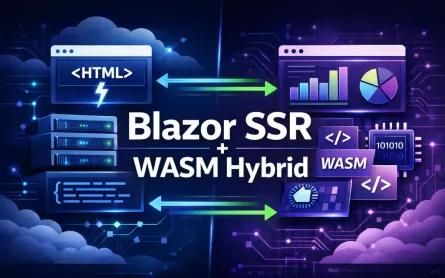
How it Works: Blazor Auto introduces a hybrid model. On first load, it renders the UI server-side for rapid time-to-first-paint. In the background, it downloads the WebAssembly app. After the Wasm app is ready, subsequent navigation and UI interactions are handled client-side.
This gives users the speed of server-side rendering with the interactivity and offline potential of client-side Blazor. It’s now the recommended default for most new projects.
Architectural Fit: Suited for apps where both initial load performance and rich offline interactivity are priorities.
Pros:
- Fast initial load (server-side rendering)
- Seamless transition to client-side processing
- Improved perceived performance and SEO
Cons:
- Slightly more complex to configure and debug
- Still evolving as of .NET 8, so expect some tooling changes
Example: Enabling Blazor Auto
// Program.cs (.NET 8+)
var builder = WebApplication.CreateBuilder(args);
builder.Services.AddRazorComponents()
    .AddInteractiveServerComponents()
    .AddInteractiveWebAssemblyComponents();

var app = builder.Build();
app.MapRazorComponents<App>();
app.Run();
3.2.4 Blazor Hybrid: Beyond the Browser
How it Works: Blazor Hybrid lets you run Blazor components inside native shells, such as .NET MAUI for mobile/desktop, WPF, or Windows Forms. The app runs with full access to local device APIs, leveraging web technologies for UI but with native performance.
Architectural Fit: Best for scenarios where you need to deliver both web and native desktop/mobile versions of your app, while maximizing code and UI reuse.
Pros:
- Access to device APIs (file system, sensors, notifications, etc.)
- Code and UI reuse across web, desktop, and mobile platforms
- Can create highly responsive, offline-capable apps
Cons:
- Adds native dependencies—requires .NET MAUI, WPF, or WinForms skills
- Larger distribution size (includes .NET runtime and app binaries)
Example: Blazor Hybrid with .NET MAUI
// MauiProgram.cs
public static MauiApp CreateMauiApp()
{
    var builder = MauiApp.CreateBuilder();
    builder
        .UseMauiApp<App>()
        .ConfigureFonts(fonts => { /* ... */ })
        .Services.AddMauiBlazorWebView();

    return builder.Build();
}

// In XAML or C#: <BlazorWebView HostPage="wwwroot/index.html" />
3.3 The Razor Component Model: The Building Blocks of the UI
At the heart of Blazor is the Razor Component Model. If you’re used to classic Razor Pages or MVC, you’ll notice a fundamental shift: components are now the unit of UI reuse, not controllers or views.
3.3.1 Encapsulation and Reusability
Blazor components encapsulate UI, logic, parameters, and events in a single, reusable unit. They can be composed, nested, and parameterized, making complex UIs manageable.
Example: A Simple Reusable Component
<!-- Counter.razor -->
@code {
    [Parameter] public int Start { get; set; }
    private int count;

    protected override void OnInitialized()
    {
        count = Start;
    }

    void Increment() => count++;
}

<button @onclick="Increment">Clicked @count times</button>
You can then use this in other components:
<Counter Start="10" />3.3.2 Understanding the Component Lifecycle
Blazor components have a clear, predictable lifecycle, allowing you to hook into different phases of rendering and data flow.
- OnInitialized / OnInitializedAsync: Run logic when the component is initialized
- OnParametersSet / OnParametersSetAsync: Called when parameter values are set or updated
- ShouldRender: Determines whether the component should re-render
- OnAfterRender / OnAfterRenderAsync: Code that runs after the component is rendered (e.g., DOM interop)
- Dispose: Cleanup resources when the component is removed
Example: Using Lifecycle Methods
@code {
    protected override async Task OnInitializedAsync()
    {
        // Load data from API
        customers = await Http.GetFromJsonAsync<List<Customer>>("api/customers");
    }

    public void Dispose()
    {
        // Clean up timers, event handlers, etc.
    }
}
3.3.3 Data Binding & Event Handling
Blazor makes data binding intuitive, with two-way binding available via the @bind directive. Events, such as clicks or input changes, are handled naturally in C#.
Example: Two-Way Binding
<input @bind="userName" />
<p>Hello, @userName</p>
Example: Handling Events
<button @onclick="Save">Save</button>

@code {
    private void Save()
    {
        // Save logic here
    }
}
4 Real-World Implementation: Architecting an Enterprise Application
Adopting Blazor in enterprise contexts requires more than a proof of concept. It’s about scaling, securing, and evolving your application as business requirements shift and grow. For this, the choices you make in project structure, state management, API interaction, and interoperability have lasting consequences.
4.1 Solution Structure for Scalability and Maintainability
The architecture of your solution determines how well you can respond to change. The traditional monolithic project may work for simple apps, but complex organizations demand clear separation of concerns, code reuse, and testability.
A recommended structure for large-scale Blazor applications aligns with Clean Architecture principles and promotes modularity:
/Project.sln
  /Project.Shared           // DTOs, shared validation, interfaces
  /Project.Client           // Blazor WebAssembly/Server UI
  /Project.Server           // ASP.NET Core host + Web API
  /Project.ApplicationCore  // Business logic abstractions
  /Project.Infrastructure   // Data access and implementation details
Let’s walk through each layer.
4.1.1 Project.Shared: The Cornerstone for DTOs and Validation
The Shared project acts as the contract between your client and server. It’s where you define your Data Transfer Objects (DTOs), validation rules, and any shared interfaces.
By placing these definitions in a shared assembly, you avoid “drift” between layers. This approach keeps your client, server, and integration tests in sync, and reduces duplicated effort.
Example: Shared DTO with FluentValidation
First, define your DTO:
// Project.Shared/Models/OrderDto.cs
public class OrderDto
{
    public int Id { get; set; }
    public string CustomerName { get; set; }
    public decimal Amount { get; set; }
}
Next, add validation:
// Project.Shared/Validation/OrderDtoValidator.cs
using FluentValidation;

public class OrderDtoValidator : AbstractValidator<OrderDto>
{
    public OrderDtoValidator()
    {
        RuleFor(x => x.CustomerName).NotEmpty().Length(2, 100);
        RuleFor(x => x.Amount).GreaterThan(0);
    }
}
With a validator in Shared, you can reuse the same logic on both the client (for immediate feedback) and the server (for data integrity).
4.1.2 Project.Client: The Blazor UI Project
The Client project is your Blazor app. For Blazor WebAssembly, this is the entry point delivered to the browser. For Blazor Server, it defines your component tree.
Inside, you’ll organize code by feature area—pages, components, services, and state containers. A consistent folder structure promotes discoverability and maintainability as your team grows.
Example Structure:
/Project.Client
  /Pages
  /Components
  /Services
  /State
  Program.cs
4.1.3 Project.Server: ASP.NET Core Host and API Layer
The Server project is responsible for serving your Blazor app, but also hosts the ASP.NET Core Web API that backs your application. This dual purpose is one of Blazor’s distinguishing advantages—your API and UI can live side by side, simplifying deployment and versioning.
Key Considerations:
- Separation of Controllers and UI: Keep your API controllers and UI-specific endpoints in different folders/namespaces to avoid accidental exposure.
- Shared Contracts: Reference the
Sharedproject to ensure consistency in data models and validation. - Security: Apply robust authentication and authorization, leveraging ASP.NET Core’s middleware.
4.1.4 Project.ApplicationCore / Project.Infrastructure: Applying Clean Architecture
For anything beyond a basic CRUD app, applying Clean Architecture principles helps manage complexity. The ApplicationCore project contains abstractions for business logic, use cases, and interfaces. The Infrastructure project implements those abstractions—data access, external services, caching, and so on.
Benefits:
- Decoupling: Business logic is isolated from framework and data concerns.
- Testability: Core logic can be unit tested without spinning up the entire app.
- Flexibility: Infrastructure implementations (e.g., swapping EF Core for Dapper) don’t ripple into core logic or UI.
Example: Defining a Service Interface
// Project.ApplicationCore/Services/IOrderService.cs
public interface IOrderService
{
    Task<List<OrderDto>> GetOrdersAsync();
    Task CreateOrderAsync(OrderDto order);
}
Example: Infrastructure Implementation
// Project.Infrastructure/Services/OrderService.cs
public class OrderService : IOrderService
{
    private readonly AppDbContext _context;
    public OrderService(AppDbContext context) => _context = context;

    public async Task<List<OrderDto>> GetOrdersAsync() =>
        await _context.Orders.Select(o => new OrderDto { ... }).ToListAsync();

    public async Task CreateOrderAsync(OrderDto order) { /* ... */ }
}
4.2 State Management: Taming UI Complexity
Even simple applications quickly become difficult to manage as state and interactions grow. Choices in state management affect how predictable, testable, and robust your UI will be.
4.2.1 The Default Approach: Cascading Parameters and Simple Service-Based State
Blazor provides two built-in mechanisms for sharing state:
-
Cascading Parameters: Useful for propagating values (like the current user, theme, or culture) down a component tree without explicitly passing them through each component.
-
Service-Based State: Register a scoped or singleton service in DI to hold application state.
Example: Using a State Service
// Project.Client/State/OrderState.cs
public class OrderState
{
    public List<OrderDto> Orders { get; set; } = [];
    public event Action? OnChange;

    public void SetOrders(List<OrderDto> orders)
    {
        Orders = orders;
        OnChange?.Invoke();
    }
}

// Register in Program.cs
builder.Services.AddScoped<OrderState>();
Any component can inject OrderState and subscribe to OnChange for UI updates.
4.2.2 Enterprise State Management: Centralized State Container (Fluxor/Redux-Like)
As your application grows, especially with multiple pages and complex interactions, “service-based state” can become difficult to reason about. Predictable, testable state transitions become essential. This is where patterns like Flux/Redux (and their Blazor incarnations) shine.
Fluxor is a popular state container library for Blazor, modeled after Redux. It centralizes application state, enforces immutability, and enables predictable state transitions through actions and reducers.
Benefits:
- Predictability: State can only be changed by dispatching actions.
- Debuggability: Time-travel debugging and state inspection.
- Testability: Reducers and effects are easily unit-testable.
Example: Fluxor Setup
- Define State:
public record OrderState(List<OrderDto> Orders, bool IsLoading);- Define Actions:
public record LoadOrdersAction();
public record LoadOrdersSuccessAction(List<OrderDto> Orders);- Define Reducers:
public static class OrderReducers
{
    [ReducerMethod]
    public static OrderState ReduceLoadOrders(OrderState state, LoadOrdersAction action)
        => state with { IsLoading = true };

    [ReducerMethod]
    public static OrderState ReduceLoadOrdersSuccess(OrderState state, LoadOrdersSuccessAction action)
        => state with { Orders = action.Orders, IsLoading = false };
}- Register Fluxor in Program.cs:
builder.Services.AddFluxor(options =>
options.ScanAssemblies(typeof(Program).Assembly));- Use in Component:
@inject IDispatcher Dispatcher
@inject IState<OrderState> OrderState

@if (OrderState.Value.IsLoading)
{
    <p>Loading orders...</p>
}
else
{
    @foreach (var order in OrderState.Value.Orders)
    {
        <div>@order.CustomerName: @order.Amount</div>
    }
}

@code {
    protected override void OnInitialized()
    {
        Dispatcher.Dispatch(new LoadOrdersAction());
    }
}
4.3 API Communication Strategies
In a full-stack Blazor solution, client-server communication should be robust, maintainable, and resilient to errors. Thoughtful API strategies help reduce friction, minimize duplication, and improve reliability.
4.3.1 Typed HttpClient and Refit: Clean API Client Services
While you can use HttpClient directly in Blazor, as your API surface grows, strongly-typed client interfaces become invaluable.
Typed HttpClient
Register API clients as typed services:
// Project.Client/Services/OrderApiClient.cs
public class OrderApiClient
{
    private readonly HttpClient _http;
    public OrderApiClient(HttpClient http) => _http = http;

    public async Task<List<OrderDto>> GetOrdersAsync() =>
        await _http.GetFromJsonAsync<List<OrderDto>>("api/orders");
}

// Register in Program.cs
builder.Services.AddHttpClient<OrderApiClient>(client =>
    client.BaseAddress = new Uri(builder.HostEnvironment.BaseAddress));
Refit: Declarative REST API Clients
Refit generates type-safe REST clients from interfaces, reducing boilerplate.
public interface IOrderApi
{
    [Get("/api/orders")]
    Task<List<OrderDto>> GetOrdersAsync();

    [Post("/api/orders")]
    Task CreateOrderAsync([Body] OrderDto order);
}

// Register in Program.cs
builder.Services.AddRefitClient<IOrderApi>()
    .ConfigureHttpClient(c => c.BaseAddress = new Uri(builder.HostEnvironment.BaseAddress));
Now, inject IOrderApi anywhere in your Blazor app for clean, strongly-typed API calls.
4.3.2 API Gateway Pattern: Abstracting Backend Services
Large applications often rely on multiple backend services—user management, payments, reporting, etc. Directly exposing all services to the client can complicate security and versioning. Enter the API Gateway.
An API Gateway, such as Ocelot for .NET, acts as a single entry point for all backend APIs. It routes, aggregates, and transforms requests as needed.
Benefits:
- Simplicity: The client only talks to one backend endpoint.
- Security: Centralized authentication, authorization, and rate limiting.
- Resilience: Implement retries, caching, or circuit breakers at the gateway layer.
Example: Configuring Ocelot
// ocelot.json
{
  "Routes": [
    {
      "DownstreamPathTemplate": "/api/orders",
      "UpstreamPathTemplate": "/gateway/orders",
      "DownstreamScheme": "http",
      "DownstreamHostAndPorts": [{ "Host": "localhost", "Port": 5001 }]
    }
  ]
}
This abstracts service URLs from the client, reducing coupling and exposure.
4.3.3 Handling API Responses and Errors Gracefully
Robust applications must handle API failures without confusing or frustrating users. Centralize error handling and response mapping for consistency.
Example: Centralized API Response Handler
Create a wrapper for API calls:
public class ApiService
{
    private readonly HttpClient _http;

    public ApiService(HttpClient http) => _http = http;

    public async Task<T?> GetAsync<T>(string url)
    {
        try
        {
            var response = await _http.GetAsync(url);
            if (response.IsSuccessStatusCode)
                return await response.Content.ReadFromJsonAsync<T>();
            // Log or process error response here
            return default;
        }
        catch (HttpRequestException ex)
        {
            // Handle network errors/logging
            return default;
        }
    }
}
Use this in components or services to provide users with meaningful error messages and fallback strategies.
4.4 JavaScript Interoperability (JS Interop): The Pragmatic Escape Hatch
While Blazor allows you to avoid most JavaScript, certain scenarios demand interop with the JS ecosystem—think legacy libraries, advanced browser APIs, or third-party SDKs.
4.4.1 When and Why: Integrating with Legacy or Advanced Features
You might need JS Interop when:
- Using browser APIs not yet wrapped by .NET (e.g., Web Bluetooth, WebRTC, Canvas animations)
- Integrating with mature JS charting libraries (like Chart.js or D3)
- Leveraging third-party SDKs (payment gateways, social sign-in, etc.)
- Maintaining business-critical legacy JS code during a gradual migration
4.4.2 Best Practices: Encapsulating JS Interop in Dedicated C# Services
To maintain a clean, maintainable codebase, never scatter JS interop calls throughout your components. Instead, encapsulate all JS interaction behind a C# service interface. This boundary ensures your Blazor code remains testable and future-proof.
Example: Encapsulating a JS Interop Call
Suppose you need to show a browser alert:
- Define the JS Function in wwwroot/js/site.js
// wwwroot/js/site.js
window.showAlert = (message) => {
    alert(message);
};- Register the Script in index.html
<script src="js/site.js"></script>- Create a C# Service for JS Interop
// Project.Client/Services/AlertService.cs
using Microsoft.JSInterop;

public interface IAlertService
{
    Task ShowAlertAsync(string message);
}

public class AlertService : IAlertService
{
    private readonly IJSRuntime _jsRuntime;
    public AlertService(IJSRuntime jsRuntime) => _jsRuntime = jsRuntime;

    public async Task ShowAlertAsync(string message)
    {
        await _jsRuntime.InvokeVoidAsync("showAlert", message);
    }
}- Register and Use the Service
builder.Services.AddScoped<IAlertService, AlertService>();

// In a component
@inject IAlertService AlertService

<button @onclick="() => AlertService.ShowAlertAsync('Order placed successfully!')">Place Order</button>
By keeping all JavaScript interaction behind well-defined C# services, you can swap or refactor implementations with minimal impact. Testing becomes easier, and you avoid the “leaky abstraction” problem where JavaScript code starts to bleed into your business logic.
5 Addressing Enterprise Non-Functional Requirements
It’s not enough to build feature-rich applications. In the enterprise, your web apps must be secure, performant, resilient, observable, and easily maintainable. Blazor’s maturity in these areas now rivals established JavaScript frameworks, but only if you architect with intent. Let’s explore each of these requirements.
5.1 Security: A Deep Dive
Security is often the first question raised by enterprise architects. A modern Blazor application, particularly when using WebAssembly, must implement rigorous identity management, robust authorization, and secure data handling from client to server.
5.1.1 Authentication Patterns: Entra ID (Azure AD) and IdentityServer/OpenIddict
For true enterprise scenarios, authentication must scale beyond simple cookies or local credential stores. Blazor apps integrate naturally with modern identity platforms—chief among them Microsoft Entra ID (formerly Azure Active Directory), and open standards like OpenID Connect.
Entra ID / Azure AD Integration
Most organizations standardize on Entra ID for single sign-on and federation. Blazor WebAssembly supports direct authentication against Entra ID using the MSAL (Microsoft Authentication Library). The process involves:
- Registering your Blazor app as a client in the Azure portal
- Configuring scopes and redirect URIs
- Using MSAL.js via the official Microsoft.AspNetCore.Components.WebAssembly.Authentication package
Example: Configuring Azure AD Authentication
// In Program.cs
builder.Services.AddMsalAuthentication(options =>
{
    builder.Configuration.Bind("AzureAd", options.ProviderOptions.Authentication);
    options.ProviderOptions.DefaultAccessTokenScopes.Add("api://your-api-id/access_as_user");
});
OpenIddict and IdentityServer
For on-premises or multi-tenant scenarios, IdentityServer and OpenIddict offer self-hosted OpenID Connect solutions. The pattern remains similar: the Blazor client authenticates using OAuth2 flows, retrieves JWTs, and includes them in API calls.
5.1.2 Securing a Blazor Wasm App: JWTs, Refresh Tokens, Secure Storage
Blazor WebAssembly executes on the client, which means the browser—and user—have direct access to any tokens you store. This elevates the importance of secure token handling.
- JWTs: The client stores short-lived JWTs for API authentication. Access tokens should be kept in memory where possible, not in localStorage or sessionStorage, to minimize XSS risks.
- Refresh Tokens: Use refresh tokens to silently renew access tokens. Store refresh tokens with great care—prefer using browser mechanisms like Secure Cookies with HttpOnly flags if possible.
- ASP.NET Core API: Always validate JWTs on the server using middleware. Never trust any identity claims sent from the client without server-side validation.
Example: Securely Calling an API
// Injected via dependency injection
var token = await tokenProvider.GetAccessTokenAsync();
_http.DefaultRequestHeaders.Authorization = new AuthenticationHeaderValue("Bearer", token);

var response = await _http.GetAsync("api/secure-data");
5.1.3 Fine-Grained Authorization: Policies and RBAC in Components
Blazor allows you to apply [Authorize] attributes not just to controllers, but directly to Razor components and even blocks of markup. Policies and role-based access control (RBAC) are defined and enforced at both the API and UI layers.
Example: Component-Level Authorization
@attribute [Authorize(Policy = "CanViewOrders")]

@if (context.User.IsInRole("Manager"))
{
    <button @onclick="ApproveOrder">Approve</button>
}
Defining Policies in Server Startup
services.AddAuthorization(options =>
{
    options.AddPolicy("CanViewOrders", policy =>
        policy.RequireRole("Manager", "Supervisor"));
});
This makes security requirements visible and auditable, reduces risk, and supports separation of concerns across your stack.
5.2 Performance Engineering and Optimization
Performance in Blazor means more than “fast enough for demos.” At scale, it’s about sustained speed, efficiency, and graceful degradation.
5.2.1 Component Virtualization: Efficient Rendering of Large Data Sets
Enterprise UIs often involve large tables, lists, or tree views. Rendering thousands of rows can cripple even the fastest SPA if every DOM node is instantiated. Blazor’s Virtualize component addresses this elegantly.
Example: Virtualizing a Table
<Virtualize Items="@orders" Context="order">
    <OrderRow Order="@order" />
</Virtualize>
This component only renders what’s visible in the viewport, creating a seamless experience with minimal memory or CPU impact.
5.2.2 Lazy Loading Assemblies in Blazor Wasm
The initial payload of a Blazor WebAssembly app can be significant. Lazy loading lets you split your app into feature areas or modules, only loading assemblies as users need them.
Configuring Lazy Loading
- Annotate assemblies with the
[DynamicDependency]attribute - Use
Router.OnNavigateAsyncto trigger module loading on route changes
Example: Defining a Lazy Loaded Module
// In App.razor
<Router OnNavigateAsync="OnNavigateAsync" ... />

@code {
    private async Task OnNavigateAsync(NavigationContext context)
    {
        if (context.Path.Contains("reports"))
        {
            await AssemblyLoader.LoadAssemblyAsync("MyApp.Reports.dll");
        }
    }
}
5.2.3 Ahead-of-Time (AOT) Compilation
AOT compilation converts your Blazor app’s IL code into native WebAssembly at build time, significantly boosting runtime speed—especially for CPU-intensive operations. The trade-off is a larger download size.
Use Cases for AOT:
- Computationally intensive applications (e.g., data analysis tools)
- Scenarios where startup speed is secondary to runtime performance
Enabling AOT in .NET
<!-- In Project.Client.csproj -->
<PropertyGroup>
    <RunAOTCompilation>true</RunAOTCompilation>
</PropertyGroup>
5.2.4 Caching Strategies
Blazor supports both server and client-side caching, crucial for performance and cost efficiency.
- Output Caching (Server): ASP.NET Core 8.0 introduces output caching middleware for dynamic and static content.
- Browser Caching (Client): Configure cache headers for static assets. For Blazor Wasm, leverage the Service Worker for offline/PWA scenarios.
Example: Output Caching in ASP.NET Core
app.UseOutputCache(options =>
{
    options.DefaultPolicy = OutputCachePolicy.CacheFor(TimeSpan.FromMinutes(10));
});
5.3 A Comprehensive Testing Strategy
Enterprise teams can’t afford to skip on automated testing. Blazor’s component model and .NET’s mature testing frameworks make rigorous validation achievable at every layer.
5.3.1 Unit Testing Components with bUnit
bUnit enables in-memory, headless testing of Blazor components. It allows you to assert rendered output, simulate events, and check state without a browser.
Example: bUnit Test
public class OrderListTests : TestContext
{
    [Fact]
    public void RendersOrdersCorrectly()
    {
        var orders = new List<OrderDto> { new() { Id = 1, CustomerName = "Acme" } };
        Services.AddSingleton(orders);
        var cut = RenderComponent<OrderList>();
        cut.Markup.Contains("Acme");
    }
}
5.3.2 Integration Testing: Blazor Frontend and ASP.NET Core Backend
Integration tests validate that your client and server work together correctly. Use Microsoft’s WebApplicationFactory to spin up an in-memory API server, and test HTTP calls from your Blazor components or services.
Example: Integration Test Setup
var factory = new WebApplicationFactory<Startup>();
var client = factory.CreateClient();
var response = await client.GetAsync("/api/orders");
Assert.True(response.IsSuccessStatusCode);
5.3.3 End-to-End (E2E) Testing with Playwright
Playwright is a powerful, modern browser automation tool. It supports running real user journeys, including authentication flows, accessibility checks, and cross-browser validation.
Example: Playwright E2E Test
using Microsoft.Playwright;
using Xunit;

public class E2ETests
{
    [Fact]
    public async Task LoginAndLoadDashboard()
    {
        using var playwright = await Playwright.CreateAsync();
        var browser = await playwright.Chromium.LaunchAsync();
        var page = await browser.NewPageAsync();
        await page.GotoAsync("https://myapp.com/login");
        await page.FillAsync("input[name='user']", "admin");
        await page.FillAsync("input[name='password']", "P@ssw0rd");
        await page.ClickAsync("button[type='submit']");
        await page.WaitForSelectorAsync("#dashboard");
        Assert.True(await page.IsVisibleAsync("#dashboard"));
    }
}
5.4 Deployment and DevOps
DevOps maturity is often where Blazor apps can truly differentiate themselves. By leaning into .NET’s cross-platform support and the cloud-native ecosystem, you can automate delivery and achieve high availability.
5.4.1 Building CI/CD Pipelines: Azure DevOps / GitHub Actions
Modern .NET builds are fast, reliable, and cloud-ready. Both Azure DevOps and GitHub Actions provide first-class support for Blazor.
Example: GitHub Actions Workflow for Blazor Wasm
name: Build and Deploy Blazor App
on: [push]
jobs:
  build:
    runs-on: ubuntu-latest
    steps:
      - uses: actions/checkout@v3
      - uses: actions/setup-dotnet@v4
        with:
          dotnet-version: 8.0.x
      - run: dotnet build Project.Client/Project.Client.csproj --configuration Release
      - run: dotnet publish Project.Client/Project.Client.csproj --configuration Release --output build
      - uses: azure/static-web-apps-deploy@v1
        with:
          app_location: /build
5.4.2 Hosting Strategies: Azure App Service vs. Azure Static Web Apps
- Blazor Server/Auto: Best hosted on Azure App Service, supporting .NET Core out of the box.
- Blazor Wasm: Ideal for Azure Static Web Apps or other static hosts, with serverless Azure Functions as the API backend.
Benefits:
- Built-in scaling and SSL
- Easy slot-based deployments for zero downtime
- Integrated authentication and custom domains
5.4.3 Containerization with Docker
Containerizing your app ensures consistent environments across development, testing, and production.
Example: Dockerfile for Blazor Server
FROM mcr.microsoft.com/dotnet/aspnet:8.0 AS base
WORKDIR /app
EXPOSE 80

FROM mcr.microsoft.com/dotnet/sdk:8.0 AS build
WORKDIR /src
COPY . .
RUN dotnet publish -c Release -o /app

FROM base AS final
WORKDIR /app
COPY --from=build /app .
ENTRYPOINT ["dotnet", "Project.Server.dll"]
Deploy these containers on Azure Kubernetes Service, AWS ECS, or on-premises orchestration.
5.4.4 Observability: Structured Logging, Metrics, and Tracing
Visibility is crucial for diagnosing issues and measuring success. Use structured logging, distributed tracing, and application performance monitoring from day one.
- Serilog: Rich structured logging, supports sinks for Seq, Elasticsearch, and more.
- Application Insights: Deep telemetry and analytics for both server and client-side Blazor.
- OpenTelemetry: Industry-standard distributed tracing; export metrics and traces to a variety of backends.
Example: Enabling Application Insights
// Program.cs
builder.Services.AddApplicationInsightsTelemetry();
6 The Blazor Ecosystem and Future Trajectory
Blazor’s rapid growth is reflected in its ecosystem—spanning component libraries, hybrid app platforms, and Microsoft’s .NET investment.
6.1 The Power of Component Libraries
Not every team wants to build a design system from scratch. Blazor boasts a mature set of open-source and commercial libraries, accelerating time-to-market and reducing maintenance cost.
- MudBlazor: Open-source, Material Design components; strong community, theming, data grids, dialogs, and more.
- Radzen Blazor: Free and commercial components, includes visual designer support.
- Telerik UI for Blazor: Enterprise-grade, commercial support, high-performance grids, charts, scheduler, and more.
These libraries deliver ready-to-use, accessible, and visually polished components, with source code available for customization when needed.
6.2 Blazor + .NET MAUI: The “One .NET” Vision
Blazor Hybrid allows you to run Blazor components natively on Windows, macOS, iOS, and Android using .NET MAUI. This is Microsoft’s “One .NET” vision—code once, deploy everywhere.
- Use Case: Share business logic and UI code between web, desktop, and mobile
- Native API Access: Tap into device features (camera, notifications, file system) while keeping a consistent UI layer
- Single Talent Pool: C# developers can deliver across platforms with minimal retraining
6.3 Microsoft’s Commitment and Roadmap
Blazor’s inclusion in .NET’s official templates and annual release cadence signals strong support from Microsoft. Features like Blazor Auto, AOT, and hybrid hosting underscore long-term investment.
Key points from Microsoft’s roadmap:
- Ongoing performance and payload size improvements
- Expanded WASI (WebAssembly on the server) scenarios
- Closer integration with cloud-native and serverless patterns
- Deeper ties to Visual Studio tooling, diagnostics, and Live Share
7 Conclusion: Making the Strategic Decision for Blazor
Let’s distill the architectural analysis into actionable guidance for technical leaders.
7.1 Summary of Architectural Benefits
- Unified language and tooling: Less context switching, easier onboarding, greater team velocity
- Modern SPA capabilities: All the interactivity and responsiveness of JavaScript SPAs, but with .NET reliability
- Best-in-class productivity: Rich libraries, code sharing, strong refactoring and debugging support
- Enterprise-grade security and scalability: Robust authentication, RBAC, and deployment options
- Future-proof architecture: Ready for hybrid, desktop, and mobile experiences
7.2 Blazor Fit-for-Purpose Matrix
| Hosting Model | Best Use Cases | Key Strengths | Considerations |
|---|---|---|---|
| Blazor Server | Internal apps, admin panels, LOB apps | Small download, full .NET APIs | Latency sensitivity, requires SignalR |
| Blazor WebAssembly | Public-facing SPAs, PWAs, offline-ready apps | Client-side, static hosting, PWA | Initial load size, browser sandbox |
| Blazor Auto (.NET 8) | Modern apps needing both fast load and rich UX | Combines Server & Wasm advantages | Latest .NET required, new tech |
| Blazor Hybrid | Cross-platform desktop/mobile (with .NET MAUI) | Native device APIs, UI code sharing | Larger footprint, MAUI/WPF dependency |
7.3 Final Recommendation
For architects evaluating the future of web development within the .NET ecosystem, Blazor offers a pragmatic, future-ready, and high-value platform. The friction of dual-language stacks is gone. Your C# team can deliver across browsers, devices, and even native applications with a single, maintainable codebase.
Blazor is not a silver bullet—complex, global-scale SPAs, or scenarios requiring deep integration with bleeding-edge browser APIs, may still warrant JavaScript investment. But for the majority of enterprise web projects, especially where .NET skills are mature and reuse is a priority, Blazor is now a first-class, production-ready choice.
Empower your team. Unify your technology. Build for today and tomorrow. That’s the promise of Blazor for the next generation of enterprise web applications.