1 Introduction: Breaking the Great Wall of DevOps
The relationship between application development, database management, and data analytics has always been uneasy. Each discipline has its own practices, tools, and deployment lifecycles. Yet modern digital systems demand that these three layers operate as one. Businesses today expect real-time insights, reliable applications, and adaptive databases—all evolving in lockstep.
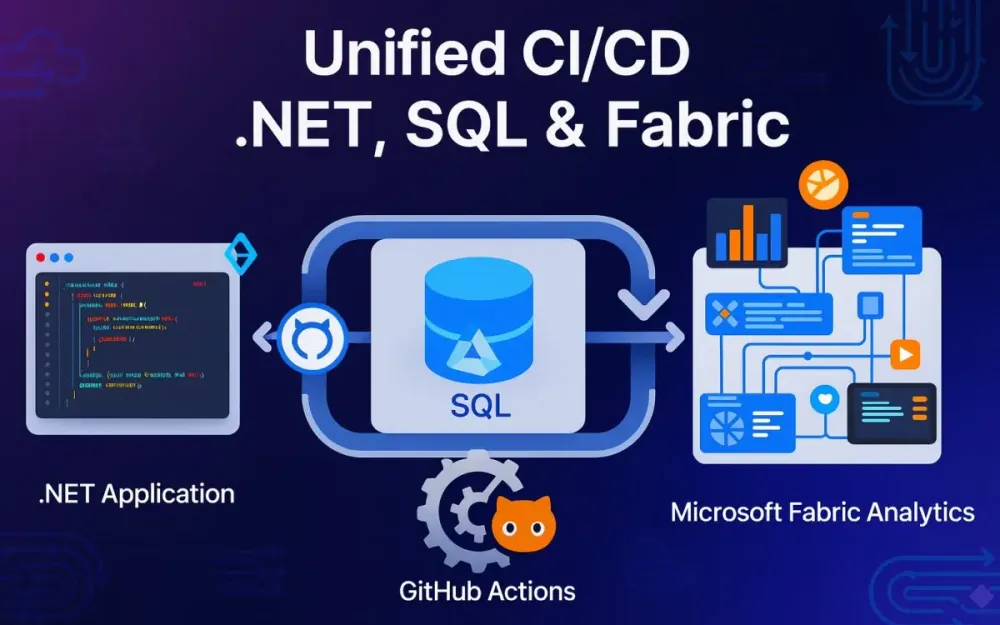
Unfortunately, many teams still operate with strict silos: developers push .NET code, DBAs juggle schema updates, and data engineers maintain Fabric pipelines. This fractured reality creates friction, uncertainty, and ultimately lost business value. The purpose of this guide is to break down those silos and propose a unified, practical framework where .NET applications, SQL databases, and Microsoft Fabric assets move together through a single CI/CD pipeline orchestrated with GitHub Actions.
1.1 The Pain of the Silo
Consider a common scenario. A development team adds a new feature to their .NET 9 application—say, an API endpoint for customer preferences. The code compiles, passes tests, and deploys to staging without a hitch. But when QA hits the endpoint, the application throws errors. Why? The associated SQL schema migration that adds the CustomerPreferences table never made it into the staging environment. The schema lags behind the code.
Now imagine this happens during a production release. The new app version goes live, but it fails immediately because the CustomerPreferences table doesn’t exist. The rollback isn’t trivial—rolling back .NET is easy, but rolling back SQL migrations is fraught with risk. Even if you restore from a backup, you’ve lost any interim data written during the deployment window. Chaos ensues: frantic rollbacks, angry business stakeholders, and late-night firefighting.
Or take the data side. A Fabric pipeline was updated to ingest customer data in a slightly different JSON format. It still runs fine, but downstream analytics models feed the application stale or malformed insights. End-users notice that their dashboards show discrepancies. Worse, your .NET service logic may depend on those analytics contracts, silently failing in production.
These failures share the same root cause: siloed lifecycles. Application developers, DBAs, and data engineers each ship changes independently, without a guarantee of atomicity across boundaries. The result is misaligned deployments, brittle integrations, and a loss of trust between teams.
The costs are tangible:
- Rollback chaos: Rolling back across three systems is exponentially harder than rolling back one.
- Developer friction: Teams hesitate to make changes for fear of breaking something downstream.
- Lost business value: Features ship slower, bugs reach production, and data-driven decision-making suffers.
1.2 The Unified Vision
The antidote is unification. Instead of treating application code, database schema, and analytics pipelines as separate lifecycles, we treat them as one system evolving together. All three domains are represented in a single repository, version-controlled, validated, and deployed atomically.
The thesis is simple but powerful:
- A developer’s
git pushshould build the app binaries, compile the database schema into a DACPAC, and validate the Fabric pipelines as one release candidate. - Every pull request should spin up an ephemeral environment where the new app, schema, and data pipelines coexist, so reviewers see reality, not promises.
- Deployments to staging and production should promote this unified artifact, ensuring that what was tested is exactly what goes live.
- Even analytics pipelines—which traditionally resist modern DevOps practices—should adopt deployment patterns such as blue/green, where new pipelines run in parallel until validated.
In this vision, DevOps isn’t just for apps. It becomes the discipline that governs the entire digital fabric: services, data stores, and insights pipelines.
1.3 What This Article Will Deliver
This article provides a practical blueprint for senior developers, solution architects, and tech leads who want to unify their delivery pipeline across .NET, SQL, and Microsoft Fabric. We’ll move beyond abstract principles and dive into hands-on examples and real workflows.
By the end, you’ll know how to:
- Structure your repository in a monorepo that houses application code, database projects, and Fabric artifacts together.
- Automate builds and tests for all three domains, producing a single versioned artifact that represents the truth.
- Create ephemeral preview environments for every pull request so stakeholders can validate changes live.
- Deploy safely into staging and production with zero-downtime practices and state-based schema updates.
- Handle analytics pipelines with novel deployment approaches like semantic blue/green in Fabric.
- Secure your supply chain by signing binaries, schemas, and data artifacts, ensuring end-to-end trust.
We’ll cover everything from developer workflows (dotnet build, msbuild, tSQLt tests) to GitHub Actions YAML snippets, PowerShell scripts, and API integrations with Fabric. No theory for theory’s sake—every pattern will come with a concrete path to implementation.
1.4 The Technology Stack at a Glance
To ground the discussion, let’s fix our reference stack:
- Application: .NET 9 (latest LTS at the time of writing), hosted on Azure App Service.
- Database: Azure SQL Database, managed with a SQL Server Data Tools (SSDT) project, producing a DACPAC for deployment.
- Analytics: Microsoft Fabric, including Lakehouse assets, Notebooks, and Pipelines, all managed as code.
- CI/CD: GitHub Actions, leveraging reusable workflows, environments, and OIDC authentication to Azure.
- Hosting: Azure-native services—App Service, Azure SQL Database, and Fabric capacities.
With this foundation, we can now move from the “why” into the “how.”
2 The Blueprint: Architecting the Unified Repository
If unification is the goal, the repository is the battlefield. The repo isn’t just storage; it defines how teams collaborate, how changes are validated, and how artifacts move downstream. Getting this right is non-negotiable.
2.1 Monorepo by Design
Should you keep your application code, database project, and Fabric artifacts in separate repositories? For many teams, the instinct is “yes”—after all, they’re different technologies with different contributors. But separation breeds the very silos we want to dismantle.
In this context, a monorepo—one repository containing app, database, and analytics code—is superior. Why?
- Atomic commits: A single pull request can introduce a .NET API endpoint, a SQL schema change, and an updated Fabric pipeline that consumes the new data. The reviewer sees the whole picture, not fragments.
- Unified CI/CD: Workflows run once, producing one release candidate. No need to orchestrate across multiple repos with webhooks and brittle dependencies.
- Shared versioning: The version number (say
v2.1.4) applies to all artifacts: the DLLs, the DACPAC, and the pipeline definitions. No mismatched versions. - Cross-disciplinary collaboration: Developers, DBAs, and data engineers work side by side, reviewing each other’s changes. Knowledge flows.
- Simpler governance: GitHub environments, branch policies, and deployment protections apply holistically.
The trade-off is repo size and build performance. Monorepos can get heavy, and not every developer cares about every part. But with modular build workflows, caching, and scoped builds, the benefits outweigh the drawbacks for cross-stack projects.
2.2 Recommended Project Structure
Structure communicates intent. A clear, opinionated directory layout prevents chaos and enforces consistency. Here’s a recommended design for our unified stack:
/your-project
├── .github/
│   ├── workflows/
│   │   ├── ci-pr-validation.yml
│   │   ├── cd-staging.yml
│   │   └── cd-production.yml
│   └── reusable/
│       └── build-and-test.yml
├── src/
│   ├── App/
│   │   └── YourApp.sln
│   ├── Database/
│   │   └── YourDB.sqlproj
│   └── Fabric/
│       ├── notebooks/
│       │   └── data-quality-checks.ipynb
│       ├── pipelines/
│       │   └── ingestion-pipeline.json
│       └── lakehouse/
│           └── tables/
│               └── customer.sql
└── scripts/
    ├── deploy-db.ps1
    └── deploy-fabric.ps1
Let’s unpack it:
-
.github/ contains CI/CD workflows. They live alongside the code so that pipeline changes follow the same governance as app changes.
-
src/App/ houses the .NET solution (
.sln) and projects. -
src/Database/ contains the SSDT project (
.sqlproj), representing the desired database schema. -
src/Fabric/ holds the data artifacts:
- Notebooks (
.ipynb) for validation and transformations. - Pipelines (
.json) representing ingestion or orchestration flows. - Lakehouse table definitions (
.sql) for schema control.
- Notebooks (
-
scripts/ provides operational glue: PowerShell scripts to deploy DACPACs and Fabric assets via APIs.
This structure balances clarity and flexibility. Each discipline sees its familiar structure, but everything lives under one roof.
2.3 Tooling Deep Dive & Configuration
2.3.1 SQL Server Data Tools (SSDT)
SSDT is the cornerstone of modern SQL DevOps. Unlike ad hoc migration scripts, SSDT projects are state-based: you define the desired schema, and the tooling figures out how to get there.
- The
.sqlprojfile is the project definition, bundling tables, views, stored procedures, and security objects as.sqlfiles. - Building the project (
msbuild YourDB.sqlproj) produces a DACPAC (.dacpac). Think of it as the compiled binary of your database schema. - Deploying the DACPAC with
SqlPackage.exeapplies a diff: it compares the DACPAC schema to the target database, then generates and executes the SQL needed to align them.
Benefits:
- Declarative over imperative: You describe what the schema should be, not how to migrate it.
- Repeatability: The same DACPAC deploys consistently to dev, staging, and prod.
- Integration: The DACPAC becomes a first-class artifact in CI/CD, signed and versioned.
Pitfalls to avoid:
- Data loss warnings: SSDT may propose destructive changes (like dropping a column). Deployment flags (
/p:BlockOnPossibleDataLoss=true) help enforce safety. - Drift management: Direct changes in production (via SSMS) cause drift. Guardrails should enforce deployments only via DACPAC.
2.3.2 Managing Fabric Artifacts as Code
As of late 2025, Microsoft Fabric has matured its Git integration and deployment APIs. This allows teams to treat analytics assets as code, not manual configurations.
- Notebooks (
.ipynb): These JSON-based documents define code cells and metadata. Export them to version control for reproducibility. - Pipelines (
.json): Fabric pipelines can be exported as JSON definitions. These files capture activity graphs, parameters, and triggers. - Lakehouse schemas (
.sql): While Fabric Lakehouses are schema-on-write, you can define expected structures (tables, columns, constraints) in.sqlfiles to enforce schema contracts.
Managing these as code enables:
- Reviewability: Pull requests show diffs of pipeline definitions or notebook changes.
- Traceability: Every schema, pipeline, and notebook is tied to a Git commit.
- Deployability: Fabric APIs allow scripted imports of these definitions, automating promotion across environments.
Current best practice:
- Maintain Fabric assets in text form within
src/Fabric/. - Provide deployment scripts (PowerShell or CLI) to call Fabric REST APIs, importing or updating assets in a target workspace.
- Use environment-specific parameters (e.g., dataset IDs, storage accounts) injected via GitHub Actions.
2.3.3 GitHub Actions Essentials
GitHub Actions is the orchestrator that ties everything together. To use it effectively for unified pipelines, a few features are essential:
- Reusable workflows: Define build/test logic once (e.g.,
build-and-test.yml) and call it from multiple workflows (ci-pr-validation.yml,cd-staging.yml, etc.). This avoids duplication and ensures consistency. - OIDC for Azure authentication: Instead of storing long-lived service principals, GitHub Actions can federate to Azure using OpenID Connect. The workflow identity is trusted by Azure AD, allowing passwordless, short-lived access tokens.
- Environments and protection rules: GitHub Environments (Staging, Production) allow scoping secrets (like connection strings) and applying rules (manual approvals, deployment windows).
- Caching and matrix builds: Use caching (
actions/cache) to speed up repeateddotnet restoreornpm installoperations. For multi-target builds, matrix jobs scale out efficiently.
Example: OIDC login to Azure in a workflow step:
- name: 'Az CLI login'
  uses: azure/login@v2
  with:
    client-id: ${{ secrets.AZURE_CLIENT_ID }}
    tenant-id: ${{ secrets.AZURE_TENANT_ID }}
    subscription-id: ${{ secrets.AZURE_SUBSCRIPTION_ID }}
Behind the scenes, no static secret is exchanged. GitHub’s token is exchanged for an Azure AD token, valid only for the job duration. This is a huge security win.
3 The Inner Loop: CI and Validation on Every Commit
If the repository is the foundation, the inner loop is its heartbeat. Every change—whether small bug fix or major feature—must prove itself worthy before it can be merged into the main branch. The pull request (PR) is the natural entry point, and CI pipelines are the gatekeepers. Here we establish one simple but non-negotiable contract: a PR is only mergeable if the unified system (app, database, and data pipelines) builds, validates, and tests successfully.
This section will unpack how to design such a loop. We’ll start with the PR trigger, then step through the build pipeline, static analysis, unified testing, and finally, artifact packaging. Along the way, we’ll highlight pitfalls, trade-offs, and best practices specific to .NET, SQL, and Fabric.
3.1 The Pull Request Trigger
Every change in a modern GitHub-centric workflow flows through a PR. Developers branch from main (or develop in some workflows), make changes, and open a PR. The CI system responds by validating those changes automatically.
The guiding question here is straightforward: is this PR safe to merge? To answer that, we need to verify not just application code, but also database schema and Fabric assets.
A typical trigger block in ci-pr-validation.yml looks like this:
name: PR Validation

on:
  pull_request:
    branches:
      - main
      - develop
This ensures the workflow runs for PRs into key branches. Each run must:
- Build the .NET solution.
- Compile the SQL project to a DACPAC.
- Validate SQL syntax and patterns.
- Check Fabric JSON and notebook validity.
- Run all relevant tests.
- Package the results into a unified build artifact.
Pro Tip: Always use required status checks in GitHub branch protection rules. If this workflow fails, the PR cannot be merged. This enforces discipline and prevents broken main branches.
3.2 The Unified Build Process (ci-pr-validation.yml)
Building in isolation is easy. Building three different stacks in one pipeline requires careful orchestration. The goal here is to normalize everything—so whether you’re a .NET dev, DBA, or data engineer, your artifacts are treated equally.
3.2.1 Building the .NET App
The .NET build step is familiar but must be embedded into the unified flow. A minimal job looks like:
jobs:
  build-app:
    runs-on: ubuntu-latest
    steps:
      - uses: actions/checkout@v4
      - name: Setup .NET
        uses: actions/setup-dotnet@v4
        with:
          dotnet-version: 9.0.x
      - name: Restore dependencies
        run: dotnet restore src/App/YourApp.sln
      - name: Build
        run: dotnet build src/App/YourApp.sln --configuration Release --no-restore
Pitfall: Developers often forget to align the .NET SDK version in GitHub Actions with what’s used locally. Lock down SDK versions in a global.json file to prevent “works on my machine” errors.
{
  "sdk": {
    "version": "9.0.100"
  }
}
3.2.2 Building the Database
The database build is less obvious. With SSDT, the .sqlproj is compiled into a DACPAC, which functions as the database “binary.”
  build-db:
    runs-on: windows-latest
    steps:
      - uses: actions/checkout@v4
      - name: Setup MSBuild
        uses: microsoft/setup-msbuild@v2
      - name: Build Database Project
        run: msbuild src/Database/YourDB.sqlproj /p:Configuration=Release
      - name: Archive DACPAC
        uses: actions/upload-artifact@v4
        with:
          name: database-dacpac
          path: src/Database/bin/Release/YourDB.dacpac
Note: Always treat the DACPAC as immutable. Once built for a given commit, that exact DACPAC must be the one deployed downstream. Rebuilding later risks subtle mismatches.
3.2.3 Static Analysis as a Quality Gate
Static analysis prevents common mistakes from ever leaving CI. In a unified world, we apply it consistently across code and SQL.
Code: Roslyn Analyzers
Modern .NET projects can enforce analyzers by default. For example:
<PropertyGroup>
  <EnableNETAnalyzers>true</EnableNETAnalyzers>
  <AnalysisMode>AllEnabledByDefault</AnalysisMode>
  <TreatWarningsAsErrors>true</TreatWarningsAsErrors>
</PropertyGroup>
In CI, failed builds due to warnings prevent merges. This nudges developers to fix style, performance, or API misuse early.
SQL: ScriptDom or Linters
SQL Server’s Microsoft.SqlServer.TransactSql.ScriptDom library allows parsing and walking T-SQL scripts to enforce rules. For instance, you might reject SELECT * or enforce schema qualification.
Example PowerShell snippet:
Add-Type -Path "Microsoft.SqlServer.TransactSql.ScriptDom.dll"

$parser = New-Object Microsoft.SqlServer.TransactSql.ScriptDom.TSql150Parser($false)
$reader = New-Object System.IO.StringReader((Get-Content "src/Database/Tables/Customer.sql" -Raw))
[ref]$errors = @()
$fragment = $parser.Parse($reader, $errors)

if ($errors.Count -gt 0) {
  Write-Error "SQL Parsing failed"
  exit 1
}
Trade-off: Too strict rules frustrate developers. Start with critical patterns (like blocking non-deterministic functions in schema definitions) and expand gradually.
3.3 The Unified Testing Strategy
Building is necessary, but testing validates behavior. In our unified pipeline, tests span three layers: application, database, and data pipelines.
3.3.1 .NET Unit & Integration Tests
Standard .NET tests run naturally within GitHub Actions:
  test-app:
    runs-on: ubuntu-latest
    steps:
      - uses: actions/checkout@v4
      - uses: actions/setup-dotnet@v4
        with:
          dotnet-version: 9.0.x
      - name: Test
        run: dotnet test src/App/YourApp.Tests/YourApp.Tests.csproj --no-build --verbosity normal
Integration tests that depend on a SQL backend can run against a local SQL container spun up in the job:
services:
  sql:
    image: mcr.microsoft.com/mssql/server:2022-latest
    env:
      SA_PASSWORD: "Your_password123"
      ACCEPT_EULA: "Y"
    ports:
      - 1433:1433
Pro Tip: Seed integration test databases using DACPAC deployments to ensure the schema matches exactly what you’re validating in production.
3.3.2 Database Unit Testing with tSQLt
tSQLt is a framework for unit testing SQL Server logic. In CI, we can run tSQLt tests by deploying the DACPAC to a containerized SQL Server, then executing tests.
Steps:
- Spin up a SQL Server container.
- Deploy the DACPAC with
SqlPackage.exe. - Install tSQLt framework in the test database.
- Run tests via
sqlcmd.
Example deployment script:
SqlPackage.exe /Action:Publish `
  /SourceFile:src/Database/bin/Release/YourDB.dacpac `
  /TargetServerName:localhost `
  /TargetDatabaseName:TestDB `
  /TargetUser:sa /TargetPassword:Your_password123
Then run:
sqlcmd -S localhost -U sa -P Your_password123 -d TestDB -Q "EXEC tSQLt.RunAll"Pitfall: tSQLt requires CLR enabled, which isn’t supported on Azure SQL Database. That’s fine—use it only for CI validation against containers, not for production deployments.
3.3.3 Data Quality & Contract Testing
Application and database validation aren’t enough if the data pipelines break expectations. Fabric assets must undergo contract testing.
We treat Fabric notebooks as executable tests. For example, data-quality-checks.ipynb might verify:
- New schema changes don’t break downstream joins.
- Key constraints (non-null, regex, range) are preserved.
- Metrics between staging tables match expected thresholds.
Running a notebook via GitHub Actions can be done using papermill:
  validate-data:
    runs-on: ubuntu-latest
    steps:
      - uses: actions/checkout@v4
      - name: Setup Python
        uses: actions/setup-python@v5
        with:
          python-version: '3.11'
      - name: Install papermill
        run: pip install papermill
      - name: Run Notebook
        run: papermill src/Fabric/notebooks/data-quality-checks.ipynb out.ipynb
Note: Treat these checks as first-class gates. A failing notebook is as critical as failing unit tests—it blocks the PR.
3.4 Packaging the Release Candidate
Once all builds and tests succeed, we need to produce a unified artifact bundle. This ensures what was validated is what gets deployed downstream.
Artifacts include:
- Compiled .NET binaries (
.dll,.exe). - Database DACPAC (
.dacpac). - Fabric definitions (
.json,.ipynb,.sql).
Packaging step:
  package-artifacts:
    runs-on: ubuntu-latest
    needs: [build-app, build-db, validate-data]
    steps:
      - uses: actions/checkout@v4
      - name: Gather artifacts
        run: |
          mkdir artifacts
          cp -r src/App/bin/Release/net9.0/* artifacts/
          cp src/Database/bin/Release/YourDB.dacpac artifacts/
          cp -r src/Fabric/* artifacts/Fabric/
      - name: Upload unified artifact
        uses: actions/upload-artifact@v4
        with:
          name: release-candidate
          path: artifacts/
Pro Tip: Version artifacts deterministically based on Git commit SHA or semantic version. Include this version in filenames and manifests for traceability.
Trade-off: A single bundle is easy to manage but can grow large. Consider splitting into logical groups (App, DB, Fabric) but link them via a manifest to ensure version cohesion.
4 Ephemeral Environments: Previewing the Future on Every PR
CI validation ensures a pull request compiles, passes tests, and produces consistent artifacts. But that still leaves a gap: reviewers and stakeholders can’t interact with the real thing. They’re limited to code diffs, test logs, and perhaps screenshots. This is where ephemeral environments—temporary, fully functional deployments spun up per PR—change the game. They turn every proposed change into a live preview of the future system, spanning application, database, and Fabric components.
4.1 The Power of “Show, Don’t Tell”
Imagine a product manager reviewing a PR that adds a “Preferred Language” setting. In the traditional model, they read code snippets or rely on a developer’s demo. With ephemeral environments, they click a link in the PR and see the updated web app running on Azure, complete with the new SQL schema and updated Fabric pipeline feeding localized sample data. The difference between reading and experiencing is profound.
For QA teams, ephemeral environments shorten feedback loops. Instead of waiting for merges to staging, they can validate flows instantly. For developers, it eliminates the “works on my machine” excuse: if it doesn’t work in the PR environment, it won’t work later. And for architects, it guarantees schema, app, and data pipelines evolve atomically.
Pro Tip: Treat these preview environments as disposable experiments. They exist only for the lifetime of the PR. This mindset prevents over-investment in debugging temporary deployments.
4.2 Workflow Automation
To achieve this, we extend our CI pipeline with an environment provisioning workflow. Each PR gets its own isolated environment, automatically created and destroyed as needed.
Trigger: On PR Events
The workflow begins when a PR is opened or updated:
on:
  pull_request:
    types: [opened, synchronize, reopened, closed]
We include closed here so we can trigger the teardown step automatically when the PR is merged or abandoned.
Provision: Azure Resource Group per PR
Each environment needs isolation. A simple pattern is creating a resource group named after the PR number:
jobs:
  provision:
    runs-on: ubuntu-latest
    steps:
      - name: Login to Azure
        uses: azure/login@v2
        with:
          client-id: ${{ secrets.AZURE_CLIENT_ID }}
          tenant-id: ${{ secrets.AZURE_TENANT_ID }}
          subscription-id: ${{ secrets.AZURE_SUBSCRIPTION_ID }}

      - name: Create Resource Group
        run: |
          RG_NAME="rg-myproject-pr-${{ github.event.pull_request.number }}"
          az group create --name $RG_NAME --location eastus
Inside the resource group, we provision:
- An Azure App Service Plan for the .NET app.
- An Azure SQL Database for schema deployment.
- A Fabric workspace or linked workspace connection.
Pitfall: Provisioning full production-sized services for every PR is prohibitively expensive. Use smaller SKUs (e.g., Basic App Service, S0 SQL) for previews, and limit lifetimes to PR activity.
Deploy: Application and Database
Once provisioned, we deploy the artifacts from CI: the .NET app binaries and the DACPAC.
App deployment example:
- name: Deploy App to Azure
  uses: azure/webapps-deploy@v3
  with:
    app-name: "app-pr-${{ github.event.pull_request.number }}"
    package: artifacts/YourApp.zip
Database deployment example:
- name: Deploy DACPAC
  run: |
    sqlpackage /Action:Publish \
      /SourceFile:artifacts/YourDB.dacpac \
      /TargetServerName:${{ env.SQL_SERVER }} \
      /TargetDatabaseName:pr${{ github.event.pull_request.number }}db \
      /TargetUser:sqladmin \
      /TargetPassword:${{ secrets.SQL_PASSWORD }} \
      /p:BlockOnPossibleDataLoss=true
Note: Always deploy using the DACPAC artifact built in CI, never by recompiling. This ensures consistency across environments.
Seed the Data
A fresh schema isn’t useful without data. Seeding strategies vary depending on goals.
-
Minimalist Seeding Use lightweight scripts that insert just enough rows to make the app usable.
INSERT INTO Customer (Id, Name) VALUES (1, 'Alice'), (2, 'Bob');Pros: Fast, predictable, cheap. Cons: Limited realism; may miss issues tied to production-like data.
-
Anonymized Subset Extract a slice of production data, anonymize sensitive fields, and load into the preview database. Tools like Data Masker for SQL Server or open-source equivalents help.
Example: Replace emails with fake domains.
UPDATE Customer
SET Email = CONCAT('user', Id, '@example.com');
Pros: Realistic distribution and relationships. Cons: Requires strong anonymization to avoid compliance risks.
-
Synthetic Data Generation Generate realistic but fake datasets using tools like Faker or custom scripts.
from faker import Faker
import pyodbc

fake = Faker()
conn = pyodbc.connect("DRIVER={ODBC Driver 17 for SQL Server};SERVER=server;DATABASE=db;UID=sa;PWD=Pass!")
cursor = conn.cursor()

for _ in range(1000):
    cursor.execute("INSERT INTO Customer (Name, Email) VALUES (?, ?)", fake.name(), fake.email())
conn.commit()
Pros: Infinite scalability, zero compliance risk. Cons: Synthetic data may not capture edge cases in real-world data.
Trade-off: For most teams, anonymized subsets strike the right balance. Use minimalist seeding for small features and synthetic data for pipelines that stress-test volume.
Feedback: PR Comment with Links
Once deployed, the workflow should comment back to the PR with links to the app and key reports:
- name: Post PR Comment
  uses: actions/github-script@v7
  with:
    script: |
      github.rest.issues.createComment({
        issue_number: context.issue.number,
        owner: context.repo.owner,
        repo: context.repo.repo,
        body: `🚀 PR environment ready!\n\n- [Live App](https://app-pr-${context.issue.number}.azurewebsites.net)\n- [Key Report](https://app.powerbi.com/groups/${{ env.FABRIC_WORKSPACE }}/reports/xyz)`
      })
This creates a seamless feedback loop: reviewers click, explore, and provide input—all within the GitHub workflow.
Teardown: Automatic Cleanup
Finally, cost control demands teardown. When the PR closes, the environment must be destroyed:
jobs:
  teardown:
    if: github.event.action == 'closed'
    runs-on: ubuntu-latest
    steps:
      - uses: azure/login@v2
        with:
          client-id: ${{ secrets.AZURE_CLIENT_ID }}
          tenant-id: ${{ secrets.AZURE_TENANT_ID }}
          subscription-id: ${{ secrets.AZURE_SUBSCRIPTION_ID }}
      - run: |
          RG_NAME="rg-myproject-pr-${{ github.event.pull_request.number }}"
          az group delete --name $RG_NAME --yes --no-wait
Pro Tip: Add automated alerts for orphaned environments that survive longer than expected. This prevents runaway costs when PRs linger.
5 Continuous Deployment: The Path to Staging
Once a PR is validated and merged, the next milestone is staging. Staging is the proving ground where the integrated system runs in a shared, semi-production environment. Here we validate real workloads, conduct performance testing, and run user acceptance testing (UAT). The workflows shift from ephemeral and experimental to stable and gated.
5.1 Merging with Confidence
The merge to main signals readiness. Confidence stems from:
- PR validation tests.
- Ephemeral previews reviewed by humans.
- Signed build artifacts.
At this point, CI hands off to CD. The workflow cd-staging.yml promotes the build artifacts produced by the merge commit.
Note: Always use artifacts from the CI pipeline attached to the merge commit, not freshly rebuilt code. This ensures a verifiable chain of custody.
5.2 GitHub Environments in Action
GitHub Environments provide controlled gateways between CI and CD.
- Secrets: Store staging-specific secrets like connection strings, API keys, and Fabric workspace IDs. These are scoped to the staging environment and not visible to dev or prod pipelines.
- Protection Rules: Require approvals from designated QA or lead reviewers before a deployment job executes.
Example configuration in cd-staging.yml:
jobs:
  deploy:
    environment:
      name: staging
      url: https://staging.myproject.com
    runs-on: ubuntu-latest
    steps:
      - uses: actions/checkout@v4
Pro Tip: Use GitHub’s required reviewers environment rule to enforce multi-person sign-off for sensitive deployments.
5.3 Deploying the Application and Database (cd-staging.yml)
Staging deployments must simulate production behavior as closely as possible.
5.3.1 Zero-Downtime App Deployment
Azure App Service slots allow safe rollouts. Deploy to the staging slot, run validation, then swap to production.
- name: Deploy to Staging Slot
  uses: azure/webapps-deploy@v3
  with:
    app-name: "myproject-app"
    slot-name: "staging"
    package: artifacts/YourApp.zip

- name: Swap Slots
  run: az webapp deployment slot swap \
        --name myproject-app \
        --resource-group rg-myproject-staging \
        --slot staging --target-slot production
Pitfall: Never skip smoke tests before swapping. Swapping an unvalidated slot risks downtime.
5.3.2 State-Based Database Deployment
We deploy the DACPAC using SqlPackage.exe, comparing schema and generating the required delta script.
sqlpackage /Action:Publish \
  /SourceFile:artifacts/YourDB.dacpac \
  /TargetServerName:${SQL_SERVER} \
  /TargetDatabaseName:${SQL_DB} \
  /TargetUser:${SQL_USER} \
  /TargetPassword:${SQL_PASS} \
  /p:BlockOnPossibleDataLoss=true \
  /p:DropObjectsNotInSource=false
Pro Tip: Use /p:BlockOnPossibleDataLoss=true in staging to catch risky migrations (like dropping columns). In prod, require explicit overrides after human review.
Trade-off: State-based deployments are simpler but risk unintended diffs. Migration-based frameworks (e.g., Flyway) give finer control but reduce automation. SSDT + DACPAC remains strong for .NET + Azure SQL workflows.
5.4 Deploying Fabric Artifacts
Fabric artifacts must be promoted alongside app and database changes. Using REST APIs or CLI, we automate this:
# Example PowerShell snippet for pipeline deployment
$workspaceId = $env:FABRIC_WORKSPACE
$pipelineJson = Get-Content artifacts/Fabric/pipelines/ingestion-pipeline.json -Raw

Invoke-RestMethod -Uri "https://api.fabric.microsoft.com/workspaces/$workspaceId/pipelines" `
  -Method POST `
  -Headers @{Authorization = "Bearer $env:AZURE_TOKEN"} `
  -Body $pipelineJson
Notebooks (.ipynb) can be uploaded similarly. Lakehouse schemas (.sql) are executed to enforce structures.
Note: Parameterize environment-specific values (like storage accounts) at deployment time. Never hardcode them in source files.
5.5 Post-Deployment Validation
Deployment isn’t done until validation passes. In staging, validation means:
-
Smoke Tests on the App Run automated end-to-end tests against the staging URL.
- name: Run Smoke Tests run: dotnet test tests/SmokeTests/SmokeTests.csproj --logger trx -
Trigger Fabric Pipelines Execute the newly deployed pipeline and confirm it runs successfully.
az pipelines run --id $PIPELINE_ID --workspace $WORKSPACE_ID -
Data Quality Checks Re-run the Fabric notebook
data-quality-checks.ipynbagainst staging data. Fail the job if constraints are violated.- name: Run Data Quality Notebook run: papermill artifacts/Fabric/notebooks/data-quality-checks.ipynb out.ipynb
Pitfall: Skipping data quality checks in staging means production becomes the test bed. That’s an expensive and risky gamble.
6 Production Grade: Advanced Deployments and Analytics Blue/Green
By the time a change reaches production, it has already survived multiple gates: automated validation in CI, ephemeral preview environments for early feedback, and staging deployments with comprehensive quality checks. But production is different. Here, stakes are highest—end users are impacted, data integrity is paramount, and even a few minutes of downtime can mean financial or reputational loss. Moving to production requires additional rigor: hardened environments, stricter guardrails, and deployment patterns that minimize risk.
For .NET apps, we can rely on proven zero-downtime techniques. For Azure SQL, we carefully orchestrate schema evolution. But Microsoft Fabric introduces unique challenges: analytics pipelines are inherently stateful and data-dependent, which makes standard blue/green swaps impractical. To address this, we design a specialized blue/green strategy tailored to Fabric’s semantics.
6.1 Hardening the Production Environment
The first layer of protection comes from GitHub Environments. Whereas staging may allow broader access, the Production environment must have strict rules to prevent accidental or rushed deployments. The configuration should enforce three principles: multi-party approval, time-boxed deployment windows, and strong authentication.
Multi-Stakeholder Approvals
Production deployments should require approval from at least two independent stakeholders—often a lead engineer and a product owner, or a DBA and an architect. GitHub Environments allow us to enforce this directly:
jobs:
  deploy-prod:
    environment:
      name: production
      url: https://www.myproject.com
    runs-on: ubuntu-latest
    steps:
      - uses: actions/checkout@v4
In GitHub’s settings, under Environments → Production → Required reviewers, specify the team(s) or individuals who must approve. Without their sign-off, the job won’t even start.
Deployment Windows
Accidents often happen when changes land at the wrong time. By restricting deployments to a specific window, we give operations teams predictability and reduce customer impact. For example, allow deployments only between 2–4 AM local time:
- name: Check deployment window
  run: |
    HOUR=$(date +"%H")
    if [ $HOUR -lt 2 ] || [ $HOUR -ge 4 ]; then
      echo "Outside of deployment window"
      exit 1
    fi
Pro Tip: Pair time-based controls with automated rollback playbooks. Even if a deployment goes wrong during the approved window, the rollback path should be as simple as running a script or triggering a GitHub Action workflow.
Hardened Runners and Authentication
In production pipelines, ephemeral GitHub-hosted runners with OIDC-based authentication to Azure are critical. Never use long-lived service principals. Each job should obtain a short-lived token from Azure AD, valid only for the duration of the run. This minimizes blast radius if credentials are compromised.
Pitfall: Avoid self-hosted runners in production pipelines unless absolutely necessary. They tend to accumulate configuration drift and may leak secrets into logs or caches.
6.2 The Analytics Deployment Challenge
Blue/green deployment is well understood in stateless web apps: deploy the new version to a green slot, validate it, then flip traffic from blue to green. If something fails, roll back by flipping traffic back.
Databases complicate the story but can still be managed with careful schema evolution. Analytics platforms, however, present a different beast. Why?
- Pipelines are stateful. They ingest, transform, and persist data. You can’t simply “flip traffic” because the data itself may diverge.
- Historical consistency matters. Analytics outputs must remain comparable across time. Switching pipelines mid-stream can create discontinuities in reporting.
- Downstream dependencies are many. Dozens of reports, dashboards, and machine learning models may depend on the same tables.
A naive swap—replacing the old pipeline definition with the new—risks data corruption, mismatched metrics, and broken dashboards. The solution is to adopt a semantic blue/green strategy tailored for Fabric.
Note: Treat data pipelines as first-class citizens in your deployment strategy. Ignoring them is equivalent to deploying half your system blindfolded.
6.3 A Blue/Green Pattern for Microsoft Fabric
Our approach involves parallel pipelines, in-place validation, semantic layer switching, and controlled decommissioning. The goal: upgrade analytics pipelines without interrupting end-users or corrupting historical data.
Step 1: Parallel Deployment
When deploying to production, we don’t overwrite existing pipelines. Instead, we deploy the new definitions as parallel “green” pipelines, configured to output to a separate set of tables.
For example:
- Existing pipeline writes to
FactSales_Blue. - New pipeline writes to
FactSales_Green.
GitHub Action snippet to deploy green pipeline:
- name: Deploy Green Fabric Pipeline
  run: |
    GREEN_JSON=$(cat artifacts/Fabric/pipelines/ingestion-pipeline.json)
    GREEN_JSON=${GREEN_JSON//FactSales/FactSales_Green}
    echo "$GREEN_JSON" > ingestion-green.json

    curl -X POST \
      -H "Authorization: Bearer $AZURE_TOKEN" \
      -H "Content-Type: application/json" \
      -d @ingestion-green.json \
      "https://api.fabric.microsoft.com/workspaces/$WORKSPACE_ID/pipelines"
Pro Tip: Always namespace green pipelines and tables explicitly. Suffixes like _Green and _Blue make it easy to track lineage and avoid accidental overwrites.
Step 2: Validation in Place
Once both pipelines run in parallel, we compare their outputs. Automated checks can run on a schedule (e.g., hourly) to verify parity.
Checks may include:
- Row counts between
_Blueand_Greentables. - Key aggregations, such as total sales or distinct customer counts.
- Data quality constraints, such as no nulls in key columns or valid date ranges.
Example SQL validation script:
-- Compare row counts
SELECT
  (SELECT COUNT(*) FROM FactSales_Blue) AS BlueCount,
  (SELECT COUNT(*) FROM FactSales_Green) AS GreenCount;

-- Compare total sales
SELECT
  SUM(SalesAmount) AS BlueTotal
FROM FactSales_Blue
UNION ALL
SELECT
  SUM(SalesAmount) AS GreenTotal
FROM FactSales_Green;
If discrepancies exceed a defined threshold, the pipeline is flagged, and deployment is paused for manual investigation.
Trade-off: Running two pipelines in parallel doubles compute and storage costs during the validation window. Keep the window as short as necessary but long enough to capture real workload patterns (usually 24–48 hours).
Step 3: The Semantic Switch
Here’s the elegant part: instead of rewriting pipelines or renaming tables, we switch at the semantic layer. Reports and dashboards (in Power BI) reference a dataset. That dataset, in turn, points to the underlying tables. By updating the dataset’s table mappings, we can swap Blue for Green instantly.
GitHub Action using Power BI REST API:
- name: Switch Dataset to Green
  run: |
    curl -X PATCH \
      -H "Authorization: Bearer $AZURE_TOKEN" \
      -H "Content-Type: application/json" \
      -d '{"tables":[{"name":"FactSales","source":"FactSales_Green"}]}' \
      "https://api.powerbi.com/v1.0/myorg/groups/$WORKSPACE_ID/datasets/$DATASET_ID"
For end-users, dashboards remain uninterrupted. One refresh, and they’re reading from the new green tables. If validation later reveals issues, we can flip back to blue just as quickly.
Note: This approach avoids schema drift in production tables. Blue and green coexist peacefully, and the semantic layer mediates which one is “live.”
Step 4: Decommission
After successful validation and the semantic switch, the blue pipeline and tables become legacy. To avoid clutter and costs, schedule decommissioning as a follow-up workflow.
Example cleanup step:
- name: Drop Blue Tables
  run: |
    sqlcmd -S $SQL_SERVER -d $SQL_DB -U $SQL_USER -P $SQL_PASS -Q "DROP TABLE FactSales_Blue"
Pro Tip: Don’t decommission immediately. Leave a grace period (e.g., one week) with blue tables intact. This allows quick rollback if latent issues emerge.
Pitfall: Forgetting to clean up blue artifacts leads to schema sprawl and hidden costs. Automate cleanup as part of the pipeline but gate it behind explicit approval.
7 Hardening the Supply Chain: Signing Binaries and Data
By the time our artifacts are ready for production, they’ve already passed through multiple automated gates. Yet there’s still one critical question left unanswered: how do we know these artifacts haven’t been tampered with? CI/CD pipelines themselves are part of the attack surface, and supply chain compromises are on the rise. In a unified world, where .NET binaries, SQL schemas, and Fabric pipelines all flow through the same pipeline, we must secure not just the code, but also the entire artifact set.
Supply chain hardening ensures that what we test is exactly what we deploy, with a cryptographically verifiable chain of custody.
7.1 Beyond Code Signing
Traditional software supply chain security often focuses on signing application binaries. That’s essential, but it’s insufficient here. Our delivery unit includes:
- Compiled .NET DLLs and executables.
- A DACPAC file representing the SQL schema.
- Fabric JSON pipeline definitions, notebooks, and schema SQL files.
Each of these is a potential vector for compromise. A malicious change in a DACPAC could drop tables. A modified pipeline JSON could redirect sensitive data. If we only sign app binaries, we leave critical blind spots.
Pro Tip: Think of every artifact as a binary, even if it’s JSON or SQL text. If it participates in the runtime system, it must be signed and verified.
7.2 Securing the Pipeline with OIDC and Hardened Runners
Even the strongest artifact signing won’t help if attackers can hijack the CI pipeline. Two practices mitigate this risk: OpenID Connect (OIDC) authentication and ephemeral hardened runners.
OIDC Authentication
Instead of storing long-lived Azure service principal secrets in GitHub, we configure GitHub Actions to request short-lived tokens via OIDC.
Workflow snippet:
- name: Azure login
  uses: azure/login@v2
  with:
    client-id: ${{ secrets.AZURE_CLIENT_ID }}
    tenant-id: ${{ secrets.AZURE_TENANT_ID }}
    subscription-id: ${{ secrets.AZURE_SUBSCRIPTION_ID }}
Behind the scenes, GitHub exchanges its OIDC token for an Azure AD access token valid only during this job. No static secrets exist in the repo.
Pitfall: If you continue using classic service principal secrets in production workflows, you’ve created a single point of failure. Rotate to OIDC as soon as possible.
Hardened Runners
Use GitHub-hosted ephemeral runners for production workflows. They’re rebuilt for each job, leaving no state behind. For sensitive environments, you can also layer in custom hardened runners:
- Minimal OS footprint.
- CIS-hardened images.
- No persistent volumes.
Trade-off: Self-hosted runners offer flexibility (e.g., custom SDKs) but increase your attack surface. Use them sparingly in lower environments, never in production.
7.3 Signing the .NET Binaries
Application code signing proves that DLLs and EXEs were produced by a trusted build and haven’t been altered. In Azure ecosystems, this is typically done using a certificate stored in Azure Key Vault.
Workflow example:
- name: Sign .NET binaries
  run: |
    signtool sign /fd SHA256 /a \
      /f $(AZURE_KEYVAULT_CERT) \
      /tr http://timestamp.digicert.com \
      /td SHA256 artifacts/*.dll artifacts/*.exe
Alternatively, Azure Code Signing (currently integrated into DevOps tooling) can offload this step.
Note: Ensure timestamping is used (/tr flag). This allows signatures to remain valid even after the certificate expires.
7.4 A Novel Approach: Signing Data Artifacts with a Manifest
Code signing tools don’t natively handle JSON pipeline definitions or DACPACs. To bring them under the same trust umbrella, we introduce a signed manifest.
7.4.1 Generate a Manifest
In the final build step, generate a JSON manifest listing all artifacts with SHA256 hashes:
{
  "version": "2.1.4",
  "artifacts": [
    {
      "file": "YourApp.dll",
      "hash": "sha256:abc..."
    },
    {
      "file": "YourDB.dacpac",
      "hash": "sha256:def..."
    },
    {
      "file": "ingestion-pipeline.json",
      "hash": "sha256:ghi..."
    }
  ]
}
A script can compute hashes and emit this manifest automatically:
shasum -a 256 artifacts/* > manifest.json7.4.2 Sign the Manifest
Next, sign the manifest using a private key stored in Azure Key Vault:
az keyvault certificate sign \
  --vault-name $VAULT \
  --name $CERT_NAME \
  --file manifest.json \
  --file-output manifest.json.sig
Pro Tip: Store both the manifest and signature alongside artifacts in GitHub Releases or as pipeline outputs.
7.4.3 Verify Before Deploy
Every deployment job must start by verifying the manifest:
- Verify the signature against a trusted public key.
- Recalculate SHA256 hashes of all artifacts.
- Ensure they match the manifest entries.
Example verification script (Python):
import hashlib, json

with open("manifest.json") as f:
    manifest = json.load(f)

for artifact in manifest["artifacts"]:
    file = artifact["file"]
    expected = artifact["hash"].split(":")[1]
    with open(file, "rb") as af:
        actual = hashlib.sha256(af.read()).hexdigest()
    if actual != expected:
        raise Exception(f"Hash mismatch for {file}")
print("All artifacts verified successfully")
Pitfall: Skipping verification in staging environments undermines the chain of trust. Always verify, regardless of environment.
7.5 Generating and Publishing an SBOM (Software Bill of Materials)
A signed manifest covers artifact integrity. But to meet compliance and audit requirements, we also need visibility into dependencies. That’s where SBOMs come in.
An SBOM lists all libraries, packages, and components included in your release. For .NET projects, tools like Syft or CycloneDX for .NET can generate SBOMs in standard formats.
Example step:
- name: Generate SBOM
  run: |
    dotnet tool install --global CycloneDX
    dotnet CycloneDX src/App/YourApp.sln --json --output sbom.json
Attach the SBOM to your release artifacts:
- uses: actions/upload-artifact@v4
  with:
    name: sbom
    path: sbom.json
Note: Regulatory environments (finance, healthcare, government) are beginning to require SBOMs. Building this into your pipeline now future-proofs your compliance posture.
8 Conclusion: The Future is Unified
After exploring each stage—from repository design to artifact signing—we arrive at a vision of DevOps that spans the full stack: application, database, and analytics pipelines. What began as three disconnected lifecycles now operates as a cohesive unit, bound by automation, validation, and security.
8.1 Recapping the Journey
We started by identifying the pain of silos: mismatched app and schema versions, brittle pipelines, and costly rollbacks. We then proposed unification through a monorepo, shared CI/CD workflows, and atomic deployments. Along the way, we:
- Built validation into every PR with unified tests.
- Introduced ephemeral environments for live previews.
- Orchestrated controlled staging deployments.
- Designed production-grade patterns, including a Fabric-specific blue/green model.
- Secured the supply chain with signatures and SBOMs.
Each step built on the previous, turning DevOps from a fragmented practice into an integrated discipline.
8.2 Tangible Business Outcomes
A unified DevOps approach isn’t just cleaner—it delivers measurable outcomes:
- Velocity: Teams deliver features faster because schema and pipelines evolve in sync with code.
- Quality: Bugs tied to schema drift or data mismatches are caught early with contract testing and preview environments.
- Security: End-to-end integrity checks ensure no artifact is compromised from build to production.
- Collaboration: Developers, DBAs, and data engineers work from the same playbook, reducing friction and misalignment.
Pro Tip: Track lead time for changes before and after adopting unified CI/CD. Most teams see reductions of 30–50% once silos are removed.
8.3 Looking Ahead
The next frontier is intelligence. As pipelines mature, we can infuse AI and automation to make them adaptive:
- Predictive failure analysis: using historical run data to forecast risky deployments.
- Automated query optimization: suggesting SQL index changes as part of CI.
- Synthetic data generation with AI: producing realistic test datasets for ephemeral environments.
- Auto-generated data quality tests: models that infer constraints from production data and enforce them in PR validation.
The unified framework we’ve built here lays the foundation for these enhancements. Once app, DB, and analytics lifecycles are in sync, AI-driven improvements become easier to adopt.
9 Appendix
The appendix provides reusable snippets and scripts you can adapt directly into your workflows.
9.1 Reusable Workflow Snippets
A core reusable workflow (build-and-test.yml):
name: Build and Test

on:
  workflow_call:

jobs:
  build:
    runs-on: ubuntu-latest
    steps:
      - uses: actions/checkout@v4

      - name: Setup .NET
        uses: actions/setup-dotnet@v4
        with:
          dotnet-version: 9.0.x

      - name: Restore and Build
        run: dotnet build src/App/YourApp.sln --configuration Release

      - name: Run Unit Tests
        run: dotnet test src/App/YourApp.Tests/YourApp.Tests.csproj

      - name: Build Database DACPAC
        uses: microsoft/setup-msbuild@v2
      - run: msbuild src/Database/YourDB.sqlproj /p:Configuration=Release

      - name: Upload Artifacts
        uses: actions/upload-artifact@v4
        with:
          name: build-artifacts
          path: |
            src/App/bin/Release/net9.0/
            src/Database/bin/Release/YourDB.dacpac
            src/Fabric/
9.2 Sample PowerShell Scripts
Deploy a DACPAC with SqlPackage.exe:
param(
  [string]$dacpacPath,
  [string]$server,
  [string]$database,
  [string]$user,
  [string]$password
)

& "SqlPackage.exe" /Action:Publish `
  /SourceFile:$dacpacPath `
  /TargetServerName:$server `
  /TargetDatabaseName:$database `
  /TargetUser:$user `
  /TargetPassword:$password `
  /p:BlockOnPossibleDataLoss=true
Interact with Fabric REST API to deploy a pipeline:
param(
  [string]$workspaceId,
  [string]$pipelineJson,
  [string]$token
)

Invoke-RestMethod -Uri "https://api.fabric.microsoft.com/workspaces/$workspaceId/pipelines" `
  -Method POST `
  -Headers @{Authorization = "Bearer $token"; "Content-Type" = "application/json"} `
  -Body (Get-Content $pipelineJson -Raw)