1 The Imperative for Event-Driven Architecture (EDA) in the Modern Enterprise
1.1 Introduction: Beyond the Monolith – Why Now?
Enterprise software is in a period of rapid transformation. Monolithic architectures, once standard for their simplicity and transactional consistency, now reveal critical limitations. As businesses demand faster innovation, greater resilience, and seamless scalability, software architects face a crossroads.
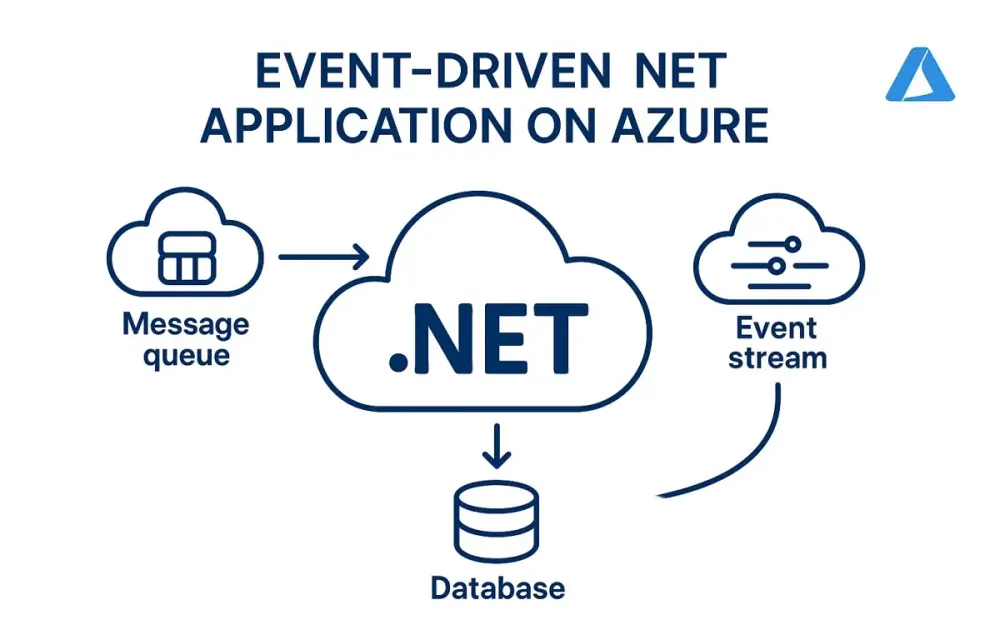
Think of the modern enterprise as a living, breathing organism. It reacts to customer actions, adapts to market changes, and evolves at a scale unimaginable a decade ago. To match this pace, systems must not only process workloads efficiently but also respond dynamically to change. This is where Event-Driven Architecture (EDA) becomes essential.
Why now? Consider these shifts:
- Cloud-first mandates. Enterprises increasingly leverage cloud-native services, making distributed architectures more accessible and cost-effective.
- Explosion of event sources. IoT, SaaS, APIs, and microservices generate streams of business events—data that, if harnessed, drive real-time insights and automation.
- User expectations. Instant feedback, seamless experiences, and always-on reliability are no longer optional.
Monolithic applications, with their tight coupling and synchronous workflows, struggle to deliver in this landscape. EDA, on the other hand, thrives on change, allowing systems to react to events as they occur, decoupling producers from consumers, and making resilience the default, not the exception.
1.2 Defining Event-Driven Architecture: Core Principles
At its heart, Event-Driven Architecture is a way to design systems where communication happens through the production, detection, consumption, and reaction to events. It’s less about strict process orchestration and more about distributed choreography.
Core Building Blocks
- Events: Facts about what has happened. For example, “OrderPlaced”, “PaymentProcessed”, or “UserSignedUp”. Events are immutable records.
- Producers: Components or services that emit events when something noteworthy happens.
- Consumers: Components or services that listen for events and react, perhaps triggering workflows, updating data, or sending notifications.
- Routers (or Brokers): Infrastructure that routes events from producers to consumers. In Azure, this is where services like Event Grid, Event Hubs, and Service Bus come in.
Architectural Analogy
Imagine an airport. Announcements (events) broadcast when flights arrive or depart. Passengers (consumers) respond according to their interests. The PA system (router) ensures messages reach their audience without knowing who will act on them. No single party controls the entire flow, but the system adapts smoothly to constant change.
1.3 Key Benefits for Architects: Scalability, Resilience, and Decoupling
EDA is not just another trend. It delivers concrete, strategic advantages:
- Scalability: Services can scale independently, responding to load only when events are relevant.
- Resilience: If a consumer fails, events are often buffered for retry, preventing data loss.
- Decoupling: Producers and consumers are unaware of each other. Teams can iterate and deploy independently.
- Flexibility: New event consumers can be added at any time, enabling rapid experimentation and innovation.
- Observability: Central event logging provides a rich audit trail of business activity.
1.4 How .NET and Azure Form a Premier Platform for EDA
.NET and Azure have matured dramatically as a platform for event-driven applications:
- .NET 8 and above: With modern async/await, value tasks, record types, source generators, and high-throughput networking APIs, .NET is more efficient than ever.
- Azure Services: Azure offers a comprehensive suite of messaging and eventing services—Event Grid, Event Hubs, and Service Bus—each optimized for distinct eventing patterns.
- Managed Services: Azure abstracts away the operational complexity, letting architects focus on domain logic rather than infrastructure plumbing.
- Seamless Integration: Azure Functions, Logic Apps, API Management, and native SDKs for .NET enable quick, robust integration across cloud and hybrid environments.
The result? Architects and developers can implement sophisticated, reliable EDA solutions with less code, greater confidence, and at cloud scale.
2 Azure’s Messaging Landscape: A High-Level Architectural Flyover
2.1 Introduction to the “Big Three”: Service Bus, Event Grid, and Event Hubs
When designing event-driven .NET applications on Azure, three core messaging services emerge as foundational. Understanding their distinct roles is critical to successful architecture.
Azure Service Bus
Azure Service Bus is a fully managed enterprise message broker with message queues and publish-subscribe topics. It is built for mission-critical, transactional workloads where reliable, ordered message delivery is paramount.
Typical use cases:
- Order processing systems
- Financial transactions
- Inter-service communication requiring guaranteed delivery
Azure Event Grid
Azure Event Grid is a fully managed event routing service designed for massive scale, low latency, and high fan-out. It enables the orchestration of serverless workflows and reactive systems by delivering discrete events to multiple subscribers.
Typical use cases:
- Triggering workflows on resource changes
- Serverless architectures (e.g., with Azure Functions)
- Integrating SaaS and cloud-native event sources
Azure Event Hubs
Azure Event Hubs is a big data streaming platform and event ingestion service. It’s optimized for high-throughput, low-latency event streaming, ingesting millions of events per second for analytics, telemetry, and real-time processing.
Typical use cases:
- Telemetry and log ingestion (e.g., IoT, application logs)
- Real-time analytics pipelines
- Integration with Apache Kafka ecosystems
2.2 The Core Distinction: Intent-Based Service Selection
Selecting the right Azure messaging service is about clarifying intent. Are you sending commands, capturing domain events, or streaming raw data? The distinction shapes your architectural choices.
2.2.1 Commands vs. Events: The Foundational Difference
- Commands are requests for an action (“Ship this order”). They are directed at a single, intended recipient and often require acknowledgement or transactional guarantees.
- Events are statements of fact (“Order shipped”). They broadcast that something has happened and may be consumed by any interested party.
Azure Service Bus is optimized for commands and ordered, transactional messages. Azure Event Grid specializes in event distribution to multiple consumers. Azure Event Hubs is designed for streaming high-volume, time-series data.
2.2.2 Data Points vs. Domain Events: Understanding the Payload
- Data Points are granular, often telemetry-oriented records (sensor readings, logs).
- Domain Events express business-level occurrences meaningful in the context of your application (user registered, payment received).
Event Hubs is ideal for ingesting raw data points. Event Grid is perfect for domain events and reactive workflows.
2.3 Decision Matrix: When to Use Which Service?
Below is a detailed comparison table to help architects select the right service based on core criteria.
| Feature / Use Case | Azure Service Bus | Azure Event Grid | Azure Event Hubs |
|---|---|---|---|
| Primary Pattern | Messaging (Commands, Queues, Pub/Sub) | Eventing (Domain, System Events) | Event Streaming (Telemetry, Big Data) |
| Message Ordering | FIFO with Sessions and Ordering | No ordering guarantees | Partitioned ordering |
| Throughput | High (lower than Event Hubs) | Millions/sec (event push model) | Very high (millions/sec, batch/stream) |
| Delivery Semantics | At least once / Exactly once | At least once | At least once |
| Dead-letter Support | Yes | No (error handling via event handlers) | Yes |
| Transactional Support | Yes (multi-message, cross-entity) | No | No |
| Message Size | Up to 1 MB | 1 MB (event payload) | Up to 1 MB |
| Fan-out (multiple consumers) | Via Topics | Native | Consumers read via offset checkpoints |
| Push vs. Pull | Pull (poll or long polling) | Push (webhooks, functions, queues) | Pull (batch or stream read) |
| Typical Scenarios | Workflow orchestration, microservices, business transactions | Event notification, serverless triggers, audit logs | Telemetry ingestion, analytics, big data |
| Integration with .NET | SDKs, Azure.Messaging.ServiceBus | SDKs, Azure.Messaging.EventGrid | SDKs, Azure.Messaging.EventHubs |
| Geo-Replication | Available | Available | Available |
Practical Guidance
- If you need ordered, reliable, transactional processing between microservices, use Service Bus.
- If your system must react to discrete business or system events across many services or external systems, use Event Grid.
- If you are collecting and processing large volumes of streaming data, such as logs or telemetry, use Event Hubs.
3 Azure Service Bus: The Bedrock of Reliable Enterprise Messaging
Event-driven systems often require more than fire-and-forget notification. Sometimes, you need dependable message delivery, the ability to roll back on failure, and the assurance that each message will be processed exactly once. In these scenarios, Azure Service Bus stands out as the foundation for reliable enterprise messaging.
Let’s examine why Service Bus remains essential for architects designing mission-critical systems—and how to apply it effectively in modern .NET applications.
3.1 Core Concepts for Architects (Queues, Topics, Sessions, Dead-Lettering, Transactions)
Azure Service Bus is more than just a queue. Its feature set enables advanced messaging patterns, ensuring robustness even under the most demanding requirements.
Queues
A queue provides point-to-point communication. Messages sent by a producer are stored until a single consumer retrieves and processes them. Think of it as a secured mail slot: delivery is guaranteed, and no message is lost, even if the receiver is temporarily offline.
Topics and Subscriptions
For pub/sub scenarios, topics and subscriptions offer one-to-many messaging. Producers post messages to a topic, and each subscription can filter and receive a tailored stream of messages. This enables decoupling and independent scaling for different consumers, even if they have unique interests.
Sessions
Sessions provide ordered, stateful processing. They allow grouping of related messages for sequential handling by a single consumer, critical when message order matters—such as for all actions related to a single order or user.
Dead-Lettering
Not all messages are created equal. Some may be malformed, unprocessable, or repeatedly fail processing. Dead-letter queues provide a safe holding area for such messages, enabling inspection and remediation without disrupting the main flow.
Transactions
Business processes often require atomicity: either a set of operations succeed together, or none at all. Service Bus transactions allow grouping multiple operations—sending, receiving, deleting messages—into a single, all-or-nothing action. This is vital for distributed workflows where consistency must be maintained.
Diagram: Basic Service Bus Patterns
While we can’t display diagrams here, consider the following mapping:
- Point-to-Point: Producer → Queue → Consumer
- Publish-Subscribe: Producer → Topic → [Subscription 1] → Consumer A → [Subscription 2] → Consumer B
3.2 Primary Use Case: Implementing the Saga Pattern for Distributed Transactions
Why Sagas?
In distributed systems, traditional database transactions often break down. When business processes span multiple services—think order processing, payment, and shipment—no single database can enforce consistency. The Saga pattern is an answer: it breaks a long-running process into a series of local transactions, coordinated through messaging.
Each service performs its work and publishes an event, triggering the next step. If something fails, compensating actions roll back the partial work. Service Bus makes this pattern practical by guaranteeing delivery, supporting message sessions for ordering, and providing dead-lettering for failed steps.
3.2.1 Architectural Deep Dive: Orchestration vs. Choreography
Sagas can be managed in two main ways:
- Orchestration: A central coordinator (orchestrator) issues commands to participating services, tracks progress, and handles compensation.
- Choreography: Each service reacts to events, performs its step, and emits further events. There’s no single conductor; the process emerges from the flow of events.
Service Bus is well-suited to both approaches. In orchestration, the orchestrator listens to queues and sends commands. In choreography, services subscribe to topics and react to domain events.
Which is better? Orchestration offers greater visibility and control—at the cost of tighter coupling. Choreography encourages autonomy and loose coupling, but can obscure end-to-end process status. The right choice depends on business needs and team maturity.
3.2.2 Practical .NET Implementation (C#): Publisher and Consumer Examples
To ground this in reality, let’s look at practical code samples using the latest Azure SDKs and .NET 8 features.
Setting Up the Service Bus Client
First, install the Azure.Messaging.ServiceBus NuGet package.
dotnet add package Azure.Messaging.ServiceBusPublisher: Sending Messages to a Queue
Suppose you’re orchestrating an order process. Here’s how to publish an order-created event:
using Azure.Messaging.ServiceBus;

var connectionString = "<your_service_bus_connection_string>";
var queueName = "orders";

await using var client = new ServiceBusClient(connectionString);
ServiceBusSender sender = client.CreateSender(queueName);

var orderEvent = new
{
    OrderId = Guid.NewGuid(),
    CustomerId = 12345,
    Timestamp = DateTime.UtcNow
};

// Serialize the event (use your preferred serializer)
string body = JsonSerializer.Serialize(orderEvent);

ServiceBusMessage message = new ServiceBusMessage(body)
{
    ContentType = "application/json",
    MessageId = orderEvent.OrderId.ToString()
};

await sender.SendMessageAsync(message);
Consumer: Processing Messages from the Queue
The consumer retrieves and processes messages, ensuring robust error handling.
await using var client = new ServiceBusClient(connectionString);
ServiceBusProcessor processor = client.CreateProcessor(queueName, new ServiceBusProcessorOptions
{
    AutoCompleteMessages = false,
    MaxConcurrentCalls = 4 // Tune for your workload
});

processor.ProcessMessageAsync += async args =>
{
    try
    {
        var body = args.Message.Body.ToString();
        var order = JsonSerializer.Deserialize<OrderEvent>(body);

        // Process order (business logic here)
        await ProcessOrderAsync(order);

        // Complete message on successful processing
        await args.CompleteMessageAsync(args.Message);
    }
    catch (Exception ex)
    {
        // Optionally dead-letter the message
        await args.DeadLetterMessageAsync(args.Message, reason: ex.Message);
    }
};

processor.ProcessErrorAsync += args =>
{
    // Log or monitor errors
    Console.WriteLine($"Error: {args.Exception}");
    return Task.CompletedTask;
};

await processor.StartProcessingAsync();

// Keep the processor running (e.g., with a cancellation token)
Advanced: Sessions and Transactions
For workflows requiring ordered steps per entity (e.g., all actions for an order), enable sessions:
ServiceBusSessionProcessor sessionProcessor = client.CreateSessionProcessor(queueName);

sessionProcessor.ProcessMessageAsync += async args =>
{
    var sessionId = args.Message.SessionId;
    // Process messages in order for this session (order)
    // ...
    await args.CompleteMessageAsync(args.Message);
};
For transactional work—say, sending a follow-up message only if processing succeeds:
await using var transaction = await client.CreateTransactionAsync();

try
{
    // Receive, process, send, and complete messages as part of the transaction
    await sender.SendMessageAsync(new ServiceBusMessage("next-step"), transaction);
    await receiver.CompleteMessageAsync(receivedMessage, transaction);
    await transaction.CommitAsync();
}
catch
{
    await transaction.RollbackAsync();
}
Real-World Advice
- Idempotency is vital: Always design consumers to handle repeated messages gracefully.
- Monitor the dead-letter queue: Routinely inspect and automate handling for failed messages.
- Tune concurrency and prefetch: Adjust settings based on processing speed and throughput needs.
- Secure your connection strings: Use Azure Managed Identities or Key Vault for production deployments.
4 Azure Event Grid: The Reactive Fabric of the Cloud
As systems move toward real-time interaction and higher autonomy, the way we propagate information across applications must evolve. Azure Event Grid provides the backbone for this reactive, event-driven world, enabling you to route significant events with minimal friction and maximal flexibility.
Event Grid is not just another message bus. It’s engineered for high-scale, low-latency, and native cloud integration, letting you connect microservices, serverless functions, and SaaS offerings with ease. Let’s unpack what architects and senior developers need to know.
4.1 Core Concepts for Architects (Push-Push Model, Topics/Domains, Filtering, CloudEvents, Namespaces)
Push-Push Model
Unlike traditional message queues, which rely on consumers to poll for new work, Event Grid employs a push-push model. Events are pushed from sources (publishers) to Event Grid, which then pushes them out to subscribed endpoints in near-real-time.
- Producers push events to Event Grid
- Event Grid pushes events to consumers
This double push means you don’t need to constantly poll for changes; consumers are notified as soon as events occur.
Topics and Domains
- Custom Topics: These are user-defined endpoints where your apps can publish custom events. Topics act as event routers, channeling events to the right subscribers.
- Event Domains: Designed for large, multi-tenant solutions, domains allow you to segment events for different organizational units or customers, managing events at scale.
Filtering
Event Grid allows advanced, fine-grained filtering at the subscription level. This means you can route only relevant events to each consumer—reducing noise, cost, and processing overhead.
Example filters:
- Subject begins with “/users/”
- Event type is “User.Created”
- Data property matches a specific value
CloudEvents
Event Grid uses the CloudEvents specification, a vendor-neutral, open standard for describing event data. This ensures interoperability between different clouds, systems, and frameworks.
A typical CloudEvent structure includes:
- id: Unique event ID
- type: Event type (“User.Created”)
- source: Origin of the event
- data: Event payload (your business object)
- time: Timestamp
Namespaces
Namespaces in Event Grid (introduced for enterprise scale) enable logical grouping and management of topics and event sources, similar to the way Service Bus namespaces work.
Key takeaway for architects: Event Grid is built for loose coupling and event-driven orchestration across cloud, hybrid, and on-premises resources. Its architecture makes it suitable for system-wide notification and integration patterns.
4.2 Primary Use Case: Decoupling Microservices and Responding to Platform Events
Event Grid’s sweet spot is when you want multiple, independently evolving consumers to react to changes—without tightly binding your services together.
Examples:
- User onboarding: When a new user registers, trigger emails, audits, CRM updates, and more, without the registration service knowing or caring who reacts.
- Resource changes: Respond to blob storage uploads, virtual machine provisioning, or database writes automatically.
- Third-party integration: Connect to SaaS apps, monitoring tools, or business partners with event-based webhooks.
This pattern avoids cascading changes every time you need a new consumer. You simply subscribe to the event stream.
4.2.1 Architectural Deep Dive: “New User Registered” Scenario
Let’s walk through a common scenario: A new user signs up in your SaaS platform. You want to trigger several actions:
- Send a welcome email
- Create a CRM contact
- Add an audit log
- Notify an external analytics platform
The classic, tightly-coupled approach would require the user registration service to call all these downstream services, making onboarding brittle and hard to evolve.
With Event Grid, you publish a UserRegistered event to a custom topic. Each consumer subscribes only to the events they care about:
- Email Service: Subscribes to “UserRegistered” and sends email
- CRM Service: Subscribes and creates a contact
- Audit Service: Subscribes and records the action
- Analytics: Subscribes and logs engagement metrics
As your business grows, you can add or remove consumers independently. The core registration flow remains unchanged.
Event Flow Diagram (conceptual):
- User Service publishes a “UserRegistered” event to Event Grid.
- Event Grid routes the event to all subscribers.
- Each microservice (Email, CRM, Audit, Analytics) receives the event and acts.
This architecture enables high agility. Each team can develop, deploy, and scale their consumer independently, improving system resilience and maintainability.
4.2.2 Practical .NET Implementation (C#): Publisher and Azure Function Consumer Examples
Let’s see how you can wire this up using .NET 8 and Azure’s latest SDKs.
Step 1: Creating and Publishing a Custom Event to Event Grid
First, install the Azure.Messaging.EventGrid NuGet package.
dotnet add package Azure.Messaging.EventGridSuppose your service publishes a UserRegistered event.
using Azure.Messaging.EventGrid;

var endpoint = "<your_event_grid_topic_endpoint>";
var key = "<your_event_grid_topic_key>";

var client = new EventGridPublisherClient(
    new Uri(endpoint),
    new AzureKeyCredential(key)
);

// Define the CloudEvent
var cloudEvent = new CloudEvent(
    source: "/users",
    type: "UserRegistered",
    data: new
    {
        UserId = Guid.NewGuid(),
        Email = "user@example.com",
        RegisteredAt = DateTime.UtcNow
    }
);

// Send the event
await client.SendEventAsync(cloudEvent);
Notice that the payload is a business object, and the event follows the CloudEvents structure.
Step 2: Consuming Events with Azure Functions
Azure Functions is a natural consumer for Event Grid events. Functions are automatically triggered as new events arrive, handling scaling and endpoint management for you.
Install the Azure Functions extension if needed:
dotnet add package Microsoft.Azure.WebJobs.Extensions.EventGridDefine an Event Grid-triggered function:
using Microsoft.Azure.Functions.Worker;
using Azure.Messaging.EventGrid;
using System.Text.Json;

public class UserRegisteredFunction
{
    [Function("UserRegisteredHandler")]
    public void Run([EventGridTrigger] EventGridEvent eventGridEvent)
    {
        // Extract the data from the event
        var user = eventGridEvent.Data.ToObjectFromJson<UserRegisteredEvent>();

        // Business logic: send email, update CRM, etc.
        Console.WriteLine($"New user registered: {user.Email} at {user.RegisteredAt}");
    }
}

public class UserRegisteredEvent
{
    public Guid UserId { get; set; }
    public string Email { get; set; }
    public DateTime RegisteredAt { get; set; }
}
Key Points:
- The function will trigger automatically for each relevant event.
- Filtering can be managed at the Event Grid subscription level, ensuring each function only processes events of interest.
- For production, use dependency injection, managed identities, and structured logging for observability.
Practical Considerations and Best Practices
- Secure events in transit: Use Azure-managed identities for authentication where possible.
- Monitor event delivery: Leverage Event Grid’s dead-lettering to catch and respond to failed event deliveries.
- Design for at-least-once delivery: Event Grid guarantees at-least-once, so ensure consumers are idempotent.
- Start with small payloads: Event Grid events are limited in size (currently 1 MB max). Store large data in durable storage and reference it by URL.
When should you choose Event Grid? Anytime you want to trigger autonomous, loosely-coupled actions in response to system or business events—without embedding business logic across multiple services.
5 Azure Event Hubs: The Superhighway for Big Data and Telemetry
Modern enterprises generate an unprecedented volume of real-time data—from IoT devices, applications, sensors, user interactions, and infrastructure. Harnessing this torrent requires a platform built for high throughput, seamless integration, and reliable processing at scale. Azure Event Hubs delivers precisely that: a managed “superhighway” for data ingestion, making large-scale streaming accessible and manageable for the .NET ecosystem.
Let’s explore how Event Hubs stands apart, its architectural model, and practical use in telemetry-driven scenarios.
5.1 Core Concepts for Architects (Partitions, Consumer Groups, Checkpointing, Capture)
To get the most out of Event Hubs, architects should internalize several foundational concepts. These elements distinguish Event Hubs from typical messaging systems and enable it to meet big data requirements.
Partitions
Partitions are the backbone of Event Hubs’ scalability and parallelism. Each Event Hub is split into a configurable number of partitions. When a producer sends an event, it is placed in a specific partition—determined by a partition key or round-robin distribution.
Why partitions matter:
- They allow multiple readers to consume different parts of the event stream in parallel, massively increasing throughput.
- Partitioning enables event ordering per key. All events with the same partition key (such as a device ID) land in the same partition, preserving order.
When designing, always consider:
- The number of partitions (cannot be decreased after creation)
- The partition key selection, as it impacts both load distribution and ordering guarantees
Consumer Groups
A consumer group is a view (state, position, and offset) of an event stream. Each consumer group acts as an independent subscription, tracking its own progress through the event log.
Practical implications:
- Multiple teams or downstream applications can process the same event data at different speeds, with independent state.
- Adding a new consumer group (for, say, analytics or real-time monitoring) doesn’t affect others.
Checkpointing
Checkpointing is how Event Hubs consumers keep track of what they’ve already read. This is crucial for reliable processing, especially in scenarios where:
- Processing may fail or be interrupted
- You need to resume from the last confirmed message
Event Hubs’ SDKs (including the EventProcessorClient) make checkpointing straightforward, typically by persisting offsets to Azure Blob Storage. This ensures that, even after a crash or scale-out event, consumers can pick up exactly where they left off.
Capture
Event Hubs Capture is an integrated feature that enables automatic batch capture of streaming data directly to Azure Blob Storage or Azure Data Lake. This is a powerful way to create durable, queryable archives of all incoming events—useful for analytics, compliance, and machine learning workloads.
When to use Capture:
- You want a historical record of all events for offline processing or audit
- You wish to decouple real-time processing from large-scale batch analytics
5.2 Primary Use Case: Ingesting High-Volume IoT Telemetry
Event Hubs truly shines when you need to ingest, process, and analyze high-velocity data from thousands—or millions—of sources.
IoT Telemetry at Scale
Imagine an enterprise with a nationwide fleet of connected vehicles. Each vehicle generates telemetry: GPS coordinates, fuel levels, engine diagnostics, sensor readings, and event logs. These messages arrive multiple times per second from each vehicle, potentially resulting in millions of events per day.
Architects must address:
- Reliable ingestion despite fluctuating network conditions
- Order preservation for each vehicle’s data stream
- Horizontal scalability to accommodate future growth
- Real-time and batch processing for analytics, alerting, and reporting
Event Hubs fits this scenario by providing:
- Elastic ingestion capacity (scale up or down without downtime)
- Partitioned event streams for massive parallel processing
- Integration with real-time (Azure Stream Analytics, Apache Spark) and batch analytics (Azure Synapse, Data Lake)
- Compatibility with industry-standard protocols like Apache Kafka
5.2.1 Architectural Deep Dive: A Fleet Management System
Let’s break down an architecture for a fleet management solution:
Components:
- Vehicle devices act as producers, sending telemetry over secure channels (AMQP, HTTPS, or Kafka).
- Event Hubs receives and partitions the stream based on vehicle ID.
- Event Processor clients (in Azure Functions, Kubernetes, or App Services) read data from each partition in parallel.
- Checkpoints are stored in Azure Blob Storage, guaranteeing recovery after failure or redeployment.
- Real-time analytics engines (e.g., Azure Stream Analytics) process data for immediate alerts (e.g., unsafe driving).
- Event Hubs Capture writes raw telemetry to Data Lake for historical analysis and regulatory audit.
- Downstream consumers (like maintenance scheduling, customer portals, or reporting dashboards) each have their own consumer group.
This architecture enables:
- Lossless, high-throughput ingestion from the edge
- Both real-time and retrospective insight
- Independent evolution and scaling of processing pipelines
Event Flow Example
-
Vehicle sends telemetry as JSON:
{ "vehicleId": "V123", "timestamp": "...", "speed": 60, "fuel": 75 } -
Event Hubs ingests the event, assigns it to a partition (based on vehicleId).
-
Multiple EventProcessorClient instances (scaled as needed) read events in parallel.
-
As each event is processed, the offset is checkpointed. If a client fails, the system restarts processing from the last checkpoint.
-
Simultaneously, Event Hubs Capture streams all raw events into blob storage every N minutes.
5.2.2 Practical .NET Implementation (C#): Producer and EventProcessorClient Examples
Now let’s see how to build this in modern .NET (8 and above), using latest Azure SDKs.
Step 1: Producing Events (Telemetry Sender)
Install the Azure.Messaging.EventHubs NuGet package:
dotnet add package Azure.Messaging.EventHubs
dotnet add package Azure.Messaging.EventHubs.Producer
Example C# code for sending telemetry:
using Azure.Messaging.EventHubs;
using Azure.Messaging.EventHubs.Producer;
using System.Text.Json;

// Connection settings
var connectionString = "<event_hub_namespace_connection_string>";
var eventHubName = "<event_hub_name>";

await using var producer = new EventHubProducerClient(connectionString, eventHubName);

// Simulate telemetry data
var telemetry = new
{
    vehicleId = "V123",
    timestamp = DateTime.UtcNow,
    speed = 60,
    fuel = 75
};

string json = JsonSerializer.Serialize(telemetry);
EventData eventData = new EventData(json);

// Use the vehicle ID as a partition key for ordered delivery
var options = new SendEventOptions { PartitionKey = telemetry.vehicleId };

using EventDataBatch batch = await producer.CreateBatchAsync(options);
batch.TryAdd(eventData);

await producer.SendAsync(batch);
Key considerations:
- Use batching for efficiency, especially at scale.
- Always specify a partition key when order per source matters.
Step 2: Consuming Events with EventProcessorClient
To process telemetry in parallel and checkpoint reliably, use the Azure.Messaging.EventHubs.Processor package. You’ll also need an Azure Storage account for checkpointing.
dotnet add package Azure.Messaging.EventHubs.Processor
dotnet add package Azure.Storage.Blobs
Example C# code for a scalable event consumer:
using Azure.Messaging.EventHubs;
using Azure.Messaging.EventHubs.Consumer;
using Azure.Messaging.EventHubs.Processor;
using Azure.Storage.Blobs;

// Settings
var ehConnectionString = "<event_hub_namespace_connection_string>";
var ehName = "<event_hub_name>";
var blobStorageConnectionString = "<blob_storage_connection_string>";
var blobContainerName = "<container_name>";

// Set up checkpoint store
var storageClient = new BlobContainerClient(blobStorageConnectionString, blobContainerName);

// Create the processor client
var processor = new EventProcessorClient(
    storageClient,
    EventHubConsumerClient.DefaultConsumerGroupName,
    ehConnectionString,
    ehName
);

// Event processing handler
processor.ProcessEventAsync += async args =>
{
    var json = args.Data.EventBody.ToString();
    var telemetry = JsonSerializer.Deserialize<VehicleTelemetry>(json);

    // Business logic: process the telemetry
    Console.WriteLine($"Vehicle {telemetry.vehicleId} at {telemetry.timestamp}: Speed {telemetry.speed}, Fuel {telemetry.fuel}");

    // Checkpoint after successful processing
    await args.UpdateCheckpointAsync(args.CancellationToken);
};

processor.ProcessErrorAsync += args =>
{
    Console.WriteLine($"Error in partition {args.PartitionId}: {args.Exception}");
    return Task.CompletedTask;
};

// Start processing
await processor.StartProcessingAsync();

// ... keep the app running (e.g., Console.ReadLine())
Event model:
public class VehicleTelemetry
{
    public string vehicleId { get; set; }
    public DateTime timestamp { get; set; }
    public int speed { get; set; }
    public int fuel { get; set; }
}
Best Practices for Event Hubs in .NET Architectures
- Design for at-least-once delivery: Your processing logic must handle duplicate events gracefully.
- Choose partition keys thoughtfully: They affect throughput and order guarantees.
- Scale out processors: Partition parallelism only helps if you deploy enough consumers to match.
- Use Capture for compliance and reprocessing: Not every event must be processed in real-time; Capture lets you replay or analyze historical data as needed.
- Monitor end-to-end latency: Use Azure Monitor and Application Insights to watch for bottlenecks and slow partitions.
- Secure connection strings: Always leverage managed identities and Azure Key Vault for production deployments.
6 Designing for Resilience: Idempotency and Advanced Error Handling
As enterprise systems embrace event-driven models, they inherit the distributed systems challenge of uncertainty. Network glitches, consumer restarts, and platform failovers all mean that events can be delivered more than once, out of order, or not at all. For architects and .NET developers, designing for resilience isn’t optional—it’s a core competency.
6.1 The Challenge of “At-Least-Once” Delivery
Azure Service Bus, Event Grid, and Event Hubs all guarantee at-least-once delivery. This means that, while the platform does everything possible to avoid data loss, it may deliver the same event multiple times under certain failure conditions. These duplicates can occur when:
- A consumer fails after processing an event but before checkpointing.
- Network interruptions or timeouts confuse the state between sender and receiver.
- Dead-lettered or deferred messages are re-queued for later attempts.
The upshot: Every consumer must be prepared to see the same event more than once. The system’s correctness must never depend on single delivery.
6.2 Implementing Idempotent Consumers in .NET: Strategies and Patterns
Idempotency means that processing the same event one time or many times results in the same system state. This is the bedrock of safe, repeatable event consumption.
Tracking Processed Message IDs
A common approach is to assign each event a globally unique identifier (such as a GUID, or a deterministic hash of relevant fields). Consumers maintain a record of processed IDs, refusing to process any duplicate.
Example:
Suppose you process payments via Service Bus, and every payment message has a unique PaymentId.
Basic strategy:
- On receiving a message, check if PaymentId exists in your processed set (a database table, distributed cache, or persistent store).
- If not, process the payment and record the PaymentId as processed.
- If it exists, skip processing to ensure no duplicate side-effects.
Sample C# with a database check:
async Task<bool> IsAlreadyProcessedAsync(Guid paymentId, DbContext db)
{
    return await db.ProcessedMessages.AnyAsync(pm => pm.Id == paymentId);
}

async Task HandlePaymentMessageAsync(PaymentMessage msg, DbContext db)
{
    if (await IsAlreadyProcessedAsync(msg.PaymentId, db))
        return; // Skip duplicate

    // Execute payment logic
    await ProcessPaymentAsync(msg);

    // Mark as processed
    db.ProcessedMessages.Add(new ProcessedMessage { Id = msg.PaymentId });
    await db.SaveChangesAsync();
}
Considerations:
- Choose a deduplication store with appropriate performance (SQL, Redis, Cosmos DB, etc.).
- Set expiration/TTL policies if IDs are only needed temporarily.
- For high-throughput scenarios, use upserts or bulk operations.
Stateless Idempotency
In some domains, idempotency can be stateless. For example, updating a user profile with the same data repeatedly produces the same result. In these cases, design your domain operations so that repeated executions are harmless.
Message De-duplication on Azure
Service Bus Premium supports built-in message de-duplication if you set the MessageId property. If enabled, Service Bus discards duplicates within a configurable time window. This can offload much of the work from your application code.
6.3 Advanced Dead-Lettering: Creating Automated Poison Message Recovery Workflows
Even with careful coding, some messages are destined to fail—malformed payloads, business rule violations, or persistent downstream unavailability. Dead-letter queues (DLQs) exist to isolate these “poison” messages.
Architectural best practices:
- Routinely monitor DLQs for all event-driven services.
- Implement automated workflows to alert, inspect, and optionally reprocess dead-lettered messages.
- Enrich dead-lettered messages with error context (stack traces, timestamps, custom properties) to aid diagnosis.
Example: Automated DLQ Recovery in .NET
- Read messages from the DLQ:
var receiver = client.CreateReceiver(queueName, new ServiceBusReceiverOptions
{
    SubQueue = SubQueue.DeadLetter
});

await foreach (ServiceBusReceivedMessage dlqMessage in receiver.ReceiveMessagesAsync(maxMessages: 100))
{
    var error = dlqMessage.ApplicationProperties["DeadLetterReason"];
    var body = dlqMessage.Body.ToString();

    // Log or alert
    await AlertOpsAsync(body, error);

    // Optionally, move to the main queue for retry (after manual fix)
    var sender = client.CreateSender(queueName);
    await sender.SendMessageAsync(new ServiceBusMessage(body));
}-
Build admin tools or dashboards to visualize and resubmit failed events.
-
For persistent poison messages, set up notification hooks via email, Teams, or webhook integration.
6.4 The Circuit Breaker Pattern in Event-Driven Consumers
The circuit breaker pattern helps prevent overwhelming a failing or unresponsive downstream dependency (such as a database or external API). If repeated failures are detected, the breaker “opens,” blocking further calls for a cooldown period.
How to apply it in event-driven .NET systems:
- Wrap outbound calls in a circuit breaker.
- If the breaker is open, log and dead-letter the current event, or delay processing.
- Integrate with monitoring for visibility on open/closed state.
Sample circuit breaker with Polly:
using Polly;
using Polly.CircuitBreaker;

var breaker = Policy
    .Handle<Exception>()
    .CircuitBreakerAsync(
        exceptionsAllowedBeforeBreaking: 5,
        durationOfBreak: TimeSpan.FromSeconds(30)
    );

await breaker.ExecuteAsync(async () =>
{
    await CallDownstreamServiceAsync();
});
When used with an event processor, this prevents floods of retries when a dependency is down, and gives you time to resolve underlying issues.
6.5 Implementing Robust Retry Policies with Polly in .NET Consumers
Transient failures—timeouts, throttling, brief network losses—are common in distributed systems. Retries are essential, but must be managed to avoid amplification of outages.
Best practices:
- Use exponential backoff with jitter (randomness) to avoid thundering herd problems.
- Cap the maximum retry attempts and introduce fallback/alert logic after repeated failures.
Sample Polly retry policy:
var retryPolicy = Policy
    .Handle<Exception>()
    .WaitAndRetryAsync(
        retryCount: 5,
        sleepDurationProvider: attempt => TimeSpan.FromSeconds(Math.Pow(2, attempt))
    );

await retryPolicy.ExecuteAsync(async () =>
{
    await ProcessEventAsync();
});
Incorporate retries at points of transient failure:
- Downstream APIs
- Database writes
- Storage operations
Combine with circuit breakers for a layered resilience strategy.
7 Performance Tuning and Cost Optimization
The business case for cloud-native messaging rests on not just reliability, but also efficiency. Azure’s eventing services are powerful, but without careful tuning, costs can spiral and bottlenecks emerge. Solution architects must balance performance, scale, and economics.
7.1 Right-Sizing Your Service: Choosing the Correct Tier
Azure messaging services offer multiple SKUs to match varying requirements.
Service Bus Tiers:
- Basic/Standard: Good for simple workflows and development/test.
- Premium: Offers message de-duplication, geo-disaster recovery, increased throughput, virtual networks, and predictable latency.
Event Hubs Tiers:
- Standard: Ingests millions of events per second, supports basic retention and throughput.
- Dedicated: For enterprises requiring extremely high volume (up to 40+ Gbps), private networking, and SLAs.
- Premium: Combines enterprise features with advanced scale, Kafka support, and better security.
Key considerations:
- Premium tiers bring both features and reserved resources. Critical for regulated or high-load scenarios.
- Scale up only what is needed—use metrics to guide upgrades, not guesswork.
7.2 Batching Strategies for Producers and Consumers to Maximize Throughput
Batching allows you to group multiple messages or events into a single network call, minimizing overhead and increasing efficiency.
For Event Hubs:
- Use
EventDataBatchto aggregate messages before sending. - Batching is especially beneficial for small events.
Producer example:
using var batch = await producer.CreateBatchAsync();
foreach (var evt in telemetryEvents)
{
    if (!batch.TryAdd(new EventData(JsonSerializer.Serialize(evt))))
    {
        await producer.SendAsync(batch);
        batch = await producer.CreateBatchAsync();
        batch.TryAdd(new EventData(JsonSerializer.Serialize(evt)));
    }
}
await producer.SendAsync(batch); // Send remaining
For Service Bus:
- Use
SendMessagesAsync(IEnumerable<ServiceBusMessage>)to batch messages. - Tune
MaxConcurrentCallson consumers for parallel processing.
7.3 Partitioning Strategies Deep Dive: Beyond the Basics for Optimal Parallelism
Partitioning isn’t just for scale—it’s also key to predictable throughput and failure isolation.
Advanced strategies:
- Hash-based partitioning: Use a deterministic hash of an entity (such as device ID) to evenly distribute load.
- Sharding by business dimension: Assign partitions by region, customer, or business unit for targeted scaling.
- Dynamic partition scaling: Periodically assess partition skew and reallocate keys if needed.
Warning: Increasing partitions increases parallelism, but too many can drive up management overhead and cost. Always match the partition count to peak expected load and consumer concurrency.
7.4 Understanding and Managing Costs: A Practical Guide to Azure’s Pricing Models for Messaging
Each service has a unique pricing model. It pays—sometimes literally—to know the details.
Service Bus:
- Charged by number of operations (send, receive, complete, etc.), message size, and throughput units.
- Premium pricing is capacity-based (Messaging Units).
Event Hubs:
- Charges for throughput units (TUs), ingress/egress, retained data, and features like Capture.
- Dedicated is reserved, monthly billed for exclusive resources.
Event Grid:
- Priced by number of operations (published and delivered events).
Optimization Tips:
- Batch wherever possible to minimize operations.
- Right-size retention periods to balance reprocessing needs vs. storage cost.
- Regularly review metrics and adjust TUs or messaging units accordingly.
- Leverage auto-inflate features for dynamic scaling where available.
Cost calculators: Use Azure’s cost calculator tools to project and analyze monthly costs based on your anticipated volume and patterns.
7.5 Scaling Consumers Effectively with Azure Functions, App Service, and AKS
Consumer scalability is often the key determinant of end-to-end throughput.
- Azure Functions: Automatically scales based on event volume. Use for stateless, event-driven workloads.
- App Service: Good for sustained, predictable loads or when hosting web APIs alongside consumers.
- Azure Kubernetes Service (AKS): Preferred for complex, stateful processing, or custom scaling logic. Deploy multiple pods with partition affinity for high parallelism.
Best practices:
- Use queue or event partition affinity for distributed processing.
- Monitor processing lag (events behind latest) to trigger autoscaling.
- Use scaling policies (KEDA for Kubernetes, function host scaling settings) for automated elasticity.
8 Advanced Architectural Patterns in Practice
8.1 Combining Services: A Real-World E-commerce Checkout Flow
Event-driven architectures excel when multiple, specialized services must cooperate in a loosely coupled workflow. Let’s look at an e-commerce checkout example that combines Event Grid, Service Bus, and Event Hubs for maximum agility.
Scenario Overview
1. User submits cart:
- Triggers an Event Grid event:
CartSubmitted - Multiple services (promotions, loyalty, analytics) subscribe and react without knowing about each other.
2. Payment and inventory:
- Service Bus orchestrates a Saga for payment processing and inventory reservation.
- Payment and inventory services participate as distributed transaction steps.
- If payment fails, inventory is released via a compensating action.
3. User journey analytics:
- Throughout the session, front-end apps send clickstream events to Event Hubs.
- Data is ingested for real-time monitoring (abandoned carts, funnel analysis) and long-term machine learning.
Architectural Benefits:
- Clear separation of concerns for different business domains.
- Each team can evolve or scale their component independently.
- Faults in analytics do not block checkout, and vice versa.
Illustrative workflow:
- Event Grid signals cart submission to interested microservices.
- Service Bus manages the critical path (Saga) with reliability and transactional integrity.
- Event Hubs collects non-critical but valuable behavioral data at massive scale.
8.2 Observability and Monitoring in an Event-Driven World
Building a robust system doesn’t stop at code and architecture; it requires continuous visibility. Event-driven architectures introduce new observability challenges—events flow asynchronously, failures may be silent, and latency or bottlenecks can go unnoticed.
8.2.1 Distributed Tracing: Using OpenTelemetry with .NET
Distributed tracing is essential to understand how a single business request flows through a network of event-driven services.
- OpenTelemetry is the emerging standard for tracing, metrics, and logging in cloud-native systems.
- With .NET, use the OpenTelemetry SDK to propagate trace context across service boundaries.
Example: Adding OpenTelemetry to a .NET event consumer
using OpenTelemetry;
using OpenTelemetry.Trace;

// Configure tracing
var tracerProvider = Sdk.CreateTracerProviderBuilder()
    .AddSource("MyApp")
    .AddAzureMonitorTraceExporter(o => o.ConnectionString = "<app-insights-connection>")
    .Build();

// In your event handler
using (var activity = ActivitySource.StartActivity("ProcessOrderEvent"))
{
    // Business logic
    activity?.SetTag("OrderId", orderId);
    // ...
}
Link events and traces using Correlation IDs: Embed a unique identifier in each message to tie related activities together.
8.2.2 Key Metrics to Monitor
- Lag: How far behind are consumers from the latest event? Indicates bottlenecks or scale issues.
- Throughput: Number of messages/events processed per second. Watch for unexpected drops or surges.
- Dead-letter counts: Track growing DLQs as an indicator of persistent failures.
- Throttling and exceptions: High error rates or platform throttling need immediate attention.
8.2.3 Leveraging Azure Monitor and Application Insights for a Unified View
- Azure Monitor provides native telemetry for all Azure resources.
- Application Insights delivers application-level logging, dependency tracking, and live metrics.
- Set up dashboards and alerts to track critical metrics, trends, and anomalies.
Best practice: Correlate Azure resource metrics (lag, throughput, errors) with application logs and traces. Use unified dashboards to spot and react to issues before they affect users.
9 The Full Lifecycle: Security, Governance, and DevOps
Enterprise-grade event-driven architectures must be more than technically sound—they need to be secure, governable, and operationally robust. Overlooking these dimensions often leads to risk and technical debt that can overshadow initial wins. Let’s walk through essential strategies and practices for securing, governing, and automating your Azure-based event-driven .NET solutions.
9.1 Security
9.1.1 Managed Identities: The Gold Standard for Secure, Credential-less Access
Managed identities in Azure provide seamless, password-free authentication for applications and services. Rather than embedding secrets in code or configuration, your .NET consumers and producers can authenticate directly with Azure services (such as Service Bus, Event Hubs, Event Grid) using their own managed identity.
Why managed identities?
- No secrets or credentials are stored or transmitted.
- Access can be tightly controlled via Azure role-based access control (RBAC).
- Rotates credentials automatically, reducing risk.
Practical .NET use:
// No connection string needed—just use DefaultAzureCredential
var client = new ServiceBusClient("<namespace>.servicebus.windows.net", new DefaultAzureCredential());
Assign the appropriate roles (e.g., Azure Service Bus Data Sender, Data Receiver) to your managed identity, and your code is ready for production-level security without manual secret management.
9.1.2 Private Endpoints: Isolating Your Messaging Services within a VNet
For organizations with strict network security or regulatory requirements, private endpoints allow you to isolate messaging services within your own Azure Virtual Network (VNet). This means traffic between your apps and services like Service Bus or Event Hubs never traverses the public internet.
Key benefits:
- Reduces exposure to external threats.
- Enables compliance with data residency and privacy policies.
- Works seamlessly with managed identities and Azure Firewall.
Architectural tip: Ensure all access—development, integration, and production—flows through private endpoints. Update DNS settings as needed to direct traffic internally.
9.1.3 Data Encryption in Transit and at Rest
Azure encrypts all data moving between clients and its eventing services using industry-standard TLS/SSL. For data at rest:
- Service Bus, Event Hubs, and Event Grid encrypt all stored data by default.
- Customer-Managed Keys (CMK): For added control, you can supply your own encryption keys stored in Azure Key Vault.
.NET application best practices:
- Always use HTTPS endpoints for all communication.
- Audit your key management strategy regularly, rotating keys per organizational policy.
9.2 Governance
A mature event-driven system requires strong governance: clear contracts, naming standards, and compliance with organizational rules.
9.2.1 Schema Management: Using Azure Schema Registry for Contract Enforcement and Evolution
Schema Registry in Azure Event Hubs (and compatible with other eventing services) lets you store, version, and enforce message schemas (Avro, JSON, etc.).
Benefits:
- Prevents incompatible or malformed data from entering your pipelines.
- Enables contract-first development and backward-compatible evolution.
Practical approach:
- Define your event contracts (schemas) in Schema Registry.
- Reference schema IDs in your event payloads.
- In .NET, use Azure SDKs to fetch and validate schemas during serialization and deserialization.
Example:
var schemaRegistryClient = new SchemaRegistryClient("<fully_qualified_namespace>", new DefaultAzureCredential());
var serializer = new SchemaRegistryAvroSerializer(schemaRegistryClient, "<group_name>");
Tip: Automate schema validation as part of your CI/CD workflow to catch breaking changes early.
9.2.2 Applying Azure Policy for Naming Conventions and Configuration Standards
Azure Policy enables enforcement of organizational standards—such as naming conventions, allowed SKUs, and required configuration (like resource locks or tags).
Use cases:
- Ensure all Service Bus topics and Event Hubs follow naming guidelines.
- Block creation of non-compliant resources.
- Require tagging for cost allocation and ownership.
Implementation:
- Assign policies at the subscription or resource group level.
- Monitor compliance through Azure Policy dashboards.
Governance insight: Set policies as code using ARM templates, Bicep, or Terraform to codify standards and integrate them into deployment pipelines.
9.3 DevOps and Infrastructure as Code (IaC)
A sustainable event-driven platform must be repeatable and consistent across environments. Infrastructure as Code (IaC) and DevOps practices enable this by automating provisioning and deployments.
9.3.1 Provisioning Messaging Resources Using Bicep or Terraform
Bicep (Microsoft’s DSL for ARM templates) and Terraform (open-source, multi-cloud tool) both support declarative provisioning of Azure messaging resources.
Example (Bicep for Event Hub):
resource eventHubNamespace 'Microsoft.EventHub/namespaces@2022-10-01-preview' = {
  name: 'my-eventhub-namespace'
  location: resourceGroup().location
  sku: {
    name: 'Standard'
    tier: 'Standard'
  }
}

resource eventHub 'Microsoft.EventHub/namespaces/eventhubs@2022-10-01-preview' = {
  parent: eventHubNamespace
  name: 'myeventhub'
}
Example (Terraform for Service Bus):
resource "azurerm_servicebus_namespace" "example" {
  name                = "example-sb-namespace"
  location            = azurerm_resource_group.example.location
  resource_group_name = azurerm_resource_group.example.name
  sku                 = "Standard"
}
Best practices:
- Store IaC templates in version control.
- Parameterize for environment-specific values (dev, test, prod).
- Review and test infrastructure changes just like application code.
9.3.2 CI/CD Strategies for Deploying Event-Driven .NET Applications
Continuous Integration and Continuous Deployment (CI/CD) ensures that new features, bug fixes, and configuration changes flow from development to production reliably.
Key elements for event-driven .NET apps:
- Build and test all .NET functions, APIs, and workers automatically.
- Deploy IaC templates to provision or update messaging infrastructure.
- Automate schema registration and validation as part of deployment.
- Use deployment slots and blue-green or canary releases for zero-downtime updates.
- Integrate security scans and policy checks into your pipeline.
Popular tools:
- Azure DevOps Pipelines, GitHub Actions, or third-party CI/CD platforms.
- Use secrets management (Azure Key Vault) for all credentials and connection strings.
Deployment example (GitHub Actions):
- uses: azure/login@v1
- uses: azure/arm-deploy@v1
  with:
    template: bicep-template.json
    parameters: parameters.json
- uses: actions/setup-dotnet@v3
- run: dotnet publish -c Release
- uses: azure/webapps-deploy@v2
Outcome: Your entire solution—from messaging infrastructure to application code—can be audited, replicated, and scaled with confidence.
10 Conclusion: Building the Future-Proof .NET Enterprise
10.1 Recapping the Decision Framework
Building a modern, event-driven .NET application on Azure is both a technical and strategic endeavor. Architects and developers must weigh:
- Intent: Is your scenario command-driven (Service Bus), event-notification (Event Grid), or high-volume telemetry (Event Hubs)?
- Scalability and resilience: Does your design handle surges, failures, and duplicates with ease?
- Integration: Are you leveraging the best fit for each workflow, or forcing a single tool to do too much?
- Governance and security: Are access, data, and operations under control?
The decision framework is not just about picking services—it’s about orchestrating them for clear, sustainable business value.
10.2 The Evolution of EDA: What’s Next?
Event-driven architecture is evolving quickly, and Azure’s platform is keeping pace. Here’s what’s on the horizon:
- AI-driven event processing: Azure is investing in AI and machine learning integration directly within event pipelines. This enables automated anomaly detection, predictive analytics, and intelligent routing as events flow.
- Deeper platform integration: Expect richer first-party integration with Microsoft Fabric, Azure Synapse, and Power Platform, making it easier to build composite solutions and derive business intelligence from real-time streams.
- Event mesh and global distribution: Multi-cloud and hybrid patterns are becoming mainstream, with Azure expanding support for geo-distributed event mesh, latency optimization, and seamless failover.
- Event contracts as code: Contract-first development, with automated validation and enforcement across the full lifecycle, will become standard practice.
- Security by design: Greater emphasis on identity, encryption, and zero-trust patterns for all event-based flows.
10.3 Final Thoughts: Moving from Theory to Production with Confidence
Event-driven architecture is not simply a technical trend—it’s the backbone of the next generation of digital businesses. As you move from theory to implementation:
- Prototype, learn, iterate. Start with a small, well-defined workflow and expand as your patterns mature.
- Invest in automation and observability from day one; it’s far easier to adjust early than retrofit later.
- Treat security and governance as first-class requirements, not afterthoughts.
- Embrace change. Both your domain and Azure’s capabilities will evolve. Design for extension and continuous improvement.
With the rich capabilities of Azure and .NET, you have every tool required to build future-proof, resilient, and performant systems. The most successful organizations don’t just adopt event-driven models—they continually refine their architecture, processes, and teams for ongoing transformation.
Ready to move from experimentation to enterprise-scale impact? Armed with these patterns, principles, and practical tools, you can approach your next project with clarity and confidence, knowing your architecture is ready for whatever the future brings.