1 The Dual Write Dilemma: Why Idempotency is Not Enough
Distributed systems usually don’t fail because of obvious bugs. They fail because two things that must happen together are handled separately, and one of them quietly doesn’t happen. This shows up most often when a service writes to its database and then publishes an event to notify other systems. In normal conditions everything works. Under failure, the cracks appear.
This is the dual-write problem. It exists in every system that combines persistence with asynchronous messaging, regardless of language, framework, or cloud provider. Idempotent APIs help at the edges, but they don’t solve what happens inside the service once work has started.
1.1 Defining the “Dual Write” Problem in Distributed Systems
A dual write happens when a single business operation requires two independent side effects to succeed together in order to remain consistent. In a typical .NET service, this looks like:
- writing domain state to a relational database, and
- publishing an integration event to a message broker such as Kafka, RabbitMQ, or Azure Service Bus.
These two actions use different systems, different protocols, and different failure modes. Most importantly, they do not share a transaction boundary. You can roll back a SQL transaction, but you cannot roll back a message once it’s sent. And you cannot atomically commit both at the same time.
Because of this, there is no guarantee that “both or neither” will happen.
Retries are often suggested as a mitigation, but retries only reduce the probability of failure. They do not eliminate it. Worse, failures here are rare and timing-dependent, which means they often don’t show up in tests or staging environments. By the time the issue is detected, data has already diverged across services.
At its core, the dual-write problem can be summarized as:
Two operations must be treated as a single logical unit, but the infrastructure cannot enforce that unit atomically.
The Outbox pattern exists specifically to address this gap.
1.2 The Limitation of Idempotent APIs: Handling Client-to-Server Retries vs. Server-to-Infrastructure Failures
Idempotent APIs are designed to protect against duplicate requests from clients. They are very effective for scenarios like:
- a client retrying after a timeout,
- a browser refresh on a POST request,
- mobile clients resending requests due to flaky connectivity.
In these cases, idempotency ensures that repeating the same request does not create duplicate state in the database.
However, idempotency only applies at the client–server boundary. Once the request has been accepted and the service starts executing business logic, idempotency no longer helps. Failures that occur after the database commit but before external side effects complete are completely outside its scope.
Consider the following timeline.
Failure Timeline Example
- The client sends a POST request to create an order.
- The service validates the request.
- The service writes the order to the database and commits the transaction.
- The service attempts to publish an
OrderCreatedevent. - The message broker is unavailable.
- The API returns 200 OK (or retries internally and gives up).
At this point:
- the client believes the operation succeeded,
- the database contains the new order,
- but no downstream system is aware that the order exists.
To make this more concrete, here’s the same flow as a sequence diagram.
sequenceDiagram
    participant Client
    participant API
    participant DB
    participant Broker

    Client->>API: POST /orders
    API->>DB: INSERT Order
    DB-->>API: Commit OK
    API->>Broker: Publish OrderCreated
    Broker--x API: Broker unavailable
    API-->>Client: 200 OK
This is the critical gap. Retrying the API call won’t help because the database write already succeeded. Retrying the publish later isn’t possible because the service has no durable record of the failed intention.
Idempotent APIs solve duplicate requests. They do not solve partial execution inside the service. That is why a different pattern is required.
1.3 Analysis of Failure Modes: Database Success but Message Bus Failure
The most damaging failure mode in event-driven systems is simple and asymmetric:
The database transaction commits successfully, but the message publish fails.
This can happen for many reasons that are outside application control:
- temporary network partitions between the service and the broker,
- expired credentials or rotated keys,
- broker-side throttling or quota limits,
- serialization errors caused by incompatible schema changes,
- incorrect routing configuration,
- internal producer failures or timeouts.
Once the database commit completes, the state change is permanent. If the corresponding event is never published, downstream systems have no way to detect or recover from the missing notification.
Most architectures implicitly rely on an assumption like this:
- “Whenever state changes, an event will be emitted.”
The dual-write failure breaks that assumption silently.
Logging the exception does not fix the problem. Logs are diagnostic artifacts, not recovery mechanisms. Without a persisted record of the event that should have been published, there is nothing to retry and nothing to reconcile later. The Outbox exists to make that intention durable.
1.4 The Cost of Inconsistency: Business Impact of “Lost Events”
Lost events rarely cause immediate crashes. Instead, they create subtle inconsistencies that spread over time. Different services end up with different views of the same business reality.
Common examples include:
- Orders marked as paid in Billing but never shipped.
- Inventory counts drifting over time, leading to overselling.
- Payroll or HR systems missing critical updates.
- Audit and compliance systems falling out of sync with transactional data.
The operational consequences are significant:
- engineers spend time performing manual data fixes,
- customers encounter confusing or contradictory states,
- reports and analytics become unreliable,
- support teams escalate issues that are hard to reproduce,
- trust in automation erodes.
The real cost is not the single missing event. It’s the ongoing effort required to repair and explain inconsistencies across systems. By persisting events as part of the same transaction as state changes, the Outbox pattern removes this entire class of failures.
1.5 Atomic Commit vs. Eventual Consistency: Where the Outbox Fits in the CAP Theorem
The CAP theorem states that in the presence of a network partition, a distributed system can guarantee at most two of the following three properties:
- Consistency
- Availability
- Partition tolerance
In real-world distributed systems, partition tolerance is non-negotiable. Networks fail, packets drop, and services become temporarily unreachable. Given that, systems must choose between consistency and availability.
Most modern systems choose availability and partition tolerance. They prefer to continue operating and accept requests even if some parts of the system are temporarily unreachable. Strictly consistent (CP) systems do exist, but they are rare in practice because they require rejecting requests or blocking progress whenever a partition occurs. For user-facing systems, that trade-off is often unacceptable.
The Outbox pattern does not attempt to provide atomic consistency across the database and the message broker. That would require a distributed transaction coordinator, which introduces its own availability and scalability problems. Instead, the Outbox provides atomic intention:
- the database commit records the durable state change,
- the Outbox record captures the durable intent to publish an event.
Both happen inside the same local database transaction, which is atomic. Publishing happens later, asynchronously, and can be retried safely.
This shifts the system from “all-or-nothing across multiple systems” to “eventual consistency with guaranteed propagation.” The resulting guarantee is:
- either the state change and its event are both eventually observed, or
- neither one is committed.
Within the constraints of distributed systems, this is the strongest practical guarantee available without sacrificing availability.
2 Architectural Blueprint of the Outbox Pattern
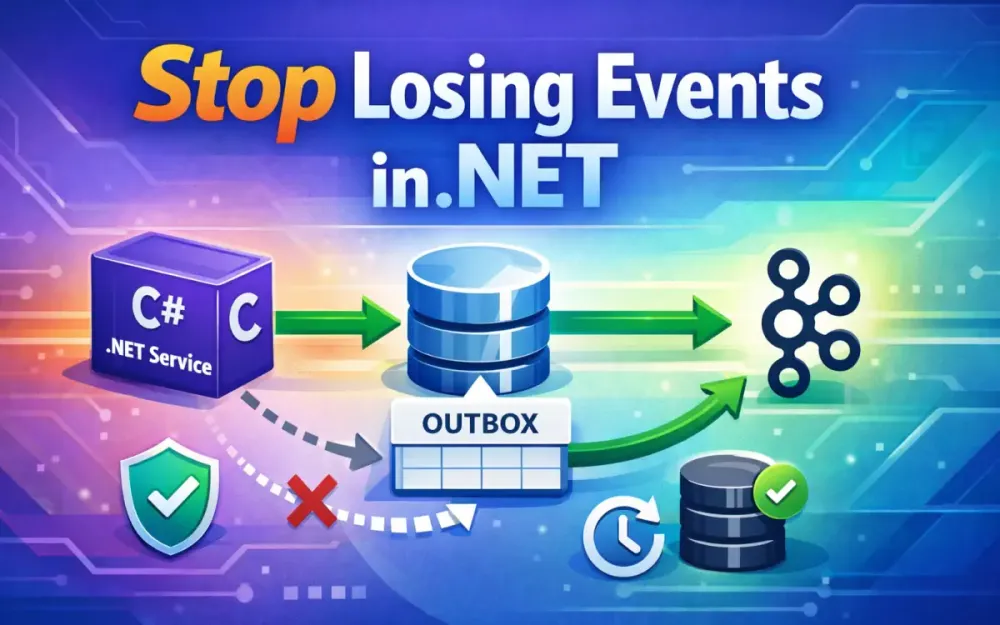
The Outbox pattern addresses the dual-write problem by changing where and when messages are published. Instead of publishing directly to a broker as part of request handling, the service first persists its intent to publish alongside the business state. Actual message delivery happens later, in a controlled and retryable process.
This separation is the key idea. The database becomes the system of record not only for state, but also for the fact that a message must eventually be sent.
2.1 The Core Mechanism: Persisting State and Intention in a Single Transaction
At a high level, the Outbox pattern follows four steps:
- The service executes a use case that changes domain state.
- In the same database transaction, it inserts an
OutboxMessagerow describing the event to publish. - The transaction commits, making both the state change and the publish intent durable.
- A separate dispatcher process reads pending Outbox messages and publishes them to the broker.
The important detail is that steps 1–3 happen atomically inside the database. Either everything is committed, or nothing is. There is no intermediate state where the business data exists without a corresponding intent to notify other systems.
This design has several practical consequences:
- The API request does not block on broker availability.
- Temporary broker outages no longer cause failed user requests.
- Publishing failures can be retried safely because the intent is persisted.
- The service can acknowledge the client as soon as the transaction commits.
In practice, this turns message publication into a background concern rather than part of the synchronous request path.
2.2 Comparison of Dispatcher Strategies
Once messages are stored in the Outbox, something needs to read them and send them to the message broker. There are two common approaches, each with different trade-offs.
2.2.1 Polling Publisher (The Background Service Approach)
The most common approach is a background worker that periodically queries the Outbox table for unprocessed messages and publishes them.
The exact SQL depends on the database engine. The important part is that rows are selected and locked so that multiple workers can run concurrently without double-processing.
SQL Server example:
SELECT TOP (@BatchSize) *
FROM OutboxMessages WITH (UPDLOCK, READPAST, ROWLOCK)
WHERE Processed = 0
ORDER BY CreatedAt;
PostgreSQL example:
SELECT *
FROM OutboxMessages
WHERE Processed = false
ORDER BY CreatedAt
LIMIT @BatchSize
FOR UPDATE SKIP LOCKED;
Both queries achieve the same goal: they fetch a batch of pending messages and ensure that other workers skip rows already being handled.
This approach works well with EF Core, Dapper, or raw ADO.NET and has several advantages:
- all logic stays in application code,
- behavior is easy to reason about and test,
- no special database features beyond row-level locking are required.
There are also trade-offs:
- polling introduces some latency,
- workers must be monitored and restarted if they crash,
- indexes must be designed carefully to avoid table scans,
- high-throughput systems require multiple workers and careful locking.
Despite these drawbacks, polling is widely used because it is simple, portable, and predictable.
2.2.2 Transaction Log Tailing / Change Data Capture (CDC)
Change Data Capture (CDC) takes a different approach. Instead of polling tables, CDC tools read changes directly from the database transaction log and stream them to an external system. From there, events can be forwarded to a message broker.
Tools like Debezium can monitor the Outbox table and emit changes to Kafka topics with very low latency.
Benefits of CDC-based dispatch include:
- near real-time event propagation,
- no polling load on the application database,
- no custom dispatcher code in the service.
However, these benefits come with costs:
- additional infrastructure (Kafka Connect, CDC connectors),
- more complex operational setup,
- tighter coupling to specific database engines,
- continued need for idempotent consumers.
CDC works best in environments that already operate Kafka and require very high throughput. For smaller systems or teams without CDC expertise, a polling dispatcher is usually the better starting point.
2.3 Transactional Guarantees with EF Core DbContext
EF Core already provides everything needed to implement the transactional part of the Outbox pattern. Both entity changes and Outbox inserts can be committed together using the same DbContext.
In many cases, EF Core’s implicit transaction around SaveChangesAsync is sufficient.
Example override:
public override async Task<int> SaveChangesAsync(CancellationToken ct = default)
{
    var domainEvents = ChangeTracker
        .Entries<IAggregateRoot>()
        .SelectMany(e => e.Entity.DomainEvents)
        .ToList();

    foreach (var evt in domainEvents)
    {
        OutboxMessages.Add(new OutboxMessage
        {
            Id = Guid.NewGuid(),
            Type = evt.GetType().FullName!,
            Payload = JsonSerializer.Serialize(evt),
            CreatedAt = DateTime.UtcNow
        });
    }

    return await base.SaveChangesAsync(ct);
}
What matters here is not the interception mechanism itself, but the guarantee it provides:
- if the database transaction commits, both the state and the Outbox messages exist,
- if the transaction rolls back, neither exists.
This single guarantee is the foundation of the entire Outbox pattern. Everything else—dispatching, retries, monitoring—builds on it.
2.4 Handling at-least-once Delivery vs. exactly-once Aspirations
A correctly implemented Outbox provides at-least-once delivery. This is intentional and unavoidable.
In practice, this means:
- every message will be delivered one or more times,
- messages are never silently dropped,
- duplicates are possible if a worker crashes or retries mid-batch.
Exactly-once delivery across distributed systems remains a theoretical goal. Even when message brokers advertise exactly-once features, those guarantees typically apply only within the broker itself, not across producers, networks, consumers, and databases.
Once a message leaves the Outbox, duplicates can occur due to:
- network retries,
- worker restarts,
- consumer crashes after partial processing,
- broker redelivery policies.
For this reason, system design must assume duplicates and handle them safely. The guiding principle is simple:
Systems should be built to tolerate duplicate messages rather than assume perfect delivery.
That is why the Outbox pattern must always be paired with idempotent consumers or an Inbox pattern. The Outbox ensures messages are not lost; consumer-side idempotency ensures duplicates do not corrupt state.
Together, they form a complete reliability strategy for event-driven .NET systems.
3 Engineering a Custom EF Core Outbox Implementation
Building a custom Outbox is not conceptually difficult, but the details determine whether it works reliably under load. Small design choices around schema layout, timestamps, and worker behavior can turn a clean design into a performance or correctness problem. The goal here is not cleverness, but predictability.
The examples in this section follow the same flow as earlier sections: capture intent transactionally, then dispatch it safely and observably.
3.1 Designing the OutboxMessage Schema for Performance (Indexes and Partitioning)
A minimal Outbox schema might look like this:
CREATE TABLE OutboxMessages (
    Id UNIQUEIDENTIFIER NOT NULL,
    Type NVARCHAR(200) NOT NULL,
    Payload NVARCHAR(MAX) NOT NULL,
    CreatedAt DATETIME2 NOT NULL,
    ProcessedAt DATETIME2 NULL,
    Status INT NOT NULL DEFAULT 0, -- 0 = Pending, 1 = Processed, 2 = Failed
    LockId UNIQUEIDENTIFIER NULL,
    LockExpiresAt DATETIME2 NULL,
    CONSTRAINT PK_OutboxMessages PRIMARY KEY NONCLUSTERED (Id)
);
Two things are worth calling out explicitly.
First, SQL Server creates a clustered index by default on the primary key. For Outbox workloads, that default is often not ideal. Reads almost always happen in CreatedAt order, not by Id. For that reason, many systems choose to:
- make
Ida nonclustered primary key, and - add a clustered index on
CreatedAt.
Example:
CREATE CLUSTERED INDEX CX_OutboxMessages_CreatedAt
ON OutboxMessages (CreatedAt);
This improves range scans and batching performance at the cost of slightly slower inserts. If your workload is write-heavy but latency-insensitive, keeping the clustered index on Id may still be acceptable. The key point is that this is a deliberate tradeoff, not an accident.
Second, indexing and cleanup matter over time:
- A filtered index on
Status = 0speeds up dispatcher queries. - Partitioning by month or quarter simplifies bulk deletion.
- Very large payloads should be compressed or, in PostgreSQL, stored as
JSONB. - Avoid
NVARCHAR(MAX)if most payloads are small; it pushes data into LOB storage.
Outbox tables grow continuously. If you don’t plan for that upfront, performance will degrade slowly and unpredictably.
3.2 Intercepting SaveChangesAsync: Automatically Capturing Domain Events
To keep application code clean, Outbox writes should happen automatically when aggregates raise domain events. The interceptor approach aligns well with EF Core’s unit-of-work model.
A refined interceptor example:
public sealed class OutboxSaveChangesInterceptor : SaveChangesInterceptor
{
    private readonly TimeProvider _timeProvider;

    public OutboxSaveChangesInterceptor(TimeProvider timeProvider)
    {
        _timeProvider = timeProvider;
    }

    public override ValueTask<InterceptionResult<int>> SavingChangesAsync(
        DbContextEventData eventData,
        InterceptionResult<int> result,
        CancellationToken ct = default)
    {
        var context = (AppDbContext)eventData.Context!;
        var aggregates = context.ChangeTracker
            .Entries<IAggregateRoot>()
            .Select(e => e.Entity)
            .ToList();

        var domainEvents = aggregates
            .SelectMany(a => a.DomainEvents)
            .ToList();

        foreach (var evt in domainEvents)
        {
            context.OutboxMessages.Add(new OutboxMessage
            {
                Id = Guid.NewGuid(),
                Type = evt.GetType().FullName!,
                Payload = JsonSerializer.Serialize(evt),
                CreatedAt = _timeProvider.GetUtcNow().UtcDateTime
            });
        }

        // Important: prevent duplicate capture on next SaveChanges
        foreach (var aggregate in aggregates)
        {
            aggregate.ClearDomainEvents();
        }

        return base.SavingChangesAsync(eventData, result, ct);
    }
}
A few important details:
TimeProviderreplacesDateTime.UtcNow, which makes this code deterministic and testable in .NET 8+.- Domain events are cleared after capture to avoid duplication.
- The interceptor remains infrastructure-level; application code never touches the Outbox directly.
This keeps event persistence aligned with aggregate state changes and avoids accidental omissions.
Registration remains straightforward:
options.AddInterceptors(new OutboxSaveChangesInterceptor(TimeProvider.System));3.3 Implementing the BackgroundService Worker
The dispatcher is responsible for turning persisted intent into actual messages. It must be resilient, observable, and conservative in how it handles failures.
A more realistic worker skeleton:
public sealed class OutboxDispatcher : BackgroundService
{
    private readonly IServiceScopeFactory _scopeFactory;
    private readonly ILogger<OutboxDispatcher> _logger;
    private readonly TimeProvider _timeProvider;

    public OutboxDispatcher(
        IServiceScopeFactory scopeFactory,
        ILogger<OutboxDispatcher> logger,
        TimeProvider timeProvider)
    {
        _scopeFactory = scopeFactory;
        _logger = logger;
        _timeProvider = timeProvider;
    }

    protected override async Task ExecuteAsync(CancellationToken ct)
    {
        while (!ct.IsCancellationRequested)
        {
            using var scope = _scopeFactory.CreateScope();
            var db = scope.ServiceProvider.GetRequiredService<AppDbContext>();

            var messages = await db.OutboxMessages
                .Where(m => m.Status == 0)
                .OrderBy(m => m.CreatedAt)
                .Take(50)
                .ToListAsync(ct);

            if (messages.Count == 0)
            {
                await Task.Delay(500, ct);
                continue;
            }

            foreach (var msg in messages)
            {
                try
                {
                    await PublishAsync(msg, ct);

                    msg.Status = 1;
                    msg.ProcessedAt = _timeProvider.GetUtcNow().UtcDateTime;
                }
                catch (Exception ex)
                {
                    _logger.LogError(ex,
                        "Failed to dispatch outbox message {MessageId}", msg.Id);

                    msg.Status = 2;
                    // In production, track retry count and next-attempt time
                }
            }

            await db.SaveChangesAsync(ct);
        }
    }
}
This example is still simplified, but it highlights what production code must include:
- structured logging for failures,
- separation between transient and terminal errors,
- retry counters and backoff policies,
- circuit breakers to protect downstream brokers.
Marking a message as failed without visibility is rarely acceptable in real systems.
3.3.1 Strategies for Efficient Database Polling in SQL Server and PostgreSQL
To scale dispatchers horizontally, polling queries must cooperate across workers.
SQL Server pattern:
SELECT TOP (50) *
FROM OutboxMessages WITH (READPAST, UPDLOCK, ROWLOCK)
WHERE Status = 0
ORDER BY CreatedAt;
PostgreSQL pattern:
SELECT *
FROM OutboxMessages
WHERE Status = 0
ORDER BY CreatedAt
LIMIT 50
FOR UPDATE SKIP LOCKED;
Both approaches ensure that:
- rows are locked while being processed,
- other workers skip locked rows,
- duplicates are avoided without centralized coordination.
This allows you to scale dispatch throughput simply by adding more worker instances.
3.3.2 Concurrency Handling: Avoiding Double-Processing with Row Versioning or Advisory Locks
Row locking is usually enough, but some systems require stronger guarantees.
Additional options include:
- Optimistic concurrency using
rowversion(SQL Server) orxmin(PostgreSQL). - Advisory locks in PostgreSQL for cross-table coordination:
SELECT pg_try_advisory_lock(hashtext(Id::text));- Lease-based locking, where a worker claims a message for a limited time and renews the lease periodically.
The more concurrency you introduce, the more important idempotent consumers become. The dispatcher’s job is to minimize duplicates, not eliminate them entirely.
3.4 The “Push-Based” Optimization: Notifying the Worker via Channel<T> to Reduce Latency
Polling always introduces some delay. To reduce latency without increasing database load, many systems add a lightweight push signal to wake the dispatcher.
The key is to keep this bounded so it cannot grow without limit.
Example:
public static Channel<bool> OutboxSignal =
    Channel.CreateBounded<bool>(new BoundedChannelOptions(100)
    {
        SingleWriter = false,
        SingleReader = true,
        FullMode = BoundedChannelFullMode.DropOldest
    });
In the interceptor:
OutboxSignal.Writer.TryWrite(true);In the worker loop:
while (await OutboxSignal.Reader.WaitToReadAsync(ct))
{
    await ProcessPendingMessagesAsync(ct);
}
This signal does not carry the message itself. It simply nudges the worker to check the database immediately instead of waiting for the next polling interval.
The result is:
- lower end-to-end latency,
- no additional database writes,
- bounded memory usage.
Polling remains the safety net. The channel is an optimization, not a correctness mechanism.
4 Leveraging Enterprise Libraries: MassTransit and NServiceBus
Once a service grows beyond a simple workload, a custom Outbox starts to feel less like an implementation detail and more like infrastructure. The pattern itself remains straightforward, but the operational requirements keep expanding: retries, concurrency control, schema evolution, observability, cleanup, and failure handling under load.
This is where mature messaging libraries earn their keep. They don’t just implement the Outbox pattern; they integrate it into a larger, well-tested messaging pipeline. For most teams, adopting one of these libraries is a practical way to reduce risk and long-term maintenance cost.
4.1 Why you (usually) shouldn’t build your own Outbox
A custom Outbox can be a good starting point for small services or constrained environments. But as soon as throughput increases or multiple consumers depend on the same events, the cost curve changes.
Teams quickly find themselves implementing concerns that frameworks already solve:
- exponential backoff when brokers throttle or disconnect
- safe concurrent dispatch across multiple worker instances
- deduplication and idempotency helpers
- schema migrations for Outbox tables
- retry and poison-message handling
- structured logging, tracing, and metrics
- automated cleanup and retention policies
Each of these features is individually manageable. Together, they form a subsystem that must be correct under failure, not just under happy-path execution. Because the Outbox sits directly on the boundary between state and messaging, subtle bugs tend to surface as data inconsistencies rather than obvious crashes.
MassTransit and NServiceBus both provide Outbox implementations that are deeply integrated into their respective pipelines. They support EF Core, common relational databases, and mainstream brokers. In practice, they let teams treat the Outbox as infrastructure rather than bespoke application code.
4.2 Deep dive into MassTransit Transactional Outbox (MassTransit v8.x)
MassTransit’s Outbox is built around the same unit-of-work concept discussed earlier. When a message is published inside an EF Core transaction, MassTransit intercepts that publish and stores the outgoing transport message in an Outbox table. A background dispatcher later delivers it.
It’s important to separate two concepts in MassTransit:
- Transactional Outbox: protects outgoing messages from being lost.
- In-memory Outbox: protects consumer handlers from duplicate side effects during retries.
They solve different problems and are often used together.
4.2.1 Configuration with Entity Framework Core
The transactional Outbox is configured during MassTransit setup. The example below targets MassTransit 8.x with SQL Server and RabbitMQ.
services.AddDbContext<AppDbContext>(options =>
{
    options.UseSqlServer(connectionString);
});

services.AddMassTransit(x =>
{
    x.AddEntityFrameworkOutbox<AppDbContext>(o =>
    {
        o.UseSqlServer();
        o.QueryDelay = TimeSpan.FromMilliseconds(200);
        o.DuplicateDetectionWindow = TimeSpan.FromMinutes(30);
    });

    x.UsingRabbitMq((context, cfg) =>
    {
        cfg.Host("rabbitmq", "/", h =>
        {
            h.Username("user");
            h.Password("password");
        });

        cfg.ConfigureEndpoints(context);
    });
});
With this configuration:
- publishes inside an EF Core transaction are written to the Outbox table,
- the Outbox record and domain data commit atomically,
- a built-in dispatcher publishes messages asynchronously,
- database-specific locking is handled internally.
From the application’s point of view, nothing changes:
await _publishEndpoint.Publish(new OrderCreated(orderId));If this call happens inside SaveChangesAsync, it is transparently routed through the Outbox. Developers do not need to think about persistence or retries at the call site.
4.2.2 Delivery guarantees and automatic retries
MassTransit provides at-least-once delivery for outgoing messages. If publishing fails, the dispatcher retries according to its configured policies. Messages are never silently dropped.
On the consumer side, MassTransit offers the in-memory outbox, which ensures that side effects inside a consumer are only applied once per message delivery attempt, even if retries occur.
Example consumer configuration:
x.AddConsumer<OrderCreatedConsumer>(cfg =>
{
    cfg.UseInMemoryOutbox();
    cfg.UseMessageRetry(r =>
    {
        r.Interval(5, TimeSpan.FromSeconds(10));
    });
});
This distinction matters:
- the transactional Outbox protects against lost messages,
- the in-memory outbox protects against duplicate side effects during retries.
Together, they form a reliable producer-and-consumer pipeline.
MassTransit also integrates cleanly with OpenTelemetry, emitting spans for publish, dispatch, and consumption. This aligns well with the observability strategy described later in the article.
4.3 NServiceBus Outbox: Handling Deduplication by Design (NServiceBus v9.x)
NServiceBus approaches the Outbox problem from the consumer’s perspective. Instead of focusing only on publishing, it makes the entire message handler an atomic unit of work.
When a handler processes a message, NServiceBus:
- records the incoming message ID,
- stores all outgoing messages produced by the handler,
- commits both as part of a single persistence operation.
If the handler is retried, NServiceBus detects that the message was already processed and skips the handler logic, replaying the previously stored outgoing messages instead.
A production-ready configuration using RabbitMQ and SQL persistence (NServiceBus v9.x):
var endpointConfig = new EndpointConfiguration("Orders");

endpointConfig.UseTransport<RabbitMQTransport>()
    .ConnectionString("host=rabbitmq;username=user;password=password")
    .UseConventionalRoutingTopology();

var persistence = endpointConfig.UsePersistence<SqlPersistence>();
persistence.SqlDialect<SqlDialect.MsSqlServer>();
persistence.ConnectionBuilder(
    () => new SqlConnection(connectionString));

endpointConfig.EnableOutbox();

var endpoint = await Endpoint.Start(endpointConfig);
This model provides very strong guarantees:
- handlers execute exactly once per message within an endpoint,
- outgoing messages are never duplicated due to retries,
- failures do not result in partial side effects.
The tradeoff is that NServiceBus assumes a more opinionated architecture. Message handling, retries, and persistence are tightly coupled to the framework’s model, which some teams prefer and others avoid.
4.4 Comparison Table: Custom Build vs. MassTransit vs. NServiceBus
| Feature / Concern | Custom EF Core Outbox | MassTransit Outbox (v8.x) | NServiceBus Outbox (v9.x) |
|---|---|---|---|
| Outbox persistence | Developer-defined | Built-in EF Core integration | Built-in persistence model |
| Dispatch mechanism | Custom background worker | Automated dispatcher | Handler-driven dispatch |
| Deduplication | Manual (Inbox pattern) | In-memory outbox for consumers | Built-in handler deduplication |
| Scaling | Manual concurrency control | Horizontal scaling supported | Coordinated endpoint scaling |
| Retry policies | Custom | Configurable retry and redelivery pipelines | Multi-stage handler retries |
| Monitoring | Must be built | OpenTelemetry integration | Built-in platform tooling |
| Licensing | Free | Open source (Apache 2.0) | Commercial license required |
| Operational effort | Medium to high | Low | Moderate |
| Ideal use case | Simple or constrained systems | Most event-driven .NET services | Large, enterprise messaging systems |
MassTransit is usually the pragmatic default for modern .NET systems that want flexibility and strong guarantees without vendor lock-in. NServiceBus fits organizations that value strict handler semantics, centralized tooling, and are comfortable with a commercial license.
5 The Consumer’s Responsibility: Idempotency and Deduplication
The Outbox pattern ensures that messages are not lost. It does not ensure that messages are delivered only once or in order. That responsibility belongs to consumers. Once events leave the producer’s database, retries, redelivery, and reordering are normal behavior, not edge cases.
A correct consumer assumes duplicates and handles them safely. Without this, the Outbox simply moves the inconsistency problem from the producer to downstream services.
5.1 Why the Outbox Requires an Idempotent Consumer
Even with a well-implemented Outbox, duplicates occur for predictable reasons:
- dispatcher retries after transient failures,
- network timeouts between broker and consumer,
- consumer crashes after partially completing work,
- broker redelivery policies during rebalances.
From the consumer’s perspective, “exactly once” is not something the infrastructure can guarantee. The only safe assumption is at least once delivery.
This matters most when consumers perform side effects such as:
- writing to a relational database,
- adjusting inventory counts,
- posting financial transactions,
- advancing workflow state machines,
- mutating aggregates with strict invariants.
An idempotent consumer ensures that applying the same message twice has the same effect as applying it once. Without this, duplicates result in silent data corruption rather than visible failures.
5.2 Implementing an Inbox Pattern: Tracking Processed Message IDs
The most common way to make consumers idempotent is the Inbox pattern. The consumer stores the IDs of messages it has already processed and refuses to apply side effects more than once.
Message ID format
In most .NET messaging frameworks, including MassTransit and NServiceBus, message IDs are GUIDs. Consumers should treat them as such internally, even if they are serialized as strings on the wire.
A typical schema therefore uses a UNIQUEIDENTIFIER (SQL Server) or UUID (PostgreSQL):
CREATE TABLE InboxMessages (
    MessageId UNIQUEIDENTIFIER NOT NULL PRIMARY KEY,
    ProcessedAt DATETIME2 NOT NULL
);
Avoiding race conditions
A common mistake is to first check for existence and then insert. That approach is not atomic and breaks under concurrency. Two identical messages processed at the same time can both pass the check.
The fix is simple: rely on a unique constraint and make insertion the gate.
Consumer example (EF Core, SQL Server)
public class OrderCreatedConsumer : IConsumer<OrderCreated>
{
    private readonly AppDbContext _db;

    public OrderCreatedConsumer(AppDbContext db)
    {
        _db = db;
    }

    public async Task Consume(ConsumeContext<OrderCreated> context)
    {
        var messageId = context.MessageId!.Value;

        try
        {
            _db.InboxMessages.Add(new InboxMessage
            {
                MessageId = messageId,
                ProcessedAt = DateTime.UtcNow
            });

            // Apply domain logic in the same transaction
            await HandleOrderAsync(context.Message);

            await _db.SaveChangesAsync();
        }
        catch (DbUpdateException ex) when (IsUniqueViolation(ex))
        {
            // Message already processed – safe to ignore
            return;
        }
    }

    private static bool IsUniqueViolation(DbUpdateException ex)
        => ex.InnerException?.Message.Contains("UNIQUE") == true;
}
Key points:
- The insert is the check.
- Business logic and Inbox insert happen in the same transaction.
- Duplicate deliveries fail fast and safely.
In PostgreSQL, the same pattern can be implemented with INSERT ... ON CONFLICT DO NOTHING.
This guarantees exactly-once effects even when messages are delivered multiple times.
5.3 Out-of-Order Message Handling
Messages do not always arrive in the order they were produced. This is expected behavior in distributed systems and happens due to:
- broker partition rebalancing,
- network latency differences,
- dispatcher batching,
- retries causing older messages to be re-delivered later.
Consumers must not assume implicit ordering unless the transport explicitly guarantees it and the topology enforces it.
There are two common strategies for handling out-of-order events.
Version-based validation
If events include a monotonically increasing version (or sequence number), consumers can ignore stale updates.
if (evt.Version <= entity.Version)
{
    // Older or duplicate event, ignore
    return;
}
This works well for aggregate-style updates where each event represents a new version of state.
Deferred reconciliation
For more complex workflows, consumers may need to record the arrival of events and reconcile when missing dependencies arrive. This can involve:
- temporarily storing out-of-order events,
- applying them once prerequisites are met,
- periodically reconciling state from the source of truth.
This approach is more complex and should be reserved for cases where ordering truly matters. In many systems, version checks are sufficient and much easier to reason about.
The important takeaway is that message schemas should include enough metadata—version, timestamp, or causation identifiers—to make ordering decisions explicit.
5.4 Clean-up Strategies: TTL for Inbox and Outbox Records
Inbox and Outbox tables grow continuously. If left unmanaged, they become a performance and operational liability. Cleanup must be regular, automated, and safe under load.
Transaction-safe batch cleanup
Large, unbounded deletes can lock tables and impact production traffic. Cleanup should always be batched.
SQL Server example:
DELETE TOP (1000)
FROM InboxMessages
WHERE ProcessedAt < DATEADD(day, -14, SYSUTCDATETIME());
PostgreSQL example:
DELETE FROM InboxMessages
WHERE ProcessedAt < NOW() - INTERVAL '14 days'
LIMIT 1000;
These statements can be run repeatedly by a scheduled job until no rows remain.
Outbox cleanup
Outbox records can usually be deleted shortly after successful dispatch.
DELETE TOP (1000)
FROM OutboxMessages
WHERE ProcessedAt < DATEADD(day, -7, SYSUTCDATETIME());
Batch size should be tuned based on table size and workload.
Partitioning for high-volume systems
For very high throughput, time-based partitioning allows instant cleanup by dropping partitions rather than deleting rows:
ALTER TABLE OutboxMessages
DROP PARTITION p2024_01;
This avoids long-running transactions entirely and keeps indexes compact.
Where cleanup logic lives
Teams typically choose one of two approaches:
- database-managed jobs owned by DBAs,
- application-level background workers that perform cleanup during off-peak hours.
Either approach works as long as cleanup is predictable and automated. An Inbox or Outbox table that grows without bounds will eventually undermine the reliability it was meant to provide.
6 Observability: Monitoring the Message Pipeline
Once the Outbox is in place, reliability problems rarely show up as crashes. They show up as lag. Messages start piling up, dispatch slows down, and downstream systems fall behind. Without observability, this degradation can go unnoticed until users report missing or stale data.
Good observability makes the Outbox boring to operate. You should be able to tell, at a glance, whether messages are flowing normally and where they are slowing down when they are not.
6.1 Essential Metrics: Tracking Outbox Age and Processing Latency
Two metrics matter more than any others for an Outbox pipeline:
- outbox_age_seconds – how long the oldest unprocessed message has been waiting
- outbox_processing_latency_seconds – how long it takes for a message to go from creation to successful dispatch
Outbox age is an early warning signal. If it steadily increases, the service is producing messages faster than it can dispatch them, or the broker is slow or unavailable.
Processing latency reflects end-to-end health. Spikes here often point to transient broker issues, network delays, or insufficient worker capacity.
Exposing metrics with OpenTelemetry (.NET 8+)
A simple and future-proof approach is to use OpenTelemetry Metrics and export them to Prometheus.
Metric setup:
var meter = new Meter("MyService.Outbox");

var outboxAgeHistogram =
    meter.CreateHistogram<double>(
        "outbox_age_seconds",
        unit: "s",
        description: "Age of the oldest unprocessed outbox message");

var processedCounter =
    meter.CreateCounter<long>(
        "processed_outbox_messages_total",
        description: "Total number of outbox messages successfully dispatched");
Recording metrics in the dispatcher:
var oldestPending = await db.OutboxMessages
    .Where(x => x.Status == 0)
    .OrderBy(x => x.CreatedAt)
    .Select(x => x.CreatedAt)
    .FirstOrDefaultAsync(ct);

if (oldestPending != default)
{
    var ageSeconds =
        (DateTime.UtcNow - oldestPending).TotalSeconds;

    outboxAgeHistogram.Record(ageSeconds);
}
After successful dispatch:
processedCounter.Add(1);Metric naming conventions to follow:
- counters end with
_total - durations use
_seconds - all names use
snake_case
If your team already uses prometheus-net, the same metrics can be exposed via Histogram and Counter there. The important part is consistency and clarity, not the specific library.
Other useful Outbox metrics include:
- dispatch_attempts_total
- dispatch_failures_total
- outbox_batch_size
- dispatcher_loop_duration_seconds
Together, these metrics show both throughput and pressure on the system.
6.2 Distributed Tracing: Propagating Trace Context from API to Bus
Metrics tell you that something is slow. Tracing tells you why.
When a request triggers a database write and later results in an event being published, all of that work should appear in a single trace. Without trace propagation, asynchronous boundaries break visibility.
The API layer typically starts an Activity per request. The Outbox must capture enough trace context to reattach that activity when publishing later.
Capturing trace context in the Outbox
public class OutboxMessage
{
    public Guid Id { get; set; }
    public string Type { get; set; } = default!;
    public string Payload { get; set; } = default!;
    public string? TraceId { get; set; }
    public string? ParentSpanId { get; set; }
    public DateTime CreatedAt { get; set; }
}
When persisting the Outbox entry:
var activity = Activity.Current;

context.OutboxMessages.Add(new OutboxMessage
{
    Id = Guid.NewGuid(),
    Type = evt.GetType().Name,
    Payload = JsonSerializer.Serialize(evt),
    TraceId = activity?.TraceId.ToString(),
    ParentSpanId = activity?.SpanId.ToString(),
    CreatedAt = DateTime.UtcNow
});
Restoring the trace during dispatch
When the dispatcher publishes the message, it must reconstruct the full ActivityContext, including flags:
var parentContext = new ActivityContext(
    ActivityTraceId.CreateFromString(msg.TraceId),
    ActivitySpanId.CreateFromString(msg.ParentSpanId),
    ActivityTraceFlags.Recorded);

using var activity = _activitySource.StartActivity(
    "OutboxDispatch",
    ActivityKind.Producer,
    parentContext);
With this in place, the publish operation appears as a child span of the original HTTP request, even though it happens asynchronously.
6.3 OpenTelemetry Integration in .NET: Making the Outbox Visible
The Outbox dispatcher should create spans for each meaningful step. This keeps traces readable and actionable.
Recommended spans include:
- outbox.fetch_batch
- outbox.dispatch_message
- outbox.publish_to_broker
- outbox.retry
Example:
private static readonly ActivitySource ActivitySource =
    new("MyService.Outbox");

public async Task DispatchMessageAsync(
    OutboxMessage msg,
    CancellationToken ct)
{
    using var activity =
        ActivitySource.StartActivity(
            "outbox.dispatch_message",
            ActivityKind.Producer);

    activity?.SetTag("outbox.message_id", msg.Id);
    activity?.SetTag("outbox.type", msg.Type);

    await _publisher.Publish(msg.Payload, ct);
}
If a retry occurs, record it explicitly:
activity?.AddEvent(
    new ActivityEvent("retry_publish_attempt"));
When traces are viewed in Jaeger, Tempo, or Azure Monitor, this structure makes it easy to see where time is being spent and where failures occur.
6.4 Alerting: Detecting Backlogs and Worker Failures
Metrics are only useful if someone is notified when they cross safe limits. Alerts should reflect expected behavior, not arbitrary numbers.
Choosing alert thresholds
There is no universal “correct” Outbox age threshold. Instead, derive it from your SLA:
- If downstream systems expect events within 30 seconds, alert at 60–90 seconds.
- If your normal dispatch latency is 2–3 seconds, alert when it exceeds 10–15 seconds consistently.
- For batch-oriented systems, higher thresholds may be acceptable.
Always alert on sustained conditions, not brief spikes.
Prometheus alert examples
Outbox backlog alert:
alert: OutboxBacklogGrowing
expr: outbox_age_seconds > 90
for: 2m
labels:
  severity: critical
annotations:
  summary: "Outbox messages delayed beyond expected SLA"
Worker heartbeat alert:
alert: OutboxWorkerDown
expr: absent(processed_outbox_messages_total)
for: 1m
labels:
  severity: warning
annotations:
  summary: "Outbox dispatcher not reporting metrics"
The heartbeat works because the counter should increase continuously under normal operation. If it stops, either traffic has stopped or the worker is unhealthy.
Dashboards that matter
A useful Outbox dashboard typically includes:
- outbox_age_seconds over time
- processed_outbox_messages_total rate
- dispatch latency histogram
- failure and retry counts
These views make it easy to distinguish between transient slowdowns and systemic issues such as database contention or broker outages.
A production Outbox is not complete without observability. Once metrics, traces, and alerts are in place, Outbox behavior becomes predictable, explainable, and safe to operate under load.
7 Migration Path: Transitioning Existing Services
Most teams introduce the Outbox pattern into services that are already running in production. That makes migration less about code and more about sequencing. The goal is to remove dual writes without losing messages, duplicating events, or surprising downstream consumers.
A good migration strategy is incremental, observable, and reversible.
7.1 Assessment: Identifying High-Risk Dual Writes in Legacy Code
The first step is to find every place where state is persisted and an event is published separately. In mature codebases, these operations are often scattered across layers:
- API controllers calling publishers directly
- application services that publish after persistence
- domain event handlers that emit integration events
- transaction callbacks or
OnCompletedhooks
A common pattern looks like this:
await _db.SaveChangesAsync(ct);
await _publisher.Publish(new OrderCreated(orderId), ct);
This is a textbook dual write. The database and broker are updated independently, with no shared transaction boundary.
Once identified, rank these call sites by risk:
- operations with high write frequency
- money, inventory, or compliance-related changes
- flows with multiple downstream consumers
- areas that have previously caused reconciliation issues
You don’t need to migrate everything at once. Start with the highest-risk paths and expand from there.
7.2 The Shadow Outbox Strategy: Deploying Safely Without Changing Behavior
A shadow Outbox lets you introduce the persistence side of the pattern without changing how messages are actually delivered. The service continues publishing directly to the broker, but it also records Outbox entries in the same transaction.
The key rule is simple: the Outbox insert must happen before SaveChangesAsync.
Correct shadow Outbox example:
// Domain state change
order.MarkAsCreated();

// Shadow outbox entry – same transaction
_db.OutboxMessages.Add(new OutboxMessage
{
    Id = Guid.NewGuid(),
    Type = nameof(OrderCreated),
    Payload = JsonSerializer.Serialize(new OrderCreated(order.Id)),
    CreatedAt = _timeProvider.GetUtcNow().UtcDateTime
});

// Commit everything together
await _db.SaveChangesAsync(ct);

// Existing behavior remains unchanged
await _publisher.Publish(new OrderCreated(order.Id), ct);
What this gives you:
- the Outbox table reflects exactly what would have been published
- no change in downstream behavior
- full visibility into volume, ordering, and payload correctness
At this stage, the dispatcher must remain disabled. The Outbox is observational only.
Teams typically monitor:
- Outbox row counts vs published message counts
- ordering differences
- payload size and schema correctness
Only after the shadow data consistently matches production traffic should you move forward.
7.3 Feature Toggles: Gradually Switching to Outbox-Mediated Publishing
The actual cutover should be controlled with a feature toggle, but the toggle must account for in-flight requests and existing Outbox records.
A practical toggle design separates writing from dispatching:
if (_featureFlags.WriteToOutbox)
{
    _db.OutboxMessages.Add(outboxMessage);
}
else
{
    await _publisher.Publish(evt, ct);
}
Safe rollout sequence
-
Shadow mode
WriteToOutbox = true- dispatcher disabled
- direct publishing still enabled
-
Dual-write mode (short-lived)
WriteToOutbox = true- dispatcher enabled
- direct publishing still enabled
- used only to validate dispatcher behavior
-
Outbox-only mode
WriteToOutbox = true- dispatcher enabled
- direct publishing disabled
This sequencing ensures that:
- messages already written to the Outbox are still dispatched
- in-flight requests during toggle flips behave consistently
- no events are stranded mid-transition
What if you need to toggle off?
If something goes wrong after enabling the dispatcher:
- Disable the dispatcher first.
- Leave
WriteToOutboxenabled to preserve intent. - Re-enable direct publishing if necessary.
- Investigate and fix the dispatcher issue.
Outbox records written during the incident remain safely stored and can be replayed once the dispatcher is healthy again.
This rollback path is why writing intent to the database first is so valuable—it gives you options under pressure.
7.4 Data Migration: Handling Pending or Missing Events During Switch-Over
When introducing an Outbox into a live system, you may have existing state that downstream systems have not fully observed. You must decide how, or if, to reconcile that gap.
Option 1: Start fresh
For many systems, this is acceptable. Only new changes generate events, and existing state is treated as authoritative. This works well when consumers can tolerate partial history.
Option 2: Reconstruct missing events (with code)
If downstream systems rely on a complete event history, you can reconstruct events and insert them directly into the Outbox.
Example migration script (EF Core):
var cutoff = new DateTime(2024, 01, 01);

var orders = await db.Orders
    .Where(o => o.CreatedAt >= cutoff)
    .ToListAsync(ct);

foreach (var order in orders)
{
    var evt = new OrderCreated(order.Id);

    db.OutboxMessages.Add(new OutboxMessage
    {
        Id = Guid.NewGuid(),
        Type = nameof(OrderCreated),
        Payload = JsonSerializer.Serialize(evt),
        CreatedAt = order.CreatedAt,
        Status = 0 // pending
    });
}

await db.SaveChangesAsync(ct);
Important safeguards:
- run with dispatcher disabled
- deduplicate against existing Outbox rows
- verify downstream consumers are idempotent
Once inserted, enable the dispatcher and let it publish normally.
Option 3: Replay broker history
If your broker retains history (for example, Kafka), consumers can rebuild state by replaying from a known offset. This avoids touching the producer entirely but requires strong consumer controls.
Final migration rule
Always ensure that:
- the Outbox contains only valid, intentional events
- the dispatcher is enabled only after verification
- rollback is possible without data loss
A careful migration takes longer than a big-bang switch, but it avoids the worst kind of failure: silent inconsistency.
8 High-Performance Optimizations and Future Trends
Once an Outbox pipeline is correct and observable, performance becomes the next concern. At moderate scale, the patterns described earlier are usually sufficient. At higher scale, small inefficiencies—extra database round trips, unnecessary polling, reflection-heavy serialization—start to matter.
This section focuses on optimizations that preserve correctness while reducing cost and latency, and on trends that are likely to influence how Outbox implementations evolve over time.
8.1 Batching Writes: Minimizing IOPS for High-Frequency Event Streams
When a service emits events frequently, writing one Outbox row per SaveChangesAsync call wastes I/O. Batching allows you to amortize transaction and network costs across multiple messages.
Application-side batching
If multiple domain events are produced in a single unit of work, persist them together:
foreach (var evt in pendingEvents)
{
    _db.OutboxMessages.Add(new OutboxMessage
    {
        Id = Guid.NewGuid(),
        Type = evt.GetType().Name,
        Payload = JsonSerializer.Serialize(evt),
        CreatedAt = _timeProvider.GetUtcNow().UtcDateTime
    });
}

await _db.SaveChangesAsync(ct);
This keeps transactional semantics intact while reducing round trips.
Dispatch-side batching
Dispatching messages one by one increases network overhead and broker load. Most brokers and client libraries perform better when messages are sent in batches.
var batch = await db.OutboxMessages
    .Where(x => x.Status == 0)
    .OrderBy(x => x.CreatedAt)
    .Take(200)
    .ToListAsync(ct);

await _publisher.PublishBatch(batch, ct);
How to choose batch sizes
Batch size is not a fixed number; it must be tuned:
-
Start small (50–100 messages).
-
Measure database CPU, lock duration, and query latency.
-
Measure broker throughput and publish latency.
-
Increase batch size until either:
- database locks become visible, or
- broker latency spikes.
For most systems, optimal batch sizes fall between 50 and 500 messages, depending on payload size and SLA requirements. The right batch size is the one that maximizes throughput without increasing tail latency.
8.2 Moving to Change Data Capture (CDC): Using Debezium with .NET
Polling-based dispatch adds predictable load to the database. At very high throughput, that load becomes significant. Change Data Capture (CDC) avoids polling by streaming changes directly from the database transaction log.
Debezium is commonly used for this purpose, especially in Kafka-based environments.
Debezium configuration (security-aware)
A minimal SQL Server connector configuration looks like this:
{
  "connector.class": "io.debezium.connector.sqlserver.SqlServerConnector",
  "database.hostname": "db",
  "database.user": "${DB_USER}",
  "database.password": "${DB_PASSWORD}",
  "database.dbname": "Orders",
  "table.include.list": "dbo.OutboxMessages",
  "database.history.kafka.bootstrap.servers": "kafka:9092",
  "database.server.name": "orders"
}
Important notes:
- Never store credentials in plaintext. Use environment variables, Kubernetes secrets, or a secrets manager.
- Limit CDC to the Outbox table only.
- Ensure the Outbox schema is append-only to simplify CDC behavior.
With CDC in place:
- the .NET service only writes Outbox rows,
- Debezium streams changes to Kafka,
- no polling worker is required in the application.
CDC is most effective when Kafka is already part of the platform. Introducing it solely for the Outbox often adds more complexity than it removes.
8.3 Serverless Considerations: Outbox in Azure Functions or AWS Lambda
Serverless platforms change the execution model:
- no long-running background services,
- functions may overlap,
- scaling is automatic and non-deterministic.
This makes naive polling unsafe without coordination.
Timer-triggered dispatch with concurrency control
Timer-triggered functions can overlap. To avoid double processing, use a distributed lock.
Example using a SQL-based lock:
public async Task RunAsync(
    [TimerTrigger("*/10 * * * * *")] TimerInfo timer)
{
    if (!await TryAcquireLockAsync("outbox-dispatch"))
        return;

    try
    {
        var batch = await _db.OutboxMessages
            .Where(x => x.Status == 0)
            .Take(50)
            .ToListAsync();

        foreach (var msg in batch)
        {
            await _publisher.Publish(msg);
            msg.Status = 1;
        }

        await _db.SaveChangesAsync();
    }
    finally
    {
        await ReleaseLockAsync("outbox-dispatch");
    }
}
Locks can be implemented using:
- SQL advisory locks,
- Redis-based distributed locks,
- Azure Blob leases,
- Durable Functions orchestration.
Queue-triggered alternative
Instead of polling, some teams emit a lightweight signal message when new Outbox rows are written. A queue-triggered function processes pending rows. This reduces idle executions and improves responsiveness, but still requires idempotent dispatch logic.
Serverless Outbox implementations work, but they require more discipline around locking and retries than container-based workers.
8.4 Looking Ahead: Native AOT and the Future of Outbox Workers
The following observations are based on preview features and public discussions around Native AOT in modern .NET. They are directional, not guarantees.
Native AOT produces smaller binaries with faster startup, but it restricts reflection and dynamic code generation. Outbox implementations are affected in two main areas: serialization and dependency injection.
AOT-friendly serialization with source generators
Reflection-based JSON serialization is problematic under AOT. Source-generated serializers solve this.
Example for OutboxMessage:
[JsonSerializable(typeof(OutboxMessage))]
[JsonSerializable(typeof(OrderCreated))]
public partial class OutboxJsonContext : JsonSerializerContext
{
}
Usage:
var json = JsonSerializer.Serialize(
    outboxMessage,
    OutboxJsonContext.Default.OutboxMessage);
This removes runtime reflection and makes serialization predictable and fast.
Implications for Outbox workers
AOT-friendly Outbox workers should:
- pre-register message types,
- avoid dynamic
Type.GetTypelookups, - prefer constructor injection over service locators,
- keep dispatch logic explicit and static.
Over time, this may push architectures toward:
- smaller, dedicated Outbox dispatcher processes,
- sidecar-style workers,
- fewer monolithic background services.
The Outbox pattern itself does not change. What changes is the way it is hosted and compiled.