Article Summary
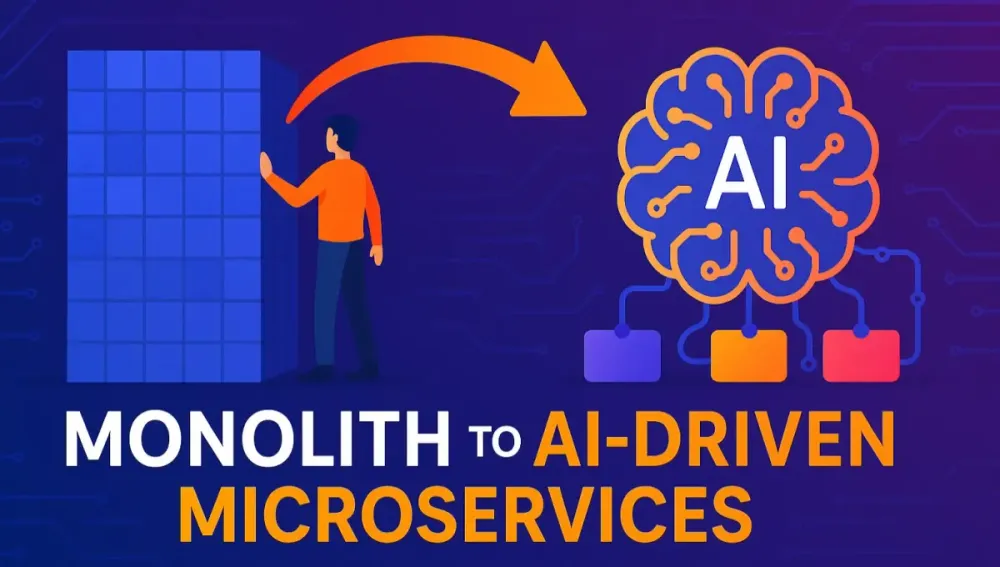
This in-depth guide is tailored for software architects, particularly those working with C# and .NET, who are responsible for leading legacy application modernization. The article delivers a practical, step-by-step playbook for transforming monolithic systems into robust, scalable, and intelligent AI-driven microservices. Through the lens of a fictional e-commerce platform, “GizmoGalaxy,” it provides actionable strategies, real-world C#/.NET code samples, and architectural patterns to tackle every phase of the migration journey. From assessing your existing monolith, applying Domain-Driven Design, and implementing incremental migration with the Strangler Fig pattern, to building resilient, observable microservices and infusing AI capabilities—this guide will help you confidently design and implement the next generation of enterprise systems.
1 The Inevitable Shift: Recognizing the Limits of the Monolith
1.1 The Monolithic Reality
Every architect working in the .NET ecosystem has, at some point, faced the frustrations of a legacy monolithic application. These systems, often developed years ago, were designed for a different era—one where business needs changed slowly and scaling requirements were predictable.
Common Pain Points in .NET Monoliths:
- Tight Coupling: Business logic, data access, and presentation layers are intertwined. A small change in one area can ripple across the system, making it fragile and resistant to change.
- Technology Obsolescence: Legacy .NET apps may still run on outdated frameworks like ASP.NET MVC 5 or even Web Forms, limiting your ability to adopt new language features or cloud services.
- Deployment Bottlenecks: Even minor fixes require redeploying the entire application, leading to longer downtimes and increased deployment risk.
- Scaling Challenges: Scaling often means scaling the entire application, even if only a single feature (like checkout or search) experiences heavy load.
- Slow Feature Delivery: Release cycles stretch out due to the complexity of regression testing and intertwined dependencies.
Have you ever hesitated to implement a new feature because you weren’t sure what else it might break? If so, you’re not alone.
1.2 The Microservices Promise
Microservices offer a clear alternative to the inflexibility of the monolith. By decomposing your application into independent services, each encapsulating a specific business capability, you gain:
- Agility: Teams can develop, test, and deploy services independently, reducing bottlenecks.
- Scalability: Each service can be scaled based on its needs—no more over-provisioning the entire system.
- Resilience: Faults are contained; a failure in one service need not take down the entire application.
- Technology Diversity: You can adopt new frameworks, languages, or cloud services for new features without rewriting the entire system.
But moving from monolith to microservices is more than a technical refactor—it’s an organizational and cultural shift.
1.3 The AI-Driven Evolution
Microservices unlock distributed architectures, but what’s the next step? Artificial Intelligence is rapidly transforming these systems from merely distributed to truly intelligent. AI empowers your microservices with:
- Personalization: Dynamic user experiences tailored to individual behaviors and preferences.
- Predictive Scaling: Infrastructure that adapts in real time to traffic patterns.
- Anomaly Detection: Proactive detection and remediation of issues before they impact users.
- Smart Routing and Automation: Workflows that optimize themselves based on historical and real-time data.
By embedding AI in your microservices, you future-proof your architecture and unlock new value streams.
1.4 The Architect’s Mandate
As an architect, you are the guide through this complex landscape. You must:
- Balance business urgency with technical feasibility.
- Chart a clear, phased migration path.
- Foster collaboration between legacy and new teams.
- Ensure that security, compliance, and observability aren’t afterthoughts.
- Be ready to embrace AI, even if it means learning new patterns and toolsets.
This playbook aims to equip you with the strategies, patterns, and hands-on techniques to succeed.
2 The Modernization Playbook: A Strategic Overview
Every successful modernization follows a logical sequence. This article will walk you through a practical five-phase roadmap, using GizmoGalaxy as a real-world case study.
2.1 Phase 1: Assess and Strategize
Before you write a single line of new code, you must understand where you are and where you want to go.
Key Activities:
- Inventory existing application domains, services, and dependencies.
- Identify pain points and high-value areas for modernization.
- Define clear goals: improved scalability, faster releases, better personalization, and reduced downtime.
- Engage business stakeholders—ensure alignment on outcomes.
Common Questions:
- Which business areas are most impacted by technical debt?
- Are there opportunities to sunset unused or low-value features?
- What are the critical SLAs that must not be broken during migration?
2.2 Phase 2: Decompose and Design
With your strategy defined, the next step is logical decomposition. Here, Domain-Driven Design (DDD) is invaluable.
Key Activities:
- Identify core business domains and bounded contexts.
- Define microservice boundaries aligned with business capabilities.
- Design APIs and contracts for service interaction.
- Plan for shared data and cross-cutting concerns (e.g., authentication).
2.3 Phase 3: Build and Test
Now you transition from design to implementation.
Key Activities:
- Develop microservices using .NET 8 and C# 12 features.
- Implement contracts using API-first approaches (e.g., OpenAPI/Swagger).
- Leverage test-driven development to validate each service.
- Containerize services using Docker for portability and repeatability.
2.4 Phase 4: Deploy and Observe
Operational excellence is non-negotiable in modern systems.
Key Activities:
- Establish CI/CD pipelines for automated build, test, and deployment.
- Implement health checks, distributed tracing, and logging.
- Use service mesh technologies (e.g., Dapr, Istio) to handle resiliency and communication patterns.
- Monitor key metrics and alert on anomalies.
2.5 Phase 5: Infuse Intelligence
Finally, you can leverage AI to optimize, personalize, and automate.
Key Activities:
- Integrate AI models for recommendations, anomaly detection, and predictive scaling.
- Expose AI-driven APIs for real-time personalization.
- Continuously retrain models based on new data and feedback.
3 Case Study Introduction: “GizmoGalaxy” – A .NET Monolith
3.1 Architecture Overview
Meet GizmoGalaxy—a fictional but representative e-commerce platform. For years, GizmoGalaxy has served a growing customer base with a robust, if aging, ASP.NET MVC application backed by SQL Server.
Core Features:
- Product catalog and search
- User accounts and authentication
- Shopping cart and checkout
- Order management
- Admin dashboard
Technical Characteristics:
- ASP.NET MVC 5 as the main web application
- ADO.NET for data access
- SQL Server as the monolithic database
- Session State used for user sessions
- Scheduled background jobs via Windows Services
The system “works,” but it’s starting to buckle under the weight of new demands.
3.2 Business Challenges
GizmoGalaxy’s growth has surfaced several business and technical constraints:
- Slow Feature Delivery: Adding even small features, like promo codes or wishlist, requires significant regression testing and coordinated deployments.
- Scaling Bottlenecks: Traffic surges during flash sales bring the whole site to a crawl, not just the affected features.
- Downtime Risks: Deployments require scheduled downtime, frustrating customers and reducing sales.
- Poor Personalization: Every customer sees the same recommendations, regardless of their browsing or purchase history.
- Siloed Data: Analytics and reporting are limited, hampering marketing and business insights.
Does this sound familiar? Many organizations face similar pain points as their monoliths age.
3.3 Modernization Goals
For GizmoGalaxy, leadership defines three clear modernization objectives:
- Decouple and scale core business capabilities (catalog, checkout, recommendations) independently.
- Improve resilience and reduce downtime by enabling zero-downtime deployments and robust failover.
- Infuse AI-driven personalization and automation to deliver differentiated customer experiences and streamline operations.
The journey begins here.
4 Phase 1: Assess and Strategize – The Starting Point
A successful modernization begins with a clear, thorough understanding of the system you’re about to transform. This is where the groundwork is laid, risks are surfaced, and a pragmatic path forward is charted.
4.1 Deconstructing the Monolith
Before you can modernize, you must know what you’re dealing with. Many .NET monoliths have grown organically, with years of features layered atop one another. As an architect, your first job is to create clarity.
Techniques for Analysis
1. Static Code Analysis
Automated tools provide a bird’s-eye view of your application structure and dependencies. Consider:
- NDepend: For detailed code metrics, dependency graphs, and hotspots.
- Roslyn Analyzers: To enforce code standards and spot anti-patterns.
- Visual Studio Dependency Validation: To visualize references between projects and layers.
These tools help you map controllers to business domains, highlight cyclical dependencies, and spot tightly coupled modules.
2. Runtime Analysis
Static views often miss runtime nuances. Use:
- Application Insights or Seq: To monitor real-world traffic, uncovering which APIs are most used and which database queries are most expensive.
- Profilers: Like JetBrains dotTrace or Redgate ANTS, to understand memory and CPU hotspots.
3. Architectural Diagrams
Translate findings into diagrams—sequence diagrams for key workflows, and component diagrams to show how layers interact. For GizmoGalaxy, such diagrams might reveal:
- Product catalog tightly coupled to inventory updates.
- Checkout logic entangled with user session state.
- Admin features bleeding into customer-facing logic.
Understanding Data Dependencies
Legacy monoliths often share a single database schema. To move to microservices, you must untangle these dependencies.
Strategies:
- Database Table Ownership Mapping: Identify which feature or domain owns which tables. If one table is written by many features, it’s a sign of tight coupling.
- Data Access Layer Review: Examine data access code to spot shared data models, complex joins, and cross-cutting stored procedures.
- Change Impact Analysis: Track which modules are most sensitive to schema changes.
Practical C# Example: Finding Data Layer Coupling
Suppose GizmoGalaxy uses a shared DbContext across features. Start by programmatically scanning repositories:
// Example: Scanning for shared DbSet usage across repositories
foreach (var repo in Assembly.GetExecutingAssembly().GetTypes().Where(t => t.Name.EndsWith("Repository")))
{
    var dbSetProperties = repo.GetProperties().Where(p => p.PropertyType.Name.StartsWith("DbSet"));
    foreach (var dbSet in dbSetProperties)
    {
        Console.WriteLine($"{repo.Name} uses {dbSet.PropertyType.Name}");
    }
}
This can expose which repositories (and by extension, which features) touch which tables—a starting point for future decomposition.
Question for Reflection
What surprises did your inventory process uncover? Often, code intended as “temporary glue” years ago has become business-critical. Identifying these will inform your risk mitigation plan.
4.2 Choosing the Right Migration Strategy
Once you’ve mapped the monolith, it’s time to decide how to move forward. There is no one-size-fits-all approach, but two broad strategies dominate.
4.2.1 The Strangler Fig Pattern in Action
The Strangler Fig pattern is favored for most large-scale .NET modernizations. It’s inspired by the way a fig tree gradually envelops and replaces its host.
How Does It Work?
- You build new functionality as microservices.
- Gradually, you route new and existing traffic to these services (using routing middleware, reverse proxies, or API gateways).
- The monolith shrinks over time, eventually “strangled” by its modern replacements.
Applying It to GizmoGalaxy
Suppose you want to migrate the Product Catalog. Here’s how you might proceed:
- Route All Product API Calls Through a Proxy
Use YARP (Yet Another Reverse Proxy) or a simple ASP.NET Core middleware to intercept requests for /api/products.
- Build the New Microservice
Create a new ASP.NET Core Web API project, leveraging C# 12 records and minimal APIs for clarity and speed.
- Mirror Traffic (Optional)
For a while, send requests to both the monolith and the new service, comparing results to build confidence.
- Switch Production Traffic
Once confident, send all product API calls to the microservice.
- Retire the Monolithic Code
Once no dependencies remain, safely delete the legacy code.
C# Example: YARP-Based Strangler Routing
// Program.cs snippet for a YARP-based gateway
builder.Services.AddReverseProxy()
    .LoadFromConfig(builder.Configuration.GetSection("ReverseProxy"));

app.MapReverseProxy();
In appsettings.json:
"ReverseProxy": {
  "Routes": [
    {
      "RouteId": "productCatalog",
      "Match": { "Path": "/api/products/{**catch-all}" },
      "ClusterId": "productCatalogService"
    }
  ],
  "Clusters": {
    "productCatalogService": {
      "Destinations": {
        "destination1": { "Address": "https://localhost:5001/" }
      }
    }
  }
}
This setup allows seamless switching and rollback as you test and incrementally migrate.
4.2.2 Big Bang Migration: Risks and Rewards
In some rare cases, organizations opt for a “big bang” migration—a full rewrite and simultaneous cutover.
When Might This Be Considered?
- The monolith is small and relatively isolated.
- Existing code is so tangled or outdated that incremental migration is impossible.
- Business pressure demands rapid transformation.
Risks:
- Extended freeze on feature development.
- High probability of missed edge cases.
- Organizational fatigue and cost overruns.
- A long period of parallel maintenance and duplicated effort.
Rewards:
- Clean slate for architecture, data models, and technology.
- No legacy code or workarounds carried forward.
Recommendation: For most .NET systems of any size, the strangler approach offers a safer, more pragmatic path—especially if you’re new to microservices.
4.3 Building the Business Case
Modernization is a significant investment. To secure funding and executive support, you must quantify expected ROI.
Key Value Drivers
- Increased Agility: Measure reduced cycle times for new features.
- Operational Cost Savings: Projected reductions in downtime, manual maintenance, and over-provisioning.
- Scalability and Uptime: Improved SLA compliance and capacity to handle peak loads.
- Business Innovation: Ability to deliver new AI-powered features (e.g., personalization, recommendations).
- Developer Productivity: Less context-switching, reduced build and deployment times.
Quantifying ROI
Gather baseline metrics from the current system:
- Mean Time to Recovery (MTTR)
- Deployment Frequency
- Customer Churn Attributable to Downtime
- Infrastructure Spend per Transaction
Then, estimate the impact post-modernization using industry benchmarks and pilot migrations.
Practical Example:
If GizmoGalaxy loses $5,000/hour during peak downtime and modernization is projected to reduce downtime by 80%, that’s a direct business case for executive sponsorship.
5 Phase 2: Decompose and Design – The Blueprint for Change
With strategy set, you move from “what and why” to “how.” This is where rigorous design sets you up for long-term success and avoids simply shifting the complexity from monolith to microservices.
5.1 Domain-Driven Design (DDD) for .NET Architects
DDD provides a robust framework for decomposing systems into meaningful, loosely coupled services.
5.1.1 Bounded Contexts
A bounded context is a boundary within which a particular domain model is defined and applicable. Think of it as a mini-system with its own language, data, and logic.
For GizmoGalaxy, you might identify these bounded contexts:
- Product Catalog: Manages products, categories, and search indexing.
- Ordering: Handles shopping carts, orders, and fulfillment status.
- Payments: Interfaces with external payment providers, records transactions.
- User Accounts: Authenticates users, manages profiles and preferences.
- Recommendations: (future) Offers AI-driven product suggestions.
Tip: Each microservice should map to a bounded context, not a technical layer.
5.1.2 Ubiquitous Language
Within each bounded context, establish a shared language between developers and business stakeholders.
- In the Product Catalog, everyone agrees on terms like “SKU,” “Variant,” and “Stock.”
- In Ordering, terms like “Order,” “Cart,” “LineItem,” and “Fulfillment” mean the same thing to all.
This language permeates your C# code, API contracts, and documentation, reducing ambiguity and miscommunication.
Example: Defining a Domain Model with C# Records
// Product.cs in Product Catalog Service
public record Product(
    Guid ProductId,
    string Name,
    string Description,
    decimal Price,
    int Stock,
    IReadOnlyList<ProductVariant> Variants
);

public record ProductVariant(
    Guid VariantId,
    string Color,
    string Size,
    decimal? AdditionalCost
);
Notice how these types are rich, expressive, and closely tied to business language.
5.2 Designing the Microservices
Each bounded context is implemented as a discrete microservice. Let’s walk through three key services for GizmoGalaxy.
5.2.1 The Product Catalog Service
This service is responsible for storing, indexing, and exposing the product catalog.
API Design
- RESTful endpoints using ASP.NET Core Web API.
- Use OpenAPI/Swagger for contract-first development.
- Separate “query” and “command” endpoints for clarity.
C# Minimal API Example:
var builder = WebApplication.CreateBuilder(args);
var app = builder.Build();

app.MapGet("/api/products", async (IProductRepository repo) =>
    Results.Ok(await repo.GetAllAsync()));

app.MapGet("/api/products/{id:guid}", async (Guid id, IProductRepository repo) =>
{
    var product = await repo.GetByIdAsync(id);
    return product is null ? Results.NotFound() : Results.Ok(product);
});

app.MapPost("/api/products", async (ProductDto dto, IProductRepository repo) =>
{
    var product = await repo.AddAsync(dto);
    return Results.Created($"/api/products/{product.ProductId}", product);
});

app.Run();
Data Ownership
- The Product Catalog Service owns its own schema (e.g.,
Products,Variants). - No other service writes to these tables.
Responsibilities
- Provide product data to the Ordering and Recommendation services.
- Support eventual consistency with Inventory updates.
Database Design
- Prefer a separate database per service to enforce true isolation.
- Use Entity Framework Core 8 with value converters for flexibility.
5.2.2 The Ordering Service
Ordering is more complex—orders transition through multiple states, and consistency is vital.
Modeling State with C# Enums and State Machines
public enum OrderStatus
{
    Pending,
    Paid,
    Fulfilled,
    Cancelled
}

// You might use a state machine library, or explicit logic
public void AdvanceOrder(Order order, OrderEvent evt)
{
    switch (order.Status)
    {
        case OrderStatus.Pending when evt == OrderEvent.PaymentReceived:
            order.Status = OrderStatus.Paid;
            break;
        case OrderStatus.Paid when evt == OrderEvent.OrderFulfilled:
            order.Status = OrderStatus.Fulfilled;
            break;
        // ...
    }
}
Transaction Boundaries
- Use the Outbox Pattern to ensure reliable event publication (e.g., after a successful order, publish an
OrderPlacedevent). - Persist order data in its own schema.
Integration
- Listen to Inventory and Product Catalog changes for validation.
- Publish events for downstream fulfillment and notifications.
5.2.3 The Payments Service
Payments must be isolated for security, compliance, and risk containment.
Integration with External Providers
- Use strongly-typed HTTP clients (via
HttpClientFactory) for interacting with Stripe, PayPal, or bank APIs. - Implement retry logic and circuit breakers using Polly.
C# Example: Typed HTTP Client with Polly Resilience
public class PaymentProviderClient
{
    private readonly HttpClient _httpClient;
    private readonly IAsyncPolicy<HttpResponseMessage> _resiliencePolicy;

    public PaymentProviderClient(HttpClient httpClient)
    {
        _httpClient = httpClient;
        _resiliencePolicy = Policy
            .HandleResult<HttpResponseMessage>(r => !r.IsSuccessStatusCode)
            .WaitAndRetryAsync(3, retryAttempt => TimeSpan.FromSeconds(Math.Pow(2, retryAttempt)));
    }

    public async Task<PaymentResponse> ProcessPaymentAsync(PaymentRequest request)
    {
        var response = await _resiliencePolicy.ExecuteAsync(() =>
            _httpClient.PostAsJsonAsync("/api/payments", request));

        response.EnsureSuccessStatusCode();
        return await response.Content.ReadFromJsonAsync<PaymentResponse>();
    }
}
Security
- Vault secrets (e.g., API keys) using Azure Key Vault or HashiCorp Vault.
- Implement end-to-end encryption for sensitive payloads.
Responsibility
- Process payments
- Record transaction results
- Notify the Ordering Service of payment status via events
5.3 Communication Patterns
Microservices must communicate, but how they do so can make or break your architecture.
5.3.1 Synchronous vs. Asynchronous Communication
Synchronous (Direct HTTP Calls)
- Suitable for simple, low-latency queries (e.g., Ordering Service needs to fetch product details).
- Easier to debug and trace.
Drawback: Can introduce tight coupling and cascading failures if overused.
Asynchronous (Message-Based Communication)
- Decouple services via events and message queues (RabbitMQ, Azure Service Bus).
- Recommended for workflows where immediate response isn’t required (e.g., order fulfillment, notifications, inventory updates).
Benefits:
- Improves resilience and elasticity.
- Allows for eventual consistency and replay.
.NET Example: Publishing an Event to Azure Service Bus
public class OrderEventPublisher
{
    private readonly ServiceBusClient _client;
    private readonly string _topicName;

    public OrderEventPublisher(ServiceBusClient client, string topicName)
    {
        _client = client;
        _topicName = topicName;
    }

    public async Task PublishOrderPlacedAsync(OrderPlacedEvent orderEvent)
    {
        var sender = _client.CreateSender(_topicName);
        var message = new ServiceBusMessage(JsonSerializer.Serialize(orderEvent));
        await sender.SendMessageAsync(message);
    }
}
5.3.2 Implementing an API Gateway
An API gateway provides a unified entry point for all client requests, hiding the complexity of the underlying services.
Why YARP for .NET?
- Developed by Microsoft, optimized for ASP.NET Core.
- Supports dynamic routing, path rewriting, load balancing, and authentication/authorization integration.
- Can be extended with custom policies in C#.
Sample YARP Middleware Setup
builder.Services.AddReverseProxy()
    .LoadFromConfig(builder.Configuration.GetSection("ReverseProxy"));

// Add custom authentication and rate-limiting here if needed

app.MapReverseProxy();
Gateway Features to Consider
- Authentication/Authorization: Use JWT tokens, integrate with Azure AD or IdentityServer.
- Rate Limiting: Prevent abuse and DDoS.
- Request/Response Transformation: Adapt legacy contracts as you incrementally migrate.
- Centralized Logging and Tracing: Correlate requests across services.
API Gateway in Action for GizmoGalaxy
Clients (web, mobile, admin) connect only to the gateway. It transparently routes requests to either legacy MVC controllers or new microservice endpoints. Over time, routing is updated to favor new services as they’re launched.
6 Phase 3: Build and Test – From Code to Containers
After architecting your microservices landscape, you move from blueprint to code. The way you structure, develop, and test these services directly affects maintainability, agility, and your ability to scale reliably.
6.1 Developing Microservices with .NET 8 and C# 12
Modern .NET and C# unlock many productivity and performance features. Architects should promote standards across teams—without sacrificing each service’s autonomy.
6.1.1 Structuring a Microservice Project
A clear, repeatable project structure accelerates onboarding, debugging, and deployment. Consider a typical microservice (e.g., GizmoGalaxy.CatalogService):
Recommended Structure:
/GizmoGalaxy.CatalogService
│
├── /src
│    ├── GizmoGalaxy.Catalog.Api
│    ├── GizmoGalaxy.Catalog.Domain
│    ├── GizmoGalaxy.Catalog.Application
│    └── GizmoGalaxy.Catalog.Infrastructure
├── /tests
│    ├── GizmoGalaxy.Catalog.UnitTests
│    └── GizmoGalaxy.Catalog.IntegrationTests
├── /docker
├── Dockerfile
└── README.md- Api: Web API endpoints, DTOs, request/response models, minimal startup logic.
- Domain: Business entities, value objects, domain events, aggregates.
- Application: Application services, CQRS handlers, use cases.
- Infrastructure: Data persistence, external integrations, repositories, event publishers.
Configuration:
- Use
appsettings.jsonfor environment-specific settings. - For secrets, leverage user secrets locally and Azure Key Vault in production.
6.1.2 Implementing CQRS and MediatR
CQRS (Command Query Responsibility Segregation) separates the read and write sides of your service. This is vital as systems scale, making features like caching, auditing, and event publishing easier to implement.
MediatR is a lightweight library for handling commands and queries via in-process messaging, decoupling controllers from business logic.
Sample Implementation:
// 1. Define a Query
public record GetProductByIdQuery(Guid ProductId) : IRequest<ProductDto>;

// 2. Query Handler
public class GetProductByIdHandler : IRequestHandler<GetProductByIdQuery, ProductDto>
{
    private readonly IProductRepository _repo;
    public GetProductByIdHandler(IProductRepository repo) => _repo = repo;

    public async Task<ProductDto> Handle(GetProductByIdQuery query, CancellationToken ct)
    {
        var product = await _repo.GetByIdAsync(query.ProductId, ct);
        return product is null ? null : new ProductDto(product);
    }
}

// 3. Controller Usage (Minimal API)
app.MapGet("/api/products/{id:guid}", async (IMediator mediator, Guid id) =>
await mediator.Send(new GetProductByIdQuery(id)));- Commands (create/update) and Queries (fetch) are distinct.
- Handlers encapsulate validation, mapping, and business logic, promoting single responsibility.
6.1.3 Data Persistence: Entity Framework Core in a Microservices World
Each microservice owns its database (Database-per-Service pattern). This encapsulation enforces boundaries and prevents cross-service coupling.
Best Practices:
- Use Entity Framework Core 8 for database interaction.
- Design your models to match the service’s bounded context. Avoid references to external tables.
- For data consistency across services, employ eventual consistency via events—not distributed transactions.
Migration Example:
# Using EF Core CLI to add and apply migrations
dotnet ef migrations add InitialCreate --project GizmoGalaxy.Catalog.Infrastructure
dotnet ef database update --project GizmoGalaxy.Catalog.Infrastructure
Handling Consistency:
- Use outbox tables to publish integration events reliably after database commits.
- Downstream services subscribe and react to these events, updating their own state as needed.
6.2 Containerization with Docker
Microservices demand consistency across environments. Docker delivers predictable builds, rapid spin-up, and seamless cloud deployment.
6.2.1 Creating Dockerfiles for ASP.NET Core Applications
Sample Dockerfile:
FROM mcr.microsoft.com/dotnet/aspnet:8.0 AS base
WORKDIR /app
EXPOSE 80

FROM mcr.microsoft.com/dotnet/sdk:8.0 AS build
WORKDIR /src
COPY ["GizmoGalaxy.Catalog.Api/GizmoGalaxy.Catalog.Api.csproj", "GizmoGalaxy.Catalog.Api/"]
RUN dotnet restore "GizmoGalaxy.Catalog.Api/GizmoGalaxy.Catalog.Api.csproj"
COPY . .
WORKDIR "/src/GizmoGalaxy.Catalog.Api"
RUN dotnet build -c Release -o /app/build
RUN dotnet publish -c Release -o /app/publish

FROM base AS final
WORKDIR /app
COPY --from=build /app/publish .
ENTRYPOINT ["dotnet", "GizmoGalaxy.Catalog.Api.dll"]
Key Points:
- Multi-stage build for smaller images.
- Exposes port 80 for HTTP traffic.
- Can be extended with health checks, non-root users, etc.
6.2.2 Using Docker Compose for Local Development and Testing
Compose orchestrates multi-container environments, including databases, message brokers, and dependent services.
Sample docker-compose.yml:
version: '3.8'
services:
  catalog-service:
    build: ./GizmoGalaxy.Catalog.Api
    ports:
      - "5001:80"
    environment:
      - ASPNETCORE_ENVIRONMENT=Development
    depends_on:
      - catalog-db
  catalog-db:
    image: mcr.microsoft.com/mssql/server:2022-latest
    environment:
      SA_PASSWORD: "YourStrong!Passw0rd"
      ACCEPT_EULA: "Y"
    ports:
- "1433:1433"- Define all service dependencies for a complete local stack.
- Can include RabbitMQ, Redis, and other supporting services.
6.3 A Robust Testing Strategy
Microservices only deliver business value if they are reliable. Testing at every level—unit, integration, and end-to-end—catches issues early.
6.3.1 Unit Testing with xUnit
xUnit is the de facto standard for .NET unit testing, supporting parameterized tests, fixtures, and parallel execution.
Example:
public class ProductServiceTests
{
    [Fact]
    public async Task GetProduct_Returns_Product_When_Found()
    {
        var repo = Substitute.For<IProductRepository>();
        repo.GetByIdAsync(Arg.Any<Guid>()).Returns(new Product { Id = Guid.NewGuid(), Name = "Widget" });
        var service = new ProductService(repo);

        var result = await service.GetProductAsync(Guid.NewGuid());

        Assert.NotNull(result);
        Assert.Equal("Widget", result.Name);
    }
}- Use mocking frameworks like NSubstitute or Moq to isolate dependencies.
6.3.2 Integration Testing with Testcontainers
Integration tests verify that your service interacts correctly with databases, queues, and external systems. Testcontainers is a .NET library that starts real Docker containers programmatically during tests.
Example:
public class ProductApiIntegrationTests : IAsyncLifetime
{
    private readonly MsSqlContainer _dbContainer = new MsSqlBuilder().Build();

    public async Task InitializeAsync() => await _dbContainer.StartAsync();
    public async Task DisposeAsync() => await _dbContainer.StopAsync();

    [Fact]
    public async Task PostProduct_Creates_New_Product()
    {
        // Arrange: Spin up the API using the test DB container connection string
        // Act: Send HTTP POST to /api/products
        // Assert: Validate response and DB record
    }
}- This ensures tests run against realistic, isolated environments.
6.3.3 End-to-End Testing Strategies
E2E tests simulate real user journeys across service boundaries. For web UIs, use Playwright or Selenium. For APIs, employ REST-assured or direct HTTP calls.
Best Practices:
- Run E2E tests in CI/CD against staging or ephemeral environments.
- Seed test data and clean up after runs.
- Monitor for flaky tests and optimize accordingly.
7 Phase 4: Deploy and Observe – Ensuring Resilience and Insight
Deployment and observability are as critical as code. Modern .NET teams automate delivery and shine a light on production to maintain business confidence.
7.1 Continuous Integration and Continuous Deployment (CI/CD)
Automation accelerates feedback and reduces human error. Architecting robust CI/CD pipelines is foundational for microservices success.
7.1.1 Building a CI/CD Pipeline with Azure DevOps or GitHub Actions
Example: GitHub Actions Workflow for .NET 8
name: Build and Deploy Catalog Service

on:
  push:
    branches: [main]

jobs:
  build:
    runs-on: ubuntu-latest
    steps:
    - uses: actions/checkout@v4
    - name: Setup .NET
      uses: actions/setup-dotnet@v4
      with:
        dotnet-version: '8.0.x'
    - name: Restore dependencies
      run: dotnet restore ./src/GizmoGalaxy.Catalog.Api
    - name: Build
      run: dotnet build --no-restore ./src/GizmoGalaxy.Catalog.Api
    - name: Test
      run: dotnet test --no-build --verbosity normal ./tests/GizmoGalaxy.Catalog.UnitTests
    - name: Publish
      run: dotnet publish -c Release -o ./publish ./src/GizmoGalaxy.Catalog.Api
    - name: Docker Build & Push
      uses: docker/build-push-action@v5
      with:
        context: .
        push: true
tags: ${{ secrets.REGISTRY }}/${{ secrets.IMAGE_NAME }}:latest- Triggers on code pushes.
- Restores, builds, and tests code.
- Publishes and pushes Docker images to a container registry.
7.1.2 Automating Builds, Tests, and Deployments
- Infrastructure as Code: Use Bicep, Terraform, or ARM templates to provision infrastructure.
- Deployment Automation: Use Helm charts, Azure Pipelines, or GitHub Actions for repeatable, parameterized deployments.
- Zero-Downtime Deployments: Blue/green or canary releases minimize user impact.
7.2 Orchestration with Kubernetes
Container orchestration is essential for managing microservices at scale.
7.2.1 Deploying .NET Microservices to Azure Kubernetes Service (AKS)
AKS provides managed Kubernetes for production workloads.
Basic Workflow:
- Push Docker images to Azure Container Registry.
- Define Kubernetes manifests for deployments and services.
- Apply manifests using
kubectlor CI/CD pipelines.
Sample Deployment YAML:
apiVersion: apps/v1
kind: Deployment
metadata:
  name: catalog-service
spec:
  replicas: 3
  selector:
    matchLabels:
      app: catalog-service
  template:
    metadata:
      labels:
        app: catalog-service
    spec:
      containers:
      - name: catalog
        image: myregistry.azurecr.io/catalog-service:latest
        ports:
        - containerPort: 80
---
apiVersion: v1
kind: Service
metadata:
  name: catalog-service
spec:
  type: ClusterIP
  selector:
    app: catalog-service
  ports:
    - port: 80
      targetPort: 80
7.2.2 Kubernetes Concepts for Architects
- Pods: The smallest deployable unit, encapsulating one or more containers.
- Deployments: Define how to create and manage replicas of Pods.
- Services: Abstract access to Pods, enabling discovery and load balancing.
- ConfigMaps/Secrets: Manage configuration and sensitive data.
- Ingress: Manages external access to services, often backed by an API gateway.
7.3 Observability in a Distributed System
With services distributed across nodes, visibility is essential for both troubleshooting and optimization.
7.3.1 Structured Logging with Serilog and Seq
Serilog enables structured, queryable logs—essential for tracing requests and debugging in production.
Sample Setup:
Log.Logger = new LoggerConfiguration()
    .Enrich.FromLogContext()
    .WriteTo.Seq("http://localhost:5341")
    .WriteTo.Console()
    .CreateLogger();

builder.Host.UseSerilog();- Logs can be searched by correlation ID, request path, user, etc.
7.3.2 Distributed Tracing with OpenTelemetry and Jaeger/Zipkin
OpenTelemetry is the industry standard for collecting traces and metrics from distributed systems.
.NET Example:
builder.Services.AddOpenTelemetry()
    .WithTracing(builder => builder
        .AddAspNetCoreInstrumentation()
        .AddHttpClientInstrumentation()
.AddJaegerExporter());- Jaeger or Zipkin backends visualize traces, showing call flows and latency bottlenecks across services.
7.3.3 Monitoring and Alerting with Prometheus and Grafana
- Prometheus scrapes metrics from services and Kubernetes clusters.
- Grafana visualizes real-time dashboards and historical trends.
- Set up alerts for error rates, latency spikes, and resource exhaustion.
Typical Metrics to Monitor:
- Request throughput and latency (per endpoint)
- Error rates (4xx, 5xx)
- Dependency health (database, cache, third-party APIs)
- Container CPU/memory usage
7.4 Resilience Patterns
Failures are inevitable. Build services to withstand and recover gracefully.
7.4.1 Implementing Circuit Breakers with Polly
Polly is a .NET resilience library supporting retries, circuit breakers, bulkhead isolation, and fallback policies.
Example:
var circuitBreakerPolicy = Policy
    .Handle<HttpRequestException>()
    .CircuitBreakerAsync(5, TimeSpan.FromSeconds(30));

services.AddHttpClient<IProductClient, ProductClient>()
.AddPolicyHandler(circuitBreakerPolicy);- After 5 failures, the circuit opens, preventing further calls for 30 seconds.
- Reduces load on failing services and provides early feedback to dependent systems.
7.4.2 Retries and Timeouts for Robust Inter-Service Communication
Use retries for transient failures (e.g., temporary network blips), but always combine with a timeout to avoid indefinite waits.
var retryPolicy = Policy
    .Handle<HttpRequestException>()
    .WaitAndRetryAsync(3, attempt => TimeSpan.FromSeconds(Math.Pow(2, attempt)));

services.AddHttpClient<IOrderClient, OrderClient>()
    .AddPolicyHandler(retryPolicy)
    .SetHandlerLifetime(TimeSpan.FromMinutes(5))
.AddTransientHttpErrorPolicy(builder => builder.Timeout(TimeSpan.FromSeconds(10)));- Combine retry, timeout, and circuit breaker policies for robust HTTP client calls.
8 Phase 5: Infuse Intelligence – The AI-Driven Advantage
Microservices deliver scalability and resilience, but in a world driven by rapid change and rising user expectations, adaptability is equally essential. Artificial Intelligence unlocks a new frontier for microservices: self-adapting systems, real-time insights, and user experiences tailored to the individual. For .NET architects, this phase is about moving from reactive to predictive and prescriptive operations.
8.1 AI for Enhanced Observability and Automation
8.1.1 Anomaly Detection in Metrics and Logs
Traditional monitoring alerts when something breaks. AI-driven systems, however, can spot subtle issues before they become outages. Anomaly detection leverages machine learning to recognize patterns in logs and metrics, surfacing deviations that may indicate emerging problems.
Practical Implementation:
- Use time-series anomaly detection on request latency, error rates, or throughput.
- Feed application logs to ML models trained to recognize “normal” operational baselines.
.NET Example: Integrating Anomaly Detection
Suppose GizmoGalaxy emits application metrics to Azure Monitor or Prometheus. You can process these streams with ML.NET or integrate with Azure Anomaly Detector.
// Using Azure.AI.AnomalyDetector NuGet package
var endpoint = new Uri("<anomaly-detector-endpoint>");
var credential = new AzureKeyCredential("<your-key>");
var client = new AnomalyDetectorClient(endpoint, credential);

var series = new List<Point>
{
    new Point(DateTime.UtcNow.AddMinutes(-5), 120),
    new Point(DateTime.UtcNow.AddMinutes(-4), 122),
    // ... more points
};
var result = await client.DetectLastPointAsync(new DetectLastPointRequest(series));

if (result.Value.IsAnomaly)
{
    // Trigger auto-scaling, create incident, or alert team
}- This approach catches spikes in errors or resource usage, letting teams respond before users are impacted.
8.1.2 Predictive Scaling
Instead of reacting to resource saturation, predictive scaling uses historical data to forecast traffic surges—critical during events like flash sales for e-commerce.
Approach:
- Collect historical metrics on CPU, memory, requests per second.
- Train regression models (with ML.NET or cloud services) to predict future loads.
- Proactively adjust replicas in Kubernetes, or scale up cloud resources before the rush.
ML.NET Example: Building a Load Prediction Model
// Setup ML pipeline for time series forecasting
var mlContext = new MLContext();
var data = mlContext.Data.LoadFromTextFile<LoadData>("load-metrics.csv", separatorChar: ',');
var pipeline = mlContext.Forecasting.ForecastBySsa(
    outputColumnName: "ForecastedLoad",
    inputColumnName: "ActualLoad",
    windowSize: 24, seriesLength: 168, trainSize: 500, horizon: 12);

var model = pipeline.Fit(data);

// Use the model to predict next hour's load
var forecastEngine = model.CreateTimeSeriesEngine<LoadData, LoadForecast>(mlContext);
var prediction = forecastEngine.Predict();- Integrate the output with your deployment pipeline or Kubernetes Horizontal Pod Autoscaler for auto-scaling decisions.
8.1.3 AI-Powered Root Cause Analysis
When incidents occur, the challenge is often not just detecting them, but rapidly pinpointing the root cause. AI-driven systems can correlate logs, traces, and metrics, providing engineers with actionable diagnoses rather than overwhelming volumes of data.
How it Works:
- NLP models analyze logs for error signatures and correlate them with recent deployments or infrastructure changes.
- Graph analysis links symptoms (e.g., errors, slowdowns) across service boundaries, suggesting the likely origin.
Example:
- Integrate with Azure Monitor’s Workbooks, which can now use AI to suggest probable causes, or leverage commercial AIOps tools for more advanced scenarios.
- For open-source, feed logs and trace data into an ELK stack enhanced with ML plugins, or train custom NLP models with ML.NET.
8.2 Machine Learning Models as Microservices
AI isn’t limited to operations. It can directly enrich product experiences, from recommendations to personalization.
8.2.1 Building a Recommendation Engine for GizmoGalaxy with ML.NET
A recommendation engine increases sales and engagement by suggesting products based on user behavior. ML.NET, Microsoft’s open-source machine learning framework for .NET, makes this accessible to C# developers.
Example: Product Recommendation Model
// Define training data
public class ProductRating
{
    public string UserId { get; set; }
    public string ProductId { get; set; }
    public float Label { get; set; } // e.g., 1-5 rating
}

var mlContext = new MLContext();
var data = mlContext.Data.LoadFromTextFile<ProductRating>("ratings.csv", separatorChar: ',');

// Matrix Factorization for recommendations
var pipeline = mlContext.Recommendation().Trainers.MatrixFactorization(
    labelColumnName: "Label",
    matrixColumnIndexColumnName: "UserId",
    matrixRowIndexColumnName: "ProductId");

var model = pipeline.Fit(data);

// Predict
var predictionEngine = mlContext.Model.CreatePredictionEngine<ProductRating, ProductScore>(model);
var prediction = predictionEngine.Predict(new ProductRating { UserId = "user-1", ProductId = "product-99" });
Console.WriteLine($"Score: {prediction.Score}");- Store the model in blob storage or your service’s file system for runtime inference.
8.2.2 Deploying the ML Model as a Separate Microservice
Deploy your trained model as a stateless microservice, exposing a REST API.
Sample Minimal API Service:
var builder = WebApplication.CreateBuilder(args);
var app = builder.Build();

app.MapPost("/recommend", (RecommendationRequest request, PredictionEngine<ProductRating, ProductScore> engine) =>
{
    var score = engine.Predict(new ProductRating
    {
        UserId = request.UserId,
        ProductId = request.ProductId
    }).Score;

    return Results.Ok(new { request.ProductId, Score = score });
});

app.Run();- Decouples AI logic from core transactional systems.
- Enables easy scaling and independent deployment.
- Other services (e.g., catalog, frontend) call this API to personalize user experiences.
Note: For advanced scenarios, consider ONNX Runtime for cross-platform model serving, or Azure ML for managed endpoints.
8.3 Intelligent API Gateways
The API gateway is no longer just a router. With AI, it becomes the nervous system of your distributed platform.
8.3.1 Dynamic Routing Based on User Behavior or A/B Testing
Modern gateways (like YARP, Azure API Management, or Envoy) can incorporate AI models to:
- Route power users to new features.
- Divert traffic during blue/green deployments.
- Roll out features gradually based on user segmentation or experiment cohorts.
Example:
- A custom YARP transform reads user cookies or JWT claims, then applies a model’s decision to route requests to Version A or B of the service.
- Combine with an experimentation platform (e.g., LaunchDarkly, Azure App Configuration) for robust A/B testing.
8.3.2 AI-Powered Security Threat Detection at the Edge
API gateways see all inbound traffic, making them ideal for AI-driven threat detection:
- Train models on historical traffic to identify anomalies indicative of DDoS, bot attacks, or credential stuffing.
- Use real-time classifiers to flag or block suspicious requests.
Example:
- Integrate with Azure’s WAF (Web Application Firewall) with AI-based anomaly detection, or embed custom anomaly models in middleware.
8.4 The Future: Generative AI and Microservices
With the rapid evolution of generative AI, microservices can now leverage natural language, reasoning, and orchestration capabilities that were unimaginable a few years ago.
8.4.1 Building a “GizmoGalaxy Assistant” Using Large Language Models (LLMs)
Picture a conversational agent on GizmoGalaxy’s site: it helps customers find products, answers FAQs, and even assists with order status. Large Language Models (LLMs), like GPT-4, make this not only possible but practical within a .NET stack.
Pattern:
- User queries are sent to an API that invokes an LLM (Azure OpenAI, OpenAI API, or an on-prem model).
- The assistant parses requests, queries catalog/order services, and crafts natural responses.
Sample C# Integration:
public async Task<string> QueryAssistantAsync(string userInput)
{
    var openAiClient = new OpenAIClient("<api-key>");
    var prompt = $"You are GizmoGalaxy's assistant. {userInput}";
    var response = await openAiClient.GetCompletionAsync(prompt);
    return response.Choices.First().Text;
}
Orchestration:
- For complex workflows (e.g., “Can you recommend a red gadget under $50 and place an order?”), combine LLMs with backend APIs using orchestration frameworks like Azure Durable Functions or Dapr Workflows.
8.4.2 Integrating Semantic Kernel for Orchestrated AI Functionalities
Microsoft’s Semantic Kernel is an orchestration SDK for combining LLMs, skills (code functions), and connectors (APIs, databases).
How it Works:
- Define “skills” as both AI prompts and native C# functions.
- Compose skills into workflows—so an LLM can trigger an order lookup, summarize account history, or call out to the recommendations API.
Example:
var kernel = new KernelBuilder().Build();
kernel.ImportSkill(new OrderLookupSkill(), "order");
kernel.ImportSemanticSkillFromDirectory("Skills", "ProductRecommendation");

var result = await kernel.RunAsync("Show me the best deals in electronics and my recent orders.");- This approach brings LLMs into your microservices platform as first-class orchestrators.
9 The Human Element: Culture, Teams, and Governance
Technology is only as effective as the teams and culture that support it. True modernization means evolving not just code, but mindsets, practices, and organizational boundaries.
9.1 Shifting to a DevOps Culture
DevOps is not a tool—it’s a set of behaviors, values, and expectations that break down barriers between development and operations.
Key Steps:
- Cross-Functional Teams: Each microservice is owned end-to-end by a team that includes developers, testers, and ops specialists.
- Shared Responsibility: Developers monitor their code in production, and ops participate in design reviews.
- Automation: From builds and deployments to security scanning, automate everything that can be.
Outcome: Issues are caught earlier, feedback loops are shortened, and teams are more invested in business outcomes.
9.2 The “You Build It, You Run It” Mindset
Ownership transforms quality and accountability.
Principles:
- The team that builds a microservice owns its operations, from deployment to monitoring to incident response.
- Incident post-mortems focus on learning, not blame.
- Product managers and engineers share objectives, closing the gap between business and technology.
How to Enable:
- Give teams access to monitoring dashboards and production logs.
- Rotate on-call duties fairly.
- Invest in self-service tools and robust internal documentation.
9.3 Establishing a Microservices Governance Model
Freedom must be balanced with consistency, especially as the number of services grows.
Governance Areas:
- Service Contracts: Use OpenAPI/Swagger and versioning to manage changes.
- Security: Mandate authentication/authorization, data encryption, and secret management for all services.
- Observability: Standardize on telemetry, logging, and alerting tools.
- CI/CD: Define minimum pipeline requirements (e.g., tests must pass, images must be scanned).
- Dependency Management: Set policies for shared libraries and third-party packages.
Tools:
- API gateways enforce security and contract policies.
- Automated code reviews (with tools like SonarQube or GitHub Advanced Security) catch issues early.
- Service catalogues (Backstage, Azure API Management) help teams discover and document APIs.
Balance: Good governance is an enabler, not a bottleneck. Avoid heavy-handed committees; favor self-service and automation wherever possible.
10 Conclusion: The Architect as a Catalyst for Innovation
10.1 Recap of the Modernization Journey
You’ve journeyed from the constraints of a legacy .NET monolith to a modern, AI-infused microservices ecosystem. Along the way, you’ve:
- Assessed and deconstructed legacy complexity.
- Decomposed domains using DDD and built microservices with clean boundaries.
- Automated build, test, deployment, and observation for speed and safety.
- Orchestrated containers and services with Kubernetes.
- Infused intelligence—from anomaly detection and predictive scaling to personalized recommendations and conversational agents.
- Invested in people, culture, and governance—ensuring technology evolution is sustainable and meaningful.
10.2 The Ongoing Evolution
Modernization is not a one-off project. The world keeps moving—new business needs, emerging technologies, and shifting customer expectations will demand ongoing adaptation. Microservices and AI are powerful tools, but they require continuous learning and improvement.
- Regularly revisit service boundaries as domains and organizations evolve.
- Stay curious about emerging AI capabilities—LLMs, agents, autonomous workflows.
- Foster a culture of experimentation, sharing both success and failure.
10.3 A Call to Action for .NET Architects
As a .NET architect, you are uniquely positioned to shape the next generation of intelligent, adaptable systems. This journey calls for both strategic vision and hands-on expertise.
- Champion architectural rigor—but never lose sight of business value.
- Mentor teams on new patterns and encourage cross-pollination between development, operations, and data science.
- Lead by example—be transparent about trade-offs, celebrate progress, and always keep learning.
The future belongs to those who build with both empathy and ambition. The era of AI-driven microservices is here. Will you lead your organization into it?