1 The Distributed Transaction Dilemma in Modern .NET Architecture
Modern .NET systems rarely look like they did ten years ago. What used to be a single application talking to a single relational database has turned into multiple services, each running in its own container, owning its own data, and communicating asynchronously over the network. This shift gives us scalability, independent deployments, and better fault isolation. It also removes something many developers quietly relied on: simple, reliable database transactions across the entire workflow.
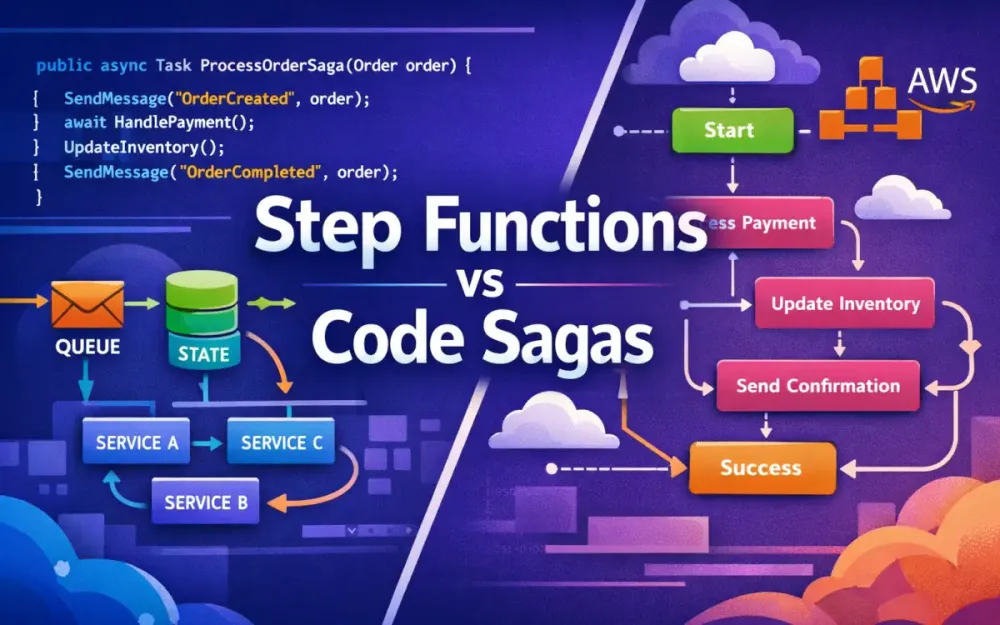
In a monolith, consistency was mostly a solved problem. In distributed systems, it becomes a design problem. This section explains why classic .NET transaction mechanisms no longer apply, why orchestration has become unavoidable, and how the Saga pattern emerged as the practical replacement. It also frames the core decision this article focuses on: should orchestration live in C# code or in AWS-managed infrastructure like Step Functions?
1.1 The Death of System.Transactions
In traditional monolithic .NET applications, transactional consistency was straightforward. Developers wrapped related operations inside a TransactionScope, and the runtime took care of coordinating commits and rollbacks.
using (var scope = new TransactionScope())
{
    orderRepository.Create(order);
    paymentRepository.Charge(order.Id, amount);
    inventoryRepository.Reserve(order.Id);
    scope.Complete();
}
If any operation failed, nothing was committed. The system returned to a clean state automatically. This model worked because several assumptions held true:
- All operations ran inside a single process or trusted boundary.
- All resources participated in the same transaction coordinator.
- Network failures were rare or irrelevant.
Those assumptions break the moment you move to microservices.
1.1.1 Why 2PC Fails in Microservices
TransactionScope relies on two-phase commit (2PC). In 2PC, a central coordinator asks all participants if they are ready to commit, then tells them to commit or roll back together. This sounds reasonable until you apply it to distributed systems.
It breaks down for three practical reasons:
-
Availability vs. consistency (CAP theorem) If one service or database is temporarily unavailable, the entire transaction blocks. In cloud systems, temporary unavailability is normal, not exceptional. Blocking everything until all participants respond is unacceptable.
-
Independent data stores Each microservice owns its own database. One might use SQL Server, another DynamoDB, another MongoDB. There is no shared transaction coordinator that can span these systems reliably.
-
Network unreliability Network partitions, timeouts, and retries are part of everyday operations. 2PC assumes reliable coordination. Distributed systems cannot make that guarantee.
Even if you could make 2PC work technically, the latency, locking, and operational complexity would destroy throughput and resilience. This is why System.Transactions effectively stops being useful the moment you move to service-oriented or cloud-native architectures.
Instead of atomic rollback, distributed systems need a different model: progress through known states and recover through compensation.
1.2 The Orchestration vs. Choreography Debate
Once you accept that global transactions are gone, the next question is how services should coordinate multi-step business processes. Two patterns dominate this space: choreography and orchestration. They solve the same problem in very different ways.
1.2.1 Choreography: Everyone Reacts to Events
In a choreographed system, there is no central controller. Services communicate exclusively through events, and each service reacts independently.
A typical flow looks like this:
- The Order Service publishes an
OrderPlacedevent. - The Payment Service reacts and emits
PaymentSucceededorPaymentFailed. - The Inventory Service listens for
PaymentSucceededand reserves stock. - The Shipping Service reacts to
InventoryAllocated.
OrderPlaced → PaymentSucceeded → InventoryAllocated → ShippingLabelCreatedEach service knows what to do when a specific event appears, but no service has a complete picture of the entire workflow.
What works well:
- Services are loosely coupled.
- Adding new consumers (notifications, analytics) is easy.
- No single orchestration component becomes a bottleneck.
Where it breaks down:
- There is no authoritative view of workflow state.
- Debugging requires tracing events across multiple services.
- Failure handling is scattered and inconsistent.
Choreography works well for simple, reactive systems. It becomes fragile when workflows are long-running, involve money, or require precise compensation logic. When something fails halfway through, there is no clear owner responsible for undoing the partial work.
1.2.2 Orchestration: The Conductor Model
Orchestration takes the opposite approach. A central component explicitly controls the workflow. It decides what happens next, when to retry, and how to compensate when something fails.
Conceptually, the flow is simple:
Order → Payment → Inventory → ShippingIn code, it often looks like this:
await paymentService.ChargeAsync(order.Id);
await inventoryService.ReserveAsync(order.Id);
await shippingService.CreateLabelAsync(order.Id);
The orchestrator knows the current state of the process. If inventory reservation fails, it knows that payment already succeeded and must be refunded. This central awareness is the key difference.
Trade-offs:
- Much clearer visibility into workflow progress.
- Easier to reason about failures and recovery.
- Tighter coupling to the workflow definition.
This article focuses on orchestration because it is the only model that reliably supports long-running, auditable business processes in distributed systems.
1.3 The Saga Pattern Defined
Once orchestration is introduced, the next question is how to manage consistency without global transactions. This is where the Saga pattern comes in.
A saga models a distributed transaction as a sequence of local transactions, each with a defined compensating action. Instead of rolling back, the system moves forward and corrects itself when necessary.
1.3.1 What a Saga Is
A saga is a long-lived process that coordinates multiple services over time. Each step commits its own data locally. If a later step fails, previously completed steps are compensated.
| Step | Action | Compensating Action |
|---|---|---|
| 1 | Charge payment | Refund payment |
| 2 | Reserve inventory | Release inventory |
| 3 | Create shipment | Cancel shipment |
The saga owns the responsibility of knowing which steps have completed and which compensations are required.
1.3.2 Long-Running Transactions (LRT)
Sagas are a form of Long-Running Transaction (LRT). They accept that the system may be temporarily inconsistent but guarantee that it will eventually reach a valid business outcome.
For example, an order might be marked as “Paid” before inventory allocation completes. If inventory later fails, the saga ensures the payment is refunded and the order is canceled. This mirrors real-world business behavior far better than trying to simulate atomic rollback.
1.3.3 Implementation Variants
In .NET on AWS, sagas are typically implemented in one of two ways:
-
Code-first orchestration The saga lives inside your application code, often using libraries like MassTransit. State transitions, retries, and compensation logic are expressed in C#.
-
Workflow-first orchestration The saga lives outside your application, managed by AWS Step Functions. The workflow is defined declaratively using Amazon States Language (ASL).
Both approaches implement the same pattern. The difference is where orchestration logic runs and who is responsible for durability, retries, and observability.
1.4 The Architect’s Crossroads
This brings us to the key decision every .NET architect faces when building distributed workflows on AWS.
1.4.1 Option A: DIY Sagas in Code
Writing sagas in C# keeps everything inside the application boundary.
What you gain:
- Strong typing and familiar language constructs.
- Excellent unit testing and refactoring support.
- Full control over performance and behavior.
- Cloud portability.
What you own:
- State persistence.
- Retry scheduling.
- Failure handling.
- Observability and tracing.
This approach fits teams with strong .NET expertise and existing container or messaging infrastructure.
1.4.2 Option B: Managed Orchestration with AWS Step Functions
AWS Step Functions move orchestration out of your code and into managed infrastructure. You define the workflow once, and AWS executes it reliably.
What you gain:
- Built-in durability and retries.
- Visual execution history and auditing.
- No long-running orchestration services to manage.
What you give up:
- Workflow logic lives in JSON/YAML, not C#.
- Deep coupling to AWS services and concepts.
- Less flexibility for complex in-memory logic.
Both approaches are valid. The rest of this article compares them using a concrete Order-to-Cash scenario so you can see how the trade-offs play out in real systems, not just theory.
2 The Concrete Scenario: “Order-to-Cash” Fulfillment
To compare code-based sagas with AWS Step Functions meaningfully, we need a concrete workflow that reflects real production constraints. The Order-to-Cash process is a good fit because it is common, business-critical, and inherently distributed. It involves multiple services, external providers, and failure conditions that cannot be handled with simple retries or database transactions.
This same scenario will be implemented twice later in the article: once using MassTransit sagas in C#, and once using AWS Step Functions. The goal is not to change the business logic, but to see how each orchestration approach handles the same problem.
2.1 The Happy Path
The happy path is the straightforward case where every step succeeds. Even here, orchestration is already necessary because no single service owns the entire process. The workflow spans four independent services, each with its own responsibility and data store.
2.1.1 Service A: Order Service
The Order Service is the entry point into the system. It receives the client request, validates it, creates an order record, and then signals that processing can begin. Importantly, it does not try to coordinate the rest of the workflow itself.
Instead, it publishes an OrderSubmitted event, which becomes the trigger for orchestration.
[HttpPost("/orders")]
public async Task<IActionResult> SubmitOrder(OrderRequest request)
{
    var order = await _orderRepository.CreateAsync(request);
    await _bus.Publish(new OrderSubmitted(order.Id, order.TotalAmount));
    return Accepted(new { order.Id });
}
At this point, the Order Service is done. Whether the order is eventually paid, shipped, or canceled is no longer its concern.
2.1.2 Service B: Payment Service
The Payment Service is responsible for charging the customer. It may integrate with an external payment gateway, which means failures are expected and must be handled explicitly.
In a message-driven setup, the service consumes a command and publishes an outcome event.
public class ChargePaymentConsumer : IConsumer<ChargePayment>
{
    public async Task Consume(ConsumeContext<ChargePayment> context)
    {
        var result = await _paymentGateway.ChargeAsync(
            context.Message.OrderId,
            context.Message.Amount);

        if (result.Success)
            await context.Publish(new PaymentSucceeded(context.Message.OrderId));
        else
            await context.Publish(new PaymentFailed(
                context.Message.OrderId,
                result.ErrorCode));
    }
}
The Payment Service does not know what happens next. It simply reports success or failure and moves on.
2.1.3 Service C: Inventory Service
Once payment succeeds, inventory must be allocated. This service checks stock availability and reserves items for the order.
public class AllocateInventoryConsumer : IConsumer<AllocateInventory>
{
    public async Task Consume(ConsumeContext<AllocateInventory> context)
    {
        bool success = await _inventory.TryReserveAsync(context.Message.OrderId);

        if (success)
            await context.Publish(new InventoryAllocated(context.Message.OrderId));
        else
            await context.Publish(new InventoryUnavailable(context.Message.OrderId));
    }
}
Inventory allocation is a local transaction. It succeeds or fails independently of payment, which is exactly why orchestration is required.
2.1.4 Service D: Shipping Service
The final step is shipping. The Shipping Service talks to an external carrier, generates a label, and returns tracking information.
public class CreateShipmentConsumer : IConsumer<CreateShipment>
{
    public async Task Consume(ConsumeContext<CreateShipment> context)
    {
        var label = await _shippingProvider.GenerateLabelAsync(
            context.Message.OrderId);

        await context.Publish(new ShipmentCreated(
            context.Message.OrderId,
            label.TrackingId));
    }
}
If all four services succeed in sequence, the workflow completes and the order can be marked as Completed.
2.2 The Failure Scenarios (The Real Challenge)
The happy path is not where systems fail. The real complexity appears when one step fails after another has already committed state. These are not edge cases; they are expected conditions in distributed systems.
2.2.1 Payment Fails
If the payment provider declines the charge, the workflow must stop immediately. The order should be canceled, and no downstream services should be invoked.
This is the simplest failure case, but it still requires orchestration. The system must ensure that inventory and shipping are never triggered after a failed payment.
2.2.2 Inventory Missing After Payment
This scenario is more problematic. The customer has been charged, but the system cannot reserve inventory.
At this point, the workflow must:
- Refund the payment.
- Cancel the order.
- Ensure the refund is safe to retry without duplicating charges.
This is a classic saga compensation case. There is no database rollback to rely on. The system must actively undo work that has already succeeded.
2.2.3 Shipping Provider Down
Shipping failures are often transient. A carrier API might be unavailable for minutes or hours.
In this case, the workflow should:
- Retry shipment creation with backoff.
- Stop retrying after a defined time window (for example, one hour).
- Trigger compensation if shipping never succeeds.
This requires timers, durable state, and the ability to resume work later—all without blocking threads or holding open resources.
Handling these cases correctly is what separates a reliable orchestration design from a fragile one.
2.3 The Requirement
From these scenarios, several concrete requirements emerge. Any orchestration solution—whether code-based or AWS-managed—must support the following:
-
Durable state persistence Workflow progress must survive process restarts, crashes, and deployments.
-
Asynchronous execution Services communicate via messages or callbacks, not synchronous request chains.
-
Retries with backoff Transient failures should be retried automatically, without duplicating side effects.
-
Explicit compensation logic Failed downstream steps must undo completed upstream work safely and predictably.
-
End-to-end observability Engineers and support teams must be able to answer “Where is this order?” quickly.
-
Horizontal scalability The system must handle thousands of concurrent workflows without central bottlenecks.
These requirements are intentionally demanding. They reflect what real production systems need, not simplified examples.
With this scenario defined, we can now evaluate two different orchestration approaches:
- Approach A: Implementing the saga directly in C# using MassTransit.
- Approach B: Offloading orchestration to AWS Step Functions.
Both solve the same problem. The differences lie in where the complexity lives and who is responsible for managing it.
3 Approach A: The Code-First Saga (DIY with MassTransit)
The first orchestration option keeps everything inside your .NET application. You write the saga in C#, deploy it alongside your services, and let a messaging infrastructure move events and commands between them. In this model, your code is the workflow engine.
MassTransit is the most common choice for this approach in the .NET ecosystem. It is an open-source framework built specifically for message-based systems and long-running workflows. On top of basic messaging, it provides Saga state machines via the Automatonymous library, which lets you model orchestration explicitly as states and transitions.
For teams already comfortable with .NET, this feels like a natural extension of application code rather than a separate platform to learn.
3.1 Why MassTransit?
MassTransit has become the default choice for code-first sagas in .NET because it solves several hard problems at once without forcing you into a proprietary platform.
Compared to other approaches:
- NServiceBus offers similar capabilities but is commercial and licensed per endpoint.
- Raw RabbitMQ or SQS gives you full control but forces you to implement correlation, retries, timeouts, and persistence yourself.
- MassTransit sits in the middle: powerful abstractions, open source, and proven at scale.
What matters most for our Order-to-Cash scenario is that MassTransit gives you:
- Durable saga state
- Event correlation via
CorrelationId - Explicit state transitions
- Built-in support for compensation
All of this lives in C#, alongside the rest of your business logic.
3.2 The State Machine Syntax (Automatonymous in v8+)
In MassTransit, a saga is modeled as a state machine. Each order has its own saga instance, identified by a correlation ID. As events arrive, the saga transitions from one state to another and issues commands to downstream services.
Think back to the Order-to-Cash flow: Order submitted → payment → inventory → shipping → completion or compensation.
That flow maps cleanly to a state machine.
3.2.1 Defining the Saga State
The saga state represents everything the orchestrator needs to remember about an order. This data is persisted between messages, process restarts, and deployments.
public class OrderState : SagaStateMachineInstance
{
    public Guid CorrelationId { get; set; }
    public string CurrentState { get; set; } = string.Empty;

    public decimal Amount { get; set; }
    public string OrderId { get; set; } = string.Empty;
    public string? TrackingId { get; set; }
}
This state is not a domain entity. It is orchestration state. Its only purpose is to track progress and decisions across services.
3.2.2 Defining the State Machine
The state machine describes how the saga reacts to events and what it does next. Each When(...) block maps directly to something we described in the Order-to-Cash scenario.
public class OrderStateMachine : MassTransitStateMachine<OrderState>
{
    public State PaymentPending { get; private set; }
    public State InventoryPending { get; private set; }
    public State ShippingPending { get; private set; }
    public State Completed { get; private set; }
    public State Failed { get; private set; }

    public Event<OrderSubmitted> OrderSubmitted { get; private set; }
    public Event<PaymentSucceeded> PaymentSucceeded { get; private set; }
    public Event<PaymentFailed> PaymentFailed { get; private set; }
    public Event<InventoryAllocated> InventoryAllocated { get; private set; }
    public Event<InventoryUnavailable> InventoryUnavailable { get; private set; }
    public Event<ShipmentCreated> ShipmentCreated { get; private set; }

    public OrderStateMachine()
    {
        InstanceState(x => x.CurrentState);

        Initially(
            When(OrderSubmitted)
                .Then(ctx => ctx.Instance.Amount = ctx.Data.Amount)
                .TransitionTo(PaymentPending)
                .Send(new Uri("queue:charge-payment"),
                      ctx => new ChargePayment(
                          ctx.Instance.CorrelationId,
                          ctx.Instance.Amount))
        );

        During(PaymentPending,
            When(PaymentSucceeded)
                .TransitionTo(InventoryPending)
                .Send(new Uri("queue:allocate-inventory"),
                      ctx => new AllocateInventory(ctx.Instance.CorrelationId)),

            When(PaymentFailed)
                .TransitionTo(Failed)
        );

        During(InventoryPending,
            When(InventoryAllocated)
                .TransitionTo(ShippingPending)
                .Send(new Uri("queue:create-shipment"),
                      ctx => new CreateShipment(ctx.Instance.CorrelationId)),

            When(InventoryUnavailable)
                .ThenAsync(ctx => ctx.Publish(
                    new RefundPayment(ctx.Instance.CorrelationId)))
                .TransitionTo(Failed)
        );

        During(ShippingPending,
            When(ShipmentCreated)
                .TransitionTo(Completed)
        );

        SetCompletedWhenFinalized();
    }
}
3.2.3 How This Maps to the Scenario
This state machine directly reflects the business flow described earlier:
OrderSubmittedstarts the saga.- Payment success moves the order forward.
- Inventory failure triggers compensation.
- Shipping success completes the workflow.
There is no hidden magic. Every transition is explicit, testable, and versioned in source control. When something goes wrong, you can reason about it by reading the state machine.
3.3 Infrastructure Requirements
A code-first saga does not run in isolation. It depends on infrastructure to move messages, persist state, and recover from failures.
3.3.1 The Message Bus
MassTransit requires a durable message broker. On AWS, the most common choice is Amazon SQS (often combined with SNS for fan-out).
services.AddMassTransit(cfg =>
{
    cfg.UsingAmazonSqs((context, sqsCfg) =>
    {
        sqsCfg.Host("us-east-1", h => { });
        sqsCfg.ConfigureEndpoints(context);
    });
});
Each command and event maps to a queue. This ensures messages survive crashes and scale independently of your services.
3.3.2 State Persistence
Saga state must be persisted outside the process. MassTransit supports multiple storage options depending on your environment:
- Relational databases via Entity Framework Core
- MongoDB
- DynamoDB for serverless or cloud-native setups
Example using EF Core:
services.AddSagaStateMachine<OrderStateMachine, OrderState>()
    .EntityFrameworkRepository(r =>
    {
        r.ConcurrencyMode = ConcurrencyMode.Pessimistic;
        r.AddDbContext<DbContext, OrderDbContext>((provider, builder) =>
        {
            builder.UseSqlServer(
                Configuration.GetConnectionString("Orders"));
        });
    });
This ensures that even if the saga host restarts mid-workflow, it resumes exactly where it left off.
3.3.3 The Outbox Pattern
Without an outbox, it is possible to save saga state but lose the outgoing message—or publish a message without saving state. Both lead to inconsistencies.
MassTransit’s outbox solves this by persisting outgoing messages and dispatching them only after the transaction commits.
services.AddMassTransit(x =>
{
    x.AddEntityFrameworkOutbox<OrderDbContext>(o =>
    {
        o.UseSqlServer();
        o.QueryDelay = TimeSpan.FromSeconds(5);
        o.DuplicateDetectionWindow = TimeSpan.FromMinutes(10);
    });
});
This is critical for production reliability. Without it, compensation logic becomes unreliable under load.
3.4 Handling Timeouts & Scheduling
Some steps in the Order-to-Cash flow cannot wait forever. Shipping, for example, may need a hard cutoff.
MassTransit handles this with scheduled messages, which act like durable timers.
Schedule(() => ShipmentTimeout,
         instance => instance.ExpirationId,
         s => s.Delay = TimeSpan.FromHours(1));

During(ShippingPending,
    When(ShipmentTimeout.Received)
        .ThenAsync(ctx => ctx.Publish(
            new RefundPayment(ctx.Instance.CorrelationId)))
        .TransitionTo(Failed)
);
This allows the saga to pause without blocking threads or holding memory. When the delay expires, a message is delivered and the saga continues.
3.5 Pros & Cons
3.5.1 Advantages
- Full control: Everything is C#, strongly typed, and versioned.
- Excellent testability: State transitions can be unit tested locally.
- Cloud agnostic: Works on AWS, Azure, on-prem, or hybrid.
- Cost-efficient at scale: No per-state execution charges.
3.5.2 Disadvantages
- You own the plumbing: Messaging, persistence, retries, and scaling.
- Limited visibility: No built-in visual workflow representation.
- Operational complexity: Requires disciplined observability and monitoring.
- Latency per step: Each transition involves I/O and message delivery.
MassTransit-based sagas are a strong fit when throughput, control, and .NET-native development matter most. They excel in systems where orchestration is part of the application, not a separate platform.
4 Approach B: The Cloud-Native Saga (AWS Step Functions)
The code-first saga keeps orchestration inside your application. That gives you control, but it also means you own everything that comes with it: scaling, retries, persistence, monitoring, and recovery. AWS Step Functions take a very different approach. Instead of embedding orchestration in C# code, you move it out into AWS-managed infrastructure.
With Step Functions, AWS becomes the orchestrator. You don’t run a workflow engine. You describe the workflow declaratively using Amazon States Language (ASL), and AWS executes it reliably. State persistence, retries, timeouts, and crash recovery are all handled for you.
The biggest shift is mental. You stop thinking in terms of background services, message consumers, and schedulers. Instead, you think in states. Each state does one thing. AWS guarantees that each state runs, retries if needed, and transitions correctly to the next step.
4.1 The Paradigm Shift
A Step Functions workflow is defined as a JSON or YAML document. That document describes:
- What steps exist
- In what order they run
- How failures are handled
- Where compensation happens
You are no longer writing orchestration code. You are describing behavior.
Instead of a long-running saga class coordinating services, you define a state machine that:
- Calls your Payment API
- Decides what to do based on the result
- Calls Inventory and Shipping
- Triggers refunds or cancellations when needed
All of this is visible and persisted by AWS.
4.1.1 Example: A Simple Order-to-Cash Workflow
Here is a minimal Step Functions definition that represents the same happy path described in Section 2. The workflow charges payment, allocates inventory, creates a shipment, and finishes.
{
  "Comment": "Order to Cash workflow",
  "StartAt": "ChargePayment",
  "States": {
    "ChargePayment": {
      "Type": "Task",
      "Resource": "arn:aws:states:::lambda:invoke",
      "Parameters": {
        "FunctionName": "ChargePaymentLambda",
        "Payload.$": "$"
      },
      "Next": "AllocateInventory",
      "Catch": [{
        "ErrorEquals": ["PaymentFailed"],
        "Next": "CancelOrder"
      }]
    },
    "AllocateInventory": {
      "Type": "Task",
      "Resource": "arn:aws:states:::lambda:invoke",
      "Parameters": {
        "FunctionName": "AllocateInventoryLambda",
        "Payload.$": "$"
      },
      "Next": "CreateShipment",
      "Catch": [{
        "ErrorEquals": ["InventoryUnavailable"],
        "Next": "RefundPayment"
      }]
    },
    "CreateShipment": {
      "Type": "Task",
      "Resource": "arn:aws:states:::lambda:invoke",
      "Parameters": {
        "FunctionName": "CreateShipmentLambda",
        "Payload.$": "$"
      },
      "Next": "OrderComplete",
      "Catch": [{
        "ErrorEquals": ["ShippingError"],
        "Next": "RefundPayment"
      }]
    },
    "RefundPayment": {
      "Type": "Task",
      "Resource": "arn:aws:states:::lambda:invoke",
      "Parameters": {
        "FunctionName": "RefundPaymentLambda",
        "Payload.$": "$"
      },
      "Next": "CancelOrder"
    },
    "CancelOrder": {
      "Type": "Task",
      "Resource": "arn:aws:states:::lambda:invoke",
      "Parameters": {
        "FunctionName": "CancelOrderLambda",
        "Payload.$": "$"
      },
      "Next": "OrderFailed"
    },
    "OrderComplete": { "Type": "Succeed" },
    "OrderFailed": { "Type": "Fail" }
  }
}
This definition expresses the entire workflow, including failure handling and compensation, without any orchestration code. Each state performs one action. AWS guarantees that the workflow progresses correctly even if individual services or the Step Functions service itself restarts.
4.1.2 Why This Matters
This approach cleanly separates responsibilities:
- Your services implement business logic.
- Step Functions handle sequencing, retries, waiting, and recovery.
The workflow is no longer hidden inside application code. It is a first-class artifact with a visual representation, execution history, and audit trail. For many teams, especially those working closely with operations or compliance, this visibility is a major advantage.
4.2 Architecture Evolution (2025 Modern Patterns)
Early Step Functions designs relied heavily on Lambda for every step. This led to workflows with dozens of tiny Lambda functions whose only job was to call another service. The result was unnecessary latency, higher cost, and harder deployments.
Modern Step Functions avoid this with direct integrations and HTTP calls.
4.2.1 Direct SDK Integrations
Step Functions can now call many AWS services directly using built-in integrations. No Lambda function is required.
For example, the workflow can write directly to DynamoDB when an order is created:
{
  "Type": "Task",
  "Resource": "arn:aws:states:::dynamodb:putItem",
  "Parameters": {
    "TableName": "Orders",
    "Item": {
      "OrderId": { "S.$": "$.orderId" },
      "Status": { "S": "Created" }
    }
  },
  "Next": "ChargePayment"
}
It can also send messages to SQS without code:
{
  "Type": "Task",
  "Resource": "arn:aws:states:::sqs:sendMessage",
  "Parameters": {
    "QueueUrl": "https://sqs.us-east-1.amazonaws.com/123456789012/order-events",
    "MessageBody.$": "$"
  },
  "Next": "WaitForProcessing"
}
These integrations remove entire layers of glue code and reduce operational overhead.
4.2.2 HTTP Endpoints
For existing .NET services running on ECS, Fargate, or behind API Gateway, Step Functions can invoke them directly over HTTP.
{
  "Type": "Task",
  "Resource": "arn:aws:states:::http:invoke",
  "Parameters": {
    "ApiEndpoint": "https://api.example.com/payments/charge",
    "Method": "POST",
    "Headers": {
      "Content-Type": "application/json"
    },
    "Body.$": "$"
  },
  "Next": "AllocateInventory"
}
This keeps business logic where it belongs—in your services—while Step Functions focus purely on orchestration.
4.3 Designing the Order-to-Cash Workflow
Using the same flow defined in Section 2, the Step Functions version maps cleanly to Payment → Inventory → Shipping, with explicit compensation paths.
4.3.1 State Mapping
Each business step becomes a Task state. Decisions and failure handling are expressed through Retry, Catch, and Choice.
{
  "StartAt": "ChargePayment",
  "States": {
    "ChargePayment": {
      "Type": "Task",
      "Resource": "arn:aws:states:::http:invoke",
      "Parameters": {
        "ApiEndpoint": "https://api.example.com/payment/charge",
        "Method": "POST",
        "Body.$": "$"
      },
      "Retry": [{
        "ErrorEquals": ["States.ALL"],
        "IntervalSeconds": 5,
        "MaxAttempts": 3,
        "BackoffRate": 2.0
      }],
      "Catch": [{
        "ErrorEquals": ["PaymentError"],
        "Next": "CancelOrder"
      }],
      "Next": "AllocateInventory"
    }
  }
}
The logic that was previously spread across saga code, message handlers, and schedulers is now visible in one place.
4.3.2 Visual Workflow
The same definition renders as a flow diagram in the AWS Console. You can see exactly where an order is, how long each step took, and why it failed. This is especially valuable when debugging production issues or explaining behavior to non-engineers.
4.4 Native Error Handling and Compensation
Retries and compensation are built into the workflow definition.
4.4.1 Retries
Retries are defined declaratively. There is no retry loop in code and no custom backoff logic to maintain.
"Retry": [{
  "ErrorEquals": ["States.Timeout", "States.TaskFailed"],
  "IntervalSeconds": 5,
  "MaxAttempts": 4,
  "BackoffRate": 2.0
}]
AWS handles timing, persistence, and retry execution.
4.4.2 Compensation with Catch
When a step fails permanently, Catch redirects execution to a compensation path.
"Catch": [{
  "ErrorEquals": ["ShippingError"],
  "Next": "RefundPayment"
}]
This is the Step Functions equivalent of publishing a compensation command in a saga.
4.4.3 Coordinated Compensation
More complex rollbacks—such as refunding payment and releasing inventory together—can be handled with Parallel states. Compensation becomes explicit, readable, and centrally managed.
4.5 Standard vs. Express Workflows
Step Functions support two execution modes, and choosing the wrong one can be expensive.
4.5.1 Standard Workflows
Standard workflows provide exactly-once execution and long execution history. They are ideal for workflows that:
- Run minutes, hours, or days
- Require audits or compliance records
- Include human approvals
The trade-off is cost per state transition.
4.5.2 Express Workflows
Express workflows are optimized for speed and volume. They are cheaper, faster, and designed for workflows that complete quickly.
{
  "Type": "EXPRESS",
  "LoggingConfiguration": {
    "Level": "ERROR",
    "IncludeExecutionData": false
  }
}
They are a strong fit for high-volume Order-to-Cash pipelines where idempotency is already enforced at the service level.
Most real systems end up using both: Standard workflows for long-lived, auditable processes and Express workflows for high-throughput automation.
5 The Battleground: Implementing Resilience & Compensation
At this point, both approaches—MassTransit sagas and AWS Step Functions—can orchestrate the Order-to-Cash workflow correctly. The real differences show up when things go wrong or slow down, which is where distributed systems spend a surprising amount of time.
This section focuses on three pressure points that matter in production:
- How compensation is triggered and coordinated
- How workflows pause for humans or external systems
- How teams observe and debug running workflows
These are not theoretical concerns. They determine how quickly you recover from failures and how confidently you operate the system.
5.1 Compensation Logic
In the Order-to-Cash flow, compensation is unavoidable. Payment can succeed while inventory fails. Shipping can fail after payment and inventory both succeeded. Once data is committed in separate services, compensation is the only way to restore consistency.
5.1.1 MassTransit Compensation
In MassTransit, compensation is explicit and message-driven. When the saga determines that a step cannot continue, it publishes a compensation command and relies on consumers to execute the undo logic.
For example, refunding a payment after inventory allocation fails:
public class RefundPaymentConsumer : IConsumer<RefundPayment>
{
    public async Task Consume(ConsumeContext<RefundPayment> context)
    {
        await _paymentGateway.RefundAsync(context.Message.OrderId);
        await context.Publish(new PaymentRefunded(context.Message.OrderId));
    }
}
This fits naturally into a message-based system. Each compensating action is just another consumer, deployed and scaled like any other service.
The trade-off is distribution. Compensation logic is spread across services, queues, and consumers. Correct behavior depends on:
- Reliable message delivery
- Proper correlation IDs
- Idempotent handlers
When something goes wrong, you often need to reconstruct the sequence from logs and traces.
5.1.2 Step Functions Compensation
Step Functions handle compensation directly in the workflow definition using Catch and Parallel states. When a task fails, the workflow immediately transitions to the compensation path.
"Catch": [{
  "ErrorEquals": ["InventoryUnavailable"],
  "Next": "RefundPayment"
}]
This compensation runs in the same workflow execution that detected the failure. There is no separate saga instance to coordinate and no message routing to reason about.
Because Step Functions manage state centrally:
- Compensation always runs in the correct order
- Execution history clearly shows why compensation happened
- Partial compensation is easy to reason about
For the Order-to-Cash flow, this means refunds and cancellations are visible as first-class workflow steps, not inferred from logs.
5.1.3 Trade-Off
MassTransit gives you maximum flexibility. Compensation logic can be reused, customized, and extended across workflows. The cost is operational complexity.
Step Functions simplify compensation by making it part of the workflow definition. The cost is reduced expressiveness and tighter coupling to AWS constructs.
The difference is less about capability and more about where you want the complexity to live.
5.2 The “Wait” Problem (Human Intervention)
Not all steps complete quickly. Fraud checks, manual approvals, or third-party callbacks can take minutes, hours, or even days. Handling these waits correctly is a defining feature of a mature orchestration system.
5.2.1 The Challenge
A naive implementation might block a thread, poll a database, or keep a container running while waiting. All of these approaches waste resources and fail under scale.
A proper orchestration engine must:
- Persist state durably
- Pause execution without consuming compute
- Resume instantly when the signal arrives
5.2.2 MassTransit Approach
MassTransit handles waiting using scheduled messages. The saga schedules a future message and transitions to a waiting state.
Schedule(() => FraudCheckTimeout, instance => instance.TimeoutId, s =>
{
    s.Delay = TimeSpan.FromDays(2);
});

During(WaitingForApproval,
    When(FraudCheckApproved)
        .TransitionTo(NextState),
    When(FraudCheckTimeout.Received)
        .TransitionTo(Failed)
);
This works well for bounded waits. The saga persists its state, and the scheduler ensures the reminder message arrives even if the service restarts.
However, this approach requires:
- A scheduler (Quartz or SQS delay queues)
- Careful handling of retries and duplicate messages
- Extra operational plumbing
For very long or unbounded waits, the complexity increases.
5.2.3 Step Functions .waitForTaskToken Pattern
Step Functions treat waiting as a first-class concept. With .waitForTaskToken, a workflow can pause indefinitely until an external system responds.
{
  "Type": "Task",
  "Resource": "arn:aws:states:::lambda:invoke.waitForTaskToken",
  "Parameters": {
    "FunctionName": "StartFraudCheck",
    "Payload": {
      "OrderId.$": "$.orderId",
      "TaskToken.$": "$$.Task.Token"
    }
  },
  "TimeoutSeconds": 604800,
  "Next": "ContinueProcessing"
}
The Lambda sends the task token to a fraud review system or approval portal. When the human approves or rejects the order, that system calls SendTaskSuccess or SendTaskFailure.
During the wait:
- No compute is consumed
- State is fully persisted
- The workflow can wait for days or weeks at near-zero cost
This pattern is especially powerful for workflows that mix automation with human decision-making.
5.3 Observability & Debugging
Eventually, someone will ask: “What’s happening with this order?” How easily you can answer that question depends heavily on the orchestration approach.
5.3.1 Step Functions Visibility
Step Functions provide built-in, workflow-level observability. Every execution has:
- A visual state diagram
- Inputs and outputs for each step
- Timing and retry information
- Clear failure reasons
From the AWS Console, you can see exactly where an order failed, how many times it retried, and which compensation path ran. You can even restart executions from specific states.
The TestState API allows developers to test individual states in isolation, which is useful when debugging complex workflows.
This level of visibility is particularly valuable for operations, support, and compliance teams.
5.3.2 MassTransit Observability
MassTransit relies on distributed tracing and logging. To get a complete picture, you typically need:
- OpenTelemetry instrumentation
- A tracing backend (Jaeger, Honeycomb, X-Ray)
- Centralized log aggregation
Correlation IDs tie messages together, but the workflow view must be reconstructed from traces and logs. This works well for engineering teams but requires more setup and discipline.
There is no built-in visual representation of the saga. Observability is powerful but indirect.
5.3.3 Summary
Step Functions offer workflow-native observability. What you see is the workflow itself.
MassTransit offers developer-centric observability. You get deep insight, but only if you invest in tracing and logging infrastructure.
Both approaches are valid. The deciding factor is often who needs visibility:
- Engineers debugging code
- Or the business tracking process execution
6 The “Day 2” Reality: Ops, Cost, and Developer Experience (DevEx)
Designing the workflow is only the beginning. Once the Order-to-Cash pipeline is in production, a different set of questions starts to matter: How easy is it to change? How much does it cost at scale? How hard is it to debug at 2 a.m.?
This is the “Day 2” reality. It’s where clean diagrams meet operational friction. In this section, we look at how MassTransit sagas and AWS Step Functions behave once they are deployed and under load, focusing on developer workflow, cost behavior, and long-term flexibility.
6.1 Development Workflow
Both approaches are mature, but they shape day-to-day development in very different ways. The biggest difference is where orchestration logic lives and how it is tested.
6.1.1 Code: Refactoring and Testing in the IDE
With MassTransit, orchestration is just C# code. The Order-to-Cash saga lives next to your consumers, message contracts, and domain logic. That means normal development habits apply.
Refactoring a state machine feels like refactoring any other class. Renaming states, splitting logic, or adding new transitions is handled by the compiler and IDE tooling. Unit tests can exercise the entire workflow locally using MassTransit’s in-memory harness.
[Fact]
public async Task Order_Should_Refund_When_Inventory_Unavailable()
{
    var harness = new InMemoryTestHarness();
    var saga = harness.StateMachineSaga<OrderState, OrderStateMachine>();

    await harness.Start();

    await harness.Bus.Publish(new OrderSubmitted(Guid.NewGuid(), 100m));
    await harness.Bus.Publish(new PaymentSucceeded(Guid.NewGuid()));
    await harness.Bus.Publish(new InventoryUnavailable(Guid.NewGuid()));

    Assert.True(await saga.Created.Any(x => x.CurrentState == "Failed"));
}
This makes it easy to reproduce failure scenarios from Section 2—payment succeeds, inventory fails, refund is issued—without deploying anything. CI pipelines can validate orchestration logic the same way they validate business logic.
When something breaks in production, developers can often replay the same sequence of messages locally and debug it with breakpoints.
6.1.2 Step Functions: Testing Infrastructure, Not Just Code
Step Functions move orchestration out of the IDE and into infrastructure. The workflow is defined in ASL (JSON or YAML), which doesn’t benefit from C#’s type system or refactoring tools.
Most teams manage state machine definitions using AWS CDK, SAM, or Terraform. The workflow often lives in a separate repository from the services it orchestrates. As the Order-to-Cash workflow grows—adding retries, parallel branches, and compensation—the definition can easily reach hundreds of lines.
Local testing is possible using Step Functions Local, which runs in Docker:
docker run -p 8083:8083 amazon/aws-stepfunctions-local

aws stepfunctions create-state-machine \
  --definition file://order-to-cash.json \
  --name LocalOrderFlow \
  --role-arn arn:aws:iam::123456789012:role/DemoRole \
  --endpoint http://localhost:8083
This is useful for basic validation, but it does not fully emulate AWS integrations like DynamoDB, EventBridge, or IAM policies. In practice, teams rely on sandbox AWS accounts for realistic testing.
Debugging also looks different. There are no breakpoints. Instead, you inspect execution history in the AWS Console, step by step, using recorded inputs and outputs. This workflow suits teams that are comfortable treating orchestration as infrastructure rather than application code.
6.1.3 Summary of Developer Experience
- MassTransit: Feels like normal .NET development. Strong IDE support, fast feedback loops, and familiar testing patterns.
- Step Functions: Feels like infrastructure development. Changes are deployed, observed, and validated in AWS.
If your team thinks primarily in C# and unit tests, MassTransit feels natural. If your team already treats infrastructure as code and works heavily in AWS tooling, Step Functions align better.
6.2 Cost Analysis (The Shock Factor)
Cost is where architectural differences become very concrete. Both approaches scale well, but they charge you in fundamentally different ways.
6.2.1 MassTransit Cost Structure
MassTransit runs inside your own compute—typically ECS, EKS, or Fargate. You pay for:
- Compute (containers or instances)
- Messaging (SQS/SNS or RabbitMQ)
- Database operations for saga state
For high-volume Order-to-Cash workflows, this is usually predictable. If your services are already running, the saga logic often adds very little incremental cost.
For example:
- 1,000,000 SQS requests × $0.0000004 ≈ $0.40
- A Fargate service (2 vCPU, 4 GB) running all month ≈ $30
If the same service processes other messages, the orchestration cost is effectively amortized across workloads.
6.2.2 Step Functions Cost Structure
Step Functions charge per state transition. Every move—success, retry, catch, or branch—counts.
Approximate pricing:
- Standard workflows: $0.025 per 1,000 transitions
- Express workflows: $1.00 per million requests plus duration
For a simple Order-to-Cash workflow with 20 transitions:
1,000,000 orders × 20 transitions × $0.000025 = $500That number grows quickly once you add retries, compensation paths, and parallel steps. A realistic production workflow may double that transition count without much effort.
6.2.3 Cost Optimization with Express Workflows
Express workflows reduce costs significantly by trading long-term execution history for speed and throughput. They are well-suited for high-volume, short-lived flows like automated order processing.
{
  "Type": "EXPRESS",
  "LoggingConfiguration": {
    "Level": "ERROR",
    "IncludeExecutionData": false
  }
}
If your Order-to-Cash pipeline completes in seconds and your services are idempotent, Express workflows can reduce orchestration costs by up to 90%.
6.2.4 Hidden Costs
With Step Functions, orchestration is not the only cost. Each state may invoke:
- Lambda functions
- API Gateway endpoints
- DynamoDB or SQS operations
Long-running workflows with human approval steps also persist state for extended periods, adding small but cumulative storage costs.
MassTransit’s costs are simpler: compute, messaging, and storage. They scale linearly and are easier to reason about if you already operate containerized services.
6.2.5 Summary of Cost Profiles
| Aspect | MassTransit | Step Functions |
|---|---|---|
| Billing | Compute + messaging | Per state transition |
| Cost growth | Linear, predictable | Grows with complexity |
| Best fit | High-volume automation | Low-frequency or long-running workflows |
In practice, MassTransit tends to be cheaper at scale. Step Functions trade higher per-execution cost for lower operational overhead.
6.3 Vendor Lock-In
Finally, there is the question of long-term flexibility.
6.3.1 MassTransit: Cloud-Agnostic by Design
MassTransit runs anywhere .NET runs. You can swap:
- SQS for RabbitMQ
- RDS for DynamoDB
- AWS for Azure or on-prem
The saga logic remains unchanged. This makes MassTransit a good fit for organizations that value portability or operate in hybrid environments.
6.3.2 Step Functions: AWS as the Control Plane
Step Functions are deeply integrated with AWS. Workflows reference IAM roles, ARNs, and AWS-specific service integrations. Amazon States Language exists only inside AWS.
If you decide to leave AWS, the orchestration layer must be replaced entirely. That doesn’t make Step Functions a bad choice—it just makes them a strategic one.
Teams adopting Step Functions are effectively saying: AWS is our orchestration platform. As long as that aligns with your long-term direction, the trade-off is reasonable.
7 Decision Matrix: When to Use Which?
By now, the technical differences should be clear. The harder part is deciding what actually fits your system and your team. This decision is rarely about which technology is “better.” It’s about workload shape, operational priorities, and how much orchestration complexity you want to own.
This section turns the comparison into practical guidance, using the same Order-to-Cash lens from earlier sections.
7.1 Use AWS Step Functions If
AWS Step Functions shine when workflows are long-running, business-visible, and tightly integrated with AWS services. They are less about raw throughput and more about reliability, traceability, and operational clarity.
You should strongly consider Step Functions if:
-
The workflow is low-frequency but high-value Examples include mortgage approvals, insurance claims, KYC onboarding, or enterprise order fulfillment. In these cases, knowing exactly what happened matters more than shaving milliseconds off execution time.
-
AWS services are first-class participants If your Order-to-Cash flow already depends heavily on DynamoDB, S3, EventBridge, MediaConvert, or other AWS-managed services, Step Functions remove a lot of glue code and coordination logic.
-
Workflow visibility matters beyond engineering Operations, finance, or compliance teams can inspect execution history directly in the AWS Console. The visual graph answers “Where is this order?” without digging through logs or traces.
-
You expect long waits or human decisions Fraud reviews, manual approvals, or third-party callbacks are much simpler with
.waitForTaskToken. The workflow can pause for days without consuming compute or requiring custom schedulers. -
Your team is comfortable with infrastructure-as-code If defining workflows in CDK, SAM, or Terraform feels natural, Step Functions fit cleanly into existing deployment pipelines.
In these situations, Step Functions trade some flexibility and cost efficiency for lower operational burden and stronger guarantees.
7.2 Use MassTransit (Code Sagas) If
MassTransit is a better fit when orchestration needs to be fast, cost-efficient, and deeply embedded in application logic. It favors developer control over managed convenience.
MassTransit is usually the right choice if:
-
The workflow runs at high volume Order ingestion, payment processing, or inventory updates that execute thousands of times per second benefit from predictable compute and messaging costs.
-
The orchestration logic is complex If your Order-to-Cash flow includes heavy calculations, advanced branching rules, or custom decision logic, C# is simply a better language than JSON-based ASL.
-
Cloud portability matters If you need the option to run on AWS today and Azure or on-prem tomorrow, MassTransit keeps orchestration portable. The saga logic does not depend on AWS-specific constructs.
-
Your team is strongly .NET-centric Debugging with breakpoints, refactoring with the IDE, and unit testing with in-memory harnesses are major productivity advantages for .NET-heavy teams.
-
Orchestration is part of the service, not a separate platform When the saga is tightly coupled to domain logic and evolves alongside the codebase, keeping it in C# often leads to simpler ownership and fewer moving parts.
In short, MassTransit excels when throughput, cost control, and developer ergonomics are the primary concerns.
7.3 The Hybrid Approach
In real systems, the choice is often not binary. Many mature architectures use both approaches, each where it makes the most sense.
7.3.1 Pattern: Step Functions as Supervisors
A common hybrid pattern uses MassTransit for high-speed automation, while Step Functions handle slow, business-facing workflows.
Using the Order-to-Cash example:
- MassTransit handles order submission, payment charging, and inventory allocation at scale.
- If the order requires manual review or special handling, the saga triggers a Step Function execution.
await _bus.Publish(new StartShippingWorkflow
{
    OrderId = order.Id,
    Amount = order.Amount
});
EventBridge routes the event and starts a Step Function execution:
{
  "Source": ["order-system"],
  "DetailType": ["StartShippingWorkflow"],
  "Detail": {
    "OrderId": "12345"
  }
}
MassTransit remains the high-throughput engine. Step Functions take over when visibility, auditing, or human involvement becomes important.
7.3.2 Pattern: Step Functions as Orchestration Triggers
The inverse pattern also works well. A Step Function might orchestrate a business process and invoke MassTransit-backed services for execution-heavy steps.
For example:
- Step Functions coordinate a multi-day approval process.
- Once approved, a MassTransit endpoint kicks off batch processing, pricing recalculations, or downstream fan-out.
In this setup:
- Step Functions own the process
- MassTransit owns the execution
The two systems complement each other rather than compete.
8 Conclusion & Future Outlook
8.1 Summary
When you strip away the tooling details, workflow orchestration for .NET on AWS comes down to a clear trade-off: where do you want the responsibility to live?
With MassTransit, orchestration is part of your application. You write it in C#, test it locally, deploy it with your services, and scale it like any other workload. You get strong control over performance, cost, and behavior—but you also own retries, persistence, and observability.
With AWS Step Functions, orchestration becomes infrastructure. You describe the Order-to-Cash flow declaratively, and AWS guarantees durability, retries, and execution tracking. You give up some flexibility and accept AWS-specific constructs in exchange for visibility and reduced operational burden.
Both approaches solve the same problem: coordinating long-running, distributed workflows without relying on global transactions. The difference is not what they solve, but how and who carries the operational weight.
8.2 The Future
Orchestration is moving steadily away from handwritten control flow and toward higher-level intent. AWS has already taken large steps in that direction. Step Functions now integrate directly with most AWS services, support HTTP calls into your own APIs, and handle patterns that once required custom code.
Looking forward, tools like AWS Bedrock Agents hint at the next shift: workflows generated or modified dynamically from business intent. Instead of defining every state explicitly, teams may describe goals and constraints, and let the platform assemble the orchestration.
On the .NET side, the ecosystem continues to evolve in parallel. Frameworks such as Temporal, Dapr Workflows, and the Durable Task Framework build on the same Saga ideas explored in this article. They reinforce a core truth: long-running workflows are now a first-class concern, not an edge case.
The pattern is stable. The implementations will keep changing.
8.3 Final Recommendation
If you’re building systems like the Order-to-Cash flow described here, a good default is:
-
Start with MassTransit if:
- Your team is strongly .NET-focused
- Throughput and cost efficiency matter
- You want orchestration to live alongside application code
-
Move toward AWS Step Functions when:
- Workflows involve long waits, approvals, or external callbacks
- AWS services are deeply embedded in the process
- Auditability and operational visibility are business requirements
And for many real-world systems, the best answer is not either/or. Use MassTransit for high-speed, internal coordination. Use Step Functions where durability, visibility, and business-level workflows matter most.
The important part is not the tool—it’s making orchestration an explicit architectural decision rather than an accidental one.