1 The “Why”: Moving Beyond Regional HA to Global Active-Active
Most teams reach a point where adding more App Service instances or scaling out a Kubernetes cluster inside a single Azure region doesn’t solve their reliability problems anymore. Internal failures are manageable, but regional failures are something else entirely. Azure regions don’t fail often, but when they do, the impact is absolute: networking, storage, compute, and managed services all disappear at once. When your business expects sub-second responses and near-zero downtime, “fail over after an outage” is no longer good enough.
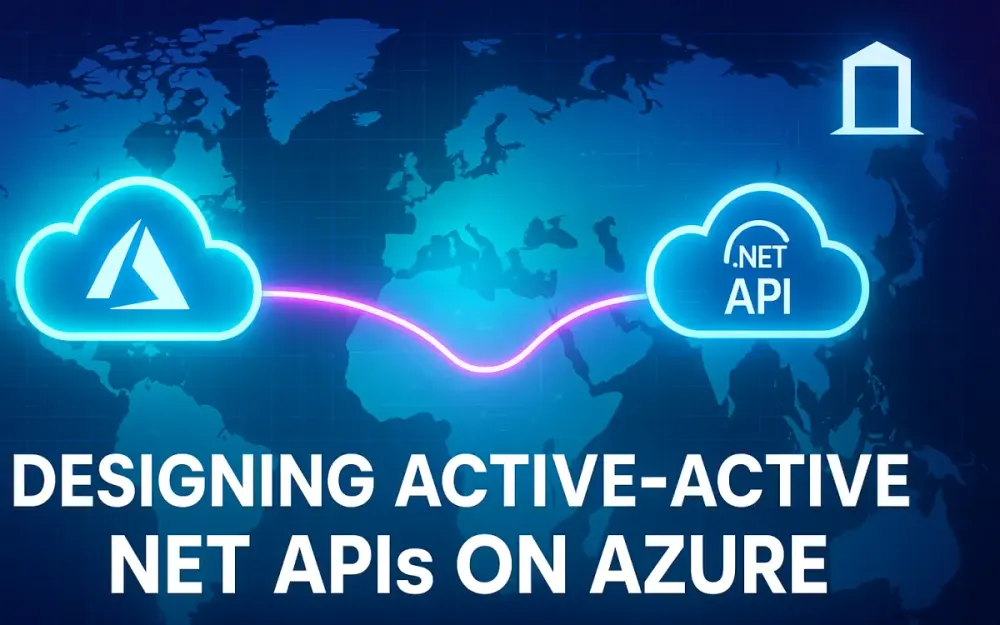
In this article, we’re building toward a design where your .NET APIs run simultaneously in multiple Azure regions, are fronted by a global entry point, and survive a regional outage without impact to users. Active-active isn’t about recovering; it’s about never going down in the first place.
1.1 Defining the Terms: HA vs. Resiliency vs. Disaster Recovery (DR)
When teams talk about reliability, they often mix the terms “HA,” “resiliency,” and “DR.” These terms matter because each drives different architectural decisions.
1.1.1 High Availability (HA)
HA focuses on surviving failures inside a region. This includes scenarios like:
- A VM instance inside an App Service Plan dies.
- A physical rack outage takes out several nodes.
- A zone restart affects only part of the region.
Azure gives you these tools: multiple instances of an app, availability zones, auto-scaling, and load balancers. With HA, the assumption is your region is fundamentally healthy.
1.1.2 Disaster Recovery (DR)
DR is fundamentally different. DR assumes the entire region becomes unavailable—compute, storage, networking, and even control planes. DR is:
- A reactive process.
- Involves manual or automated failover steps.
- Has non-zero RTO (Recovery Time Objective) and RPO (Recovery Point Objective).
Even if you script it perfectly, DR always implies downtime.
1.1.3 Global Resiliency (Active-Active)
Active-active goes beyond HA and DR. The design goal is:
- Serve traffic from multiple regions at once.
- Lose a region and maintain zero or near-zero downtime.
- Keep performance high by routing users to the closest region.
Here, every region hosts live compute. Ideally, the data layer also supports multi-region writes, though relational data often forces an active-passive constraint. The important insight: active-active is not just scaling. It’s an operating model.
1.2 The Business Drivers for Active-Active
Even when a team wants better uptime, they rarely articulate why. In practice, I see three recurring drivers.
1.2.1 SLA & Uptime
A single region with zonal redundancy can give you three nines (99.9%) or maybe four (99.99%) if you invest carefully. Once a business starts targeting five nines—just over five minutes of downtime per year—single-region solutions hit hard limits.
A region-wide outage alone may exceed your entire annual downtime allocation.
1.2.2 Performance & Latency
Users in London shouldn’t connect to an API in Virginia if they can hit one in the UK. With global traffic, latency compounds:
- TLS handshake
- Routing through long-haul fiber
- Additional API hops to downstream services
Active-active gives you geographic affinity. Users hit the nearest region, and your edge network pulls static and dynamic content closer to them.
1.2.3 Compliance & Data Sovereignty
Some organizations choose regions not only for performance but due to:
- National residency laws
- Industry compliance mandates
- Internal policies requiring data segregation
Active-active complicates this—data that crosses borders may violate policy—so you must align legal, architectural, and operational requirements. But many global businesses simply cannot avoid multi-region deployments.
1.3 The Architectural Challenge: Why State is the Hardest Part
Running compute in multiple regions is easy. Containers or App Services can be deployed in parallel. They don’t hold state, and they scale horizontally.
Data is the opposite.
1.3.1 The Compute vs. State Problem
Stateless compute is elastic. Stateful data must remain correct. Consider the following challenges:
- Writes arriving in parallel to two regions.
- Replication lag creating ordering problems.
- Conflicting updates to the same entity.
- Referential integrity in relational databases.
If the data tier doesn’t support multi-region writes—Azure SQL doesn’t—then your compute layer can be active-active, but your data layer becomes active-passive.
1.3.2 Your System Is Only as Resilient as the State Layer
Many teams think “we’re active-active” because they have two regions behind a load balancer. But if only one region can accept writes, then they’re actually running active-passive at the system boundary.
This article assumes you want genuine active-active for compute and either:
- Active-active data (Cosmos DB), or
- Active-passive data (Azure SQL), with explicit design constraints.
2 The 30,000-Foot View: A Blueprint for a Geo-Redundant .NET API
Before we dive into routing, compute, and database mechanics, it helps to picture the final architecture. Whether you deploy on App Service or AKS, the high-level model is the same.
2.1 The Target Architecture Diagram
Picture the end-to-end flow from the user’s browser to your API and your data plane:
User
  ↓
DNS
  ↓
Azure Front Door (Global HTTP/S Entry Point)
  ↓
Origin Group:
   - Region A App Service / AKS
   - Region B App Service / AKS
  ↓
Data Layer:
   - Cosmos DB (multi-region active-active)
   - or Azure SQL (primary + readable secondary)
A few important details jump out:
- The only global entry point is Azure Front Door.
- Compute is duplicated in each region.
- Health probes determine where traffic flows.
- Data replication strategy determines whether the system is active-active or active-passive at the persistence layer.
This architecture works because each part has a clear job. The global routing layer is responsible for real-time failover. Regional compute handles requests independently. The data tier is where you enforce consistency and replication rules.
2.2 Key Components and Their Roles
Let’s break down each major component and why it matters.
2.2.1 Global Router: Azure Front Door
Front Door is the single global ingress point for your HTTP and HTTPS traffic. It:
- Terminates TLS
- Runs at Layer 7 using Microsoft’s global edge network
- Performs routing based on health, latency, and priority
- Supports WAF rules
- Provides caching and compression for static/dynamic content
Front Door is the right choice for .NET APIs because it understands HTTP semantics and reacts to failures in seconds.
2.2.2 Regional Compute: App Service or AKS
Each region hosts a full deployment stamp of your API.
Azure App Service
- Great when you want managed PaaS.
- Easy to scale and integrate with Front Door.
- Works well for containerized .NET apps.
Azure Kubernetes Service (AKS)
- Necessary when you want finer control: service mesh, custom networking, pod density, or sidecars.
- Requires an ingress controller (NGINX, AGIC) to interact with Front Door.
The key constraint: compute must be stateless. No sticky sessions, no in-memory caches that store user-specific data, no shared disk dependencies.
2.2.3 Global Data Plane: Cosmos DB
Cosmos DB is Azure’s only mainstream, fully managed, multi-region write database. It handles:
- Multi-master writes
- Conflict resolution policies
- Replication with <10ms latency at the 99th percentile inside a region
For event-sourced or document-based workloads, Cosmos makes true active-active possible.
2.2.4 Replicated Data Plane: Azure SQL
Azure SQL supports:
- Primary read-write replica
- Multiple read-only secondaries
- Auto-failover groups
This enables global distribution but not active-active writes. If you need relational consistency, you should accept active-passive behavior at the data tier.
2.2.5 Health Probes: The Nervous System of Multi-Region Routing
Front Door uses health probes to know if a backend is healthy. Probes:
- Hit a specific endpoint (e.g.,
/api/healthz) - Expect a fast 200 OK response
- Are evaluated every few seconds
A backend that fails the probe is removed instantly from routing. This is why your health check endpoint must reflect real application health, not just “the API is running.”
2.3 The “Stamp” Pattern: Infrastructure as Code (IaC) is Non-Negotiable
Deploying two regions is easy the first time and painful the third time unless you automate everything. Active-active architectures require absolute parity between regions.
2.3.1 The Deployment Stamp Concept
A deployment stamp is a regional unit of your application that contains:
- Compute (App Service Plan or AKS cluster)
- Networking components
- Key Vault
- App Configuration
- Region-local data resources as appropriate
Each stamp must be identical except for region-specific settings.
2.3.2 Why IaC Is Mandatory
Using Bicep or Terraform ensures:
- Every region gets the same configuration.
- Drift is eliminated.
- Rollbacks and updates are predictable.
- New regions can be added safely.
A non-IaC active-active architecture almost always drifts into “it works but nobody knows why.”
3 The Global Entry Point: Azure Front Door (L7) vs. Traffic Manager (L4)
Routing is the part of active-active that most teams underestimate. Your global entry point determines how fast you fail over, how traffic is distributed, and how resilient your system is under load.
Front Door and Traffic Manager both handle global routing, but they operate at different layers and behave very differently under failure.
3.1 Why Azure Front Door Is the Modern Choice for HTTP/S APIs
Front Door is designed for modern web APIs. It sits on the Microsoft global edge, handles HTTP natively, and acts as an intelligent reverse proxy.
3.1.1 Layer 7 Capabilities
Because Front Door operates at Layer 7, it can:
- Inspect full HTTP requests and headers.
- Terminate TLS globally (reducing latency).
- Cache content.
- Route based on URLs, methods, and hostnames.
- Use WAF rules to block malicious traffic.
This is not just load balancing; it’s global application delivery.
3.1.2 Performance Benefits
Front Door uses Microsoft’s private WAN, which dramatically reduces latency for dynamic API calls. In practice, I’ve seen 20–40% latency improvements for clients far from your origin regions.
3.1.3 Support for Modern Routing Models
Front Door supports:
- Weighted routing (for active-active traffic split)
- Latency-based routing (the best user experience globally)
- Priority routing (for active-passive)
You can mix models per endpoint.
3.2 When to Use Azure Traffic Manager (and When Not To)
Traffic Manager has been around a long time, and many architectures still use it—but it’s rarely the right choice for APIs today.
3.2.1 Traffic Manager Is DNS-Based (Layer 4)
Traffic Manager works entirely at the DNS level. It simply responds with one region’s DNS name. Your client caches that response based on the TTL.
3.2.2 The DNS Caching Problem
DNS caching means:
- Failover happens only when the TTL expires.
- Many ISPs ignore low TTLs.
- Some corporate DNS resolvers override TTL entirely.
This makes failover unpredictable—minutes, sometimes hours. For “near-zero downtime,” this is a non-starter.
3.2.3 Valid Use Cases for Traffic Manager
Even though Traffic Manager isn’t ideal for APIs, it still has uses:
- Failover for non-HTTP workloads (TCP, UDP, custom protocols)
- As a backup routing layer if your Front Door profile becomes unavailable
- Scenarios where DNS-level routing is acceptable (e.g., batch jobs, legacy systems)
For .NET APIs, Front Door almost always wins.
3.3 Deep Dive: Configuring Front Door for an Active-Active API
Front Door’s configuration determines whether your system is reliable or constantly flapping between origins. Let’s walk through the essential pieces.
3.3.1 Configuring Origin Groups
An origin group represents your backend services. A typical active-active configuration includes:
Origin Group:
   Origin 1: api-eastus2.azurewebsites.net
   Origin 2: api-westus3.azurewebsites.net
Each origin can be configured with its own priority, weight, or latency rules.
3.3.2 Routing Method Selection
Front Door supports several routing models. You should choose based on your goals:
Weighted
- Example: 50/50 between regions
- Useful for gradual rollout or traffic shaping
Latency-Based
- Each user receives responses from the closest region
- My recommended default for most global APIs
Priority-Based
- Region A serves everything
- Region B is standby
- Typical for active-passive or data constraints with Azure SQL
3.3.3 Configuring Health Probes
The health probe is the mechanism Front Door uses to determine if a region is healthy. A typical probe configuration:
- Protocol: HTTP/HTTPS
- Path:
/api/healthz - Interval: 10 seconds
- Tolerated failures: 3
A region will be marked unhealthy if the health check endpoint returns:
- Non-200 status
- Slow response above threshold
- Connection errors
This is why your health check cannot simply return 200 OK.
3.3.4 .NET Health Check Example
Below is a minimal but realistic health check endpoint for production use:
// Program.cs (.NET 8)
var builder = WebApplication.CreateBuilder(args);

builder.Services.AddHealthChecks()
    .AddSqlServer(builder.Configuration.GetConnectionString("Sql"), name: "sql")
    .AddRedis(builder.Configuration.GetConnectionString("Redis"), name: "redis");

var app = builder.Build();

app.MapHealthChecks("/api/healthz", new HealthCheckOptions
{
    ResponseWriter = async (context, report) =>
    {
        context.Response.ContentType = "application/json";
        var result = JsonSerializer.Serialize(new
        {
            status = report.Status.ToString(),
            checks = report.Entries.Select(e => new { name = e.Key, status = e.Value.Status.ToString() })
        });
        await context.Response.WriteAsync(result);
    }
});

app.Run();
This implementation:
- Checks SQL connectivity
- Checks Redis connectivity
- Produces a simple JSON payload
- Fails fast when dependencies fail
Front Door now reflects true application health, not just whether ASP.NET is listening.
4 The Compute Fabric: Deploying the .NET API (App Service vs. AKS)
The compute layer is where all the routing logic you set up in Front Door ultimately lands. Each region needs a fully functional deployment of your .NET API—identical code, identical configuration contracts, region-specific secrets, and the same deployment pipeline. This is the “stamp” in action: two or more autonomous deployments that behave the same way from the outside and scale independently. In practice, most teams choose either Azure App Service for simplicity or AKS when they need more control, density, or portability. The core design principles are the same, but the operational footprint varies significantly.
4.1 Option 1: The PaaS Simplicity of Multi-Region App Service
App Service is often the easiest path into multi-region compute because Azure handles most of the infrastructure for you. You create two App Service Plans in two regions—say East US 2 and Central US—and deploy the exact same build artifact or container into each plan. Front Door routes traffic between them based on your routing rules. This pattern scales extremely well for most .NET APIs that aren’t pushing hard boundaries on container orchestration.
4.1.1 Architecture Overview
The architecture is straightforward:
- App Service Plan A in Region A
- App Service Plan B in Region B
- A single Front Door origin group pointing to both
From an operational perspective, each region runs its own autoscaling rules. One region might scale out to eight instances under load, while the other idles at two. Neither region affects the other. Failover is immediate because App Service responds consistently to Front Door probes.
4.1.2 Deployment Pipelines Across Regions
The most common mistake in multi-region deployments is treating each region as a separate release target. In an active-active design, you want one artifact and one pipeline. This ensures regional drift never happens.
Most teams use Azure DevOps or GitHub Actions. The pipeline publishes the build once, then deploys it to both regions using parallel jobs. Here’s a simple GitHub Actions example using a container-based .NET API:
name: multi-region-deploy

on:
  push:
    branches: [ "main" ]

jobs:
  build:
    runs-on: ubuntu-latest
    steps:
      - uses: actions/checkout@v3
      - name: Build Docker image
        run: docker build -t myapi:${{ github.sha }} .
      - name: Push to ACR
        run: |
          az acr login --name myacr
          docker tag myapi:${{ github.sha }} myacr.azurecr.io/myapi:${{ github.sha }}
          docker push myacr.azurecr.io/myapi:${{ github.sha }}
      - name: Publish artifact reference
        run: echo "IMAGE=myacr.azurecr.io/myapi:${{ github.sha }}" >> $GITHUB_OUTPUT

  deploy:
    needs: build
    runs-on: ubuntu-latest
    strategy:
      matrix:
        region: [ eastus2, centralus ]
    steps:
      - name: Deploy container
        run: |
          az webapp config container set \
            --name myapi-${{ matrix.region }} \
            --resource-group rg-api-${{ matrix.region }} \
            --docker-custom-image-name ${{ needs.build.outputs.IMAGE }}
You deploy one container, set the same image tag in each App Service, and ensure both regions are always aligned.
4.1.3 Configuration: Region-Specific Secrets and Endpoints
Even though the code is identical across regions, the configuration usually isn’t. Each region might have:
- A region-specific SQL replica
- A region-local Cosmos DB endpoint
- A local Key Vault
- A region-bound Redis instance
App Configuration or Key Vault helps unify this. A typical pattern is:
- App Configuration stores global settings.
- Key Vault stores region-specific secrets.
- Each App Service connects to the region’s Key Vault using a managed identity.
Example: injecting configuration in Program.cs:
var builder = WebApplication.CreateBuilder(args);

builder.Configuration
    .AddAzureAppConfiguration(options =>
        options.Connect(builder.Configuration["AppConfigConnection"])
               .Select(KeyFilter.Any))
    .AddAzureKeyVault(new Uri(builder.Configuration["KeyVaultUrl"]));

var app = builder.Build();
app.Run();
The important part is that both regions read from the same App Configuration instance but pull secrets from regional Key Vaults. This keeps configuration consistent while allowing secure regional independence.
4.2 Option 2: The Power and Complexity of Multi-Region AKS
AKS offers more control than App Service. It also introduces operational overhead, especially when you multiply it across regions. AKS becomes attractive when you need more than just hosting—things like custom networking, service meshes, sidecars, node pools optimized for mixed workloads, or tight control over scaling behavior.
4.2.1 Architecture Overview
Common AKS multi-region designs have:
- AKS Cluster A in Region A
- AKS Cluster B in Region B
- Regional ingress controllers
- Front Door as the global ingress layer
- Regional internal services (e.g., Redis, Event Hubs)
Even if you use the same Helm chart or manifest, each cluster is autonomous. They don’t share worker nodes, pods, or ingress controllers. This gives you maximum resiliency at the cost of more management.
4.2.2 Cluster-Level Considerations
In AKS, you manage:
- Node pools and their scaling rules
- Upgrades and node OS patches
- Ingress controllers (NGINX, AGIC, or Emissary)
- Pod disruption budgets and readiness probes
- Container networking (CNI or Kubenet)
- Observability
The governance overhead grows linearly with each cluster.
4.2.3 Deploying to Multiple Clusters
Most teams template their Kubernetes manifests using Helm. The pipeline pushes the same Helm release to both clusters:
helm upgrade --install api \
  ./charts/api \
  --namespace prod \
  --set image.repository=myacr.azurecr.io/myapi \
  --set image.tag=$GIT_SHA \
  --kube-context=aks-eastus2

helm upgrade --install api \
  ./charts/api \
  --namespace prod \
  --set image.repository=myacr.azurecr.io/myapi \
  --set image.tag=$GIT_SHA \
  --kube-context=aks-centralus
This keeps everything consistent. The only differences between clusters are values you explicitly override—usually secrets and environment-specific connection strings.
4.2.4 Ingress and Front Door Integration
Front Door needs an HTTPS endpoint. In AKS, this requires:
- A public ingress controller with a stable IP
- A certificate in Key Vault using AGIC, or a TLS secret for NGINX
- A consistent routing path across regions
You point Front Door to api.eastus2.domain.com and api.centralus.domain.com, each backed by an ingress controller. Health probes hit the same /api/healthz endpoint described earlier.
AKS is powerful, but the added operational surface area means you need a strong platform team to support it.
4.3 The “Stateless” Imperative
Regardless of whether you use App Service or AKS, the compute layer must be stateless. This is non-negotiable for active-active architectures. Stateful compute breaks failover, breaks autoscaling, and often introduces data inconsistency problems.
4.3.1 Eliminating In-Memory State
The most common state leak is IMemoryCache. It’s convenient for caching expensive lookups, but it locks data to a single instance. In an active-active model, each region ends up with different cached values, leading to subtle bugs.
You want distributed caching using Redis, or no caching at all for highly dynamic data.
Example of migrating from IMemoryCache to Redis:
Incorrect (Stateful):
services.AddMemoryCache();
services.AddSingleton<IWeatherService, MemoryCachedWeatherService>();
Correct (Distributed):
services.AddStackExchangeRedisCache(options =>
{
    options.Configuration = Configuration["RedisConnection"];
    options.InstanceName = "api-cache:";
});
services.AddSingleton<IWeatherService, RedisCachedWeatherService>();
This ensures both regions see consistent cached data.
4.3.2 Avoiding Session Affinity
Front Door supports session affinity, but using it undermines global resiliency. If a user is locked to Region A and Region A fails, their session breaks immediately. Statelessness avoids this completely.
ASP.NET Core’s cookie-based auth model is stateless by default. JWT tokens reinforce this. As long as you avoid server-side sessions, you’re safe.
5 The State Problem: Active-Active vs. Active-Passive Data
Everything in global architecture eventually comes down to the data tier. Compute is easy to replicate. Routing is easy to distribute. Data is where correctness and latency collide. This section walks through the real-world patterns that teams use in Azure, starting with Cosmos DB—the simplest—but moving into Azure SQL, which introduces trade-offs that many teams underestimate.
5.1 The “Easy Button”: Cosmos DB for True Multi-Region Active-Active
Cosmos DB is one of the few managed databases that supports multi-region writes. When configured correctly, it gives you:
- Local write latency in each region
- Automatic replication
- Conflict resolution policies
- High consistency options
5.1.1 How Multi-Region Writes Work
Each region hosts its own replica of the database. An API instance in Region A writes to the A endpoint. Region B writes to B. The SDK automatically sends requests to the nearest region, and Cosmos replicates the writes asynchronously across the globe.
To your .NET API, it just feels like a local database.
5.1.2 Conflict Resolution Strategies
Multi-region writes bring the potential for conflicts. If two regions modify the same document before replication finishes, Cosmos must choose a winner.
The two common strategies are:
Last Write Wins (LWW)
This uses a timestamp or custom numeric value to resolve conflicts. It’s simple but can lead to lost updates. Many teams use it because they only rarely see conflicts, or their business logic tolerates overwrites.
Custom Conflict Resolution (Merge Procedures)
You write a stored procedure that merges conflicting versions. This is useful for collaborative data or event-like records but adds complexity. The upside is complete control over the business rules.
5.1.3 .NET SDK Setup for Multi-Region
The key is telling Cosmos which region your compute instance lives in. This ensures read/write locality and avoids unnecessary cross-region traffic.
var options = new CosmosClientOptions
{
    ApplicationRegion = builder.Configuration["RegionName"],
    ConnectionMode = ConnectionMode.Direct,
    EnableTcpConnectionEndpointRediscovery = true
};

var client = new CosmosClient(
    builder.Configuration["CosmosConnectionString"],
    options);
You can also enable endpoint discovery so that if the local region disappears, the SDK automatically routes to another writable region.
5.1.4 Example Repository Layer
A typical repository in active-active looks like this:
public class UserRepository
{
    private readonly Container _container;

    public UserRepository(CosmosClient client)
    {
        _container = client.GetContainer("appdb", "users");
    }

    public async Task<User> UpsertUserAsync(User user)
    {
        var response = await _container.UpsertItemAsync(user, new PartitionKey(user.Id));
        return response.Resource;
    }

    public async Task<User> GetUserAsync(string id)
    {
        return await _container.ReadItemAsync<User>(id, new PartitionKey(id));
    }
}
There is no regional logic here. Cosmos handles that for you.
5.2 The Relational Reality: Azure SQL Geo-Replication (Active-Passive)
Most enterprise applications still rely heavily on relational data—transactions, constraints, joins, and ACID properties. Azure SQL offers high availability and global redundancy, but not multi-master writes. This introduces architectural rules your .NET API must follow.
5.2.1 Pattern 1: Active Geo-Replication
Active geo-replication creates:
- One primary (read-write)
- Zero or more secondaries (read-only)
The secondaries exist to absorb read load or serve as failover targets. The replication is asynchronous but fast.
Your API must:
- Send all mutating operations (POST, PUT, DELETE) to the primary
- Load balance GET requests across all regions or keep them local for latency
A simplified example using EF Core:
public class WriteDbContext : DbContext
{
    public WriteDbContext(DbContextOptions<WriteDbContext> options) : base(options) {}
}

public class ReadDbContext : DbContext
{
    public ReadDbContext(DbContextOptions<ReadDbContext> options) : base(options) {}
}
Then, in Program.cs, you bind them to separate connection strings:
services.AddDbContext<WriteDbContext>(opts =>
    opts.UseSqlServer(Configuration["SqlPrimary"]));

services.AddDbContext<ReadDbContext>(opts =>
    opts.UseSqlServer(Configuration["SqlReadReplica"]));
If you don’t separate read and write paths in your code, you’ll eventually hit read-only exceptions when the secondary region receives writes through Front Door.
5.2.2 Failover Behavior
Failover in this model:
- Is not instant
- Incurs a brief period of write downtime
- Must be tested regularly
- Requires your API to retry and recover automatically
Polly retry policies help cushion the switchover process, but you still experience short degradation.
5.2.3 Pattern 2: Auto-Failover Groups
Auto-failover groups wrap geo-replication with:
- A primary endpoint:
mydb.database.windows.net - A secondary endpoint:
mydb-secondary.database.windows.net - A read-write listener:
mydb-fg.database.windows.net - A read-only listener:
mydb-fg.database.windows.net,readonly=true
Your application connects only to the failover group listener. Azure handles switching the primary if a region fails.
Connection example:
services.AddDbContext<AppDbContext>(options =>
    options.UseSqlServer(Configuration["FailoverGroupConnection"]));
You still have active-passive writes, but the operational burden shifts to Azure. RTO and RPO remain non-zero, but you avoid manual failover procedures.
5.2.4 Designing APIs With Active-Passive Data
Even in a fully active-active compute model, Azure SQL forces you to accept:
- All writes go to the primary region.
- Secondary regions operate as read-only.
- Failover introduces temporary inconsistency.
Your API must reflect this. A common pattern is routing write requests directly to the primary region using Front Door’s routing rules, while allowing GET operations from any region.
5.2.5 The Hot Standby Model
Azure SQL’s global model aligns with a hot standby design:
- Both compute regions are hot.
- Only one region accepts writes.
- DR failover activates the other region as primary.
This is reliable and easy to operate but not truly active-active for the data layer.
6 Writing Resilient .NET Code: Patterns and Libraries
Up to this point, we’ve focused mostly on infrastructure—how routing, compute, and data interact across regions. But none of that matters if the application itself can’t withstand transient failures. In a global active-active architecture, failures happen constantly: brief packet loss, DNS hiccups, throttling from downstream services, or a temporary outage during regional failover. Well-designed .NET code absorbs these disruptions without falling over or amplifying the problem. This is where resilience patterns come in. The .NET ecosystem provides strong libraries for this, and applying them consistently is one of the biggest differences between an architecture that survives region loss and one that collapses under moderate turbulence.
6.1 The Client-Side Hero: Using Polly for Resilience
Polly is the de facto standard for resilience in .NET. It gives you a clean, declarative way to apply retry, circuit breaker, fallback, timeout, and bulkhead isolation patterns around your outbound calls. In an active-active deployment, your API often calls other APIs, storage services, queues, or caches. Any of these can fail transiently during regional health fluctuations. Polly is designed to handle exactly this scenario.
6.1.1 Retry Policies
Retries help smooth over the inevitable temporary issues—network jitter, throttling, or intermittent 503 errors during failover. A retry policy handles exceptions like HttpRequestException or TaskCanceledException (timeouts) and retries with a backoff schedule. This prevents unnecessary failures while preventing overload.
6.1.2 Circuit Breaker Policies
A circuit breaker stops you from continuously hammering a service that is known to be down. In a global setup, imagine Region A is failing health checks and Front Door routes traffic only to Region B. If your code continues trying Region A resources for every operation, you’ll waste time and contribute to cascading failures. Circuit breakers detect repeated errors and “open,” meaning calls fail quickly without waiting for timeouts.
6.1.3 Registering Policies in .NET 8+
You apply Polly policies when configuring HttpClientFactory. The following example shows a practical setup with both retry and circuit breaker policies:
// Program.cs
var builder = WebApplication.CreateBuilder(args);

builder.Services.AddHttpClient("downstream-api")
    .AddTransientHttpErrorPolicy(policy => policy
        .WaitAndRetryAsync(
            retryCount: 3,
            sleepDurationProvider: attempt => TimeSpan.FromMilliseconds(200 * attempt)))
    .AddTransientHttpErrorPolicy(policy => policy
        .CircuitBreakerAsync(
            handledEventsAllowedBeforeBreaking: 5,
            durationOfBreak: TimeSpan.FromSeconds(15)));

var app = builder.Build();
app.Run();
This setup is production-grade for most downstream calls:
- Retries smooth over transient faults.
- Circuit breakers prevent cascading failures.
- The policies combine cleanly and predictably.
6.1.4 Using the Typed Client
Typed clients allow you to wrap outbound calls behind a strongly typed interface. This keeps business logic clean and makes it easy to mock dependencies:
public class WeatherClient
{
    private readonly HttpClient _client;

    public WeatherClient(IHttpClientFactory factory)
    {
        _client = factory.CreateClient("downstream-api");
    }

    public async Task<WeatherResponse> GetForecastAsync(string city)
    {
        var response = await _client.GetAsync($"/weather/{city}");
        response.EnsureSuccessStatusCode();
        return JsonSerializer.Deserialize<WeatherResponse>(
            await response.Content.ReadAsStringAsync())!;
    }
}
This keeps reliability concerns at the edges of your system and the domain logic simple.
6.2 Health Checks: Telling Front Door the Real Story
Front Door depends entirely on your health checks to make routing decisions. If your health check pretends everything is fine when critical dependencies are down, Front Door will continue to send users to a broken region. A meaningful health endpoint must validate the components that affect request processing: database, distributed cache, outbound dependencies, and anything else critical to handling requests.
6.2.1 Deep Health Checks With Dependency Validation
Using AspNetCore.Diagnostics.HealthChecks, you can create a layered health endpoint that tests multiple dependencies. This makes your health probe reflect the actual status of the region.
A good health check:
- Validates the core data layer
- Verifies redis connectivity when used for distributed caching
- Checks any required external dependencies
- Fails fast
6.2.2 Example: Full Health Check Endpoint
You configure deep health checks in the service container:
// Program.cs
builder.Services.AddHealthChecks()
    .AddDbContextCheck<AppDbContext>("sql")
    .AddRedis(builder.Configuration["RedisConnection"], name: "redis");

var app = builder.Build();

app.MapHealthChecks("/api/healthz", new HealthCheckOptions
{
    Predicate = _ => true,
    ResponseWriter = async (context, report) =>
    {
        context.Response.ContentType = "application/json";

        var result = new
        {
            Status = report.Status.ToString(),
            Checks = report.Entries.Select(x => new
            {
                Component = x.Key,
                Status = x.Value.Status.ToString()
            })
        };

        await context.Response.WriteAsync(JsonSerializer.Serialize(result));
    }
});

app.Run();
The important part is that this returns non-200 when any critical dependency fails. If SQL is unavailable in Region A, the region must go dark. You want Front Door to stop sending traffic there within seconds.
6.2.3 Using Tags to Separate Liveness and Readiness
A common pattern is:
/api/healthz/live→ only checks the app process/api/healthz/ready→ deep dependency health
Front Door should always call the readiness endpoint. Internal orchestrators like AKS or App Service can use the lightweight liveness probe.
6.3 Handling Identity in a Multi-Region World
Token validation introduces another subtle dependency: your API regularly downloads OpenID Connect configuration and signing keys from your identity provider. In Azure AD’s case, this metadata is retrieved from a JWKS endpoint. If that endpoint goes down or becomes unreachable from one region, you can unintentionally block all traffic.
6.3.1 Metadata Fetching and Regional Failures
Most identity libraries cache metadata for short periods. In a global setup, you want stronger guarantees. If Region A cannot fetch metadata but Region B can, your API in Region A should continue using cached signing keys until it expires or validation fails. Luckily, the Microsoft.Identity.Web libraries already implement caching, but it’s worth understanding the behavior.
6.3.2 Extending Cache Duration
For workloads with high reliability requirements, you may choose longer cache durations. Here’s an example of customizing the TokenValidationParameters when using AddMicrosoftIdentityWebApi:
builder.Services.AddMicrosoftIdentityWebApiAuthentication(builder.Configuration)
    .EnableTokenAcquisitionToCallDownstreamApi()
    .AddInMemoryTokenCaches();

builder.Services.Configure<JwtBearerOptions>(JwtBearerDefaults.AuthenticationScheme, options =>
{
    options.TokenValidationParameters.ValidateIssuerSigningKey = true;
    options.TokenValidationParameters.IssuerSigningKeyValidator = (key, token, parameters) =>
    {
        // Custom logic could be added here if needed
        return true;
    };
});
You typically don’t need to rewrite this logic—Microsoft handles key caching—but you do need to ensure you aren’t accidentally disabling caching or repeatedly refreshing metadata across regions.
6.3.3 Avoiding External Dependency Cascades
Identity validation errors tend to fail hard and fast. This is why validating all tokens locally with cached metadata is essential. If your application must reach an external IdP for every request, failover becomes brittle. With correct caching, your API remains resilient even during identity service disruptions.
7 Proving It: Chaos Engineering and Real-World Failover Testing
A global architecture that has never been tested under failure isn’t resilient—it’s theoretical. Active-active designs rely on dozens of assumptions about routing, probes, retries, failover, circuit breakers, and distributed data behavior. You can’t rely on thought experiments. You need to test real regional loss, traffic shifts, dependency failures, and data replication timing. Azure Chaos Studio provides a controlled, auditable way to do exactly this.
7.1 Introducing Azure Chaos Studio
Chaos Studio is Azure’s platform for injecting faults directly into your resources. Unlike load testing or unit testing, chaos experiments run against the real infrastructure: your App Services, AKS nodes, storage accounts, SQL instances, and network settings. It performs actions like shutting down nodes, blocking ports, or injecting HTTP faults.
The point isn’t to break things randomly. The goal is to verify that the architecture behaves exactly the way you expect:
- Front Door must shift traffic quickly.
- The application must handle transient errors.
- The other region must take 100% of load.
- Data replication must stay healthy under stress.
Chaos experiments become a normal part of validating global architectures.
7.2 A Practical Failover Test Plan
A test plan gives you confidence that each layer of your design reacts appropriately. You’ll start small and then escalate.
7.2.1 Experiment 1: Injecting a 503 Error
Chaos Studio can inject HTTP errors into App Service or AKS workloads. You configure an experiment to force all requests to the API in Region A to return HTTP 503s.
Expected results:
- The
/api/healthzendpoint in Region A starts returning unhealthy responses. - Front Door removes Region A from the origin group.
- All traffic moves to Region B in seconds.
To verify, you use:
- Application Insights Live Metrics to monitor traffic shifts
- Front Door logs to confirm origin selection
- Client-side monitoring to ensure uninterrupted responses
This validates your health probe setup.
7.2.2 Experiment 2: Simulating a Regional Outage
The next level is simulating a complete regional outage. For App Service, Chaos Studio can stop the underlying VM instances or block all outbound networking from the plan. For AKS, it can shut down nodes, drain workloads, or block the ingress controller.
Expected behavior:
- Health checks in Region A fail across the board.
- Front Door routes all user traffic to Region B.
- The application continues to respond normally from Region B.
- Instance scaling happens if Region B needs extra capacity.
This experiment uncovers whether your scaling rules are tuned correctly. If Region B melts under full global load, you know to adjust your autoscale settings.
7.2.3 Experiment 3: Azure SQL Data Failover
If you use Azure SQL with auto-failover groups, you need to test a real failover. Chaos Studio doesn’t directly fail over SQL, but you can trigger failover manually or through automation as part of the test sequence.
Expected sequence:
- Write operations fail briefly as the listener moves.
- Polly retries absorb transient connection errors.
- After failover, writes resume successfully against the new primary.
- Health checks return healthy once connectivity is restored.
You validate:
- Retry policies
- Repository behavior
- API resilience during write downtime
- Regional database failover mechanics
This experiment is essential for active-passive data architectures.
7.3 Load Testing Your Failover
Finally, you must verify the system under load. Failover during low traffic doesn’t tell you much. The real question is: Can Region B handle your entire global workload if Region A disappears?
7.3.1 Setting Up the Test
Using Azure Load Testing, you generate realistic workloads—thousands of requests per second—targeting your Front Door endpoint. While saturation continues, you perform the same failover actions from Chaos Studio:
- Inject failures into Region A
- Kill App Service instances
- Fail over the SQL cluster
7.3.2 Expected Outcomes
A healthy global system will:
- Shift traffic smoothly without increased latency
- Scale Region B automatically
- Keep error rates low enough that SLAs are maintained
- Maintain correct data consistency rules
By the end of this test, you should know with certainty whether Region B can take over the world.
7.3.3 Operational Measurements
You should collect:
- Requests per second before/after failover
- Front Door routing distribution
- CPU and memory on Region B
- SQL throughput and DTU or vCore usage
- Application Insights availability and latency
This gives you proof—quantitative data—that your active-active architecture works in real conditions.
If you want, I can continue with Section 8 and the full conclusion in the same style and depth.
8 Conclusion: The Operational Reality and Cost of “Five Nines”
By this point in the architecture, one thing should be clear: building an active-active .NET API across multiple Azure regions is less about clever configuration and more about operational discipline. Each layer—routing, compute, data, code, resiliency, identity, failover testing—must work together without gaps. The payoff is impressive resilience. Your system can outlive a regional outage, recover gracefully from dependency failures, and maintain consistent performance for global audiences. But the trade-offs are real. Active-active requires more engineering maturity, more observability, and a deeper understanding of distributed systems than single-region deployments. And perhaps most importantly, it costs more. This section breaks down that reality and gives you a final checklist to validate whether you’re ready to run in this class of architecture.
8.1 The Cost Model: You Are Paying for (at least) 2x of Everything
Organizations sometimes underestimate how quickly costs multiply in a global topology. Active-active means every region is a full deployment stamp—not a scaled-down DR environment. Each stamp runs the same compute, the same supporting services, and the same data tier. If Region A disappears, Region B must absorb 100% of the workload instantly. This means the “backup” region is not small. It’s not idle. It’s hot, scaled, and production-ready.
8.1.1 Double Compute
Regardless of whether you use App Service or AKS, you maintain two independent compute fabrics:
- Two App Service Plans with similar SKUs and scaling rules or
- Two AKS clusters with equivalent node pools and workload capacity
Even if traffic is not evenly distributed—say Front Door’s latency-based routing prefers Region A—Region B must remain large enough to handle a sudden surge when failover occurs. Cost-saving strategies like aggressive autoscaling often fail during real outages because they don’t scale fast enough during the first minutes of disaster recovery.
8.1.2 Double Data
Data is typically the most expensive portion of global architectures. Cosmos DB charges RUs per region and per replica. Azure SQL charges for each secondary database, even when it isn’t processing writes. When you run geo-replicated storage, message queues, Redis caches, or search indexes, each one is effectively duplicated across regions.
You invest in these redundancies because data is the hardest part of failover. If data replication lags, errors happen. If the passive SQL region isn’t warm, writes fail. Costs are the price of consistency.
8.1.3 A Single Global Router
Azure Front Door is the one ingredient that doesn’t double in cost across regions. You pay for:
- A single global endpoint
- Per-request traffic costs
- WAF rules if applied
It’s the only component that scales linearly with usage rather than multiplying per region. Even so, routing all global API traffic through the edge incurs ongoing operational budget considerations.
8.1.4 SLA Justification
This leads to the real question: Is the SLA worth the cost? If your product must run uninterrupted during regional outages, the investment is reasonable. If you’re chasing five nines “because it sounds good,” then active-active will feel like an unnecessary premium. The architecture shines when downtime is expensive, painful, or reputationally damaging.
8.2 Operationalizing: Monitoring, Alerting, and Automation
Active-active is not a “set and forget” architecture. The operational aspects determine whether the design works under stress. You need strong observability, clear alerting rules, and a culture of reviewing logs and health indicators proactively.
8.2.1 Unified Monitoring Across Regions
You should build a single pane of glass that includes:
- Front Door backend health
- App Service or AKS instance metrics per region
- SQL or Cosmos DB replication health
- Redis availability
- Application Insights transaction rates and dependencies
- Health check results per region
One practical approach is creating an Azure Monitor workbook that aggregates telemetry from both regions into dashboards:
- Requests per second by region
- Response times by region
- Failure rate and exception rate by region
- Dependency performance and error breakdown
- Regional differences in latency
This prevents you from relying on the misleading assumption that “the system is healthy” when only one region is healthy.
8.2.2 Alerting on Routing and Backend Health
Front Door exposes a metric called Backend Health Percentage. When any region goes unhealthy, this metric drops below 100%. Even if traffic still flows correctly because Front Door reroutes traffic instantly, the alert tells you something changed.
For example, you can configure Azure Monitor alerts:
{
  "criteria": {
    "metricName": "BackendHealthPercentage",
    "operator": "LessThan",
    "threshold": 100,
    "aggregation": "Average"
  },
  "severity": "Sev2",
  "actionGroup": "oncall-engineering"
}
Why alert if failover is automatic? Because automatic does not mean invisible. An unhealthy region may indicate deeper infrastructure trouble, zonal issues, data replication delays, or configuration drift.
8.2.3 Automating Regional Maintenance and Deployments
Every deployment must hit both regions. Every infrastructure update must maintain parity. If Region A has a different SKU or environment variable than Region B, you create unpredictable failover paths.
Most teams use:
- Terraform or Bicep for infrastructure
- GitHub Actions or Azure DevOps for CI/CD
- A shared version artifact deployed to all regions simultaneously
The goal is to make both regions identical, even during maintenance. When a region differs—even in ways that seem harmless—it often breaks under real failover.
8.2.4 Testing as a Recurring Operational Duty
Failover isn’t a one-time test. Azure evolves, dependencies change, pipelines drift, and new features introduce unknown failure modes. Running chaos experiments quarterly gives you an early signal that something has slipped.
Automation can help here:
- Scripts that simulate regional outages
- Scheduled load tests
- Synthetic transactions through Front Door
Resilience is a capability you maintain, not a state you achieve once.
8.3 Final Checklist: Are You Ready for Active-Active?
This architecture rewards teams that embrace automation, observability, and engineering discipline. Before committing to active-active, walk through this checklist with your engineering leads, platform teams, and stakeholders. Each line items needs a “yes” with evidence.
8.3.1 Is Your Compute Stateless?
Your API should run identically in any region without shared memory, shared disk, or pinned sessions. All user-specific state must live in the data layer or distributed cache. If your application needs sticky sessions, this architecture will break under failover.
8.3.2 Have You Solved for Active-Active Data (or Accepted Active-Passive)?
Cosmos DB unlocks true multi-region writes. Azure SQL forces you into active-passive semantics. The key is acknowledging the constraint and designing your API around it. If writes must go to the primary, ensure routing rules direct mutating traffic to the right region.
8.3.3 Is Your Deployment Automated With IaC?
Two regions deployed manually will drift. Two regions deployed using Bicep, Terraform, or ARM templates stay aligned. The CI/CD pipeline must push the same artifact to all regions. If infrastructure or code differ across regions, reliability drops sharply.
8.3.4 Have You Proven Your Architecture With Chaos Testing?
You should be able to answer the following with confidence:
- What happens when Region A disappears?
- Can Region B handle full global load?
- Does Front Door route correctly during partial outages?
- Do Polly policies handle transient failures during SQL or Cosmos failover?
- Does your health probe meaningfully reflect dependencies?
A failover plan without chaos validation is just theory.
8.3.5 Do You Have Observability Across Regions?
You need logs, traces, metrics, and alerts that show:
- Which region users hit
- How each region behaves under load
- How dependencies behave under stress
- When routing shifts occur
Without observability, you’re effectively blind during outages.
8.3.6 Do You Have the Operational Maturity to Maintain It?
Active-active systems require disciplined teams. This includes:
- On-call engineers who understand distributed systems
- Regular review of failover behavior
- Capacity planning for global peaks
- Security reviews that consider multi-region concerns
- Continuous improvement processes to catch configuration drift
If your team isn’t ready to manage this kind of environment, it’s better to start with a simpler model like active-passive and move up later.
8.3.7 Are You Confident the SLA Justifies the Investment?
Finally, confirm the architecture adds real value. Active-active is for systems where downtime is unacceptable. If the business can tolerate small interruptions, a fully distributed architecture may be unnecessary. Matching architecture to business need prevents overspending and makes the system easier to operate.
Active-active across Azure regions is one of the most powerful architectures available for .NET APIs. With the right patterns in place—robust routing, stateless compute, disciplined deployments, global data replication, resilient code, and validated failover—you gain a system that continues running even as entire regions disappear. It requires more engineering investment, but for systems where availability matters, it delivers resilience that single-region deployments cannot match.