1 Strategic Foundations: Defining the Isolation Spectrum
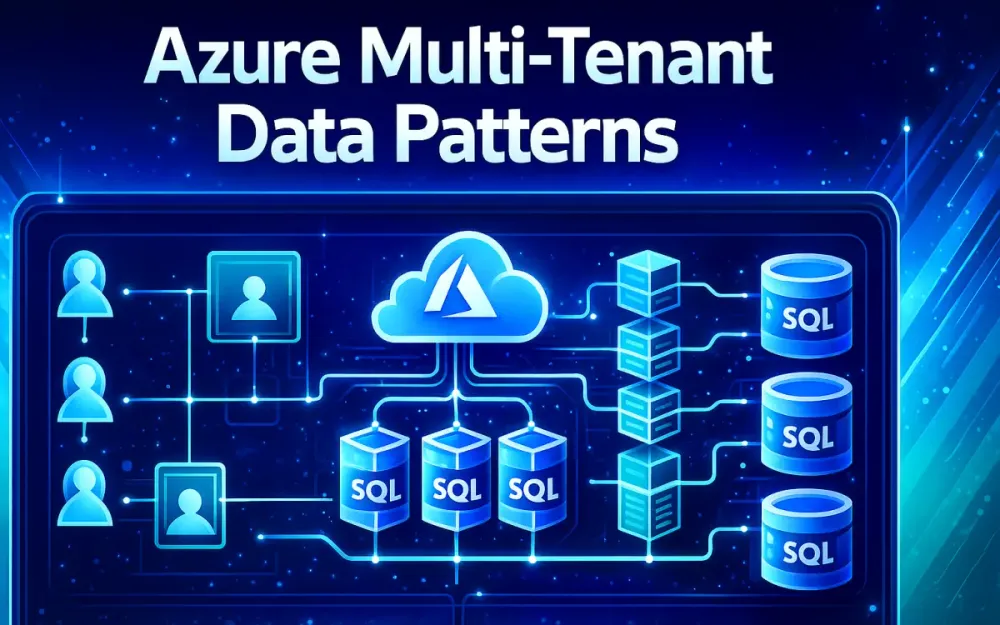
Multi-tenant SaaS platforms on Azure face the same core challenge: how to keep each customer’s data isolated while still keeping infrastructure costs and operational effort under control. The data-isolation pattern you choose ends up shaping everything—from performance and DevOps processes to compliance posture and how gracefully your system scales. And because real-world SaaS rarely fits cleanly into a single model, it’s important to understand the isolation spectrum before locking in major architectural decisions.
This section establishes a practical mental model for the three most common multi-tenant data patterns used in .NET SaaS on Azure SQL and Cosmos DB. Each option comes with different trade-offs around cost, performance, security, and maintainability. Seeing how these trade-offs play out under real production pressure—spikes in load, compliance audits, and noisy neighbors—helps teams avoid decisions that are painful or costly to undo later.
1.1 The “Holy Trinity” of Tenancy Models
Most Azure-based SaaS systems end up choosing between three storage patterns. Each solves the same problem—hosting many tenants on a shared platform—but the operational realities are very different.
1.1.1 Database-per-Tenant (Isolated)
In the database-per-tenant model, each customer gets its own Azure SQL Database or Cosmos DB container. This is the strongest form of isolation and is often what enterprise customers expect when they have strict data or performance requirements.
Benefits
- Near-perfect isolation: Structural separation eliminates most cross-tenant data risks.
- Easy restore: You can restore or export a single tenant without touching others.
- Predictable performance: One tenant’s spike doesn’t slow down the rest.
- Independent scaling: Each tenant can run on its own compute tier.
Costs & Risks
- Operational overhead: Managing thousands of individual databases increases complexity.
- Connection pool fragmentation: Many unique connection strings reduce pooling efficiency.
- Higher minimum cost: Even tiny tenants require dedicated infrastructure.
Scenarios Where It Fits
- Highly regulated industries.
- Enterprise or premium customers.
- Tenants that store or process large amounts of data.
- Workloads that need strong protection from noisy neighbors.
1.1.2 Shared Database, Shared Schema (Pool)
The shared-schema model stores all tenants in the same database and the same tables. Every table includes a TenantId column to distinguish ownership.
Benefits
- Lowest cost: Ideal when you have thousands of small tenants.
- Simple DevOps: One schema and one database to manage.
- High density: Works well with elastic pools.
Costs & Risks
- Higher risk of accidental leakage: A missing filter can expose data.
- Noisy neighbors: Heavy tenants can impact the entire workload.
- Challenging performance tuning: Indexing must work for all tenants.
- Weak compliance guarantees: Harder to defend in strict audit environments.
Scenarios Where It Fits
- Freemium or entry-level tiers.
- Trial environments.
- Internal multi-tenant apps where data boundaries are soft.
- Platforms with many small, low-usage tenants.
1.1.3 Sharded Database (Hybrid/Scale-Out)
A sharded database approach splits tenants into groups, with each group assigned to its own database or server. All shards share the same schema, but each shard hosts only a subset of tenants.
Benefits
- Balanced approach: More isolation than shared schema but far cheaper than per-tenant databases.
- Scales horizontally: Add shards as your customer base grows.
- Targeted tuning: Heavy tenants can be isolated into their own shard.
- Fault isolation: Issues in one shard don’t affect all customers.
Costs & Risks
- Shard management: Requires a catalog or shard-map to track where tenants live.
- Complex reporting: Cross-shard queries require careful planning.
- Hot spots: A single large tenant can overwhelm a shard if not placed correctly.
Scenarios Where It Fits
- Mid-sized tenants who don’t justify a dedicated database.
- Region-based segmentation (e.g., EU vs. US).
- Platforms balancing cost control with performance consistency.
1.2 The Hybrid Reality: Tiered Strategies
Most modern SaaS systems end up mixing these patterns instead of choosing just one. Different tenants have different needs, usage patterns, and contractual commitments. A single isolation model rarely serves every customer well.
1.2.1 Shared for Freemium; Isolated for Enterprise
A practical hybrid approach for .NET SaaS looks like this:
Freemium / Small tenants → Shared schema Mid-tier tenants → Sharded databases Enterprise tenants → Dedicated database or cluster
This model lets you support a wide range of customer types without maintaining separate applications. A central catalog database stores tenant metadata—where they live, which pattern they use, and their connection string or shard key. The application uses this catalog at runtime to route each request correctly.
Benefits of this tiered strategy:
- One codebase supports all tiers.
- Tenants can be promoted from shared → shard → dedicated as they grow.
- Infrastructure spend aligns with revenue.
- Operational complexity stays manageable.
1.3 Architectural Decision Matrix
The “right” pattern depends on several variables—data size, compliance needs, operational complexity, and tenant performance requirements. The matrix below helps compare them side by side.
1.3.1 Comparison Table: Compliance vs. Cost vs. Complexity
| Criterion | Database-per-Tenant | Shared Schema | Sharded |
|---|---|---|---|
| Isolation Strength | ★★★★★ | ★★☆☆☆ | ★★★★☆ |
| Cost per Tenant | High | Very Low | Medium |
| Operational Complexity | High | Low | Medium–High |
| Compliance Fit (GDPR/HIPAA) | Strong | Weak | Medium |
| Performance Isolation | Strong | Weak | Strong |
| Migration Difficulty | Low | High | Medium |
1.3.2 Azure Limits and Their Impact
Azure’s platform limits also influence which patterns make sense at scale.
Azure SQL Limits
- Up to 5000 databases per logical server.
- A maximum number of concurrent connections and worker threads per database.
- Elastic pool limits for compute and storage.
Implications
- Database-per-tenant hits platform limits early—eventually you need multiple logical servers.
- Shared schema workloads can hit CPU/IO limits because all tenants share resources.
- Sharded models help distribute load across servers and avoid single-server bottlenecks.
Understanding these constraints upfront helps you avoid future redesigns and makes it easier to introduce new tiers or shard boundaries as the platform grows.
2 Azure Infrastructure Mapping: SQL & Cosmos DB
Once you’ve selected an isolation pattern, the next step is mapping that design to Azure’s data services in a way that keeps performance predictable and operations manageable. Azure SQL and Cosmos DB both support multi-tenancy well, but each behaves differently under load. Understanding how these services scale, throttle, and govern resources helps ensure your chosen pattern holds up in production.
This section focuses on the Azure features architects use most when running multi-tenant .NET SaaS applications at scale.
2.1 Azure SQL Database & Elastic Pools
Azure SQL is still the primary choice for transactional workloads in .NET SaaS systems. But the service tier you pick—vCore, DTU, Elastic Pool, or Hyperscale—directly impacts how well each isolation pattern works. The goal is ensuring each tenant receives the compute they need without overpaying or exposing the platform to noisy neighbors.
2.1.1 Elastic Pools: vCore vs. DTU
Elastic Pools let you run many tenant databases on shared compute. This is especially useful for per-tenant database and sharded designs where database counts grow quickly. The key decision is choosing between DTU-based pools and vCore-based pools.
DTU Pools (Legacy) DTUs combine CPU, I/O, and memory into a single abstraction. They work best when you want predictable low-cost capacity for smaller tenants.
- Good price point for small databases.
- Simple to provision and operate.
- Limited visibility into individual resource types.
vCore Pools (Modern Standard) vCore gives more control and stronger performance guarantees.
- Choose compute and storage independently.
- Supports Hyperscale and larger workloads.
- Better transparency for tuning and scaling.
Best Practices for Multi-Tenant SaaS
- Use vCore pools when you host medium or large tenants with spiky workloads.
- Use DTU pools for small, low-traffic, or freemium tenants where cost per tenant matters.
- Group tenants by tier—e.g., a pool per pricing tier—to avoid noisy-neighbor contention.
- Track per-database CPU and I/O patterns to find tenants that need sharding or isolation.
Elastic Pools become the backbone of many SaaS platforms running per-tenant databases because they offer a clean balance between performance control and cost efficiency.
2.1.2 Hyperscale for Very Large Tenants
Azure SQL Hyperscale is designed for tenants whose datasets outgrow traditional SQL limits. With up to 100 TB support and fast scale-out, Hyperscale works well when a single customer is significantly larger than the rest.
Where Hyperscale fits:
- Enterprise tenants storing large historical datasets.
- Reporting or analytics-heavy tenants requiring fast read replicas.
- Tenants needing rapid, non-disruptive compute scale-out.
Hyperscale is rarely used for shared-schema systems because:
- Large cross-tenant tables become hard to manage at scale.
- You can’t restore or back up individual tenants in a shared database.
- One tenant’s growth can affect the entire system.
For dedicated or premium tenants, however, Hyperscale cleanly supports long-term growth without re-architecting.
2.1.3 Serverless Compute for Sporadic Usage
Azure SQL Serverless can automatically pause databases during inactivity and resume them when needed. This can significantly reduce cost when supporting tenants with unpredictable or bursty workloads.
Good fits:
- Educational platforms with heavy semester cycles.
- Seasonal tenants with long idle periods.
- Developer or test tenants where uptime is not critical.
Avoid using Serverless for:
- High-throughput production workloads.
- Shared-schema deployments, where a single tenant’s cold start pauses the whole application.
- Scenarios requiring strict performance guarantees.
Serverless is a strong option for early-stage tenants or trial environments where cost efficiency outweighs performance needs.
2.2 Azure Cosmos DB Multi-Tenancy
Cosmos DB excels in scenarios where global distribution, extreme throughput, or flexible data models are required. Multi-tenancy on Cosmos DB revolves around choosing the right partitioning strategy and controlling throughput so one tenant cannot overwhelm others.
2.2.1 Partitioning Strategies
Cosmos DB requires a partition key for horizontal scaling. In multi-tenant systems, the partition key determines how isolated each tenant’s data is and how predictable their performance will be.
Strategy A: TenantId as the Partition Key
This is the most straightforward option.
- Keeps each tenant’s data in one logical partition.
- Works well for small to medium tenants.
- Supports assigning dedicated RUs per partition in newer Cosmos DB models.
Limitations:
- Large tenants may exceed per-partition RU limits or storage limits.
- “Hot” partitions can throttle requests during peak times.
- Cross-entity queries within a tenant remain efficient, but cross-tenant queries require fan-out.
Strategy B: Hierarchical Partition Keys
Examples: /tenantId/entityType, /tenantId/orderId.
Why teams use this:
- Avoids oversized or hot partitions for heavy tenants.
- Distributes load more evenly across physical partitions.
- Supports very large tenants without requiring dedicated databases.
This model works well when your tenant base is uneven—some small, some massive—and you need to avoid partition hot spots.
2.2.2 Throughput Isolation
A key advantage of Cosmos DB is precise throughput control. With dedicated throughput per logical partition key, you can assign guaranteed performance to tenants without provisioning separate containers.
Best practices:
- Allocate higher RU budgets to enterprise or premium tenants.
- Use autoscale so tenants pay for burst capacity only when needed.
- Regularly monitor partition-level throughput to identify tenants who should move to their own collection or database.
- Rebalance throughput during peak cycles to avoid throttling.
This approach gives you many of the benefits of database-per-tenant isolation without the overhead of managing thousands of Cosmos DB databases.
3 The .NET Application Context: Identification & Resolution
Once the data-isolation pattern is chosen and mapped to Azure services, the next challenge is making sure each incoming request is tied to the correct tenant. This is the point where mistakes are most damaging; if a request is resolved to the wrong tenant, no database strategy can prevent a data leak. The application must reliably identify who the caller is and route the request to the correct database, shard, or partition.
This section covers the practical techniques .NET SaaS applications use to resolve tenant identity and pass that information through the request pipeline.
3.1 Tenant Resolution Strategies
Tenant resolution determines how the application figures out which tenant a request belongs to. The exact strategy depends on the SaaS product’s UX, API design, and deployment model. Most .NET systems extract the tenant identifier from the host, request headers, or authentication token.
3.1.1 Host/Subdomain Resolution
Many SaaS applications use subdomains to give each tenant a branded experience:
https://customer1.app.com
https://contoso.app.com
In this pattern, ASP.NET Core reads the request’s host and extracts the first segment as the tenant key.
Example middleware:
app.Use(async (context, next) =>
{
    var host = context.Request.Host.Host;        // e.g., customer1.app.com
    var tenantId = host.Split('.')[0];           // "customer1"
    context.Items["TenantId"] = tenantId;

    await next();
});
Why teams use this approach
- Clean, user-friendly URLs.
- Easy to reason about during debugging.
- Works well with marketing and customer branding.
Trade-offs
- Requires wildcard DNS and certificate automation.
- Slightly more complex in global, multi-region routing setups.
3.1.2 Header/Token-Based Resolution
API-first SaaS platforms often identify tenants through authentication tokens or explicit headers. This avoids DNS complexity and works across devices.
From a JWT claim:
var tenantId = httpContext.User.FindFirst("tenant_id")?.Value;From a custom header:
var tenantId = context.Request.Headers["X-Tenant"];Why teams choose this pattern
- Ideal for APIs, mobile apps, and server-to-server calls.
- No DNS or certificate management required.
- Works naturally with OAuth and OpenID Connect.
Trade-offs
- Requires strict validation—headers can be spoofed if not validated carefully.
- All client applications must consistently provide the tenant identifier.
3.2 Implementing the Tenant Context
Once the application knows which tenant is making the request, that information must be stored in a consistent, strongly typed object the rest of the pipeline can use. This is the role of the tenant context.
3.2.1 Defining ITenantContext
The tenant context holds the resolved metadata for the current request. This typically includes the tenant ID and the connection-routing details.
public interface ITenantContext
{
    string TenantId { get; }
    string IsolationMode { get; }     // shared, shard, dedicated
    string ConnectionString { get; }  // or shard routing info
}
Example implementation:
public class TenantContext : ITenantContext
{
    public string TenantId { get; init; }
    public string IsolationMode { get; init; }
    public string ConnectionString { get; init; }
}
Keeping this object small and immutable helps ensure consistency across the entire request.
3.2.2 Scoped Lifetime Management
The tenant context should be created once per request. A scoped lifetime ensures it flows cleanly from middleware into controllers, services, and EF Core.
services.AddScoped<ITenantContext, TenantContext>();A middleware assigns values early in the pipeline:
public async Task InvokeAsync(
    HttpContext httpContext,
    TenantContext tenantContext)
{
    tenantContext.TenantId = httpContext.Items["TenantId"]?.ToString();
    tenantContext.IsolationMode = ResolveIsolationMode(tenantContext.TenantId);
    tenantContext.ConnectionString =
        CatalogService.GetConnectionString(tenantContext.TenantId);

    await _next(httpContext);
}
Once set, the tenant context becomes the source of truth for downstream operations, including EF Core’s connection factory and query filters.
3.3 Recommended Library: Finbuckle.MultiTenant
Many teams start by building custom middleware for tenant resolution, but maintaining these components over time becomes tedious. Finbuckle.MultiTenant provides a mature, battle-tested tenant pipeline for ASP.NET Core. It handles routing, resolution strategies, tenant stores, and context management without forcing custom infrastructure.
3.3.1 Configuring Finbuckle
Finbuckle supports the same strategies described above and integrates them through small, predictable configuration blocks.
Basic host-based configuration:
services.AddMultiTenant<TenantInfo>()
    .WithHostStrategy()
    .WithConfigurationStore();
JWT-based configuration:
services.AddMultiTenant<TenantInfo>()
    .WithClaimStrategy("tenant_id")
    .WithEFCoreStore<TenantDbContext, TenantInfo>();
This setup enables:
- Per-request tenant resolution.
- Caching of tenant metadata.
- A consistent tenant context across the pipeline.
- Support for all three isolation models (shared, sharded, dedicated).
Finbuckle becomes especially valuable when the number of tenants grows and tenant metadata changes frequently.
3.3.2 Caching Tenant Configuration in Redis
Looking up tenant configuration—especially connection strings—should be fast. Hitting the catalog database on every request adds latency and may become a bottleneck. Finbuckle allows you to wrap the tenant store with a Redis-backed cache.
services.AddSingleton<IMultiTenantStore<TenantInfo>>(sp =>
{
    var redis = ConnectionMultiplexer.Connect(redisConn);
    return new RedisTenantStore(
        redis,
        innerStore: new EfTenantStore(...));
});
This hybrid pattern works well because:
- Redis returns metadata in sub-millisecond time.
- Catalog DB load drops dramatically.
- Cached entries automatically refresh when underlying data changes.
- Database-per-tenant and sharded systems benefit the most because connecting to the wrong database is no longer a risk.
Caching tenant configuration is essential in large SaaS platforms where routing speed and correctness are critical.
4 Pattern A Implementation: Shared Database (Row-Level Isolation)
Shared-database multi-tenancy looks simple on paper, but the success of this pattern depends on how strictly you enforce isolation between tenants. Because every tenant’s data lives in the same tables, the system must guarantee that no query ever returns rows from another tenant. You cannot rely on developers to remember filters manually—safety must be built into the framework and the database engine itself.
This section shows how .NET teams implement reliable row-level isolation using EF Core and Azure SQL. These examples assume that the tenant context defined earlier is already being resolved for every request.
4.1 EF Core Implementation
EF Core gives you several tools that make shared-schema multi-tenancy safe and predictable. When configured properly, developers write normal LINQ queries without thinking about tenants at all—the underlying model ensures that only the right rows are retrieved.
4.1.1 Global Query Filters
Global query filters attach tenant scoping directly to the EF Core model. Once they are configured, every LINQ query automatically includes the correct TenantId filter, including joins and navigation property loads.
Example configuration:
public class AppDbContext : DbContext
{
    private readonly ITenantContext _tenant;

    public AppDbContext(DbContextOptions<AppDbContext> options,
                        ITenantContext tenant) : base(options)
    {
        _tenant = tenant;
    }

    protected override void OnModelCreating(ModelBuilder builder)
    {
        builder.Entity<Order>()
            .HasQueryFilter(o => o.TenantId == _tenant.TenantId);

        builder.Entity<Customer>()
            .HasQueryFilter(c => c.TenantId == _tenant.TenantId);

        builder.Entity<Product>()
            .HasQueryFilter(p => p.TenantId == _tenant.TenantId);

        base.OnModelCreating(builder);
    }
}
A simple call like:
var orders = await _context.Orders.ToListAsync();produces SQL similar to:
SELECT *
FROM Orders
WHERE TenantId = @TenantId;
Developers don’t need to think about tenant boundaries at all, which significantly reduces risk.
When debugging, remember that query filters can hide records. If you need to inspect data across tenants (e.g., during admin operations), you can bypass the filter:
var allCustomers = _context.Customers.IgnoreQueryFilters().ToList();4.1.2 Shadow Properties
One of the most common sources of bugs in shared-schema systems is forgetting to assign a TenantId when inserting new rows. Shadow properties solve this by storing the tenant identifier internally inside EF Core rather than exposing it on the domain model.
Configure shadow properties:
protected override void OnModelCreating(ModelBuilder builder)
{
    foreach (var entity in builder.Model.GetEntityTypes())
    {
        if (typeof(IMultiTenantEntity).IsAssignableFrom(entity.ClrType))
        {
            builder.Entity(entity.ClrType)
                .Property<string>("TenantId")
                .IsRequired();

            builder.Entity(entity.ClrType)
                .HasIndex("TenantId");
        }
    }
}
Assign tenant values automatically:
public override int SaveChanges()
{
    SetTenantShadowProperty();
    return base.SaveChanges();
}

private void SetTenantShadowProperty()
{
    foreach (var entry in ChangeTracker.Entries())
    {
        if (entry.State == EntityState.Added &&
            entry.Metadata.FindProperty("TenantId") != null)
        {
            entry.Property("TenantId").CurrentValue = _tenant.TenantId;
        }
    }
}
This approach keeps tenant identifiers out of business models but still enforces correctness.
4.1.3 Handling Unique Constraints
Shared-schema systems must be careful with unique constraints. A field like Email can’t be globally unique—two tenants may have users with the same email address. Instead, constraints must be unique per tenant.
Use composite indexes:
builder.Entity<User>()
    .HasIndex(u => new { u.TenantId, u.Email })
    .IsUnique();
You should apply this pattern to any value that must be unique inside a tenant but not across the whole system—usernames, customer codes, invoice numbers, and so on.
Many SaaS applications also use per-tenant counters or sequences to generate sequential identifiers without the risk of collisions across tenants.
4.2 Database-Level Security: Row Level Security (RLS)
Even with strong application-level checks, it’s wise to add protection inside the database. SQL Server’s Row Level Security (RLS) enforces tenant boundaries at the engine level, so even direct SQL access through reporting tools or ad-hoc queries cannot bypass isolation.
4.2.1 Security Policies and Predicates in T-SQL
RLS works by defining a predicate function that determines whether a row is visible to the current session.
Create the predicate function:
CREATE FUNCTION dbo.fnTenantPredicate(@TenantId AS nvarchar(64))
RETURNS TABLE
WITH SCHEMABINDING
AS
RETURN SELECT 1 AS fn_securitypredicate_result
WHERE @TenantId = SESSION_CONTEXT(N'TenantId');
Bind it to your tables:
CREATE SECURITY POLICY TenantFilter
ADD FILTER PREDICATE dbo.fnTenantPredicate(TenantId) ON dbo.Orders,
ADD FILTER PREDICATE dbo.fnTenantPredicate(TenantId) ON dbo.Customers
WITH (STATE = ON);
Now even a manual query like:
SELECT * FROM Orders;returns only rows that match the current session’s TenantId. If the session context hasn’t been set, the query returns no rows at all.
4.2.2 Setting SESSION_CONTEXT from C#
To make RLS work, the application must set the tenant identifier inside the SQL session.
In EF Core:
public override async Task<int> SaveChangesAsync(CancellationToken token = default)
{
    await Database.ExecuteSqlRawAsync(
        "EXEC sp_set_session_context @key=N'TenantId', @value={0};",
        _tenant.TenantId);

    return await base.SaveChangesAsync(token);
}
For read operations:
_context.Database.ExecuteSqlRaw(
    "EXEC sp_set_session_context @key=N'TenantId', @value={0}",
    tenantId);
Because EF Core reuses connections via connection pooling, set the session context immediately after the connection opens—not for every query.
4.2.3 Performance Implications of RLS
RLS adds a small amount of overhead to query compilation because SQL Server injects the predicate into every query plan. In most transactional workloads the impact is minimal, especially when tables are indexed correctly on TenantId.
Performance considerations:
- Always index
TenantIdon multi-tenant tables. - Avoid expressions like
CONVERT()or functions onTenantIdthat prevent index use. - Heavy reporting queries may require alternatives such as per-tenant snapshots or a reporting database.
With correct indexing, RLS provides strong protection with very little real-world cost.
5 Pattern B Implementation: Database-per-Tenant & Sharding
At some point, the shared-schema model becomes too limiting—either because certain tenants require stronger isolation or because the shared database cannot handle the load. The next steps in the isolation spectrum are giving each tenant its own database or grouping tenants into shards. These patterns introduce a control-plane (Catalog database), dynamic routing, and Azure tools for managing distributed SQL at scale.
This section explains how .NET SaaS systems orchestrate these pieces so each tenant lands in the right place with the right level of isolation.
5.1 The Catalog Database Pattern
In per-tenant or sharded systems, the application needs a reliable way to know where each tenant’s data lives. Instead of hardcoding connection strings or routing logic, most architectures use a Catalog database (sometimes called the “Control Plane”). This database is the central registry that stores tenant metadata and routing instructions.
5.1.1 Catalog Schema Design
A clean Catalog schema typically includes the tenant’s ID and the routing information needed to connect to the correct database or shard. It may also include the tenant’s isolation mode, provisioning tier, and service level.
Example schema:
CREATE TABLE Tenants (
    TenantId         nvarchar(64) PRIMARY KEY,
    DatabaseName     nvarchar(128) NOT NULL,
    ServerName       nvarchar(128) NOT NULL,
    ShardKey         nvarchar(64) NULL,
    IsolationMode    nvarchar(32) NOT NULL,  -- shared, shard, dedicated
    ServiceObjective nvarchar(32) NOT NULL,  -- e.g., S2, P1, HS_Gen5
    CreatedUtc       datetime2 NOT NULL DEFAULT SYSUTCDATETIME()
);
Corresponding model:
public class TenantRecord
{
    public string TenantId { get; set; }
    public string DatabaseName { get; set; }
    public string ServerName { get; set; }
    public string ShardKey { get; set; }
    public string IsolationMode { get; set; }
    public string ServiceObjective { get; set; }
}
A basic Catalog service:
public interface ICatalogService
{
    Task<TenantRecord> GetTenantAsync(string tenantId);
}
In production, the Catalog service typically caches results in Redis. This keeps tenant lookups fast and avoids hammering the Catalog database during peak traffic.
5.2 Dynamic Context Factory in EF Core
With each tenant living in a different database, EF Core cannot rely on a static connection string. Instead, the application needs a safe way to generate DbContext instances dynamically using the connection details from the Catalog.
5.2.1 Implementing a Custom Context Factory
A common approach is building a context factory that retrieves the tenant’s routing information and creates a new DbContext instance preconfigured with the correct connection string.
public class TenantDbContextFactory : ITenantDbContextFactory
{
    private readonly ICatalogService _catalog;
    private readonly DbContextOptions<AppDbContext> _baseOptions;

    public TenantDbContextFactory(ICatalogService catalog,
                                  DbContextOptions<AppDbContext> baseOptions)
    {
        _catalog = catalog;
        _baseOptions = baseOptions;
    }

    public async Task<AppDbContext> CreateAsync(string tenantId)
    {
        var record = await _catalog.GetTenantAsync(tenantId);

        var options = new DbContextOptionsBuilder<AppDbContext>(_baseOptions)
            .UseSqlServer(BuildConnectionString(record))
            .Options;

        return new AppDbContext(options);
    }
}
This design keeps EF Core scalable and ensures that tenant routing remains consistent across the stack. It also gives you a single place to attach retry strategies, SQL resiliency policies, and connection encryption.
5.2.2 Avoiding Connection Pool Fragmentation
A problem emerges when every tenant database uses a slightly different connection string: ADO.NET treats each unique connection string as a separate pool. In large SaaS systems, this can lead to thousands of tiny, inefficient connection pools.
To keep pooling efficient:
- Normalize connection strings whenever possible (same authentication method, app name, timeout, encryption settings).
- Group tenants so multiple tenants share the same SQL logical server.
- Use Elastic Pools to ensure consistent resource patterns.
- Consider managed identity for authentication—this keeps the auth portion identical across tenants.
Example normalized connection string:
private string BuildConnectionString(TenantRecord record)
{
    return $"Server={record.ServerName};" +
           $"Database={record.DatabaseName};" +
           $"User ID=app_user;Password={_password};" +
           $"Encrypt=True;TrustServerCertificate=False;";
}
The less variability in connection strings, the healthier the connection pool.
5.3 Azure Elastic Database Client Library
For systems using true sharding—with tenants mapped to shards based on ranges or lists—Azure provides the Elastic Database Client Library. It simplifies tenant routing, shard movement, and shard discovery.
5.3.1 Shard Map Manager
The Shard Map Manager (SMM) is a small SQL database that tracks which shard each tenant belongs to. It supports:
- List maps—one tenant or key per shard
- Range maps—a range of tenant IDs per shard (useful for sequential IDs)
Initialization:
var smm = ShardMapManagerFactory.GetSqlShardMapManager(
    connectionString, ShardMapManagerLoadPolicy.Lazy);

var shardMap = smm.GetListShardMap<int>("TenantShardMap");
Registering a new shard:
var shard = shardMap.CreateShard(
    new ShardLocation(serverName, databaseName));
Mapping a tenant:
shardMap.CreatePointMapping(tenantKey, shard);The Shard Map Manager becomes the authoritative source for locating a tenant’s shard. If you need to move a tenant, the map can be updated without downtime.
5.3.2 Data Dependent Routing (DDR)
DDR ensures that queries automatically route to the correct shard based on the tenant’s key. From the developer’s perspective, the code looks like normal SQL or EF Core usage, but the library handles routing behind the scenes.
Example using ADO.NET:
using (var conn = shardMap.OpenConnectionForKey(tenantKey, baseConnString))
{
    using var cmd = conn.CreateCommand();
    cmd.CommandText = "SELECT * FROM Orders";
    using var reader = cmd.ExecuteReader();
}
Under the hood, DDR:
- Looks up which shard contains
tenantKey. - Opens a connection to the correct database.
- Executes the SQL command without further developer intervention.
This model works well when tenant boundaries are strict and the shared-schema approach is no longer viable. It also supports clean horizontal scale-out across many Azure SQL servers and Elastic Pools.
6 Operationalizing the Data Lifecycle: DevOps & Maintenance
At this point, the platform can resolve tenants, route traffic, and support the full isolation spectrum. The next challenge is keeping everything running smoothly over time. Tenants are constantly being added, upgraded, migrated, or expanded. Schemas evolve. Reporting requirements change. None of these tasks scale if handled manually.
Operational automation is what turns a multi-tenant design into a sustainable SaaS platform. This section focuses on the workflows used to onboard new tenants, roll out schema updates safely across thousands of databases, and build cross-tenant reporting without harming production systems.
6.1 Tenant Onboarding Workflow
A strong onboarding process ensures new tenants are provisioned consistently—regardless of whether they live in a shared database, a shard, or a dedicated per-tenant database. The process typically includes creating physical resources, populating baseline data, and registering the tenant in the Catalog so the app knows where to route requests.
6.1.1 Provisioning
Provisioning starts by allocating the tenant’s data space. In sharded or shared-schema models, this may be as simple as adding a row in the Catalog. In per-tenant models, you need to create a new Azure SQL Database or add the tenant to an existing shard.
A common automation pattern uses the Azure.ResourceManager SDK:
public async Task<string> CreateDatabaseAsync(string tenantId)
{
    var sqlClient = new SqlManagementClient(_subscriptionId, _credential);

    string dbName = $"tenant_{tenantId}";

    var result = await sqlClient.Databases.StartCreateOrUpdateAsync(
        _resourceGroup,
        _serverName,
        dbName,
        new Database
        {
            Sku = new Sku("GP_S_Gen5_2"),
            Collation = "SQL_Latin1_General_CP1_CI_AS"
        });

    await result.WaitForCompletionAsync();
    return dbName;
}
As teams mature, they often move this provisioning logic into Bicep templates. Templates scale better, make changes reviewable, and work well with CI/CD pipelines.
Example Bicep snippet:
resource db 'Microsoft.Sql/servers/databases@2022-05-01-preview' = {
  name: '${sqlServerName}/${tenantDatabaseName}'
  sku: {
    name: 'GP_S_Gen5_2'
  }
  properties: {
    collation: 'SQL_Latin1_General_CP1_CI_AS'
  }
}
The final step of provisioning is always the same: add a record to the Catalog database so the application can resolve the tenant’s connection details.
6.1.2 Seeding
After provisioning the database or assigning the tenant to a shard, the system needs to insert baseline configuration data—roles, feature flags, default system settings, and the initial admin user.
Example seeding routine:
public async Task SeedAsync(AppDbContext db)
{
    if (!await db.Roles.AnyAsync())
    {
        db.Roles.AddRange(
            new Role { Name = "Admin" },
            new Role { Name = "User" }
        );
    }

    if (!await db.Settings.AnyAsync())
    {
        db.Settings.Add(new SystemSetting
        {
            Key = "TimeZone",
            Value = "UTC"
        });
    }

    await db.SaveChangesAsync();
}
In larger environments, teams run this seeding step asynchronously through a background worker rather than blocking the API call. This keeps onboarding responsive, even when many tenants are created at once.
6.2 Schema Management & Migrations
Managing schema changes is one of the hardest parts of large-scale multi-tenant systems. Shared-schema systems must update one database, while per-tenant and sharded systems may need to update thousands. Running dotnet ef database update repeatedly doesn’t scale and introduces operational risk during deployments.
6.2.1 The “Stop-the-World” Problem
Traditional EF Core migrations assume a small number of databases. In a multi-tenant SaaS system, running migrations on all databases during a deployment creates several problems:
- Long maintenance windows
- Tenants running mismatched schemas
- Locks during business hours
- Background jobs failing mid-migration
To avoid this, schema updates must be decoupled from application deployments. The application should always be forward-compatible with the previous schema version, and migrations must run independently in the background.
6.2.2 Rolling Updates with a Worker Service
A worker service is the most reliable pattern for rolling out schema changes. It runs continuously or on demand, pulling tenant records from the Catalog and applying migrations one tenant at a time.
Example worker:
public class MigrationWorker : BackgroundService
{
    private readonly ICatalogService _catalog;
    private readonly ITenantDbContextFactory _factory;

    protected override async Task ExecuteAsync(CancellationToken stoppingToken)
    {
        var tenants = await _catalog.GetAllTenantsAsync();

        foreach (var tenant in tenants)
        {
            try
            {
                var db = await _factory.CreateAsync(tenant.TenantId);
                await db.Database.MigrateAsync(stoppingToken);

                Console.WriteLine($"Migration succeeded for {tenant.TenantId}");
            }
            catch (Exception ex)
            {
                Console.WriteLine($"Migration failed for {tenant.TenantId}: {ex.Message}");
            }
        }
    }
}
A rolling migration process has several benefits:
- Failures don’t block overall progress.
- Tenants can be migrated at off-peak times.
- Schema rollouts can be throttled to avoid overloading SQL servers.
This pattern is crucial once tenant counts reach the hundreds or thousands.
6.2.3 Tooling: DbUp and FluentMigrator
EF Core migrations work well early in a project, but teams eventually need finer-grained control over SQL. Tools like DbUp and FluentMigrator apply SQL scripts consistently across large fleets of databases.
DbUp example:
var upgrader =
    DeployChanges.To
        .SqlDatabase(connectionString)
        .WithScriptsEmbeddedInAssembly(Assembly.GetExecutingAssembly())
        .LogToConsole()
        .Build();

var result = upgrader.PerformUpgrade();
FluentMigrator example:
[Migration(2024010101)]
public class AddIndexes : Migration
{
    public override void Up()
    {
        Create.Index("IX_Orders_TenantId_Date")
            .OnTable("Orders")
            .OnColumn("TenantId").Ascending()
            .OnColumn("OrderDate").Ascending();
    }

    public override void Down()
    {
        Delete.Index("IX_Orders_TenantId_Date").OnTable("Orders");
    }
}
These tools provide predictable, versioned changes and work well with the worker-service approach to rolling migrations.
6.3 Cross-Tenant Reporting
Reporting across all tenants is a recurring requirement. Platform leadership wants global dashboards, but querying each tenant database directly is slow and risky. Pulling data from production databases during peak load can degrade performance for all tenants.
6.3.1 Elastic Query vs. Azure Synapse Link
Azure SQL Elastic Query allows you to create external tables in a dedicated reporting database that reference tables in tenant databases. It’s a lightweight option when data volumes are moderate and reporting is not extremely time-sensitive.
Example external table:
CREATE EXTERNAL DATA SOURCE TenantShard1
WITH (
    TYPE = RDBMS,
    LOCATION = 'sqlserver://server1.database.windows.net',
    DATABASE_NAME = 'tenant_001',
    CREDENTIAL = tenantCred
);
For high-volume or analytics-heavy workloads, Elastic Query is not enough. In those cases, teams typically move data to an analytics environment using Azure Synapse Link, Azure Data Factory, or Event Hub ingestion pipelines. These systems:
- Pull data on a scheduled or incremental basis
- Offload aggregation to a data warehouse
- Keep transactional workloads isolated
A common pattern is syncing tenant data to Synapse every 15–30 minutes and pointing Power BI to Synapse instead of production SQL. This keeps reporting responsive without risking performance for active tenants.
7 Performance, Caching, and Resilience
Even with the right isolation model, tenant workloads vary widely. Some tenants generate steady traffic, while others generate unpredictable spikes that can overwhelm shared infrastructure. A well-designed multi-tenant platform needs guardrails—caching to reduce redundant load, and defensive controls that keep noisy tenants from affecting others.
This section focuses on practical patterns that help SaaS systems remain predictable under pressure.
7.1 Caching Strategies
Caching is one of the easiest ways to reduce load on shared databases or shards. But caching must be tenant-aware—otherwise, it becomes another potential source of cross-tenant data leaks. The goal is simple: strong isolation, predictable behavior, and minimal operational overhead.
7.1.1 Tenant-Aware Caching
The safest approach is to prefix every cache key with the tenant’s identity. This ensures each tenant’s cache entries remain isolated even when using a shared Redis instance.
A simple helper:
string BuildCacheKey(string tenantId, string key)
    => $"tenant:{tenantId}:{key}";
Example usage:
var cacheKey = BuildCacheKey(tenantId, "recentOrders");
var orders = await _redis.GetAsync<List<Order>>(cacheKey);

if (orders == null)
{
    orders = await _db.Orders
        .OrderByDescending(o => o.Date)
        .Take(50)
        .ToListAsync();

    await _redis.SetAsync(cacheKey, orders, TimeSpan.FromMinutes(10));
}
This pattern keeps the cache clean and predictable. For large enterprise tenants, some teams allocate a separate Redis database or even a dedicated cluster to guarantee consistent performance.
7.1.2 Eviction Policies for Noisy Tenants
Caching introduces its own version of the noisy neighbor problem. A single large tenant can fill the cache with high-cardinality keys and crowd out every other tenant.
To avoid this, introduce tenant-level quotas and use Redis eviction features intentionally:
- Track per-tenant memory usage
- Configure Redis with LFU (least-frequently-used) eviction
- Require TTLs on all cache entries
- Skip caching when a tenant exceeds its quota
Example quota enforcement:
if (await _cacheUsageService.GetTenantUsage(tenantId) > MaxCacheBytes)
{
    return; // do not cache this response
}
This avoids a scenario where smaller tenants suffer because a single tenant’s traffic fills the entire cache.
7.2 Handling the “Noisy Neighbor”
Caching helps reduce load, but it does not eliminate spikes. Sometimes tenants execute expensive queries, retry aggressively, or overwhelm a shard. To keep the platform stable, the system needs per-tenant controls that limit the blast radius.
7.2.1 Per-Tenant Rate Limiting
ASP.NET Core’s rate limiter supports partitioned rate limits, which map naturally to TenantId. This ensures each tenant gets a fair share of system capacity.
Configuration example:
builder.Services.AddRateLimiter(options =>
{
    options.AddPolicy("tenant", httpContext =>
    {
        var tenantId = httpContext.Request.Headers["X-Tenant"];
        return RateLimitPartition.GetTokenBucketLimiter(
            partitionKey: tenantId,
            factory: key => new TokenBucketRateLimiterOptions
            {
                TokenLimit = 100,
                TokensPerPeriod = 100,
                ReplenishmentPeriod = TimeSpan.FromSeconds(1),
                QueueLimit = 0
            });
    });
});
Enable the middleware:
app.UseRateLimiter();Heavy tenants now get throttled without affecting other tenants. This keeps shared infrastructure responsive during spikes.
7.2.2 Circuit Breakers
When a tenant’s database or shard is failing, it’s better to fail fast than wait for long-running timeouts. Circuit breakers prevent cascading failures by stopping repeated attempts to contact an unhealthy database.
A simple Polly configuration:
var policy = Policy
    .Handle<SqlException>()
    .CircuitBreakerAsync(
        exceptionsAllowedBeforeBreaking: 5,
        durationOfBreak: TimeSpan.FromSeconds(30),
        onBreak: (ex, timespan) => Log.Warning("Circuit open for tenant"),
        onReset: () => Log.Information("Circuit closed"));
Wrapping tenant database calls:
await policy.ExecuteAsync(() =>
    _tenantDbContext.Orders.ToListAsync());
Once the circuit opens, the system can:
- Return a clear “Service temporarily unavailable” message
- Reroute reads to replicas (if configured for premium tenants)
- Skip noncritical background jobs for that tenant
Circuit breakers provide isolation at the operational level, complementing the architectural isolation established earlier.
8 Conclusion and Future-Proofing
The choices made early in a SaaS architecture—especially around data isolation—determine how well the platform scales, how safely it behaves under load, and how expensive it is to operate. This article walked through the major isolation patterns on Azure, the infrastructure that supports them, and the operational tooling required to keep a multi-tenant system healthy over time. The final step is connecting these pieces into a practical decision model and looking ahead at how Azure’s ecosystem is evolving.
8.1 The Decision Tree Recap
Each tenant comes with different expectations: some care about performance guarantees, others prioritize low cost, and some fall somewhere in the middle. The right storage pattern depends on the tenant’s size, workloads, compliance requirements, and the business value they bring.
8.1.1 If X, Then Use Pattern Y
A simplified decision guide for real-world scenarios:
- If the tenant requires strict compliance or audit guarantees → choose Database-per-Tenant
- If the tenant is small and cost-sensitive → choose Shared Schema
- If tenants should be grouped by geography or SLA tier → choose Sharded Databases
- If the tenant population varies widely → adopt a Hybrid approach using a Catalog
- If a tenant’s data volume exceeds standard SQL limits → move them to Hyperscale
- If the application needs global distribution and low-latency read/write → consider Cosmos DB with a partitioning strategy
This decision model keeps the architecture predictable while giving teams the flexibility to support a diverse tenant base.
8.2 Emerging Trends
Azure’s platform continues to evolve. Some of the newer capabilities have a direct impact on how multi-tenant systems are designed and operated.
8.2.1 Serverless Databases
Serverless compute models are becoming more relevant as platforms onboard more small tenants. Azure SQL Serverless and Cosmos DB autoscale allow idle tenants to cost almost nothing while still offering the burst capacity needed when they become active.
Benefits:
- Lower cost for infrequent users
- Automatic scaling without manual pool management
- Reduced operational overhead for “long tail” tenants
As serverless models mature, many SaaS teams shift smaller tenants out of Elastic Pools and into serverless SQL or autoscaled Cosmos DB.
8.2.2 AI and Vector Search for Multi-Tenant Data
As AI-assisted search becomes standard, vector indexes introduce new isolation challenges. Embeddings must remain tenant-scoped, especially when powering chatbots, document search, or recommendation features.
Azure AI Search supports several patterns for keeping vector data isolated:
- Separate indexes per tenant
- Sharded indexes with tenant-aware naming
- Prefix-based keys that ensure embeddings don’t mix
Example pattern:
tenant:contoso:vector-index
tenant:fabrikam:vector-index
This keeps vector search safe in retrieval-augmented generation pipelines and avoids cross-tenant enrichment or leakage—an emerging requirement in AI-heavy SaaS products.
8.3 Final Code Repository Checklist
To keep the architecture consistent as teams grow and features evolve, every SaaS codebase should include a core set of abstractions and services. These components act as the backbone of your multi-tenant design.
8.3.1 Essential Components
ITenantProvider– Extracts the tenant from the incoming HTTP requestITenantContext– Stores tenant ID, isolation mode, connection infoAppDbContext– Uses global filters or dynamic connection stringsCatalogService– Retrieves routing metadata from the Catalog databaseTenantDbContextFactory– Builds EF Core contexts for sharded or per-tenant databasesMigrationWorker– Runs rolling schema migrations across tenant databasesCacheKeyBuilder– Generates consistent tenant-scoped cache keysRateLimitPolicyProvider– Defines per-tenant throttling and capacity rules
These building blocks keep the architecture consistent across environments and development teams. They also help ensure that new features automatically benefit from the correct isolation, routing, and resiliency patterns.