Abstract
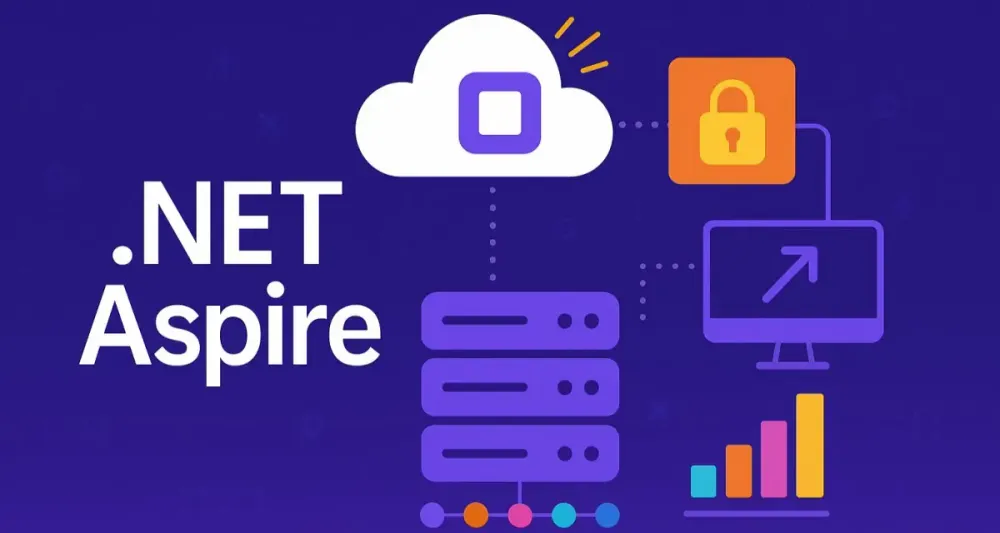
Cloud-native development is transforming the way enterprises build, deploy, and operate software. As organizations accelerate their digital journeys, expectations for distributed, resilient, and observable systems are only intensifying. For .NET architects, this shift has been both an opportunity and a challenge. Microsoft’s .NET Aspire enters the scene at a pivotal moment, providing a robust, opinionated, and extensible stack for building modern, cloud-ready .NET applications.
This article is crafted for the seasoned .NET architect. It’s not an introductory tour but a comprehensive guide to understanding, evaluating, and implementing .NET Aspire in complex, real-world scenarios. We will examine the philosophy behind Aspire, dissect its architecture, and provide practical examples and code snippets to illustrate how Aspire can streamline everything from project setup and service orchestration to observability and production readiness. If you lead teams building enterprise-scale distributed systems in .NET, this is your playbook for harnessing Aspire’s potential.
1 The Next Evolution in .NET Cloud-Native: Introducing .NET Aspire
1.1 The Cloud-Native Conundrum for .NET Developers
A Brief History of .NET in the Cloud
The .NET platform has matured through several significant phases. Initially designed for monolithic, on-premises workloads, .NET developers traditionally built applications as single, tightly-coupled deployments. The cloud era introduced more flexibility, but also new complexities. Moving monoliths to Infrastructure-as-a-Service (IaaS) provided some benefits, but the transition to true cloud-native design—marked by microservices, containers, and managed platforms—demanded much more.
The Complexities of Distributed Systems
Cloud-native architectures brought many advantages: scalability, resilience, and the freedom to innovate at pace. However, they also introduced unavoidable complexities:
- Service Discovery: How do microservices find each other as they scale and move?
- Configuration Management: How can distributed services share secrets and settings securely?
- Inter-Service Communication: Managing HTTP/gRPC calls, versioning, and message reliability.
- Observability: Centralized logging, tracing, and metrics across distributed components.
Every team building modern .NET solutions has wrestled with these questions. The result is often an ad-hoc patchwork of frameworks, home-grown libraries, and “glue code” that grows increasingly difficult to maintain.
The “Glue Code” Problem
Most .NET architects are familiar with the pain of stitching together disparate tools: container orchestrators (like Docker Compose or Kubernetes), configuration providers, distributed tracing libraries, and custom code to manage service lifecycles. Each piece adds friction and risk. The goal, then, is not just more libraries, but a cohesive, integrated platform. This is where .NET Aspire makes its entrance.
1.2 What is .NET Aspire? An Opinionated Stack for a Distributed World
Defining .NET Aspire
.NET Aspire is not simply another NuGet package or utility. It’s a comprehensive, opinionated stack designed by Microsoft to solve the practical challenges of building cloud-ready, observable, distributed .NET applications. It encompasses a local orchestration model, pre-built integrations for common infrastructure dependencies, and a strong focus on “developer inner-loop” productivity.
The Core Tenets of Aspire
- Developer Productivity: Aspire reduces the friction in spinning up and evolving distributed systems. It provides ready-to-use patterns, configuration, and diagnostics out of the box.
- Observability by Default: Tracing, logging, and health checks are first-class citizens. Developers can visualize and troubleshoot distributed systems without bolting on external tools.
- Seamless Local Development: Aspire enables you to model and run your full distributed application—services, containers, dependencies—locally, as a cohesive unit, closely mirroring production.
Aspire and Kubernetes: Enhancement, Not Replacement
Aspire is not a new orchestrator or a Kubernetes alternative. Instead, it complements existing deployment platforms, offering a simplified experience for modeling, running, and testing applications locally or in simple environments. For production, Aspire can generate deployment manifests that integrate with Kubernetes or cloud platforms, smoothing the transition from development to deployment.
1.3 Key Features and Benefits for Architects
Orchestration: Simplifying the Local Development Environment
Aspire’s orchestration layer allows you to describe the topology of your application (microservices, containers, databases, etc.) in C# code, providing a programmable, versioned, and easily maintainable definition of your distributed system. Developers can launch the entire stack with a single command, closely mirroring how it will behave in production.
Components: Pre-built, Configurable Integrations
Aspire ships with ready-to-use components for common infrastructure dependencies—such as PostgreSQL, Redis, RabbitMQ, and more. These are configurable and can be extended to support your organization’s specific needs, greatly reducing the burden of manual setup.
Service Defaults: Enforcing Best Practices
With Aspire, architects can define organizational best practices—resilience policies, health checks, structured logging, and telemetry—as defaults. These cross-cutting concerns are automatically applied to every service, ensuring consistency and compliance.
Developer Dashboard: Unified Observability
A dedicated developer dashboard provides real-time visibility into your application’s health, service dependencies, logs, and traces—all within the local development environment. This shortens feedback loops and makes diagnosing issues far more efficient.
Deployment Manifests: Streamlined Path to Production
Aspire supports exporting your application model as deployment manifests (Docker Compose, Kubernetes YAML, Azure ARM, etc.). This bridges the gap between development and production, minimizing “works on my machine” problems and aligning deployment with your existing pipelines.
2 Deconstructing .NET Aspire: An Architectural Deep Dive
2.1 The Anatomy of a .NET Aspire Solution
A typical Aspire-based solution follows a clearly structured layout that enforces separation of concerns while enabling collaboration between service teams and platform teams.
The AppHost Project: The Heart of Orchestration
At the core of every Aspire application is the AppHost project. This is not a web API or service itself, but an orchestration engine—a C# project (usually a console application) that programmatically defines the application’s topology:
- Which services run
- What external dependencies (e.g., databases, message brokers) are required
- How everything is wired together
This moves topology definition out of static YAML or JSON into strongly-typed, version-controlled C# code.
Example: AppHost Initialization
using Aspire.Hosting;
using Aspire.Hosting.ApplicationModel;

var builder = DistributedApplication.CreateBuilder(args);

var db = builder.AddPostgres("postgres-db")
    .WithVolumeMount("./data", "/var/lib/postgresql/data")
    .WithEnvironment("POSTGRES_PASSWORD", "supersecret");

var api = builder.AddProject<Projects.MyCompany_Api>("api-service")
    .WithReference(db);

builder.Build().Run();
This example creates a local PostgreSQL container, an API service, and wires the two together. The entire application stack is bootstrapped by running the AppHost project.
The ServiceDefaults Project: Cross-Cutting Concerns
Best practice for enterprise solutions is to centralize concerns like logging, telemetry, resilience, and health checks. In Aspire, this is encapsulated in a ServiceDefaults project—a shared library referenced by every service. It ensures a consistent baseline for observability and reliability.
Example: ServiceDefaults Registration
public static class ServiceDefaultsExtensions
{
    public static void AddServiceDefaults(this IServiceCollection services, IConfiguration config)
    {
        services.AddHealthChecks();
        services.AddOpenTelemetryTracing(builder =>
        {
            builder.AddAspNetCoreInstrumentation();
            builder.AddSqlClientInstrumentation();
        });
        // Add other cross-cutting features as needed
    }
}
Application Services
These are your actual business services—APIs, background processors, workers—implemented as standard .NET projects. Aspire makes it straightforward to integrate them into the overall application model, exposing references and configuration via dependency injection.
2.2 The .NET Aspire Hosting Model
IDistributedApplicationBuilder: Defining Your Application Graph
The IDistributedApplicationBuilder interface exposes a fluent API to compose your distributed system. You add services, containers, cloud resources, and configure their dependencies. This is a powerful, programmable alternative to static YAML.
Example: Adding Services and Resources
var builder = DistributedApplication.CreateBuilder(args);

var redis = builder.AddRedis("cache")
    .WithEnvironment("REDIS_PASSWORD", "complexpw");

var worker = builder.AddProject<Projects.MyCompany_Worker>("worker-service")
    .WithReference(redis);

builder.Build().Run();
This code defines a Redis container and a worker service, and ensures the worker receives all connection details for Redis.
WithReference(): Service Discovery and Dependency Injection
The WithReference() method establishes a formal dependency between components. Under the hood, Aspire injects environment variables (or configuration providers) so that the dependent service knows how to locate and authenticate with the referenced resource.
Example: Consuming References in Application Code
Suppose your worker needs to connect to Redis. With Aspire, you can bind the connection string using configuration:
public class Worker : BackgroundService
{
    private readonly IConfiguration _config;

    public Worker(IConfiguration config)
    {
        _config = config;
    }

    protected override async Task ExecuteAsync(CancellationToken stoppingToken)
    {
        var redisConnection = _config["Redis:ConnectionString"];
        // Use redisConnection to connect and operate
    }
}
Aspire ensures this configuration value is automatically injected at runtime.
2.3 Service Discovery and Communication in Detail
Abstracting Service-to-Service Communication
Aspire takes the manual work out of connecting microservices. When you use WithReference(), Aspire injects connection details (hostnames, ports, credentials) into dependent services as environment variables or configuration settings.
Under the Hood: Environment Variables and DNS
Aspire leverages the runtime environment to distribute connection details:
- Environment Variables: Easiest for local development. Each service receives its required secrets and endpoints at startup.
- DNS-Based Discovery: Aspire can register service hostnames, enabling DNS-based discovery when running in supported environments like Kubernetes.
HTTP and gRPC Client Integration
Aspire integrates seamlessly with .NET’s HTTP and gRPC clients. When your service needs to call another, you can inject a typed client pre-configured with the correct base address.
// In service startup
services.AddHttpClient<WeatherClient>((provider, client) =>
{
    var config = provider.GetRequiredService<IConfiguration>();
    client.BaseAddress = new Uri(config["WeatherService:BaseAddress"]);
});

// Using the client
public class WeatherClient
{
    private readonly HttpClient _httpClient;

    public WeatherClient(HttpClient httpClient)
    {
        _httpClient = httpClient;
    }

    public async Task<WeatherData> GetForecastAsync()
    {
        var response = await _httpClient.GetAsync("/forecast");
        response.EnsureSuccessStatusCode();
        return await response.Content.ReadFromJsonAsync<WeatherData>();
    }
}
This ensures communication remains robust even as endpoints change in different environments.
2.4 Resilience and Transient Fault Handling by Default
Automatic Integration with Polly
Polly, the de facto .NET library for resilience, is deeply integrated into Aspire. By default, HTTP/gRPC clients and other critical paths are wrapped with retry, circuit breaker, and timeout policies.
Example: Configuring a Custom Policy
You can customize resilience strategies through the ServiceDefaults project.
services.AddHttpClient("ResilientApiClient")
    .AddPolicyHandler(Policy<HttpResponseMessage>
        .Handle<HttpRequestException>()
        .WaitAndRetryAsync(3, attempt => TimeSpan.FromSeconds(Math.Pow(2, attempt))));
The Importance of Idempotent Operations
Retries and circuit breakers are powerful, but only safe when operations are idempotent. As an architect, you must design APIs and workflows to ensure repeated attempts do not produce inconsistent results.
Configuring Resilience Strategies in Aspire
Aspire allows global defaults but also per-service overrides, so you can tune resilience based on business needs.
2.5 Built-in Observability: A Game Changer
Automatic OpenTelemetry Integration
Observability is a first-class concern in Aspire. Every project is pre-wired for OpenTelemetry, collecting distributed traces, metrics, and logs out of the box. There’s no need for manual instrumentation unless you want custom spans or metrics.
Example: Enabling OpenTelemetry
services.AddOpenTelemetry()
    .WithTracing(builder => builder
        .AddAspNetCoreInstrumentation()
        .AddHttpClientInstrumentation()
        .AddOtlpExporter());
The Developer Dashboard
Aspire’s developer dashboard provides a unified view into:
- Service health and liveness
- Live logs and distributed traces
- Dependency maps and connection graphs
This empowers teams to spot performance bottlenecks, failures, and misconfigurations early, long before they hit production.
Exporting Telemetry to Monitoring Solutions
Aspire supports exporting telemetry to Azure Monitor, Prometheus, Grafana, and other popular backends, ensuring seamless integration with enterprise monitoring solutions.
services.AddOpenTelemetry()
    .WithMetrics(builder =>
        builder.AddPrometheusExporter());
3 From Zero to Hero: A Practical Implementation Journey
Building a distributed system can often feel overwhelming, especially when it involves orchestrating several moving parts and integrating third-party dependencies. In this section, we’ll walk through a practical, non-trivial example: building a simplified e-commerce system using .NET Aspire. The journey will guide you from initial environment setup to running and observing your system with Aspire’s integrated tooling.
3.1 Setting Up Your Development Environment
Required SDKs, Tools, and IDE Integration
Before you can unlock the capabilities of .NET Aspire, your development environment needs to be properly equipped. Microsoft has invested in seamless experiences for both Visual Studio and VS Code, as well as robust cross-platform support.
-
.NET SDK: Ensure you have the latest LTS (Long-Term Support) .NET SDK (8.0 or later).
-
.NET Aspire Workloads: As of 2024, .NET Aspire is distributed as a workload you install via the
dotnetCLI. You can check and install with:dotnet workload search aspire dotnet workload install aspire -
Docker: Containers are fundamental to running databases, caches, and even some services locally. Install Docker Desktop for Windows or Mac, or Docker Engine for Linux.
-
Visual Studio 2022+ (with .NET Aspire extension) or Visual Studio Code (with C# Dev Kit and Aspire support).
-
Optional: Azure CLI if you intend to deploy to Azure.
Creating Your First .NET Aspire Project
.NET Aspire provides project templates to scaffold a solution quickly. These templates establish an initial structure with AppHost and service projects.
Using the CLI:
dotnet new aspire-app -n ECommerceLite
cd ECommerceLite
This creates:
- An AppHost project for orchestration
- A ServiceDefaults project
- Sample service projects
If you’re using Visual Studio, you’ll find the “.NET Aspire Application” template under new projects.
3.2 Building a Real-World Application: “E-Commerce Lite”
Scenario Overview
Let’s implement a practical, multi-service system—a simplified e-commerce platform. This “E-Commerce Lite” will consist of:
- Web Frontend: A Blazor WebAssembly app for user interaction
- Product Catalog API: Manages products
- Order Processing Worker: Handles order workflows asynchronously
- Shopping Cart Service: Manages user carts in Redis
The architecture relies on Redis for cart state, PostgreSQL for durable product and order data, and will eventually integrate a message broker for order processing.
Step 1: Defining the AppHost
The AppHost project defines your distributed application topology. Let’s wire up the backbone first.
using Aspire.Hosting;
using Aspire.Hosting.ApplicationModel;

var builder = DistributedApplication.CreateBuilder(args);

// PostgreSQL for products/orders
var postgres = builder.AddPostgres("postgres")
    .WithVolumeMount("./data", "/var/lib/postgresql/data")
    .WithEnvironment("POSTGRES_PASSWORD", "ecomPW!2024");

// Redis for shopping carts
var redis = builder.AddRedis("redis-cart");

// Microservices
var catalogApi = builder.AddProject<Projects.ECommerceLite_CatalogApi>("catalog-api")
    .WithReference(postgres);

var cartService = builder.AddProject<Projects.ECommerceLite_CartService>("cart-service")
    .WithReference(redis);

var orderWorker = builder.AddProject<Projects.ECommerceLite_OrderWorker>("order-worker")
    .WithReference(postgres);

// Frontend (Blazor)
var web = builder.AddProject<Projects.ECommerceLite_Web>("web")
    .WithReference(catalogApi)
    .WithReference(cartService);

builder.Build().Run();
With this single definition, Aspire manages container lifecycles, project startup, and connectivity.
Step 2: Implementing the Services
Each service is a separate .NET project—typically ASP.NET Core Web APIs or Worker Services.
Catalog API Example:
[ApiController]
[Route("api/[controller]")]
public class ProductsController : ControllerBase
{
    private readonly AppDbContext _db;

    public ProductsController(AppDbContext db)
    {
        _db = db;
    }

    [HttpGet]
    public async Task<IEnumerable<Product>> Get() => await _db.Products.ToListAsync();

    [HttpPost]
    public async Task<ActionResult<Product>> Create(Product product)
    {
        _db.Products.Add(product);
        await _db.SaveChangesAsync();
        return CreatedAtAction(nameof(Get), new { id = product.Id }, product);
    }
}
Order Worker Example:
public class OrderWorker : BackgroundService
{
    private readonly OrderDbContext _db;
    private readonly ILogger<OrderWorker> _logger;

    public OrderWorker(OrderDbContext db, ILogger<OrderWorker> logger)
    {
        _db = db;
        _logger = logger;
    }

    protected override async Task ExecuteAsync(CancellationToken stoppingToken)
    {
        while (!stoppingToken.IsCancellationRequested)
        {
            // Process unfulfilled orders
            var pendingOrders = await _db.Orders
                .Where(o => o.Status == OrderStatus.Pending)
                .ToListAsync(stoppingToken);

            foreach (var order in pendingOrders)
            {
                // Simulate fulfillment
                order.Status = OrderStatus.Fulfilled;
                _logger.LogInformation("Order {OrderId} fulfilled.", order.Id);
            }
            await _db.SaveChangesAsync(stoppingToken);

            await Task.Delay(TimeSpan.FromSeconds(10), stoppingToken);
        }
    }
}
Shopping Cart Service Example (using Redis):
public class CartService
{
    private readonly IConnectionMultiplexer _redis;
    public CartService(IConnectionMultiplexer redis) => _redis = redis;

    public async Task AddToCartAsync(string userId, CartItem item)
    {
        var db = _redis.GetDatabase();
        var key = $"cart:{userId}";
        await db.ListRightPushAsync(key, JsonSerializer.Serialize(item));
    }
}
Each project references the ServiceDefaults library for consistent telemetry and health checks.
Step 3: Leveraging Aspire Components
Aspire automates dependency wiring. For example, connection strings for PostgreSQL or Redis are injected by the AppHost into dependent services, often via environment variables or configuration.
Consuming Connection Strings:
builder.Services.AddDbContext<AppDbContext>(options =>
    options.UseNpgsql(
        builder.Configuration.GetConnectionString("postgres")
    )
);

builder.Services.AddSingleton<IConnectionMultiplexer>(
    ConnectionMultiplexer.Connect(builder.Configuration["Redis:ConnectionString"])
);
No hard-coded values or hand-managed secrets in source code.
Step 4: Frontend Integration
The Blazor WebApp interacts with backend services through HTTP calls. Service endpoints are discovered using Aspire’s configuration.
Fetching Products from Catalog API:
public class ProductService
{
    private readonly HttpClient _http;

    public ProductService(HttpClient http)
    {
        _http = http;
    }

    public async Task<IEnumerable<Product>> GetProductsAsync()
        => await _http.GetFromJsonAsync<IEnumerable<Product>>("api/products");
}
The HttpClient is configured in Program.cs with the base address set from Aspire-injected configuration.
Step 5: Using the Developer Dashboard
Once your AppHost is running, Aspire spins up a developer dashboard on a local port. This dashboard visualizes:
- Running services, their health, and status
- Live logs and distributed traces (OpenTelemetry)
- Dependency graphs
- Configuration values for each service
You can inspect traces across service boundaries, quickly identifying bottlenecks or errors in distributed calls. For architects, this feedback loop is invaluable for both debugging and teaching best practices.
3.3 Advanced Component Usage and Customization
Working with Other Backing Services
Real-world architectures often require message brokers, caches, or even external SaaS APIs.
RabbitMQ Integration:
var rabbit = builder.AddRabbitMQ("orders-mq");

var orderWorker = builder.AddProject<Projects.ECommerceLite_OrderWorker>("order-worker")
    .WithReference(rabbit);
Consuming RabbitMQ in Worker:
builder.Services.AddSingleton<IConnectionFactory>(sp =>
    new ConnectionFactory
    {
        Uri = new Uri(builder.Configuration["RabbitMQ:ConnectionString"])
    }
);
Integrating Third-Party Containers
Aspire allows referencing any container image, whether it’s a popular open-source tool or a company-specific solution.
var elasticsearch = builder.AddContainer("elasticsearch", "docker.elastic.co/elasticsearch/elasticsearch:8.9.0")
    .WithEnvironment("discovery.type", "single-node");
Creating Custom Aspire Components
You can define custom components for repeated organizational use (e.g., a pre-configured MongoDB or Redis setup with internal conventions):
public static class AspireComponentExtensions
{
    public static IResourceBuilder<MongoDbContainerResource> AddMongoDb(this IDistributedApplicationBuilder builder, string name)
    {
        return builder.AddContainer(name, "mongo:7.0.2")
            .WithPort(27017)
            .WithEnvironment("MONGO_INITDB_ROOT_USERNAME", "admin")
            .WithEnvironment("MONGO_INITDB_ROOT_PASSWORD", "password");
    }
}
3.4 Migrating an Existing Microservices Application to .NET Aspire
Step-by-Step Migration
- Inventory: Audit your existing services and dependencies.
- Scaffold AppHost: Add an AppHost project to define the overall system topology in code.
- Reference Existing Projects: Add your existing APIs, workers, and other services via
AddProject. - Define Backing Services: Use Aspire components for your databases, caches, or message brokers, mirroring your current infrastructure.
- Adopt ServiceDefaults: Move cross-cutting concerns (telemetry, health, resilience) into a ServiceDefaults project and reference it everywhere.
- Wire Up Configuration: Transition from static configuration files to Aspire-injected environment variables or connection strings.
Strategies for Incremental Adoption
- Side-by-side: You can adopt Aspire for local development and keep production unchanged initially.
- Service-by-service: Migrate one service at a time, starting with least critical, to reduce risk.
- Iterative improvements: Adopt Aspire’s features (e.g., developer dashboard, telemetry) gradually.
Common Challenges
- Custom service discovery: If you have in-house discovery, carefully transition to Aspire’s references to avoid regressions.
- Legacy configuration patterns: Refactor to prefer dependency injection and strongly typed configuration.
- Stateful services: Aspire works best with stateless, container-friendly services. Address persistent state migration early.
4 .NET Aspire in the Broader Cloud-Native Ecosystem
No architectural choice exists in isolation. To make an informed decision, architects must understand where Aspire fits in the cloud-native landscape, especially relative to tools like Dapr, Kubernetes, and past Microsoft efforts like Project Tye.
4.1 .NET Aspire vs. Dapr (Distributed Application Runtime)
Philosophical Differences
- .NET Aspire: Provides an opinionated, integrated stack with default patterns for orchestration, observability, and local development. It targets .NET teams looking for strong conventions, out-of-the-box productivity, and deep IDE integration.
- Dapr: Offers a-la-carte, cross-platform, language-agnostic building blocks (state management, pub/sub, secrets, etc.) you compose into your app. It doesn’t enforce project structure or orchestration and is not .NET-specific.
Complementary Usage
You are not forced to choose between them. Aspire can orchestrate your services, while individual services can use Dapr sidecars to add capabilities like pub/sub, distributed state, or secrets management.
Example: Using Dapr Pub/Sub with Aspire:
- Configure AppHost to run your service and Dapr sidecar.
- Use Dapr .NET SDK in your services to publish/subscribe messages.
services.AddDaprClient();
services.AddControllers().AddDapr();
This lets you compose Aspire’s orchestration with Dapr’s cross-cutting building blocks, bringing the best of both.
4.2 .NET Aspire and Kubernetes: A Powerful Partnership
Clarifying the Roles
- Aspire: Defines the topology and dependencies of your application in C# for local and test environments. It can generate deployment artifacts.
- Kubernetes: The production-grade orchestrator for deploying, scaling, and operating containerized workloads.
Generating Kubernetes Manifests
Aspire’s AppHost can output Kubernetes YAML files that represent your application graph. This makes hand-off to DevOps seamless.
dotnet aspire export kubernetes -o k8s-manifests/These manifests define deployments, services, and persistent volumes as required by your AppHost definition.
Deployment Strategies
- Direct to AKS: Use Azure CLI, GitHub Actions, or DevOps pipelines to deploy generated manifests to Azure Kubernetes Service.
- Any Kubernetes: The manifests are not Azure-specific. You can deploy to any conformant Kubernetes cluster, public or private.
Aspire closes the “it works locally but not in prod” gap by aligning the local orchestration model with the production deployment topology.
4.3 .NET Aspire vs. Other .NET Orchestrators (e.g., Tye)
The Evolution from Project Tye to .NET Aspire
- Project Tye (2020-2022): An experimental orchestrator and tool for running microservices locally, using conventions and minimal configuration. Focused on developer inner-loop.
- .NET Aspire (2024+): The strategic successor, with formal support, deeper integration into .NET tooling, robust extensibility, and a much broader feature set (components, observability, deployment manifests).
Why Aspire is the Strategic Direction
Microsoft’s cloud-native strategy for .NET is now centered around Aspire. This is where active development and ecosystem investment are focused. Aspire’s architecture is more modular, more extensible, and more “production-aware” than Tye ever was. Architects planning future-proof solutions should prioritize Aspire.
5 Production-Ready: Deploying and Operating .NET Aspire Applications
No distributed system is complete until it’s running smoothly in production. For .NET architects, the path from local orchestration to stable, observable, and secure production deployments requires careful planning. This section details how .NET Aspire streamlines the journey—without handwaving over critical operational concerns.
5.1 From Development to Production: The Deployment Workflow
The Role of the Deployment Manifest
The deployment manifest serves as the contract between your application model (as defined in the AppHost) and your deployment environment. Aspire’s manifest captures the structure, resources, and configuration of your system, ensuring that what’s tested locally is what’s deployed to production.
Unlike static YAML or sprawling documentation, Aspire’s deployment manifest is generated directly from your living application model. This makes the manifest a reliable, up-to-date source of truth, reducing the risk of drift between environments.
Using the Azure Developer CLI (azd) for Seamless Deployment
Microsoft’s Azure Developer CLI (azd) brings opinionated, end-to-end workflows for modern app deployment. When paired with Aspire, the result is a highly productive pipeline from code to cloud.
Workflow Example:
-
Initialize your project with Aspire and
azd. -
Configure your deployment environment (e.g., Azure Container Apps).
-
Run:
azd upThis command provisions infrastructure, builds containers, pushes images, and applies Aspire’s deployment manifest.
You can extend this with Azure Bicep/ARM templates or Terraform for further infrastructure customization, all while keeping the deployment manifest as your application’s canonical description.
Integrating with Existing CI/CD Pipelines
Most organizations already rely on CI/CD systems like GitHub Actions or Azure DevOps. Aspire fits naturally into these workflows.
- Build: Use standard .NET build steps.
- Test: Run integration tests using Aspire’s local orchestration, enabling true distributed-system testing before promotion.
- Package and Publish: Push built containers to Azure Container Registry (ACR) or another OCI-compatible registry.
- Deploy: Apply Aspire’s manifest to target environments, leveraging tools like
kubectlorazd.
Example GitHub Actions step for deployment:
- name: Deploy to Azure
  run: azd up --environment production
  env:
    AZURE_CREDENTIALS: ${{ secrets.AZURE_CREDENTIALS }}
Aspire encourages consistency: the same manifest and code that orchestrate your application locally are used to define your production topology.
5.2 A Comprehensive Production Security Checklist
Security is foundational. Aspire doesn’t attempt to “magic away” hard problems but does provide a framework for implementing best practices.
Securing the Aspire Dashboard and Telemetry Endpoints
While the developer dashboard is invaluable during development, it should never be exposed in production. Ensure that dashboard endpoints are disabled or firewalled outside of local environments.
For telemetry, expose only necessary endpoints and enforce TLS for all ingress. Aspire’s observability stack can route logs and traces to secure collectors, never directly exposing raw data.
Managing Secrets and Configuration
Production deployments must avoid storing secrets in code or plain configuration files. Aspire integrates natively with Azure Key Vault and other secret managers.
Example: Loading Secrets from Azure Key Vault
builder.Configuration.AddAzureKeyVault(
    new Uri(Environment.GetEnvironmentVariable("KEYVAULT_URI")),
    new DefaultAzureCredential()
);
This pattern scales: you can centralize credentials, connection strings, and certificates, rotating them as needed with minimal code changes.
Network Security and Container Hardening
- Isolate networks: Use Azure Virtual Networks or Kubernetes network policies to control traffic.
- Restrict egress/ingress: Only allow what’s strictly necessary between services.
- Harden containers: Use minimal base images, scan for vulnerabilities, and run as non-root where possible.
- Regularly update images: Automated builds help prevent drift and patch vulnerabilities quickly.
Authentication and Authorization Strategies
For service-to-service communication:
- Prefer mutual TLS (mTLS) or JWT-based authentication between APIs.
- Use Azure Managed Identities to avoid hard-coding secrets.
- For user-facing endpoints, integrate with Azure AD, OAuth, or OpenID Connect providers.
Aspire’s configuration and component model makes it straightforward to wire up these patterns without scattering security code across projects.
5.3 Day 2 Operations: Monitoring, Logging, and Troubleshooting
Shipping to production is only the beginning. Reliable, observable operations are the mark of a mature architecture.
Configuring OpenTelemetry Exporters
In production, Aspire’s automatic OpenTelemetry integration should be extended to export traces and metrics to enterprise-grade systems like Azure Monitor, Prometheus, or Grafana.
Example: Exporting Traces
services.AddOpenTelemetry()
    .WithTracing(builder =>
        builder.AddOtlpExporter(o =>
        {
            o.Endpoint = new Uri("https://otlp.your-observability-platform.com");
        }));
Advanced Logging Strategies
- Structured logging: Log in JSON or another structured format, making downstream parsing and correlation easier.
- Centralized log aggregation: Use Azure Monitor, Elastic Stack, or another aggregator to ingest logs from all services.
- Log correlation: Inject trace IDs and span IDs into logs to relate requests across services.
Troubleshooting Distributed Systems
Distributed systems fail in non-obvious ways. Aspire’s telemetry makes it feasible to correlate logs, traces, and metrics:
- Trace visualization: Follow a request as it traverses multiple services.
- Root cause analysis: Leverage logs and traces to reconstruct incidents.
- Proactive alerting: Monitor key health indicators and trigger alerts on anomaly or error thresholds.
Implementing Effective Health Checks
Health checks serve two purposes:
- Liveness: Is the service running?
- Readiness: Is the service able to serve traffic (e.g., DB connections, dependencies healthy)?
With Aspire, you can standardize health check endpoints:
app.MapHealthChecks("/healthz/live");
app.MapHealthChecks("/healthz/ready");
These endpoints can be wired to Kubernetes or Azure Container Apps for automated restarts and scaling decisions.
5.4 Performance Tuning and Optimization
Identifying Bottlenecks
- Use Aspire’s distributed tracing to find latency sources—whether it’s slow database queries, network overhead, or inefficient code paths.
- Analyze metrics at the service and dependency level.
Optimizing Resource Utilization
- Set appropriate resource requests/limits for containers.
- Monitor memory and CPU with Aspire’s metrics integration.
- Use horizontal pod autoscaling (in Kubernetes) or Azure Container Apps scaling based on observed metrics.
Scaling Individual Services
- Aspire enables you to decompose monoliths into right-sized services.
- Configure scaling policies per service—some may need aggressive scaling (e.g., web frontends), others (e.g., workers) can be throttled or batched.
- Test scaling under load in pre-production, using telemetry to inform changes.
5.5 Total Cost of Ownership (TCO) Considerations
Beyond Developer Productivity
Aspire’s primary promise is improved developer velocity. But TCO is shaped by far more: infrastructure, maintenance, operational effort, and business risk.
Infrastructure Costs
- Containerized microservices allow granular scaling, potentially reducing over-provisioning.
- Using managed services (e.g., Azure Database, Redis) can simplify operations but may increase per-unit costs.
- Aspire helps right-size resources from the outset, avoiding over-provisioned test environments.
Operational Efficiency and Savings
- Standardized observability and health checks mean less time firefighting.
- Reduced glue code leads to fewer bugs and maintenance headaches.
- Improved developer onboarding and productivity translate to faster time-to-market.
Consider running regular TCO reviews as part of your architecture governance—quantifying Aspire’s impact with real data.
6 The Future of .NET Aspire and its Impact on the Ecosystem
As .NET Aspire matures, it has the potential to reshape how distributed .NET applications are built and operated. But like any foundational shift, its evolution will be shaped by community, feedback, and real-world adoption.
6.1 The Long-Term Vision for .NET Aspire
Roadmap for Future Features
Microsoft has already signaled a strong commitment to Aspire, with an ambitious roadmap including:
- Expanded component library: More first-party and community-driven integrations (e.g., more databases, SaaS connectors, event-driven components).
- Improved cloud integration: Smoother hand-offs to Azure, AWS, GCP.
- Enhanced security patterns: Deeper support for secret rotation, zero-trust architectures.
- Greater platform reach: Supporting emerging hosting models and orchestration frameworks.
A Broader Community Ecosystem
Much like ASP.NET and Entity Framework, Aspire is expected to cultivate a growing ecosystem:
- Community-authored components and extensions
- Enterprise adoption driving best practices
- Open discussions shaping the direction and priorities of the stack
The vitality of this ecosystem will be critical to Aspire’s long-term success.
6.2 The Challenges and Limitations of .NET Aspire
A Balanced Perspective
While Aspire promises much, it’s not a silver bullet for every use case.
Learning Curve
- Developers and architects must shift from static configuration to code-driven topology.
- Teams must adapt to new patterns for service orchestration and dependency management.
Fit for Purpose
- Some highly specialized scenarios (e.g., extreme low-latency systems, legacy environments, polyglot stacks) may find Aspire’s conventions restrictive.
- Aspire currently targets .NET-first workloads—heterogeneous environments may need hybrid solutions.
Operational Overhead
- Like all opinionated platforms, Aspire requires ongoing investment to keep up with updates and evolving best practices.
A successful adoption strategy means piloting Aspire with non-critical workloads first, refining patterns, and scaling up adoption as confidence grows.
6.3 Is .NET Aspire the Future of Cloud-Native Development for .NET?
A Concluding Analysis
.NET Aspire marks a significant milestone in Microsoft’s journey to make cloud-native .NET as productive and robust as its traditional application frameworks. Aspire’s tight integration, opinionated defaults, and strong developer tooling address many of the pain points that have historically slowed down .NET teams moving to the cloud.
Its strengths:
- Rapid, consistent development workflows
- First-class observability and diagnostics
- A code-driven, maintainable approach to distributed architecture
Are these enough to make Aspire the de facto standard? If Microsoft continues to invest, and the .NET community embraces the model, the answer could well be yes.
Final Recommendations
For architects, the path forward is clear:
- Evaluate Aspire in pilot projects—focus on developer experience, deployment workflow, and operational fit.
- Stay connected to the evolving roadmap and community practices.
- Approach adoption iteratively, investing in shared patterns and knowledge as you scale.
Aspire isn’t just a toolset—it’s an architectural philosophy. If you’re seeking to modernize your .NET portfolio for the cloud, it belongs at the top of your evaluation list.
7 Appendix
7.1 Additional Resources
- Official .NET Aspire Documentation
- Microsoft Aspire Sample Applications
- Azure Developer CLI Documentation
- .NET Aspire GitHub Discussions
- OpenTelemetry for .NET
- Aspire Community Forum
7.2 Glossary of Terms
AppHost The project that defines the distributed application topology, including services, dependencies, and orchestration logic in C#.
Component A reusable, pre-built integration for common dependencies such as databases, caches, or message brokers, configurable through Aspire’s APIs.
Deployment Manifest A machine-readable description of your application’s architecture, used to deploy and manage the app in different environments.
Distributed Application An application composed of multiple loosely-coupled services or processes that communicate over a network.
Service Discovery The process by which services dynamically locate each other within a distributed system.
ServiceDefaults A project or library encapsulating cross-cutting concerns like health checks, telemetry, and resilience, shared across all services.
OpenTelemetry An open standard for collecting distributed traces, metrics, and logs, integrated natively in Aspire.
Azure Developer CLI (azd) A command-line tool for provisioning and deploying modern applications to Azure.
CI/CD Pipeline Automated workflows for continuous integration and continuous deployment, ensuring software moves smoothly from source control to production.
Final Thoughts
.NET Aspire brings .NET squarely into the modern cloud-native era. By providing both architectural rigor and developer agility, it represents a robust path forward for teams seeking to build scalable, observable, and secure distributed systems. The journey is just beginning, and as the ecosystem matures, Aspire may very well become the foundation upon which the next generation of .NET cloud-native solutions is built.
For the forward-thinking architect, the invitation is clear: explore, experiment, and help shape the future of .NET Aspire.