As a software architect, you’ve probably experienced the growing complexity of managing shared functionalities like authentication, logging, or SSL termination across numerous microservices. Each service independently handling these cross-cutting concerns isn’t just inefficient—it can become a nightmare.
So, what if there was a simpler way?
Enter the Gateway Offloading Pattern—a strategic design approach that centralizes common tasks at a single entry point. In this comprehensive guide, we’ll dive deep into this powerful architectural pattern, exploring what it is, why it matters, and how to implement it effectively, especially in a .NET environment.
1 Introduction to the Gateway Offloading Pattern
1.1 Defining the Pattern: What is Gateway Offloading?
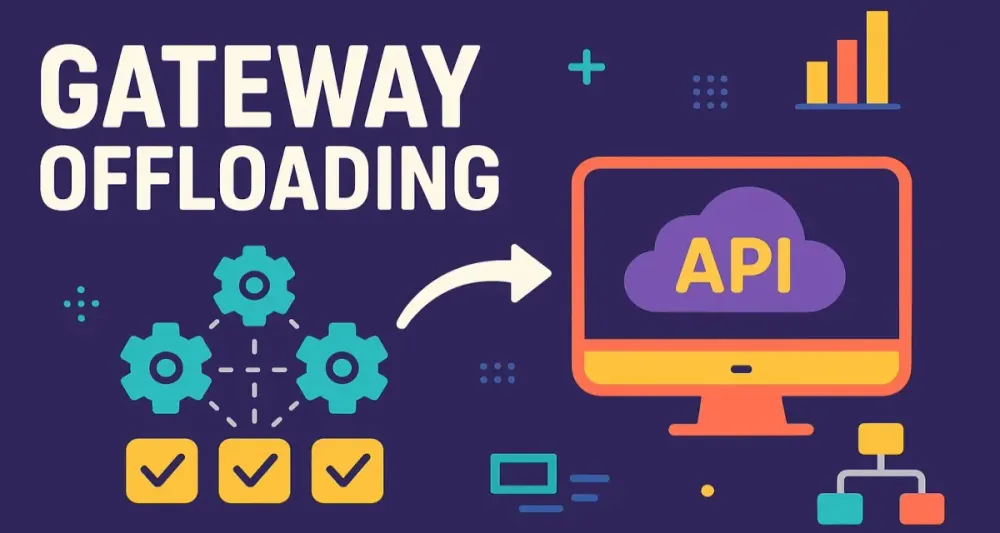
The Gateway Offloading Pattern is an architectural design that centralizes common, cross-cutting concerns—like authentication, SSL termination, logging, and request validation—into a unified ingress gateway rather than spreading them across individual microservices.
Think of this gateway as the receptionist of a large organization. Rather than each department (or service) individually handling visitor verification, this receptionist centrally validates visitors’ identities and purposes, freeing departments to focus solely on their specialized tasks.
1.2 The Core Problem it Solves
When services independently manage cross-cutting functionalities, multiple problems surface:
- Duplication: Services repeatedly implementing identical functionality lead to wasted resources.
- Inconsistency: Slight variations in implementations across services cause discrepancies in logging, security, and policy enforcement.
- Complexity and Overhead: Managing and updating these distributed components becomes increasingly challenging as the number of microservices grows.
By centralizing these tasks into one location—the gateway—the Gateway Offloading Pattern simplifies system maintenance, enhances security, and improves consistency across your microservices ecosystem.
1.3 Historical Context
Microservices architectures gained prominence with cloud-native applications in the 2010s, creating an urgent need to handle cross-cutting concerns efficiently. Patterns like the API Gateway and Backends for Frontends (BFF) emerged to address this.
The Gateway Offloading Pattern is closely related yet distinct:
- API Gateway Pattern: Primarily manages API routing, aggregation, and client-specific APIs.
- BFF (Backend for Frontend): Tailors backend APIs specifically for frontend clients, optimizing user experience.
- Gateway Offloading: Specifically focused on centralizing shared functionalities, beyond just API composition or client-specific needs.
2 Core Principles and Key Components
2.1 Fundamental Principles
Three core principles guide the Gateway Offloading Pattern:
Centralization
All shared functionalities like SSL termination, authentication, logging, and rate limiting are handled at a single ingress point. This ensures consistent behavior and eases maintenance.
Separation of Concerns
Services can concentrate purely on business logic, unburdened by infrastructure concerns. This leads to cleaner code, easier testing, and faster development cycles.
Policy Enforcement
Using the gateway as the single entry point allows robust enforcement of security and traffic policies, acting as a chokepoint where every request can be consistently evaluated.
2.2 Key Components in a .NET Ecosystem
In a .NET-based environment, the Gateway Offloading Pattern typically involves:
The Gateway
This might be a dedicated solution such as Azure Application Gateway, AWS API Gateway, or a custom-built solution using tools like YARP (Yet Another Reverse Proxy) or Envoy.
Here’s a simplified example of configuring YARP in a .NET application:
// Using YARP in .NET 8
var builder = WebApplication.CreateBuilder(args);
builder.Services.AddReverseProxy()
    .LoadFromConfig(builder.Configuration.GetSection("ReverseProxy"));

var app = builder.Build();
app.MapReverseProxy();
app.Run();
Downstream Services
These are your actual microservices, now relieved from infrastructure tasks and free to strictly implement business logic. For instance, a basic service endpoint in .NET might look like:
[ApiController]
[Route("[controller]")]
public class OrderController : ControllerBase
{
    [HttpGet("{id}")]
    public IActionResult GetOrder(int id)
    {
        // Purely business logic here
        return Ok(new { Id = id, Status = "Processed" });
    }
}
The Communication Protocol
Primarily HTTP/S, though it can extend to gRPC or WebSockets. In modern applications, especially with performance-sensitive scenarios, gRPC integration with .NET is common:
// Example of a gRPC Service in .NET
public class OrderGrpcService : OrderService.OrderServiceBase
{
    public override Task<OrderReply> GetOrder(OrderRequest request, ServerCallContext context)
    {
        return Task.FromResult(new OrderReply
        {
            Id = request.Id,
            Status = "Processed"
        });
    }
}
3 When to Employ the Gateway Offloading Pattern
Knowing when and why to implement the Gateway Offloading Pattern is critical to its effectiveness.
3.1 Appropriate Scenarios
The Gateway Offloading Pattern particularly shines when:
- You’re managing numerous microservices with redundant functionalities.
- Your application needs consistent security enforcement.
- You support diverse client types (web, mobile, IoT devices) that require varied levels of data processing.
3.2 Business Justification
Implementing gateway offloading isn’t just technically advantageous; it brings clear business value:
- Reducing Duplication: Centralized infrastructure functionalities reduce development costs.
- Accelerating Feature Delivery: With less overhead, developers deliver business features faster.
- Improving Security Posture: Centralized control means uniform enforcement of security policies and quicker responses to threats.
3.3 Technical Contexts Where the Pattern Shines
Specific use-cases where Gateway Offloading becomes particularly effective include:
SSL/TLS Termination
Offloading encryption to a gateway frees your services from cryptographic overhead:
// Azure App Gateway Configuration snippet for SSL Termination
"sslCertificates": [
    {
        "name": "sslCert",
        "properties": {
            "data": "<certificate data>",
            "password": "<password>"
        }
    }
]
Authentication and Authorization
A centralized gateway simplifies token validation, like JWT authentication, universally enforced at a single point:
// Middleware example in ASP.NET Core
app.UseAuthentication();
app.UseAuthorization();

app.MapControllers();
Rate Limiting and Throttling
Central control over traffic spikes can prevent service disruptions, maintaining consistent user experience.
Example snippet using a hypothetical rate-limiting middleware:
app.UseRateLimiter(new RateLimiterOptions
{
    PermitLimit = 100,
    QueueLimit = 10,
    Window = TimeSpan.FromMinutes(1)
});
Centralized Logging and Tracing
Uniform logging ensures reliable observability. Integrated logging middleware can be simple:
app.Use(async (context, next) =>
{
    var logger = context.RequestServices.GetRequiredService<ILogger>();
    logger.LogInformation($"Handling request: {context.Request.Method} {context.Request.Path}");
    await next.Invoke();
});
Request/Response Transformation
Gateways adapt payloads, ensuring services receive requests in optimal formats and clients get data structured for their specific needs.
For instance, YARP middleware allows transformations on-the-fly:
// YARP configuration snippet
"Transforms": [
  {
    "RequestHeader": "X-Forwarded-Host",
    "Set": "originalhost.example.com"
  }
]
4 Implementation Approaches with Modern .NET
When it comes to operationalizing the Gateway Offloading Pattern, your choice of tooling and approach shapes not only your architecture’s effectiveness but also its day-to-day maintainability. The .NET ecosystem offers a wealth of options, from fully managed services to highly customizable frameworks and proven open-source gateways. Let’s examine the strengths and usage of three leading approaches: Azure API Management, YARP, and Ocelot.
4.1 The Managed Service Approach: Azure API Management
One of the most seamless ways to centralize and offload cross-cutting concerns—particularly in cloud-native architectures—is to adopt a managed API gateway service. Azure API Management (APIM) stands out for its maturity, rich policy capabilities, and deep integration with the Azure platform.
Configuring Azure API Management for Offloading
Azure API Management acts as a high-performance, scalable ingress point for your microservices. It allows you to define APIs, set up policies for authentication, throttling, CORS, caching, transformation, and much more—all without changing your backend code. By using APIM, you hand over the enforcement of security, logging, and other concerns to the gateway.
Example: Setting Up JWT Authentication and Security Headers in Azure APIM
Imagine you want your downstream services to focus solely on business logic and trust that all requests have been authenticated and security headers applied at the gateway.
- Create an API in Azure API Management Import your downstream service API into APIM, either via OpenAPI, SOAP, or manually.
- Apply policies at the inbound processing stage Use policy definitions to handle JWT validation and add required security headers.
Sample APIM Policy for JWT Validation and Security Headers:
<inbound>
    <!-- Validate JWT Token -->
    <validate-jwt header-name="Authorization" failed-validation-httpcode="401" require-expiration-time="true">
        <openid-config url="https://login.microsoftonline.com/{tenant}/v2.0/.well-known/openid-configuration" />
        <audiences>
            <audience>api://your-api-client-id</audience>
        </audiences>
    </validate-jwt>

    <!-- Add Security Headers -->
    <set-header name="X-Content-Type-Options" exists-action="override">
        <value>nosniff</value>
    </set-header>
    <set-header name="X-Frame-Options" exists-action="override">
        <value>SAMEORIGIN</value>
    </set-header>
    <set-header name="Strict-Transport-Security" exists-action="override">
        <value>max-age=31536000; includeSubDomains</value>
    </set-header>
</inbound>
This policy ensures that only valid requests reach your service, and they already include industry-standard security headers.
Example: A Lean Downstream API in C#
Since all cross-cutting concerns have been offloaded to the gateway, your service code becomes dramatically simpler.
[ApiController]
[Route("api/[controller]")]
public class ProductsController : ControllerBase
{
    [HttpGet("{id}")]
    public IActionResult GetProduct(int id)
    {
        // All requests reaching here are already authenticated by APIM
        // No security headers or JWT validation needed in code

        var product = new { Id = id, Name = "Coffee Mug", Price = 12.99 };
        return Ok(product);
    }
}
Practical Insight: With this approach, you achieve a clear separation: Azure APIM handles ingress, security, and observability, while your microservices focus purely on business processes and data.
Considerations
- Strengths: No operational burden to maintain the gateway, feature-rich, scalable, and deeply integrated with Azure.
- Limitations: Less flexibility for edge-case customizations, cloud-specific, and can be more costly at very high scale compared to self-hosted solutions.
4.2 The Flexible Framework Approach: YARP (Yet Another Reverse Proxy)
For scenarios demanding greater flexibility, closer control, or on-premises deployments, Microsoft’s YARP is an increasingly popular solution. YARP is a highly customizable, open-source reverse proxy library that integrates naturally with modern ASP.NET Core applications.
Introduction to YARP
Unlike managed services, YARP runs as part of your own application infrastructure, offering full programmability with .NET. It enables both basic reverse proxy routing and complex request/response transformations or middleware.
Setting Up an ASP.NET Core Project as a YARP Gateway
Let’s walk through a concrete example of establishing a gateway with YARP, programmatically configuring routes, and implementing custom middleware using modern C# features.
1 Create a New ASP.NET Core Project
Start with a minimal API template in .NET 8:
dotnet new web -n GatewayWithYarp
cd GatewayWithYarp
dotnet add package Yarp.ReverseProxy
2 Configure YARP in Program.cs
You can load routing and destination information from appsettings.json or define it in code.
Programmatic Configuration Example:
using Yarp.ReverseProxy.Configuration;

var builder = WebApplication.CreateBuilder(args);

// In-memory route and cluster configuration
builder.Services.AddReverseProxy()
    .LoadFromMemory(
        new[]
        {
            new RouteConfig
            {
                RouteId = "product-route",
                ClusterId = "product-cluster",
                Match = new RouteMatch { Path = "/api/products/{**catch-all}" }
            }
        },
        new[]
        {
            new ClusterConfig
            {
                ClusterId = "product-cluster",
                Destinations = new Dictionary<string, DestinationConfig>
                {
                    { "prod-service", new DestinationConfig { Address = "https://localhost:5001/" } }
                }
            }
        }
    );

var app = builder.Build();
app.MapReverseProxy();
app.Run();
Or via appsettings.json:
{
  "ReverseProxy": {
    "Routes": [
      {
        "RouteId": "order-route",
        "ClusterId": "order-cluster",
        "Match": { "Path": "/api/orders/{**catch-all}" }
      }
    ],
    "Clusters": {
      "order-cluster": {
        "Destinations": {
          "order-service": { "Address": "https://localhost:5002/" }
        }
      }
    }
  }
}
And in Program.cs:
builder.Services.AddReverseProxy()
    .LoadFromConfig(builder.Configuration.GetSection("ReverseProxy"));
3 Implementing Custom Middleware: Adding a Correlation ID
Modern distributed systems benefit from a correlation ID for end-to-end tracing. Here’s how you can insert one at the gateway, ensuring every downstream call includes the correlation header.
app.Use(async (context, next) =>
{
    var correlationId = context.Request.Headers.TryGetValue("X-Correlation-ID", out var existingId)
        ? existingId.ToString()
        : Guid.NewGuid().ToString();

    context.Items["CorrelationId"] = correlationId;
    context.Response.OnStarting(() =>
    {
        context.Response.Headers["X-Correlation-ID"] = correlationId;
        return Task.CompletedTask;
    });

    await next();
});
This middleware runs before YARP’s reverse proxy logic, injecting or propagating the correlation ID.
4 Forwarding Custom Headers or Claims
You might also want to forward identity information or user claims for downstream authorization.
app.Use(async (context, next) =>
{
    // Extract JWT claim and forward as header
    var userId = context.User?.FindFirst("sub")?.Value;
    if (userId != null)
    {
        context.Request.Headers["X-User-Id"] = userId;
    }
    await next();
});
Observability, Diagnostics, and Policy Enforcement
With YARP, you can easily plug in structured logging, distributed tracing (via OpenTelemetry), and enforce policies such as rate limiting at the gateway. The extensibility of YARP is a major strength when you need to go beyond the basics.
Advantages and Limitations
- Advantages: Full control, deep customization, integrates with the .NET ecosystem, suitable for hybrid cloud/on-premises environments.
- Limitations: Operational overhead for patching and scaling, less “hands-off” than a managed gateway, requires in-house .NET expertise.
4.3 The Open-Source Alternative: Ocelot
If you prefer established open-source solutions that are mature, community-driven, and simple to get started with, Ocelot remains a go-to choice for many .NET-based architectures.
Introduction to Ocelot
Ocelot is a lightweight API Gateway designed specifically for .NET. It offers rich support for routing, request aggregation, authentication, authorization, rate limiting, and more. Ocelot is well-suited for small to medium-scale microservices systems and edge applications.
Offloading with Ocelot: JWT Authentication Example
Suppose you want Ocelot to handle all JWT authentication at the gateway, so your services can simply trust incoming requests.
1 Install Ocelot NuGet Package
dotnet add package Ocelot2 Configure Ocelot in appsettings.json
Here’s a typical configuration offloading JWT validation to the gateway:
{
  "Routes": [
    {
      "DownstreamPathTemplate": "/api/orders/{everything}",
      "DownstreamScheme": "https",
      "DownstreamHostAndPorts": [
        { "Host": "localhost", "Port": 6001 }
      ],
      "UpstreamPathTemplate": "/orders/{everything}",
      "UpstreamHttpMethod": [ "GET", "POST" ],
      "AuthenticationOptions": {
        "AuthenticationProviderKey": "Bearer",
        "AllowedScopes": []
      }
    }
  ],
  "GlobalConfiguration": {
    "BaseUrl": "https://localhost:5000"
  }
}
3 Register Authentication Services in Program.cs
builder.Services.AddAuthentication("Bearer")
    .AddJwtBearer("Bearer", options =>
    {
        options.Authority = "https://your-identity-provider";
        options.Audience = "your-api-audience";
        options.RequireHttpsMetadata = true;
    });

builder.Services.AddOcelot();

var app = builder.Build();

app.UseAuthentication();
app.UseOcelot().Wait();
What’s happening here?
- All
/orders/*requests are authenticated at the Ocelot gateway. - Only requests with valid JWTs make it to the downstream
Ordersmicroservice. - Your downstream code can safely assume the identity has already been validated.
4 A Minimal Downstream Service
Downstream microservices, much like with managed gateways, remain focused and streamlined:
[ApiController]
[Route("api/[controller]")]
public class OrdersController : ControllerBase
{
    [HttpGet("{id}")]
    public IActionResult Get(int id)
    {
        // Trust Ocelot for authentication
        return Ok(new { Id = id, Status = "Dispatched" });
    }
}
Ocelot: Practical Capabilities
Beyond authentication, Ocelot supports:
- Rate limiting
- Request and response transformations
- Header manipulation
- Quality of service (circuit breakers)
- Caching
- Aggregation of multiple downstream responses
Strengths and Limitations
- Strengths: Simple, focused, active open-source community, quick setup for .NET projects.
- Limitations: Less extensible than YARP, not as feature-rich or scalable as Azure APIM, best suited for moderate workloads.
Implementation Summary
Choosing the right gateway approach comes down to your operational context, scaling needs, and appetite for customization:
- Azure API Management offers operational simplicity, policy power, and security for cloud-centric teams.
- YARP unlocks deep flexibility and .NET-native extensibility for architects who want or need granular control.
- Ocelot gives you a practical, quick-to-integrate open-source solution for straightforward API gateway needs in .NET environments.
You don’t need to pick just one for all time; as your system evolves, you might blend approaches or transition between them. What’s crucial is understanding the capabilities, trade-offs, and integration patterns each option presents—and how they enable the core promise of Gateway Offloading: moving complexity out of your services and into a single, well-managed ingress.
5 Real-World Use Cases and Architectural Scenarios
Understanding the Gateway Offloading Pattern in theory is essential, but seeing it applied in varied, complex environments makes its benefits and limitations tangible. Let’s examine how this pattern empowers teams in different architectural landscapes.
E-commerce Platform: Centralizing Authentication and Caching
Consider a modern e-commerce platform. These systems often comprise dozens of services—catalog, orders, payments, users, recommendations, and more. Certain functionalities, like authentication and shopping cart management, touch almost every user interaction.
Without a Gateway:
- Every microservice (e.g., ProductService, OrderService, CartService) must individually validate authentication tokens and handle security headers.
- Shopping cart state is either managed by a dedicated service (which all must call) or redundantly cached at various points.
With Gateway Offloading: A gateway enforces authentication and session management at the ingress point. For example:
- User Authentication: The gateway validates tokens and injects the user identity into requests, so downstream services only need to trust the gateway.
- Cart Caching: The gateway can cache shopping cart data for short intervals, reducing backend load during high-traffic events.
Scenario in Practice:
- When a customer adds an item to their cart, the request hits the gateway.
- The gateway authenticates the user, updates the cart in a fast-access cache, and then forwards the minimal necessary request to the CartService for persistence.
- Product and order services no longer need to perform repeated authentication checks, and the cart experience is snappier.
This pattern accelerates both performance and developer productivity, letting teams focus on differentiated business logic rather than cross-cutting infrastructure.
IoT Solutions: Protocol Translation and Device Management
IoT platforms often involve fleets of devices using various protocols and inconsistent security models. A gateway offloads and standardizes these concerns.
Example Architecture:
- Device Authentication: The gateway validates device credentials and applies security checks before traffic enters the internal network.
- Protocol Translation: Many devices use lightweight protocols like MQTT or proprietary formats. The gateway translates these into REST or gRPC calls suitable for .NET services.
- Throttling and Quotas: Gateways enforce rate limits, preventing rogue or malfunctioning devices from overwhelming downstream systems.
Scenario in Practice:
- A temperature sensor sends data via MQTT.
- The gateway authenticates the device, translates the message to HTTP, and forwards it to the central TelemetryService.
- If the device exceeds its allowed message rate, the gateway drops excess messages and alerts operations.
This approach isolates the fragile and variable IoT edge from your core system, reducing attack surface and operational burden.
Legacy System Modernization: Secure API Facade
Many organizations face the challenge of gradually modernizing legacy monolithic applications while maintaining business continuity. Introducing a gateway in front of a monolith can serve as a pragmatic bridge.
What does this achieve?
- Unified, Secure API Layer: The gateway exposes a REST or gRPC API, adding authentication, SSL termination, and request validation.
- No Code Changes to the Legacy App: The monolith remains untouched, often still using internal protocols or even legacy session models.
- Progressive Modernization: Over time, as services are carved out, the gateway can route to a mix of legacy endpoints and new microservices.
Scenario in Practice:
- The gateway receives a request for customer data.
- It authenticates the request, logs the access, and then forwards the request to the monolith using the legacy protocol.
- As teams modernize the Customer module, the gateway transparently routes those requests to a new CustomerService, without impacting clients.
This enables modernization at your own pace, reducing risk and avoiding big-bang migrations.
6 Common Anti-Patterns and Pitfalls
While the Gateway Offloading Pattern offers significant benefits, missteps are common. Let’s review the traps to avoid so your implementation remains maintainable and scalable.
The “God” Gateway
A recurring anti-pattern is transforming the gateway into a new monolith by embedding business logic. The gateway’s purpose is to centralize cross-cutting concerns, not to coordinate workflows, hold state, or manipulate business data. When the gateway starts handling domain-specific rules or aggregating business responses, it becomes brittle and tightly coupled to service internals.
What to avoid:
- Order calculation logic in the gateway.
- Coordinating multi-step business transactions.
- Merging data from multiple services for client consumption (unless for simple composition).
Solution: Keep the gateway’s responsibilities strictly infrastructural—think authentication, logging, transformation, and routing.
Single Point of Failure
Centralizing ingress means your gateway is critical infrastructure. If it goes down, all downstream services are unreachable.
Mitigation Strategies:
- Deploy the gateway in a highly available, redundant configuration—multiple instances behind a load balancer.
- Use managed services with built-in SLAs where possible (e.g., Azure API Management).
- Regularly test failover and disaster recovery processes.
Performance Blind Spots
Every additional hop in a request/response cycle introduces latency. Overloaded or poorly configured gateways can become bottlenecks, hurting user experience.
Best Practices:
- Benchmark gateway performance under realistic and peak loads.
- Offload only what makes sense—avoid adding heavy synchronous operations (like complex transformations).
- Leverage efficient caching for static or idempotent resources.
Configuration Hell
As the number of routes, policies, and transformations grows, managing gateway configuration can spiral out of control.
Symptoms:
- Sprawling configuration files with hundreds of routes.
- Poor documentation or “tribal knowledge” on how policies interact.
- Difficulty onboarding new team members.
Solutions:
- Automate configuration generation and deployment via CI/CD.
- Keep configurations modular and well-documented.
- Regularly review and prune obsolete routes and policies.
Hindering Local Development
If every local test requires a running gateway, developer velocity plummets.
Avoid This By:
- Allowing services to run independently in local/dev environments.
- Providing mock or in-memory gateway configurations for local testing.
- Using service stubs or bypassing the gateway entirely for certain environments.
7 Advantages and Disadvantages Summarized
No architectural pattern is all gain and no pain. Let’s distill the main benefits and trade-offs of Gateway Offloading, helping you make informed, pragmatic choices.
7.1 Benefits and Advantages
Simplified Microservice Codebases With authentication, SSL, logging, and other shared concerns handled at the gateway, downstream service code is leaner, easier to test, and quicker to evolve.
Consistent Security Application A single point of policy enforcement means no more “Swiss cheese” security. All traffic is scrutinized equally, reducing risk and compliance headaches.
Increased Architectural Agility Need to change authentication providers? Or update a security header? One change at the gateway propagates instantly across all services.
Independent Scaling You can independently scale the gateway (to handle ingress volume) and the backend services (to handle business logic), optimizing cost and performance.
7.2 Limitations and Disadvantages
Additional Component to Manage Gateways themselves require monitoring, maintenance, patching, and scaling. Operational overhead can be significant in high-availability scenarios.
Potential Bottleneck If improperly scaled or designed, the gateway can limit overall system throughput and become a single point of failure.
Centralized Development Dependency With all cross-cutting changes flowing through the gateway, teams may become bottlenecked by a small group of gateway maintainers—unless ownership and automation are well-designed.
8 Conclusion and Best Practices for .NET Architects
8.1 Key Takeaways
The Gateway Offloading Pattern brings tangible, long-term value to distributed system design. By moving non-differentiating concerns out of individual services and into a centralized, robust gateway, you gain consistency, reduce duplication, and free up engineering focus for business innovation. However, success depends on knowing the boundary between infrastructure and business logic, investing in reliability, and anticipating growth in both scale and complexity.
8.2 Best Practices Checklist
Let’s distill what experience and real-world operations have taught us:
-
Strictly Limit Gateway Responsibilities Never allow business logic to “leak” into the gateway. Keep it focused on cross-cutting concerns: authentication, routing, logging, transformation, and policy enforcement.
-
Automate Everything Use infrastructure-as-code, CI/CD pipelines, and configuration management tools to ensure repeatable, auditable deployments and updates.
-
Implement Robust Monitoring and Logging Treat the gateway as critical infrastructure. Instrument it for metrics, health checks, structured logs, distributed tracing, and security alerts.
-
Choose Tools to Fit Your Context Weigh managed services (like Azure API Management) against flexible frameworks (YARP) and open-source gateways (Ocelot) based on your scale, compliance, and customization needs.
-
Document Gateway Responsibilities and Configurations Make it easy for every engineer to understand what the gateway does, how it is configured, and how to safely make changes.
-
Design for High Availability and Scale from Day One Redundant deployments, load balancing, rolling updates, and regular disaster recovery drills are non-negotiable.
8.3 The Future of Gateways
The API gateway—and the Gateway Offloading Pattern—are not static solutions. The cloud-native and serverless movements are further reshaping how we think about ingress, policy, and cross-cutting concerns.
In the future, we’ll likely see:
- Tighter integration with service meshes and platform-native gateways (like Kubernetes Ingress controllers and Istio).
- Dynamic policy enforcement via declarative APIs, making security and observability even more transparent and adaptable.
- Edge computing and distributed gateways moving closer to users and devices, enhancing both performance and compliance.
For .NET architects, this means keeping an eye on evolving tooling, being ready to integrate with cloud-native infrastructure, and never losing sight of the foundational principle: maximize developer productivity and system reliability by focusing each component on what it does best.