1 Introduction: The Evolved Serverless Battlefield of 2025
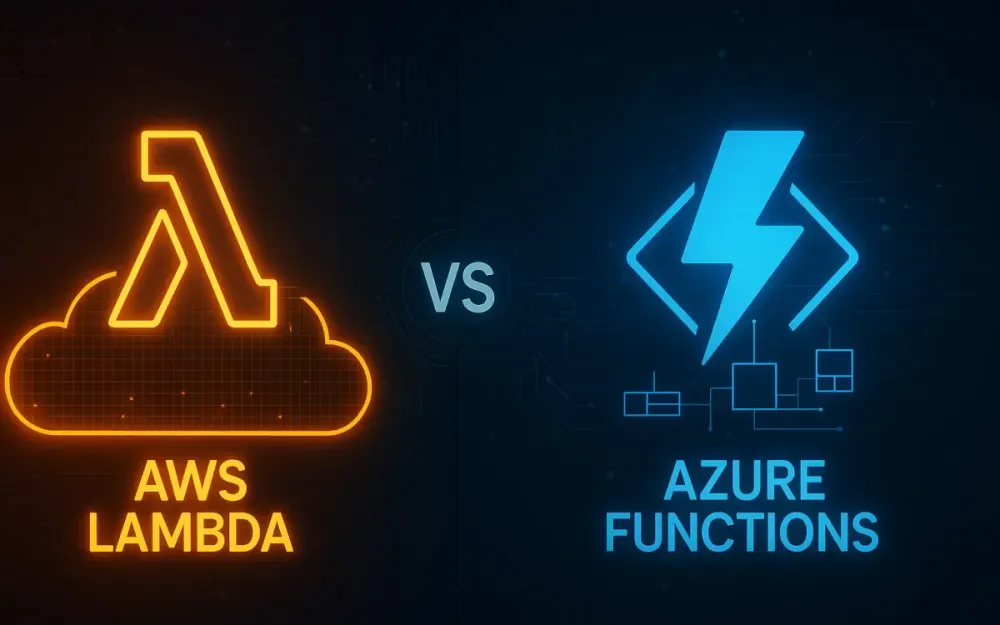
In 2025, serverless computing is no longer a fringe technology reserved for experimental projects or small-scale workloads. It’s a proven, production-grade architectural pillar that runs critical business systems across industries—from fintech and healthcare to e-commerce and AI-driven services. The landscape has shifted dramatically: instead of asking whether to use serverless, organizations are now asking which platform—AWS Lambda or Azure Functions—will deliver the most strategic, operational, and cost-effective advantage for their workloads. This guide dives into that decision with a 2025 lens, balancing technical depth with business context, and using real-world patterns to help you choose wisely.
1.1 The Premise
In the early days, serverless adoption was driven by the promise of no servers to manage and pay only for what you use. The conversation often focused on simple prototypes, cost savings from idle time elimination, and the novelty of event-driven architectures. Fast-forward to today, serverless has matured into a mission-critical execution model for workloads that demand rapid scalability, minimal operational overhead, and deep integration with cloud-native ecosystems.
Both AWS Lambda and Azure Functions have evolved from barebones function hosting services into sophisticated, highly integrated platforms capable of supporting:
- Enterprise-scale APIs
- Real-time streaming and IoT pipelines
- AI-powered workflows
- Compliance-bound, private-networked workloads
The debate is no longer “Should we use serverless?” but rather:
- Which provider delivers the best fit for our performance, integration, and compliance needs?
- Which operational model aligns with our team’s skills and culture?
- Which ecosystem will accelerate—not hinder—future innovations?
Pro Tip: When framing platform decisions in 2025, treat serverless not as a cost-saving gimmick, but as a strategic runtime choice—similar to how enterprises once evaluated virtual machines vs. containers.
1.2 Beyond the Cold Start
Five years ago, “cold start” was the dominant talking point in any Lambda vs. Functions comparison. Developers worried about the delay of spinning up a new function instance—particularly for latency-sensitive workloads like APIs and chatbots. While still technically relevant, cold starts are no longer the existential problem they once were.
Both AWS and Azure have introduced robust mitigation features:
- AWS Lambda: Provisioned Concurrency and SnapStart for Java functions drastically reduce or eliminate cold start delays.
- Azure Functions: Premium Plan with pre-warmed instances ensures zero start-up latency for critical endpoints.
The reality in 2025 is that cold start concerns now sit within a broader performance–cost–complexity trade-off discussion:
- Do you pre-warm instances for guaranteed speed, accepting higher baseline costs?
- Do you architect around occasional cold starts using async patterns or caching layers?
- Do you leverage new runtime technologies (like WebAssembly) to shorten initialization times inherently?
The bigger architectural questions today often revolve around:
- Workflow orchestration capabilities
- Ecosystem lock-in implications
- Networking/security integration depth
- Multi-runtime portability
Pitfall: Many teams still over-optimize for cold start without benchmarking actual user-facing latency in realistic load patterns. This can lead to overpaying for performance insurance you may not need.
1.3 Target Audience & Goals
This guide is designed for:
- Solution Architects deciding platform fit for new applications or migrations.
- Enterprise Architects crafting long-term cloud strategies and governance models.
- Senior Engineers/Tech Leads building and maintaining serverless workloads in production.
You can expect:
- A first-principles comparison that starts from the function execution model and builds to orchestration, ecosystem integration, and governance considerations.
- Concrete, idiomatic examples from both AWS and Azure ecosystems.
- Detailed trade-off analysis—because in 2025, there’s rarely a one-size-fits-all answer.
- Practical blueprints to illustrate architectural patterns in action.
Note: We’ll assume you already understand the basics of event-driven execution and cloud provider fundamentals. Our focus here is on nuanced architectural decision-making rather than introductory tutorials.
1.4 What’s New in 2025?
The past few years have brought transformative changes to both AWS Lambda and Azure Functions, making this an especially pivotal time to revisit the comparison.
1.4.1 AI and LLM Integration as a First-Class Capability
Both platforms now offer native hooks into Large Language Model (LLM) services and AI workflows:
- AWS: Tight integration with Amazon Bedrock for serverless AI workloads, enabling function-to-LLM orchestration without managing GPU resources.
- Azure: Deep coupling with Azure OpenAI Service, allowing Functions to call, chain, and manage GPT-based processes seamlessly, often within Durable Function orchestrations.
Trade-off: AWS provides broader multi-model options via Bedrock, while Azure delivers frictionless integration with Microsoft 365 Copilot and enterprise data through Graph API.
1.4.2 WebAssembly (Wasm) Runtimes
Custom runtimes have matured into a practical choice:
- Wasm runtimes offer near-instant cold starts, improved security isolation, and portability between providers.
- Both AWS and Azure now support Wasm-based execution, enabling lightweight, cross-language deployments without heavy container images.
Pro Tip: If you have polyglot teams or performance-critical workloads, explore Wasm-based functions before committing to traditional language runtimes.
1.4.3 Sophisticated Networking and Security Controls
Networking integration has moved from “possible” to “precisely controllable”:
- AWS: Enhanced VPC integration without the historical penalty of slower cold starts; granular security group and subnet control.
- Azure: Full VNet integration across Consumption, Premium, and Dedicated plans; simplified private endpoint configuration for Function Apps.
This means you can now run serverless in highly regulated, private-networked environments without the operational contortions that were common in 2020.
1.4.4 Expanded State Management Capabilities
The orchestration layer has become as important as the function runtime:
- AWS Step Functions now supports higher throughput, reduced pricing for short-lived state transitions, and built-in human approval steps.
- Azure Durable Functions offers better debugging tools, cross-language orchestration, and replay-optimized persistence.
Note: In many 2025 architectures, Step Functions or Durable Functions are the primary control plane for business workflows, with individual functions acting as modular execution units.
1.4.5 Cost Transparency and Predictability Tools
Both providers have invested in better cost observability:
- AWS Cost Anomaly Detection can flag unexpected Lambda cost spikes tied to function misuse or traffic anomalies.
- Azure Cost Management integrates directly into the Function App metrics, showing per-route and per-binding cost breakdowns.
This enables more confident cost–performance tuning at the design stage rather than reacting post-production.
2 The Core Foundation: A 2025 Perspective
Choosing between AWS Lambda and Azure Functions in 2025 requires a grounded understanding of their execution models, runtime environments, integration philosophies, and pricing mechanics. This section builds that foundation by dissecting how each platform executes workloads, what runtime choices are available, how triggers and bindings shape architecture, and how cost-performance trade-offs play out in real deployments.
2.1 The Function Model
Both AWS Lambda and Azure Functions follow an event-driven execution model, but the implementation details differ in ways that can affect design decisions. In each, your code runs inside a managed containerized environment, spun up (or reused) by the platform when an event occurs. The lifecycle is similar:
- Event arrives from a source (e.g., HTTP request, queue message, file upload).
- The platform finds or creates a warm execution environment.
- Code executes with the event payload.
- Environment stays warm for a period to handle additional events.
Where they diverge:
- AWS Lambda treats each function as an independent deployable unit, with no inherent grouping other than through aliases and versions. Each instance is entirely isolated.
- Azure Functions groups multiple functions into a Function App, sharing the same underlying compute instance, runtime, and configuration.
Pro Tip: In Azure, grouping related functions in a single Function App can significantly reduce cold start incidence and simplify dependency management. In AWS, the equivalent optimization often involves reusing code via Lambda Layers rather than co-locating multiple entry points.
Example: AWS Lambda handler in Python:
def lambda_handler(event, context):
    message = event.get("Records", [{}])[0].get("body", "No message")
    print(f"Processing: {message}")
    return {"statusCode": 200, "body": f"Processed {message}"}
Azure Function (Python) HTTP trigger:
import azure.functions as func

def main(req: func.HttpRequest) -> func.HttpResponse:
    message = req.params.get('message', 'No message')
    print(f"Processing: {message}")
    return func.HttpResponse(f"Processed {message}", status_code=200)
Pitfall: In AWS, scaling is at the function level. In Azure, scaling happens at the Function App level, meaning one heavily loaded function could influence concurrency limits for all functions in that app.
2.2 Runtimes, Languages, and Environments
2.2.1 AWS Lambda
AWS Lambda supports multiple managed runtimes: Node.js, Python, Java, .NET, Go, Ruby, and newer additions like Rust (via custom runtimes) and Wasm. In 2025, container image support is mainstream:
- Deploy Lambda functions as OCI-compliant container images (up to 10 GB) hosted in ECR.
- Enables bundling custom dependencies, native binaries, or niche runtimes.
- Ideal for ML inference workloads requiring specific OS libraries.
Performance Note: Go and Rust consistently outperform Python and Node.js for CPU-bound workloads in cold start and execution time. However, Python and Node.js still dominate for rapid prototyping and integration-heavy code due to library maturity.
Lambda Layers and Extensions are now optimized for faster startup:
- Layers: Share dependencies across multiple functions without redeploying them.
- Extensions: Run alongside your function for logging, monitoring, or security (e.g., Datadog agent).
Pro Tip: If your Lambda is memory-bound, increasing memory allocation boosts both RAM and CPU proportionally—a unique Lambda advantage.
Example Lambda container Dockerfile:
FROM public.ecr.aws/lambda/python:3.11
COPY app.py ./
CMD ["app.lambda_handler"]
2.2.2 Azure Functions
Azure Functions now offers three key runtime models:
- In-Process Model (legacy, tied closely to the host runtime) — good for simple, low-latency apps but less isolation.
- .NET Isolated Worker Model — provides full control over the hosting process, improved dependency isolation, and better startup performance for .NET apps.
- Custom Handlers — lets you write Functions in any language via HTTP-based integration, making polyglot workloads easier.
Azure’s first-party support for .NET is unmatched:
- Full access to modern C# features
- Deep Visual Studio integration
- Automatic binding to Azure services with minimal boilerplate
Example C# .NET Isolated Worker Function:
public class ProcessOrder
{
    [Function("ProcessOrder")]
    public static HttpResponseData Run(
        [HttpTrigger(AuthorizationLevel.Function, "post")] HttpRequestData req,
        FunctionContext context)
    {
        var logger = context.GetLogger("ProcessOrder");
        logger.LogInformation("Processing order...");
        return req.CreateResponse(HttpStatusCode.OK);
    }
}
Trade-off: Azure’s flexibility in grouping functions can reduce cold starts but also couples scaling decisions. AWS’s one-function-per-deployment approach can simplify scaling isolation but increases deployment management overhead.
2.3 Triggers vs. Bindings: A Fundamental Philosophical Difference
2.3.1 Lambda’s Approach
AWS Lambda uses event source mappings as triggers—these are explicit integrations with AWS services (e.g., S3, DynamoDB Streams, Kinesis, API Gateway). Each integration has its own event shape, requiring parsing and adaptation in code.
Example: S3 trigger event snippet:
{
  "Records": [
    {
      "s3": {
        "bucket": {"name": "my-bucket"},
        "object": {"key": "file.txt"}
      }
    }
  ]
}
You manually handle service connections in code or via AWS SDK calls.
Pro Tip: Lambda’s native triggers cover an extensive AWS service list but don’t inherently reduce boilerplate for response outputs—you manage integrations explicitly.
2.3.2 Functions’ Approach
Azure Functions’ bindings abstract away much of the integration logic:
- Input bindings automatically retrieve data from a service and pass it to your function.
- Output bindings handle writing results back to services without you calling SDKs.
Example: Function that reads from Cosmos DB and outputs to a queue:
public static class ProcessOrder
{
    [FunctionName("ProcessOrder")]
    public static void Run(
        [CosmosDB(
            databaseName: "OrdersDB",
            containerName: "Orders",
            Connection = "CosmosDBConnection",
            Id = "{id}",
            PartitionKey = "{partitionKey}")] Order order,
        [Queue("processed-orders")] out Order processedOrder)
    {
        processedOrder = Process(order);
    }
}
Here, no SDK code is needed for Cosmos DB or queue interactions—the binding handles it.
Note: This can dramatically accelerate development, but bindings may not expose every low-level capability an SDK offers.
2.3.3 Architectural Impact
When to favor Azure’s bindings:
- Internal enterprise apps needing rapid delivery and low boilerplate.
- Simple, well-defined service integrations where the binding’s abstraction is sufficient.
When to favor AWS’s trigger model:
- Need for fine-grained control over request handling.
- Complex, non-standard integrations where manual SDK usage is inevitable.
Trade-off: Bindings can limit flexibility in edge cases; triggers require more code but offer total control.
2.4 Hosting and Pricing Models: A Cost-Performance Analysis
2.4.1 AWS Lambda
AWS Lambda pricing is based on:
- Requests count
- Execution duration (GB-seconds)
- Memory allocation (which also scales CPU)
- Additional charges for data transfer, Provisioned Concurrency, and SnapStart
Provisioned Concurrency:
- Keeps functions warm for near-zero cold starts.
- Pricing = execution + concurrency-hour charge.
- Best for APIs with predictable, steady traffic.
SnapStart (Java):
- Pre-initializes the Java runtime and caches the execution snapshot.
- Reduces cold starts by up to 90% without ongoing concurrency charges.
Example AWS cost model snippet:
1M requests: Free
Additional requests: $0.20 per 1M
Duration: $0.0000166667 per GB-second
Pro Tip: Increasing memory can shorten execution, lowering duration cost—sometimes reducing total spend.
2.4.2 Azure Functions
Azure Functions offers:
- Consumption Plan: Pay for execution time and memory; automatic scaling; occasional cold starts.
- Premium Plan: Always-warm instances, VNet integration, higher scaling limits.
- Dedicated (App Service) Plan: Reserved VMs running functions; predictable cost; good for compliance-heavy workloads.
Pricing is similar to Lambda’s GB-second model for Consumption and Premium, but Dedicated is fixed-cost.
Example: Azure Consumption Plan cost:
1M executions: Free
Execution: $0.000016/GB-s
Trade-off: Premium Plan avoids cold starts and enables enterprise networking but adds a fixed hourly cost—viable when load is predictable.
2.4.3 Cost Modeling
Realistic cost modeling must include:
- Data transfer charges (especially cross-region or internet egress)
- Logging and monitoring costs (CloudWatch vs. Application Insights)
- Dependent service usage (e.g., DynamoDB reads, Cosmos DB RU consumption)
Example calculation: A function processing 2M requests/month, each using 512 MB and taking 200 ms:
- AWS:
(2M * 0.2s * 0.5 GB) * $0.0000166667 ≈ $3.33 - Azure Consumption: Similar base, but add potential RU costs for Cosmos DB binding.
Pitfall: Teams often forget to factor observability costs—Application Insights sampling rates and CloudWatch log retention can significantly impact the bill.
3 The Performance Battlefield: Concurrency, Scaling, and Latency
Performance in serverless isn’t just about raw execution speed—it’s about how predictably and efficiently your functions scale, how gracefully they handle sudden spikes, and how well you can minimize delays when demand is irregular. In 2025, AWS Lambda and Azure Functions have both introduced major improvements in concurrency handling, startup time, and resource allocation. Yet, their scaling models and configuration controls remain distinct enough that a wrong choice here can mean the difference between a smooth, cost-effective workload and a noisy-neighbor nightmare.
3.1 Taming the Cold Start in 2025
3.1.1 Mitigation Strategies
Both AWS and Azure have matured their cold start mitigation to the point that you can design for almost zero startup latency—but only if you pick the right combination of features.
AWS Lambda offers two main approaches:
- Provisioned Concurrency: Keeps a fixed number of function instances initialized and ready. Ideal for APIs with predictable traffic patterns.
- SnapStart for Java: Pre-initializes the Java runtime and snapshots it to drastically reduce cold starts, without paying for idle instances like Provisioned Concurrency. Works best for stateless workloads and can cut startup times from 5s+ to under 500ms.
Example: AWS CLI command to configure Provisioned Concurrency:
aws lambda put-provisioned-concurrency-config \
    --function-name MyApiFunction \
    --qualifier PROD \
    --provisioned-concurrent-executions 10
Azure Functions provides:
- Premium Plan with pre-warmed instances: Always-on containers that keep functions warm, avoiding cold starts entirely.
- Hybrid scaling: Configure minimum instance counts while allowing burst scaling during peak loads.
Example: Azure CLI command to set pre-warmed instances:
az functionapp plan update \
    --name MyPremiumPlan \
    --resource-group MyRG \
    --min-instances 5
Pro Tip: For unpredictable workloads that still require low-latency responses, combine AWS Lambda’s Provisioned Concurrency or Azure’s pre-warmed Premium instances with a caching layer (e.g., CloudFront, Azure Front Door) to absorb sudden bursts.
3.1.2 Architectural Choice
The choice between these mitigation strategies depends on the shape of your traffic:
- Steady or predictable traffic → Provisioned Concurrency (AWS) or Premium Plan (Azure) for guaranteed performance.
- Spiky, burst-heavy traffic → SnapStart (for Java on AWS) or hybrid scaling with Azure Premium, where pre-warmed counts are lower and bursts are absorbed elastically.
- Rare, high-latency-tolerant workloads → Skip pre-warming entirely and accept occasional cold starts to save cost.
Trade-off: AWS’s Provisioned Concurrency charges scale with your pre-warm count even when idle, while Azure Premium Plan charges for the underlying compute regardless of request volume. Choosing the wrong setting for your traffic pattern can lead to paying for “performance insurance” you don’t need.
Pitfall: Many teams mistakenly set high pre-warmed counts “just in case,” leading to idle capacity bills. Always measure actual p95/p99 latency before locking in.
3.2 Concurrency and Throttling Under Pressure
3.2.1 Lambda’s Model
AWS Lambda enforces a per-region account concurrency limit (default: 1,000 concurrent executions, adjustable via support request). This is the hard cap across all functions in that region.
Key tools in Lambda for concurrency control:
- Reserved Concurrency: Allocates a portion of the concurrency limit exclusively to a function, guaranteeing capacity for critical workloads.
- Account Concurrency Limit: Acts as a safety valve to avoid runaway costs from unexpected spikes.
Example: Reserving concurrency for a critical function:
aws lambda put-function-concurrency \
    --function-name PaymentProcessor \
    --reserved-concurrent-executions 50
Noisy Neighbor Problem: In a high-traffic environment, one runaway function can consume all concurrency, starving others—unless you’ve reserved concurrency for essential functions.
Pro Tip: Treat concurrency like currency—allocate reserved slots for mission-critical APIs, but leave room for dynamic scaling on less sensitive functions.
3.2.2 Functions’ Model
Azure Functions scaling depends heavily on the hosting plan:
- Consumption Plan: Scaling is elastic, but throttling can occur under extreme load or cold start surges.
- Premium Plan: Scaling starts from pre-warmed instances and can burst to more, but bursts are bounded by SKU limits.
- Dedicated Plan: Scaling is manual or via App Service autoscale rules.
Scaling in Azure is orchestrated by the Scale Controller, which monitors queue length, event rates, and resource utilization to decide when to add or remove instances.
Example: Setting Azure Premium scaling limits:
az functionapp plan update \
    --name MyPremiumPlan \
    --resource-group MyRG \
    --max-burst 50
Trade-off: Azure’s scaling is app-level, meaning all functions in a Function App share the same concurrency pool. This is efficient for related workloads but risky if one function’s burst starves others.
Note: In both AWS and Azure, concurrency throttling can cascade—triggering upstream retries, longer queue backlogs, and even circuit breaker trips in client systems.
3.3 Resource Configuration Nuances
3.3.1 Memory & CPU
In AWS Lambda, CPU power scales linearly with memory allocation:
- Allocate 512 MB → ~0.25 vCPU
- Allocate 3,072 MB → ~1.8 vCPUs
- Max memory (10,240 MB) → ~6 vCPUs
This means CPU-bound workloads may benefit from intentionally over-allocating memory to gain CPU speed, reducing execution time (and sometimes cost).
In Azure Functions:
- Consumption/Premium Plans: vCPU allocation is tied to the SKU and underlying App Service instance size, not directly adjustable per function.
- Premium SKUs (e.g., EP1, EP2, EP3) map to increasing vCPU/RAM per instance, affecting all functions in the app equally.
Example: AWS Lambda memory tuning for CPU-bound tasks:
aws lambda update-function-configuration \
    --function-name ImageProcessor \
    --memory-size 2048
Trade-off: AWS gives per-function CPU/memory tuning, allowing granular optimization. Azure’s instance-level allocation is simpler but less flexible for mixed workloads in one Function App.
Pro Tip: For batch or data-processing workloads, benchmark execution time against memory allocation to find the “sweet spot” where cost per run is lowest.
3.3.2 Ephemeral Storage
AWS Lambda provides /tmp storage for temporary files, now expandable from the old 512 MB limit to up to 10 GB per function. This is especially useful for:
- Temporary model downloads for ML inference
- Image/video processing buffers
- Intermediate ETL data
Example: Configuring Lambda ephemeral storage:
aws lambda update-function-configuration \
    --function-name VideoTranscoder \
    --ephemeral-storage '{"Size": 10240}'
Azure Functions offers temporary storage within the container’s local filesystem (usually under /local or %HOME% in Windows-based plans). Size depends on the plan:
- Consumption: ~500 MB
- Premium/Dedicated: Matches the underlying VM’s temp disk size, often much larger.
Pitfall: Ephemeral storage in both platforms is not persistent across invocations. Data is lost when the container is recycled or scaled down.
Note: For persistent, low-latency storage, pair ephemeral storage with cloud-native options (EFS for AWS Lambda, Azure Files for Functions).
4 Developer Experience and Ecosystem Integration
The power of a serverless platform isn’t just in how it runs workloads—it’s in how frictionless it is for developers to build, test, deploy, and maintain those workloads. In 2025, AWS and Azure have both invested heavily in improving the developer “inner loop” (local iteration cycles), dependency management, and CI/CD pipelines. Yet, their philosophies and tooling ecosystems still differ enough to influence platform choice for many teams.
4.1 The Inner Loop: Local Development and Debugging
4.1.1 AWS: The role of the AWS SAM CLI for local testing and emulation
AWS’s Serverless Application Model (SAM) CLI remains the primary tool for local development and debugging of Lambda functions. SAM emulates the Lambda execution environment, integrates with AWS service mocks, and supports step-debugging in your IDE.
Example: Running a Python Lambda locally with SAM:
sam build
sam local invoke MyFunction --event events/input.json
For HTTP APIs:
sam local start-apiThis spins up a local API Gateway emulator that routes requests to your Lambda handlers, making it easy to test integrations.
Pro Tip: Combine sam local start-lambda with LocalStack to simulate a broad set of AWS services offline—useful for complex multi-service apps without incurring AWS charges.
Pitfall: SAM’s local environment is close but not identical to production Lambda (especially regarding VPC networking and certain service integrations). Always run final tests in an actual AWS environment before release.
4.1.2 Azure: The seamless local development experience with Azure Functions Core Tools
Azure Functions Core Tools offer a fast, polished local development workflow, especially when paired with Visual Studio Code or Visual Studio. You can run the full function host locally, including bindings and triggers, with real-time log streaming.
Example: Starting an Azure Function locally:
func startTo create a new function:
func new --name ProcessOrder --template "HttpTrigger" --authlevel "function"Note: The local host can connect to live Azure resources (e.g., Cosmos DB, Storage queues) for integration testing, or to emulators like Azurite for offline development.
Trade-off: Azure’s local environment tends to more closely match production for bindings and triggers than SAM does for AWS. However, the trade-off is that Core Tools may require more dependencies (e.g., .NET SDK, language runtimes) depending on your function’s language.
Pro Tip: In 2025, both Azure Functions Core Tools and SAM CLI support hot-reload for certain languages, dramatically shortening feedback loops during iterative coding.
4.2 Dependency Management: A Critical Operational Hurdle
4.2.1 AWS Lambda Layers
Lambda Layers are AWS’s mechanism for sharing code, libraries, and binaries across multiple functions without embedding them in each function’s package. This keeps deployments smaller and avoids duplicate dependencies.
Example: Creating a Lambda Layer for shared Python dependencies:
mkdir python
pip install requests -t python/
zip -r layer.zip python
aws lambda publish-layer-version \
    --layer-name shared-lib \
    --zip-file fileb://layer.zip
Functions can then reference this Layer in their configuration.
The Good:
- Reduces package size and deployment time.
- Makes it easier to update common dependencies in one place.
The Bad:
- Requires careful versioning and coordination across teams.
- Debugging can be tricky if a function and its Layer depend on conflicting library versions.
Pro Tip: Keep Layers focused and minimal—group only truly shared, stable dependencies. For rapidly changing code, inline deployment is safer.
Pitfall: Layers are immutable once published; forgetting to bump the version when updating will lead to confusing “why isn’t my fix deployed?” moments.
4.2.2 Azure Functions
Azure Functions use standard language package managers (pip, npm, NuGet) without a special shared-layer mechanism. Dependencies are installed alongside your function code, scoped per Function App.
Example: Python dependencies in Azure:
pip install -r requirements.txt --target="./.python_packages/lib/site-packages"Example: Node.js dependencies:
npm installAdvantages:
- Simpler mental model—no additional AWS-style Layer management.
- CI/CD pipelines can use the same dependency install commands as local dev.
Limitations:
- No native shared dependency layer—common libraries must be duplicated across Function Apps, increasing storage and build times.
Trade-off: Azure’s simplicity benefits small teams and frequent deploy cycles. AWS Layers pay off for large orgs with many functions sharing a core set of libraries.
4.3 Deployment and CI/CD
4.3.1 Tooling
On AWS, deployment tooling is diverse:
- SAM CLI: Declarative, function-first deployment with AWS CloudFormation under the hood.
- AWS CDK: Infrastructure as code in familiar programming languages (TypeScript, Python, C#, Java).
- Terraform: Popular for multi-cloud portability and infrastructure management. Example AWS SAM deployment:
sam build
sam deploy --guided
On Azure:
- Azure Bicep: Declarative ARM template abstraction, more readable syntax.
- Azure CLI/PowerShell: Direct scripting for smaller deployments.
- Terraform: Also widely used for Azure Functions, especially in hybrid cloud contexts. Example Azure Bicep deployment for a Function App:
resource functionApp 'Microsoft.Web/sites@2022-09-01' = {
  name: 'my-function-app'
  location: resourceGroup().location
  kind: 'functionapp'
  properties: {
    serverFarmId: plan.id
  }
}
Pro Tip: In 2025, both AWS and Azure have GitHub Actions templates that integrate directly with their respective CI/CD flows—use these for faster onboarding and consistent deployments.
4.3.2 Strategies
AWS offers CodeDeploy-integrated deployments for Lambda, supporting blue/green and canary releases:
- Blue/Green: Deploy new version to a separate alias, then switch traffic when verified.
- Canary: Gradually shift traffic (e.g., 10% → 50% → 100%) with automatic rollback on errors.
Example AWS CLI canary config:
aws lambda update-alias \
    --function-name MyFunction \
    --name PROD \
    --function-version 5 \
    --routing-config '{"AdditionalVersionWeights":{"5":0.1}}'
Azure Functions’ Deployment Slots provide zero-downtime deploys:
- Each slot has its own host environment and settings.
- You can test new code in a staging slot, then swap with production instantly.
- Swap preserves warm state, avoiding cold starts post-deploy.
Example: Creating a staging slot:
az functionapp deployment slot create \
    --name my-function-app \
    --resource-group MyRG \
    --slot staging
Trade-off: AWS’s approach is more granular at the function level; Azure’s slot system is holistic at the app level. For multi-function apps where you want atomic upgrades, Azure’s slots are simpler. For single critical functions, AWS’s alias routing is more surgical.
Note: In high-compliance environments, Azure slots and AWS aliases both support traffic mirroring for shadow testing, reducing production risk.
5 The Game Changer: State Management and Workflow Orchestration
In the early stages of serverless adoption, the model was simple: respond to an event, run some code, return a result, and shut down. But as organizations began building business-critical applications on serverless foundations, they quickly ran into a challenge—most real-world processes are stateful and long-running. Payment processing, multi-step document approvals, data aggregation pipelines, and AI-assisted workflows don’t fit neatly into a single, stateless function execution. This is where orchestration services—AWS Step Functions and Azure Durable Functions—become game changers in 2025.
5.1 The Stateful Serverless Challenge: Why complex, long-running business processes require more than just a single function invocation
Serverless functions are inherently ephemeral. In AWS Lambda and Azure Functions, the execution environment can vanish the moment the function finishes. While this is perfect for stateless APIs, it makes coordinating multi-step operations harder.
Consider an e-commerce order process:
- Validate payment.
- Reserve inventory.
- Initiate shipment.
- Send confirmation email.
Without orchestration, you’d have to chain functions manually using queues or event buses, passing IDs around, and manually handling retries, error propagation, and human intervention steps.
Pitfall: Manually managing state in external stores (e.g., DynamoDB, Cosmos DB) and wiring retry logic across multiple functions often leads to “spaghetti event architecture”, which becomes fragile under failure scenarios.
Pro Tip: Use a native orchestration service when:
- The process spans more than two functions.
- You need built-in retry and compensation logic.
- You require visual/auditable traces of each step.
5.2 AWS Step Functions: The Declarative State Machine
5.2.1 Core Concept: Defining workflows with Amazon States Language (ASL)
Step Functions lets you describe workflows as JSON-based state machines in Amazon States Language (ASL). Each state can perform work (via a Lambda function or other AWS service integration), make choices, wait, parallelize, or fail gracefully. AWS also provides a Visual Workflow Studio in the console for designing flows.
Example: Minimal Step Functions definition:
{
  "Comment": "Order processing workflow",
  "StartAt": "ValidatePayment",
  "States": {
    "ValidatePayment": {
      "Type": "Task",
      "Resource": "arn:aws:lambda:us-east-1:123456789012:function:ValidatePayment",
      "Next": "ReserveInventory"
    },
    "ReserveInventory": {
      "Type": "Task",
      "Resource": "arn:aws:lambda:us-east-1:123456789012:function:ReserveInventory",
      "End": true
    }
  }
}
Note: This is declarative—Step Functions orchestrates execution without your functions being aware of the full workflow.
5.2.2 Use Cases & Strengths
- Service Orchestration: Direct integration with 200+ AWS services (no Lambda required).
- Long-Running Workflows: Supports executions lasting up to a year.
- Auditing & Compliance: Every step is logged, enabling full traceability.
- Error Handling: Retry policies, catch handlers, and compensation steps are built-in.
Pro Tip: Step Functions’ service integrations allow you to build entire workflows with minimal or no custom code, ideal for automating AWS-native pipelines.
5.2.3 Example Blueprint: Modeling an e-commerce order fulfillment process
Blueprint steps:
- Validate payment via Lambda.
- Reserve inventory via DynamoDB transaction.
- Initiate shipment via Amazon EventBridge.
- Send confirmation via Amazon SES.
Simplified ASL definition:
{
  "StartAt": "ValidatePayment",
  "States": {
    "ValidatePayment": {
      "Type": "Task",
      "Resource": "arn:aws:lambda:::function:ValidatePayment",
      "Next": "ReserveInventory",
      "Retry": [
        { "ErrorEquals": ["PaymentDeclined"], "MaxAttempts": 1 }
      ]
    },
    "ReserveInventory": {
      "Type": "Task",
      "Resource": "arn:aws:lambda:::function:ReserveInventory",
      "Next": "InitiateShipment"
    },
    "InitiateShipment": {
      "Type": "Task",
      "Resource": "arn:aws:states:::events:putEvents",
      "Parameters": { "Entries": [ /* event data */ ] },
      "Next": "SendConfirmation"
    },
    "SendConfirmation": {
      "Type": "Task",
      "Resource": "arn:aws:lambda:::function:SendEmail",
      "End": true
    }
  }
}
5.3 Azure Durable Functions: Code as Workflow
5.3.1 Core Concept: Using ordinary code to write stateful orchestrations
Durable Functions extends Azure Functions with orchestration, activity, and entity functions. Instead of defining workflows in JSON, you write them in normal programming languages. The runtime checkpoints execution state between await calls, so you can write long-running processes as if they were synchronous code.
Example: C# orchestrator function:
[FunctionName("OrderProcessingOrchestrator")]
public static async Task Run(
    [OrchestrationTrigger] IDurableOrchestrationContext context)
{
    var paymentOk = await context.CallActivityAsync<bool>("ValidatePayment", null);
    if (!paymentOk) return;

    await context.CallActivityAsync("ReserveInventory", null);
    await context.CallActivityAsync("InitiateShipment", null);
    await context.CallActivityAsync("SendConfirmation", null);
}
Note: The orchestration code is replayed by the runtime to rebuild state—deterministic execution is crucial.
5.3.2 Use Cases & Strengths
- Code-First Workflows: Ideal for developers who prefer imperative logic.
- Dynamic Fan-Out/Fan-In: Easily spawn thousands of parallel activities and wait for results.
- Built-in Timers & Delays: Simplifies scheduling future actions or deadlines.
- Entity Functions: Store small, distributed pieces of state (e.g., per-user counters).
Pro Tip: Use entity functions for lightweight state without a database, but avoid storing large payloads—they’re serialized into the orchestration history.
5.3.3 Example Blueprint: Modeling the same e-commerce order process
C# orchestration equivalent:
[FunctionName("OrderProcessingOrchestrator")]
public static async Task Run(
    [OrchestrationTrigger] IDurableOrchestrationContext context)
{
    bool paymentOk = await context.CallActivityAsync<bool>("ValidatePayment", null);
    if (!paymentOk) return;

    await context.CallActivityAsync("ReserveInventory", null);
    await context.CallActivityAsync("InitiateShipment", null);
    await context.CallActivityAsync("SendConfirmation", null);
}
Activity function example:
[FunctionName("ValidatePayment")]
public static bool ValidatePayment([ActivityTrigger] object input, ILogger log)
{
    log.LogInformation("Validating payment...");
    return true; // simulated success
}
5.4 Architect’s Decision Matrix: Step Functions vs. Durable Functions
5.4.1 Comparison Table
| Criteria | AWS Step Functions | Azure Durable Functions |
|---|---|---|
| Development Model | Declarative (JSON/YAML via ASL) | Imperative (C#, Python, JavaScript, etc.) |
| State Management | Fully managed in service | Checkpointed in orchestration history |
| Error Handling | Declarative retries, catches | Imperative try/catch with orchestration context |
| Debugging & Observability | AWS Console visualizer, CloudWatch Logs | Azure Portal orchestrator status, Application Insights |
| Cost Model | Per state transition + underlying service cost | Per execution + storage/compute time |
| Integration Patterns | Direct service integrations (no code) | Code-based service calls via bindings or SDKs |
| Best For | AWS-heavy stacks, non-code-heavy orchestrations | Developer-driven, logic-heavy workflows |
Trade-off: Step Functions excel when workflows are integration-heavy and AWS-native. Durable Functions shine when workflows are logic-heavy or require developer-driven flexibility.
Pitfall: Avoid mixing orchestration models within the same core process—stick with one to reduce complexity and operational overhead.
6 Real-World Architectural Blueprints
Blueprints translate platform capabilities into practical, end-to-end designs that solve real business problems. In 2025, the best serverless architectures balance performance, maintainability, security, and cost predictability. Below are three detailed blueprints—one for high-throughput IoT data ingestion, one for a secure and scalable API backend, and one for an AI-powered document analysis pipeline—implemented in both AWS and Azure styles to highlight strengths and trade-offs.
6.1 Blueprint 1: High-Throughput IoT Data Processing Pipeline
6.1.1 AWS: Kinesis Data Streams → Lambda → DynamoDB
In AWS, the classic IoT ingestion path starts with Kinesis Data Streams:
- Devices send telemetry to an ingestion endpoint.
- Kinesis buffers and partitions data for parallel processing.
- AWS Lambda consumes records in batches, transforms them, and stores results in DynamoDB.
Key considerations:
- Batch Processing: Configure
BatchSizefor optimal throughput. - Failure Handling: Enable Dead Letter Queues (DLQs) to SQS for records that repeatedly fail processing.
- Scaling: Lambda scales up to match the number of Kinesis shards (1:1 mapping per shard).
Example Lambda processing Kinesis records:
import json
import boto3

dynamodb = boto3.resource('dynamodb')
table = dynamodb.Table('IoTData')

def lambda_handler(event, context):
    for record in event['Records']:
        payload = json.loads(record['kinesis']['data'])
        table.put_item(Item={
            'deviceId': payload['deviceId'],
            'timestamp': payload['timestamp'],
            'metrics': payload['metrics']
        })
Pro Tip: Use DynamoDB’s TTL (Time to Live) to automatically expire old IoT data, reducing storage cost.
Pitfall: Without proper shard key design in Kinesis, you risk hot shards limiting throughput.
6.1.2 Azure: Event Hubs → Functions (Event Hubs Trigger) → Cosmos DB (Output Binding)
On Azure, the equivalent pattern uses Event Hubs for ingestion:
- IoT devices push telemetry to Event Hubs.
- Azure Function triggers on Event Hub events, processes data, and writes to Cosmos DB via output binding.
Example C# function:
[FunctionName("IoTProcessor")]
public static void Run(
    [EventHubTrigger("iothub-events", Connection = "EventHubConnection")] string[] events,
    [CosmosDB(
        databaseName: "IoTDB",
        containerName: "Metrics",
        Connection = "CosmosDBConnection")] out dynamic[] outputDocs,
    ILogger log)
{
    var docs = new List<dynamic>();
    foreach (var eventData in events)
    {
        var data = JsonConvert.DeserializeObject<dynamic>(eventData);
        docs.Add(new { deviceId = data.deviceId, timestamp = data.timestamp, metrics = data.metrics });
    }
    outputDocs = docs.ToArray();
}
Note: The output binding eliminates explicit SDK calls to Cosmos DB, reducing boilerplate.
Trade-off: Azure’s binding abstraction accelerates development but offers less fine-grained control over retry logic than AWS’s explicit Lambda+SDK approach.
6.2 Blueprint 2: Secure, Scalable API Backend
6.2.1 AWS: API Gateway → Authorizer (Cognito/Lambda) → Lambda Function(s)
In AWS, API Gateway serves as the front door:
- API Gateway routes requests to Lambda functions.
- Authorization is handled via Amazon Cognito or a custom Lambda authorizer.
- Business logic executes in Lambda, often integrating with DynamoDB, S3, or Step Functions.
Example custom authorizer (Node.js):
exports.handler = async (event) => {
    const token = event.authorizationToken;
    if (validateToken(token)) {
        return {
            principalId: 'user',
            policyDocument: {
                Version: '2012-10-17',
                Statement: [{
                    Action: 'execute-api:Invoke',
                    Effect: 'Allow',
                    Resource: event.methodArn
                }]
            }
        };
    } else {
        throw new Error('Unauthorized');
    }
};
Pro Tip: Use API Gateway’s usage plans and API keys to enforce rate limits per client.
Pitfall: Without caching at API Gateway, high-frequency endpoints can rack up Lambda invocations unnecessarily.
6.2.2 Azure: API Management → Functions (HTTP Trigger + Easy Auth) → Microsoft Entra ID
In Azure, the equivalent pattern layers API Management (APIM) in front:
- APIM manages routes, policies, quotas, and transformations.
- Easy Auth integrates directly with Microsoft Entra ID for authentication.
- The HTTP-triggered Function executes business logic.
Example Azure Functions HTTP trigger with Easy Auth:
[FunctionName("GetOrders")]
public static IActionResult Run(
    [HttpTrigger(AuthorizationLevel.Anonymous, "get", Route = "orders")] HttpRequest req,
    ILogger log)
{
    var user = req.HttpContext.User;
    if (!user.Identity.IsAuthenticated)
        return new UnauthorizedResult();

    // Fetch orders for authenticated user
    return new OkObjectResult(new[] { new { OrderId = 123, Status = "Shipped" } });
}
Note: Easy Auth handles token validation before your function executes, reducing security boilerplate.
Trade-off: APIM offers richer API policy management than API Gateway in certain enterprise contexts (e.g., XML transformation, SOAP wrapping), but API Gateway’s deep AWS-native integration may simplify all-in-AWS stacks.
6.3 Blueprint 3: AI-Powered Document Analysis Workflow
6.3.1 AWS: S3 Event → Lambda → Amazon Textract → Step Functions
In AWS, document ingestion and AI analysis flow like this:
- S3 bucket receives a document upload, triggering Lambda.
- Lambda invokes Amazon Textract for OCR and data extraction.
- Step Functions orchestrates optional human review and final storage in DynamoDB.
Example Lambda starting Step Functions execution:
import boto3

sfn = boto3.client('stepfunctions')

def lambda_handler(event, context):
    document_key = event['Records'][0]['s3']['object']['key']
    sfn.start_execution(
        stateMachineArn='arn:aws:states:us-east-1:123456789012:stateMachine:DocAnalysis',
        input=json.dumps({"documentKey": document_key})
    )
Pro Tip: Use S3 object tags to store processing state, avoiding reprocessing of the same file.
Pitfall: Large document analysis may require asynchronous Textract APIs; integrate wait states in Step Functions accordingly.
6.3.2 Azure: Blob Storage Event → Function → Azure AI Document Intelligence → Durable Function
On Azure, the equivalent process:
- Blob Storage triggers a Function on document upload.
- The Function calls Azure AI Document Intelligence (formerly Form Recognizer).
- A Durable Function orchestrates review and storage steps.
Example orchestrator function:
[FunctionName("DocumentAnalysisOrchestrator")]
public static async Task Run(
    [OrchestrationTrigger] IDurableOrchestrationContext context)
{
    var docInfo = context.GetInput<DocumentInfo>();
    var analysisResult = await context.CallActivityAsync<AnalysisResult>("AnalyzeDocument", docInfo);
    var reviewed = await context.CallActivityAsync<bool>("HumanReview", analysisResult);
    if (reviewed)
        await context.CallActivityAsync("StoreResult", analysisResult);
}
Note: Durable Functions make it trivial to add human-in-the-loop review with built-in wait timers.
Trade-off: AWS Step Functions’ service integrations with Textract can reduce glue code, while Azure’s code-first orchestration provides more flexibility to embed custom AI models alongside Azure AI services.
7 The Enterprise Architect’s Checklist
Enterprise-grade serverless adoption requires a lens that goes beyond developer productivity or per-request cost. Security posture, networking architecture, observability maturity, and vendor dependency all factor into whether a design survives the realities of compliance audits, production incidents, and multi-year strategic roadmaps. This checklist distills those concerns, with AWS Lambda and Azure Functions side-by-side.
7.1 Security & Networking
7.1.1 Identity: AWS IAM roles vs. Azure Managed Identities and RBAC
AWS Lambda uses IAM roles for granting permissions to AWS services. Each function is assigned an execution role that determines what it can access. Example: Assigning an S3 read policy to a Lambda function:
aws iam attach-role-policy \
  --role-name LambdaExecutionRole \
  --policy-arn arn:aws:iam::aws:policy/AmazonS3ReadOnlyAccess
Pro Tip: Use least privilege by scoping policies narrowly; overly broad roles are a top audit finding in regulated industries.
Azure Functions leverages Managed Identities (system-assigned or user-assigned) to authenticate against Azure services without embedding credentials. Coupled with Role-Based Access Control (RBAC), this provides fine-grained permissions at the resource level. Example: Assigning a role to a Managed Identity:
az role assignment create \
  --assignee <principalId> \
  --role "Storage Blob Data Reader" \
  --scope /subscriptions/<subId>/resourceGroups/<rg>/providers/Microsoft.Storage/storageAccounts/<account>
Trade-off: AWS IAM offers more granular JSON policy control, while Azure’s Managed Identities remove nearly all credential management overhead.
Pitfall: In AWS, forgetting to rotate long-lived credentials for external integrations is a frequent security incident cause. In Azure, assigning overly broad RBAC roles to a Managed Identity can unintentionally expose unrelated resources.
7.1.2 Networking: VPC integration in Lambda vs. VNet integration in Functions
AWS Lambda VPC integration enables functions to access private resources (RDS, EC2, internal APIs). Modern improvements have eliminated the historical cold-start penalty by moving ENI management to a hyperplane architecture. Example: Attaching a Lambda to a VPC:
aws lambda update-function-configuration \
  --function-name MyFunction \
  --vpc-config SubnetIds=subnet-123,SecurityGroupIds=sg-456
Azure Functions can join a Virtual Network (VNet) in Premium or Dedicated plans, enabling access to private endpoints and on-premises resources via VPN/ExpressRoute. Consumption plan VNets are now supported in 2025, but with some outbound restrictions. Example:
az functionapp vnet-integration add \
  --name my-func-app \
  --resource-group my-rg \
  --vnet my-vnet \
  --subnet my-subnet
Pro Tip: Keep a separate subnet for serverless workloads to isolate blast radius in case of misconfiguration or compromise.
Trade-off: AWS offers VPC integration at all tiers, but Azure’s Premium plan unlocks the most flexibility for VNets without throttling outbound connections.
7.1.3 Secrets Management: AWS Secrets Manager vs. Azure Key Vault integration
In AWS, Secrets Manager stores sensitive values like API keys and rotates them automatically. Lambda retrieves secrets using the AWS SDK or via environment variables populated at runtime. Example:
import boto3
client = boto3.client('secretsmanager')
secret = client.get_secret_value(SecretId='MyDBSecret')
Azure Functions integrates directly with Azure Key Vault. You can bind a function’s configuration setting to a Key Vault secret using a reference syntax:
@Microsoft.KeyVault(SecretUri=https://myvault.vault.azure.net/secrets/MyDBSecret/)Note: Azure resolves these references at runtime without the app needing explicit Key Vault SDK calls.
Pitfall: Storing secrets directly in function app settings (AWS env vars or Azure App Settings) without encryption-at-rest or rotation leads to compliance red flags.
7.2 Observability: Monitoring, Logging, and Tracing
7.2.1 AWS: The CloudWatch ecosystem and AWS X-Ray
AWS CloudWatch provides logs, metrics, and alarms. Lambda automatically sends stdout/stderr output to CloudWatch Logs. Metrics like Duration, Errors, and Throttles are published natively.
AWS X-Ray adds distributed tracing, showing end-to-end latency breakdowns across Lambda, API Gateway, and downstream services.
Example: Enabling X-Ray in Lambda:
aws lambda update-function-configuration \
  --function-name MyFunction \
  --tracing-config Mode=Active
Pro Tip: Use X-Ray’s annotations to tag traces with business context (e.g., customer ID) for better debugging.
Pitfall: Forgetting to configure log retention in CloudWatch can lead to runaway storage costs.
7.2.2 Azure: Azure Monitor and Application Insights
Azure Functions integrate natively with Application Insights for logging, metrics, and distributed tracing. Logs written with ILogger are automatically correlated with the execution trace.
Example in C#:
log.LogInformation("Processing order {OrderId}", orderId);In Application Insights, you can query:
traces
| where message contains "Processing order"
Azure Monitor aggregates metrics (execution count, duration, failures) and can trigger alerts or autoscaling actions.
Note: Azure’s correlation between function traces and dependency calls (e.g., Cosmos DB queries) is more seamless than AWS out of the box.
Trade-off: AWS’s X-Ray supports more non-AWS integrations via custom instrumentation; Azure’s Application Insights requires less setup for Azure-native workloads.
7.3 Vendor Lock-In and Portability in 2025
7.3.1 Analyzing the true “stickiness” of each ecosystem’s services
Lock-in risk depends on how deeply your application uses proprietary services:
- Heavy use of AWS Step Functions, DynamoDB streams, or Kinesis ties you to AWS.
- Deep integration with Azure bindings, Durable Functions, or Cosmos DB ties you to Azure.
Pro Tip: Favor loosely coupled designs (e.g., event-driven with neutral message formats) when you anticipate possible platform migration.
Pitfall: Lock-in often hides in orchestration and service integrations—these are hardest to port because they shape the core application flow.
7.3.2 The Container Escape Hatch: Lambda Container Images or Functions on Kubernetes via KEDA
AWS Lambda supports deploying functions as OCI container images, opening the door to running the same container in ECS, EKS, or on-prem Kubernetes if needed. Example Dockerfile:
FROM public.ecr.aws/lambda/python:3.11
COPY app.py .
CMD ["app.lambda_handler"]
Azure Functions can run in Kubernetes with KEDA (Kubernetes Event-Driven Autoscaling), allowing the same function code to execute outside Azure’s managed environment. Example KEDA trigger for Azure Storage Queue:
triggers:
  - type: azure-queue
    metadata:
      queueName: myqueue
      connectionFromEnv: STORAGE_CONN
Trade-off: Container portability comes at the cost of losing fully managed scaling, observability, and security integrations—you inherit operational complexity.
Note: In regulated industries, these escape hatches are often used for hybrid deployments, not full exits.
8 The 2025 Verdict and Future Horizons
8.1 Decision Matrix Summary
Choosing between AWS Lambda and Azure Functions in 2025 isn’t about which is “better” in the abstract—it’s about which is more aligned with your workload patterns, team skill sets, and ecosystem strategy. The table below distills key requirements into a directional recommendation.
| Requirement | Recommended Platform | Why |
|---|---|---|
| Fastest Developer Onboarding | Azure Functions | Local dev via Core Tools + bindings minimize boilerplate; VS Code integration is top-tier. |
| Most Granular Performance Control | AWS Lambda | Per-function CPU/memory tuning, provisioned concurrency per alias, granular scaling isolation. |
| Best for Complex Code-based Orchestration | Azure Functions (Durable Functions) | Imperative, code-first orchestration; strong debugging tools; easier dynamic fan-out/fan-in. |
| Best for Integration-Heavy Orchestration | AWS Step Functions | Declarative workflows with 200+ service integrations, minimal glue code. |
| Lowest Friction for Private Networking | AWS Lambda | VPC integration at all tiers with negligible cold-start penalty. |
| Strongest Identity/Access Integration | Azure Functions | Managed Identities with RBAC eliminate credential handling; consistent across Azure services. |
| Multi-language Portability | AWS Lambda | Custom runtimes, container images, and now Wasm support across languages. |
| Best for All-in-Cloud AI Workflows | Azure Functions | Tight Azure OpenAI Service integration, Microsoft Graph APIs, and M365 data ecosystem. |
| API Gateway & Policy Management Depth | Azure Functions + API Management | Rich policy engine, traffic shaping, request/response transformation. |
| Easiest Escape Hatch to Kubernetes | Azure Functions with KEDA | Native scaling from K8s triggers; works with existing function code. |
Pro Tip: Use the decision matrix as a starting point, but always validate with a prototype under realistic load and security conditions.
8.2 The Architect’s Choice: Rule of Thumb
8.2.1 Choose AWS Lambda when…
- Your workload is deeply embedded in the AWS ecosystem—leveraging services like DynamoDB, S3, Kinesis, Bedrock, or Glue.
- You require fine-grained control over performance tuning, concurrency allocation, and runtime configuration.
- You want explicit control over every integration, prefer declarative orchestration for service calls, or need direct access to AWS’s vast event source list.
- You plan to run identical workloads on AWS and other container-based platforms, using Lambda container images for portability.
Example: A fintech fraud detection pipeline ingesting events from Kinesis, processing in Lambda with Rust for speed, and coordinating fraud case review via Step Functions.
8.2.2 Choose Azure Functions when…
- Your team’s primary development environment is Visual Studio or VS Code, and .NET is a dominant language.
- You want rapid iteration with minimal boilerplate, leveraging bindings for common service integrations (Cosmos DB, Event Hubs, Storage Queues).
- You need zero-downtime deployments with slot swapping as a first-class feature.
- You are building workflows that are logic-heavy and require imperative orchestration with Durable Functions.
- You need deep integration with Microsoft Entra ID, Microsoft Graph, or the Azure OpenAI Service.
Example: An enterprise HR automation workflow integrating Microsoft Teams, SharePoint, and Azure OpenAI to streamline employee onboarding with human-in-the-loop review.
8.3 The Road Ahead
Serverless in 2025 is no longer simply “functions on demand”—it’s a foundation for event-driven, AI-integrated, and security-conscious platforms. Looking forward:
-
Native AI/LLM Integration Expect functions to natively “call” LLMs as if they were built-in services, with context persistence and prompt chaining managed by the platform. Azure’s OpenAI integration and AWS’s Bedrock connectors are early examples; both will likely evolve into function-triggered “AI pipelines” without explicit orchestration code.
-
WebAssembly (Wasm) as a First-Class Runtime With Wasm runtimes, cold starts can drop to milliseconds, security isolation improves, and multi-language portability becomes seamless. The boundary between Lambda and container workloads will blur further, and Azure’s support for Wasm in Functions could enable faster startup for languages like Go or Rust.
-
Serverless-First Internal Developer Platforms (IDPs) Enterprises are building IDPs where serverless is the default execution model—developers push code, the platform chooses the right plan, concurrency settings, and integrations automatically. AWS and Azure will compete to make these IDPs easier to build with native policy, security, and monitoring controls.
-
Hybrid Execution Models The container escape hatches (Lambda container images, Azure Functions on KEDA) will become more common—not just as a lock-in mitigation, but as part of hybrid architectures that keep latency-sensitive workloads on-prem and event-triggered processing in the cloud.
Note: The next 3–5 years will likely see the term “serverless” fade from marketing; it will simply be the default execution layer for most new workloads.
9 Conclusion
9.1 Final Synthesis
In 2025, the “Lambda vs. Functions” conversation is no longer about which platform is objectively superior. It’s about understanding the architectural, operational, and organizational trade-offs in context:
- Lambda offers granular control, deep AWS service integration, and portability via containers.
- Azure Functions offers unmatched developer productivity for .NET-centric teams, code-first orchestration, and seamless Microsoft ecosystem integration.
The winner for your organization is the one that aligns with your team’s skills, the surrounding service ecosystem, and the workload’s operational profile.
9.2 Closing Thoughts
A successful serverless strategy in 2025 isn’t just a technical choice—it’s a strategic commitment to a development and operational model. Architects should:
- Prototype early with realistic traffic and security requirements.
- Treat orchestration (Step Functions, Durable Functions) as first-class design elements.
- Plan for observability, networking, and secrets management from day one.
- Avoid accidental lock-in by designing with portability in mind, even if you never migrate.
Pro Tip: The fastest way to make the wrong platform choice is to treat it as a permanent one. The best way to make the right choice is to design for change, knowing both AWS Lambda and Azure Functions will continue evolving at a rapid pace.
In the end, the right choice is the one that enables your team to deliver secure, scalable, maintainable solutions faster—and to adapt gracefully when tomorrow’s requirements inevitably look nothing like today’s.