1 Introduction: The New API Economy
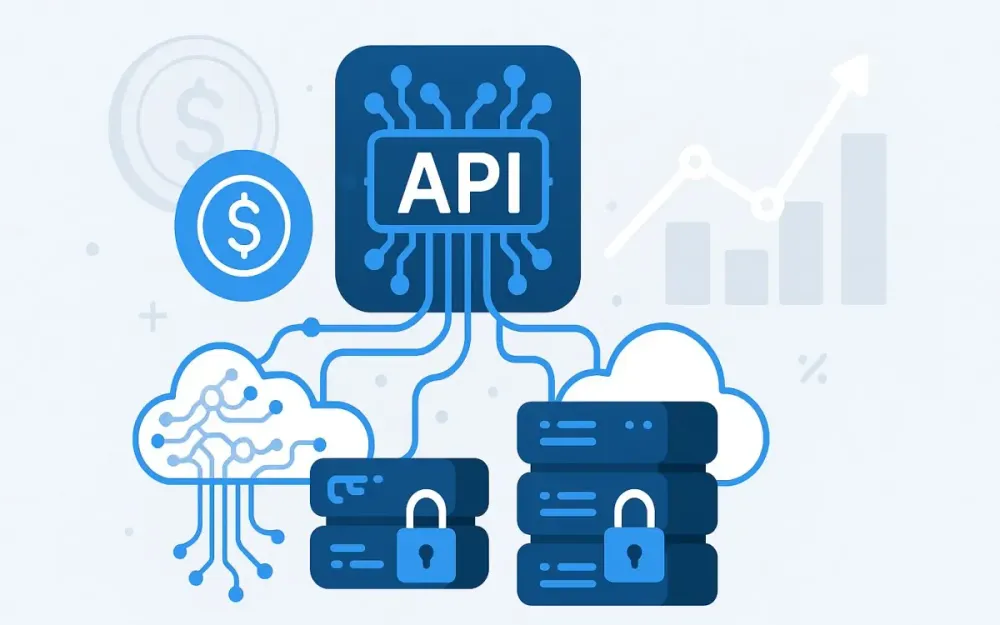
The software industry has entered an era where APIs are no longer just technical plumbing—they are products in their own right. Businesses increasingly build competitive advantages by exposing capabilities through APIs, from real-time financial data to advanced AI-driven services. Among these, Large Language Models (LLMs) and specialized data APIs have emerged as particularly valuable. In this guide, we’ll explore a practical, end-to-end approach to monetizing such APIs using Azure API Management (APIM), moving from conceptual frameworks to concrete implementation.
1.1 The Rise of LLM and Data APIs
The demand for LLM APIs has surged in the last few years. Enterprises now embed generative AI into search, customer service, analytics, and content creation. OpenAI’s GPT series, Anthropic’s Claude, and other foundation models have popularized the concept, but many organizations train or fine-tune their own LLMs for domain-specific expertise. Data APIs—delivering clean, curated datasets or real-time data feeds—are equally valuable. They might serve financial tickers, health data, geospatial imagery, or industrial IoT telemetry. The convergence of these two categories means you can now query a natural language model for insights on your proprietary datasets—unlocking entirely new revenue streams.
Why are these APIs in such demand?
- Complexity abstraction: They hide enormous infrastructure and algorithmic complexity behind a simple HTTP endpoint.
- High value per call: One request can yield insights worth hundreds or thousands of dollars in business contexts.
- Rapid integration: Developers can add sophisticated capabilities without hiring a team of AI engineers or data scientists.
Pro Tip: Treat your API not just as a “connector” but as a solution surface. Monetization strategies work best when the API encapsulates something uniquely valuable and hard to replicate.
1.2 Why Monetize Your APIs?
There are three primary drivers for monetizing APIs, especially LLM and data APIs:
- Revenue Generation: APIs can become core revenue lines. Think of Stripe, Twilio, or OpenAI—companies where the API is the product. With usage-based pricing, your revenue scales with your customers’ success.
- Cost Recovery: LLM inference costs, storage, and high-throughput infrastructure are expensive. Without a monetization layer, every request is a liability. Monetization ensures you offset operational costs.
- Sustainable Developer Ecosystem: A free, open API without boundaries will attract hobbyists—but also abuse. Monetization enforces resource allocation, incentivizes serious use, and helps fund ongoing improvements.
Pitfall: Monetization is not just “slap a price tag on your endpoint.” Without careful tier design and usage enforcement, you risk alienating developers or losing money on high-cost users.
Trade-off: Free access can maximize adoption; paid access can maximize sustainability. The sweet spot often involves a freemium or trial tier feeding into paid plans.
1.3 Introducing Azure API Management
Azure API Management (APIM) is Microsoft’s fully managed service for creating consistent, modern API gateways across internal, partner, and public APIs. It allows you to:
- Secure APIs with authentication, authorization, and rate limits.
- Publish APIs in a developer-friendly portal.
- Monitor and analyze usage patterns.
- Monetize APIs by bundling them into products, enforcing quotas, and integrating with billing systems.
For monetizing LLM and data APIs, APIM offers:
- Policy engine: Control usage with XML-configured rules (rate-limit-by-key, quota-by-key).
- Developer portal: Self-service onboarding, key generation, usage dashboards.
- Integration hooks: Connect to Azure Monitor, Event Grid, or payment gateways.
Note: Azure APIM doesn’t handle payment processing itself—you’ll integrate it with Stripe, Braintree, or custom billing logic. Its role is metering, enforcement, and developer engagement.
1.4 Target Audience and Article Goals
This guide is for solution architects, API product managers, and technical decision-makers who need to:
- Design a monetization strategy for high-value APIs.
- Implement that strategy using Azure API Management.
- Balance business goals with developer experience and operational constraints.
By the end of this series, you will:
- Understand core API monetization models and their trade-offs.
- Know how to design products, tiers, and usage policies in APIM.
- Be able to integrate APIM with billing systems for end-to-end monetization.
- Apply best practices for protecting LLM and data APIs from abuse while maximizing value.
2 Core Concepts of API Monetization
Before we touch configuration files or pricing tables, we need to define the mental models and components of API monetization. These are the levers you’ll pull when building a commercial API.
2.1 Monetization Models
Different business models suit different markets, API cost structures, and consumer expectations. Let’s break them down.
2.1.1 Subscription-Based
Customers pay a flat fee for API access over a defined period (monthly, annually).
- Example: $99/month for unlimited API calls up to a reasonable threshold (e.g., 1 million tokens/month for an LLM API).
- Advantages: Predictable revenue, simpler billing.
- Drawbacks: Risk of heavy users exceeding cost margins.
Incorrect: Offering “unlimited” usage without cost safeguards. Correct: Define fair-use clauses and implement technical caps.
2.1.2 Usage-Based (Pay-as-You-Go)
Customers pay based on actual consumption—per request, per record, per token.
- Example: $0.0001 per token processed, $0.002 per 1,000 records retrieved.
- Advantages: Aligns cost to usage; attractive to scaling startups.
- Drawbacks: Revenue unpredictability; billing complexity.
Pro Tip: Use this for APIs with variable but high-margin cost per call, like LLM inference.
2.1.3 Tiered Pricing
Offer predefined plans with increasing limits and features.
-
Example:
- Basic: $20/month, 100k tokens/month.
- Pro: $200/month, 5M tokens/month.
- Enterprise: Custom SLA, unlimited tokens.
-
Advantages: Easy upsell path, segmentation of markets.
-
Drawbacks: Requires good market research to set tiers appropriately.
2.1.4 Freemium
Provide a free tier to attract adoption; monetize power users.
- Example: 10k tokens/month free, then upgrade.
- Advantages: Low barrier to entry; viral growth potential.
- Drawbacks: Risk of abuse; free-tier maintenance cost.
Pitfall: Without usage limits, free users may cannibalize paying customers.
2.1.5 Revenue Sharing
Partner with another business, share API-generated revenue.
- Example: A travel API integrates your hotel pricing feed, and you get a cut of each booking made.
- Advantages: Lower upfront cost for consumers; aligned incentives.
- Drawbacks: Complex accounting; dependency on partner performance.
2.2 Key Monetization Components
Azure APIM structures monetization around four core building blocks.
2.2.1 Products
In APIM, a “product” is a bundle of one or more APIs, potentially with specific usage policies.
- Example: A “Text Intelligence Suite” product might bundle sentiment analysis, summarization, and entity extraction APIs.
- Products are the unit of sale—customers subscribe to products, not individual endpoints.
Pro Tip: Group APIs by customer value, not by internal architecture.
2.2.2 Policies
Policies are XML statements applied at API scope, operation scope, or product scope. For monetization, key policies include:
rate-limit-by-key: Prevents burst abuse.quota-by-key: Enforces periodic caps.set-usage: Custom counters for complex billing.
Trade-off: More granular policies give more control but increase complexity.
2.2.3 Subscriptions
A subscription ties a developer or application to a product. It provides the subscription key used for authentication and metering.
- Enables per-consumer enforcement of limits.
- Allows revoking or upgrading access without code changes.
2.2.4 Analytics and Reporting
Monetization is impossible without measurement. Azure APIM integrates with:
- Azure Monitor: For long-term data retention and advanced queries.
- Power BI: For interactive dashboards.
- Built-in analytics: For quick insights in the Azure portal.
Note: Analytics aren’t just for billing—they reveal feature usage patterns that inform pricing changes and product roadmap.
3 Designing Your Monetization Strategy with Azure API Management
Designing an effective monetization strategy in Azure API Management (APIM) is not about simply adding a price tag to your API. It’s about aligning technical capabilities with customer expectations, operational cost realities, and business goals. In this section, we’ll walk through the process of defining your products, implementing usage controls, and integrating metering with billing systems. We’ll move from high-level business design into concrete APIM policy examples so you can implement this without guesswork.
3.1 Defining Your API Products
API products are the cornerstone of monetization in APIM. They define the customer-facing “offers” you present in the developer portal, including pricing, quotas, and the APIs they include.
3.1.1 Identifying Your Target Audience
A monetization strategy fails quickly if it doesn’t match the needs and budgets of your audience. For LLM and data APIs, there are often multiple audience segments:
- Startup developers needing quick, affordable experimentation.
- Mid-market SaaS providers integrating AI into their platforms at moderate scale.
- Enterprise customers demanding high SLAs, dedicated resources, and custom features.
An effective approach is to create persona profiles:
- Persona 1: Rapid Prototyper – Wants low-cost access for testing ideas, willing to accept lower rate limits.
- Persona 2: Growth Stage Integrator – Needs predictable monthly quotas and priority support.
- Persona 3: Enterprise Innovator – Requires enterprise-grade SLAs, dedicated instances, and compliance guarantees.
Pro Tip: Interview real developers in your target sectors before finalizing pricing or quotas. Guesswork leads to mismatched offerings.
3.1.2 Bundling APIs into Tiers
Bundling is about packaging related capabilities so they create a coherent value story for each tier. For example:
- Basic Tier: Text summarization and sentiment analysis endpoints.
- Pro Tier: Everything in Basic + named entity recognition and question answering.
- Enterprise Tier: Everything in Pro + custom fine-tuned LLM endpoints and premium support.
In Azure APIM, each tier is represented as a Product:
- Create a new product in the Azure Portal under API Management → Products.
- Add one or more APIs to the product.
- Apply tier-specific policies (quotas, rate limits).
<!-- Example: Basic Tier Product Policy -->
<policies>
  <inbound>
    <rate-limit-by-key calls="60" renewal-period="60" increment-condition="@(true)"
      counter-key="@(context.Subscription.Id)" />
    <quota-by-key calls="1000" renewal-period="2592000"
      counter-key="@(context.Subscription.Id)" />
  </inbound>
</policies>
Here, the Basic tier limits calls to 60 per minute and 1,000 per month.
Pitfall: Avoid exposing too many small products—it fragments analytics and complicates pricing communication.
3.1.3 Setting Prices and Usage Limits
Prices should balance:
- Operational costs (compute, storage, bandwidth, LLM inference costs).
- Market tolerance (what similar APIs charge).
- Value perception (customer ROI from your API).
For example, if each LLM call costs $0.002 to serve and provides high-value insights, you might:
- Basic: $20/month for 100k tokens.
- Pro: $200/month for 5M tokens.
- Enterprise: Custom quote.
Usage limits enforce your cost containment:
- Apply
quota-by-keyfor monthly call or token caps. - Use
rate-limit-by-keyto prevent bursts that spike infrastructure load.
Trade-off: Higher quotas improve customer retention but increase the risk of cost overruns if pricing is set too low.
3.2 Implementing Usage-Based Tiers and Quotas
Once your products are defined, APIM policies enforce their limits in real time. This ensures customers stay within their plan boundaries and that overages are predictable.
3.2.1 Rate Limiting vs. Quotas
- Rate Limiting controls short-term traffic spikes (e.g., per minute or per second).
- Quotas control long-term usage over a billing cycle (e.g., per month).
When to use rate limiting:
- Protecting backend services from sudden load spikes.
- Preventing abuse from automated scripts.
When to use quotas:
- Enforcing subscription plan entitlements.
- Calculating overage charges.
Note: You will often combine both—rate limits for infrastructure protection, quotas for monetization enforcement.
3.2.2 Configuring Policies in Azure API Management
Let’s look at the three main policy types relevant for monetization.
3.2.2.1 rate-limit-by-key
This limits calls within a renewal period for a specific subscription key.
<rate-limit-by-key calls="100" renewal-period="60"
counter-key="@(context.Subscription.Id)" />- calls: max calls allowed.
- renewal-period: time window in seconds.
- counter-key: unique identifier per consumer.
Pro Tip: Always key by subscription ID, not IP address, to avoid penalizing multiple clients behind a shared IP.
3.2.2.2 quota-by-key
This enforces a maximum call count over a longer cycle.
<quota-by-key calls="100000" renewal-period="2592000"
counter-key="@(context.Subscription.Id)" />- Renewal period here is 30 days (in seconds).
- Perfect for monthly plan limits.
3.2.2.3 set-usage
This policy allows you to create custom counters for billing metrics beyond simple call counts.
<set-variable name="tokensUsed" value="@(context.Response.Headers.GetValueOrDefault("X-Tokens-Used","0"))" />
<set-usage id="tokens" value="@((int)context.Variables["tokensUsed"])" />
This example reads a custom X-Tokens-Used header returned by your backend and uses it for billing based on LLM tokens consumed.
Pitfall: If your backend does not report accurate metrics, usage-based billing will be inaccurate and may erode trust.
3.2.3 Practical Examples
Example 1: LLM API (Token-Based Pricing)
Let’s say your backend LLM returns token counts in a header. You can accumulate them monthly:
<inbound>
  <set-variable name="tokensUsed" value="@(int.Parse(context.Response.Headers.GetValueOrDefault("X-Tokens-Used","0")))" />
  <quota-by-key calls="5000000" renewal-period="2592000"
    counter-key="@(context.Subscription.Id)" />
</inbound>
This ensures no plan exceeds its monthly token allowance.
Example 2: Data API (Record-Based Pricing)
If your data API returns the number of records served:
<inbound>
  <set-variable name="recordsReturned" value="@(int.Parse(context.Response.Headers.GetValueOrDefault("X-Records-Count","0")))" />
  <set-usage id="records" value="@((int)context.Variables["recordsReturned"])" />
  <quota-by-key calls="1000000" renewal-period="2592000"
    counter-key="@(context.Subscription.Id)" />
</inbound>
Here, quotas track total records returned, not just request count.
Trade-off: Token- or record-based metering is more precise but requires close backend integration and can introduce complexity in debugging disputes.
3.3 Metering and Billing Integration
Usage controls are only half the equation—you also need to collect usage data and turn it into invoices.
3.3.1 Extracting Usage Data from Azure API Management
APIM exposes usage metrics through:
- Azure Monitor for real-time and historical queries.
- APIM REST API for programmatic retrieval.
Example: Querying daily call counts via REST API in Python.
import requests

subscription_key = "YOUR_APIM_SUBSCRIPTION_KEY"
url = "https://management.azure.com/subscriptions/{subscriptionId}/resourceGroups/{resourceGroupName}/providers/Microsoft.ApiManagement/service/{serviceName}/reports/bySubscription?api-version=2021-08-01"

headers = {"Authorization": f"Bearer {subscription_key}"}
response = requests.get(url, headers=headers)
data = response.json()

for report in data.get('value', []):
    print(report['name'], report['properties']['callCountTotal'])
Pro Tip: Automate data extraction nightly to avoid billing discrepancies.
3.3.2 Integrating with a Payment Gateway (e.g., Stripe, Braintree)
Azure APIM doesn’t process payments; you’ll integrate usage data into a billing platform.
3.3.2.1 Setting up Webhooks to Automate Billing
Example: Stripe webhook to trigger usage-based invoice creation.
from flask import Flask, request
import stripe

stripe.api_key = "sk_test_..."

app = Flask(__name__)

@app.route("/stripe-webhook", methods=["POST"])
def stripe_webhook():
    event = request.get_json()
    if event['type'] == 'invoice.created':
        subscription_id = event['data']['object']['subscription']
        # Pull usage from APIM
        # Calculate charges and add to invoice
    return '', 200
Note: Keep billing and usage systems in sync by using subscription IDs as the common key.
3.3.2.2 Handling Different Billing Cycles
Your APIM quotas might reset monthly, but enterprise customers could prefer annual contracts with monthly overage invoicing. In such cases:
- Keep APIM quotas on a monthly cycle for fairness.
- Roll up data to annual billing in your payment platform.
Trade-off: Annual billing improves cash flow but may delay revenue recognition for usage spikes.
3.3.3 Building a Custom Billing Portal
A self-service billing portal improves transparency and reduces support load. At minimum, show:
- Current usage vs quota.
- Projected overages.
- Invoices and payment history.
For example, a React front-end calling a backend that merges APIM data with Stripe invoices:
fetch('/api/usage')
  .then(res => res.json())
  .then(data => setUsageData(data));

fetch('/api/invoices')
  .then(res => res.json())
  .then(data => setInvoices(data));
Pro Tip: Let users set custom usage alerts from the portal to avoid surprise overages.
Pitfall: Don’t make customers wait until invoice time to learn about overages—real-time visibility builds trust.
4 Protecting Your Downstream Models and Services
When monetizing APIs—especially those backed by LLMs or costly data sources—the last thing you want is backend instability caused by uncontrolled or malicious traffic. Protection isn’t just a “security” function; it’s also a cost-control and customer experience safeguard. In this section, we’ll go beyond general API security advice and focus on strategies that specifically protect expensive inference models, high-value datasets, and their hosting infrastructure.
4.1 The Importance of Backend Protection
LLMs and high-value data APIs have unique vulnerabilities:
- High per-call costs: Each LLM inference may consume GPU cycles worth cents or even dollars.
- Fragile performance under burst load: Overloaded GPUs or databases can cause latency spikes or outright failures.
- Abuse vectors: Malicious actors may attempt scraping, prompt injection, or brute force enumeration of endpoints.
In the context of monetization, backend protection is directly tied to profitability:
- Without enforcement, a single rogue client could consume disproportionate resources, eating your margins.
- Poor backend performance affects paying customers, increasing churn and eroding trust.
- Compliance and SLAs may be breached if traffic is not controlled per tenant.
Pro Tip: Always treat backend protection as a tier-zero feature—implemented before launch, not retrofitted after an incident.
4.2 Implementing a Layered Security Approach
A layered defense strategy (often called defense-in-depth) combines multiple mechanisms that make abuse or accidental overload increasingly difficult.
4.2.1 Authentication and Authorization
Even for public APIs, strong authentication is critical. Azure APIM supports:
- OAuth 2.0 with client credentials or authorization code flows.
- OpenID Connect for integrating identity providers.
- Subscription keys as an additional API gateway-level requirement.
Example: Enforcing OAuth 2.0 in APIM policy.
<validate-jwt header-name="Authorization" failed-validation-httpcode="401"
              failed-validation-error-message="Unauthorized">
  <openid-config url="https://login.microsoftonline.com/{tenantId}/v2.0/.well-known/openid-configuration" />
  <required-claims>
    <claim name="aud">
      <value>api://your-api-id</value>
    </claim>
  </required-claims>
</validate-jwt>
Pitfall: Relying solely on subscription keys without OAuth is inadequate for sensitive APIs—they’re too easy to share or leak.
Trade-off: OAuth offers stronger identity guarantees but adds integration complexity for your consumers.
4.2.2 Input Validation
With LLMs, malicious prompts or unexpected payloads can cause undesirable behavior or resource overuse. For data APIs, malformed queries can be used to trigger expensive operations or exploit vulnerabilities.
Azure APIM can apply input validation policies before requests reach your backend:
<validate-parameters>
  <parameter name="query" required="true" />
</validate-parameters>
<check-header name="Content-Type" failed-check-httpcode="415"
              failed-check-error-message="Unsupported Media Type">
  <value>application/json</value>
</check-header>
In addition, for LLM APIs:
- Restrict maximum prompt length at the gateway.
- Reject requests containing certain known malicious patterns.
Pro Tip: Use APIM to sanitize or truncate overly long input before it reaches your model—this prevents runaway costs from unbounded prompts.
4.2.3 Caching Strategies
Caching isn’t just for performance—it’s a cost mitigation measure. Many LLM and data queries have repeated patterns across customers.
Example: APIM response caching policy.
<cache-lookup vary-by-developer="true" vary-by-developer-groups="false" />
<cache-store duration="60" />- Vary-by-developer ensures one customer’s data isn’t leaked to another.
- Short-term caching (30–120 seconds) can absorb burst loads without affecting freshness.
For data APIs:
- Cache frequently requested datasets (e.g., currency exchange rates) with longer TTLs.
- Invalidate caches automatically when the underlying dataset changes.
Pitfall: Never cache sensitive or user-specific LLM outputs unless you can guarantee isolation and encryption.
4.3 Preventing the “Noisy Neighbor” Problem
The “noisy neighbor” problem occurs when one tenant consumes so many shared resources that it degrades performance for others.
4.3.1 What is the Noisy Neighbor Problem?
Imagine an enterprise customer running a batch job that sends 100k LLM requests in 5 minutes. If your infrastructure is shared among all customers, this traffic spike will:
- Increase queue times.
- Cause timeout errors for smaller customers.
- Potentially trigger autoscaling events that spike your cloud costs.
In API monetization, this is more than a performance issue—it’s a cost fairness issue.
4.3.2 Using Policies to Isolate Tenants
Azure APIM’s per-subscription policies let you isolate customers’ traffic:
<rate-limit-by-key calls="100" renewal-period="60"
  counter-key="@(context.Subscription.Id)" />
<quota-by-key calls="100000" renewal-period="2592000"
counter-key="@(context.Subscription.Id)" />- Rate limit prevents short-term monopolization.
- Quota enforces long-term fairness.
Pro Tip: Apply stricter limits to lower tiers and more generous or custom limits to premium customers—this is monetization-enforcement and noisy neighbor prevention in one.
4.3.3 Advanced Strategies
For very high-volume customers:
- Dedicated Instances: Provision a separate APIM instance or backend service pool just for them.
- Service Tiers: Place enterprise customers on higher-tier infrastructure with dedicated compute (e.g., Azure Dedicated GPU VMs).
- Traffic Shaping: Implement background processing queues for non-interactive workloads to smooth out spikes.
Example: Using APIM to route enterprise traffic to a dedicated backend.
<choose>
  <when condition="@(context.Subscription.Name == "Enterprise Plan")">
    <set-backend-service base-url="https://enterprise-backend.example.com" />
  </when>
  <otherwise>
    <set-backend-service base-url="https://shared-backend.example.com" />
  </otherwise>
</choose>
Trade-off: Dedicated instances improve isolation but increase operational cost—only offer them to customers whose spend covers the expense.
Note: Monitoring is crucial—problems like noisy neighbors are often invisible until you have per-tenant metrics in place.
5 Exposing Usage Analytics and Avoiding Surprises
In a monetized API ecosystem, transparency is currency. Customers need to see exactly how they are consuming your LLM or data API, not only for budgeting purposes but also to plan their integrations. When you expose usage analytics proactively, you reduce support tickets, build trust, and make overage charges far easier to justify. In this section, we’ll focus on surfacing that data through Azure API Management (APIM) and related tools, while also putting safeguards in place to prevent surprise bills.
5.1 Empowering Your Consumers with Data
The more you empower customers with clear, accessible usage data, the more they can self-manage their consumption. This not only improves customer satisfaction but also reduces disputes and cancellations.
5.1.1 The Developer Portal in Azure API Management
Azure APIM comes with a developer portal that acts as the self-service front door for your API consumers. Out of the box, it displays:
- Active subscriptions and keys.
- Documentation and test consoles.
- Basic usage analytics (calls made, errors, etc.).
To expose richer usage metrics:
- Enable analytics for your APIs in APIM.
- Customize the developer portal to add charts, tables, and quota status indicators.
- Use the built-in Liquid templates to render data dynamically.
Example: Displaying remaining quota in a portal widget.
{% assign quota = context.Subscription.QuotaLimit %}
{% assign used = context.Subscription.QuotaUsed %}
<div>
  <p>Usage: {{ used }} of {{ quota }} calls this month.</p>
  <progress value="{{ used }}" max="{{ quota }}"></progress>
</div>
Pro Tip: Include both absolute numbers (calls made) and percentage of quota used so customers can immediately gauge their standing.
Pitfall: Don’t bury usage information in a subpage. Make it visible on the portal’s dashboard for quick access.
5.1.2 Building a Custom Analytics Dashboard
For advanced insights—such as token-level LLM usage, per-endpoint call patterns, or latency distribution—you’ll likely need a custom analytics layer. You can:
- Export APIM logs to Azure Monitor or Log Analytics.
- Use Power BI or Grafana to build interactive dashboards.
- Embed these dashboards in your customer portal.
Example: Querying token usage for an LLM API from Log Analytics.
AzureDiagnostics
| where ResourceType == "APIManagementGatewayLogs"
| extend tokens = todouble(ResponseHeaders["X-Tokens-Used"])
| summarize totalTokens = sum(tokens) by subscriptionId, bin(TimeGenerated, 1d)
From here, you can visualize:
- Daily token consumption.
- Forecasted quota depletion dates.
- Anomalous usage spikes.
Trade-off: A richer dashboard increases development cost but can be a strong differentiator against competitors with opaque billing.
5.2 Preventing Overage Surprises
Even with the best analytics, customers sometimes fail to monitor their own usage closely. Preventing “surprise bills” is as much about proactive communication as it is about enforcement.
5.2.1 Setting Up Usage Alerts
Alerts let customers (and your ops team) know when quotas are nearing exhaustion. Azure Monitor can trigger alerts based on APIM metrics:
- Export
Callsor custom usage counters to Azure Monitor. - Create an alert rule at, say, 80% and 95% of quota.
- Send notifications via email, SMS, or webhook.
Example: Azure CLI to create an alert rule.
az monitor metrics alert create \
  --name "Quota80Percent" \
  --resource "/subscriptions/{subId}/resourceGroups/{rgName}/providers/Microsoft.ApiManagement/service/{apimName}" \
  --condition "total Calls > 80000" \
  --description "API usage has reached 80% of quota."
Pro Tip: Give customers the option to configure their own thresholds in your billing portal.
5.2.2 Implementing Hard and Soft Limits
There are two main approaches to handling quota breaches:
Hard Limits: Block requests once the quota is exceeded.
<quota-by-key calls="100000" renewal-period="2592000"
  counter-key="@(context.Subscription.Id)" />
When the quota is reached, APIM automatically returns 429 Too Many Requests.
Soft Limits: Allow overage but charge extra per unit. Implementation typically involves:
- Logging excess usage via
set-usagebeyond quota. - Billing overages in your payment platform.
Example: Tagging overage calls in APIM.
<set-variable name="isOverage" value="@(context.Variables["quota.remaining"] <= 0)" />
<log-to-eventhub logger-id="usageLogger">
  @{
    return new {
      subscriptionId = context.Subscription.Id,
      overage = context.Variables.GetValueOrDefault("isOverage", false)
    };
  }
</log-to-eventhub>
Trade-off: Hard limits protect infrastructure but may frustrate customers mid-operation; soft limits maintain service but can lead to unexpected charges if not communicated well.
5.2.3 Clear Communication
The key to avoiding disputes isn’t just limiting usage—it’s making the rules unmissable:
- Display quotas and renewal dates prominently in the developer portal.
- Include current usage in every invoice.
- Send proactive emails at multiple warning levels (e.g., 80%, 95%, exceeded).
Example: Over-quota email template.
Subject: [Action Required] Your API usage has exceeded quota
Body:
Hi {{ customerName }},
Your {{ productName }} plan includes {{ quotaLimit }} calls/month.
As of {{ date }}, you’ve used {{ usageCount }} calls ({{ usagePercent }}% of quota).
Next steps:
- Upgrade your plan: {{ upgradeLink }}
- Reduce usage: {{ docsLink }}
Thank you,
The API Team
Pro Tip: Customers are far more accepting of overage charges when they’ve had at least two prior warnings and a clear upgrade path.
Pitfall: Ambiguity in your terms of service about overages is a recipe for refunds and churn—spell it out in plain language and reinforce it in the UI.
6 Real-World Implementation: A Case Study
So far, we’ve discussed monetization strategy, usage enforcement, backend protection, and analytics in abstract terms. Now, let’s pull it all together in a practical, end-to-end example. We’ll walk through a real-world deployment scenario for an LLM-powered sentiment analysis API, showing exactly how to implement monetization and operational safeguards using Azure API Management, Azure Functions, Azure OpenAI Service, and Stripe.
6.1 Scenario
Our fictional company, Sentimetrics, specializes in AI-driven sentiment analysis for enterprise customer feedback. The service is built on an LLM hosted via Azure OpenAI Service, fine-tuned for short-form text sentiment classification. Sentimetrics wants to monetize the API for three customer segments:
- Basic Plan: Small businesses wanting up to 100k tokens/month.
- Pro Plan: Mid-size SaaS platforms with up to 5M tokens/month.
- Enterprise Plan: Large companies requiring custom SLAs, higher limits, and dedicated infrastructure.
The monetization strategy will include:
- Tiered pricing with quotas enforced in Azure APIM.
- Token-based metering for billing accuracy.
- Self-service onboarding via the developer portal.
- Automated billing through Stripe.
Pro Tip: Start with a single API in APIM, validate your end-to-end monetization flow, then add more APIs to your product bundles.
6.2 Architecture
The architecture is designed for modularity, allowing each component to be swapped or scaled independently.
6.2.1 Azure OpenAI Service
Azure OpenAI Service hosts the GPT-based LLM. The model is fine-tuned to return sentiment labels (positive, neutral, negative) along with token usage metadata in the HTTP response headers.
Note: Including token usage in headers is critical for usage-based monetization because APIM policies can read them without modifying the response body.
6.2.2 Azure Functions
Azure Functions act as the stateless application layer:
- Accept API requests.
- Pre-process text inputs.
- Send requests to Azure OpenAI.
- Extract sentiment results and token usage.
- Return a normalized JSON response with an
X-Tokens-Usedheader.
Example Azure Function (Python) for sentiment analysis:
import os
import json
import azure.functions as func
import requests

OPENAI_ENDPOINT = os.getenv("OPENAI_ENDPOINT")
OPENAI_KEY = os.getenv("OPENAI_KEY")

def main(req: func.HttpRequest) -> func.HttpResponse:
    try:
        data = req.get_json()
        text = data.get("text", "")

        if not text:
            return func.HttpResponse(
                json.dumps({"error": "Missing text"}),
                status_code=400
            )

        payload = {
            "model": "gpt-35-turbo",
            "messages": [{"role": "user", "content": f"Classify sentiment: {text}"}],
            "max_tokens": 20
        }

        headers = {
            "Content-Type": "application/json",
            "api-key": OPENAI_KEY
        }

        r = requests.post(OPENAI_ENDPOINT, headers=headers, json=payload)
        token_usage = r.headers.get("x-ms-usage-tokens", "0")

        response_data = r.json()
        sentiment = response_data.get("choices", [{}])[0].get("message", {}).get("content", "").strip()

        return func.HttpResponse(
            json.dumps({"sentiment": sentiment}),
            status_code=200,
            headers={"X-Tokens-Used": token_usage}
        )
    except Exception as e:
        return func.HttpResponse(
            json.dumps({"error": str(e)}),
            status_code=500
        )
Pitfall: Never trust the client to report token usage—always measure on the server or via Azure OpenAI’s API.
6.2.3 Azure API Management
APIM provides:
- Subscription management.
- Tier-based policies for token quotas.
- Analytics integration for usage reporting.
- The developer portal for onboarding.
6.2.4 Stripe
Stripe handles:
- Payment processing.
- Subscription lifecycle management.
- Overage billing via usage records.
Pro Tip: Keep Stripe as the system of record for billing; use APIM as the system of record for usage.
6.3 Step-by-Step Implementation
Let’s go step-by-step from API creation to monetization.
6.3.1 Creating the API in Azure API Management
-
Go to Azure Portal → Your API Management instance.
-
Select APIs → Add API → HTTP.
-
Import your Azure Function URL.
-
Configure the inbound processing to:
- Validate authentication.
- Log requests for analytics.
Example inbound policy snippet:
<inbound>
  <base />
  <validate-jwt header-name="Authorization">
    <openid-config url="https://login.microsoftonline.com/{tenantId}/v2.0/.well-known/openid-configuration" />
  </validate-jwt>
</inbound>
6.3.2 Defining the API Products and Policies
Create three products: Basic, Pro, and Enterprise.
Example Basic Plan policy:
<policies>
  <inbound>
    <base />
    <rate-limit-by-key calls="60" renewal-period="60" counter-key="@(context.Subscription.Id)" />
    <quota-by-key calls="100000" renewal-period="2592000" counter-key="@(context.Subscription.Id)" />
    <set-variable name="tokensUsed" value="@(int.Parse(context.Response.Headers.GetValueOrDefault("X-Tokens-Used","0")))" />
    <set-usage id="tokens" value="@((int)context.Variables["tokensUsed"])" />
  </inbound>
</policies>
Note: The quota here is based on tokens rather than calls, using the set-usage counter.
6.3.3 Setting up the Developer Portal
-
Enable the developer portal in APIM.
-
Customize with your branding and product descriptions.
-
Add usage widgets for:
- Monthly tokens used.
- Remaining quota.
- Renewal date.
Example Liquid snippet for remaining quota:
{% assign quota = context.Subscription.QuotaLimit %}
{% assign used = context.Subscription.QuotaUsed %}
<p>You have used {{ used }} tokens out of {{ quota }} this month.</p>
6.3.4 Integrating with Stripe for Billing
- Create products and pricing tiers in Stripe matching your APIM products.
- On subscription creation in Stripe, also create the corresponding subscription in APIM via its REST API.
- Use Stripe’s usage records API to log token consumption from APIM.
Example Python job to sync APIM usage with Stripe:
import stripe
import requests
import datetime

stripe.api_key = "sk_test_..."

APIM_URL = "https://management.azure.com/subscriptions/{subId}/resourceGroups/{rgName}/providers/Microsoft.ApiManagement/service/{apimName}/reports/bySubscription?api-version=2021-08-01"
APIM_TOKEN = "..."

def sync_usage():
    headers = {"Authorization": f"Bearer {APIM_TOKEN}"}
    response = requests.get(APIM_URL, headers=headers)
    usage_data = response.json().get("value", [])

    for report in usage_data:
        sub_id = report["name"]
        tokens_used = report["properties"].get("tokenCountTotal", 0)

        stripe.SubscriptionItem.create_usage_record(
            "si_123456",  # Stripe subscription item ID
            quantity=tokens_used,
            timestamp=int(datetime.datetime.now().timestamp()),
            action="set"
        )

if __name__ == "__main__":
    sync_usage()
Pro Tip: Run this sync daily to ensure Stripe usage is always up-to-date for mid-cycle alerts.
6.4 Code Snippets and Configuration Examples
Let’s consolidate the key configurations.
APIM Policy for Pro Plan:
<policies>
  <inbound>
    <base />
    <rate-limit-by-key calls="200" renewal-period="60" counter-key="@(context.Subscription.Id)" />
    <quota-by-key calls="5000000" renewal-period="2592000" counter-key="@(context.Subscription.Id)" />
    <set-variable name="tokensUsed" value="@(int.Parse(context.Response.Headers.GetValueOrDefault("X-Tokens-Used","0")))" />
    <set-usage id="tokens" value="@((int)context.Variables["tokensUsed"])" />
  </inbound>
</policies>
Stripe Webhook to Pause APIM Subscription After Non-Payment:
@app.route("/stripe-webhook", methods=["POST"])
def stripe_webhook():
    event = request.get_json()
    if event["type"] == "invoice.payment_failed":
        subscription_id = event["data"]["object"]["metadata"]["apim_subscription_id"]
        # Call APIM to disable subscription
        requests.patch(
            f"https://management.azure.com/.../{subscription_id}?api-version=2021-08-01",
            headers={"Authorization": f"Bearer {APIM_TOKEN}"},
            json={"properties": {"state": "disabled"}}
        )
    return "", 200
Trade-off: Automated disabling ensures you don’t serve non-paying customers, but can frustrate users who have temporary payment issues—consider a grace period for high-value customers.
7 Advanced Topics and Best Practices
By this stage, you have the core monetization infrastructure in place. The next step is optimization and long-term sustainability. This is where you move from simply running a monetized API to continuously refining it for maximum profitability, compliance, and developer satisfaction. In this section, we’ll focus on experimentation, change management, regulatory obligations, and community-building.
7.1 A/B Testing Your Pricing Models
Even the most carefully planned pricing model can be wrong in the market. A/B testing lets you validate different strategies before making a permanent change.
Approach:
- Identify a test variable—e.g., quota size, price point, overage rate.
- Randomly assign new customers to variant A or B.
- Measure sign-up rates, upgrade rates, churn, and revenue.
Example in practice:
- Variant A: Pro plan at $200/month for 5M tokens.
- Variant B: Pro plan at $180/month for 4M tokens with $0.00002 per token overage.
To support this in Azure API Management:
- Duplicate your APIM Product configurations for each variant.
- Use marketing funnels or onboarding flows to assign customers to a specific product.
- Tag subscriptions with the variant to allow separate analytics.
Pro Tip: Run experiments long enough to account for typical customer billing cycles—pricing changes may have delayed effects.
Pitfall: Avoid testing pricing on existing customers without their consent; it can damage trust and may violate your own terms of service.
Trade-off: Aggressive A/B testing accelerates learning but can cause brand confusion if plans change too frequently.
7.2 Handling API Versioning
API monetization thrives on stability—customers expect their integration to keep working even as you improve your service. Poor version management can lead to broken clients, support escalations, and revenue loss.
Best practices:
- Use semantic versioning (v1, v2) in your API paths or hostnames.
- Maintain multiple active versions during transition periods.
- Communicate end-of-life timelines well in advance.
Example:
GET https://api.example.com/v1/sentiment
GET https://api.example.com/v2/sentiment
In Azure APIM, you can:
- Import each version as a separate API entity.
- Assign different policies or quotas per version if needed.
- Gradually migrate subscribers to the new version.
Pro Tip: Offer incentives for early migration, such as improved quotas or pricing.
Pitfall: Hard-cutting an old version without migration tooling leads to churn. Always provide a compatibility guide.
Trade-off: Supporting old versions increases operational overhead, but dropping them too soon can alienate enterprise customers with long release cycles.
7.3 Legal and Compliance Considerations
Monetized APIs—especially LLM and data APIs—often involve regulated or sensitive data. Failure to meet compliance requirements can lead to fines, reputational damage, and lost business.
Key regulations:
- GDPR (EU): Right to be forgotten, data minimization, explicit consent.
- CCPA (California): Consumer rights to know, delete, and opt out of data sales.
- HIPAA (US healthcare): Data encryption, audit logs, and breach notifications.
Implementation in APIM:
- Enforce data residency by routing requests to region-specific backends.
- Mask or strip personally identifiable information (PII) at the gateway:
<set-body>@{
    var body = context.Request.Body.As<JObject>(preserveContent: true);
    body.Remove("email");
    return body.ToString();
}</set-body>- Maintain detailed access logs in Azure Monitor for auditability.
Note: Compliance is not a one-off checklist—it’s an ongoing process. Laws evolve, and so must your API.
Trade-off: Strict compliance controls may slow onboarding for new customers, but skipping them risks catastrophic penalties.
7.4 Building a Strong Developer Community
The most successful monetized APIs are backed by thriving developer ecosystems. Developers are not just consumers—they are your sales channel, advocates, and product testers.
Core elements:
- Documentation: Clear, example-driven docs with code snippets in multiple languages.
- Support channels: Public forums, Slack/Discord groups, and ticketing systems.
- SDKs and tooling: Provide official client libraries to reduce friction.
Example: Offering a Python SDK for the Sentimetrics API.
from sentimetrics import Client

client = Client(api_key="your_key_here")
result = client.analyze_sentiment("I love how responsive this API is!")
print(result.sentiment)
Pro Tip: Regularly feature community-built integrations in your portal or newsletters—recognition builds loyalty.
Pitfall: Ignoring developer feedback leads to stale products and silent churn.
Trade-off: Investing in community management requires time and resources, but it’s a force multiplier for adoption and retention.
Note: Community building is as much about listening as it is about publishing content. Developers will tell you what’s wrong with your API—if you make it safe and easy for them to speak up.
8 The Future of API Monetization
API monetization is entering a new phase where static pricing and basic quotas are no longer enough. The next generation of API businesses will combine predictive intelligence, global distribution, and internal monetization models to create sustainable, adaptive revenue streams. Let’s explore three forward-looking trends that are already reshaping the space.
8.1 AI-Driven Monetization
Machine learning can help API providers fine-tune pricing, forecast demand, and even detect anomalies in usage.
Dynamic Pricing Models: Instead of static prices, algorithms adjust pricing based on:
- Time of day (off-peak discounts).
- Current infrastructure load.
- Customer-specific demand elasticity.
Example: Python pseudocode for demand-based pricing.
import numpy as np

def dynamic_price(base_price, load_factor, customer_profile_factor):
    # Increase price with high load and high-value profile
    return base_price * (1 + 0.2 * load_factor) * customer_profile_factor

# Example usage
price = dynamic_price(base_price=0.0001, load_factor=0.8, customer_profile_factor=1.2)
print(f"Dynamic Price per token: ${price:.8f}")
Pro Tip: Start with dynamic discounts (e.g., bulk token packs) before full real-time pricing—customers need predictability to budget.
Anomaly Detection for Abuse Prevention: AI models trained on historical usage can flag:
- Sudden spikes from a single customer.
- Unusual call patterns indicating scraping.
- Token consumption inconsistent with request patterns.
Trade-off: Dynamic models increase profitability but may cause pushback if pricing feels unpredictable; transparency in pricing rules mitigates this.
8.2 The Rise of API Marketplaces
API marketplaces like Azure Marketplace, RapidAPI, and AWS Marketplace are becoming the default discovery channel for many developers. For LLM and data APIs, marketplaces provide:
- Instant global reach without bespoke marketing.
- Integrated billing and usage metering.
- Cross-selling opportunities (bundling with complementary APIs).
Integrating with Azure Marketplace:
- Package your APIM-managed API as a transactable offer.
- Use Azure billing for consumption tracking.
- Sync APIM quotas with marketplace SKUs.
Example APIM configuration for marketplace SKU mapping:
<inbound>
  <set-variable name="sku" value="@(context.Request.Headers.GetValueOrDefault("X-Marketplace-SKU","basic"))" />
  <choose>
    <when condition="@(context.Variables["sku"] == "pro")">
      <quota-by-key calls="5000000" renewal-period="2592000" counter-key="@(context.Subscription.Id)" />
    </when>
    <otherwise>
      <quota-by-key calls="100000" renewal-period="2592000" counter-key="@(context.Subscription.Id)" />
    </otherwise>
  </choose>
</inbound>
Pitfall: Relying solely on marketplaces can lead to platform dependency—maintain direct customer channels as well.
8.3 The Convergence of APIs and Microservices
Internal API monetization—charging business units for API usage—has become a corporate strategy for large enterprises adopting microservices. This creates:
- Cost transparency: Teams understand and budget for consumption.
- Usage prioritization: Internal consumers avoid wasteful queries.
- Internal innovation: API teams are incentivized to improve service quality.
Example: An internal LLM summarization service charges other teams’ cost centers based on token usage.
- APIM enforces quotas per internal subscription.
- Azure Cost Management tags usage for cross-charge.
Sample cost allocation tag injection:
<set-header name="x-cost-center" exists-action="override">
  <value>@(context.Subscription.Name)</value>
</set-header>
Note: Internal monetization models can evolve into external products once the service matures.
Trade-off: Charging internally can discourage experimentation—offer free dev/test quotas to maintain innovation.
9 Conclusion: Key Takeaways for Architects
The API monetization journey is part technical design, part business strategy, and part ongoing optimization. Whether you’re exposing a specialized LLM or a high-value data feed, sustainable monetization requires a deliberate approach.
9.1 Summary of Key Concepts
We’ve covered:
- The unique challenges and opportunities of monetizing LLM and data APIs.
- Core monetization models—subscription, usage-based, tiered, freemium, and revenue sharing.
- APIM’s role in defining products, enforcing quotas, and exposing analytics.
- Backend protection strategies, including authentication, input validation, caching, and tenant isolation.
- Transparency through developer portals, usage dashboards, and proactive overage communication.
- Real-world implementation steps with Azure OpenAI, Azure Functions, APIM, and Stripe.
- Advanced techniques—A/B pricing tests, versioning, compliance, and community building.
- Emerging trends like AI-driven pricing, marketplace distribution, and internal monetization.
9.2 Checklist for a Successful Monetization Strategy
Use this as a launch readiness guide:
- Value Proposition Defined: API solves a clear problem and delivers measurable ROI.
- Market Research Completed: Pricing aligns with customer willingness to pay.
- APIM Products Configured: Clear tiers with enforced quotas and rate limits.
- Usage Metrics Captured: Token/call data accurately measured and stored.
- Billing Integrated: Payment gateway connected and reconciled with usage.
- Backend Secured: Auth, validation, caching, and tenant isolation in place.
- Analytics Exposed: Developer portal and/or dashboards accessible to customers.
- Overage Communication: Alerts and clear policies established.
- Version Strategy in Place: Semantic versioning and migration plan ready.
- Compliance Checked: GDPR, CCPA, HIPAA, or domain-specific laws met.
Pro Tip: Review this checklist quarterly—API monetization strategies can decay if left unattended.
9.3 Final Thoughts and Future Outlook
We are moving toward a future where API monetization is not just a billing exercise but a dynamic ecosystem balancing value delivery, operational efficiency, and developer satisfaction. LLM APIs, in particular, are still in an early monetization phase—expect pricing models to evolve rapidly as usage patterns emerge and inference costs drop. API marketplaces will reduce distribution friction, while AI-powered pricing engines will make monetization far more adaptive than today’s static tiers.
For architects, the call to action is clear:
- Build flexible monetization frameworks now, so you can adapt without re-architecting later.
- Treat your API as a product, not just an endpoint.
- Keep developer experience at the heart of your business model.
Note: The winners in the API economy will be those who combine technical excellence, pricing agility, and community trust into a single, seamless offering.