1 Introduction: The Evolution to the Data Lakehouse
1.1 The Convergence of Data Warehouses and Data Lakes
Data architectures have undergone significant change over the past decade. Early on, data warehouses were the foundation for analytics, prized for structured storage, performance, and consistency. However, they struggled with scalability and handling raw, unstructured data.
Data lakes, built on cheap, scalable object storage, addressed volume and flexibility but lacked governance, performance, and transactional guarantees. As data teams tried to harness both worlds, they encountered friction: complex ETL pipelines, duplication, and inconsistent data quality.
The lakehouse paradigm emerged in response. By uniting the flexibility and scalability of lakes with the reliability and analytical capabilities of warehouses, the lakehouse model addresses the core pain points of both.
1.2 Core Tenets of a Modern Data Lakehouse
A true data lakehouse rests on a few essential pillars:
- Open Data Formats: Adoption of open-source table formats like Apache Iceberg, Delta Lake, or Apache Hudi enables interoperability, longevity, and vendor flexibility.
- ACID Transactions: Consistency, correctness, and reliability are enforced even as multiple users and tools interact with the same data.
- Schema Enforcement and Evolution: Data can be validated on write, and schema changes can be managed over time, preventing drift.
- Decoupled Storage and Compute: Storage is scalable and cheap (often object stores like S3 or Azure Data Lake Storage), while compute engines (Spark, SQL, etc.) can scale independently.
This architecture provides a strong foundation for analytics, machine learning, and real-time use cases—all without duplicating or moving large amounts of data.
1.3 The Architectural Crossroads
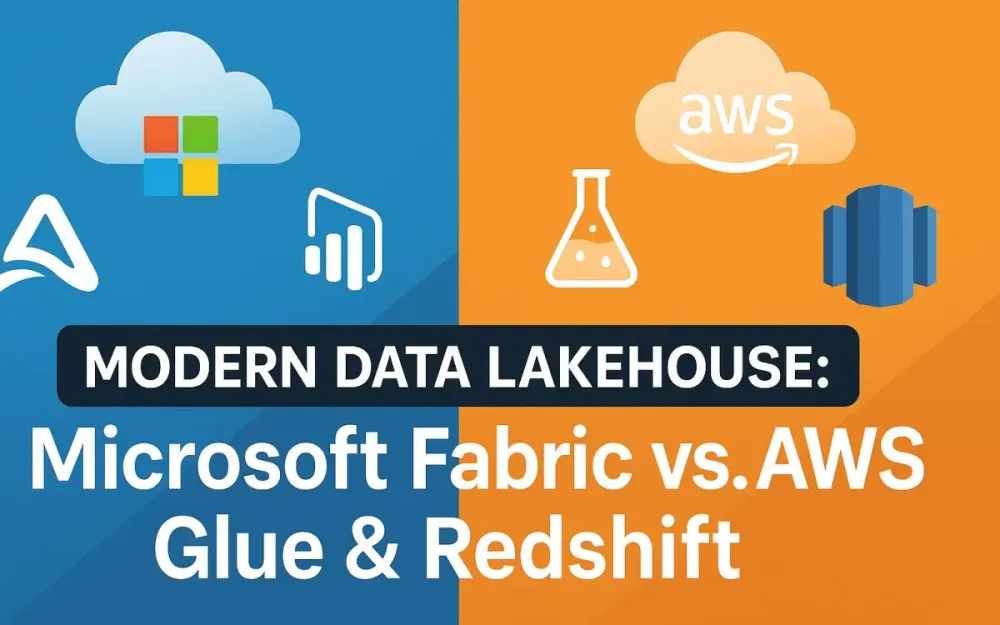
Organizations now face a strategic choice. Should you opt for an integrated, unified experience with a platform like Microsoft Fabric? Or embrace the modular, best-of-breed stack typified by AWS Glue, S3, and Redshift?
Microsoft Fabric is positioned as an all-in-one SaaS analytics solution, tightly integrating data engineering, warehousing, and business intelligence. AWS, in contrast, champions flexibility, letting you assemble a stack from best-in-class services.
This article offers a practical guide for architects navigating this decision. We’ll examine foundational technologies, compare architectural approaches, and consider operational realities to help you chart the optimal path for your data platform.
2 Foundational Concepts: Open Table Formats
2.1 Why Open Table Formats are the Bedrock
At the core of every modern lakehouse is the open table format. These formats provide the structure and transactional guarantees needed to treat files in object stores as robust, queryable tables.
Why does this matter? Open formats solve persistent pain points:
- Data Consistency: Changes from multiple users or jobs do not corrupt data.
- Interoperability: Tools from different vendors or open-source ecosystems can read and write data without translation or lock-in.
- Governance: Table-level metadata enables schema enforcement, time travel, auditing, and lifecycle management.
- Future-Proofing: Data remains accessible even if you change tools or platforms.
Without an open table format, a data lake is simply a bucket of files, not a governed analytics platform.
2.2 A Closer Look at the “Big Three”
2.2.1 Apache Iceberg
Apache Iceberg has quickly become a favorite for large-scale, enterprise data lakehouses—especially in the AWS ecosystem. Its core strengths include:
- Time Travel: Query historical table states for audits, debugging, or recovery.
- Schema Evolution: Add, drop, or rename columns without rewriting data.
- Partition Evolution: Change partitioning strategies as workloads evolve, without data migration.
- Adoption: Iceberg is natively supported in AWS Glue, Athena, and Redshift Spectrum. It has strong community and vendor support.
Example: Time Travel Query with Iceberg (PySpark)
from pyspark.sql import SparkSession

spark = SparkSession.builder.appName("IcebergExample").getOrCreate()

# Load table as of a previous snapshot
df = spark.read.format("iceberg").option("as-of-timestamp", "2024-07-01T00:00:00Z").load("s3://bucket/table")
df.show()
2.2.2 Apache Hudi
Apache Hudi is designed for streaming data, incremental processing, and upsert-heavy workloads. It offers:
-
Upserts and Incremental Pulls: Efficiently update and sync only changed records, ideal for CDC pipelines.
-
Table Types:
- Copy-on-Write (COW): Good for read-heavy, batch processing.
- Merge-on-Read (MOR): Suitable for streaming or frequently updated data.
-
Indexing: Built-in record-level indexing for fast updates.
Example: Writing Upserts with Hudi (Python)
hudi_options = {
    'hoodie.table.name': 'my_table',
    'hoodie.datasource.write.operation': 'upsert',
    'hoodie.datasource.write.recordkey.field': 'id'
}
input_df.write.format("hudi").options(**hudi_options).mode("append").save("s3://bucket/hudi/my_table")
2.2.3 Delta Lake
Delta Lake is tightly integrated with Databricks and now, Microsoft Fabric. It brings:
- ACID Transactions: Data integrity even with concurrent writes.
- Scalability: Handles petabyte-scale workloads with low-latency reads and writes.
- Time Travel and Schema Enforcement: Strong support for data governance and reproducibility.
- Integration: Power BI, Synapse, and Fabric OneLake all support Delta natively.
Example: Delta Lake Table with Time Travel (PySpark or Fabric Notebook)
from delta.tables import DeltaTable

delta_table = DeltaTable.forPath(spark, "/lakehouse/delta/my_table")
# Query as of a previous version
df = delta_table.history(5) # Get last 5 versions
df.show()
2.3 Platform Alignment
When choosing a lakehouse platform, table format support is critical.
- Microsoft Fabric: Deep integration with Delta Lake. All workloads—data engineering, data science, and BI—leverage Delta as the underlying format, ensuring seamless interoperability.
- AWS (Glue, Redshift, S3, Athena): Apache Iceberg is now the preferred and natively supported format for new lakehouse deployments. Glue supports reading/writing Iceberg and Hudi. Redshift Spectrum and Athena both support querying Iceberg and Hudi tables directly.
In summary:
- Fabric: Delta Lake is default, with some interoperability for Parquet.
- AWS: Iceberg is increasingly the standard, but Glue also supports Hudi and Delta Lake (via connectors).
3 The All-in-One Contender: Microsoft Fabric
3.1 Fabric Architecture Demystified
The appeal of Microsoft Fabric lies in its commitment to provide a unified, simplified data and analytics experience. Let’s break down the architectural pillars that make this possible.
3.1.1 OneLake: The “OneDrive for Data”
At the heart of Fabric is OneLake, a single, logical data lake that serves as the system of record for all data workloads in Fabric. OneLake abstracts away the complexity of Azure Data Lake Storage Gen2 (ADLS Gen2), making storage management largely invisible to the user. You interact with OneLake much like you would with OneDrive—browsing, sharing, and accessing data across organizational boundaries.
What’s truly compelling is the shortcut feature. These allow you to “mount” external data from other clouds (for example, AWS S3 or Google Cloud Storage) into your OneLake namespace without copying the data. This means analytics workloads in Fabric can query and process data from multiple clouds as if it were local, further breaking down silos.
Behind the scenes, OneLake is built on ADLS Gen2, but you rarely need to manage it directly. This abstraction helps streamline operations and enhances data discoverability across the organization.
3.1.2 The Unified Compute Engines
Microsoft Fabric provides a suite of tightly integrated compute engines, each designed for specific workloads, but all operating seamlessly over the same Delta tables in OneLake:
- SQL Engine: Serves as the backbone for traditional data warehousing. It can read and write to Delta Lake tables, supporting both transactional and analytical SQL workloads.
- Spark Engine: Facilitates large-scale data engineering, advanced analytics, and machine learning. Fabric’s Spark runtime is fully managed and optimized for seamless interoperability with the SQL engine.
- Analysis Services Engine: Powers in-memory analytics for Power BI and DirectLake Mode, enabling real-time, high-performance dashboards and reports.
The key is interoperability. You can ingest data with Spark, transform it in SQL, and then serve it directly to Power BI—all without data movement or format conversion. This unified approach helps teams collaborate using their preferred tools and languages.
3.1.3 The Personas of Fabric
Fabric is designed for cross-functional collaboration. It offers tailored experiences for different roles within the data ecosystem:
- Data Factory: Low-code pipelines and Dataflows Gen2 for data ingestion, orchestration, and transformation.
- Synapse Data Engineering: Spark notebooks and pipelines for advanced data preparation, enrichment, and AI.
- Synapse Data Warehouse: Traditional and serverless SQL endpoints for scalable analytics and data modeling.
- Power BI: Direct integration with OneLake Delta tables for both import and DirectLake modes.
With this unified platform, data engineers, analysts, scientists, and business users all work within a common workspace, reducing friction and aligning governance.
3.2 Building a Lakehouse in Fabric: A Practical Walkthrough
How do you assemble a robust lakehouse in Microsoft Fabric? Here’s a practical, step-by-step workflow built around the medallion architecture.
3.2.1 Ingestion
The journey begins with landing raw data in OneLake. You can use Dataflows Gen2 for low-code ingestion from databases, SaaS apps, and files, or orchestrate more complex ETL with Data Factory pipelines.
Example: Orchestrating Data Ingestion with Data Factory Pipeline
# This pseudocode represents an orchestration step, not actual executable code.
pipeline.add_dataflow(
    name="Ingest_Sales_CSV",
    source="Azure SQL",
    destination="OneLake Bronze Layer"
)
pipeline.run()
The result: all ingested data is stored in Delta tables, forming your “Bronze” layer.
3.2.2 Transformation & Enrichment (Medallion Architecture)
The medallion architecture is a proven pattern for lakehouses, focusing on progressive data refinement:
Bronze Layer: Raw Ingestion
Use Spark notebooks within Synapse Data Engineering to read raw ingested data and write to Delta tables.
df = spark.read.format("csv").option("header", True).load("abfss://raw@onelake.dfs.core.windows.net/sales.csv")
df.write.format("delta").mode("overwrite").save("abfss://lakehouse@onelake.dfs.core.windows.net/bronze/sales")
Silver Layer: Clean and Conform
Here, you clean, deduplicate, and apply business logic, producing curated, analytics-ready data.
bronze_df = spark.read.format("delta").load("abfss://lakehouse@onelake.dfs.core.windows.net/bronze/sales")
silver_df = bronze_df.dropDuplicates(["transaction_id"]).filter("status = 'COMPLETE'")
silver_df.write.format("delta").mode("overwrite").save("abfss://lakehouse@onelake.dfs.core.windows.net/silver/sales")
Gold Layer: Business-Ready Aggregations
The gold layer aggregates and models data for specific business needs. This layer is often the source for dashboards and executive reports.
silver_df = spark.read.format("delta").load("abfss://lakehouse@onelake.dfs.core.windows.net/silver/sales")
gold_df = silver_df.groupBy("region").agg({"amount": "sum"}).withColumnRenamed("sum(amount)", "total_sales")
gold_df.write.format("delta").mode("overwrite").save("abfss://lakehouse@onelake.dfs.core.windows.net/gold/sales_by_region")
3.2.3 Serving & Analytics
T-SQL Access
With Fabric’s Synapse Data Warehouse endpoint, you can run familiar T-SQL queries directly on the gold layer Delta tables.
SELECT region, total_sales
FROM lakehouse.gold.sales_by_region
WHERE total_sales > 1000000
ORDER BY total_sales DESC;
DirectLake Mode
DirectLake Mode allows Power BI to query Delta tables in OneLake directly, eliminating the traditional import step. This delivers near real-time analytics at scale, supporting high-concurrency workloads with low latency.
What’s the impact? Business users see live data, while IT avoids data duplication and synchronization headaches.
Virtual Warehouses
Fabric supports the creation of virtual warehouses—logical views or datasets curated for different business units or departments. This enables data teams to present only relevant data to specific users, simplifying access and supporting data mesh principles.
3.3 Governance and Security in a Unified World
Fabric’s governance approach is unified by design. Microsoft Purview integrates seamlessly, enabling end-to-end data lineage, cataloging, and classification. Data movement, transformations, and consumption are tracked across Data Factory, Synapse, and Power BI.
Workspace-level security lets you manage access by role, with Azure AD integration for single sign-on and RBAC. Sensitivity labels can be applied to datasets and reports, propagating data classification downstream. Row-level and column-level security policies can also be enforced, giving architects granular control.
Auditing, monitoring, and compliance are easier to implement because all components share a common governance model.
3.4 Fabric’s Strengths & Weaknesses for the Architect
Strengths
- Unprecedented Integration: All analytics workloads—from data engineering to BI—are built atop a single storage layer, eliminating redundancy and complexity.
- Reduced Architectural Complexity: No need to manage or integrate separate services for orchestration, warehousing, and analytics. Upgrades, scaling, and security are handled centrally.
- Unified Governance: Consistent policies, lineage, and data cataloging across the stack simplify compliance and audit.
- Strong Power BI Synergy: Tight integration enables true self-service analytics and reduces time-to-insight for business users.
Weaknesses
- Potential for Vendor Lock-In: Deep integration with Microsoft services can make migration or hybrid deployments more complex.
- Platform Maturity: Fabric is a newer entrant; while capabilities are expanding rapidly, some advanced or niche features may still be maturing.
- Cost Management: While consumption-based pricing offers flexibility, organizations may need robust monitoring to avoid surprises, especially with high-frequency or experimental workloads.
4 The Modular Powerhouse: AWS Lake House
4.1 AWS Architecture: A Symphony of Services
AWS pioneered the modular data lake approach, providing a suite of interoperable services that let you assemble a tailored analytics platform. Each service plays a distinct role, yet all are designed for composability and scale.
4.1.1 Amazon S3: The Storage Foundation
At the core is Amazon S3, serving as the central, highly durable, and virtually limitless data lake. S3 is the canonical location for raw, processed, and analytical datasets—supporting a broad spectrum of data types, from structured records to unstructured files and machine learning artifacts.
S3’s strengths include:
- 11 nines of durability: Your data is safe, with redundancy across multiple facilities.
- Elastic scaling: Store petabytes of data without rearchitecting.
- Cost optimization: Choose storage tiers (Standard, Intelligent-Tiering, Glacier) to balance cost and access needs.
S3 is format-agnostic, enabling you to store Parquet, ORC, Avro, CSV, and most importantly, open table formats like Iceberg and Hudi.
4.1.2 AWS Glue: The Metadata and ETL Engine
AWS Glue orchestrates and automates many core lakehouse functions:
- Glue Data Catalog: The heart of metadata management. This Hive-compatible metastore holds definitions for all your S3 tables, whether they’re raw files, Iceberg, or Hudi tables. It’s accessible to Glue, Redshift, Athena, EMR, and more.
- Glue Crawlers: These automate schema discovery. Point a crawler at an S3 location, and it will inspect files, infer the schema, and update the Data Catalog—keeping metadata in sync with underlying data.
- Glue ETL: Run Spark (Python, Scala) jobs in a serverless fashion to transform, clean, and enrich your data. Glue handles the infrastructure, so you focus on data logic.
- Glue Data Quality: Define rules for data validation, monitor for anomalies, and ensure data entering your lakehouse meets business standards.
This rich set of capabilities helps maintain consistency, data quality, and discoverability in a sprawling, multi-use data lake.
4.1.3 Amazon Redshift: The Data Warehouse and Query Engine
Redshift extends analytics deep into the data lake:
- Redshift Spectrum: This allows Redshift clusters (or Redshift Serverless) to query data stored directly in S3 using external tables. You can join S3-based Iceberg or Hudi tables with data in your Redshift warehouse, all through standard SQL.
- Redshift Serverless: Decouples compute and storage, letting you spin up analytical resources on demand—no cluster management required.
- Materialized Views: These cache and accelerate complex queries, even over S3-based external tables, delivering sub-second performance to BI tools like QuickSight or Tableau.
Redshift brings high concurrency, powerful performance tuning, and deep SQL compatibility to your lakehouse, all tightly integrated with the AWS ecosystem.
4.2 Building a Lakehouse on AWS: A Practical Walkthrough
Building a modular lakehouse on AWS means orchestrating a series of specialized tools—each excelling at a part of the pipeline. Here’s how a typical workflow unfolds.
4.2.1 Ingestion
You have several options to land data in S3:
- AWS Glue ETL Jobs: Transform and load data from external sources (databases, files, streaming APIs) into S3 using Spark.
- Kinesis Data Firehose: Stream real-time data into S3 with simple setup and minimal latency.
- AWS Database Migration Service (DMS): Seamlessly replicate data from operational databases to S3, supporting both full loads and incremental CDC.
Example: Simple Glue Job for Ingesting Data to S3 (Python)
datasource = glueContext.create_dynamic_frame.from_catalog(
    database="raw_db", table_name="transactions"
)
datasource.toDF().write.mode("append").parquet("s3://my-lakehouse/bronze/transactions/")
4.2.2 Cataloging and Transformation
The lakehouse’s effectiveness hinges on robust metadata and efficient data refinement.
- Glue Crawlers: Run crawlers to scan your S3 buckets, updating the Data Catalog with schema information for all tables (raw, curated, or modeled).
- Medallion Architecture: Progress data through bronze (raw), silver (cleaned/conformed), and gold (business-ready) buckets, typically using Glue ETL jobs with Spark.
Example: Transforming Bronze to Silver Layer Using Glue Spark
bronze_df = spark.read.format("parquet").load("s3://my-lakehouse/bronze/transactions/")
silver_df = bronze_df.filter("status = 'SUCCESS'").dropDuplicates(["transaction_id"])
silver_df.write.format("iceberg").mode("overwrite").save("s3://my-lakehouse/silver/transactions/")- Orchestration: Use AWS Step Functions to chain Glue jobs, crawlers, and quality checks into a repeatable pipeline. This visual workflow helps manage dependencies and error handling.
4.2.3 Serving & Analytics
Once the gold layer is established, you have several ways to serve and analyze the data:
-
Redshift Spectrum: Define external schemas and tables in Redshift pointing to S3-based Iceberg or Hudi tables. Analysts query this data using standard SQL alongside traditional warehouse data.
Example: Creating External Schema in Redshift
CREATE EXTERNAL SCHEMA gold_data FROM DATA CATALOG DATABASE 'lakehouse_db' IAM_ROLE 'arn:aws:iam::123456789012:role/RedshiftRole' CREATE EXTERNAL DATABASE IF NOT EXISTS; -
Performance Optimization: Leverage materialized views to pre-aggregate or cache results from S3 tables. This dramatically reduces query latency for BI dashboards.
Example: Creating a Materialized View in Redshift
CREATE MATERIALIZED VIEW gold_sales_mv AS SELECT region, SUM(amount) AS total_sales FROM gold_data.transactions GROUP BY region; -
Ad-hoc Analysis: Use Amazon Athena for interactive, serverless SQL queries directly against S3 data. Athena supports Iceberg, Hudi, and Delta tables, making it an ideal choice for exploratory analysis or quick data validation.
4.3 Governance and Security in a Modular Ecosystem
Governance on AWS is robust, though it requires careful design due to the distributed nature of its services. AWS Lake Formation is the hub for data access control and auditing.
- Granular Permissions: Set access policies at the database, table, column, or even row level within the Glue Data Catalog.
- S3 Integration: Control access to S3 buckets via Lake Formation-managed policies, independent of bucket-level IAM rules.
- Column-Level Security: Restrict sensitive fields within tables, enforcing policies for different user groups.
- Audit and Compliance: Lake Formation logs all access events, helping with regulatory compliance and internal governance.
This modular approach gives you detailed control but often requires coordination between IAM, Lake Formation, and service-specific permissions.
4.4 AWS’s Strengths & Weaknesses for the Architect
Strengths
- Unmatched Flexibility: Assemble the best services for your needs, swap components as technology evolves, and avoid being locked into a single pattern.
- Mature, Battle-Tested Services: Decades of operational experience power S3, Redshift, and Glue, with global scale and reliability.
- Strong Support for Open Standards: First-class integration for Apache Iceberg and Hudi allows you to future-proof your data assets and maintain portability.
- Granular Cost Control: Fine-tune storage, compute, and data transfer spending at every step. Opt for serverless or provisioned resources based on workload requirements.
Weaknesses
- Higher Architectural Complexity: You must design, deploy, and maintain integrations between services. Each service has its own operational nuances and tuning options.
- Potential for Configuration Drift: With so many moving parts, keeping security, metadata, and governance settings aligned can be challenging without automation and strong DevOps practices.
- Requires Deeper Expertise: Success with AWS’s modular lakehouse relies on in-house skills spanning storage, ETL, cataloging, security, and analytics, often demanding a broader technical team.
5 Head-to-Head Comparison: A Strategic Checklist for Architects
The modern data lakehouse conversation ultimately converges on a single question: which platform is the better fit for your organization’s ambitions and constraints? While both Microsoft Fabric and the AWS modular stack deliver on the promise of scalable, governed analytics, their implementation philosophies—and operational realities—differ significantly.
To help decision-makers, let’s break down the comparison by critical architectural dimensions.
5.1 Data Ingestion & Transformation: Fabric Pipelines vs. Glue ETL/Step Functions
Microsoft Fabric
Fabric streamlines data ingestion and transformation by offering Data Factory Pipelines and Dataflows Gen2 as native, no-code/low-code orchestration tools. Whether connecting to on-premises databases, SaaS APIs, or streaming sources, the Data Factory experience is deeply integrated into the Fabric workspace.
- Pipelines support batch, streaming, and event-driven loads, with a modern UI and robust parameterization.
- Dataflows Gen2 provide a visually-driven approach to ETL, perfect for data analysts and citizen developers.
- Synapse Data Engineering enables Spark-based processing, making it easy to switch between visual, SQL, and code-first data wrangling.
Fabric’s design philosophy is clear: unify the pipeline experience for every user persona, reducing the context switching and tool proliferation that often plagues data teams.
AWS
AWS adopts a modular, scriptable approach. Here, AWS Glue is the engine room, with jobs defined in Spark (Python or Scala) or via a visual interface in Glue Studio.
- Glue ETL Jobs handle batch and micro-batch processing, scaling elastically.
- Glue Crawlers automate metadata discovery, keeping the catalog up-to-date as new data lands.
- AWS Step Functions orchestrate complex, multi-stage workflows, allowing for conditional branching, parallelization, and error handling.
The AWS approach gives you full control and flexibility but often requires hands-on engineering and maintenance of orchestration logic—especially as pipelines grow in complexity or must integrate with external systems.
Quick Reference Table: Ingestion & Transformation
| Feature/Scenario | Microsoft Fabric | AWS Lakehouse |
|---|---|---|
| Low-code ETL | Dataflows Gen2 | Glue Studio (limited) |
| Code-first ETL | Synapse Spark | Glue Jobs (Spark) |
| Orchestration | Data Factory Pipelines | Step Functions |
| Streaming | Event Streams | Kinesis + Glue |
| Metadata Auto-Discovery | Integrated | Glue Crawlers |
Architect’s Note: If you seek simplicity and quick onboarding for a broad user base, Fabric’s tightly integrated experience may accelerate delivery. For organizations that prioritize flexibility and custom orchestration, AWS offers more options, albeit with increased operational overhead.
5.2 Metadata Management: OneLake/Fabric Metastore vs. AWS Glue Data Catalog
Microsoft Fabric
In Fabric, metadata management is streamlined and unified. OneLake acts as the “single pane of glass,” and the Fabric Metastore automatically tracks all datasets, tables, lineage, and schema changes.
- Schema and table definitions are native to the platform, regardless of whether Spark, SQL, or Power BI is the point of entry.
- Data lineage is captured across ingestion, transformation, and reporting layers, visible via built-in visualizations.
- Cataloging integrates with Microsoft Purview, enabling data discovery, classification, and governance policy enforcement from a central location.
This approach reduces the friction of managing and searching for data assets across siloed catalogs, making it easier for organizations to govern and democratize data.
AWS
AWS places the Glue Data Catalog at the core of its metadata strategy. It serves as a centralized, Hive-compatible metastore, recognized by Glue, Athena, Redshift, and EMR.
- Schema versioning and table definitions are tightly linked to the Data Catalog, ensuring consistency across analytical services.
- Glue Crawlers update and manage the catalog automatically, maintaining alignment with the evolving data lake.
- Integration with Lake Formation adds a security and governance layer, supporting tagging and column-level controls.
While powerful, managing multiple catalogs across environments, keeping schemas up-to-date, and enforcing governance policies can be complex, especially at scale.
Architect’s Insight
Fabric’s all-in-one approach may streamline metadata management for organizations with a unified platform vision. In contrast, AWS’s Glue Data Catalog is more open and extensible, well-suited for environments with diverse tools and hybrid cloud strategies—but may require extra governance discipline.
5.3 Query Performance & BI Integration: Fabric DirectLake vs. Redshift Spectrum + Materialized Views
Microsoft Fabric
Fabric introduces DirectLake Mode, a true differentiator for real-time analytics.
- DirectLake enables Power BI to query Delta tables in OneLake without data import or duplication. Reports can reflect live data changes with near-zero latency, ideal for executive dashboards and operational analytics.
- In-memory acceleration is achieved via the Analysis Services engine, providing sub-second response times on large, complex data models.
- Unified compute engines (Spark, SQL, Analysis Services) operate on the same data, supporting both ad-hoc analytics and scheduled reporting without data movement.
This architecture enables business users to work with the freshest data, streamlines data refresh cycles, and greatly reduces the friction between IT and analytics teams.
AWS
AWS offers a more modular, multi-engine solution.
- Redshift Spectrum allows you to query S3-based data (in open formats like Iceberg or Hudi) from within Redshift, using standard SQL. You can join S3 data with data in your Redshift warehouse for unified analytics.
- Materialized Views accelerate repeated queries, reducing latency for BI dashboards—critical for scaling up to thousands of concurrent QuickSight or Tableau users.
- Amazon Athena delivers serverless, interactive querying directly against S3, ideal for ad-hoc analysis or data exploration.
While powerful, this architecture may require you to pre-aggregate, cache, or duplicate some data to achieve peak performance for BI workloads, and tuning for concurrent access can become complex at scale.
Architect’s Perspective
If seamless, real-time Power BI integration is a cornerstone requirement, Fabric’s DirectLake stands out. For environments with diverse BI tools or a need to mix-and-match engines, AWS’s combination of Redshift, Spectrum, Athena, and materialized views offers a rich—but more fragmented—landscape.
5.4 Governance & Security: Fabric Purview Integration vs. AWS Lake Formation
Microsoft Fabric
Fabric leverages Microsoft Purview for end-to-end data governance:
- Lineage and Impact Analysis: Automated tracking of data flows from ingestion to report, making it easier to assess downstream impacts of data changes.
- Data Classification and Sensitivity Labels: Native labeling of sensitive data assets, with policies enforced throughout Fabric and downstream in Power BI.
- Workspace-level Security: Granular access control for different teams and projects, integrated with Azure Active Directory (AAD) and supporting RBAC.
This centralization simplifies compliance, especially in regulated industries, and makes audit and reporting straightforward.
AWS
AWS addresses governance through Lake Formation and integration with the Glue Data Catalog.
- Granular Permissions: Set access controls at database, table, column, and row levels for both S3 data and Glue Catalog assets.
- Integration with IAM and S3: Policies can be defined independently of bucket policies, allowing for more flexible cross-service access patterns.
- Auditing and Data Sharing: All access is logged, and Lake Formation supports secure, cross-account data sharing.
However, coordinating Lake Formation, IAM, and service-level permissions requires a strong DevSecOps foundation, particularly as the number of users and workloads grows.
Architect’s Perspective
Fabric delivers governance and security as a unified, out-of-the-box experience, whereas AWS excels at providing fine-grained, customizable controls—at the cost of increased configuration and operational complexity.
5.5 Developer Experience & Productivity: Unified Fabric Workspace vs. AWS Console/CLI/IaC
Microsoft Fabric
- Unified Experience: All development (pipelines, Spark notebooks, SQL scripts, BI reports) takes place within a single browser-based workspace.
- Role-based Access: Data engineers, analysts, and BI developers work side-by-side, eliminating tool fragmentation.
- Notebook and Pipeline Integration: Easy transition from low-code to full-code without leaving the environment.
- Automated DevOps: Built-in support for version control, deployment, and monitoring.
This is especially advantageous for organizations looking to maximize team productivity and reduce onboarding friction.
AWS
- Modular Environment: Development happens across the AWS Console, CLI, and code (CloudFormation, CDK, Terraform). Each service may have its own UI and configuration paradigm.
- DevOps Flexibility: Full infrastructure-as-code (IaC) support enables automation, repeatable environments, and tight integration with CI/CD pipelines.
- Ecosystem Openness: AWS plays well with open-source tools (dbt, Airflow, Jupyter, etc.), making it easy to incorporate the latest technologies.
While AWS offers unmatched customization and automation potential, the learning curve can be steep, and cross-service integration may require significant effort and expertise.
5.6 Cost Modeling and TCO: Fabric Capacity Units (CU) vs. AWS Pay-per-Service
Microsoft Fabric
- Capacity Units (CU): Fabric uses a consumption-based pricing model, where organizations purchase capacity units that are shared across workloads (data engineering, warehousing, BI). You can auto-scale up and down as demand fluctuates.
- Predictable Billing: This model simplifies cost estimation, particularly for organizations with consistent, high-volume workloads.
- No Hidden Data Movement Charges: Since storage and compute are tightly integrated, unexpected data egress or duplication costs are minimized.
However, peak loads or experimentation-heavy environments can lead to rapid consumption and unexpected costs if not monitored carefully.
AWS
- Pay-per-Service: Every AWS service is priced independently. You pay for S3 storage, Glue compute time, Redshift queries, Athena scans, and more.
- Fine-grained Optimization: You can optimize each service separately, tuning for cost or performance at every layer.
- Spot and Serverless Options: Use reserved capacity, spot instances, or serverless pricing for further savings.
While this flexibility allows aggressive cost optimization, it also introduces complexity. Cost tracking and chargebacks may require detailed monitoring and alerting, especially for large or fast-growing environments.
6 Real-World Scenarios: Choosing the Right Architecture
It’s easy to get lost in technical features. But for architects, the right lakehouse architecture is always contextual. Below, we walk through three common scenarios—each highlighting a different set of organizational priorities and constraints.
6.1 Scenario 1: The Enterprise Power BI Shop
Context: A large financial services provider with a mature data analytics function. Power BI is the enterprise standard for reporting. Data comes from SAP, Salesforce, and on-prem SQL Servers, with a roadmap to shift workloads to Azure.
Requirements:
- End-to-end security and compliance.
- Seamless Power BI integration.
- Rapid report refreshes and self-service analytics for business users.
- Minimal operational overhead for IT.
Recommended Approach: Microsoft Fabric is the clear leader here.
Why Fabric Excels
- DirectLake Mode ensures Power BI can deliver near real-time insights without periodic data imports or refresh cycles. This alone can transform the business’s ability to respond to market changes.
- Single Workspace: All data engineers, analysts, and report builders operate within the same UI, reducing friction and speeding up delivery.
- Unified Governance: Sensitivity labels and RBAC flow through every layer, reducing compliance risk.
- Operational Simplicity: SaaS nature minimizes time spent on patching, scaling, or integration.
Example Flow
- Data lands in OneLake via Dataflows and Pipelines.
- Spark and SQL engines refine data in Delta format, progressing through Bronze/Silver/Gold layers.
- Gold layer is served directly to Power BI dashboards through DirectLake, ensuring consistent, governed access for thousands of business users.
Architect’s Watch-out: Be mindful of Fabric’s pricing model—high-concurrency Power BI usage can consume capacity quickly. Close monitoring and right-sizing of CUs is essential.
6.2 Scenario 2: The Multi-Cloud, Open-Source Startup
Context: A fast-growing startup that embraces cloud-native technologies, open standards, and multi-cloud flexibility. They leverage AWS for core workloads but also use GCP for specialized ML. The team prefers Python, dbt, and Apache Spark, and the analytics stack includes Looker, Tableau, and open-source notebooks.
Requirements:
- Avoid vendor lock-in; keep data in open formats.
- Mix-and-match best-of-breed analytics and data science tools.
- Rapid onboarding for engineers and data scientists.
- Automated, code-driven pipelines.
Recommended Approach: AWS Modular Lakehouse using S3, Glue, Redshift, Athena, and strong support for Apache Iceberg.
Why AWS Excels
- Open Table Formats: Iceberg and Hudi support provide true vendor-neutral data assets. The startup can switch compute engines, analytics tools, or even cloud providers if needed.
- Best-of-Breed Integration: AWS works well with open-source tools (dbt, Airflow, Jupyter), supporting agile experimentation and automation.
- Granular Cost Control: Start small, scale up, and optimize every component. Pay only for what you use.
- Multi-Cloud Readiness: Data remains portable, and external analytics engines can access S3 via open standards.
Example Flow
- Raw and streaming data lands in S3 from multiple sources.
- Glue ETL jobs process and validate data, writing curated Iceberg tables for analytics.
- Redshift Spectrum and Athena serve up data to BI and analytics tools. Data scientists use EMR or SageMaker as needed.
Architect’s Watch-out: Greater flexibility comes with more moving parts. Invest early in automation, infrastructure-as-code, and documentation to prevent sprawl and configuration drift.
6.3 Scenario 3: The Hybrid Cloud Behemoth
Context: A Fortune 100 corporation operating globally, with regulatory requirements mandating data residency in multiple countries. Data estates span on-premises SQL, legacy Hadoop, Azure for core business units, and AWS for digital and IoT.
Requirements:
- Seamless data access across cloud and on-premises.
- Centralized governance, auditability, and security.
- Support for multiple analytics tools (Power BI, Tableau, custom apps).
- Flexible deployment models.
Architecture Considerations
Both Fabric and AWS offer solutions to hybrid challenges, but each has trade-offs:
Fabric’s “Shortcuts” and Unified Governance
- OneLake Shortcuts: These allow OneLake to “mount” external data in AWS S3 or Google Cloud Storage, exposing it in the Fabric workspace without copying. This is particularly attractive for organizations that want to consolidate governance and analytics in Azure, even as some data remains elsewhere.
- Unified Security: With Purview and AAD integration, governance is consistent for all users accessing data via Fabric, regardless of physical data location.
- Single Analytics Plane: Power BI and Synapse can operate on cross-cloud data as if it were native.
AWS’s Federation and Connectors
- Glue and Lake Formation can define policies across S3, Redshift, and external catalogs, but integrating on-premises or Azure sources may require custom connectors or partner solutions.
- Athena and Redshift Spectrum offer flexible querying on external sources, but security and metadata must be federated or synchronized.
- Third-Party Mesh: For truly hybrid environments, open-source tools like Trino or commercial solutions like Starburst can query and federate across AWS, Azure, GCP, and on-premises, but these require advanced configuration and management.
Decision Factors
- Data Gravity: If most analytical workloads and users are in Azure, Fabric’s cross-cloud “shortcut” model and unified governance may offer simplicity and compliance advantages.
- Open Standards and Tool Diversity: If the organization’s teams are deeply invested in a diversity of cloud services and open-source tools, a best-of-breed AWS-centric (or Trino-powered) approach will offer maximum flexibility at the expense of simplicity.
- Hybrid Cloud Maturity: If centralized security, auditability, and regulatory compliance are paramount, Fabric’s integrated stack may reduce risk and operational burden.
Example Flow
- Sensitive customer data resides in-country on Azure and on-premises; IoT and digital platform data is stored in AWS S3.
- Fabric OneLake shortcuts expose S3 data to Azure-based analytics tools; unified governance and reporting through Purview and Power BI.
- AWS-native workloads leverage S3, Glue, Redshift, and Lake Formation for distributed analytics; periodic data sharing is orchestrated via cross-cloud connectors or data replication.
Architect’s Watch-out: Hybrid strategies demand robust documentation, clear ownership of data flows, and explicit policies for cross-cloud access and governance. Invest in shared data catalogs and standardized data contracts to minimize ambiguity.
7 The Future Outlook: What’s Next?
7.1 The Rise of Generative AI in Data Platforms
The integration of generative AI into enterprise data platforms is redefining how architects, engineers, and business users interact with data. This wave is not simply about automation or conversational interfaces; it represents a shift in how value is unlocked from organizational information.
Microsoft Fabric Copilot and Amazon Q are at the vanguard of this evolution.
Fabric Copilot enables users to generate dataflows, queries, documentation, and even code simply by describing their intent in natural language. Tasks that once took hours—such as building a data pipeline or crafting a Power BI report—can now begin as a prompt and finish as a working asset. For architects, this means accelerating prototyping, democratizing data engineering, and potentially changing the skill mix required for effective delivery.
Amazon Q brings similar capabilities to AWS. Users can ask questions of their data, generate code snippets for Glue ETL jobs, or automate data quality rule creation—all via conversational interfaces embedded in AWS services. With Q, development and troubleshooting become faster, while users at every level can access insights or trigger data operations without being AWS power users.
The broader impact?
- Shortened development cycles: AI can suggest best practices, flag anomalies, and even auto-generate boilerplate code.
- Increased data literacy: More team members can access and interpret data, reducing reliance on specialists for routine tasks.
- Adaptive governance: AI models can assist in identifying sensitive data, policy violations, or potential compliance risks faster than manual review.
Generative AI isn’t just an add-on—it is steadily becoming an architectural layer in its own right, influencing how data solutions are designed, delivered, and maintained.
7.2 Continued Convergence: The Blurring Lines Between Platforms
As organizations demand both the flexibility of modular platforms and the simplicity of unified experiences, the distinction between “all-in-one” and “best-of-breed” solutions is starting to blur.
- AWS is signaling deeper integration. Recent announcements show Redshift and Glue are moving closer, while managed integrations between S3, Lake Formation, and third-party tools are becoming more seamless. Expect more user-friendly orchestration, tighter BI integration, and increased support for open table formats like Iceberg and Delta Lake.
- Fabric, meanwhile, is nudging toward openness. With support for shortcuts to S3 and Google Cloud Storage, and growing API access for metadata and data interoperability, Fabric is taking steps to allow organizations to avoid lock-in and bring in best-of-breed components as needed.
Open standards—especially Iceberg and Delta Lake—will accelerate this convergence. Both Microsoft and AWS recognize that the future is multi-cloud, multi-tool, and multi-persona.
For architects, this means that skills in data modeling, governance, and integration will only grow in value, while platform-specific expertise will be easier to supplement with AI-driven tools and improved cross-cloud connectors.
7.3 The Enduring Importance of the Architect
With all this rapid change, you might wonder: is the architect’s role becoming less relevant? The opposite is true.
Even as platforms simplify and AI accelerates delivery, the architect’s judgment becomes more essential:
- Understanding trade-offs between simplicity and flexibility, cost and capability, governance and agility is not something AI can automate.
- Translating business strategy into technical architecture remains a human-driven, context-rich exercise.
- Navigating regulatory, privacy, and compliance landscapes demands ongoing vigilance and expertise.
The platforms will continue to advance, and AI will increasingly automate routine decisions and operations. But only skilled architects can see around corners, anticipate challenges, and ensure that every solution serves the organization’s mission.
8 Conclusion: It’s Not Just About Technology, It’s About Strategy
As we step back and consider the lakehouse landscape, certain themes emerge. Both Microsoft Fabric and the AWS modular stack exemplify the state of modern analytics architecture: scalable, open, and designed for business impact. Yet their differences are more about philosophy than features.
- Fabric offers a tightly integrated, productivity-focused environment, perfect for organizations seeking simplicity, security, and seamless Power BI integration.
- AWS excels in modularity and openness, supporting a wide array of workloads, tools, and future-proof design patterns.
Core architectural patterns—open table formats, medallion layering, unified governance, and decoupled storage and compute—are now standard. What matters most is how these patterns are implemented to match your context.
The essential truth? There is no single “best” lakehouse architecture. The optimal approach is the one that aligns with your organization’s existing skills, strategic objectives, regulatory landscape, and appetite for innovation. Success depends on thoughtful design, cultural alignment, and a willingness to evolve as platforms and business needs change.
For today’s data leaders and architects, this is both the challenge and the opportunity. Your choices today set the stage for tomorrow’s capabilities—so let them be guided by strategy, not just technology.
If you’re charting your own lakehouse journey and want to explore proof-of-concept designs, cost modeling, or deeper platform insights, reach out for tailored guidance. The future is being built now, and it’s architects like you who are shaping it.