1 Executive Summary: The Azure Compute Triad for .NET
The last decade has transformed the software architecture landscape, especially for teams building with .NET. Moving to Azure is no longer just about shifting VMs and running your app on cloud infrastructure. The real challenge—and opportunity—is in deciding how cloud-native you want (or need) to become.
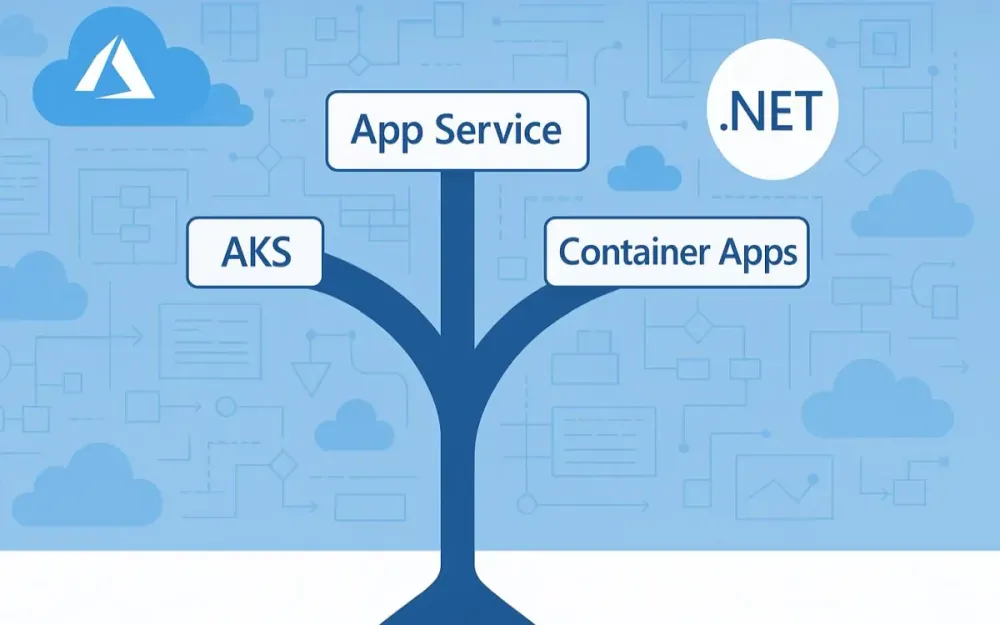
In 2025, .NET architects face three clear hosting options in Azure:
- Azure App Service: The robust, developer-friendly Platform-as-a-Service (PaaS) that’s powered millions of .NET applications.
- Azure Kubernetes Service (AKS): Microsoft’s managed Kubernetes offering for when control, flexibility, and large-scale orchestration are paramount.
- Azure Container Apps (ACA): A modern, serverless platform that brings the best of microservices and containers, without the operational overhead of Kubernetes.
The core question is no longer just “how do I run my code in Azure?” Instead, it’s “where should I run each application or service to balance agility, control, scalability, cost, and long-term maintainability?”
1.1 The Modern Dilemma: Moving Beyond “Lift-and-Shift”
The early years of cloud adoption were dominated by “lift-and-shift” migrations. Organizations moved .NET Framework applications from on-premises Windows servers into Azure VMs or App Service with minimal code changes. But as Azure has matured, and as .NET itself has evolved into a truly cross-platform ecosystem, the expectations for performance, agility, and operational efficiency have risen.
Today, your choices affect much more than deployment—they shape your DevOps workflows, reliability, scalability, and how quickly your team can deliver value. The decisions you make today will echo for years as your architecture grows.
1.2 Introducing the Contenders
Let’s meet the three primary platforms Azure offers for hosting .NET workloads:
-
Azure App Service A proven, fully managed PaaS that lets you focus on application code, not infrastructure. Best for straightforward web apps, APIs, and background jobs where deep control isn’t required.
-
Azure Kubernetes Service (AKS) A fully managed Kubernetes environment that brings advanced orchestration, customizability, and powerful ecosystem integrations. Best for organizations with complex, container-based, and microservices architectures, or those requiring multi-cloud/hybrid patterns.
-
Azure Container Apps (ACA) A newer, serverless offering designed for modern microservices and event-driven architectures. It brings together the developer agility of containers and the operational simplicity of serverless. Great for .NET teams wanting to adopt modern patterns without managing clusters.
1.3 At a Glance: Decision Flowchart
Here’s a high-level decision tree to help guide your initial thinking:
Start Here
  |
  v
Are you running only monolithic or simple web/API workloads?
  |
  +-- Yes --> App Service
  |
  +-- No -->
        |
        v
  Do you need full cluster-level control (custom networking, advanced scaling, stateful workloads, multi-tenancy, etc)?
        |
        +-- Yes --> AKS
        |
        +-- No --> Azure Container Apps
This isn’t the full story, of course. Let’s break down why containers and orchestration matter in the first place, especially for .NET teams.
2 The Foundation: Why Containers and Orchestration Matter for Modern .NET
2.1 From .NET Framework to .NET 8/9: The Shift to Cross-Platform and Container-First
The .NET ecosystem has undergone a profound transformation since the days of the .NET Framework. With .NET Core (and now .NET 8/9), cross-platform support is first-class, enabling .NET workloads to run on Linux, macOS, and Windows. This evolution wasn’t just about supporting more operating systems—it’s about enabling modern, cloud-native development.
Cloud-native means applications are designed to take full advantage of the cloud: rapid deployment, automatic scaling, fault tolerance, and seamless updates. Containers are at the heart of this shift.
-
Containers (e.g., using Docker) package your application, its dependencies, and configuration into a lightweight, portable unit. This guarantees consistent behavior across dev, test, and production.
-
.NET 8/9 has built-in support for containerization. The SDK even allows you to publish directly to a container image:
dotnet publish --os linux --arch x64 /p:PublishProfile=DefaultContainer -
Linux-first hosting is now a reality, reducing costs and aligning with the open-source world.
2.2 The Role of Docker in the .NET Development Lifecycle
Docker has become a ubiquitous part of the modern .NET developer’s toolkit:
- Development: Use
docker-composeto spin up complex local environments, mirroring production as closely as possible. - Build and CI/CD: Use Dockerfiles to create reproducible builds. Integrate container image creation into Azure DevOps or GitHub Actions pipelines.
- Deployment: Push container images to Azure Container Registry (ACR) and deploy to App Service, AKS, or ACA.
Here’s a simple Dockerfile for a modern ASP.NET Core API:
# Stage 1: Build
FROM mcr.microsoft.com/dotnet/sdk:8.0 AS build
WORKDIR /src
COPY . .
RUN dotnet publish -c Release -o /app

# Stage 2: Runtime
FROM mcr.microsoft.com/dotnet/aspnet:8.0
WORKDIR /app
COPY --from=build /app .
ENTRYPOINT ["dotnet", "MyApi.dll"]
2.3 Brief Primer on Orchestration
Running a single container is simple. Running a production-grade .NET system means managing many containers—for your API, background jobs, databases, caches, and supporting infrastructure.
Orchestration is about:
- Automated deployment and scaling
- Load balancing
- Health checks and self-healing
- Rolling updates and rollbacks
- Secure networking and secret management
Kubernetes is the leading orchestrator, but Azure offers abstractions on top of it to ease adoption for .NET teams.
3 Deep Dive: Azure App Service – The PaaS Workhorse
Azure App Service remains one of the most popular ways to host .NET applications in the cloud, and for good reason. It abstracts away infrastructure and lets you focus on code. But in a world of containers and orchestration, where does it fit in 2025?
3.1 Core Concept
App Service is a fully managed hosting platform for web apps, REST APIs, and backend services. It supports both Windows and Linux. As of 2025, App Service supports both traditional “code-based” deployments and container-based deployments. You can deploy:
- ASP.NET Framework (Windows only)
- ASP.NET Core apps (Windows or Linux)
- Node.js, Java, Python, PHP
- Custom Docker containers
3.2 Ideal .NET Use Cases
App Service is a great fit for:
- Monolithic ASP.NET Core applications If you have a classic MVC or Web API project, App Service is the fastest path to the cloud.
- Simple to moderately complex microservices architectures You can run multiple apps/services side by side, even in the same App Service Plan.
- WebJobs for background processing Offload long-running or scheduled tasks, integrated with the same PaaS features.
- Rapid prototyping and departmental applications Quick to set up, easy to scale, with integrated monitoring and diagnostics.
3.3 The Architect’s View: Key Features & Benefits
Let’s look at the features that matter most for architects.
Developer Experience
App Service integrates seamlessly with Visual Studio and VS Code. You can deploy directly from your IDE, or set up robust CI/CD pipelines using Azure DevOps or GitHub Actions.
Example: GitHub Actions workflow to deploy to App Service
name: Build and Deploy ASP.NET Core to Azure App Service

on:
  push:
    branches:
      - main

jobs:
  build-and-deploy:
    runs-on: ubuntu-latest

    steps:
      - uses: actions/checkout@v4
      - name: Set up .NET
        uses: actions/setup-dotnet@v4
        with:
          dotnet-version: '8.0.x'
      - name: Build
        run: dotnet build --configuration Release
      - name: Publish
        run: dotnet publish -c Release -o publish
      - name: Deploy to Azure Web App
        uses: azure/webapps-deploy@v3
        with:
          app-name: 'my-appservice-app'
          publish-profile: ${{ secrets.AZUREAPPSERVICE_PUBLISHPROFILE }}
          package: ./publish
Deployment Slots
App Service supports deployment slots—essential for zero-downtime deployments, blue-green, or canary releases. You can have a “staging” slot, validate your changes in production-like conditions, then swap with the live slot instantly.
Example: Blue-Green Deployment for ASP.NET Core API
- Deploy the new version to the staging slot.
- Test with production data, routing only internal users or a small traffic percentage.
- Swap slots for instant, no-downtime go-live.
- Roll back instantly if issues arise.
Scaling
- Vertical Scaling (Scale Up): Move to a larger App Service Plan for more CPU/memory.
- Horizontal Scaling (Scale Out): Autoscale by instance count, triggered by rules (CPU, memory, HTTP queue length) or on a schedule.
App Service plans can now scale to hundreds of instances for high traffic scenarios.
Networking
- VNet Integration: Securely connect to Azure resources (SQL Database, Redis, etc.) in your private network.
- Private Endpoints: Lock down your app to specific networks.
- Hybrid Connections: Connect to on-premises systems without exposing ports.
Security
- Managed identities: Use Azure AD to grant your app permissions without credentials.
- Custom domains and SSL: Automatic certificate management.
- App Service Environment (ASE): Deploy into a fully isolated, private environment—critical for compliance and regulated industries.
Cost Model
App Service is consumption-based but may not be as granularly optimized as serverless models for infrequently used workloads. However, it is extremely cost-effective for always-on web apps.
3.4 When to Reconsider App Service
App Service is not always the right answer. You’ll hit a tipping point where its simplicity becomes a limitation:
- You need advanced container orchestration (sidecar patterns, complex networking, custom runtime).
- Your solution spans hundreds of microservices requiring cross-service communication, distributed tracing, or custom scaling strategies.
- You need stateful containers or integration with advanced open-source tools not supported by App Service.
- Regulatory requirements demand full network isolation beyond what App Service or even ASE can provide.
At this point, it’s time to look at Azure Kubernetes Service or Azure Container Apps.
4 Deep Dive: Azure Kubernetes Service (AKS) – The Power User’s Choice
For teams looking to move beyond the boundaries of traditional PaaS and serverless options, Azure Kubernetes Service (AKS) offers a gateway into the world of advanced cloud-native architectures. As Kubernetes adoption continues to rise across industries, AKS stands as the go-to platform for .NET applications demanding deep control, fine-tuned scalability, and integration with the broader open-source ecosystem.
4.1 Core Concept: Managed Kubernetes for Maximum Control, Portability, and Scalability
AKS is Microsoft’s managed Kubernetes service, purpose-built to take away much of the operational overhead involved in running a production Kubernetes cluster. With AKS, Azure handles the control plane and essential management tasks, allowing architects and DevOps engineers to focus on deploying, scaling, and evolving their applications.
But AKS is more than just “Kubernetes in the cloud.” It is a platform designed for:
- Portability: Applications can move between clouds or on-premises with minimal changes.
- Standardization: Leverage Kubernetes APIs, Helm charts, and ecosystem tools.
- Composability: Integrate open-source projects (service mesh, observability, CI/CD) as first-class citizens.
- Scalability: Run anything from small proof-of-concepts to global, mission-critical workloads.
This degree of control makes AKS a natural fit for .NET teams building complex, distributed systems.
4.2 Ideal .NET Use Cases
Not every .NET application needs AKS, but for certain scenarios, it is the only practical choice. Consider AKS when you have:
Complex, Large-Scale Microservices Architectures
If your solution is composed of dozens or hundreds of .NET services—some stateless, some stateful—requiring sophisticated deployment and inter-service communication, Kubernetes’ orchestrated approach is invaluable. Advanced patterns like sidecar containers, distributed tracing, and rolling deployments become possible.
Advanced Networking and State Management
Scenarios demanding custom Ingress, secure service-to-service communication, or integration with specialized networking stacks (e.g., Calico for network policies) fit naturally within AKS. You can implement stateful sets, persistent volumes, and custom storage backends for advanced state management.
Service Meshes and Layer-7 Routing
Modern .NET architectures often benefit from service meshes such as Istio or Linkerd. These enable fine-grained control over traffic routing, secure service-to-service communications, distributed tracing, and even fault injection for resilience testing—all without modifying your .NET application code.
Hybrid and Multi-Cloud Deployments
Need to run your applications across Azure, on-premises, or even in other clouds? With Azure Arc, you can manage Kubernetes clusters (including AKS and non-AKS) from a single control plane. This is crucial for regulated industries, disaster recovery, or phased migrations.
Specialized Workloads (e.g., GPU Nodes)
If you have .NET applications performing machine learning, video processing, or simulations that require GPUs, AKS supports dedicated GPU node pools—something not available in App Service or ACA.
4.3 The Architect’s View: Key Features & Considerations
AKS is powerful, but harnessing its capabilities requires a clear architectural vision. Let’s explore the features that matter most.
The Control Plane: Managed vs. Customer-Managed
AKS abstracts away the Kubernetes control plane—the set of components that manage the cluster state, schedule workloads, and maintain API servers. Azure operates and secures this layer (with a 99.95% SLA), leaving you to manage:
- Node pools: The actual VMs (Linux and/or Windows) that run your .NET containers.
- Network, storage, and security configuration.
- Add-ons: Ingress controllers, monitoring agents, service mesh injectors, and more.
This model strikes a balance between operational freedom and reduced management overhead, but it does mean architects must design for node maintenance, upgrades, and workload distribution.
Deployment & Orchestration
Kubernetes’ declarative model is at the heart of AKS.
-
YAML Manifests: You describe your desired state (deployments, services, config maps, secrets) as code. Kubernetes takes care of reconciling reality to match your definitions.
Example: .NET API Deployment YAML
apiVersion: apps/v1 kind: Deployment metadata: name: dotnet-api spec: replicas: 3 selector: matchLabels: app: dotnet-api template: metadata: labels: app: dotnet-api spec: containers: - name: dotnet-api image: myregistry.azurecr.io/dotnet-api:latest ports: - containerPort: 80 envFrom: - secretRef: name: api-secrets -
Helm Charts: Helm brings package management to Kubernetes, letting you templatize and version your deployments. This is especially useful for complex .NET solutions with multiple services and dependencies.
Example: Installing a .NET app with Helm
helm install my-api ./charts/dotnet-api -
GitOps with Flux or Argo CD: Manage your infrastructure and application deployments via source control. Updates are made through pull requests, and controllers ensure your cluster matches the Git repository. This approach improves traceability and simplifies rollback.
Scaling
AKS offers fine-grained scaling options at both the application and infrastructure layers.
-
Horizontal Pod Autoscaler (HPA): Automatically scales .NET app replicas based on CPU/memory usage or custom metrics (such as queue length or response time).
Example: HPA for .NET API
apiVersion: autoscaling/v2 kind: HorizontalPodAutoscaler metadata: name: dotnet-api-hpa spec: scaleTargetRef: apiVersion: apps/v1 kind: Deployment name: dotnet-api minReplicas: 3 maxReplicas: 20 metrics: - type: Resource resource: name: cpu target: type: Utilization averageUtilization: 60 -
Cluster Autoscaler: Adjusts the number of underlying nodes in your AKS cluster automatically as resource needs change.
-
Virtual Nodes (Azure Container Instances): Instantly burst to serverless containers for temporary spikes without adding new VMs, improving cost efficiency and agility.
Networking
AKS is unmatched in networking flexibility.
-
Azure CNI: Assigns each pod an IP address from your Azure VNet, enabling deep integration with existing Azure resources and network security policies.
-
Calico: Supports network policy enforcement, microsegmentation, and advanced network monitoring.
-
Ingress Controllers: Deploy popular ingress solutions (e.g., NGINX, Traefik) for SSL termination, path-based routing, or integration with WAFs.
Example: Ingress for .NET API
apiVersion: networking.k8s.io/v1
kind: Ingress
metadata:
  name: dotnet-api-ingress
  annotations:
    kubernetes.io/ingress.class: "nginx"
spec:
  rules:
  - host: api.mydomain.com
    http:
      paths:
      - path: /
        pathType: Prefix
        backend:
          service:
            name: dotnet-api-service
            port:
              number: 80
The Management Overhead
While AKS removes much of the traditional Kubernetes pain, architects should recognize the ongoing management responsibilities:
- Node Patching and Upgrades: Azure can automate node image upgrades, but application compatibility testing is still on you.
- Version Upgrades: Kubernetes releases new versions several times a year. Staying up-to-date is crucial for security and support.
- Cluster Security: Identity and access management (IAM), secret rotation, network policies, and audit logging all require conscious design.
- Monitoring and Diagnostics: Azure Monitor and Application Insights can be integrated for real-time observability, but architects must configure these for actionable insight.
AKS’s power comes with complexity; a solid DevOps foundation is mandatory.
4.4 When AKS is Overkill: Avoiding the Complexity Trap
Kubernetes is a sophisticated tool, and AKS makes it approachable. Yet, it is easy to over-engineer when a simpler solution would suffice. Before adopting AKS, ask:
- Is your architecture truly microservices-based, or are you running a handful of services that rarely change?
- Do you need custom networking, third-party open-source integrations, or multi-cloud support?
- Does your team have the operational maturity and DevOps skills for cluster management, YAML, and Helm?
If the answer to most is “no,” the management burden and steeper learning curve of AKS may outweigh its benefits. For many .NET workloads, especially those that value simplicity, time-to-market, and minimal ops, App Service or Azure Container Apps are likely more appropriate.
5 Deep Dive: Azure Container Apps (ACA) – The Modern Middle-Ground
The world of cloud-native hosting is rarely black and white. For architects and teams caught between the simplicity of App Service and the raw power of AKS, Azure Container Apps (ACA) provides a pragmatic middle path. It brings together the strengths of containers and serverless models, abstracting away cluster management while still offering many advanced features developers expect from modern platforms.
5.1 Core Concept: Serverless Containers Built on Kubernetes, KEDA, Dapr, and Envoy
Azure Container Apps is a fully managed serverless platform designed for running containerized applications and microservices. Under the hood, ACA is powered by several cutting-edge open-source projects:
- Kubernetes for orchestration
- KEDA (Kubernetes Event-driven Autoscaling) for sophisticated, event-based scaling
- Dapr for application building blocks (such as pub/sub, state, and service invocation)
- Envoy for high-performance ingress and traffic management
The result is a developer experience that offers the flexibility of containers and Kubernetes, combined with the operational ease of traditional PaaS and serverless models. With ACA, you don’t manage clusters, node pools, or infrastructure. You simply deploy your containers and focus on building value.
5.2 Ideal .NET Use Cases
ACA isn’t a “jack of all trades” but excels in several scenarios especially relevant to .NET teams embracing modern patterns.
Event-Driven Microservices
If your .NET microservices need to react to events—such as processing messages from Azure Service Bus, Kafka, or RabbitMQ—ACA shines. KEDA natively integrates with these event sources, enabling your services to scale out (and down to zero) in response to real demand.
Scale-to-Zero APIs and Background Jobs
For workloads with variable or unpredictable usage, like APIs called infrequently or background jobs that run in response to certain triggers, ACA provides cost efficiency. Containers can scale to zero when idle and spin up instantly when requests arrive, avoiding unnecessary infrastructure costs.
Dapr-Enabled Applications
ACA provides built-in support for Dapr, a runtime offering a set of building blocks for distributed systems. If you’re using Dapr in your .NET applications—for state management, pub/sub, secrets, or service invocation—ACA removes the pain of manual integration.
Kubernetes-Style Features Without the Overhead
Many teams want the flexibility of containers and microservices orchestration without learning Kubernetes internals or managing its complexity. ACA exposes just enough of the Kubernetes API and ecosystem to enable modern patterns—without the cognitive or operational load of AKS.
5.3 The Architect’s View: Key Features & Innovations
Let’s look at the platform features that stand out for architects and senior developers.
The Container Apps Environment: Security and Network Boundary
An ACA Environment acts as the logical and security boundary for your container apps. All container apps deployed into an environment share the same virtual network, making it easy to define network policies, enable private endpoints, and control access to backend resources. You can deploy multiple related microservices in one environment, creating a natural home for a bounded context or business domain.
Revisions: Versioned, Immutable Deployments
ACA introduces the concept of revisions—each deployment creates a new, immutable version of your app. Revisions can run side by side, enabling:
- Instant rollbacks to previous versions
- Traffic splitting for canary or A/B deployments
- Controlled promotion of new releases
This pattern echoes App Service deployment slots but is tailored for containerized, microservices-centric workflows.
Scaling: KEDA-Powered, Event-Driven Autoscaling
Scaling in ACA is sophisticated yet straightforward. You can scale on:
- HTTP requests: ACA can autoscale based on concurrent HTTP connections.
- Event sources: Integrations with Azure Service Bus, Event Hubs, Kafka, RabbitMQ, and more.
- Custom metrics: Scale on queue length, CPU usage, memory, or custom Prometheus metrics.
Scale-to-zero is supported out of the box, allowing truly serverless economics for idle workloads.
Example: Scaling a .NET Worker Based on Service Bus Messages
scale:
  minReplicas: 0
  maxReplicas: 10
  rules:
    - name: servicebus
      type: azure-servicebus
      metadata:
        queueName: orders
        messageCount: '10'
This configuration ensures that your .NET worker only runs when there are messages to process, scaling out as message volume increases.
Built-in Dapr Integration
Dapr is a game-changer for distributed .NET systems. ACA provides frictionless integration with Dapr, enabling .NET services to access capabilities like pub/sub, service discovery, state management, and secret storage—without extra plumbing.
Practical Example: Two .NET Microservices Using Dapr Pub/Sub in ACA
Let’s say you have an Order API (producer) and a Shipping Worker (consumer). Both are .NET microservices deployed to ACA.
- The Order API publishes events to a topic (
orders) using the Dapr SDK. - The Shipping Worker subscribes to that topic and processes new orders.
Order API – Publishing an event (C# using Dapr.Client):
using Dapr.Client;

var client = new DaprClientBuilder().Build();
await client.PublishEventAsync("pubsub", "orders", newOrder);
Shipping Worker – Receiving events:
[Topic("pubsub", "orders")]
[HttpPost("/orders")]
public async Task<IActionResult> OnOrderReceived([FromBody] Order order)
{
    // Handle shipping logic
}
ACA’s managed environment ensures all the service discovery, message delivery, and scaling are handled with minimal configuration.
Simplified Ingress & Service Discovery
Unlike AKS, ACA abstracts away the details of Ingress controllers. You simply declare which containers should be exposed to the public internet or internally, and ACA handles the rest. No YAML for NGINX or Traefik required.
- Ingress controls: Expose containers with a public endpoint, restrict to internal VNet, or disable entirely.
- Automatic HTTPS: ACA manages certificates for public endpoints.
- Service discovery: Internal container apps in the same environment can discover and call each other via simple DNS names.
Example: Exposing a .NET API Only Internally
ingress:
  external: false
  targetPort: 8080
5.4 Limitations and Trade-offs: What You Give Up for Simplicity
While ACA streamlines much of the developer and operator experience, it is not without its constraints. Architects should be aware of these before making a platform choice.
- No Daemon Sets or Advanced Kubernetes Patterns: ACA does not support deploying containers that must run on every node, such as log shippers or sidecar proxies that require tight coupling with node internals.
- Limited Node Configuration: You cannot select GPU node pools, control the underlying VM types, or run privileged containers. This may be a blocker for workloads requiring hardware acceleration or deep customization.
- Less Granular Networking Control: Advanced features like Calico network policies or custom ingress controllers are not available. While this simplifies operations, it also limits scenarios for bespoke networking needs.
- Stateful Workloads: ACA is primarily designed for stateless workloads. While Dapr can help with state management, persistent storage options are less flexible than in AKS.
- Ecosystem Integrations: For the majority of .NET apps, ACA’s built-in integrations are sufficient. But if you need to deploy arbitrary Kubernetes add-ons or third-party controllers, ACA is not the right platform.
In summary, ACA excels where container flexibility and cloud-native scaling are needed, but the full operational power of Kubernetes is unnecessary. For most .NET teams building new event-driven or microservice architectures, ACA offers a compelling, future-ready path.
6 The Decision Matrix: A Head-to-Head Comparison for the .NET Architect
For architects and engineering leads, the choice between Azure App Service, AKS, and Azure Container Apps is rarely just technical. Each platform embodies a different philosophy of cloud-native development and operations. Your decision affects not only how you build and run applications but also how quickly your team can deliver features, how resilient your systems are, and what operational skills you’ll need to invest in.
Below, you’ll find a comprehensive comparison across the criteria that matter most for .NET teams in 2025 and beyond. Use this matrix to weigh trade-offs clearly and select the right foundation for your solution.
Table: Azure App Service vs AKS vs Azure Container Apps
| Criteria | App Service | AKS (Kubernetes) | Container Apps (ACA) |
|---|---|---|---|
| Development & Deployment Velocity | Highest. Direct from IDE, GitHub Actions, simple CI/CD. | Lower. YAML/Helm complexity; requires infrastructure bootstrapping. | High. Container-focused; GitHub Actions, Azure DevOps, or CLI. |
| Management & Operational Overhead | Lowest. No cluster, OS, or node management. | Highest. Cluster maintenance, node pools, upgrades, security. | Low. No cluster/node management; only app and env configuration. |
| Scalability & Elasticity | Strong. Easy horizontal/vertical scaling, but not event-based. | Enterprise-grade. Fine-grained scaling, burst, GPU, custom policies. | Advanced. Scale-to-zero, KEDA event-driven, rapid burst. |
| Networking Control & VNet Integration | Good. VNet, private endpoints, hybrid, ASE for isolation. | Complete. Full VNet, custom policies, Calico, advanced ingress. | Moderate. VNet, private endpoints; no custom network plugins. |
| Observability & Monitoring | Integrated with Azure Monitor, App Insights. | Flexible. Deep integration possible, requires setup. | Built-in logs, metrics, Dapr tracing; Azure Monitor supported. |
| Security & Isolation | Managed identity, SSL, custom domains, ASE for private hosting. | Granular RBAC, pod security policies, managed identities, network isolation. | Managed identity, limited pod security config, per-env isolation. |
| Cost Model & Predictability | Transparent. Based on App Service Plan; always-on pricing. | Complex. Pay for all running nodes (even if idle); burst/spot support. | Efficient. Pay per active vCPU/sec; scale-to-zero saves cost. |
| Learning Curve & Required Skillset | Easiest. Minimal ops, familiar .NET PaaS patterns. | Steepest. Requires understanding Kubernetes concepts, YAML, Helm, DevOps. | Moderate. Containers, event-based scaling, basic Dapr knowledge helpful. |
6.1 Development & Deployment Velocity
App Service leads for teams looking to move fast with minimal ceremony. You can deploy directly from Visual Studio or automate using GitHub Actions or Azure DevOps pipelines. For many .NET teams, the transition from on-premises to cloud can be seamless and quick.
AKS introduces more moving parts: manifests, Helm charts, infrastructure as code, and dependency management. This slows initial setup but enables advanced deployment patterns once the foundation is in place.
Container Apps sits between the two. You package code as containers, push to a registry, and deploy using the Azure CLI, ARM/Bicep templates, or CI/CD. Support for revisions, blue-green deployments, and simple rollback increases team confidence without requiring a full Kubernetes skillset.
6.2 Management & Operational Overhead
With App Service, the platform manages patching, scaling, SSL certificates, and routine health checks. There’s almost no infrastructure to touch.
AKS hands you powerful levers but requires you to use them responsibly. Node pool patching, cluster upgrades, role-based access controls, and resource quotas all demand active management.
Container Apps eliminates the need for cluster or node management. Your team configures scaling and networking at the app/environment level, and Azure takes care of the underlying infrastructure.
6.3 Scalability & Elasticity
App Service supports both scale-up and scale-out, with straightforward autoscale rules. However, scaling is based primarily on infrastructure metrics (CPU, memory, HTTP queue length) rather than application-specific events.
AKS offers complete freedom: scale pods and nodes independently, burst with virtual nodes, use GPU or spot nodes, and define custom scaling metrics—even integrating with external signals.
Container Apps brings event-driven scaling to .NET teams. Using KEDA, you can scale based on Service Bus queues, HTTP requests, custom metrics, and more. Scale-to-zero means you don’t pay for idle time—a key advantage for variable workloads.
6.4 Networking Control & VNet Integration
App Service integrates well with Azure VNets and supports private endpoints. For strict isolation, App Service Environment (ASE) deploys into your VNet, though at a higher cost.
AKS provides the deepest networking control: native Azure CNI, full VNet integration, custom ingress controllers, Calico for network policy, and integration with hybrid networks using Azure Arc.
Container Apps offers VNet integration and private endpoints, but networking is intentionally simplified. You cannot deploy custom CNI plugins or deep network policies, making it easier to use but less flexible for advanced scenarios.
6.5 Observability & Monitoring
App Service has mature integrations with Azure Monitor and Application Insights. Logs, traces, and metrics are easily surfaced in the portal, and diagnostic snapshots help with production troubleshooting.
AKS supports advanced observability, including Prometheus, Grafana, OpenTelemetry, and Azure-native tools. However, these require explicit configuration and operational expertise.
Container Apps includes logs, metrics, and distributed tracing out of the box, with optional integration to Azure Monitor. Native Dapr support provides visibility across microservices without manual instrumentation.
6.6 Security & Isolation
App Service covers essentials—managed identity, SSL, authentication/authorization, and custom domain support. For heightened isolation, ASE runs your apps in a dedicated, private environment.
AKS gives you the most control: fine-grained role-based access, pod security policies, node isolation, and support for advanced secrets management (including Azure Key Vault integration). You control both cluster and application security models.
Container Apps simplifies security—managed identity is standard, each environment is logically isolated, and ingress can be easily restricted. However, if your requirements go beyond these defaults (custom pod security, network policies), AKS is a better fit.
6.7 Cost Model & Predictability
App Service pricing is based on the selected plan (always-on), making costs easy to estimate but less efficient for bursty or idle workloads.
AKS charges for running nodes, regardless of utilization. This can be efficient for high, steady loads but less so for sporadic jobs unless you integrate with spot instances or virtual nodes.
Container Apps only charges for active resources—per vCPU/sec and GiB/sec, scaling to zero when idle. For event-driven workloads and APIs with unpredictable traffic, this often results in significant cost savings.
6.8 Learning Curve & Required Skillset
App Service is approachable for .NET teams already comfortable with web apps and APIs. There’s little to learn beyond the Azure portal and standard deployment workflows.
AKS requires a solid grasp of Kubernetes, YAML, Helm, cluster management, and DevOps practices. The learning curve is steep, and operational mistakes can be costly if left unchecked.
Container Apps targets teams familiar with containers but not necessarily with Kubernetes. Understanding scaling, Dapr, and event-driven patterns is useful, but the platform abstracts away the heaviest operational concepts.
7 Practical Scenarios: Choosing the Right Host for the Job
Architects rarely make platform decisions in a vacuum. Context is everything—application complexity, business goals, operational maturity, and team expertise all influence the optimal choice. To bring this decision-making into focus, let’s walk through three common .NET scenarios and examine why one Azure hosting option fits each best.
7.1 Scenario 1: The E-Commerce Monolith
Application: A mature e-commerce platform built as a classic ASP.NET Core MVC application. The solution includes server-rendered pages, RESTful APIs for mobile apps, and scheduled background tasks. It relies on Azure SQL Database, integrates with payment gateways, and sees predictable daily traffic spikes.
Recommendation: Azure App Service
Why App Service is the Right Fit:
- Zero-Friction Migration: The app runs as a single deployable unit. App Service supports direct deployment from Visual Studio, CI/CD pipelines, or even GitHub Actions. There’s no need to containerize or break up the application to get started.
- Deployment Slots: For an e-commerce site, minimizing downtime during updates is crucial. Deployment slots allow blue-green deployments—test new releases in a production-like slot, then swap with the live slot instantly and safely.
- Auto-Scaling Made Simple: The platform’s scaling rules can be set based on predictable business cycles (e.g., more instances during sales or holidays), without needing complex custom logic.
- Integrated Networking and Security: VNet integration and managed identities streamline secure connectivity to the SQL backend and external APIs. SSL certificates and custom domains are managed by the platform.
- Cost Predictability: With consistent, always-on usage, the App Service Plan offers straightforward pricing.
When App Service Might Not Fit: If the application’s architecture evolves toward microservices, needs granular control over networking, or integrates with non-.NET components requiring sidecar containers, consider Azure Container Apps or AKS for future growth.
7.2 Scenario 2: The Event-Driven Order Processing System
Application: A set of loosely coupled .NET microservices, each responsible for a stage of order processing (validation, inventory, shipping, notification). Orders are placed into an Azure Service Bus queue; services consume and process messages asynchronously. Some services need to scale up during promotions, but may be idle at night or off-peak hours.
Recommendation: Azure Container Apps
Why ACA Excels Here:
- Event-Driven Scaling: With built-in KEDA, each microservice can scale out when messages arrive in the Service Bus queue and scale to zero when idle. This means you only pay for compute when your system is active, greatly reducing costs for variable workloads.
- Simple Service Integration: Internal microservices can communicate securely within the same ACA environment, and Dapr’s service discovery and pub/sub features simplify orchestration without manual wiring.
- Rapid Deployment: Each microservice is packaged as a container. You deploy new features, roll back, or A/B test changes using ACA’s revision model—all without cluster management.
- Observability Out of the Box: ACA integrates with Azure Monitor and Dapr diagnostics, so you gain insights into the flow of messages, bottlenecks, and failures across the system.
- DevOps Efficiency: The team focuses on business logic, not infrastructure. There’s no YAML to manage, and CI/CD workflows remain clean and focused.
When ACA Might Not Fit: If your order processing system requires hardware acceleration, advanced networking (e.g., custom policies, network plugins), or direct integration with a wider array of open-source Kubernetes tools, AKS is a better long-term bet.
7.3 Scenario 3: The Enterprise SaaS Platform
Application: A multi-tenant, cloud-based SaaS offering for enterprise customers. The solution comprises dozens of .NET-based microservices, supports both REST and gRPC APIs, handles complex inter-service communication, and enforces strict security and compliance requirements. It integrates with external identity providers and must run reliably across multiple Azure regions.
Recommendation: Azure Kubernetes Service (AKS)
Why AKS is Justified:
- Fine-Grained Resource and Security Control: Multi-tenancy demands strict resource quotas and isolation; AKS supports namespace-level controls, custom RBAC, and pod security policies. You can tailor network security for each microservice or tenant.
- Service Mesh and Advanced Networking: When dozens of services communicate, a service mesh like Istio provides secure, observable, and reliable inter-service traffic management, including encryption, retries, and circuit breaking—features not available in simpler platforms.
- Hybrid and Multi-Cloud Ready: AKS, especially when managed via Azure Arc, can span Azure regions, on-premises environments, and even other clouds. This is critical for SaaS providers operating in regulated industries or offering data residency guarantees.
- Scalability at All Levels: AKS supports both horizontal pod autoscaling for services and cluster autoscaling for infrastructure. Specialized node pools, including GPU and spot VMs, optimize cost and performance for diverse workloads.
- Ecosystem Flexibility: The platform can integrate custom Kubernetes controllers, logging and monitoring stacks, ingress controllers, and stateful services—giving you full control over the runtime environment.
- Compliance and Auditability: With full control over the platform, architects can implement the audit, monitoring, and compliance requirements demanded by enterprise customers.
When AKS Might Be Too Much: If the SaaS platform were smaller, less security-sensitive, or managed by a smaller team, the operational overhead might outweigh the benefits. For such cases, Container Apps could provide a simpler path.
8 The Future: .NET Aspire and the Hosting Landscape
As the .NET ecosystem continues to evolve, one of the most exciting developments is the introduction of .NET Aspire. Aspire is designed to bridge the gap between local development and cloud-native deployment, reducing the friction that often arises when moving from code to cloud, and making the underlying platform less of a constraint for modern .NET teams.
8.1 How .NET Aspire Simplifies Local Development and Deployment Manifests for All Three Platforms
One challenge .NET architects consistently face is maintaining consistency between the developer workstation and production environments. Differences in configuration, manifest syntax, and service wiring can cause headaches as teams move between App Service, AKS, and Container Apps.
.NET Aspire addresses this by offering:
- Declarative, Composable Manifests: Aspire enables developers to describe the topology of their applications—including services, dependencies, and external resources—in a single manifest. This manifest can be used for local orchestrations with Docker Compose or tailored to generate deployment artifacts for App Service, AKS, or ACA.
- Streamlined Local Development: Aspire brings together service containers, databases, queues, and cloud dependencies in a developer-friendly way, allowing for realistic local test environments with minimal manual configuration. With a single command, you can spin up your entire microservice solution—mirroring production patterns without operational overhead.
For example, using Aspire, a developer can define a .NET API, a worker, a Redis cache, and a Service Bus emulator in one file, then use that for local debugging or translate it into deployment scripts for any Azure hosting target.
8.2 Aspire’s Component Model and Service Discovery: Making Host Choice a Deployment-Time Decision
Aspire’s component model and built-in service discovery mechanisms abstract away much of the complexity that typically binds an application to a particular host.
- Loose Coupling: By decoupling application logic from the specifics of service discovery, networking, and configuration, Aspire lets you postpone the decision about where to run your code. Your team can prototype on one platform, then move to another as needs change, without refactoring the entire solution.
- Service Discovery Abstractions: With native support for Dapr, environment variables, and flexible service bindings, Aspire enables your microservices to discover and communicate with each other regardless of whether you deploy to App Service (using slots), ACA (using environment-scoped DNS), or AKS (using Kubernetes services and Ingress).
- Unified Build and Deploy Experience: Aspire’s tooling can generate manifests, deployment scripts, and infrastructure-as-code templates, reducing friction as you move from local dev to staging and production environments.
In practical terms, this means a .NET architect can focus on application architecture and business value, knowing that the technical decision about where to host can adapt to operational and business realities over time.
8.3 Platform Engineering and the Internal Developer Platform (IDP)
A major industry trend, especially in large organizations, is the rise of platform engineering and the creation of internal developer platforms (IDPs). The goal is to empower application teams with paved paths that balance developer autonomy and organizational standards.
- App Service, AKS, and ACA as Building Blocks: Each of these Azure services plays a role in constructing an IDP. App Service offers a frictionless path for legacy and departmental apps. AKS serves as the foundation for complex, multi-tenant, or high-compliance workloads. ACA becomes the sweet spot for event-driven, microservices-based innovation.
- Aspire as an Accelerator: Aspire sits atop these options, abstracting away infrastructure choices and letting platform teams offer templates, scaffolding, and golden paths to development teams—without forcing them to learn the intricacies of each hosting model.
For .NET architects, this means less time spent on infrastructure debates, more on designing robust, scalable, and maintainable software. The platform team defines the paved roads; Aspire and Azure keep the journey smooth.
9 Conclusion: Making an Informed, Strategic Choice
As cloud-native .NET continues to mature, the Azure hosting landscape offers unprecedented choice and flexibility. But with choice comes responsibility. The most successful .NET solution architects are those who embrace the right level of abstraction for the job—neither under-engineering nor overcomplicating their systems.
9.1 Recapping the Core Strengths
- Azure App Service is your trusted companion for traditional web apps and APIs. It delivers rapid onboarding, minimal operational overhead, and production-grade reliability for most line-of-business scenarios.
- Azure Kubernetes Service (AKS) provides unmatched control and extensibility for large-scale, complex, or highly regulated workloads. If you need to customize every layer—from pods and network policies to custom controllers and service meshes—AKS is the clear winner.
- Azure Container Apps (ACA) represents the new middle ground: a developer-friendly, serverless container platform that combines the best of Kubernetes, Dapr, and event-driven scaling—without the cluster management.
9.2 Final Advice: Avoid the Hype; Focus on Fit
Cloud technology moves quickly, and trends change even faster. Don’t make hosting choices based solely on what’s popular or “cloud-native” in name. The right decision comes down to:
- Workload Requirements: What does your application need today, and how might it evolve? Start with the business problem, not the technology.
- Team Skills and Capacity: Choose a platform that matches your team’s expertise and appetite for operational complexity.
- Total Cost of Ownership: Factor in both direct cloud costs and the hidden cost of managing, securing, and supporting your applications over time.
9.3 The Modern .NET Architect’s Goal
Your mission is to find the right balance between agility, control, and simplicity. Modern Azure hosting offers multiple paths, each optimized for a different set of trade-offs. Use the decision frameworks, scenario walkthroughs, and emerging tools like .NET Aspire to build solutions that are not just cloud-ready—but truly cloud-native, resilient, and ready for the future.
In the end, architecture is about clarity and fit. The platform should serve your software, not the other way around.