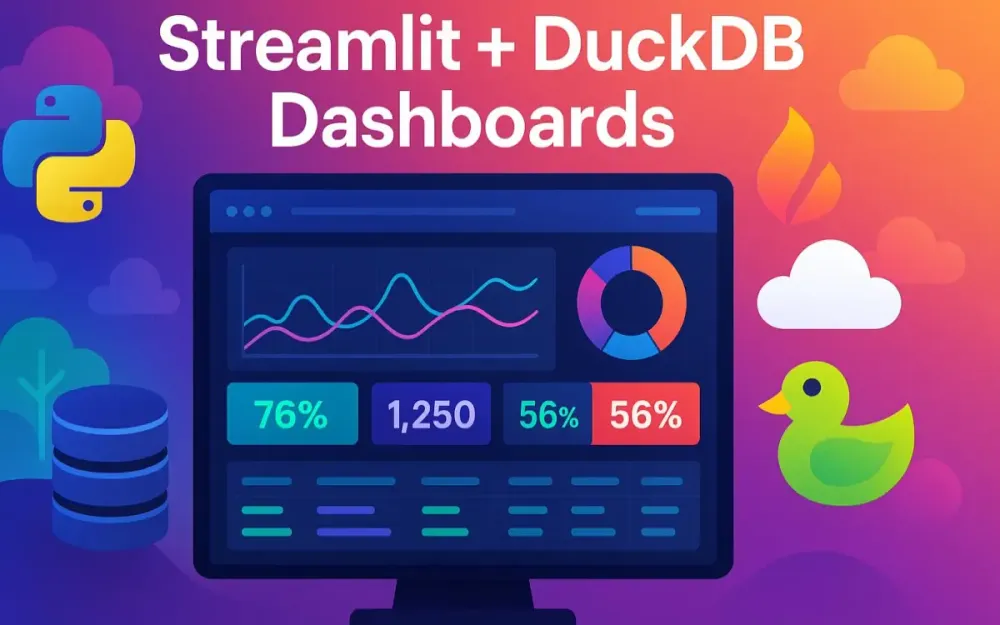
1 Introduction: The Need for Speed and Simplicity in Data Apps
Data is only valuable if decision-makers can interact with it quickly, confidently, and at scale. Yet most organizations still feel the tension between exploratory analysis in Python notebooks and the rigid dashboards of traditional BI tools. In this guide, we’ll explore how to bridge that gap using Python-native tools: Streamlit, DuckDB, and Apache Arrow. Together they form a pragmatic, modern stack for building production-ready dashboards that handle millions of rows with ease, while remaining flexible and developer-friendly.
This section sets the scene. We’ll start with the core challenges in today’s analytics landscape, then introduce the “power trio” of technologies, before framing the vision of what you’ll build. Finally, we’ll clarify who this guide is for and why it matters.
1.1 The Modern Data Problem
Most teams know the pattern: insights start in a Jupyter notebook. An analyst cleans a CSV, plots a few charts, maybe trains a quick model. The prototype looks promising, but stakeholders soon ask: “Can we get this as a dashboard so the rest of the team can use it?” That’s when the trouble begins.
Traditional BI platforms like Tableau or Power BI excel at drag-and-drop dashboards but impose rigid schemas and limited interactivity. They hide the underlying logic, making custom workflows painful. On the other side, Python code provides infinite flexibility but doesn’t naturally scale into user-friendly, multi-user applications. Bridging these worlds has historically required heavy frameworks, full-stack development skills, and months of engineering effort.
Three core pain points emerge:
- Latency and scale: Pandas and Matplotlib are great for small data, but performance collapses once you cross into tens or hundreds of millions of rows.
- Translation cost: Prototypes must be rewritten in JavaScript dashboards or BI platforms, introducing errors and slowing iteration.
- Operational gaps: Security, governance, and observability are afterthoughts in ad-hoc scripts.
What developers need is a way to keep the flexibility of code, the performance of a query engine, and the usability of a dashboard—all without leaving Python.
1.2 Introducing the Power Trio
To solve these challenges, we combine three complementary technologies: Streamlit, DuckDB, and Apache Arrow.
1.2.1 Streamlit: The fastest way to build and share data apps
Streamlit has exploded in popularity because it lets Python developers build web applications without touching HTML, CSS, or JavaScript. A dashboard can be written with just a few lines:
import streamlit as st
import pandas as pd

df = pd.read_csv("sales.csv")
st.title("Sales Dashboard")
st.line_chart(df["revenue"])
Beyond this simplicity, modern Streamlit offers:
- Session state management (
st.session_state) for maintaining data and user input across interactions. - Component architecture for extending functionality with custom JavaScript components when needed.
- Deployment ecosystem including Streamlit Community Cloud and containerization for enterprise use.
Streamlit is no longer “just for prototypes”—it is a framework for production-grade data apps.
1.2.2 DuckDB: The “SQLite for Analytics”
DuckDB is an in-process analytical database designed for OLAP workloads. Think of it as the SQLite of the analytics world: lightweight, embeddable, and zero-config, yet capable of crunching billions of rows thanks to vectorized execution.
Key advantages:
- Direct file queries: Query Parquet and CSV files without ingestion.
- SQL-friendly: Write expressive queries with familiar syntax.
- Extension ecosystem: Add support for HTTPFS (cloud object storage), PostgreSQL scanning, JSON, and more.
- Columnar storage and execution: Optimized for aggregations, joins, and analytics queries.
Compared with Pandas, DuckDB handles large data gracefully, minimizes memory overhead, and supports true parallel query execution.
1.2.3 Apache Arrow: The universal in-memory format
Apache Arrow is the unsung hero connecting compute and visualization layers. It defines a columnar in-memory format optimized for analytics. Its key role here: zero-copy data sharing.
Traditionally, moving data between a database and a Python library requires serialization and deserialization. Arrow eliminates this by letting both sides operate on the same memory buffer.
This matters because:
- It slashes latency when passing large datasets from DuckDB to Streamlit.
- It integrates with Pandas, NumPy, and visualization libraries like Plotly.
- It has become the de facto standard for modern data systems (e.g., Snowflake, Spark, Polars).
Together, these three tools unlock performance and productivity without compromising flexibility.
1.3 The Vision
So what does success look like? By the end of this journey, you’ll know how to build a production-ready dashboard that:
- Ingests heterogeneous data sources: local CSV/Parquet files, directories of logs, or cloud object storage like S3 or Azure Blob.
- Provides interactive filtering across millions of records without lag.
- Visualizes results with responsive tables, KPIs, and charts.
- Implements enterprise features: authentication via OIDC, role-based access, and secure secrets management.
- Supports observability: logging, metrics, and traces for debugging and monitoring.
- Runs in production: containerized, deployed to cloud platforms, and backed by persistent storage.
The architecture we’ll build scales from a proof-of-concept dashboard to an enterprise application with minimal rework.
1.4 Target Audience
This guide is tailored for:
- Senior Developers who want to move beyond notebooks into production-grade data apps.
- Tech Leads seeking repeatable patterns for building secure, high-performance dashboards with Python.
- Solution Architects responsible for evaluating trade-offs between BI platforms and code-first analytics stacks.
We assume familiarity with Python and SQL, some experience with Docker and cloud services, but no prior knowledge of Streamlit or DuckDB is required. The focus is practical: you’ll see runnable code, performance comparisons, and deployment workflows.
2 The Architectural Blueprint: Why This Stack Wins
Understanding why this stack works requires a closer look at each component in context. This section breaks down Streamlit, DuckDB, and Arrow individually, then shows how their synergy creates an architecture greater than the sum of its parts.
2.1 Streamlit: Beyond the Basics
Streamlit is often dismissed as “great for prototypes, not production.” That perception is outdated. Let’s unpack why.
2.1.1 Component architecture
Streamlit provides declarative APIs for UI elements: sliders, dropdowns, charts. Behind the scenes, the framework reruns your script top-to-bottom on every user interaction, injecting state where needed. While this seems simplistic, it creates a predictable mental model: the UI is always the output of your script’s current state.
When the built-in widgets aren’t enough, you can extend functionality with custom components. For example, a team can embed a complex JavaScript visualization inside Streamlit using the Component API. This bridges the gap between rapid development and custom interactivity.
2.1.2 Session state management
Early versions of Streamlit lacked persistence across interactions, frustrating developers who needed to retain user inputs. With st.session_state, you can store and mutate state across reruns:
import streamlit as st

if "counter" not in st.session_state:
    st.session_state.counter = 0

if st.button("Increment"):
    st.session_state.counter += 1

st.write("Counter:", st.session_state.counter)
This allows building multi-page apps, complex forms, or wizards without hacks.
2.1.3 Comparison with alternatives
- Dash/Plotly: Dash offers more control and granular callbacks but at the cost of verbose boilerplate and React underpinnings. Streamlit favors brevity and Python-first development.
- Flask/Django: General-purpose web frameworks are powerful but demand significant web engineering expertise. Streamlit abstracts away routing, templating, and front-end concerns, letting data developers stay in Python.
The trade-off: Streamlit is not a universal replacement for web frameworks, but for data dashboards it balances simplicity with enough extensibility to serve production needs.
2.2 DuckDB: Your In-Process Analytics Powerhouse
2.2.1 Key features
DuckDB stands out in several ways:
- Columnar, vectorized execution: Optimized for scans, joins, and aggregations over analytical workloads.
- Direct file access: Query large CSV or Parquet datasets directly, no import step required.
- Rich extensions: Load HTTPFS for S3/GCS/Azure, or scanners for Postgres, SQLite, and more.
- Familiar SQL syntax: Developers can leverage decades of SQL knowledge without learning a new DSL.
2.2.2 Why not Pandas?
Pandas is ubiquitous, but its design favors small to medium data. Three major limitations arise at scale:
- Memory overhead: Pandas stores data row-oriented, inflating memory usage relative to columnar formats.
- Single-threaded execution: Most operations run on a single core, bottlenecking performance.
- Complex queries: Expressing joins and aggregations in Pandas often leads to verbose, less optimized code.
DuckDB addresses these by operating in-process, parallelizing queries, and pushing computation down to a query engine. For example:
import duckdb

con = duckdb.connect()
df = con.execute("""
    SELECT region, SUM(revenue) AS total
    FROM 'sales.parquet'
    GROUP BY region
""").df()
This query will often run faster than equivalent Pandas groupbys, while consuming less memory.
2.2.3 Ecosystem integrations
DuckDB integrates smoothly with modern data tools:
- Reads and writes Arrow, Pandas, and NumPy natively.
- Scans cloud object stores directly (e.g.,
s3://bucket/*.parquet). - Can even query SQLite or Postgres tables without extraction.
This makes DuckDB an ideal “Swiss Army knife” for analytics inside Python applications.
2.3 Apache Arrow: The Unsung Hero of Performance
2.3.1 Zero-copy explained
Consider the traditional flow: DuckDB produces results, serializes them into a Python list of dictionaries, which Pandas then deserializes into a DataFrame, which Streamlit finally renders. Each step involves copies, marshaling, and CPU overhead.
With Arrow, DuckDB exposes results as Arrow record batches. Streamlit can consume these directly, avoiding unnecessary copies.
# With Pandas
df = con.execute("SELECT * FROM big_table").df()

# With Arrow
table = con.execute("SELECT * FROM big_table").arrow()
2.3.2 Performance comparison
Imagine querying 50 million rows:
.df()creates a Pandas DataFrame, which may take tens of seconds and multiple gigabytes of RAM..arrow()delivers an Arrow Table almost instantly, because no serialization/deserialization occurs. Rendering becomes the bottleneck, not data transfer.
This difference is critical when building interactive dashboards, where responsiveness matters as much as raw compute power.
2.4 The Synergy
Now let’s visualize how these pieces fit together.
+-------------------+
|   Data Sources    |
| (CSV, Parquet,    |
|  S3, Postgres)    |
+---------+---------+
          |
          v
+-------------------+
|      DuckDB       |
| (SQL Query Engine)|
+---------+---------+
          |
          v
+-------------------+
|     Apache Arrow  |
| (Zero-Copy Memory)|
+---------+---------+
          |
          v
+-------------------+
|     Streamlit     |
| (UI & Visualization)|
+-------------------+
This pipeline ensures:
- Efficient ingestion (DuckDB reads raw files directly).
- Fast transport (Arrow avoids copies).
- Intuitive presentation (Streamlit turns Python code into dashboards).
The outcome is a stack that balances developer speed, query performance, and production readiness. Unlike cobbling together heavy BI tools or web frameworks, this trio provides a lean, Python-native approach suited for today’s enterprise analytics needs.
3 Phase 1: Building the Core Interactive Dashboard
With the architectural blueprint in place, we can start building. In this phase, we’ll create a working Streamlit dashboard backed by DuckDB. We’ll begin small: a single CSV file, progressively layering in interactivity, safe query construction, and visual polish. Think of this phase as scaffolding—the foundation you’ll later extend into a full-fledged enterprise application.
3.1 Environment Setup
3.1.1 Choosing the right environment manager
Consistency across machines and deployment targets is critical. A common source of “it works on my machine” bugs is inconsistent environments. Python offers two primary approaches:
- venv: Lightweight, built into Python. Suitable for most small-to-medium projects.
- conda: More heavyweight but excellent when dealing with binary dependencies (e.g.,
numpy,pyarrow,scipy). Preferred in teams with diverse OS setups.
For this stack, both work. If your team is already standardized on conda, stick with it. Otherwise, venv keeps things lean.
# With venv
python3 -m venv venv
source venv/bin/activate
pip install --upgrade pip

# With conda
conda create -n streamlit-duckdb python=3.11
conda activate streamlit-duckdb
3.1.2 Installing core dependencies
We’ll need a minimal but powerful set of libraries:
pip install streamlit duckdb pyarrow pandas plotly- streamlit: UI framework
- duckdb: in-process analytics database
- pyarrow: Arrow tables for high-speed data transfer
- pandas: still useful for lightweight manipulations
- plotly: interactive charts with Streamlit integration
Optional but recommended: jupyter for quick prototyping and ruff for linting.
3.1.3 Project structure
Organizing from the start avoids chaos later. A good baseline:
project/
├── data/                # Raw CSV/Parquet files
├── app/
│   ├── __init__.py
│   ├── main.py          # Streamlit entrypoint
│   ├── queries.py       # SQL snippets
│   ├── utils.py         # Helper functions
│   └── components/      # Custom components
├── tests/
├── requirements.txt
└── README.md
This ensures your app scales gracefully as complexity grows.
3.2 From a Single CSV to an Interactive App
3.2.1 Loading data the DuckDB way
Many developers instinctively reach for Pandas:
import pandas as pd
df = pd.read_csv("sales.csv")
This works but has limitations: slow parsing, high memory use, and awkward filtering at scale.
With DuckDB, you can query directly:
import duckdb

con = duckdb.connect()
result = con.execute("SELECT * FROM 'data/sales.csv'").df()
Or even simpler, let DuckDB infer schema automatically:
duckdb.read_csv_auto("data/sales.csv").show()Why is this superior?
- Automatic type inference: Dates, integers, and floats are correctly detected.
- Streaming reads: Avoids loading the entire file unnecessarily.
- Immediate querying: You can run SQL against the file without a Pandas detour.
3.2.2 Building the Streamlit UI
Start with a sidebar for filters:
import streamlit as st

st.title("Sales Dashboard")

# Sidebar filters
region = st.sidebar.selectbox("Region", ["All", "North", "South", "East", "West"])
year = st.sidebar.slider("Year", 2018, 2023, 2021)
products = st.sidebar.multiselect("Products", ["Widget A", "Widget B", "Widget C"])
Streamlit reruns the script on every interaction, so filters update naturally.
3.2.3 Dynamic SQL queries
The naïve way is string concatenation:
query = f"SELECT * FROM 'data/sales.csv' WHERE year = {year}"This is incorrect: it risks SQL injection and type errors.
Correct approach: parameterized queries:
filters = []
params = {}

if region != "All":
    filters.append("region = $region")
    params["region"] = region
if year:
    filters.append("year = $year")
    params["year"] = year
if products:
    filters.append("product IN $products")
    params["products"] = products

where_clause = " AND ".join(filters) if filters else "1=1"

query = f"SELECT * FROM 'data/sales.csv' WHERE {where_clause}"

df = con.execute(query, params).df()
DuckDB supports parameterized SQL, which avoids injection risks and handles types safely.
3.2.4 Displaying results
Use Streamlit’s native components:
st.metric(label="Total Revenue", value=f"${df['revenue'].sum():,.0f}")
st.metric(label="Units Sold", value=f"{df['units'].sum():,}")

st.dataframe(df, use_container_width=True)
Because st.dataframe supports Arrow natively, large datasets render more smoothly than with Pandas alone.
At this point, you’ve built a basic but functional interactive dashboard.
3.3 Advanced Visualization
3.3.1 Moving beyond native charts
Streamlit’s built-in charts are fine for quick views but limited. Plotly Express integrates seamlessly and offers zooming, tooltips, and interactivity.
import plotly.express as px

fig = px.bar(
    df,
    x="product",
    y="revenue",
    color="region",
    title="Revenue by Product and Region"
)

st.plotly_chart(fig, use_container_width=True)
3.3.2 Linking charts and tables
Dashboards feel richer when charts and tables tell the same story. For example:
fig = px.line(df, x="date", y="revenue", color="region")
st.plotly_chart(fig)

st.subheader("Raw Data")
st.dataframe(df)
Or show drilldowns: a user clicks a product in the chart, and you filter the table. Streamlit supports capturing user selections from Plotly charts via the plotly_events component or custom JS components.
3.3.3 UX considerations
- Use
st.tabsfor separating KPIs, charts, and raw data. - Summarize with KPIs first, then offer drilldown.
- Apply consistent color schemes across charts.
At the end of Phase 1, you have a performant, parameterized, and visually appealing dashboard—already more scalable than a notebook but not yet enterprise-ready.
4 Phase 2: Scaling Up for Real-World Data
Once the basics work, the next challenge is scale. Real-world datasets rarely fit into a neat CSV. They live across files, formats, and storage systems. In this phase, we’ll tackle Parquet, multiple files, cloud storage, and data validation.
4.1 The Case for Parquet
4.1.1 Why CSV fails
CSV is ubiquitous but flawed:
- No schema: Type inference is error-prone.
- Slow parsing: Text-based, requires expensive conversions.
- Bloated size: Redundant delimiters inflate file sizes.
A 10GB CSV can compress to 2–3GB as Parquet.
4.1.2 Demonstration: CSV vs Parquet
# Convert once
con.execute("""
    COPY (SELECT * FROM 'data/sales.csv')
    TO 'data/sales.parquet' (FORMAT PARQUET)
""")

# Query timings
import time

start = time.time()
con.execute("SELECT SUM(revenue) FROM 'data/sales.csv'").fetchall()
print("CSV:", time.time() - start)

start = time.time()
con.execute("SELECT SUM(revenue) FROM 'data/sales.parquet'").fetchall()
print("Parquet:", time.time() - start)
Typical results: Parquet queries run 5–10x faster and consume less memory.
4.1.3 Best practice
Always convert recurring datasets to Parquet early. Treat CSV as a transient interchange format, not storage.
4.2 Querying Multiple Files and Cloud Data
4.2.1 Querying directories
DuckDB supports globbing:
SELECT region, SUM(revenue)
FROM 'data/2023/*.parquet'
GROUP BY region;
This treats dozens or hundreds of files as one logical table—no preprocessing required.
4.2.2 Querying S3 or Azure Blob Storage
Enable the httpfs extension:
INSTALL httpfs;
LOAD httpfs;

SET s3_region='us-east-1';
SET s3_access_key_id='YOUR_KEY';
SET s3_secret_access_key='YOUR_SECRET';

SELECT COUNT(*) FROM 's3://my-bucket/sales/*.parquet';
This streams data directly from object storage. For Azure, set the azure_storage_connection_string.
4.2.3 Querying enterprise warehouses
DuckDB can connect directly to databases via scanners:
INSTALL postgres_scanner;
LOAD postgres_scanner;

ATTACH 'dbname=mydb user=analyst password=secret host=pg.example.com' AS pg_db (TYPE POSTGRES);

SELECT * FROM pg_db.public.sales LIMIT 10;
Snowflake and BigQuery support is evolving, but even today, DuckDB acts as a lightweight federated query engine.
4.2.4 Trade-offs
- Direct queries avoid ETL, great for exploration.
- For production dashboards, consider caching or staging extracts to Parquet for predictable performance.
4.3 Data Quality and Schema Validation
4.3.1 Schema detection with DuckDB
DuckDB can quickly profile datasets:
DESCRIBE SELECT * FROM 'data/sales.parquet';Or summarize:
SELECT * FROM summarize('data/sales.parquet');This outputs min, max, distinct counts—handy for sanity checks.
4.3.2 Declarative validation with Pandera
Pandera lets you define schemas as contracts:
import pandera as pa
from pandera import Column, Check

class SalesSchema(pa.DataFrameModel):
    region: pa.typing.Series[str]
    revenue: pa.typing.Series[float] = Column(Check.ge(0))
    date: pa.typing.Series[pd.Timestamp]

validated = SalesSchema.validate(df)
If revenue is negative or a column is missing, Pandera raises errors.
4.3.3 Great Expectations alternative
Great Expectations supports richer workflows, with data docs and integration into pipelines:
import great_expectations as ge

df_ge = ge.from_pandas(df)

df_ge.expect_column_values_to_be_between("revenue", min_value=0)
df_ge.expect_column_values_to_not_be_null("region")
4.3.4 Surfacing issues in Streamlit
Validation errors should not be hidden in logs. Streamlit makes it easy:
try:
    validated = SalesSchema.validate(df)
except pa.errors.SchemaError as e:
    st.error(f"Data validation failed: {e}")
Or flag warnings:
if df["revenue"].isnull().any():
    st.warning("Revenue contains null values.")
4.3.5 Why this matters
In enterprise dashboards, trust is everything. A single schema drift can erode stakeholder confidence. By making validation a first-class citizen, you prevent silent failures.
5 Phase 3: Optimizing for Sub-Second Performance
You can build the most elegant dashboard in the world and still lose your audience if it feels sluggish. Perceived performance matters as much as raw compute. The good news: Streamlit and DuckDB give us several levers to squeeze latency out of the interaction loop—primarily via smart caching and incremental refresh. In this section we’ll align on a pragmatic caching strategy, show patterns that “load once, query many,” and design incremental refresh so live dashboards stay responsive without reloading the universe on every click.
5.1 Streamlit’s Caching Mechanisms Demystified
Caching in Streamlit is opt-in and intentionally explicit. You choose what to cache and for how long. There are two primary decorators you’ll use:
5.1.1 @st.cache_data for pure data artifacts
Use @st.cache_data to cache results that are serializable and derived from inputs (e.g., Arrow tables, Pandas DataFrames, lists, dicts, HTTP responses). Conceptually, cache_data is memoization: Streamlit hashes the function’s code, parameters, and selected global state to compute a cache key. If an identical call appears again, Streamlit returns the cached object instead of rerunning the function.
import streamlit as st
import duckdb, pyarrow as pa

@st.cache_data(show_spinner="Loading Arrow table…")
def load_sales_table(path: str) -> pa.Table:
    # Safe to cache: deterministic output given the same path input
    con = duckdb.connect()
    tbl = con.execute(f"SELECT * FROM '{path}'").arrow()
    return tbl
How hashing works (in practice): Streamlit hashes:
- the function’s bytecode, 2) the values of positional/keyword parameters, 3) any objects referenced inside the function that are marked as hashable (including environment flags if you opt in). If any of these change, the cache is invalidated for that function signature. Because Arrow tables and DataFrames are serializable, Streamlit can store them in memory (and, if configured, on disk) for reuse.
Incorrect vs Correct
# Incorrect: caching a function with non-deterministic I/O without TTL
@st.cache_data
def fetch_live_data():
    # Hits an API that changes every minute. This will go stale indefinitely.
    return requests.get("https://api.example.com/live").json()
# Correct: bound the staleness with TTL so users see fresh data predictably
@st.cache_data(ttl=300)
def fetch_live_data():
return requests.get("https://api.example.com/live").json()5.1.2 @st.cache_resource for heavyweight, reusable resources
@st.cache_resource is for resources that should be created once per process and reused—database connections, ML models, clients (e.g., Key Vault, S3), compiled regexes, or a loaded spaCy pipeline. The lifecycle is “create at first use, then reuse until app restarts or the cache is cleared.”
@st.cache_resource
def get_duckdb_conn(db_path: str | None = None) -> duckdb.DuckDBPyConnection:
    return duckdb.connect(database=db_path or ":memory:", read_only=False)
Resources are not hashed like data. They’re keyed primarily by function definition and parameters, and Streamlit ensures only one instance exists per process—ideal for connection pools and shared handles.
Pitfall: Don’t put mutable, user-specific state behind cache_resource. That state leaks across sessions. Use st.session_state for per-user state.
5.2 A Smart Caching Strategy
The fastest query is the one you don’t need to run again. The strategy here is simple: load once into Arrow; filter/aggregate many times with DuckDB and Arrow in-memory. We keep the hot path in memory, and only refresh at well-defined intervals or on user action.
5.2.1 “Load once, query many” pattern
Load your canonical dataset into an Arrow table using @st.cache_data. Then create cheap, parameterized query functions that operate on this in-memory table. DuckDB can treat an in-memory Arrow table as a virtual table with zero copies.
import pyarrow as pa
import pyarrow.dataset as ds

@st.cache_data(show_spinner=False)
def load_arrow_dataset(parquet_glob: str) -> pa.Table:
    # Efficiently scans a directory or glob of Parquet files
    dataset = ds.dataset(parquet_glob, format="parquet")
    return dataset.to_table()  # Arrow table in memory

@st.cache_resource
def get_conn() -> duckdb.DuckDBPyConnection:
    return duckdb.connect()

def query_sales(tbl: pa.Table, region: str | None, year_range: tuple[int, int]) -> pa.Table:
    con = get_conn()
    con.register("sales_tbl", tbl)  # Virtual table backed by Arrow
    filters = ["1=1"]
    params = {}

    if region and region != "All":
        filters.append("region = $region")
        params["region"] = region

    if year_range:
        filters.append("year BETWEEN $y0 AND $y1")
        params["y0"], params["y1"] = year_range

    sql = f"""
        SELECT date, region, product, revenue, units
        FROM sales_tbl
        WHERE {' AND '.join(filters)}
    """
    return con.execute(sql, params).arrow()
In your Streamlit script:
tbl = load_arrow_dataset("data/sales/*.parquet")
res = query_sales(tbl, region=st.session_state.get("region", "All"), year_range=(2019, 2024))
st.dataframe(res.to_pandas(), use_container_width=True)
Why it’s fast: The heavy I/O (scanning Parquet) happens once. The interactive path is in-process, zero-copy, and vectorized.
5.2.2 Avoid over-caching the wrong layer
A common anti-pattern is caching the final filtered DataFrame keyed by all filters. That explodes the cache surface and wastes memory. Cache the source (Arrow table) and compute the final view on demand. Because the source is in memory and DuckDB is fast, you get sub-second responses without hundreds of cached variants.
Incorrect vs Correct
# Incorrect: caches every filter combination, bloats memory
@st.cache_data
def filtered_df(region, product):
    return expensive_query(region, product)
# Correct: cache the source; compute light projections on demand
src = load_arrow_dataset("data/sales/*.parquet")
view = query_sales(src, region, year_range)5.3 Incremental Data Refresh for Live Dashboards
Sometimes data updates frequently, but not all of it. Re-reading terabytes every minute is wasteful. We want data that is fresh enough, with precise control over when and how we refresh.
5.3.1 Auto-refresh with TTL
If you fetch from APIs or object storage that updates periodically, add a TTL so cached data expires automatically.
@st.cache_data(ttl="1h", show_spinner="Refreshing hourly…")
def load_catalog_snapshot(prefix: str) -> pa.Table:
    con = get_conn()
    con.execute("INSTALL httpfs; LOAD httpfs;")
    return con.execute(f"SELECT * FROM '{prefix}/*.parquet'").arrow()
Using a string like "1h" or seconds (3600) is supported. This keeps the cache warm yet bounded.
5.3.2 Manual, on-demand refresh
Give power users control when service-level freshness is strict. Place a refresh button that clears only data caches, not resources.
col1, col2 = st.sidebar.columns([1,1])
if col1.button("🔄 Refresh data now"):
    st.cache_data.clear()  # Only clear data cache; connections remain cached
    st.toast("Data cache cleared. Recomputing…", icon="✅")
This avoids tearing down DB connections or external client handles (which live in cache_resource).
5.3.3 Incremental file detection and merge
For append-only datasets in object storage (e.g., daily partitions), build an incremental loader that tracks processed files and only ingests new partitions into a persistent DuckDB table.
import os, json, time
from typing import Iterable

STATE_PATH = ".ingest_state.json"

def load_state() -> dict:
    return json.load(open(STATE_PATH)) if os.path.exists(STATE_PATH) else {"seen": []}

def save_state(state: dict):
    with open(STATE_PATH, "w") as f:
        json.dump(state, f)

@st.cache_resource
def open_persistent_db(db_path="state/warehouse.duckdb"):
    con = duckdb.connect(db_path)
    con.execute("CREATE TABLE IF NOT EXISTS sales AS SELECT * FROM (SELECT 1 AS seed) WHERE 1=0;")
    return con

def list_remote_parquet(prefix: str) -> Iterable[str]:
    # For S3, you could use boto3, but DuckDB httpfs can list via globbing
    con = get_conn()
    return [r[0] for r in con.execute(f"SELECT * FROM glob('{prefix}/*.parquet')").fetchall()]

def incremental_ingest(prefix: str):
    con = open_persistent_db()
    st.spinner("Checking for new partitions...")
    state = load_state()
    new_files = [f for f in list_remote_parquet(prefix) if f not in state["seen"]]
    if not new_files:
        return 0
    # Load only new files via INSERT INTO ... SELECT
    con.execute("CREATE TEMP TABLE newfiles(path TEXT);")
    con.executemany("INSERT INTO newfiles VALUES (?)", [(p,) for p in new_files])
    con.execute("""
        INSERT INTO sales
        SELECT * FROM read_parquet((SELECT list(path) FROM newfiles))
    """)
    state["seen"].extend(new_files)
    save_state(state)
    return len(new_files)
Integrate in the UI:
prefix = "s3://my-bucket/sales/dt=*"
if st.sidebar.button("🧩 Incremental ingest"):
    added = incremental_ingest(prefix)
    st.success(f"Ingested {added} new partitions.")
This pattern lets a dashboard keep a persistent local DuckDB warehouse synced with cloud storage, merging new data without re-reading old partitions.
6 Phase 4: Production Hardening – Security and Observability
Real users bring real requirements: identity, least privilege, secret rotation, auditability, and the ability to answer “what happened at 9:41 AM?” Hardening isn’t glaze; it’s part of the core recipe if you expect adoption beyond a small team. In this phase we wire up OIDC authentication, authorization with RBAC and RLS, proper secrets management, and end-to-end observability with logs, metrics, and traces.
6.1 Authentication (Who are you?): Enterprise-Grade OIDC
Basic auth doesn’t cut it for enterprises: no MFA, no SSO, painful rotation, and no group claims for authorization. Instead, integrate with your identity provider (Azure AD, Okta) using OpenID Connect. You’ll receive ID tokens (who the user is) and access tokens (what they can call), plus group/role claims that inform your authorization logic.
6.1.1 Choosing a library: MSAL or Authlib
- MSAL (Microsoft Authentication Library) is the path of least resistance with Azure AD / Entra ID.
- Authlib is provider-agnostic, flexible, and integrates neatly with OAuth/OIDC flows.
For a Streamlit app, you can implement an OAuth code flow with PKCE, storing tokens in the user’s session state. Here’s a minimal Authlib-based skeleton.
# app/auth.py
import os, json, time, streamlit as st
from authlib.integrations.requests_client import OAuth2Session

AUTH_DOMAIN = os.environ["OIDC_ISSUER"]        # e.g., "https://login.microsoftonline.com/<tenant>/v2.0"
CLIENT_ID = os.environ["OIDC_CLIENT_ID"]
CLIENT_SECRET = os.environ.get("OIDC_CLIENT_SECRET")  # public client may omit
REDIRECT_URI = os.environ["OIDC_REDIRECT_URI"]  # e.g., "http://localhost:8501"

AUTHORIZATION_ENDPOINT = f"{AUTH_DOMAIN}/oauth2/v2.0/authorize"
TOKEN_ENDPOINT = f"{AUTH_DOMAIN}/oauth2/v2.0/token"

SCOPES = ["openid", "profile", "email", "offline_access", "api://your-app/.default"]

def get_oauth_client(state=None, code_verifier=None):
    return OAuth2Session(
        client_id=CLIENT_ID,
        client_secret=CLIENT_SECRET,
        scope=SCOPES,
        redirect_uri=REDIRECT_URI,
        state=state,
        code_verifier=code_verifier
    )

def login():
    if "auth" in st.session_state and st.session_state.auth.get("id_token"):
        return  # already logged in

    oauth = get_oauth_client()
    uri, state, code_verifier = oauth.create_authorization_url(
        AUTHORIZATION_ENDPOINT, code_challenge_method="S256"
    )
    st.session_state.oauth_state = state
    st.session_state.pkce_verifier = code_verifier
    st.markdown(f"[Sign in with your identity provider]({uri})")

def handle_redirect():
    query_params = st.experimental_get_query_params()
    if "code" not in query_params:
        return

    code = query_params["code"][0]
    state = query_params.get("state", [""])[0]
    if state != st.session_state.get("oauth_state"):
        st.error("State mismatch; possible CSRF.")
        return

    oauth = get_oauth_client(state=state, code_verifier=st.session_state.pkce_verifier)
    token = oauth.fetch_token(
        TOKEN_ENDPOINT,
        grant_type="authorization_code",
        code=code
    )
    # Persist minimally
    st.session_state.auth = {
        "id_token": token.get("id_token"),
        "access_token": token.get("access_token"),
        "expires_at": time.time() + token.get("expires_in", 3600)
    }
In your main.py:
# app/main.py
import streamlit as st
from auth import login, handle_redirect
from utils import parse_id_token

st.set_page_config(page_title="Enterprise Analytics", layout="wide")

handle_redirect()
if "auth" not in st.session_state:
    st.title("Please sign in")
    login()
    st.stop()

claims = parse_id_token(st.session_state.auth["id_token"])
st.sidebar.success(f"Signed in as {claims.get('email') or claims.get('preferred_username')}")
6.1.2 Validating tokens and extracting claims
Always validate ID tokens: signature, audience (aud), issuer (iss), and expiration (exp). You can fetch the provider’s JWKS (JSON Web Key Set) to verify signatures. Here’s a simplified validator:
# app/utils.py
import json, jwt, requests, time, os
from jwt.algorithms import RSAAlgorithm

def _fetch_jwks(issuer: str):
    oidc_config = requests.get(f"{issuer}/.well-known/openid-configuration", timeout=5).json()
    jwks_uri = oidc_config["jwks_uri"]
    return requests.get(jwks_uri, timeout=5).json()

def parse_id_token(id_token: str) -> dict:
    issuer = os.environ["OIDC_ISSUER"]
    client_id = os.environ["OIDC_CLIENT_ID"]
    jwks = _fetch_jwks(issuer)
    unverified_header = jwt.get_unverified_header(id_token)
    key = next(k for k in jwks["keys"] if k["kid"] == unverified_header["kid"])
    public_key = RSAAlgorithm.from_jwk(json.dumps(key))

    claims = jwt.decode(
        id_token,
        key=public_key,
        algorithms=["RS256"],
        audience=client_id,
        issuer=issuer
    )
    if claims["exp"] < time.time():
        raise ValueError("ID token expired")
    return claims
From claims, read groups, roles, or custom attributes your IdP populates. Store only the minimal required subset in st.session_state and never write tokens to disk.
6.2 Authorization (What can you see?): RBAC and Row-Level Security
Once you know who the user is, decide what they can do. Model this as RBAC (roles grant permissions) and, for data, RLS (restrict rows to the user’s scope). Your IdP group membership becomes the boundary gates for views, buttons, and—critically—SQL predicates.
6.2.1 Mapping groups to app roles
Create a deterministic mapping from IdP groups → app roles to avoid scattering conditionals across the codebase.
# app/acl.py
ROLE_MAP = {
    "grp-admins": "Admin",
    "grp-sales-us": "Sales-US",
    "grp-sales-eu": "Sales-EU",
    "grp-viewers": "Viewer",
}

def resolve_roles(claims: dict) -> set[str]:
    raw_groups = set(claims.get("groups", []))
    roles = {ROLE_MAP[g] for g in raw_groups if g in ROLE_MAP}
    return roles or {"Viewer"}
In the UI, restrict privileged controls:
roles = resolve_roles(claims)
if "Admin" in roles:
    st.sidebar.button("Recompute rollups")
else:
    st.sidebar.info("You have viewer access.")
6.2.2 Implementing RLS in the data layer
The most robust control is in the data access layer. Inject predicates based on user attributes so even if a downstream component attempts to fetch unscoped data, the engine enforces limits.
# app/data.py
import duckdb
from acl import resolve_roles

def user_scope_where(claims: dict) -> tuple[str, dict]:
    roles = resolve_roles(claims)
    params = {}
    if "Admin" in roles:
        return "1=1", params
    if "Sales-US" in roles:
        return "region = $region", {"region": "US"}
    if "Sales-EU" in roles:
        return "region IN $regions", {"regions": ["DE", "FR", "ES", "IT", "NL"]}
    return "FALSE", {}  # deny by default

def get_data(claims: dict, base_sql: str, extra_params: dict) -> duckdb.DuckDBPyRelation:
    where, scope_params = user_scope_where(claims)
    scoped_sql = f"SELECT * FROM ({base_sql}) WHERE {where}"
    params = {**extra_params, **scope_params}
    con = get_conn()
    return con.execute(scoped_sql, params)
Example usage:
base_sql = "SELECT date, region, product, revenue FROM sales"
rel = get_data(claims, base_sql, {"min_date": "2024-01-01"})
df = rel.df()
Tip: Treat the RLS function as a pure module with tests. You want high confidence that admins see everything, “Sales-US” sees only US, etc.
6.2.3 Defense in depth
- UI hides controls you can’t use (good UX).
- API/data layer enforces predicates (security boundary).
- Logs record effective scopes (audit).
st.session_state.audit = {
    "user": claims.get("preferred_username"),
    "roles": list(resolve_roles(claims)),
    "scope_sql": user_scope_where(claims)[0]
}
6.3 Secrets Management: The Right Way
Secrets leak in surprising ways: committed to Git, printed in logs, or baked into container layers. Fix this early. The approach differs slightly across local dev and production, but the core rule is consistent: never hard-code secrets; load them from a secure store at runtime.
6.3.1 Local development via secrets.toml
Streamlit supports a local secrets.toml placed under .streamlit/. This file isn’t checked into source control (add to .gitignore).
# .streamlit/secrets.toml
[oidc]
issuer = "https://login.microsoftonline.com/<tenant>/v2.0"
client_id = "your-client-id"
redirect_uri = "http://localhost:8501"

[s3]
region = "us-east-1"
access_key_id = "AKIA…"
secret_access_key = "…"
Access in code:
import streamlit as st

OIDC_ISSUER = st.secrets["oidc"]["issuer"]
S3_REGION = st.secrets["s3"]["region"]
6.3.2 Production via environment variables
In containers and PaaS, environment variables are the simplest secure interface. Most platforms let you store them encrypted and inject at runtime.
import os
OIDC_ISSUER = os.environ["OIDC_ISSUER"]
S3_REGION = os.environ.get("S3_REGION", "us-east-1")
Keep a small adapter that reads from st.secrets if present, else os.environ, so your code runs in both contexts without edits.
6.3.3 Cloud secret managers
For long-lived secrets (client secrets, signing keys), integrate with a secret manager. Two common options:
Azure Key Vault (AKV)
# app/secret_client.py
from azure.identity import DefaultAzureCredential
from azure.keyvault.secrets import SecretClient
import streamlit as st

@st.cache_resource
def get_akv_client(vault_url: str) -> SecretClient:
    cred = DefaultAzureCredential()
    return SecretClient(vault_url=vault_url, credential=cred)

def get_secret(name: str) -> str:
    client = get_akv_client(st.secrets["akv"]["vault_url"])
    return client.get_secret(name).value
HashiCorp Vault (HV)
import hvac, os, streamlit as st

@st.cache_resource
def get_hvac_client():
    client = hvac.Client(
        url=os.environ["VAULT_ADDR"],
        token=os.environ["VAULT_TOKEN"]
    )
    if not client.is_authenticated():
        raise RuntimeError("Vault auth failed")
    return client

def hv_get_secret(path: str, key: str) -> str:
    client = get_hvac_client()
    return client.secrets.kv.read_secret_version(path=path)["data"]["data"][key]
Best practices: assign least-privilege identities to your app, rotate secrets regularly, and never log secret values (even truncated).
6.4 Observability: Logging, Metrics, and Tracing
When something feels slow or wrong, you need evidence. Observability is the capability to answer novel questions with the telemetry you have. For Streamlit + DuckDB apps, the trio you want is structured logs, lightweight metrics, and distributed traces across user actions and data calls.
6.4.1 Structured JSON logging
Emit logs as JSON so your log platform (e.g., Azure Monitor, Datadog, ELK) can parse fields for search and dashboards. Include request IDs, user identifiers (pseudonymized if needed), and timing.
# app/logging_setup.py
import json, logging, sys, time

class JsonFormatter(logging.Formatter):
    def format(self, record):
        base = {
            "ts": time.strftime("%Y-%m-%dT%H:%M:%S", time.gmtime()),
            "level": record.levelname,
            "logger": record.name,
            "message": record.getMessage(),
        }
        if hasattr(record, "extra"):
            base.update(record.extra)
        return json.dumps(base)

def setup_logging(level=logging.INFO):
    handler = logging.StreamHandler(stream=sys.stdout)
    handler.setFormatter(JsonFormatter())
    root = logging.getLogger()
    root.setLevel(level)
    root.handlers.clear()
    root.addHandler(handler)

# usage
setup_logging()
log = logging.getLogger("app")
log.info("app_started", extra={"extra": {"version": "1.2.3"}})
When executing queries, capture duration and row counts:
import time

def timed_query(sql: str, params: dict | None = None):
    start = time.perf_counter()
    rel = get_conn().execute(sql, params or {})
    rows = rel.fetchall()
    dur_ms = round((time.perf_counter() - start) * 1000)
    log.info("duckdb_query", extra={"extra": {"ms": dur_ms, "rows": len(rows)}})
    return rows
6.4.2 Metrics and tracing with OpenTelemetry
OpenTelemetry (OTel) standardizes metrics, logs, and traces. In a Streamlit app, traces help you visualize user interactions, cache hits/misses, and query spans. Export them to a backend like Jaeger, Datadog, or Azure Application Insights.
Initialization
# app/telemetry.py
from opentelemetry import trace
from opentelemetry.sdk.resources import Resource
from opentelemetry.sdk.trace import TracerProvider
from opentelemetry.sdk.trace.export import BatchSpanProcessor
from opentelemetry.exporter.otlp.proto.http.trace_exporter import OTLPSpanExporter

def init_tracing(service_name="streamlit-analytics"):
    provider = TracerProvider(resource=Resource.create({"service.name": service_name}))
    processor = BatchSpanProcessor(OTLPSpanExporter(endpoint=os.environ.get("OTLP_ENDPOINT")))
    provider.add_span_processor(processor)
    trace.set_tracer_provider(provider)
    return trace.get_tracer(__name__)
Instrumenting key operations
tracer = init_tracing()

def traced_query(name: str, sql: str, params: dict | None = None):
    with tracer.start_as_current_span(f"duckdb_query:{name}") as span:
        span.set_attribute("db.system", "duckdb")
        span.set_attribute("db.statement", sql[:2000])  # truncate to avoid PII
        start = time.perf_counter()
        rel = get_conn().execute(sql, params or {})
        arrow_tbl = rel.arrow()
        ms = round((time.perf_counter() - start) * 1000)
        span.set_attribute("db.duration_ms", ms)
        span.set_attribute("db.rowcount", arrow_tbl.num_rows)
        return arrow_tbl
Tracing validation and cache events
def validate_data(table: pa.Table):
    with tracer.start_as_current_span("data_validation") as span:
        # run checks...
        span.set_attribute("validation.nulls_revenue", int(table.column("revenue").null_count))
Exporting to providers
- Jaeger / OTLP: set
OTLP_ENDPOINTto your collector. - Datadog: use the Datadog exporter or forward OTLP to the agent.
- Azure Application Insights: use the Azure Monitor OpenTelemetry Distro or OTLP exporter with the ingestion endpoint.
6.4.3 Request correlation and user context
Streamlit is server-driven and doesn’t expose a WSGI-like request object, but you can emulate per-interaction correlation IDs. Generate a short-lived ID on each render and propagate it in logs and spans.
import uuid

def start_request():
    rid = str(uuid.uuid4())
    st.session_state.current_request_id = rid
    return rid

rid = start_request()
log.info("render", extra={"extra": {"rid": rid, "user": claims.get("preferred_username")}})
Attach rid to all spans as an attribute so you can pivot in your tracing backend.
7 Phase 5: Deployment and DevOps
So far, we’ve focused on designing and building the app itself. But even the best dashboard is only valuable when it’s accessible, reliable, and maintainable in production. Deployment and DevOps turn a working app into a service that teams can trust. In this phase, we’ll walk through containerizing the application with Docker, automating CI/CD with GitHub Actions, deploying to Azure with multiple strategies, and managing state and files in containerized environments.
7.1 Containerizing the Application with Docker
7.1.1 Why containerize?
Containers make your app portable, predictable, and secure. A Streamlit app running locally on macOS should behave the same way in Azure. Docker images capture the Python runtime, dependencies, and app code into a single artifact you can run anywhere. It’s the foundation for modern CI/CD pipelines.
7.1.2 Multi-stage Dockerfile
A naïve Dockerfile copies all source files, installs dependencies, and calls streamlit run. The downside is large images, cached build issues, and security risk. A multi-stage build keeps images small and reproducible.
# Stage 1: builder
FROM python:3.11-slim AS builder

WORKDIR /app

# Install build dependencies
RUN apt-get update && apt-get install -y --no-install-recommends \
    build-essential gcc \
    && rm -rf /var/lib/apt/lists/*

# Copy requirements separately to leverage caching
COPY requirements.txt .
RUN pip install --upgrade pip && pip wheel --no-cache-dir --wheel-dir /wheels -r requirements.txt

# Stage 2: runtime
FROM python:3.11-slim AS runtime

WORKDIR /app

# Copy wheels from builder
COPY --from=builder /wheels /wheels
RUN pip install --no-cache /wheels/*

# Copy app source
COPY app/ app/
COPY .streamlit/ .streamlit/

# Expose port used by Streamlit
EXPOSE 8501

# Entrypoint
ENTRYPOINT ["streamlit", "run", "app/main.py", "--server.port=8501", "--server.address=0.0.0.0"]
This approach ensures dependencies are prebuilt in the builder stage, while the runtime remains lean. The resulting image is typically <300MB even with heavy libraries like Pandas and DuckDB.
7.1.3 Adding .dockerignore
To avoid bloating the image with unnecessary files, include a .dockerignore:
__pycache__/
*.pyc
*.pyo
*.pyd
*.db
*.duckdb
.env
.vscode/
tests/
data/
This keeps transient files, secrets, and large datasets out of your image.
7.2 CI/CD with GitHub Actions
7.2.1 CI pipeline: linting and testing
CI (Continuous Integration) ensures every commit maintains quality. With GitHub Actions, define a workflow in .github/workflows/ci.yml:
name: CI

on:
  push:
    branches: [main]
  pull_request:

jobs:
  build-test:
    runs-on: ubuntu-latest
    steps:
      - uses: actions/checkout@v3
      - name: Set up Python
        uses: actions/setup-python@v4
        with:
          python-version: "3.11"
      - name: Install dependencies
        run: pip install -r requirements.txt
      - name: Lint
        run: ruff check app
      - name: Run tests
        run: pytest --maxfail=1 --disable-warnings -q
Here, ruff enforces style and security checks, while pytest validates correctness.
7.2.2 CD pipeline: building and publishing Docker images
For CD (Continuous Deployment), add another workflow .github/workflows/cd.yml:
name: CD

on:
  push:
    tags:
      - "v*.*.*"

jobs:
  docker:
    runs-on: ubuntu-latest
    steps:
      - uses: actions/checkout@v3

      - name: Log in to registry
        uses: docker/login-action@v2
        with:
          username: ${{ secrets.REGISTRY_USER }}
          password: ${{ secrets.REGISTRY_PASS }}

      - name: Build and push
        uses: docker/build-push-action@v4
        with:
          context: .
          push: true
          tags: |
            myregistry/streamlit-analytics:${{ github.ref_name }}
            myregistry/streamlit-analytics:latest
This pipeline builds the Docker image and pushes it to Docker Hub or Azure Container Registry when a new version tag is created.
7.2.3 Triggering deployments
You can extend the CD workflow to trigger an Azure deployment after pushing the image, either via Azure CLI or a GitHub Action for Azure.
      - name: Deploy to Azure
        uses: azure/webapps-deploy@v2
        with:
          app-name: my-streamlit-app
          publish-profile: ${{ secrets.AZURE_WEBAPP_PUBLISH_PROFILE }}
          images: myregistry/streamlit-analytics:latest
This makes the deployment event-driven: commit → test → build → deploy.
7.3 Deploying to Azure
Azure provides multiple options for hosting containerized apps. Two strong fits for Streamlit are App Service and Container Apps.
7.3.1 Option 1: Azure App Service
App Service is a PaaS that handles a single container elegantly.
Key steps:
- Push your Docker image to Azure Container Registry.
- Create an App Service pointing to that image.
- Configure environment variables (OIDC issuer, secrets) in App Service settings.
- Ensure port mapping: App Service expects the app to listen on
$PORT, which defaults to 80. Streamlit must be configured to use that:
streamlit run app/main.py --server.port $PORT --server.address 0.0.0.0Pros: simple, managed, integrated monitoring. Cons: less flexible for multi-container setups.
7.3.2 Option 2: Azure Container Apps
Container Apps is a serverless container runtime built on Kubernetes. It excels for scale-to-zero, traffic splitting, and integration with event-driven services.
Benefits:
- Scale automatically from 0 to N replicas.
- Pay only when running.
- Managed ingress and HTTPS.
- Sidecar support for additional services (e.g., telemetry agents).
Deploying via CLI:
az containerapp up \
  --name streamlit-analytics \
  --resource-group analytics-rg \
  --image myregistry.azurecr.io/streamlit-analytics:latest \
  --target-port 8501 \
  --ingress external
This spins up the app with external ingress, automatically wiring certificates and routing.
When to choose:
- Use App Service for small, always-on apps with minimal ops overhead.
- Use Container Apps for larger workloads needing elasticity, event triggers, or cost optimization.
7.4 Managing State and Files in a Containerized World
7.4.1 The ephemeral filesystem problem
Containers are stateless by design. Any file written inside a container is lost when the container restarts. This becomes a problem if your app writes DuckDB database files or stores uploaded data locally.
Example of what not to do:
con = duckdb.connect("mydata.duckdb")If deployed in a container without mounted storage, this file disappears on redeploy.
7.4.2 Persistent storage with Azure Files
Azure Files provides SMB/NFS shares mountable into containers. Mount the share and point DuckDB to that path:
az containerapp volume create \
  --resource-group analytics-rg \
  --name analytics-vol \
  --storage-name mystorage \
  --share-name analytics-share
Then in your Container App definition:
volumeMounts:
  - mountPath: /mnt/data
    volumeName: analytics-vol
In code:
con = duckdb.connect("/mnt/data/mydata.duckdb")7.4.3 Performance trade-offs
- Local ephemeral storage: fastest I/O, but volatile.
- Azure Files (networked): persistent, but higher latency.
- Best practice: keep DuckDB ephemeral for read-heavy dashboards, and only use persistent mounts when you need durability for ingestion or incremental updates.
8 Advanced Topics and Real-World Gotchas
Even with a polished deployment pipeline, production brings subtle pitfalls. Let’s explore three that often bite teams: concurrency, memory management, and state management.
8.1 Concurrency, The GIL, and Long-Running Queries
Streamlit apps run as a single Python process with multiple threads handling sessions. The Global Interpreter Lock (GIL) means a heavy DuckDB query can block other requests. If one user runs a billion-row join, everyone else waits.
8.1.1 Mitigation strategies
- Optimize queries: avoid unnecessary scans with partitions and filters.
- Pre-aggregate: compute rollups and materialize them periodically, so interactive queries hit smaller tables.
- Offload work: use job queues (Celery, Azure Functions) for truly long-running tasks, then poll results in the UI.
8.1.2 Detecting blocked sessions
Use telemetry: log query durations and concurrent session counts. If you notice “stop-the-world” events, that’s the GIL biting you.
8.1.3 When this architecture isn’t enough
If every request needs distributed query execution or asynchronous orchestration, Streamlit + DuckDB isn’t the right fit. Consider an async framework (FastAPI + async DB) or a true warehouse-backed BI tool.
8.2 Memory Management
DuckDB and Arrow aggressively use RAM for speed. A single 1GB Parquet can inflate to 5–10GB in memory, depending on column types.
8.2.1 Sizing containers
Always provision containers with sufficient headroom. For production, start with 4–8GB RAM and scale up as data grows.
8.2.2 Limiting DuckDB memory
DuckDB supports memory limits:
PRAGMA memory_limit='4GB';This prevents runaway queries from consuming the host.
8.2.3 Explicit cleanup
Large Arrow or Pandas objects linger until garbage-collected. Explicitly delete when done:
del df
import gc; gc.collect()
This is especially important inside long-lived processes like Streamlit servers.
8.3 State Management in Complex Apps
Streamlit reruns scripts on every interaction, which can reset state unless managed carefully.
8.3.1 Using st.session_state
Session state persists per user session:
import streamlit as st

if "filters" not in st.session_state:
    st.session_state.filters = {"region": "All", "year": 2023}

st.sidebar.selectbox(
    "Region", ["All", "North", "South"],
    key="filters_region"
)
Keys in st.session_state survive reruns, making multi-step workflows feasible.
8.3.2 Structuring with Pydantic models
Instead of scattering raw dicts, define typed models for clarity.
from pydantic import BaseModel

class Filters(BaseModel):
    region: str
    year: int

if "filters" not in st.session_state:
    st.session_state.filters = Filters(region="All", year=2023)

filters: Filters = st.session_state.filters
This enforces type safety and makes filters easier to validate or extend.
8.3.3 Navigating multi-page apps
For complex dashboards, use Streamlit’s multipage support. Store shared state (e.g., authenticated user, dataset handles) in session_state, and read it across pages. This avoids reloading the same dataset per page.
9 Conclusion: The Power of a Cohesive Python Data Stack
9.1 Summary of the Journey
We started with the challenge: bridging the gap between notebooks and enterprise dashboards. From there, we explored Streamlit, DuckDB, and Apache Arrow as a cohesive stack. We built an interactive dashboard from a single CSV, scaled to Parquet and cloud data, optimized with caching and incremental refresh, hardened with authentication and observability, and deployed via containerized CI/CD pipelines. Along the way, we addressed concurrency, memory, and state management pitfalls.
9.2 Reiteration of the Core Thesis
Streamlit and DuckDB, with Arrow as the glue, represent a sweet spot: the productivity of Python notebooks with the performance of analytical databases, and the usability of BI dashboards. For many use cases—departmental analytics, rapid prototypes that graduate into production, or specialized dashboards—this stack is unmatched in time-to-value and maintainability.
9.3 What’s Next
The landscape continues to evolve. DuckDB WASM enables running queries in the browser without a backend, unlocking offline or client-side analytics. Streamlit’s component ecosystem is expanding, with integrations into modern visualization and workflow tools. And Arrow is cementing itself as the universal data format across engines and languages. As these ecosystems mature, expect the line between “prototype” and “production” to blur further—empowering teams to deliver analytics faster, with fewer trade-offs, and with Python at the center.