1 Foundations of Read-Scale Architecture
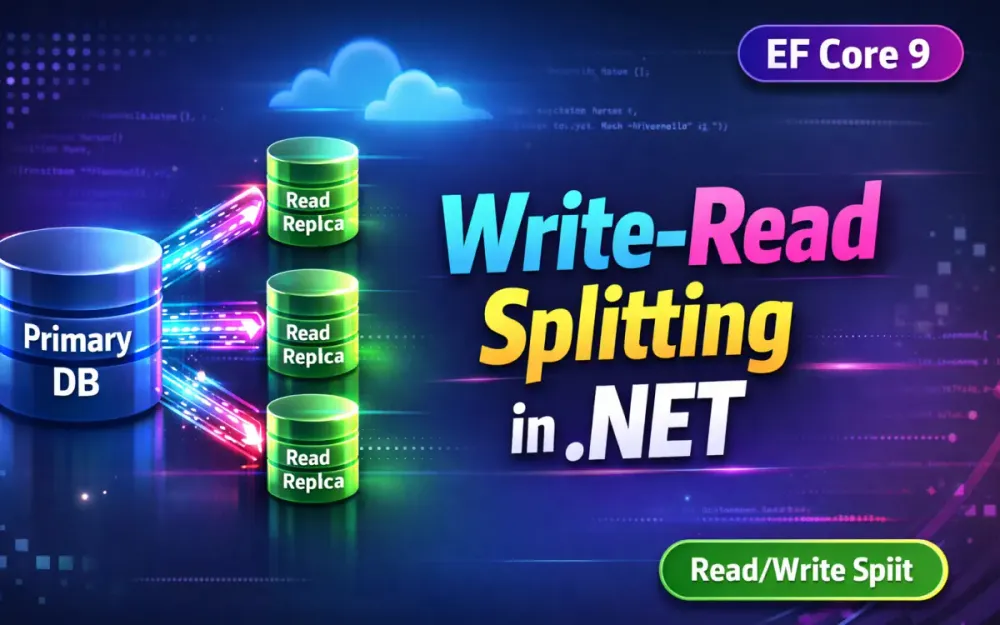
A read-scale architecture separates transactional write operations from computationally expensive read workloads. In real-world .NET systems, the primary database often becomes the bottleneck long before disk space or memory are exhausted. The usual reaction—scaling the primary vertically—works only up to a point and quickly becomes expensive. A more sustainable approach is to offload read traffic to replicas that stay closely synchronized with the primary.
This section explains how .NET teams typically hit that ceiling, how to identify read workloads worth offloading, and why consistency and cost—not just raw performance—should drive architectural decisions.
1.1 The Performance Ceiling: When a Single Primary Instance Becomes the Bottleneck
Relational databases are optimized to scale writes vertically and reads horizontally. In growing .NET applications, the first real pressure point is rarely write throughput. Instead, it’s read traffic competing for CPU, memory grants, and IO on the primary.
Common signals that the primary is becoming the bottleneck include:
1. High CPU dominated by SELECT queries. Query Store and DMVs often show that the most expensive queries are read-only: catalog searches, reporting endpoints, or dashboard APIs. These queries consume CPU cycles that should be reserved for writes.
From a .NET perspective, this usually shows up as increased API latency under load, even when write volume is flat. Teams often confirm this by querying DMVs directly from a diagnostic tool or background job:
await using var conn = new SqlConnection(primaryConnection);
await conn.OpenAsync();

var cmd = conn.CreateCommand();
cmd.CommandText = @"
    SELECT TOP 5
        total_worker_time / execution_count AS avg_cpu,
        execution_count,
        query_hash
    FROM sys.dm_exec_query_stats
    ORDER BY avg_cpu DESC";

await using var reader = await cmd.ExecuteReaderAsync();
while (await reader.ReadAsync())
{
    Console.WriteLine($"Avg CPU: {reader.GetInt64(0)}, Executions: {reader.GetInt64(1)}");
}
This kind of lightweight diagnostic makes it obvious when read queries dominate CPU usage.
2. Lock and latch contention under mixed load. Even though reads don’t modify data, expensive queries can still create pressure on memory and internal structures. That pressure slows down write transactions and increases tail latency during peak traffic.
3. IO saturation caused by large scans. Read-heavy queries often scan large portions of the database. As buffer cache churn increases, write operations pay the price with slower log flushes and checkpoint activity.
4. Diminishing returns from vertical scaling. At some point, moving to a larger SKU buys less headroom than expected. You pay significantly more for incremental gains, while the underlying read pressure remains.
At this stage, the most cost-effective move is to shift safe, read-only workloads to replicas or named replicas, freeing the primary to focus on transactional consistency and write throughput.
1.2 Anatomy of a Read-Heavy Workload: Identifying Candidate Queries for Offloading
Not every SELECT query should go to a replica. Good candidates share predictable characteristics and tolerate small delays between write and read.
Typical candidates for replicas include:
- Product catalogs, feeds, and listings
- Search and filter endpoints
- Reporting and analytics queries
- Reference data lookups
- Background jobs that index or aggregate data
Poor candidates include:
- Queries inside a write transaction
- Validation reads that immediately precede a write
- User flows that must reflect the user’s most recent change
- Payment, inventory reservation, or order finalization paths
In EF Core–based systems, identifying offload candidates often starts with concrete query inspection rather than abstract categories. For example, consider a LINQ query like this:
var products = await _dbContext.Products
    .Where(p => p.IsActive)
    .OrderByDescending(p => p.PopularityScore)
    .Select(p => new ProductListItem
    {
        Id = p.Id,
        Name = p.Name,
        Price = p.Price,
        Category = p.Category.Name
    })
    .Take(100)
    .ToListAsync();
This query:
- Is read-only
- Joins multiple tables
- Projects into a DTO
- Runs frequently on public endpoints
When you see this pattern dominating Query Store or application traces, it’s a strong signal that the query belongs on a replica. By contrast, a query like this:
var exists = await _dbContext.Users
    .AnyAsync(u => u.Email == email);
may look cheap, but if it’s part of a registration or update flow, routing it to a replica risks correctness issues.
In practice, teams combine:
- EF Core query logging
- Query Store resource rankings
- Endpoint-level latency budgets
- Business consistency requirements
Once this mapping is done, routing rules become straightforward and defensible.
1.3 CAP Theorem in Practice: Trade-off Between Availability and Consistency in Replicated Environments
CAP is often discussed in abstract terms, but read replicas make the trade-offs visible and unavoidable. Replication introduces lag—the delay between a transaction committing on the primary and becoming visible on a replica.
Even in advanced systems such as Azure SQL Hyperscale, this lag is non-zero and varies with load. Under normal conditions it may be milliseconds; during spikes, it can stretch longer.
The consequences are concrete:
Consistency trade-offs. Replica reads may return slightly stale data. Transactions remain correct, but user-facing guarantees like monotonic reads or read-your-own-writes may be violated if not handled explicitly.
Availability gains. Read replicas keep the system responsive when the primary is under pressure or during failover events. Read traffic can continue even when write throughput is constrained.
Partition-like behavior. The replication channel itself behaves like a controlled partition. Designing for this—rather than pretending it doesn’t exist—prevents subtle data bugs.
In .NET applications, these trade-offs are usually managed through:
- Routing rules that fall back to the primary when consistency matters
- Short-lived caching to smooth over lag
- Explicit UX signals after writes
- Middleware that understands version or log position metadata
The objective isn’t perfect consistency everywhere. It’s predictable behavior aligned with user expectations.
1.4 Business Impact: Cost-Efficiency of Scaling via Replicas vs. Vertical Scaling
Vertical scaling feels simple, but cloud pricing quickly exposes its limits. Larger compute tiers cost disproportionately more, while mixed read/write workloads rarely scale linearly.
For example, in Azure SQL Database (Business Critical tier):
- An 8 vCore database might cost roughly $750–800/month
- A 32 vCore database can exceed $3,000/month
That’s nearly a 4× cost increase for capacity that is still shared between reads and writes.
In contrast, Azure SQL Hyperscale allows:
- A smaller primary (for example, 8–16 vCores)
- One or more named replicas sized specifically for read traffic, such as 4 or 8 vCores each
Similarly, on AWS RDS for SQL Server or PostgreSQL:
- Jumping from
db.m6i.largetodb.m6i.4xlargemultiplies cost - Adding one or two smaller read replicas often costs less while delivering better aggregate throughput
In production systems, teams often observe:
- Offloading 70–80% of reads cuts primary CPU by more than half
- Primary SKUs can sometimes be downsized after offloading
- Read replicas isolate analytical or bursty workloads from transactional paths
The financial impact compounds over time. Fewer performance incidents, more predictable scaling, and targeted compute sizing all contribute to lower operational risk and cost. In most mature systems, read scaling isn’t an optimization—it’s a prerequisite for sustainable growth.
2 Infrastructure Patterns: SQL Server, Azure SQL, PostgreSQL, and MySQL
This section walks through the main replication patterns you’re likely to encounter when building read-scaled .NET applications. Each database platform exposes replicas differently, and those differences directly affect how you route connections, detect failures, and reason about consistency. Understanding these mechanics up front makes the routing strategies in later sections much easier to implement correctly.
2.1 SQL Server Always On Availability Groups: Read-Only Routing and Listener Behavior
SQL Server Always On Availability Groups (AGs) replicate writes synchronously to the primary and asynchronously to one or more secondary replicas. Read scaling is enabled through the Read-Only Routing (ROR) list, which works at the driver level and requires no custom routing logic in application code.
How routing works in practice:
- A .NET application opens a connection with
ApplicationIntent=ReadOnly. - The connection targets the AG Listener, not an individual node.
- SQL Server evaluates the ROR list configured on the current primary.
- The client is redirected to the first available readable secondary.
Important behaviors to be aware of:
- If no readable secondary is available, SQL Server may route the connection back to the primary.
- Routing order is fixed and not load-balanced. If you have multiple replicas, their order matters.
- Failover is transparent to the application because the Listener always resolves to the active primary.
From a .NET standpoint, driver choice matters. For modern deployments, the recommended baseline is:
Recommended: Microsoft.Data.SqlClient version 5.1 or later
This version fully supports Availability Groups, Read-Only Routing, and Azure SQL features such as Hyperscale and modern authentication flows.
Common pitfalls still seen in production:
- Forgetting
MultiSubnetFailover=True, which can add seconds of delay during failover. - Using older SqlClient packages that mis-handle redirect logic.
- Missing or misconfigured read-only routing URLs on replicas.
Example connection string:
Server=tcp:myaglistener,1433;
Database=AppDb;
User ID=appuser;
Password=***;
ApplicationIntent=ReadOnly;
MultiSubnetFailover=True;
AGs remain the default choice for on-premises SQL Server and SQL Server on IaaS because the routing logic is handled entirely by the platform and the .NET driver.
2.2 Azure SQL Hyperscale Named Replicas
Azure SQL Hyperscale separates storage from compute and allows you to create Named Replicas, each with its own independent compute resources. Unlike AGs, these replicas are explicitly addressed and do not rely on a Listener.
What makes Named Replicas different:
- Each replica has its own buffer pool and CPU allocation.
- Read and write compute can be scaled independently.
- Replicas can be exposed privately or publicly, enabling service-level isolation.
- Replication lag is usually very low but is not guaranteed to be zero.
Typical use cases:
- High-traffic read APIs that would otherwise overwhelm the primary.
- BI and reporting workloads that must not interfere with OLTP traffic.
- Feature pipelines or background services that need consistent snapshots.
Routing implications:
- There is no automatic redirection. Your application must choose which replica to connect to.
- Each replica has its own endpoint and connection string.
- Routing is usually handled via EF Core interceptors, a connection factory, or infrastructure-level proxies.
Example read-replica connection string:
Server=tcp:mydb-nr2.database.windows.net;
Database=AppDb;
Authentication=Active Directory Default;
ApplicationIntent=ReadOnly;
Named Replicas fit well when you need explicit control over which workloads hit which compute nodes. They trade simplicity for flexibility, which is often the right choice at scale.
2.3 PostgreSQL Physical Replication: Streaming Replication, WAL, and .NET Connectivity
PostgreSQL uses physical replication based on streaming the Write Ahead Log (WAL) from the primary to replicas. Replicas run in hot_standby mode, meaning they can serve read queries while replaying WAL records.
Replication flow at a high level:
- The primary writes changes to the WAL.
- WAL records are streamed continuously to replicas.
- Replicas replay WAL entries in order.
- Read queries operate on the replayed state.
Operational trade-offs:
- Replication lag depends on WAL replay speed and query load on replicas.
- Long-running queries on replicas can delay WAL application.
- Failover usually requires an orchestrator such as Patroni or a managed cloud service.
From a .NET perspective, the key detail is how connections prefer replicas. Using Npgsql, you can express read preference directly in the connection string.
Example Npgsql read-preferred connection string:
Host=pg-cluster.example.com;
Database=appdb;
Username=appuser;
Password=***;
Target Session Attributes=prefer-standby;
With this configuration:
- Npgsql attempts to connect to a standby first.
- If no standby is available, it falls back to the primary.
- Your application can still override this behavior for write or transactional paths.
PostgreSQL’s ecosystem also includes mature routing and pooling tools such as pgpool-II and PgBouncer, which integrate well with high-throughput .NET services.
2.4 MySQL and MariaDB Replication: Async Replicas and GTID-Based Routing
MySQL and MariaDB rely primarily on asynchronous replication, where replicas apply changes after the primary commits them. Modern setups typically use GTID-based replication, which makes failover and replica tracking more reliable.
Key characteristics:
- Replication is asynchronous by default, so lag is expected.
- Replicas are read-only and commonly used for scaling SELECT workloads.
- GTIDs allow replicas to track exact replication positions.
Unlike SQL Server or PostgreSQL, MySQL does not provide native driver-level read intent routing. Instead, routing is usually handled by infrastructure components such as ProxySQL.
From the .NET side:
- Applications typically connect to a proxy endpoint, not directly to replicas.
- The proxy inspects queries (for example,
SELECTvsINSERT) and routes them accordingly. - EF Core remains unaware of replica topology.
This model works well when multiple applications or languages share the same database and need centralized routing rules.
2.5 Cloud-Native Routing: RDS Proxy and Azure SQL Read Scale-Out
Managed cloud services increasingly hide replica complexity behind a single endpoint. This simplifies application code but limits fine-grained control.
AWS RDS Proxy:
- Maintains a pool of warm connections to the database.
- Automatically routes connections after failover.
- Reduces connection storms in serverless or bursty .NET workloads.
RDS Proxy does not automatically split reads and writes. Read scaling usually relies on separate read endpoints or a combination of RDS Proxy and read replicas managed at the infrastructure level.
Azure SQL Read Scale-Out:
- Available on Premium and Business Critical tiers.
- Routes
ApplicationIntent=ReadOnlyconnections to a read replica automatically. - Requires no replica management by the application team.
Example connection string:
Server=tcp:mydb.database.windows.net;
Database=AppDb;
ApplicationIntent=ReadOnly;
From .NET code, you can verify which node handled a request by querying server metadata:
var cmd = connection.CreateCommand();
cmd.CommandText = "SELECT @@SERVERNAME";
var serverName = (string)await cmd.ExecuteScalarAsync();
This is useful for diagnostics and observability, especially when validating routing behavior under load.
Cloud-native routing reduces operational burden and speeds up adoption, but it trades away control. For systems with strict consistency or workload isolation requirements, explicit routing via Named Replicas or proxies is often a better long-term fit.
3 Connection Routing Strategies for .NET Architects
Routing read and write operations is an application concern unless the database or cloud platform does it for you. In .NET systems, this decision usually happens at one of three levels: connection strings, application code, or infrastructure proxies. Each option trades simplicity for control, and the right choice depends on how explicit you want your consistency and routing rules to be.
This section tightens those options, fixes common implementation pitfalls, and connects them directly to patterns .NET teams already use in production.
3.1 Connection-String Level Routing Using ApplicationIntent
SQL Server and Azure SQL support routing based on connection intent. When a connection string includes:
ApplicationIntent=ReadOnlythe SQL client tells the database engine that the session will only issue read operations.
Why this works well:
- It’s trivial to adopt for read-only services.
- It integrates automatically with Availability Group read-only routing and Azure SQL Read Scale-Out.
- It requires no EF Core customization or custom routing code.
Where it falls short:
- You cannot switch between primary and replica inside the same DbContext instance.
- EF Core cannot change the connection once a command is executing.
- This mechanism does not exist for PostgreSQL or MySQL.
This approach fits naturally with CQRS-style architectures, where reads and writes are already separated at the service or handler level. Query handlers run with a read-intent connection, while command handlers always connect to the primary.
Read/Write Splitting as CQRS in Practice
In CQRS-based .NET systems, routing becomes almost trivial:
- Command handlers (writes) always use the primary connection.
- Query handlers (reads) use a read-intent or replica connection.
Example:
public sealed class GetProductQueryHandler
{
    private readonly ReadDbContext _db;

    public GetProductQueryHandler(ReadDbContext db)
    {
        _db = db;
    }

    public Task<Product?> Handle(Guid id)
        => _db.Products.FindAsync(id).AsTask();
}
public sealed class UpdateProductCommandHandler
{
private readonly WriteDbContext _db;
public UpdateProductCommandHandler(WriteDbContext db)
{
_db = db;
}
public async Task Handle(UpdateProduct cmd)
{
var product = await _db.Products.FindAsync(cmd.Id);
product!.Price = cmd.Price;
await _db.SaveChangesAsync();
}
}This model keeps routing explicit, testable, and easy to reason about.
3.2 Application-Level Routing: Multiple DbContexts vs. Dynamic Connection Pattern
Multiple DbContext Pattern
In this pattern, you define separate DbContext types for reads and writes, each configured with its own connection string.
public class WriteDbContext : DbContext
{
    public DbSet<Product> Products => Set<Product>();
}

public class ReadDbContext : DbContext
{
    public DbSet<Product> Products => Set<Product>();
}
Why teams like this approach:
- Clear separation of responsibilities.
- No magic routing logic at runtime.
- Very easy to test and reason about.
Downsides to keep in mind:
- Developers must choose the correct context explicitly.
- Cross-context transactions are not supported.
- Mixed read/write flows require discipline.
DI registration example (Program.cs):
builder.Services.AddDbContext<WriteDbContext>(options =>
    options.UseSqlServer(
        builder.Configuration.GetConnectionString("Primary")));

builder.Services.AddDbContext<ReadDbContext>(options =>
    options.UseSqlServer(
        builder.Configuration.GetConnectionString("Replica")));
This pattern works especially well with CQRS and is often the safest choice for large teams.
Dynamic Connection Pattern (Interceptor-Based)
The dynamic pattern uses a single DbContext and decides which connection to use per command. This is where many implementations go wrong.
The routing decision must happen at the command level, not during connection opening. That means using DbCommandInterceptor, not DbConnectionInterceptor.
Correct interceptor example:
public sealed class ReadWriteCommandInterceptor : DbCommandInterceptor
{
    private readonly string _primary;
    private readonly string _replica;

    public ReadWriteCommandInterceptor(string primary, string replica)
    {
        _primary = primary;
        _replica = replica;
    }

    private static bool IsRead(DbCommand command)
        => command.CommandText.TrimStart()
            .StartsWith("SELECT", StringComparison.OrdinalIgnoreCase);

    public override InterceptionResult<DbDataReader> ReaderExecuting(
        DbCommand command,
        CommandEventData eventData,
        InterceptionResult<DbDataReader> result)
    {
        if (eventData.Context?.Database.CurrentTransaction != null)
        {
            command.Connection!.ConnectionString = _primary;
            return result;
        }

        command.Connection!.ConnectionString =
            IsRead(command) ? _replica : _primary;

        return result;
    }
}
Strengths:
- Completely transparent to repositories and services.
- Fine-grained control over routing decisions.
- Works well with EF Core 8/9 interception improvements.
Weaknesses:
- More moving parts.
- Incorrect transaction handling can cause subtle bugs.
- Requires careful testing under load.
Connection Pooling Implications
Each unique connection string gets its own connection pool. When you dynamically switch between primary and replica connection strings, you are also switching pools.
That means:
- Pools warm up independently.
- Under burst traffic, you may see more connection opens initially.
- Pool sizing should be tuned per connection string, not globally.
This is not a problem, but it must be accounted for when benchmarking and capacity planning.
3.3 Infrastructure-Level Routing (Proxy Pattern)
Infrastructure proxies sit between the application and the database and make routing decisions outside your code. The application connects to a single endpoint and remains unaware of replica topology.
3.3.1 ProxySQL (MySQL/MariaDB)
ProxySQL inspects incoming queries and routes them based on rules.
Example rule:
INSERT INTO mysql_query_rules (match_pattern, destination_hostgroup)
VALUES ('^SELECT', 1);
Why teams use it:
- Centralized routing logic.
- No application changes required.
- Strong observability and failover support.
Trade-offs:
- Extra network hop.
- SQL parsing rules must be maintained carefully.
3.3.2 pgpool-II or PgBouncer (PostgreSQL)
pgpool-II provides routing, pooling, and failover. PgBouncer focuses on pooling and is often paired with pgpool-II.
Benefits for .NET workloads:
- Lower connection churn under high concurrency.
- Built-in load balancing across replicas.
Limitations:
- Query-based routing can be brittle.
- Requires careful tuning to avoid unexpected failover behavior.
3.3.3 Endpoint-Based Routing with Azure Private Link and Load Balancers
Some teams route reads and writes using different endpoints at the network layer. For example, the primary and replicas may be exposed through separate Private Link endpoints or internal load balancers.
From a .NET perspective, this is usually consumed as separate connection strings:
var writeConn = configuration.GetConnectionString("Primary");
var readConn = configuration.GetConnectionString("Replica");builder.Services.AddDbContext<AppDbContext>(options =>
{
options.UseSqlServer(readOnlyMode
? readConn
: writeConn);
});When this makes sense:
- Strong network isolation requirements.
- Platform-managed routing you don’t want in application code.
- Multiple services sharing the same database topology.
Trade-offs:
- Load balancers don’t understand SQL semantics.
- Routing decisions are coarse-grained.
- Debugging requires good observability.
4 Implementing Write-Read Splitting in EF Core 9
EF Core 9 gives you a stable interception pipeline and clearer lifecycle guarantees, which makes it a solid foundation for implementing write-read splitting in application code. The goal here is to route read queries to replicas while keeping writes, transactions, and schema changes firmly on the primary. This section refines the interceptor-based approach, clarifies connection lifecycle management, and fills in the practical gaps teams usually hit in production.
4.1 The Interceptor Approach: Using DbCommandInterceptor Safely and Correctly
EF Core exposes several interception points, but not all of them are appropriate for routing decisions. A common mistake is trying to inspect a command before it actually exists. At the CommandCreating stage, the DbCommand may not yet be initialized, which leads to null references and unreliable behavior.
For write-read splitting, routing decisions should be made when EF Core is about to execute a command. That means using ReaderExecuting for queries and NonQueryExecuting for commands that modify data.
A corrected interceptor looks like this:
public sealed class ReadWriteRoutingInterceptor : DbCommandInterceptor
{
    private readonly string _primaryConnection;
    private readonly string _replicaConnection;

    public ReadWriteRoutingInterceptor(string primary, string replica)
    {
        _primaryConnection = primary;
        _replicaConnection = replica;
    }

    private static bool IsReadCommand(DbCommand command)
        => command.CommandText.TrimStart()
            .StartsWith("SELECT", StringComparison.OrdinalIgnoreCase);

    public override InterceptionResult<DbDataReader> ReaderExecuting(
        DbCommand command,
        CommandEventData eventData,
        InterceptionResult<DbDataReader> result)
    {
        // Never route reads inside a transaction
        if (eventData.Context?.Database.CurrentTransaction != null)
        {
            command.Connection!.ConnectionString = _primaryConnection;
            return result;
        }

        command.Connection!.ConnectionString =
            IsReadCommand(command) ? _replicaConnection : _primaryConnection;

        return result;
    }

    public override InterceptionResult<int> NonQueryExecuting(
        DbCommand command,
        CommandEventData eventData,
        InterceptionResult<int> result)
    {
        // All writes always go to primary
        command.Connection!.ConnectionString = _primaryConnection;
        return result;
    }
}
This version avoids accessing uninitialized commands and makes routing decisions at a point where EF Core guarantees the command and connection are available. The key rule remains simple: once a transaction is active, everything pins to the primary.
Registration remains straightforward:
services.AddDbContext<AppDbContext>((sp, options) =>
{
    var cfg = sp.GetRequiredService<IConfiguration>();

    options.UseSqlServer(cfg.GetConnectionString("Primary"));
    options.AddInterceptors(new ReadWriteRoutingInterceptor(
        cfg.GetConnectionString("Primary")!,
        cfg.GetConnectionString("Replica")!));
});
One important operational note: EF Core tooling (such as migrations) runs through the same pipeline. You should disable or bypass this interceptor when running migrations to ensure schema changes always target the primary. A common approach is to register the interceptor only in runtime profiles, not in migration or tooling contexts.
4.2 Customizing IDbConnectionFactory: Connection Creation Without Leaking Resources
Interceptors are powerful, but some systems prefer making routing decisions when a DbContext is created rather than per command. A connection factory abstraction gives you that control and keeps routing logic out of EF Core internals.
The interface stays simple:
public interface IReadWriteConnectionFactory
{
    DbConnection CreateWriteConnection();
    DbConnection CreateReadConnection();
}
A SQL Server implementation:
public sealed class SqlReadWriteConnectionFactory : IReadWriteConnectionFactory
{
    private readonly string _primary;
    private readonly string _replica;

    public SqlReadWriteConnectionFactory(IConfiguration cfg)
    {
        _primary = cfg.GetConnectionString("Primary")!;
        _replica = cfg.GetConnectionString("Replica")!;
    }

    public DbConnection CreateWriteConnection()
        => new SqlConnection(_primary);

    public DbConnection CreateReadConnection()
        => new SqlConnection(_replica);
}
When you pass a DbConnection into UseSqlServer, EF Core takes ownership of the connection lifecycle. It will open, close, and dispose the connection when the context is disposed. You do not need to implement IDisposable in your factory or manually manage cleanup, as long as the connection is only used by EF Core.
A routing-aware context might look like this:
public sealed class RoutingDbContext : DbContext
{
    private readonly IReadWriteConnectionFactory _factory;
    private readonly bool _readOnly;

    public RoutingDbContext(
        DbContextOptions<RoutingDbContext> options,
        IReadWriteConnectionFactory factory,
        bool readOnly)
        : base(options)
    {
        _factory = factory;
        _readOnly = readOnly;
    }

    protected override void OnConfiguring(DbContextOptionsBuilder builder)
    {
        var connection = _readOnly
            ? _factory.CreateReadConnection()
            : _factory.CreateWriteConnection();

        builder.UseSqlServer(connection);
    }
}
This approach works well for CQRS-style services where an entire request is either read-only or write-focused. It also keeps connection routing explicit and avoids per-command complexity.
4.3 Decorator Pattern for Repositories: Read with Intent, Fall Back with Care
Repository decorators are useful when you want to introduce read replicas into an existing codebase without a full rewrite. The key is being explicit about when reads are allowed to fall back to the primary.
Consider the base repository contract:
public interface IProductRepository
{
    Task<Product?> GetByIdAsync(Guid id);
    Task<IReadOnlyList<Product>> SearchAsync(string query);
    Task AddAsync(Product product);
}
The write-focused implementation stays unchanged:
public sealed class ProductRepository : IProductRepository
{
    private readonly WriteDbContext _context;

    public ProductRepository(WriteDbContext context)
    {
        _context = context;
    }

    public Task<Product?> GetByIdAsync(Guid id)
        => _context.Products.FindAsync(id).AsTask();

    public Task<IReadOnlyList<Product>> SearchAsync(string query)
        => _context.Products
            .Where(p => p.Name.Contains(query))
            .ToListAsync();

    public async Task AddAsync(Product product)
    {
        _context.Products.Add(product);
        await _context.SaveChangesAsync();
    }
}
The read-replica decorator handles reads but can fall back when consistency matters:
public sealed class ReadReplicaProductRepository : IProductRepository
{
    private readonly IProductRepository _primary;
    private readonly ReadDbContext _readContext;

    public ReadReplicaProductRepository(
        IProductRepository primary,
        ReadDbContext readContext)
    {
        _primary = primary;
        _readContext = readContext;
    }

    public Task<Product?> GetByIdAsync(Guid id)
        => _readContext.Products
            .AsNoTracking()
            .FirstOrDefaultAsync(p => p.Id == id);

    public async Task<IReadOnlyList<Product>> SearchAsync(string query)
    {
        try
        {
            return await _readContext.Products
                .AsNoTracking()
                .Where(p => p.Name.Contains(query))
                .ToListAsync();
        }
        catch
        {
            // Replica unavailable or stale — fall back to primary
            return await _primary.SearchAsync(query);
        }
    }

    public Task AddAsync(Product product)
        => _primary.AddAsync(product);
}
This makes fallback behavior explicit and keeps write paths clean. It also reinforces an important best practice: reads from replicas should almost always use AsNoTracking().
4.4 Transactional Integrity, Tracking, and Migrations
Transactions define hard consistency boundaries. Once a transaction starts, every command must run against the same database instance. Routing a query to a replica inside a transaction risks reading data that does not yet exist on that node.
Interceptors and factories must always check:
if (context?.Database.CurrentTransaction != null)
{
    // Force primary
}
Tracking behavior matters as well. Replica reads should not participate in EF Core’s change tracking system. For read-only contexts, configure this once:
context.ChangeTracker.QueryTrackingBehavior =
    QueryTrackingBehavior.NoTracking;
This reduces memory usage, avoids accidental updates, and aligns with the idea that replicas are for reading, not state management.
Finally, migrations deserve special handling. EF Core migrations must always run against the primary database. The safest approach is to exclude routing interceptors from migration execution entirely, either by using a separate DbContext configuration for migrations or by conditionally registering interceptors only in runtime environments.
Taken together, these refinements make write-read splitting predictable, safe, and easier to reason about. EF Core 9 gives you the tools, but correctness depends on choosing the right interception points, respecting transactions, and being explicit about how reads and writes flow through your system.
5 Handling the “Stale Read” Problem (Replication Lag)
Stale reads are the hardest part of replica-based architectures to get right. A replica always trails the primary by some amount, and even small delays can surface as confusing behavior for users. The goal is not to eliminate lag—that’s unrealistic—but to make it visible, measurable, and manageable from .NET code so routing decisions stay intentional instead of accidental.
This section tightens the integration between database lag signals and application logic, shows how consistency models plug into routing, and fills in the missing operational details that matter in production.
5.1 Defining Replication Lag: Measuring the Gap Between Primary and Secondary from .NET
Replication lag is the time or log-distance between a transaction committing on the primary and being applied on a replica. Databases expose this information through system views, but it only becomes useful when surfaced into application code.
A practical pattern is to encapsulate lag queries behind a small service that your routing logic and health checks can consume.
Example SQL Server lag service:
public sealed class SqlReplicationLagService
{
    private readonly string _replicaConnection;

    public SqlReplicationLagService(IConfiguration config)
    {
        _replicaConnection = config.GetConnectionString("Replica")!;
    }

    public async Task<long> GetRedoQueueSizeAsync()
    {
        await using var conn = new SqlConnection(_replicaConnection);
        await conn.OpenAsync();

        var cmd = conn.CreateCommand();
        cmd.CommandText = @"
            SELECT redo_queue_size
            FROM sys.dm_hadr_database_replica_states
            WHERE is_primary_replica = 0";

        var result = await cmd.ExecuteScalarAsync();
        return result == null ? 0 : Convert.ToInt64(result);
    }
}
PostgreSQL follows the same pattern using Npgsql:
public sealed class PostgresReplicationLagService
{
    private readonly string _replicaConnection;

    public PostgresReplicationLagService(IConfiguration config)
    {
        _replicaConnection = config.GetConnectionString("Replica")!;
    }

    public async Task<long> GetLagBytesAsync()
    {
        await using var conn = new NpgsqlConnection(_replicaConnection);
        await conn.OpenAsync();

        var cmd = conn.CreateCommand();
        cmd.CommandText = @"
            SELECT pg_wal_lsn_diff(pg_current_wal_lsn(), replay_lsn)
            FROM pg_stat_replication
            LIMIT 1";

        var result = await cmd.ExecuteScalarAsync();
        return result == null ? 0 : Convert.ToInt64(result);
    }
}
From here, routing logic can make simple decisions: if lag exceeds a threshold, route reads to the primary. Exact precision usually doesn’t matter—what matters is staying within business tolerance. A feed might allow a second of lag; a balance check probably allows none.
5.2 Consistency Models for User Experience
Replica consistency issues usually surface as user-facing problems, not database errors. Two consistency models cover most real-world cases: monotonic reads and read-your-own-writes (RYOW). Both can be layered on top of read replicas without abandoning scale-out.
5.2.1 Monotonic Read Consistency: Never Showing Older Data
Monotonic reads guarantee that once a user sees a version of data, they never see an older version afterward. This prevents confusing regressions such as refreshing a page and seeing stale content.
A common approach is to track the highest log position (LSN or equivalent) the user has observed and require future reads to be at least that fresh.
Middleware to capture and persist this value:
public sealed class MonotonicConsistencyMiddleware
{
    private readonly RequestDelegate _next;

    public MonotonicConsistencyMiddleware(RequestDelegate next)
    {
        _next = next;
    }

    public async Task Invoke(HttpContext ctx)
    {
        var maxLsn = ctx.Session.GetString("max-lsn");
        if (maxLsn != null)
            ctx.Items["min-lsn"] = long.Parse(maxLsn);

        await _next(ctx);

        if (ctx.Items.TryGetValue("response-lsn", out var lsn))
            ctx.Session.SetString("max-lsn", lsn!.ToString()!);
    }
}
The missing piece is how routing consumes this value. Inside your read-routing interceptor or factory, you check whether the replica is fresh enough:
if (httpContext.Items.TryGetValue("min-lsn", out var minLsnObj))
{
    var minLsn = (long)minLsnObj;
    if (replicaLsn < minLsn)
    {
        // Replica too far behind for this user
        command.Connection!.ConnectionString = _primaryConnection;
        return result;
    }
}
This ties user-visible consistency directly into routing decisions, rather than treating lag as a background concern.
5.2.2 Read-Your-Own-Writes (RYOW): Scoped and Predictable
RYOW ensures that after a user performs a write, their subsequent reads reflect that change immediately. This is usually a short-lived requirement and should be scoped tightly.
The state that enforces RYOW must be request-scoped, not singleton or static. Otherwise, one user’s write could incorrectly affect another user’s reads.
Correct RYOW state:
public sealed class RYOWState
{
    public bool ForcePrimary { get; private set; }

    public void MarkWriteOccurred() => ForcePrimary = true;
    public void Clear() => ForcePrimary = false;
}
DI registration:
services.AddScoped<RYOWState>();Because this is scoped per request, it naturally resets between requests and avoids cross-user leakage.
In routing logic:
if (ryowState.ForcePrimary)
{
    command.Connection!.ConnectionString = _primaryConnection;
    return result;
}
Writes set the flag, reads honor it, and the flag naturally disappears at the end of the request. For longer workflows, you can combine this with LSN-based checks from the previous section.
5.3 Grace Periods and “Sticky” Routing with Redis (and Safe Fallbacks)
Sometimes you don’t need fine-grained LSN logic. A short grace period after a write is enough to avoid most stale-read issues. Cache-aside techniques work well here, especially with Redis.
The key point is defining what you bind consistency to. The entityKey might represent:
- A user ID (profile updates)
- A session ID (shopping cart)
- An entity ID (product update)
That choice depends on which consistency boundary matters.
Marking a recent update:
public async Task MarkRecentlyUpdatedAsync(string entityKey)
{
    try
    {
        await _redis.StringSetAsync(
            $"recent:{entityKey}",
            "1",
            TimeSpan.FromSeconds(3));
    }
    catch
    {
        // Redis unavailable — fall back to primary behavior
    }
}
Using the marker in routing logic:
public async Task<bool> ShouldForcePrimaryAsync(string entityKey)
{
    try
    {
        return await _redis.KeyExistsAsync($"recent:{entityKey}");
    }
    catch
    {
        // Redis failure should never break reads
        return true;
    }
}
This is intentionally conservative. If Redis is down or slow, routing falls back to the primary rather than risking incorrect reads. You can also wrap Redis calls with Polly retry or timeout policies if Redis availability is critical.
Grace periods are especially effective for user-facing updates where correctness matters immediately but only briefly. They keep application code simple and avoid tight coupling to database replication internals.
6 Advanced Consistency: LSN and Version Tracking
Basic consistency flags solve many problems, but they eventually hit limits in systems with high concurrency or strict correctness requirements. This is where database-level metadata and application-level versioning come in. Log Sequence Numbers (LSNs), combined with structured retries and version checks, let a .NET application reason explicitly about whether a replica is “fresh enough” for a given request.
This section fixes a few subtle but important details and shows how these techniques work together rather than in isolation.
6.1 Log Sequence Numbers (LSN): Verifying Replica Freshness Correctly
An LSN represents a position in the database’s transaction log. If a replica has replayed log records up to a given LSN, it is guaranteed to reflect all changes up to that point. This makes LSNs a precise consistency boundary.
On SQL Server, there is no CURRENT_TRANSACTION_LSN() function. The correct way to capture log position depends on what you need. A common approach is to read the current transaction’s log sequence number from system views after a write commits.
Example SQL Server queries:
-- On the primary: get the current transaction's LSN
SELECT transaction_id, transaction_begin_lsn
FROM sys.dm_tran_current_transaction;
-- On a replica: check how far replay has progressed
SELECT last_redone_lsn
FROM sys.dm_hadr_database_replica_states
WHERE is_primary_replica = 0;From .NET, you typically wrap this behind a helper so application code doesn’t deal with raw SQL:
public async Task<long> GetCurrentTransactionLsnAsync(DbContext context)
{
    var cmd = context.Database.GetDbConnection().CreateCommand();
    cmd.CommandText = @"
        SELECT transaction_begin_lsn
        FROM sys.dm_tran_current_transaction";

    if (cmd.Connection!.State != ConnectionState.Open)
        await cmd.Connection.OpenAsync();

    var result = await cmd.ExecuteScalarAsync();
    return Convert.ToInt64(result);
}
That LSN can be returned to the client or stored in request context. On subsequent reads, the routing logic compares it with the replica’s replay LSN:
if (replicaLsn < requiredLsn)
{
    // Replica not caught up yet
    routeToPrimary = true;
}
This level of precision is especially useful in collaborative systems or financial workflows where “almost consistent” is not acceptable.
6.2 The “Wait for LSN” Pattern: Making Latency Explicit and Configurable
Sometimes you don’t want to fall back to the primary immediately. The “wait for LSN” pattern allows a short, bounded delay while a replica catches up. The important part is that this wait must be configurable, not hard-coded.
First, define options:
public sealed class WaitForLsnOptions
{
    public int MaxRetries { get; set; } = 5;
    public TimeSpan Delay { get; set; } = TimeSpan.FromMilliseconds(20);
}
Then implement middleware that uses those options:
public sealed class WaitForLsnMiddleware
{
    private readonly RequestDelegate _next;
    private readonly IReplicaLsnProvider _lsnProvider;
    private readonly WaitForLsnOptions _options;

    public WaitForLsnMiddleware(
        RequestDelegate next,
        IReplicaLsnProvider provider,
        IOptions<WaitForLsnOptions> options)
    {
        _next = next;
        _lsnProvider = provider;
        _options = options.Value;
    }

    public async Task Invoke(HttpContext ctx)
    {
        if (ctx.Request.Headers.TryGetValue("required-lsn", out var header))
        {
            var required = long.Parse(header!);

            for (var i = 0; i < _options.MaxRetries; i++)
            {
                var replicaLsn = await _lsnProvider.GetReplicaLsnAsync();
                if (replicaLsn >= required)
                    break;

                await Task.Delay(_options.Delay);
            }
        }

        await _next(ctx);
    }
}
This makes the trade-off explicit: you are choosing to wait up to a known maximum rather than silently returning stale data or overloading the primary. Different endpoints can even use different option values depending on how sensitive they are to freshness.
6.3 Distributed Versioning with ETags and RowVersion
LSNs solve “is the replica fresh enough?” at the database level. Application-level versioning solves a different problem: preventing lost updates when clients act on stale data.
A typical EF Core entity uses a RowVersion column:
public class Product
{
    public Guid Id { get; set; }
    public string Name { get; set; } = string.Empty;
    public byte[] RowVersion { get; set; } = default!;
}
EF Core enforces this automatically during updates. For APIs, you usually expose the version as an ETag.
Setting the ETag on reads:
Response.Headers["ETag"] =
    Convert.ToBase64String(product.RowVersion);
Validating it on writes:
[HttpPut("{id}")]
public async Task<IActionResult> Update(
    Guid id,
    ProductUpdateDto dto,
    [FromHeader(Name = "If-Match")] string? ifMatch)
{
    var product = await _db.Products.FindAsync(id);
    if (product == null)
        return NotFound();

    var currentEtag =
        Convert.ToBase64String(product.RowVersion);

    if (ifMatch == null || ifMatch.Trim('"') != currentEtag)
        return Conflict("The resource was modified by another process.");

    product.Name = dto.Name;
    await _db.SaveChangesAsync();

    return NoContent();
}
If the client read from a replica and the data changed before the update, the mismatch is detected cleanly and reported as a 409 Conflict. This works regardless of whether the read came from a replica or the primary.
6.4 Using Polly for Retry, Fallback, and Failover—Correctly
Polly is a good fit for handling replica failures or lag, but the policies must compile and align with real exceptions. Instead of an undefined exception type, define a simple custom one or reuse an existing signal.
Example custom exception:
public sealed class ReplicaLagException : Exception
{
    public ReplicaLagException(string message) : base(message) { }
}
A fallback policy that returns a value of the correct type:
AsyncPolicy<Product?> readPolicy =
    Policy<Product?>
        .Handle<ReplicaLagException>()
        .Or<TimeoutException>()
        .FallbackAsync(
            fallbackAction: ct => primaryQuery());
Usage in a repository:
public Task<Product?> GetAsync(Guid id)
{
    return readPolicy.ExecuteAsync(() =>
        replicaQuery(id));
}
You can layer this with timeouts or circuit breakers to avoid repeatedly hitting an unhealthy replica. The key is that the fallback path is explicit and type-safe.
6.5 Bringing It Together: LSNs Automatically Clearing RYOW State
LSN tracking and Read-Your-Own-Writes (RYOW) are not competing patterns—they complement each other. RYOW is usually a blunt instrument: after a write, force reads to the primary. LSNs let you turn that off as soon as it’s safe.
A simple integration looks like this:
- After a write, record the transaction’s LSN and mark RYOW active.
- On subsequent reads, compare the replica’s LSN with the recorded value.
- If the replica has caught up, clear the RYOW flag automatically.
Example logic:
if (ryowState.ForcePrimary && replicaLsn >= requiredLsn)
{
    ryowState.Clear();
}
This avoids keeping users pinned to the primary longer than necessary. The system transitions smoothly from strict consistency back to scalable read routing as soon as replicas are ready.
Taken together, these techniques let you move beyond guesswork. Instead of hoping replicas are “close enough,” your .NET application can measure freshness, enforce correctness, and make routing decisions that are explicit, testable, and aligned with business rules.
7 Observability, Health, and Failover
Routing decisions only work if the application can see what is happening at runtime. You need to know where queries are going, whether replicas are keeping up, and when it’s safer to fall back to the primary. Observability is what turns read/write splitting from a risky optimization into an operationally safe design.
This section tightens the telemetry and resilience story with production-grade .NET examples and fixes a few common concurrency and API pitfalls.
7.1 Telemetry with OpenTelemetry: Tracking Query Routing with Strongly-Typed Diagnostics
EF Core publishes rich diagnostic events through DiagnosticSource. Instead of relying on dynamic, which is fragile and breaks silently when internals change, you should use the strongly-typed payloads EF Core provides.
For command execution, the payload type is CommandEventData from Microsoft.EntityFrameworkCore.Diagnostics.
Example listener:
public sealed class EfCoreTelemetryListener
    : IObserver<DiagnosticListener>, IObserver<KeyValuePair<string, object?>>
{
    private readonly ActivitySource _activitySource = new("DataLayer");

    public void OnNext(DiagnosticListener listener)
    {
        if (listener.Name == "Microsoft.EntityFrameworkCore")
            listener.Subscribe(this);
    }

    public void OnNext(KeyValuePair<string, object?> kv)
    {
        if (kv.Key != "Microsoft.EntityFrameworkCore.Database.Command.CommandExecuting")
            return;

        if (kv.Value is not CommandEventData eventData)
            return;

        var command = eventData.Command;
        var connection = command.Connection;

        using var activity = _activitySource.StartActivity(
            "db.query", ActivityKind.Client);

        if (activity == null)
            return;

        activity.SetTag("db.system", connection!.GetType().Name);
        activity.SetTag("db.server", ExtractServerName(connection.ConnectionString));
        activity.SetTag("db.database", ExtractDatabaseName(connection.ConnectionString));
        activity.SetTag("db.statement", command.CommandText);
        activity.SetTag("db.is_replica",
            IsReplicaConnection(connection.ConnectionString));
    }

    public void OnCompleted() { }
    public void OnError(Exception error) { }
}
With this in place, every query produces a trace span that clearly states whether it hit the primary or a replica. When combined with OpenTelemetry exporters, this makes it easy to answer questions like which endpoints overuse the primary or whether replica traffic spikes during peak hours.
7.2 Monitoring Replica Lag with Targeted Health Checks
Replication lag monitoring should reflect the actual topology you are running. A single hardcoded query only works for one database configuration. In practice, you should either select the appropriate health check at startup or branch internally based on configuration.
A simple approach is to define separate health checks and register only the one that applies.
Example SQL Server AG health check:
public sealed class SqlAgReplicaLagHealthCheck : IHealthCheck
{
    private readonly string _connectionString;
    private readonly long _maxLagBytes;

    public SqlAgReplicaLagHealthCheck(string conn, long maxLagBytes)
    {
        _connectionString = conn;
        _maxLagBytes = maxLagBytes;
    }

    public async Task<HealthCheckResult> CheckHealthAsync(
        HealthCheckContext context,
        CancellationToken cancellationToken = default)
    {
        await using var conn = new SqlConnection(_connectionString);
        await conn.OpenAsync(cancellationToken);

        var cmd = conn.CreateCommand();
        cmd.CommandText = @"
            SELECT redo_queue_size
            FROM sys.dm_hadr_database_replica_states
            WHERE is_primary_replica = 0";

        var lag = Convert.ToInt64(
            await cmd.ExecuteScalarAsync(cancellationToken) ?? 0);

        return lag > _maxLagBytes
            ? HealthCheckResult.Unhealthy($"Redo queue too large: {lag} bytes")
            : HealthCheckResult.Healthy();
    }
}
Azure SQL Hyperscale named replicas usually require a different signal (for example, log apply delay exposed through Azure metrics). PostgreSQL uses pg_stat_replication instead. The important point is that health checks should match the deployment model, not assume one.
Once registered, orchestrators can remove replica-backed instances from rotation when lag exceeds acceptable bounds, preventing stale reads from leaking into user-facing paths.
7.3 Circuit Breakers with Polly v8 and Resilience Pipelines
Polly v8 introduces resilience pipelines, which are the preferred model in .NET 8 and .NET 9. They replace the older policy chaining style and make intent clearer.
A circuit breaker for replica reads might look like this:
var replicaPipeline = new ResiliencePipelineBuilder()
    .AddCircuitBreaker(new CircuitBreakerStrategyOptions
    {
        FailureRatio = 0.5,
        SamplingDuration = TimeSpan.FromSeconds(30),
        MinimumThroughput = 10,
        BreakDuration = TimeSpan.FromSeconds(20),
        OnOpened = _ =>
            _logger.LogWarning("Replica circuit breaker opened"),
        OnClosed = _ =>
            _logger.LogInformation("Replica circuit breaker closed")
    })
    .Build();
Using the pipeline:
public async Task<T> ExecuteReplicaAsync<T>(Func<Task<T>> replicaCall,
                                            Func<Task<T>> primaryCall)
{
    try
    {
        return await replicaPipeline.ExecuteAsync(replicaCall);
    }
    catch
    {
        return await primaryCall();
    }
}
When the breaker opens, replica calls fail fast and traffic shifts cleanly to the primary. Once conditions improve, the breaker closes automatically and read scaling resumes without manual intervention.
7.4 Load Balancing Algorithms Without Concurrency Bugs
Load balancing across replicas must be thread-safe. A naive least-connection implementation that reads, sorts, and increments counters independently will break under concurrent load.
A safe version uses atomic operations and a lock around selection:
public sealed class LeastConnectionSelector
{
    private readonly Dictionary<string, int> _counts;
    private readonly object _lock = new();

    public LeastConnectionSelector(IEnumerable<string> replicas)
    {
        _counts = replicas.ToDictionary(r => r, _ => 0);
    }

    public string Acquire()
    {
        lock (_lock)
        {
            var selected = _counts
                .OrderBy(kv => kv.Value)
                .First().Key;

            _counts[selected]++;
            return selected;
        }
    }

    public void Release(string replica)
    {
        lock (_lock)
        {
            _counts[replica]--;
        }
    }
}
Round-robin remains useful for simplicity, but least-connection is more stable when replicas differ in size or run mixed workloads. In practice, many systems combine least-connection with lag checks to avoid routing traffic to a slow-but-idle replica.
7.5 Metrics and Counters: Making Routing Decisions Visible
Tracing tells you what happened; metrics tell you how often it happens. For read/write splitting, a small set of counters goes a long way.
Using System.Diagnostics.Metrics:
public static class DataLayerMetrics
{
    private static readonly Meter Meter = new("DataLayer");

    public static readonly Counter<long> QueriesToPrimary =
        Meter.CreateCounter<long>("queries.primary");

    public static readonly Counter<long> QueriesToReplica =
        Meter.CreateCounter<long>("queries.replica");

    public static readonly Counter<long> ReplicaFallbacks =
        Meter.CreateCounter<long>("queries.replica.fallback");

    public static readonly Counter<long> CircuitBreakerOpens =
        Meter.CreateCounter<long>("replica.circuitbreaker.open");
}
Incrementing during routing:
if (useReplica)
    DataLayerMetrics.QueriesToReplica.Add(1);
else
    DataLayerMetrics.QueriesToPrimary.Add(1);
These metrics integrate cleanly with OpenTelemetry exporters and give operations teams immediate visibility into routing behavior. If replica fallbacks spike or primary traffic unexpectedly increases, you see it before users feel it.
8 Real-World Blueprint: Implementation at Scale
This section ties the earlier concepts together in a concrete, end-to-end scenario. E-commerce systems are a good stress test because their traffic shape is predictable: heavy reads most of the time, sharp write spikes during checkout, promotions, or inventory updates. That combination exposes both the benefits and the pitfalls of read replicas very quickly.
8.1 Scenario: An E-Commerce Catalog with 95% Read Traffic and Spiky Write Patterns
In this system, product browsing, category pages, and search endpoints account for roughly 95% of all database traffic. These queries involve joins, projections, and ordering, and they scale poorly when they compete with writes on a single primary. Write traffic is bursty: inventory adjustments, order placement, and price updates tend to arrive in short, intense waves.
The architecture looks like this in practice:
- One primary database for all writes and transactions
- Two read replicas sized for catalog and search workloads
- Application-level routing to keep consistency decisions close to the code
- Lag-aware routing and circuit breakers
- End-to-end observability using OpenTelemetry and metrics
Endpoints such as /products/{id}, /categories/{slug}, and /search are routed to replicas by default. Checkout, inventory updates, and admin tools always use the primary and run inside explicit transactions.
In production, this setup typically cuts primary CPU load by more than half while improving response times on read-heavy endpoints.
8.2 Step-by-Step Code Example: A Correct ReadSplittingInterceptor in a .NET 9 Web API
The interceptor shown earlier in the article is reused here, but it’s important to avoid a common EF Core mistake: routing decisions must not be made in CommandCreating. At that point, the command may not exist yet. The safe interception points are ReaderExecuting and NonQueryExecuting.
A working interceptor looks like this:
public sealed class ReadSplittingInterceptor : DbCommandInterceptor
{
    private readonly string _primary;
    private readonly IReadReplicaSelector _selector;
    private readonly IRyowState _ryow;

    public ReadSplittingInterceptor(
        string primary,
        IReadReplicaSelector selector,
        IRyowState ryow)
    {
        _primary = primary;
        _selector = selector;
        _ryow = ryow;
    }

    private static bool IsRead(DbCommand cmd) =>
        cmd.CommandText.TrimStart()
           .StartsWith("SELECT", StringComparison.OrdinalIgnoreCase);

    public override InterceptionResult<DbDataReader> ReaderExecuting(
        DbCommand command,
        CommandEventData eventData,
        InterceptionResult<DbDataReader> result)
    {
        var ctx = eventData.Context;

        if (ctx?.Database.CurrentTransaction != null || _ryow.ShouldUsePrimary)
        {
            command.Connection!.ConnectionString = _primary;
            return result;
        }

        command.Connection!.ConnectionString =
            IsRead(command) ? _selector.Select() : _primary;

        return result;
    }

    public override InterceptionResult<int> NonQueryExecuting(
        DbCommand command,
        CommandEventData eventData,
        InterceptionResult<int> result)
    {
        command.Connection!.ConnectionString = _primary;
        return result;
    }
}
Startup registration:
builder.Services.AddSingleton<IReadReplicaSelector>(sp =>
    new LeastConnectionSelector(new[]
    {
        sp.GetRequiredService<IConfiguration>()
          .GetConnectionString("Replica1")!,
        sp.GetRequiredService<IConfiguration>()
          .GetConnectionString("Replica2")!
    }));

builder.Services.AddScoped<IRyowState, HttpRyowState>();

builder.Services.AddDbContext<AppDbContext>((sp, options) =>
{
    var cfg = sp.GetRequiredService<IConfiguration>();
    options.UseSqlServer(cfg.GetConnectionString("Primary"));
    options.AddInterceptors(new ReadSplittingInterceptor(
        cfg.GetConnectionString("Primary")!,
        sp.GetRequiredService<IReadReplicaSelector>(),
        sp.GetRequiredService<IRyowState>()));
});
A write endpoint marks RYOW state explicitly:
[HttpPost("products")]
public async Task<IActionResult> CreateProduct(ProductDto dto)
{
    var product = _mapper.Map<Product>(dto);
    await _repo.AddAsync(product);

    _ryow.MarkWriteOccurred();

    return CreatedAtAction(nameof(GetProduct), new { id = product.Id }, product);
}
This ensures that immediate follow-up reads hit the primary until replicas catch up.
8.2.1 Testing Strategy: Verifying Read/Write Splitting Behavior
Read/write routing is logic, not infrastructure, and it should be tested like any other logic. The easiest approach is to mock the replica selector and assert which connection string was chosen.
Example unit test outline:
[Fact]
public async Task ReadQuery_UsesReplica_WhenNoTransaction()
{
    var selector = Substitute.For<IReadReplicaSelector>();
    selector.Select().Returns("ReplicaConnection");

    var ryow = Substitute.For<IRyowState>();
    ryow.ShouldUsePrimary.Returns(false);

    var interceptor = new ReadSplittingInterceptor(
        "PrimaryConnection", selector, ryow);

    // Execute a simple SELECT through EF Core with interceptor
    // Assert that ReplicaConnection was used
}
You don’t need a real database for this. The test only verifies routing decisions, not query results. This keeps the feedback loop fast and catches regressions early.
8.2.2 Configuration Management: Secrets in Production
Hard-coding connection strings in configuration files is fine for demos but not for production. In real deployments, replica endpoints should come from a secure secret store.
Azure example (Key Vault):
builder.Configuration.AddAzureKeyVault(
    new Uri(keyVaultUrl),
    new DefaultAzureCredential());
Connection strings are stored as secrets and resolved at startup.
AWS example (Secrets Manager):
Replica connection strings are loaded via the AWS SDK during application startup and injected into configuration.
The key point is that routing code should not care where the values come from. Swapping replicas or rotating credentials should not require a redeploy.
8.3 Comparison Table: Application Routing vs. Database Proxies
| Requirement | Application-Level Routing | Database Proxy (ProxySQL / pgpool-II) |
|---|---|---|
| Fine-grained control per query | Excellent | Limited |
| Multi-tenant workloads | Strong | Moderate |
| Operational complexity | Medium | High |
| Language independence | Weak | Strong |
| Transaction awareness | Excellent | Weak |
| Latency overhead | Minimal | Additional network hop |
| Cloud-native support | Excellent | Varies by provider |
| Debugging complexity | Lower (in-process) | Higher (cross-layer) |
Application routing works best when EF Core is the primary data access layer and the team wants explicit control over consistency. Proxies shine when multiple languages or legacy systems must share the same routing rules.
8.4 Measured Results from the E-Commerce Scenario
Before introducing read replicas:
- P95 read latency: ~420 ms
- Primary CPU under load: ~85%
- Monthly database cost: baseline
After read/write splitting:
- P95 read latency: ~160 ms
- Primary CPU under load: ~35%
- Primary SKU downsized by one tier
- Two smaller replicas added
- Net database cost reduced by ~20–25%
The biggest win was not just latency but stability. Traffic spikes no longer caused cascading slowdowns on the primary.
8.5 Conclusion: Forward-Looking Guidance for .NET 9 and EF Core 9
Read/write splitting is no longer an exotic optimization. In modern .NET systems, it’s a baseline scalability technique. EF Core 9’s interceptor pipeline, combined with structured observability and resilience primitives, makes it practical to implement safely in application code.
Concrete recommendations going forward:
- Prefer explicit routing (CQRS or interceptors) over implicit magic
- Always test routing logic independently of the database
- Treat replica lag as a first-class signal, not an edge case
- Expect EF Core to evolve toward more native replica awareness, but don’t wait for it