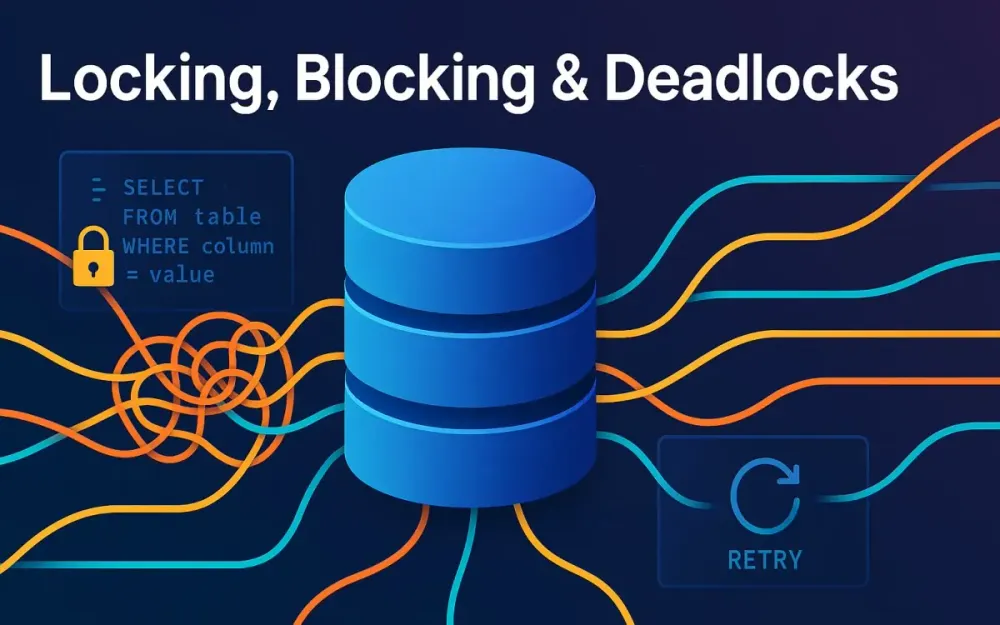
1 Why Locking, Blocking, and Deadlocks Still Matter
Even with 2025-era databases capable of billions of rows, row-versioning engines, and distributed caches, one thing hasn’t changed: concurrency control remains the silent governor of throughput. Every production slowdown that “smells like the database” often traces back to locking, blocking, or a deadlock. Understanding these mechanisms is no longer optional—it’s the boundary between code that scales under load and code that stalls under pressure.
1.1 The performance–correctness triangle: latency, throughput, and consistency
Every data system balances three forces:
- Latency: How quickly a transaction completes.
- Throughput: How many can run in parallel.
- Consistency: How strictly the system preserves correctness under concurrency.
Locks enforce consistency but cost latency and throughput. Optimistic models like Snapshot Isolation improve concurrency at the expense of extra memory and CPU. The pragmatic engineer chooses the right compromise for each workload, not the theoretically “safest” default.
In real terms, a web API inserting orders must protect inventory counts (consistency) while handling spikes of checkout traffic (throughput). Without deliberate isolation-level design, you either overserialize transactions (slow) or overshare data (wrong results).
1.2 Quick definitions with mental models
Concurrency terms often blur together. Let’s untangle them with simple mental models.
1.2.1 Locks (shared, update, exclusive, intent, schema)
A lock is a promise by the engine to protect a resource for the duration of a transaction.
| Lock Type | Mode | When It Appears | Allows Other Locks? |
|---|---|---|---|
| Shared (S) | Read lock | During SELECT under locking reads | Compatible with other S, blocks X |
| Update (U) | Transitional | When upgrading a row from read → write | Prevents deadlock between two readers that both plan to write |
| Exclusive (X) | Write lock | During INSERT/UPDATE/DELETE | Blocks all |
| Intent (IS, IX, SIX) | Hierarchical marker | Signals intent to lock children pages/rows | Enables efficient lock escalation |
| Schema (Sch-S, Sch-M) | Metadata protection | When compiling, altering, or recompiling | Sch-S allows concurrent queries; Sch-M blocks all |
Imagine each lock as a colored tag hung on a row. Shared tags can coexist; exclusive ones demand solitude. Intent locks are signs posted at the table entrance saying “someone inside has a tag on this page.”
1.2.2 Latches vs locks vs spinlocks (why readers confuse them)
- Locks protect logical resources (rows, keys) for transaction consistency.
- Latches guard physical structures (pages in memory) for thread safety.
- Spinlocks protect in-memory variables for nanosecond operations inside the engine.
Developers often see PAGELATCH_XX waits and assume “locking.” In truth, latches never trigger deadlocks—they serialize memory access, not transactions. They can, however, signal I/O hot spots or poor key patterns.
1.2.3 Blocking vs deadlocks vs livelocks
- Blocking: One session holds a lock another needs. The waiter pauses until the holder commits or rolls back. Usually healthy; indicates serialization.
- Deadlock: Two or more sessions hold resources the others need, creating a cycle. The engine picks a victim (error 1205) to break the tie.
- Livelock: Threads keep yielding or retrying so aggressively that progress stalls—rare in SQL Server but common in user-space retry loops.
Blocking is normal; deadlocks mean bad choreography; livelocks mean too much “politeness.”
1.3 Where the pain shows up in 2025 systems
1.3.1 OLTP APIs and job runners (batch, ETL, orchestrators)
Modern APIs still share transactional tables with nightly jobs or orchestrators. A customer-facing checkout might hold an Order row while a background “recalculate totals” job scans the same table. If both run under READ COMMITTED, the scan’s shared locks block inserts.
Example symptom: API latency spikes at 2 a.m. when ETL starts. The fix isn’t more CPU—it’s either RCSI (readers don’t block writers) or workload separation.
1.3.2 Microservices with shared databases and chatty transactions
Even with microservices, some companies centralize the database. Multiple services each open short transactions: one inserts, another queries, a third updates status. When each ORM hides implicit transactions, the system behaves as one big lock-contention domain. Chatty transactions—round-trips inside a transaction—extend lock lifetimes far beyond what developers expect.
1.3.3 Cloud elasticity and noisy neighbors (PaaS limits, tempdb pressure)
In Azure SQL or AWS RDS, tenants share physical resources. Under heavy row-versioning (RCSI/Snapshot), the version store lives in tempdb. A noisy neighbor generating long transactions can exhaust tempdb I/O, degrading isolation for everyone. Elastic pools amplify this: one busy tenant affects all.
1.4 Case study setup used throughout (sample schema + workload baseline)
We’ll use a minimal but realistic model:
CREATE TABLE Sales.Orders
(
    OrderId      INT IDENTITY PRIMARY KEY,
    CustomerId   INT NOT NULL,
    Status       VARCHAR(20) NOT NULL DEFAULT 'Pending',
    TotalAmount  DECIMAL(10,2) NOT NULL,
    CreatedUtc   DATETIME2 NOT NULL DEFAULT SYSUTCDATETIME()
);

CREATE TABLE Sales.OrderLines
(
    LineId     INT IDENTITY PRIMARY KEY,
    OrderId    INT NOT NULL FOREIGN KEY REFERENCES Sales.Orders(OrderId),
    ProductId  INT NOT NULL,
    Quantity   INT NOT NULL,
    UnitPrice  DECIMAL(10,2) NOT NULL
);
Baseline workload:
- 50 concurrent API sessions inserting orders (short transactions)
- 3 background jobs summarizing daily revenue
- Default isolation: READ COMMITTED This environment will illustrate every phenomenon that follows—blocking chains, deadlocks, and mitigation with RCSI and SNAPSHOT.
2 Transaction Isolation: From Anomalies to Practical Defaults
Isolation defines how much concurrent transactions can see each other’s work. SQL Server offers multiple levels, each trading accuracy for concurrency. Let’s explore the anomalies they prevent and the costs they impose.
2.1 The classic anomalies (dirty, nonrepeatable, phantom, write skew) with tiny, reproducible demos
Dirty Read
A transaction reads uncommitted data from another that later rolls back.
-- Session A
BEGIN TRAN;
UPDATE Sales.Orders SET Status = 'Paid' WHERE OrderId = 1;
-- (Not committed yet)

-- Session B (under READ UNCOMMITTED)
SELECT Status FROM Sales.Orders WHERE OrderId = 1; -- sees 'Paid'
If A rolls back, B read fiction.
Non-repeatable Read
Same row read twice within a transaction yields different values.
-- Session A
BEGIN TRAN;
SELECT TotalAmount FROM Sales.Orders WHERE OrderId = 1; -- 100.00

-- Session B
UPDATE Sales.Orders SET TotalAmount = 120.00 WHERE OrderId = 1; COMMIT;

-- Session A
SELECT TotalAmount FROM Sales.Orders WHERE OrderId = 1; -- 120.00
COMMIT;
Phantom Read
A range query yields new rows on re-execution.
-- Session A
BEGIN TRAN;
SELECT COUNT(*) FROM Sales.Orders WHERE Status = 'Pending';

-- Session B
INSERT INTO Sales.Orders(CustomerId,Status,TotalAmount) VALUES(42,'Pending',50); COMMIT;

-- Session A
SELECT COUNT(*) FROM Sales.Orders WHERE Status = 'Pending'; -- +1 phantom
Write Skew
Two transactions read the same condition and both modify safely alone but conflict together—a hallmark of optimistic isolation.
-- Both check "if less than 2 managers on duty"
-- Both insert a manager shift
-- Result: 3 managers
Write skew is invisible under pessimistic locks but possible under snapshot isolation unless constraints enforce it.
2.2 SQL Server isolation levels (and how they actually behave)
SQL Server implements both locking-based and version-based models. The hierarchy:
- READ UNCOMMITTED
- READ COMMITTED (default)
- READ COMMITTED SNAPSHOT ISOLATION (RCSI)
- SNAPSHOT ISOLATION (SI)
- REPEATABLE READ
- SERIALIZABLE
2.2.1 Read Uncommitted and why it’s a foot-gun
It allows dirty reads and inconsistent aggregates. It seems faster but rarely is—the engine still allocates latches and minimal locks. Use only for diagnostic queries where correctness is irrelevant.
SET TRANSACTION ISOLATION LEVEL READ UNCOMMITTED;
SELECT COUNT(*) FROM Sales.Orders;
In 2025, prefer WITH (NOLOCK) only for ad-hoc support queries. For production, enable RCSI instead.
2.2.2 Read Committed (locking reads)
Default in SQL Server. Each statement acquires shared locks and releases them after completion, not end of transaction.
Pros:
- Simple mental model.
- Prevents dirty reads.
Cons:
- Readers block writers and vice-versa.
- Inconsistent snapshot across multiple statements in a transaction.
Example:
BEGIN TRAN;
SELECT COUNT(*) FROM Sales.Orders WHERE Status='Pending';
WAITFOR DELAY '00:00:05';
SELECT COUNT(*) FROM Sales.Orders WHERE Status='Pending';
COMMIT;
If another session inserts during the wait, counts differ—no repeatability guarantee.
2.2.3 Read Committed Snapshot Isolation (RCSI)
RCSI turns reads into versioned reads using row versions in tempdb. Each statement sees a consistent snapshot as of its start time. Writers still use normal locks, so write-write contention remains.
Enable at database level:
ALTER DATABASE Sales SET READ_COMMITTED_SNAPSHOT ON WITH ROLLBACK IMMEDIATE;Benefits:
- Readers no longer block writers.
- No app-level code change.
Trade-offs:
- Extra tempdb I/O.
- Still statement-level, not transaction-level, consistency.
Monitoring:
SELECT * FROM sys.dm_tran_version_store_space_usage;2.2.4 Snapshot Isolation (SI)
SI provides a transaction-consistent snapshot. Both reads and writes occur on row versions, and update conflicts trigger error 3960 if another transaction modified the same row since your snapshot began.
Enable and use:
ALTER DATABASE Sales SET ALLOW_SNAPSHOT_ISOLATION ON;

SET TRANSACTION ISOLATION LEVEL SNAPSHOT;
BEGIN TRAN;
SELECT * FROM Sales.Orders WHERE OrderId = 1;
UPDATE Sales.Orders SET Status='Shipped' WHERE OrderId = 1;
COMMIT;
If another transaction updated OrderId = 1 meanwhile, SQL Server aborts with 3960. This makes retries mandatory.
Pros:
- Fully non-blocking reads.
- Predictable, repeatable logic.
Cons:
- Higher version-store usage.
- Retry logic required for conflicts.
2.2.5 Repeatable Read vs Serializable (predicate locks, phantom protection)
Both are pessimistic, using locks instead of versions.
- Repeatable Read: Holds shared locks on rows read, preventing non-repeatable reads but not phantoms.
- Serializable: Adds range locks to block new rows that satisfy your predicate, preventing phantoms.
SET TRANSACTION ISOLATION LEVEL SERIALIZABLE;
BEGIN TRAN;
SELECT * FROM Sales.Orders WHERE Status='Pending';
-- Blocks any INSERT with Status='Pending' until commit
COMMIT;
Use these sparingly—they drastically reduce concurrency.
2.3 Row versioning in SQL Server: version store, tempdb vs persisted versions (ADR) and spill implications
When RCSI or SI is enabled, SQL Server stores previous row images in the version store (in tempdb) identified by a 14-byte pointer in the main row. Readers retrieve older versions corresponding to their snapshot.
In Accelerated Database Recovery (ADR), introduced in SQL Server 2019 and now default in Azure SQL 2025, versions persist in the user database’s persisted version store (PVS) instead of tempdb. Benefits:
- Faster rollback.
- Stable tempdb performance even with heavy versioning. Drawbacks:
- Larger database files.
- Background cleanup tasks can cause I/O spikes.
Monitoring:
SELECT database_id, version_store_reserved_page_count
FROM sys.dm_tran_version_store_space_usage;
Best practices:
- Avoid long-running transactions—they delay cleanup.
- Watch tempdb or PVS growth during ETL.
- In PaaS, scale storage IOPS if version cleanup lags.
2.4 Choosing an isolation level per workload: decision table and guardrails
| Workload Type | Recommended Isolation | Reasoning / Guardrails |
|---|---|---|
| OLTP API (short writes, many reads) | RCSI | Removes reader–writer blocking, minimal retry logic |
| Batch ETL / reporting (read-only) | RCSI or SNAPSHOT | Stable view during scan; no locking impact |
| High-contention counters / queues | READ COMMITTED + retry logic | Short locks cheaper than version overhead |
| Financial / inventory correctness | SERIALIZABLE or SNAPSHOT with constraints | Guarantees no lost updates |
| Long-running analytical queries | SNAPSHOT | Consistent view; avoid dirty reads |
| Mixed workloads in same DB | Enable RCSI globally, use SNAPSHOT explicitly per transaction when needed | Predictable defaults |
Guardrails:
- Measure tempdb or PVS I/O before enabling snapshot isolation widely.
- Keep transactions short—version cleanup waits for oldest transaction.
- Add retries for 3960 (snapshot update conflict) and 1205 (deadlock victim).
- Verify index coverage—non-sargable predicates inflate version store needlessly.
3 RCSI vs SNAPSHOT: Demystified (with T-SQL and app examples)
As soon as engineers learn about row versioning in SQL Server, the next question surfaces: “Should I turn on RCSI or use full SNAPSHOT?” Both eliminate most blocking between readers and writers—but their semantics, overhead, and operational consequences differ sharply. This section dives into how each behaves, how to enable them safely, and where each fits best in real workloads.
3.1 What each mode guarantees (and doesn’t)
3.1.1 RCSI = optimistic reads + pessimistic writes; consistent per statement, not per transaction
Read Committed Snapshot Isolation (RCSI) replaces shared locks during reads with versioned reads. Each statement gets a consistent snapshot as of its start, not of the whole transaction. Writers still acquire exclusive locks and block other writers.
That means two consecutive SELECTs inside a transaction may see different versions if data changes in between. Example:
ALTER DATABASE Sales SET READ_COMMITTED_SNAPSHOT ON;
GO
SET TRANSACTION ISOLATION LEVEL READ COMMITTED;
BEGIN TRAN;
SELECT COUNT(*) FROM Sales.Orders WHERE Status = 'Pending';
WAITFOR DELAY '00:00:03';
SELECT COUNT(*) FROM Sales.Orders WHERE Status = 'Pending'; -- May differ
COMMIT;
During the wait, other sessions can freely insert or update rows; the second query reflects those changes. This behavior makes RCSI ideal for short-lived operations but unsafe for logic that depends on repeatable reads (e.g., validation before update).
Because writes remain pessimistic, conflicts are resolved by blocking, not by retries. The key performance win is that reads no longer block writes—and that single change often transforms an OLTP API’s tail latency curve.
3.1.2 SNAPSHOT = optimistic reads + optimistic writes; transaction-consistent view; update conflict detection (error 3960)
Snapshot Isolation (SI) gives each transaction a consistent database view from the moment it starts. Reads always return data as of that snapshot, regardless of concurrent commits. When the transaction tries to update a row that another transaction modified after the snapshot began, SQL Server raises error 3960 (Snapshot update conflict) and rolls it back.
Example:
ALTER DATABASE Sales SET ALLOW_SNAPSHOT_ISOLATION ON;
GO
SET TRANSACTION ISOLATION LEVEL SNAPSHOT;
BEGIN TRAN;
SELECT TotalAmount FROM Sales.Orders WHERE OrderId = 1;
WAITFOR DELAY '00:00:05';
UPDATE Sales.Orders SET TotalAmount = TotalAmount + 10 WHERE OrderId = 1;
COMMIT;
If another session updates that same row in the meantime, this transaction fails with error 3960. From an application’s perspective, this is a retryable failure—it guarantees consistency without locks but requires a retry loop at the caller level.
The takeaway:
- RCSI provides statement-level consistency and blocks only on writer–writer conflicts.
- SNAPSHOT provides transaction-level consistency and resolves write conflicts by failure, not blocking.
3.2 Enabling, scoping, and rollback plans
Isolation-level switches should be planned as carefully as schema changes. Both RCSI and SNAPSHOT can change the behavior of every transaction, impacting performance, memory, and retry requirements.
3.2.1 Database-level switch for RCSI (trade-offs, monitoring)
RCSI is enabled at the database level and affects all connections using READ COMMITTED isolation (the default). It’s usually the safest first step because the code remains unchanged.
ALTER DATABASE Sales SET READ_COMMITTED_SNAPSHOT ON WITH ROLLBACK IMMEDIATE;Before enabling, validate:
- tempdb capacity—row versions live there unless ADR’s persisted version store is active.
- oldest active transaction time—version cleanup waits for it.
- autogrow settings—tempdb growth events stall all sessions.
To monitor after deployment:
SELECT * FROM sys.dm_tran_version_store_space_usage;
SELECT * FROM sys.dm_tran_active_snapshot_database_transactions;
Rollback plan: simply disable and revert.
ALTER DATABASE Sales SET READ_COMMITTED_SNAPSHOT OFF WITH ROLLBACK IMMEDIATE;All existing connections must disconnect for the change to apply.
Trade-offs: minimal code change, but if workloads already depend on blocking semantics (e.g., lock-based sequencing), they’ll behave differently.
3.2.2 Session/transaction-level SNAPSHOT (SET TRANSACTION ISOLATION LEVEL SNAPSHOT)
Unlike RCSI, SNAPSHOT is opt-in per session or transaction. The database must allow it first:
ALTER DATABASE Sales SET ALLOW_SNAPSHOT_ISOLATION ON;Then clients can use it explicitly:
SET TRANSACTION ISOLATION LEVEL SNAPSHOT;
BEGIN TRAN;
-- business logic here
COMMIT;
Because it’s explicit, developers can confine it to long-running or reporting transactions needing consistency. If an update conflict arises, SQL Server throws:
Msg 3960, Level 16, State 2, Line 1
Snapshot isolation transaction aborted due to update conflict.
Application retry example (simplified C# with Dapper):
for (int attempt = 1; attempt <= 3; attempt++)
{
    try
    {
        using var conn = new SqlConnection(cs);
        await conn.ExecuteAsync("SET TRANSACTION ISOLATION LEVEL SNAPSHOT; BEGIN TRAN; " +
                                "UPDATE Sales.Orders SET Status='Paid' WHERE OrderId=@id; COMMIT;",
                                new { id });
        break;
    }
    catch (SqlException ex) when (ex.Number == 3960)
    {
        await Task.Delay(TimeSpan.FromMilliseconds(100 * attempt));
    }
}
This retry pattern mirrors how optimistic concurrency works in application-level ORMs.
3.2.3 Compatibility with features (MARS, online index ops, triggers, CDC/CT notes)
- MARS (Multiple Active Result Sets): fully supported with RCSI and SNAPSHOT, but beware of long-lived readers delaying version cleanup.
- Online index operations: already use versioning internally; RCSI/SI simply share the store.
- Triggers: still execute under the same isolation level as the caller. Snapshot updates may surface conflicts after trigger execution.
- CDC/CT (Change Data Capture/Tracking): unaffected; they read from the transaction log, not snapshots.
- Replication / bulk ops: large bulk inserts can generate heavy version store churn; schedule outside peak hours.
3.3 Performance and contention patterns
3.3.1 How RCSI reduces reader–writer blocking but leaves write–write contention
RCSI eliminates one of the biggest bottlenecks in OLTP: shared vs exclusive lock contention. Queries that only read now use versioned snapshots and don’t block inserts or updates.
However, writers still contend on the same keys. Two concurrent UPDATE statements touching the same row must still serialize. Example:
-- Session A
BEGIN TRAN;
UPDATE Sales.Orders SET Status='Paid' WHERE OrderId = 1;

-- Session B
BEGIN TRAN;
UPDATE Sales.Orders SET TotalAmount = 50 WHERE OrderId = 1;
Session B waits until A commits or rolls back. RCSI doesn’t help here—it removes only reader–writer blocking, not writer–writer. This is why you might see lock waits decrease but throughput still plateau at high concurrency.
3.3.2 How SNAPSHOT changes write conflicts (retryable error surface)
Under SNAPSHOT, both A and B could start at the same time and read the same initial data. The first to commit succeeds; the second fails with 3960. Example:
SET TRANSACTION ISOLATION LEVEL SNAPSHOT;
BEGIN TRAN;
UPDATE Sales.Orders SET Status='Paid' WHERE OrderId = 1;
WAITFOR DELAY '00:00:05';
COMMIT;
If another transaction commits earlier, this one aborts. The benefit: no blocking chains; the cost: retry logic and potential extra work.
At scale, these retries are predictable—they behave like transient failures rather than random stalls. For microservices or job processors, this can be superior because retry timing is under your control, not the engine’s.
3.3.3 Tempdb/version store sizing, cleanup, and observing ADR’s persisted version store impact
Versioning performance hinges on cleanup lag. The oldest active snapshot defines how long row versions must be retained. If a reporting query runs for 10 minutes, tempdb (or PVS under ADR) must keep 10 minutes of history.
Monitoring key metrics:
SELECT
    database_id,
    version_store_reserved_page_count * 8 / 1024.0 AS MB_Used
FROM sys.dm_tran_version_store_space_usage;
Under Accelerated Database Recovery (ADR), row versions are stored in the Persisted Version Store (PVS) within the database, reducing tempdb pressure but consuming more data-file space. Cleanup occurs asynchronously; when lagging, it manifests as sudden I/O spikes.
Best practice:
- Keep OLTP transactions under 1 second.
- Limit open snapshots from idle connections.
- For Azure SQL, monitor
sys.dm_db_persisted_sku_store_statsfor PVS metrics.
3.4 When to prefer RCSI vs SNAPSHOT: a pragmatic matrix (OLTP, reporting, hybrid)
| Scenario | Recommended Mode | Why |
|---|---|---|
| High-concurrency OLTP (short updates, frequent reads) | RCSI | Removes reader–writer blocking with no app changes |
| Reporting queries needing transaction-consistent view | SNAPSHOT | Stable point-in-time reads |
| Hybrid workloads (APIs + long reports) | RCSI globally, SNAPSHOT per report | Best of both worlds |
| Batch imports or ETL jobs | SNAPSHOT or SERIALIZABLE for correctness | Avoid partial reads |
| Legacy apps depending on lock sequencing | READ COMMITTED | Prevent surprises |
| Distributed or retry-tolerant systems | SNAPSHOT | Retry-based consistency model |
In practice, start with RCSI at the database level, observe contention metrics, and selectively adopt SNAPSHOT for workloads that demand full repeatable reads. Always couple SNAPSHOT with retry instrumentation.
4 Typical Deadlock Causes and Preventive Design
Deadlocks are concurrency choreography gone wrong. They’re not bugs in SQL Server—they’re signals that two or more transactions want resources in opposite orders. Eliminating them requires both schema discipline and predictable access order.
4.1 The big four patterns
4.1.1 Access-order inversions (A then B vs B then A)
The most common cause: two transactions touch the same objects in reverse order.
-- Session A
BEGIN TRAN;
UPDATE Sales.Orders SET Status='Paid' WHERE OrderId = 1;
UPDATE Sales.OrderLines SET Quantity = 2 WHERE OrderId = 1;
COMMIT;

-- Session B
BEGIN TRAN;
UPDATE Sales.OrderLines SET Quantity = 3 WHERE OrderId = 1;
UPDATE Sales.Orders SET Status='Cancelled' WHERE OrderId = 1;
COMMIT;
Both sessions hold one lock and wait for the other, forming a cycle.
Prevention: always access resources in a consistent order. For example, always update Orders before OrderLines. Enforce this convention in stored procedures or ORM transaction scopes.
4.1.2 Range scans and “hot gaps” (noncovered predicates, missing filters)
A range scan that touches more rows than intended increases lock duration and scope. Even with indexes, unfiltered predicates can escalate to page or table locks.
UPDATE Sales.Orders SET Status='Shipped' WHERE CreatedUtc < SYSUTCDATETIME();This unbounded predicate may lock millions of rows. Instead, batch or keyset-paginate:
UPDATE TOP (1000) Sales.Orders
SET Status='Shipped'
WHERE CreatedUtc < SYSUTCDATETIME() AND Status='Pending';
Repeat until no rows remain. This reduces lock footprint and prevents blocking others.
4.1.3 Over-wide transactions (long duration, user think-time, chatty loops)
Transactions that span user input or multiple service calls keep locks alive unnecessarily. The longer a transaction holds locks, the higher the chance of deadlock.
Incorrect (holding locks across client round-trips):
// Incorrect
using var tran = conn.BeginTransaction();
var order = await conn.QuerySingleAsync<Order>("SELECT * FROM Sales.Orders WHERE Id=@id", new { id }, tran);
await ShowToUserAsync(order); // user think time
await conn.ExecuteAsync("UPDATE Sales.Orders SET Status='Paid' WHERE Id=@id", new { id }, tran);
tran.Commit();
Correct:
// Correct
var order = await conn.QuerySingleAsync<Order>("SELECT * FROM Sales.Orders WHERE Id=@id", new { id });
await ShowToUserAsync(order);
using var tran = conn.BeginTransaction();
await conn.ExecuteAsync("UPDATE Sales.Orders SET Status='Paid' WHERE Id=@id", new { id }, tran);
tran.Commit();
Always isolate the minimal critical section that truly requires atomicity.
4.1.4 Overloaded queues and “first writer wins” contention
When multiple workers process tasks from the same “queue table,” they often contend on the same “next message” query:
SELECT TOP (1) * FROM Queue WHERE Status='Pending' ORDER BY CreatedUtc;Without an index on Status, CreatedUtc, each worker scans the same pages, acquiring shared locks, then attempting updates—classic deadlock territory.
Mitigations:
- Add covering index
(Status, CreatedUtc) INCLUDE (...). - Use keyset pagination or
OUTPUTclauses to atomically claim work:
WITH cte AS (
  SELECT TOP (1) * FROM Queue WHERE Status='Pending' ORDER BY CreatedUtc
)
UPDATE cte SET Status='Processing'
OUTPUT inserted.*;
This single statement both selects and updates—no race.
4.2 Schema and index design to reduce contention
4.2.1 Covering indexes for hot paths (seekable, narrow key order)
Hot queries must seek, not scan. Covering indexes that include all referenced columns prevent extra lookups (and thus extra locks). Example:
CREATE INDEX IX_Orders_Status_CreatedUtc
ON Sales.Orders (Status, CreatedUtc)
INCLUDE (CustomerId, TotalAmount);
Now the “find pending orders” query can seek directly, reducing both I/O and lock duration.
4.2.2 Contention-friendly PKs (monotonic vs random GUIDs; hash partitioning)
Random GUID primary keys scatter inserts across pages, causing PAGELATCH_EX contention. Prefer sequential keys:
CREATE TABLE Sales.Orders (
    OrderId UNIQUEIDENTIFIER DEFAULT NEWSEQUENTIALID() PRIMARY KEY,
    ...
);
For massive multi-tenant systems, consider hash partitioning by tenant or time to distribute writes evenly. SQL Server partition schemes can map ranges to different filegroups, isolating hot tenants.
4.2.3 Page/extent hot spots and fill factor myths (when they help)
Lowering fill factor (e.g., 80%) reserves space on pages to delay splits, but it does not reduce logical contention—it simply spreads inserts across more pages. Use it when page splits are measurable, not as a default anti-contention knob.
Measure with:
SELECT * FROM sys.dm_db_index_operational_stats(DB_ID(), OBJECT_ID('Sales.Orders'), NULL, NULL);If page_split_count is high relative to inserts, reduce fill factor modestly (90–95%).
4.3 Deterministic lock order and smaller critical sections (T-SQL and ORMs)
Consistency in access order avoids cyclic waits. Within stored procedures, enforce predictable locking:
CREATE PROCEDURE usp_UpdateOrder
    @OrderId INT
AS
BEGIN
    SET TRANSACTION ISOLATION LEVEL SERIALIZABLE;
    BEGIN TRAN;
    UPDATE Sales.Orders SET Status='Paid' WHERE OrderId=@OrderId;
    UPDATE Sales.OrderLines SET Quantity=Quantity WHERE OrderId=@OrderId;
    COMMIT;
END;
For ORM-based systems (like EF Core), design repository methods so that all updates touching related entities occur in the same deterministic sequence. Avoid lazy-loading during transactions, as it triggers unplanned reads and potential deadlocks.
4.4 Batching patterns that don’t deadlock (key-set pagination, fixed key ranges)
Instead of one massive update scanning the entire table, use key-set pagination—process rows in deterministic key ranges.
DECLARE @lastId INT = 0;
WHILE 1=1
BEGIN
  WITH cte AS (
    SELECT TOP (1000) OrderId
    FROM Sales.Orders
    WHERE OrderId > @lastId
    ORDER BY OrderId
  )
  UPDATE cte SET Status='Archived';
  IF @@ROWCOUNT < 1000 BREAK;
  SELECT @lastId = MAX(OrderId) FROM cte;
END
Each iteration touches disjoint key ranges, minimizing lock overlap. This pattern avoids the “hot gap” deadlocks that occur when multiple workers operate on overlapping predicates.
4.5 Choosing the right tool: database-as-queue anti-pattern and when to move to a broker (Service Bus, Kafka, SQS)
Databases are transactional, not message-oriented. When a table becomes a queue—with thousands of small updates per second—contention skyrockets. SQL Server excels at consistency, not high-frequency message arbitration.
Symptoms:
- Constant deadlocks on queue table.
- Rising
WRITELOGandPAGELATCH_EXwaits. - Growing version store due to long-lived queue readers.
Migration options:
- Azure Service Bus / AWS SQS: managed queues with visibility timeouts and deduplication.
- Kafka: durable stream processing, append-only semantics, ideal for high throughput.
- Outbox pattern: database remains source of truth; messages replicated asynchronously to the broker.
Design principle: let SQL Server manage durable state and let the broker handle concurrency and delivery. As Mike Hadlow aptly summarized, “Databases make poor queues because they’re too good at transactions.”
5 Reading Deadlock Graphs (fast, systematic triage)
Deadlocks are often described as “two queries waiting forever,” but in SQL Server, they leave fingerprints you can read. The deadlock graph—an XML structure describing who blocked whom and on what—turns guesswork into evidence. Learning to read it fast is the difference between randomly rewriting queries and confidently fixing the real cause.
5.1 Where to capture deadlocks (and what you already have)
5.1.1 system_health Extended Events session (already on; how to extract)
SQL Server automatically collects deadlocks in the built-in system_health Extended Events (XE) session. It’s enabled on every instance—no configuration required.
You can query the last captured deadlocks directly:
SELECT
    XEvent.value('(event/data/value/deadlock)[1]', 'varchar(max)') AS DeadlockGraphXML
FROM (
    SELECT CAST(target_data AS XML) AS TargetData
    FROM sys.dm_xe_session_targets t
    JOIN sys.dm_xe_sessions s ON s.address = t.event_session_address
    WHERE s.name = 'system_health'
) AS data
CROSS APPLY TargetData.nodes('//RingBufferTarget/event[@name="xml_deadlock_report"]') AS X(XEvent);
Save the resulting XML to an .xdl file and open it in SQL Server Management Studio (SSMS) to visualize the graph. This gives you deadlock coverage without setup—ideal for first-response triage.
5.1.2 Custom Extended Events session for deadlocks (what to include, retention)
For high-traffic environments, the default session may roll over too fast. Create a dedicated session that filters and retains deadlocks longer:
CREATE EVENT SESSION [DeadlockCapture]
ON SERVER
ADD EVENT sqlserver.xml_deadlock_report
ADD TARGET package0.event_file (SET filename = 'C:\XE\Deadlocks.xel', max_file_size = 50)
WITH (MAX_MEMORY = 10MB, EVENT_RETENTION_MODE = ALLOW_SINGLE_EVENT_LOSS);
ALTER EVENT SESSION [DeadlockCapture] ON SERVER STATE = START;
You can later read results using:
SELECT event_data.value('(event/data/value/deadlock)[1]', 'XML') AS Graph
FROM sys.fn_xe_file_target_read_file('C:\XE\Deadlocks*.xel', NULL, NULL, NULL);
Include additional actions (like sql_text, session_id, client_app_name) to tie deadlocks to real workloads. Keep file-based targets on fast storage; if local SSD isn’t available, use Azure Blob targets for persistence.
5.2 Anatomy of a deadlock graph: nodes, edges, resources, owners, waiters; lock modes (S, U, X, IU/IX)
Each deadlock graph is a directed cycle of nodes (sessions) and edges (resource requests). To read it efficiently:
- Resource nodes represent what was locked (a key, page, or object).
- Process nodes show who owns or requests the lock.
- Edges connect a process to a resource it wants.
Example snippet:
<resource-list>
  <keylock hobtid="72057594038865920" dbid="5" objectname="Sales.Orders" indexname="PK_Orders" mode="X" />
</resource-list>
<process-list>
  <process id="process48c" taskpriority="0" logused="100" waitresource="KEY: 5:72057594038865920 (35004e8a16b2)" waittime="230" status="suspended">
    <executionStack>
      <frame statement="UPDATE Sales.Orders SET Status='Paid' WHERE OrderId=1" />
    </executionStack>
  </process>
</process-list>
Lock modes:
- S (Shared): read access.
- U (Update): temporary before exclusive.
- X (Exclusive): write access.
- IU, IX, SIX (Intent locks): mark hierarchy intent (table → page → key).
Ownership shows what the process currently holds; wait lists show what it’s waiting on. The deadlock victim is the process SQL Server chose to terminate—usually the one with lower estimated cost.
5.3 Interpreting common shapes
5.3.1 Key-key update cycle
Two sessions updating rows in reverse order:
-- Session A
BEGIN TRAN;
UPDATE Sales.Orders SET Status='Paid' WHERE OrderId=1;
UPDATE Sales.Orders SET Status='Paid' WHERE OrderId=2;
COMMIT;

-- Session B
BEGIN TRAN;
UPDATE Sales.Orders SET Status='Paid' WHERE OrderId=2;
UPDATE Sales.Orders SET Status='Paid' WHERE OrderId=1;
COMMIT;
Graph pattern:
- Two keylocks on the same index.
- Each process owns one, waits on the other. Solution: ensure both sessions update rows in ascending key order.
5.3.2 Range vs key conflict (phantom protection)
Occurs when one transaction holds a range lock under SERIALIZABLE isolation while another inserts a row in that range.
SET TRANSACTION ISOLATION LEVEL SERIALIZABLE;
BEGIN TRAN;
SELECT * FROM Sales.Orders WHERE CustomerId BETWEEN 10 AND 20;

-- Another session inserts CustomerId=15 -> deadlock
Graph shows one process waiting on a RangeS-U (range shared-update) lock, the other holding an IX (intent exclusive) lock on the same index. Resolution: relax isolation (e.g., RCSI) or batch ranges smaller.
5.3.3 Reader–writer with RCSI disabled vs snapshot write conflict
Without RCSI, a reader’s shared lock blocks an updater’s exclusive lock, forming a cycle with another reader or writer. With SNAPSHOT, the equivalent symptom is a retryable update conflict (3960) rather than a deadlock. This shift from blocking to retryable failure is a feature—developers can handle it predictably in code.
5.4 Tooling to speed analysis
5.4.1 sp_BlitzLock (slicing by table/index/query; automation ideas)
Brent Ozar’s sp_BlitzLock parses deadlock graphs automatically:
EXEC sp_BlitzLock @DatabaseName='Sales';It aggregates by object, query hash, and index. You can schedule it nightly to populate a “deadlock ledger” table, tracking trends over time. Some teams integrate it into CI/CD validation pipelines—new code that triggers novel deadlocks fails the build.
5.4.2 sp_WhoIsActive for “in the moment” blocking chains; what columns matter
While deadlocks are postmortems, sp_WhoIsActive shines in real-time triage. Key columns:
- [blocking_session_id] and [wait_info] show chains.
- [sql_text] reveals the statement causing contention.
- [tempdb_allocations] hints at version store usage.
Example:
EXEC sp_WhoIsActive @get_locks = 1, @find_block_leaders = 1;Run periodically to identify long blockers before they evolve into deadlocks.
5.4.3 Exporting to work items with minimal repro scripts
Each deadlock XML includes the exact query text and parameters. Save them as “repro snippets” for developers:
-- Minimal repro extracted from deadlock
BEGIN TRAN;
UPDATE Sales.Orders SET Status='Pending' WHERE OrderId=42;
WAITFOR DELAY '00:00:03';
COMMIT;
Pairing these with execution plans helps developers replicate and validate fixes locally before deploying to production.
6 Resilient Code: Idempotency + Retries + Timeouts (with real examples)
Locking is only half the story. Once you accept that deadlocks and snapshot conflicts will occur, the next layer of defense is resilient application logic—code that retries safely, produces the same outcome twice, and doesn’t overwhelm the database when things slow down.
6.1 What to retry (and what not to)
6.1.1 SQL Server error 1205 (deadlock victim): safe to retry the transaction
Deadlock victims are guaranteed to have rolled back completely, so it’s safe to retry the entire transaction. For example:
for (int attempt = 1; attempt <= 3; attempt++)
{
    try
    {
        await using var conn = new SqlConnection(cs);
        await conn.ExecuteAsync(@"
            BEGIN TRAN;
            UPDATE Sales.Orders SET Status='Paid' WHERE OrderId=@id;
            COMMIT;", new { id });
        break;
    }
    catch (SqlException ex) when (ex.Number == 1205)
    {
        await Task.Delay(TimeSpan.FromMilliseconds(100 * attempt));
    }
}
Always re-run the whole transaction, not partial steps—SQL Server ensures atomic rollback.
6.1.2 Snapshot update conflict (3960): safe to retry with jitter
Under SNAPSHOT, write conflicts produce error 3960. Retrying immediately can cause herd behavior—every client resubmits at once. Add jitter:
catch (SqlException ex) when (ex.Number == 3960)
{
    var delay = Random.Shared.Next(50, 250);
    await Task.Delay(delay);
}
A small random delay desynchronizes retries, reducing thundering herds.
6.1.3 Timeouts vs cancellations vs circuit-open events (app semantics)
Not every failure should be retried:
- Timeouts may mean transient lock waits (safe to retry) or systemic overload (unsafe).
- Cancellations initiated by clients indicate business-level aborts—never retry.
- Circuit-breaker opens (e.g., service unreachable) should back off globally, not per request.
In short: retry transient concurrency errors, not systemic ones.
6.2 Backoff strategies (bounded exponential, decorrelated jitter) and maximum attempt budgets
The ideal retry loop grows delays exponentially but caps total latency. The decorrelated jitter algorithm, popularized by AWS, avoids synchronization among clients:
double baseDelay = 100; // ms
double maxDelay = 3000;
double sleep = baseDelay;
for (int attempt = 1; attempt <= 5; attempt++)
{
    sleep = Math.Min(maxDelay, Random.Shared.NextDouble() * Math.Pow(2, attempt) * baseDelay);
    await Task.Delay((int)sleep);
}
Set a maximum attempt budget (e.g., 3 tries within 5 seconds) to preserve end-to-end latency budgets. Overly aggressive retries can worsen load during incidents.
6.3 Idempotency strategies
6.3.1 Idempotency keys and natural de-duplication (unique constraints)
An idempotent operation can run twice with the same result. Use unique identifiers per logical action:
CREATE TABLE Payments (
    PaymentId UNIQUEIDENTIFIER PRIMARY KEY,
    OrderId INT NOT NULL,
    Amount DECIMAL(10,2) NOT NULL,
    CreatedUtc DATETIME2 NOT NULL
);
If the same PaymentId arrives twice, the second insert fails harmlessly.
At the app level, generate an idempotency key (like a UUID) for each logical command and store it alongside its state. Retry code reuses that same key.
6.3.2 Upsert/merge patterns that avoid race conditions (and when to avoid MERGE)
While MERGE promises atomicity, it’s prone to race conditions in concurrent inserts. Safer pattern:
BEGIN TRAN;
UPDATE Inventory SET Quantity = Quantity - 1 WHERE ProductId = @pid;
IF @@ROWCOUNT = 0
    INSERT INTO Inventory(ProductId, Quantity) VALUES(@pid, -1);
COMMIT;
This “update-then-insert” approach relies on unique constraints to prevent duplicates and avoids MERGE bugs under RCSI or SNAPSHOT.
6.3.3 Outbox/Inbox patterns for exactly-once effects across services
When a transaction commits both database state and an external message (e.g., publish to Kafka), two-phase commits are overkill. Instead, use the Outbox pattern:
- Write the business row and an
Outboxmessage in the same transaction. - A background dispatcher reads and publishes confirmed outbox records.
Example schema:
CREATE TABLE Outbox (
    MessageId UNIQUEIDENTIFIER PRIMARY KEY,
    AggregateId INT,
    Payload NVARCHAR(MAX),
    Published BIT NOT NULL DEFAULT 0
);
Similarly, use an Inbox table to de-duplicate inbound messages by ID. These patterns achieve exactly-once semantics with plain SQL.
6.4 Language/stack-specific patterns and libraries
6.4.1 .NET: Polly policies (Retry, Circuit Breaker, Timeout, Bulkhead) with EF Core execution strategies (SqlServerRetryingExecutionStrategy) and Dapper examples
Polly provides composable resilience policies:
var retryPolicy = Policy
    .Handle<SqlException>(ex => ex.Number == 1205 || ex.Number == 3960)
    .WaitAndRetry(3, attempt => TimeSpan.FromMilliseconds(100 * attempt));

await retryPolicy.ExecuteAsync(async () =>
{
    await using var db = new SalesContext();
    await db.SaveChangesAsync();
});
For EF Core, use built-in retrying strategies:
optionsBuilder.UseSqlServer(cs, o =>
    o.ExecutionStrategy(c => new SqlServerRetryingExecutionStrategy(c)));
With Dapper, wrap command execution in Polly manually as shown above.
6.4.2 Background processing: Hangfire/Quartz.NET job idempotency guards
Job processors must survive restarts and duplicate triggers. Add unique job keys or “once-only” records:
CREATE TABLE JobRuns (
    JobKey NVARCHAR(100) PRIMARY KEY,
    StartedUtc DATETIME2,
    CompletedUtc DATETIME2 NULL
);
Before starting, the job inserts its key; if it exists, skip. Hangfire supports this pattern via DisableConcurrentExecution attributes; Quartz supports custom persistence.
6.4.3 Messaging middlewares: MassTransit/NServiceBus for delayed redelivery and de-dup
Frameworks like MassTransit and NServiceBus embed retry and deduplication policies:
- Immediate retries for transient SQL errors.
- Delayed redelivery with exponential backoff.
- In-memory or persistent de-dup keyed by message ID.
Align these with database-level idempotency keys to guarantee consistent effects across retries.
6.5 T-SQL retry template (TRY…CATCH around transactions) and safe savepoint usage; sample exponential backoff loop and telemetry hooks
In T-SQL, you can self-retry transient conflicts inside stored procedures:
DECLARE @attempt INT = 1, @maxAttempts INT = 3, @delay INT = 100;

WHILE @attempt <= @maxAttempts
BEGIN
    BEGIN TRY
        BEGIN TRAN;
        -- business logic
        UPDATE Sales.Orders SET Status='Paid' WHERE OrderId=@id;
        COMMIT;
        BREAK;
    END TRY
    BEGIN CATCH
        IF XACT_STATE() <> 0 ROLLBACK;
        IF ERROR_NUMBER() IN (1205, 3960)
        BEGIN
            WAITFOR DELAY TIMEFROMPARTS(0,0,@delay,0,0);
            SET @delay = @delay * 2; -- exponential backoff
            SET @attempt += 1;
        END
        ELSE THROW;
    END CATCH;
END;
Include telemetry hooks (e.g., sp_log_retry) to record attempts, delays, and error types. Over time, this data informs whether retry thresholds need tuning.
6.6 Observability in the retry loop: correlation IDs, structured logs, and metrics to watch (retry counts, time budget spent, tail latency)
Resilience without visibility is guesswork. Each retry loop should attach a correlation ID—a unique identifier flowing through logs, traces, and telemetry.
Structured log example (Serilog):
Log.ForContext("CorrelationId", correlationId)
   .ForContext("Attempt", attempt)
   .Warning("Retrying SQL operation after {Delay}ms due to {ErrorNumber}", delay, ex.Number);
Metrics to monitor:
- retry_count_avg and retry_count_p99
- total_retry_time_ms per request
- deadlocks_per_minute and 3960_conflicts_per_minute
- tail_latency_p99 to capture the long-tail impact of retries
Correlate spikes in retries with database contention metrics. If both rise together, tune isolation levels or batching strategies rather than adding more retries.
Bottom line: resilient systems accept that conflicts happen but make their recovery invisible to users. Combined with RCSI, SNAPSHOT, and disciplined locking design, robust retry logic turns transient failures into predictable, self-healing behavior.
7 Monitoring & Operations: From “Something’s Stuck” to Root Cause
Even the best-engineered concurrency model needs observability. A single deadlock or version-store spike can appear as “app timeout” or “slow checkout,” and without structured monitoring, you’ll never link it to the real cause. Operational maturity here means converting contention from anecdotal complaints into quantifiable, actionable data.
7.1 A minimal “contention SLO” dashboard: essential signals
The most reliable production environments define a contention SLO (Service Level Objective)—an upper limit on acceptable blocking, deadlocks, and retry-induced latency. To build one, start with a handful of low-cost metrics.
7.1.1 Waits: LCK_, PAGELATCH_, WRITELOG, SOS_SCHEDULER_YIELD
Wait stats are your first line of evidence. Aggregate them over time to reveal contention types:
SELECT TOP (10)
    wait_type,
    wait_time_ms / 1000.0 AS seconds,
    waiting_tasks_count,
    100.0 * wait_time_ms / SUM(wait_time_ms) OVER() AS pct
FROM sys.dm_os_wait_stats
WHERE wait_type LIKE 'LCK_%' OR wait_type IN ('PAGELATCH_EX','WRITELOG','SOS_SCHEDULER_YIELD')
ORDER BY wait_time_ms DESC;- LCK_* → blocking and deadlocks (logical contention)
- PAGELATCH_* → hot pages, often random GUIDs or clustered index inserts
- WRITELOG → transaction log bottlenecks
- SOS_SCHEDULER_YIELD → CPU pressure (threads yielding under load)
Visualize these as stacked time-series charts. Sudden rises in LCK_M_U or LCK_M_X waits often predict deadlocks before they happen.
7.1.2 Deadlocks per minute, victim count, and 95p/99p retry rates
Next, quantify concurrency conflicts directly:
SELECT COUNT(*) AS DeadlocksPerMinute
FROM sys.dm_os_ring_buffers
WHERE ring_buffer_type = 'RING_BUFFER_DEADLOCK'
  AND creation_time > DATEADD(MINUTE,-1,SYSDATETIME());
Track:
- Deadlocks per minute – sustained >1/min in OLTP is a warning.
- Victim count – number of killed transactions.
- Retry rates (p95/p99) – derived from application logs; measure how often retries are needed to succeed.
Plotting retries against deadlock counts reveals whether the system is self-healing (steady latency) or deteriorating (tail latency growing).
7.1.3 Tempdb + version store health (RCSI/Snapshot + ADR)
For version-based isolation levels, tempdb (or ADR’s persisted store) becomes the pressure valve:
SELECT
    SUM(version_store_reserved_page_count)*8/1024 AS MB_used,
    SUM(uncommitted_version_store_page_count)*8/1024 AS MB_uncommitted
FROM sys.dm_tran_version_store_space_usage;- Rapid growth means long-running transactions.
- Non-zero uncommitted pages indicate stuck readers. Set alerts when version store space >20% of tempdb size or cleanup lag exceeds 10 minutes.
7.2 Always-on monitors you can deploy today
7.2.1 system_health XEvent queries for deadlocks (ready-to-run script)
You already have a passive deadlock monitor via system_health. Expose it through a simple query job:
SELECT
    DATEADD(MINUTE, DATEDIFF(MINUTE, GETUTCDATE(), SYSDATETIME()), event_data.value('(event/@timestamp)[1]', 'datetime2')) AS UTC_Time,
    event_data.value('(event/data/value/deadlock)[1]', 'varchar(max)') AS DeadlockGraph
FROM (
    SELECT CAST(target_data AS XML) AS TargetData
    FROM sys.dm_xe_session_targets t
    JOIN sys.dm_xe_sessions s ON s.address = t.event_session_address
    WHERE s.name = 'system_health'
) AS src
CROSS APPLY TargetData.nodes('//RingBufferTarget/event[@name="xml_deadlock_report"]') AS X(event_data);
Run it hourly and dump results into a DeadlockHistory table for visualization in Grafana or Power BI.
7.2.2 sp_WhoIsActive snapshots on schedule (blocked process trees; archiving)
sp_WhoIsActive by Adam Machanic remains the gold standard for real-time session snapshots. Automate it:
EXEC sp_WhoIsActive
    @get_locks = 1,
    @destination_table = 'DBA.WhoIsActiveLog';
Schedule via SQL Agent every minute. You’ll accumulate blocking chains and statements that coincide with contention windows. Pair it with a daily rollup report showing top blockers and longest-running queries.
7.2.3 First Responder Kit: sp_BlitzLock for deadlock roll-ups; sp_BlitzFirst for quick triage
Brent Ozar’s First Responder Kit offers production-ready tooling:
sp_BlitzLockparses.xelfiles and aggregates by object and query hash.sp_BlitzFirstcaptures waits, CPU, and blocking summaries on demand.
Quick triage script:
EXEC sp_BlitzFirst @Seconds = 30, @ExpertMode = 1;
EXEC sp_BlitzLock @DatabaseName = 'Sales';
The first highlights real-time symptoms; the second reveals recurring deadlock signatures. Together they narrow root cause from “the database is slow” to “OrderLine update deadlocks with inventory audit.”
7.3 Alerting policies (rate-based + consecutive breaches) and auto-ticketing
Avoid alert fatigue by using rate-based triggers—alerts fire when metrics breach thresholds consecutively, not on single spikes. For example:
- Deadlocks >2/min for 5 consecutive minutes → alert.
- LCK waits consuming >30% total wait time for 15 minutes → alert. Combine SQL Agent jobs with external platforms (Prometheus, Azure Monitor) for alert delivery. Integrate with ticketing: each sustained breach creates a Jira or ServiceNow issue tagged with database name, table, and isolation mode. Attach the last deadlock XML automatically for engineers to start from facts, not hunches.
7.4 Report templates and runbooks (include: “What changed?” checklists)
Every on-call engineer should have a runbook answering: “Something’s stuck—what changed?” Template:
| Step | Action | Command |
|---|---|---|
| 1 | Capture top waits | EXEC sp_BlitzFirst @Seconds = 10 |
| 2 | Check blocking chains | EXEC sp_WhoIsActive @find_block_leaders=1 |
| 3 | Extract recent deadlocks | Query system_health |
| 4 | Identify version-store usage | Query sys.dm_tran_version_store_space_usage |
| 5 | Ask “What changed?” | Schema deploy? RCSI toggle? Index drop? App version? |
This checklist shortens MTTR (mean time to recovery). Version-control your runbooks alongside code so improvements persist beyond tribal memory.
7.5 Cloud specifics (Azure SQL, MI)
Operating in PaaS doesn’t exempt you from contention—it changes the failure modes.
7.5.1 ADR defaults and implications for long-running transactions
Accelerated Database Recovery (ADR) is enabled by default in Azure SQL and Managed Instance. It uses a persisted version store to make rollbacks instant, but it retains row versions longer. Long transactions can bloat storage even without tempdb growth.
Monitor cleanup lag:
SELECT db_id, total_row_version_cleanup_deferred_count
FROM sys.dm_tran_persistent_version_store_stats;
If cleanup is delayed, shorten transaction durations or commit intermediate batches. Keep long reads under SNAPSHOT instead of RCSI for predictable snapshots.
7.5.2 DTU/vCore throttling and contention amplification (how to spot it)
In Azure SQL, performance degradation may stem from compute throttling. When the DTU or vCore budget is saturated:
- Wait times (especially LCK_*) appear amplified because threads yield longer.
sys.dm_exec_requestsshows highscheduler_idwaits but low CPU usage.
Detect throttling symptoms:
SELECT * FROM sys.dm_resource_governor_resource_pools WHERE pool_id > 2;If CPU cap hit ratio or I/O cap hit ratio >0.9, you’re throttled. Scale up or move noisy neighbors to separate pools.
8 Playbook: High-Contention Tables and Queues (step-by-step)
This section turns everything so far into an actionable plan: how to triage, mitigate, and verify improvements for high-contention workloads. The focus is precision—not massive rewrites, but surgical fixes that reduce blocking and deadlocks without changing business logic.
8.1 Triage and baseline
8.1.1 Capture: top deadlocked queries/tables, blocking chains, hot indexes
Start by gathering evidence:
EXEC sp_BlitzLock @DatabaseName = 'Sales';
EXEC sp_WhoIsActive @get_locks=1, @find_block_leaders=1;
Record:
- Repeatedly deadlocked tables and indexes.
- Queries with high
LCK_M_Xwaits. - Hotspot indexes (from
sys.dm_db_index_operational_stats).
Aggregate by table and query hash; if 80% of contention centers on one index, that’s your optimization target.
8.1.2 Reproduce safely (read-only clone, RCSI/SI toggles, workload scripts)
Before changing production, clone the workload in a staging environment:
- Restore a recent backup read-only.
- Enable/disable RCSI or SNAPSHOT to compare behavior.
- Replay traffic using Workload Tools or SQLQueryStress.
Example:
sqlquerystress.exe -c "Server=.;Database=SalesClone;Trusted_Connection=True;" -q "EXEC usp_ProcessOrders" -t 50Observe deadlock frequency under different isolation modes before rollout.
8.2 Table-level mitigations
8.2.1 Index reshaping: covering seeks, filtered indexes, include columns for update hot paths
If frequent updates target the same columns and predicates, ensure the index covers them:
CREATE INDEX IX_Order_Status ON Sales.Orders(Status)
INCLUDE (CustomerId, TotalAmount, CreatedUtc);
Filtered indexes can isolate hot subsets:
CREATE INDEX IX_Orders_Pending ON Sales.Orders(Status) WHERE Status='Pending';This allows workers processing only pending orders to avoid scanning or locking irrelevant rows.
8.2.2 Key strategy: monotonic keys, partitioning, hash-by-tenant, shard-by-range
Contention often stems from key design:
- Monotonic keys (IDENTITY, SEQUENCE) maintain insert order, reducing random I/O.
- Hash partitioning by tenant distributes writes evenly:
PARTITION FUNCTION pf_tenant (INT) AS RANGE LEFT FOR VALUES (100,200,300);- Range sharding at application level isolates “hot tenants” to separate databases, each with RCSI tuned to its load.
8.2.3 Write shaping: smaller transactions, deterministic access order, ordered updates
Break bulk operations into smaller, deterministic chunks. Instead of updating all rows:
UPDATE Sales.Orders SET Status='Archived' WHERE CreatedUtc < '2023-01-01';Batch with ordered keysets:
DECLARE @batch INT = 0;
WHILE 1=1
BEGIN
  UPDATE TOP (1000) Sales.Orders
  SET Status='Archived'
  WHERE Status='Pending' AND CreatedUtc < '2023-01-01';
  IF @@ROWCOUNT = 0 BREAK;
  SET @batch += 1;
END
Each iteration holds locks briefly and deterministically, minimizing conflicts.
8.3 Query-level mitigations
8.3.1 Seek-don’t-scan (sargability checklist)
Use predicates that leverage indexes directly. Non-sargable filters like WHERE CONVERT(VARCHAR(10), CreatedUtc) = '2025-10-13' force scans.
Checklist:
- No function calls on indexed columns.
- Avoid leading wildcards in LIKE.
- Match data types (no implicit conversions).
Testing:
SET STATISTICS IO ON;
-- Compare logical reads before and after query rewrite
8.3.2 Keyset pagination for workers; avoid SELECT TOP 1 … ORDER BY with no supporting index
Queue consumers often deadlock by scanning for “next” work. Replace naive patterns:
Incorrect:
SELECT TOP (1) * FROM Queue WHERE Status='Pending' ORDER BY CreatedUtc;Correct with index support:
WITH cte AS (
  SELECT TOP (1) * FROM Queue WITH (READPAST)
  WHERE Status='Pending' ORDER BY CreatedUtc
)
UPDATE cte SET Status='Processing' OUTPUT inserted.*;
READPAST skips locked rows, allowing concurrent workers to avoid collisions.
8.3.3 “Try once then skip” patterns for workers (queue readers)
When high concurrency still causes retries, adopt “try-once then skip” semantics:
UPDATE Queue
SET Status='Processing'
WHERE QueueId = (
    SELECT TOP (1) QueueId FROM Queue WITH (READPAST)
    WHERE Status='Pending'
    ORDER BY CreatedUtc
);
If the update affects zero rows, move on. This sacrifices strict FIFO for scalability.
8.4 Queue patterns that scale (and when DB is okay)
8.4.1 When database tables work (simple FIFO, low concurrency) with RCSI/SI
Database queues are fine for low concurrency (tens of workers).
Use RCSI or SNAPSHOT to prevent reader blocking, keep transactions short, and leverage READPAST. Periodically purge completed rows to maintain small index sizes:
DELETE TOP (10000) FROM Queue WHERE Status='Done' AND CompletedUtc < DATEADD(DAY,-1,SYSUTCDATETIME());8.4.2 When to switch to brokers (Service Bus, Kafka)—backoff + redelivery policy alignment with idempotency
When throughput exceeds thousands of messages/sec or workers scale horizontally, move to event brokers. They provide:
- Native deduplication and delayed delivery.
- Backoff policies aligned with idempotency keys.
- Isolation from database contention.
Service Bus example:
await sender.SendMessageAsync(new ServiceBusMessage(payload)
{
    MessageId = idempotencyKey,
    ScheduledEnqueueTime = DateTimeOffset.UtcNow.AddSeconds(backoff)
});
Kafka equivalent: producer retries + transactional outbox for exactly-once semantics.
8.5 Rollout and verification
8.5.1 Phased enabling of RCSI vs SNAPSHOT (blast radius control)
Enable RCSI or SNAPSHOT gradually:
- Start with staging DB → validate version-store growth.
- Enable in production off-hours.
- Monitor tempdb I/O and deadlock rate before/after:
SELECT wait_type, wait_time_ms FROM sys.dm_os_wait_stats WHERE wait_type LIKE 'LCK%';Rollback simply flips the switch off with WITH ROLLBACK IMMEDIATE.
8.5.2 Retry policy rollout with feature flags (max attempts, jitter)
Wrap retry policies in feature flags so you can tune them live:
if (FeatureFlags.RetryPolicyEnabled)
    policy = Policy.Handle<SqlException>(e => e.Number == 1205)
                   .WaitAndRetry(maxAttempts, _ => TimeSpan.FromMilliseconds(jitter()));
This allows fast rollback if retries misbehave under load.
8.5.3 Post-change monitoring: deadlock budget, version store growth, p99 latency
After changes, measure improvement:
- Deadlock budget: <1 per 10k transactions.
- Version store growth: stable within expected MB/hour.
- p99 latency: no degradation from retries.
Graph these alongside throughput to validate that contention decreased without compromising performance.
8.6 Appendix: ready-to-paste scripts and templates
8.6.1 Deadlock XEvent session create/start/target scripts
CREATE EVENT SESSION Deadlocks
ON SERVER ADD EVENT sqlserver.xml_deadlock_report
ADD TARGET package0.event_file(SET filename='C:\XE\Deadlocks.xel', max_file_size=25)
WITH (STARTUP_STATE=ON);
8.6.2 system_health extraction query (xml shred sample)
SELECT XEvent.value('(event/data/value/deadlock)[1]', 'XML') AS Graph
FROM (
    SELECT CAST(target_data AS XML) AS TargetData
    FROM sys.dm_xe_session_targets t
    JOIN sys.dm_xe_sessions s ON s.address = t.event_session_address
    WHERE s.name = 'system_health'
) AS src
CROSS APPLY TargetData.nodes('//RingBufferTarget/event[@name="xml_deadlock_report"]') AS X(XEvent);
8.6.3 sp_WhoIsActive install and daily job sample
EXEC master.dbo.sp_WhoIsActive @get_locks=1, @destination_table='DBA.WhoIsActiveLog';Schedule via SQL Agent: every minute, retain 7 days.
8.6.4 sp_BlitzLock install/use quickstart
EXEC sp_BlitzLock @DatabaseName='Sales';Outputs deadlocks grouped by query, resource, and object.
8.6.5 T-SQL retry macro with exponential backoff and logging
DECLARE @attempt INT=1, @delay INT=100;
WHILE @attempt<=3
BEGIN
  BEGIN TRY
    BEGIN TRAN;
    -- critical logic
    COMMIT; BREAK;
  END TRY
  BEGIN CATCH
    IF XACT_STATE()<>0 ROLLBACK;
    IF ERROR_NUMBER() IN (1205,3960)
    BEGIN
      EXEC sp_log_retry @attempt, ERROR_NUMBER();
      WAITFOR DELAY '00:00:' + CAST(@delay/1000 AS VARCHAR(2));
      SET @delay=@delay*2;
      SET @attempt+=1;
    END
    ELSE THROW;
  END CATCH
END;
8.6.6 EF Core + Polly code snippets (sync and async policies; context lifetime tips)
var retryPolicy = Policy
  .Handle<SqlException>(e => e.Number == 1205 || e.Number == 3960)
  .WaitAndRetryAsync(3, attempt => TimeSpan.FromMilliseconds(100 * attempt));

await retryPolicy.ExecuteAsync(async () =>
{
    using var ctx = new SalesContext();
    await ctx.SaveChangesAsync();
});
Ensure EF Core’s DbContext lifetime matches one retry attempt to prevent
stale change tracking.
Closing thought: monitoring, triage, and operational hygiene complete the concurrency story. Locks, snapshots, and retries are powerful—but only when paired with disciplined visibility, reproducible baselines, and rollback strategies. When contention becomes measurable, it becomes solvable.