1 The Legacy Debt: Understanding the Stored Procedure Gravity
Most enterprise systems built between 2000 and 2018 relied heavily on stored procedures (SPs) as the primary home for business logic. Teams implemented validations, workflows, pricing rules, billing calculations, and even authorization checks directly in T-SQL or PL/SQL. The application layer often did little more than collect inputs, call a stored procedure, and display the result.
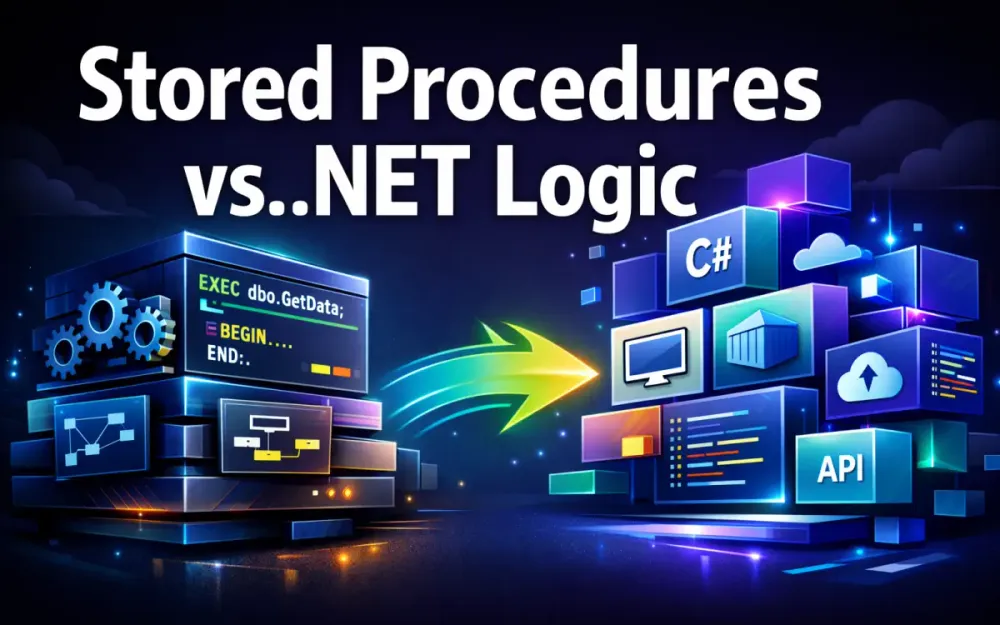
This approach made sense at the time, but it creates significant modernization debt today. The central question architects now face is not whether stored procedures are “bad,” but which logic still belongs in SQL and which logic should move into .NET or distributed services.
1.1 The evolution of SQL-centric architecture: Why we built this way
The SQL-first architecture emerged from very practical constraints. In the early and mid-2000s, databases were the most powerful and reliable component in the stack. SQL Server, Oracle, and DB2 offered strong transactional guarantees, mature optimizers, and far more compute power than most application servers. Running logic close to the data reduced network round trips and improved performance in a measurable way.
Teams were also smaller and more centralized. A stored procedure provided a single, authoritative place to implement critical logic without coordinating changes across multiple services. For example, a 2008-era order processing system might have 40+ stored procedures handling inventory checks, pricing rules, tax calculations, payment posting, and order state transitions. Putting this logic in SQL reduced coordination overhead and simplified deployment in a monolithic environment.
Databases also offered capabilities that were difficult to replicate elsewhere at the time:
- Set-based operations for bulk inserts, updates, and deletes
- Batch processing for billing, reporting, and end-of-day reconciliation
- Atomic transactions spanning multiple tables with minimal effort
- Native constructs like CTEs, window functions, and temp tables for complex data manipulation
As .NET matured, the surrounding ecosystem changed. ORMs such as EF Core and micro-ORMs like Dapper improved productivity. CI/CD pipelines became standard. Cloud platforms pushed teams toward stateless services and horizontal scaling. Stored-procedure-heavy systems, however, largely remained frozen in earlier assumptions, leaving a large amount of logic tightly coupled to the database engine.
1.2 The “Black Box” problem: Version control, CI/CD bottlenecks, and hidden dependencies
Stored procedures often become “black box” code. They are frequently missing from the same Git workflows used for application code, or they exist as loosely managed SQL scripts. In many organizations, SP changes still happen directly in SSMS during production incidents, with little traceability.
This leads to predictable problems:
- Multiple conflicting versions of the same procedure across environments
- Hotfixes in production that never make it back to source control
- No automated tests, making even small refactors dangerous
- Implicit coupling between application behavior and undocumented SQL logic
- Hidden dependencies such as nested SP calls, triggers, linked servers, and SQL Agent jobs
The CI/CD impact is real and measurable. It’s common to see:
- Application deployments completing in 10–15 minutes
- Stored procedure deployments requiring 1–2 hour change windows, manual approvals, and DBA intervention
Even when SPs are checked into version control, teams still struggle with deployment ordering, schema drift, and reliable integration testing. The result is a pipeline where application code can evolve quickly, but data logic becomes a bottleneck. By 2026, this mismatch increases operational risk and makes cloud migration, containerization, and continuous delivery far more difficult than necessary.
1.3 Cost of ownership in 2026: Scaling SQL compute vs. scaling .NET containerized microservices
Modern cloud pricing shifts the economics of where logic runs. Managed SQL databases are expensive to scale vertically. Increasing CPU or memory usually means scaling the entire database instance, even if only one stored procedure is causing pressure.
As a rough comparison:
- Azure SQL Database (8 vCores) can cost around $1,100–$1,300 per month
- An equivalent workload split across .NET containers might run on 2–3 pods costing $150–$250 per month in total
When heavy business logic lives inside stored procedures, every execution competes for the most expensive compute in the system. A single billing procedure that runs for 15–20 seconds and consumes 60–70% CPU during peak periods can force an entire SQL instance to scale up.
Moving that logic into .NET services changes the cost profile:
- Database load decreases
- Compute scales horizontally instead of vertically
- Failures are isolated to individual services
- Spiky workloads are easier to absorb
In modernization programs, total cost of ownership increasingly becomes the deciding factor, alongside performance and maintainability.
1.4 Defining the “Gravity of Data”: When proximity to data outweighs the benefits of application logic
Despite the push to modernize, not all logic should leave the database. The “Gravity of Data” helps identify when SQL is still the right place. Operations that are primarily data-heavy benefit from staying close to the storage engine, where optimizers, indexes, and set-based execution shine.
Typical examples include:
- Monthly or quarterly financial rollups
- Inventory reconciliation across large tables
- Bulk pricing updates
- Large-scale filtering and aggregation involving hundreds of thousands or millions of rows
Pulling this data into .NET introduces overhead:
- Serialization and deserialization costs
- Increased memory usage
- Additional network latency
- Loss of set-based execution efficiency
A practical heuristic helps clarify the decision: If the operation is 80% or more about transforming data sets (joins, aggregates, bulk updates), keep it in SQL. If the operation is primarily about applying business rules, workflows, validations, or state transitions, the .NET application layer is usually the better home.
This distinction sets the foundation for the rest of the article: modern systems succeed not by eliminating stored procedures, but by using them deliberately where they provide the most value.
2 The Decision Framework: What to Move and What to Keep
Modernization succeeds when teams make consistent decisions. A clear framework prevents two common failures: moving too much logic into .NET and creating data inefficiencies, or leaving too much logic in SQL and preserving long-term rigidity. The goal is not to eliminate stored procedures, but to assign responsibilities intentionally based on what each layer does best.
2.1 Identifying “Business Logic” vs. “Data Logic”
In real systems, stored procedures often contain both business logic and data logic mixed together. This blending is the main source of confusion during modernization. Separating the two conceptually—even before changing any code—simplifies planning and reduces risk.
A helpful starting point is to ask: Is this logic deciding what should happen, or how data should be transformed?
Decision Flow (Practical Heuristic)
flowchart TD
    A[Start: Identify Logic] --> B{Primarily data transformation?}
    B -->|Yes| C{Touches >10,000 rows?}
    C -->|Yes| D[Keep in SQL]
    C -->|No| E[Evaluate hybrid approach]
    B -->|No| F{Business rules / workflow?}
    F -->|Yes| G[Move to .NET]
    F -->|Mixed| E
    E --> H[Split logic: SQL for data, .NET for rules]
This flow is not theoretical—it reflects patterns seen in successful migrations.
Data volume guidance
- < 1,000 rows → usually safe in .NET
- 1,000–10,000 rows → gray area, evaluate carefully
- > 10,000 rows → typically favors SQL
2.1.1 Business Logic: Validations, workflows, and state transitions (Migrate)
Business logic expresses domain rules and decision-making. These rules tend to evolve, accumulate exceptions, and require testing. SQL can express them, but it is not a good long-term home.
Typical examples:
- Credit and risk checks
- Order approval workflows
- Invoice lifecycle transitions
- Eligibility and compliance rules
- Cross-entity coordination
Business logic benefits from:
- Strong typing and refactoring support
- Unit and integration testing
- Clear separation of concerns
- CI/CD-friendly deployments
Realistic example: multi-rule credit approval
Legacy stored procedure pattern (simplified):
IF (@CustomerStatus <> 'Active')
    RAISERROR('Inactive customer', 16, 1);

IF (@OrderAmount > @CreditLimit)
    RAISERROR('Credit limit exceeded', 16, 1);

IF (@HasOutstandingInvoices = 1 AND @OrderAmount > 5000)
    RAISERROR('Outstanding balance restriction', 16, 1);
This logic becomes difficult to extend as rules grow.
Equivalent .NET domain logic:
public void ValidateOrderApproval(Order order, Customer customer)
{
    if (!customer.IsActive)
        throw new DomainException("Customer is inactive");

    if (order.Amount > customer.CreditLimit)
        throw new DomainException("Credit limit exceeded");

    if (customer.HasOutstandingInvoices && order.Amount > 5000)
        throw new DomainException("Outstanding balance restriction");

    if (order.Currency != customer.AllowedCurrency)
        throw new DomainException("Currency not permitted");
}
This version is:
- Easier to read
- Easier to test
- Easier to extend
- Safer to refactor
This class of logic should almost always migrate into .NET.
Gray-area example: discount calculation (hybrid)
Consider a discount calculation:
- Rule: 10% discount for preferred customers
- Rule: Extra 5% if total monthly spend exceeds $50,000
- Data: Monthly spend is an aggregate across thousands of orders
Best placement:
- Aggregate total spend → SQL
- Apply discount rules → .NET
This avoids pulling large datasets into the application while keeping business rules flexible.
2.1.2 Data Logic: Set-based operations, complex aggregations, and bulk updates (Keep)
Data logic focuses on transforming data efficiently at scale. SQL engines are designed for this and consistently outperform application code for these workloads.
Typical examples:
- Large aggregations and rollups
- Bulk updates and cleanup jobs
- Reporting queries
- Multi-table joins over large datasets
- ETL-style transformations
Example that should remain in SQL:
UPDATE Orders
SET Status = 'Expired'
WHERE DueDate < GETUTCDATE()
  AND Status = 'Pending';
Rewriting this in .NET would require:
- Loading large result sets
- Iterating row-by-row
- Managing concurrency manually
As a rule of thumb: If the primary challenge is moving or reshaping large volumes of data, SQL is the right tool.
2.2 The “Three-S” Litmus Test: Scalability, Security, and Simplicity
When logic is ambiguous, the Three-S test provides clarity.
Scalability
- Needs horizontal scaling? → .NET
- Tied to data volume and indexes? → SQL
Security
- Requires identity claims, roles, or policy evaluation? → .NET
- Simple data access control? → SQL
Simplicity
- Can a new developer understand it in 10 minutes?
- Is it testable without a database?
Stored procedures with 800–2,000 lines of branching logic usually fail the simplicity test.
If all three dimensions favor .NET, migration is usually justified.
2.3 Analyzing Vendor Lock-in: The cost of migrating off proprietary SQL features
Many stored procedures rely on database-specific features:
- Recursive CTEs
- Engine-specific MERGE semantics
- Window functions
- Oracle packages or user-defined types
- SQL Server CLR functions
These features increase migration cost and risk.
Before migrating, ask:
- Is there a business reason to change databases?
- Does the logic depend on optimizer behavior?
- Can equivalent performance be achieved elsewhere?
If the organization plans to remain on the same database platform long-term, aggressive rewrites may not be justified.
2.4 Risk Assessment Matrix: Evaluating the complexity of migration vs. the value of modernization
The risk matrix helps prioritize effort, but it must be applied consistently.
| Migration Complexity | Modernization Value | Recommendation |
|---|---|---|
| Low | High | Move to .NET |
| High | High | Partial migration / hybrid |
| Low | Low | Keep in SQL |
| High | Low | Definitely keep in SQL |
How to assess complexity (practical criteria)
Low complexity
- < 300 lines of SQL
- No cursors
- No nested SP calls
- Limited side effects
High complexity
-
500 lines
-
3 nested SP calls
- Uses cursors or temp tables heavily
- Mixed read/write responsibilities
- Trigger or job dependencies
Modernization value is high when logic:
- Changes frequently
- Blocks CI/CD
- Is poorly understood
- Causes scaling or cost issues
If an SP handles unrelated responsibilities—such as computing totals, updating state, and logging audit records—it is a strong candidate for decomposition, even if not fully migrated.
3 Architectural Patterns for the Transition
Modernizing stored-procedure-heavy systems is rarely a single-step effort. The safest approach is a controlled transition that allows new .NET code and legacy SQL logic to coexist for a period of time. The architectural patterns in this section help teams reduce risk, preserve business continuity, and gradually shift responsibility to the application layer without forcing a “big bang” rewrite.
3.1 Domain-Driven Design (DDD) as a migration catalyst
DDD is useful during modernization because it provides a clear method for identifying which parts of a stored procedure represent true business concepts versus technical data manipulation. Stored procedures often hide domain language inside parameter names, conditional logic, and error messages. Surfacing this language is the first step toward clean domain models.
A practical way to start is by reviewing stored procedure inputs and branching logic. For example:
- A parameter named
@customerStatussuggests a CustomerStatus value object. - Repeated checks like
@orderState IN ('Pending', 'Approved')indicate an OrderStatus concept. - Calculations that mix amounts, currencies, and rounding rules often point to a Money value object.
By mapping these elements, teams can identify aggregates and entities without rewriting the entire procedure upfront.
Example domain model extracted from billing logic:
public class Order
{
    public OrderId Id { get; }
    public Money Total { get; private set; }
    public OrderStatus Status { get; private set; }

    public void Approve(Customer customer)
    {
        if (!customer.CanApprove(Total))
            throw new DomainException("Customer not eligible for approval");

        Status = OrderStatus.Approved;
    }
}
The key benefit of DDD here is not theoretical purity. It gives teams a structured way to pull decision-making logic out of SQL and into code that is readable, testable, and easier to evolve as requirements change.
3.2 The Anti-Corruption Layer (ACL): Interfacing modern .NET code with legacy SPs during the transition
During migration, new .NET services often still depend on legacy stored procedures. An Anti-Corruption Layer protects modern code from leaking database-specific assumptions such as column names, parameter formats, or SQL error semantics.
The ACL should handle:
- Translation between SQL models and domain models
- Error handling and retries
- Defensive behavior when legacy logic fails
Repository interface:
public interface IOrderReadRepository
{
    Task<OrderReadModel?> GetOrderAsync(int orderId);
}
ACL implementation with error handling:
public class SqlOrderReadRepository : IOrderReadRepository
{
    private readonly IDbConnection _db;
    private readonly ILogger<SqlOrderReadRepository> _logger;

    public SqlOrderReadRepository(IDbConnection db, ILogger<SqlOrderReadRepository> logger)
    {
        _db = db;
        _logger = logger;
    }

    public async Task<OrderReadModel?> GetOrderAsync(int orderId)
    {
        try
        {
            return await _db.QueryFirstOrDefaultAsync<OrderReadModel>(
                "dbo.sp_GetOrder",
                new { orderId },
                commandType: CommandType.StoredProcedure);
        }
        catch (SqlException ex)
        {
            _logger.LogError(ex, "Failed to load order {OrderId}", orderId);
            throw new InfrastructureException("Order data unavailable");
        }
    }
}
With an ACL in place:
- Domain logic never depends on SQL error codes
- Stored procedures remain replaceable
- Migration can proceed incrementally without contaminating the domain layer
3.3 Command Query Responsibility Segregation (CQRS)
CQRS separates read and write responsibilities, which aligns well with stored-procedure-heavy systems. Many legacy databases already follow this pattern implicitly: stored procedures optimized for reporting coexist with transactional procedures for updates.
That said, CQRS is not free.
CQRS adds complexity. It should be used only when read and write workloads diverge meaningfully. For simple CRUD systems, CQRS often introduces unnecessary overhead.
Use CQRS when:
- Read models differ significantly from write models
- Reporting queries are complex or performance-critical
- Write operations require rich validation and workflows
Avoid CQRS when:
- CRUD operations are straightforward
- Read/write models are nearly identical
- The team lacks operational maturity
3.3.1 Using SPs for high-performance Read Models
Stored procedures often remain an excellent fit for read-heavy workloads. They can precompute aggregates, flatten joins, and return UI-optimized shapes efficiently.
Example:
public Task<IEnumerable<OrderSummary>> GetSummariesAsync()
{
    return _db.QueryAsync<OrderSummary>(
        "sp_GetOrderSummaries",
        commandType: CommandType.StoredProcedure);
}
This keeps read paths fast without pulling complex query logic into the application.
3.3.2 Using .NET Domain Models for complex Write commands
Write operations benefit most from moving into .NET. This is where workflows, validations, and state transitions live.
Example command handler:
public class ApproveOrderCommandHandler : IRequestHandler<ApproveOrderCommand>
{
    private readonly IOrderRepository _repository;

    public async Task Handle(ApproveOrderCommand cmd, CancellationToken ct)
    {
        var order = await _repository.GetAsync(cmd.OrderId);
        order.Approve(cmd.Customer);
        await _repository.SaveAsync(order);
    }
}
Bulk updates or data-heavy writes can still delegate parts of the operation back to SQL, but ownership of business decisions stays in code.
3.4 Strangler Fig Pattern: Incrementally replacing SP functionality without a “Big Bang” rewrite
The Strangler Fig Pattern is the safest way to retire large stored procedures. Instead of replacing everything at once, functionality is gradually redirected to new code while the legacy path remains available.
A practical timeline matters here. Shadow mode should not be rushed.
Recommended approach:
- Wrap the stored procedure behind a .NET façade
- Instrument usage, timing, and error rates
- Implement new logic in parallel
- Run shadow mode for at least 2–3 full business cycles (for example, two or three monthly billing runs)
- Compare results automatically
- Switch production traffic only after consistent parity
- Remove legacy SQL once confidence is high
Example shadow-mode execution:
public async Task<InvoiceResult> GenerateInvoiceAsync(int id)
{
    var legacy = await _legacyRepo.RunBillingSP(id);
    var modern = await _billingService.Calculate(id);

    _comparator.Compare(legacy, modern);

    return legacy; // production still uses legacy path
}
Shadow mode reveals edge cases that documentation never captured and allows teams to fix issues without risking production stability.
Pattern Selection Guidance
Choosing the right pattern depends on the problem being solved.
| Pattern | Best Used When |
|---|---|
| DDD | Business rules are complex and frequently changing |
| ACL | Legacy SQL cannot be changed immediately |
| CQRS | Read and write workloads differ significantly |
| Strangler Fig | Large SPs must be retired gradually with zero downtime |
In most real systems, these patterns are combined. DDD shapes the domain, ACL protects it, CQRS optimizes access paths, and the Strangler Fig pattern manages the transition safely.
The goal is not architectural purity. The goal is steady progress toward a system where business logic lives in code, data logic stays close to the data, and changes can be made with confidence.
4 Performance Realities: SQL Execution Plans vs. .NET Middleware
Performance is usually the first concern when teams talk about moving logic out of stored procedures. The fear is understandable: SQL executes logic in-process, while .NET introduces network hops, serialization, and runtime overhead. But in practice, most performance issues during modernization do not come from “.NET being slow.” They come from how the logic is moved.
SQL remains the best tool for set-based, data-heavy work. At the same time, modern .NET runtimes, ORMs, and async pipelines are far more efficient than they were even five years ago. The goal is not to replace SQL execution plans, but to understand where application code performs well enough—and where SQL should continue to dominate.
4.1 The Latency Tax: Evaluating the overhead of round-trips vs. in-process execution
Stored procedures avoid network round-trips entirely by executing inside the database engine. This advantage matters most when logic involves multiple dependent steps that must run sequentially. When that same logic moves into .NET, each database interaction becomes a client–server hop.
However, it’s important to keep the overhead in perspective. In a typical cloud deployment where the application and database are in the same region (for example, Azure App Service and Azure SQL in the same data center), a single database round-trip is often in the low single-digit milliseconds range. The exact number varies widely based on network topology, TLS settings, and load, so it should be treated as environment-dependent, not a fixed constant.
Where teams get into trouble is not the hop itself, but how many hops they introduce.
Consider a naïve migration of logic that previously ran inside one stored procedure:
- Load the order
- Validate business rules
- Update order state
Naïve .NET implementation:
var order = await db.Orders.FindAsync(id);      // hop #1
Validate(order);                                 // in-process
order.Status = OrderStatus.Approved;
await db.SaveChangesAsync();                     // hop #2
Two hops are not inherently bad, but multiply this pattern across loops or workflows and latency adds up quickly.
The fix is usually batching, projection, or transactional grouping—not reverting to stored procedures. For example:
var order = await db.Orders
    .Where(o => o.Id == id)
    .Select(o => new OrderForApproval(
        o.Id,
        o.Amount,
        o.Customer.Credit))
    .SingleAsync();
This reduces payload size, avoids unnecessary tracking, and keeps round-trips under control.
Connection pooling matters
Round-trip cost is heavily influenced by connection management. Poor pooling configuration can dwarf query execution time.
Practical guidance:
- Always rely on ADO.NET connection pooling (enabled by default)
- Avoid opening and closing connections inside loops
- Use a single DbContext per unit of work
- Monitor pool exhaustion under load
In many real systems, fixing pooling issues produces larger gains than any query rewrite.
4.2 EF Core 8/9 performance features: compiled models, interceptors, and SQL generation
EF Core 8/9 are released, with substantial performance and predictability improvements compared to earlier versions. These improvements materially change the trade-offs between stored procedures and ORM-generated SQL.
Compiled models
Compiled models remove runtime model building and expression-tree interpretation. EF Core generates metadata and mapping code at build time instead of startup.
Enabling a compiled model:
var options = new DbContextOptionsBuilder<AppDbContext>()
    .UseModel(CompiledModels.AppDbContextModel.Instance)
    .Options;
Benchmark context In a production-sized model (~150 entities, ~600 properties), teams have observed:
- Startup time reduced from ~2.1s to ~1.3s
- Lower memory allocation during cold start
- More predictable warm-up behavior in containers
The benefit is most noticeable in:
- Serverless or scale-to-zero scenarios
- Short-lived containers
- Large enterprise models
Interceptors
Interceptors provide controlled visibility into SQL execution without polluting business code. They are especially useful when replacing stored procedures because they make ORM behavior observable.
Example logging interceptor:
public class QueryLoggingInterceptor : DbCommandInterceptor
{
    public override InterceptionResult<DbCommand> ReaderExecuting(
        DbCommand command,
        CommandEventData eventData,
        InterceptionResult<DbCommand> result)
    {
        Console.WriteLine(command.CommandText);
        return result;
    }
}
Interceptors help identify:
- Unexpected query shapes
- N+1 patterns
- Inefficient projections
This makes it easier to decide whether a query belongs in EF Core, Dapper, or SQL.
SQL generation improvements
EF Core 8/9 generates significantly cleaner SQL than earlier versions:
- Better GROUP BY translation
- Improved handling of window functions
- Fewer nested subqueries
- More predictable join ordering
For many read and write paths, the generated SQL is now comparable to hand-written queries, removing a historical reason for pushing logic into stored procedures.
4.3 Memory management: streaming in .NET vs. SQL cursors
Handling large datasets used to be a weak point for application code. SQL cursors were not great, but at least data stayed inside the engine. Modern .NET introduces streaming patterns that make iterative processing safer and more observable.
IAsyncEnumerable for streaming
Instead of materializing entire result sets:
await foreach (var item in db.Orders
    .AsNoTracking()
    .Where(o => o.Status == OrderStatus.Pending)
    .AsAsyncEnumerable())
{
    Process(item);
}
This:
- Keeps memory usage flat
- Avoids large object allocations
- Works well for long-running background jobs
ValueTask to reduce allocation pressure
For hot paths and high-frequency calls:
public ValueTask<Order?> GetOrderAsync(int id)
{
    return db.Orders.FindAsync(id);
}
ValueTask reduces allocations when results are frequently cached or completed synchronously.
SQL cursors vs. streaming
SQL cursors still carry locking and performance risks and should generally be avoided. If logic truly requires row-by-row processing, streaming in .NET is often easier to reason about and monitor.
That said, when the operation is fundamentally an aggregation or transformation across large datasets, SQL’s set-based execution remains superior.
4.4 Hybrid persistence: Dapper and EF Core side by side
Modern systems rarely choose a single data access strategy. A hybrid approach combines EF Core’s productivity with Dapper’s low-level performance.
Practical comparison
| Concern | EF Core | Dapper |
|---|---|---|
| Change tracking | Built-in | Manual |
| Domain modeling | Strong | Minimal |
| Migrations | Built-in | External tools |
| Raw performance | Good (with tuning) | Excellent |
| Query control | Medium | Full |
| Best use case | Writes, aggregates, workflows | Read-heavy, optimized queries |
Example Dapper usage:
var orders = await connection.QueryAsync<OrderSummary>(
    "SELECT Id, CustomerName, TotalAmount FROM vw_OrderSummary");
EF Core remains ideal for:
- Domain-centric workflows
- Transactional consistency
- Complex write logic
Dapper fits best when:
- SQL is already optimized
- Read paths dominate
- Minimal overhead is required
Used together, they eliminate the false choice between “ORM” and “stored procedures” while keeping performance predictable.
5 Testing and Refactoring Strategies
Testing is where most stored-procedure-heavy systems struggle. Much of the logic lives inside the database, relies on side effects, and assumes a specific schema and runtime context. Modernization requires extracting logic into .NET while proving—continuously—that behavior has not changed. The goal is confidence: confidence that new code matches legacy output, performs acceptably, and can be deployed repeatedly without fear.
5.1 The Challenge of “Untestable” SQL: Breaking the dependency on live databases
Stored procedures are hard to test because they depend on:
- Database schema and constraints
- Session-level settings
- Temp tables and implicit transactions
- Side effects rather than pure inputs/outputs
A practical first step is to introduce an abstraction around the legacy call so application logic can be tested without executing SQL every time.
Abstraction for legacy execution
public interface IBillingCalculator
{
    Task<LegacyBillingResult> RunLegacyAsync(int customerId);
}
Production implementation (calls the stored procedure):
public class SqlBillingCalculator : IBillingCalculator
{
    private readonly IDbConnection _db;

    public SqlBillingCalculator(IDbConnection db)
    {
        _db = db;
    }

    public Task<LegacyBillingResult> RunLegacyAsync(int customerId)
    {
        return _db.QuerySingleAsync<LegacyBillingResult>(
            "dbo.sp_GenerateMonthlyBilling",
            new { customerId },
            commandType: CommandType.StoredProcedure);
    }
}
Test implementation (returns controlled data):
public class FakeBillingCalculator : IBillingCalculator
{
    public Task<LegacyBillingResult> RunLegacyAsync(int customerId)
    {
        return Task.FromResult(new LegacyBillingResult
        {
            CustomerId = customerId,
            Total = 100.00m,
            LineItems = new[] { "BaseCharge", "Tax" }
        });
    }
}
Unit test using the fake:
[Fact]
public async Task BillingService_Uses_Legacy_Result_Correctly()
{
    var calculator = new FakeBillingCalculator();
    var service = new BillingService(calculator);

    var result = await service.GenerateAsync(123);

    Assert.Equal(100.00m, result.Total);
}
This approach does not replace database testing. It decouples business logic testing from database availability so teams can refactor safely and quickly.
5.2 Modern Integration Testing with Testcontainers for .NET
Unit tests alone are not enough. Integration tests ensure that migrated logic works with the real database schema, indexes, and SQL behavior. Testcontainers provides a clean way to run these tests against disposable, production-like databases.
Key benefits:
- No shared test databases
- No manual cleanup scripts
- Predictable test environments
Each test run starts from a known state.
5.2.1 Spinning up ephemeral SQL instances for CI/CD
Example SQL Server container setup:
var sqlContainer = new MsSqlBuilder()
    .WithPassword(Environment.GetEnvironmentVariable("SQL_TEST_PASSWORD")!)
    .WithName("billing-test-sql")
    .Build();

await sqlContainer.StartAsync();

var connectionString = sqlContainer.GetConnectionString();
Important note: In CI/CD pipelines, always source credentials from environment variables or secret stores. Never hardcode passwords in test code or repositories.
Example integration test:
[Fact]
public async Task Should_Generate_Invoice_Correctly()
{
    using var db = new AppDbContext(connectionString);
    await db.Database.MigrateAsync();

    var service = new InvoiceService(db);
    var result = await service.GenerateAsync(123);

    Assert.Equal(100.00m, result.Total);
}
These tests are slower than unit tests, but they provide the confidence needed before retiring stored procedures.
5.3 Golden Master Testing: Ensuring parity with legacy stored procedures
Golden Master testing is critical when replacing long-lived stored procedures whose exact behavior is business-critical but poorly documented. The idea is to treat the stored procedure’s output as the source of truth and verify that the new .NET implementation produces the same result.
One practical challenge is volatile fields—timestamps, generated IDs, or GUIDs—that naturally differ between runs.
Normalizing outputs before comparison
private BillingResult Normalize(BillingResult result)
{
    result.GeneratedAt = default;
    result.CorrelationId = Guid.Empty;
    return result;
}
Golden Master test with normalization:
[Fact]
public async Task BillingLogic_MustMatchLegacySP()
{
    var legacy = Normalize(await _legacyBilling.RunLegacyAsync(customerId));
    var modern = Normalize(await _modernBilling.CalculateAsync(customerId));

    var baseline = JsonSerializer.Serialize(legacy);
    var current = JsonSerializer.Serialize(modern);

    Assert.Equal(baseline, current);
}
Golden Master tests are especially valuable when:
- The SP has been in production for years
- Edge cases are known only through behavior
- Small differences could have financial impact
They act as a safety net during refactoring and parallel execution.
5.4 Observability: Tracing logic across the .NET/SQL boundary
Observability is not optional during modernization. When legacy SQL and new .NET logic run side by side, teams need to see exactly what is happening and where time is spent.
OpenTelemetry provides a standard way to trace requests across application code and database calls.
Tracing interceptor implementation
public class TracingInterceptor : DbCommandInterceptor
{
    private readonly ActivitySource _activitySource;

    public TracingInterceptor(ActivitySource activitySource)
    {
        _activitySource = activitySource;
    }

    public override async ValueTask<InterceptionResult<DbDataReader>> ReaderExecutingAsync(
        DbCommand command,
        CommandEventData eventData,
        InterceptionResult<DbDataReader> result,
        CancellationToken cancellationToken = default)
    {
        using var activity = _activitySource.StartActivity("sql.query");
        activity?.SetTag("db.statement", command.CommandText);

        return await base.ReaderExecutingAsync(command, eventData, result, cancellationToken);
    }
}
Registering the interceptor:
services.AddDbContext<AppDbContext>((sp, options) =>
{
    options.UseSqlServer(connectionString);
    options.AddInterceptors(
        new TracingInterceptor(sp.GetRequiredService<ActivitySource>()));
});
This instrumentation enables end-to-end traces that span:
- API endpoints
- Application services
- EF Core or Dapper calls
- Stored procedure execution
Tracing is especially useful during shadow mode, where differences in performance or behavior must be explained quickly.
Testing Exit Criteria: When is it safe to retire the stored procedure?
Before decommissioning a stored procedure, teams should meet explicit quality gates:
- >90% branch coverage on migrated business logic
- Golden Master tests passing across multiple business cycles
- Integration tests running against real schema
- No unresolved mismatches in shadow mode
- Production traces show acceptable latency and error rates
These criteria shift decisions from opinion to evidence. Once met, retiring the stored procedure becomes a controlled step—not a leap of faith.
6 Practical Implementation: A Real-World Migration Path
Modernizing stored-procedure-heavy applications works best when it is treated as an engineering program, not a refactor task. The safest migrations are incremental, observable, and reversible. Teams extract logic in stages, validate behavior continuously, and only remove legacy SQL once confidence is earned through evidence. This section walks through a real-world pattern used repeatedly in enterprise environments, showing not just what to do, but how teams actually make it work without disrupting production.
6.1 Case Study: Refactoring a Complex “Monthly Billing” Procedure
This case study is based on a mid-size insurance company with a 15-year-old policy administration system. The system relied on a large stored procedure named sp_GenerateMonthlyBilling that calculated premiums, applied discounts, generated adjustments, posted ledger entries, and updated account states. The procedure was roughly 1,800 lines long and touched nine core tables.
The business goal was to:
- Reduce SQL Server compute costs
- Enable faster changes to billing rules
- Improve testability and auditability
The challenge was that the procedure had been running in production for over a decade. Its behavior was only partially documented, and subtle edge cases had accumulated over time. A full rewrite was considered too risky.
The team chose an incremental migration with four stages:
- Map dependencies and side effects
- Introduce shadow mode for parallel execution
- Move validations and workflow logic into .NET
- Decommission the stored procedure only after sustained stability
This approach avoided a hard cutover and kept billing operational throughout the transition.
6.2 Step 1: Mapping the SP dependencies and side effects
Before touching code, the team needed a complete picture of what the stored procedure actually did—not what it was supposed to do. This included:
- Tables read and written
- Other procedures or functions invoked
- Use of cursors or temp tables
- Transaction boundaries and error handling
- Conditional branches tied to business rules
For SQL Server, Extended Events are an effective way to capture runtime behavior:
CREATE EVENT SESSION BillingDependencies
ON SERVER
ADD EVENT sqlserver.module_end
(WHERE object_name = 'sp_GenerateMonthlyBilling')
ADD TARGET package0.ring_buffer;
ALTER EVENT SESSION BillingDependencies ON SERVER STATE = START;
After running a billing cycle, the team could see:
- Which statements executed
- Execution order
- Tables and indexes touched
For Oracle, similar visibility can be achieved using:
DBMS_MONITORfor tracing- AWR/ASH reports for execution paths
For PostgreSQL, options include:
auto_explainwithlog_analyzeenabledpg_stat_statementsfor call graphslog_statement = 'all'in non-production environments
Regardless of database, the goal is the same: produce a dependency map that becomes the contract for the new .NET implementation. Only after this mapping is complete should logic be split between SQL (data-heavy operations) and .NET (rules and workflows).
6.3 Step 2: Implementing a “Shadow Mode” with rollback safety
Shadow mode allows the system to run legacy SQL logic and modern .NET logic side by side without changing production outcomes. This is the single most important safety mechanism in the migration.
The execution pattern:
- Run the legacy stored procedure
- Attempt the modern .NET calculation
- Compare results
- Log differences
- Always return the legacy result to production
Crucially, the modern path must never block production.
Example with explicit rollback behavior:
public async Task<BillingResult> GenerateAsync(int accountId)
{
    var legacy = await _billingLegacy.RunAsync(accountId);

    try
    {
        var modern = await _billingModern.CalculateAsync(accountId);
        await _billingComparator.CompareAsync(legacy, modern, accountId);
    }
    catch (Exception ex)
    {
        _logger.LogError(ex, "Modern billing failed for account {AccountId}", accountId);
        // Continue safely with legacy result
    }

    return legacy;
}
If the modern calculation throws, the system logs the failure and continues using the stored procedure. This ensures that billing never fails because of partially migrated logic.
Shadow mode should run for at least 2–3 complete business cycles. In this case, that meant two to three monthly billing runs. Only after repeated parity should the team consider switching traffic.
6.4 Step 3: Moving validation logic into .NET with FluentValidation
Once shadow mode stabilizes, business validations are the next extraction target. In the legacy procedure, these validations were scattered across IF blocks and CASE expressions, making them hard to reason about or test.
Moving them into FluentValidation makes rules explicit and composable.
Example with cross-field and conditional logic:
public class BillingRequestValidator : AbstractValidator<BillingRequest>
{
    public BillingRequestValidator()
    {
        RuleFor(x => x.Amount)
            .GreaterThan(0);

        RuleFor(x => x.CustomerStatus)
            .Equal(CustomerStatus.Active)
            .WithMessage("Customer must be active");

        RuleFor(x => x)
            .Must(x =>
                x.CustomerCredit >= x.Amount ||
                x.IsVipCustomer)
            .WithMessage("Insufficient credit unless customer is VIP");
    }
}
This validator expresses a real-world rule that was previously buried in SQL. It is now:
- Readable
- Testable
- Easy to change
The stored procedure can be simplified because it no longer enforces domain rules. SQL remains responsible for applying validated results at scale.
6.5 Step 4: Decommissioning the SP with a defined rollback window
After multiple successful billing cycles using the modern path, the team began redirecting production traffic. This was done gradually and with explicit rollback capability.
Recommended cutover steps:
- Switch API calls to the .NET billing service
- Keep the stored procedure available behind a feature flag
- Increase logging and tracing for the new flow
- Run billing in production for validation
- Maintain rollback capability for 30–60 days post-cutover
This rollback window allows teams to respond safely to delayed edge cases, audit findings, or business corrections.
During this phase, optimization becomes worthwhile. Developers can:
- Break billing logic into smaller services
- Cache reference data
- Parallelize independent calculations
Example parallel processing:
var results = await Task.WhenAll(
    accounts.Select(a => _billingProcessor.ProcessAsync(a)));
And hybrid persistence:
await using var tx = await db.Database.BeginTransactionAsync();

await db.LedgerEntries.AddRangeAsync(entries);
await db.SaveChangesAsync();

await _dapper.ExecuteAsync(
    "UPDATE Accounts SET LastBilled = @date WHERE Id = @id",
    new { date = billingDate, id = accountId });

await tx.CommitAsync();
Ownership and team coordination during transition
Clear ownership prevents confusion:
- Database team owns the legacy stored procedure until retirement
- Application team owns the new .NET billing logic
- Architect defines cutover criteria and rollback rules
- Product/business signs off on parity validation
This shared responsibility model ensures that no part of the system becomes “orphaned” during migration.
At the end of the process, the system has:
- Business logic clearly expressed in .NET
- Data-heavy operations optimized in SQL
- Strong observability and rollback guarantees
- A team aligned on ownership and responsibilities
That combination—not just new code—is what makes modernization sustainable.
7 Modern Tooling and Open-Source Ecosystem
Tooling only adds value when it supports a specific phase of migration. In stored-procedure-heavy modernization efforts, teams often collect tools without a clear plan for when and why to use them. This section reframes the ecosystem around how these tools fit into the migration lifecycle, from discovery through cutover and optimization.
Think of the tooling stack as layered support, not a checklist.
7.1 Dapper: High-performance SQL during dependency mapping and shadow mode
Best used in:
- Phase 1: Dependency mapping
- Phase 2: Shadow mode execution
During early migration phases, teams need precise control over SQL shape while preserving performance. Dapper is ideal here because it executes SQL exactly as written, without ORM abstractions getting in the way.
Example use during dependency mapping:
var rows = await connection.QueryAsync<BillingSummary>(
    "SELECT AccountId, TotalCharge FROM BillingSummary WHERE BillingDate = @date",
    new { date });
This helps teams:
- Reproduce existing stored-procedure queries
- Validate SQL output independently
- Compare legacy and modern paths with minimal overhead
Multi-mapping is useful when reconstructing read models previously produced by SPs:
var sql = @"SELECT a.Id, a.Name, c.Amount
            FROM Accounts a
            JOIN Charges c ON a.Id = c.AccountId
            WHERE a.Id = @id";

var result = await connection.QueryAsync<Account, Charge, Account>(
    sql,
    (account, charge) =>
    {
        account.AddCharge(charge);
        return account;
    },
    new { id });
Dapper works best when SQL is already optimized and stable. It acts as a “controlled bridge” between legacy SQL and new application logic.
7.2 FluentMigrator / DbUp: Schema control during parallel operation and cutover
Best used in:
- Phase 2: Shadow mode
- Phase 3: Validation extraction
- Phase 4: Cutover and cleanup
Schema drift is common in legacy environments. FluentMigrator and DbUp bring database changes into the same lifecycle as application code, which is critical when SQL and .NET logic coexist.
FluentMigrator example (updated for 2026)
[Migration(2026011501)]
public class AddBillingHistoryTable : Migration
{
    public override void Up()
    {
        Create.Table("BillingHistory")
            .WithColumn("Id").AsInt32().PrimaryKey().Identity()
            .WithColumn("AccountId").AsInt32()
            .WithColumn("Amount").AsDecimal(18, 2)
            .WithColumn("BillingDate").AsDate();
    }

    public override void Down()
    {
        Delete.Table("BillingHistory");
    }
}
DbUp remains useful when teams prefer script-based control:
var upgrader = DeployChanges.To
    .SqlDatabase(connectionString)
    .WithScriptsEmbeddedInAssembly(Assembly.GetExecutingAssembly())
    .Build();

var result = upgrader.PerformUpgrade();
These tools ensure:
- Schema changes are reviewed like code
- Rollbacks are explicit
- Production changes are repeatable
They are especially valuable during the overlap period when stored procedures and .NET logic both exist.
7.3 Entity Framework Core: Domain logic after validation extraction
Best used in:
- Phase 3: Business logic migration
- Phase 4: Post-cutover optimization
Once business rules move into .NET, EF Core becomes the primary tool for managing aggregates, transactions, and consistency boundaries.
Compiled query example:
private static readonly Func<AppDbContext, int, ValueTask<Order?>> _getOrder =
    EF.CompileAsyncQuery((AppDbContext ctx, int id) =>
        ctx.Orders.FirstOrDefault(o => o.Id == id));

var order = await _getOrder(db, id);
Projection-based read model:
var summary = await db.Invoices
    .Where(i => i.BillingDate == date)
    .Select(i => new InvoiceSummary(i.Id, i.Amount, i.Status))
    .ToListAsync();
EF Core works best when:
- Business invariants must be enforced
- Change tracking matters
- Domain models are central
It complements Dapper rather than replacing it.
Code generation helpers (often overlooked)
When migrating complex SQL, tools like SqlKata or linq2db can help generate .NET-friendly equivalents of existing queries. These are especially useful when:
- SQL is complex but well-understood
- Teams want to avoid rewriting large queries manually
- Query structure must remain consistent
They are not mandatory, but they reduce friction during large migrations.
7.4 BenchmarkDotNet: Performance validation before cutover
Best used in:
- After shadow mode stabilizes
- Before production cutover
Benchmarking too early produces misleading results. Run benchmarks only after functional parity is achieved.
Example benchmark:
[MemoryDiagnoser]
public class BillingBenchmarks
{
    private readonly BillingService _service;

    [Benchmark]
    public async Task<decimal> Legacy()
        => (await _service.RunLegacyAsync(123)).Total;

    [Benchmark]
    public async Task<decimal> Modern()
        => (await _service.CalculateAsync(123)).Total;
}
Execution:
BenchmarkRunner.Run<BillingBenchmarks>();BenchmarkDotNet helps teams:
- Confirm no regressions before cutover
- Identify hotspots introduced during migration
- Tune LINQ, batching, or parallelization
Without benchmarks, performance discussions tend to become opinion-driven instead of data-driven.
7.5 Respawn: Reliable database resets during testing
Best used in:
- Integration testing
- CI pipelines
- Shadow mode validation
Respawn simplifies database cleanup between tests without dropping schemas. The current API uses Respawner.
Updated example:
var respawner = await Respawner.CreateAsync(
    connectionString,
    new RespawnerOptions
    {
        TablesToIgnore = new[] { "__EFMigrationsHistory" }
    });

await respawner.ResetAsync(connectionString);
This ensures:
- Tests start from a known state
- No cross-test contamination
- Faster execution than full rebuilds
Respawn pairs well with Testcontainers and is critical for stable CI runs.
Supporting tools worth mentioning
During migration, teams often need to compare SQL outputs directly:
- Redgate SQL Compare
- ApexSQL Diff
These tools help validate schema and data parity when stored procedures are modified or retired.
Tooling mapped to migration phases (summary)
| Migration Phase | Primary Tools |
|---|---|
| Dependency mapping | Dapper, SQL Compare tools |
| Shadow mode | Dapper, Testcontainers, Respawn |
| Logic extraction | EF Core, FluentValidation |
| Performance validation | BenchmarkDotNet |
| Cutover & cleanup | FluentMigrator / DbUp, EF Core |
The key takeaway is simple: tools support decisions, not the other way around. When aligned with migration phases, this ecosystem makes stored procedure modernization predictable instead of risky.
8 Future-Proofing: Beyond the Migration
The real value of migrating logic out of stored procedures is not that the code looks cleaner. It’s that the system becomes easier to change without touching the database every time the business asks for something new. This section focuses on what directly follows an SP-to-.NET migration and how teams can preserve those gains over time, without drifting into a full cloud-architecture discussion.
8.1 What “future-proofing” actually means after an SP-to-.NET migration
Future-proofing here does not mean rewriting the system for every new platform. It means removing the architectural constraints created by logic-heavy stored procedures.
Once business rules live in .NET:
- Database engines stop being the workflow engine
- Stored procedures stop being the unit of deployment
- Logic becomes portable across runtimes and data stores
At that point, teams gain options. They may continue using SQL Server for years, or they may introduce Postgres or a document store for specific read models. The key change is that these decisions are no longer blocked by embedded T-SQL logic.
As a concrete rule of thumb: If replacing the database requires rewriting hundreds of stored procedures, the system is not future-proof. If it requires swapping repository implementations, it is.
8.2 Distributed data only where it makes sense
Distributed databases such as Cosmos DB or Postgres replicas become viable only after stored-procedure dependency is removed. This is not about adopting new databases everywhere; it’s about being able to do so selectively.
A common pattern after migration is keeping transactional writes in SQL while moving read-heavy projections elsewhere.
Repository abstraction:
public interface IInvoiceReadRepository
{
    Task<InvoiceReadModel?> GetAsync(string id);
}
SQL implementation:
public class SqlInvoiceReadRepository : IInvoiceReadRepository
{
    private readonly AppDbContext _db;

    public Task<InvoiceReadModel?> GetAsync(string id) =>
        _db.Invoices
           .Where(i => i.Id == id)
           .Select(i => new InvoiceReadModel(i.Id, i.Amount, i.Status))
           .FirstOrDefaultAsync();
}
Cosmos DB implementation (trimmed):
public class CosmosInvoiceReadRepository : IInvoiceReadRepository
{
    private readonly Container _container;

    public async Task<InvoiceReadModel?> GetAsync(string id)
    {
        try
        {
            var r = await _container.ReadItemAsync<InvoiceReadModel>(
                id, new PartitionKey(id));
            return r.Resource;
        }
        catch (CosmosException ex) when (ex.StatusCode == HttpStatusCode.NotFound)
        {
            return null;
        }
    }
}
The important point is not Cosmos DB itself. It’s that no billing or pricing logic had to move to enable this change, because that logic already lives in .NET.
8.3 Serverless only works once stored procedures are out of the way
Serverless platforms do not replace stored procedures. They replace application logic that used to be trapped inside stored procedures.
In the case study earlier, the stored procedure sp_GenerateInvoiceSummary previously:
- Calculated totals
- Applied discounts
- Shaped output for reporting
After migration, that logic lives in a .NET service. That same service can now be hosted behind an Azure Function for on-demand execution.
Example Azure Function explicitly replacing legacy SP behavior:
public class InvoiceSummaryFunction
{
    private readonly IInvoiceService _service;

    [FunctionName("GenerateInvoiceSummary")]
    public async Task<IActionResult> Run(
        [HttpTrigger(AuthorizationLevel.Function, "post")] InvoiceRequest req)
    {
        // Replaces sp_GenerateInvoiceSummary
        var summary = await _service.BuildSummaryAsync(req.AccountId);
        return new OkObjectResult(summary);
    }
}
This was impossible when the logic lived inside SQL Server. After migration:
- Execution scales independently of the database
- Billing summaries can run on demand
- Monthly batch logic can be decomposed safely
Serverless is not mandatory, but moving logic to .NET makes it possible.
8.4 Enforcing a “SQL-Lite” culture after migration
After a successful migration, teams often regress by reintroducing logic into SQL “just this once.” Preventing that requires enforcement, not just guidelines.
A practical approach:
- Add a logic placement checklist to code review templates
Example checklist items:
- Does this change introduce new business rules?
- If yes, is the logic in .NET rather than SQL?
- Does this SQL change perform set-based data operations only?
- Will this logic require frequent business changes?
If the answer indicates business logic, reviewers should push it back into the application layer.
Ownership also matters:
- Application team owns business rules
- Database team owns schema and performance
- Architects arbitrate boundary violations
This turns “SQL-Lite” from a slogan into an operating rule.
8.5 Conclusion: What success actually looks like
This article started with a real problem: an 1,800-line monthly billing stored procedure that had become untestable, expensive to run, and risky to change.
After migration:
- That procedure became a ~400-line .NET service
- Business rules are covered by ~95% branch coverage
- Monthly billing changes deploy in minutes instead of hours
- SQL compute costs dropped by 30–40% due to reduced CPU pressure
- Stored procedure deployments are no longer part of the critical path
More importantly, the team can now answer new business requests without opening SSMS.
That is the real measure of success.
Practical KPIs to track after migration
- Deployment time (hours → minutes)
- Test coverage on migrated logic (>90%)
- SQL CPU and DTU/vCore utilization
- Number of production hotfixes in SQL
- Mean time to change billing rules
Modernizing stored-procedure-heavy systems is not about eliminating SQL. It’s about restoring balance. SQL does what it’s best at—data—and .NET does what it’s best at—behavior.
When that balance is achieved, the architecture stops resisting change and starts supporting it.