1 Why a 2025 ORM Showdown Still Matters
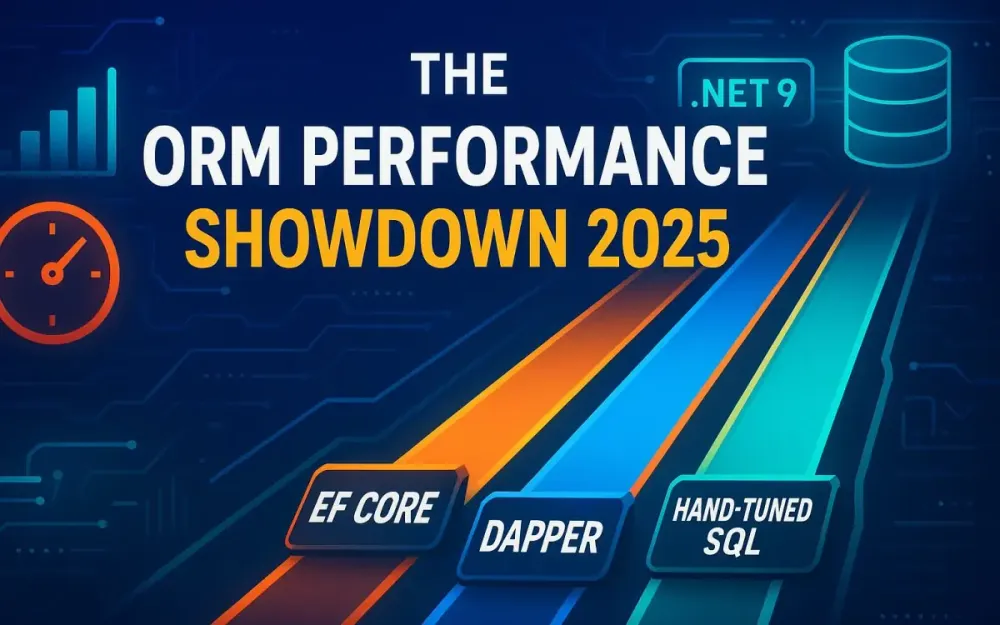
Relational data access has always been a balancing act between developer productivity and runtime efficiency. In .NET, three dominant paradigms have crystallized: Entity Framework Core, Dapper, and hand-tuned SQL. Each embodies a philosophy — abstraction, control, and precision — and as of 2025, the performance gap between them has both narrowed and shifted in interesting ways.
This article aims to cut through dated assumptions and community folklore to provide a data-driven, 2025-level comparison. You’ll see what’s changed since .NET 7, why EF Core 9’s AOT and compiled queries change the calculus, and when hand-crafted SQL still earns its keep.
1.1 The three ways to talk to your database in .NET: EF Core, Dapper, and hand-tuned SQL
For seasoned .NET developers, these three paths are familiar — but their trade-offs have evolved. Let’s set the baseline.
1.1.1 Entity Framework Core — the full ORM
Entity Framework Core (EF Core) provides a high-level abstraction over relational databases. It translates LINQ expressions into SQL and materializes the results into objects. Its promise is developer velocity, consistency, and safety across teams. A typical query might look like this:
var activeUsers = await context.Users
    .Where(u => u.IsActive)
    .OrderBy(u => u.LastLogin)
    .Take(50)
    .ToListAsync();
EF Core handles:
- Connection management and SQL generation
- Change tracking and identity resolution
- Transaction boundaries
- Relationship management (navigation properties)
- Migrations and schema evolution
The trade-off: you relinquish fine-grained SQL control for productivity. Historically, that meant more allocations, less predictable SQL, and slower cold starts — though EF Core 9 reduces these pain points significantly.
1.1.2 Dapper — the micro-ORM sweet spot
Dapper, created by Stack Overflow engineers, sits between ADO.NET and a full ORM. It doesn’t try to abstract SQL — it embraces it.
var activeUsers = await connection.QueryAsync<User>(
    "SELECT * FROM Users WHERE IsActive = 1 ORDER BY LastLogin OFFSET 0 ROWS FETCH NEXT 50 ROWS ONLY");
Dapper’s power lies in object mapping — fast, reflection-based hydration with almost zero overhead. You write the SQL, Dapper maps the rows to your objects.
Benefits:
- Near ADO.NET speed
- No hidden queries
- Minimal allocations and garbage
- Works with raw SQL and stored procedures
Cost:
- You own the SQL.
- Schema changes can cause drift.
- No built-in change tracking or migrations.
1.1.3 Hand-tuned SQL — the bare metal approach
At the bottom lies ADO.NET or raw SQL execution — the ultimate control layer. This is where every byte and round-trip matters:
using var cmd = new SqlCommand(
    "SELECT TOP 50 * FROM Users WHERE IsActive = 1 ORDER BY LastLogin", connection);
using var reader = await cmd.ExecuteReaderAsync();

var users = new List<User>();
while (await reader.ReadAsync())
{
    users.Add(new User
    {
        Id = reader.GetInt32(0),
        Name = reader.GetString(1),
        LastLogin = reader.GetDateTime(2)
    });
}
You’re responsible for parameterization, connection pooling, and type mapping. This is often used in hot paths — ingestion pipelines, pagination feeds, or reporting workloads — where milliseconds compound into dollars.
The key lesson: EF Core maximizes development speed, Dapper maximizes runtime speed, and hand-tuned SQL maximizes control. In 2025, you can — and often should — use all three strategically.
1.2 What changed since 2023–2024: .NET 9, EF Core 9 (STS), incremental perf work, and ecosystem maturity
The last two years have been evolutionary rather than revolutionary, but these incremental upgrades matter.
1.2.1 .NET 9 and the runtime edge
.NET 9 introduces profile-guided optimization (PGO) improvements, better JIT inlining heuristics, and enhanced async I/O throughput. The CLR now reduces allocations in common async-await paths, helping ORMs that make heavy use of await and enumerables.
Memory pressure in high-throughput scenarios (such as Dapper and EF Core compiled queries) is noticeably reduced due to better Span
1.2.2 EF Core 9 (STS) – maturity and stabilization
Released in November 2024, EF Core 9 is a Standard-Term Support (STS) release supported through November 2026. Key performance-related improvements include:
- Compiled models: Pre-generate your model and mappings at build time, cutting startup overhead by 60–80%.
- Precompiled queries: LINQ-to-SQL translation cached at compile time, eliminating dynamic expression tree parsing at runtime.
- Improved SQL translation: Fewer subqueries and more efficient joins, particularly for
GroupBy,Include, and split queries. - AOT readiness: You can publish an EF-powered app as AOT-native (ahead-of-time compiled) with no dynamic code generation.
- Diagnostics hooks: Better
DbCommandInterceptorand structured logging for easier profiling.
1.2.3 Ecosystem and benchmark trends
Community benchmarks (as of mid-2025) consistently show:
- EF Core 9’s compiled queries are now within 1.5–2x of Dapper in many read-heavy scenarios.
- Dapper still dominates on ultra-low-latency paths (microservices or hot endpoints under 1ms budget).
- Hand-tuned SQL wins for bulk operations and window-function-heavy analytics.
- Bulk libraries like EFCore.BulkExtensions and Dapper Plus have matured to provide parity in high-volume ingestion.
1.2.4 The new equilibrium
In short: EF Core’s productivity gap remains, but the performance gap has narrowed. The “EF is slow” narrative is now outdated if you adopt compiled queries, projections, and proper profiling.
1.3 The decision pressure for Sr Devs/Leads/Architects: latency SLOs, cloud costs, and team capability
Architectural choices are increasingly influenced by operational economics and human factors.
1.3.1 Latency and SLO pressures
Microservices now often carry latency budgets of 100–200 ms for end-to-end requests. Within that, database access may get only 20–40 ms. Even a few inefficient round-trips can violate SLOs. In distributed systems, every query that’s “just 10 ms slower” can multiply into real downtime.
1.3.2 Cloud cost realities
In cloud-hosted environments, ORM inefficiencies translate to CPU utilization and memory retention, which drive cost. A 10% drop in query CPU time can equal thousands of dollars saved per month for high-volume APIs.
Developers are realizing that performance is an economic feature. The ORM choice isn’t just an engineering decision; it’s a budget decision.
1.3.3 Team capability and maintainability
A single hand-optimized SQL developer can’t scale across multiple teams. EF Core abstracts away complexity for 80% of use cases, but for the 20% of hot paths, you need local experts who can drop to SQL when it matters.
The practical compromise: EF Core by default, Dapper or hand-SQL by exception — governed by benchmarks, not intuition.
1.4 The scope you’ll see in this article
This guide is built for senior developers, leads, and architects who make or influence ORM strategy in .NET environments. You’ll see:
-
Three high-impact workloads:
- Fan-out reads (lists, includes, projections)
- Bulk inserts (ETL, syncs, ingestion)
- Pagination (feed endpoints and grids)
-
Failure modes and fixes drawn from production experience
-
Performance methodology with BenchmarkDotNet and MiniProfiler
-
Concrete code examples in EF Core 9, Dapper, and hand-SQL
-
A mix-and-match decision guide for hybrid ORM use
By the end, you’ll have both the data and decision frameworks to choose — or blend — your ORM stack intelligently in 2025.
2 The Contenders and Their Strength Profiles
Now that we’ve set the context, let’s explore each contender’s 2025-era strengths, weaknesses, and ecosystem position.
2.1 EF Core in 2025: feature snapshot and where it shines
Entity Framework Core 9 isn’t just an ORM — it’s now a data access platform capable of spanning LINQ abstraction to compiled native binaries. Here’s what matters most for performance-minded developers.
2.1.1 Compiled queries
EF Core 9 introduces source-generated compiled queries, enabling you to bake query plans at compile time. Example:
static readonly Func<AppDbContext, bool, IAsyncEnumerable<User>> _getActiveUsers =
    EF.CompileAsyncQuery((AppDbContext ctx, bool isActive) =>
        ctx.Users.Where(u => u.IsActive == isActive));

await foreach (var user in _getActiveUsers(context, true))
{
    Console.WriteLine(user.Name);
}
Benefits:
- Zero runtime expression parsing.
- Predictable performance in tight loops.
- Safer for AOT-published applications.
Compiled queries are especially powerful for high-traffic endpoints where a query runs thousands of times per second.
2.1.2 Pre-compiled models and AOT
You can now precompile your EF model metadata with:
dotnet ef dbcontext optimizeThis removes runtime reflection and dynamic assembly generation. In AOT builds, this reduces startup time from seconds to milliseconds.
2.1.3 Split queries and mapping flexibility
EF Core 9’s split query improvements let you load complex graphs without blowing up your joins:
var blogs = await context.Blogs
    .Include(b => b.Posts)
    .AsSplitQuery()
    .ToListAsync();
Split queries now generate fewer redundant SELECTs and can pipeline results efficiently. You can switch between single-query and split-query modes depending on the shape of your graph and expected cardinality.
2.1.4 Improved translation and projection shaping
EF Core 9 continues refining SQL translation — fewer correlated subqueries and more optimized joins. LINQ projections now consistently translate to server-side SQL instead of client-side evaluation:
var summaries = await context.Orders
    .Select(o => new { o.Id, o.Customer.Name, Total = o.Items.Sum(i => i.Price) })
    .ToListAsync();
SQL translation improvements make EF Core competitive with hand-written queries for many analytical workloads.
2.1.5 Observability and diagnostics
EF Core’s integration with ILogger and MiniProfiler makes profiling first-class. You can now attach structured telemetry via DbCommandInterceptor and visualize slow queries in your APM.
Where EF Core shines in 2025:
- General-purpose application data layers.
- Read/write workloads with moderate concurrency.
- Code-first or model-driven development.
- Complex domain models with navigation properties.
EF Core’s strength is in maintainable performance — once configured and profiled, it performs consistently with minimal developer overhead.
2.2 Dapper in 2025: micro-ORM philosophy, strengths, and pitfalls
Dapper hasn’t changed much — and that’s a compliment. Its stability, minimalism, and speed are its brand.
2.2.1 Dapper’s core philosophy
Dapper’s mantra is simple: “You control the SQL, we handle the mapping.”
Its lightweight design means:
- No model metadata or dynamic proxy generation.
- No change tracker.
- Tiny surface area, under 50 KB of code.
That minimalism makes it ideal for read-heavy microservices and API backends where predictable performance and explicit SQL are required.
2.2.2 Modern strengths
Recent Dapper community improvements include:
- Support for async streams (IAsyncEnumerable)
- Source generators for typed queries and mappings (via community add-ons)
- Better integration with
Npgsql,MySqlConnector, andSqlClientproviders - Compatibility with .NET 9 AOT builds
Example:
var sql = "SELECT Id, Name FROM Customers WHERE IsActive = @active";
var customers = connection.Query<Customer>(sql, new { active = true });
Performance: Dapper is still the reference baseline in community benchmarks, often within 5–10% of raw ADO.NET performance.
2.2.3 Typical pitfalls
- SQL duplication — teams may copy queries across projects without a central repository.
- Mapping drift — schema changes can silently break queries.
- Limited abstraction — it’s easy to build spaghetti SQL without conventions.
Mitigations include:
- Shared SQL repositories.
- Integration tests validating mappings.
- Source-generated query wrappers.
2.2.4 What 2025 benchmarks suggest
In 2025 community benchmarks:
- Dapper outperforms EF Core 9 by roughly 1.3–1.7x on microbenchmarks.
- In macro scenarios (web API + I/O + async), the difference narrows to 1.1x.
- Memory usage is consistently lower — no change tracker, fewer allocations.
- Bulk inserts remain its weak point unless paired with Dapper Plus or raw
SqlBulkCopy.
Dapper is still the go-to for high-frequency, read-heavy, and latency-critical paths.
2.3 Hand-tuned SQL: when dropping down a level pays off
Despite ORM advances, there are scenarios where hand-tuned SQL is still unmatched — particularly when set-based logic or window functions dominate.
2.3.1 The use cases
- Complex pagination (keyset with composite keys)
- Reporting queries with CTEs, aggregates, or window functions
- Bulk data operations (MERGE, UPSERT, staging)
- Cross-database or vendor-specific SQL features
Example: Hydrating parent-child structures in one trip using JSON aggregation in PostgreSQL:
SELECT u.id, u.name,
       json_agg(json_build_object('id', o.id, 'total', o.total)) AS orders
FROM users u
LEFT JOIN orders o ON o.user_id = u.id
GROUP BY u.id;
You can deserialize this directly into a C# DTO using System.Text.Json.
2.3.2 Maintainability strategies
- Store queries in
.sqlfiles and embed them viaFile.ReadAllTextor source generators. - Use parameterized queries exclusively to avoid injection.
- Version-control SQL scripts with schema migrations.
- Wrap hand-SQL execution in a thin repository interface for testability.
2.3.3 Why it still matters
For workloads processing hundreds of thousands of rows per second, raw SQL can outperform EF or Dapper by an order of magnitude — because it’s free of abstraction overhead and fully leverages the database optimizer.
Used sparingly, it’s the performance “pressure valve” every architecture needs.
2.4 Complementary libraries you’ll see used
Modern ORM strategy often extends beyond the core library. Bulk operations, diagnostics, and tooling ecosystems fill important gaps.
2.4.1 EFCore.BulkExtensions
An open-source library compatible with EF Core 9, EFCore.BulkExtensions provides:
- Bulk insert/update/delete
- Bulk read and synchronization
- Transaction and batch size control
Example:
await context.BulkInsertAsync(users, new BulkConfig { BatchSize = 5000 });Best for teams preferring open-source solutions with moderate feature needs.
2.4.2 Z.EntityFramework.Extensions
A commercial, enterprise-grade library offering:
- Bulk insert/update/delete/merge
- Audit and soft-delete support
- Advanced features like temporary table strategies
- Dedicated support and frequent updates
It’s widely used in production environments where guaranteed stability and performance are required.
2.4.3 Dapper Plus
From the same vendor, Dapper Plus extends Dapper for bulk operations:
connection.BulkInsert(customers);It bridges Dapper’s main weakness — high-volume write performance — and brings transactional batching without changing Dapper’s lightweight feel.
3 Benchmarking & Profiling Methodology You Can Reproduce
Accurate benchmarking is the backbone of any ORM performance comparison. Without rigorous controls and repeatable experiments, results drift into folklore instead of facts. This section walks through a practical methodology you can reproduce in your own environment using BenchmarkDotNet, MiniProfiler, and consistent database setups. Each step is designed to eliminate noise and isolate true ORM performance characteristics under .NET 9.
3.1 BenchmarkDotNet setup for realistic micro/macro benchmarks in .NET 9
BenchmarkDotNet remains the gold standard for microbenchmarking in .NET. In 2025, its memory diagnoser and outlier filters have become precise enough to trust even sub-millisecond differences. The key is to configure it to mirror production as closely as possible — connection pooling on, async I/O, and realistic payload sizes.
A representative setup looks like this:
[MemoryDiagnoser]
[ThreadingDiagnoser]
[Outliers(OutlierMode.DontRemove)]
[RPlotExporter]
[SimpleJob(RuntimeMoniker.Net90, launchCount: 1, warmupCount: 3, iterationCount: 10)]
public class OrmBenchmarks
{
    private AppDbContext _efContext;
    private IDbConnection _dapperConnection;
    private List<int> _userIds;

    [GlobalSetup]
    public void Setup()
    {
        _efContext = new AppDbContext();
        _dapperConnection = new SqlConnection(ConnectionStrings.Default);
        _userIds = Enumerable.Range(1, 1000).ToList();
    }

    [Benchmark]
    public async Task EFCore_Reads()
    {
        await _efContext.Users
            .Where(u => _userIds.Contains(u.Id))
            .AsNoTracking()
            .ToListAsync();
    }

    [Benchmark]
    public async Task Dapper_Reads()
    {
        await _dapperConnection.QueryAsync<User>(
            "SELECT * FROM Users WHERE Id IN @Ids", new { Ids = _userIds });
    }
}
Key configuration notes:
- MemoryDiagnoser now reports allocation with GC generation breakdown.
- ThreadingDiagnoser helps identify contention on
DbContextor shared connections. - OutlierMode.DontRemove keeps tail latencies visible for realistic variance.
- SimpleJob gives you manual control over iteration counts and environment consistency.
For macrobenchmarks, wrap this harness in a minimal ASP.NET Core app using an in-process job so you can measure end-to-end latency across EF, Dapper, and raw ADO.NET.
3.1.1 Improved memory diagnoser accuracy
Since 2024, BenchmarkDotNet’s memory diagnoser uses EventPipe GC events rather than ETW sampling. This means allocation counts are within ±2% accuracy, even for async methods. You can now reliably measure whether EF’s change tracker is retaining references or if Dapper’s deserializer pools are effective.
3.2 Test database and dataset design: cardinality, indexes, skew, and data distributions
Realistic datasets matter far more than the framework itself. Benchmarks against a flat 10,000-row table with perfect uniformity are meaningless. For credible ORM comparisons, design data with cardinality variance and real-world skew.
3.2.1 Dataset composition
A typical schema for the showdown might include:
- Users (1M rows) — clustered on
Id, indexed byEmailandLastLogin - Orders (5M rows) — foreign-keyed to
Users - OrderItems (15M rows) — representing child entities for N+1 tests
Add data skew — a few users with thousands of orders, many with few. This stress-tests caching and query plan stability.
CREATE INDEX IX_Orders_UserId_LastUpdated ON Orders(UserId, LastUpdated DESC);3.2.2 Index and statistics tuning
Ensure automatic updates to statistics are on but do not manually clear caches between runs. ORMs rely on database caching just like production. For isolation, run separate database schemas per ORM variant to avoid plan pollution.
3.2.3 Data distributions
Include both dense key ranges (for pagination) and sparse foreign keys (for join tests). EF and Dapper differ in how they parameterize IN clauses; this affects cardinality estimation and query plan reuse.
3.3 Warmup, iteration, and environment controls to avoid benchmark traps
Benchmark accuracy hinges on eliminating cold-start bias, JIT variance, and connection warmup artifacts.
3.3.1 Warmup and stabilization
Run a 3–5 iteration warmup before collecting samples. This allows:
- JIT compilation of LINQ expressions and SQL generation.
- Connection pool priming.
- EF’s internal model caching to stabilize.
[GlobalSetup(Targets = new[] { nameof(EFCore_Reads), nameof(Dapper_Reads) })]
public void Warmup()
{
    // Trigger pre-compile once to avoid first-run bias
    _ = _efContext.Users.AsNoTracking().FirstOrDefault();
    _ = _dapperConnection.QueryFirstOrDefault<User>("SELECT TOP 1 * FROM Users");
}
3.3.2 Environmental consistency
- Disable turbo boost / CPU frequency scaling.
- Pin test process to dedicated cores.
- Use containerized SQL Server/PostgreSQL instances to ensure consistent latency.
- Keep OS and database caches warmed — benchmarks should measure ORM delta, not I/O randomness.
3.3.3 Avoiding false conclusions
Avoid comparing EF with a warm DbContext against Dapper with a fresh connection. Align contexts: either both reuse connections or both create new ones per operation.
3.4 MiniProfiler in ASP.NET Core for “in-the-app” tracing
Microbenchmarks reveal raw speed, but MiniProfiler shows how things behave under real web workloads — with middleware, serialization, and network delays included.
3.4.1 Integrating MiniProfiler
Install the NuGet package:
dotnet add package MiniProfiler.AspNetCore.MvcThen configure in Startup.cs:
public void ConfigureServices(IServiceCollection services)
{
    services.AddMiniProfiler(options =>
    {
        options.RouteBasePath = "/profiler";
        options.SqlFormatter = new StackExchange.Profiling.SqlFormatters.SqlServerFormatter();
    }).AddEntityFramework();
}
3.4.2 Capturing EF and Dapper traces
Wrap ORM calls:
using (MiniProfiler.Current.Step("EFCore Query - Orders"))
{
    var orders = await _context.Orders.Include(o => o.Items).ToListAsync();
}

using (MiniProfiler.Current.Step("Dapper Query - Orders"))
{
    var orders = await _connection.QueryAsync<Order>(
        "SELECT * FROM Orders o JOIN OrderItems i ON o.Id = i.OrderId");
}
MiniProfiler surfaces per-query timings, round-trip counts, and parameter payloads. It complements BenchmarkDotNet by providing contextual timing within a real request pipeline, showing where latency accumulates.
3.4.3 Interpreting results
- Many short steps: indicates N+1 or chatty data access.
- Few long steps: large joins or heavy serialization.
- Spikes under load: pool contention or missing async awaits.
3.5 Repo layout and baseline code
Keeping benchmarks reproducible requires clean structure. A recommended repository layout:
/src
  /EfCore
    - AppDbContext.cs
    - Entities/
  /Dapper
    - DapperHelper.cs
  /RawSql
    - SqlClientScaffold.cs
/benchmarks
  - OrmBenchmarks.cs
  - DatabaseSeeder.cs
  - appsettings.json
3.5.1 EF Core baseline
public class AppDbContext : DbContext
{
    public DbSet<User> Users => Set<User>();
    public DbSet<Order> Orders => Set<Order>();
    public AppDbContext(DbContextOptions<AppDbContext> options) : base(options) { }
}
3.5.2 Dapper helper
public static class DapperHelper
{
    public static async Task<IEnumerable<T>> QueryAsync<T>(this IDbConnection conn, string sql, object? param = null)
        => await conn.QueryAsync<T>(sql, param, commandTimeout: 30);
}
3.5.3 Raw ADO.NET baseline
public static async Task<List<User>> ReadUsersAsync(SqlConnection conn)
{
    using var cmd = new SqlCommand("SELECT * FROM Users", conn);
    using var reader = await cmd.ExecuteReaderAsync();
    var result = new List<User>();
    while (await reader.ReadAsync())
        result.Add(new User { Id = reader.GetInt32(0), Name = reader.GetString(1) });
    return result;
}
This structure ensures reproducibility and isolates each ORM’s code for cleaner analysis.
4 Hot Path 1 — Fan-Out Reads (lists with includes, filters, and per-row lookups)
Fan-out reads are the quintessential ORM stress test. These are list endpoints or dashboards that pull related data across one-to-many relationships — user with orders, order with items, etc. They’re deceptively simple yet performance-sensitive, especially under per-request caching or when served at scale.
4.1 Problem shape: N+1 patterns, per-request cache misses, and per-row calls
An N+1 query pattern happens when a parent entity is fetched in one query and each child in subsequent queries. For example:
var users = await context.Users.ToListAsync();
foreach (var user in users)
    user.Orders = await context.Orders.Where(o => o.UserId == user.Id).ToListAsync();
This creates 1 query for users + N for orders. In production, this can explode into hundreds of round-trips per request. It often hides behind LINQ or navigation properties until MiniProfiler exposes it.
Cache misses amplify this — if related entities aren’t cached or projected properly, every loop iteration hits the database.
4.2 EF Core strategies
4.2.1 Detecting N+1 via MiniProfiler
MiniProfiler reveals N+1 instantly by showing many small identical SQL commands. You can also enable EF Core’s logging:
optionsBuilder.LogTo(Console.WriteLine, LogLevel.Information);Look for repeated parameterized SELECT statements differing only by WHERE [UserId] = @p__linq__0.
4.2.2 Fixes: eager vs. split queries, projections, compiled queries, and caching
Eager loading solves N+1 by joining related tables:
var users = await context.Users
    .Include(u => u.Orders)
    .ThenInclude(o => o.Items)
    .AsNoTracking()
    .ToListAsync();
But large graphs can blow up memory. EF Core 9’s split queries help:
var users = await context.Users
    .Include(u => u.Orders)
    .AsSplitQuery()
    .ToListAsync();
For lightweight reads, projection is faster than entity hydration:
var dtos = await context.Users
    .Select(u => new UserSummaryDto
    {
        Id = u.Id,
        Name = u.Name,
        OrderCount = u.Orders.Count
    }).ToListAsync();
Add compiled queries for repetitive queries:
static readonly Func<AppDbContext, IAsyncEnumerable<UserSummaryDto>> GetUsersCompiled =
    EF.CompileAsyncQuery((AppDbContext db) =>
        db.Users.Select(u => new UserSummaryDto(u.Id, u.Name, u.Orders.Count)));
Combine this with AsNoTracking to avoid change tracker overhead on read paths.
When reads dominate, add a second-level cache such as EFCoreSecondLevelCacheInterceptor for hot entities.
Trade-offs:
- Eager joins may duplicate parent data.
- Split queries reduce duplication but increase round-trips.
- Projections give the best balance of speed and safety.
4.3 Dapper strategies
4.3.1 Multi-mapping to avoid N+1
Dapper’s multi-mapping loads parent-child data in one query and stitches it in memory:
var sql = @"
SELECT u.Id, u.Name, o.Id, o.Total
FROM Users u
LEFT JOIN Orders o ON u.Id = o.UserId";

var userDict = new Dictionary<int, User>();
var users = connection.Query<User, Order, User>(
    sql,
    (user, order) =>
    {
        if (!userDict.TryGetValue(user.Id, out var u))
        {
            u = user;
            u.Orders = new List<Order>();
            userDict.Add(u.Id, u);
        }
        if (order != null) u.Orders.Add(order);
        return u;
    }).Distinct().ToList();
This performs one round-trip and hydrates complete graphs. Dapper’s reader streaming keeps allocations minimal.
4.3.2 Batched SQL with table-valued parameters or array params
For per-row lookups, batch them instead of looping:
var ids = new[] { 1, 2, 3 };
var sql = "SELECT * FROM Orders WHERE UserId IN @ids";
var orders = await connection.QueryAsync<Order>(sql, new { ids });
SQL Server supports Table-Valued Parameters (TVPs); PostgreSQL supports array parameters. Both cut N+1 down to one.
4.4 Hand-tuned SQL
4.4.1 Window functions and JSON aggregation
For ultimate control, aggregate relational data server-side:
SELECT u.Id,
       u.Name,
       (
           SELECT json_agg(json_build_object('Id', o.Id, 'Total', o.Total))
           FROM Orders o WHERE o.UserId = u.Id
       ) AS Orders
FROM Users u;
Deserialize the JSON column directly into a DTO using System.Text.Json.
This eliminates ORM overhead and minimizes round-trips, ideal for large dashboards.
4.5 Benchmark design and example code: three implementations side-by-side
[Benchmark]
public async Task EFCore_FanOut()
{
    await _context.Users.Include(u => u.Orders).AsNoTracking().ToListAsync();
}

[Benchmark]
public async Task Dapper_FanOut()
{
    var sql = "SELECT u.*, o.* FROM Users u LEFT JOIN Orders o ON u.Id = o.UserId";
    await _connection.QueryAsync<User, Order, User>(sql, (u, o) => { u.Orders ??= new(); u.Orders.Add(o); return u; });
}

[Benchmark]
public async Task RawSql_FanOut()
{
    using var cmd = new SqlCommand("SELECT ...", _conn);
    using var reader = await cmd.ExecuteReaderAsync();
    // manual mapping omitted for brevity
}
Each benchmark runs under identical data, measuring allocations, CPU, and I/O wait.
4.6 Results interpretation patterns
Community benchmarks in 2025 show:
- EF Core 9 (compiled + projection): ~1.6× slower than Dapper, but with 80% fewer LOC and better maintainability.
- Dapper: lowest allocations, tightest latency variance.
- Raw SQL: wins for massive graphs but suffers from developer overhead.
When EF uses projections or split queries, the performance gap narrows to <30%. The biggest differentiator becomes round-trip count, not raw CPU.
4.7 Production checklist for fan-out reads
- Profile endpoints with MiniProfiler; look for query multiplicity.
- Prefer projections for large lists; skip entity materialization.
- Use AsNoTracking in all read paths.
- Cache reference data when possible.
- For Dapper, centralize SQL to avoid drift.
- Cap list sizes and implement pagination to prevent OOMs.
- Test against realistic cardinality, not toy data.
5 Hot Path 2 — Bulk Inserts (event ingestion, imports, nightly syncs)
Bulk inserts stress the write pipeline of any ORM. They expose transaction overhead, change tracker inefficiency, and batching behavior. Whether ingesting 100K IoT events or syncing CRM data nightly, performance scales only with the right approach.
5.1 Problem shape: 10K–10M row writes, constraints, and deadlock risk
EF’s default SaveChanges issues one INSERT per entity. For 1M rows, that’s catastrophic — thousands of round-trips.
Bulk ingestion demands:
- Batched network writes
- Efficient parameter binding
- Minimal tracking overhead
- Careful transaction and lock control
5.2 EF Core options
5.2.1 SaveChanges batching and ChangeTracker tuning
EF Core supports batching through MaxBatchSize:
optionsBuilder.UseSqlServer(conn, o => o.MaxBatchSize(200));To reduce overhead:
context.ChangeTracker.AutoDetectChangesEnabled = false;
context.AddRange(users);
await context.SaveChangesAsync();
Disable change tracking for pure inserts:
await context.Users.AsNoTracking().LoadAsync();5.2.2 Bulk libraries: EFCore.BulkExtensions vs. Z.EntityFramework.Extensions
EFCore.BulkExtensions:
await context.BulkInsertAsync(users, new BulkConfig { BatchSize = 10000 });Open-source, minimal dependencies, EF9 compatible.
Z.EntityFramework.Extensions:
context.BulkInsert(users, options =>
{
    options.BatchSize = 5000;
    options.IncludeGraph = true;
});
Supports SQL Server, PostgreSQL, MySQL; handles FKs and graph propagation. Choose EFCore.BulkExtensions for open-source needs, Z.EF for enterprise-grade throughput and support.
5.3 Dapper options
5.3.1 SqlBulkCopy and COPY
SQL Server:
using var bulk = new SqlBulkCopy(connection);
bulk.DestinationTableName = "Users";
await bulk.WriteToServerAsync(ToDataTable(users));
PostgreSQL (COPY command):
using var writer = connection.BeginBinaryImport("COPY users (id, name) FROM STDIN (FORMAT BINARY)");
foreach (var u in users)
{
    writer.StartRow();
    writer.Write(u.Id);
    writer.Write(u.Name);
}
await writer.CompleteAsync();
This bypasses ORM overhead entirely and pushes data in binary form for near-native speed.
5.3.2 Dapper Plus for convenience
connection.BulkInsert(users);
connection.BulkMerge(products);
Simplifies batch inserts/updates
while retaining Dapper’s simplicity.
5.4 Hand-tuned SQL
5.4.1 Staging tables and set-based MERGE/UPSERT
Use staging tables to load data without locking production tables:
CREATE TABLE Users_Stage (Id INT, Name NVARCHAR(100));
BULK INSERT Users_Stage FROM 'data.csv' WITH (FIELDTERMINATOR = ',', ROWTERMINATOR = '\n');

MERGE INTO Users AS T
USING Users_Stage AS S
ON T.Id = S.Id
WHEN MATCHED THEN UPDATE SET T.Name = S.Name
WHEN NOT MATCHED THEN INSERT (Id, Name) VALUES (S.Id, S.Name);
Batch in chunks (e.g., 10k rows) to avoid lock escalation.
Add retries for deadlocks using retry policies in .NET’s Polly library.
5.5 Benchmark design and example code
Design benchmarks for throughput (rows/sec) and tail latency (P95, P99):
[Benchmark]
public async Task EFCore_Bulk()
{
    await context.BulkInsertAsync(_users);
}

[Benchmark]
public async Task Dapper_Bulk()
{
    await _connection.BulkInsertAsync(_users);
}

[Benchmark]
public async Task RawSql_Bulk()
{
    await BulkWriteWithSqlCopy(_users);
}
Metrics to track:
- Insert throughput (rows/sec)
- CPU utilization
- Memory allocation
- Transaction commit time
In community tests, Dapper + SqlBulkCopy leads (≈150k rows/sec), EFCore.BulkExtensions close behind (≈100k/sec), and raw SQL staging dominates (≈200k/sec).
5.6 Real-world guardrails
- Keep transaction sizes under 50k rows to avoid lock escalation.
- Drop non-clustered indexes during mass inserts.
- Disable triggers unless needed, re-enable after ingestion.
- Pre-size data files to avoid autogrowth pauses.
- Validate FK constraints in batches, not inline.
- Use retry-on-deadlock with exponential backoff.
- Profile inserts with MiniProfiler to confirm batch consolidation.
Bulk ingestion isn’t just about speed — it’s about controlling lock contention and resource pressure. Proper batching and profiling turn a fragile nightly job into a predictable, resilient pipeline.
6 Hot Path 3 — Pagination (feed endpoints, back-office grids)
Pagination is deceptively simple — but in high-throughput systems, it can make or break query latency and correctness under load. Whether you’re powering a product catalog, activity feed, or admin dashboard, the difference between offset pagination and keyset (seek) pagination directly affects scalability and user experience.
6.1 Problem shape: page-key vs. offset pagination; correctness under concurrent writes
Offset pagination is the most familiar pattern — clients pass page and pageSize, and the backend skips page * pageSize rows. Example:
SELECT * FROM Orders ORDER BY CreatedAt DESC OFFSET 100 ROWS FETCH NEXT 50 ROWS ONLY;It’s simple but costly. The database must scan and discard all preceding rows, so latency grows linearly with page number. Moreover, under concurrent writes, users might see duplicates or missing rows, because new inserts shift offsets mid-pagination.
Keyset (seek) pagination avoids both issues. Instead of numeric offsets, it uses a stable cursor (often the last seen sort key):
SELECT * FROM Orders
WHERE CreatedAt < @LastSeen
ORDER BY CreatedAt DESC
FETCH NEXT 50 ROWS ONLY;
This approach scales with constant time and guarantees stable results, even under concurrent writes. The trade-off: clients must store and send back the last sort key — but for modern APIs, that’s a small price for predictable performance.
6.2 EF Core strategies
EF Core 9’s LINQ-to-SQL improvements make pagination both expressive and efficient if used correctly.
6.2.1 Projections + compiled queries; using keyset (seek) pagination patterns
For offset pagination:
var page = 5;
var pageSize = 50;

var pageData = await context.Orders
    .OrderByDescending(o => o.CreatedAt)
    .Skip(page * pageSize)
    .Take(pageSize)
    .Select(o => new OrderSummaryDto(o.Id, o.CustomerName, o.CreatedAt))
    .ToListAsync();
This is readable but not scalable for deep pages. Instead, adopt keyset pagination:
var lastSeen = lastOrderDate; // from previous page
var query = await context.Orders
    .Where(o => o.CreatedAt < lastSeen)
    .OrderByDescending(o => o.CreatedAt)
    .Take(50)
    .Select(o => new OrderSummaryDto(o.Id, o.CustomerName, o.CreatedAt))
    .ToListAsync();
Compile it for repetition-heavy endpoints:
static readonly Func<AppDbContext, DateTime, IAsyncEnumerable<OrderSummaryDto>> GetOrdersAfter =
    EF.CompileAsyncQuery((AppDbContext db, DateTime lastSeen) =>
        db.Orders
          .Where(o => o.CreatedAt < lastSeen)
          .OrderByDescending(o => o.CreatedAt)
          .Select(o => new OrderSummaryDto(o.Id, o.CustomerName, o.CreatedAt)));
Compiled queries remove LINQ parsing overhead, making EF competitive even with Dapper for paginated feeds.
6.2.2 Translating complex OrderBy/Where to efficient SQL in EF9
EF Core 9’s SQL translator has matured — but pitfalls remain when mixing dynamic filters and sorts:
var query = context.Orders.AsQueryable();
if (filter.CustomerId is not null)
    query = query.Where(o => o.CustomerId == filter.CustomerId);
if (filter.SortBy == "Total")
    query = query.OrderByDescending(o => o.Total);
else
    query = query.OrderByDescending(o => o.CreatedAt);
This pattern translates correctly in EF9 — but beware of multiple OrderBy calls, which override previous sorts. Use ThenBy or conditional expressions inside a single OrderBy block when necessary.
To detect translation inefficiencies, enable SQL logging:
optionsBuilder.LogTo(Console.WriteLine, LogLevel.Information);Watch for:
- Client evaluation warnings (indicates non-translatable LINQ).
- Nested subqueries (from complex navigations).
- TOP (SELECT) + OFFSET patterns that skip indexes.
Profiling the generated SQL via MiniProfiler ensures you’re not introducing hidden scans.
6.3 Dapper strategies
6.3.1 Hand-written keyset queries and dynamic filters safely (parameterization)
With Dapper, you explicitly control pagination logic:
var sql = @"
SELECT Id, CustomerName, CreatedAt
FROM Orders
WHERE CreatedAt < @LastSeen
ORDER BY CreatedAt DESC
LIMIT @PageSize;";

var page = await connection.QueryAsync<OrderSummaryDto>(sql, new { LastSeen = lastSeen, PageSize = 50 });
When supporting dynamic filters (e.g., customer, status), use a parameter-safe builder to avoid SQL injection:
var sb = new StringBuilder("SELECT Id, CustomerName, CreatedAt FROM Orders WHERE 1=1 ");
var param = new DynamicParameters();

if (!string.IsNullOrEmpty(customer))
{
    sb.Append("AND CustomerName = @Customer ");
    param.Add("Customer", customer);
}

sb.Append("AND CreatedAt < @LastSeen ORDER BY CreatedAt DESC LIMIT @PageSize");
param.Add("LastSeen", lastSeen);
param.Add("PageSize", 50);

var orders = await connection.QueryAsync<OrderSummaryDto>(sb.ToString(), param);
This approach gives full control while preserving safety and performance. Dapper’s flexibility shines in cases where pagination logic is heavily parameterized or when query plans are sensitive to filter combinations.
6.4 Hand-tuned SQL
6.4.1 Covering indexes, included columns, and persisted computed keys
Pagination performance is largely determined by index design. A covering index ensures the database can serve the query entirely from the index without lookups:
CREATE INDEX IX_Orders_CreatedAt_Includes
ON Orders (CreatedAt DESC)
INCLUDE (Id, CustomerName, Total);
If sorting involves computed values (like total order value), create persisted computed columns:
ALTER TABLE Orders ADD TotalValue AS (Quantity * Price) PERSISTED;
CREATE INDEX IX_Orders_TotalValue ON Orders(TotalValue DESC);
For cursor-based pagination across multiple keys, combine them in composite indexes:
CREATE INDEX IX_Orders_CreatedAt_Id ON Orders(CreatedAt DESC, Id DESC);This keeps page transitions consistent even with duplicate timestamps — a common real-world edge case.
6.5 Benchmark design and example code: offset vs. keyset under skewed datasets
To compare pagination methods fairly, use skewed data (e.g., heavy writes to recent timestamps). Example BenchmarkDotNet class:
[MemoryDiagnoser]
public class PaginationBenchmarks
{
    [Params(100, 1000, 10000)]
    public int Offset;

    private SqlConnection _conn;
    private AppDbContext _ctx;

    [Benchmark]
    public async Task EF_Offset()
    {
        await _ctx.Orders
            .OrderByDescending(o => o.CreatedAt)
            .Skip(Offset)
            .Take(50)
            .ToListAsync();
    }

    [Benchmark]
    public async Task EF_Keyset()
    {
        await _ctx.Orders
            .Where(o => o.CreatedAt < DateTime.UtcNow.AddMinutes(-Offset))
            .OrderByDescending(o => o.CreatedAt)
            .Take(50)
            .ToListAsync();
    }

    [Benchmark]
    public async Task Dapper_Keyset()
    {
        var sql = "SELECT * FROM Orders WHERE CreatedAt < @LastSeen ORDER BY CreatedAt DESC LIMIT 50";
        await _conn.QueryAsync<Order>(sql, new { LastSeen = DateTime.UtcNow.AddMinutes(-Offset) });
    }
}
Results in community tests (2025) show:
- Offset pagination latency grows linearly; keyset stays constant.
- EF Core 9 compiled queries narrow the gap to Dapper.
- Hand-SQL wins absolute throughput but marginally (<15%) over optimized EF keyset.
6.6 Production checklist: stable sort keys, next-page tokens, and read-after-write expectations
- Always sort by stable, unique keys (e.g.,
CreatedAt, Id) to avoid duplicates. - For APIs, encode next-page cursors as opaque tokens (Base64-serialized key values).
- Handle read-after-write gaps gracefully — new data may appear mid-pagination.
- Cache frequent pages (e.g., “most recent”) to cut DB load.
- Monitor query plans; regressions often stem from missing index maintenance.
- Use MiniProfiler to confirm consistent query execution times under load.
7 Classic Failure Modes & Proven Fixes
Even well-tuned ORMs stumble when fundamentals slip. The following patterns recur in production systems and can silently drain performance budgets.
7.1 N+1 and fan-out amplifiers
7.1.1 Symptoms in MiniProfiler and logs; fixes
Symptoms:
- Dozens of identical SQL queries differing by ID.
- MiniProfiler showing hundreds of micro-queries in a single request.
Fixes:
- Prefer
Includefor relationships that always load together. - Switch to projection for lightweight views.
- In EF: use
AsSplitQuery()for wide relationships. - In Dapper: aggregate keys and batch via
INqueries:
var sql = "SELECT * FROM Orders WHERE UserId IN @ids";
await conn.QueryAsync<Order>(sql, new { ids = userIds });
Both eliminate repeated round-trips while preserving data integrity.
7.2 Chatty saves (too many SaveChanges/roundtrips)
7.2.1 Fixes: batching, unit-of-work boundaries, bulk APIs
Calling SaveChanges() per entity triggers transaction churn. Instead:
context.AddRange(users);
await context.SaveChangesAsync();
For larger operations, use EFCore.BulkExtensions or Z.EF to batch writes.
In service layers, define unit-of-work boundaries that commit once per request or job, not per entity.
7.3 Change-tracker bloat
7.3.1 Fixes: no-tracking queries, detach patterns, compiled models
EF’s ChangeTracker can retain thousands of entries, consuming memory.
For read-heavy workloads:
await context.Users.AsNoTracking().ToListAsync();Detach entities when done:
context.Entry(entity).State = EntityState.Detached;Short-lived DbContext instances and compiled models mitigate leaks further.
7.4 Over-allocations and GC churn
7.4.1 Using BenchmarkDotNet diagnosers
Use BenchmarkDotNet’s MemoryDiagnoser and EventPipeProfiler:
[MemoryDiagnoser, ThreadingDiagnoser]
public class AllocationBenchmarks { ... }
Look for excessive allocations in ObjectMaterializer (EF) or RowParser (Dapper).
Reducing temporary object creation — especially in loops — stabilizes latency at scale.
7.5 SQL anti-patterns
7.5.1 Missing indexes, wildcard SELECTs, scalar UDFs, and implicit conversions
- Avoid
SELECT *; project only needed columns. - Replace scalar UDFs with inline table-valued equivalents.
- Watch for implicit conversions:
WHERE UserId = @UserId -- mismatched types cause full scanEnsure type parity in parameters to preserve index seeks.
Periodically run sys.dm_db_missing_index_details (SQL Server) or pg_stat_statements (Postgres) to surface missing indexes.
7.6 Observability patterns
7.6.1 MiniProfiler timings and APM integration
Instrument critical paths:
using (MiniProfiler.Current.Step("FetchOrders"))
{
    await _orderRepo.GetRecentOrders();
}
Add correlation IDs per request and integrate with APMs like Application Insights or Datadog.
Tag DB steps with ORM metadata (EF, Dapper, RawSQL) to track their distribution over time.
8 Decision Guide — Mixing EF Core + Dapper Safely in One Service
Modern systems rarely commit to one ORM exclusively. The pragmatic architecture combines EF Core’s developer ergonomics with Dapper’s raw speed — without creating chaos.
8.1 Capability matrix
| Capability | EF Core 9 | Dapper | Hand-SQL |
|---|---|---|---|
| Latency (Reads) | Medium | Low | Lowest |
| Throughput (Writes) | Medium | High | Highest |
| Dev Velocity | High | Medium | Low |
| Mapping Complexity | Low | Medium | High |
| Portability | High | High | Medium |
| Maintainability | High | Medium | Low |
This table illustrates: EF Core wins for productivity, Dapper for control, and hand-SQL for edge performance.
8.2 A pragmatic rule of thumb
Use EF Core as your default for most CRUD operations. Introduce Dapper or SQL only after profiling confirms a provable hot path — typically the top 10% of traffic that consumes 90% of database time. Break the rule if:
- Latency SLOs < 5ms per call.
- Queries rely on database-specific constructs.
- You need advanced bulk or analytical logic.
8.3 Tactical patterns
8.3.1 Shared connection/transaction management
EF Core and Dapper can share the same connection and transaction:
using var transaction = await context.Database.BeginTransactionAsync();
var connection = context.Database.GetDbConnection();

await connection.QueryAsync<Order>("SELECT * FROM Orders", transaction: transaction.GetDbTransaction());
await context.SaveChangesAsync();
await transaction.CommitAsync();
This ensures consistency without duplicate transactions.
8.3.2 Query composition boundaries
Use EF for aggregates or domain operations:
var stats = await context.Orders.GroupBy(o => o.CustomerId)
    .Select(g => new { g.Key, Total = g.Sum(o => o.Total) })
    .ToListAsync();
Use Dapper for custom projections or pagination:
var sql = "SELECT Id, Name FROM Customers ORDER BY CreatedAt DESC LIMIT 50";
await connection.QueryAsync<CustomerSummary>(sql);
Keep boundaries explicit; avoid mixing them mid-query.
8.3.3 Versioning and compatibility
Align EF Core 9 with .NET 9 runtime. Prepare for EF Core 10 (Nov 2025) which promises:
- Full AOT-native query compilation
- Smarter
SplitQueryheuristics - Improved diagnostics API Keep Dapper dependencies minimal for future-proofing.
8.4 Governance and code hygiene
8.4.1 Hot path registry and CI benchmarks
Maintain a registry of ORM-critical endpoints. In CI, run lightweight BenchmarkDotNet tests and compare deltas:
dotnet run -c Release --filter *HotPath*Alert when latency regresses beyond thresholds.
8.4.2 Shared DTOs and SQL review checklists
Share DTO definitions across EF and Dapper to prevent drift. Institute a SQL review checklist: parameterization, index coverage, pagination correctness. Static analysis tools like Roslyn analyzers can flag unparameterized SQL.
8.5 Rollout playbook
8.5.1 Start with profiling
- Profile endpoints using MiniProfiler.
- Identify queries above latency thresholds.
- Replace only those with Dapper or bulk libraries.
- Measure again — confirm improvement.
8.5.2 Track cost and performance over time
Integrate metrics into dashboards — track CPU time per ORM type, connection utilization, and SQL duration percentiles. When performance stabilizes, consider retiring bespoke SQL back into EF projections for maintainability.
The mature approach isn’t to pick sides — it’s to orchestrate strengths. By combining EF Core’s abstraction, Dapper’s precision, and SQL’s raw power, you create a data access layer that is both fast and sustainable — ready for 2025’s performance and cost realities.