1 The Great Divide: Why Partitioning is a Pillar of Modern Data Architecture
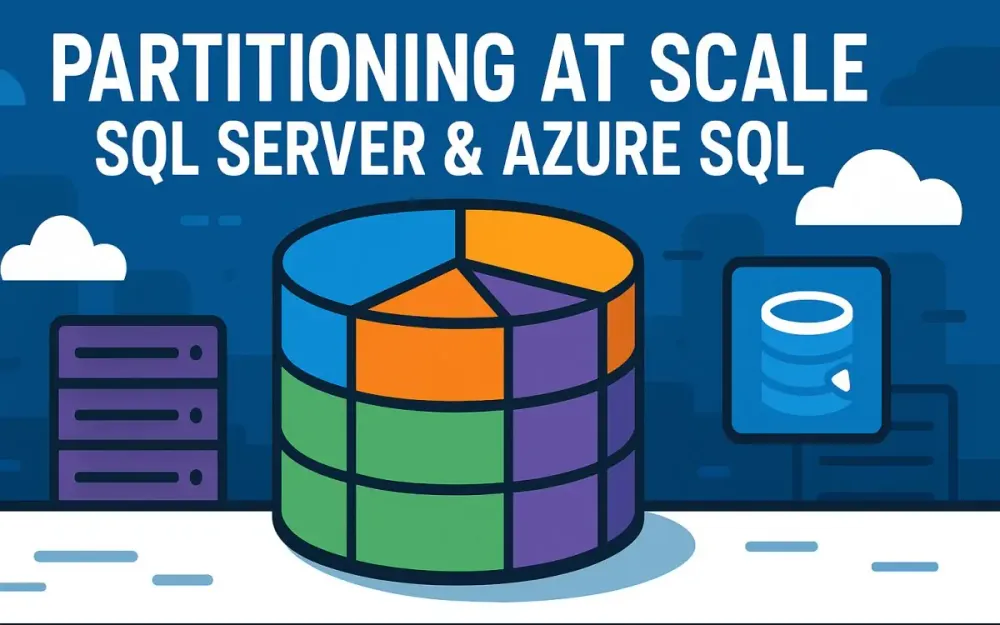
Partitioning has become a cornerstone technique for data platforms that handle billions of rows. The problem is not just big data, but big operational tables that refuse to shrink or stay still. Whether you are dealing with sales transactions, audit logs, or IoT telemetry, these massive datasets demand more than indexing tweaks or query rewrites. Partitioning gives you a way to divide the problem into manageable slices without changing the logical schema of your database. Let’s unpack why this matters.
1.1 The Monolith Problem
Imagine you’re running a global e-commerce platform. Every click, view, and order is logged in a FactSales table. Within a year, the table has ballooned past 5 billion rows. Simple daily sales queries crawl. Index rebuilds take hours, sometimes spilling into business hours. Deleting old data becomes a blocking nightmare, locking out critical reporting jobs.
Or take AuditLogs in a financial system. Compliance demands that you retain 10 years of activity records. Inserts are relentless. Analysts only need the last 90 days, but the table doesn’t discriminate—every query wrestles with terabytes of data.
Then there’s IoT. A logistics company captures millions of pings per hour from trucks worldwide. Their IoTData table starts clean, but within months, every lookup is drowning in historical noise. Dropping old rows? It’s a full table scan and lock storm.
This is the monolith table problem: one logical structure, physically indivisible, consuming storage, compute, and patience. No amount of standard indexing solves the core issue—scale and lifecycle management. What you need is not just faster queries but a structural way to divide and conquer.
1.2 Introducing Partitioning: The “Divide and Conquer” Strategy
Partitioning allows you to horizontally slice a table into smaller physical segments while preserving its single logical identity. To your application, it’s still just FactSales. Under the hood, SQL Server and Azure SQL divide it into partitions based on a defined boundary—most often time (e.g., month, day, year) or a key like TenantID.
Think of it as a bookshelf. Instead of piling 10,000 books into one giant heap, you organize them by genre, then by author. Retrieval becomes trivial—you know where to look. Maintenance is modular—you can clean or replace a single shelf without disturbing the rest.
Partitioning delivers three key wins:
- Performance: The query optimizer can eliminate irrelevant partitions—this is partition elimination. Scanning “August 2025 sales” means reading just one partition, not billions of rows across ten years.
- Manageability: Need to drop last year’s data? Switch out one partition instead of deleting rows. Need to load new data? Switch in a preloaded staging table. Operations become metadata-only moves.
- Availability: Index rebuilds, stats updates, and archival can target specific partitions. You maintain performance without locking the whole table.
Partitioning is not a silver bullet—it’s an architectural tool. Done right, it transforms unmanageable giants into agile, lifecycle-aware datasets.
1.3 Who This Article is For
This guide is written for senior developers, tech leads, and solution architects who already know the basics of indexing and query tuning. You may be grappling with one or more of these challenges:
- Queries that once ran in seconds now take minutes or hours.
- Maintenance windows that no longer fit in off-peak hours.
- Cloud costs spiraling because storage and compute keep scaling with no end in sight.
- Compliance or lifecycle rules that require precise control over retention and archival.
We’ll dive deep into range, hash, and sliding window partitioning in SQL Server and Azure SQL. Expect not just syntax, but trade-offs, patterns, and anti-patterns drawn from real-world systems at scale. By the end, you’ll know when partitioning is the right call, how to design it, and how to keep it operational in production.
2 The Litmus Test: When to Use Partitioning (and When to Avoid It)
Partitioning can feel like a magic wand: just slice your data and everything runs faster. Reality is messier. Partitioning shines in certain conditions and falls flat in others. Before writing a single CREATE PARTITION FUNCTION, you need a decision framework: when does partitioning help, and when does it simply add complexity?
2.1 Green Flags: When Partitioning is a Game-Changer
Partitioning is most effective when your workload and data characteristics align with its strengths.
2.1.1 Performance Boosts via Partition Elimination
The single most important performance benefit comes from partition elimination. When your queries include predicates on the partitioning key—say, WHERE OrderDate BETWEEN '2025-09-01' AND '2025-09-30'—the query optimizer can skip irrelevant partitions. Instead of scanning 5 billion rows, it reads just the 200 million rows in September.
Consider this scenario:
-- Correct: Predicate matches partition key (OrderDate)
SELECT SUM(SalesAmount)
FROM FactSales
WHERE OrderDate >= '2025-09-01' AND OrderDate < '2025-10-01';
The query plan shows partition elimination. Now compare:
-- Incorrect: Predicate on non-partitioned column
SELECT SUM(SalesAmount)
FROM FactSales
WHERE Region = 'APAC';
Here, SQL Server must scan all partitions because the filter isn’t on the partition key. Without elimination, you lose the performance edge. Partitioning is not a universal scan accelerator—it optimizes queries that align with your partitioning boundaries.
2.1.2 Enhanced Manageability
Beyond query performance, partitioning shines in data lifecycle operations:
- Bulk loading: Instead of inserting millions of rows directly into a massive table, you bulk load into a staging table and
SWITCHit into a partition. This is instantaneous—it’s metadata-only. - Archiving: Moving old data out is equally trivial. Switch out the oldest partition to an archive table, back it up, then truncate. No logging storm, no lock escalation.
- Selective maintenance: You can rebuild or reorganize indexes on a single partition. Need to defragment last month’s data while leaving older, read-only partitions untouched? Easy.
This modularity is the difference between “operations as pain” and “operations as routine.”
2.1.3 Increased Availability
Partitioning allows you to perform maintenance in-flight:
- Rebuilding a single partition’s index online leaves the rest of the table accessible.
- Updating statistics incrementally means you’re not locking billions of rows, just the changed partition.
- Partition-level backups (in Enterprise Edition) make disaster recovery faster.
In high-availability systems, downtime is the enemy. Partitioning gives you surgical control.
2.2 Red Flags: When Partitioning Becomes an Anti-Pattern
Partitioning isn’t always worth it. Sometimes it makes performance worse, not better. Watch for these anti-patterns.
2.2.1 The “Small Table” Fallacy
Partitioning adds metadata, indexing, and management complexity. For tables under 10–20 million rows, the overhead often outweighs the benefit. A properly indexed table at that scale usually performs better than a partitioned equivalent. You’ll spend effort designing partition functions that never deliver measurable gains.
Rule of thumb: if the entire table fits comfortably in memory and your maintenance jobs run in minutes, you don’t need partitioning. Focus on indexing, query patterns, or schema design instead.
2.2.2 The Wrong Partitioning Key
Partitioning effectiveness lives or dies on the key choice. A bad key causes:
- Skew: One partition holds 90% of the data, others almost nothing. Example: partitioning by
Regionwhen 90% of sales are in North America. - Non-elimination: Queries rarely filter on the key. Partitioning by
TenantIDis useless if most queries are time-based. - Maintenance pain: Lifecycle operations tied to the wrong key don’t align with business needs. Archiving by tenant makes no sense if compliance retention is date-driven.
Partition keys must reflect your dominant access pattern. Otherwise, you’ll add complexity without performance wins.
2.2.3 Misaligned Query Patterns
Even with a good partition key, query patterns matter. If most of your workload needs to scan across all partitions (e.g., computing yearly totals without a date filter), partition elimination doesn’t help. In fact, partitioning may introduce overhead by forcing the engine to consider multiple partitions in the plan.
For example:
-- Query scans all partitions regardless
SELECT COUNT(*) FROM FactSales;
This kind of full-table query doesn’t benefit from partitioning. If such queries dominate, you may not see net performance gains.
2.2.4 The Overhead Tax
Partitioning introduces:
- Extra metadata in
sys.partitions,sys.partition_schemes, andsys.partition_functions. - Alignment requirements for indexes.
- More complex maintenance scripts for sliding windows.
- Additional testing to validate partition elimination.
This overhead is justified at scale, but it is still overhead. Don’t underestimate the operational cost.
2.3 Myth Busting: Common Partitioning Misconceptions
Partitioning is often misunderstood. Let’s clear up a few persistent myths.
2.3.1 “Partitioning makes all queries faster.” (False)
Partitioning accelerates queries that filter on the partition key. Queries without that filter may see no improvement—or even slight slowdowns due to partition metadata overhead.
2.3.2 “It’s a replacement for proper indexing.” (False)
Partitioning complements, but does not replace, indexing. You still need clustered and non-clustered indexes tuned to your workload. Without proper indexing, partitioned queries can be just as slow as monolithic ones.
2.3.3 “More partitions are always better.” (False)
Excessive partition counts (e.g., thousands) increase plan complexity and maintenance cost. Each partition means another allocation unit, more metadata, and larger statistics. The sweet spot is usually dozens to hundreds, depending on workload and partitioning key granularity.
3 The Building Blocks: Anatomy of SQL Server Partitioning
Once you’ve confirmed that partitioning makes sense for your workload, the next challenge is understanding its moving parts. SQL Server and Azure SQL expose partitioning through a set of building blocks: the key, the partition function, the partition scheme, and the table that binds them together. These are not just syntactic necessities; each decision you make here shapes how your data behaves for years. Let’s break them down step by step.
3.1 The Cornerstone: The Partitioning Key
Every partitioning strategy begins with the partitioning key. This column (or set of columns) determines how rows are assigned to partitions. You can think of it as the “sorting hat” of your table—it decides where each row belongs.
3.1.1 Why the Key Matters
The partitioning key must align with your dominant query patterns. If 90% of your workload filters on OrderDate, then OrderDate is a natural key. If you’re running a multi-tenant SaaS platform where almost every query specifies a TenantID, then that should be the key. The wrong key undermines partition elimination, leaving you with the overhead of partitioning but none of the benefits.
3.1.2 The Clustered Index Requirement
SQL Server imposes a crucial rule: if your table has a clustered index (which most do), the partitioning key must be part of that index. This ensures rows are physically grouped and ordered in a way consistent with the partition boundaries.
Here’s a simplified example:
-- Incorrect: Partition key (OrderDate) missing from clustered index
CREATE CLUSTERED INDEX CX_FactSales_Bad
ON FactSales (SalesAmount);

-- Correct: Partition key included in clustered index
CREATE CLUSTERED INDEX CX_FactSales_Good
ON FactSales (OrderDate, SalesAmount);
In the correct version, OrderDate leads the index, aligning the physical storage with the partition function. This is mandatory for partition switching operations to succeed and strongly recommended for query performance.
3.1.3 Composite Keys
Sometimes, you may need a composite key. For example, in IoT telemetry, you might partition by EventTimestamp but still require efficient lookups by DeviceID. In that case, your clustered index could be (EventTimestamp, DeviceID). The key point is that the partitioning column must be the leftmost component.
3.2 The Rulebook: The Partition Function (CREATE PARTITION FUNCTION)
The partition function defines the boundaries of your partitions. It maps ranges of values from the partition key into discrete buckets.
3.2.1 Syntax Overview
Here’s the basic form:
CREATE PARTITION FUNCTION pf_SalesByMonth (DATE)
AS RANGE RIGHT FOR VALUES (
    '2025-01-01', '2025-02-01', '2025-03-01'
);
This creates four partitions:
- All rows before
2025-01-01 - Rows from
2025-01-01up to2025-02-01 - Rows from
2025-02-01up to2025-03-01 - Rows from
2025-03-01onward
3.2.2 RANGE LEFT vs. RANGE RIGHT
This is one of the most misunderstood aspects of partitioning. It decides whether a boundary value belongs to the partition before or after the boundary.
- RANGE LEFT: the boundary value belongs to the left (earlier) partition.
- RANGE RIGHT: the boundary value belongs to the right (later) partition.
Example:
-- RANGE LEFT
CREATE PARTITION FUNCTION pf_Left (INT)
AS RANGE LEFT FOR VALUES (100, 200);

-- Results:
-- Partition 1: <= 100
-- Partition 2: 101–200
-- Partition 3: >= 201

-- RANGE RIGHT
CREATE PARTITION FUNCTION pf_Right (INT)
AS RANGE RIGHT FOR VALUES (100, 200);

-- Results:
-- Partition 1: < 100
-- Partition 2: 100–199
-- Partition 3: >= 200
For date-based sliding windows, RANGE RIGHT is usually preferred. It allows you to add a new upper boundary easily without reassigning existing values, keeping partition switching operations predictable.
3.2.3 Choosing Boundary Granularity
Granularity matters. Do you want one partition per year, month, day, or hour? Too coarse, and you lose elimination precision. Too fine, and you bloat metadata. A common balance is monthly partitions for sales data and daily partitions for logs.
3.3 The Map: The Partition Scheme (CREATE PARTITION SCHEME)
While the partition function defines the logical boundaries, the partition scheme tells SQL Server where to place each partition physically. Think of it as the logistics map that allocates shelves in the warehouse.
3.3.1 Mapping to Filegroups
Here’s a basic example:
CREATE PARTITION SCHEME ps_SalesByMonth
AS PARTITION pf_SalesByMonth
TO (FG_Jan, FG_Feb, FG_Mar, FG_Others);
This maps each partition to a different filegroup. On-premises systems often map hot partitions (recent months) to SSD-backed filegroups and cold partitions (archival years) to cheaper spinning disks.
3.3.2 Single Filegroup Strategy
In Azure SQL Database, you don’t control filegroups. All partitions map to a single logical storage tier managed by Microsoft. Even so, schemes are still required syntactically and allow you to maintain a consistent design across environments.
3.3.3 Hybrid Strategies
In large SQL Server deployments, you might:
- Keep the last three months on NVMe SSDs for real-time analytics.
- Push quarters 2–4 of the current year onto mid-tier SSDs.
- Move older years to HDD-based storage for compliance retention.
Partition schemes enable this tiered approach seamlessly.
3.4 Bringing It All Together
Let’s put these concepts into a full, runnable example. Imagine you need to partition FactInternetSales by month.
-- 1. Create filegroups for demonstration (on-premises SQL Server)
ALTER DATABASE SalesDB
ADD FILEGROUP FG_Jan2025;
ALTER DATABASE SalesDB
ADD FILEGROUP FG_Feb2025;
ALTER DATABASE SalesDB
ADD FILEGROUP FG_Mar2025;
ALTER DATABASE SalesDB
ADD FILEGROUP FG_Rest;

-- 2. Create partition function (monthly boundaries)
CREATE PARTITION FUNCTION pf_SalesByMonth (DATE)
AS RANGE RIGHT FOR VALUES (
    '2025-01-01', '2025-02-01', '2025-03-01'
);

-- 3. Create partition scheme mapping to filegroups
CREATE PARTITION SCHEME ps_SalesByMonth
AS PARTITION pf_SalesByMonth
TO (FG_Jan2025, FG_Feb2025, FG_Mar2025, FG_Rest);

-- 4. Create the partitioned table
CREATE TABLE FactInternetSales
(
    SalesOrderID INT NOT NULL,
    OrderDate DATE NOT NULL,
    ProductID INT NOT NULL,
    SalesAmount DECIMAL(18,2) NOT NULL,
    CONSTRAINT PK_FactInternetSales PRIMARY KEY CLUSTERED (OrderDate, SalesOrderID)
) ON ps_SalesByMonth(OrderDate);
This setup ensures:
- Rows are partitioned by
OrderDate. - Partition boundaries align with calendar months.
- Storage placement is controlled by scheme-to-filegroup mapping.
When you query WHERE OrderDate = '2025-02-15', SQL Server can eliminate partitions and hit only FG_Feb2025.
4 The “Pick the Key” Decision Tree: Your Framework for Success
Designing partitioning isn’t about syntax; it’s about making the right choices. The wrong partitioning key or strategy can saddle you with complexity without payoff. A simple decision tree helps ensure your design aligns with reality.
4.1 The First Question: What is your primary data access and lifecycle pattern?
Start by asking: how is your data most often accessed and how does it age? There are three dominant patterns.
- Path A: Time-Series / Data Archival: Data grows chronologically, with queries focused on recent ranges (e.g., sales orders, logs, telemetry). Go to 4.2.
- Path B: Evenly Distribute Workload: You want to spread activity evenly across tenants, users, or customers (e.g., SaaS platforms). Go to 4.3.
- Path C: Static Set of Values: Your data groups naturally into a small, known set of categories (e.g., regions, statuses). Go to 4.4.
Each path suggests a different partitioning strategy.
4.2 Strategy 1: RANGE Partitioning - The Time-Series Champion
4.2.1 Use Case
RANGE partitioning is ideal for datasets that grow chronologically, such as:
- Transactional sales fact tables (
FactSales). - Log and audit tables (
AuditLogs). - IoT telemetry streams (
DeviceTelemetry).
These tables often require quick access to recent data and straightforward archival of old data.
4.2.2 Key Selection
Choose a column with a strong temporal dimension: OrderDate, EventTimestamp, CreatedAt. Use DATE or DATETIME2 for precision and predictable boundaries.
4.2.3 Benefits
- Efficient range queries (
WHERE OrderDate BETWEEN ...). - Natural support for sliding windows: add new partitions for incoming periods, drop or archive old ones.
- Partition elimination ensures the optimizer only scans relevant time ranges.
4.2.4 Example: Monthly Partitioning of FactInternetSales
-- Partition function: one partition per month
CREATE PARTITION FUNCTION pf_InternetSalesByMonth (DATE)
AS RANGE RIGHT FOR VALUES (
    '2025-01-01', '2025-02-01', '2025-03-01'
);

-- Partition scheme
CREATE PARTITION SCHEME ps_InternetSalesByMonth
AS PARTITION pf_InternetSalesByMonth
ALL TO ([PRIMARY]); -- Single filegroup for Azure SQL DB

-- Table creation
CREATE TABLE FactInternetSales
(
    SalesOrderID INT NOT NULL,
    OrderDate DATE NOT NULL,
    CustomerID INT NOT NULL,
    SalesAmount DECIMAL(18,2) NOT NULL,
    CONSTRAINT PK_FactInternetSales PRIMARY KEY CLUSTERED (OrderDate, SalesOrderID)
) ON ps_InternetSalesByMonth(OrderDate);
With this design, querying sales from February 2025 involves scanning only one partition, not the entire table.
4.3 Strategy 2: HASH Partitioning - Spreading the Load Evenly
4.3.1 Use Case
HASH partitioning is not natively supported in SQL Server partition functions, but the pattern can be emulated. It’s useful when:
- You have many tenants or customers, each generating moderate data.
- Workload hotspots occur when many queries target a single tenant.
- You want to distribute inserts and reads evenly across partitions.
4.3.2 Key Selection
A column with naturally high cardinality and even distribution: TenantID, CustomerID, or UserID. Avoid skewed keys like Region with a dominant value.
4.3.3 Benefits
- Evenly spreads load, reducing contention on insert hotspots.
- Improves parallelism for workloads where many small partitions can be processed simultaneously.
4.3.4 Caveat
HASH partitioning does not help with range-based queries (WHERE OrderDate BETWEEN ...). It’s designed for even distribution, not elimination.
4.3.5 Example: Emulating Hash Partitioning with Check Constraints
-- Four hash buckets based on TenantID % 4
CREATE TABLE CustomerOrders_0
(
    TenantID INT NOT NULL,
    OrderID BIGINT NOT NULL,
    OrderDate DATETIME2 NOT NULL,
    CONSTRAINT CK_Tenant_Mod0 CHECK (TenantID % 4 = 0)
);
CREATE TABLE CustomerOrders_1
(
    TenantID INT NOT NULL,
    OrderID BIGINT NOT NULL,
    OrderDate DATETIME2 NOT NULL,
    CONSTRAINT CK_Tenant_Mod1 CHECK (TenantID % 4 = 1)
);
CREATE TABLE CustomerOrders_2
(
    TenantID INT NOT NULL,
    OrderID BIGINT NOT NULL,
    OrderDate DATETIME2 NOT NULL,
    CONSTRAINT CK_Tenant_Mod2 CHECK (TenantID % 4 = 2)
);
CREATE TABLE CustomerOrders_3
(
    TenantID INT NOT NULL,
    OrderID BIGINT NOT NULL,
    OrderDate DATETIME2 NOT NULL,
    CONSTRAINT CK_Tenant_Mod3 CHECK (TenantID % 4 = 3)
);

-- Create a partitioned view across hash buckets
CREATE VIEW CustomerOrders
AS
SELECT * FROM CustomerOrders_0
UNION ALL
SELECT * FROM CustomerOrders_1
UNION ALL
SELECT * FROM CustomerOrders_2
UNION ALL
SELECT * FROM CustomerOrders_3;
This manual approach emulates hash partitioning. The query optimizer respects CHECK constraints for elimination when predicates filter on TenantID.
4.4 The “Missing” LIST Partition: A Practical Workaround
4.4.1 The Problem
Unlike Oracle or PostgreSQL, SQL Server does not natively support LIST partitioning—where each partition maps to a specific set of discrete values. Yet many datasets are naturally categorical: sales by region, orders by status, or claims by department.
4.4.2 The Workaround
You can simulate LIST partitioning by:
- Creating a RANGE partition function with single-value boundaries.
- Adding
CHECKconstraints to enforce integrity.
4.4.3 Example: Sales Partitioned by Region
-- Partition function using RANGE for discrete values
CREATE PARTITION FUNCTION pf_SalesByRegion (INT)
AS RANGE RIGHT FOR VALUES (1, 2, 3); -- 1=APAC, 2=EMEA, 3=NAM

-- Partition scheme
CREATE PARTITION SCHEME ps_SalesByRegion
AS PARTITION pf_SalesByRegion
ALL TO ([PRIMARY]);

-- Partitioned table
CREATE TABLE RegionalSales
(
    RegionID INT NOT NULL,
    SalesOrderID BIGINT NOT NULL,
    SalesAmount DECIMAL(18,2) NOT NULL,
    CONSTRAINT PK_RegionalSales PRIMARY KEY CLUSTERED (RegionID, SalesOrderID),
    CONSTRAINT CK_Region_Valid CHECK (RegionID IN (1,2,3,4))
) ON ps_SalesByRegion(RegionID);
Here, each RegionID corresponds to a partition, effectively simulating LIST semantics. Queries like WHERE RegionID = 2 trigger partition elimination.
4.4.4 Trade-offs
- Maintenance is harder than true LIST partitioning.
- Adding a new category requires splitting the partition function.
- Still, for workloads with a small, static set of categories, this workaround is effective.
5 The Sliding Window: A Masterclass in Data Lifecycle Management
If partitioning is the architectural foundation for large-scale tables, the sliding window is the operational heartbeat. It’s the technique that keeps time-series workloads lean, efficient, and continuously available. Think of it as a conveyor belt: new data rolls in at the front, old data rolls off the back, and the active “window” of partitions remains stable in size. Done correctly, it ensures you never face the nightmare of bulk deletes or downtime-inducing archival jobs.
5.1 The Concept
Most time-series tables share a common lifecycle: new rows stream in every second, queries target recent periods (last day, week, or month), and retention rules dictate how long older data remains. Without partitioning, retention means issuing a massive DELETE:
DELETE FROM AuditLogs WHERE EventDate < '2024-01-01';This approach is a disaster at scale—it locks rows, bloats transaction logs, and may take hours to complete. Sliding windows solve this by maintaining N active partitions. Each new period gets its own partition. As time moves forward, a new partition is added (“slide in”), and the oldest partition is removed (“slide out”). Both operations are metadata-only—they happen instantly, regardless of row count.
Visually:
[ Jan 2024 ] [ Feb 2024 ] [ Mar 2024 ] ... [ Sep 2025 ]
       ^ slide out                     slide in ^
At any time, you have a consistent set of partitions that match your retention policy. New data doesn’t disrupt old data, and old data can be archived or dropped with surgical precision.
5.2 The Mechanics: A Step-by-Step, Zero-Downtime Playbook
Implementing sliding windows requires discipline and a repeatable sequence. Let’s walk through the six steps using a monthly sales fact table as the running example.
5.2.1 Step 0: The Staging Table
Before you can switch in or out, you need staging tables. These are non-partitioned tables with the exact same schema (including indexes and constraints) as the target partitioned table.
-- Staging table for incoming data
CREATE TABLE Staging_FactSales
(
    SalesOrderID INT NOT NULL,
    OrderDate DATE NOT NULL,
    CustomerID INT NOT NULL,
    SalesAmount DECIMAL(18,2) NOT NULL,
    CONSTRAINT PK_Staging_FactSales PRIMARY KEY CLUSTERED (OrderDate, SalesOrderID)
);
This table holds the next month’s data before it moves into the main table.
5.2.2 Step 1: Load New Data
Bulk load the next month’s data into the staging table. This can be done with BULK INSERT, bcp, or SSIS/ADF pipelines. The key is that the data must conform to the exact boundaries of the target partition.
BULK INSERT Staging_FactSales
FROM 'C:\Data\FactSales_2025_10.csv'
WITH (FIELDTERMINATOR = ',', ROWTERMINATOR = '\n');
5.2.3 Step 2: Prepare the “In” Slot
Create an empty partition for the new month. You extend the partition function with a new boundary.
ALTER PARTITION SCHEME ps_SalesByMonth NEXT USED [PRIMARY];
ALTER PARTITION FUNCTION pf_SalesByMonth()
SPLIT RANGE ('2025-10-01');
This operation introduces a new partition starting October 2025.
5.2.4 Step 3: Switch In (The Magic)
Switch the staging table into the empty partition. This is instantaneous because it’s a metadata operation, not a data copy.
ALTER TABLE Staging_FactSales
SWITCH TO FactSales PARTITION 22; -- Assume Oct 2025 is partition 22
The data is now live in the partitioned table with zero downtime.
5.2.5 Step 4: Prepare the “Out” Slot
For archiving, create an archive staging table with the same schema.
CREATE TABLE Archive_FactSales_202309
(
    SalesOrderID INT NOT NULL,
    OrderDate DATE NOT NULL,
    CustomerID INT NOT NULL,
    SalesAmount DECIMAL(18,2) NOT NULL,
    CONSTRAINT PK_Archive_FactSales_202309 PRIMARY KEY CLUSTERED (OrderDate, SalesOrderID)
);
5.2.6 Step 5: Switch Out
Move the oldest partition into the archive table.
ALTER TABLE FactSales
SWITCH PARTITION 5 TO Archive_FactSales_202309;
Again, this happens instantly.
5.2.7 Step 6: Clean Up
Finally, merge away the empty boundary from the partition function.
ALTER PARTITION FUNCTION pf_SalesByMonth()
MERGE RANGE ('2023-09-01');
The sliding window has advanced: October 2025 is in, September 2023 is out, and your active window remains stable.
5.3 Automation is Key
Running these steps manually every month is error-prone. Automation makes the sliding window sustainable.
5.3.1 Idempotent Script Template
Here’s a simplified script template that can be parameterized:
DECLARE @NewBoundary DATE = '2025-10-01';
DECLARE @OldBoundary DATE = '2023-09-01';
DECLARE @NewPartition INT = $PARTITION.pf_SalesByMonth(@NewBoundary);

-- Step 1: Create new partition
ALTER PARTITION SCHEME ps_SalesByMonth NEXT USED [PRIMARY];
ALTER PARTITION FUNCTION pf_SalesByMonth() SPLIT RANGE (@NewBoundary);

-- Step 2: Switch in
ALTER TABLE Staging_FactSales SWITCH TO FactSales PARTITION @NewPartition;

-- Step 3: Switch out
ALTER TABLE FactSales SWITCH PARTITION 5 TO Archive_FactSales_202309;

-- Step 4: Merge old boundary
ALTER PARTITION FUNCTION pf_SalesByMonth() MERGE RANGE (@OldBoundary);
5.3.2 Scheduling Options
- SQL Server Agent: Create a monthly job with this script, parameterized for each cycle.
- Azure SQL Database: Use Azure Automation Runbooks or Elastic Jobs. These can dynamically calculate boundaries and execute partition maintenance with full observability.
5.3.3 Monitoring Success
Add logging to capture:
- Partition boundaries before and after the operation.
- Row counts in staging and archive tables.
- Execution duration and errors.
This makes the process robust and audit-ready.
6 The Operational Playbook: Day-2 Management at Scale
Once your partitions are in place, the real work begins: keeping them healthy. Day-2 operations include index maintenance, statistics updates, and monitoring. Partitioning offers new tools for surgical precision, but only if you know how to use them.
6.1 Indexing Strategies for Partitioned Tables
Indexes remain the backbone of query performance. With partitions, you must think in terms of alignment and scope.
6.1.1 Aligned vs. Non-Aligned Indexes
- Aligned indexes: The index is partitioned using the same scheme and key as the base table. Every partition in the table has a corresponding index partition.
- Non-aligned indexes: The index exists as a single structure across all partitions.
Example:
-- Aligned index
CREATE NONCLUSTERED INDEX IX_FactSales_Customer
ON FactSales (CustomerID)
ON ps_SalesByMonth(OrderDate);

-- Non-aligned index
CREATE NONCLUSTERED INDEX IX_FactSales_Product
ON FactSales (ProductID)
ON [PRIMARY];
Aligned indexes are required for partition switching, because metadata operations only work when indexes are aligned across both tables.
6.1.2 The Golden Rule
Always favor aligned indexes. They allow sliding window operations and partition-level maintenance. Non-aligned indexes can still be useful for unique constraints across the whole table, but use them sparingly.
6.1.3 Partition-Specific Index Operations
Partition-level index rebuilds are a game-changer. Instead of rebuilding a billion-row index, you can target just one partition.
ALTER INDEX IX_FactSales_Customer
ON FactSales
REBUILD PARTITION = 22; -- Rebuild Oct 2025 partition only
This keeps maintenance fast and avoids locking the entire table. Reorganizing indexes per partition is also supported:
ALTER INDEX ALL ON FactSales
REORGANIZE PARTITION = 22;
This selective approach keeps hot partitions optimized while leaving cold, read-only partitions untouched.
6.2 Statistics: The Incremental Revolution
Query performance depends on accurate statistics. But updating stats on multi-billion-row tables is impractical—it can take hours and consume massive resources.
6.2.1 The Problem
Without partitioning, updating statistics means scanning the entire table. On a 5-billion-row fact table, this disrupts workloads and bloats tempdb. Worse, stale stats on hot partitions lead to poor query plans.
6.2.2 The Solution: Incremental Statistics
Since SQL Server 2014, you can create statistics incrementally on partitioned indexes.
CREATE STATISTICS st_OrderDate_Customer
ON FactSales (OrderDate, CustomerID)
WITH INCREMENTAL = ON;
With this option:
- SQL Server maintains separate histogram fragments for each partition.
- Updating stats affects only partitions with changed data.
- Queries that filter on recent data benefit from fresh stats without forcing full-table updates.
6.2.3 Targeted Updates
When sliding in a new partition, update stats only for that partition:
UPDATE STATISTICS FactSales
IX_FactSales_Customer
WITH RESAMPLE ON PARTITIONS (22);
This update is fast and precise.
6.3 Essential T-SQL for Monitoring and Troubleshooting
Monitoring partition health is critical. SQL Server exposes metadata and DMVs that let you peek under the hood.
6.3.1 Check Row Counts per Partition
SELECT
    ps.partition_number,
    SUM(ps.row_count) AS RowCount
FROM sys.dm_db_partition_stats ps
JOIN sys.objects o ON ps.object_id = o.object_id
WHERE o.name = 'FactSales'
AND ps.index_id IN (0,1) -- heap or clustered index
GROUP BY ps.partition_number
ORDER BY ps.partition_number;
This reveals whether partitions are evenly populated or skewed.
6.3.2 View Partition Function Boundaries
SELECT
    pf.name AS PartitionFunction,
    prv.boundary_id,
    prv.value AS BoundaryValue
FROM sys.partition_functions pf
JOIN sys.partition_range_values prv
    ON pf.function_id = prv.function_id
WHERE pf.name = 'pf_SalesByMonth'
ORDER BY prv.boundary_id;
This helps confirm your sliding window is advancing correctly.
6.3.3 View Partition Scheme Mappings
SELECT
    ps.name AS PartitionScheme,
    ds.name AS Filegroup,
    dds.destination_id
FROM sys.partition_schemes ps
JOIN sys.destination_data_spaces dds
    ON ps.data_space_id = dds.partition_scheme_id
JOIN sys.data_spaces ds
    ON dds.data_space_id = ds.data_space_id
WHERE ps.name = 'ps_SalesByMonth'
ORDER BY dds.destination_id;
Useful for verifying filegroup allocation in on-premises deployments.
6.3.4 Find Partition Number for a Given Key
DECLARE @OrderDate DATE = '2025-10-15';
SELECT $PARTITION.pf_SalesByMonth(@OrderDate) AS PartitionNumber;
This tells you exactly where a row will land—a vital tool for debugging mismatches during sliding window operations.
7 Azure SQL and Modern Enhancements
Partitioning is not just for on-premises SQL Server. In Azure SQL Database and Azure SQL Managed Instance, the same syntax and core engine features are available, but the operating model changes. The cloud abstracts away physical file placement, so you need to adapt your strategies while still reaping the benefits of partition elimination and sliding windows.
7.1 Partitioning in the Cloud: Azure SQL Database & Managed Instance
One of the most common misconceptions is that Azure SQL Database somehow has a “different” partitioning engine. In reality, the T-SQL syntax is identical:
CREATE PARTITION FUNCTION pf_TelemetryByDay (DATE)
AS RANGE RIGHT FOR VALUES (
    '2025-09-01', '2025-09-02', '2025-09-03'
);

CREATE PARTITION SCHEME ps_TelemetryByDay
AS PARTITION pf_TelemetryByDay
ALL TO ([PRIMARY]);

CREATE TABLE DeviceTelemetry
(
    DeviceID INT NOT NULL,
    EventTimestamp DATETIME2 NOT NULL,
    Payload NVARCHAR(200) NOT NULL,
    CONSTRAINT PK_DeviceTelemetry PRIMARY KEY CLUSTERED (EventTimestamp, DeviceID)
) ON ps_TelemetryByDay(EventTimestamp);
This script runs identically in SQL Server, Azure SQL Database, and Azure SQL Managed Instance. The optimizer still performs partition elimination when predicates filter on EventTimestamp. Sliding window operations (ALTER TABLE ... SWITCH) also work, though you should test performance at your chosen service tier.
The main difference: in Azure SQL Database you don’t manage filegroups. All partitions map to [PRIMARY], and the service manages physical placement and IO distribution behind the scenes. That means you lose some of the on-premises tricks—like mapping hot partitions to SSDs and cold partitions to spinning disks—but you gain the elasticity and availability guarantees of a managed service.
For Managed Instance, you do still have filegroups, because the engine is essentially the full SQL Server. This makes it easier to lift and shift on-premises partitioning strategies without major redesign.
7.2 Hot/Cold Data Strategies in Azure
Partitioning in Azure becomes a logical lifecycle tool rather than a physical placement tool. You still get the operational benefits—fast switch in/out, partition elimination, and incremental stats—but your retention strategy must integrate with other Azure services.
7.2.1 Using Partition Switching with Azure Data Factory
Imagine a telemetry system that keeps 30 days of hot data in Azure SQL Database, while archiving older data to Azure Data Lake Storage (ADLS) for long-term retention. Here’s how you could automate that with Azure Data Factory (ADF):
- Pipeline Step 1 – Load New Data: Ingest telemetry into a staging table in Azure SQL DB.
- Pipeline Step 2 – Switch In: Execute a stored procedure that switches the staging table into the newest partition.
- Pipeline Step 3 – Switch Out: Identify the oldest partition (e.g., day 31) and switch it into an archive table.
- Pipeline Step 4 – Export Archive: Use the ADF Copy Data activity to move the archive table’s contents into ADLS as Parquet files.
- Pipeline Step 5 – Merge Range: Run the
MERGE RANGEcommand to drop the now-empty partition.
This approach keeps your Azure SQL DB lean, while ADLS provides cheap, scalable storage for compliance or batch analytics with Synapse or Databricks.
7.2.2 Example Stored Procedure
CREATE PROCEDURE usp_SlideWindow_Telemetry
AS
BEGIN
    DECLARE @NewBoundary DATE = CAST(GETDATE() AS DATE);
    DECLARE @OldBoundary DATE = DATEADD(DAY, -30, @NewBoundary);

    -- Add new partition
    ALTER PARTITION SCHEME ps_TelemetryByDay NEXT USED [PRIMARY];
    ALTER PARTITION FUNCTION pf_TelemetryByDay() SPLIT RANGE (@NewBoundary);

    -- Switch out old partition
    ALTER TABLE DeviceTelemetry SWITCH PARTITION 1 TO Archive_Telemetry;

    -- Merge away old boundary
    ALTER PARTITION FUNCTION pf_TelemetryByDay() MERGE RANGE (@OldBoundary);
END;
ADF calls this procedure daily. This makes partitioning in Azure not just a performance trick, but a cost control mechanism.
7.3 SQL Server 2022 and Beyond: Subtle but Powerful Improvements
Partitioning itself hasn’t changed much since SQL Server 2016, but recent engine improvements make partitioned workloads smoother.
7.3.1 Optimized Locking
SQL Server 2022 introduced optimized locking for high-concurrency workloads. On partitioned tables, this reduces contention when multiple queries hit the same hot partition. Instead of escalating locks aggressively, the engine uses finer-grained control, improving throughput for heavy OLTP workloads.
7.3.2 Parameter Sensitive Plan Optimization (PSPO)
A long-standing pain point in partitioned queries is parameter sniffing. A query filtering on a small, recent partition may get a plan that’s disastrous for a full-range scan. SQL Server 2022 addresses this with PSPO, generating multiple cached plans based on parameter selectivity. This is a major win for partition elimination scenarios, where query patterns vary widely between “yesterday’s data” and “last year’s data.”
7.3.3 Accelerated Database Recovery (ADR)
Although not partition-specific, ADR dramatically improves rollback performance. This matters when partition maintenance goes wrong (e.g., failed switch due to constraint mismatch). Instead of waiting hours for rollback, ADR resolves it quickly, keeping your sliding window operations safe.
Together, these enhancements make partitioning in modern SQL Server and Azure SQL more predictable and resilient, especially in mixed OLTP/analytical workloads.
8 Putting It All Together: A Real-World IoT Case Study
Theory is good, but nothing cements the value of partitioning like a real-world case study. Let’s design and implement a solution for a global logistics company managing billions of IoT events daily.
8.1 The Scenario
The company operates a fleet of trucks worldwide. Each truck sends a telemetry ping every 30 seconds, containing its DeviceID, GPS location, and sensor readings. The system ingests millions of events per hour into a DeviceTelemetry table hosted in Azure SQL Database.
Two pain points have emerged:
- Queries for the last 24 hours—used by dispatchers for real-time tracking—are painfully slow, even with indexes.
- Retention requires deleting data older than 90 days. Running
DELETEagainst billions of rows is unmanageable.
8.2 The Design Document
8.2.1 Problem Statement
- Current monolithic table is too large to query efficiently.
- Deletion of old data consumes resources and blocks ingestion.
- Dispatchers need fast lookups by device and time.
8.2.2 Chosen Strategy
- Partitioning method: RANGE partitioning.
- Partition key:
EventTimestamp(datetime2). - Partition function:
RANGE RIGHTwith daily boundaries. - Clustered index:
(EventTimestamp, DeviceID)to support both time-based and device-specific queries.
This strategy ensures partition elimination for time filters and efficient lookups per device.
8.2.3 Retention Model
Maintain 90 daily partitions (about three months of hot data). Older partitions are switched out and exported to Azure Data Lake for archival.
8.3 Implementation and Operations Code
8.3.1 Partition Function and Scheme
-- Partition function: daily boundaries
CREATE PARTITION FUNCTION pf_TelemetryByDay (DATETIME2)
AS RANGE RIGHT FOR VALUES
(
    '2025-07-01', '2025-07-02', '2025-07-03',
    '2025-07-04', '2025-07-05' -- extend as needed
);

-- Partition scheme: Azure requires ALL TO [PRIMARY]
CREATE PARTITION SCHEME ps_TelemetryByDay
AS PARTITION pf_TelemetryByDay
ALL TO ([PRIMARY]);
8.3.2 Partitioned Table DDL
CREATE TABLE DeviceTelemetry
(
    DeviceID INT NOT NULL,
    EventTimestamp DATETIME2 NOT NULL,
    Latitude FLOAT NOT NULL,
    Longitude FLOAT NOT NULL,
    Speed DECIMAL(5,2) NULL,
    Payload NVARCHAR(200) NULL,
    CONSTRAINT PK_DeviceTelemetry PRIMARY KEY CLUSTERED (EventTimestamp, DeviceID)
) ON ps_TelemetryByDay(EventTimestamp);
The clustered index aligns with the partition key, enabling both partition elimination and partition switching.
8.3.3 Sliding Window Procedure
CREATE PROCEDURE usp_SlideWindow_Telemetry
AS
BEGIN
    SET NOCOUNT ON;

    DECLARE @Today DATE = CAST(GETDATE() AS DATE);
    DECLARE @NewBoundary DATETIME2 = DATEADD(DAY, 1, @Today);
    DECLARE @OldBoundary DATETIME2 = DATEADD(DAY, -90, @Today);

    -- Add new boundary
    ALTER PARTITION SCHEME ps_TelemetryByDay NEXT USED [PRIMARY];
    ALTER PARTITION FUNCTION pf_TelemetryByDay()
    SPLIT RANGE (@NewBoundary);

    -- Prepare archive table dynamically
    DECLARE @ArchiveTable SYSNAME = CONCAT('Archive_Telemetry_', FORMAT(@OldBoundary, 'yyyyMMdd'));
    DECLARE @SQL NVARCHAR(MAX) = '
        CREATE TABLE ' + QUOTENAME(@ArchiveTable) + ' (
            DeviceID INT NOT NULL,
            EventTimestamp DATETIME2 NOT NULL,
            Latitude FLOAT NOT NULL,
            Longitude FLOAT NOT NULL,
            Speed DECIMAL(5,2) NULL,
            Payload NVARCHAR(200) NULL,
            CONSTRAINT PK_' + @ArchiveTable + ' PRIMARY KEY CLUSTERED (EventTimestamp, DeviceID)
        );';
    EXEC sp_executesql @SQL;

    -- Switch out old partition (assume it’s partition 1 in rolling scheme)
    SET @SQL = 'ALTER TABLE DeviceTelemetry
                SWITCH PARTITION 1 TO ' + QUOTENAME(@ArchiveTable) + ';';
    EXEC sp_executesql @SQL;

    -- Merge old boundary
    ALTER PARTITION FUNCTION pf_TelemetryByDay()
    MERGE RANGE (@OldBoundary);
END;
This procedure is scheduled to run daily. It ensures the table always contains the most recent 90 days.
8.3.4 Example Query
Dispatchers frequently query for the last 24 hours of telemetry for a given device:
DECLARE @DeviceID INT = 12345;
DECLARE @Since DATETIME2 = DATEADD(DAY, -1, SYSUTCDATETIME());

SELECT EventTimestamp, Latitude, Longitude, Speed
FROM DeviceTelemetry
WHERE DeviceID = @DeviceID
AND EventTimestamp >= @Since
ORDER BY EventTimestamp DESC;
The query optimizer uses the partition function to eliminate 89 of the 90 partitions, scanning only the most recent one. Combined with the clustered index, this query runs in milliseconds, even against billions of rows overall.
8.3.5 Query Plan Verification
By examining the actual execution plan, you see:
- Partition elimination on
EventTimestamp >= @Since. - Seek on
(EventTimestamp, DeviceID). - Narrow scan within the most recent partition only.
This validates that the partitioning strategy directly solves the dispatcher’s performance problem.
9 Tools of the Trade & Further Reading
No matter how well you design partitioning from first principles, running it in production requires tooling. You need scripts, automation frameworks, and trusted resources to avoid reinventing the wheel. Fortunately, the SQL Server and Azure SQL communities are rich with open-source contributions and expert guidance. Let’s cover two categories: practical tools and recommended reading.
9.1 Essential Open-Source and Community Tools
9.1.1 Ola Hallengren’s Maintenance Solution
For more than a decade, Ola Hallengren’s SQL Server Maintenance Solution has been the gold standard for index and statistics maintenance. What’s less widely known is that it natively supports partitioned tables. This means you can schedule jobs that rebuild or reorganize indexes at the partition level, not just the table level.
Here’s an example of rebuilding a single partition with Ola’s stored procedure:
EXECUTE dbo.IndexOptimize
    @Databases = 'SalesDB',
    @Indexes = 'SalesDB.dbo.FactSales',
    @Partitions = '22',
    @FragmentationLow = NULL,
    @FragmentationMedium = 'INDEX_REORGANIZE',
    @FragmentationHigh = 'INDEX_REBUILD_ONLINE',
    @UpdateStatistics = 'ALL';
This rebuilds only partition 22 (e.g., October 2025) of the FactSales table, leaving all other partitions untouched. The benefit is obvious: faster maintenance windows, lower resource consumption, and minimal disruption. Because Ola’s solution is parameter-driven, it integrates smoothly with sliding window jobs—switching in a partition and then immediately refreshing its indexes and stats.
9.1.2 dbatools (PowerShell)
dbatools is a PowerShell module that has become a staple in the SQL Server ecosystem. It includes over 600 commands for managing SQL Server, and many of them are directly applicable to partitioning scenarios.
A few highlights:
Get-DbaDbPartitionFunction: Retrieves details about partition functions across instances.Get-DbaDbPartitionScheme: Lists partition schemes and their filegroup mappings.Get-DbaDbPartition: Returns partition-level row counts and boundaries.Export-DbaScript: Generates DDL for partition functions, schemes, and tables, making migrations easier.
For example, to script out all partition functions and schemes from a server:
Get-DbaDbPartitionFunction -SqlInstance "ProdSQL01" | Export-DbaScript -FilePath "C:\Backups\PartitionFunctions.sql"
Get-DbaDbPartitionScheme -SqlInstance "ProdSQL01" | Export-DbaScript -FilePath "C:\Backups\PartitionSchemes.sql"
dbatools also shines in multi-server environments. If you manage a fleet of Managed Instances, you can query them all for partition health in one command, consolidating results into a single report. This reduces the burden on DBAs who would otherwise write custom scripts for each server.
9.1.3 Combining Ola + dbatools
In practice, many teams combine Ola Hallengren’s solution for ongoing maintenance and dbatools for ad hoc inspection and automation. Ola keeps the partitions clean, while dbatools lets you script, replicate, or audit partition strategies across environments. Together, they form a robust toolkit without licensing costs.
9.2 Recommended Resources
The SQL Server partitioning space has a deep library of community knowledge. Here are resources worth bookmarking.
9.2.1 Microsoft Documentation
- Partitioned Tables and Indexes: The canonical starting point. It covers the fundamentals of functions, schemes, and indexes.
- Create Partitioned Tables and Indexes: Step-by-step guidance with syntax examples.
- [Manage Partitioned Tables and Indexes]https://learn.microsoft.com/en-us/sql/relational-databases/partitions/partitioned-tables-and-indexes?view=sql-server-ver17): Explains SPLIT, MERGE, and SWITCH operations in detail.
9.2.2 Community Blogs
- Paul White (SQLPerformance.com): Paul has written deeply on how the optimizer uses partition elimination and how plans differ for aligned vs. non-aligned indexes. If you want to understand the engine internals, his work is indispensable.
- Kendra Little (LittleKendra.com): Kendra has produced accessible guides and demos on partitioning, with a focus on pitfalls like partition skew and maintenance complexity.
- Brent Ozar (BrentOzar.com): Brent’s teaching style makes partitioning approachable. His scripts for monitoring partition sizes and troubleshooting sliding windows are widely used.
9.2.3 Books and Whitepapers
While less common today, the official Microsoft whitepapers on partitioning remain valuable for historical perspective. They demonstrate large-scale deployments from early adopters in finance and telecoms, and many lessons remain valid.
Collectively, these resources ensure you’re not designing in a vacuum. Partitioning is one of those features where the theory is straightforward, but operational nuances are tricky. Learning from experts shortens the path to mastery.
10 Conclusion: From Unwieldy Monolith to Scalable Asset
Partitioning is often introduced as a performance feature, but in reality it’s an architectural strategy. It addresses not just query speed, but data lifecycle, availability, and manageability. For teams grappling with terabytes of data, it can be the difference between firefighting and predictability.
10.1 Recap the Core Message
We began by acknowledging the monolith problem—tables so large that they become immovable obstacles. Partitioning offers a divide-and-conquer approach, slicing those tables into manageable units without breaking their logical identity. Along the way, we explored:
- How to judge when partitioning is a good fit (and when it’s not).
- The building blocks of partitioning: keys, functions, schemes.
- Decision frameworks for RANGE, HASH, and LIST-like designs.
- The sliding window as the operational playbook for time-series data.
- Day-2 operations: aligned indexes, incremental statistics, and monitoring queries.
- How Azure SQL adapts partitioning for a cloud-first world.
- A case study of IoT telemetry, where partitioning transforms ingestion and queries at scale.
- Tools and resources that make partitioning sustainable.
10.2 Final Takeaways
If you take nothing else away, remember these principles:
- Start with the “why.” Partitioning is not a magic bullet. Only apply it when query patterns, scale, and retention requirements align.
- The partitioning key is everything. It determines whether partition elimination works and whether lifecycle operations are painless or painful.
- Master the sliding window. For time-series data, it’s the most reliable way to balance ingestion, querying, and retention without disruption.
- Leverage modern features. Incremental statistics, partition-level index rebuilds, and optimized locking all contribute to smoother operations.
- Automate relentlessly. Manual partition management invites human error. Use stored procedures, SQL Server Agent, or Azure Automation.
10.3 Closing Thought
Partitioning doesn’t make your data smaller. What it does is make your data manageable. Instead of a single monolithic liability, you gain a structured, scalable asset that grows gracefully with your business. Whether on-premises or in Azure SQL, a well-designed partitioning strategy future-proofs your data platform, giving both developers and DBAs confidence that growth is not a threat but an opportunity.
With the right key, the right functions, and the discipline of sliding windows, your billion-row tables can run like a finely tuned machine—fast, predictable, and ready for the next wave of data.