For .NET architects in 2026, the conversation has moved well past “what is a vector.” The real questions now are: which database fits your scale, what does it cost at 100 million vectors, and how does it slot into a stack already running ASP.NET Core, Azure, and EF Core? This article answers those questions with working C# code, real pricing numbers, and the architectural trade-offs that actually matter in production.
You will come away knowing how to pick between Qdrant, Milvus, and Pinecone, when Azure AI Search is the right answer instead, how to build hybrid search that beats pure vector retrieval, and how to structure a production RAG pipeline that holds up under load.
1 The Vector Evolution: Why Architects Are Re-Platforming in 2026
The database choice for AI workloads has become one of the most consequential infrastructure decisions a .NET team can make. Get it wrong and you either spend three times your budget or ship a search experience that frustrates users. The shift is not just technical — it reflects a fundamental change in how applications understand user intent.
1.1 The Shift from Keyword to Semantic Intent: Beyond Lucene and SQL
Traditional full-text search engines like Lucene, Elasticsearch, and SQL Server’s full-text indexes operate on term frequency and inverted indexes. A query for “vehicle maintenance schedule” returns documents containing those exact words or their stems. A user who types “car service plan” gets poor results because the word overlap is low.
Vector search breaks that constraint. You convert both the document and the query into high-dimensional embeddings — numeric arrays that encode semantic meaning. A model trained on language understands that “car” and “vehicle” live close together in embedding space, so semantically similar content surfaces even without shared keywords.
The shift happened when embedding models became cheap enough to run at scale. Azure OpenAI’s text-embedding-3-small generates 1536-dimensional embeddings for under $0.02 per million tokens. That price made semantic search economically viable for production applications, not just research prototypes.
For .NET developers, this means your retrieval layer now needs to answer a different kind of question: “find the k nearest vectors to this query vector.” SQL Server can store data, Elasticsearch can tokenize text, but neither was designed for efficient approximate nearest neighbor (ANN) search at scale. That gap is exactly what vector databases fill.
1.2 Why Standard Databases Are Not Enough: The Curse of Dimensionality and Why EF Core 10 Native Vectors Are Not Always the Answer
Modern embedding models produce vectors with 768 to 3072 dimensions. The “curse of dimensionality” describes what happens when you try to do nearest-neighbor search in these high-dimensional spaces using naive approaches: the distance between any two points becomes nearly identical, and exhaustive brute-force search becomes computationally prohibitive.
SQL Server can now store vectors natively via SqlVector<float> in EF Core 10, backed by a DiskANN index in SQL Server 2025. That is a genuine improvement and a legitimate starting point. But it is a Phase 1 solution, not a final architecture.
Here is what the EF Core 10 approach looks like:
public class BlogPost
{
    public int Id { get; set; }
    public string Title { get; set; }

    [Column(TypeName = "vector(1536)")]
    public SqlVector<float> Embedding { get; set; }
}
// Query using EF.Functions.VectorDistance
SqlVector<float> queryVec = new SqlVector<float>(embeddingArray);
var results = await context.BlogPosts
.OrderBy(b => EF.Functions.VectorDistance("cosine", b.Embedding, queryVec))
.Take(5)
.ToListAsync();This works well up to a few million vectors if your team is already running SQL Server 2025. But SQL Server is not purpose-built for vector workloads. It lacks advanced filtering strategies like Qdrant’s ACORN algorithm for multi-filter queries, it has no binary quantization to reduce memory by 32x, and it cannot scale query nodes independently from storage nodes the way Milvus can.
The practical guideline: use EF Core 10 + SQL Server when you have fewer than 5 million vectors, your team owns SQL Server anyway, and query latency requirements are above 50ms. Move to a dedicated vector store when you cross those thresholds or need sub-10ms filtered search.
1.3 Business Drivers: RAG, Recommendations, and Multi-modal Search
Three use cases are driving most of the vector database adoption on .NET teams right now.
Retrieval-Augmented Generation (RAG) is the dominant pattern. You index your documentation, knowledge base, or product catalog as vectors, retrieve the top-k relevant chunks at query time, and inject them into an LLM prompt. This grounds the model’s response in your actual data and prevents hallucination. The quality of your vector retrieval directly determines the quality of your AI responses — a weak retrieval layer means the LLM is answering from incomplete context.
Recommendation systems benefit because collaborative filtering and content-based filtering both reduce to vector similarity. User behavior embeddings and product embeddings live in the same space, and “find products similar to what this user engaged with” becomes a k-nearest-neighbor query.
Multi-modal search is emerging fast. Qdrant’s multi-vector support lets you store both text and image embeddings on the same document and query across modalities. A product search that accepts either a photo or a text description and returns consistent results is now buildable without custom infrastructure.
1.4 The Anatomy of a Vector Request: Understanding the Journey from C# Object to Embedding to Nearest Neighbor
Understanding what actually happens during a vector search query helps you reason about where latency comes from and where to optimize.
Step one: your application receives a user query string. Step two: you call an embedding model — typically Azure OpenAI’s text-embedding-3-small or a local ONNX model via Microsoft.ML.OnnxRuntime — which converts the string into a float[] or ReadOnlyMemory<float>. Step three: you send that vector to your vector database with a target collection name, a top-k value, and optional metadata filters. Step four: the database executes an approximate nearest neighbor search using its index structure (HNSW, DiskANN, or IVF) and returns the k most similar vectors with their associated payloads. Step five: your application uses those payloads — typically document chunks or product IDs — to build its response.
The embedding call is usually the largest single latency contributor for small-scale deployments. At scale, the ANN search dominates. This is why index configuration matters: the difference between a well-tuned HNSW index and an untuned one can be 10x in query throughput. The full retrieval implementation using IVectorStore is covered in Section 4.1.
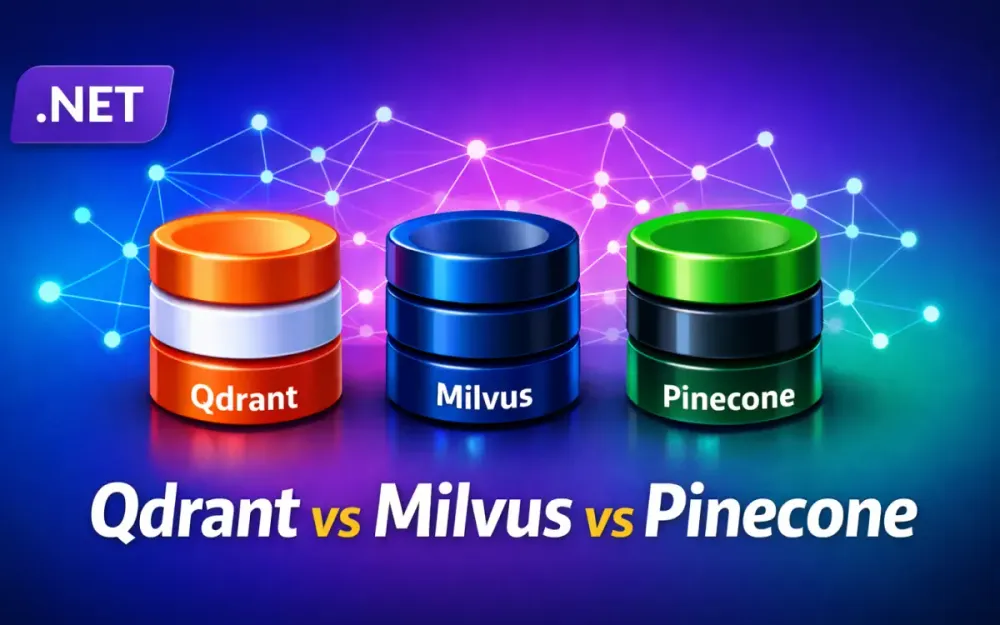
2 Deep Dive: Architectural Showdown — Qdrant vs. Milvus vs. Pinecone
Each of these three databases makes a different set of trade-offs. Qdrant optimizes for performance and self-hosting simplicity. Milvus optimizes for horizontal scale and GPU acceleration. Pinecone optimizes for zero operational overhead. None is universally best — the right choice depends on your team’s constraints.
2.1 Qdrant: The Rust-Powered Performance King
Qdrant is written entirely in Rust, which means memory safety without garbage collection pauses, deterministic low latency, and a small binary footprint. A single Qdrant instance running on a $40/month VPS can handle millions of vectors with sub-millisecond query latency.
Internally, Qdrant organizes each collection into immutable segments. Each segment contains an HNSW graph, a JSON-like payload store, and optionally a quantized representation of the vectors. Segments are sealed and merged in the background, which means write operations do not block reads. The architecture supports lock-free reads during concurrent upserts — important for real-time applications.
Qdrant 1.16 introduced Inline Storage, which embeds vector data directly inside HNSW graph nodes on disk. This means large collections that cannot fit in RAM still benefit from efficient disk-resident search without loading the entire index into memory.
The ACORN algorithm, also in 1.16, solves a real problem with multi-filter queries. When a query combines vector similarity with several payload filters, standard HNSW can miss relevant results because strict filtering eliminates too many candidates early. ACORN examines second-hop neighbors when direct neighbors are filtered out, recovering recall on low-selectivity filter combinations. You enable it per-query — no index rebuild required.
2.1.1 Local-first Development with Docker and .NET SDKs
Getting Qdrant running locally takes one command:
docker run -p 6333:6333 -p 6334:6334 \
  -v $(pwd)/qdrant_storage:/qdrant/storage:z \
  qdrant/qdrant
Port 6333 serves the REST API and the embedded dashboard. Port 6334 serves gRPC, which the .NET SDK uses for lower overhead.
Add the NuGet package:
dotnet add package Qdrant.ClientCreate a collection and upsert points:
using Qdrant.Client;
using Qdrant.Client.Grpc;

var client = new QdrantClient("localhost");

await client.CreateCollectionAsync("knowledge_base", new VectorParams
{
    Size = 1536,
    Distance = Distance.Cosine
});

var points = new List<PointStruct>
{
    new()
    {
        Id = new PointId { Uuid = Guid.NewGuid().ToString() },
        Vectors = new float[] { /* 1536 floats */ },
        Payload =
        {
            ["source"]     = "manual_v2.pdf",
            ["chapter"]    = 3,
            ["product_id"] = "SKU-9921",
            ["language"]   = "en"
        }
    }
};

await client.UpsertAsync("knowledge_base", points);
Qdrant’s .NET SDK (Qdrant.Client, currently 1.17.0 on NuGet) communicates via gRPC and targets .NET 6.0, .NET Standard 2.0, and .NET Framework 4.6.2.
2.1.2 The Payload Advantage: How Qdrant Handles Metadata Filtering Better than Rivals
Payload filtering in Qdrant is a first-class feature, not an afterthought. Every point carries a JSON-like payload that you can filter on during search. Qdrant supports geo-filters, range filters, full-text match, nested conditions, and datetime comparisons — all evaluated server-side before or during HNSW traversal.
var results = await client.SearchAsync(
    collectionName: "knowledge_base",
    vector: queryEmbedding,
    filter: new Filter
    {
        Must =
        {
            new Condition
            {
                Field = new FieldCondition
                {
                    Key = "language",
                    Match = new Match { Keyword = "en" }
                }
            },
            new Condition
            {
                Field = new FieldCondition
                {
                    Key = "chapter",
                    Range = new Range { Gte = 1, Lte = 5 }
                }
            }
        }
    },
    limit: 10,
    withPayload: true);
The key difference from PostgreSQL + pgvector is that Qdrant uses a pre-filtered HNSW traversal strategy. Instead of retrieving candidates and then filtering, it integrates filter evaluation into the graph walk itself. For high-selectivity filters (e.g., “language = en” on a collection that is 95% English), this avoids scanning irrelevant vectors entirely.
2.2 Milvus: Scaling to Billions with Cloud-Native Complexity
Milvus 2.6 is designed for the use case where you have hundreds of millions to billions of vectors and need to scale components independently. It is genuinely production-grade at billion-vector scale, but it brings operational complexity that smaller teams need to budget for.
The architecture separates compute and storage completely. Vectors and indexes live in object storage (MinIO or S3-compatible). Query Nodes load segments into memory on demand, execute ANN searches, and return results. Data Nodes handle DML operations and write to a WAL backed by Pulsar or Kafka. Index Nodes build ANN indexes on sealed segments asynchronously. Root, Query, Data, and Index Coordinators manage metadata and task scheduling via etcd.
This design means you scale Query Nodes for read-heavy workloads and Data Nodes for ingest-heavy workloads independently, without touching each other. For a team running a recommendation engine that ingests product catalogs during off-hours but handles millions of queries during peak traffic, that flexibility is real value.
2.2.1 Distributed Architecture: Data Nodes, Query Nodes, and Index Nodes
The separation of concerns in Milvus’s distributed mode means each node type has distinct resource requirements. Query Nodes are memory-intensive — they load segments for active search. Data Nodes are I/O-intensive during ingestion. Index Nodes are CPU or GPU-intensive during background index builds.
For Kubernetes deployments, you set resource requests and limits per node type. A production-scale deployment might run 4 Query Nodes with 32 GB RAM each, 2 Data Nodes with 16 GB RAM each, and 2 Index Nodes with either large CPUs or GPUs.
// Milvus.Client NuGet package (2.3.0-preview.1)
var client = new MilvusClient("localhost", port: 19530);

// Load collection before querying
var collection = client.GetCollection("product_catalog");
await collection.LoadAsync();

// Search with expression filter
var searchResults = await collection.SearchAsync(
    vectorFieldName: "embedding",
    vectors: new List<float[]> { queryVector },
    SimilarityMetricType.Cosine,
    limit: 20,
    searchParameters: new SearchParameters
    {
        OutputFields = { "product_id", "category", "price" },
        ConsistencyLevel = ConsistencyLevel.Bounded,
        ExtraParams = { ["ef"] = "64" }
    });
Milvus is also available as a managed cloud service (Zilliz Cloud), which removes the Kubernetes operational burden at the cost of vendor lock-in.
2.2.2 GPU Acceleration: When to Use Milvus for Sub-millisecond Latency on Massive Datasets
Milvus integrates GPU indexing through NVIDIA RAPIDS cuVS. The GPU_CAGRA index type is a graph-based structure built and searched on the GPU. In benchmarks, GPU_CAGRA search throughput exceeds CPU-based graph search by up to 50x.
The practical case for GPU acceleration: you have a dataset over 50 million vectors, you need query latency below 5ms at high concurrency, and you can justify the cost of inference-grade GPUs (e.g., NVIDIA T4 or A10). For datasets below 10 million vectors, a well-configured HNSW on CPU is faster and much cheaper.
Index configuration matters here. GPU_CAGRA uses build_algo: IVF_PQ or NN_DESCENT for graph construction. Memory overhead is approximately 1.8x the raw vector data size.
# Milvus GPU_CAGRA index (Python client shown for config clarity)
index_params = {
    "index_type": "GPU_CAGRA",
    "metric_type": "L2",
    "params": {
        "intermediate_graph_degree": 128,
        "graph_degree": 64,
        "build_algo": "IVF_PQ"
    }
}
The GPU index is built by Index Nodes and loaded by Query Nodes. The .NET application code does not change — only the server-side configuration differs.
2.3 Pinecone: The Zero-Ops Standard
Pinecone’s serverless architecture means you never provision nodes, never set replication factors, and never tune memory limits. You create an index, upsert vectors, and query. The infrastructure scales automatically. For teams that want to ship a working RAG application in a week without a DevOps engineer, Pinecone is the fastest path.
The Gen 2 serverless architecture organizes records into immutable files called slabs, stored in distributed object storage. Compute spins up on query, isolated by namespace. Dedicated Read Nodes (announced December 2025) add always-warm compute for consistent low-latency at high QPS when the auto-scaling behavior is not predictable enough for SLA commitments.
// Pinecone.Client NuGet (4.0.2)
var pinecone = new PineconeClient(Environment.GetEnvironmentVariable("PINECONE_API_KEY"));
var index = pinecone.Index("my-index");

// Upsert vectors with namespace for multi-tenancy
await index.UpsertAsync(new UpsertRequest
{
    Vectors = new List<Vector>
    {
        new()
        {
            Id = "doc-001-chunk-3",
            Values = embeddingArray,
            Metadata = new Metadata
            {
                ["source"]    = "contract_v3.pdf",
                ["tenant_id"] = "acme-corp",
                ["page"]      = 12
            }
        }
    },
    Namespace = "acme-corp"
});
2.3.1 Trade-offs: Vendor Lock-in vs. Development Velocity
Pinecone is not open source. You cannot run it locally without the managed service, and your data lives entirely in Pinecone’s infrastructure. Migration out requires exporting vectors, which is not trivial at scale.
The development velocity benefit is real: zero Kubernetes configuration, zero index tuning, automatic scaling, and a consistent REST API. But you are accepting that any Pinecone pricing change or service disruption directly affects your application.
The practical mitigation is the IVectorStore abstraction from Microsoft.Extensions.VectorData. If you code against the abstraction rather than the Pinecone SDK directly, switching providers involves changing your DI registration, not rewriting your application logic.
2.3.2 Pinecone 2026: The Serverless Revolution and Cost Efficiency at Scale
Pinecone’s pricing is consumption-based: Read Units (RUs) and Write Units (WUs). On the Standard plan, reads cost $16 per million RUs and writes cost $4 per million WUs. Storage is $0.33 per GB per month. The minimum commitment is $50 per month.
One RU represents 1 GB of namespace size scanned per query, with a minimum of 0.25 RU per query. For a 1 GB namespace, each query costs 0.25 RU minimum, meaning $16 per million queries when namespace is under 1 GB — competitive with managed alternatives at low query volumes. At high query volumes on large namespaces, costs climb steeply.
The key insight: Pinecone is cost-efficient for bursty, unpredictable workloads typical of early-stage products, and expensive for high-volume production workloads. Budget accordingly.
2.4 The Comparative Matrix: Latency, Throughput, and Developer Experience for .NET Teams
This table captures the trade-offs that matter most for .NET architects choosing a vector store for production:
| Dimension | Qdrant | Milvus | Pinecone |
|---|---|---|---|
| Self-hosted | Yes (Apache 2.0) | Yes (Apache 2.0) | No |
| Managed cloud | Yes (Qdrant Cloud) | Yes (Zilliz Cloud) | Yes (only option) |
| .NET SDK quality | Stable, gRPC-based | Preview, community-maintained | GA, official |
| Max vector dims | 65,536 | 32,768 | 20,000 |
| GPU acceleration | No | Yes (CAGRA) | No |
| Binary quantization | Yes (32x compression) | Yes (IVF_SQ8) | No |
| Hybrid search | Yes (server-side RRF) | Yes (sparse + dense) | Yes (sparse + dense) |
| Multi-tenancy | Collections or payload filters | Collections or partitions | Namespaces |
| Free tier | 1 GB cluster | Docker (self-hosted) | 2 GB serverless |
| Starting price | $0 (self-hosted) | $0 (self-hosted) | $50/month |
| Best fit | Performance + self-host | Billion-scale + GPU | Zero-ops + fast start |
3 Mastering Indexing: The Math and Mechanics for Developers
The index structure your vector database uses determines query speed, recall accuracy, memory consumption, and build time. Understanding the options lets you tune for your specific workload rather than accepting defaults.
3.1 HNSW: Why It Is the Gold Standard for Accuracy
Hierarchical Navigable Small World (HNSW) is the most widely deployed ANN index structure. It builds a multi-layer graph where the top layers contain fewer, widely-spaced nodes that provide coarse navigation, and lower layers contain all nodes with dense connections.
A query starts at the top layer, greedily navigates toward the query vector, then descends to the next layer and repeats. This hierarchical structure means search complexity is approximately O(log n) rather than O(n), while recall (the fraction of true nearest neighbors returned) remains above 95% with appropriate settings.
The two build-time parameters that matter most are m (connections per node, default 16) and ef_construct (search width during construction, default 100). Higher values improve recall but increase build time and memory. The query-time parameter ef controls the search width at query time — higher values improve recall at the cost of latency.
For production, start with m=16, ef_construct=100, and set ef=64 at query time — this typically achieves 95%+ recall. In Qdrant, you configure these as HnswConfigDiff properties on the collection, and setting OnDisk = true activates the Inline Storage mode introduced in v1.16 for disk-resident search without full RAM. Benchmark your specific dataset; recall varies with data distribution.
3.2 DiskANN and On-Disk Indexing: Managing 10TB+ Vector Collections Without $50,000 RAM Bills
HNSW is fast but memory-hungry. Storing 100 million 1536-dimensional float32 vectors requires approximately 600 GB of RAM just for the raw vectors, before considering the HNSW graph overhead. That is not a realistic budget for most teams.
DiskANN (Disk-based Approximate Nearest Neighbor), developed by Microsoft Research, solves this. It is based on the Vamana graph structure and is specifically designed to reside primarily on NVMe SSDs rather than RAM. Benchmarks show it reaching 95% recall at billion-vector scale with sub-10ms query latency using a fraction of the RAM that HNSW requires.
DiskANN is now available in SQL Server 2025 and Azure SQL Database. If you are already on that stack, the integration is clean:
// EF Core 10 - create DiskANN index in migration
modelBuilder.Entity<BlogPost>()
    .HasIndex(b => b.Embedding)
    .HasMethod("diskann");
Equivalent T-SQL:
CREATE VECTOR INDEX idx_embedding
ON BlogPosts (Embedding)
WITH (metric = 'cosine');
DiskANN is the right choice when your vector collection exceeds what fits in available RAM, your query latency requirement is above 5ms, and you are already running SQL Server 2025. For collections requiring sub-5ms latency, keep them in memory with HNSW and apply quantization to reduce the memory footprint.
3.3 Quantization Strategies: Reducing Memory Footprint by 4x to 10x
Quantization compresses vectors to reduce memory usage and improve cache efficiency. The three main strategies each trade accuracy for compression in different ways.
Scalar quantization (int8) maps each float32 dimension to an int8 value. Memory drops by 4x, search speed improves by 1.5–2x due to better cache utilization, and recall drops by less than 1% on most datasets. This is the safest quantization option.
Product quantization (PQ) divides each vector into chunks and quantizes each chunk independently using a learned codebook. Compression can reach 16–32x at the cost of higher recall degradation. Most effective on very high-dimensional vectors (1536+).
Binary quantization maps each float32 dimension to a single bit. Memory drops by 32x and search speed improves by up to 40x (Hamming distance on bitstrings is extremely fast). The catch: recall can drop to 80–90% on many models. Qdrant mitigates this with asymmetric quantization — store vectors as binary, query in scalar for better precision — and with rescoring, where the top candidates from binary search are rescored against the original float32 vectors.
// Qdrant: enable binary quantization with rescoring
await client.CreateCollectionAsync("large_collection", new VectorParams
{
    Size = 1536,
    Distance = Distance.Cosine,
    QuantizationConfig = new QuantizationConfig
    {
        Binary = new BinaryQuantization
        {
            AlwaysRam = true  // Keep quantized index in RAM
        }
    }
});
Binary quantization works best for OpenAI text-embedding-3-large (3072 dims) and similar large models. On 384-dimensional models, the recall loss is typically too high to accept without extensive rescoring.
3.4 Calculating Distance in .NET: Cosine Similarity, Dot Product, and L2
Three distance metrics dominate vector search. Understanding when to use each prevents subtle bugs where your search returns plausible but wrong results.
Cosine similarity measures the angle between two vectors, ignoring magnitude:
similarity = (A · B) / (||A|| × ||B||)Use cosine similarity for text embeddings from models like OpenAI’s text-embedding series. These models are trained with cosine similarity as the objective, and magnitude carries no semantic meaning.
Dot product is cosine similarity multiplied by the magnitudes of both vectors. Use dot product when vectors are normalized to unit length — then dot product and cosine similarity are equivalent, and dot product is faster because it skips the normalization division.
L2 (Euclidean) distance measures straight-line distance between two points. Use L2 for image embeddings from models trained with metric learning objectives, and for tabular feature embeddings where absolute magnitude matters.
In .NET 10, the System.Numerics.Tensors package provides SIMD-accelerated implementations that use AVX-512 automatically where available:
using System.Numerics.Tensors;

float[] vectorA = GetEmbedding("cloud computing");
float[] vectorB = GetEmbedding("distributed systems");

// SIMD-accelerated, hardware-width selection automatic
float similarity = TensorPrimitives.CosineSimilarity(vectorA, vectorB);
float dotProduct  = TensorPrimitives.Dot(vectorA, vectorB);
float l2Distance  = TensorPrimitives.Distance(vectorA, vectorB);

// L2 normalize before dot-product search
TensorPrimitives.Normalize(vectorA, destinationBuffer);
These methods operate on Span<float> and ReadOnlySpan<float>. On Intel Tiger Lake+ or AMD Zen 4+ CPUs with AVX-512, you get 512-bit SIMD operations without writing a single intrinsic.
4 The Unified .NET Stack: Microsoft.Extensions.VectorData and AI Abstractions
The .NET ecosystem now has a stable, provider-agnostic abstraction layer for vector databases. Using it means your application code does not know whether it is talking to Qdrant, Pinecone, or SQL Server — which matters when you want to switch providers without a rewrite.
4.1 The New Standard: Using Microsoft.Extensions.VectorData for Provider-Agnostic Code
Microsoft.Extensions.VectorData.Abstractions reached General Availability in late 2025. It defines a two-level abstraction: IVectorStore (the database connection) and IVectorStoreRecordCollection<TKey, TRecord> (a typed collection within that store).
You decorate your record classes with attributes to describe the schema:
using Microsoft.Extensions.VectorData;

public class SupportTicket
{
    [VectorStoreKey]
    public string Id { get; set; }

    [VectorStoreData(IsFilterable = true)]
    public string TenantId { get; set; }

    [VectorStoreData(IsFilterable = true, IsFullTextSearchable = true)]
    public string Category { get; set; }

    [VectorStoreData]
    public string Content { get; set; }

    [VectorStoreVector(Dimensions = 1536,
        DistanceFunction = DistanceFunction.CosineSimilarity)]
    public ReadOnlyMemory<float>? ContentEmbedding { get; set; }
}
Register and use via dependency injection:
// Program.cs - register Qdrant provider
builder.Services.AddQdrantVectorStore("localhost");

// Or swap to Azure AI Search:
// builder.Services.AddAzureAISearchVectorStore(searchEndpoint, credential);

// Or SQL Server via EF Core 10:
// builder.Services.AddSqlServerVectorStore(connectionString);
Searching is identical regardless of the underlying provider:
public class TicketSearchService(IVectorStore vectorStore)
{
    private readonly IVectorStoreRecordCollection<string, SupportTicket> _collection =
        vectorStore.GetCollection<string, SupportTicket>("support_tickets");

    public async IAsyncEnumerable<SupportTicket> SearchAsync(
        ReadOnlyMemory<float> queryEmbedding,
        string tenantId,
        int topK = 10)
    {
        var options = new VectorSearchOptions<SupportTicket>
        {
            Top = topK,
            Filter = t => t.TenantId == tenantId,
            IncludeVectors = false
        };

        await foreach (var result in _collection.SearchAsync(queryEmbedding, options))
        {
            yield return result.Record;
        }
    }
}
4.2 Semantic Kernel Integration: Building Memory into Your AI Agents
Semantic Kernel’s memory system is built on top of Microsoft.Extensions.VectorData. The SK layer adds connector packages, ITextSearch abstraction for RAG pipelines, and kernel plugin factories for agentic workflows.
The practical pattern is to wrap a vector collection as an ITextSearch and register it as a kernel plugin, so agents can retrieve context autonomously:
using Microsoft.SemanticKernel;
using Microsoft.SemanticKernel.Connectors.Qdrant;

var kernel = Kernel.CreateBuilder()
    .AddAzureOpenAIChatCompletion(
        deploymentName: "gpt-4o",
        endpoint: azureEndpoint,
        apiKey: apiKey)
    .AddAzureOpenAITextEmbeddingGeneration(
        deploymentName: "text-embedding-3-small",
        endpoint: azureEndpoint,
        apiKey: apiKey)
    .AddQdrantVectorStore("localhost")
    .Build();

var collection = kernel.Services
    .GetRequiredService<IVectorStore>()
    .GetCollection<string, SupportTicket>("support_tickets");

// Wrap as searchable text source
var textSearch = new VectorStoreTextSearch<SupportTicket>(
    collection,
    kernel.Services.GetRequiredService<ITextEmbeddingGenerationService>()
);

// Register as a plugin the agent can call
var searchPlugin = textSearch.CreateWithGetTextSearchResults("KnowledgeBase");
kernel.Plugins.Add(searchPlugin);

// Agent will now call KnowledgeBase.Search when it needs context
var response = await kernel.InvokePromptAsync(
    "Summarize the most common billing issues reported this month.");
The agent decides when to call the knowledge base plugin and what query to use. The vector store handles retrieval transparently.
4.3 Native .NET 10 Performance: Using Tensor and SIMD Instructions for Local Vector Operations
System.Numerics.Tensors (10.0.3 on NuGet) is the right tool for local vector computation — batch embedding comparisons, reranking candidate lists, and normalizing vectors before storage. As shown in Section 3.4, TensorPrimitives.CosineSimilarity, Dot, and Distance all operate on Span<float> and select the best available SIMD width automatically at runtime: 512-bit on AVX-512 hardware, 256-bit on AVX2, 128-bit on SSE2 or NEON. You do not write any platform-specific code.
The practical use cases here are local reranking (score a shortlist of ANN candidates before returning results to the caller) and pre-processing (L2-normalizing vectors before upsert so that dot product and cosine similarity become equivalent at query time). Both operations run in microseconds even on large batches.
4.4 Popular Open-Source Libraries: LangChain.NET and LLamaSharp for Local-Only Architectures
When data sovereignty requirements prevent sending embeddings to external APIs, the .NET ecosystem has two solid options.
LangChain.NET (LangChain.Core on NuGet) provides chain abstractions that mirror Python LangChain, including document loaders, text splitters, vector store integrations, and RAG chain builders. It supports Qdrant and Chroma as vector store backends.
LLamaSharp (LLamaSharp on NuGet) wraps llama.cpp for running local ONNX and GGUF models. Combined with a local embedding model like nomic-embed-text or bge-small-en-v1.5, you get a fully on-premises RAG stack: local embeddings, local LLM, local Qdrant instance. The LLamaEmbedder class accepts a model path and returns float[] embeddings that slot directly into any IVectorStoreRecordCollection.
The trade-off is quality. Local models produce lower-quality embeddings than OpenAI’s text-embedding-3-large, which reduces retrieval recall — typically by 5–15% on standard benchmarks. Run your real-world queries against both options before committing to a fully local stack.
5 Hybrid Search: Combining the Best of Both Worlds
Pure vector search is powerful but incomplete. Understanding when it fails and how to supplement it is the difference between a search experience that impresses and one that frustrates.
5.1 The Weakness of Pure Vector Search: Why It Fails for Names, Serial Numbers, and Exact Matches
Vector search works by finding semantic neighbors. That means it is poorly suited for exact lookups: product serial numbers, usernames, phone numbers, invoice IDs, and error codes. A query for “ERR_CONN_RESET_4291” will return semantically similar error messages rather than the exact document with that code.
The same problem appears with rare proper nouns. A search for “Müller” (a German surname) may retrieve documents about mills, grinding, and grain before it finds documents that actually contain the name, because the embedding model encodes semantic meaning rather than surface form.
The practical rule: wherever your users make exact or keyword-based queries — for names, codes, identifiers, and product numbers — pure vector search will underperform a keyword index. The solution is hybrid search.
5.2 Implementing RRF in C#: Merging BM25 Keyword and Vector Results
Reciprocal Rank Fusion (RRF) is the standard algorithm for merging results from two independent ranked lists. It ignores raw scores entirely and works only on rank positions:
RRF_score(d) = Σ 1 / (k + rank(d))Where k = 60 is the standard constant that reduces the dominance of top-ranked results. The document with rank 1 contributes 1/(60+1) = 0.0164. The document with rank 100 contributes 1/(60+100) = 0.00625.
Here is a clean C# implementation:
public static IEnumerable<T> ReciprocalRankFusion<T>(
    IEnumerable<IEnumerable<T>> rankedLists,
    Func<T, string> idSelector,
    int k = 60)
{
    var scores = new Dictionary<string, (T item, double score)>();

    foreach (var list in rankedLists)
    {
        int rank = 1;
        foreach (var item in list)
        {
            string id = idSelector(item);
            double contribution = 1.0 / (k + rank);

            if (scores.TryGetValue(id, out var existing))
                scores[id] = (existing.item, existing.score + contribution);
            else
                scores[id] = (item, contribution);

            rank++;
        }
    }

    return scores.Values
        .OrderByDescending(x => x.score)
        .Select(x => x.item);
}

// Usage: merge vector results and BM25 results
var fusedResults = ReciprocalRankFusion(
    new[] { vectorResults, keywordResults },
    item => item.Id);
Qdrant also supports server-side RRF via its Query API using the "fusion": "rrf" parameter on a prefetch request, which is more efficient because it avoids round-tripping all candidates back to the client. Azure AI Search applies RRF automatically whenever a request combines both keyword and vector queries — no extra configuration needed.
5.3 Sparse vs. Dense Vectors: Using SPLADE and BM25 Inside Pinecone and Qdrant
Dense vectors (the standard embedding output) are float[1536] arrays where all or most dimensions carry information. Sparse vectors represent TF-IDF or BM25 scores and are mostly zeros — a document vector might have 30,000 dimensions but only 50–200 non-zero values, each corresponding to a specific vocabulary term.
SPLADE is a learned sparse model that produces sparse vectors capturing lexical content. Unlike bag-of-words TF-IDF, SPLADE expands terms through its training, so “car” might activate the “vehicle” and “automobile” dimensions. You get the exact-match precision of sparse retrieval with some semantic generalization.
Both Qdrant and Pinecone support hybrid indexing with sparse + dense vectors on the same document. In Qdrant, you define named vectors per collection:
await client.CreateCollectionAsync("articles", new VectorParamsMap
{
    Map =
    {
        ["dense"]  = new VectorParams { Size = 1536, Distance = Distance.Cosine },
        ["sparse"] = new VectorParams { Size = 0,    Distance = Distance.Dot,
                                        IsSparse = true }
    }
});
Query time combines both with server-side RRF fusion.
5.4 Cross-Encoders and Re-ranking: The Final Layer for Industrial-Strength Search Quality
ANN search retrieves candidates quickly but not perfectly. A cross-encoder takes the query and each candidate document as a pair, runs them through a transformer simultaneously, and produces a relevance score that is significantly more accurate than cosine similarity — but much slower.
The standard pattern is a two-stage retrieval pipeline: retrieve 50 candidates with ANN + BM25 hybrid search, score each candidate pair (query, document) through the cross-encoder, sort descending, and return the top 5–10 results.
var candidates = await RetrieveCandidatesAsync(queryEmbedding, count: 50);
var reranked   = await Task.WhenAll(candidates.Select(async c =>
    (doc: c, score: await _crossEncoder.ScoreAsync(queryText, c.Content))));

return reranked.OrderByDescending(x => x.score).Take(5)
               .Select(x => x.doc).ToList();
Cross-encoders add 50–200ms per batch, so keep candidates to 20–50. cross-encoder/ms-marco-MiniLM-L-6-v2 via ONNX Runtime is the standard starting point for .NET — small model, high quality on English retrieval tasks.
6 The Azure Dilemma: Azure AI Search vs. Specialized Vector Stores
For .NET teams already running on Azure, Azure AI Search is always the first option to evaluate. Whether it is the right answer depends on your workload characteristics and existing architecture.
6.1 When Azure AI Search Is the Correct Choice
Azure AI Search is the right choice when three conditions align: your data already lives in Azure services (Blob Storage, SQL Database, Cosmos DB, SharePoint Online), your team needs integrated access control that mirrors Azure Active Directory, and you want hybrid search (keyword + vector + semantic ranking) without writing any custom fusion logic.
The Integrated Vectorization feature lets Azure AI Search generate embeddings during indexing using Azure OpenAI or Azure AI Foundry models, without any custom code in your ingestion pipeline. Blob Indexers automatically detect new or modified files and trigger re-indexing.
// Azure AI Search with Microsoft.Extensions.VectorData
builder.Services.AddAzureAISearchVectorStore(
    new Uri(searchEndpoint),
    new DefaultAzureCredential());
The ACL integration is the killer feature for enterprise workloads. You can filter search results at query time based on the current user’s Azure AD group memberships, ensuring that documents the user should not see never appear in results — without implementing that logic yourself.
6.2 The Performance Gap: Where Qdrant or Milvus Outshine Azure’s Managed Offering
Azure AI Search’s vector quota scales with pricing tiers. An S1 Search Unit holds 35 GB of vector data. At 1536 dimensions with no quantization, that is approximately 6 million vectors per partition. An S1 with 6 partitions reaches 35 million vectors at roughly $1,470/month.
Qdrant on a cloud VM with binary quantization can hold the same 35 million vectors in roughly 2 GB of RAM (32x compression from 128 GB uncompressed), serving sub-millisecond queries at a fraction of that cost.
Azure AI Search caps at 3,072 dimensions. Qdrant supports up to 65,536 dimensions. For multi-modal workloads with large image or audio embeddings, Azure AI Search may not be an option at all.
Query filtering in Azure AI Search uses OData expressions evaluated post-retrieval. Qdrant’s pre-filtered HNSW traversal is faster for high-cardinality filters because it never retrieves filtered-out candidates in the first place.
6.3 Integration Patterns: Using Azure Functions and Event Grid to Sync SQL Server Data to Pinecone
A common architecture on Azure teams: transactional data lives in Azure SQL Database, but the AI search layer runs on Pinecone or Qdrant. The integration challenge is keeping the vector store in sync when documents change.
Here is the skeleton for the Azure Function that handles both deletes and upserts:
[FunctionName("SyncDocumentToVectorStore")]
public async Task RunAsync(
    [EventGridTrigger] EventGridEvent eventGridEvent, ILogger log)
{
    var payload = eventGridEvent.Data.ToObjectFromJson<DocumentChangedPayload>();

    if (eventGridEvent.EventType == "document.deleted")
    {
        await _pinecone.Index("documents").DeleteAsync(new DeleteRequest
        {
            Ids = new[] { payload.DocumentId },
            Namespace = payload.TenantId
        });
        return;
    }

    // Fetch content, chunk, embed, upsert — all scoped to tenant namespace
    var document = await _repository.GetByIdAsync(payload.DocumentId);
    var vectors  = await _pipeline.BuildVectorsAsync(document, payload.TenantId);

    await _pinecone.Index("documents").UpsertAsync(new UpsertRequest
    {
        Vectors   = vectors,
        Namespace = payload.TenantId
    });
}
SQL Server’s Change Data Capture (CDC) is the cleanest trigger mechanism for high-throughput scenarios. For lower-frequency updates, polling on a rowversion column works without the CDC configuration overhead.
6.4 Cost Analysis: Azure vs. Resource-Based Qdrant Pricing
Comparing costs at 10 million vectors (1536 dimensions, 1000 queries per day):
Azure AI Search S1 (1 partition, 1 replica): approximately $245/month. This fits 10 million vectors comfortably in the 35 GB quota. Semantic ranking adds no extra charge. Integrated vectorization billing is separate (Azure OpenAI charges apply).
Qdrant Cloud (AWS us-east, no quantization): approximately $102/month for a cluster sized to hold 10 million 1536-dim vectors. With scalar quantization, the same vectors fit in roughly 40% of the memory, reducing cluster cost further.
Pinecone Serverless at 1000 queries per day: queries against a ~60 GB index (10M vectors × 6 KB/vector ≈ 60 GB) cost approximately 60 RUs per query × $16/million RUs × 30,000 queries/month ≈ $29/month in query costs. Storage: 60 GB × $0.33 ≈ $20/month. Total: ~$49/month, plus the $50 minimum.
The cost profile shifts significantly at 100 queries per second rather than 1000 per day. Azure AI Search’s fixed pricing becomes advantageous at sustained high query volume. Pinecone’s per-query pricing scales linearly with volume.
7 Enterprise Scaling and Multi-tenancy Patterns
Moving a vector application from prototype to production at enterprise scale surfaces a distinct set of challenges: isolating tenant data, measuring retrieval quality, managing total cost of ownership, and protecting against data loss.
7.1 Multi-tenancy Strategies
7.1.1 Isolated Collections vs. Metadata Filtering
Two approaches dominate for tenant isolation in vector databases.
Isolated collections: each tenant gets their own collection (in Qdrant or Milvus) or index (in Azure AI Search). Data is physically separated. A bug in one tenant’s data cannot affect another. Access control is trivial — your application simply routes each tenant to their collection. The cost is operational overhead: 1000 tenants means 1000 collections to monitor, back up, and size.
Metadata filtering: all tenants share a single collection. Each point carries a tenant_id payload field, and every query includes a filter on that field. This is simpler to operate and scales tenant count without operational overhead. The risk is data leakage through filter bugs — a missing or incorrect filter in application code exposes cross-tenant data.
// Multi-tenant search with metadata filter (Qdrant)
public async Task<IReadOnlyList<VectorSearchResult<SupportTicket>>> SearchAsync(
    string tenantId, float[] queryVector, int topK = 10)
{
    // Always inject tenant_id filter - never allow it to be skipped
    var filter = new Filter
    {
        Must =
        {
            new Condition
            {
                Field = new FieldCondition
                {
                    Key   = "tenant_id",
                    Match = new Match { Keyword = tenantId }
                }
            }
        }
    };

    return await _client.SearchAsync(
        "support_tickets", queryVector, filter, (ulong)topK);
}
The practical guideline: use isolated collections for high-security tenants (financial, healthcare, or government workloads) and metadata filtering for SaaS products with many small tenants. A hybrid approach — isolated collections per tier (enterprise/standard/free) with metadata filtering within each tier — handles mixed requirements.
7.1.2 The Namespacing Pattern in Pinecone
Pinecone’s namespaces are the native multi-tenancy primitive. Each namespace is a logical partition within an index; data is stored independently per namespace in object storage. Creating a namespace requires no configuration — upsert to a new namespace and it exists.
// Pinecone namespace-per-tenant: upsert and query both carry Namespace = tenantId
await _index.UpsertAsync(new UpsertRequest
{
    Vectors = documents.Select(doc => new Vector
    {
        Id     = doc.Id,
        Values = doc.Embedding,
        Metadata = new Metadata { ["category"] = doc.Category }
    }).ToList(),
    Namespace = tenantId
});

var results = await _index.QueryAsync(new QueryRequest
{
    Vector          = queryVector,
    TopK            = 10,
    Namespace       = tenantId,
    IncludeMetadata = true
});
The advantage over metadata filtering: Pinecone’s query execution is physically scoped to the namespace, not post-filtered. There is no risk of cross-namespace data leakage through a missing filter clause in application code.
7.2 Observability: Tracking Recall and Precision Metrics in Application Insights
Query count and latency are not enough for vector search observability. The metric that matters for RAG quality is retrieval recall — whether the correct documents are in the top-k results. You cannot measure this automatically in production, but you can track proxy metrics.
Emit at least three metrics per query to Application Insights:
var sw      = Stopwatch.StartNew();
var results = await _collection.SearchAsync(queryEmbedding,
    new VectorSearchOptions<SupportTicket> { Top = topK }).ToListAsync();
sw.Stop();

var scores = results.Select(r => r.Score ?? 0.0).ToList();
_telemetry.TrackMetric("vector_search.latency_ms", sw.ElapsedMilliseconds);
_telemetry.TrackMetric("vector_search.top_score",  scores.FirstOrDefault());
_telemetry.TrackMetric("vector_search.avg_score",  scores.Any() ? scores.Average() : 0);
A sudden drop in avg_score is the clearest early signal of embedding model drift — where query embeddings are no longer semantically aligned with your stored document embeddings. This typically happens after a silent model version change at your embedding provider. Track the score distribution daily to catch it before users notice degraded results.
7.3 Total Cost of Ownership: Pricing Out 100 Million Vectors
At 100 million 1536-dimensional float32 vectors, raw storage is approximately 600 GB. Here is a realistic TCO comparison at 1,000 queries/day:
| Platform | Monthly cost | Key variable |
|---|---|---|
| Qdrant Cloud (no quantization) | $800–1,200 | Binary quantization drops this to ~$100–150 |
| Qdrant Cloud (binary quantization) | ~$100–150 | 32x memory compression; recall tuning required |
| Milvus on Kubernetes (self-managed) | $700–1,000 + ops | 4 Query Nodes × 32 GB + S3 + Kafka |
| Pinecone Serverless | ~$486 | $288 queries + $198 storage; scales with QPS |
| Azure AI Search S2 (8 SU) | ~$7,848 | Fixed cost; competitive at very high QPS |
Binary quantization on Qdrant is the single biggest cost lever for large collections — the same 600 GB shrinks to ~19 GB of RAM.
7.4 Disaster Recovery: Snapshotting and Vector Database Backup Strategies
Qdrant supports on-demand snapshots via a single POST /collections/{name}/snapshots REST call. The snapshot is a portable archive that restores to any Qdrant instance. Schedule this via a cron job or Azure Function and push the resulting file to blob storage.
For Pinecone, the Collections API creates read-only point-in-time snapshots of indexes. Automated backups require scripting — Pinecone Standard does not offer built-in scheduling.
For Milvus, the milvus-backup tool snapshots collection data to S3-compatible object storage. Enable bucket versioning on your MinIO/S3 bucket as an additional safety net.
RTO varies significantly: Qdrant snapshot restore takes minutes for collections under 10 GB. Milvus restore involves reloading segment data into Query Nodes, which can take tens of minutes for large collections — factor this into your SLA commitments.
8 Implementation Blueprint: Building a High-Scale RAG Application
This section assembles the patterns from earlier sections into a production-ready architecture you can adapt for your team’s stack.
8.1 Data Ingestion Pipeline: Handling Chunking, Overlap, and Rate-Limiting Embedding Providers
Document chunking strategy directly affects retrieval quality. Too-small chunks lose context; too-large chunks dilute relevance. The standard starting point is 512 tokens per chunk with 64-token overlap between adjacent chunks. Use tiktoken-sharp on NuGet for OpenAI-compatible token counts; character-based splitting gives incorrect counts for multilingual content and emoji-heavy text.
Azure OpenAI’s embedding endpoint has rate limits. For bulk ingestion, use a concurrency-controlled pipeline with exponential-backoff retry:
public class EmbeddingPipeline(ITextEmbeddingGenerationService embedder)
{
    private readonly SemaphoreSlim _rateLimiter = new(maxConcurrency: 10, 10);

    public async IAsyncEnumerable<(TextChunk chunk, float[] embedding)>
        EmbedBatchAsync(IEnumerable<TextChunk> chunks,
            [EnumeratorCancellation] CancellationToken ct = default)
    {
        var tasks = chunks.Select(async chunk =>
        {
            await _rateLimiter.WaitAsync(ct);
            try
            {
                var policy = Policy
                    .Handle<HttpRequestException>()
                    .WaitAndRetryAsync(3, i => TimeSpan.FromSeconds(Math.Pow(2, i)));

                var embedding = await policy.ExecuteAsync(() =>
                    embedder.GenerateEmbeddingVectorAsync(chunk.Text, cancellationToken: ct));

                return (chunk, embedding.ToArray());
            }
            finally
            {
                _rateLimiter.Release();
            }
        });

        foreach (var task in tasks)
            yield return await task;
    }
}
Batch embedding calls (OpenAI supports up to 2048 inputs per request) reduce API overhead significantly. Profile your throughput with the batch API before assuming you need the semaphore-based approach.
8.2 Designing the Vector Store Wrapper: A Clean Architecture Approach Using IVectorStore
The abstraction layer should live in your domain or application layer and expose only the operations your application actually needs. Do not expose the raw IVectorStore across your entire codebase.
// Domain interface — no vector DB details visible here
public interface IKnowledgeRepository
{
    Task IndexDocumentAsync(Document document, CancellationToken ct = default);
    Task<IReadOnlyList<RelevantChunk>> SearchAsync(
        string query, string tenantId, int topK = 5, CancellationToken ct = default);
    Task DeleteDocumentAsync(string documentId, CancellationToken ct = default);
}

// Infrastructure implementation — all vector DB specifics are here
public class VectorKnowledgeRepository(
    IVectorStoreRecordCollection<string, DocumentChunkRecord> collection,
    ITextEmbeddingGenerationService embedder,
    EmbeddingPipeline pipeline) : IKnowledgeRepository
{
    public async Task IndexDocumentAsync(Document document, CancellationToken ct)
    {
        await DeleteDocumentAsync(document.Id, ct);
        await foreach (var (chunk, embedding) in pipeline.EmbedBatchAsync(
            _chunker.Chunk(document.Content), ct))
        {
            await collection.UpsertAsync(new DocumentChunkRecord
            {
                Id         = $"{document.Id}::chunk::{chunk.Index}",
                DocumentId = document.Id,
                TenantId   = document.TenantId,
                Content    = chunk.Text,
                Embedding  = embedding
            }, cancellationToken: ct);
        }
    }

    public async Task<IReadOnlyList<RelevantChunk>> SearchAsync(
        string query, string tenantId, int topK, CancellationToken ct)
    {
        var embedding = await embedder.GenerateEmbeddingVectorAsync(query, ct);
        var results   = new List<RelevantChunk>();

        await foreach (var result in collection.SearchAsync(embedding,
            new VectorSearchOptions<DocumentChunkRecord>
            {
                Top    = topK,
                Filter = r => r.TenantId == tenantId
            }, ct))
        {
            results.Add(new RelevantChunk
            {
                Content    = result.Record.Content,
                DocumentId = result.Record.DocumentId,
                Score      = result.Score ?? 0.0f
            });
        }
        return results;
    }
}
This structure keeps your application layer unaware of whether the backing store is Qdrant, Pinecone, or SQL Server. Switching providers is a single DI registration change in Program.cs — no application logic changes.
8.3 The Update Problem: Handling Real-time Document Edits and Deletes in the Vector Index
Vector databases do not support partial updates in the way relational databases do. When a document changes, you cannot update individual words and regenerate only the affected embeddings cheaply. The practical approach is chunk-level upsert with document-level delete.
Each chunk gets a deterministic ID that encodes the document ID and chunk index: {documentId}::chunk::{index}. When a document is updated, delete all chunks with that document ID prefix, re-chunk the new content, generate fresh embeddings, and upsert the new chunks.
The edge case to handle carefully is consistency: between the delete and the re-index, queries against that document return zero results. For most RAG applications, a brief window of missing results is acceptable. For applications requiring continuous availability, maintain a “shadow” set of chunks under a different ID prefix, switch the active prefix atomically, and delete the old chunks after confirmation.
Store two additional payload fields on every chunk: IndexedAt (timestamp) and ContentHash (hash of the chunk text). A nightly background job that compares IndexedAt against the source document’s UpdatedAt catches any chunks that failed to re-index due to transient errors. The ContentHash lets you skip the embedding call entirely when content has not changed — useful for documents with frequent metadata-only updates.
8.4 Final Checklist: 10 Questions Every Architect Must Ask Before Selecting a Provider
Use this checklist before committing to a vector database for a production workload:
- Vector scale now and in 12 months. Under 5 million vectors next to existing SQL Server? Start with EF Core 10 + SQL Server 2025 before introducing a new database tier.
- Query latency target. Sub-10ms p99 with complex payload filters requires a dedicated vector store with pre-filtered ANN traversal. SQL Server and Azure AI Search are unlikely to meet this at scale.
- GPU acceleration need. Only Milvus provides native GPU_CAGRA indexing. Relevant only above 50 million vectors at very high QPS.
- Team’s operational capacity. No Kubernetes expertise? Milvus Distributed is painful to self-manage. Qdrant Cloud or Pinecone removes that burden entirely.
- Data residency requirements. Pinecone has no self-host option. Qdrant Cloud Hybrid deploys into your cloud account. Milvus self-hosted gives full control.
- Multi-tenancy model. Pinecone namespaces, Qdrant payload filters, or isolated collections — map your tenant count and isolation risk to the right pattern before building.
- Hybrid search requirement. All three providers support sparse + dense, but server-side RRF maturity varies. Verify recall against your queries, not synthetic benchmarks.
- Compliance requirements. HIPAA, SOC 2, and GDPR commitments differ by provider and tier. Confirm before signing any contract.
- Document update strategy. Design your chunk ID scheme and delete-before-reindex pattern before writing any ingestion code. Retrofitting this is expensive.
- Benchmark on real data. Synthetic benchmark results do not predict production recall. Run your actual queries on each shortlisted provider before deciding.