1 The Strategic Shift: From Monolithic Mud to Plugin Architectures
Most enterprise systems start life as a straightforward monolith — one codebase, one deployment, and one shared runtime. That simplicity is appealing early on: it’s easy to spin up, easy to test, and quick to deliver. But as the system matures, features multiply, and teams grow, the monolith often turns into what developers jokingly call a “big ball of mud.” Everything becomes connected to everything else. A change in one area can accidentally break something in another.
At the same time, teams increasingly want flexibility: the ability to turn features on or off, let partners extend the platform, and ship updates independently. The problem is that traditional monoliths don’t handle that kind of flexibility well, while full-blown microservices add operational and cognitive overhead.
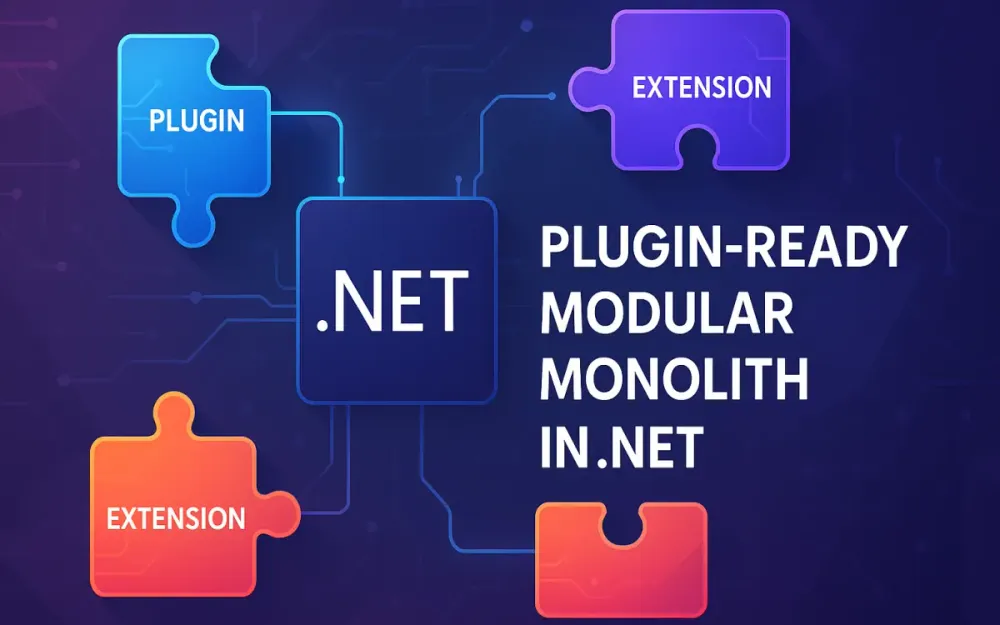
A plugin-ready modular monolith (often called a “modulith”) strikes the balance. It keeps the simplicity of a single deployable application but organizes the system into self-contained modules or plugins that can be independently developed, versioned, and optionally activated at runtime.
The goal isn’t to chase architectural purity but to build a structure that scales with both complexity and team size. This section explains why this hybrid architecture matters, how to structure it, and the principles that make it reliable and easy to evolve.
1.1 The Case for the Plugin-Based Modulith
1.1.1 Comparing Traditional Monoliths, Microservices, and the Modular Monolith
A good architecture is about trade-offs. Each model — monolith, microservices, or modular monolith — makes different trade-offs between complexity, scalability, and maintainability.
-
Traditional Monolith — All features live inside a single codebase and deployment. It’s easy to start, debug, and deploy — one command, one process. But as the system grows, everything becomes coupled. Adding a single feature means touching shared code. A simple build can take minutes or hours, and deployment risk rises because any change can impact unrelated parts. Scaling teams becomes hard because everyone works in the same space.
-
Microservices — Functionality is split into many small, independently deployable services. Each service owns its data, logic, and deployment pipeline. This offers great flexibility and team autonomy, but at a high cost: managing distributed systems, handling network latency and failure, coordinating versioning, and maintaining multiple repositories and CI/CD pipelines. Unless your domain is truly massive or you need independent scaling per service, microservices can feel like using a sledgehammer to crack a nut.
-
Modular Monolith / Plugin-Ready Modularity (Modulith) — The middle ground. The system remains a single deployable app but is structured around clear boundaries. Each module is autonomous inside the same process. Some modules are built into the core, while others are loaded dynamically as plugins. You get much of the flexibility of microservices — modularity, versioning, and isolation — but keep the simplicity of a single runtime and database.
A plugin-ready modular monolith lets you evolve naturally. You can start simple, then gradually introduce plugin boundaries, optional modules, and dynamic discovery without rewriting your entire system into microservices.
1.1.2 The Business Case: White-Labeling, 3rd-Party Extensions, Licensing Models
A modular monolith isn’t just a technical design choice — it unlocks concrete business advantages.
-
White-labeling: You can deploy the same core product to multiple customers while customizing functionality per installation. Some modules (e.g., Inventory or Advanced Reports) can be turned on only for certain clients. This reduces maintenance cost because everyone still runs the same core codebase.
-
Third-party extensions: You can safely expose a plugin contract to external developers or partners, letting them build extensions without modifying the main code. Think of payment gateways, analytics connectors, or region-specific tax modules — each shipped as a plugin. This opens up your product ecosystem without exposing internal code.
-
Core vs. Add-on Licensing / Feature toggles: Many commercial systems need a tiered model — core functionality included, advanced modules licensed separately. Plugins make that model straightforward. The host can load only licensed plugins, or enable them via configuration or feature flags. That means one product, multiple SKUs, and a cleaner upgrade path.
This flexibility — the ability to customize, extend, and monetize independently — is difficult and expensive to achieve with a traditional monolith or a microservice ecosystem. The plugin-based modulith gives you both technical control and business agility.
1.2 Defining the Architecture Topology
To make a modular system predictable, you need a clear structural model: how the host, core modules, and plugins fit together.
1.2.1 The Host (Shell)
The Host (or “Shell”) is the entry point — typically an ASP.NET Core web application or service. It bootstraps the system by setting up dependency injection, configuration, logging, and database connections.
Its responsibilities are infrastructural, not business-related:
- Reading configuration files
- Scanning for and loading plugin assemblies
- Initializing each module’s services
- Starting background workers or hosted services
The Host shouldn’t contain business logic. It’s a framework that knows how to wire everything together. By keeping it minimal, you ensure the system remains flexible as modules evolve.
1.2.2 The Core Modules
Core Modules represent essential functionality that every deployment needs — for example, Identity, User Management, Catalog, or Billing. They’re compiled as part of the main solution and referenced directly by the Host.
Each core module defines its own boundary: its domain entities, services, data context, and APIs. It can depend on the shared kernel (small shared contracts) but not on other modules directly unless through public interfaces.
Think of them as the backbone of your application — always present, stable, and versioned alongside the Host.
1.2.3 The Plugins
Plugins are optional modules that can be added or replaced dynamically. The Host discovers them at runtime (often by scanning a /plugins folder) and loads their assemblies into memory using AssemblyLoadContext or a library like McMaster.NETCore.Plugins.
A plugin might provide:
- A payment integration (e.g.,
StripePaymentAdapter.dll) - A custom reporting engine (
CustomReportGenerator.dll) - A localized module for specific markets
Each plugin implements a known contract (like IPluginDescriptor or IModuleInstaller) so the Host knows how to register and initialize it. Plugins can be distributed separately — as NuGet packages, zip artifacts, or customer-specific deliverables.
Because plugins live outside the main codebase, they can be built, versioned, and deployed independently. Teams can work on new features or integrations without needing to touch the Host or core modules.
1.3 The “Pit of Success” Guidelines
A plugin-ready architecture offers flexibility, but it can also collapse into chaos if module boundaries aren’t enforced. The goal is to make “the right thing” the easy thing — what the .NET team calls the “pit of success.”
1.3.1 Strict Dependency Rule — Plugins → Core Only
Dependencies must flow in one direction: plugins depend on core, never the other way around.
If a plugin needs to call into shared logic (e.g., validation helpers, domain events), it can reference the shared kernel or exposed core interfaces. But the core should remain oblivious to plugin existence.
Breaking this rule leads to tight coupling: the core can’t change without affecting every plugin. Enforcing one-way dependencies ensures the Host and core modules stay stable while plugins remain replaceable.
In code reviews or CI, you can enforce this using static analysis or architecture tests (e.g., NetArchTest).
1.3.2 “Internal by Default” Access Modifiers
Inside each module, default to keeping everything internal — domain entities, EF Core DbContexts, helper classes. Only expose what’s necessary for external interaction, typically through a public contract assembly or a facade service interface.
For example, a Catalog module may keep its domain entities (Product, Category) internal but expose a simple DTO (ProductDto) and an interface (ICatalogService) that other modules or plugins can consume.
This pattern enforces encapsulation and prevents accidental coupling. If another module wants data from Catalog, it uses its public API — not its internal repositories.
By making internal the default and public the exception, you naturally maintain boundaries without relying on developer discipline alone.
1.3.3 Building the “Pit of Success”
If every module owns its code, exposes contracts deliberately, and respects dependency flow, you end up with a system where the architecture guides developers toward the right decisions automatically.
New team members can add features by creating new modules instead of editing existing ones. Plugin developers can extend the system safely using defined interfaces. Core logic remains stable.
That’s the essence of a well-designed plugin-ready modular monolith: simplicity in deployment, clarity in structure, and control over evolution.
2 Designing Boundaries: The Shared Kernel and Contract Definition
After you’ve decided to build a modular monolith, the next major decision is how those modules should talk to each other. This is where many teams stumble. If you share too much — say, dumping entities, helpers, and logic into a “Shared” project — you end up with tight coupling and the same tangled mess you were trying to avoid. If you share too little, modules can’t communicate effectively.
The goal is to strike a balance: define a thin, intentional shared layer that allows modules and plugins to integrate without blurring their boundaries. This section explains how to structure that shared kernel, what belongs there, and how to define clean contracts between the Host, Core modules, and Plugins.
2.1 The Shared Kernel Dilemma
In a plugin-ready modular monolith, the shared kernel is the smallest common set of abstractions and building blocks used by multiple modules. It’s the glue that lets modules cooperate without knowing each other’s internals. The trick is keeping it thin and stable — not turning it into a dumping ground.
2.1.1 What Should Go into the Shared Kernel
The shared kernel should contain only stable, reusable building blocks — foundational types that rarely change and have no business meaning of their own. Examples:
- Primitive value objects or utility types used across modules — such as
Result<T>,Error,Status, orPagedResult<T>. These are low-level helpers that improve consistency without embedding domain logic. - Base abstractions for domain events or messages, such as an
IDomainEventorIIntegrationEventinterface. These let modules publish and consume events without knowing each other’s internal structure. - Infrastructure abstractions like logging, telemetry, or diagnostics interfaces. For example, a simple
IAppLogger<T>interface used across modules that can later map to Serilog, Application Insights, or OpenTelemetry.
These shared types should feel like part of the platform, not the business domain. They define how modules talk, not what they talk about.
2.1.2 What Should Stay Out of the Shared Kernel
The shared kernel must never become a backdoor for cross-module coupling. Anything that introduces business meaning or strong dependencies should stay inside its module.
- Domain entities and aggregates: Types like
Order,Product,Customer, orInvoicebelong in their respective modules (e.g., Sales or Catalog). If you move them into the shared kernel, every module that touches them becomes coupled to their evolution. - Business rules and workflows: Validation logic, domain services, and policies should never live in shared code. Each module owns its own rules.
- Heavy frameworks or external libraries: Don’t put Entity Framework, JSON serializers, or third-party APIs inside the shared kernel. Otherwise, every module inherits those dependencies — even if it doesn’t use them.
A good shared kernel is like a stable foundation. If it grows too large, it becomes brittle. Keep it thin, minimal, and focused on contracts and primitives — not on domain logic or technology choices.
If you ever find yourself adding a domain entity to the shared project “because another module needs it,” that’s a red flag. Instead, define a lightweight DTO or a contract for communication between modules.
2.2 Defining Plugin Contracts (SPI — Service Provider Interface)
Once the shared kernel is small and clean, you need a formal way for plugins to integrate with the system. This is done via contracts — usually defined as interfaces that both the Host and Plugins understand.
Contracts define what a module or plugin can do, but not how it does it. They form the handshake between the Host and external functionality.
2.2.1 Creating a Dedicated Contracts Assembly
The best practice is to isolate contracts in a dedicated assembly, such as ShopModular.Contracts. This project contains only interfaces, enums, and lightweight data types that describe extension points — no business logic or dependencies beyond the base class library.
For example, in the ShopModular system:
ShopModular.Contractsdefines the extension interfaces for things likeIPaymentGateway,IReportGenerator, orIShippingCalculator.- Both the Host and plugins reference this assembly so they share a common language.
- Core modules may reference it if they also offer extensible behavior (like allowing multiple shipping providers).
This creates a clean separation: the Host and plugins communicate through contracts, not through direct code references.
2.2.2 Designing Interfaces for Extensibility
Every plugin contract should express a single, stable capability. The goal is to make it easy for developers to implement new plugins without touching existing code.
Here’s what that might look like:
namespace ShopModular.Contracts.Payments
{
    public interface IPaymentGateway
    {
        string Name { get; }
        Task<PaymentResult> ProcessPaymentAsync(PaymentRequest request, CancellationToken ct = default);
    }

    public record PaymentRequest(decimal Amount, string Currency, string CustomerEmail);
    public record PaymentResult(bool Success, string TransactionId, string? ErrorMessage = null);
}
A shipping module might define something similar:
namespace ShopModular.Contracts.Shipping
{
    public interface IShippingCalculator
    {
        string Name { get; }
        ShippingCost Calculate(ShipmentRequest request);
    }

    public record ShipmentRequest(string DestinationCountry, decimal WeightKg);
    public record ShippingCost(decimal Price, string Currency);
}
And for plugin discovery metadata:
namespace ShopModular.Contracts.Plugins
{
    public interface IPluginDescriptor
    {
        string PluginId { get; }
        Version PluginVersion { get; }
        Version MinimumHostVersion { get; }
    }
}
These interfaces define what the Host expects — behavior, not implementation. A Stripe payment adapter or DHL shipping calculator plugin can implement these interfaces independently.
2.2.3 Example: IPluginDescriptor for Metadata
Each plugin assembly should include a concrete implementation of IPluginDescriptor. This allows the Host to inspect metadata, validate compatibility, and decide whether to load the plugin.
public class ReportsPluginDescriptor : IPluginDescriptor
{
    public string PluginId => "ShopModular.Reports";
    public Version PluginVersion => new(1, 0, 0);
    public Version MinimumHostVersion => new(1, 0, 0);
}
During startup, the Host reflects over plugin assemblies, finds the descriptor, and checks if the plugin is compatible with the current Host version. This simple handshake prevents runtime surprises — like a plugin built for an older API trying to run against a newer host.
2.3 The “Public API” Pattern
Defining interfaces is only half the story. You must also protect the boundaries of each module by controlling what it exposes. This is where the Public API Pattern comes in.
2.3.1 Exposing Module Capabilities Without Internal Domain
Each module should expose a small, clear API surface — DTOs, service interfaces, and queries that represent its public contract. Its internal domain model, data context, and logic remain private.
Take the Catalog module from the ShopModular example. It manages products, categories, and prices. But plugins should not have direct access to its EF entities or repositories. Instead, the module exposes a service that translates domain models into simple DTOs:
namespace ShopModular.Catalog.Public
{
    public record ProductDto(Guid Id, string Name, decimal Price);

    public interface ICatalogService
    {
        Task<IReadOnlyList<ProductDto>> GetProductsAsync(CancellationToken ct = default);
        Task<ProductDto?> GetProductAsync(Guid id, CancellationToken ct = default);
    }
}
Plugins or other modules can depend on ICatalogService but not on internal types like ProductEntity or CatalogDbContext. This separation gives the Catalog module freedom to refactor internally without breaking external consumers.
2.3.2 Mapping Internal Entities to Public DTOs at the Boundary
Inside the module, before data crosses the boundary, you map from internal entities to public DTOs. That translation isolates changes in the domain model from the public API surface.
internal class CatalogService : ICatalogService
{
    private readonly CatalogDbContext _context;

    public CatalogService(CatalogDbContext context) => _context = context;

    public async Task<IReadOnlyList<ProductDto>> GetProductsAsync(CancellationToken ct)
    {
        return await _context.Products
            .Select(p => new ProductDto(p.Id, p.Name, p.Price))
            .ToListAsync(ct);
    }

    public async Task<ProductDto?> GetProductAsync(Guid id, CancellationToken ct)
    {
        var product = await _context.Products.FindAsync([id], ct);
        return product is null ? null : new ProductDto(product.Id, product.Name, product.Price);
    }
}
This extra layer might feel repetitive, but it pays off long-term. Internal domain logic can evolve — new fields, renamed columns, even different storage — while the external contract remains stable. That stability is critical when multiple plugins rely on the module’s API.
2.3.3 Keeping Boundaries Clean in Practice
In a modular monolith, boundaries are enforced by convention, not infrastructure. That means discipline matters. A few practical tips:
- Place all public-facing types in a dedicated
.Publicor.Contractsnamespace within each module. - Mark everything else as
internal. - Use static analysis (e.g.,
NetArchTest) to ensure no plugin references another module’s internal types. - If you need to share data between modules, prefer events or explicit DTOs instead of shared domain entities.
When modules expose clear, stable contracts and hide their internals, the overall system becomes predictable, testable, and resilient.
A well-designed shared kernel and contract layer turn your modular monolith from a set of projects into a coherent, extensible platform — one that teams can safely evolve and plugin authors can build upon without fear of breaking the core.
3 The Engine Room: Advanced Module Discovery and Loading
Once your boundaries and contracts are in place, the next step is wiring everything together so the system can actually find, load, and run plugins at runtime. This is the heart of the plugin-ready modular monolith — where flexibility meets runtime control.
The challenge is making this process dynamic but still predictable. You need to discover available plugins, load their assemblies safely, handle version conflicts, and keep dependencies isolated. The .NET runtime gives us modern tools to do all this efficiently.
This section explains the discovery and loading process, using the same ShopModular example from earlier sections, where the Host dynamically loads optional modules like ReportsPlugin or StripePaymentAdapter.
3.1 Discovery Strategies
Before a plugin can be loaded, the Host must discover it — find its DLLs, verify they exist, and decide which ones to activate. There are two practical approaches: convention-based and configuration-based discovery.
3.1.1 Convention-Based Discovery
Convention-based discovery works by scanning a predefined folder, such as /plugins or /extensions. When the Host starts, it searches for .dll files and treats each one as a potential plugin assembly.
var pluginDirectory = Path.Combine(AppContext.BaseDirectory, "plugins");
var pluginFiles = Directory.EnumerateFiles(pluginDirectory, "*.dll", SearchOption.AllDirectories);
Each discovered file is then inspected to check if it contains a valid plugin (e.g., implements IPluginDescriptor).
This approach works well for environments where plugins are delivered as drop-in packages — for example, when a new StripePaymentAdapter.dll is copied into the /plugins/payments folder and automatically picked up at next startup.
Convention-based discovery is:
- Simple – no extra configuration needed.
- Flexible – supports file-based deployment and customer-specific extensions.
- Dynamic – new plugins can be added without rebuilding the Host.
However, it’s not always ideal for production scenarios where you want tighter control or whitelisted modules.
3.1.2 Configuration-Based Discovery
Configuration-based discovery provides that control. Instead of scanning everything, the Host reads a list of active plugins from configuration — usually appsettings.json:
{
  "Plugins": [
    { "Path": "plugins/StripePaymentAdapter/StripePaymentAdapter.dll" },
    { "Path": "plugins/ReportsPlugin/ReportsPlugin.dll" }
  ]
}
At startup, the Host loads only these explicitly defined plugins. This prevents accidentally loading outdated or experimental DLLs that happen to be in the plugins folder.
You can also combine both approaches — scan the folder for candidates, then cross-check them against the configuration list. That way, you get discovery flexibility with production safety.
To simplify discovery and registration, the Scrutor library can be useful. It extends .NET’s built-in DI container to automatically scan assemblies and register services by convention. For example, you can register all implementations of IModuleInstaller from discovered assemblies without manually writing reflection code.
3.2 The Role of AssemblyLoadContext (ALC)
Once the Host knows where the plugins are, it must load them into memory — ideally without breaking other assemblies or causing version conflicts. That’s where AssemblyLoadContext (ALC) comes in.
3.2.1 Why ALC Replaced AppDomain
In .NET Framework, AppDomain was the go-to solution for loading and unloading assemblies. But in .NET Core and later, AppDomain is gone for isolation purposes — replaced by AssemblyLoadContext.
AssemblyLoadContext provides a lightweight, runtime-level mechanism for loading assemblies into separate contexts. Each context maintains its own dependency resolution rules, so multiple versions of the same library can coexist safely.
This matters in modular systems. For example, your ShopModular Host might use Newtonsoft.Json v13, while a third-party plugin depends on v11. Without isolation, you’d hit “assembly version conflict” errors. ALC solves this by allowing each plugin to bring its own version.
3.2.2 Solving the “Diamond Dependency” Problem
The Diamond Dependency Problem happens when multiple assemblies reference different versions of the same dependency — for instance:
- Host →
Newtonsoft.Json v13 - Plugin A →
Newtonsoft.Json v11 - Plugin B →
Newtonsoft.Json v12
If everything is loaded into a single context, the runtime must pick one version, often causing runtime failures for others.
Using ALC, each plugin gets its own isolated context with its dependencies resolved locally. The Host’s version stays untouched. This is crucial for plugin ecosystems where you can’t control what dependencies external developers use.
3.2.3 Implementing a Custom PluginLoadContext
While you could manually use reflection and load assemblies, the recommended modern approach is to derive from AssemblyLoadContext and use AssemblyDependencyResolver to locate dependencies relative to the plugin’s folder.
public class PluginLoadContext : AssemblyLoadContext
{
    private readonly AssemblyDependencyResolver _resolver;

    public PluginLoadContext(string pluginPath) : base(isCollectible: true)
    {
        _resolver = new AssemblyDependencyResolver(pluginPath);
    }

    protected override Assembly? Load(AssemblyName assemblyName)
    {
        string? assemblyPath = _resolver.ResolveAssemblyToPath(assemblyName);
        return assemblyPath != null ? LoadFromAssemblyPath(assemblyPath) : null;
    }
}
Each plugin folder is loaded in its own PluginLoadContext. If the plugin’s dependencies conflict with the Host’s, the ALC isolates them automatically.
However, writing a robust loader manually requires a lot of care — especially for unloading and dependency resolution. For production systems, you can use McMaster.NETCore.Plugins, which wraps these complexities in a simple API.
3.3 Implementation Guide: The Loader Service
To keep things maintainable, the Host should have a dedicated service responsible for discovering, validating, and loading plugins. Let’s walk through a practical setup using McMaster.NETCore.Plugins, which provides high-level helpers built on top of ALC.
3.3.1 Setting Up McMaster.NETCore.Plugins
Install the library from NuGet:
dotnet add package McMaster.NETCore.PluginsThen use it in your Host during startup:
using McMaster.NETCore.Plugins;

var loader = PluginLoader.CreateFromAssemblyFile(
    pluginDllPath,
    sharedTypes: new[] { typeof(IPluginDescriptor), typeof(IServiceCollection) },
    isUnloadable: true);

Assembly pluginAssembly = loader.LoadDefaultAssembly();
The sharedTypes parameter lists the types shared between Host and plugin. Typically, these are interfaces from your ShopModular.Contracts assembly, such as IPluginDescriptor or IModuleInstaller. This ensures both sides use the same type identity.
Once the plugin assembly is loaded, you can scan it for implementations of IModuleInstaller or other known interfaces, instantiate them, and invoke their registration logic to integrate them into the Host’s DI container.
3.3.2 Validating Plugin Metadata and Compatibility
Before registering a plugin, the Host should inspect its metadata — typically exposed through IPluginDescriptor.
var descriptor = (IPluginDescriptor)Activator.CreateInstance(pluginType)!;

if (descriptor.MinimumHostVersion > HostInfo.ApiVersion)
{
    logger.LogWarning("Plugin {PluginId} requires Host version {Required}. Skipping load.",
                      descriptor.PluginId, descriptor.MinimumHostVersion);
    continue;
}
This validation step ensures that only compatible plugins are loaded. You can extend it further to verify digital signatures, version ranges, or even checksum integrity before trusting a plugin assembly.
3.3.3 Example: The ModuleLoader Service
Here’s how the ShopModular Host might implement its module loader:
public class ModuleLoader
{
    private readonly string _pluginFolder;
    private readonly Version _hostApiVersion;

    public ModuleLoader(string pluginFolder, Version hostApiVersion)
    {
        _pluginFolder = pluginFolder;
        _hostApiVersion = hostApiVersion;
    }

    public IEnumerable<IPluginDescriptor> LoadPlugins(IServiceCollection services)
    {
        foreach (var dll in Directory.EnumerateFiles(_pluginFolder, "*.dll"))
        {
            var loader = PluginLoader.CreateFromAssemblyFile(
                dll,
                sharedTypes: new[] { typeof(IPluginDescriptor), typeof(IServiceCollection) },
                isUnloadable: true);

            var assembly = loader.LoadDefaultAssembly();

            foreach (var type in assembly.GetTypes())
            {
                if (!typeof(IPluginDescriptor).IsAssignableFrom(type) || type.IsInterface || type.IsAbstract)
                    continue;

                var descriptor = (IPluginDescriptor)Activator.CreateInstance(type)!;

                if (descriptor.MinimumHostVersion > _hostApiVersion)
                    continue; // Skip incompatible plugins

                // Use reflection to locate module installers
                var installerType = assembly.GetTypes()
                    .FirstOrDefault(t => typeof(IModuleInstaller).IsAssignableFrom(t) && !t.IsAbstract);

                if (installerType != null)
                {
                    var installer = (IModuleInstaller)Activator.CreateInstance(installerType)!;
                    installer.Install(services, new ConfigurationBuilder().Build());
                }

                yield return descriptor;
            }
        }
    }
}
This loader handles discovery, validation, and service registration — the three core responsibilities for dynamic modules. Once a plugin passes these checks, it becomes part of the running Host just like a native module.
3.3.4 Key Trade-offs and Considerations
-
Dependency Isolation vs. Shared Types: Only share types that truly need to be identical between Host and plugin (e.g., contracts). Everything else should live in the plugin’s context to avoid conflicts.
-
Unload Safety: Even though ALC supports unloading, it’s cooperative. You can only unload a plugin once all references to it are gone. Long-lived singletons, static fields, or event subscriptions in plugins can prevent unloading.
-
Security Boundaries: ALC isolates assemblies, not permissions. All plugin code still runs with the same privileges as the Host. If you support untrusted plugins, you’ll need OS-level sandboxing or containerization for safety.
-
Native Dependencies: If plugins rely on unmanaged or native DLLs, extra configuration may be required to load them correctly (e.g., setting
DllImportResolver). The McMaster library helps, but it’s worth testing in production-like environments.
By now, your modular monolith has a runtime that can discover, validate, and load new modules dynamically — a huge step toward a truly extensible platform. The next challenge is how to wire these plugins into your dependency injection container cleanly, which we’ll tackle in the next section.
4 Wiring the Application: Dependency Injection in a Modular World
Once the Host can discover and load plugin assemblies, the next step is making them part of the application runtime — connecting their services, options, and dependencies into the shared dependency injection (DI) container.
This is where the plugin-ready modular monolith becomes truly “composable.” Each module or plugin should be able to register its own services without the Host knowing about them in advance. At the same time, the system must avoid naming collisions, configuration leaks, or unpredictable behavior.
In this section, we’ll build on the ShopModular example from earlier — showing how the Host, Core Modules, and Plugins collaborate through dependency injection to form a cohesive, extensible system.
4.1 The Composition Root Strategy
The “composition root” is the part of the application where dependencies are wired together. In a modular monolith, it can’t live entirely in one place because modules are discovered dynamically. We need a pattern that allows modules and plugins to register themselves in a consistent, predictable way.
4.1.1 The IModuleInstaller Pattern
To achieve that, each module implements an IModuleInstaller interface that tells the Host how to register its dependencies.
public interface IModuleInstaller
{
    void Install(IServiceCollection services, IConfiguration configuration);
}
Every module — core or plugin — provides a class implementing this interface. For example, the Catalog module might register its repository, EF Core context, and public services, while the ReportsPlugin registers report generators and background jobs.
Example from ShopModular.Reports plugin:
public class ReportsInstaller : IModuleInstaller
{
    public void Install(IServiceCollection services, IConfiguration configuration)
    {
        var section = configuration.GetSection("Reports");
        services.Configure<ReportsOptions>(section);
        services.AddScoped<IReportService, SalesReportService>();
        services.AddSingleton<IReportScheduler, BackgroundReportScheduler>();
    }
}
During startup, the Host dynamically loads all assemblies (both core and plugins) and looks for any type implementing IModuleInstaller. It then creates an instance and calls Install().
Each module owns its own registration logic — meaning the Host doesn’t need to know how to wire it up. The process is discover → install → build container.
4.1.2 Auto-Wiring Installers at Host Startup
Inside the Host (for example, in Program.cs), after plugin assemblies have been discovered and loaded (via ModuleLoader), you can reflectively invoke each module’s installer:
// after loading assemblies dynamically
foreach (var asm in pluginAssemblies)
{
    var installerTypes = asm.GetTypes()
        .Where(t => typeof(IModuleInstaller).IsAssignableFrom(t)
                    && !t.IsInterface
                    && !t.IsAbstract);

    foreach (var type in installerTypes)
    {
        var installer = (IModuleInstaller)Activator.CreateInstance(type)!;
        installer.Install(builder.Services, builder.Configuration);
    }
}

// now build the final DI container
var serviceProvider = builder.Services.BuildServiceProvider();
This ensures every loaded module — whether built-in or plugin — contributes to the same DI container.
By giving each module responsibility for its own DI configuration, you avoid giant Startup.cs or Program.cs files and reduce the risk of merge conflicts or dependency drift.
The Host’s job is not to know what to register, only how to discover who can.
4.1.3 Benefits of the Installer Pattern
- Keeps the Host clean and agnostic to plugin details.
- Makes modules self-contained — their registration logic travels with their code.
- Works consistently across both Core Modules and Plugins.
- Enables independent development: teams can create new modules without modifying the Host.
In short, this pattern turns the Host into an orchestration layer, not a central registry.
4.2 Handling DI Scope and Collisions
Once multiple modules start registering services, conflicts are inevitable — especially when plugins implement the same interface (e.g., multiple IPaymentGateways). Handling these conflicts gracefully keeps the system predictable.
4.2.1 Global Container vs. Child Containers
By default, .NET uses a global container — a single IServiceProvider that holds all registrations. This is perfect for most modular monoliths: simple, fast, and familiar.
However, sometimes you may want stricter isolation — for example, to ensure a plugin’s dependencies can’t “see” other plugins’ services. In those cases, you can use child containers (separate ServiceProvider instances per plugin).
A plugin-specific container works like this:
- Create a new
ServiceCollectionfor the plugin. - Register its services independently.
- Build a scoped provider that lives only for that plugin’s lifetime.
This adds complexity and usually isn’t necessary unless plugins come from untrusted sources. For trusted, in-process plugins, the global container remains the simplest and most reliable choice.
4.2.2 Multiple Implementations and Selection
Now let’s revisit ShopModular and imagine multiple payment plugins — Stripe, PayPal, and a local gateway. Each implements the same interface:
public interface IPaymentGateway
{
    string Name { get; }
    Task<PaymentResult> ProcessAsync(PaymentRequest request);
}
All three plugins register themselves during installation:
builder.Services.AddScoped<IPaymentGateway, StripePaymentGateway>();
builder.Services.AddScoped<IPaymentGateway, PayPalPaymentGateway>();
builder.Services.AddScoped<IPaymentGateway, LocalPaymentGateway>();
If you inject IEnumerable<IPaymentGateway>, you’ll get all implementations — which works for enumeration scenarios (e.g., showing available options). But what if you need to select one at runtime based on user configuration or license tier?
Before .NET 8, this required factories or manual lookups. But in .NET 8, we can use Keyed Services, which make this pattern elegant and type-safe.
Using Keyed Services in .NET 8
You can register each plugin with a unique key (string or enum):
builder.Services.AddKeyedScoped<IPaymentGateway, StripePaymentGateway>("stripe");
builder.Services.AddKeyedScoped<IPaymentGateway, PayPalPaymentGateway>("paypal");
builder.Services.AddKeyedScoped<IPaymentGateway, LocalPaymentGateway>("local");
Then, at injection time, specify which one you need:
public class PaymentProcessor
{
    private readonly IPaymentGateway _gateway;

    public PaymentProcessor([FromKeyedServices("stripe")] IPaymentGateway gateway)
    {
        _gateway = gateway;
    }

    public Task HandleAsync(PaymentRequest request) => _gateway.ProcessAsync(request);
}
Or resolve dynamically at runtime:
var gateway = serviceProvider.GetRequiredService<IPaymentGateway>("paypal");
await gateway.ProcessAsync(paymentRequest);
This eliminates messy factory code and gives you fine-grained control over plugin selection — a perfect fit for systems with pluggable providers.
4.2.3 Best Practices for Modular DI
- Prefer keyed registrations for alternate implementations. It’s more maintainable than conditional logic.
- Avoid global singletons for plugin services unless they’re stateless. State shared across modules can cause conflicts.
- Only register plugin services when the plugin is active. If a feature toggle or license disables a plugin, skip its registration entirely.
- Never use the service locator pattern. Stick to constructor injection — it’s safer, clearer, and works well with runtime discovery.
These conventions make your container predictable and your modules easier to reason about.
4.3 Configuration Isolation
Dependency injection handles runtime wiring, but configuration often becomes the hidden coupling point in modular systems. Plugins need settings — connection strings, API keys, feature toggles — but sharing a single appsettings.json across everything quickly becomes unmanageable.
4.3.1 Loading Per-Module Configuration
The cleanest solution is for each module or plugin to ship with its own configuration file, e.g., appsettings.reports.json or appsettings.stripe.json.
When the Host discovers a plugin, it loads that configuration file into a dedicated configuration builder:
var pluginConfigPath = Path.Combine(pluginFolder, "appsettings.reports.json");

var pluginConfig = new ConfigurationBuilder()
    .AddJsonFile(pluginConfigPath, optional: true)
    .Build();

services.Configure<ReportsOptions>(pluginConfig.GetSection("Reports"));
This isolates settings per module. The Host doesn’t merge them into global configuration by default, avoiding name collisions and unexpected overrides.
For instance, the ReportsPlugin might define:
{
  "Reports": {
    "EnableScheduledReports": true,
    "DefaultFormat": "PDF",
    "RetentionDays": 30
  }
}
Only services inside the Reports module access these settings.
4.3.2 Using the Options Pattern
With strongly typed options, each module can inject its settings using IOptionsSnapshot<T> or IOptionsMonitor<T>.
public class ReportsService
{
    private readonly ReportsOptions _options;
    public ReportsService(IOptionsSnapshot<ReportsOptions> options) => _options = options.Value;

    public Task GenerateReportAsync()
    {
        if (!_options.EnableScheduledReports) return Task.CompletedTask;
        // logic...
    }
}
Because each plugin loads its own configuration, there’s no global “options pollution.” Modules remain self-contained — each owning its config, logic, and data access.
4.3.3 Avoiding Configuration Collisions
Avoid merging all configurations into the same appsettings.json. It makes it hard to tell which settings belong to which module and increases the risk of key name overlap (e.g., two plugins using “ConnectionString”).
Instead:
- Keep each plugin’s config file under its own folder.
- Use namespaced sections (
"Reports","Stripe","Inventory"). - Optionally include version or environment-specific config (
appsettings.reports.Production.json).
This separation makes it clear which configuration belongs to which part of the system and prevents accidental leakage of sensitive values across plugins.
5 Data Isolation Strategy: Contexts, Schemas, and Migrations
In a plugin-ready modular monolith, data storage is one of the hardest areas to keep cleanly separated. Code isolation is relatively easy — you can hide types and enforce boundaries. But databases tend to become the “gravity well” that pulls modules back together. Developers often take shortcuts by sharing tables or joining across module data directly, which eventually recreates the same coupling we tried to avoid.
This section walks through how to isolate persistence per module without forcing you into multiple physical databases. The goal is to give each module ownership of its data while still allowing everything to live inside a single deployment.
We’ll continue with the ShopModular example, showing how modules like Catalog and Sales manage their schemas, contexts, and migrations independently while remaining part of one coherent system.
5.1 Logical Separation via Schemas
The first principle is logical isolation — each module gets its own namespace in the database, typically using schemas. This keeps data organized and reduces the risk of unintentional cross-module coupling.
Imagine you have the following modules:
Sales— responsible for orders and order itemsInventory— manages products and stockCatalog— defines product listings and categories
You can represent this in a single database like so:
sales.Orders
sales.OrderItems
inventory.Products
inventory.StockLevels
catalog.Categories
Each module reads and writes only within its schema.
5.1.1 Why Schema-Based Isolation Works
This approach gives you the best of both worlds:
- Shared infrastructure: A single connection string and database server.
- Isolation by convention: Each module owns its schema, tables, and relationships.
- Easier maintenance: You can back up, migrate, or troubleshoot module-specific data in isolation.
It also prevents foreign key coupling across modules. For instance, the Sales module shouldn’t have a foreign key directly referencing Catalog.Products. Instead, it might store the product ID or SKU as a value, and rely on events or explicit queries for enrichment.
This enforces eventual consistency, which sounds like a compromise but is actually a healthy boundary: each module owns its data and reacts to changes published by others (for example, “ProductDiscontinued” events).
5.1.2 Communication Without Cross-Schema Foreign Keys
When the Sales module needs product information, it shouldn’t reach into the catalog.Products table. Instead, it should communicate via:
- Events: The Catalog module raises a
ProductPriceChangedevent, and Sales updates its internal copy. - Public APIs: A query service exposed by Catalog that returns lightweight DTOs (not EF entities).
This keeps data ownership clear. Sales doesn’t know how Catalog stores products — it only knows how to ask for data or react to events.
This schema-level isolation prevents the database from becoming a shared dumping ground. Each schema represents a bounded context, aligned with the module’s domain.
5.2 Managing EF Core Contexts
Logical separation in the database should be reflected in the code. That means using one DbContext per module.
Each context knows only about its own schema and entities. It doesn’t depend on, or reference, any other module’s data access layer.
5.2.1 One DbContext Per Module
Let’s continue with our Catalog module from ShopModular.
namespace ShopModular.Catalog.Infrastructure
{
    public class CatalogDbContext : DbContext
    {
        public CatalogDbContext(DbContextOptions<CatalogDbContext> options)
            : base(options) { }

        public DbSet<Product> Products => Set<Product>();

        protected override void OnModelCreating(ModelBuilder builder)
        {
            builder.HasDefaultSchema("catalog");

            builder.Entity<Product>(e =>
            {
                e.ToTable("Products");
                e.HasKey(p => p.Id);
                e.Property(p => p.Name).IsRequired().HasMaxLength(200);
                e.Property(p => p.Price).HasColumnType("decimal(18,2)");
                e.Property(p => p.Sku).IsRequired();
            });
        }
    }
}
Each module’s DbContext explicitly sets its schema and table mappings. This ensures that even if all contexts connect to the same physical database, their data remains logically isolated.
Then, in your module’s installer (IModuleInstaller implementation), you register it like this:
services.AddDbContext<CatalogDbContext>(options =>
    options.UseSqlServer(configuration.GetConnectionString("Default")));
Now, your Catalog module fully owns its persistence: models, configuration, and migrations.
5.2.2 Keeping the Context Internal
To prevent other modules from poking around in another module’s data, keep your context internal:
internal class CatalogDbContext : DbContext { ... }If you need to expose data externally, do it through application services or repositories. For example:
public interface ICatalogReader
{
    Task<ProductDto?> GetProductAsync(Guid productId);
}
This way, the module exposes what it wants others to see while keeping its internal persistence model private.
Directly exposing DbContext or DbSet objects outside the module would violate boundaries and couple consumers to internal implementation details.
5.2.3 The Benefits of Context Isolation
- Each module can evolve its schema independently.
- Migrations are smaller and easier to review.
- Unit tests can run per module without spinning up unrelated tables.
- You avoid cross-team merge conflicts on migration files.
It also keeps development velocity high: one team can modify the Sales schema while another refactors Catalog, with minimal friction.
5.3 The Migration Conundrum
When each module owns a context, migrations naturally follow. But that also introduces complexity — you now have multiple migration histories to manage. Fortunately, EF Core supports this well.
5.3.1 Per-Context Migrations
Each module maintains its own migrations folder, typically alongside its Infrastructure project.
For ShopModular, you might have:
src/
 ├─ Catalog/
 │   └─ Catalog.Infrastructure/
 │       └─ Migrations/
 ├─ Sales/
 │   └─ Sales.Infrastructure/
 │       └─ Migrations/
When generating migrations, specify the correct context:
dotnet ef migrations add InitialCatalog --context CatalogDbContext --project src/Catalog.Infrastructure
dotnet ef migrations add InitialSales --context SalesDbContext --project src/Sales.Infrastructure
This ensures that each module’s migrations only affect its own schema.
You can even separate connection strings for testing or plugin scenarios. For example, plugin modules might use lightweight SQLite databases during development.
5.3.2 Automating Migrations at Startup
You don’t want to manually run migrations every time a new plugin or module is added. A small service in the Host can handle that automatically.
public class MigrationRunner
{
    private readonly IServiceProvider _provider;
    private readonly ILogger<MigrationRunner> _logger;

    public MigrationRunner(IServiceProvider provider, ILogger<MigrationRunner> logger)
    {
        _provider = provider;
        _logger = logger;
    }

    public async Task ApplyMigrationsAsync()
    {
        using var scope = _provider.CreateScope();
        var dbContexts = scope.ServiceProvider.GetServices<DbContext>().ToList();

        foreach (var context in dbContexts)
        {
            try
            {
                await context.Database.MigrateAsync();
                _logger.LogInformation("Applied migrations for context {Context}", context.GetType().Name);
            }
            catch (Exception ex)
            {
                _logger.LogError(ex, "Migration failed for {Context}", context.GetType().Name);
                throw;
            }
        }
    }
}
You can call this right after your plugins are loaded but before the application starts serving requests.
This is especially helpful for plugin modules — when you drop in a new plugin (e.g., a Reporting plugin with its own context), the Host automatically applies its migrations.
5.3.3 Handling Version Mismatches and Failures
Sometimes, a plugin might expect a newer schema version than what’s currently deployed. For example, the ReportsPlugin may depend on a new column added in CatalogDbContext version 2.
To prevent runtime errors, you can add version metadata to your plugin descriptors and cross-check before startup:
if (pluginDescriptor.MinimumDatabaseVersion > currentSchemaVersion)
{
    _logger.LogWarning(
        "Plugin {PluginId} requires DB version {Required}, but current is {Current}. Skipping load.",
        pluginDescriptor.PluginId,
        pluginDescriptor.MinimumDatabaseVersion,
        currentSchemaVersion);
    continue;
}
If a migration fails due to schema conflicts or validation errors, the Host should skip loading that plugin and log the issue rather than crashing the entire system.
This ensures resilience: one faulty plugin doesn’t bring down the whole application.
5.3.4 Migrations and Continuous Delivery
In CI/CD pipelines, treat each module’s migrations like versioned assets. They can be applied independently, and rollback scripts can target individual schemas if needed.
This fits neatly with modular deployment strategies: when releasing a new plugin version, you include its migrations in the artifact, and the Host applies them automatically on startup.
6 Inter-Module Communication: Synchronous vs. Asynchronous
At this point in your modular monolith journey, you’ve got modules that are clearly defined, loaded dynamically, and wired together through dependency injection. The next challenge is getting them to talk to each other — without breaking the isolation you’ve worked so hard to achieve.
Modules often need to coordinate. When a customer places an order in the Sales module, the Inventory module might need to update stock, and the Reports module might need to log that order for analytics. But how do you enable that communication while keeping modules independent?
This section explores two main integration styles — synchronous (real-time, in-process calls) and asynchronous (event-driven) — and how to apply each within a plugin-ready modular monolith.
6.1 In-Process Synchronous Communication
The simplest way for one module to call another is directly — invoke a method, call a service, or query another module’s API. But direct calls create hard dependencies and can easily tangle your architecture. Instead, we use mediators or the CQRS (Command/Query) pattern to keep those interactions decoupled.
6.1.1 Using a Mediator (e.g., MediatR)
A mediator acts as a communication hub inside your process. Modules send commands or queries into the mediator, which dispatches them to handlers. Neither side knows about the other’s concrete types — they only depend on shared contracts.
Let’s continue with the ShopModular example. The Sales module defines a command to create an order:
public record CreateOrderCommand(OrderDto Order) : IRequest<OrderCreatedResult>;Then, the Sales module also provides the corresponding handler:
public class CreateOrderHandler : IRequestHandler<CreateOrderCommand, OrderCreatedResult>
{
    private readonly ISalesRepository _repository;
    private readonly IEventPublisher _events;

    public CreateOrderHandler(ISalesRepository repository, IEventPublisher events)
    {
        _repository = repository;
        _events = events;
    }

    public async Task<OrderCreatedResult> Handle(CreateOrderCommand req, CancellationToken ct)
    {
        var order = new Order(req.Order.CustomerId, req.Order.Lines);
        await _repository.SaveAsync(order, ct);

        // publish a domain event for other modules
        await _events.PublishAsync(new OrderCreatedEvent(order.Id));

        return new OrderCreatedResult(order.Id);
    }
}
Other modules — such as Inventory or Reports — don’t call SalesService directly. Instead, they can use the mediator to issue commands or queries that the appropriate module will handle.
This pattern offers several benefits:
- Modules depend only on contracts (
IRequest,IRequestHandler), not each other. - You can test modules independently.
- The mediator automatically discovers and wires handlers via DI.
In your Host, you can set this up with a single line:
builder.Services.AddMediatR(cfg => cfg.RegisterServicesFromAssemblies(AppDomain.CurrentDomain.GetAssemblies()));This scans all loaded modules (including plugins) and registers their request handlers. The mediator becomes a central in-process bus for synchronous communication.
6.1.2 Trade-Offs
Synchronous communication is simple and intuitive. Everything happens in one call stack, within a single transaction scope. But it introduces temporal coupling — both caller and callee must be loaded and available at the same time.
If the Inventory module fails to initialize or a plugin is missing, a synchronous call to it will throw exceptions immediately. This might be acceptable for core modules (which are always present), but not for optional plugins or cross-cutting features.
For workflows that must survive module restarts or work asynchronously (like background reporting or email sending), you’ll want to switch to an event-driven model.
6.2 Asynchronous Event-Driven Integration
When modules need to communicate without depending on each other’s presence, asynchronous messaging is the right approach. Instead of calling methods directly, modules publish events that others can subscribe to.
This approach supports looser coupling and is ideal for optional or third-party plugins that may not always be installed.
6.2.1 Implementing an In-Memory Event Bus
Inside a modular monolith, you don’t necessarily need Kafka or RabbitMQ — a lightweight, in-memory event bus is often enough.
The pattern works like this:
- The Sales module publishes an
OrderCreatedEvent. - The Inventory module subscribes and reduces stock quantities.
- The Reports module subscribes and logs analytics data.
A simple in-memory event bus can be built using System.Threading.Channels or delegates:
public interface IEvent { }

public class InMemoryEventBus
{
    private readonly Dictionary<Type, List<Func<IEvent, Task>>> _handlers = new();

    public void Subscribe<TEvent>(Func<TEvent, Task> handler) where TEvent : IEvent
    {
        if (!_handlers.TryGetValue(typeof(TEvent), out var list))
            _handlers[typeof(TEvent)] = list = new List<Func<IEvent, Task>>();

        list.Add(e => handler((TEvent)e));
    }

    public async Task PublishAsync(IEvent @event)
    {
        if (_handlers.TryGetValue(@event.GetType(), out var handlers))
        {
            foreach (var h in handlers)
                await h(@event);
        }
    }
}
Modules can register their own event handlers during startup:
bus.Subscribe<OrderCreatedEvent>(async e => await _inventoryService.ReduceStock(e.OrderId));
bus.Subscribe<OrderCreatedEvent>(async e => await _reportingService.LogOrder(e.OrderId));
This allows event-driven behavior without external infrastructure.
If you’re already using a library like MassTransit, you can even reuse its in-memory transport for the same purpose, getting familiar APIs with no external dependencies.
6.2.2 Guaranteeing Reliability with the Outbox Pattern
Asynchronous messaging introduces one risk — what if your system crashes between writing to the database and publishing an event? To avoid lost messages, modular monoliths use the Outbox Pattern.
Each module writes events to its own outbox table within the same database transaction. Then, a background process reads and publishes them asynchronously.
For example, in the Sales module:
public async Task CreateOrderAsync(OrderDto dto)
{
    using var tx = await _salesDbContext.Database.BeginTransactionAsync();

    var order = new Order(dto.CustomerId, dto.Lines);
    _salesDbContext.Orders.Add(order);

    var outboxEvent = new OutboxEvent
    {
        Id = Guid.NewGuid(),
        Type = nameof(OrderCreatedEvent),
        Payload = JsonSerializer.Serialize(new OrderCreatedEvent(order.Id)),
        OccurredOn = DateTime.UtcNow
    };

    _salesDbContext.OutboxEvents.Add(outboxEvent);

    await _salesDbContext.SaveChangesAsync();
    await tx.CommitAsync();

    // publish in-process for immediate consumers
    await _inMemoryBus.PublishAsync(new OrderCreatedEvent(order.Id));
}
Later, a background task can periodically read and publish pending events:
var pending = await _salesDbContext.OutboxEvents
    .Where(e => !e.Processed)
    .ToListAsync();

foreach (var evt in pending)
{
    var @event = JsonSerializer.Deserialize<OrderCreatedEvent>(evt.Payload);
    await _inMemoryBus.PublishAsync(@event!);
    evt.Processed = true;
}

await _salesDbContext.SaveChangesAsync();
This guarantees that event publication and database updates are always consistent.
6.2.3 Benefits and Trade-Offs
Event-driven communication brings:
- Loose coupling: Modules don’t need to know who listens.
- Resilience: Failures in one module don’t block others.
- Extensibility: Plugins can subscribe to existing events without modifying core logic.
However, it introduces eventual consistency — changes aren’t visible immediately across modules. For example, when an order is placed, the stock reduction might occur a few milliseconds later. In most business systems, that delay is acceptable.
If stronger guarantees are needed (e.g., financial transactions), you can use synchronous calls within a bounded context and events for everything else.
6.3 Handling Plugin UI (Optional but Relevant)
Not all plugins are backend-only. Many systems also support UI-level extensions, where plugins contribute Razor Pages, Blazor components, or even entire admin sections.
In the ShopModular example, a ReportsPlugin might ship with its own Blazor components, pages, and assets. When loaded, the Host dynamically mounts these UI elements into its main app — similar to backend module discovery, but at the presentation layer.
6.3.1 Razor Class Libraries as UI Plugins
Each UI plugin can be implemented as a Razor Class Library (RCL). It contains pages, views, and static files, packaged alongside the plugin’s logic.
For instance, ShopModular.Reports.UI could contain:
/Pages/Reports/Index.razor
/wwwroot/css/reports.css
/wwwroot/js/reports.js
In the plugin’s IModuleInstaller, you register these assets during startup:
public void Install(IServiceCollection services, IConfiguration config)
{
    services.AddControllersWithViews()
        .AddApplicationPart(typeof(ReportsInstaller).Assembly);
}
This automatically adds the plugin’s MVC controllers and Razor pages to the Host’s routing.
6.3.2 Safe Integration Rules
Even for UI plugins, maintain the same boundaries:
- Plugins should communicate only through public service interfaces or contracts.
- No direct access to another module’s DbContext or domain entities.
- Use event-driven or mediator patterns for inter-module data.
This ensures your UI extensions remain first-class citizens of the system — modular, maintainable, and safe to load or unload.
7 Lifecycle Management: Versioning, Toggles, and Unloading
A modular monolith doesn’t stay static. Over time, new plugins are released, existing ones evolve, and some need to be temporarily disabled or replaced. Managing this lifecycle safely is what separates a clean, maintainable system from one that slowly drifts back toward “DLL Hell.”
This section builds on the same ShopModular example, showing how to handle plugin versioning, enablement, and unloading in a way that feels natural in .NET — while keeping the system stable and predictable.
7.1 Semantic Versioning for Plugins
When the Host loads plugins dynamically, it must ensure that every plugin it accepts is compatible with its own API and runtime expectations. A plugin built for Host v1.0.0 should never load into a Host running v0.9.0.
The simplest and most reliable mechanism to enforce this is semantic versioning (semver). Each plugin declares which Host version it supports and what version of itself it represents.
7.1.1 Version Metadata on Plugins
Back in section 2, we defined IPluginDescriptor as the metadata contract for plugins. To manage lifecycle safely, extend it with explicit version information:
public interface IPluginDescriptor
{
    string PluginId { get; }
    Version PluginVersion { get; }
    Version MinimumHostVersion { get; }
}
Each plugin assembly includes an implementation describing its metadata:
public class ReportsPluginDescriptor : IPluginDescriptor
{
    public string PluginId => "ShopModular.Reports";
    public Version PluginVersion => new(1, 0, 3);
    public Version MinimumHostVersion => new(1, 2, 0);
}
Meanwhile, the Host defines its own API version for validation:
public static class HostInfo
{
    public static Version ApiVersion { get; } = new(1, 2, 1);
}
When the Host starts and scans for plugins, it compares MinimumHostVersion against its own.
7.1.2 Rejecting Incompatible Plugins at Load Time
The ModuleLoader (introduced earlier) can validate each discovered plugin before loading it:
var desc = (IPluginDescriptor)Activator.CreateInstance(pluginDescType)!;

if (desc.MinimumHostVersion > HostInfo.ApiVersion)
{
    logger.LogWarning(
        "Plugin {PluginId} requires Host API {Required}, current {Current}. Skipping load.",
        desc.PluginId, desc.MinimumHostVersion, HostInfo.ApiVersion);
    continue;
}

logger.LogInformation("Loaded plugin {PluginId} v{Version}", desc.PluginId, desc.PluginVersion);
This preemptive check prevents runtime incompatibility — for example, a plugin built against a newer contract or removed interface. It also allows safe rollback: the Host can load only known-compatible plugin versions.
7.1.3 Version Discipline and Compatibility Policy
To make versioning predictable:
- Increment major when making breaking API changes.
- Increment minor for new, backward-compatible features.
- Increment patch for bug fixes and internal improvements.
Following semver isn’t just formality — it’s essential when multiple plugins and Hosts are built, packaged, and deployed independently.
A practical approach is to version your shared Contracts assembly (from section 2). Each plugin references that specific version, and during load, the Host checks that the plugin’s expected contract version matches the one it currently provides.
That simple validation step prevents an entire class of runtime errors that used to plague plugin architectures in earlier .NET eras.
7.2 Feature Toggles and Management
Sometimes, you don’t want to unload or remove a plugin — you just want to disable its functionality temporarily. Maybe a new plugin feature isn’t fully tested, or a customer doesn’t have a license for it. Feature toggles give you that flexibility without touching the filesystem or restarting the Host.
7.2.1 Using Feature Flags with Microsoft.FeatureManagement
The Microsoft.FeatureManagement library integrates seamlessly with .NET configuration and DI. It lets you define features (plugins, modules, or even specific behaviors) that can be switched on or off dynamically.
First, register it during startup:
builder.Services.AddFeatureManagement();Then, define your flags in configuration:
{
  "FeatureManagement": {
    "ReportsPlugin": true,
    "BetaPayments": false
  }
}
Now, any part of the system — including plugins — can query the feature state:
public class ReportsInstaller : IModuleInstaller
{
    private readonly IFeatureManager _featureManager;

    public ReportsInstaller(IFeatureManager featureManager)
    {
        _featureManager = featureManager;
    }

    public async void Install(IServiceCollection services, IConfiguration config)
    {
        if (await _featureManager.IsEnabledAsync("ReportsPlugin"))
        {
            services.AddScoped<IReportService, ReportService>();
        }
    }
}
When the flag is off, the plugin’s services simply don’t get registered — keeping it effectively disabled but still loaded in memory.
You can also decorate controllers or Razor Pages with [FeatureGate("ReportsPlugin")] so routes automatically become unavailable when the feature is off.
This gives you runtime control over plugin functionality without modifying code or rebuilding the Host.
7.2.2 Managing Plugin Status at Runtime
In production, you’ll want visibility into which plugins are active, disabled, or failing. A lightweight management layer can help track this.
public class PluginStatus
{
    public string PluginId { get; init; } = default!;
    public bool Enabled { get; set; }
    public string? LastError { get; set; }
}

public interface IPluginStatusService
{
    IReadOnlyList<PluginStatus> GetStatuses();
    void Enable(string pluginId);
    void Disable(string pluginId);
    void ReportError(string pluginId, string error);
}
During startup, as plugins are discovered, the Host populates their statuses. Operators or admin UIs can call Enable() or Disable() dynamically, toggling feature flags behind the scenes.
This service acts as the operational control panel — centralizing plugin enablement, health tracking, and error reporting. It’s particularly useful in systems that allow external or third-party plugins, where one malfunctioning component shouldn’t bring down the entire application.
7.2.3 Real-World Example: Managing Plugins in ShopModular
In ShopModular, an administrator could disable the ReportsPlugin temporarily if reports start misbehaving. The plugin assembly remains loaded, but its feature flag disables service registration and hides UI endpoints. Later, when the issue is fixed, re-enabling the flag instantly restores functionality — no deployment or restart needed.
This feature-driven approach provides operational agility while respecting the modular boundaries.
7.3 Hot Unloading (The Holy Grail)
Every architect eventually asks: “Can we unload a plugin at runtime?” The short answer: yes, but it’s complicated.
Hot unloading in .NET is possible via collectible AssemblyLoadContext, but in practice, it’s fragile and easy to misuse.
7.3.1 Collectible AssemblyLoadContext
A plugin can be loaded into its own AssemblyLoadContext (ALC) marked as collectible:
var alc = new AssemblyLoadContext(pluginId, isCollectible: true);
var assembly = alc.LoadFromAssemblyPath(pluginDllPath);
// ... use the plugin ...
alc.Unload();
GC.Collect();
GC.WaitForPendingFinalizers();
This triggers unloading once the runtime detects that no references remain to types or instances from that plugin.
However, unloading only succeeds if nothing holds a live reference — no static fields, singletons, background threads, or open handles pointing to the plugin’s code. If any such references exist, the ALC remains alive, leaking memory.
7.3.2 Common Pitfalls That Prevent Unload
- Static state: Singletons or static caches holding plugin types.
- Event subscriptions: Plugins registering with a global event bus but never unsubscribing.
- Background tasks: Timers or workers running indefinitely.
- Shared dependencies: If both Host and plugin reference a shared library, those assemblies may never unload.
Debugging these leaks is notoriously hard — you can call Unload() and still see memory usage grow.
A plugin that fails to unload properly can eventually degrade performance or prevent future reloads entirely.
7.3.3 Why Restart Is Often the Safer Option
In production systems like ShopModular, unloading live plugins rarely brings enough benefit to justify the risk. The safer, more predictable pattern is:
- Disable the plugin feature flag.
- Wait for active requests to complete.
- Restart the Host (or recycle the process).
Restarting guarantees full cleanup and reinitialization of the DI container, configuration, and module loaders.
Hot unloading can still be valuable in developer tools, scripting engines, or test harnesses where plugins are short-lived and sandboxed. But for enterprise-grade systems, treat it as a controlled operation, not a normal runtime behavior.
8 Real-World Example & DevOps Strategy
All the previous sections described the patterns, contracts, and technical building blocks for a plugin-ready modular monolith. But theory isn’t enough — the real power of this approach comes when you see how it fits together in a practical, production-style system.
This section walks through a real-world reference architecture called ShopModular, showing how its Host, Core modules, and Plugins work together end to end — from startup through deployment. It also outlines a pragmatic DevOps strategy for building, testing, and shipping modular systems safely.
8.1 The “ShopModular” Reference Architecture
Imagine a web-based store platform called ShopModular, built with ASP.NET Core Web API and following the modular monolith + plugin model.
The structure looks like this:
-
Host (Shell):
ShopModular.Host- The entry point and orchestrator.
- Handles startup, configuration, logging, plugin discovery, DI setup, and routing.
- It has no domain logic of its own — it just coordinates modules.
-
Core Module A — Catalog:
- Always present.
- Manages core product logic: products, categories, prices, stock status.
- Owns its own
CatalogDbContextand database schema. - Exposes a public API through
ICatalogServicefor other modules to query catalog data.
-
Plugin Module B — Reports:
- Optional, only loaded when a license or feature flag enables it.
- Subscribes to
OrderCreatedEventfrom Sales or Inventory. - Generates daily or monthly sales summaries.
- Registers endpoints (e.g.,
/reports/sales) via its installer when activated.
This setup demonstrates a clear pattern: the Host handles orchestration, core modules handle essential business logic, and plugins extend functionality dynamically.
8.1.1 Startup Flow
When the ShopModular.Host starts, it follows a consistent flow every time:
-
Read Configuration: The Host loads settings such as database connection strings, plugin folder paths, feature flags, and license keys.
-
Discover Plugins: It scans the configured
/pluginsfolder (or reads fromappsettings.json) to locate plugin DLLs — for example,ReportsPlugin.dll. -
Load Assemblies: Each plugin assembly is loaded through
AssemblyLoadContextusingMcMaster.NETCore.Pluginsfor isolation and version control. -
Validate Metadata: The Host inspects
IPluginDescriptorto confirm that the plugin’sMinimumHostVersionis compatible with the current Host API version. -
Register Dependencies: Once validated, the Host searches for classes implementing
IModuleInstallerand calls theirInstall()method, letting each module or plugin register its services, data contexts, and configuration. -
Apply Feature Flags: If a plugin’s feature (e.g., “ReportsPlugin”) is disabled, its services remain unregistered or its routes are automatically gated.
At runtime, the Host runs a clean, unified process:
- The Catalog module handles product-related operations.
- The Reports plugin, if enabled, exposes reporting APIs and subscribes to internal events.
- If disabled via a flag or license change, its endpoints are hidden — no restart required.
This demonstrates the benefit of modular design: operational simplicity with runtime flexibility.
8.2 Testing Strategies
A modular system must not only work — it must stay reliable as new plugins and modules are introduced. To protect that reliability, testing must occur at multiple levels: unit, integration, and architecture.
8.2.1 Unit Testing Per Module
Each module or plugin should include its own dedicated test project.
- Catalog.Tests validates product validation rules, pricing logic, and repository operations.
- Reports.Tests checks report generation, data transformation, and event handling logic.
Because modules hide internal implementations, unit tests focus purely on domain behavior through public APIs or contracts.
Example:
[Fact]
public async Task CreateOrder_Should_Raise_OrderCreatedEvent()
{
    var repo = new FakeSalesRepository();
    var publisher = new InMemoryEventBus();
    var handler = new CreateOrderHandler(repo, publisher);

    var cmd = new CreateOrderCommand(new OrderDto(...));
    await handler.Handle(cmd, default);

    Assert.Single(publisher.PublishedEvents.OfType<OrderCreatedEvent>());
}
Here, only the Sales module is tested — no external dependencies or plugins are required.
8.2.2 Integration Testing: Host + Plugin Loading
The next layer validates that the Host can correctly load, register, and run plugin modules in a realistic environment.
A typical integration test setup:
-
Start the Host in-memory using
WebApplicationFactory<TEntryPoint>. -
Place a test plugin DLL (e.g.,
TestReportsPlugin.dll) into a temporary/pluginsdirectory. -
Assert that:
- The plugin is discovered and loaded.
- Its installer registers services into DI.
- Endpoints exposed by the plugin respond correctly.
Example:
[Fact]
public async Task ReportsPlugin_Should_Expose_Endpoints_When_Enabled()
{
    using var factory = new WebApplicationFactory<Program>()
        .WithWebHostBuilder(builder =>
        {
            builder.ConfigureAppConfiguration(cfg =>
                cfg.AddJsonFile("appsettings.integration.json"));
        });

    var client = factory.CreateClient();
    var response = await client.GetAsync("/api/reports/sales");
    response.EnsureSuccessStatusCode();
}
This verifies the full plugin discovery pipeline and ensures end-to-end correctness across the Host, configuration, and DI container.
8.2.3 Architecture Tests to Enforce Boundaries
Even a well-designed architecture can erode over time if developers start crossing boundaries — for example, if the Reports plugin references the Catalog module directly. To prevent that, use architecture tests with a library such as NetArchTest.
Example rule:
[Fact]
public void Plugins_Should_Not_Reference_Other_Plugins()
{
    var result = Types
        .InAssemblies(Assembly.Load("ShopModular.Reports"), Assembly.Load("ShopModular.Payments"))
        .That()
        .ResideInNamespace("ShopModular.Plugins")
        .ShouldNot()
        .HaveDependencyOnAny("ShopModular.Plugins.*")
        .GetResult();

    Assert.True(result.IsSuccessful, "Plugins should not depend on other plugins");
}
This ensures strict modular independence, helping maintain long-term scalability and clean separation of concerns.
8.3 CI/CD for Plugins
Once testing and validation are in place, you need a reliable way to build, version, and deliver plugins to production — ideally without redeploying the Host every time.
8.3.1 Build Strategy: Monorepo vs. Separate Repositories
Both repository strategies can work for modular monoliths:
Monorepo:
- All modules and plugins live in one repository.
- Simplifies shared code, refactoring, and contract updates.
- Easier local development — one solution, one build.
- But: plugin release cycles are tied to the core.
Separate Repositories:
- Each plugin has its own repo and CI pipeline.
- Allows independent release cycles and ownership per team.
- Requires publishing a shared
Contractspackage (e.g., via an internal NuGet feed). - Slightly more overhead in dependency management.
For organizations starting out or with tight integration needs, a monorepo is simpler. As teams scale, moving plugins into separate repos improves autonomy.
8.3.2 Packaging Plugins: NuGet vs. Zip Artifacts
Once built, plugins need to be delivered to the Host. You have two main packaging models:
1. NuGet Packages:
- Works best for compile-time dependencies (e.g., internal core modules).
- Less ideal for runtime-discovered plugins, since they become part of the Host’s build.
2. Zip or Folder Artifacts:
- Fits runtime extensibility perfectly.
- You build each plugin as a standalone artifact containing its DLLs, config, and assets.
- Operators drop the plugin folder into
/plugins, and the Host discovers it automatically.
A typical folder might look like:
/plugins/
   /ReportsPlugin/
      ReportsPlugin.dll
      appsettings.reports.json
      ReportsPlugin.deps.json
This simple, drop-in deployment model keeps operational control flexible and minimizes downtime.
8.3.3 Deploying a New Plugin Version Without Redeploying the Host
One of the biggest advantages of this architecture is independent deployment.
When a new version of a plugin is ready:
- Stop any active plugin processes (optional if feature toggles are in place).
- Copy the new plugin DLL (or folder) into
/plugins. - The Host detects and validates it at startup — or after a soft restart.
- Enable the plugin via a feature flag or license key.
If the plugin introduces database schema changes, the Host’s MigrationRunner (from section 5) will apply those migrations automatically.
For minor, non-breaking updates (like UI or business logic fixes), you can replace the DLL directly. For major updates, especially with new dependencies, a restart remains safest.
This process allows you to:
- Ship new features to customers faster.
- Roll out white-labeled or tenant-specific functionality dynamically.
- Patch or disable plugins independently of the Host lifecycle.
8.3.4 Example CI/CD Pipeline
A practical pipeline for plugin development might look like this:
-
Build Stage:
- Compile plugin projects.
- Run module-specific unit tests.
- Package output into zip artifact (
ReportsPlugin_v1.2.0.zip).
-
Test Stage:
- Deploy plugin artifact to a staging Host instance.
- Run integration and architecture tests.
-
Publish Stage:
- Upload artifact to internal feed or artifact repository.
- Mark plugin as approved for release.
-
Deploy Stage:
- Operators or automation copy the plugin folder to
/pluginson production Host. - Feature flag toggles control runtime activation.
- Operators or automation copy the plugin folder to
This workflow gives the Host a stable foundation while letting plugins evolve independently — the best of both monolithic simplicity and microservice flexibility.