1 Introduction: The End of “Big Bang” Releases
Software engineering has long wrestled with the tension between shipping fast and shipping safely. For decades, the dominant model was the “big bang” release: months of work accumulated into a single deployment event, orchestrated late at night or on weekends, often requiring an “all hands on deck” operation. This approach was stressful, risky, and ill-suited to the pace of modern software delivery. Today, we live in a world where customers expect constant improvement, bugs must be patched in hours, not weeks, and enterprises cannot afford outages caused by brittle deployments. The move toward continuous delivery has changed not just the tools but the culture of release management. Central to that shift are feature flags—a deceptively simple concept that, when scaled properly, reshapes how enterprises build, test, and release software.
1.1 The Agony of the Release Train
Imagine this: it’s Friday evening, 11:30 PM. Your engineering team has been preparing for weeks for a quarterly release. The operations team has blocked out the whole weekend, and your project managers have coffee lined up for the inevitable long hours. As the deployment begins, tension spikes. Everyone watches Slack channels nervously. Some features go live smoothly, but a critical module starts failing in production. Rollback procedures are unclear. Customers are already noticing issues. The deployment that was supposed to mark progress turns into a firefight. Sound familiar?
This is the classic release train. It bundles together multiple features, bug fixes, and architectural changes into one high-stakes event. The risks are amplified because everything rides on a single success or failure. A defect in one module can derail the entire release. Worse, the pressure to “make the train” often results in unfinished features being rushed in, hidden behind code comments or half-disabled logic.
Contrast that with a modern alternative: a mid-week release, in business hours, where a single feature is quietly enabled for a small subset of users. If something goes wrong, the feature is instantly disabled with a flag toggle, without rolling back the entire deployment. No panic, no 3 AM war rooms, no lost weekends. This is the promise of feature flags—decoupling deployment (shipping code) from release (exposing functionality).
For enterprises building on .NET and Azure, adopting this approach isn’t a luxury. It’s a necessity for scaling safely while keeping pace with business demands.
1.2 Decoupling Deployment from Release
At its simplest, a feature flag is just a conditional statement:
if (isNewFeatureEnabled)
{
    RenderNewUI();
}
else
{
    RenderOldUI();
}
But at enterprise scale, treating feature flags as glorified if/else checks is a dangerous oversimplification. The real power comes from using them as a strategic control plane for software delivery.
Feature flags allow you to ship new code to production without immediately exposing it to end users. This separation introduces multiple advantages:
- Progressive Delivery: Roll out a feature gradually—start with internal testers, expand to a few percent of customers, and eventually release to everyone once confidence builds.
- Risk Mitigation: If a feature misbehaves, disable it instantly via a toggle rather than triggering a complex rollback.
- Operational Safety: Use “kill switches” to degrade functionality gracefully when dependencies fail, protecting the overall system.
- Experimentation: Test different versions of a feature (A/B/n testing) and measure outcomes to inform product decisions.
- Targeted Enablement: Grant premium features to specific customer tiers, regions, or tenants without spinning up new deployments.
In essence, feature flags become a runtime decision system—an abstraction that sits between your deployment process and your customers’ experience. The key difference is that deployments are now about moving code, while releases are about moving value.
This distinction is subtle but transformative. It allows engineering teams to move faster while reducing risk, empowering product managers to control feature exposure, and enabling operations teams to act instantly in production without code changes.
1.3 What This Article Will Teach You
This guide takes you beyond the basics. Many developers experiment with a homegrown flag system—perhaps a configuration file or database table that toggles booleans. That works until you hit scale: multiple teams, multiple environments, regulatory compliance, and high-traffic workloads. Suddenly, the questions get harder. How do we ensure consistency across environments? How do we avoid flag sprawl and technical debt? How do we prevent a single misconfigured toggle from taking down the system?
By the end of this article, you will know how to:
- Move from Toggles to Systems. Elevate feature flags from ad hoc booleans to a managed, enterprise-ready framework.
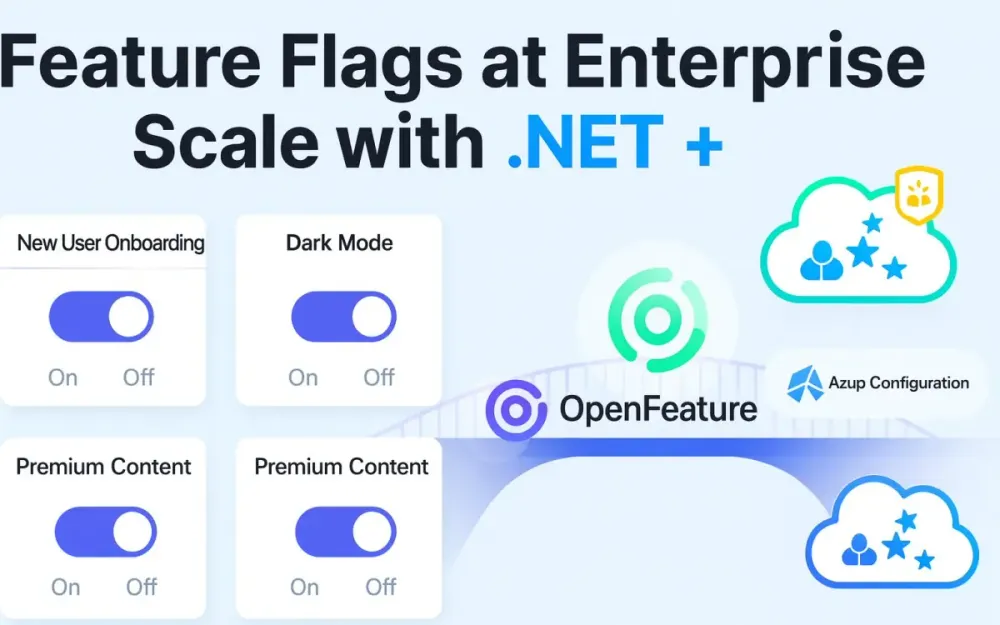
- Adopt OpenFeature. Implement a vendor-agnostic architecture in .NET using the OpenFeature standard—a specification that decouples your application from any single flag provider, much like
ILoggerorDbContextdecouples code from specific implementations. - Leverage Azure App Configuration. Use Azure’s native service as a scalable, secure backend for flag storage, evaluation, and governance—complete with targeting filters, labels, versioning, and RBAC.
- Apply Enterprise Patterns. Implement advanced strategies like tenant-based targeting, ring deployments, blast-radius control, and flag lifecycle governance.
- Build Operational Guardrails. Integrate observability, kill switches, hooks, and monitoring into your flagging system so you know not just what is enabled but also how it’s behaving in the wild.
Think of this as your playbook for adopting feature flags at enterprise scale in a modern .NET ecosystem. Whether you’re running a global SaaS platform or a complex enterprise system, the practices here will help you reduce risk, increase agility, and empower cross-functional collaboration.
2 The Modern Feature Flagging Ecosystem
The term feature flag often conjures a simple toggle buried in configuration files, but in modern enterprise systems the reality is far richer. Flags today are part of a sophisticated delivery strategy that balances speed, safety, and governance. They have evolved into a diverse ecosystem, each type tailored to specific delivery and operational needs. Just as you wouldn’t use a hammer for every construction job, you shouldn’t approach every problem with the same kind of flag. Understanding this taxonomy—and how to manage it consistently—is the first step toward operating at enterprise scale.
2.1 The Evolution of a Feature Flag: A Taxonomy of Flag Types
When teams first experiment with feature flags, they usually start with a global boolean switch. Over time, as systems and requirements grow, flags take on more nuanced roles. Let’s walk through the primary categories you’ll encounter in practice.
2.1.1 Release Toggles
Release toggles are the most familiar: an on/off switch to control whether a new feature is exposed. They decouple deployment from release by allowing you to ship dormant code safely, then activate it when ready.
A simple example in .NET:
public class HomeController : Controller
{
    private readonly IFeatureClient _featureClient;

    public HomeController(IFeatureClient featureClient)
    {
        _featureClient = featureClient;
    }

    public async Task<IActionResult> Index()
    {
        var isNewBanner = await _featureClient.GetBooleanValue("new-home-banner", false);

        if (isNewBanner)
        {
            return View("Index_New");
        }

        return View("Index");
    }
}
This toggle makes it possible to ship both the legacy and new versions of the home page side by side, releasing the new one only when conditions are right. The risk surface shrinks because disabling the feature is instantaneous.
2.1.2 Experiment Toggles (A/B/n)
Experiment toggles go beyond booleans. They return variations—often strings, integers, or JSON blobs—representing different feature versions under test. They are essential in product-led organizations where hypotheses need validation.
Example: testing checkout button colors.
var buttonColor = await _featureClient.GetStringValue("checkout-button-color", "blue");

ViewData["ButtonColor"] = buttonColor;
In Azure App Configuration, you might configure a percentage filter: 50% of users see blue, 50% see green. Telemetry and analytics then determine which color drives higher conversion.
Experiment toggles require discipline: you need instrumentation, experiment design, and criteria for deciding winners. Left unmanaged, they easily turn into perpetual half-finished tests.
2.1.3 Operational Toggles (Kill Switches)
Operational toggles provide resilience. They let you degrade gracefully when external systems misbehave or when internal features show signs of stress. These flags aren’t about releasing features; they’re about containing damage.
Imagine your payment gateway is flaky. Wrapping the integration in a kill switch prevents cascading failures:
var paymentEnabled = await _featureClient.GetBooleanValue("payment-gateway-enabled", true);

if (paymentEnabled)
{
    await _paymentService.ProcessAsync(order);
}
else
{
    _logger.LogWarning("Payment gateway disabled via feature flag");
    return View("PaymentUnavailable");
}
Operations teams love these because they can neutralize production risks without hotfix deployments. The best practice is to design operational toggles for every critical external dependency.
2.1.4 Permission Toggles
Permission toggles restrict access based on identity, roles, or entitlements. They’re critical for SaaS platforms where feature availability differs by subscription tier, geography, or regulatory constraints.
Suppose only Premium users should access advanced reporting:
var context = new EvaluationContextBuilder()
    .Add("userId", user.Id)
    .Add("role", user.Role)
    .Build();

var premiumReporting = await _featureClient.GetBooleanValue("premium-reporting", false, context);

if (!premiumReporting)
{
    return Forbid();
}

return View("Reports");
Here, the toggle evaluation uses contextual data—user role—to decide availability. This pattern lets product teams launch tiered offerings without branching codebases or managing separate deployments.
These four categories—release, experiment, operational, and permission—form the backbone of enterprise feature flagging. Mature organizations often run all four simultaneously, with different governance models for each. Recognizing their distinct purposes prevents misuse and ensures flags serve as accelerators, not anchors.
2.2 The Standardization Imperative: Why OpenFeature Matters
As feature flags proliferate, so do providers. Azure App Configuration, LaunchDarkly, Split.io, Unleash—each offers unique APIs, filters, and SDKs. Without a unifying standard, developers risk vendor lock-in, fragmented practices, and duplicated learning curves across teams. This is where OpenFeature enters the picture.
2.2.1 The Problem
Consider a typical enterprise: multiple product lines, each with autonomy in tool choice. One team uses Azure App Configuration, another prefers LaunchDarkly, while a third adopts an open-source alternative like Unleash. Each SDK exposes different methods, evaluation models, and lifecycle hooks. The result?
- Inconsistent APIs across projects, complicating developer onboarding.
- Duplicate abstractions created internally to unify behavior.
- Migration pain if the organization wants to switch providers.
- Divergent governance, as product managers and operators lack a common vocabulary.
This fragmentation mirrors earlier eras in logging and database access—before libraries like SLF4J or Entity Framework standardized interfaces.
2.2.2 The Solution: OpenFeature
OpenFeature solves this by defining a vendor-neutral specification. It provides a consistent client API, while delegating evaluation to a pluggable provider. Think of it as the ILogger<T> of feature flags: your application code depends on the abstraction, not the implementation.
In .NET, this means you install the OpenFeature SDK, then plug in a provider:
using OpenFeature;
using OpenFeature.Providers.AzureAppConfig;

var builder = WebApplication.CreateBuilder(args);

// Register OpenFeature with Azure provider
builder.Services.AddOpenFeature(options =>
{
    options.SetProvider(new AzureAppConfigurationProvider(
        builder.Configuration["AppConfig:ConnectionString"]));
});

var app = builder.Build();
Your application code always talks to IFeatureClient, regardless of backend. If tomorrow you switch to LaunchDarkly, only the provider registration changes.
2.2.3 Core Concepts
OpenFeature introduces several building blocks:
Provider
The provider bridges the SDK to the backend. Azure App Configuration, LaunchDarkly, and others ship their own provider packages. Providers handle flag retrieval, evaluation, and caching. This abstraction allows the same application to run unchanged across environments with different providers.
Client
The client is the developer-facing API. It exposes strongly typed methods for retrieving values:
var isEnabled = await featureClient.GetBooleanValue("new-banner", false);
var variant = await featureClient.GetStringValue("checkout-variant", "control");
This ensures a predictable developer experience across providers.
Evaluation Context
Flags often need context. Which user? Which tenant? Which region? The evaluation context passes these attributes into flag resolution:
var context = new EvaluationContextBuilder()
    .Add("userId", user.Id)
    .Add("tenantId", tenant.Id)
    .Add("country", request.Country)
    .Build();

var betaAccess = await featureClient.GetBooleanValue("beta-dashboard", false, context);
Without context, all users would receive the same variant. With it, you can enable features selectively.
Hooks
Hooks let you insert cross-cutting behavior into the evaluation lifecycle. They are the equivalent of middleware for flags. Common use cases:
- Logging evaluated flags for audit.
- Emitting metrics to Prometheus.
- Validating context data before evaluation.
Example: logging hook in .NET.
public class LoggingHook : IHook
{
    public ValueTask After<T>(HookContext<T> context, FlagEvaluationDetails<T> details, CancellationToken ct)
    {
        Console.WriteLine($"Flag {details.FlagKey} resolved to {details.Value}");
        return ValueTask.CompletedTask;
    }
}
Register the hook globally:
builder.Services.AddOpenFeature(o =>
{
    o.AddHook(new LoggingHook());
});
Hooks are powerful because they centralize behaviors that would otherwise be scattered across evaluations.
OpenFeature’s abstraction is not just technical hygiene—it’s strategic insurance. It future-proofs your architecture against provider churn and enables governance models that scale across heterogeneous teams. In enterprise .NET environments, adopting OpenFeature early avoids painful rewrites later.
2.3 Azure App Configuration as a Flag Management Backend
While OpenFeature defines the abstraction, you still need a concrete provider. For .NET ecosystems deeply invested in Azure, Azure App Configuration is a natural choice. It combines the simplicity of a managed service with enterprise-grade governance and integration.
2.3.1 Why Azure App Configuration?
Several reasons make App Configuration attractive:
- Native Integration. It’s part of Azure, so it fits seamlessly with managed identities, RBAC, and Azure DevOps.
- Cost-Effective. Pricing is usage-based and predictable compared to some commercial flagging platforms.
- UI & API Support. The Feature Manager UI is approachable for non-developers, while APIs allow automation in pipelines.
- Security. It integrates with Azure AD, Key Vault, and RBAC, ensuring fine-grained access control.
- Consistency. It stores both application settings and feature flags in one service, simplifying configuration management.
2.3.2 Key Features
The Feature Manager UI
Unlike generic key-value stores, App Configuration offers a dedicated Feature Manager. Here, you define flags, add descriptions, and configure filters. Teams outside engineering—such as product managers or QA—can enable or disable features without touching code.
Built-in Filters
Azure ships with several powerful filters:
- Percentage Filter: Roll out a flag to X% of users, supporting canary and progressive delivery.
- Targeting Filter: Enable flags for specific users, groups, or audiences. For example,
Group: InternalStaff. - Time Window Filter: Activate a flag during a specific timeframe, useful for promotions or scheduled rollouts.
Example configuration in Azure:
{
  "id": "new-checkout",
  "enabled": true,
  "conditions": {
    "client_filters": [
      {
        "name": "Microsoft.Percentage",
        "parameters": {
          "Value": 20
        }
      }
    ]
  }
}
This flag enables the feature for 20% of requests.
Labels
Labels allow you to manage flags across environments—Dev, Test, Prod. Instead of creating separate App Configuration instances, you apply labels and instruct your .NET app to fetch the correct ones:
builder.Configuration.AddAzureAppConfiguration(options =>
{
    options.Connect(connectionString)
           .Select(KeyFilter.Any, environmentName); // Label matches environment
});
This ensures the same artifact can move from dev to prod, with only configuration determining behavior.
Versioning and History
App Configuration maintains a history of changes. If a flag misconfiguration causes issues, you can inspect audit logs and revert. This is critical for compliance-heavy industries where traceability is non-negotiable.
Managed Identity & RBAC
Hardcoding connection strings is a security risk. With managed identities, your .NET app authenticates to App Configuration via Azure AD:
options.Connect(new Uri(appConfigEndpoint), new DefaultAzureCredential());RBAC then governs who can read, write, or manage flags. This fine-grained control prevents accidental toggles in production by unauthorized users.
3 Foundation: Your First Flag with .NET and OpenFeature
Now that we’ve set the stage for why feature flags matter and how they fit into the broader ecosystem, it’s time to get our hands dirty. Building a strong foundation is critical before we start layering enterprise patterns and governance. In this section, we’ll walk step by step through the process of creating your first feature flag in a modern .NET application using the OpenFeature SDK and Azure App Configuration. Think of this as the scaffolding on which advanced use cases will rest. We’ll start small, but with best practices baked in from the beginning.
3.1 Setting the Stage: Project Setup
The first step is to create a modern, idiomatic .NET application where we can demonstrate feature flags in action. For this article, we’ll use a Web API since APIs are common in enterprise environments and easy to extend with middleware.
3.1.1 Creating a .NET 9/10 Web API Project
Assuming you have the .NET 9 or 10 SDK installed, create a new project using the dotnet CLI:
dotnet new webapi -n FeatureFlagsDemo
cd FeatureFlagsDemo
This scaffolds a minimal API project with controllers, Program.cs, and typical middleware like Swagger.
3.1.2 Required NuGet Packages
Next, we install the OpenFeature SDK and the Azure App Configuration provider:
dotnet add package OpenFeature.SDK --version 1.*
dotnet add package OpenFeature.Provider.AzureAppConfiguration --version 1.*
dotnet add package Azure.Identity --version 1.*OpenFeature.SDKgives us the vendor-neutral client and abstractions.OpenFeature.Provider.AzureAppConfigurationbridges to Azure App Configuration.Azure.Identityenables managed identity authentication, which is essential for production workloads.
3.1.3 Setting Up Azure App Configuration
Before writing code, provision an App Configuration resource:
- In the Azure Portal, search for App Configuration and click Create.
- Choose a resource group, give it a name (e.g.,
featureflagsdemo-appconfig), and select your region. - Once provisioned, open the resource and navigate to Feature Manager.
- Click + Add, enter a flag name like
new-welcome-banner, and set it to Enabled.
You now have a backend for managing feature flags. The portal also gives you a connection string under Access Keys, which we’ll use for local development.
3.2 Wiring the Provider
With our project and Azure resource in place, the next step is to connect them. This is where OpenFeature shines: our app depends on the abstraction, while the provider handles the integration details.
3.2.1 Adding the Provider in Program.cs
Open Program.cs and configure the OpenFeature provider. First, import the namespaces:
using OpenFeature;
using OpenFeature.Providers.AzureAppConfig;
using Azure.Identity;
Then add the configuration:
var builder = WebApplication.CreateBuilder(args);

// Register OpenFeature and set Azure App Configuration provider
builder.Services.AddOpenFeature(options =>
{
    var appConfigEndpoint = builder.Configuration["AppConfig:Endpoint"];
    var credential = new DefaultAzureCredential();
    options.SetProvider(new AzureAppConfigurationProvider(new Uri(appConfigEndpoint), credential));
});

var app = builder.Build();
This setup uses DefaultAzureCredential, which automatically picks the right authentication mechanism depending on the environment (local development, Azure VM, Azure Functions, etc.).
3.2.2 Connection String vs Managed Identity
For local development, it’s convenient to use a connection string:
{
  "AppConfig": {
    "ConnectionString": "Endpoint=https://featureflagsdemo.azconfig.io;Id=xxx;Secret=xxx"
  }
}
Then wire it like this:
options.SetProvider(new AzureAppConfigurationProvider(
    builder.Configuration["AppConfig:ConnectionString"]));
But in production, storing secrets is dangerous and unnecessary. Instead, use Managed Identity:
- Enable a system-assigned managed identity for your App Service, Function, or VM.
- In Azure App Configuration, grant the identity App Configuration Data Reader role.
- Use the endpoint +
DefaultAzureCredentialapproach shown earlier.
This pattern ensures secure, passwordless authentication, and it scales without manual key rotation.
3.3 Evaluating Your First Boolean Flag
With the provider wired, let’s consume our first flag. Recall that we created new-welcome-banner in the Azure Portal.
3.3.1 Injecting the Feature Client
First, register the IFeatureClient in DI:
builder.Services.AddScoped<IFeatureClient>(sp =>
{
    var openFeature = sp.GetRequiredService<IOpenFeatureClient>();
    return openFeature.GetClient();
});
Now inject it into a controller:
[ApiController]
[Route("api/[controller]")]
public class WelcomeController : ControllerBase
{
    private readonly IFeatureClient _featureClient;

    public WelcomeController(IFeatureClient featureClient)
    {
        _featureClient = featureClient;
    }

    [HttpGet]
    public async Task<IActionResult> Get()
    {
        var isEnabled = await _featureClient.GetBooleanValue("new-welcome-banner", false);

        if (isEnabled)
        {
            return Ok("Welcome to our new experience!");
        }

        return Ok("Welcome to the classic experience.");
    }
}
3.3.2 The Importance of Safe Defaults
Notice the second parameter in GetBooleanValue—the default value (false). This default acts as a safety net if the provider fails or the flag is missing. Never assume the flag will always resolve; network outages, misconfigurations, or provider downtime can and will happen.
Incorrect:
var isEnabled = await _featureClient.GetBooleanValue("new-welcome-banner");This call throws if the flag doesn’t exist.
Correct:
var isEnabled = await _featureClient.GetBooleanValue("new-welcome-banner", false);By defining safe defaults, your application remains resilient even when the flagging system misbehaves.
3.3.3 Testing the Flag
- Start the API locally:
dotnet run. - Call
https://localhost:5001/api/welcome. - Toggle the flag in the Azure Portal, refresh, and watch the response change instantly.
This small step demonstrates the power of decoupling release from deployment—you deployed once, but you can change behavior at runtime.
3.4 The Power of the Evaluation Context
A global toggle is useful, but enterprise systems need finer control. Often you want to enable features for specific users, tenants, or conditions. That’s where the evaluation context comes in.
3.4.1 Populating Context from HttpContext
Let’s say our API serves multiple tenants, and we want to enable the new welcome banner only for tenantA. We’ll create middleware that populates an evaluation context.
public class FeatureFlagContextMiddleware
{
    private readonly RequestDelegate _next;

    public FeatureFlagContextMiddleware(RequestDelegate next)
    {
        _next = next;
    }

    public async Task InvokeAsync(HttpContext httpContext, IFeatureClient client)
    {
        var tenantId = httpContext.Request.Headers["X-Tenant-Id"].FirstOrDefault() ?? "unknown";
        var userId = httpContext.User?.FindFirst("sub")?.Value ?? "anonymous";

        var context = new EvaluationContextBuilder()
            .Add("tenantId", tenantId)
            .Add("userId", userId)
            .Build();

        client.SetEvaluationContext(context);

        await _next(httpContext);
    }
}
Register it:
app.UseMiddleware<FeatureFlagContextMiddleware>();3.4.2 Using Context in Flag Evaluation
Now, in the controller, the context flows automatically:
[HttpGet]
public async Task<IActionResult> Get()
{
    var isEnabled = await _featureClient.GetBooleanValue("new-welcome-banner", false);

    return Ok(isEnabled
        ? "Welcome to the tenant-specific new experience!"
        : "Welcome to the tenant-specific classic experience.");
}
Azure App Configuration’s Targeting Filter can now evaluate the flag based on tenantId or userId. For example, you could enable the banner for only tenantA or a specific set of user IDs.
3.4.3 Benefits of Context
The evaluation context unlocks:
- Per-tenant rollouts in SaaS applications.
- Role-based enablement for premium vs standard users.
- Geographic targeting using request metadata.
- Progressive experimentation by randomly assigning cohorts.
It transforms flags from blunt instruments into precise delivery levers. Without context, every toggle is global; with it, every toggle can be scoped as narrowly as needed.
4 Enterprise Patterns: From Chaos to Control
So far, we’ve built the foundation: a working .NET application integrated with OpenFeature and Azure App Configuration, capable of evaluating flags with context. That’s enough for a small team or proof of concept, but at enterprise scale, complexity compounds. Multiple teams introduce flags across dozens of services. Product managers demand fine-grained control. Operations teams want kill switches. Without structure, flags proliferate, creating chaos instead of clarity. The solution is to treat feature flags as first-class citizens with a lifecycle, governance framework, and organizational patterns. This section explores those patterns in depth, showing how to bring order, safety, and predictability.
4.1 The Feature Flag Lifecycle: A Governance Framework
Flags are not free. Each one introduces branching paths in the codebase, multiplies testing scenarios, and risks being forgotten after rollout. The antidote is a clear lifecycle, from proposal to retirement, with consistent governance at each step.
4.1.1 Proposal & Creation
A flag begins as an idea. Before writing a single line of code, teams should define the flag’s purpose and metadata. Strong naming conventions prevent confusion later. A useful pattern is [domain]-[feature]-[attribute].
Examples:
checkout-discounts-enabledsearch-new-ranking-algorithmprofile-banner-color-experiment
Each flag should also link back to a work item in your tracking system—Jira, Azure DevOps, or GitHub issues—so anyone can see why it exists.
In Azure App Configuration, tags can capture ownership and lineage:
{
  "id": "checkout-discounts-enabled",
  "enabled": false,
  "tags": {
    "team": "checkout",
    "epic": "E-1234",
    "owner": "alice@company.com"
  }
}
This way, when someone stumbles across a flag months later, they know which team owns it and where to find context.
4.1.2 Implementation
Once the flag exists in App Configuration, developers code against it using the OpenFeature client. The key principle here: always program defensively. Provide safe defaults, and ensure the code paths are resilient whether the flag is on or off.
Example:
var discountsEnabled = await _featureClient.GetBooleanValue("checkout-discounts-enabled", false);

if (discountsEnabled)
{
    await _discountService.ApplyDiscountsAsync(order);
}
Avoid overloading flags with multiple responsibilities. Each flag should govern one decision, not act as a multipurpose switch.
4.1.3 Rollout (Progressive Delivery)
Rollouts shouldn’t be binary. Progressive delivery minimizes risk by exposing the feature incrementally.
Internal Testing
The first audience should always be internal users or test accounts. Configure a Targeting Filter in Azure:
{
  "id": "checkout-discounts-enabled",
  "enabled": true,
  "conditions": {
    "client_filters": [
      {
        "name": "Microsoft.Targeting",
        "parameters": {
          "Audience": {
            "Users": ["alice@company.com", "bob@company.com"],
            "Groups": ["internal"]
          }
        }
      }
    ]
  }
}
This ensures only designated accounts see the feature initially.
Canary Release
Next, expand to a small slice of external traffic with a Percentage Filter:
{
  "name": "Microsoft.Percentage",
  "parameters": {
    "Value": 5
  }
}
Five percent of users see the feature, giving you real-world feedback while limiting blast radius.
Full Rollout
If metrics and logs show no issues, flip the switch to 100%. At this point, the feature is considered stable and ready for general availability.
4.1.4 Evaluation & Monitoring
Rollout is not the end. You need to verify that the feature behaves as expected. Section 5 will cover observability in depth, but at minimum you should:
- Log which flags and variations were evaluated.
- Track metrics (latency, errors) segmented by flag state.
- Alert on anomalies when a new flag is enabled.
Without monitoring, toggles become blind levers.
4.1.5 Retirement & Cleanup
The most neglected phase. Once a feature is fully live, the flag’s purpose disappears. Keeping it around adds unnecessary complexity.
Best practice: run a stale flag report weekly. You can script this by querying Azure App Configuration and your source code.
Example script in C#:
var flags = await appConfigClient.GetFeatureFlagsAsync();
var codeFiles = Directory.GetFiles("src", "*.cs", SearchOption.AllDirectories);

foreach (var flag in flags)
{
    var used = codeFiles.Any(file => File.ReadAllText(file).Contains(flag.Id));
    if (!used)
    {
        Console.WriteLine($"Flag {flag.Id} appears stale.");
    }
}
Once confirmed, delete the flag from both code and configuration. This cleanup discipline prevents “flag debt” from crippling your codebase.
4.2 Per-Tenant Targeting: A SaaS Must-Have
In multi-tenant SaaS applications, not all customers are equal. Some tenants want early access, others need stability. Feature flags are the perfect mechanism for per-tenant control.
4.2.1 Modeling a Multi-Tenant Scenario
Imagine a SaaS platform serving dozens of enterprise customers. A new analytics dashboard is ready, but you want only tenantA to pilot it first. The requirement: enable new-analytics-dashboard for tenant A, while keeping others on the legacy view.
4.2.2 Creating a Tenant Group
In Azure App Configuration, use the Targeting Filter to define groups:
{
  "id": "new-analytics-dashboard",
  "enabled": true,
  "conditions": {
    "client_filters": [
      {
        "name": "Microsoft.Targeting",
        "parameters": {
          "Audience": {
            "Groups": [
              {
                "Name": "TenantA",
                "Users": []
              }
            ]
          }
        }
      }
    ]
  }
}
4.2.3 Passing Tenant ID via Evaluation Context
From your middleware (introduced in Section 3.4), include tenant ID:
var context = new EvaluationContextBuilder()
    .Add("tenantId", httpContext.Request.Headers["X-Tenant-Id"].FirstOrDefault())
    .Build();

featureClient.SetEvaluationContext(context);
4.2.4 Consuming in Code
var dashboardEnabled = await _featureClient.GetBooleanValue("new-analytics-dashboard", false);

if (dashboardEnabled)
{
    return View("Dashboard_New");
}

return View("Dashboard_Legacy");
This pattern ensures that you can offer beta features to specific tenants as part of customer success programs, without separate environments or code branches. It also respects contractual obligations: some tenants may demand stability, others may crave innovation.
4.3 Controlling the Blast Radius: Rings and Rules
Rolling out by tenant works well, but sometimes you want a broader strategy across the whole user base. Enter rings: concentric circles of exposure, each larger than the last. Rings are widely used in cloud services like Azure and Office 365.
4.3.1 Defining Rings
A typical set of rings:
- Ring0 (Internal): Only employees.
- Ring1 (Early Adopters): Friendly customers willing to test.
- Ring2 (Public): Everyone else.
Rings create a structured rollout pipeline where each stage validates stability before widening.
4.3.2 Implementing Rings with Targeting Filters
In App Configuration, define groups for each ring:
{
  "id": "new-notification-center",
  "enabled": true,
  "conditions": {
    "client_filters": [
      {
        "name": "Microsoft.Targeting",
        "parameters": {
          "Audience": {
            "Groups": [
              { "Name": "Ring0" },
              { "Name": "Ring1" }
            ]
          }
        }
      }
    ]
  }
}
4.3.3 Combining Filters for Fine-Grained Control
Filters can be combined. Suppose you want 50% of Ring1 users to see the feature:
{
  "client_filters": [
    {
      "name": "Microsoft.Targeting",
      "parameters": { "Audience": { "Groups": ["Ring1"] } }
    },
    {
      "name": "Microsoft.Percentage",
      "parameters": { "Value": 50 }
    }
  ]
}
This pattern lets you start with Ring0 only, expand to half of Ring1, then to all of Ring1, and finally to Ring2.
4.3.4 Benefits of Ring-Based Deployment
- Predictability: Each ring validates the feature at increasing scale.
- Isolation: Issues are caught before mass exposure.
- Transparency: Product managers and stakeholders can see rollout status clearly.
Rings are not free—defining groups and contexts adds overhead—but the risk reduction is often worth it.
4.4 Managing Environments without Code Changes
Flags should behave differently across environments. A feature may be enabled in Dev but off in Prod. Hard-coding these differences in code or branching deployments is brittle. Azure App Configuration labels solve this elegantly.
4.4.1 Using Labels for Environment Separation
When creating a flag, assign a label corresponding to the environment:
DevQAProd
Example: the same flag with different labels.
{
  "id": "new-welcome-banner",
  "enabled": true,
  "label": "Dev"
}
{
  "id": "new-welcome-banner",
  "enabled": false,
  "label": "Prod"
}
4.4.2 Configuring .NET to Fetch by Label
In Program.cs, select keys based on ASPNETCORE_ENVIRONMENT:
var environment = builder.Environment.EnvironmentName;

builder.Configuration.AddAzureAppConfiguration(options =>
{
    options.Connect(new Uri(appConfigEndpoint), new DefaultAzureCredential())
           .Select(KeyFilter.Any, environment); // Label matches environment
});
This ensures the same binary artifact, when promoted through environments, automatically picks the right flag configuration.
4.4.3 Benefits of Labels
- Consistency: One artifact across environments.
- Flexibility: Flags can be tuned independently per environment.
- Security: Production settings remain untouched during testing.
Labels turn environment management into configuration, not code. That’s a powerful shift for CI/CD pipelines and compliance.
5 Advanced Scenarios & Production Guardrails
By now we’ve built a mature foundation for feature flagging: lifecycle management, per-tenant targeting, environment separation, and progressive rollouts. But enterprise systems rarely stop at the basics. The true test comes when the unexpected happens in production, when observability gaps appear, or when product teams want to go beyond toggling booleans into experimenting and tuning complex configurations. This is where advanced patterns and guardrails enter the picture. These practices don’t just add polish—they protect systems, empower operators, and give product teams the flexibility they need without sacrificing stability.
5.1 The “Break Glass” Kill Switch: Operational Toggles in Action
One of the most powerful applications of feature flags is the operational kill switch—a flag designed not for gradual rollout but for emergency mitigation. The idea is simple: when a dependency or subsystem fails, you can instantly disable it via configuration, rerouting traffic to safer alternatives.
5.1.1 The Scenario
Suppose your checkout process depends on a third-party payment gateway. During peak holiday traffic, the gateway becomes slow and error-prone. Without a kill switch, your system continues attempting calls, piling up latency and failed transactions. Customers abandon carts, revenue drops, and engineers scramble to patch.
With a kill switch, an SRE can disable the integration in seconds through the Azure Portal, redirecting users to a “temporarily unavailable” page or to an alternate payment provider. No redeployment. No hotfix. Just control at runtime.
5.1.2 Implementing the Kill Switch
Start by defining a flag in Azure App Configuration:
- Key:
payment-gateway-enabled - Default State:
true
In your service code:
public class PaymentService
{
    private readonly IFeatureClient _featureClient;
    private readonly ILogger<PaymentService> _logger;

    public PaymentService(IFeatureClient featureClient, ILogger<PaymentService> logger)
    {
        _featureClient = featureClient;
        _logger = logger;
    }

    public async Task<PaymentResult> ProcessAsync(Order order)
    {
        var enabled = await _featureClient.GetBooleanValue("payment-gateway-enabled", true);

        if (!enabled)
        {
            _logger.LogWarning("Payment gateway disabled by feature flag.");
            return PaymentResult.Failed("Payment temporarily unavailable.");
        }

        return await CallThirdPartyGateway(order);
    }
}
Here, the flag wraps the integration. When disabled, the system degrades gracefully instead of cascading failures.
5.1.3 Operational Benefits
- Instantaneous control: Operators toggle a flag, not code.
- Isolation: Faulty subsystems are quarantined quickly.
- Transparency: Audit logs in App Configuration record who disabled the feature and when.
- Customer trust: Better to show a clear “temporarily unavailable” message than to let users experience endless errors.
This pattern is essential for every critical external dependency: payment gateways, shipping APIs, recommendation engines, even your own microservices. If a system can fail, design a kill switch.
5.2 Observability: Understanding Your Flags in the Wild
Feature flags introduce variability. Two users may hit the same endpoint but experience entirely different code paths depending on flag state. When something goes wrong, it’s crucial to know which flag configuration the user encountered. Without this, debugging becomes guesswork.
5.2.1 The Problem
Imagine an error report that says “checkout failed for user X.” Was the failure triggered in the old checkout flow or the new one? Was the user bucketed into the experiment variant or control? If you can’t answer those questions, you can’t resolve issues confidently.
5.2.2 The Solution: OpenFeature Hooks
Hooks in OpenFeature let you inject cross-cutting behaviors into the flag evaluation lifecycle. They can capture evaluation details—flag key, variation, reason—and forward them to logs, metrics, or tracing systems.
5.2.3 Example 1: Logging Hook with Serilog
Here’s a custom hook that enriches Serilog logs with evaluated flag results:
public class LoggingHook : IHook
{
    public ValueTask After<T>(HookContext<T> context, FlagEvaluationDetails<T> details, CancellationToken ct)
    {
        LogContext.PushProperty($"flag:{details.FlagKey}", details.Value?.ToString() ?? "null");
        return ValueTask.CompletedTask;
    }
}
Register the hook:
builder.Services.AddOpenFeature(o =>
{
    o.AddHook(new LoggingHook());
});
Now every log statement within a request contains the evaluated flags:
[INFO] Checkout completed {flag:new-checkout=on}This makes it trivial to correlate failures with flag states during debugging.
5.2.4 Example 2: Metrics Hook with OpenTelemetry
Metrics are equally important. Suppose you want to count how many times each flag variation is served. Create a hook:
public class MetricsHook : IHook
{
    private readonly Counter<int> _flagCounter;

    public MetricsHook(Meter meter)
    {
        _flagCounter = meter.CreateCounter<int>("feature_flag_evaluations");
    }

    public ValueTask After<T>(HookContext<T> context, FlagEvaluationDetails<T> details, CancellationToken ct)
    {
        _flagCounter.Add(1, new TagList
        {
            { "flag", details.FlagKey },
            { "variant", details.Value?.ToString() ?? "null" }
        });
        return ValueTask.CompletedTask;
    }
}
With this, Prometheus or Application Insights dashboards can show the distribution of traffic across flag variations. If a variant correlates with rising error rates, you can detect and react quickly.
5.2.5 Benefits of Observability Hooks
- Debugging clarity: You know exactly which path was taken.
- Experiment visibility: Product managers see how traffic splits between variants.
- Operational safety: Detect anomalies tied to new flags in near real-time.
In enterprise systems, observability is not optional. Hooks turn flags from black boxes into transparent, measurable levers.
5.3 Beyond Booleans: A/B Testing and Dynamic Configuration
So far, most examples involved booleans—on or off. But enterprises often need more nuance: experiments with multiple variations, or runtime configuration that tunes behavior without redeployment.
5.3.1 A/B Testing with String Flags
Consider an e-commerce site experimenting with checkout button colors. Product believes green converts better than blue. Instead of deploying two separate branches, use a string flag.
Azure App Configuration setup:
- Key:
checkout-button-color - Variants:
"blue","green" - Targeting: 50% of users get each.
In code:
var buttonColor = await _featureClient.GetStringValue("checkout-button-color", "blue");
ViewData["ButtonColor"] = buttonColor;
In your Razor view:
<button style="background-color:@ViewData["ButtonColor"]">Checkout</button>Now you can measure conversion rates for each color without additional deployments. The losing variant can be retired, the flag cleaned up, and the winner promoted to default.
5.3.2 Multi-Variant Experiments (A/B/n)
OpenFeature supports more than two variants. Suppose you’re testing three algorithms for product recommendations:
- Variant A: Collaborative filtering.
- Variant B: Content-based filtering.
- Variant C: Hybrid model.
Set up a string flag with values A, B, C, and assign percentages. In code:
var algorithm = await _featureClient.GetStringValue("recommendation-algorithm", "A");

IRecommendationService service = algorithm switch
{
    "A" => new CollaborativeFilteringService(),
    "B" => new ContentBasedService(),
    "C" => new HybridService(),
    _ => new DefaultRecommendationService()
};
This lets you compare not just two but multiple strategies under real traffic.
5.3.3 Dynamic Configuration with JSON Flags
Sometimes you want to adjust complex runtime behavior without redeployment. JSON flags are perfect here. For example, imagine tuning retry policies for an external API.
In Azure App Configuration, define a JSON flag:
{
  "maxRetries": 3,
  "timeoutMs": 2000,
  "backoff": "exponential"
}
Fetch and deserialize in .NET:
var json = await _featureClient.GetObjectValue("api-retry-policy", new { maxRetries = 1, timeoutMs = 1000, backoff = "linear" });

var policy = new RetryPolicy(
    json.maxRetries,
    TimeSpan.FromMilliseconds(json.timeoutMs),
    json.backoff);
Now you can tune retry behavior at runtime. For example, during an outage you might shorten timeouts and reduce retries to conserve resources.
5.3.4 Benefits of Dynamic Configuration
- Operational agility: Tune system parameters without code changes.
- Cost optimization: Adjust caching, batching, or throttling policies dynamically.
- Experimentation: Compare not just feature on/off but different system configurations.
Dynamic configuration blurs the line between feature flags and runtime tuning. At scale, it becomes a powerful tool for resilience and performance optimization.
6 Architectural and Cultural Considerations
The deeper you embed feature flags into enterprise systems, the more they stop being “just another tool” and start influencing your architecture and culture. It’s not enough to wire up a provider and sprinkle flags around your codebase. You need to think about how the system behaves under pressure, how to automate flag management in your delivery pipelines, and how to align people and processes around this capability. Without these considerations, you risk turning feature flags into brittle shortcuts instead of durable accelerators. Let’s break this down.
6.1 Performance, Caching, and Resilience
Enterprise-grade feature flagging doesn’t just mean having lots of flags—it means they must evaluate quickly and reliably. Every flag evaluation happens on the hot path of a request, so performance and resilience are non-negotiable.
6.1.1 How the Azure App Configuration Provider Works
By default, Azure App Configuration isn’t queried on every flag evaluation. Instead, the provider maintains an in-memory cache. On startup, it loads all relevant feature flags. Then it refreshes them periodically or when notified via push-based refresh (for example, when using Azure Event Grid).
In practice, when your code calls:
var isEnabled = await _featureClient.GetBooleanValue("new-banner", false);…the evaluation doesn’t hit the network. It simply checks the local cache, applies any filters (percentage, targeting, time window), and returns the result. This ensures flag lookups are fast and predictable.
6.1.2 What Happens if App Configuration is Down?
Even the best-managed services can experience downtime or network issues. When Azure App Configuration is unavailable, the provider continues serving cached values. If the cache is stale or incomplete, your code’s default values become critical.
Imagine:
var enabled = await _featureClient.GetBooleanValue("fraud-detection", true);If the flag can’t be retrieved, the system defaults to true, ensuring fraud detection remains active. If you had left the default unspecified, the call might throw or fallback to an unsafe state. The golden rule: defaults should always represent the safest option for your business.
6.1.3 Strategies for High-Performance Scenarios
- Scope your configuration. Don’t load every flag for every environment. Use labels to narrow the set.
- Control refresh intervals. For high-throughput APIs, balance freshness against network overhead by tuning refresh intervals.
- Push updates instead of polling. Use Azure Event Grid to trigger refreshes when flags change.
- Instrument caching. Log when a flag is served from cache vs refreshed to ensure the system behaves as expected.
Example configuration for refresh:
builder.Configuration.AddAzureAppConfiguration(options =>
{
    options.Connect(new Uri(appConfigEndpoint), new DefaultAzureCredential())
           .ConfigureRefresh(refresh =>
           {
               refresh.Register("sentinel", refreshAll: true)
                      .SetCacheExpiration(TimeSpan.FromSeconds(30));
           });
});
This refreshes every 30 seconds or immediately when the sentinel key changes, giving you near-real-time updates without hammering the service.
6.2 CI/CD and Automation: Feature Flags as Code
Flags are dynamic runtime controls, but that doesn’t mean they should be managed ad hoc. Left uncontrolled, configuration drift and manual toggling can create chaos. Treating feature flags as infrastructure as code brings discipline and reproducibility.
6.2.1 Managing Flags with Bicep or Terraform
Azure App Configuration supports declarative provisioning. Using Bicep, you can define a flag:
resource appConfig 'Microsoft.AppConfiguration/configurationStores@2022-05-01' = {
  name: 'my-appconfig'
  location: resourceGroup().location
  sku: {
    name: 'standard'
  }
}

resource featureFlag 'Microsoft.AppConfiguration/configurationStores/keyValues@2022-05-01' = {
  parent: appConfig
  name: '.appconfig.featureflag~2Fnew-dashboard'
  properties: {
    value: '{"id":"new-dashboard","enabled":false,"conditions":{"client_filters":[]}}'
    contentType: 'application/vnd.microsoft.appconfig.ff+json;charset=utf-8'
  }
}
With Terraform, the syntax is different but the principle is the same: flags are resources in your deployment pipeline, versioned alongside code.
6.2.2 Automating Flags in CI/CD Pipelines
Imagine you create a feature branch feature/discounts. When merged into main, your pipeline can automatically create or update a corresponding flag in App Configuration.
Using Azure CLI in a pipeline step:
az appconfig feature set \
  --name my-appconfig \
  --feature checkout-discounts-enabled \
  --yes
You can also script enabling flags for non-production environments automatically, while keeping production toggles manual until explicitly approved.
6.2.3 Benefits of Feature Flags as Code
- Auditability: Flag definitions are version-controlled.
- Reproducibility: Environments can be recreated consistently.
- Automation: Reduces manual errors in toggling.
- Integration: Flags can be tied to branch lifecycle, ensuring every feature has a corresponding toggle.
By embedding flags into CI/CD, you bridge the gap between dynamic runtime control and disciplined infrastructure management.
6.3 The Cultural Shift: Empowering Teams
Technical patterns are only half the battle. The real transformation happens when feature flags reshape how teams work. Flags aren’t just for developers—they empower product, operations, and QA to participate directly in delivery.
6.3.1 A Tool Beyond Engineering
Product managers can decide when to expose a feature to customers. QA can validate functionality in production-like conditions without full rollouts. Operations can respond instantly to outages with kill switches. This democratization shifts control from long release trains to distributed ownership.
6.3.2 Fostering Experimentation and Data-Driven Decisions
Flags enable safe experiments. Instead of debating which design works best, teams can test in production with real users. Metrics then drive decisions, not opinions. This fosters a culture of continuous improvement where small, reversible changes are the norm.
Example: A product manager might say, “Let’s expose the new dashboard to 10% of Ring1 users for a week and compare engagement.” With flags, that’s not a risky proposition—it’s business as usual.
6.3.3 Roles and Responsibilities
Without clear governance, flags can become a free-for-all. Organizations should define:
- Who creates flags: Typically developers, aligned with new features.
- Who approves rollout: Product owners or managers.
- Who manages kill switches in production: SRE or operations teams with well-defined escalation paths.
- Who cleans up stale flags: Developers during sprint cleanup, enforced by tooling.
Documenting these roles ensures flags empower rather than confuse.
7 Conclusion: Release with Confidence
Feature flags are not new, but their role in modern enterprise delivery has grown dramatically. They transform how we ship, experiment, and operate at scale. What starts as a simple if statement evolves into a strategic platform for controlling risk and accelerating value delivery.
7.1 Tying It All Together
We began with the pain of “big bang” releases and showed how flags decouple deployment from release. We explored the modern ecosystem: flag taxonomies, the OpenFeature standard, and Azure App Configuration as a backend. We built a foundation with a .NET Web API, then layered enterprise patterns: governance lifecycles, tenant targeting, ring deployments, and environment labels. We advanced further with kill switches, observability hooks, and dynamic configuration. Finally, we looked at performance, automation, and cultural shifts needed to sustain success.
The journey demonstrates that feature flags are not just a coding technique—they are a system of governance, tooling, and culture.
7.2 Key Takeaways
- Abstract: Use OpenFeature to avoid vendor lock-in and standardize developer experience.
- Govern: Establish a clear flag lifecycle—proposal, rollout, monitoring, cleanup—to avoid technical debt.
- Target: Apply context-aware evaluation to control exposure by tenant, role, or ring.
- Observe: Instrument flags with hooks for logging and metrics so you understand their impact in production.
- Empower: Use flags to shift control outward—from developers to product, QA, and operations—fueling experimentation and resilience.
7.3 The Future
The OpenFeature specification is evolving rapidly, with growing support across providers and languages. Expect deeper integrations with cloud-native platforms like Kubernetes, richer hooks for observability, and standardized schemas for flag management. Azure App Configuration will likely expand its targeting capabilities and integrations, making it an even stronger choice for .NET ecosystems.
Looking ahead, feature flags will not only control feature rollout but also manage dynamic system configuration, cost optimization, and even compliance toggles. For enterprises, adopting flags now is not just about safer releases—it’s about preparing for a world where adaptability is the ultimate advantage.
Release with confidence. Deliver continuously. Empower teams. That’s the promise of feature flags at enterprise scale, realized with .NET, Azure App Configuration, and OpenFeature.