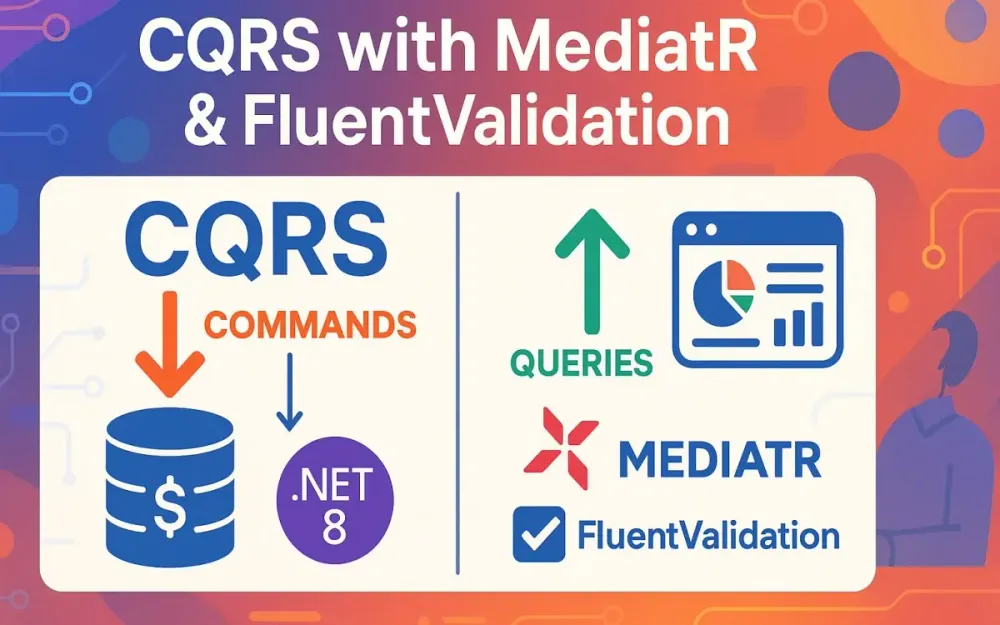
1 Introduction: The Monolith’s Mid-life Crisis
Every seasoned engineer eventually faces the same dilemma: the once “clean” layered architecture has turned into a swamp of brittle dependencies, bloated services, and controllers that look more like novels than entry points. The system still works, but every change feels riskier than the last. We ask ourselves: is this still the right way to build applications in 2025? This is where CQRS, combined with MediatR and FluentValidation, offers a disciplined escape hatch. In this section, we’ll explore the pain points, introduce the principles of CQRS, explain the tools we’ll use, and set expectations for what you’ll walk away with.
1.1 The Problem with Traditional Layered Architectures
For decades, the default software architecture has been the classic three-layered structure: Controllers → Services → Repositories. At first, it feels intuitive. Controllers expose endpoints, services hold business logic, and repositories abstract persistence. But over time, cracks appear.
Controllers start bloating with orchestration code—error handling, validation, mapping, logging. Services turn into “God classes” with hundreds of methods, each only vaguely related. Repositories carry too much responsibility, blurring the line between persistence logic and domain logic.
This architecture encourages anemic domain models—entities that are just data bags with little or no behavior. Business rules are scattered across services and controllers instead of being expressed in the domain itself. The result? Code that’s easy to write at the beginning, but hard to evolve.
Testing becomes painful because dependencies are tangled. Mocking a repository requires mocking three services and stubbing unrelated methods. Maintenance slows down, onboarding new developers is difficult, and bug fixes risk introducing regressions in unrelated modules.
Another silent killer is how reads and writes are treated as the same concern. A controller action that updates a record often has to fetch the entire entity—even if all you need is one property. Conversely, queries that should return optimized DTOs are forced through repositories designed for entities. Over-fetching, under-fetching, and wasted computation pile up. Over time, the app drifts toward inefficiency, both in runtime performance and in developer productivity.
1.2 A Better Way Forward: The Command Query Responsibility Segregation (CQRS) Pattern
Command Query Responsibility Segregation—CQRS—was coined by Greg Young as an evolution of Bertrand Meyer’s Command-Query Separation principle. Instead of having a single model handle both reads and writes, CQRS advocates for treating them as distinct concerns.
A Command represents an intent to change state. Think of operations like “CreateProduct,” “UpdateOrderStatus,” or “DeleteUser.” Commands are imperative—they tell the system what to do. They don’t return data structures, only acknowledgments or result objects.
A Query represents a request for information. Queries are passive—they never change state. They return DTOs designed specifically for the client’s needs, whether that’s a product detail view, a dashboard summary, or a paginated list.
To visualize this, imagine walking into a bank. You tell the teller, “Transfer $500 from checking to savings.” That’s a Command—it changes the system. Later, you check your ATM receipt, which shows “Checking: $2,500, Savings: $5,500.” That’s a Query—it retrieves state but doesn’t alter it. Blurring these two leads to inefficiency and accidental complexity; separating them clarifies intent and responsibility.
Importantly, CQRS is not just about data modeling. It’s about mindset. By treating reads and writes as separate flows, we unlock opportunities for optimization: faster queries, transactional integrity for commands, and the ability to apply cross-cutting concerns (like logging, validation, and auditing) cleanly.
1.3 Our Toolkit for Today
Theory is meaningless without execution. To bring CQRS into the .NET ecosystem in a production-ready way, we’ll use three core tools:
-
MediatR – A lightweight library that implements the Mediator pattern. Instead of controllers calling services directly, they send requests (commands or queries) into a mediator. The mediator dispatches them to the correct handler. This eliminates tight coupling and makes the flow explicit: request → pipeline behaviors → handler → response.
With MediatR, cross-cutting concerns are implemented as pipeline behaviors, similar to middleware. Logging, validation, retries, and transactions can be applied consistently without polluting business logic.
-
FluentValidation – An expressive, fluent API for validation. While
[DataAnnotations]attributes work for simple checks, they fall short for complex rules. FluentValidation lets us define decoupled, reusable, testable rules like:RuleFor(x => x.Price) .GreaterThan(0) .When(x => x.IsActive) .WithMessage("Active products must have a positive price.");Validators plug neatly into MediatR via pipeline behaviors, ensuring every command or query is validated before it reaches a handler.
-
.NET 8 – The latest version of .NET brings modern language features, performance improvements, and minimal APIs. With native support for DI, async streams, and advanced compiler optimizations, it’s an ideal platform for clean, scalable CQRS implementations.
Together, these tools let us build not just a demo, but a reusable pattern library—a framework we can drop into any .NET application to enforce structure and consistency.
1.4 What We Will Build
Our destination is clear: by the end of this series, you’ll have a production-ready CQRS framework, not just an academic example.
We’ll build:
- A reusable library of pipeline behaviors: validation, logging, exception handling, transactions, auditing, and retries. Each will be generic, composable, and testable.
- A clean vertical slice architecture: features grouped by use case (
Features/Products/CreateProduct/) rather than by technical layer. This makes navigation intuitive and keeps each feature self-contained. - A shared
Result<T>type for consistent success/failure handling across commands and queries, inspired by libraries like FluentResults. - A working .NET 8 Web API that demonstrates how to use these patterns in practice, with endpoints as thin orchestrators: they simply accept input, send it to the mediator, and return the result.
Here’s a teaser of what an endpoint will look like in our final implementation:
app.MapPost("/products", async (CreateProductCommand command, IMediator mediator) =>
{
var result = await mediator.Send(command);
return result.IsSuccess
? Results.Created($"/products/{result.Value}", result.Value)
: Results.BadRequest(result.Errors);
});Notice what’s missing? No validation logic, no logging boilerplate, no transaction handling. All of that lives in pipeline behaviors, leaving the endpoint thin and focused.
2 Foundational Concepts: Laying the Groundwork
Before we dive into the actual codebase, we need to anchor ourselves in the underlying principles. The temptation is to jump straight into handlers and validators, but the value of CQRS with MediatR and FluentValidation only shines when you understand why these tools exist and how they interlock. This section explores the mediator pattern, the power of pipeline behaviors, and why FluentValidation is more than just a nicer way to write rules. Think of this as calibrating your mental model before we put hammer to nail.
2.1 Deep Dive into the Mediator Pattern
The mediator pattern is all about reducing unnecessary chatter between components. In many traditional designs, objects talk directly to each other. A controller calls a service, which calls a repository, which calls another service, which in turn references a helper. Each dependency is explicit, but the web of interactions grows dense. Change one piece, and you risk breaking five others. It’s like a room where everyone shouts at each other instead of raising their hand and speaking through a facilitator.
A mediator acts as that facilitator. Instead of A calling B directly, A sends a request to the mediator. The mediator then finds the correct handler (B) and invokes it. This decouples A from B: A doesn’t need to know who B is, or even that B exists. It only knows how to make a request.
In .NET, MediatR implements this beautifully. The abstractions are simple but powerful:
IMediator: The entry point. It defines methods likeSend()for commands/queries andPublish()for notifications.IRequest<TResponse>: A marker interface indicating a request that expects a response.IRequestHandler<TRequest, TResponse>: A contract for handling a request of typeTRequestand returningTResponse.
Here’s a minimal example:
// A request (query) that asks for a product by ID
public record GetProductByIdQuery(Guid Id) : IRequest<ProductDto>;
// The handler that processes the query
public class GetProductByIdHandler
: IRequestHandler<GetProductByIdQuery, ProductDto>
{
private readonly AppDbContext _db;
public GetProductByIdHandler(AppDbContext db) => _db = db;
public async Task<ProductDto> Handle(
GetProductByIdQuery request,
CancellationToken cancellationToken)
{
return await _db.Products
.Where(p => p.Id == request.Id)
.Select(p => new ProductDto(p.Id, p.Name, p.Price))
.FirstOrDefaultAsync(cancellationToken);
}
}Notice how the controller doesn’t depend on AppDbContext or even know about the handler:
app.MapGet("/products/{id:guid}", async (Guid id, IMediator mediator) =>
{
var product = await mediator.Send(new GetProductByIdQuery(id));
return product is not null ? Results.Ok(product) : Results.NotFound();
});The mediator ensures the right handler is invoked. The endpoint remains clean, and the handler is laser-focused on its job. This simplicity is deceptive: once combined with pipeline behaviors, it becomes a platform for rich, composable cross-cutting concerns.
2.2 The Power of MediatR Pipeline Behaviors
If the mediator pattern is the backbone, pipeline behaviors are the nervous system. They let us intercept requests before and after handlers execute, without modifying the handlers themselves. In MediatR, this is expressed via the IPipelineBehavior<TRequest, TResponse> interface.
Conceptually, a pipeline behavior is like ASP.NET Core middleware—but at the application core level. Each request flows through a sequence of behaviors, and each behavior has the option to do something before passing the request along, or after receiving the response.
The interface is simple:
public interface IPipelineBehavior<in TRequest, TResponse>
{
Task<TResponse> Handle(
TRequest request,
RequestHandlerDelegate<TResponse> next,
CancellationToken cancellationToken);
}TRequest: The incoming command or query.TResponse: The handler’s expected output.next: A delegate representing the next element in the pipeline (eventually, the handler).
You can think of it as functional composition: Behavior1(Behavior2(Handler(request))).
For example, suppose we want to log every request:
public class LoggingBehavior<TRequest, TResponse>
: IPipelineBehavior<TRequest, TResponse>
{
private readonly ILogger<LoggingBehavior<TRequest, TResponse>> _logger;
public LoggingBehavior(ILogger<LoggingBehavior<TRequest, TResponse>> logger)
=> _logger = logger;
public async Task<TResponse> Handle(
TRequest request,
RequestHandlerDelegate<TResponse> next,
CancellationToken cancellationToken)
{
_logger.LogInformation("Handling {RequestName}", typeof(TRequest).Name);
var response = await next(); // Call the next behavior/handler
_logger.LogInformation("Handled {RequestName}", typeof(TRequest).Name);
return response;
}
}Once registered in the DI container, this runs automatically for every request. Neither the controller nor the handler needs to worry about logging.
Now imagine stacking behaviors:
- ValidationBehavior
- LoggingBehavior
- ExceptionHandlingBehavior
- TransactionBehavior
The flow becomes:
Request
→ Validation
→ Logging
→ Exception Handling
→ Transaction
→ Handler
← Transaction
← Exception Handling
← Logging
← Validation
ResponseThis is where MediatR shines. Instead of littering every handler with repetitive code (try-catch blocks, transaction scopes, validation calls), we centralize concerns into reusable behaviors. Handlers remain free of noise, focused only on domain logic.
This idea scales far beyond logging. In production systems, you might add caching, retries, auditing, or authorization as behaviors. The power lies in composition: each concern lives in isolation, yet they all participate in the same request lifecycle.
2.3 Why FluentValidation is a Game-Changer
Validation is often treated as an afterthought. Many developers sprinkle [Required], [MaxLength], and [Range] attributes across DTOs, believing the job is done. While fine for trivial scenarios, data annotations quickly fall apart when requirements grow complex.
Consider a product entity where the rules aren’t static:
- Price must be positive if the product is active.
- Discount cannot exceed 50% unless the product is discontinued.
- SKU must match a regex, but only if the product is shippable.
Try expressing that in attributes—it becomes unreadable, brittle, and impossible to unit test cleanly.
This is where FluentValidation earns its keep. Instead of decorating properties with attributes, you write validators as standalone classes. They’re expressive, composable, and decoupled from your domain models. Each rule is fluent, readable, and testable in isolation.
Here’s a validator for CreateProductCommand:
public class CreateProductCommandValidator : AbstractValidator<CreateProductCommand>
{
public CreateProductCommandValidator()
{
RuleFor(x => x.Name)
.NotEmpty()
.MaximumLength(100);
RuleFor(x => x.Price)
    .GreaterThan(0)
    .When(x => x.IsActive)
    .WithMessage("Active products must have a positive price.");
RuleFor(x => x.Discount)
.InclusiveBetween(0, 0.5m)
.When(x => !x.IsDiscontinued)
.WithMessage("Discount cannot exceed 50% unless product is discontinued.");
RuleFor(x => x.Sku)
.Matches(@"^[A-Z0-9]{8}$")
.When(x => x.IsShippable)
.WithMessage("SKU must be an 8-character alphanumeric code.");
}
}Unlike data annotations, these rules are logic-aware. They adapt based on conditions, encapsulate domain-specific logic, and remain fully unit-testable:
[Fact]
public void Should_Fail_When_ActiveProduct_HasNegativePrice()
{
    var validator = new CreateProductCommandValidator();
    var result = validator.TestValidate(new CreateProductCommand
    {
        Name = "Sample",
        Price = -10,
        IsActive = true
    });

    result.ShouldHaveValidationErrorFor(x => x.Price);
}
FluentValidation integrates seamlessly with MediatR pipeline behaviors. Instead of controllers invoking TryValidateModel(), the ValidationBehavior runs automatically for every request. If validation fails, the request never reaches the handler. This keeps validation consistent, centralized, and invisible to the feature logic.
The separation of concerns here is profound:
- Handlers: Only deal with valid inputs.
- Validators: Only define rules.
- Behaviors: Orchestrate execution flow.
This trifecta creates a cleaner mental model. You know where validation lives. You know that handlers never need to worry about it. And you know tests can target rules independently.
The net result is more than syntactic sugar—it’s a shift in responsibility. Validation is no longer noise inside controllers or services; it’s a first-class citizen in your application pipeline. This clarity pays dividends in maintainability and correctness.
3 Setting the Stage: Project Setup and Initial Structure
We’ve built the conceptual scaffolding: mediator pattern, pipeline behaviors, and FluentValidation as the foundation for input integrity. Now it’s time to bring theory into code. This section covers creating the base project, structuring the solution with vertical slices, and wiring up dependencies so everything works together. By the end, you’ll have a clean .NET 8 Web API project ready to grow into a production-ready CQRS implementation.
3.1 Creating the .NET 8 Web API Project
The first step is straightforward: create a new .NET 8 Web API. If you’re running the latest SDK, the template gives you a minimal API setup by default—perfect for our needs.
Open a terminal in your workspace and run:
dotnet new webapi -n ProductCatalog.Api
cd ProductCatalog.Api
This generates a project with controllers, minimal API endpoints, Swagger configuration, and weather forecast placeholders. We’ll strip away what we don’t need soon. For now, confirm the project runs:
dotnet runBrowse to https://localhost:5001/swagger and you’ll see the default Swagger UI. This will later document our CQRS endpoints automatically.
Essential NuGet Packages
Next, install the packages we’ll rely on:
dotnet add package MediatR
dotnet add package MediatR.Extensions.Microsoft.DependencyInjection
dotnet add package FluentValidation
dotnet add package FluentValidation.DependencyInjectionExtensions
dotnet add package Microsoft.EntityFrameworkCore
dotnet add package Microsoft.EntityFrameworkCore.SqlServer
dotnet add package Microsoft.EntityFrameworkCore.Design
A quick breakdown:
- MediatR – core request/handler abstractions.
- MediatR.Extensions.Microsoft.DependencyInjection – integration with ASP.NET Core DI.
- FluentValidation + FluentValidation.DependencyInjectionExtensions – validators and discovery helpers.
- EntityFrameworkCore packages – database access with SQL Server (swap for PostgreSQL, SQLite, etc. as needed).
At this point, the project has everything needed to implement CQRS with MediatR and FluentValidation.
Cleaning the Template
The default WeatherForecast code is helpful for demos but adds noise. Delete:
Controllers/WeatherForecastController.csWeatherForecast.cs
We’ll replace them with our vertical slices in the next section.
3.2 Structuring for Success: Vertical Slice Architecture
Architecture is about trade-offs. The default three-layered structure—Controllers/, Services/, Repositories/—looks neat, but it spreads related code across multiple folders. A single feature, like “create product,” touches at least three places. Over time, navigating features becomes painful.
Instead, we’ll use Vertical Slice Architecture. Each feature is self-contained: request, handler, validator, DTOs, and tests all live together. The slice becomes the unit of change.
Our project structure will look like this:
ProductCatalog.Api/
 ├─ Features/
 │   └─ Products/
 │       ├─ CreateProduct/
 │       │   ├─ CreateProductCommand.cs
 │       │   ├─ CreateProductHandler.cs
 │       │   ├─ CreateProductValidator.cs
 │       │   └─ CreateProductEndpoint.cs
 │       └─ GetProductById/
 │           ├─ GetProductByIdQuery.cs
 │           ├─ GetProductByIdHandler.cs
 │           └─ GetProductByIdEndpoint.cs
 ├─ Infrastructure/
 │   ├─ Persistence/
 │   │   ├─ AppDbContext.cs
 │   │   └─ Migrations/
 │   └─ Behaviors/
 │       ├─ ValidationBehavior.cs
 │       └─ LoggingBehavior.cs
 └─ Program.cs
Notice what’s missing? There’s no Controllers/ or Services/ folder. Each feature has everything it needs in one place. This increases cohesion: developers can open Features/Products/CreateProduct and see every piece of the puzzle without hunting across layers.
Benefits of Vertical Slices
- Focused Change Scope – If a requirement changes for “create product,” the modification is limited to one folder.
- Encapsulation – Features don’t depend on each other unnecessarily. The “get product” slice doesn’t care how “create product” works.
- Onboarding Simplicity – New developers can learn the system feature-by-feature.
- Refactor Safety – Because dependencies are localized, you’re less likely to break unrelated parts of the codebase.
Example Slice: Create Product
Let’s stub out a slice to illustrate:
// Features/Products/CreateProduct/CreateProductCommand.cs
public record CreateProductCommand(string Name, decimal Price)
    : IRequest<Guid>;
// Features/Products/CreateProduct/CreateProductHandler.cs
public class CreateProductHandler
: IRequestHandler<CreateProductCommand, Guid>
{
private readonly AppDbContext _db;
public CreateProductHandler(AppDbContext db) => _db = db;
public async Task<Guid> Handle(
CreateProductCommand request,
CancellationToken cancellationToken)
{
var product = new Product { Id = Guid.NewGuid(), Name = request.Name, Price = request.Price };
_db.Products.Add(product);
await _db.SaveChangesAsync(cancellationToken);
return product.Id;
}
}// Features/Products/CreateProduct/CreateProductValidator.cs
public class CreateProductValidator : AbstractValidator<CreateProductCommand>
{
public CreateProductValidator()
{
RuleFor(x => x.Name).NotEmpty().MaximumLength(100);
RuleFor(x => x.Price).GreaterThan(0);
}
}// Features/Products/CreateProduct/CreateProductEndpoint.cs
public static class CreateProductEndpoint
{
public static IEndpointRouteBuilder MapCreateProductEndpoint(
this IEndpointRouteBuilder endpoints)
{
endpoints.MapPost("/products", async (
CreateProductCommand command, IMediator mediator) =>
{
var id = await mediator.Send(command);
return Results.Created($"/products/{id}", id);
});
return endpoints;
}
}Each piece is clear, isolated, and co-located. The command expresses intent, the handler executes it, the validator enforces rules, and the endpoint wires it into the HTTP pipeline. This pattern repeats for queries and other commands.
3.3 Dependency Injection Configuration
With the structure in place, we need to wire dependencies so MediatR and FluentValidation can discover handlers and validators automatically. In .NET 8 minimal APIs, this happens in Program.cs.
Here’s the minimal setup:
using FluentValidation;
using MediatR;
using Microsoft.EntityFrameworkCore;
using ProductCatalog.Api.Infrastructure.Persistence;
using ProductCatalog.Api.Features.Products.CreateProduct;

var builder = WebApplication.CreateBuilder(args);

// EF Core DbContext
builder.Services.AddDbContext<AppDbContext>(options =>
    options.UseSqlServer(builder.Configuration.GetConnectionString("DefaultConnection")));

// MediatR – register all handlers from current assembly
builder.Services.AddMediatR(cfg =>
    cfg.RegisterServicesFromAssembly(typeof(CreateProductCommand).Assembly));

// FluentValidation – register all validators from current assembly
builder.Services.AddValidatorsFromAssembly(typeof(CreateProductCommand).Assembly);

var app = builder.Build();

// Map feature endpoints
app.MapCreateProductEndpoint();

app.Run();
Key Points
- DbContext – Registered with EF Core. This enables dependency injection into handlers.
- MediatR –
RegisterServicesFromAssemblyscans for allIRequestHandlerimplementations in the specified assembly. By pointing toCreateProductCommand, we ensure it finds every handler in the same project. - FluentValidation –
AddValidatorsFromAssemblyscans for allAbstractValidator<T>implementations.
This configuration means we don’t manually register handlers or validators. As new features are added, they’re automatically wired into the pipeline. This encourages growth without boilerplate.
Adding Pipeline Behaviors
Behaviors are also registered here. For example, to add validation and logging:
using ProductCatalog.Api.Infrastructure.Behaviors;

builder.Services.AddTransient(
    typeof(IPipelineBehavior<,>),
    typeof(ValidationBehavior<,>));

builder.Services.AddTransient(
    typeof(IPipelineBehavior<,>),
    typeof(LoggingBehavior<,>));
The order matters: behaviors are executed in the order they’re registered. Typically, exception handling is outermost, then logging, then validation near the handler.
Putting It All Together
Once wired, you can run the app and send a POST request:
curl -X POST https://localhost:5001/products \
  -H "Content-Type: application/json" \
  -d '{"name": "Laptop", "price": 1200}'
If validation passes, you’ll get a 201 Created response with the new product ID. If validation fails (e.g., negative price), FluentValidation intercepts it and returns a 400 Bad Request with details. No handler logic executes for invalid inputs—exactly as designed.
At this stage, we’ve set the stage for CQRS with MediatR and FluentValidation:
- A minimal Web API project with .NET 8.
- Vertical slice architecture for feature isolation.
- Dependency injection wiring for handlers, validators, and pipeline behaviors.
From here, we can start layering on advanced cross-cutting behaviors—transactions, retries, auditing—and scale the pattern into a robust, production-ready framework.
4 Core Implementation: Building Our First Feature
With the foundation and project structure in place, we’re ready to implement our first real feature using CQRS. This section walks through building both a command and a query, wiring them into the API, and demonstrating how the mediator pipeline keeps our endpoints lean. We’ll also introduce a Result abstraction to unify success and failure handling across the system. By the end, you’ll see how everything fits together in a practical, production-ready way.
4.1 The First Command: CreateProductCommand
The most natural starting point is a command: an operation that changes system state. In our case, we’ll implement a feature for creating products. This involves defining a request (CreateProductCommand), a handler (CreateProductHandler), and a validator to enforce business rules.
Defining the Command
Commands in CQRS are immutable objects representing intent. We’ll define CreateProductCommand as a record type that implements IRequest<Result<Guid>>. The Result<Guid> pattern allows us to standardize how handlers communicate outcomes—success, validation errors, or unexpected failures.
// Features/Products/CreateProduct/CreateProductCommand.cs
using MediatR;

public record CreateProductCommand(string Name, decimal Price, bool IsActive)
    : IRequest<Result<Guid>>;
Notice the return type: Result<Guid>. Instead of just returning the new product’s ID or throwing exceptions, we wrap the outcome in a Result object. This provides a consistent, expressive way of handling success and failure.
A Shared Result Abstraction
You can use the popular FluentResults library, but let’s build a lightweight version to illustrate the idea:
// Infrastructure/Common/Result.cs
public class Result<T>
{
    public bool IsSuccess { get; }
    public T? Value { get; }
    public List<string> Errors { get; }

    private Result(bool isSuccess, T? value, List<string>? errors)
    {
        IsSuccess = isSuccess;
        Value = value;
        Errors = errors ?? new List<string>();
    }

    public static Result<T> Success(T value) => new(true, value, null);

    public static Result<T> Failure(params string[] errors)
        => new(false, default, errors.ToList());
}
This abstraction allows us to return clean, structured responses without relying on exceptions for expected outcomes like validation errors or not-found cases.
Implementing the Handler
The handler is where business logic lives. It’s injected with the AppDbContext for persistence. The Handle method creates a new Product entity, saves it, and returns the new ID wrapped in a Result.
// Features/Products/CreateProduct/CreateProductHandler.cs
using MediatR;
using ProductCatalog.Api.Infrastructure.Persistence;

public class CreateProductHandler
    : IRequestHandler<CreateProductCommand, Result<Guid>>
{
    private readonly AppDbContext _db;

    public CreateProductHandler(AppDbContext db) => _db = db;

    public async Task<Result<Guid>> Handle(
        CreateProductCommand request,
        CancellationToken cancellationToken)
    {
        var product = new Product
        {
            Id = Guid.NewGuid(),
            Name = request.Name,
            Price = request.Price,
            IsActive = request.IsActive
        };

        _db.Products.Add(product);
        await _db.SaveChangesAsync(cancellationToken);

        return Result<Guid>.Success(product.Id);
    }
}
This handler is deliberately thin: validation has already run through the pipeline, logging and transactions are handled by behaviors, so the handler focuses only on business intent.
Incorrect vs Correct Example
Incorrect: Putting validation logic inside the handler:
if (string.IsNullOrWhiteSpace(request.Name))
throw new ArgumentException("Name cannot be empty");Correct: Let the validator enforce rules, and keep handlers clean:
// ValidationBehavior + CreateProductValidator ensures this never reaches handlerThis separation ensures single responsibility and testability.
4.2 The First Query: GetProductByIdQuery
With a write side in place, we need to complement it with a query. Queries in CQRS return DTOs optimized for the consumer without modifying system state. We’ll implement a GetProductByIdQuery that retrieves a product by ID.
Defining the Query
// Features/Products/GetProductById/GetProductByIdQuery.cs
using MediatR;

public record GetProductByIdQuery(Guid Id) : IRequest<Result<ProductDto>>;
The response type is Result<ProductDto>. If the product exists, we return the DTO wrapped in a success result. If not, we return a failure result.
DTO Projection
We’ll define a simple DTO for responses:
// Features/Products/GetProductById/ProductDto.cs
public record ProductDto(Guid Id, string Name, decimal Price, bool IsActive);
The handler projects directly into this DTO to avoid loading unnecessary data. For small apps, LINQ Select is enough; for more complex ones, AutoMapper’s ProjectTo can handle projection efficiently.
Implementing the Query Handler
// Features/Products/GetProductById/GetProductByIdHandler.cs
using MediatR;
using Microsoft.EntityFrameworkCore;
using ProductCatalog.Api.Infrastructure.Persistence;

public class GetProductByIdHandler
    : IRequestHandler<GetProductByIdQuery, Result<ProductDto>>
{
    private readonly AppDbContext _db;

    public GetProductByIdHandler(AppDbContext db) => _db = db;

    public async Task<Result<ProductDto>> Handle(
        GetProductByIdQuery request,
        CancellationToken cancellationToken)
    {
        var product = await _db.Products
            .Where(p => p.Id == request.Id)
            .Select(p => new ProductDto(p.Id, p.Name, p.Price, p.IsActive))
            .FirstOrDefaultAsync(cancellationToken);

        return product is null
            ? Result<ProductDto>.Failure("Product not found.")
            : Result<ProductDto>.Success(product);
    }
}
By projecting directly into ProductDto, we avoid materializing entire entities. This small optimization adds up in read-heavy systems.
Incorrect vs Correct Example
Incorrect: Loading full entity and mapping manually:
var product = await _db.Products.FindAsync(request.Id);
return new ProductDto(product.Id, product.Name, product.Price, product.IsActive);Correct: Project directly at the query level:
.Select(p => new ProductDto(p.Id, p.Name, p.Price, p.IsActive))This avoids unnecessary tracking and saves memory.
4.3 The API Endpoint
Endpoints are where HTTP meets our CQRS core. With MediatR in place, endpoints become incredibly thin: accept input, send it to the mediator, return the result. No business logic, no validation, no exception handling—they simply orchestrate.
Create Product Endpoint
// Features/Products/CreateProduct/CreateProductEndpoint.cs
public static class CreateProductEndpoint
{
    public static IEndpointRouteBuilder MapCreateProductEndpoint(
        this IEndpointRouteBuilder endpoints)
    {
        endpoints.MapPost("/products", async (
            CreateProductCommand command, IMediator mediator) =>
        {
            var result = await mediator.Send(command);

            return result.IsSuccess
                ? Results.Created($"/products/{result.Value}", result.Value)
                : Results.BadRequest(result.Errors);
        });

        return endpoints;
    }
}
If validation fails, the ValidationBehavior intercepts it before reaching the handler and returns a failure result. The endpoint simply translates that into a 400 Bad Request.
Get Product by ID Endpoint
// Features/Products/GetProductById/GetProductByIdEndpoint.cs
public static class GetProductByIdEndpoint
{
    public static IEndpointRouteBuilder MapGetProductByIdEndpoint(
        this IEndpointRouteBuilder endpoints)
    {
        endpoints.MapGet("/products/{id:guid}", async (
            Guid id, IMediator mediator) =>
        {
            var result = await mediator.Send(new GetProductByIdQuery(id));

            return result.IsSuccess
                ? Results.Ok(result.Value)
                : Results.NotFound(result.Errors);
        });

        return endpoints;
    }
}
Notice again: the endpoint doesn’t know about the DbContext, doesn’t handle exceptions, and doesn’t perform validation. It delegates everything to the mediator pipeline.
Program.cs Registration
Finally, wire the endpoints in Program.cs:
app.MapCreateProductEndpoint();
app.MapGetProductByIdEndpoint();
Testing the Endpoints
With the app running, let’s test the flow.
Create Product:
curl -X POST https://localhost:5001/products \
  -H "Content-Type: application/json" \
  -d '{"name":"Phone","price":799,"isActive":true}'
Response:
"5c9c2361-2b84-42f7-9a42-f2f8b0aefc3a"Get Product:
curl https://localhost:5001/products/5c9c2361-2b84-42f7-9a42-f2f8b0aefc3aResponse:
{
  "id": "5c9c2361-2b84-42f7-9a42-f2f8b0aefc3a",
  "name": "Phone",
  "price": 799,
  "isActive": true
}
If you query an invalid ID, you’ll receive:
["Product not found."]The Thin Controller Layer in Action
By this point, the benefits of CQRS with MediatR are evident:
- Endpoints are ultra-thin: they orchestrate, not calculate.
- Handlers contain business intent and nothing else.
- Cross-cutting concerns (validation, logging, exception handling) remain in reusable behaviors.
- Responses are consistently shaped with the
Result<T>abstraction.
We’ve now implemented a complete vertical slice: from HTTP request to command/query to database to response. This forms the template we’ll extend with cross-cutting pipeline behaviors in the next sections.
5 Building the Reusable Pipeline: Tackling Cross-Cutting Concerns
We’ve established our first vertical slices and seen how commands and queries flow cleanly through MediatR. But production applications need more than basic request/response handling. They require validation, structured logging, error management, resilience, auditing, and transactional integrity. Without a disciplined approach, these concerns creep into controllers and handlers, polluting business logic with boilerplate.
MediatR pipeline behaviors give us a powerful escape hatch: we can centralize cross-cutting concerns into reusable, composable middleware for our application core. In this section, we’ll build a suite of production-ready behaviors and discuss how to order them effectively. This will become the backbone of our CQRS pattern library.
5.1 Behavior 1: Automatic Validation with FluentValidation
Validation is the first line of defense against bad input. We already defined validators for commands, but we need a generic way to enforce them automatically. That’s where a ValidationBehavior<TRequest, TResponse> comes in.
Implementation
// Infrastructure/Behaviors/ValidationBehavior.cs
using FluentValidation;
using MediatR;

public class ValidationBehavior<TRequest, TResponse>
    : IPipelineBehavior<TRequest, TResponse>
    where TResponse : class
{
    private readonly IEnumerable<IValidator<TRequest>> _validators;

    public ValidationBehavior(IEnumerable<IValidator<TRequest>> validators)
    {
        _validators = validators;
    }

    public async Task<TResponse> Handle(
        TRequest request,
        RequestHandlerDelegate<TResponse> next,
        CancellationToken cancellationToken)
    {
        if (!_validators.Any())
            return await next();

        var context = new ValidationContext<TRequest>(request);

        var failures = _validators
            .Select(v => v.Validate(context))
            .SelectMany(result => result.Errors)
            .Where(f => f != null)
            .ToList();

        if (failures.Count != 0)
        {
            var errors = failures.Select(f => f.ErrorMessage).ToList();
            var failureResult = typeof(Result<>)
                .MakeGenericType(typeof(TResponse).GenericTypeArguments[0])
                .GetMethod("Failure")!
                .Invoke(null, new object[] { errors.ToArray() });

            return (TResponse)failureResult!;
        }

        return await next();
    }
}
Key Points
- The behavior finds all validators for the request type.
- If validation fails, we return a
Result.Failurewithout hitting the handler. - This guarantees handlers only receive valid inputs.
Registration
builder.Services.AddTransient(
    typeof(IPipelineBehavior<,>),
    typeof(ValidationBehavior<,>));
From now on, every command/query goes through validation automatically.
5.2 Behavior 2: Structured Logging and Performance Monitoring
Logs are your system’s flight recorder. Without them, diagnosing production issues is guesswork. But logging must be structured, consistent, and unobtrusive.
Implementation
// Infrastructure/Behaviors/LoggingBehavior.cs
using MediatR;
using Microsoft.Extensions.Logging;
using System.Diagnostics;

public class LoggingBehavior<TRequest, TResponse>
    : IPipelineBehavior<TRequest, TResponse>
{
    private readonly ILogger<LoggingBehavior<TRequest, TResponse>> _logger;

    public LoggingBehavior(ILogger<LoggingBehavior<TRequest, TResponse>> logger)
    {
        _logger = logger;
    }

    public async Task<TResponse> Handle(
        TRequest request,
        RequestHandlerDelegate<TResponse> next,
        CancellationToken cancellationToken)
    {
        var requestName = typeof(TRequest).Name;
        var stopwatch = Stopwatch.StartNew();

        _logger.LogInformation("Handling {RequestName} with payload {@Request}",
            requestName, request);

        var response = await next();

        stopwatch.Stop();
        _logger.LogInformation("Handled {RequestName} in {Elapsed}ms with response {@Response}",
            requestName, stopwatch.ElapsedMilliseconds, response);

        return response;
    }
}
Structured Logging with Serilog
While ILogger works fine, libraries like Serilog give you structured, queryable logs:
Log.Information("Handled {RequestName} in {Elapsed}ms", requestName, elapsed);This makes logs searchable in ELK, Seq, or Azure Application Insights.
Benefit
- No duplication of logging logic in handlers.
- Consistent, structured logs for all requests.
- Easy performance monitoring by tracking elapsed times.
5.3 Behavior 3: Robust Exception Handling
Unhandled exceptions in production translate into 500 errors and cryptic stack traces. We need a central mechanism to catch exceptions, log them, and return a clean error result.
Implementation
// Infrastructure/Behaviors/ExceptionHandlerBehavior.cs
using MediatR;
using Microsoft.Extensions.Logging;

public class ExceptionHandlerBehavior<TRequest, TResponse>
    : IPipelineBehavior<TRequest, TResponse>
    where TResponse : class
{
    private readonly ILogger<ExceptionHandlerBehavior<TRequest, TResponse>> _logger;

    public ExceptionHandlerBehavior(
        ILogger<ExceptionHandlerBehavior<TRequest, TResponse>> logger)
    {
        _logger = logger;
    }

    public async Task<TResponse> Handle(
        TRequest request,
        RequestHandlerDelegate<TResponse> next,
        CancellationToken cancellationToken)
    {
        try
        {
            return await next();
        }
        catch (Exception ex)
        {
            _logger.LogError(ex, "Unhandled exception for {RequestName} {@Request}",
                typeof(TRequest).Name, request);

            var failureResult = typeof(Result<>)
                .MakeGenericType(typeof(TResponse).GenericTypeArguments[0])
                .GetMethod("Failure")!
                .Invoke(null, new object[] { "An unexpected error occurred." });

            return (TResponse)failureResult!;
        }
    }
}
Benefits
- Exceptions are logged consistently.
- Callers receive a standardized error message instead of raw stack traces.
- Handlers stay focused on business rules, not try-catch blocks.
5.4 Behavior 4: Database Transactions and the Unit of Work
Commands often involve multiple operations that must succeed or fail together. Without transaction handling, partial updates risk leaving the system in inconsistent states.
Marker Interface
public interface ICommand<TResponse> : IRequest<Result<TResponse>> { }Our commands can implement this to differentiate from queries.
Implementation
// Infrastructure/Behaviors/TransactionBehavior.cs
using MediatR;
using Microsoft.EntityFrameworkCore;

public class TransactionBehavior<TRequest, TResponse>
    : IPipelineBehavior<TRequest, TResponse>
{
    private readonly AppDbContext _db;

    public TransactionBehavior(AppDbContext db) => _db = db;

    public async Task<TResponse> Handle(
        TRequest request,
        RequestHandlerDelegate<TResponse> next,
        CancellationToken cancellationToken)
    {
        if (request is not ICommand<TResponse>)
            return await next();

        await using var transaction = await _db.Database.BeginTransactionAsync(cancellationToken);

        try
        {
            var response = await next();
            await transaction.CommitAsync(cancellationToken);
            return response;
        }
        catch
        {
            await transaction.RollbackAsync(cancellationToken);
            throw;
        }
    }
}
Benefit
- Only commands are wrapped in transactions.
- Ensures atomicity for complex state changes.
- Removes boilerplate transaction code from handlers.
5.5 Behavior 5: Auditing User Actions
Auditing is about recording who did what and when. This is critical for security, compliance, and debugging.
Marker Interface
public interface IAuditableCommand<TResponse> : ICommand<TResponse> { }Commands that should be audited implement this.
Implementation
// Infrastructure/Behaviors/AuditingBehavior.cs
using MediatR;
using Microsoft.AspNetCore.Http;

public class AuditingBehavior<TRequest, TResponse>
    : IPipelineBehavior<TRequest, TResponse>
{
    private readonly IHttpContextAccessor _httpContextAccessor;
    private readonly AppDbContext _db;

    public AuditingBehavior(IHttpContextAccessor accessor, AppDbContext db)
    {
        _httpContextAccessor = accessor;
        _db = db;
    }

    public async Task<TResponse> Handle(
        TRequest request,
        RequestHandlerDelegate<TResponse> next,
        CancellationToken cancellationToken)
    {
        var response = await next();

        if (request is IAuditableCommand<TResponse>)
        {
            var user = _httpContextAccessor.HttpContext?.User?.Identity?.Name ?? "Anonymous";
            var ip = _httpContextAccessor.HttpContext?.Connection?.RemoteIpAddress?.ToString();

            var auditLog = new AuditLog
            {
                Id = Guid.NewGuid(),
                UserName = user,
                IpAddress = ip,
                Action = typeof(TRequest).Name,
                Timestamp = DateTime.UtcNow
            };

            _db.AuditLogs.Add(auditLog);
            await _db.SaveChangesAsync(cancellationToken);
        }

        return response;
    }
}
Benefit
- Auditable commands automatically log user actions.
- Centralized auditing logic.
- Helps with compliance and security investigations.
5.6 Behavior 6: Automatic Retries with Polly
External services and databases occasionally fail due to transient issues. Instead of failing immediately, we can retry with exponential backoff.
Installation
dotnet add package PollyImplementation
// Infrastructure/Behaviors/RetryBehavior.cs
using MediatR;
using Polly;
using Polly.Retry;

public class RetryBehavior<TRequest, TResponse>
    : IPipelineBehavior<TRequest, TResponse>
{
    private readonly AsyncRetryPolicy _policy;

    public RetryBehavior()
    {
        _policy = Policy
            .Handle<DbUpdateException>()
            .Or<HttpRequestException>()
            .WaitAndRetryAsync(3, attempt =>
                TimeSpan.FromMilliseconds(200 * Math.Pow(2, attempt)));
    }

    public async Task<TResponse> Handle(
        TRequest request,
        RequestHandlerDelegate<TResponse> next,
        CancellationToken cancellationToken)
    {
        return await _policy.ExecuteAsync(async () => await next());
    }
}
Benefit
- Adds resilience against transient failures.
- Retries are centralized and consistent.
- Can be extended with circuit breakers or fallback policies.
5.7 Ordering the Pipeline
Behaviors compose in the order they’re registered. Get this wrong, and you might log unvalidated inputs or retry exceptions that should never be retried. A well-thought-out order is crucial.
Recommended Order
- ExceptionHandlerBehavior – outermost to catch any failure.
- LoggingBehavior – logs both input and output, including failures.
- RetryBehavior – retries transient failures inside logging scope.
- AuditingBehavior – records successful user actions.
- TransactionBehavior – ensures atomicity for commands.
- ValidationBehavior – innermost, prevents invalid requests from reaching the handler.
Registration Example
builder.Services.AddTransient(typeof(IPipelineBehavior<,>), typeof(ExceptionHandlerBehavior<,>));
builder.Services.AddTransient(typeof(IPipelineBehavior<,>), typeof(LoggingBehavior<,>));
builder.Services.AddTransient(typeof(IPipelineBehavior<,>), typeof(RetryBehavior<,>));
builder.Services.AddTransient(typeof(IPipelineBehavior<,>), typeof(AuditingBehavior<,>));
builder.Services.AddTransient(typeof(IPipelineBehavior<,>), typeof(TransactionBehavior<,>));
builder.Services.AddTransient(typeof(IPipelineBehavior<,>), typeof(ValidationBehavior<,>));
Flow Visualization
Request
 → Exception Handling
   → Logging
     → Retry
       → Auditing
         → Transaction
           → Validation
             → Handler
This ensures concerns are handled in the right sequence, keeping the pipeline robust and predictable.
6 Advanced Patterns and Real-World Scenarios
By now, our CQRS implementation is solid, with reusable pipeline behaviors and clean vertical slices. But production systems rarely stay in the realm of simple CRUD-style features. They require background processing, optimized query layers, and robust testing strategies to ensure long-term reliability. In this section, we’ll take our architecture further, exploring advanced techniques that bridge the gap between elegant theory and battle-tested reality.
6.1 Asynchronous Processing with Notifications
Not every action in a system needs to block the user until it finishes. Some tasks are better suited for asynchronous, fire-and-forget execution. This is where MediatR’s INotification and INotificationHandler come into play.
Fire-and-Forget Notifications
Unlike commands and queries, notifications don’t return a result. They’re broadcast to any number of handlers, and execution continues independently. This is ideal for secondary effects: sending emails, updating a cache, or syncing data with external systems.
// Features/Products/CreateProduct/ProductCreatedNotification.cs
using MediatR;

public record ProductCreatedNotification(Guid ProductId) : INotification;
A corresponding handler might send an email:
// Features/Products/CreateProduct/SendWelcomeEmailHandler.cs
using MediatR;

public class SendWelcomeEmailHandler
    : INotificationHandler<ProductCreatedNotification>
{
    private readonly IEmailService _email;

    public SendWelcomeEmailHandler(IEmailService email) => _email = email;

    public async Task Handle(ProductCreatedNotification notification, CancellationToken cancellationToken)
    {
        await _email.SendAsync("admin@company.com",
            $"A new product was created with ID {notification.ProductId}");
    }
}
In the CreateProductHandler, we publish the notification after persistence:
await _db.SaveChangesAsync(cancellationToken);
await _mediator.Publish(new ProductCreatedNotification(product.Id), cancellationToken);
The key point: publishing notifications does not block the main command from succeeding, unless you explicitly configure it otherwise.
Durable Out-of-Process Execution
For longer-running tasks or integration with external services, you don’t want notifications to run inline. Instead, you offload them to a background job system. Two popular choices in .NET are Hangfire and Quartz.NET.
With Hangfire:
public class UpdateSearchIndexHandler
    : INotificationHandler<ProductCreatedNotification>
{
    public Task Handle(ProductCreatedNotification notification, CancellationToken cancellationToken)
    {
        BackgroundJob.Enqueue<ISearchService>(s =>
            s.AddProductToIndex(notification.ProductId));
        return Task.CompletedTask;
    }
}
This way, the request returns immediately, and indexing happens asynchronously.
Benefits
- Decouples primary workflows from secondary effects.
- Improves responsiveness of APIs.
- Supports horizontal scaling by distributing background jobs.
6.2 Optimizing the Read Side (The “Q” in CQRS)
Reads often account for the majority of system load. With CQRS, we can optimize the query side independently from the command side.
Using Lightweight Tools like Dapper
Entity Framework Core is great for commands and aggregate management, but for queries, it can be overkill. Dapper, a micro-ORM, provides raw performance by mapping SQL results directly to DTOs.
// Features/Products/GetProducts/GetProductsQueryHandler.cs
using Dapper;
using MediatR;
using System.Data;

public record GetProductsQuery() : IRequest<IEnumerable<ProductDto>>;

public class GetProductsHandler
    : IRequestHandler<GetProductsQuery, IEnumerable<ProductDto>>
{
    private readonly IDbConnection _connection;

    public GetProductsHandler(IDbConnection connection) => _connection = connection;

    public async Task<IEnumerable<ProductDto>> Handle(GetProductsQuery request, CancellationToken cancellationToken)
    {
        const string sql = "SELECT Id, Name, Price, IsActive FROM Products";
        return await _connection.QueryAsync<ProductDto>(sql);
    }
}
This approach avoids change tracking, dramatically reducing overhead for read-heavy endpoints.
Separate Read Database
In larger systems, the read side may have its own database—often denormalized for query efficiency. For example:
- The write database is normalized and transactional.
- The read database (or view) is denormalized with precomputed aggregates.
- A background process keeps the two in sync, possibly using an event bus.
This separation enables independent scaling. You can replicate read databases, use caching layers, or offload reporting queries without burdening the transactional system.
Search Indexes
When full-text search or advanced filtering is required, integrating a search engine like Elasticsearch or Azure Cognitive Search on the read side can be transformative. Notifications from the command side can trigger updates to the index.
public class UpdateElasticSearchHandler
    : INotificationHandler<ProductCreatedNotification>
{
    private readonly IElasticClient _elastic;

    public UpdateElasticSearchHandler(IElasticClient elastic) => _elastic = elastic;

    public async Task Handle(ProductCreatedNotification notification, CancellationToken cancellationToken)
    {
        // Push product document into Elasticsearch index
    }
}
Benefits
- Faster queries tailored to client needs.
- Scalability by distributing reads across specialized systems.
- Flexibility to adopt specialized data stores for specific read scenarios.
6.3 Comprehensive Testing Strategies
Architecture is only as good as its testability. The CQRS pattern, combined with MediatR and FluentValidation, makes testing straightforward because dependencies are explicit and cross-cutting concerns are centralized.
Unit Testing Handlers
Handlers are pure functions: input in, output out. Their dependencies are injected and mockable. Using Moq, a CreateProductHandler test looks like this:
[Fact]
public async Task Should_Create_Product_When_Valid()
{
    var db = new InMemoryDbContext();
    var handler = new CreateProductHandler(db);

    var command = new CreateProductCommand("Phone", 500, true);
    var result = await handler.Handle(command, CancellationToken.None);

    Assert.True(result.IsSuccess);
    Assert.NotEqual(Guid.Empty, result.Value);
}
Dependencies like external services can be mocked:
var emailService = new Mock<IEmailService>();
emailService.Setup(e => e.SendAsync(It.IsAny<string>(), It.IsAny<string>()))
    .Returns(Task.CompletedTask);
Unit Testing Validators
FluentValidation rules are isolated in their own classes, making them trivial to test:
[Fact]
public void Should_Fail_When_Price_Is_Negative()
{
    var validator = new CreateProductValidator();
    var result = validator.TestValidate(new CreateProductCommand("Sample", -10, true));
    result.ShouldHaveValidationErrorFor(x => x.Price);
}
This ensures rules evolve with confidence.
Integration Testing the Pipeline
Unit tests are not enough—we also need to verify that pipeline behaviors execute in the correct order. This requires integration tests that send requests through the entire MediatR pipeline.
[Fact]
public async Task Should_Trigger_Validation_Behavior()
{
    var mediator = BuildMediatorWithBehaviors();
    var invalidCommand = new CreateProductCommand("", -1, true);

    var result = await mediator.Send(invalidCommand);

    Assert.False(result.IsSuccess);
    Assert.Contains("Name must not be empty", result.Errors);
}
We can build the mediator with real pipeline registrations in a test fixture, ensuring the behaviors (validation, logging, exceptions, etc.) work together.
Benefits
- Clear separation of unit vs integration concerns.
- Confidence that behaviors work as intended across requests.
- Tests remain maintainable because each component has a well-defined role.
7 Conclusion: Your New Architectural Blueprint
We started with a problem: traditional layered architectures that collapse under the weight of complexity. Through CQRS, MediatR, FluentValidation, and a library of reusable behaviors, we’ve assembled an architecture that is not only clean but also resilient, testable, and production-ready.
7.1 Recap of the Benefits
- Maintainability: Each feature lives in a vertical slice, isolated and self-contained. Changes affect only the code that matters.
- Testability: Validators, handlers, and behaviors are independently testable. The pipeline can be tested end-to-end.
- Scalability: Reads and writes can scale independently, with different persistence technologies for each.
- Flexibility: New cross-cutting concerns (like caching or authorization) can be added as behaviors without touching handlers.
This architecture grows gracefully with your system instead of collapsing under it.
7.2 Final Thoughts and Next Steps
What we’ve built is not just a tutorial—it’s a blueprint. Every MediatR behavior we created can be packaged into an internal NuGet library, reused across services, and standardized across teams. CQRS combined with a disciplined pipeline makes your application core predictable and powerful.
The next steps are clear:
- Package pipeline behaviors into a reusable library.
- Extend the read side with specialized tools like Dapper or Elasticsearch.
- Add resilience patterns (caching, circuit breakers) where needed.
- Share this blueprint with your team to ensure consistency across projects.
8 Appendix
8.1 Glossary of Terms
- CQRS: Command Query Responsibility Segregation, separating reads from writes.
- Mediator Pattern: A design pattern that decouples senders and receivers via a central mediator.
- Vertical Slice Architecture: Organizing code by feature rather than technical layer.
- Idempotency: Property where repeating an operation yields the same result.
- Pipeline Behavior: MediatR middleware that intercepts requests before and after handlers.
8.2 List of NuGet Packages and Tools Used
MediatRMediatR.Extensions.Microsoft.DependencyInjectionFluentValidationFluentValidation.DependencyInjectionExtensionsMicrosoft.EntityFrameworkCoreMicrosoft.EntityFrameworkCore.SqlServerDapperPollySerilogHangfireQuartz.NET
8.3 Further Reading and Resources
- MediatR GitHub
- FluentValidation Documentation
- Vertical Slice Architecture by Jimmy Bogard
- Polly Resilience Library
- Hangfire
- Quartz.NET
- Microsoft Documentation: CQRS and Event Sourcing
This blueprint isn’t just theory—it’s a practical pattern library you can carry into your next .NET project, turning complexity into clarity.