1 The Silent Workhorses: Why Background Job Processing is a Cornerstone of Modern Applications
When most users interact with a modern application, they rarely think about the moving parts behind the scenes. They tap “submit,” expect a confirmation message in milliseconds, and carry on with their day. Yet for developers, architects, and system operators, delivering that kind of responsiveness means carefully orchestrating what happens in the foreground versus the background. This is where background job schedulers quietly become the unsung heroes of software architecture.
A well-designed background processing strategy separates time-sensitive user interactions from heavy, non-urgent, or recurring workloads. It’s not just a performance optimization—it’s a foundation for reliability, scalability, and user satisfaction. To understand why, let’s explore how user expectations have shifted, what common enterprise workloads look like, and which technical challenges make job scheduling a non-trivial engineering concern.
1.1 The User Expectation of “Instant”
Imagine submitting a form to generate a 50-page PDF report with embedded charts and data exports. If the application attempted to process that request synchronously, the user might sit staring at a spinning loader for minutes. In today’s world, that’s unacceptable. Users have grown accustomed to instant gratification; anything beyond a couple of seconds feels broken.
This expectation drives the architectural need to offload non-immediate work to background processes. Instead of holding the request thread hostage, the application:
- Accepts the request and responds quickly with a success acknowledgment.
- Pushes the actual heavy work into a job queue.
- Notifies the user asynchronously (email, push notification, in-app alert) when the task completes.
This workflow can be summarized visually:
Request → Queue → Worker → NotifyFor APIs and microservices, this pattern is even more critical. Long-running synchronous calls not only frustrate users but also risk exhausting server resources, leading to cascading failures under load. By contrast, moving work off the critical path ensures throughput remains high and predictable.
The principle can be summarized simply: synchronous for “fast and necessary,” asynchronous for “slow but essential.”
1.2 Common Use Cases in Enterprise Scenarios
Background processing is not an edge case—it’s embedded in nearly every serious enterprise system. Here are some archetypal workloads where job schedulers shine.
1.2.1 Sending Emails and Notifications
Email delivery pipelines are quintessential background jobs. Password resets, account confirmations, newsletters, and promotional campaigns all involve:
- Preparing templates.
- Personalizing content.
- Queuing messages for SMTP or third-party providers (SendGrid, Amazon SES, etc.).
Attempting this inline during a user request is wasteful and fragile. A background worker ensures retries, batching, and delivery guarantees without blocking the user experience.
1.2.2 Generating Complex Reports
Financial statements, compliance exports, or BI dashboards can take seconds or even minutes to compute. These jobs often require:
- Heavy SQL queries.
- Data aggregation across multiple services.
- Formatting into PDF or Excel.
Running these as scheduled background tasks allows users to request a report, walk away, and return when it’s ready, instead of waiting in frustration.
1.2.3 Processing Images and Videos
Media-heavy applications—social platforms, e-commerce sites, digital asset managers—routinely handle:
- Image resizing, watermarking, or compression.
- Video transcoding into multiple formats.
- Metadata extraction (thumbnails, previews).
These CPU- and I/O-intensive tasks are prime candidates for asynchronous processing to preserve responsiveness and avoid bottlenecking web servers.
1.2.4 Data Synchronization and ETL
Modern enterprises rarely operate in a single database. They pull data from APIs, synchronize records across systems, and run ETL pipelines to prepare data for analytics. Examples include:
- Nightly imports from CRM to ERP.
- Incremental updates from third-party APIs.
- Transformation jobs feeding a data warehouse.
Schedulers coordinate these jobs to run on time, with retries and monitoring to ensure data integrity.
1.2.5 Recurring Maintenance Tasks
Even background systems need upkeep. Scheduled jobs handle:
- Database cleanup (archiving or deleting old records).
- Cache warming to ensure fast responses.
- Index rebuilding or defragmentation.
- Security scans or audits.
These “housekeeping” tasks keep systems lean, stable, and performant.
1.2.6 Webhook Dispatch with Retries
Applications often need to notify third-party systems via webhooks. Since external APIs may impose rate limits or suffer transient failures, background jobs ensure:
- Automatic retries with exponential backoff.
- Respect for rate limits.
- Reliable delivery even under network instability.
1.2.7 Search Index Rebuilds
Search platforms like Elasticsearch or Solr occasionally require bulk reindexing. Doing this inline is infeasible; instead, background workers:
- Process batches with backpressure.
- Track progress across millions of documents.
- Allow partial retries if failures occur mid-stream.
Together, these scenarios illustrate why background processing is not a niche capability—it’s a structural necessity for serious applications.
1.3 Key Challenges in Building a Robust System
If all jobs always ran perfectly and instantly, job scheduling would be trivial. The reality is harsher: systems crash, networks fail, jobs hang, and workloads scale unpredictably. Building a production-ready scheduler means confronting a few universal challenges.
1.3.1 Reliability
Jobs must survive restarts, failures, or infrastructure hiccups. It’s unacceptable for a payroll batch or compliance export to simply vanish because the server rebooted.
1.3.2 Observability
Support teams and engineers need insight into job execution: what ran, when it ran, whether it succeeded, and why it failed. A lack of observability leads to blind firefighting and delayed incident response.
1.3.3 Scalability
As workloads grow, so must the job scheduler. Running a nightly job for 1,000 customers is different from running it for 10 million. Systems need to scale horizontally while preventing duplicate or conflicting executions.
1.3.4 State Management
Background jobs often span multiple steps or require shared state. Handling retries, partial failures, and continuations without corrupting data requires deliberate design.
Challenge–Mitigation Examples
| Challenge | Mitigation Approach |
|---|---|
| Misfires | Quartz misfire instructions with retry logic |
| Clock skew / time zones | Standardize on UTC and configure explicit TZ rules |
| Poison messages | Dead-letter queue pattern or circuit breaker design |
These challenges explain why background scheduling is not just a utility feature. It’s an architectural decision that demands the same rigor as database design or API versioning.
1.4 Introducing Our Contenders
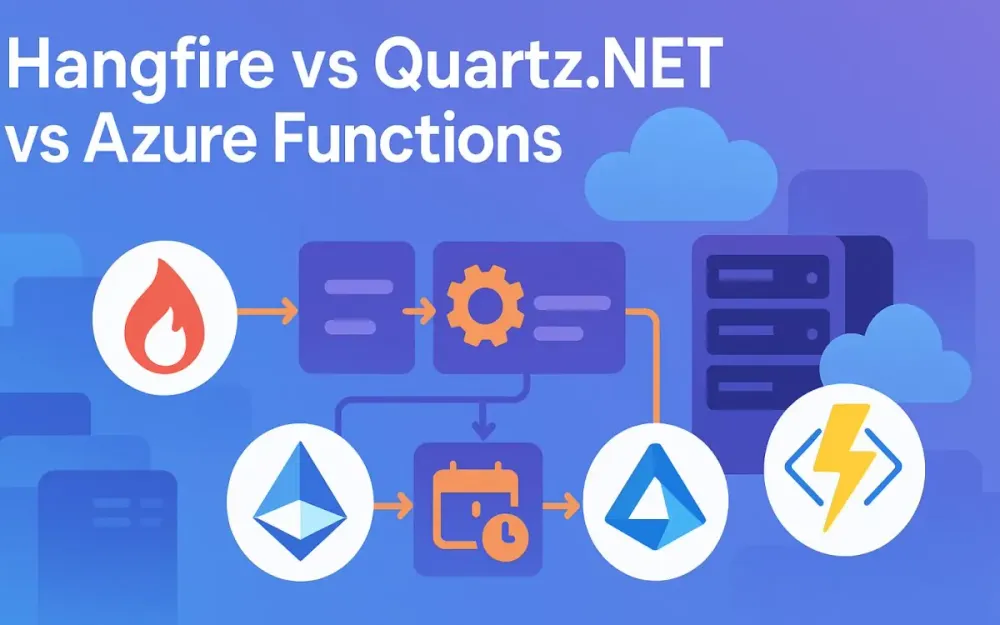
To address these challenges, the .NET ecosystem offers several battle-tested approaches. Each represents a different philosophy of background job management.
Quick snapshot (at a glance):
- Hangfire – Open-source (with Pro add-ons), runs in-process, strong dashboard.
- Quartz.NET – Open-source, clustering support, enterprise precision, runs as service/cluster.
- Azure Functions – Managed/serverless, consumption-based pricing, cloud-native scalability.
1.4.1 Hangfire
Hangfire is an open-source framework that integrates seamlessly into ASP.NET Core applications. It emphasizes simplicity: drop in a few NuGet packages, configure a database for persistence, and you’re off. Its standout feature is a built-in dashboard, giving developers and operations teams instant visibility into job lifecycles.
1.4.2 Quartz.NET
Quartz.NET is the heavyweight scheduler of the .NET world, ported from the Java Quartz library. It provides fine-grained scheduling control with Jobs, Triggers, and Calendars. Its clustering support makes it a go-to for mission-critical, enterprise-grade workloads where precision and high availability matter.
1.4.3 Azure Functions Timer Triggers
For teams embracing serverless and cloud-native architectures, Azure Functions with Timer Triggers offer an entirely different model. Instead of running inside your app, jobs run in a managed, elastic environment where scaling and infrastructure are handled for you. With Durable Functions, developers can build stateful workflows without managing persistence directly.
Each contender is viable—but each comes with trade-offs in control, complexity, cost, and operational model. The rest of this guide will unpack the foundational principles and provide a detailed comparison to help you choose wisely.
Here’s the revised Section 2 with all your requested improvements integrated, while keeping the same structure, tone, and style as before.
2 Foundational Concepts for Production-Ready Schedulers
Before comparing frameworks, it’s essential to ground ourselves in the shared principles that underpin all robust scheduling systems. Whether you’re running a self-hosted Hangfire server, a Quartz.NET cluster, or a fleet of Azure Functions, the same fundamentals apply.
2.1 Idempotency
Idempotency means that a job can be executed multiple times without changing the final result. It’s not optional—it’s the bedrock of reliable distributed systems.
Consider a payment processor that charges a customer’s credit card. If a job retries due to a transient failure, the system must ensure it doesn’t double-charge. Instead, the job might:
- Check if the payment transaction ID already exists.
- Record state changes atomically in a database.
- Use external APIs’ idempotency keys.
Incorrect Example:
// Risky: May double-charge if retried
await paymentGateway.ChargeAsync(customerId, 100.0);
Correct Example:
// Safe: Uses idempotency key for retriable execution
await paymentGateway.ChargeAsync(customerId, 100.0, idempotencyKey: orderId);
At the data layer, further safeguards help:
- Unique constraints on database tables.
- “Processed events” tracking tables.
- The transactional outbox pattern to ensure events are published exactly once.
Together, these techniques move systems toward effectively-once execution—where retries plus deduplication achieve correctness without skipping or duplicating work.
2.2 Persistence
Schedulers need a durable store for job definitions, execution history, and state. Without persistence:
- Jobs vanish on application restart.
- Failures can’t be retried after a crash.
- Long-running workflows lose continuity.
Frameworks provide different persistence models:
- Hangfire: Relies on SQL Server, PostgreSQL, or Redis. Requires ongoing cleanup of Hangfire tables to prevent unbounded growth.
- Quartz.NET: Uses an ADO.NET job store with clustering support. Developers must manage retention—tables like
QRTZ_TRIGGERSandQRTZ_FIRED_TRIGGERScan expand quickly without TTL policies. - Azure Functions: Backed by Azure Storage or Cosmos DB. Retention and indexing are abstracted from developers, but storage costs are still billable.
For any platform, it’s best practice to:
- Set job retention/TTL policies.
- Periodically compact or archive execution records.
- Index key columns (job ID, state, next-run time) for efficient queries.
Persistence is the difference between a toy scheduler and a production-grade system.
2.3 Concurrency and Distributed Locking
In scaled-out environments, multiple nodes may try to execute the same job concurrently. Without safeguards, this leads to:
- Duplicate emails.
- Conflicting database updates.
- Overloaded downstream APIs.
Distributed locking mechanisms prevent these conflicts:
- Quartz.NET clustering: Uses row-level locks in the database. Developers can also configure misfire handling with APIs like
CronScheduleBuilder.WithMisfireHandlingInstructionDoNothing(). - Hangfire: Offers the
[DisableConcurrentExecution]attribute to enforce exclusivity. - Azure Functions: Provide singletons and Blob lease–based locking, giving developers operational choices between throughput and exclusivity.
A reliable scheduler must balance concurrency (parallel execution for throughput) with exclusivity (single execution for correctness).
2.4 At-Least-Once vs. At-Most-Once Delivery
Delivery guarantees define how jobs behave under failure:
- At-Least-Once Delivery: Every job will eventually run, but duplicates are possible. This is common in distributed systems because it prioritizes reliability. It requires idempotent job design.
- At-Most-Once Delivery: Jobs may be skipped in rare cases, but never duplicated. This reduces complexity but risks silent data loss.
Most schedulers default to at-least-once delivery. The architect’s choice depends on context.
When you need effectively-once semantics, follow this checklist:
- Make job handlers idempotent.
- Maintain a deduplication store.
- Use monotonic or natural keys (order ID, event sequence) for safe replay.
This combination prevents both silent loss and uncontrolled duplication.
2.5 Observability
“You can’t fix what you can’t see.” Observability is what turns background job processing from a black box into a manageable system.
Critical components include:
- Logging: Detailed logs of job start, success, failure, and retries.
- Metrics: Counts of executed, failed, and retried jobs. Latency and throughput trends.
- Tracing: Correlation of background jobs with upstream requests for end-to-end visibility.
- Alerting: Notifications when jobs fail repeatedly or miss their schedule.
Service-level objectives (SLOs) give observability tangible targets. Common ones include:
- Job success rate – e.g., ≥ 99.9% successful executions.
- Max time-to-start after schedule – e.g., ≤ 60 seconds.
- 95th percentile latency – e.g., jobs complete within X minutes.
Framework support varies:
- Hangfire: Rich built-in dashboard with job lifecycle visibility.
- Quartz.NET: Minimal monitoring—best paired with custom logging or third-party dashboards.
- Azure Functions: Deep integration with Application Insights for telemetry and SLO tracking.
With these practices, operators gain the confidence to treat background scheduling as a dependable production system, not an afterthought.
3 Deep Dive 1: Hangfire - Simplicity and Visibility
When developers search for a pragmatic, low-friction way to add background processing to an ASP.NET Core application, Hangfire often emerges as the first candidate. Its appeal lies in two qualities: simplicity of setup and excellent visibility. Unlike many schedulers that require verbose configuration or external services, Hangfire integrates seamlessly with existing .NET apps and provides a rich, built-in dashboard. This balance of ease-of-use and operational transparency explains why Hangfire is a go-to solution for many teams starting with background jobs.
3.1 Philosophy
Hangfire embodies a philosophy of “make it simple and visible.” From its inception, the framework was designed with developers in mind rather than systems operators. It prioritizes:
- Minimal setup: Install a NuGet package, configure storage, and you have a working job scheduler within minutes.
- Developer-first UX: A web dashboard comes built-in, showing job states, retries, and execution history without extra plugins.
- Convention over configuration: Reasonable defaults reduce the cognitive load; advanced tuning is optional, not mandatory.
The result is a framework that lowers the barrier to entry while still offering production-ready robustness. For many teams, Hangfire’s visibility into background processes is as valuable as its scheduling capabilities.
3.2 Getting Started: A Practical Implementation
Setting up Hangfire in an ASP.NET Core application is straightforward. With just a few steps, you can schedule jobs and monitor them in real time.
3.2.1 Setting up Hangfire in an ASP.NET Core Application
dotnet add package Hangfire
dotnet add package Hangfire.SqlServer
var builder = WebApplication.CreateBuilder(args);
builder.Services.AddHangfire(config =>
config.UseSqlServerStorage(builder.Configuration.GetConnectionString("HangfireConnection")));
// Tune server options for throughput and queue isolation
builder.Services.AddHangfireServer(options => new BackgroundJobServerOptions
{
WorkerCount = Environment.ProcessorCount * 5,
Queues = new[] { "critical", "default", "low" }
});
var app = builder.Build();
app.UseHangfireDashboard(); // Default path: /hangfire
app.Run();Workers can be distributed across queues so that high-priority jobs (like payments) never compete with lower-priority tasks (like reporting).
3.2.2 Configuring Storage
Hangfire requires persistent storage to track job state. SQL Server is the most common enterprise option:
"ConnectionStrings": {
  "HangfireConnection": "Server=.;Database=HangfireDB;Trusted_Connection=True;"
}
Other options include Redis (lightweight, faster for transient jobs) or PostgreSQL.
Storage tuning and hygiene are critical in production:
- Set expiration policies for completed jobs.
- Index heavily queried tables.
- Periodically compact or clean up job tables.
GlobalJobFilters.Filters.Add(new ProlongExpirationTimeAttribute(TimeSpan.FromDays(7)));Trade-offs matter: SQL offers durability and transactions; Redis offers throughput and low latency.
3.2.3 Securing the Dashboard
By default, /hangfire is public—dangerous in production. Two common hardening patterns are:
- Authentication/authorization middleware wrapping the dashboard:
app.UseHangfireDashboard("/hangfire", new DashboardOptions
{
    Authorization = new[] { new MyDashboardAuthorizationFilter() }
});- Network restrictions: Expose the dashboard only through a private VNET or enforce an IP allow-list at the reverse proxy or firewall level.
Together, these controls prevent sensitive operational data from leaking.
3.3 Core Job Types with Code Examples
Hangfire supports several job types tailored to different scenarios. Each maps naturally to common enterprise tasks.
3.3.1 Fire-and-Forget
Used for tasks that should run once, immediately after being queued.
BackgroundJob.Enqueue(() => Console.WriteLine("Send Welcome Email"));Fire-and-forget jobs are ideal for non-critical work like sending confirmation emails.
3.3.2 Delayed Jobs
Schedule jobs to execute after a specified delay.
BackgroundJob.Schedule(() => Console.WriteLine("Send Survey Email"), TimeSpan.FromHours(24));This pattern suits workflows where you want to follow up after a cooling-off period.
3.3.3 Recurring Jobs
Run tasks on a recurring schedule using CRON expressions.
RecurringJob.AddOrUpdate("cache-warmup",
    () => Console.WriteLine("Warm cache"),
    Cron.Daily);
Hangfire provides helpers like Cron.Minutely, Cron.Weekly, or you can define custom CRON strings ("0 0 * * 1-5" for weekdays at midnight).
3.3.4 Continuations (Job Chaining)
Chain dependent jobs for simple workflows.
var jobId = BackgroundJob.Enqueue(() => Console.WriteLine("Process Order"));
BackgroundJob.ContinueJobWith(jobId, () => Console.WriteLine("Send Confirmation Email"));
Continuations make it easy to model linear sequences without external orchestration.
3.4 Production-Grade Features
Beyond the basics, Hangfire includes several features that elevate it to production-grade readiness.
3.4.1 Automatic Retries
Hangfire retries jobs by default, configurable via attributes. Resilience improves further if you wrap job internals with libraries like Polly for transient retry/backoff.
public class ReportJob
{
    [AutomaticRetry(Attempts = 5, OnAttemptsExceeded = AttemptsExceededAction.Fail)]
    public void Execute()
    {
        // Transient failure may occur here
    }
}
Retries are logged in the dashboard, making it easy to track resilience.
3.4.2 Concurrency Control
The [DisableConcurrentExecution] attribute prevents overlapping runs across servers, ensuring safe execution of exclusive jobs.
public class CleanupJob
{
    [DisableConcurrentExecution(timeoutInSeconds: 600)]
    public void Execute()
    {
        // Safe: Only one execution at a time
    }
}
This ensures distributed servers don’t run the same job simultaneously.
3.4.3 Dependency Injection
Jobs can consume services through ASP.NET Core’s DI container, making them testable and consistent with application architecture.
public class NotificationJob
{
    private readonly IEmailService _emailService;

    public NotificationJob(IEmailService emailService)
    {
        _emailService = emailService;
    }

    public void Execute(string userId)
    {
        _emailService.SendWelcomeEmail(userId);
    }
}

// Enqueue with DI support
BackgroundJob.Enqueue<NotificationJob>(job => job.Execute("12345"));
This keeps jobs testable and consistent with modern practices.
3.4.4 Extending Hangfire
Plugins such as Hangfire.Console provide streaming logs directly in the dashboard, useful for long-running imports or batch jobs.
public class ImportJob
{
    public void Execute(PerformContext context)
    {
        context.WriteLine("Starting import...");
        // processing steps
        context.WriteLine("Import completed.");
    }
}
Logs appear directly in the dashboard, improving observability during long-running tasks.
3.4.5 Resilience and Shutdown
Jobs should support CancellationToken to exit gracefully during app shutdowns or restarts, preventing half-complete operations.
3.5 Hosting, Scaling, and Operations
Development vs. Production Hosting
For small systems, running the Hangfire server inside the web app is fine. For larger loads, best practice is to host Hangfire in a dedicated Worker Service to decouple job execution from request latency.
Scaling Out
Scaling is as simple as running multiple servers pointing to the same storage. Workers coordinate through the database or Redis.
However, storage eventually becomes the bottleneck. Watch for:
- SQL deadlocks or slow queries under high throughput.
- Redis memory pressure or eviction.
- Growing latency in job fetch operations.
Sharding queues across different storage instances or monitoring database performance counters helps mitigate scaling pain.
4 Deep Dive 2: Quartz.NET - The Enterprise Powerhouse
Quartz.NET is the elder statesman of .NET job scheduling. Originally ported from the Java Quartz library, it emphasizes power, configurability, and precision. While Hangfire leans on simplicity, Quartz.NET targets enterprises that require fine-grained control, advanced scheduling patterns, and robust clustering for high availability.
4.1 Philosophy
Quartz.NET’s guiding principle is “maximum flexibility.” It assumes:
- Jobs may need complex calendars (e.g., run every weekday except public holidays).
- Organizations may require clusters of schedulers with strict guarantees.
- Developers want full programmatic control over jobs, triggers, and scheduling policies.
The trade-off is complexity. Quartz.NET requires more boilerplate, configuration, and operational understanding. But for mission-critical workloads, it delivers unmatched precision.
4.2 Getting Started: A Practical Implementation
Unlike Hangfire, Quartz.NET does not come with a dashboard or quick-start wizard. Setup involves wiring services and explicitly defining jobs and triggers.
4.2.1 Integrating Quartz.NET with ASP.NET Core
dotnet add package Quartzbuilder.Services.AddQuartz(q =>
{
q.UseMicrosoftDependencyInjectionJobFactory();
});
builder.Services.AddQuartzHostedService(q => q.WaitForJobsToComplete = true);This registers Quartz with ASP.NET Core’s DI system and ensures graceful shutdown.
4.2.2 The Core Components
Quartz revolves around three abstractions:
- Scheduler – Orchestrates job execution.
- Job – The unit of work, implementing
IJob. - Trigger – Defines when and how often a job executes.
public class ReportJob : IJob
{
    public Task Execute(IJobExecutionContext context)
    {
        Console.WriteLine("Generating report...");
        return Task.CompletedTask;
    }
}
4.2.3 Configuring the ADO.NET Job Store
"Quartz": {
  "quartz.scheduler.instanceName": "MyScheduler",
  "quartz.scheduler.instanceId": "AUTO",
  "quartz.jobStore.type": "Quartz.Impl.AdoJobStore.JobStoreTX, Quartz",
  "quartz.jobStore.useProperties": "true",
  "quartz.jobStore.dataSource": "default",
  "quartz.dataSource.default.connectionString": "Server=.;Database=QuartzDB;Trusted_Connection=True;",
  "quartz.jobStore.driverDelegateType": "Quartz.Impl.AdoJobStore.SqlServerDelegate, Quartz"
}
This enables persistence and distributed execution across multiple nodes.
Operational notes:
- Keep the QRTZ_ schema version in sync with your Quartz runtime.
- Consider
Quartz.Serializer.Jsonfor simpler serialization. - Tune
quartz.jobStore.misfireThreshold(default 60s) to balance latency vs tolerance for clock drift.
4.3 Advanced Scheduling with Code Examples
Quartz’s strength is in its scheduling flexibility.
4.3.1 Defining Jobs and Passing Data
Jobs implement IJob. You can pass runtime data via JobDataMap:
var job = JobBuilder.Create<EmailJob>()
    .WithIdentity("emailJob")
    .UsingJobData("Recipient", "user@example.com")
    .Build();
Inside the job:
public class EmailJob : IJob
{
    public Task Execute(IJobExecutionContext context)
    {
        var recipient = context.MergedJobDataMap.GetString("Recipient");
        Console.WriteLine($"Sending email to {recipient}");
        return Task.CompletedTask;
    }
}
4.3.2 Building Triggers
Triggers control job execution:
- Simple Trigger: with misfire handling:
var trigger = TriggerBuilder.Create()
    .StartNow()
    .WithSimpleSchedule(x => x
        .WithIntervalInSeconds(10)
        .RepeatForever()
        .WithMisfireHandlingInstructionFireNow()) // misfire = catch up
.Build();- Cron Trigger: with misfire handling:
var trigger = TriggerBuilder.Create()
    .WithCronSchedule("0 0 9 ? * MON-FRI", x => x
        .WithMisfireHandlingInstructionDoNothing()) // misfire = skip
    .Build();
Choosing between FireNow and DoNothing depends on the workload: catch up for financial posting, skip for non-critical reminders.
- Calendars and Time Zones:
var trigger = TriggerBuilder.Create()
    .WithCronSchedule("0 0 9 ? * MON-FRI",
        x => x.InTimeZone(TimeZoneInfo.FindSystemTimeZoneById("Eastern Standard Time")))
    .ModifiedByCalendar("holidays")
    .Build();
Calendars exclude holidays; time zones ensure consistency. Quartz handles daylight saving transitions explicitly, so developers should confirm desired behavior during DST shifts.
4.3.3 Managing Jobs
Jobs can be paused, unscheduled, or rescheduled dynamically:
await scheduler.PauseJob(new JobKey("emailJob"));
await scheduler.ResumeJob(new JobKey("emailJob"));
await scheduler.DeleteJob(new JobKey("emailJob"));
This flexibility supports frequently changing schedules.
4.4 Production-Grade Features
Quartz includes enterprise-ready capabilities for scaling and resilience.
4.4.1 Clustering for High Availability and Load Balancing
With ADO.NET storage, multiple Quartz instances can form a cluster. Only one node executes a job at a time, thanks to database locking. This ensures:
- High availability if one node fails.
- Load balancing across workers.
4.4.2 Error Handling and Recovery
Quartz can persist job state across executions:
[PersistJobDataAfterExecution]
public class StatefulJob : IJob
{
    public Task Execute(IJobExecutionContext context)
    {
        var count = context.JobDetail.JobDataMap.GetInt("count");
        context.JobDetail.JobDataMap.Put("count", count + 1);
        return Task.CompletedTask;
    }
}
Combined with job recovery, this ensures resilience against failures.
4.4.3 Concurrency and State Management
To prevent overlapping job executions:
[DisallowConcurrentExecution]
public class CleanupJob : IJob
{
    public Task Execute(IJobExecutionContext context)
    {
        // Guaranteed non-overlapping
        return Task.CompletedTask;
    }
}
This aligns with distributed locking principles for correctness.
4.4.4 Monitoring and Management
Quartz lacks a built-in dashboard, but several options exist:
- Quartz-Dashboard (community).
- Quartzmin (community, lightweight).
- Custom APIs layered on top.
- Prometheus or Application Insights integrations.
This ecosystem gives teams multiple ways to add visibility.
4.5 When to Choose Quartz.NET
Quartz.NET is the right choice when:
- Advanced calendars and time zones are required.
- Strict SLAs or holiday-aware scheduling is critical.
- Clustering across multiple nodes is mandatory.
- Schema-level control and operational tuning are acceptable trade-offs.
It is less suited for teams needing immediate simplicity or built-in dashboards, but for enterprise contexts where control and precision matter most, Quartz.NET remains a battle-tested option.
5 Deep Dive 3: Azure Functions - The Serverless, Cloud-Native Approach
If Hangfire and Quartz.NET represent self-hosted models of background processing, Azure Functions marks a fundamental departure. Instead of provisioning servers, managing databases for persistence, or monitoring worker pools, Azure Functions abstracts away infrastructure entirely. It allows you to define logic in small, focused units triggered by events—including the humble timer. This is Microsoft’s managed take on background job scheduling: elastic, pay-per-execution, and deeply integrated with the Azure ecosystem.
5.1 Philosophy
The philosophy behind Azure Functions can be distilled into a simple phrase: “pay for what you use.” Unlike Hangfire or Quartz.NET, where compute resources are always allocated (whether or not jobs are running), Azure Functions scales dynamically with workload demand. If no jobs run for hours, your bill reflects that inactivity. If thousands of jobs trigger in parallel, the platform auto-scales without manual intervention.
This event-driven design shifts the mental model:
- Developers focus on logic, not infrastructure.
- Costs are proportional to execution rather than uptime.
- Operational complexity is replaced with platform-managed guarantees (e.g., scaling, retries, monitoring).
The trade-offs are equally important: less direct control over infrastructure, reliance on cloud vendor SLAs, and sometimes higher costs for workloads requiring constant processing. But for teams already invested in Azure, the benefits are compelling.
5.2 Getting Started: A Practical Implementation
Building a timer-triggered Azure Function is fast and approachable. You can use Visual Studio, VS Code, or even the Azure Portal.
5.2.1 Creating a Timer Trigger Function
In VS Code with the Azure Functions extension:
- Create a new Functions project:
func init TimerDemo --worker-runtime dotnet-isolated
cd TimerDemo
func new --name CleanupJob --template "Timer trigger"
This generates a starter function:
public class CleanupJob
{
    [Function("CleanupJob")]
    public void Run([TimerTrigger("0 */5 * * * *", RunOnStartup = true, UseMonitor = true)] TimerInfo timer, FunctionContext context)
    {
        var logger = context.GetLogger("CleanupJob");
        logger.LogInformation($"Cleanup executed at: {DateTime.UtcNow}");
    }
}
Here, the job runs every 5 minutes. The RunOnStartup flag allows immediate execution on host start. UseMonitor ensures catch-up runs if the host was down when a schedule was missed.
5.2.2 Understanding NCRONTAB Expressions
Azure Functions use NCRONTAB format (a superset of standard CRON).
Examples:
0 */10 * * * *→ every 10 minutes.0 0 9 * * 1-5→ 9 AM, Monday through Friday.
Schedules are interpreted in UTC by default. Developers should validate expressions with online NCRONTAB validators to avoid mistakes, especially when daylight saving time (DST) is involved.
5.2.3 Hosting Plans and Timeouts
Choosing a hosting plan is crucial because it dictates cost, performance, and features.
- Consumption Plan: Auto-scales to zero, billed per execution. Downsides: cold starts, limited max execution duration (default 5 minutes, extendable to 10).
- Premium Plan: Eliminates cold starts, allows longer executions, provides VNET integration. Costs more, but ideal for production.
- App Service Plan: Runs on dedicated VMs you provision. Suitable if you already run web apps in the same plan, but less elastic.
Timeouts are controlled in host.json:
{
  "functionTimeout": "00:15:00"
}
In practice:
- Use Consumption for light, infrequent jobs.
- Use Premium for critical, high-frequency, or long-running jobs.
- Use App Service when consolidating infrastructure with existing workloads.
5.3 Building Robust Timer-Triggered Workflows
Azure Functions Timer Triggers are simple to start with, but building production-ready systems requires applying best practices around dependency injection, state, and workflows.
5.3.1 Basic Timer Trigger with Dependency Injection
Functions support .NET dependency injection via Startup:
[assembly: FunctionsStartup(typeof(MyStartup))]
public class MyStartup : FunctionsStartup
{
    public override void Configure(IFunctionsHostBuilder builder)
    {
        builder.Services.AddSingleton<IReportService, ReportService>();
    }
}

public class ReportJob
{
    private readonly IReportService _service;

    public ReportJob(IReportService service) => _service = service;

    [Function("ReportJob")]
    public async Task Run([TimerTrigger("0 0 * * * *")] TimerInfo timer)
    {
        await _service.GenerateAsync();
    }
}
This keeps jobs consistent with modern DI practices in ASP.NET Core.
5.3.2 Stateful Workflows with Durable Functions
Durable Functions extend timers with orchestration and state.
Constraints:
- Orchestrators must be deterministic (no
DateTime.Now, no I/O). - Code is replayed by the runtime; only use APIs provided by the context.
- Use sub-orchestrations for fan-out/fan-in patterns to parallelize safely.
5.3.2.1 Using an Orchestrator Function
An orchestrator defines a workflow:
[Function("Orchestrator")]
public static async Task RunOrchestrator([OrchestrationTrigger] TaskOrchestrationContext context)
{
    var data = await context.CallActivityAsync<string>("FetchData", null);
    var processed = await context.CallActivityAsync<string>("ProcessData", data);
    await context.CallActivityAsync("StoreResult", processed);
}
Activity functions encapsulate steps:
[Function("FetchData")]
public static string FetchData([ActivityTrigger] string input) => "raw-data";

[Function("ProcessData")]
public static string ProcessData([ActivityTrigger] string input) => input.ToUpper();

[Function("StoreResult")]
public static void StoreResult([ActivityTrigger] string data) => Console.WriteLine(data);
5.3.2.2 A Practical Example
Consider a nightly ETL pipeline:
- Fetch data from an API.
- Transform it into a normalized format.
- Store it in Azure SQL Database.
Durable Functions model this naturally, with each step retried automatically if transient errors occur.
5.3.2.3 Handling Errors and Retries
Durable Functions support retry policies at the activity level:
var retryOptions = new RetryOptions(TimeSpan.FromSeconds(5), 3);
var result = await context.CallActivityWithRetryAsync<string>("FetchData", retryOptions, null);
This guards against transient failures like API timeouts while preserving idempotency.
5.4 Production-Grade Features
Azure Functions offer features critical for production workloads.
5.4.1 Automatic Scaling
Scaling is automatic in Consumption and Premium plans. If thousands of timers fire simultaneously, the platform provisions compute dynamically.
5.4.2 Singleton Execution
Sometimes, only one instance of a function should run across the entire scale set. Azure supports this via the Singleton attribute or Blob leases:
[Function("CleanupJob")]
[Singleton]
public void Run([TimerTrigger("0 */30 * * * *")] TimerInfo timer)
{
    Console.WriteLine("Cleanup running as singleton.");
}
This prevents concurrency issues, crucial for jobs like schema migrations or cache cleanup.
5.4.3 Retry Policies
Retry logic can be configured globally in host.json:
{
  "retry": {
    "strategy": "fixedDelay",
    "maxRetryCount": 5,
    "delayInterval": "00:00:10"
  }
}
This ensures consistent retry behavior across all functions, aligning with idempotency principles.
5.4.4 Monitoring and Observability
Azure Functions integrate deeply with Application Insights:
- Logs: Every execution can be traced with correlation IDs.
- Metrics: counts, duration, failure rates.
- Alerts: thresholds for errors or delays.
Practical KQL query (last 24 hours of failed timer jobs):
traces
| where timestamp > ago(24h)
| where customDimensions.Category == "Function.TimerTrigger"
| where customDimensions.Status == "Failed"
| summarize count() by operation_Name
This demonstrates how failures can be surfaced proactively.
5.5 The Serverless Mindset
Adopting Azure Functions requires a shift in mindset. Traditional schedulers encourage long-running jobs, but serverless favors:
- Short-lived, stateless executions.
- Splitting workflows into smaller steps.
- Explicit state persistence (Durable Functions, storage accounts).
This shift is not just technical but cultural. Teams accustomed to VM-based workloads must embrace elasticity, cost-awareness, and resilience through retry and orchestration patterns. The payoff is significant: reduced operational burden, elastic scaling, and alignment with cloud-native practices.
6 Head-to-Head: A Comparative Analysis for Architects
Having explored Hangfire, Quartz.NET, and Azure Functions in detail, it’s time to step back and assess them from an architectural vantage point. For senior developers and solution architects, choosing a job scheduler isn’t about features in isolation—it’s about aligning those features with hosting strategy, operational maturity, scalability requirements, and organizational constraints. Below is a structured comparison across six critical dimensions.
6.1 Architecture and Hosting Model
The first question architects should ask is: Where does this scheduler live in relation to my application and infrastructure?
Hangfire and Quartz.NET
Both are in-process schedulers, meaning they run inside your application host:
- You can embed them into monoliths, microservices, or standalone worker services.
- Persistence is externalized (SQL Server, Redis, or ADO.NET database).
- Scaling requires deploying more instances of your app or worker services, with coordination through the shared store.
This model gives you full control but also full responsibility—from provisioning compute to patching servers.
Azure Functions
Azure Functions, by contrast, is serverless and platform-managed:
- Functions run decoupled from any single app.
- Timer triggers are first-class citizens in Azure’s event-driven runtime.
- Scaling, resilience, and execution environments are handled by Azure.
This model trades control for convenience: you cannot tweak the host environment, but you also don’t need to manage infrastructure.
6.2 Ease of Use and Developer Experience
The second lens is developer productivity: how quickly can a team onboard, and what’s the ongoing ergonomics?
Hangfire
- Fastest path to value: Add a NuGet package, configure storage, and you’re scheduling jobs within minutes.
- Dashboard-first experience: Developers and support staff gain immediate visibility.
- Local debugging: Run jobs inside your ASP.NET Core app or a lightweight Worker Service—easy for teams already familiar with .NET hosting.
Quartz.NET
- Highly programmatic: Jobs and triggers must be defined explicitly, with more boilerplate.
- Steeper learning curve: Requires fluency in triggers, calendars, and clustering.
- Local debugging: Run Quartz inside a console or Worker Service for step-through debugging; precise, but more setup.
Azure Functions
- Simple basics, advanced orchestration optional: Timer-triggered jobs are quick to implement; Durable Functions add workflow complexity.
- Excellent tooling: Visual Studio, VS Code, and the Azure Portal streamline scaffolding and deployment.
- Local debugging: Functions Core Tools let you run and debug timers locally, mirroring the cloud environment.
In short: Hangfire optimizes for speed, Quartz for precision, and Azure Functions for cloud-native alignment.
6.3 Scalability and Performance
Hangfire and Quartz.NET
- Manual scaling: Add more app instances or worker servers.
- Storage as bottleneck: SQL Server or Redis can limit throughput if not tuned.
- Predictable performance: Bound by your own infrastructure sizing.
Azure Functions
- Elastic scaling: Consumption and Premium plans scale automatically.
- Scale to zero: No cost when idle—ideal for sporadic workloads.
- Burst handling: Can handle thousands of triggers in parallel, but requires careful orchestration.
6.4 Monitoring and Observability
Hangfire
- Best-in-class built-in dashboard: Jobs, retries, history, progress.
- Minimal setup: Comes online instantly.
Quartz.NET
- Minimal defaults: Logs and APIs only.
- Add-ons needed: Quartz-Dashboard or Quartzmin for visibility.
- Ops-heavy: Often paired with Prometheus, Grafana, or Application Insights.
Azure Functions
- Integrated telemetry: Application Insights with Kusto Query Language (KQL) for rich queries and alerts.
- Enterprise observability: Dashboards and auto-remediation hooks via Azure Monitor.
- Learning curve: Requires investment in Azure observability stack.
6.5 Cost Implications
Hangfire and Quartz.NET
- Fixed infrastructure cost: Pay for the compute (VMs, App Service, containers) plus persistent storage.
- Predictable OPEX: Ideal if infrastructure is already in place and jobs are steady.
- Licensing: Hangfire Pro adds features at additional cost.
Azure Functions
- Consumption plan: Pay only for executions.
- Premium plan: Higher baseline, removes cold starts, supports long-running jobs.
- Potential tipping point: At scale, Functions may cost more than self-hosted options.
A worked example:
-
10,000 jobs per hour, each running ~1 second.
- On Consumption, this is billed as 10,000 GB-seconds (assuming 1 GB memory allocation).
- On a small VM hosting Hangfire or Quartz, the incremental cost is negligible once infrastructure is provisioned.
The break-even depends on workload frequency: Functions win for spiky, low-duty workloads; Hangfire/Quartz win for sustained, high-throughput jobs.
6.6 The Feature Matrix (At-a-Glance Table)
| Feature | Hangfire | Quartz.NET | Azure Functions Timer |
|---|---|---|---|
| Hosting Model | In-process, self-managed | In-process, self-managed | Serverless, managed |
| Dashboard | Built-in, excellent | None (3rd-party: Quartzmin, Quartz-Dash) | Application Insights |
| Persistence | SQL Server, Redis, etc. | ADO.NET stores | Azure Storage / Cosmos |
| Clustering | Implicit via storage | Robust DB clustering | Platform-managed |
| Job Types | Fire-and-forget, delayed, recurring, continuations | Jobs + Triggers (cron, calendars) | Timer triggers + Durable workflows |
| Job Chaining | Continuations | Trigger orchestration + calendars | Durable orchestrations |
| Retries | Automatic retry attribute | Per-job retry policies | Configurable in host.json |
| Time Zones & Calendars | Basic CRON, limited TZ handling | Strong calendar + TimeZoneInfo support | NCRONTAB + app time zone setting |
| Vendor Lock-In | Minimal | Minimal | High (Azure-only runtime) |
| Scalability | Horizontal workers | Horizontal + clustered DB | Elastic, scale-to-zero |
| Observability | Built-in dashboard | Limited, external tools | Application Insights + Azure Monitor |
| Cost Model | Infrastructure + DB | Infrastructure + DB | Consumption or Premium |
| Best Fit | Developer-friendly apps needing visibility | Enterprise apps with complex schedules | Cloud-native, elastic workloads |
This side-by-side comparison emphasizes the philosophical divide: Hangfire is about simplicity and visibility, Quartz.NET about enterprise-grade configurability, and Azure Functions about cloud-native elasticity. The right choice depends not on features alone, but on context: workload patterns, operational preferences, and organizational maturity.
7 Architectural Blueprints: Solving Real-World Problems
Abstract comparisons are useful, but the real test of a scheduler comes when it’s dropped into a production system with unique constraints. Each organization has different workloads, failure tolerances, compliance needs, and operational models. In this section, we’ll look at four concrete scenarios where Hangfire, Quartz.NET, Azure Functions—or a hybrid of them—become the natural fit. These scenarios mirror common patterns architects encounter when designing enterprise systems.
7.1 Scenario 1: The E-commerce Platform
Problem
An e-commerce application must reliably process customer orders. Each order workflow involves several steps:
- Charge the customer’s credit card through a third-party payment gateway.
- Update the inventory system to reduce stock counts.
- Send a confirmation email and receipt to the customer.
This workflow must execute reliably under high load, particularly during peak sales events. Jobs may fail due to transient payment gateway errors or email service outages. Additionally, support staff need visibility into failed jobs to resolve customer complaints quickly. A further concern is idempotency—avoiding double charges or duplicate inventory decrements when retries occur.
Solution
Hangfire is an excellent fit here because of its chaining support, built-in retries, and operator-friendly dashboard.
public class OrderWorkflow
{
    private readonly IPaymentService _payments;
    private readonly IInventoryService _inventory;
    private readonly IEmailService _email;

    public OrderWorkflow(IPaymentService payments, IInventoryService inventory, IEmailService email)
    {
        _payments = payments;
        _inventory = inventory;
        _email = email;
    }

    public void ProcessOrder(Guid orderId)
    {
        _payments.Charge(orderId); // Uses orderId as idempotency key
    }

    public void UpdateInventory(Guid orderId)
    {
        _inventory.DecrementStock(orderId); // Backed by unique DB constraint
    }

    public void SendConfirmation(Guid orderId)
    {
        _email.SendOrderConfirmation(orderId);
    }
}

// Scheduling the chain
var jobId = BackgroundJob.Enqueue<OrderWorkflow>(x => x.ProcessOrder(order.Id));
BackgroundJob.ContinueJobWith<OrderWorkflow>(jobId, x => x.UpdateInventory(order.Id));
BackgroundJob.ContinueJobWith<OrderWorkflow>(jobId, x => x.SendConfirmation(order.Id));
Benefits:
- Retries with safety: Payment and inventory operations use idempotency keys and database constraints to prevent duplication.
- Dashboard visibility: Operators can requeue or inspect failed jobs.
- Continuations: Steps execute in strict sequence for consistency.
This design gives the e-commerce platform both reliability and operational transparency during high-volume events.
7.2 Scenario 2: The Financial Services Firm
Problem
A financial services firm must run daily market data aggregation jobs. These jobs:
- Pull data from multiple market feeds.
- Normalize and aggregate into a central warehouse.
- Must run only on trading days (skip weekends and public holidays).
- Require high availability: missed runs could impact regulatory reporting.
The workload is structured, time-sensitive, and must handle trading calendars across multiple time zones.
Solution
Quartz.NET is the natural fit because of its robust calendars, time zone support, and clustering.
var holidayCalendar = new HolidayCalendar();
holidayCalendar.AddExcludedDate(new DateTime(2025, 1, 1)); // New Year
holidayCalendar.AddExcludedDate(new DateTime(2025, 12, 25)); // Christmas

var schedulerFactory = new StdSchedulerFactory();
var scheduler = await schedulerFactory.GetScheduler();
await scheduler.AddCalendar("holidays", holidayCalendar, false, false);

var job = JobBuilder.Create<MarketAggregationJob>()
    .WithIdentity("marketJob")
    .Build();

var trigger = TriggerBuilder.Create()
    .WithIdentity("marketTrigger")
    .WithCronSchedule("0 0 23 ? * MON-FRI", x => x
        .WithMisfireHandlingInstructionDoNothing()) // skip if missed
    .ModifiedByCalendar("holidays")
    .InTimeZone(TimeZoneInfo.FindSystemTimeZoneById("Eastern Standard Time"))
    .Build();

await scheduler.ScheduleJob(job, trigger);
Benefits:
- Calendars: Skip non-trading days seamlessly.
- Time zones: Triggers run consistently across DST shifts.
- Misfire policy: Jobs won’t replay hours of backlog unnecessarily.
- Clustering: Ensures high availability and single execution across nodes.
Quartz.NET provides precision and resilience for compliance-driven workloads.
7.3 Scenario 3: The SaaS Startup
Problem
A SaaS startup needs to:
- Run a database cleanup every hour.
- Send a health check ping every 5 minutes.
The team has limited DevOps capacity and wants minimal infrastructure management. Reliability is required, but jobs are lightweight and not customer-facing.
Solution
Azure Functions Timer Triggers are a natural fit: simple, cost-efficient, and serverless.
public class CleanupJob
{
    private readonly IDatabaseService _db;
    public CleanupJob(IDatabaseService db) => _db = db;

    [Function("CleanupJob")]
    public async Task Run([TimerTrigger("0 0 * * * *")] TimerInfo timer)
    {
        await _db.CleanupLogsAsync();
    }
}
App settings can pin the time zone for NCRONTAB expressions:
"FUNCTIONS_WORKER_RUNTIME": "dotnet",
"WEBSITE_TIME_ZONE": "Eastern Standard Time"
Benefits:
- Zero ops: No servers or schedulers to maintain.
- Cost efficiency: On the Consumption plan, may run within free quotas.
- Awareness of limits: Default function timeouts (5–10 minutes) are fine for lightweight jobs, but Premium is needed for longer tasks.
For startups, Functions reduce operational overhead so teams can focus on product delivery.
7.4 The Hybrid Approach: Best of Both Worlds
Problem
Some workloads require serverless elasticity for triggers but the orchestration and observability of a job cluster. For example:
- A Function checks Blob Storage every 5 minutes.
- If new files exist, an ETL pipeline must run with retries and progress tracking.
- The pipeline is too complex for a single serverless function.
Solution
Combine Azure Functions with Hangfire:
public class FileWatcher
{
    private readonly IBackgroundJobClient _jobs;
    public FileWatcher(IBackgroundJobClient jobs) => _jobs = jobs;

    [Function("FileWatcher")]
    public void Run([TimerTrigger("0 */5 * * * *")] TimerInfo timer)
    {
        if (CheckForNewFiles())
        {
            _jobs.Enqueue<ETLPipeline>(p => p.Run());
        }
    }

    private bool CheckForNewFiles() => true; // Blob logic
}
Visualization:
Timer Trigger → Enqueue → Hangfire Queue → Worker(s) → DashboardBenefits:
- Elastic triggering: Serverless checks scale up/down automatically.
- Reliable orchestration: Hangfire executes complex ETL with retries and dashboard monitoring.
- Balanced model: Combines cloud-native triggers with in-process observability.
This hybrid approach illustrates how frameworks can complement one another to achieve resilience, transparency, and elasticity.
8 Making the Right Choice: A Decision Framework
By now, the differences between Hangfire, Quartz.NET, and Azure Functions are clear. But in practice, architects face ambiguity: multiple options could work. A structured decision framework helps narrow the choice.
8.1 Start with Your Hosting Environment
- All-in on Azure: Azure Functions integrate seamlessly with Azure services. Choose them unless you need advanced orchestration visibility.
- On-premise or multi-cloud: Quartz.NET or Hangfire provide full control without vendor lock-in.
- Hybrid: Consider Functions for triggers and Hangfire or Quartz for processing, combining elasticity with in-process observability.
8.2 Evaluate Your Complexity Needs
- Simple jobs: Fire-and-forget emails, hourly cleanups → Hangfire or Azure Functions.
- Complex workflows: Calendar exclusions, stateful multi-step jobs → Quartz.NET or Durable Functions.
- Enterprise compliance: High availability, predictable clustering → Quartz.NET.
The complexity of your job definitions should guide the choice.
8.3 Consider Your Team’s Expertise
- Small, web-focused team: Hangfire’s simplicity and dashboard reduce the learning curve.
- Enterprise IT staff with strong ops background: Quartz.NET aligns with structured, programmatic scheduling.
- Cloud-native engineers: Azure Functions and Durable Functions are a natural extension.
The human factor matters as much as the technical.
8.4 A Quick Scorecard
For rapid triage, answer the following questions (0–2 points each). Higher scores point toward the most natural default.
-
Azure-first organization? No (0), Mixed (1), Fully Azure (2)
-
Calendar and time zone complexity? Simple (0), Moderate (1), Advanced/Compliance-driven (2)
-
Need built-in visual monitoring? Low (0), Medium (1), High (2)
-
Ops team maturity? Lightweight (0), Moderate (1), Enterprise-grade (2)
-
Cost model preference? Fixed/predictable (0), Either (1), Consumption-based elasticity (2)
Interpretation:
- 0–3 points → Hangfire as the default (developer-friendly, quick setup).
- 4–6 points → Quartz.NET (structured scheduling, enterprise-grade control).
- 7–10 points → Azure Functions (cloud-native, elastic, consumption-driven).
This scorecard is not absolute, but it highlights where organizational context pushes the balance.
8.5 A Practical Decision Tree
- Need a dashboard and easy setup inside an ASP.NET Core app? → Start with Hangfire.
- Need mission-critical clustering and calendar-aware scheduling? → Use Quartz.NET.
- Need cost-effective, event-driven jobs in Azure? → Use Azure Functions.
- Need complex, stateful serverless workflows? → Use Durable Functions.
8.6 When to Mix
Schedulers are not mutually exclusive. Many real-world systems mix models:
-
Serverless for triggers, in-process for workflows. For example:
- Azure Functions detects a new file in Blob Storage.
- The function enqueues a job in Hangfire.
- Hangfire executes the multi-step ETL with retries and dashboard visibility.
This hybrid blueprint combines the elasticity of serverless with the control and transparency of in-process schedulers.
9 Conclusion: The Future is Composable
9.1 Key Takeaways
- Hangfire excels in developer experience and visibility. It’s the fastest way to add reliable background jobs inside a .NET application.
- Quartz.NET is the enterprise powerhouse, delivering precision scheduling, clustering, and calendar-aware logic for mission-critical systems.
- Azure Functions bring elasticity and serverless economics, reducing infrastructure overhead and enabling cloud-native architectures.
No single tool is universally best. Each is optimal for specific contexts. As practical defaults:
- Default to Hangfire for app-embedded background jobs with a dashboard.
- Choose Quartz when calendars or clustering precision rules the day.
- Use Azure Functions for elastic, decoupled timers—and Durable Functions when workflows are required.
9.2 Final Thoughts
The future of job scheduling isn’t monolithic—it’s composable. Enterprises increasingly blend serverless triggers with in-process schedulers, building systems that combine elasticity, visibility, and reliability. Architects must be fluent in all three paradigms, choosing the right tool—or combination—for each workload.
As cloud-native patterns mature, we’ll see more organizations offloading triggers and lightweight jobs to serverless platforms, while retaining in-process schedulers for workflows that demand visibility, control, and state management. Mastering this toolbox ensures readiness to design resilient, scalable, and cost-efficient systems that meet the growing demands of modern software.