1 Introduction: The Case for Asynchronous Message-Driven Architectures
Modern software systems rarely operate in isolation. Businesses demand interconnected applications that process millions of events, interact with external APIs, and scale on demand. The move from monoliths to microservices was supposed to help, but it brought its own challenges: network overhead, distributed transactions, and the risk of cascading failures. This is where asynchronous, message-driven architectures shine.
1.1 The Challenges of Modern Distributed Systems: Why synchronous REST APIs aren’t always the answer
Most teams building microservices start with REST over HTTP. It’s simple, well-known, and works fine for synchronous request/response workflows. However, REST starts showing cracks under certain conditions:
- Tight Coupling of Availability: If Service A depends on Service B, and B is down, A fails too. The failure propagates.
- Cascading Latency: Adding multiple synchronous calls in a request chain amplifies latency. A 100ms call becomes 1 second if it chains across 10 services.
- Limited Throughput Scaling: REST-based services must handle spikes in concurrent requests directly. Load balancers help, but scaling synchronously is expensive.
- Stateful Conversations: Workflows like order processing often span minutes or hours. Holding HTTP connections open that long is impractical.
Consider a common scenario: an OrderService places an order and calls PaymentService synchronously. If PaymentService is slow, every customer request waits. Worse, if it’s unavailable, OrderService may fail outright—even though it could have safely queued the request for later processing.
This synchronous dependency results in what engineers call a “death star diagram”: a web of interdependent services where one small outage spirals into a systemic incident. We need a model that embraces autonomy and resilience.
1.2 Embracing Asynchronicity: The core benefits of decoupling, scalability, and resilience
Message-driven systems shift the paradigm. Instead of asking, “Can I do this now?” services publish events or send commands to a broker. The broker persists, routes, and delivers messages to interested consumers, decoupling the sender from the receiver.
Benefits
- Loose Coupling: Publishers don’t need to know who consumes their events. Consumers can come and go independently.
- Resilience: Messages survive transient outages. If
InventoryServiceis down,OrderPlacedevents wait safely in a queue until it recovers. - Elastic Scalability: Consumers scale horizontally without publishers needing to change. RabbitMQ’s competing consumer model balances load automatically.
- Workflow Flexibility: New services can subscribe to existing events without modifying the publisher. This enables evolutionary architecture.
- Backpressure Management: Message brokers buffer workloads. Consumers process at their pace instead of being overwhelmed by request floods.
Think of messaging as building an air traffic control system for your services. Each plane (message) has a flight plan (routing key), and the control tower (broker) ensures safe, orderly arrivals—no mid-air collisions, no planes lost.
1.3 Introducing the Key Players
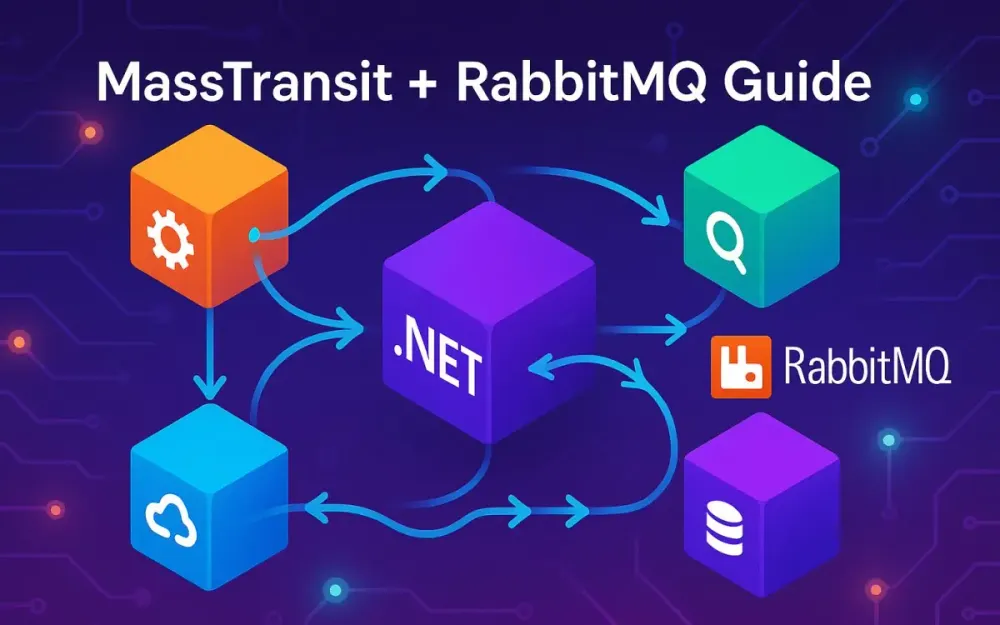
To build fault-tolerant, message-based microservices in .NET, three technologies form our foundation: .NET 8/9, RabbitMQ, and MassTransit.
1.3.1 .NET (8/9): The platform for building high-performance services
The .NET ecosystem has matured into a powerhouse for backend services:
- Performance: With .NET 8 and .NET 9, the runtime rivals or surpasses Java and Node.js in raw throughput and latency.
- Cross-Platform: Services run seamlessly on Linux, Windows, or containers, making Kubernetes deployments straightforward.
- Minimal APIs: Lightweight APIs reduce ceremony, letting developers spin up services with minimal boilerplate.
- Dependency Injection (DI) & Configuration: Built-in DI and options pattern integrate naturally with libraries like MassTransit.
- First-Class Async: The async/await model aligns well with messaging, where workloads are inherently asynchronous.
For enterprise teams, .NET provides a mature, stable foundation with long-term support, backed by Microsoft and a vibrant OSS community.
1.3.2 RabbitMQ: The robust, open-source message broker
RabbitMQ is a battle-tested, open-source broker that implements the AMQP 0-9-1 protocol. It offers durability, flexible routing, and high throughput. Understanding a few RabbitMQ concepts is essential:
- Exchanges: Where messages first arrive. They decide how to route messages to queues.
- Queues: Buffers that store messages until consumers are ready.
- Bindings: Rules that connect exchanges to queues, based on routing keys.
- Virtual Hosts: Namespaces for isolating applications.
- Acknowledgments: Ensure reliable delivery. Consumers confirm when processing succeeds.
RabbitMQ supports multiple exchange types:
- Direct: Routes based on exact routing keys.
- Fanout: Broadcasts messages to all bound queues.
- Topic: Pattern-based routing (e.g.,
order.*). - Headers: Routing based on message headers.
Its strengths lie in reliability, tooling (e.g., the Management UI), and flexibility. With clustering and high-availability queues, RabbitMQ scales across nodes and survives broker restarts.
1.3.3 MassTransit: The abstraction that makes messaging productive in .NET
While RabbitMQ’s client library is powerful, working with it directly requires managing connections, channels, serialization, and error handling. MassTransit solves this by:
- Providing a higher-level API aligned with .NET idioms.
- Handling serialization, retries, error queues, and topology automatically.
- Offering integrations with .NET DI, logging, and OpenTelemetry.
- Supporting multiple transports (RabbitMQ, Azure Service Bus, Amazon SQS, Kafka), enabling future flexibility.
- Enabling advanced patterns like sagas, outbox, and distributed transactions out of the box.
In short, MassTransit lets developers focus on business logic rather than messaging plumbing. It’s the opinionated guide that keeps your messaging consistent, resilient, and observable.
2 Setting the Stage: Your First MassTransit Application
Theory is useful, but nothing beats rolling up your sleeves and shipping a working application. Let’s walk through building a minimal but real-world MassTransit setup: an Order API that publishes events and a Notification Service that consumes them.
2.1 Environment Setup
2.1.1 Prerequisites: .NET SDK, Docker
To follow along, you’ll need:
- .NET 8 SDK or later: Download here.
- Docker Desktop: To run RabbitMQ locally.
- An IDE: Visual Studio, JetBrains Rider, or Visual Studio Code.
- Postman or curl: For testing the API.
Verify installation:
dotnet --version
# Should output 8.x.x or later
docker --version
2.1.2 Running RabbitMQ with Docker
RabbitMQ ships as an official Docker image with a built-in management UI. Create a docker-compose.yml:
version: "3.9"
services:
  rabbitmq:
    image: rabbitmq:3-management
    ports:
      - "5672:5672"   # Broker
      - "15672:15672" # Management UI
    environment:
      RABBITMQ_DEFAULT_USER: guest
      RABBITMQ_DEFAULT_PASS: guest
Start it:
docker-compose up -dNavigate to http://localhost:15672, login with guest/guest, and confirm RabbitMQ is running.
2.2 Creating the Solution: A simple two-service setup
We’ll create three projects:
- Contracts: A shared class library with message definitions.
- Order.API: A minimal API that publishes
OrderPlacedevents. - Notification.Service: A worker service that consumes those events.
Create a solution:
dotnet new sln -n MessagingDemo
mkdir src && cd src

dotnet new classlib -n Contracts
dotnet new webapi -n Order.API
dotnet new worker -n Notification.Service

dotnet sln ../MessagingDemo.sln add Contracts Order.API Notification.Service
Add references:
dotnet add Order.API reference Contracts
dotnet add Notification.Service reference Contracts
Install MassTransit and RabbitMQ packages:
dotnet add Order.API package MassTransit.RabbitMQ
dotnet add Notification.Service package MassTransit.RabbitMQ
2.3 Defining the Contract: The importance of a shared messages project
In event-driven systems, contracts (message definitions) are critical. They’re the shared language between services.
In Contracts/OrderPlaced.cs:
namespace Contracts;

public record OrderPlaced(Guid OrderId, string CustomerEmail, decimal Amount);
Using immutable record types ensures messages are lightweight and versionable.
Why a separate project? It prevents drift. Publishers and consumers must agree on contracts. By sharing a compiled library (or using schema registries later), we avoid fragile string-based contracts.
2.4 Your First Publisher
2.4.1 Configuring the MassTransit bus in Program.cs using AddMassTransit
Open Order.API/Program.cs:
using MassTransit;
using Contracts;

var builder = WebApplication.CreateBuilder(args);

builder.Services.AddMassTransit(x =>
{
    x.UsingRabbitMq((context, cfg) =>
    {
        cfg.Host("localhost", "/", h =>
        {
            h.Username("guest");
            h.Password("guest");
        });
    });
});

builder.Services.AddControllers();
var app = builder.Build();

app.MapControllers();
app.Run();
This configures MassTransit to connect to RabbitMQ. No consumers are defined yet, since this service only publishes.
2.4.2 Injecting IPublishEndpoint and publishing a simple message
Add a controller to publish OrderPlaced:
Order.API/Controllers/OrdersController.cs:
using Contracts;
using MassTransit;
using Microsoft.AspNetCore.Mvc;

[ApiController]
[Route("api/[controller]")]
public class OrdersController : ControllerBase
{
    private readonly IPublishEndpoint _publishEndpoint;

    public OrdersController(IPublishEndpoint publishEndpoint)
    {
        _publishEndpoint = publishEndpoint;
    }

    [HttpPost]
    public async Task<IActionResult> PlaceOrder([FromBody] OrderRequest request)
    {
        var orderId = Guid.NewGuid();
        await _publishEndpoint.Publish(new OrderPlaced(orderId, request.Email, request.Amount));
        return Ok(new { OrderId = orderId });
    }
}

public record OrderRequest(string Email, decimal Amount);
Whenever an order is placed, an OrderPlaced event is published to RabbitMQ.
2.5 Your First Consumer
2.5.1 Creating an IConsumer implementation
In Notification.Service/Consumers/OrderPlacedConsumer.cs:
using Contracts;
using MassTransit;

public class OrderPlacedConsumer : IConsumer<OrderPlaced>
{
    public Task Consume(ConsumeContext<OrderPlaced> context)
    {
        Console.WriteLine($"📧 Sending confirmation to {context.Message.CustomerEmail} for order {context.Message.OrderId}.");
        return Task.CompletedTask;
    }
}
Consumers are lightweight classes that handle messages.
2.5.2 Configuring the consumer and receive endpoint in the Notification.Service
In Notification.Service/Program.cs:
using MassTransit;
using Notification.Service;

var builder = Host.CreateDefaultBuilder(args);

builder.ConfigureServices((context, services) =>
{
    services.AddMassTransit(x =>
    {
        x.AddConsumer<OrderPlacedConsumer>();

        x.UsingRabbitMq((ctx, cfg) =>
        {
            cfg.Host("localhost", "/", h =>
            {
                h.Username("guest");
                h.Password("guest");
            });

            cfg.ConfigureEndpoints(ctx);
        });
    });
});

await builder.RunConsoleAsync();
MassTransit automatically creates a queue (e.g., notification-service-orderplaced) and binds it to the exchange for OrderPlaced.
2.6 Seeing it in Action: Running the services and observing messages in the RabbitMQ Management UI
- Run RabbitMQ with Docker.
- Start both services:
dotnet run --project Order.API
dotnet run --project Notification.Service- Post an order:
curl -X POST http://localhost:5000/api/orders \
  -H "Content-Type: application/json" \
-d '{"email": "alice@example.com", "amount": 199.99}'- Observe the
Notification.Serviceconsole:
📧 Sending confirmation to alice@example.com for order d94f1d10-f05d-4efb-b25b-7a3e42a1c10b.- Open http://localhost:15672, navigate to Queues, and see that RabbitMQ created the queue and delivered the message.
3 Mastering Core Messaging Patterns with MassTransit
Once you have a working publisher and consumer, the next step is to explore the common messaging patterns that form the backbone of distributed systems. Each pattern solves a distinct communication problem and comes with trade-offs. MassTransit, combined with RabbitMQ, provides first-class support for these patterns without requiring you to manage low-level broker details. In this section, we’ll walk through four of the most widely used patterns: publish/subscribe, send/receive, request/response, and competing consumers.
3.1 Publish/Subscribe: The foundation of event-driven systems
Publish/subscribe is the pattern most developers think of when they hear “event-driven architecture.” A publisher emits an event, and one or many subscribers react to it. Publishers are unaware of subscribers, and subscribers are unaware of each other. This loose coupling is what makes the system flexible and extensible.
3.1.1 How MassTransit uses RabbitMQ’s fanout exchanges by default for message types
Under the hood, MassTransit creates a fanout exchange in RabbitMQ for each message type. A fanout exchange ignores routing keys and delivers the message to every bound queue. Each consumer service automatically declares a queue and binds it to the relevant exchange. The publisher just says “I have an OrderPlaced event,” and RabbitMQ ensures that all interested consumers receive it.
This means if you have three services listening for OrderPlaced, RabbitMQ will deliver the message to each of their queues independently. The publisher does not need to know how many consumers exist or where they are located.
3.1.2 Practical Example: An OrderPlaced event consumed by multiple services
Imagine three services:
- Order.API publishes
OrderPlaced. - Notification.Service sends confirmation emails.
- Inventory.Service decrements stock.
We already implemented the publisher and a single consumer. Let’s add the Inventory.Service.
Inventory.Service/Consumers/OrderPlacedConsumer.cs:
using Contracts;
using MassTransit;

public class OrderPlacedConsumer : IConsumer<OrderPlaced>
{
    public Task Consume(ConsumeContext<OrderPlaced> context)
    {
        Console.WriteLine($"📦 Reserving inventory for order {context.Message.OrderId}.");
        return Task.CompletedTask;
    }
}
In Program.cs:
using MassTransit;
using Inventory.Service;

var builder = Host.CreateDefaultBuilder(args);

builder.ConfigureServices((context, services) =>
{
    services.AddMassTransit(x =>
    {
        x.AddConsumer<OrderPlacedConsumer>();

        x.UsingRabbitMq((ctx, cfg) =>
        {
            cfg.Host("localhost", "/", h =>
            {
                h.Username("guest");
                h.Password("guest");
            });

            cfg.ConfigureEndpoints(ctx);
        });
    });
});

await builder.RunConsoleAsync();
Now, when an order is placed, both Notification.Service and Inventory.Service independently receive the same event. RabbitMQ guarantees message delivery to both, thanks to the fanout exchange.
This demonstrates how adding new functionality doesn’t require touching the publisher. You can introduce new consumers without redeploying Order.API. That’s true loose coupling.
3.2 Send/Receive (Direct Messaging): Targeting a specific endpoint
Sometimes you don’t want an event broadcast to everyone—you want a command sent to a specific service. This is where the send/receive pattern applies.
3.2.1 The difference between Publish and Send
- Publish: Broadcasts an event to all subscribers of a message type.
- Send: Delivers a command to a specific queue (endpoint). Only one consumer receives and processes the message.
The difference is semantic as well as technical. Events describe something that happened. Commands describe something that should happen. Misusing them leads to confusion and unintended coupling.
3.2.2 How MassTransit uses RabbitMQ’s direct exchanges
When you use Send, MassTransit targets a specific endpoint by name. RabbitMQ creates a direct exchange for the endpoint and routes messages based on the routing key. This ensures that the message lands only in the intended queue.
3.2.3 Use Case: Sending a ProcessPayment command
Let’s add a Payment.Service that processes payments. First, define the command:
Contracts/ProcessPayment.cs:
namespace Contracts;

public record ProcessPayment(Guid OrderId, decimal Amount, string CustomerEmail);
In Payment.Service/Consumers/ProcessPaymentConsumer.cs:
using Contracts;
using MassTransit;

public class ProcessPaymentConsumer : IConsumer<ProcessPayment>
{
    public async Task Consume(ConsumeContext<ProcessPayment> context)
    {
        Console.WriteLine($"💳 Processing payment of {context.Message.Amount} for {context.Message.CustomerEmail}");
        // Simulate delay
        await Task.Delay(500);
        Console.WriteLine($"✅ Payment processed for order {context.Message.OrderId}");
    }
}
Configure the service in Program.cs:
using MassTransit;
using Payment.Service;

var builder = Host.CreateDefaultBuilder(args);

builder.ConfigureServices((context, services) =>
{
    services.AddMassTransit(x =>
    {
        x.AddConsumer<ProcessPaymentConsumer>();

        x.UsingRabbitMq((ctx, cfg) =>
        {
            cfg.Host("localhost", "/", h =>
            {
                h.Username("guest");
                h.Password("guest");
            });

            cfg.ConfigureEndpoints(ctx);
        });
    });
});

await builder.RunConsoleAsync();
Now, from Order.API, instead of publishing an event, we can send a command to Payment.Service:
[HttpPost("with-payment")]
public async Task<IActionResult> PlaceOrderWithPayment([FromBody] OrderRequest request, [FromServices] ISendEndpointProvider sendEndpointProvider)
{
    var orderId = Guid.NewGuid();

    var endpoint = await sendEndpointProvider.GetSendEndpoint(new Uri("queue:payment-service"));
    await endpoint.Send(new ProcessPayment(orderId, request.Amount, request.Email));

    return Ok(new { OrderId = orderId });
}
Here, queue:payment-service is the logical name MassTransit assigns to the queue for Payment.Service. The command goes directly there, and no other service receives it. This is the precise opposite of publish/subscribe.
3.3 Request/Response: Synchronous communication over an asynchronous transport
Sometimes a service needs a response to proceed. For example, an API may need to confirm payment succeeded before returning an order confirmation. While asynchronous messaging avoids tight coupling, there are scenarios where request/response is justified.
3.3.1 Implementing with IRequestClient<TRequest>
MassTransit provides IRequestClient<TRequest>, which abstracts away temporary response queues and correlation IDs.
From Order.API, you might request a payment result:
using Contracts;
using MassTransit;

[HttpPost("pay-and-confirm")]
public async Task<IActionResult> PlaceOrderWithConfirmation([FromBody] OrderRequest request, [FromServices] IRequestClient<ProcessPayment> client)
{
    var orderId = Guid.NewGuid();

    var response = await client.GetResponse<PaymentAccepted, PaymentRejected>(
        new ProcessPayment(orderId, request.Amount, request.Email));

    if (response.Is(out Response<PaymentAccepted> accepted))
    {
        return Ok(new { OrderId = orderId, Status = "Accepted" });
    }
    else if (response.Is(out Response<PaymentRejected> rejected))
    {
        return BadRequest(new { OrderId = orderId, Status = "Rejected", Reason = rejected.Message.Reason });
    }

    return StatusCode(500, "Unknown response");
}
The consumer would respond by publishing a specific response type:
public class ProcessPaymentConsumer : IConsumer<ProcessPayment>
{
    public async Task Consume(ConsumeContext<ProcessPayment> context)
    {
        if (context.Message.Amount < 1000)
        {
            await context.RespondAsync(new PaymentAccepted(context.Message.OrderId));
        }
        else
        {
            await context.RespondAsync(new PaymentRejected(context.Message.OrderId, "Amount too high"));
        }
    }
}
3.3.2 How MassTransit manages correlation IDs and temporary response queues
MassTransit automatically:
- Creates a temporary response queue per request.
- Sets correlation IDs so the response is routed to the right requester.
- Disposes of the temporary queue after the response is received.
This removes the boilerplate that plagues manual request/response implementations.
3.3.3 Discussion: When to use this pattern versus HTTP
Request/response over messaging adds latency because the broker sits in the middle. However, it guarantees reliability and integrates seamlessly with existing consumers. Use it when:
- Both requester and responder are already broker-connected.
- You want consistent observability and retries.
- You need to avoid direct HTTP dependencies across services.
For external-facing APIs or when low latency is paramount, HTTP may be the better choice. For intra-service coordination, request/response via the broker keeps all communication consistent and fault-tolerant.
3.4 Competing Consumers for High Throughput
One of RabbitMQ’s most powerful features is its ability to balance load across multiple consumers of the same queue. This is the competing consumers pattern.
3.4.1 Understanding the pattern
With competing consumers, multiple instances of a service consume from the same queue. RabbitMQ delivers each message to only one consumer, distributing work evenly. This allows horizontal scaling: as traffic grows, spin up more consumers.
3.4.2 Demonstration: Scaling with Docker
Let’s scale Notification.Service to handle a surge of orders.
Update docker-compose.override.yml:
version: "3.9"
services:
  notification-service:
    build: ./Notification.Service
    scale: 3
Run:
docker-compose up --scale notification-service=3RabbitMQ now round-robins OrderPlaced messages across the three service instances. This gives higher throughput and resilience: if one instance fails, others continue processing.
This pattern is indispensable when dealing with high-volume workloads like log processing, payment handling, or data ingestion pipelines.
4 Building for Failure: Advanced Fault-Tolerance Mechanisms
Distributed systems fail in unexpected ways: transient network errors, malformed messages, or downstream outages. MassTransit and RabbitMQ provide tools to handle these gracefully. Let’s dive into retries, error queues, circuit breakers, and idempotent consumers.
4.1 Automatic Retries: Handling transient failures gracefully
Retries are your first line of defense. Most failures—like a database timeout—are temporary. Retrying a few times often succeeds.
4.1.1 Configuring built-in retry policies
MassTransit offers retry policies at multiple levels:
- Immediate: Retry instantly.
- Interval: Retry after fixed intervals.
- Exponential: Retry with exponentially increasing delays.
4.1.2 Code Example
In Program.cs of Notification.Service:
x.UsingRabbitMq((ctx, cfg) =>
{
    cfg.Host("localhost", "/", h =>
    {
        h.Username("guest");
        h.Password("guest");
    });

    cfg.UseMessageRetry(r => r.Exponential(
        retryLimit: 5,
        minInterval: TimeSpan.FromSeconds(1),
        maxInterval: TimeSpan.FromMinutes(1),
        intervalDelta: TimeSpan.FromSeconds(5)));

    cfg.ConfigureEndpoints(ctx);
});
Here, failures are retried up to 5 times, with exponential backoff. This prevents overwhelming a failing dependency.
4.1.3 The concept of the redelivery-count header
MassTransit adds a redelivery-count header to retried messages. Consumers can inspect it to adjust behavior. For instance, you might log warnings after the third retry or trigger alerts after repeated failures.
4.2 Handling Poison Pills: Error Queues and Dead Letters
A poison pill is a message that will always fail—for example, an invalid schema or impossible business rule. Retries won’t help.
4.2.1 Automatic error queues
MassTransit automatically moves failed messages to an error queue after exhausting retries. For a consumer queue notification-service-orderplaced, an error queue notification-service-orderplaced_error is created. These messages are safe from being lost and can be inspected later.
4.2.2 Strategies for managing failed messages
Options include:
- Manual inspection: Use the RabbitMQ UI or a dedicated tool to review error queues.
- Automated reprocessing: Build a background job to requeue messages after fixing issues.
- Discarding: In rare cases, if messages are unprocessable, discard after logging.
Best practice is to treat error queues as a safety net, not a trash can. They should be monitored, and operational teams should have playbooks for handling them.
4.3 The Circuit Breaker Pattern: Preventing cascading failures
Retries are useful, but too many retries can overwhelm a failing system. Circuit breakers add a protective layer.
4.3.1 Integrating with Polly
Polly is a resilience library for .NET that MassTransit integrates with. You can use UseCircuitBreaker in the pipeline.
4.3.2 Configuring UseCircuitBreaker
Example:
cfg.UseCircuitBreaker(cb =>
{
    cb.TrackingPeriod = TimeSpan.FromMinutes(1);
    cb.TripThreshold = 0.15; // Trip if 15% of messages fail
    cb.ActiveThreshold = 10; // At least 10 attempts before tripping
    cb.ResetInterval = TimeSpan.FromMinutes(5);
});
When the breaker trips, MassTransit stops consuming from the queue for 5 minutes. This prevents a flood of failing messages from hammering a broken service. Once the reset interval passes, consumption resumes.
4.4 Idempotent Consumers: Ensuring a message is processed exactly once
Messaging guarantees at-least-once delivery. This means duplicates are possible. Consumers must be idempotent—processing the same message multiple times must not cause inconsistent state.
4.4.1 Why this matters
Imagine processing payments. If the same message is delivered twice, the customer could be charged twice. This is unacceptable. Idempotency ensures safe reprocessing.
4.4.2 Implementing with UseInMemoryOutbox
MassTransit provides an in-memory outbox that ensures any published events or commands from a consumer are only sent once, even if the consumer retries.
x.AddConsumer<OrderPlacedConsumer>(cfg =>
{
    cfg.UseInMemoryOutbox();
});
This guarantees that if OrderPlacedConsumer publishes additional events, they won’t be duplicated during retries.
4.4.3 Alternative strategy: Manual tracking
For critical operations like payments, you may also track processed message IDs in a database. Each message includes a unique MessageId. Store these IDs in a table and check before processing:
if (await _db.ProcessedMessages.AnyAsync(m => m.Id == context.MessageId))
{
    return; // Already processed
}
_db.ProcessedMessages.Add(new ProcessedMessage { Id = context.MessageId.Value });
await _db.SaveChangesAsync();
This persistent strategy adds overhead but guarantees correctness even across process restarts.
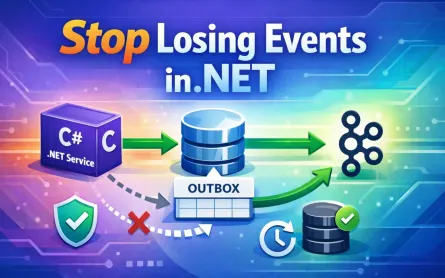
5 The Transactional Outbox: Guaranteeing Message Delivery
Reliability is non-negotiable in distributed systems. A service that saves data to its database but fails to notify downstream systems can cause silent data loss and inconsistent state across the ecosystem. The transactional outbox pattern solves this class of problems by ensuring that message publication and database writes succeed or fail together.
5.1 The Problem: The Dual-Write Dilemma
Consider an OrderService that processes new orders. When a customer submits an order, two operations occur:
- The order record is saved to the database.
- An
OrderPlacedevent is published to RabbitMQ for other services.
In a naïve implementation, these steps are executed independently:
await _dbContext.Orders.AddAsync(order);
await _dbContext.SaveChangesAsync();

await _publishEndpoint.Publish(new OrderPlaced(order.Id, order.CustomerEmail, order.Amount));
At first glance, this looks fine. But what happens if the database save succeeds while the publish fails due to a network glitch? The order exists in the database, but no downstream services know about it. Inventory isn’t updated, notifications aren’t sent, and payments might not be processed. This is the dual-write problem—two distinct operations that must succeed atomically but don’t.
Retrying doesn’t fully solve this either. If retries occur after the database transaction commits, a crash between save and publish still results in a lost event. We need a way to guarantee both actions are coordinated.
5.2 The Solution: The Outbox Pattern Explained Conceptually
The outbox pattern decouples business state changes from message publication by introducing an intermediate step: saving messages to an Outbox table within the same database transaction as the business operation.
5.2.1 Storing messages in an Outbox table
When an order is placed, the service saves both the order and the OrderPlaced event into the same database transaction:
- Insert
OrderintoOrderstable. - Insert serialized
OrderPlacedintoOutboxtable. - Commit transaction.
If the transaction succeeds, both records exist. If it fails, neither does. We no longer risk one succeeding without the other.
5.2.2 A background process that reliably sends messages
A background worker monitors the Outbox table. It reads unsent messages, publishes them to RabbitMQ, and marks them as dispatched. If publishing fails, the record remains and is retried later. This ensures eventual consistency: messages will be delivered once the broker is reachable.
This extra indirection means services never lose events, even if RabbitMQ is temporarily unavailable. Messages are durably stored until delivered.
5.3 Implementing the Outbox with MassTransit and EF Core
MassTransit implements the outbox pattern natively, reducing boilerplate and mistakes. With a few configuration changes, publishing becomes safe and transactional.
5.3.1 NuGet Packages
Add the required package to your project:
dotnet add package MassTransit.EntityFrameworkCoreThis package provides EF Core support for the outbox.
5.3.2 Configuring AddEntityFrameworkOutbox
In Order.API/Program.cs:
using MassTransit;
using Microsoft.EntityFrameworkCore;
using Order.API.Data;

var builder = WebApplication.CreateBuilder(args);

builder.Services.AddDbContext<OrderDbContext>(options =>
    options.UseSqlServer(builder.Configuration.GetConnectionString("OrdersDb")));

builder.Services.AddMassTransit(x =>
{
    x.AddEntityFrameworkOutbox<OrderDbContext>(o =>
    {
        o.QueryDelay = TimeSpan.FromSeconds(10);
        o.UseSqlServer();
        o.DisableInboxCleanupService(); // optional
    });

    x.UsingRabbitMq((context, cfg) =>
    {
        cfg.Host("localhost", "/", h =>
        {
            h.Username("guest");
            h.Password("guest");
        });

        cfg.ConfigureEndpoints(context);
    });
});

var app = builder.Build();
app.MapControllers();
app.Run();
The outbox is integrated directly with EF Core. Messages published inside a transaction are stored in the outbox table, not immediately sent to RabbitMQ.
5.3.3 How _publishEndpoint.Publish() behaves with outbox
In your controller:
[HttpPost]
public async Task<IActionResult> PlaceOrder([FromBody] OrderRequest request)
{
    var order = new Order
    {
        Id = Guid.NewGuid(),
        CustomerEmail = request.Email,
        Amount = request.Amount
    };

    _dbContext.Orders.Add(order);

    await _publishEndpoint.Publish(new OrderPlaced(order.Id, order.CustomerEmail, order.Amount));

    await _dbContext.SaveChangesAsync();
    return Ok(new { order.Id });
}
Although you call Publish, MassTransit intercepts it and writes the message to the outbox. Only after the transaction commits does a background worker read from the outbox table and deliver the event to RabbitMQ. This ensures no event is ever published without a corresponding database record.
5.3.4 The role of IBusOutboxNotification and background delivery
MassTransit spins up a background process that monitors the outbox table. It reads pending messages, publishes them, and marks them as dispatched. If the process crashes or RabbitMQ is unavailable, the records remain and are retried later.
This design removes the burden of writing custom outbox workers. MassTransit’s outbox ensures consistency and reliability out of the box, with minimal configuration.
6 Orchestrating Business Workflows with Sagas
Many business processes span multiple services and events. Consider order processing: after payment, inventory must be reserved, and only then can shipping proceed. These workflows are long-running and involve coordination across bounded contexts. Sagas provide a structured way to manage such processes.
6.1 Orchestration vs. Choreography: A vital architectural decision
Distributed workflows can be implemented in two styles:
- Choreography: Each service listens for events and reacts accordingly. No central coordinator exists. While simple, it can become tangled as processes grow, with implicit dependencies and hidden complexity.
- Orchestration: A central saga explicitly manages the workflow. It decides what to do next based on the current state and incoming events.
Choreography is lightweight but risky for complex processes. Orchestration, while adding explicit state, provides visibility, testability, and control. For non-trivial e-commerce, orchestration is often the safer choice.
6.2 Introducing Sagas: Long-running, stateful message handlers
A saga is a message-driven state machine. It maintains state across multiple events, decides next steps, and handles compensating actions when failures occur. MassTransit implements sagas using its state machine library, Automatonymous.
Key concepts:
- State: The saga instance’s current condition (e.g.,
Submitted,Paid,Shipped). - Correlation: Linking incoming messages to the correct saga instance.
- Transitions: Moving between states based on events.
- Compensation: Undoing prior actions if later steps fail.
6.3 Real-World Scenario: An E-commerce Order Processing Saga
Workflow:
- Customer submits an order →
OrderSubmittedevent. - Saga requests payment → waits for
PaymentSucceededorPaymentFailed. - If payment succeeds, saga requests inventory allocation → waits for
InventoryAllocatedorInventoryUnavailable. - If inventory succeeds, saga triggers shipping → marks order as completed.
- If any step fails, saga cancels the order → emits
OrderCancelled.
This workflow involves coordination across at least three services, making it a perfect fit for a saga.
6.4 Building a Saga with MassTransit’s State Machine
6.4.1 Defining the Saga State
Create a saga instance class:
using MassTransit;

public class OrderState : SagaStateMachineInstance
{
    public Guid CorrelationId { get; set; }
    public string CurrentState { get; set; } = null!;
    public string CustomerEmail { get; set; } = null!;
    public decimal Amount { get; set; }
    public Guid? PaymentId { get; set; }
    public Guid? InventoryId { get; set; }
}
This object persists across the workflow. It stores identifiers and state.
6.4.2 Creating the SagaStateMachine<T>
Define states, events, and transitions:
using Automatonymous;
using Contracts;

public class OrderStateMachine : MassTransitStateMachine<OrderState>
{
    public State Submitted { get; private set; } = null!;
    public State Paid { get; private set; } = null!;
    public State Completed { get; private set; } = null!;
    public State Cancelled { get; private set; } = null!;

    public Event<OrderSubmitted> OrderSubmitted { get; private set; } = null!;
    public Event<PaymentSucceeded> PaymentSucceeded { get; private set; } = null!;
    public Event<PaymentFailed> PaymentFailed { get; private set; } = null!;
    public Event<InventoryAllocated> InventoryAllocated { get; private set; } = null!;
    public Event<InventoryUnavailable> InventoryUnavailable { get; private set; } = null!;

    public OrderStateMachine()
    {
        InstanceState(x => x.CurrentState);

        Initially(
            When(OrderSubmitted)
                .Then(ctx =>
                {
                    ctx.Instance.CustomerEmail = ctx.Data.CustomerEmail;
                    ctx.Instance.Amount = ctx.Data.Amount;
                })
                .SendAsync(ctx => new Uri("queue:payment-service"),
                    ctx => new ProcessPayment(ctx.Instance.CorrelationId, ctx.Instance.Amount, ctx.Instance.CustomerEmail))
                .TransitionTo(Submitted));

        During(Submitted,
            When(PaymentSucceeded)
                .SendAsync(ctx => new Uri("queue:inventory-service"),
                    ctx => new ReserveInventory(ctx.Instance.CorrelationId))
                .TransitionTo(Paid),

            When(PaymentFailed)
                .Publish(ctx => new OrderCancelled(ctx.Instance.CorrelationId, "Payment failed"))
                .TransitionTo(Cancelled));

        During(Paid,
            When(InventoryAllocated)
                .Publish(ctx => new OrderShipped(ctx.Instance.CorrelationId))
                .TransitionTo(Completed),

            When(InventoryUnavailable)
                .Publish(ctx => new OrderCancelled(ctx.Instance.CorrelationId, "Inventory unavailable"))
                .TransitionTo(Cancelled));
    }
}
6.4.3 Correlating messages to saga instances
MassTransit correlates saga instances by CorrelationId. Each event includes the same ID. The saga automatically routes incoming messages to the correct instance.
6.4.4 Handling events
Each event advances the saga. For example, a successful payment sends a command to inventory. Failure events trigger compensating actions such as cancelling the order.
6.4.5 Publishing new commands/events from the saga
Sagas can publish or send messages to drive other services. This keeps orchestration centralized and visible.
6.5 Saga Persistence
Sagas must persist state to survive restarts.
6.5.1 Options
- In-Memory: Fast, good for tests, but not durable.
- Entity Framework Core: Store saga state in a relational database.
- MongoDB or Redis: Alternative NoSQL persistence options.
6.5.2 Configuring EF Core saga repository
In Program.cs:
builder.Services.AddMassTransit(x =>
{
    x.AddSagaStateMachine<OrderStateMachine, OrderState>()
        .EntityFrameworkRepository(r =>
        {
            r.ConcurrencyMode = ConcurrencyMode.Optimistic;
            r.AddDbContext<DbContext, OrderStateDbContext>((provider, builder) =>
            {
                builder.UseSqlServer(connectionString);
            });
        });

    x.UsingRabbitMq((context, cfg) =>
    {
        cfg.Host("localhost", "/", h =>
        {
            h.Username("guest");
            h.Password("guest");
        });

        cfg.ConfigureEndpoints(context);
    });
});
This stores saga instances in SQL Server, ensuring durability across failures.
6.6 Handling Timeouts and Compensating Actions
Workflows often require time limits. For example, payment should complete within 2 minutes. If not, cancel the order.
6.6.1 Using Request and Schedule
MassTransit sagas support scheduled messages:
Schedule(() => PaymentTimeout, x => x.ExpirationId, s =>
{
    s.Delay = TimeSpan.FromMinutes(2);
    s.Received = e => e.CorrelateById(m => m.Message.CorrelationId);
});

Initially(
    When(OrderSubmitted)
        .Schedule(PaymentTimeout, ctx => new PaymentTimeoutExpired { CorrelationId = ctx.Instance.CorrelationId })
        .TransitionTo(Submitted));
If the timeout fires before PaymentSucceeded, the saga cancels the order.
6.6.2 Defining compensating actions
Compensations roll back prior steps. For instance:
- If payment fails, release reserved inventory.
- If inventory fails, refund payment.
These compensations are implemented as new commands published by the saga in failure paths. They ensure the system returns to a consistent state, even after partial success.
7 Observability: Understanding Your Distributed System
As soon as you begin wiring services together with events, commands, and sagas, visibility becomes critical. Debugging a single REST API call is one thing; tracing a workflow that hops between five services and takes minutes to complete is another. Observability ensures you know not only whether the system is “up” but also whether it is behaving as expected. In this section we’ll cover structured logging, distributed tracing, and metrics—all essential to operating MassTransit and RabbitMQ–backed microservices in production.
7.1 Why Observability is Non-Negotiable
Without observability, distributed systems become black boxes. Failures appear at the edges—an API times out, or a customer sees a missing notification—but the root cause is hidden in a mesh of asynchronous flows. Was the message published? Did it reach the broker? Did the consumer crash mid-processing? Did retries flood the system?
Observability gives you the ability to answer these questions without guessing. It provides three key capabilities:
- Logs for understanding discrete events.
- Traces for following the path of a request across services.
- Metrics for watching system health and performance trends.
Together, they transform debugging from reactive firefighting into proactive diagnosis. Without them, operating message-driven systems at scale is essentially gambling.
7.2 Structured Logging
Structured logs are machine-readable events with consistent fields. Unlike plain text logs, they allow you to filter, query, and correlate events across services. MassTransit integrates seamlessly with Microsoft.Extensions.Logging, meaning you can plug in your preferred provider—Serilog, NLog, or Seq—and get contextual logs with minimal effort.
7.2.1 MassTransit’s integration with Microsoft.Extensions.Logging
Every consumer action, retry, and bus operation passes through .NET’s logging abstractions. By default, logs include message type, endpoint name, and exception details. But you’ll want to configure a provider to capture and centralize logs.
Example: configuring Serilog in Program.cs of Notification.Service:
using Serilog;

var builder = Host.CreateDefaultBuilder(args);

builder.UseSerilog((context, configuration) =>
{
    configuration
        .Enrich.FromLogContext()
        .WriteTo.Console()
        .WriteTo.File("logs/log.txt", rollingInterval: RollingInterval.Day);
});

builder.ConfigureServices((context, services) =>
{
    services.AddMassTransit(x =>
    {
        x.AddConsumer<OrderPlacedConsumer>();

        x.UsingRabbitMq((ctx, cfg) =>
        {
            cfg.ConfigureEndpoints(ctx);
        });
    });
});

await builder.RunConsoleAsync();
This captures structured logs and stores them locally while also printing to console.
7.2.2 Enriching logs with message context
MassTransit automatically attaches metadata such as MessageId, CorrelationId, and ConversationId. These identifiers make it possible to trace a single order’s journey across services. By enriching logs, you gain visibility into message flows.
Example Serilog configuration with enrichers:
configuration
    .Enrich.WithProperty("ServiceName", "Notification.Service")
    .Enrich.WithCorrelationId() // via Serilog.Enrichers.CorrelationId
    .WriteTo.Console(outputTemplate:
        "[{Timestamp:HH:mm:ss} {Level:u3}] {CorrelationId} {Message}{NewLine}{Exception}");
Resulting log line:
[12:15:22 INF] 7b7f36e1-1c22-4f3b-8db0-b98b31d1a71f 📧 Sending confirmation to alice@example.com for order 542ab7c8...Notice how the CorrelationId makes it possible to connect this log entry with the originating OrderPlaced event, even across multiple services.
7.3 Distributed Tracing with OpenTelemetry
Logs answer “what happened?” but traces answer “where did it happen, and how long did it take?” OpenTelemetry has become the de facto standard for distributed tracing, supported across platforms and tools.
7.3.1 Why OpenTelemetry is the standard
OpenTelemetry unifies instrumentation across languages and libraries. It defines a trace context format (W3C Trace Context) that propagates through HTTP headers or message metadata. This ensures a trace initiated in a frontend can be followed across API gateways, message brokers, consumers, and sagas.
7.3.2 Configuring OpenTelemetry in .NET
Install packages:
dotnet add package OpenTelemetry.Extensions.Hosting
dotnet add package OpenTelemetry.Exporter.Jaeger
Configure in Program.cs of Order.API:
using OpenTelemetry.Trace;

builder.Services.AddOpenTelemetry()
    .WithTracing(tracing =>
    {
        tracing
            .AddAspNetCoreInstrumentation()
            .AddMassTransitInstrumentation()
            .AddHttpClientInstrumentation()
            .AddJaegerExporter(o =>
            {
                o.AgentHost = "localhost";
                o.AgentPort = 6831;
            });
    });
Now every HTTP request and message publish/consume is traced and exported to Jaeger.
7.3.3 How MassTransit propagates context
When a message is published, MassTransit embeds trace identifiers in message headers. When a consumer processes the message, it extracts and continues the trace. You don’t need to manually copy IDs—MassTransit ensures the trace spans are linked correctly.
For example, a customer places an order via API. The trace starts at the HTTP request, continues through the OrderPlaced publish, flows into the Notification.Service consumer, and finally extends into the saga handling order orchestration.
7.3.4 Visualizing traces
With Jaeger running in Docker, you can open http://localhost:16686 and search for traces. A single request might look like:
POST /api/orders(Order.API)Publish OrderPlacedConsume OrderPlaced(Notification.Service)Consume OrderPlaced(Inventory.Service)Saga: OrderStateMachinetransitions fromSubmittedtoPaid
Each span shows timing, errors, and correlation. You immediately see if latency was introduced by the broker, a consumer, or a downstream service.
7.4 Metrics and Monitoring
Metrics complement logs and traces by answering “how is the system behaving over time?” They are numeric signals that reveal throughput, latency, and error trends.
7.4.1 MassTransit’s Prometheus integration
MassTransit provides native support for Prometheus metrics. Add the package:
dotnet add package MassTransit.PrometheusIn Program.cs:
builder.Services.AddMassTransit(x =>
{
    x.UsingRabbitMq((ctx, cfg) =>
    {
        cfg.ConfigureEndpoints(ctx);
        cfg.UsePrometheusMetrics(serviceName: "order-api");
    });
});
7.4.2 Exposing /metrics
Prometheus scrapes metrics via an HTTP endpoint. Add a middleware:
app.UseRouting();
app.UseEndpoints(endpoints =>
{
    endpoints.MapControllers();
    endpoints.MapPrometheusScrapingEndpoint(); // from prometheus-net.AspNetCore
});
Now metrics are available at /metrics.
7.4.3 Key metrics to monitor
- Consumer throughput: Messages processed per second per consumer.
- Message latency: Time between publish and consume.
- Retry counts: High retry rates may signal downstream instability.
- Error queue depth: Growth in error queues indicates processing failures.
- Saga instance counts: Number of active workflow instances, helpful for capacity planning.
These metrics allow teams to detect issues before customers do.
7.4.4 Grafana dashboards
Prometheus stores metrics, Grafana visualizes them. A dashboard might include:
- Message throughput graphs (per service).
- Latency histograms across queues.
- Retry/error counts over time.
- Active saga counts.
With Grafana alerting, you can trigger notifications when thresholds are exceeded—for example, if error queue length surpasses 100, or if saga count spikes unexpectedly.
8 Putting It All Together: A Complete Application Architecture
We’ve covered publishing, consuming, retries, outbox, sagas, and observability. Now let’s assemble a reference architecture that demonstrates all these concepts working together.
8.1 Diagram: High-level view
Imagine the following components:
- Order.API: Accepts HTTP orders, writes to SQL Server, and publishes
OrderSubmittedvia the EF Core outbox. - Payment.Service: Processes
ProcessPaymentcommands, responds withPaymentSucceededorPaymentFailed. - Inventory.Service: Reserves stock, emits
InventoryAllocatedorInventoryUnavailable. - Notification.Service: Listens for
OrderPlacedandOrderShippedevents. - Saga Orchestrator: Coordinates the order lifecycle.
- RabbitMQ: Message broker at the center.
- Jaeger: Distributed tracing backend.
- Prometheus + Grafana: Metrics and visualization.
The services communicate exclusively through RabbitMQ, with observability pipelines feeding Jaeger and Prometheus.
8.2 docker-compose.yml: Launching the environment
A consolidated docker-compose.yml might look like:
version: "3.9"
services:
  rabbitmq:
    image: rabbitmq:3-management
    ports:
      - "5672:5672"
      - "15672:15672"

  jaeger:
    image: jaegertracing/all-in-one:1.46
    ports:
      - "16686:16686"
      - "6831:6831/udp"

  prometheus:
    image: prom/prometheus
    ports:
      - "9090:9090"
    volumes:
      - ./prometheus.yml:/etc/prometheus/prometheus.yml

  grafana:
    image: grafana/grafana
    ports:
      - "3000:3000"

  sqlserver:
    image: mcr.microsoft.com/mssql/server:2022-latest
    environment:
      SA_PASSWORD: "Your_password123"
      ACCEPT_EULA: "Y"
    ports:
      - "1433:1433"

  order-api:
    build: ./Order.API
    depends_on:
      - rabbitmq
      - sqlserver

  payment-service:
    build: ./Payment.Service
    depends_on:
      - rabbitmq

  inventory-service:
    build: ./Inventory.Service
    depends_on:
      - rabbitmq

  notification-service:
    build: ./Notification.Service
    depends_on:
      - rabbitmq
This spins up RabbitMQ, Jaeger, Prometheus, Grafana, SQL Server, and the services. Developers can see logs, traces, and metrics within minutes.
8.3 Code Walkthrough: Program.cs highlights
Each service follows a consistent pattern. For example, Order.API:
builder.Services.AddMassTransit(x =>
{
    x.AddEntityFrameworkOutbox<OrderDbContext>(o => o.UseSqlServer());

    x.UsingRabbitMq((context, cfg) =>
    {
        cfg.Host("rabbitmq", "/", h =>
        {
            h.Username("guest");
            h.Password("guest");
        });

        cfg.ConfigureEndpoints(context);
        cfg.UseMessageRetry(r => r.Exponential(5, TimeSpan.FromSeconds(1), TimeSpan.FromMinutes(1), TimeSpan.FromSeconds(5)));
        cfg.UsePrometheusMetrics("order-api");
    });
});

builder.Services.AddOpenTelemetry()
    .WithTracing(b => b
        .AddAspNetCoreInstrumentation()
        .AddMassTransitInstrumentation()
        .AddJaegerExporter());
This demonstrates:
- Outbox for reliability.
- Retry policies for resilience.
- Prometheus metrics.
- OpenTelemetry tracing.
Every other service uses the same structure, differing only in consumers and message contracts.
8.4 Advanced Configuration
Sometimes you need to move beyond defaults.
8.4.1 Customizing topology
By default, MassTransit names queues after consumer namespaces. You can override:
cfg.ReceiveEndpoint("custom-order-queue", e =>
{
    e.ConfigureConsumer<OrderPlacedConsumer>(context);
});
This gives precise control over queue names, useful for aligning with enterprise naming conventions or integrating with non-MassTransit consumers.
8.4.2 Message serialization options
MassTransit defaults to JSON (using System.Text.Json). For interoperability, you can switch:
cfg.UseRawJsonSerializer();
cfg.UseXmlSerializer();
cfg.UseBsonSerializer();
Choosing the right format depends on interoperability requirements, payload size, and performance considerations. JSON is often sufficient, but BSON can reduce size for large, nested messages.
9 Best Practices and The Road Ahead
With a solid architecture in place, the next challenge is long-term sustainability. Distributed systems evolve—new features are added, contracts change, infrastructure scales, and security requirements tighten. Without forward-looking practices, the system that starts reliable and elegant can become brittle and fragile. Let’s walk through proven practices for versioning, schema integrity, security, testing, and choosing the right transport.
9.1 Message Versioning: Strategies for evolving your message contracts without breaking consumers
Message contracts are the glue between services. Changing them recklessly can break consumers you may not even control. Unlike internal code changes, messages are contracts with a potentially large ecosystem.
The safest strategy is backward compatibility first. Instead of modifying existing message types, extend them carefully.
For example, let’s say the original OrderPlaced contract is:
public record OrderPlaced(Guid OrderId, string CustomerEmail, decimal Amount);Later, you need to add a shipping address. Incorrect approach:
// Incorrect: breaks consumers that expect only three arguments
public record OrderPlaced(Guid OrderId, string CustomerEmail, decimal Amount, string ShippingAddress);
Any consumer compiled against the old version will fail at deserialization. Instead, add optional properties with defaults:
// Correct: backward compatible
public record OrderPlaced(Guid OrderId, string CustomerEmail, decimal Amount)
{
    public string? ShippingAddress { get; init; }
}
This allows older consumers to ignore the new field, while new consumers can use it. Another pattern is to introduce a new event (OrderPlacedV2) and publish both V1 and V2 for a transition period. Eventually, V1 can be deprecated.
A disciplined approach includes:
- Avoid removing or renaming properties.
- Favor additive changes.
- Version messages explicitly when breaking changes are unavoidable.
- Keep messages simple and data-focused; avoid embedding business logic.
9.2 Schema Registries: Ensuring contract integrity
As systems scale, even additive changes can cause confusion. This is where schema registries come in. Tools like Apache Avro, Protobuf, or JSON Schema enforce contract definitions and validate compatibility. A schema registry stores message definitions centrally, allowing both publishers and consumers to validate at runtime or build time.
While MassTransit itself doesn’t mandate a registry, teams often adopt Confluent Schema Registry (Avro) or custom registries for JSON. The workflow looks like:
- Define schema once in the registry.
- Code generation tools create strongly-typed classes for .NET.
- Services validate messages against the schema before publishing.
The trade-off is added complexity and governance, but it pays off in large organizations where dozens of teams exchange events. Schema drift is prevented, and compatibility becomes an explicit design decision.
9.3 Security: Securing your RabbitMQ instance and considering message encryption
A production-ready system must address confidentiality, integrity, and access control.
Securing RabbitMQ:
- Disable the default
guest/guestaccount. - Use TLS for all connections (
5671port instead of5672). - Configure virtual hosts for isolation, e.g.,
vhost=ordersfor order-related services. - Apply fine-grained permissions, e.g.,
Order.APIcan publish toorder-exchangebut not consume from unrelated queues.
Example RabbitMQ configuration with TLS in docker-compose.override.yml:
rabbitmq:
  image: rabbitmq:3.11-management
  ports:
    - "5671:5671"
    - "15672:15672"
  volumes:
    - ./certs:/etc/rabbitmq/certs
  environment:
    RABBITMQ_SSL_CERTFILE: /etc/rabbitmq/certs/server_cert.pem
    RABBITMQ_SSL_KEYFILE: /etc/rabbitmq/certs/server_key.pem
    RABBITMQ_SSL_CAFILE: /etc/rabbitmq/certs/ca_cert.pem
Message-level encryption: Even with TLS, some teams encrypt message payloads for sensitive data. MassTransit allows customizing serializers:
cfg.UseEncryptedSerializer(new AesCryptoStreamProvider("my-secret-key"));This ensures that sensitive fields like credit card numbers are unreadable even if intercepted inside the broker.
9.4 Testing Strategies
Reliable systems aren’t just about runtime; they require strong testing. MassTransit provides excellent tooling to make tests fast, isolated, and repeatable.
9.4.1 Using MassTransit.Testing
The MassTransit.Testing package provides in-memory test harnesses. These run without RabbitMQ, making unit and integration tests lightweight.
Install:
dotnet add package MassTransit.TestingExample: testing a consumer:
using MassTransit.Testing;
using Xunit;

public class OrderPlacedConsumerTests
{
    [Fact]
    public async Task Should_send_email_confirmation()
    {
        var harness = new InMemoryTestHarness();
        var consumerHarness = harness.Consumer<OrderPlacedConsumer>();

        await harness.Start();
        try
        {
            await harness.InputQueueSendEndpoint.Send(new OrderPlaced(Guid.NewGuid(), "alice@example.com", 50));

            Assert.True(await harness.Consumed.Any<OrderPlaced>());
            Assert.True(await consumerHarness.Consumed.Any<OrderPlaced>());
        }
        finally
        {
            await harness.Stop();
        }
    }
}
You can also test sagas:
var sagaHarness = harness.Saga<OrderStateMachine, OrderState>();
await harness.InputQueueSendEndpoint.Send(new OrderSubmitted(Guid.NewGuid(), "bob@example.com", 100));
Assert.True(await sagaHarness.Created.Any(x => x.CustomerEmail == "bob@example.com"));
These tests validate message flows and state transitions without needing infrastructure, dramatically increasing development velocity.
9.5 When to Choose Other Transports
RabbitMQ is versatile, but it’s not always the best choice. MassTransit supports multiple transports, and choosing the right one depends on your domain.
- RabbitMQ: Great for general-purpose microservices, supports rich routing (fanout, topic, direct). Best when you need strong delivery guarantees, small-to-medium workloads, and flexible patterns.
- Azure Service Bus: Cloud-native option for Azure ecosystems. Supports FIFO queues, sessions, and dead-lettering. Best when deeply integrated with Azure PaaS.
- Amazon SQS/SNS: Simple, scalable, but less feature-rich. Works best in AWS-heavy environments where cost and operational simplicity matter more than advanced features.
- Apache Kafka: Designed for event streaming, replay, and high throughput. Best for analytics pipelines, event sourcing, or use cases where retaining message history is critical.
MassTransit abstracts over these transports, meaning much of your code remains unchanged if you switch. However, topology, semantics, and pricing models differ, so evaluate carefully before committing.
10 Conclusion
10.1 Recap of the Journey
We started with a simple question: how can we build microservices that are resilient, scalable, and observable? Along the way, we moved from a single publisher and consumer to a rich architecture with messaging patterns, fault tolerance, outbox, sagas, and observability. We saw how RabbitMQ provides the backbone, and MassTransit adds the abstraction and tooling that makes developers productive.
10.2 The Power of Abstraction
By leaning on MassTransit, we avoided reinventing wheels: no manual retries, no fragile error handling, no ad-hoc saga orchestration. Instead, we got opinionated defaults aligned with best practices. Abstractions aren’t about hiding complexity—they’re about standardizing it so teams can focus on business logic.
10.3 Final Thoughts
Distributed systems are inherently complex, but they don’t have to be unmanageable. With MassTransit and RabbitMQ, .NET developers can create systems that not only work but also recover from failure, evolve gracefully, and offer visibility into every message. The real power comes when developers stop worrying about plumbing and start solving business problems, confident their infrastructure won’t betray them.
11 Appendix and Further Reading
11.1 Official MassTransit Documentation
- MassTransit Documentation — Official guides, API references, and advanced topics.
11.2 RabbitMQ Documentation
- RabbitMQ Documentation — Broker configuration, clustering, management, and best practices.
11.3 OpenTelemetry for .NET Documentation
- OpenTelemetry .NET Docs — Setup, exporters, and integration with popular backends like Jaeger, Zipkin, and Prometheus.