1 Introduction: The Case for a Modern GraphQL Stack in .NET
GraphQL has steadily evolved from being a niche technology championed by early adopters to becoming a cornerstone of modern API design. For teams building distributed applications in 2025, GraphQL offers a pragmatic balance between flexibility, efficiency, and developer experience. But not all GraphQL servers are created equal. In the .NET ecosystem, HotChocolate has emerged as the framework of choice, combining performance with a rich set of enterprise-grade features.
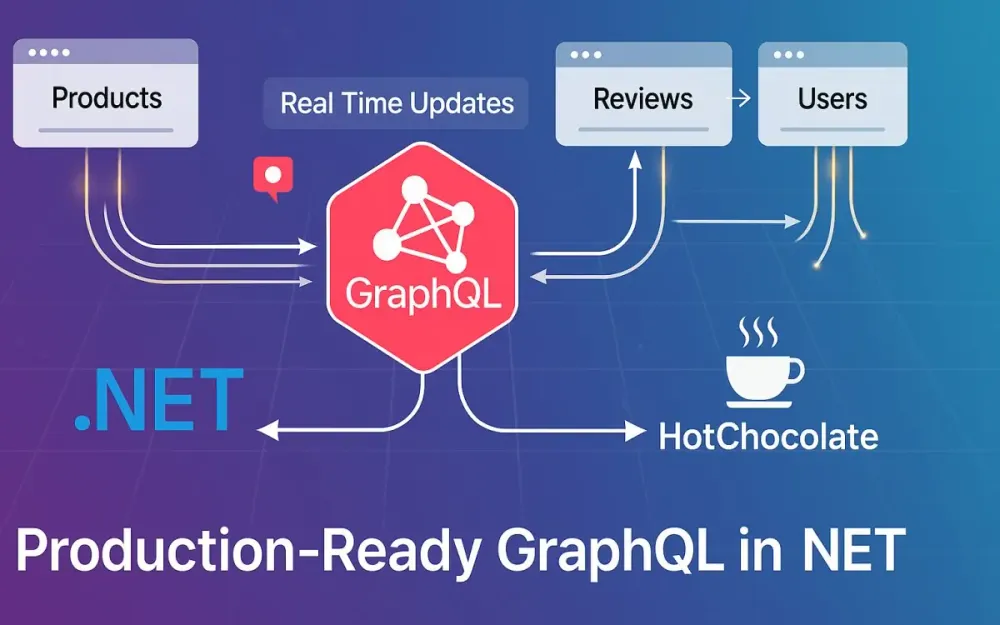
This guide walks through the practical steps of building production-ready GraphQL APIs with HotChocolate. We’ll move from foundational concepts to advanced features like DataLoaders, subscriptions, and Apollo Federation v2. Along the way, we’ll use a realistic E-Commerce Product Catalog example spanning multiple services—Products, Reviews, and Users—to ground theory in concrete, runnable code.
1.1 Beyond REST: Why GraphQL Still Matters in 2025
Most of us have shipped REST APIs that grew increasingly difficult to maintain. REST endpoints often lead to over-fetching (returning more data than needed) or under-fetching (requiring multiple roundtrips to get related data). For example, a mobile client displaying a product listing might hit three endpoints: one for products, another for reviews, and yet another for users who wrote those reviews. Each call returns large JSON payloads with fields the client doesn’t need.
GraphQL solves these problems by letting clients declare exactly what data they need in a single query. A request can traverse relationships—products with their reviews and authors—in a way REST struggles to model efficiently. This eliminates the need for versioned endpoints, since clients can opt into new fields without breaking existing contracts.
In 2025, the GraphQL ecosystem has reached a level of maturity that makes it viable for enterprise systems:
- Tooling parity with REST: SDKs, testing frameworks, monitoring, and IDE integrations.
- Strong adoption across industries: from Netflix and Shopify to Microsoft and Expedia.
- Operational best practices: caching strategies, query cost analysis, and federation are well understood and battle-tested.
For teams managing multiple frontends—web, mobile, partner integrations—GraphQL is not just a convenience. It’s a productivity multiplier.
1.2 Introducing HotChocolate: The Premier GraphQL Server for .NET
For .NET developers, HotChocolate (created by ChilliCream) is the most robust GraphQL server implementation. It adheres strictly to the GraphQL specification while offering advanced features that address real-world production concerns.
Why HotChocolate Stands Out
- High performance: It’s optimized for asynchronous pipelines and EF Core integration, handling complex workloads with low latency.
- Code-first developer experience: By leveraging the C# type system, HotChocolate generates schemas from your code, keeping type safety and avoiding drift between SDL and implementation.
- Batteries included: Features like DataLoaders, projections, filtering, and sorting are built-in, reducing boilerplate.
- Native federation support: HotChocolate integrates seamlessly with Apollo Federation v2, enabling organizations to scale GraphQL across microservices.
Key Features We’ll Explore
- DataLoaders – Solving the notorious N+1 query problem with efficient batching.
- Projections, Filtering, Sorting – Eliminating over-fetching at the database level.
- Subscriptions – Real-time GraphQL over WebSockets.
- Federation – Composing multiple subgraphs into a single unified supergraph.
The Project We’ll Build
To demonstrate these capabilities, we’ll implement a multi-service E-Commerce Product Catalog consisting of:
- A Products service exposing product details.
- A Reviews service linking users and product reviews.
- A Users service managing customer accounts.
We’ll start monolithic, then evolve into a federated architecture—mirroring the path many teams follow as they scale.
2 Getting Started: Your First HotChocolate API
Before tackling federation and real-time updates, we need a working foundation. Let’s start by creating a simple GraphQL API with HotChocolate in .NET 9. We’ll model basic entities, wire up EF Core, and serve our first query.
2.1 Project Setup and Dependencies
Prerequisites
You’ll need:
- .NET 9 SDK (released late 2024, with long-term support).
- An IDE of your choice: Visual Studio 2025, JetBrains Rider, or VS Code with the C# Dev Kit extension.
- A local database (e.g., SQLite for simplicity, though the patterns work with SQL Server or PostgreSQL).
Initializing the Project
Open a terminal and scaffold a new ASP.NET Core Web API project:
dotnet new web -n ProductCatalog
cd ProductCatalog
Adding NuGet Packages
Next, install the necessary HotChocolate and EF Core packages:
dotnet add package HotChocolate.AspNetCore --version 14.*
dotnet add package HotChocolate.Data.EntityFramework --version 14.*
dotnet add package Microsoft.EntityFrameworkCore.Sqlite --version 9.*
dotnet add package Microsoft.EntityFrameworkCore.Design --version 9.*
At this point, we have a barebones project with the dependencies needed to define our GraphQL schema and integrate with EF Core.
2.2 Schema-First vs. Code-First: Choosing the Right Approach
HotChocolate supports two ways to define your GraphQL schema:
- Schema-first: You manually write the schema in SDL (
.graphqlfiles) and implement resolvers in C#. - Code-first: You define C# classes, and HotChocolate generates the schema automatically.
Comparing the Two Approaches
- Schema-first: Great for polyglot teams where the schema acts as a contract. However, it can lead to duplication and drift between schema and implementation.
- Code-first: Leverages the C# type system, ensuring strong compile-time safety. Less boilerplate, especially when integrating with EF Core.
Our Choice
For this guide, we’ll use the Code-first approach. It aligns naturally with .NET developers’ workflows, integrates tightly with EF Core, and reduces friction when refactoring domain models.
2.3 Building the Basic Schema
Now let’s model our domain and create our first query.
Step 1: Create the Entity Models
In the Models folder, add three POCOs: Product, Review, and User.
namespace ProductCatalog.Models;

public class Product
{
    public int Id { get; set; }
    public string Name { get; set; } = default!;
    public decimal Price { get; set; }
    public List<Review> Reviews { get; set; } = new();
}

public class Review
{
    public int Id { get; set; }
    public string Comment { get; set; } = default!;
    public int Rating { get; set; }
    public int ProductId { get; set; }
    public Product Product { get; set; } = default!;
    public int UserId { get; set; }
    public User User { get; set; } = default!;
}

public class User
{
    public int Id { get; set; }
    public string Username { get; set; } = default!;
    public List<Review> Reviews { get; set; } = new();
}
These classes form the backbone of our schema.
Step 2: Define the EF Core DbContext
Add a CatalogDbContext in the Data folder:
using Microsoft.EntityFrameworkCore;
using ProductCatalog.Models;

namespace ProductCatalog.Data;

public class CatalogDbContext : DbContext
{
    public CatalogDbContext(DbContextOptions<CatalogDbContext> options)
        : base(options) { }

    public DbSet<Product> Products => Set<Product>();
    public DbSet<Review> Reviews => Set<Review>();
    public DbSet<User> Users => Set<User>();
}
We’ll use this DbContext for queries and later for mutations.
Step 3: Create the Query Type
In the GraphQL folder, add a Query.cs:
using ProductCatalog.Data;
using ProductCatalog.Models;

namespace ProductCatalog.GraphQL;

public class Query
{
    public IQueryable<Product> GetProducts(CatalogDbContext context) =>
        context.Products;
}
This exposes a simple products field that returns all products from the database.
Step 4: Wire It Up in Program.cs
Modify Program.cs to register GraphQL and EF Core:
using Microsoft.EntityFrameworkCore;
using ProductCatalog.Data;
using ProductCatalog.GraphQL;

var builder = WebApplication.CreateBuilder(args);

// Register DbContext
builder.Services.AddDbContext<CatalogDbContext>(
    options => options.UseSqlite("Data Source=catalog.db"));

// Register GraphQL services
builder.Services
    .AddGraphQLServer()
    .AddQueryType<Query>()
    .AddProjections()
    .AddFiltering()
    .AddSorting();

var app = builder.Build();

// Enable GraphQL endpoint
app.MapGraphQL();

app.Run();
With this setup, the API is now capable of answering its first query.
Step 5: Explore with Banana Cake Pop
HotChocolate ships with Banana Cake Pop, an integrated GraphQL IDE. Run the project:
dotnet runNavigate to https://localhost:5001/graphql and you’ll be greeted with Banana Cake Pop.
Execute your first query:
query {
  products {
    id
    name
    price
  }
}
You should see an empty array (since we haven’t seeded data yet), but the roundtrip is working. You’ve just built your first HotChocolate GraphQL API.
3 The N+1 Problem and Its Elegant Solution: DataLoaders
GraphQL makes it easy for clients to traverse related entities, but this convenience can quickly introduce inefficiencies at the database level. Without care, a seemingly simple query can explode into dozens—or even hundreds—of redundant SQL statements. This phenomenon is the infamous N+1 problem. Understanding and solving it is a rite of passage for every GraphQL developer aiming to build production-ready APIs.
3.1 Exposing the Hidden Performance Killer: The N+1 Query Problem
Let’s illustrate the problem by writing a query that fetches products, their reviews, and the users who authored those reviews. In Banana Cake Pop, you might send:
query {
  products {
    id
    name
    reviews {
      id
      rating
      user {
        id
        username
      }
    }
  }
}
At first glance, this query feels elegant. The client specifies exactly what it needs, nothing more. But if you turn on EF Core logging, the illusion of efficiency breaks down.
Consider this naive resolver for the User field inside Review:
public class ReviewType : ObjectType<Review>
{
    protected override void Configure(IObjectTypeDescriptor<Review> descriptor)
    {
        descriptor.Field(r => r.User)
            .ResolveWith<Resolvers>(r => r.GetUser(default!, default!));
    }

    private class Resolvers
    {
        public User GetUser([Parent] Review review, CatalogDbContext dbContext) =>
            dbContext.Users.First(u => u.Id == review.UserId);
    }
}
When you run the query, EF Core logs might show something like:
info: Microsoft.EntityFrameworkCore.Database.Command[20101]
      Executed DbCommand (2ms) [Parameters=[@__p_0='1'], CommandType='Text']
      SELECT ... FROM "Users" WHERE "Id" = @__p_0
info: Microsoft.EntityFrameworkCore.Database.Command[20101]
      Executed DbCommand (2ms) [Parameters=[@__p_0='2'], CommandType='Text']
      SELECT ... FROM "Users" WHERE "Id" = @__p_0
info: Microsoft.EntityFrameworkCore.Database.Command[20101]
      Executed DbCommand (2ms) [Parameters=[@__p_0='3'], CommandType='Text']
      SELECT ... FROM "Users" WHERE "Id" = @__p_0
...
If your query returns 50 reviews, that’s 50 separate queries to fetch users. Multiply this pattern across multiple relations, and your API becomes a performance bottleneck.
The N+1 problem isn’t immediately visible to clients—they get their data. But your server, database, and infrastructure pay the cost. Left unchecked, this can cripple scalability.
3.2 Understanding the DataLoader Pattern
The fix lies in the DataLoader pattern, which batches and caches related requests within the lifecycle of a single GraphQL query.
Think of a restaurant waiter. Without batching, the waiter takes one order, walks to the kitchen, returns, takes another order, and so on. With batching, the waiter gathers all orders from the table, delivers them to the kitchen at once, and brings everything back together. The effort (and the number of trips) is drastically reduced.
In the GraphQL world:
- Batching means aggregating all requests for users into a single SQL statement with a
WHERE IN (...)clause. - Caching ensures that if multiple resolvers ask for the same user in one request, the database is queried only once.
The key is that DataLoaders operate within the scope of a single GraphQL request. They don’t act as global caches (which could introduce stale data issues). Instead, they optimize the resolution of nested fields.
3.3 Implementing a BatchDataLoader
Let’s implement a DataLoader to fetch users by their IDs efficiently.
Create a new class UserByIdDataLoader:
using GreenDonut;
using Microsoft.EntityFrameworkCore;
using ProductCatalog.Data;
using ProductCatalog.Models;

public class UserByIdDataLoader : BatchDataLoader<int, User>
{
    private readonly IDbContextFactory<CatalogDbContext> _dbContextFactory;

    public UserByIdDataLoader(
        IBatchScheduler batchScheduler,
        IDbContextFactory<CatalogDbContext> dbContextFactory)
        : base(batchScheduler)
    {
        _dbContextFactory = dbContextFactory;
    }

    protected override async Task<IReadOnlyDictionary<int, User>> LoadBatchAsync(
        IReadOnlyList<int> keys,
        CancellationToken cancellationToken)
    {
        await using var dbContext = _dbContextFactory.CreateDbContext();

        var users = await dbContext.Users
            .Where(u => keys.Contains(u.Id))
            .ToListAsync(cancellationToken);

        return users.ToDictionary(u => u.Id);
    }
}
Notice a few important design choices:
- We inject an
IDbContextFactoryrather thanCatalogDbContextdirectly. This ensures thread safety since EF CoreDbContextis not thread-safe but DataLoaders often execute in parallel. - The
LoadBatchAsyncmethod fetches all requested users in a single query usingWHERE Id IN (...). - The result is returned as a dictionary keyed by ID, which allows efficient lookups for each requested user.
Finally, register the DataLoader in Program.cs:
builder.Services.AddDataLoader<UserByIdDataLoader>();3.4 Refactoring the Resolver to Use the DataLoader
With the DataLoader in place, we can simplify the resolver for User on the Review type.
public class ReviewType : ObjectType<Review>
{
    protected override void Configure(IObjectTypeDescriptor<Review> descriptor)
    {
        descriptor.Field(r => r.User)
            .ResolveWith<Resolvers>(r => r.GetUserAsync(default!, default!, default))
            .Name("user");
    }

    private class Resolvers
    {
        public async Task<User> GetUserAsync(
            [Parent] Review review,
            UserByIdDataLoader userById,
            CancellationToken cancellationToken) =>
            await userById.LoadAsync(review.UserId, cancellationToken);
    }
}
Now when we rerun the nested query, EF Core logs show a single batched query:
info: Microsoft.EntityFrameworkCore.Database.Command[20101]
      Executed DbCommand (3ms) [Parameters=[@__p_0='1', @__p_1='2', @__p_2='3'], CommandType='Text']
      SELECT ... FROM "Users" WHERE "Id" IN (@__p_0, @__p_1, @__p_2)
Instead of dozens of database calls, we see one efficient query per unique set of keys. That’s the “aha!” moment: the API feels the same to clients, but the backend now scales cleanly.
4 Advanced Data Fetching: Projections, Filtering, and Sorting
DataLoaders solve one class of inefficiency, but over-fetching from the database is another common pitfall. Without careful optimization, your queries may retrieve far more data than necessary. HotChocolate addresses this with built-in support for projections, filtering, and sorting.
4.1 Stop Over-fetching from Your Database with Projections
Imagine your Product entity has 20 fields: descriptions, metadata, supplier info, audit columns, etc. A client requests only name and price. By default, EF Core may still select every column, moving unnecessary data over the wire.
HotChocolate’s [UseProjection] attribute ensures that EF Core generates SELECT statements containing only the requested fields.
Let’s update our query type:
using HotChocolate.Data;
using ProductCatalog.Data;
using ProductCatalog.Models;

public class Query
{
    [UseProjection]
    public IQueryable<Product> GetProducts(CatalogDbContext context) =>
        context.Products;
}
Now when a client runs:
query {
  products {
    name
    price
  }
}
EF Core logs show:
SELECT "p"."Name", "p"."Price"
FROM "Products" AS "p"
Only the required fields are selected. This optimization matters when:
- Entities have many columns.
- Network bandwidth or serialization cost is significant.
- The database must handle thousands of concurrent queries.
A common mistake is forgetting [UseProjection], which leads to fetching unnecessary columns. Always annotate your query fields when exposing IQueryable<T> sources.
4.2 Declarative Filtering and Sorting
Clients often need to query data conditionally—filtering by category, price range, or user. In REST, this leads to ad-hoc query parameters (/products?category=books&sort=price). In GraphQL with HotChocolate, you can enable declarative filtering and sorting with almost no boilerplate.
Enabling Filtering and Sorting
Extend the query type:
public class Query
{
    [UseProjection]
    [UseFiltering]
    [UseSorting]
    public IQueryable<Product> GetProducts(CatalogDbContext context) =>
        context.Products;
}
These three attributes together provide:
[UseProjection]: Select only needed fields.[UseFiltering]: Auto-generate filter inputs for the type.[UseSorting]: Auto-generate sorting options.
Example Queries
Filter products by category and minimum price:
query {
  products(where: { category: { eq: "Books" }, price: { gte: 20 } }) {
    name
    price
  }
}
Sort products by price descending:
query {
  products(order: { price: DESC }) {
    name
    price
  }
}
Combine filtering and sorting:
query {
  products(
    where: { or: [{ category: { eq: "Electronics" } }, { category: { eq: "Books" } }] }
    order: { price: ASC }
  ) {
    name
    price
    category
  }
}
Behind the scenes, HotChocolate generates EF Core expressions that translate directly to SQL:
SELECT "p"."Name", "p"."Price", "p"."Category"
FROM "Products" AS "p"
WHERE ("p"."Category" = 'Electronics') OR ("p"."Category" = 'Books')
ORDER BY "p"."Price" ASC
Extensibility
The defaults are powerful, but you can also:
- Define custom filters for domain-specific logic.
- Restrict available fields for filtering/sorting if exposing everything is too permissive.
- Combine with authorization to prevent clients from filtering on sensitive columns.
Incorrect usage would be to implement filtering manually inside resolvers, which risks:
- Pulling entire tables into memory before filtering.
- Reimplementing what HotChocolate provides out-of-the-box.
- Making the schema harder to maintain.
Correct usage leverages [UseFiltering] and [UseSorting], letting the framework generate expressive yet safe filters.
5 Going Real-Time: Subscriptions over WebSockets
Modern applications rarely operate in a purely request–response model. Users expect immediacy: dashboards that update live, chat applications that push new messages instantly, and e-commerce sites that notify when an item’s stock or reviews change. GraphQL embraces this demand for real-time interaction through subscriptions. Unlike queries and mutations, subscriptions allow clients to maintain a persistent connection with the server, receiving push-based updates whenever relevant events occur.
5.1 The “Why” of Subscriptions
Consider the e-commerce catalog we’ve been building. A product’s value is not static—it evolves with reviews. Imagine a product detail page where users can see reviews as they’re submitted, without refreshing the page. Polling every few seconds is wasteful, leading to unnecessary load and stale experiences. Subscriptions solve this problem elegantly by streaming events over a WebSocket connection.
Real-world use cases
- Live notifications: Notify users when a new review is added to a product they’re viewing.
- Real-time dashboards: Monitor sales metrics or stock levels as they happen.
- Collaboration tools: Keep chat messages, comments, or documents in sync.
- Monitoring systems: Push alerts about infrastructure or application state.
In our case study, we’ll add a subscription so clients can listen for Review events tied to a specific Product. When a user posts a new review, the system will push the event instantly to all active subscribers.
5.2 Configuration and Implementation
HotChocolate makes enabling subscriptions straightforward. Subscriptions rely on WebSockets to maintain bidirectional communication between server and client.
Step 1: Enable WebSockets in Program.cs
Update Program.cs to configure subscriptions:
using Microsoft.EntityFrameworkCore;
using ProductCatalog.Data;
using ProductCatalog.GraphQL;

var builder = WebApplication.CreateBuilder(args);

builder.Services.AddDbContext<CatalogDbContext>(
    options => options.UseSqlite("Data Source=catalog.db"));

builder.Services
    .AddGraphQLServer()
    .AddQueryType<Query>()
    .AddMutationType<Mutation>()
    .AddSubscriptionType<Subscription>() // Add subscription type
    .AddInMemorySubscriptions();          // Enable in-memory pub/sub

var app = builder.Build();

app.UseWebSockets(); // Required for subscriptions
app.MapGraphQL();

app.Run();
The .AddInMemorySubscriptions() call wires up a simple in-memory pub/sub provider. This is fine for demos or single-node deployments. For distributed production setups, you’d swap it for a message broker like Redis.
Step 2: Create the Subscription Type
Add a Subscription.cs file:
using HotChocolate;
using HotChocolate.Subscriptions;
using ProductCatalog.Models;

namespace ProductCatalog.GraphQL;

public class Subscription
{
    [Subscribe]
    [Topic]
    public Review OnReviewAdded([EventMessage] Review review) => review;
}
Here:
[Subscribe]marks the field as a subscription.[Topic]tells HotChocolate to publish and filter messages based on a topic (e.g.,productId).[EventMessage]injects the event payload.
We can later extend this to scope subscriptions by productId.
Step 3: Scope to a Product ID
To make it useful, let’s add a parameter:
public class Subscription
{
    [Subscribe]
    public Review OnReviewAdded([Topic] int productId, [EventMessage] Review review) => review;
}
Now, subscribers must provide a productId argument, ensuring they only receive updates for the product they care about.
5.3 Triggering Events from Mutations
A subscription stream is only valuable if mutations publish events into it. Let’s add a mutation to create reviews and broadcast them.
Step 1: Create a Mutation
In Mutation.cs:
using HotChocolate.Subscriptions;
using ProductCatalog.Data;
using ProductCatalog.Models;

namespace ProductCatalog.GraphQL;

public class Mutation
{
    public async Task<Review> AddReviewAsync(
        int productId,
        int userId,
        string comment,
        int rating,
        CatalogDbContext dbContext,
        ITopicEventSender eventSender,
        CancellationToken cancellationToken)
    {
        var review = new Review
        {
            ProductId = productId,
            UserId = userId,
            Comment = comment,
            Rating = rating
        };

        dbContext.Reviews.Add(review);
        await dbContext.SaveChangesAsync(cancellationToken);

        // Publish to the subscription topic
        await eventSender.SendAsync(nameof(Subscription.OnReviewAdded) + "_" + productId, review, cancellationToken);

        return review;
    }
}
Notice we combine the subscription name with the productId to generate a unique topic key. This ensures reviews are broadcast only to subscribers of the relevant product.
Step 2: Adjust the Subscription Topic Binding
Update Subscription.cs:
public class Subscription
{
    [Subscribe]
    public Review OnReviewAdded([Topic] int productId, [EventMessage] Review review) => review;
}
When a mutation triggers eventSender.SendAsync, it uses OnReviewAdded_{productId} as the topic. Subscribers matching that productId receive the event.
5.4 Testing Real-Time Updates
Let’s test this with Banana Cake Pop, which has built-in support for subscriptions.
Step 1: Start a Subscription
In one tab:
subscription {
  onReviewAdded(productId: 1) {
    id
    comment
    rating
    user {
      username
    }
  }
}
This opens a persistent WebSocket connection. The IDE listens for events.
Step 2: Trigger a Mutation
In another tab:
mutation {
  addReview(
    productId: 1,
    userId: 2,
    comment: "Fast shipping and great quality!",
    rating: 5
  ) {
    id
    comment
    rating
  }
}
As soon as the mutation completes, the subscription tab receives a pushed update with the review data. No polling, no refreshes—just real-time updates.
This pattern is extendable: stock updates, live order tracking, or collaborative editing. Subscriptions add a powerful new dimension to your GraphQL API.
6 Hardening Your API for Production
By now, we have a feature-rich API: efficient queries, real-time updates, and flexible filtering. But before exposing it to production traffic, we must harden it against common threats and operational pitfalls. Let’s address three critical areas: security, query cost control, and error handling.
6.1 Authentication and Authorization
Step 1: Add Authentication Middleware
Authentication ensures only legitimate users access the API. In ASP.NET Core, JWT bearer tokens are a common choice.
In Program.cs:
builder.Services.AddAuthentication("Bearer")
    .AddJwtBearer("Bearer", options =>
    {
        options.Authority = "https://auth.example.com/";
        options.Audience = "productcatalog-api";
    });

builder.Services.AddAuthorization();
Then register middleware:
var app = builder.Build();

app.UseAuthentication();
app.UseAuthorization();

app.MapGraphQL();
Step 2: Use the [Authorize] Attribute
HotChocolate respects ASP.NET Core’s [Authorize] attribute. Apply it to fields, types, or resolvers.
public class Query
{
    [Authorize]
    public IQueryable<User> GetUsers(CatalogDbContext context) => context.Users;

    [Authorize(Roles = new[] { "Admin" })]
    public IQueryable<Product> GetProducts(CatalogDbContext context) => context.Products;
}
You can also define policies:
builder.Services.AddAuthorization(options =>
{
    options.AddPolicy("IsAdmin", policy => policy.RequireRole("Admin"));
});
And then use [Authorize(Policy = "IsAdmin")] on resolvers.
Correct vs. Incorrect
Incorrect:
public IQueryable<User> GetUsers(CatalogDbContext context) =>
    context.Users; // No authorization!
Correct:
[Authorize]
public IQueryable<User> GetUsers(CatalogDbContext context) =>
    context.Users;
Failing to decorate sensitive queries is a critical oversight. Always assume queries can be abused if left unprotected.
6.2 Preventing Denial-of-Service: Query Complexity Analysis
GraphQL’s flexibility can be weaponized. Malicious clients might craft deeply nested queries or request huge lists of fields, overwhelming your server.
Step 1: Enable Complexity Analysis
In Program.cs:
builder.Services
    .AddGraphQLServer()
    .AddQueryType<Query>()
    .AddMutationType<Mutation>()
    .AddSubscriptionType<Subscription>()
    .AddFiltering()
    .AddSorting()
    .AddProjections()
    .AddQueryComplexityAnalyzer();
Step 2: Configure Limits
You can configure max depth and complexity:
builder.Services
    .AddGraphQLServer()
    .ModifyRequestOptions(options =>
    {
        options.Complexity.Enable = true;
        options.Complexity.MaximumAllowed = 100;
        options.Complexity.DefaultComplexity = 1;
        options.MaxExecutionDepth = 10;
    });
Step 3: Test a Malicious Query
A malicious client might send:
query {
  products {
    reviews {
      product {
        reviews {
          product {
            reviews {
              id
            }
          }
        }
      }
    }
  }
}
Without safeguards, this recursive query could hammer the server. With complexity analysis enabled, HotChocolate rejects it immediately with an error like:
The query is too complex to execute. Maximum complexity of 100 exceeded.This is critical in production environments with public GraphQL endpoints.
6.3 Error Handling and Validation
Errors are inevitable. The key is to return consistent, meaningful messages without exposing sensitive internals.
Step 1: Use HotChocolate’s Error Filters
You can implement IErrorFilter to transform exceptions:
public class CustomErrorFilter : IErrorFilter
{
    public IError OnError(IError error)
    {
        if (error.Exception is DbUpdateException)
        {
            return error.WithMessage("A database error occurred. Please try again later.");
        }

        return error;
    }
}
Register it:
builder.Services.AddGraphQLServer()
    .AddErrorFilter<CustomErrorFilter>();
Step 2: Use the [Error] Attribute
Resolvers can declare expected errors:
public class Mutation
{
    [Error(typeof(ValidationException))]
    public async Task<Product> AddProductAsync(
        string name,
        decimal price,
        CatalogDbContext dbContext,
        CancellationToken cancellationToken)
    {
        if (price <= 0)
        {
            throw new ValidationException("Price must be greater than zero.");
        }

        var product = new Product { Name = name, Price = price };
        dbContext.Products.Add(product);
        await dbContext.SaveChangesAsync(cancellationToken);

        return product;
    }
}
Clients receive a structured error payload with a meaningful message instead of a stack trace.
Step 3: Integrate with FluentValidation
For complex input validation, integrate FluentValidation:
public class AddProductInput
{
    public string Name { get; set; } = default!;
    public decimal Price { get; set; }
}

public class AddProductInputValidator : AbstractValidator<AddProductInput>
{
    public AddProductInputValidator()
    {
        RuleFor(x => x.Name).NotEmpty();
        RuleFor(x => x.Price).GreaterThan(0);
    }
}
In your resolver:
public async Task<Product> AddProductAsync(
    AddProductInput input,
    CatalogDbContext dbContext,
    IValidator<AddProductInput> validator,
    CancellationToken cancellationToken)
{
    await validator.ValidateAndThrowAsync(input, cancellationToken);

    var product = new Product { Name = input.Name, Price = input.Price };
    dbContext.Products.Add(product);
    await dbContext.SaveChangesAsync(cancellationToken);

    return product;
}
This pattern keeps validation centralized and reusable, producing consistent error messages for clients.
7 Microservices at Scale: Implementing Apollo Federation v2
So far, our e-commerce catalog has lived comfortably in a monolithic setup. That’s fine at the beginning, but scaling to multiple teams and services eventually makes a single schema unwieldy. Each team wants autonomy—shipping independently, scaling their part of the system, and choosing their own release cadence. This is where Apollo Federation v2 shines. Federation provides a way to split a graph into subgraphs owned by different services, while exposing a unified supergraph to clients.
7.1 From Monolith to Microservices: Why Federation?
The main driver for federation is team independence. Imagine you have a Products team responsible for product metadata and a Reviews team responsible for user feedback. If everything lives in one schema, changes in reviews may block product deployments and vice versa. Over time, development velocity slows down.
Older techniques like schema stitching attempted to merge multiple GraphQL APIs. Stitching worked but came with heavy maintenance cost: duplicated schema definitions, brittle resolvers, and inconsistent conventions. Federation improves on this by introducing a contract-first model, where each service explicitly defines how its entities extend or reference others.
Key concepts in federation:
- Subgraph: An individual GraphQL service that exposes a portion of the schema.
- Supergraph: The composed schema, which is the union of all subgraphs.
- Gateway/Router: A central entry point that accepts client queries, delegates execution to subgraphs, and stitches responses seamlessly.
With Federation v2, HotChocolate integrates natively with Apollo’s tooling, so .NET developers can build federated subgraphs without friction.
7.2 Building Our First Subgraph: The ProductsService
Let’s begin by carving out the ProductsService as its own subgraph.
Step 1: Create a New Project
dotnet new web -n ProductsService
cd ProductsService
dotnet add package HotChocolate.AspNetCore --version 14.*
dotnet add package HotChocolate.AspNetCore.Federation --version 14.*
dotnet add package Microsoft.EntityFrameworkCore.Sqlite --version 9.*
Step 2: Define the Product Entity
namespace ProductsService.Models;

public class Product
{
    public int Id { get; set; }
    public string Name { get; set; } = default!;
    public decimal Price { get; set; }
    public string Category { get; set; } = default!;
}
Step 3: Configure GraphQL with Federation
In Program.cs:
using ProductsService.Models;

var builder = WebApplication.CreateBuilder(args);

builder.Services
    .AddGraphQLServer()
    .AddApolloFederation()
    .AddQueryType<Query>();

var app = builder.Build();
app.MapGraphQL();
app.Run();

public class Query
{
    [UseProjection]
    public IEnumerable<Product> GetProducts() =>
        new[]
        {
            new Product { Id = 1, Name = "Laptop", Price = 999, Category = "Electronics" },
            new Product { Id = 2, Name = "Book", Price = 20, Category = "Books" }
        };
}
Step 4: Mark Product as a Federated Entity
In Federation, entities must expose a key. HotChocolate provides [Key]:
using HotChocolate.ApolloFederation;

[Key("id")]
public class Product
{
    public int Id { get; set; }
    public string Name { get; set; } = default!;
    public decimal Price { get; set; }
    public string Category { get; set; } = default!;
}
Now the Product type is recognized as a federated entity that can be extended by other subgraphs.
7.3 Extending an Entity in a Second Subgraph: The ReviewsService
Next, let’s build a ReviewsService that extends Product with reviews.
Step 1: Create the Reviews Project
dotnet new web -n ReviewsService
cd ReviewsService
dotnet add package HotChocolate.AspNetCore --version 14.*
dotnet add package HotChocolate.AspNetCore.Federation --version 14.*
dotnet add package Microsoft.EntityFrameworkCore.Sqlite --version 9.*
Step 2: Define Review and Extend Product
namespace ReviewsService.Models;

public class Review
{
    public int Id { get; set; }
    public int ProductId { get; set; }
    public string Comment { get; set; } = default!;
    public int Rating { get; set; }
}
Now extend the Product entity:
using HotChocolate;
using HotChocolate.ApolloFederation;

[ExtendObjectType("Product")]
public class ProductExtension
{
    [External]
    public int Id { get; set; }

    public IEnumerable<Review> GetReviews([Parent] ProductExtension product, ReviewsDbContext context) =>
        context.Reviews.Where(r => r.ProductId == product.Id);
}
Here:
[ExtendObjectType("Product")]tells Federation we’re extending theProducttype defined in another subgraph.[External]marks theIdfield as coming from the other service.- The
GetReviewsresolver wires reviews into the extendedProduct.
Step 3: Configure Reviews GraphQL Server
In Program.cs:
var builder = WebApplication.CreateBuilder(args);

builder.Services
    .AddGraphQLServer()
    .AddApolloFederation()
    .AddQueryType<Query>()
    .AddType<ProductExtension>();

var app = builder.Build();
app.MapGraphQL();
app.Run();

public class Query
{
    public IEnumerable<Review> GetReviews() =>
        new[]
        {
            new Review { Id = 1, ProductId = 1, Comment = "Excellent laptop!", Rating = 5 },
            new Review { Id = 2, ProductId = 2, Comment = "Very insightful book", Rating = 4 }
        };
}
Now the ReviewsService contributes reviews to the federated Product.
7.4 Composing the Supergraph with a Gateway
With subgraphs running, we need a gateway to present a single schema.
Step 1: Install Apollo Rover CLI
npm install -g @apollo/roverStep 2: Compose the Supergraph Schema
Run Rover to introspect both subgraphs:
rover supergraph compose \
  --config supergraph.yaml > supergraph.graphql
Example supergraph.yaml:
federation_version: 2
subgraphs:
  products:
    routing_url: http://localhost:5001/graphql
    schema:
      subgraph_url: http://localhost:5001/graphql
  reviews:
    routing_url: http://localhost:5002/graphql
    schema:
      subgraph_url: http://localhost:5002/graphql
Step 3: Run Apollo Router
Download and run Apollo Router:
./router --supergraph supergraph.graphql --listen 0.0.0.0:4000Now the Router serves the unified supergraph at http://localhost:4000.
Gateway Options
- Apollo Router (Rust): Production-grade, high performance, recommended by Apollo.
- HotChocolate Gateway (.NET): Easier for .NET shops, though less performant for high traffic.
7.5 Executing a Federated Query
With everything wired up, let’s test a federated query.
query {
  products {
    id
    name
    price
    reviews {
      comment
      rating
    }
  }
}
The Apollo Router query planner splits this into two operations:
- Fetch
productsfromProductsService. - For each product, fetch
reviewsfromReviewsService.
The gateway merges results into a single JSON response:
{
  "data": {
    "products": [
      {
        "id": 1,
        "name": "Laptop",
        "price": 999,
        "reviews": [
          { "comment": "Excellent laptop!", "rating": 5 }
        ]
      },
      {
        "id": 2,
        "name": "Book",
        "price": 20,
        "reviews": [
          { "comment": "Very insightful book", "rating": 4 }
        ]
      }
    ]
  }
}
From the client’s perspective, it’s seamless. Behind the scenes, the gateway orchestrates multiple services with minimal overhead.
8 Observability: Logging, Metrics, and Tracing
A production API must be observable. Without insight into performance, errors, and behavior, you’re flying blind. HotChocolate integrates naturally with ASP.NET Core’s logging ecosystem and the modern standard for telemetry: OpenTelemetry.
8.1 Structured Logging in Resolvers
Logging inside resolvers helps diagnose issues like slow database calls or unexpected data. You can inject ILogger<T> directly into resolvers.
public class ReviewResolvers
{
    private readonly ILogger<ReviewResolvers> _logger;

    public ReviewResolvers(ILogger<ReviewResolvers> logger)
    {
        _logger = logger;
    }

    public async Task<User> GetUserAsync(
        [Parent] Review review,
        UserByIdDataLoader userById,
        CancellationToken cancellationToken)
    {
        _logger.LogInformation("Resolving user {UserId} for review {ReviewId}", review.UserId, review.Id);
        return await userById.LoadAsync(review.UserId, cancellationToken);
    }
}
Structured logs provide query-level context, making debugging easier in production.
8.2 Instrumentation with OpenTelemetry
OpenTelemetry (OTel) unifies tracing, metrics, and logging into a vendor-neutral standard. By instrumenting your GraphQL server, you can trace requests across services, visualize bottlenecks, and integrate with observability backends like Jaeger, Zipkin, or Grafana Tempo.
Step 1: Add NuGet Packages
dotnet add package OpenTelemetry.Extensions.Hosting
dotnet add package OpenTelemetry.Instrumentation.AspNetCore
dotnet add package OpenTelemetry.Exporter.Console
Step 2: Configure OpenTelemetry
In Program.cs:
using OpenTelemetry.Resources;
using OpenTelemetry.Trace;

builder.Services.AddOpenTelemetry()
    .ConfigureResource(r => r.AddService("ProductCatalog"))
    .WithTracing(t =>
    {
        t.AddAspNetCoreInstrumentation()
         .AddHttpClientInstrumentation()
         .AddEntityFrameworkCoreInstrumentation()
         .AddConsoleExporter();
    });
Step 3: Observe Traces
Run a GraphQL query:
query {
  products {
    name
    reviews {
      comment
    }
  }
}
Console output shows spans:
Activity.Id:      00-...-...
Activity.DisplayName: HTTP GET /graphql
Duration:         00:00:00.054
Status:           Unset

Activity.DisplayName: EF Core: Products
Duration:         00:00:00.012

Activity.DisplayName: EF Core: Reviews
Duration:         00:00:00.008
In a production setup, export traces to Jaeger:
docker run -d --name jaeger \
  -e COLLECTOR_ZIPKIN_HTTP_PORT=9411 \
  -p 16686:16686 \
  jaegertracing/all-in-one:1.42
Then visualize traces at http://localhost:16686.
This gives full visibility into request lifecycles, pinpointing slow resolvers or heavy queries.
9 Conclusion: Your Blueprint for Production-Ready GraphQL
After walking through setup, optimization, and scaling strategies, we’ve built more than just a sample project—we’ve assembled a blueprint for running GraphQL in production with HotChocolate. Let’s take a step back and consolidate the journey.
9.1 Recap of Key Learnings
We started with the foundations: setting up a .NET 9 project, defining entities with EF Core, and exposing queries through HotChocolate’s code-first schema. From there, we tackled the N+1 problem head-on using DataLoaders, transforming dozens of redundant queries into efficient batches. This shift alone can mean the difference between a struggling API and one that scales effortlessly.
Next, we leaned into advanced data fetching. With projections, filtering, and sorting, we ensured the database only does the work required—no more, no less. Subscriptions then brought our API to life, allowing real-time updates for use cases like live product reviews. These capabilities make GraphQL not just a data layer but an interactive backbone for modern apps.
We didn’t stop at features; we hardened the API with authentication and authorization, ensuring secure access. We implemented query complexity analysis to protect against malicious queries and integrated error handling and validation to keep client responses clear and consistent. This took us from a developer playground to something reliable enough for external consumers.
Finally, we looked at Apollo Federation v2, breaking the monolith into subgraphs with Products and Reviews services. Using the Apollo Router, we exposed a unified supergraph while allowing teams to own their part of the graph independently. We capped it off with observability, wiring structured logging and OpenTelemetry tracing to ensure visibility across the system.
9.2 The Future of HotChocolate and GraphQL
HotChocolate continues to evolve rapidly. Federation support grows deeper with each release, while upcoming features like the @defer and @stream directives will enable incremental delivery of large datasets—perfect for improving user-perceived performance in data-heavy UIs. On the broader GraphQL horizon, expect tighter integration with serverless platforms, more sophisticated caching at the gateway level, and evolving best practices for query cost analysis.
For .NET developers, HotChocolate represents not just a GraphQL implementation, but a full-fledged ecosystem with first-class tooling like Banana Cake Pop, community support, and enterprise-ready integrations. By adopting it, you’re future-proofing your stack for the next decade of distributed application design.
9.3 Further Resources
To go deeper, here are some essential resources:
- HotChocolate Documentation: https://chillicream.com/docs/hotchocolate
- ChilliCream Slack Community: A hub for Q&A and best practices.
- Apollo Federation Spec v2: https://www.apollographql.com/docs/federation
- OpenTelemetry for .NET: https://opentelemetry.io/docs/instrumentation/net