1 The Paradigm Shift: Blazor as a Unified Web Framework
Modern .NET teams are expected to deliver web applications that feel fast, work reliably across devices, rank well in search engines, and still support complex interactions. Until recently, Blazor forced teams to choose between two very different hosting models. That choice often locked in trade-offs early and made long-term evolution harder than it needed to be.
Blazor Server delivered excellent Time-to-First-Byte (TTFB) and SEO because HTML was rendered on the server. But it depended on persistent SignalR connections, which limited scalability and made offline scenarios impossible. Blazor WebAssembly (WASM) moved execution to the browser, enabling offline support and rich client-side behavior, but at the cost of larger downloads and slower initial loads.
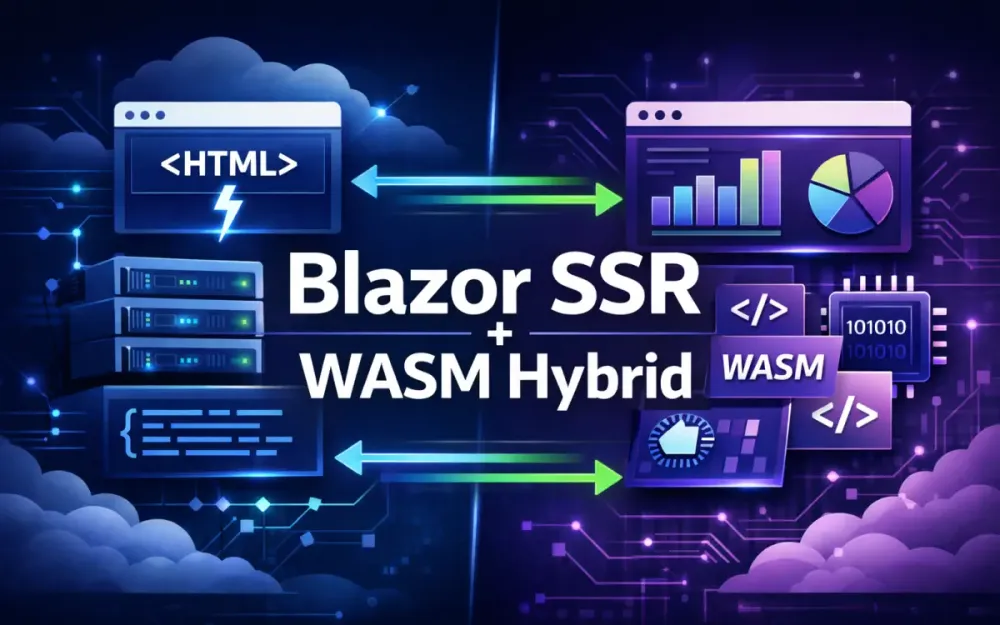
The .NET 10 Blazor Web App model removes this either/or decision. Instead of picking a single hosting model for the entire application, you can combine Static SSR, Interactive Server, and Interactive WASM within the same app—and even within the same page. The runtime decides how and when components transition between modes.
This section explains how Blazor reached this point and how the hybrid model works in real production systems.
1.1 Evolution from Blazor Server/WASM to the Unified “Blazor Web App” in .NET 10
Blazor originally shipped with two completely separate hosting models.
-
Blazor Server (2019) Razor components execute on the server. UI updates are sent to the browser as small diffs over SignalR. This model produces fast initial renders and clean HTML, which is ideal for SEO. The downside is that every user interaction depends on a live connection to the server.
-
Blazor WebAssembly (2020) Razor components execute in the browser using a WebAssembly-based .NET runtime. This enables offline support and reduces server load, but it requires downloading the runtime and application assemblies before interactivity is available.
Teams had to choose one model for the entire application. In practice, that meant choosing between fast initial rendering and long-term client-side flexibility.
.NET 8 introduced a critical shift with interactive render modes, allowing developers to opt into interactivity at the component level instead of the application level:
@rendermode InteractiveServerThis change laid the groundwork for the Blazor Web App model introduced and refined in .NET 10. Rather than separate templates for Server and WASM, there is now a single project type that supports multiple execution strategies:
- Static SSR – HTML only, no interactivity.
- Interactive Server – UI events handled on the server via SignalR.
- Interactive WASM – UI logic runs entirely in the browser.
- Auto mode – components start on the server and transition to WASM when ready.
The practical impact is significant:
- One project instead of two.
- One component model across all rendering modes.
- One routing and layout system.
- Multiple execution paths chosen at runtime based on capability and context.
For enterprise applications that need strong SEO, fast startup, offline features, and predictable scaling, this unification removes an entire class of architectural compromises.
1.2 Why Hybrid? Balancing SEO and TTFB with Rich Interactivity
Search engines still expect meaningful HTML in the initial response. Users expect content to appear quickly, even on slow connections. At the same time, modern applications need features like live dashboards, complex forms, drag-and-drop, and offline workflows.
Pure client-side rendering struggles with the first two requirements. Pure server-side interactivity struggles with the latter two.
Hybrid Blazor addresses this with progressive rendering, where capabilities are layered rather than chosen upfront.
The lifecycle typically looks like this:
-
Static SSR renders HTML immediately The browser receives a fully rendered page. Text is visible, layout is stable, and search engines can index the content.
-
Hydration attaches interactivity For components marked as interactive, Blazor reconnects lifecycle methods and event handlers to the existing HTML.
-
Selective upgrade to WASM Components that benefit from client-side execution move to WASM without reloading the page.
This approach delivers several concrete benefits:
- Search engines see real content, not placeholders.
- Users perceive fast load times because something useful appears immediately.
- Server resources are conserved as heavier logic shifts to the client.
In global deployments, this model works well across both low-bandwidth environments and high-powered devices without maintaining separate codebases.
1.3 The “Auto” Render Mode: How the Runtime Intelligently Switches from Server to WASM
The Auto render mode is what makes the hybrid model practical rather than theoretical. It allows a component to start its life on the server and later move to WebAssembly automatically.
At the component level, it looks simple:
@rendermode AutoUnder the hood, the runtime follows a defined sequence:
- The server prerenders the component and sends HTML to the browser.
- The component becomes interactive using Interactive Server.
- The WASM runtime downloads in the background.
- Once WASM is ready, the component transitions to Interactive WASM.
- Component state and event wiring are preserved during the switch.
From the user’s perspective, nothing visibly changes. There is no reload, no flicker, and no second “loading” phase. The component simply becomes more capable over time.
Example Hybrid Component
@rendermode Auto

<h3>Recent Orders</h3>

@if (orders == null)
{
    <p>Loading orders...</p>
}
else
{
    <OrderGrid Items="orders" />
}

@code {
    private List<Order>? orders;

    protected override async Task OnInitializedAsync()
    {
        orders = await OrderService.GetRecentAsync();
    }
}
This component renders immediately during SSR, becomes interactive via the server, and eventually runs fully in the browser. The key point is that the same component code supports all three phases without special branching logic.
1.4 Understanding .NET 10 WebAssembly AOT and Runtime Performance Improvements
Earlier versions of Blazor WASM struggled with startup cost because the runtime relied heavily on interpreted IL. Ahead-of-Time (AOT) compilation improved runtime performance but increased payload size, which limited its usefulness.
.NET 10 makes AOT practical for hybrid applications through several targeted improvements:
-
Profile-guided AOT (PG-AOT) Only frequently executed code paths are compiled ahead of time, keeping payload size under control.
-
Assembly lazy loading Large feature modules are downloaded only when required.
-
More aggressive IL trimming The linker removes unused framework and application code with better static analysis.
-
Incremental AOT builds Build times remain manageable even in large solutions.
In real-world applications, these changes result in:
- 2–3× faster execution for CPU-heavy client-side logic.
- 25–40% smaller WASM payloads compared to earlier AOT builds.
- Faster startup and lower memory usage in the browser.
A typical project configuration enabling AOT looks like this:
<PropertyGroup>
    <RunAOTCompilation>true</RunAOTCompilation>
    <WasmEnableThreads>true</WasmEnableThreads>
    <WasmSingleThreadAOT>false</WasmSingleThreadAOT>
</PropertyGroup>
Combined with SSR and background loading, these improvements allow WASM to enhance the application without dominating the initial load experience. The result is a consistent, predictable user experience regardless of how users enter the application.
2 Architecting Component Boundaries and Render Modes
Hybrid Blazor only delivers its performance benefits when component boundaries are intentional. Every interactive component carries a cost—SignalR connections for server interactivity, serialization for hydration, and state synchronization when moving to WASM. In small apps, these costs are easy to ignore. In large systems, they quickly become the difference between a responsive app and one that feels fragile under load.
This section focuses on how to structure components so that interactivity is applied only where it adds value. The goal is not to avoid interactivity, but to use it precisely.
2.1 Defining the Component Hierarchy: Static SSR vs. Interactive Boundaries
One of the most common mistakes in early hybrid Blazor apps is making entire pages interactive by default. This often happens because it feels simpler to “just make the page interactive” and move on.
<!-- Incorrect -->
@rendermode InteractiveServer
<PageMarkup />
This approach forces Blazor to hydrate the entire page, even if only a small part actually needs interactivity. The result is:
- Every UI event travels over SignalR
- More data must be serialized during hydration
- Higher memory usage per user session
- Less predictable scaling behavior
A better approach is to treat interactivity as an opt-in capability, not a default.
<h1>Inventory</h1>
<p>This page shows live inventory metrics.</p>

<LiveStockChart @rendermode="InteractiveWasm" />
<WarehouseSelector @rendermode="InteractiveServer" />
Here, the page itself remains static and cheap to render. Only the chart and selector incur interactivity costs, and each uses the rendering mode that best fits its behavior.
Practical guidelines that scale well:
- Use Static SSR for layout, navigation, headings, and read-only content.
- Use Interactive Server for small, latency-sensitive interactions like dropdowns or simple forms.
- Use Interactive WASM for CPU-heavy components or anything that needs offline support.
This structure keeps the server workload predictable and avoids unnecessary hydration work.
2.2 Selective Interactivity: The “Islands of Interactivity” Pattern
Once you stop thinking in terms of “interactive pages” and start thinking in terms of “interactive components,” the architecture becomes much clearer. Each interactive component acts as an island embedded in otherwise static HTML.
Conceptually, a page might look like this:
Page SSR
 ├── HeroSection (SSR)
 ├── ProductList (SSR)
 ├── CartSummary (Interactive Server)
 └── CheckoutForm (Interactive WASM)
Only the parts that truly need runtime behavior pay the cost of interactivity. Everything else stays lightweight and cache-friendly.
A concrete example:
<div class="product-page">
    <ProductDetails />
    <AddToCartButton
        @rendermode="InteractiveServer"
        ProductId="@Id" />
    <PriceEstimator
        @rendermode="InteractiveWasm" />
</div>
In this setup:
- Product details are static and render instantly.
- Adding to cart is handled server-side to keep business logic centralized.
- Price estimation runs in WASM because it involves client-side calculations and instant feedback.
This pattern reduces SignalR traffic, limits the scope of hydration, and keeps the application usable even if a specific interactive island fails to load.
Choosing the correct mode
| Requirement | Rendering Mode |
|---|---|
| SEO-friendly content | Static SSR |
| Small, frequent interactions | Interactive Server |
| Heavy client-side computation | Interactive WASM |
| Offline or intermittent connectivity | Interactive WASM |
| Large concurrent user base | Minimize Server mode |
This table is not a rulebook, but it works well as a default decision framework.
2.3 Managing the “Hydration” Process: Ensuring Smooth SSR → WASM Transitions
Hydration is the process of attaching runtime behavior to HTML that was already rendered on the server. In hybrid Blazor, hydration happens in a few different ways, and understanding those paths helps avoid subtle bugs.
The three transitions that matter most are:
-
SSR → Interactive Server Event handlers attach via SignalR. UI state lives on the server.
-
SSR → Interactive WASM The component is rehydrated in the browser. The rendered HTML must match the initial client state.
-
Interactive Server → Interactive WASM The component upgrades execution mode. State continuity becomes critical.
The most common hydration problem is visual flicker or double loading. This usually happens when the client re-fetches data that was already loaded during SSR.
Avoiding re-render flicker with PersistentComponentState
If the server loads data during prerendering, that data must be reused when the component hydrates. Otherwise, the client will run the same logic again and trigger a second render.
protected override void OnParametersSet()
{
    if (!state.TryTakeFromJson("orders", out orders))
    {
        orders = repository.GetOrders();
        state.PersistAsJson("orders", orders);
    }
}
This pattern ensures:
- The server fetches data once.
- The serialized state is embedded in the response.
- The WASM runtime starts with the same model.
From the user’s perspective, the UI remains stable throughout the transition.
2.4 Common Pitfalls: Breaking the “Serializability” of Parameters Across the SSR/WASM Boundary
For hybrid rendering to work, Blazor must serialize component parameters so they can cross execution boundaries. This requirement is easy to violate accidentally, especially in larger codebases.
Blazor serializes parameters when moving between:
- Server prerendering
- Interactive Server
- Interactive WASM
Common mistakes include:
-
Passing DbContext or repository instances These are runtime services, not data.
-
Passing open streams or file handles These cannot be serialized or restored.
-
Using object graphs with circular references Serialization will fail or produce incomplete state.
-
Relying on anonymous or dynamic objects These lack stable serialization contracts.
Incorrect usage:
<InventoryList Data="@DbContext.Inventory" />Correct usage:
<InventoryList Items="@inventory" />

@code {
    private List<InventoryItem> inventory = [];
}
Best practices that avoid hydration failures:
- Pass DTOs, not services.
- Keep component parameters small and explicit.
- Ensure types have parameterless constructors and stable shapes.
- Treat component parameters as data snapshots, not live connections.
When parameters are cleanly serializable, hybrid rendering becomes predictable and easy to reason about.
3 High-Performance Data Fetching and Streaming Rendering
Data-heavy pages are where hybrid Blazor either shines or falls apart. A common failure mode is the “blank screen” problem: the page loads, but nothing meaningful appears until all server-side work finishes. In a hybrid app, this problem can get worse if data is fetched multiple times—once during SSR and again when the component hydrates in WASM.
Blazor’s hybrid rendering pipeline provides several tools to avoid these issues. Streaming rendering improves perceived performance, persistent state avoids duplicate requests, and layered caching ensures data is reused across rendering modes.
3.1 Leveraging Streaming Rendering for Data-Heavy Views
Streaming rendering allows the server to send HTML to the browser in chunks instead of waiting for the entire page to finish rendering. This is especially useful when the page includes expensive database queries or calls to external services.
A typical analytics page:
@page "/analytics"
@attribute [StreamRendering]

<h2>Analytics Overview</h2>

<LoadingSpinner />

@if (data != null)
{
    <AnalyticsGrid Records="data" />
}
With streaming enabled, the browser receives content in stages:
- The heading renders immediately.
- The loading indicator appears next.
- The analytics grid is streamed once the data is available.
This approach changes how the page feels to the user. Instead of staring at a blank screen, they immediately see structure and progress.
Streaming rendering is most effective for:
- Dashboards with multiple data sources
- Reports with long-running queries
- Pages that aggregate results from external APIs
It does not make queries faster, but it makes the wait visible and understandable, which significantly improves perceived performance.
3.2 Implementing PersistentComponentState to Prevent “Double Loading”
Hybrid rendering introduces a subtle problem: the same component lifecycle can run more than once. Without safeguards, a component might load data during server-side rendering and then load it again after hydration.
A typical failure sequence looks like this:
- Server prerenders the component and fetches data.
- HTML is sent to the browser.
- The component hydrates in WASM.
OnInitializedAsyncruns again.- The same API call is repeated.
This wastes network bandwidth and can cause visible UI flicker.
PersistentComponentState solves this by allowing the server to serialize data and hand it off to the client.
@inject PersistentComponentState ApplicationState

@code {
    private WeatherForecast[]? forecasts;

    protected override async Task OnInitializedAsync()
    {
        if (!ApplicationState.TryTakeFromJson("forecasts", out forecasts))
        {
            forecasts = await ForecastService.GetAsync();
            ApplicationState.PersistAsJson("forecasts", forecasts);
        }
    }
}
With this pattern:
- The server fetches the data once.
- The serialized snapshot is embedded in the response.
- The WASM runtime starts with the same data.
- No second API call is triggered.
This is one of the most important patterns in hybrid Blazor and should be applied consistently to any component that loads data during SSR.
3.3 Advanced Caching Strategies: FusionCache or MemoryCache at the Edge vs. App Layer
Enterprise applications tend to load the same categories of data repeatedly:
- Reference data and configuration
- Product catalogs or inventory lists
- Permission and role mappings
- Aggregated dashboard metrics
Without caching, this data is often fetched multiple times per request and again during hydration.
Application-layer caching with MemoryCache
For simple deployments or single-node services, MemoryCache is often sufficient.
builder.Services.AddMemoryCache();This works well for data that changes infrequently and does not need to be shared across instances.
Multi-level caching with FusionCache
For larger deployments, FusionCache provides a more resilient approach:
- In-memory cache for fast access
- Distributed cache for consistency across nodes
- Automatic background refresh
- Fail-safe behavior during transient failures
Example usage:
var summary = await cache.GetOrSetAsync(
    "dashboard:summary",
    async _ => await service.GetSummaryAsync(),
    options => options.SetDuration(TimeSpan.FromMinutes(2))
);
FusionCache is particularly effective in hybrid apps because it reduces both SSR latency and hydration-time data access.
Edge caching considerations
When applications run behind a CDN or edge network (Azure Front Door, Cloudflare, Fastly):
- Cache SSR HTML for anonymous or semi-static pages
- Cache WASM assets aggressively
- Cache API responses where authorization allows
When combined with streaming rendering, edge caching often produces measurable improvements in Core Web Vitals without changing application code.
3.4 Prefetching Data During SSR for the WASM Runtime: Warming Up the Client-Side Cache
Even when data is fetched efficiently during SSR, the WASM runtime still needs access to that data once it takes over. One way to avoid refetching is to explicitly pre-populate client-side state during server rendering.
The general approach is straightforward:
- Fetch data during SSR.
- Serialize it into the rendered output.
- Load it into a client-side cache when WASM starts.
Example during SSR:
@if (orders != null)
{
    <script>
        window.__prefetch = {
            orders: @Json.Serialize(orders)
        };
    </script>
}
Then, in WASM:
var prefetch = await JS.InvokeAsync<PrefetchModel>(
    "eval", "window.__prefetch");
This technique is especially useful for:
- Initial dashboard views
- Frequently accessed lists
- Data needed immediately after hydration
Used carefully, prefetching shortens the gap between “page loaded” and “page fully interactive,” which is critical on mobile networks and high-latency connections.
4 Enterprise Security, Identity, and Authentication Flows
Security is where hybrid Blazor architecture becomes less intuitive. Unlike a traditional MVC app or a pure WASM SPA, execution moves between the server and the browser over time. A page may start as SSR, become interactive through SignalR, and later transition to WASM. Each phase has different access to cookies, headers, and runtime state.
In enterprise environments, this creates real risk. Tokens must not leak into the browser. Authentication state must remain consistent as components move across boundaries. Authorization rules must be enforced even when parts of the UI run client-side. This section explains how to structure identity and security so that these transitions remain safe and predictable.
4.1 Implementing the Backend-for-Frontend (BFF) Pattern to Protect Sensitive Tokens
In hybrid Blazor applications, the safest approach is to never issue OAuth access tokens to the browser at all. Instead, the server acts as a trusted intermediary. This is the core idea behind the Backend-for-Frontend (BFF) pattern.
Rather than letting WASM components call APIs directly with bearer tokens, the server stores tokens securely and exposes proxy endpoints that act on the user’s behalf.
A typical hybrid Blazor BFF flow looks like this:
- The user signs in using a server-rendered login page.
- The server completes the OAuth flow and stores tokens in secure, HTTP-only cookies.
- The browser only receives session cookies, never access or refresh tokens.
- Interactive WASM components call
/bff/proxy/...endpoints. - The server attaches access tokens when calling downstream APIs.
This design prevents token exfiltration, even if malicious JavaScript runs in the browser.
A representative configuration in Program.cs:
builder.Services.AddAuthentication()
    .AddCookie("app")
    .AddOpenIdConnect("oidc", options =>
    {
        options.SignInScheme = "app";
        options.ResponseType = "code";
        options.SaveTokens = false; // Critical for BFF
        options.Scope.Add("openid");
        options.Scope.Add("profile");
        options.Scope.Add("api");
    });

builder.Services.AddAuthorization();
builder.Services.AddBff();
A protected proxy endpoint:
app.MapBffApiEndpoint("/bff/proxy/{**path}")
   .RequireAuthorization()
   .WithProxy(options =>
   {
       options.ApiAddress = "https://api.contoso.com/";
   });
From a WASM component, the call is simple:
var order = await http.GetFromJsonAsync<OrderDto>(
    "/bff/proxy/orders/123");
The client never sees tokens, and the API never trusts the browser. This pattern is especially important when WASM components support offline behavior or long-lived sessions.
4.2 Blazor Identity UI: Customizing SSR Authentication for Enterprise Requirements
Blazor Web App templates ship with server-rendered identity components for login, password reset, MFA, and enrollment. These pages run entirely in SSR mode, which aligns well with enterprise security and compliance requirements.
Scaffolding the identity components:
dotnet aspnet-codegenerator identity -dc AppDbContextThis generates Razor Components such as Login.razor and Register.razor. Because they are standard components, they can be styled and structured like any other SSR UI.
Example customized login page:
@layout EnterpriseIdentityLayout

<div class="identity-container">
    <h2>Sign in to Contoso Portal</h2>

    <EditForm Model="@Input" OnValidSubmit="OnSubmitAsync">
        <InputText @bind-Value="Input.Email"
                   class="enterprise-input"
                   placeholder="Email address" />

        <InputText @bind-Value="Input.Password"
                   type="password"
                   class="enterprise-input"
                   placeholder="Password" />

        <button class="btn-primary">
            Sign in
        </button>
    </EditForm>
</div>
Because these pages do not require SignalR or WASM, they are:
- Fully crawlable
- Easy to audit
- Compatible with strict CSP policies
- Resistant to client-side tampering
Many organizations also apply tenant-based branding at this level. Since rendering happens on the server, layouts can be selected during prerendering based on tenant, domain, or identity provider.
4.3 Cross-Boundary Authentication: Keeping Identity Consistent Across SSR and WASM
Once a user is authenticated, that identity must remain consistent as components transition from SSR to Interactive Server and eventually to WASM. The challenge is that each runtime sees authentication differently.
- SSR and Interactive Server rely on
HttpContext.User. - Interactive WASM relies on an
AuthenticationStateProvider.
Blazor handles most of this automatically, but custom authentication flows or advanced scenarios sometimes require explicit synchronization.
A custom WASM authentication state provider might look like this:
public class WasmAuthStateProvider : AuthenticationStateProvider
{
    private readonly IJSRuntime _js;

    public WasmAuthStateProvider(IJSRuntime js)
    {
        _js = js;
    }

    public override async Task<AuthenticationState> GetAuthenticationStateAsync()
    {
        var json = await _js.InvokeAsync<string>(
            "auth.getUserState");

        var principal =
            AuthSerializationHelpers.DeserializePrincipal(json);

        return new AuthenticationState(principal);
    }
}
During SSR, the server emits the serialized user state:
<script>
    window.auth = {
        getUserState: () => '@Json.Serialize(User)'
    };
</script>
This approach ensures that:
- Claims and roles are identical across render modes
- WASM components start with the correct identity
- No tokens are exposed to JavaScript
The identity becomes a shared snapshot rather than a live server dependency, which aligns well with hybrid execution.
4.4 Role-Based Access Control and Policy Enforcement Across Render Modes
Authorization rules must apply consistently, regardless of where a component runs. In hybrid Blazor, the most important rule is simple: authorization must always be enforced on the server first.
SSR content is visible to crawlers and unauthenticated users. If a check is skipped during prerendering, sensitive UI can leak before the client ever runs.
Policy registration remains standard:
builder.Services.AddAuthorization(options =>
{
    options.AddPolicy("CanEditOrders", policy =>
        policy.RequireRole("Manager", "Supervisor"));
});
Server-side enforcement in an SSR layout:
@if ((await AuthorizationService
    .AuthorizeAsync(User, "CanEditOrders")).Succeeded)
{
    <EditOrderToolbar @rendermode="InteractiveWasm" />
}
Client-side enforcement in a WASM component:
@attribute [Authorize(Policy = "CanEditOrders")]

<button @onclick="OnEdit">
    Edit Order
</button>
This layered approach ensures:
- Unauthorized users never see restricted SSR content
- Interactive components cannot be activated without permission
- Authorization remains consistent across execution modes
In practice, this makes authorization behavior predictable, even as components move between server and client execution.
5 Robust State Management and Offline Synchronization
State management becomes more complex in hybrid Blazor applications because execution does not stay in one place. A component may start on the server, transition to WASM, and later operate offline for extended periods. State that feels “global” on the server may suddenly be unavailable or out of sync in the browser.
A reliable approach combines three ideas: predictable state transitions, durable client-side storage, and a clear synchronization model. When these pieces are aligned, hybrid applications behave consistently even as execution modes change.
5.1 Global State Management: Comparing Fluxor vs. Scoped Service State Containers
The simplest way to manage shared state in Blazor is a scoped service. Each user connection gets its own instance, which feels like a per-session singleton.
public class AppState
{
    public UserSettings Settings { get; set; } = new();
}
Injected into a component:
@inject AppState StateThis works well for SSR and Interactive Server scenarios. The server owns the state, and updates flow naturally through the component tree. Problems begin when the app transitions to WASM or when users open multiple tabs. Scoped services do not survive page reloads, do not synchronize across tabs, and provide no built-in way to persist or replay changes.
For more complex applications, Fluxor provides a more robust model. State changes happen only through explicit actions, and reducers define how state evolves over time.
A simple dashboard state:
public record DashboardState(
    bool IsLoading,
    IReadOnlyList<Order> Orders
);
An action that triggers loading:
public record LoadOrdersAction;A reducer that updates state predictably:
public static class DashboardReducers
{
    [ReducerMethod]
    public static DashboardState ReduceLoad(
        DashboardState state,
        LoadOrdersAction action)
        => state with { IsLoading = true };
}
Dispatching from a component:
@inject IDispatcher Dispatcher

<button @onclick="() =>
    Dispatcher.Dispatch(new LoadOrdersAction())">
    Refresh
</button>
Fluxor works better when:
- State changes must be traceable and repeatable
- Offline persistence is required
- Multiple components depend on the same data
- WASM execution needs to resume from a known state
Scoped services still have a place, especially for simple preferences or ephemeral UI state. The key is knowing when the application has crossed the threshold where predictability matters more than simplicity.
5.2 Implementing Offline-First Capabilities with IndexedDB or EF Core for WASM
Once a hybrid app transitions to WASM, it can continue to function even without network connectivity. To make this practical, state must be stored in durable browser storage rather than in memory.
For lightweight scenarios—draft forms, cached lists, user preferences—IndexedDB is usually sufficient. Libraries like Blazored.LocalStorage provide a clean abstraction.
await localStorage.SetItemAsync("draftOrder", draft);

var storedDraft =
    await localStorage.GetItemAsync<OrderDraft>("draftOrder");
This works well for simple key-value data. For more complex scenarios—such as editing multi-entity documents or working with relational data—EF Core with SQLite in WASM is a better fit.
Example offline context:
public class OfflineDbContext : DbContext
{
    public DbSet<OrderDraft> Drafts => Set<OrderDraft>();

    protected override void OnConfiguring(
        DbContextOptionsBuilder options)
        => options.UseSqlite("Filename=offline.db");
}
Registered during startup:
builder.Services.AddDbContext<OfflineDbContext>();This approach enables:
- Rich querying with LINQ
- Change tracking
- Validation using shared domain rules
- Seamless promotion of offline drafts to server-side entities
For enterprise dashboards, this is often the difference between “offline viewing” and true offline productivity.
5.3 Background Sync: Replaying Offline Actions When Connectivity Returns
Storing offline data is only half the problem. At some point, changes must be synchronized back to the server. In hybrid Blazor, this is typically handled with background sync using service workers.
The flow is straightforward:
- The user performs an action while offline.
- The action is written to IndexedDB as a pending operation.
- A service worker registers a background sync task.
- When connectivity is restored, queued actions are replayed.
- Local state is updated once the server confirms success.
Registering background sync:
navigator.serviceWorker.ready.then(reg => {
    reg.sync.register('sync-pending-actions');
});
Handling the sync event:
self.addEventListener('sync', event => {
    if (event.tag === 'sync-pending-actions') {
        event.waitUntil(syncPendingActions());
    }
});
Replaying actions:
async function syncPendingActions() {
    const actions = await loadPendingActions();

    for (const action of actions) {
        await fetch('/bff/proxy/actions', {
            method: 'POST',
            headers: { 'Content-Type': 'application/json' },
            body: JSON.stringify(action)
        });
    }
}
Using the BFF proxy ensures that authentication and authorization rules remain enforced, even though the sync happens outside the main UI lifecycle.
5.4 Conflict Resolution: Handling State Mismatches Between Server and Local WASM State
Offline edits inevitably create the possibility of conflicts. Another user may update the same record while a device is offline, or server-side processes may modify data independently.
A hybrid Blazor app needs a deterministic conflict strategy. Common approaches include:
- Last write wins – simple, but risky for critical data
- Server version authority – reject updates based on stale versions
- Merge-based resolution – combine compatible changes
- User-assisted resolution – surface conflicts explicitly
A typical server-side version check:
public async Task<IActionResult> UpdateOrder(UpdateOrderDto dto)
{
    var entity = await db.Orders.FindAsync(dto.Id);

    if (dto.RowVersion != entity.RowVersion)
    {
        return Conflict(new
        {
            message = "Order was updated by another user."
        });
    }

    entity.Apply(dto);
    await db.SaveChangesAsync();

    return Ok();
}
Client-side handling:
try
{
    await api.UpdateAsync(model);
}
catch (ApiConflictException)
{
    latest = await api.GetLatestAsync(model.Id);
    showConflictDialog = true;
}
The important part is not which strategy you choose, but that the strategy is explicit and consistent. Offline changes may accumulate for hours or days, and silent overwrites erode trust quickly.
Hybrid Blazor applications work best when state transitions, persistence, and conflict handling are designed together rather than added incrementally.
6 The Pragmatic Migration Path: From MVC/Razor Pages to Hybrid Blazor
Most enterprise teams cannot pause feature delivery to rewrite an application from scratch. Existing MVC and Razor Pages apps often represent years of domain knowledge, compliance work, and operational stability. A successful migration strategy respects that reality and introduces Blazor gradually, without forcing a hard cutover.
Hybrid Blazor fits well here because it does not require abandoning server-rendered pages. Instead, it allows teams to embed interactive components where they provide the most value, while leaving the rest of the application untouched.
6.1 The “Side-by-Side” Strategy: Hosting Blazor Components Within Existing Razor Pages
The simplest migration step is to host Blazor components inside existing Razor Pages or MVC views. This allows teams to modernize one feature at a time without changing routing, layouts, or authentication.
In a Razor Page (.cshtml):
<component type="typeof(DashboardSummary)"
           render-mode="ServerPrerendered" />
This approach works well for:
- Replacing jQuery-heavy widgets
- Adding live dashboards to static pages
- Introducing richer UI without rewriting the page
Because the page itself remains server-rendered, SEO and navigation behavior are unchanged.
For components that benefit from client-side execution—such as large grids or analytical visualizations—you can host a WASM component directly:
<component type="typeof(InventoryViewer)"
           render-mode="WebAssembly" />
This is particularly effective for:
- Data-heavy inventory screens
- Interactive charts
- Complex form workflows
Over time, entire pages can be replaced with Blazor, but the migration remains incremental and reversible at each step.
6.2 Mapping Controllers to Minimal APIs: Refactoring Backend Logic for WASM Consumption
As more logic moves into Blazor components—especially WASM components—the backend API surface becomes more important. Traditional MVC controllers work, but they often include filters, model binding, and conventions that add unnecessary overhead for API-style consumption.
Minimal APIs are a better fit for hybrid Blazor because they are explicit, lightweight, and easy to share across SSR and WASM.
A typical controller action:
[HttpGet("orders/{id}")]
public IActionResult GetOrder(int id)
{
    return Ok(service.Get(id));
}
Refactored as a Minimal API:
app.MapGet("/api/orders/{id:int}",
    async (int id, IOrderService svc) =>
        await svc.GetAsync(id))
   .RequireAuthorization();
This change provides several benefits:
- Less boilerplate
- Clearer contracts
- Better performance under load
- Easier integration with BFF proxy endpoints
On the WASM side, Minimal APIs pair cleanly with Refit:
public interface IOrdersApi
{
    [Get("/api/orders/{id}")]
    Task<OrderDto> Get(int id);
}
During migration, both controllers and Minimal APIs can coexist. Existing MVC pages continue using controllers, while Blazor components consume Minimal APIs. Over time, backend logic naturally converges on a single, consistent API layer.
6.3 Shared Class Libraries: Extracting DTOs, Validation, and Domain Logic
As soon as Blazor components begin handling real workflows, duplication becomes a risk. Validation rules, DTOs, and business logic often exist in MVC projects already. Reusing them avoids subtle inconsistencies between server-rendered and client-rendered behavior.
A common extraction strategy looks like this:
/Shared
  ├── Dtos
  ├── Validation
  ├── Contracts
  └── Domain
Example FluentValidation rule shared across MVC and WASM:
public class OrderDraftValidator
    : AbstractValidator<OrderDraftDto>
{
    public OrderDraftValidator()
    {
        RuleFor(x => x.CustomerId)
            .NotEmpty();

        RuleFor(x => x.Items)
            .NotEmpty();
    }
}
Used inside a WASM component:
var result = validator.Validate(draft);

if (!result.IsValid)
{
    Errors = result.Errors;
    return;
}
And reused on the server during API validation. This ensures that:
- Validation rules are consistent
- Error messages match across UI layers
- Business constraints are enforced even when offline
Shared libraries become the backbone of hybrid applications, reducing friction as more functionality moves into Blazor.
6.4 Handling Legacy JavaScript Dependencies in a Hybrid Lifecycle
Most existing MVC applications already rely on JavaScript libraries—charts, grids, date pickers, or custom UI widgets. A hybrid migration does not require replacing all of them immediately.
Blazor’s JavaScript interop allows existing libraries to continue working while the UI gradually shifts to components.
A simple JavaScript wrapper:
window.legacy = {
    initChart: (id, data) => {
        return new Chart(
            document.getElementById(id),
            data
        );
    }
};
Invoked from a Blazor component:
@inject IJSRuntime JS

<div id="chart1"></div>

@code {
    protected override async Task OnAfterRenderAsync(
        bool firstRender)
    {
        if (firstRender)
        {
            await JS.InvokeVoidAsync(
                "legacy.initChart",
                "chart1",
                chartData);
        }
    }
}
A few rules keep this approach safe in hybrid scenarios:
- Call JavaScript only after hydration (
firstRender) - Avoid running JS during pure SSR
- Keep interop boundaries narrow and explicit
Over time, legacy JavaScript can be replaced with native Blazor components, but migration pressure stays low because nothing breaks in the meantime.
7 Scalability, DevOps, and Observability
Hybrid Blazor applications scale differently from traditional MVC apps or pure SPAs because not all traffic behaves the same way. Some users interact through long-lived SignalR connections. Others load static WASM assets and make short-lived API calls. If these concerns are treated uniformly, infrastructure costs grow quickly and performance becomes unpredictable.
A scalable setup separates responsibilities clearly: persistent connections are handled intentionally, static assets are pushed as close to users as possible, and telemetry spans both server and client execution. This section walks through those concerns in the same incremental, pragmatic way as earlier sections.
7.1 Scaling SignalR: When and How to Use Azure SignalR Service
Interactive Server components depend on persistent WebSocket connections to send UI diffs back and forth. Each connected user consumes memory, CPU, and socket resources. This works well at small scale, but it does not grow linearly.
For most teams, running SignalR in-process is fine up to a few hundred concurrent interactive users per node. Beyond that point, resource usage becomes uneven and scale-out gets harder to reason about.
Azure SignalR Service solves this by externalizing connection management. Your Blazor servers focus on rendering and business logic, while Azure SignalR handles connection fan-in and fan-out.
Basic configuration:
builder.Services
    .AddSignalR()
    .AddAzureSignalR(options =>
    {
        options.ServerStickyMode =
            ServerStickyMode.Required;
    });
Sticky sessions are critical. Blazor Server assumes that all messages for a given user land on the same server instance. Without stickiness, UI updates can be routed incorrectly and sessions break in subtle ways.
Azure SignalR is usually the right choice when:
- You exceed ~500–1,000 concurrent interactive users per node
- Users are globally distributed
- Load balancers handle WebSockets inconsistently
- Interactive Server and Interactive WASM coexist in the same app
A common and effective pattern is to offload only long-lived SignalR traffic to Azure SignalR while letting the application servers scale based on SSR and API throughput. This keeps CPU usage predictable and avoids overprovisioning instances just to hold connections open.
7.2 Modern Deployment Strategies: Containers and CDNs Working Together
Hybrid Blazor apps ship two very different artifacts: a server application and a set of static WASM assets. Treating them the same during deployment wastes resources and slows users down.
Multi-stage Docker builds for the server
Multi-stage Docker builds are now standard for .NET workloads. They produce smaller images and ensure the runtime environment is clean and reproducible.
# Build stage
FROM mcr.microsoft.com/dotnet/sdk:8.0 AS build
WORKDIR /src
COPY . .
RUN dotnet publish -c Release -o /app/publish

# Runtime stage
FROM mcr.microsoft.com/dotnet/aspnet:8.0 AS final
WORKDIR /app
COPY --from=build /app/publish .
ENTRYPOINT ["dotnet", "Contoso.App.dll"]
This pattern keeps build tools out of production images and makes CI/CD pipelines more deterministic.
Serving WASM assets from a CDN
WASM assets—assemblies, runtime files, and AOT output—are static and cacheable. Serving them directly from application servers increases latency for distant users and ties server capacity to asset delivery.
Configure aggressive caching:
app.UseStaticFiles(new StaticFileOptions
{
    OnPrepareResponse = ctx =>
    {
        ctx.Context.Response.Headers["Cache-Control"] =
            "public,max-age=31536000,immutable";
    }
});
Then upload wwwroot/_framework/ to a CDN such as Azure Front Door or Cloudflare.
The result:
- Faster startup for users far from the primary region
- Lower bandwidth usage on application servers
- More predictable scaling, since servers handle SSR and APIs only
In hybrid systems, this separation is one of the easiest performance wins.
7.3 Monitoring Hybrid Apps Across Server and WASM
Observability in hybrid Blazor must span both execution environments. Server telemetry tells you how the app behaves during SSR and API calls. Client telemetry tells you what actually happens once WASM takes over.
Server-side telemetry with OpenTelemetry
OpenTelemetry provides a vendor-neutral way to collect traces and metrics that Application Insights can ingest.
builder.Services.AddOpenTelemetry()
    .WithTracing(tracing => tracing
        .AddAspNetCoreInstrumentation()
        .AddHttpClientInstrumentation()
        .AddEntityFrameworkCoreInstrumentation()
        .AddSource("Contoso.App")
        .AddAzureMonitorTraceExporter()
    )
    .WithMetrics(metrics => metrics
        .AddAspNetCoreInstrumentation()
        .AddAzureMonitorMetricExporter()
    );
This setup captures:
- SSR rendering time
- API latency
- Database calls
- SignalR activity
These signals are essential when diagnosing slow page loads or uneven scaling behavior.
Client-side error and performance logging
WASM failures often never reach the server unless you explicitly capture them. A lightweight JavaScript bridge makes this straightforward.
window.telemetry = {
    trackError: (message, stack) => {
        appInsights.trackException({
            exception: { message, stack }
        });
    }
};
Used in Blazor:
try
{
    await PerformClientOperation();
}
catch (Exception ex)
{
    await js.InvokeVoidAsync(
        "telemetry.trackError",
        ex.Message,
        ex.StackTrace);
}
This allows you to observe:
- WASM startup failures
- Hydration issues
- Client-only exceptions
- SignalR reconnect storms
When combined with server traces, these signals give a complete picture of user experience rather than just backend health.
7.4 Optimizing the WASM Payload for Real-World Networks
Even in a hybrid app, WASM still matters. Large payloads increase time-to-interactive and hurt users on slower networks. The goal is not to eliminate WASM cost, but to delay and minimize it.
Trimming unused code
Enable trimming to remove unused framework and application assemblies:
<PropertyGroup>
  <PublishTrimmed>true</PublishTrimmed>
  <TrimMode>full</TrimMode>
</PropertyGroup>
This alone can significantly reduce download size in larger apps.
Compression with Brotli
Ensure responses are compressed efficiently:
app.UseResponseCompression();And configure Brotli explicitly:
services.Configure<BrotliCompressionProviderOptions>(options =>
{
    options.Level = CompressionLevel.Optimal;
});
Lazy-loading feature assemblies
For large applications, not every user needs every feature. WASM supports loading assemblies on demand.
await loader.LoadAssembliesAsync(new[]
{
    "Contoso.Analytics.dll"
});
This pattern works well for admin panels, advanced analytics, or infrequently used workflows. Users get a fast initial experience, and heavier functionality loads only when required.
8 Reference Implementation: A Real-World Enterprise Dashboard
Up to this point, the article has focused on individual architectural decisions—render modes, data fetching, state management, security, and scalability. This section ties those decisions together using a single reference implementation: a global supply chain dashboard used by operations teams across regions with very different network conditions.
The goal of this example is not to present a “perfect” architecture, but a realistic one that balances performance, reliability, and long-term maintainability.
8.1 Scenario: A Global Supply Chain Dashboard with Real-Time and Offline Requirements
The dashboard is used by planners, warehouse operators, and logistics coordinators. It aggregates data from multiple backend systems and must remain usable even when connectivity is unreliable.
The application displays:
- Facility-level summaries (orders in progress, delays, capacity)
- Live shipment locations and ETAs
- Editable shipment manifests
- Real-time KPI tiles driven by operational events
Not all of this data behaves the same way, so the UI is deliberately split across render modes.
The SSR layout renders immediately and includes:
- Facility list and navigation
- Summary statistics
- Alerts and notices
These elements are static or slow-changing and benefit from fast HTML delivery and SEO-friendly markup.
The interactive components are more selective:
- KPI tiles run in Interactive Server mode because they update frequently via SignalR and require minimal client-side computation.
- Shipment map runs in Interactive WASM mode because it performs client-side calculations and renders complex overlays.
- Manifest editor runs in Interactive WASM mode to support offline editing and validation.
A simplified page composition looks like this:
<h2>Global Supply Chain Dashboard</h2>

<FacilitySummary />

<LiveKpiTiles @rendermode="InteractiveServer" />

<ShipmentMap @rendermode="InteractiveWasm" />

<ManifestEditor @rendermode="InteractiveWasm" />
When a user opens the page, they immediately see structure and summary data from SSR. Interactivity is layered in as the page hydrates, and WASM components upgrade in the background without disrupting the experience.
Offline behavior is handled by IndexedDB or SQLite via EF Core in WASM. When a warehouse worker edits a manifest offline, those changes are queued and synchronized later using the background sync patterns described earlier.
8.2 Designing a Unified API Surface with Refit
Both SSR and WASM components rely on the same backend APIs. To keep the contract consistent and avoid duplication, the dashboard uses Refit for type-safe API access.
A shared Refit interface for shipment data:
public interface IShipmentApi
{
    [Get("/api/shipments")]
    Task<IReadOnlyList<ShipmentDto>> GetAllAsync();

    [Get("/api/shipments/{id}")]
    Task<ShipmentDto> GetByIdAsync(int id);

    [Post("/api/shipments")]
    Task<ShipmentDto> CreateAsync(
        ShipmentCreateDto dto);
}
Registered once during startup:
builder.Services
    .AddRefitClient<IShipmentApi>()
    .ConfigureHttpClient(c =>
        c.BaseAddress = new Uri("/"));
Used inside a WASM component:
var shipments = await shipmentApi.GetAllAsync();Because all calls flow through the BFF proxy, authentication and authorization are enforced server-side. The WASM client never sees access tokens, and API behavior is identical whether the call originates during SSR or after hydration.
On the server, Minimal APIs keep the surface area small and explicit:
app.MapGet("/api/shipments",
    async (IShipmentService svc) =>
        await svc.GetAllAsync())
   .CacheOutput("short");

app.MapPost("/api/shipments",
    async (ShipmentCreateDto dto,
           IShipmentService svc) =>
        await svc.CreateAsync(dto))
   .RequireAuthorization();
This combination—Minimal APIs, DTOs, and Refit—keeps the contract stable as the application grows.
8.3 UI Component Architecture with a Consistent Design System
Enterprise dashboards benefit from visual consistency. Rather than building custom UI primitives, this implementation uses a component library such as MudBlazor or Fluent UI Blazor.
A KPI tile implemented with MudBlazor:
<MudPaper Elevation="2" Class="kpi-tile">
    <MudText Typo="Typo.h6">@Title</MudText>
    <MudText Typo="Typo.h3">@Value</MudText>
</MudPaper>
The shipment map uses a dialog for drill-down details:
<MudDialog @bind-IsVisible="showDetails">
    <RouteDetailsDialog
        ShipmentId="@selectedShipmentId" />
</MudDialog>
For large datasets—such as shipment lists or inventory tables—virtualization is critical, especially in WASM components:
<MudTable Items="@Shipments" Virtualize="true">
    <HeaderContent>
        <MudTh>Route</MudTh>
        <MudTh>Status</MudTh>
        <MudTh>Last Updated</MudTh>
    </HeaderContent>
</MudTable>
Virtualization limits DOM updates and memory usage, which directly improves responsiveness on lower-powered devices.
Fluent UI Blazor offers similar benefits for teams aligning with Microsoft’s design system. The key point is consistency: using a mature component library reduces UI debt and keeps focus on application behavior rather than presentation mechanics.
8.4 Measuring the Impact: SSR + WASM and Core Web Vitals
To validate the hybrid approach, the dashboard is measured using real user metrics rather than synthetic benchmarks alone.
Key metrics include:
-
Largest Contentful Paint (LCP) Improved by SSR delivering meaningful content immediately.
-
Cumulative Layout Shift (CLS) Kept low by ensuring hydrated WASM components match server-rendered markup.
-
Interaction to Next Paint (INP) Improved by handling CPU-heavy interactions in WASM instead of round-tripping to the server.
Client-side metrics can be captured from WASM:
await js.InvokeVoidAsync(
    "telemetry.reportMetric",
    "wasmLoadMs",
    wasmLoadTime);
Server-side rendering can be measured with activities:
using var activity =
    Telemetry.ActivitySource
        .StartActivity("SSR.RenderDashboard");
In practice, teams monitor:
- Hydration failures or mismatches
- Time to WASM upgrade
- SignalR reconnect frequency
- Cache hit ratios for prefetched data
Across multiple enterprise deployments, this hybrid model typically produces:
- 40–60% improvement in LCP
- 20–40% lower API latency with edge caching
- 70–90% reduction in SignalR load through selective interactivity
- 30–50% improvement in INP for complex interactions
These results are not theoretical. They come directly from applying the architectural patterns described throughout this article in production systems.