1 Introduction: The Modern Workflow Dilemma
1.1 Beyond Automation: Workflows as a Strategic Asset
When most people think of workflow engines, they picture straightforward automation—routing documents, sending notifications, or moving tasks between queues. That view is increasingly obsolete. Today’s business workflows have evolved into sophisticated orchestration engines, governing long-running, multi-step business processes that span teams, technologies, and sometimes continents.
What changed? Modern enterprises demand more than speed. They require systems that can adapt to ever-shifting regulations, deliver granular visibility into business activities, and empower both technologists and domain experts to refine core processes continuously.
A workflow engine in 2025 is more than a glorified state machine. It acts as the brain for orchestrating asynchronous activities, managing business rules, and ensuring consistency across distributed systems. In .NET architectures, the workflow engine’s role has expanded from simple background workers to mission-critical process managers. They are now central to digital transformation efforts, enabling everything from automated loan processing to adaptive insurance claims management.
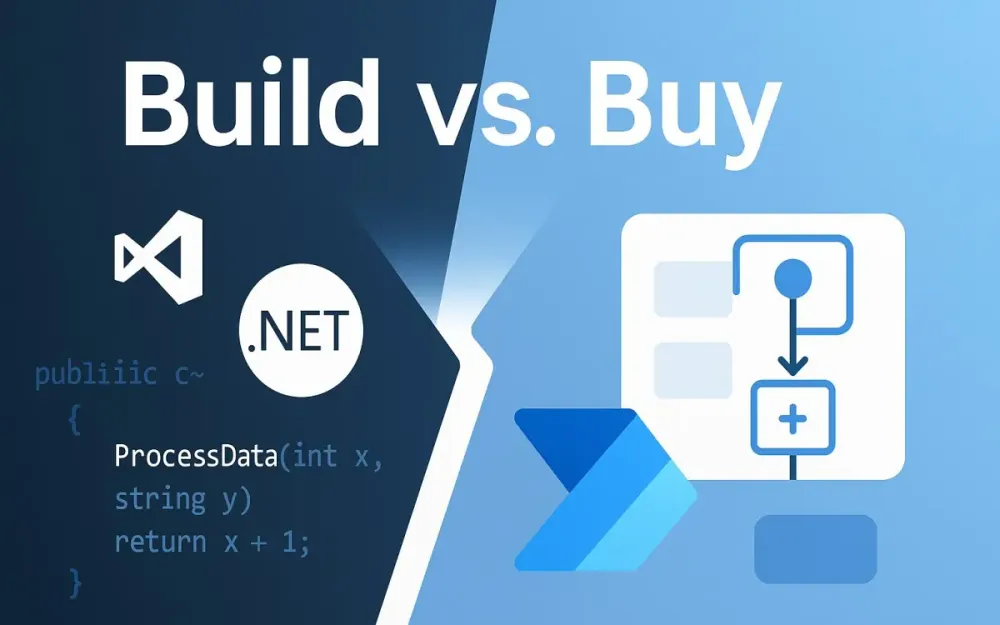
This brings us to a critical crossroads. Low-code/no-code (LCNC) platforms promise near-instant delivery and democratized process automation. Yet, the seasoned .NET developer knows there’s a cost to that convenience. Custom solutions, meanwhile, offer precision, power, and control, but demand significant investment.
Which path do you choose?
1.2 Who is This Guide For? The Architect’s Mandate
This guide isn’t for teams learning to code or organizations trying to bootstrap their first automation. This is for you—the solution architect, the enterprise architect, the senior .NET developer with the technical chops to build from scratch if you need to.
But ability is not the question. Strategy is.
Your challenge is to balance competing priorities:
- Technical Purity: Is your architecture elegant, maintainable, and future-proof?
- Business Velocity: How quickly can you deliver meaningful outcomes?
- Total Cost of Ownership (TCO): Are you considering every dollar spent, from initial build to years of maintenance?
- Long-term Maintainability: Will your team thrive or suffer under the decisions you make today?
This article offers a strategic, architectural lens for evaluating the true trade-offs between building a workflow engine with modern .NET (using advanced frameworks like Elsa or orchestration with messaging patterns) and adopting a commercial low-code or no-code workflow solution.
2 The “Build” Paradigm: Architecting for Precision and Power with .NET
2.1 The Anatomy of a Modern .NET Workflow Engine
Building a workflow engine in 2025 is rarely about starting from a blank solution. Today, it’s about leveraging the right ecosystem of libraries, patterns, and infrastructure. The .NET platform is mature, cloud-native, and rich in options for workflow orchestration. Let’s break down what goes into an enterprise-grade workflow engine.
Core Libraries
Elsa Workflow (v3, 2025): Elsa has emerged as the .NET ecosystem’s answer to the demand for modular, visual, and extensible workflow capabilities. If you haven’t revisited Elsa since its early days, you’ll find it’s matured dramatically:
- Visual Designer: A drag-and-drop interface for both technical and non-technical users, embeddable in your own apps.
- Long-running Workflows: Supports durable, stateful workflows that can wait for external triggers, persist state, and resume reliably.
- Extensibility: Plug in your own activities, persistence layers, and custom integrations, all in idiomatic C#.
- Cloud Readiness: First-class support for distributed deployments, including persistence in SQL, MongoDB, or cloud-native stores.
- Integration: Strong API support for embedding workflow management and execution in your own services.
Example: Creating a Simple Workflow with Elsa (C# 13 / .NET 9)
public class OrderApprovalWorkflow : Workflow
{
    protected override void Build(IWorkflowBuilder builder)
    {
        builder
            .StartWith<CheckOrderValidity>()
            .If(context => context.GetVariable<bool>("IsValid"))
                .Then<SendApprovalRequest>()
                .Then<WaitForManagerApproval>()
                .Then<CompleteOrder>()
            .Else()
                .Then<RejectOrder>();
    }
}
This style supports both code-first and designer-first authoring, blending flexibility with transparency.
Windows Workflow Foundation (WF): Once the default workflow engine for .NET, WF is now in legacy status. Its last major release was over a decade ago. While WF still surfaces in some on-premises and regulated industries, its lack of cloud-native features, slow development, and limited extensibility mean it’s best reserved for maintaining legacy systems rather than greenfield projects.
Orchestration and Messaging
When business processes span multiple systems, reliability and consistency become critical. That’s where the Saga pattern—implemented by libraries like MassTransit and NServiceBus—shines.
- MassTransit / NServiceBus: These frameworks offer robust saga support for modeling long-running, multi-step business transactions. They manage state transitions, handle message retries, and provide transactional guarantees across distributed boundaries.
Example: Saga Pattern with MassTransit (C# 13)
public class OrderSaga : MassTransitStateMachine<OrderState>
{
    public OrderSaga()
    {
        InstanceState(x => x.CurrentState);

        Event(() => OrderSubmitted, x => x.CorrelateById(context => context.Message.OrderId));
        Event(() => PaymentReceived, x => x.CorrelateById(context => context.Message.OrderId));

        Initially(
            When(OrderSubmitted)
                .Then(context => context.Instance.CreatedAt = DateTime.UtcNow)
                .TransitionTo(Submitted));

        During(Submitted,
            When(PaymentReceived)
                .Then(context => context.Instance.PaidAt = DateTime.UtcNow)
                .TransitionTo(Paid));
    }

    public State Submitted { get; private set; }
    public State Paid { get; private set; }
    public Event<OrderSubmitted> OrderSubmitted { get; private set; }
    public Event<PaymentReceived> PaymentReceived { get; private set; }
}
Sagas handle long-running, multi-step processes with transactional safety, even across microservices or distributed systems.
Infrastructure
The engine is only as robust as its hosting environment. Key considerations:
- Containers: Most workflow engines today run in Docker containers, allowing for consistent deployment across environments.
- Kubernetes: Orchestrates multiple engine instances for scale and reliability. Advanced patterns, such as workflow sharding, become feasible.
- Serverless: Durable Functions or AWS Step Functions provide another path but may limit control.
- DevOps Maturity: CI/CD pipelines, automated testing, and infrastructure as code are non-negotiable for rapid iteration and reliable deployments.
2.2 When to Build: The Unmistakable Signals
There are scenarios where building your workflow engine is not just justified—it’s essential. As a .NET architect, these are your leading indicators:
Core Business Differentiators
If your workflows represent your company’s competitive edge—the secret algorithms, adaptive logic, or bespoke customer journeys that separate you from competitors—relinquishing that to an external platform undermines your strategic position.
Extreme Performance & Low Latency
When your workflow must handle thousands of transactions per second or needs sub-second response times, off-the-shelf platforms introduce indirection and performance ceilings. A custom .NET workflow lets you optimize serialization, concurrency, and I/O paths for your unique workloads.
Complex Domain-Driven Logic
Many LCNC platforms offer “if-this-then-that” logic. But when business rules are intertwined with domain models, require advanced error handling, or demand integration with custom algorithms, the full power of C# and .NET’s type system becomes indispensable.
Full Control & Auditability
Highly regulated industries (finance, healthcare, energy) often need a level of auditability and traceability beyond what generic platforms provide. If you need to trace every step, customize persistence, or guarantee execution environments (for GDPR, HIPAA, or SOC2 compliance), custom-built wins.
Deep Integration with Legacy/Proprietary Systems
Integrating with on-premise message queues, proprietary databases, or non-HTTP protocols is a classic “build” scenario. LCNC platforms often assume cloud-native, public API-first integration, leaving you to hack around limitations.
Predictable, Long-Term Cost Model
Commercial workflow platforms typically charge per user, per workflow, or per execution. As your business scales, so do your costs—sometimes unpredictably. With a custom-built solution, your costs are capped by infrastructure and team size, providing a more stable long-term financial outlook.
3 The “Buy” Paradigm: Harnessing the Velocity of Low-Code
3.1 Understanding the Low-Code/No-Code (LCNC) Landscape
The past decade has witnessed a profound transformation in how organizations approach workflow automation. The low-code/no-code (LCNC) paradigm is now a dominant force, promising not just speed, but a fundamental shift in who participates in software creation. For .NET architects, this shift is as much about strategy as technology.
Key Players: Architectural Overview
The LCNC market is crowded, but several platforms stand out for their architectural maturity, ecosystem integration, and enterprise adoption. Let’s examine a few through an architect’s lens:
Microsoft Power Automate: Formerly known as Microsoft Flow, Power Automate sits at the heart of the Microsoft Power Platform, alongside Power Apps and Power BI. Its architecture is cloud-first and highly extensible:
- Connectors: Over 700 pre-built connectors to popular SaaS applications (Salesforce, SharePoint, Teams, Dynamics, etc.), as well as generic connectors for HTTP, file systems, and databases.
- Flow Types: Support for cloud flows (SaaS orchestration), desktop flows (RPA), and business process flows (guiding user tasks).
- Dataverse Integration: Deep data modeling and process management via Dataverse.
- Extensibility: Custom connectors and Azure Functions integration for when out-of-the-box isn’t enough.
- Security: Enterprise-grade compliance, authentication via Azure AD, and robust governance controls.
OutSystems: Positioned as a “full-stack” low-code platform, OutSystems extends beyond workflows to offer visual app development, data modeling, and business logic. Its features include:
- Service Studio: A visual IDE for composing workflows, UI, and integrations.
- Microservices and APIs: Support for composing services and exposing APIs.
- .NET Integration: OutSystems apps run on .NET or Java stacks, making them compatible with many enterprise environments.
- DevOps: Built-in CI/CD, monitoring, and deployment pipelines.
Mendix: Another enterprise heavyweight, Mendix is known for its flexible deployment (cloud, on-premises, hybrid) and collaboration-first approach.
- Model-Driven Development: Processes, logic, and UI are all designed visually.
- App Store: Reusable components, connectors, and templates.
- Extensibility: Java and JavaScript support for custom logic.
- Collaboration: In-platform feedback, requirements capture, and agile project management.
These platforms reflect a core principle: abstraction. They shield users from the complexities of infrastructure, APIs, and state management. The tradeoff? Abstraction always comes at the cost of ultimate control and transparency.
The “Citizen Developer” and Its Impact on IT
Arguably, the most significant impact of LCNC platforms isn’t technical—it’s cultural. The rise of the citizen developer has redrawn the boundaries of IT. Business users can now design and implement workflows, often without writing a line of code. This democratization brings both promise and peril.
Benefits:
- Agility: Business users can solve problems immediately, without waiting for scarce IT resources.
- Alignment: Domain experts design workflows that fit actual business needs, reducing miscommunication.
- Innovation: Unleashed creativity across departments.
Challenges:
- Governance: Without proper guardrails, organizations risk “shadow IT”—uncontrolled automations that bypass security, compliance, or data integrity standards.
- Supportability: Business users may not consider maintainability, scalability, or documentation.
- Technical Debt: As non-IT users build more automations, the risk of unmanageable complexity grows.
Effective organizations recognize these risks and address them head-on. Governance frameworks, Center of Excellence models, and well-defined boundaries help ensure that the benefits of citizen development are realized without undermining IT standards.
The Core Value Proposition: Visual-First, Connector-Driven
Why do business and IT leaders keep turning to LCNC? The answer is simple: velocity.
- Visual Modeling: Designing a process becomes as simple as drawing a flowchart. Each step—sending an email, updating a record, invoking an API—is a drag-and-drop operation.
- Connector Ecosystem: Need to send a Teams notification, retrieve data from Salesforce, or generate a PDF? Most platforms offer a pre-built connector. Little or no code required.
- Declarative Logic: Conditionals, loops, parallel branches—all modeled visually, minimizing syntax errors and accelerating learning.
- Automatic State Management: Workflows pause, resume, and track progress out of the box.
- Built-in Monitoring: Visual dashboards track execution history, failures, and bottlenecks.
For satellite processes and standard integrations, this model outpaces traditional development by orders of magnitude.
3.2 When to Buy: The Clear Drivers
How do you know when buying—not building—is the right move? Let’s examine the strongest drivers.
Maximizing Time-to-Market
Speed is the most common justification for LCNC adoption. Suppose your organization is facing an audit, and you need to implement a new approval process across multiple departments by next quarter. Traditional software projects often run long due to requirements gathering, development, testing, and deployment. With LCNC, you can prototype, iterate, and launch within weeks.
- Immediate Prototyping: Design and demonstrate workflows in real time with stakeholders.
- Iterative Delivery: Adjust business logic on the fly, often without a full redeployment cycle.
- De-risking: Validate processes before committing to more expensive custom builds.
Business-Facing & Administrative Processes
Most organizations run on a long tail of “satellite” processes: expense approvals, vacation requests, onboarding, policy acknowledgements, travel authorizations, and more. These processes:
- Change frequently
- Are business-specific but not business-critical
- Often integrate with standard SaaS or internal systems
Here, LCNC shines. Business users understand the process, requirements shift regularly, and time-to-value is more important than perfect optimization.
Rapid Prototyping and MVPs
Building a Minimum Viable Product (MVP) for a new workflow is often a strategic experiment. You’re testing a hypothesis—will this automation improve efficiency, compliance, or user satisfaction? LCNC lets you validate before you invest.
- Cost Control: Avoids sunk costs in full custom builds for unproven workflows.
- User Feedback Loops: Real users can interact with the workflow and provide actionable feedback early.
Standard Integrations
Many business processes today are essentially “glue code”—moving data from one SaaS to another, triggering notifications, logging events, or syncing records. If your workflow’s primary challenge is connecting standard applications (Office 365, Salesforce, Slack, ServiceNow), LCNC is almost always the faster and cheaper route.
Resource Constraints
Finally, resource allocation often dictates architecture. If your top .NET talent is focused on delivering customer-facing features or strategic initiatives, pushing commodity workflows to LCNC makes business sense. You optimize for both speed and team capacity, freeing architects to focus where their skills are most valuable.
4 The Breaking Point: When Low-Code Becomes a Liability
With all the promise of LCNC, it’s tempting to think you’ve found a silver bullet. The reality is more nuanced. LCNC platforms have a distinct “complexity ceiling”—a point at which their benefits are outstripped by growing pain.
4.1 Defining the “Ball of Mud” in a Visual World
In traditional software engineering, a “ball of mud” is a codebase so tangled that no one understands it, and any change risks breaking something else. LCNC introduces a new kind of mud: an unmanageable diagram of boxes and arrows.
Symptoms:
- Hidden Logic: Business-critical rules are buried in “expression builders,” hidden in configuration panels, or split across dozens of actions.
- Complex Conditional Branching: The main workflow path is obscured by a thicket of if-else ladders, making it impossible to reason about the process.
- Magic Variables and State: Reliance on environment variables, global state, or side-effects that aren’t visible in the main diagram.
- Duplicated Steps: No support for DRY (Don’t Repeat Yourself). Copy-pasted logic proliferates as the process grows.
- Visual Bloat: As the diagram expands, panning and zooming become exercises in frustration.
The result is a workflow that looks simple at first glance, but becomes increasingly opaque and risky as requirements change. What’s easy to design quickly becomes a maintenance headache.
4.2 Technical Debt in LCNC
Easy to start, but hard to sustain—this is the paradox of low-code. Technical debt accumulates in subtle ways:
- The High Cost of “Easy” Changes: Adding another branch or connector feels trivial, but the cumulative effect is a brittle design that resists refactoring.
- Refactoring Difficulty: Unlike code, you can’t “extract a method” or encapsulate complexity in a class. Most LCNC platforms offer limited support for modularization, version control, or automated testing.
- Connector Hell: As workflows grow, so do the number of connectors—each with unique authentication, permissions, throttling, and API quirks. Managing these connections (and keeping secrets secure) adds operational risk.
- Debugging and Tracing: Troubleshooting a failed workflow is often a process of clicking through layers of UI, reading verbose logs, and guessing which step failed and why.
- Team Collaboration: Visual workflows rarely support the branching, merging, and code review practices standard in modern software development. Parallel changes are difficult to coordinate, risking lost work or unintended side effects.
Over time, technical debt in LCNC can surpass that of well-written code, especially for processes with high complexity or long lifespans.
4.3 Analyzing the Complexity Threshold
Every workflow has a complexity threshold—a tipping point beyond which the benefits of LCNC erode. For architects, a disciplined approach to identifying this threshold is essential.
A Heuristic Model:
Consider the following dimensions:
- Number of Steps: More than 20-30 steps often signals future trouble.
- Conditional Branches: Workflows with deep nested branches become hard to reason about visually.
- Integration Points: Each external system (CRM, ERP, internal API) adds surface area for failure and complexity.
- Custom Logic: If your workflow contains multiple complex expressions, advanced data transformations, or custom authentication logic, you’re likely pushing the platform’s limits.
- Reusability Needs: If multiple workflows share the same logic or components, but the platform lacks proper abstraction, you risk duplication.
Cognitive Load Comparison:
Ask yourself: “Is reading this workflow diagram and understanding its execution path easier or harder than reading an equivalent C# class?”
If the answer is “harder”—or if onboarding a new developer takes longer than walking them through source code—it’s time to reassess your platform choice.
5 A Comparative Architectural Analysis: Head-to-Head
For architects tasked with steering the build-vs-buy decision, surface-level features are rarely enough. What’s essential is understanding how the platforms perform in areas that directly impact delivery, quality, governance, and long-term sustainability. Below, you’ll find a point-by-point comparison—each with the nuances and practical implications that senior .NET architects and enterprise teams must consider.
5.1 Development & Debugging
| Custom .NET Solution (e.g., Elsa + MassTransit) | Low-Code Platform (e.g., Power Automate) | |
|---|---|---|
| Environment | Visual Studio or VS Code. Full language server support, intellisense, refactoring, and ecosystem tooling. | Browser-based visual designer. Drag-and-drop, minimal code, simplified UI. |
| Debugging | Step-through code-level debugging, breakpoint inspection, live watch windows, and performance profiling. | Visual “test run” with execution history. Can replay steps, view outputs, but typically limited to what the platform exposes. |
| Testing | Mature unit/integration test frameworks (xUnit, NUnit, MSTest). Supports mocking, CI automation, coverage analysis, and TDD. | Testing is ad hoc—run the flow with sample data, check output. Some platforms offer basic test cases, but rarely rival true automated test coverage. |
| Error Handling | Exception handling, structured error logging, custom retry logic, dead letter queues. | Predefined error outputs, basic retries. Deeper exception logic is often abstracted away or requires workarounds. |
Architectural Implications: Custom .NET enables engineering rigor—test-driven workflows, reproducible builds, code review, and fine-grained debugging. For mission-critical, highly variable, or heavily regulated processes, this level of control translates directly into quality and confidence. LCNC platforms favor velocity over precision; when debugging, you’re constrained to what the vendor exposes. Quick for “happy path” flows, but frustrating for deeply conditional logic or intermittent integration issues.
5.2 Source Control & Versioning
| Custom .NET Solution | Low-Code Platform | |
|---|---|---|
| Version Control | Full Git integration. Branching, merging, pull requests, revert, and diff tools. | Built-in revision history, typically linear. Many lack true branching or merging support, making collaboration complex. |
| CI/CD | Mature pipelines (GitHub Actions, Azure DevOps, Jenkins). Supports automated builds, testing, code analysis, and promotion. | CI/CD, if supported, is usually limited to deployment snapshots or environment migration. Changes often require manual promotion or approval. |
| Auditability | Every line of code is tracked, auditable, and linked to a commit and author. | Changes are tracked at the workflow level, with high-level logs. Fine-grained diffs are rare; hard to trace nuanced changes in logic. |
| Collaboration | Developers work in parallel, merge changes, resolve conflicts, and benefit from code review workflows. | Parallel edits are challenging. Simultaneous changes can overwrite work or create merge headaches, especially for larger teams. |
Architectural Implications: Source control is the foundation of modern software engineering. With code, you gain battle-tested practices that foster collaboration, accountability, and traceability. Most LCNC platforms still lag here—changes are visible, but nuanced collaboration is more fragile. This is a critical difference when workflows are business-critical or must evolve through team effort over years.
5.3 Long-Running Transactions (Sagas)
| Custom .NET Solution | Low-Code Platform | |
|---|---|---|
| Pattern Support | Direct implementation of the Saga pattern via MassTransit, NServiceBus, or even homegrown orchestrators. Support for compensation, timeout, and event-based state transitions. | Typically modeled as “Do Until” loops, or series of approval steps. Compensation (undoing work when a later step fails) is often impossible or requires intricate, brittle logic. |
| State Management | Persistent, reliable, and explicit. You choose storage (SQL, Mongo, Cosmos, etc.) and tune retention. | State is managed by the platform, often opaque. State timeouts and storage limits are dictated by the vendor. |
| Reliability | Full control over retries, idempotency, and distributed transaction boundaries. | Platform-dependent. Retries and compensation may not be configurable, with “at-least-once” delivery not always guaranteed. |
| Monitoring | Deep integration with logging frameworks, tracing tools (OpenTelemetry), and distributed tracing. | Dashboard view of run history, but limited to data surfaced by the vendor. Less useful for diagnosing distributed, cross-platform workflows. |
Architectural Implications: For high-value, long-running, and distributed processes (order fulfillment, billing, regulatory workflows), robust saga support is indispensable. Custom .NET gives you textbook implementation and operational visibility. LCNC platforms are easier for simple approval flows but quickly hit architectural walls when business rules demand compensation or nuanced error handling.
5.4 Extensibility & Custom Logic
| Custom .NET Solution | Low-Code Platform | |
|---|---|---|
| Language Features | Leverage the entire .NET ecosystem, all of C#’s power (LINQ, async/await, records, pattern matching), and third-party libraries via NuGet. | Limited to what the platform exposes. Custom logic via expression builders, low-level scripting (e.g., Power Fx), or serverless functions (Azure Functions, AWS Lambda) as integration points. |
| Integration | Direct access to any internal system, database, file format, or protocol. Custom connectors and adapters are standard practice. | Rich connector ecosystem for common SaaS and enterprise systems. Custom connectors possible, but deeper integrations are harder and often need IT support. |
| Reusable Components | Shared libraries, dependency injection, modularity, and clean layering. Code is portable and testable. | Some support for reusable workflow fragments or templates. True modularity and package management are rare. |
| Limits | Only bounded by the .NET platform and your infrastructure. | Sandbox restrictions, API throttling, and vendor-specific quotas on custom logic or connector usage. |
Architectural Implications: True extensibility means you’re never boxed in by your tooling. If your process requires custom logic, unique integrations, or you anticipate ongoing change, code wins. LCNC can keep up for commodity scenarios, but heavy extension often results in awkward, hard-to-maintain architectural seams—logic split between the platform UI and custom microservices.
5.5 Total Cost of Ownership (TCO)
| Custom .NET Solution | Low-Code Platform | |
|---|---|---|
| Initial Cost | High—design, engineering, infrastructure provisioning, DevOps setup, and documentation. | Low—pay for licenses and start building immediately. |
| Recurring Costs | Salaries for developers, infrastructure (cloud, on-prem), and ongoing maintenance. But cost per new workflow is low. | Recurring subscription or license fees, often tied to user count, number of runs, or premium connectors. Costs rise with scale. |
| Scaling Cost | Additional workflows/users often increase cost only marginally (until infra scaling is required). | “Success tax”: more workflows, more users, more cost. Vendor pricing changes are outside your control. |
| Exit Cost | Migrating off custom code is as complex as your architecture. At least you have the source. | Lock-in to the platform’s workflow definitions, data models, and connectors. Migration costs are typically underestimated. |
Architectural Implications: TCO analysis often surprises organizations. The lure of quick wins hides long-term costs of scaling and vendor lock-in. Code gives you a predictable model after the initial investment, and the freedom to refactor or pivot. LCNC is attractive for early-phase projects, but unchecked growth leads to high recurring spend, especially in global or high-volume use cases.
5.6 Security & Governance
| Custom .NET Solution | Low-Code Platform | |
|---|---|---|
| Access Control | Implement fine-grained RBAC, attribute-based access, multi-factor authentication, and custom policies as needed. | Leverage platform RBAC, typically role-based at the workflow or environment level. Fine-tuning possible, but bounded by what the vendor offers. |
| Data Residency | Explicit control over where data is stored, processed, and retained. Necessary for GDPR, HIPAA, and other data sovereignty requirements. | Limited to data centers and options exposed by the platform. Some platforms allow region selection, but you rarely have granular control. |
| Audit & Compliance | Build exactly what compliance teams need—immutable audit logs, alerting, incident response integration, and custom reporting. | Out-of-the-box logs and audit trails, suitable for most cases. Advanced needs may not be met without significant customization. |
| Security Patching | You manage updates and patching—more work, but you decide timing and process. | Vendor manages platform security. Patch cycles are automatic, but you depend on vendor transparency and responsiveness. |
Architectural Implications: Security is both an enabler and a risk. If you must own every byte and access path, custom .NET is non-negotiable. For less sensitive processes, LCNC’s “secure by default” posture suffices. The gap widens when regulators, auditors, or security teams demand controls or reporting beyond standard templates.
5.7 Additional Factors Worth Weighing
Talent and Culture: Custom builds empower engineering teams, encourage software craftsmanship, and foster innovation. LCNC platforms democratize process automation but can dilute engineering rigor if not governed wisely.
Ecosystem and Innovation: Custom engines let you plug into open standards (e.g., BPMN, OpenAPI, OpenTelemetry) and keep pace with tech evolution. LCNC platforms innovate rapidly, but often via vendor-specific features, with integration and migration risk if strategic directions shift.
Time to Value: When “just enough” is good enough, and iteration speed is critical, LCNC is a clear winner. When “done right” trumps “done fast,” investment in code pays long-term dividends.
6 Case Study: A Tale of Two Onboardings
6.1 The Business Process: New Employee Onboarding
Onboarding a new employee is a deceptively simple process. For many organizations, it’s the first test of their internal agility, process maturity, and integration capabilities. Let’s break down what this process typically involves:
Phases of Onboarding
-
HR Pre-Approval: The hiring manager submits details for a new hire—role, start date, department, equipment needs. The request must be reviewed and approved by HR.
-
IT Provisioning: After approval, IT needs to:
- Create an Active Directory (Azure AD) account.
- Assign email and Office 365 licenses.
- Provision additional software (e.g., JetBrains suite, Adobe).
-
Facilities Setup: In parallel with IT, facilities staff must:
- Assign a desk or office space.
- Order and prepare required equipment (laptop, phone, access badge).
-
Welcome & Day 1:
- HR sends a welcome email.
- Orientation and first-day meetings are scheduled.
Complexities Under the Hood
While the phases look straightforward, a modern onboarding workflow quickly accumulates real-world challenges:
- Multiple Human Interactions: Approvals, confirmations, and hand-offs.
- Long-running Steps: Waiting days for equipment or software procurement.
- Parallel Activities: IT and Facilities must work independently but eventually converge before Day 1.
- Integration with Mixed Systems: Some systems are cloud-based (Azure AD, Office 365), others may be on-premises (legacy HRIS, asset tracking).
- Exception Handling: What if AD account creation fails? What if a laptop is out of stock?
- Audit & Compliance: Full traceability of who approved, when, and what was provisioned is often a requirement.
Let’s see how each paradigm tackles these realities.
6.2 Implementation A: The Low-Code Approach (Power Automate)
Architecture Overview
- Primary Tool: Microsoft Power Automate
- Connectors Used: SharePoint (for form submissions), Azure AD, Office 365, Outlook, SQL Server (on-prem HRIS), Teams (notifications)
- Hybrid Integration: On-premises Data Gateway for legacy HRIS connectivity
Visual Flow (Described)
The Power Automate flow begins with a SharePoint trigger when a new onboarding request is submitted. It branches into parallel paths:
-
HR Approval Path: Sends an approval request to HR. On rejection, the process terminates.
-
IT and Facilities Paths (Parallel):
- IT: Uses Azure AD connector to create the user, assign licenses.
- Facilities: Sends a task to Facilities staff, triggers an email, and optionally updates an inventory database via SQL connector.
Once both IT and Facilities tasks complete, the flow proceeds to send a welcome email and schedule orientation via Outlook and Teams connectors.
Pros
-
Rapid Implementation: Initial setup is fast. Common connectors and templates handle 80% of requirements out-of-the-box.
-
Business Ownership: HR or IT admins can modify the workflow directly (change approval chain, add notifications).
-
No Code for Most Integrations: Office 365, Outlook, and Teams are natively supported.
Cons & Architectural Challenges
-
Integration with Legacy HRIS: Requires an On-premises Data Gateway to reach SQL Server or other legacy data sources. This gateway is an operational dependency—if it’s down, onboarding halts.
-
Limited Error Handling and Compensation: Suppose the Azure AD connector fails to create the user (maybe a naming collision, or a network error). Power Automate allows you to send failure notifications, but cannot easily “roll back” prior steps. Implementing robust, stateful compensation is non-trivial.
-
Visual Complexity: As more approval paths, conditional logic, or exception branches are added, the flow grows unwieldy. Debugging or auditing a failed run can mean tracing through dozens of visually similar steps.
-
Testability and Maintainability: Ad hoc testing is possible, but regression testing, sandbox environments, and automated test suites are rudimentary.
-
Parallelism and Synchronization: While parallel branches are supported, true orchestration (waiting for all IT and Facilities steps to complete, or resynchronizing on failure) can be error-prone and opaque.
Summary Table: Power Automate Onboarding
| Area | Strengths | Weaknesses |
|---|---|---|
| Setup Time | Extremely fast | – |
| Integration | Office 365, Teams | On-prem HRIS is fragile |
| Error Handling | Notification only | No transactionality |
| Complexity Growth | Intuitive for small flows | Visual “spaghetti” for large |
| Testability | Manual test runs | No robust automated testing |
| Business Ownership | HR/IT can manage | Governance risk for sprawl |
6.3 Implementation B: The Custom .NET Approach (Elsa + MassTransit)
Architecture Overview
- Primary Tools: Elsa Workflow (latest .NET version), MassTransit for orchestration/Saga pattern
- Integration: Direct .NET APIs for Azure AD and Office 365, custom connectors for legacy HRIS, email via SMTP or Graph API
- Hosting: Containerized microservice (Docker), orchestrated via Kubernetes, monitored with OpenTelemetry and custom dashboards
Workflow Diagram (Conceptual)
- Elsa Designer: Defines the high-level onboarding workflow visually or in code. Steps include HR approval, IT provisioning, Facilities provisioning, and Welcome flow.
- Saga Orchestration: MassTransit coordinates state across steps, manages timeouts, retries, and compensation logic for failed actions.
- Activities as Code: Each step (e.g., CreateADAccountActivity, AssignDeskActivity) is a discrete, testable C# class implementing business logic.
Code Example: OnboardingSaga.cs
public class OnboardingSaga : MassTransitStateMachine<OnboardingState>
{
    public OnboardingSaga()
    {
        InstanceState(x => x.CurrentState);

        Event(() => HrApproved, x => x.CorrelateById(context => context.Message.RequestId));
        Event(() => ItProvisioned, x => x.CorrelateById(context => context.Message.RequestId));
        Event(() => FacilitiesReady, x => x.CorrelateById(context => context.Message.RequestId));
        Event(() => WelcomeSent, x => x.CorrelateById(context => context.Message.RequestId));
        Event(() => ItFailed, x => x.CorrelateById(context => context.Message.RequestId));

        Initially(
            When(HrApproved)
                .ThenAsync(context => StartItAndFacilities(context))
                .TransitionTo(Provisioning)
        );

        During(Provisioning,
            When(ItProvisioned)
                .ThenAsync(context => MarkItComplete(context))
                .IfElse(context => context.Instance.FacilitiesReady,
                    thenBinder => thenBinder.TransitionTo(ReadyForWelcome),
                    elseBinder => elseBinder),
            When(FacilitiesReady)
                .ThenAsync(context => MarkFacilitiesComplete(context))
                .IfElse(context => context.Instance.ItProvisioned,
                    thenBinder => thenBinder.TransitionTo(ReadyForWelcome),
                    elseBinder => elseBinder),
            When(ItFailed)
                .ThenAsync(context => CompensateFacilities(context))
                .TransitionTo(Failed)
        );

        During(ReadyForWelcome,
            When(WelcomeSent)
                .TransitionTo(Completed)
        );
    }
    // Helper methods omitted for brevity
}
Elsa Activity Example: CreateADAccountActivity.cs
public class CreateADAccountActivity : Activity
{
    protected override async ValueTask ExecuteAsync(ActivityExecutionContext context)
    {
        var userData = context.GetInput<UserData>();
        try
        {
            var adResult = await _adService.CreateUserAsync(userData);
            context.SetVariable("AdUserId", adResult.Id);
            context.Journal("AD account created.");
            context.Complete();
        }
        catch (Exception ex)
        {
            context.Journal($"AD creation failed: {ex.Message}");
            context.Fault(ex); // Triggers compensation logic in the saga
        }
    }
}
Pros
-
Rock-Solid Transactionality: Each step can define compensation actions (e.g., if desk provisioning fails, IT accounts can be deactivated). This is essential for real-world processes with high stakes.
-
Separation of Concerns and Testability: Workflow orchestration (order of steps, branching, parallelism) is managed by Elsa and MassTransit. Each activity is a focused, testable unit of business logic, written in idiomatic, modern C#.
-
Deep Integration and Performance: Connect to any system—cloud, on-prem, or proprietary—using the full .NET platform and libraries. Parallel execution and orchestration are explicit, not accidental.
-
Audit and Monitoring: Every state change, activity output, and exception is logged and available for compliance and support teams. Custom dashboards and OpenTelemetry traces provide operational insight.
Cons
-
Upfront Investment: Initial setup is heavier. Requires container orchestration, deployment pipelines, infrastructure provisioning, and code review practices.
-
Steep Learning Curve: Teams must be comfortable with advanced .NET patterns (Sagas, state machines, custom activities, distributed tracing).
-
Ongoing Maintenance: IT must support and update the orchestration layer as systems, APIs, or requirements evolve.
Summary Table: Custom .NET Onboarding
| Area | Strengths | Weaknesses |
|---|---|---|
| Setup Time | Slowest at start, rapid for new flows | High initial effort |
| Integration | Any system, no vendor limits | Must build/maintain connectors |
| Error Handling | Compensation, retries, recovery built-in | More code to maintain |
| Complexity Growth | Managed via code patterns, modularity | Higher technical bar |
| Testability | Full automated tests, coverage | Requires investment in tests |
| Business Ownership | IT/Engineering owns core flows | Business users need dev support |
6.4 Lessons Learned and Architectural Insights
Where Low-Code Wins
- Commodity Workflows: HR-driven processes that rarely change, integrate only standard systems, and have minimal regulatory risk.
- Fast Feedback: When business users need to test, refine, and iterate on processes rapidly, especially during organizational change.
- Resource Constraints: When engineering resources are committed elsewhere, and the business can tolerate occasional operational hiccups.
Where Custom .NET Wins
- Core Business Differentiators: When onboarding is linked to compliance, security, or high-value systems (e.g., financial institutions, healthcare).
- Complex Orchestration: Multi-system, multi-step, or long-running processes with parallelism, compensation, and deep integration requirements.
- Change Control and Audit: When traceability, auditability, and regulatory compliance are non-negotiable.
Architectural Takeaways
-
No One-Size-Fits-All: The best organizations blend both. Let business users drive commodity flows in LCNC, and retain engineering rigor for processes that demand it.
-
Invest in Governance: LCNC success depends on clear policies, ownership models, and operational guardrails. Unchecked “citizen development” breeds unmanageable sprawl.
-
Plan for Growth: Start small with LCNC, but monitor for complexity creep. Know when to “graduate” a workflow to code as complexity, integration, or compliance needs escalate.
-
Design for Observability: Regardless of platform, build with logging, error handling, and monitoring as first-class concerns.
-
Prioritize Testability: A fragile workflow—whether code or visual—is an operational risk. Invest early in automated tests and regression safety nets.
7 The Hybrid Approach: The Best of Both Worlds
As the digital landscape evolves, a strict “build or buy” mindset feels increasingly dated. Leading organizations are recognizing that the most resilient and adaptable architectures often blend both paradigms. The hybrid approach is not a compromise; it’s a mature, intentional strategy that unlocks value from both low-code/no-code (LCNC) and custom engineering investments.
7.1 LCNC for the “Front Door,” Custom Code for the “Engine Room”
One of the most effective hybrid patterns is to position LCNC platforms at the edge of your workflow—handling user interfaces, intake forms, and straightforward approval chains—while routing core, complex, or sensitive business logic to custom .NET solutions.
How does this work in practice?
-
User Experience and Initiation: Business users or customers interact with a Power Automate (or similar LCNC) form. This may cover tasks like submitting a purchase request, logging a support ticket, or launching a new hire onboarding. LCNC handles notifications, initial validation, and basic branching logic.
-
Seamless Handover: When the workflow reaches a point requiring sophisticated orchestration (e.g., multi-step integrations, long-running sagas, compensation logic), the LCNC platform makes a secure API call. This could be to an Azure Function, an API Management endpoint, or a dedicated workflow API. This handoff is explicit and governed.
-
Orchestration in Code: The custom .NET engine—implemented with Elsa, MassTransit, or similar frameworks—takes over. Here, the power of C#, mature error handling, advanced state management, and full testability come into play. The custom engine executes the business process, coordinating with systems, tracking state, and handling errors or exceptions robustly.
-
Return to LCNC (if needed): When the complex workflow completes, the result can be pushed back to the LCNC layer—perhaps to notify the user, update a status dashboard, or trigger downstream approvals that are again well suited for low-code.
Why is this pattern so powerful?
-
Empowers Business Users: Citizen developers can own the parts of the workflow closest to the business, iterating on forms, communications, and simple logic without waiting on IT.
-
Ensures Engineering Rigor: Core business logic, integration, and compliance live in robust, centrally managed codebases—versioned, tested, and auditable.
-
Accelerates Delivery, Minimizes Risk: Simple changes can be made rapidly at the edge, while the most sensitive or high-risk elements remain tightly controlled.
-
Supports Incremental Adoption: You don’t have to “choose” one path forever. As requirements evolve, parts of the process can “graduate” from LCNC to custom code or vice versa.
Hybrid Example: Modern Expense Approval
Imagine an expense management workflow:
- Step 1: Employee submits a claim via Power Apps. LCNC routes for manager approval.
- Step 2: Once approved, LCNC triggers a secure webhook to a .NET workflow API. The custom engine validates the expense against complex policies, interacts with the finance system (SAP), and manages multi-currency logic.
- Step 3: The .NET engine returns status and audit details, and the LCNC flow notifies the submitter and updates SharePoint.
Each layer plays to its strengths, and neither team is blocked by the other.
7.2 Governing a Hybrid Ecosystem
Success with a hybrid model depends on clear boundaries and shared understanding between technical and business stakeholders. Without disciplined governance, a hybrid environment can devolve into operational chaos—duplicated logic, security gaps, and unclear ownership.
Establishing a Center of Excellence (CoE)
Many enterprises have found value in formalizing governance with a Center of Excellence. This cross-functional team sets standards, curates reusable assets, and helps define which tool is appropriate for each job. The CoE’s mandate might include:
-
Tooling Guidance: Maintain a living playbook—what to build in LCNC, what to escalate to IT.
-
Architectural Patterns: Define secure, repeatable ways for LCNC flows to call custom APIs, with clear API contracts and authentication.
-
Quality Assurance: Set minimum standards for testing, documentation, and monitoring for both LCNC and custom workflows.
-
Education and Enablement: Train business users and developers on each platform’s capabilities and limits.
Architectural Patterns for a Hybrid World
-
Clear Separation of Concerns: Avoid “bleed over” of business logic between LCNC and custom layers. Document the boundaries explicitly.
-
API as a Contract: Treat every handoff point as a contract—document inputs, outputs, error handling, and versioning.
-
Security by Design: Implement robust authentication and authorization at every integration point. Use Azure AD or equivalent for unified identity.
-
Centralized Monitoring: Aggregate logs, metrics, and alerts from both LCNC and custom workflows in a unified dashboard. This is vital for diagnosing failures and tracking SLAs.
-
Change Management: Create a lightweight approval process for moving workflows from LCNC to custom code as complexity or risk grows.
Guidelines for Developers and Citizen Developers
-
Developers: Focus on making APIs predictable, well-documented, and resilient. Build extensible workflows that can adapt to new triggers or business requirements.
-
Citizen Developers: Work within approved templates, avoid reinventing complex logic, and escalate as soon as a process exceeds LCNC’s safe boundaries.
8 Conclusion: The Architect’s Decision Checklist
With so much nuance, it’s natural to seek a crisp conclusion. The reality is that the build vs. buy calculus is not a once-and-done choice, but an ongoing discipline. The workflow automation landscape is fluid, and the most successful architects revisit their strategy as business needs, tools, and organizational maturity evolve.
8.1 Recap: It’s a Spectrum, Not a Binary Choice
The old debate of custom code versus low-code platforms misses a crucial truth: most organizations need both. The value comes from intentionally assigning each technology to the place where it excels, and managing the interplay between them with clarity and discipline.
- Custom .NET solutions bring unrivaled flexibility, performance, and control. They shine when business logic is a source of differentiation or when requirements demand ironclad reliability, security, or integration.
- Low-code/no-code platforms enable rapid delivery, business empowerment, and low-friction automation of standard or frequently changing processes. Their value compounds when business users need to move fast and IT bandwidth is scarce.
Hybrid patterns allow you to accelerate time-to-value while maintaining confidence in the core. The decision is not “either/or,” but “where and when.”
8.2 The Final Checklist: Ask These Questions
When considering a workflow solution—whether for a new process or a re-architecture—gather your stakeholders and interrogate the problem space with these questions:
-
Business Criticality: Is this process a true competitive differentiator, or a necessary cost center? High-stakes workflows generally justify custom investment.
-
Complexity: How many steps, branches, or integration points are present? Does it require advanced exception handling, parallelism, or compensation logic?
-
Integration: Are you primarily connecting to standard SaaS apps, or must you interface with proprietary, on-premise, or hard-to-reach systems?
-
Longevity & Maintainability: Who will own this workflow in five years? If it’s a developer, can you invest in maintainable code and DevOps? If a business user, will the platform still be relevant and supported?
-
Total Cost of Ownership (TCO): Have you modeled the costs—including licensing, infrastructure, support, and development—over a three to five-year horizon?
-
Team Skills & Culture: Does your organization have a mature DevOps practice to support a custom solution? Are business stakeholders comfortable owning, monitoring, and refining low-code workflows?
If you answer “custom logic, critical integration, high complexity, or auditability” to several questions, you’re likely in custom .NET territory. If you answer “standard SaaS, rapid change, business self-service” to most, low-code is likely sufficient. If it’s both, plan for a hybrid architecture from day one.
8.3 Final Thought: Architect for Change
Every architect’s real mandate is to build for change—because your requirements, your team, and your technology stack will evolve. Today’s buy-vs-build decision will look different next year, or even next quarter. What matters most is creating an ecosystem—of tools, patterns, people, and practices—that can adapt.
- Favor loose coupling: Keep LCNC and custom code boundaries explicit.
- Invest in shared understanding: Document not just what you built, but why.
- Anticipate evolution: Build governance and migration paths into your ecosystem.
In a world where digital workflows are the backbone of business agility, the best architecture is one that welcomes change—embracing both speed and rigor, empowerment and control. By making deliberate, well-informed decisions at every turn, you ensure your workflow strategy remains a strategic asset—not just for today, but for every chapter ahead.