1 Executive summary and who should read this
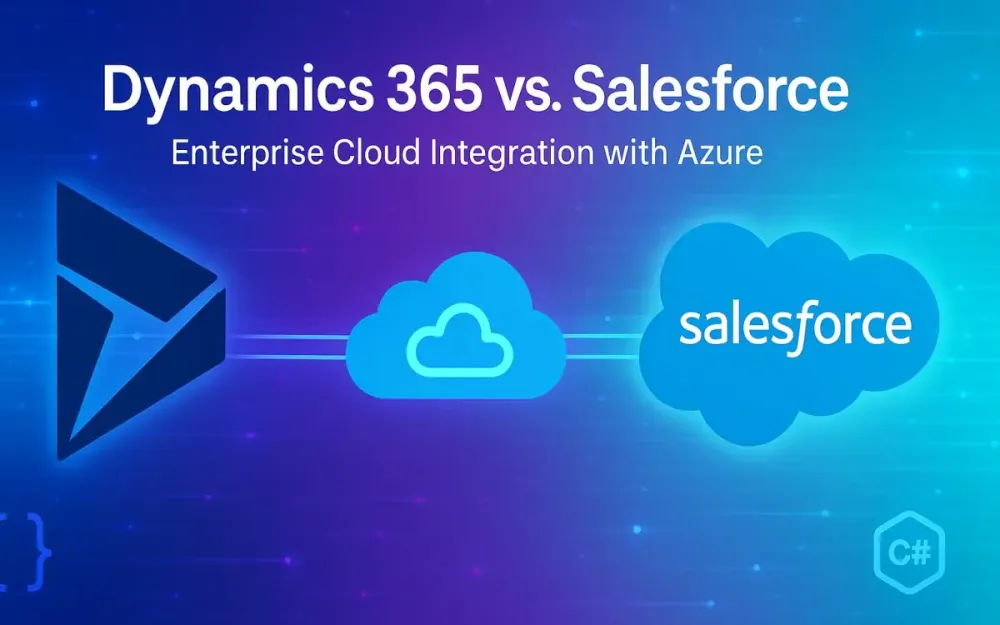
In 2025, enterprise CRM ecosystems have reached a new level of interoperability. Dynamics 365 and Salesforce—long viewed as competitors—now coexist in many large organizations, each owning distinct parts of the customer lifecycle. Architects face an increasingly common design problem: how to connect these systems in near real time with Azure-native components while keeping costs, complexity, and compliance under control. This guide answers a simple but hard question: How should .NET and Azure architects design reliable, secure, and future-proof integration patterns between Dynamics 365/Dataverse and Salesforce?
We’ll cover APIs, event streaming, identity, throughput limits, and new 2025 capabilities like Dataverse Link to Microsoft Fabric and Salesforce Pub/Sub API (gRPC + Avro). The goal isn’t to pick a winner but to show how each CRM fits into a composable, governed Azure integration fabric.
1.1 What this guide covers (and what it doesn’t)
This guide focuses on architectural and implementation patterns for integrating Dynamics 365 (Dataverse) and Salesforce with Azure services using modern .NET approaches. It emphasizes:
- Server-to-server integrations: authenticated with service principals, not user impersonation.
- Event-driven design: using Service Bus, Event Hubs, and Event Grid for CRM-originating events.
- Data movement and analytics: landing structured CRM data in Microsoft Fabric (OneLake) using native connectors or streaming ingestion pipelines.
- Identity, reliability, and cost: how authentication, throttling, and message semantics affect architecture.
What it doesn’t cover:
- UI-level integrations (e.g., embedding Salesforce in Teams or Dynamics in Outlook).
- Vendor-neutral iPaaS products like MuleSoft or Boomi—though parallels are noted.
- Non-Azure destinations (e.g., AWS Kinesis, GCP Pub/Sub).
This is a deep technical guide written from the perspective of Azure-native architects who want first-principles understanding before adopting managed connectors or prebuilt Logic Apps.
1.2 Who this is for: senior developers, tech leads, and architects building on .NET + Azure
This article is for those who:
- Design or review integrations between Dynamics 365/Dataverse and Salesforce, often coexisting within the same enterprise.
- Work primarily in the .NET and Azure ecosystem—using C#, Azure Functions, Event Hubs, Service Bus, and Key Vault.
- Need to implement streaming, transactional, or analytical integration patterns that scale across tenants and regions.
- Care about governance, observability, and cost predictability as much as throughput.
You’ll benefit most if you:
- Already understand the basic CRM data model (Accounts, Leads, Opportunities).
- Are comfortable with cloud messaging, OAuth 2.0, and API rate limits.
- Need pragmatic code examples, not just architecture diagrams.
If you’ve ever asked “How do I stream CDC events from Salesforce into Azure Event Hubs for analytics?” or “What’s the Azure-native way to push Dataverse plugin events into a Service Bus topic?”—you’re in the right place.
1.3 Decision highlights at a glance
Before diving into details, here’s the 2025 integration landscape in summary.
1.3.1 Dynamics 365/Dataverse vs. Salesforce: strengths by integration scenario
| Integration Scenario | Prefer Dataverse | Prefer Salesforce |
|---|---|---|
| Operational eventing (business process triggers, workflows) | Native Service Bus endpoint + webhooks with retry semantics; plug-ins for in-flight enrichment | Platform Events / CDC with durable replay and schema evolution |
| Streaming analytics / data lake | Link to Microsoft Fabric (Delta Parquet in OneLake) – zero-code, governed | Pub/Sub API → Event Hubs → Fabric/OneLake via stream ingestion |
| Bulk sync / migration | Dataverse Change Tracking API + Bulk Import | Bulk API 2.0 (up to 150M records/day; CSV/JSON) |
| Command-style integration (create/update) | REST or Web API (strong OData semantics, transactional batch) | Composite API (parallel subrequests, 25 calls per request) |
| High-governance environments (regulated/EU) | EU Data Boundary (complete 2025) | Hyperforce deployment (region-bound) |
| Streaming performance ceiling | Medium (plugin/webhook throughput constrained by async ops service) | High (Pub/Sub API gRPC; 1,000+ events/sec per stream) |
In short:
- Dataverse excels in governed, Azure-integrated operational patterns.
- Salesforce leads in event-driven, high-volume streaming scenarios. Most enterprises end up using both: Dataverse for front-office operations and Salesforce for customer engagement, each integrated into a shared Azure backbone.
1.3.2 Azure landing options (Service Bus, Event Hubs, Functions, Fabric/OneLake) and when to use each
| Azure Component | Use When | Characteristics |
|---|---|---|
| Azure Service Bus | You need ordered, transactional command or workflow events | FIFO-ish delivery, durable topics/queues, DLQs, at-least-once |
| Azure Event Hubs | You need high-throughput streaming from CDC or telemetry | Append-only, partitioned, checkpointed consumers; replay support |
| Azure Event Grid | You need simple pub/sub for system notifications or governance | Push model, low latency, no replay |
| Azure Functions | You need serverless compute triggered by events or messages | Scale-to-zero, durable orchestrations supported |
| Microsoft Fabric (OneLake) | You need governed, analytical landing zone for CRM data | Delta/Parquet storage, unified governance with Purview |
These are not mutually exclusive. A mature integration often uses Service Bus for operational workflows, Event Hubs for streaming analytics, and Fabric for governed landing—all linked by Azure Functions.
1.4 What’s new in 2025 that changes your integration design
2025 brought two seismic updates that fundamentally shift CRM-to-Azure architecture:
1.4.1 Dataverse “Link to Microsoft Fabric” (OneLake) replaces legacy “Export to Data Lake” (F&O) deprecation
Previously, Dataverse data exports relied on “Export to Data Lake,” which pushed snapshots into Azure Data Lake Storage Gen2. This pattern had major limitations: fragile pipelines, manual refreshes, and limited schema evolution.
Now, Link to Microsoft Fabric connects Dataverse tables directly to OneLake as managed Delta Parquet datasets. You get:
- Zero-copy near real-time sync from Dataverse to Fabric.
- Automatic schema alignment with Dataverse metadata.
- Security propagation via Entra ID and Fabric workspaces.
- Native analytics via Power BI and Data Engineering experiences.
From an architecture standpoint:
- You no longer need custom ETL jobs or ADF pipelines for core Dataverse entities.
- Fabric becomes the source of truth for analytics, not intermediate ADLS storage.
- Integration with Azure Synapse and Purview is first-class.
Planning implication: sunset all legacy Data Lake exports by 2026. Use Link to Fabric for analytical needs, and use webhooks or Service Bus endpoints for operational eventing.
1.4.2 Salesforce Pub/Sub API (gRPC + Avro) as the preferred streaming interface
The Pub/Sub API—general availability in late 2024—is now the recommended streaming interface for Salesforce developers. It unifies Platform Events, Change Data Capture, and PushTopics under a single gRPC-based transport.
Key advantages:
- High throughput: gRPC streaming supports parallel multiplexing, enabling thousands of events per second.
- Schema-aware: messages are Avro-encoded, ensuring consistent typing and versioning.
- Client flexibility: supports official SDKs in Java, Python, Go—and community .NET implementations using Avro schemas.
- Durable replay: replay by
replayIdwithin retention window (up to 72 hours).
For Azure architects, this means:
- Direct, low-latency streams into Event Hubs using containerized .NET workers.
- Simplified schema evolution with Avro-to-Parquet translation.
- Reduced reliance on Salesforce’s REST-based Streaming API, which was bandwidth-constrained.
Together, these two evolutions—Dataverse→Fabric and Salesforce→Pub/Sub—redefine the integration baseline for 2025.
2 Foundations: platform building blocks in 2025
Before designing integration patterns, it’s essential to understand what each platform exposes in 2025: the APIs, events, and identity boundaries that underpin all workflows.
2.1 Dynamics 365 & Dataverse: architecture quick-tour
Microsoft’s Dataverse underpins all Dynamics 365 applications—from Sales to Customer Service to Field Operations. Architecturally, it’s a metadata-driven relational platform with event extensibility baked into its execution pipeline.
2.1.1 Dataverse Web API, plug-ins, webhooks, change tracking, and Azure Service Bus integration
In 2025, Dataverse offers multiple integration surfaces:
- Web API (OData v4): the canonical REST API for CRUD, query, and batch operations.
- Plug-ins: in-process .NET assemblies triggered on CRUD events within the Dataverse transaction pipeline. Ideal for validation or downstream signaling.
- Webhooks: lightweight HTTP POSTs triggered asynchronously after successful transactions—decoupled and retry-capable.
- Azure Service Bus endpoint registration: first-class integration where Dataverse directly posts messages to Service Bus queues/topics, bypassing HTTP endpoints.
- Change Tracking API: allows incremental pull of changed records without full table scans.
Example: triggering a webhook on account creation.
// Dataverse plugin: register webhook notification
var webhookRegistration = new Entity("serviceendpoint")
{
    ["name"] = "AccountCreatedWebhook",
    ["url"] = "https://myapi.azurewebsites.net/api/dataversehook",
    ["contract"] = "webhook",
    ["authtype"] = "None"
};
service.Create(webhookRegistration);
This pattern allows post-commit events to reach Azure-hosted microservices without tight coupling.
Integration through Azure Service Bus
For production-grade eventing, Service Bus endpoints outperform direct webhooks. Dataverse natively pushes messages to a Service Bus topic:
{
  "PrimaryEntityName": "account",
  "MessageName": "Create",
  "BusinessUnitId": "c6a...",
  "CorrelationId": "3c8f...",
  "InputParameters": {
    "Target": {
      "name": "Contoso Ltd"
    }
  }
}
From Azure, a Function can consume it:
[Function("ProcessDataverseEvent")]
public void Run([ServiceBusTrigger("crm-topic", "account-created")] string message)
{
    _logger.LogInformation("Received Dataverse event: {0}", message);
}
This enables low-latency event propagation with Azure-native monitoring and retry semantics.
2.1.2 Dataverse → Microsoft Fabric (OneLake) link & Delta Parquet—positioning vs. historical export options
Dataverse → Fabric is a no-code dataflow that streams tables as managed Delta Parquet datasets into OneLake.
Technical highlights:
- Delta Parquet format: supports ACID transactions, schema evolution, and time travel.
- Direct query compatibility: Power BI and Synapse can read without data movement.
- Managed identity: permissions mirror Dataverse security roles via Fabric workspaces.
- Incremental sync: near-real-time, typically sub-5-minute latency.
This replaces:
- Export to Data Lake (deprecated)
- Azure Synapse Link for Dataverse (now superseded by Fabric Link)
Use cases:
- Analytical dashboards that require governed, queryable CRM data.
- Joining Dataverse and Salesforce datasets inside Fabric using Delta Lake semantics.
Trade-offs:
- Not suitable for operational integration (no event triggers).
- Throughput limited by Dataverse async service (~1–2k/s table-level updates).
2.2 Salesforce core integration surfaces
Salesforce provides an equally rich set of APIs—but with stricter quotas and clearer separation between transactional and streaming use cases.
2.2.1 REST/Composite/Bulk API 2.0 (ingest/query), limits & throughput considerations
Salesforce’s REST APIs include:
- REST API: simple CRUD and SOQL queries.
- Composite API: combine multiple sub-requests into one call; limited to 25 calls per request.
- Bulk API 2.0: for batch uploads or queries up to 150M records/day.
Example of a Composite API call:
POST /services/data/v61.0/composite
{
  "compositeRequest": [
    {
      "method": "POST",
      "url": "/services/data/v61.0/sobjects/Account",
      "body": {"Name": "Contoso Ltd"},
      "referenceId": "newAccount"
    },
    {
      "method": "POST",
      "url": "/services/data/v61.0/sobjects/Contact",
      "body": {"LastName": "Reeves", "AccountId": "@{newAccount.id}"}
    }
  ]
}
Bulk API 2.0 is preferred for nightly syncs or migrations. Performance tips:
- Use gzip compression and PK chunking for large queries.
- Watch daily batch and record limits—architect retry/backoff logic with exponential backoff on HTTP 429.
2.2.2 Platform Events, Change Data Capture channels, Pub/Sub API (gRPC/Avro), replay windows, durability
Salesforce’s event ecosystem evolved significantly:
- Platform Events: custom event types with publish/subscribe semantics.
- Change Data Capture (CDC): automatic streaming of CRUD changes for standard or custom objects.
- Pub/Sub API: unified, gRPC-based API replacing legacy Streaming API.
Example: subscribing to Lead CDC via Pub/Sub API.
# gRPC client subscription (pseudocode)
subscribe("data/LeadChangeEvent", replayPreset="LATEST")
onMessage(msg => process(msg.payload))
Messages are Avro-encoded:
{
  "schema": {
    "type": "record",
    "name": "LeadChangeEvent",
    "fields": [
      {"name": "Id", "type": "string"},
      {"name": "ChangeType", "type": "string"},
      {"name": "ModifiedDate", "type": "long"}
    ]
  }
}
Durability:
- Replay retention up to 72 hours.
- Guaranteed order per channel, not across channels.
- Delivery: at-least-once.
Architectural advice:
- Use Pub/Sub API for scalable, bi-directional streaming.
- Use Platform Events for internal Salesforce automation.
- Use REST APIs for deterministic CRUD/queries.
2.3 Azure integration targets used throughout this article
Azure provides the connective tissue between CRMs and downstream systems.
2.3.1 Service Bus vs. Event Hubs vs. Event Grid—semantics, delivery, replay, and scale
| Feature | Service Bus | Event Hubs | Event Grid |
|---|---|---|---|
| Pattern | Commands, workflows | Streaming, analytics | Notifications |
| Delivery | At-least-once, ordered (per session) | At-least-once, partitioned | Push, at-most-once |
| Replay | DLQ/manual | Checkpoint-based | None |
| Scale | Thousands/s | Millions/s | Thousands/s |
| Use Case | Operational integration | CDC/event analytics | System-wide signaling |
In CRM integration:
- Use Service Bus for event-driven workflows (Lead created → notify ERP).
- Use Event Hubs for continuous CDC ingestion (Salesforce Pub/Sub or Dataverse streaming).
- Use Event Grid for monitoring and meta-events (pipeline state, schema updates).
2.3.2 Azure Functions triggers/bindings for Service Bus/Event Hubs; scaling considerations
Azure Functions natively bind to Service Bus and Event Hubs with minimal configuration.
Example Function trigger:
[Function("LeadProcessor")]
public async Task Run([EventHubTrigger("salesforce-cdc", Connection = "EventHubConnection")] string[] events)
{
    foreach (var evt in events)
        _logger.LogInformation("Received: {0}", evt);
}
Scaling behavior:
- Event Hubs: Functions scale by partition; ensure partition count matches expected concurrency.
- Service Bus: Functions scale based on queue depth; avoid long message locks.
- Use Durable Functions for orchestration or aggregation.
Best practices:
- Implement idempotency keys using CRM record IDs.
- Configure poison queue handling for malformed messages.
- Prefer Managed Identity over connection strings.
2.3.3 Microsoft Fabric (OneLake) as the governed lake landing zone
Microsoft Fabric unifies storage, analytics, and governance. OneLake acts as a single logical data lake across workspaces.
For CRM integration:
- Dataverse Link automatically creates Delta tables in OneLake.
- Salesforce streams can land via Event Hubs → Dataflows Gen2 → Delta sink.
- Fabric Notebooks or Synapse Data Engineering can join Dataverse and Salesforce data natively.
Governance highlights:
- Built-in Purview lineage tracking.
- Row-level security via Entra ID roles.
- Unified capacity management for compute/storage.
In practice, architects can define a shared Customer 360 lakehouse where both Salesforce and Dynamics events converge in consistent Delta format—ready for BI or ML workloads.
3 Identity & authorization patterns: Entra ID vs. Salesforce OAuth
Identity management is the backbone of any secure integration. By 2025, both Microsoft and Salesforce have matured their identity ecosystems around OAuth 2.0, OpenID Connect, and certificate-based trust models. However, architects integrating Dataverse and Salesforce with Azure must understand the subtle distinctions in how these systems manage authentication, token lifetime, and privilege scopes. A robust identity design ensures you can move data and events confidently between systems without overexposing privileges or embedding secrets in code.
3.1 Dynamics 365/Dataverse authentication
Dataverse, built on Microsoft Entra ID (formerly Azure Active Directory), uses the same authentication stack as other Microsoft SaaS platforms. Integrations typically use service-to-service (S2S) authentication, meaning a background application connects using its own identity, not a human user’s.
3.1.1 Microsoft Entra ID (formerly Azure AD): app registrations, S2S (application user), MSAL, certificate vs. secret
To authenticate with Dataverse programmatically, architects register an application in Entra ID, grant API permissions to the Dynamics CRM resource, and create a corresponding Application User in the Dataverse environment. Here’s a quick step-through in .NET using the Microsoft Authentication Library (MSAL):
var clientId = Environment.GetEnvironmentVariable("ClientId");
var tenantId = Environment.GetEnvironmentVariable("TenantId");
var authority = $"https://login.microsoftonline.com/{tenantId}";
var cert = new X509Certificate2("integration-cert.pfx", "P@ssw0rd");

var app = ConfidentialClientApplicationBuilder.Create(clientId)
    .WithAuthority(authority)
    .WithCertificate(cert)
    .Build();

var scopes = new[] { "https://yourorg.crm.dynamics.com/.default" };
var result = await app.AcquireTokenForClient(scopes).ExecuteAsync();

using var http = new HttpClient();
http.DefaultRequestHeaders.Authorization =
    new AuthenticationHeaderValue("Bearer", result.AccessToken);

var response = await http.GetAsync("https://yourorg.api.crm.dynamics.com/api/data/v9.2/accounts");
Certificate vs. Secret:
- Certificates provide stronger assurance, allow rotation via Key Vault, and avoid plaintext exposure.
- Secrets are quicker for prototyping but must be rotated frequently and stored securely. As of 2025, Microsoft recommends certificate-based credentials for all S2S applications.
3.1.2 Single-tenant vs multi-tenant app models; RBAC and least-privilege scopes
In single-tenant apps, the Entra app registration lives in the same tenant as Dataverse, simplifying governance and consent. This is ideal for internal enterprise integrations. Multi-tenant apps, however, enable cross-org or ISV scenarios—your app can access multiple customers’ Dataverse environments, subject to admin consent per tenant.
Role-based access control (RBAC) within Dataverse maps Application Users to security roles. Always assign the minimum required roles, e.g., “Integration - Read Accounts” rather than “System Administrator.” Avoid global permissions that expose other business units. For advanced scenarios, use Conditional Access policies to restrict app logins to specific IPs, and enforce Managed Identity for Azure-hosted workloads that call Dataverse directly.
3.2 Salesforce authentication
Salesforce uses standard OAuth 2.0 flows but wraps them in its Connected App model. The connected app acts as a trust boundary defining callback URLs, scopes (e.g., api, refresh_token), and allowed users or profiles.
3.2.1 OAuth 2.0 Client Credentials flow with connected apps and “run-as” integration user (minimum access profile)
When integrating server-to-server from Azure to Salesforce (for example, pushing updates into Salesforce from a Function), use the Client Credentials flow. It allows an application to authenticate using its consumer key and secret without user interaction.
var client = new HttpClient();
var body = new Dictionary<string, string>
{
    ["grant_type"] = "client_credentials",
    ["client_id"] = Environment.GetEnvironmentVariable("SF_CLIENT_ID"),
    ["client_secret"] = Environment.GetEnvironmentVariable("SF_CLIENT_SECRET"),
    ["audience"] = "https://login.salesforce.com"
};

var response = await client.PostAsync("https://login.salesforce.com/services/oauth2/token",
    new FormUrlEncodedContent(body));

var token = JsonDocument.Parse(await response.Content.ReadAsStringAsync())
    .RootElement.GetProperty("access_token").GetString();
In Salesforce Setup → Connected Apps, assign a minimum-access profile (only required API scopes, no UI permissions) and specify an Integration User to “run as.” This ensures consistent audit logs and avoids impersonating actual employees.
3.2.2 OAuth 2.0 JWT Bearer flow for server-to-server integrations; when to prefer over client credentials
The JWT Bearer flow is a more secure, certificate-backed variant suitable for production workloads. It eliminates the need to store a client secret. Instead, your .NET app signs a JWT assertion with a private key corresponding to the connected app’s uploaded certificate.
Example in C#:
var privateKey = File.ReadAllText("integration.pem");
var handler = new JwtSecurityTokenHandler();
var descriptor = new SecurityTokenDescriptor
{
    Issuer = clientId,
    Audience = "https://login.salesforce.com",
    Subject = new ClaimsIdentity(new[] { new Claim("sub", "integrationuser@contoso.com") }),
    Expires = DateTime.UtcNow.AddMinutes(3),
    SigningCredentials = new SigningCredentials(
        new X509SecurityKey(new X509Certificate2(privateKey, "P@ssw0rd")), "RS256")
};
var token = handler.CreateEncodedJwt(descriptor);
POST that assertion to /services/oauth2/token with grant_type=urn:ietf:params:oauth:grant-type:jwt-bearer.
Prefer JWT Bearer flow when you need:
- No persistent secret storage (only private key in Key Vault)
- Better audit traceability (user-level subject claims)
- Compliance with certificate rotation policies
3.2.3 Token lifecycle, secret storage, and rotation patterns for .NET on Azure
Access tokens in Salesforce typically last 15 minutes. Long-lived integrations should implement token caching and graceful refresh.
Best practices in Azure:
- Store secrets and certificates in Azure Key Vault.
- Use Managed Identity for Azure Functions or container apps that need Key Vault access.
- Implement token caching in-memory or in Redis to minimize redundant logins.
Example using Key Vault in .NET:
var client = new SecretClient(
    new Uri("https://myvault.vault.azure.net/"),
    new DefaultAzureCredential());
var secret = await client.GetSecretAsync("SalesforcePrivateKey");
Set up rotation policies:
- Salesforce: rotate connected app certificates yearly.
- Entra: rotate application certificates every 6–12 months.
- Use Azure Automation or GitHub Actions to automatically update Key Vault secrets and trigger app redeployment.
3.3 End-to-end auth in hybrid patterns (Salesforce → Azure, Dataverse → Azure)
Cross-cloud scenarios require chaining authentication contexts correctly. For example, a Salesforce CDC client running in Azure authenticates against Salesforce via OAuth JWT, then publishes messages into Azure Event Hubs using Entra RBAC.
3.3.1 Passwordless access to Event Hubs/Service Bus via Entra and RBAC from Functions/containers
Modern Azure messaging fully supports passwordless authentication using Microsoft Entra Managed Identity. For instance, an Azure Function processing Dataverse events via Service Bus doesn’t need connection strings:
var client = new ServiceBusClient("sb://mybus.servicebus.windows.net/",
    new DefaultAzureCredential());
var sender = client.CreateSender("crm-topic");
await sender.SendMessageAsync(new ServiceBusMessage(payload));
This works because the Function App’s managed identity is granted the Azure Service Bus Data Sender role.
Similarly, containerized workers in Azure Container Apps or Kubernetes can use Workload Identity to exchange tokens securely.
In Salesforce streaming ingestion pipelines, adopt a dual-auth pattern:
- Authenticate to Salesforce via JWT flow.
- Authenticate to Event Hubs via Managed Identity or Entra-issued OAuth token. This avoids storing static keys across either boundary.
3.4 Common pitfalls checklist (e.g., consent, grant types, missing scopes)
- Missing admin consent: multi-tenant apps require explicit admin consent for each tenant.
- Wrong resource scope: ensure Dataverse token scopes match the environment URL.
- Expired certificates: cause subtle 401 errors; monitor with proactive expiry alerts.
- Incorrect grant_type: Salesforce rejects mismatched flow configurations.
- Storing tokens in logs: always sanitize error traces and use secure logging sinks.
- Over-scoped permissions: avoid assigning global roles; follow least privilege principle.
- Multiple redirect URIs: in Entra, register only those required; reduce phishing surface.
A well-structured identity layer makes integrations both secure and maintainable—allowing you to focus on event and data flows without firefighting authentication issues.
4 Integration primitives: APIs, webhooks/CDC, and event streaming
Integration design begins with understanding the mechanisms by which CRMs communicate externally. In 2025, the dominant primitives are HTTP-based APIs for command/query operations and event streaming for near-real-time updates. Azure provides native endpoints that align neatly with both models.
4.1 Dataverse → Azure
Dataverse offers multiple push and pull patterns to push operational events into Azure.
4.1.1 Webhooks from Dataverse into your HTTP endpoints or Azure API Management; retries, payload contracts
Webhooks allow Dataverse to invoke external HTTP endpoints when records change. Key characteristics:
- Delivered asynchronously post-commit.
- Retries with exponential backoff.
- Configurable authentication headers.
Example webhook registration (simplified REST call):
POST /api/data/v9.2/serviceendpoints
{
  "name": "ContactWebhook",
  "url": "https://apim.contoso.com/crm/events",
  "contract": "webhook",
  "authvalue": "ApiKey xyz",
  "authtype": 2
}
Best practices:
- Use Azure API Management (APIM) as the webhook receiver. It offloads authentication, rate limiting, and payload validation.
- Return HTTP 200 quickly; offload work to background processors.
- For reliability, use an Azure Queue or Service Bus downstream rather than long-running logic in the API.
Payloads contain the logical name, record ID, and operation type. Example minimal webhook payload:
{
  "PrimaryEntityName": "contact",
  "MessageName": "Update",
  "BusinessUnitId": "c4d...",
  "CorrelationId": "a45...",
  "InputParameters": {
    "Target": { "contactid": "f7c...", "firstname": "Anna" }
  }
}
4.1.2 Posting from Dataverse execution pipeline to Azure Service Bus (service endpoint notification)
This mechanism integrates deeper into Dataverse’s plugin pipeline. You can configure a Service Endpoint in Dataverse pointing to an Azure Service Bus topic. When a record operation occurs, Dataverse serializes the context and posts it securely via Microsoft’s backend, ensuring delivery durability.
Azure-side consumer example:
[Function("DataverseServiceBusHandler")]
public void Run([ServiceBusTrigger("crm-topic", "contact-updates")] string message)
{
    _logger.LogInformation("Received Dataverse update: {0}", message);
}
Pros:
- Fully managed push model.
- No public endpoint required.
- Built-in retry and poison handling.
Use this pattern for internal, secure event propagation to Azure where reliability trumps latency.
4.1.3 Change Tracking for incremental pulls (vs. push); pros/cons
For batch integrations or analytics where push isn’t practical, Change Tracking provides an efficient pull model. It allows querying only records that changed since the last sync token.
Example query:
GET /api/data/v9.2/accounts?$select=name,address1_city&$filter=modifiedon ge 2025-10-01T00:00:00Z&$trackchangesYou receive a delta link token to use in subsequent calls. Pros:
- Simplifies incremental data movement to Azure Data Factory or Fabric pipelines.
- No infrastructure needed for event receivers. Cons:
- Polling-based, not real-time.
- Can lag behind heavy transaction loads.
4.1.4 Link to Microsoft Fabric for near-real-time analytical landing vs. operational integration
As covered earlier, Link to Fabric continuously syncs Dataverse tables to Fabric’s Delta Parquet datasets. Use it for analytics, not for triggering workflows. Architects often combine patterns:
- Webhooks or Service Bus → for operational event propagation.
- Link to Fabric → for analytics and reporting.
This dual-path design separates transactional events from analytical data flow, aligning with the CQRS (Command Query Responsibility Segregation) principle.
4.2 Salesforce → Azure
Salesforce’s eventing architecture offers robust, durable mechanisms for propagating changes into Azure.
4.2.1 Change Data Capture channels, ordering, retention windows, replay IDs, and delivery semantics
CDC provides near-real-time change events for standard/custom objects.
Each CDC channel (e.g., /data/LeadChangeEvent) publishes events with metadata: replayId, ChangeType, and field diffs.
Example CDC message payload:
{
  "event": { "replayId": 1298 },
  "payload": {
    "ChangeEventHeader": {
      "entityName": "Lead",
      "changeType": "UPDATE",
      "commitNumber": 34821
    },
    "Id": "00Q3j00000A9f8ZEAQ",
    "Email": "newlead@contoso.com"
  }
}
Retention: 72 hours.
Delivery: at-least-once per subscription.
Replay control: clients can specify replayId=-1 (new events) or a stored ID for recovery.
In Azure, CDC clients typically run as containerized .NET workers that push events to Event Hubs.
4.2.2 Platform Events vs. CDC: when to pick each; cost/entitlement implications
| Scenario | Choose Platform Events | Choose CDC |
|---|---|---|
| Custom events (non-record) | ✅ | ❌ |
| Record CRUD events | ❌ | ✅ |
| High volume (>1k/s) | ❌ | ✅ |
| Enterprise license | Supported with limits | Included for standard objects |
| Schema evolution | Manual | Automatic |
Use Platform Events for business-domain notifications (e.g., “QuoteApprovedEvent”) and CDC for data sync. Cost-wise, Platform Events are subject to daily volume entitlements, while CDC shares limits with Streaming API usage. Monitor consumption in Salesforce Setup → Event Monitoring.
4.2.3 Pub/Sub API (gRPC + Avro): external client patterns, schema resolution, and decoding strategies
The Pub/Sub API replaces previous streaming endpoints. It delivers events as Avro-encoded records over gRPC streams.
A .NET client using Grpc.Net.Client can consume CDC events:
var channel = GrpcChannel.ForAddress("https://api.salesforce.com");
var client = new PubSubClient(channel);
var stream = client.Subscribe(new SubscribeRequest { TopicName = "/data/LeadChangeEvent" });

await foreach (var msg in stream.ResponseStream.ReadAllAsync())
{
    var data = AvroDecoder.Decode<LeadChangeEvent>(msg.Payload);
    _logger.LogInformation("Lead updated: {0}", data.Email);
}
Avro schemas are discoverable through the /schema endpoint. Cache them locally and regenerate classes using tools like AvroGen.
When bridging to Azure Event Hubs, simply serialize the Avro binary as the event body for downstream decoding in Fabric pipelines.
4.3 Azure landing choice architecture
The last link in the chain determines system behavior—how CRM events are captured and consumed downstream.
4.3.1 When to choose Service Bus (commands, workflows, FIFO-ish) vs. Event Hubs (telemetry/stream analytics) for CRM events
| Integration Intent | Recommended Service | Example |
|---|---|---|
| Workflow or process orchestration | Service Bus | Lead created → send notification email |
| Analytics or ML feature store | Event Hubs | Stream CDC → Delta sink in Fabric |
| Real-time UI updates | Event Grid | Notify front-end dashboards |
| Hybrid (command + analytics) | Dual landing | Service Bus topic + Event Hub mirror |
Design tip: keep command and event streams logically separate—Service Bus for “do this,” Event Hubs for “this happened.”
4.3.2 Azure Functions as event processors (trigger options, concurrency, poison handling)
Azure Functions simplify consumption. Example pattern:
[Function("ProcessLeadCDC")]
public async Task Run([EventHubTrigger("salesforce-leadcdc", Connection = "EventHubConn")] string[] events)
{
    foreach (var e in events)
        await _processor.ProcessAsync(e);
}
Concurrency: Functions scale automatically per partition (Event Hubs) or per queue depth (Service Bus). Poison handling: configure a dead-letter queue or blob container for failed messages. For complex workflows, chain orchestrations with Durable Functions.
4.3.3 Designing for replay and idempotency across CRM + Azure boundaries
Replay and idempotency prevent duplication and data drift between CRMs and Azure. Strategies:
- Use replay IDs (Salesforce) and correlation IDs (Dataverse) to detect duplicates.
- Maintain a deduplication store (Redis or Cosmos DB) keyed by message ID.
- In Event Hubs consumers, checkpoint after successful processing only.
- Make downstream operations idempotent—e.g., UPSERT by external ID instead of INSERT.
Example idempotent upsert:
await dataverseClient.UpsertAsync("account", new {
    externalid = "SF_00Q3j00000A9f8ZEAQ",
    name = "Contoso Ltd"
});
Together, these primitives enable a resilient, auditable integration backbone—event-driven, secure, and analytics-ready.
5 Governance: data residency, compliance, and org-level constraints
Governance defines what you may do—not just what you can. By 2025, regional data residency, encryption, and cross-cloud compliance are front-line concerns for CRM architects.
5.1 Dynamics 365/Power Platform data residency & EU Data Boundary (2025 completion)—what it does and doesn’t guarantee
Microsoft’s EU Data Boundary ensures that all customer data, processing,
and support for EU tenants occur within EU datacenters. What it guarantees:
- Storage and compute for Dataverse and Power Platform remain within EU regions.
- Support operations (telemetry, logs) are localized. What it doesn’t guarantee:
- External integrations—you must ensure Azure resources (Event Hubs, Service Bus) are provisioned in matching EU regions.
- Downstream analytics outside the boundary could reintroduce cross-border flow.
Architectural tip: deploy all Azure integration resources in the same Azure geography as the Dataverse environment to maintain residency compliance.
5.2 Salesforce Hyperforce residency (AWS/Azure/GCP regions) and contractual considerations
Salesforce’s Hyperforce replatforms its cloud architecture onto public cloud infrastructure, allowing regional deployments.
- EU, UK, and Australia regions are available on AWS. Azure-based Hyperforce regions are rolling out in North America and APAC.
- Data is encrypted at rest using tenant-specific keys, with logical isolation at the org level.
Integration implication:
- When ingesting from Hyperforce → Azure, ensure the Azure region matches the Salesforce data region.
- Document residency mapping in your Data Protection Impact Assessments (DPIA).
5.3 Cross-cloud legal reality: jurisdiction vs. geography; encryption and key management patterns
Residency ≠ sovereignty. Even if data stays in-region, legal jurisdiction may extend to the vendor’s home country. Architects mitigate risk through encryption and key control. Best practices:
- Use Customer-Managed Keys (CMK) for both Dataverse and Salesforce where available.
- Store encryption keys in Azure Key Vault with HSM-backed protection.
- Use end-to-end encryption for CDC or webhook payloads—encrypt JSON bodies using AES before transit if containing PII.
Sample encryption in .NET:
var key = Convert.FromBase64String(Environment.GetEnvironmentVariable("AES_KEY"));
using var aes = Aes.Create();
aes.Key = key;
aes.GenerateIV();
var cipher = aes.EncryptCbc(Encoding.UTF8.GetBytes(payload), aes.IV);
5.4 Designing regionally compliant pipelines into Azure and Fabric (OneLake workspaces, capacities, data movement controls)
Fabric introduces workspace-level controls that help enforce compliance boundaries:
- Workspace regions must match CRM source regions.
- Data movement controls prevent exporting to non-compliant regions.
- Purview integration ensures lineage and classification tagging for sensitive data.
For multi-region enterprises:
- Create separate Fabric capacities per regulatory domain (e.g., EU vs. US).
- Land CRM events into corresponding regional Event Hubs.
- Use cross-region Fabric Lakehouses only for aggregated, anonymized data.
Finally, automate compliance checks via Azure Policy and Purview scanning to ensure data never leaves approved regions inadvertently.
Through this layered approach—identity assurance, event-driven integration, and strong governance—you create a resilient, auditable, and compliant CRM integration fabric that’s fit for 2025 and beyond.
6 Throughput, limits, reliability, and cost levers
Even the most elegant architecture collapses under real-world limits if throughput, cost, and reliability aren’t designed together. CRM integrations—especially those spanning Dataverse, Salesforce, and Azure—must respect platform-imposed ceilings and balance volume against latency, durability, and price. Understanding these levers lets architects scale predictably instead of reactively.
6.1 API and event limits that bite architects
6.1.1 Dataverse service protection limits and request allocations; backoff patterns
Dataverse applies service protection limits to defend against noisy tenants and poorly behaved integrations. Each user or app is allotted a burst limit (6000 requests per 5 minutes) and a concurrent operation cap. Surpassing this threshold triggers HTTP 429 or 503 responses with a Retry-After header.
The recommended backoff algorithm is exponential with jitter, ensuring fair resource use:
async Task<HttpResponseMessage> ExecuteWithBackoff(Func<Task<HttpResponseMessage>> action)
{
    int retries = 0;
    var rand = new Random();
    while (true)
    {
        var response = await action();
        if (response.StatusCode != (HttpStatusCode)429 &&
            response.StatusCode != (HttpStatusCode)503)
            return response;

        var retryAfter = response.Headers.RetryAfter?.Delta?.TotalSeconds ??
                         Math.Min(2 * Math.Pow(2, retries++), 60);
        await Task.Delay(TimeSpan.FromSeconds(retryAfter + rand.NextDouble() * 2));
    }
}
For high-frequency integrations, distribute load across multiple application users, each with separate limits, or offload batch reads to Change Tracking. When integrating through Azure Functions, prefer queue-driven fan-out rather than parallel HTTP bursts to maintain stability.
6.1.2 Salesforce Bulk API 2.0 & CDC allocations, daily job/record windows, monitoring usage
Salesforce enforces limits per org, per day:
- Bulk API 2.0: 150 million records or 15,000 batches/day.
- CDC: 72-hour retention, per-object streaming allocations (typically 100–200 concurrent subscriptions).
The Bulk API 2.0 is asynchronous; exceeding batch limits queues jobs that may fail silently if quotas are exhausted. Monitoring is crucial—use the Limits API:
GET /services/data/v61.0/limitsThe response includes DailyBulkApiRequests and DailyApiRequests counters.
Architectural workaround:
- Combine Bulk API 2.0 for historical syncs with CDC for incremental updates.
- Implement job orchestration with Azure Durable Functions or Data Factory pipelines.
- Log batch completion metrics and dynamically throttle bulk uploads when usage approaches 90%.
In .NET, a retry strategy with backoff and chunked uploads helps stay within constraints:
foreach (var chunk in accounts.Chunk(10000))
{
    await UploadChunkAsync(chunk);
    await Task.Delay(TimeSpan.FromSeconds(2)); // throttle to respect Salesforce governor limits
}
6.2 Managed connectors and integration runtimes
6.2.1 Azure Logic Apps (Standard vs. Consumption) billing, Enterprise connector per-call charges; when connectors become cheaper than code
Logic Apps are often dismissed as “no-code,” but for CRM integration, they can be a cost-efficient runtime—if used intentionally.
| Mode | Pricing Model | When to Use |
|---|---|---|
| Consumption | Pay-per-execution + per-connector call | Low-volume, event-driven workloads |
| Standard | Fixed compute plan (App Service) | High-frequency or enterprise connectors |
Enterprise connectors (Dataverse, Salesforce) cost roughly $0.00025–$0.0005 per call under Consumption. If you execute >200K calls/month, Standard or custom Function code often becomes cheaper.
Cost crossover example:
- 200K Dataverse API calls via Logic Apps: ~$50/month.
- Equivalent Function App running continuously: ~$25/month.
When total run frequency is unpredictable (spiky workloads), Consumption keeps costs linear. For continuous syncs, Standard or Functions + SDKs provide better control.
6.2.2 Connector choices for Salesforce and Dataverse; when to use Functions/SDKs instead
Both Salesforce and Dataverse offer official Azure connectors, but with trade-offs:
- Dataverse connector supports trigger-on-create/update actions but has limited retry logic.
- Salesforce connector supports CRUD and query, but not Pub/Sub (only legacy streaming).
Use connectors for low-code orchestrations, such as approval workflows or data copy into SharePoint. Switch to custom .NET Functions when you require:
- Fine-grained error handling or batching.
- Streaming CDC via Pub/Sub API.
- Cross-system transactions or durable orchestration.
Pattern:
- Prototype in Logic Apps → Migrate to Functions once stabilized.
- For Dataverse, prefer MSAL + Web API.
- For Salesforce, use HttpClient + OAuth/JWT Bearer pattern.
6.3 Azure messaging cost and scale knobs (Service Bus tiers; Event Hubs throughput units/capture) with simple sizing heuristics
Azure messaging costs scale linearly with throughput, and poor sizing can quickly dominate monthly spend.
Service Bus Tiers:
- Basic: No topics, only queues. (~$0.05/million ops)
- Standard: Supports topics, sessions, DLQs. (~$0.10/million ops)
- Premium: Dedicated compute units for predictable latency. (~$0.55/hour per messaging unit)
Sizing heuristic:
- Start with Standard unless you exceed ~1,000 msgs/sec sustained or require VNET integration.
- Each Premium messaging unit (MU) supports ~1,000–1,500 msgs/sec.
Event Hubs Throughput Units (TUs): Each TU = 1 MB/s ingress, 2 MB/s egress. Sizing:
Estimated TU = (avg event size * events per second) / 1 MBIf your CDC stream emits 200 events/sec @ 2 KB each:
(200 * 2 KB) / 1 MB = 0.4 TU → provision 1 TU minimum.
Event Hubs Capture automatically writes streams to Blob/Fabric every 5 minutes. For Salesforce CDC streaming, Capture + Fabric ingestion provides a simple, cost-effective landing pattern for analytics pipelines.
6.4 Fabric (OneLake) capacity planning notes for “Link to Fabric” landings
Fabric operates on capacity units (CUs)—shared compute pools for Lakehouses, Pipelines, and Reports. Each CU equates roughly to 1 vCore of capacity.
Rules of thumb:
- 1 CU can handle ~1M Dataverse record changes/day in Delta sync mode.
- For dual-CRM environments, plan 3–4 CUs for mid-size orgs (up to 10M daily record deltas).
- Opt for Autoscale on Fabric capacities to accommodate bursts.
Fabric link writes in Delta Parquet, which is compute-light but metadata-heavy. Monitor:
- Commit logs size growth in OneLake (optimize partitions).
- Refresh latency (target <5 min for near-real-time analytics).
- Use Fabric APIs to automate dataset refresh and validation after schema changes.
Example Fabric workspace configuration via REST:
PUT /powerbi/oneLake/workspaces/{id}/settings
{
  "capacityId": "f4b3-9a",
  "autoScale": true,
  "maxCUs": 5
}
6.5 Operability SRE playbook: dead-letter queues, replay, schema evolution, observability
Reliability isn’t just uptime—it’s controlled failure. Azure’s native messaging tools support rich SRE playbooks.
Dead-letter queues (DLQs): Enable DLQs on all Service Bus subscriptions. Failed messages accumulate for inspection and replay. Example requeue in .NET:
await using var client = new ServiceBusClient("sb://mybus.servicebus.windows.net/");
var receiver = client.CreateReceiver("crm-topic/$DeadLetterQueue");
var msg = await receiver.ReceiveMessageAsync();
await client.CreateSender("crm-topic").SendMessageAsync(msg);
Replay:
- Salesforce CDC: use
replayIdoffsets. - Event Hubs: use consumer group checkpoints.
Schema evolution:
- CDC/Avro: maintain schema registry (Git-based) for version control.
- Dataverse: detect metadata changes via Web API
/EntityDefinitions. - Introduce forward-compatible deserializers tolerant of missing fields.
Observability:
- Emit metrics via Application Insights: message lag, DLQ depth, Function latency.
- Correlate with CRM correlation IDs for end-to-end tracing.
- Standardize on a structured log schema:
{ "traceId": "abc123", "source": "SalesforceCDC", "entity": "Lead", "latencyMs": 245 }7 Reference architectures (step-by-step with .NET/Azure)
This section translates theory into concrete blueprints—real-world reference patterns that teams can adopt or adapt.
7.1 Real-time lead routing (both CRMs)
7.1.1 Salesforce: CDC on Lead → Pub/Sub API client (containerized .NET worker) → Service Bus Topic → Functions fan-out → downstream microservices; replay & dedup with Redis/Store
In this pattern, a .NET worker subscribes to Salesforce Lead CDC events via Pub/Sub API. Messages are Avro-decoded, enriched, and pushed to a Service Bus topic.
Worker snippet:
var client = new PubSubClient(channel);
await foreach (var msg in client.SubscribeAsync("/data/LeadChangeEvent"))
{
    var evt = AvroDecoder.Decode<LeadChangeEvent>(msg.Payload);
    if (await _redis.ExistsAsync(evt.ReplayId)) continue; // dedup
    await _redis.SetAsync(evt.ReplayId, 1, TimeSpan.FromHours(72));
    await _busSender.SendMessageAsync(new ServiceBusMessage(JsonSerializer.Serialize(evt)));
}
Downstream, Azure Functions fan out topic subscriptions:
- One handles lead scoring (AI model).
- Another routes leads to the correct sales region. Failures are automatically retried, and DLQs retain problematic messages for review.
7.1.2 Dataverse: Webhook/Service Endpoint → Service Bus Topic → Functions (Durable patterns) → Sales handoff and SLA timers
Dataverse plugin posts “Lead Created” events into a Service Bus topic. Azure Function (Durable Orchestration):
[Function("LeadWorkflowOrchestrator")]
public async Task Run([ServiceBusTrigger("crm-leads", "new")] string msg,
                      [DurableClient] IDurableOrchestrationClient starter)
{
    await starter.StartNewAsync("LeadProcess", msg);
}
Orchestrator workflow:
- Validate lead enrichment.
- Call external ERP/CPQ systems.
- Set Durable Timer for SLA tracking.
If processing exceeds SLA, an escalation event triggers. Durable Functions manage state reliably even across retries.
7.1.3 SLA metrics and idempotency, exactly-once-like processing with message keys
For deterministic processing:
- Use Salesforce ReplayId and Dataverse CorrelationId as deduplication keys.
- Store processed keys in Redis or Cosmos DB with TTL.
- Implement exactly-once-like semantics via idempotent upserts.
Metric example:
_metrics.TrackDependency("LeadRouting", "SalesforceCDC", latency, success);Export SLA metrics to Application Insights or Prometheus dashboards.
7.2 CPQ sync (price/quote) across CRM + ERP
7.2.1 Change-driven, event-first design: CDC/Platform Events (Salesforce) vs. plug-in/webhook (Dataverse)
Both CRMs emit pricing and quote updates.
- Salesforce → Platform Events
QuoteUpdatedEvent. - Dataverse → Plug-in-triggered webhook to Azure API.
Central Azure Function aggregates both sources, merges payloads, and posts to ERP integration API. Use event-first architecture to prevent dual writes.
7.2.2 Conflict handling, version vectors, and compensations
Conflicts arise when both CRMs update the same quote concurrently. Maintain version vectors (timestamp + system source).
if (sfVersion > dvVersion) ApplySalesforceChange();
else if (dvVersion > sfVersion) ApplyDataverseChange();
else ResolveConflict();
Compensation logic—if ERP rejects an update, raise a “QuoteSyncFailed” event to reverse prior changes.
7.2.3 Bulk backfills via Bulk API 2.0 or Dataverse Bulk (Retry/429 strategies)
For historical resyncs:
- Use Salesforce Bulk API 2.0 with chunking.
- Use Dataverse Batch Import API (up to 1000 records/batch).
Retry logic example:
for(int attempt=0; attempt<5; attempt++)
{
    var response = await PostBatchAsync(records);
    if (response.IsSuccessStatusCode) break;
    if (response.StatusCode == (HttpStatusCode)429)
        await Task.Delay(TimeSpan.FromSeconds(Math.Pow(2, attempt)));
}
7.3 Data lake landing to Microsoft Fabric (OneLake)
7.3.1 Dataverse “Link to Microsoft Fabric”: enabling, security model, Delta format, and CI/CD for Fabric items
Enable from Power Platform Admin Center → Link to Microsoft Fabric. The link automatically generates Delta tables in OneLake, secured by Entra ID.
CI/CD pattern:
- Deploy Fabric items using Fabric REST APIs.
- Manage datasets via Infrastructure as Code (Bicep/Terraform).
Example Bicep fragment:
resource fabricLink 'Microsoft.Fabric/workspaces/links@2025-01-01' = {
  name: 'dv-fabric-link'
  properties: {
    source: 'Dataverse'
    target: 'OneLake'
    format: 'Delta'
  }
}
7.3.2 Salesforce streaming + Event Hubs → Stream processing → Delta/Parquet sinks into OneLake (Fabric)
Architecture flow:
- Salesforce CDC → Event Hubs (Avro binary).
- Azure Stream Analytics job converts Avro → JSON/Delta.
- Output → Fabric Lakehouse Delta sink.
Example Stream Analytics query:
SELECT
    payload.Id AS LeadId,
    payload.Email,
    System.Timestamp AS IngestedAt
INTO FabricLeadDelta
FROM SalesforceCDCStream TIMESTAMP BY eventTimestamp;
7.3.3 Archival, governance, and lineage (Purview + Fabric)
Use Microsoft Purview to automatically register Fabric datasets and lineage.
- Tag Dataverse and Salesforce-originated tables with sensitivity labels.
- Configure retention policies (e.g., 7 years for audit).
- Use Fabric Dataflows Gen2 for automated rehydration of archived Delta tables.
8 Tooling, frameworks, and implementation guidance
8.1 .NET SDKs for Azure messaging and data
8.1.1 Azure.Messaging.ServiceBus / Azure.Messaging.EventHubs—current packages and passwordless auth
Both SDKs now use Azure.Identity for Entra-based passwordless authentication.
var bus = new ServiceBusClient("sb://crm.servicebus.windows.net", new DefaultAzureCredential());
await bus.CreateSender("leads").SendMessageAsync(new ServiceBusMessage(payload));
For Event Hubs:
var hub = new EventHubProducerClient("ehns", "salesforcecdc", new DefaultAzureCredential());
await hub.SendAsync(new[] { new EventData(payload) });
8.2 Salesforce streaming clients
8.2.1 Official Pub/Sub API quickstarts (Java/Python), Avro schemas, and decoding patterns; options for .NET via gRPC/Avro libs
Salesforce provides official clients in Java and Python. For .NET, use gRPC-generated stubs and an Avro decoding library (e.g., Chr.Avro).
var msg = await client.ReceiveAsync();
var evt = AvroSerializer.Deserialize<LeadChangeEvent>(msg.Payload);
Cache schemas locally and validate against Salesforce /schema endpoint weekly.
8.3 Integration frameworks & libraries popular in .NET shops
8.3.1 MassTransit for Azure Service Bus (OSS) — routing, sagas, outbox
MassTransit abstracts messaging complexity, offering sagas and automatic retries.
cfg.UsingAzureServiceBus((context, sb) =>
{
    sb.Host("sb://mybus.servicebus.windows.net");
    sb.ConfigureEndpoints(context);
});
8.3.2 NServiceBus (commercial, popular) for Service Bus — retries, sagas, topic-per-event topology (v5)
NServiceBus emphasizes enterprise reliability—transactional messaging, deferred retries, and monitoring via ServicePulse. Ideal for multi-tenant CRMs or complex sagas (e.g., quote lifecycle).
8.3.3 Dapr pub/sub with Azure Service Bus or Event Hubs (optional abstraction layer)
Dapr enables cloud-agnostic pub/sub abstractions. With a simple pubsub.yaml, you can switch between Service Bus or Event Hubs.
8.4 CI/CD, secrets, and policy enforcement
8.4.1 Bicep/Terraform for Azure; Key Vault, Managed Identity; APIM for inbound HTTP/webhook protection
Automate resource provisioning:
- Bicep deploys Functions, Service Bus, and Fabric resources.
- Key Vault stores certificates for Salesforce and Dataverse app registrations.
- API Management enforces OAuth and IP restrictions for inbound webhooks.
Pipeline snippet (GitHub Actions):
- name: Deploy Bicep
  run: az deployment group create -f main.bicep -g prod-rg
8.5 Test harnesses and local dev
8.5.1 Local emulator strategies; contract and schema tests for CDC/Avro and Dataverse payloads
For offline development, use:
- Azurite for Service Bus/Event Hubs emulation (basic message tests).
- WireMock.NET for mock Dataverse/Salesforce APIs.
- Schema contract tests ensuring Av
ro or JSON payloads match expected structure:
var schema = await AvroSchemaLoader.LoadAsync("LeadChangeEvent.avsc");
AvroValidator.Validate(schema, samplePayload);
In CI, run contract tests before deployments to catch schema drifts early—essential when CDC events evolve or Dataverse adds fields.
Together, these frameworks, CI/CD patterns, and testing practices anchor the integration lifecycle—ensuring that Dataverse and Salesforce integrations over Azure remain observable, governed, and ready for enterprise-scale workloads.