1 The Crisis of Static Workflows: Why Hard-Coded Logic Fails
Picture this: Your organization’s expense claim system looks sleek on the surface, but beneath it lurks a snarl of nested if-else statements, spaghetti logic, and hard-coded approver lists. For years, it’s “worked well enough.” But one day, a new policy lands—expenses over a certain threshold now need three approvals instead of two, with different approvers depending on department and location. Suddenly, what seemed like a manageable codebase turns into a maintenance nightmare.
1.1 The “If-Else” Nightmare: A Relatable Story
Imagine a mid-sized company using a traditional workflow system for expense approvals. At its heart lies a seemingly innocent method:
public ApprovalResult ApproveExpense(ExpenseClaim claim)
{
    if (claim.Amount < 500)
    {
        return ApproveByManager(claim);
    }
    else if (claim.Amount < 5000)
    {
        if (claim.Department == "Finance")
        {
            return ApproveByFinanceDirector(claim);
        }
        else
        {
            return ApproveByManagerThenDirector(claim);
        }
    }
    else
    {
        // Special cases, edge conditions, and legacy quirks...
        if (claim.Location == "Europe")
        {
            return ApproveByVP(claim);
        }
        else
        {
            return ApproveByCFO(claim);
        }
    }
}
What starts simple quickly becomes an unmanageable web of conditions. Want to add a new policy for international employees? Modify the code. Change the escalation path for IT? More code changes. Every policy tweak means digging into nested logic, risking unintended side effects.
1.2 The True Cost of Brittleness
1.2.1 Technical Debt
Every time a new rule or exception appears, someone must modify and test the application. This leads to several forms of technical debt:
- Deployment Bottlenecks: Each change—no matter how trivial—requires a full development, testing, and deployment cycle.
- Code Complexity: The conditional logic becomes increasingly convoluted, discouraging new contributors and increasing onboarding time.
- Hidden Dependencies: Minor changes in one path can have cascading, unpredictable effects on others.
1.2.2 Business In-agility
Static workflows put the brakes on business innovation.
- Slow Response to Change: When business leaders need to react to new regulations or market shifts, IT becomes the bottleneck.
- Shadow IT: Frustrated departments create unauthorized workarounds in Excel or low-code platforms, eroding process consistency.
- Missed Opportunities: The time and expense to rewire workflows means some initiatives are simply shelved.
1.2.3 High Risk of Errors
Hard-coded logic often leads to:
- Bugs in Edge Cases: Complex chains of nested conditions hide subtle bugs, especially as new rules are bolted on.
- Compliance Risks: Missed approvals, incorrect routing, and a lack of audit trails threaten regulatory compliance.
- Broken Trust: Stakeholders lose confidence in a system that routinely routes approvals incorrectly.
1.3 The Core Problem Statement
How do we decouple workflow logic from application implementation so that business rules can evolve at the speed of business—without a risky, slow, or error-prone code change every time?
2 The Solution: Introducing the Dynamic Approval Matrix Pattern
When you encounter a business process too complex for static logic—one with ever-changing rules, diverse participants, and high stakes for correctness—it’s time for a new architectural approach. Enter the Dynamic Approval Matrix pattern.
2.1 What is an Architectural Pattern?
Let’s clarify what we mean by an “architectural pattern.” Think of it as a repeatable, proven solution to a class of common problems faced by solution architects. Like design patterns at the code level, architectural patterns provide blueprints for addressing higher-order concerns: scalability, flexibility, maintainability, and alignment with business goals.
Patterns aren’t rigid. They’re starting points—mental models that help you frame a problem, avoid common pitfalls, and communicate with stakeholders.
2.2 Defining the Dynamic Approval Matrix
2.2.1 Core Concept
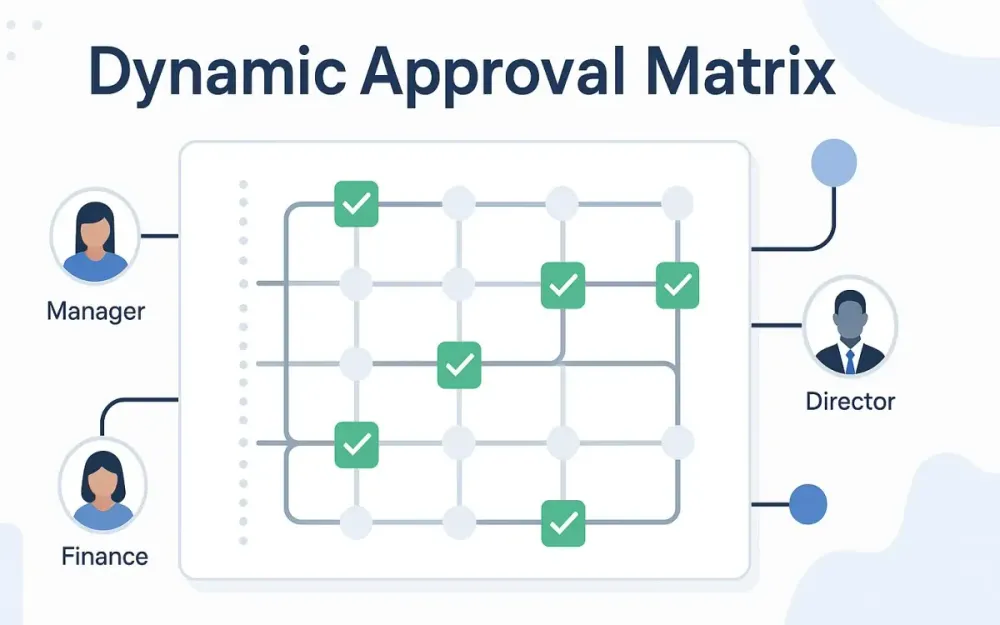
The Dynamic Approval Matrix pattern moves all routing, rules, and approver assignments out of code and into a centrally managed, data-driven model. The matrix defines every possible approval path for a given process, including:
- Stages (e.g., submit, review, escalate)
- Conditions (e.g., thresholds, departments, request types)
- Approver roles (not individuals)
- Escalation rules and parallel paths
This “matrix” is typically managed in a database, rules engine, or workflow orchestration system, and it is editable by authorized business users or process owners.
2.2.2 The GPS Analogy
Think about how GPS navigation works. The map data and traffic conditions are separate from your navigation software. When you need directions, the GPS dynamically computes the best route based on your current context—your starting point, destination, real-time road conditions, and personal preferences.
In the same way, the Dynamic Approval Matrix pattern calculates the approval path for each request in real-time, based on the request’s attributes. Change the policy? Update the “map”—not the application code. The system adapts instantly, rerouting requests as needed.
2.3 Guiding Principles of the Pattern
2.3.1 Externalized Rules
Approval logic is never embedded in application code. Instead, it lives in a configuration layer—whether a business rules management system (BRMS), a relational database, or a purpose-built workflow engine.
2.3.2 Data-Driven
All workflow behavior is defined by data—parameters, rules, mappings—that can be modified without a development cycle. This may be as simple as a lookup table or as advanced as a full-featured rules engine.
2.3.3 Business Empowerment
The pattern is designed for change. Non-technical business users, after appropriate training and permissioning, can adjust rules, add new stages, or update approvers, all without relying on IT.
2.3.4 Auditability & Transparency
Every routing decision is logged. Each step, rule evaluation, and approver action is recorded, providing a complete audit trail for compliance and diagnostics.
2.4 The Value Proposition
Why invest in the Dynamic Approval Matrix pattern? The benefits are strategic and long-term.
- Agility: Respond to business, regulatory, or organizational changes in hours instead of weeks.
- Reduced Total Cost of Ownership: Minimize developer involvement for workflow tweaks. Lower maintenance and support costs.
- Improved Compliance: Dynamic rules, coupled with complete audit trails, make it easy to demonstrate compliance.
- Faster Time-to-Market: New processes or changes can be rolled out rapidly, unlocking business value sooner.
3 The Blueprint: High-Level Architectural Considerations
Building a dynamic approval matrix isn’t just a question of where to put your business rules. The architectural decisions you make will profoundly influence the system’s flexibility, maintainability, scalability, and resilience over its lifetime. Let’s break down the major decisions facing solution architects as they begin this journey.
3.1 Choosing the Right Architectural Style
The choice of architectural style determines how the dynamic approval matrix integrates with your broader system. There’s no single “right” answer for every organization; instead, it’s about aligning architecture with your context and strategic priorities.
3.1.1 The Monolithic Approach
In some enterprises, business processes live inside a large, established monolithic application—perhaps an ERP or a core line-of-business system. Integrating a dynamic approval matrix pattern into such an environment is often tempting, especially if most workflows and data already reside there.
Pros:
- Simplicity of Deployment: Fewer moving parts, a single codebase, and consolidated deployment pipelines.
- Ease of Data Sharing: Direct, in-process access to existing business data, reducing the need for API contracts or service-to-service communication.
- Centralized Security and Auditing: One security context to manage, often simplifying compliance.
Cons:
- Limited Agility: Any change to workflow logic is tied to the overall release cycle of the monolith, which may be quarterly or even less frequent.
- Scalability Constraints: The approval engine cannot be scaled independently. High volume of approval requests might impact unrelated system components.
- Technology Stagnation: You’re bound to the language, frameworks, and database choices of the host system—even if more modern options exist.
- Barriers to Business Empowerment: Empowering business users to update workflows becomes harder in a locked-down, developer-centric application.
Monolithic integration can work as a short-term bridge, especially during digital transformation. However, for organizations that expect evolving business logic and demand process agility, its drawbacks accumulate rapidly.
3.1.2 The Microservices Approach (Recommended)
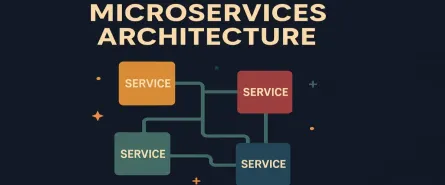
A more future-proof approach is to architect the approval matrix as an autonomous microservice—an “Approval Service” or “Workflow Service.” This service owns the responsibility for evaluating workflow rules, maintaining state, and orchestrating multi-stage approvals.
Why is this approach so powerful?
- It decouples workflow complexity from core business logic, allowing you to evolve both at their own pace.
- It opens the door for robust APIs, integration with third-party tools, and even multi-tenant SaaS offerings.
- Most importantly, it positions the dynamic approval matrix as a foundational platform capability, not just a feature of a single application.
3.1.2.1 Defining the Service Boundary and API Contract
Establishing clean boundaries is crucial for long-term success. The Approval Service should:
- Own all workflow metadata and execution state: It is the system of record for approval definitions, routing, assignments, and audit logs.
- Expose a clear API contract: External applications initiate workflow requests, query status, and receive event notifications without knowledge of internal logic.
- Be stateless at the API layer, stateful at the process layer: Each request carries all necessary context, but the engine maintains long-running process state internally.
A typical high-level API contract might include:
POST /approval-requests– Initiate a new workflow for a given process type and payload.GET /approval-requests/{id}– Query the status and current stage of a request.POST /approval-requests/{id}/actions– Record an approval, rejection, or delegation action.GET /approval-requests/{id}/history– Retrieve a full audit trail.
3.1.2.2 Benefits of Isolation, Independent Scaling, and Technology Autonomy
Isolation: Defects, performance spikes, or upgrades in the approval domain are neatly contained, reducing system-wide risk.
Independent Scaling: As volume grows, only the Approval Service needs to scale out—other business services remain unaffected.
Technology Autonomy: You’re free to choose the most effective languages, frameworks, and persistence technologies for the approval matrix, unconstrained by legacy decisions.
3.2 Synchronous vs. Asynchronous Processing
Workflows span multiple stages, stakeholders, and systems. How should the process flow be orchestrated? This decision shapes system reliability, user experience, and scalability.
3.2.1 API-based (Synchronous) Workflow
The simplest implementation uses direct, synchronous API calls. An external system initiates an approval request and, in some cases, waits for an immediate decision or status.
When is this viable?
- For single-step approvals or when users expect real-time feedback.
- In smaller organizations or pilot projects.
Trade-offs:
- Simplicity: Easy to reason about, debug, and deploy.
- Brittleness: The calling service must handle timeouts, errors, and partial failures. Long-running or multi-stage approvals are hard to model.
- Poor fit for Human-in-the-Loop Processes: When human action is required (e.g., waiting for a manager’s approval), synchronous calls are impractical.
3.2.2 Event-Driven (Asynchronous) Workflow
Mature, scalable approval systems rely on asynchronous processing. Here, message queues or event buses (such as RabbitMQ, Azure Service Bus, or Kafka) orchestrate the lifecycle of each request.
- Each key moment in a workflow emits an event, decoupling process steps and consumers.
3.2.2.1 Key Events in a Dynamic Approval Workflow
RequestSubmitted– A new workflow request is created and enters the system.StepAssigned– The workflow engine assigns a step to a user or role.StepApproved/StepRejected– An action is taken on a particular stage.WorkflowCompleted– The process reaches a terminal state (approved, rejected, escalated, or canceled).
These events may trigger notifications, downstream updates, or integration with other business systems. Each service only needs to care about the events relevant to its responsibilities.
3.2.2.2 Benefits of Resilience, Scalability, and Loose Coupling
- Resilience: Queued messages ensure no step is lost if a system is temporarily unavailable.
- Scalability: Processing can be distributed horizontally, handling surges in approval requests or spikes during audit season.
- Loose Coupling: Systems evolve independently. New workflow stages, integrations, or notification channels can be added with minimal friction.
3.3 Technology Stack Recommendations (as of 2025)
The rapid evolution of the .NET ecosystem, advances in database technology, and the maturity of modern front-end frameworks converge to create a robust, enterprise-ready stack for approval workflows.
3.3.1 Backend: .NET 8 / C#
- Performance and Reliability: .NET 8 offers high throughput, mature async support, and first-class APIs for cloud-native deployments.
- Language Features: C# 12+ brings concise records, pattern matching, and improved lambda support—ideal for rule evaluation and data modeling.
- Ecosystem: Rich libraries for message queues, ORM, and security.
3.3.2 Database: PostgreSQL or SQL Server
- Data Integrity: Complex workflows and audit trails benefit from ACID guarantees and transactional consistency.
- Query Power: PostgreSQL’s JSONB columns enable flexible, schema-less data (for request payloads), while relational modeling supports referential integrity for rules and history.
- Scalability and Cost: Both offer strong clustering, partitioning, and high-availability options for large-scale deployment.
3.3.3 Admin UI: React, Angular, or Blazor
- Rich Admin Experience: Modern SPAs provide business users with responsive tools to manage workflows, rules, and approvals.
- Security and Auditing: Integration with SSO and role-based access control ensures only authorized updates to approval logic.
- Real-Time Updates: Use of SignalR (in .NET) or WebSockets for live notifications.
4 The Data Foundation: Designing the Approval Matrix Schema
Even the most flexible engine is only as effective as the data structure behind it. A thoughtfully crafted schema is at the heart of the dynamic approval matrix. The right foundation ensures flexibility, clarity, auditability, and future growth.
4.1 The Philosophy of the Schema: Designing for Flexibility and Clarity
A dynamic approval matrix must strike a delicate balance:
- Expressiveness: It should capture any real-world workflow, from simple single-stage approvals to deeply nested, conditional paths.
- Maintainability: Business users (not just DBAs or developers) should find the schema intuitive enough to reason about.
- Traceability: Every stage, decision, and rule evaluation must be reconstructible for audits or diagnostics.
- Extensibility: New workflow types, stages, or rules should be addable without major refactoring or downtime.
4.2 Core Tables and Relationships
Let’s walk through a typical entity-relationship diagram (ERD) for an enterprise-grade approval matrix. This will anchor our thinking for both implementation and future evolution.
4.2.1 Workflows
The Workflows table is the anchor point, representing each distinct business process:
| WorkflowID | Name | Description | Active |
|---|---|---|---|
| 1 | ExpenseClaim | Employee expense reimbursement | true |
| 2 | PurchaseOrder | Procurement workflow | true |
Every request references a specific WorkflowID, keeping processes independent.
4.2.2 WorkflowStages
Each workflow can have multiple high-level stages, defining the overall process flow:
| StageID | WorkflowID | Name | Order | IsFinalStage |
|---|---|---|---|---|
| 1 | 1 | Manager Approval | 1 | false |
| 2 | 1 | Finance Review | 2 | false |
| 3 | 1 | Final Approval | 3 | true |
Stages can be linear, conditional, or even parallel, depending on your engine’s sophistication.
4.2.3 Rules
This is the engine’s beating heart. Each rule defines when a particular stage applies and what happens next.
| RuleID | WorkflowID | StageID | Priority | ConditionExpression | NextStageID_OnSuccess | NextStageID_OnFailure |
|---|---|---|---|---|---|---|
| 101 | 1 | 1 | 1 | {“amount”: “<500”} | 2 | 3 |
| 102 | 1 | 2 | 2 | {“dept”: “Finance”} | 3 | null |
- ConditionExpression: Can be a simple JSON filter, a custom DSL, or (for more advanced engines) a compiled expression.
- Priority: When multiple rules overlap, the highest priority wins.
- NextStageID: Determines the process path based on evaluation.
4.2.4 Approvers
Approvers are not just individuals, but can represent roles, groups, or even external systems.
| ApproverID | UserID | ApproverRole | DelegatedToUserID |
|---|---|---|---|
| 1001 | 52 | DepartmentManager | null |
| 1002 | 88 | FinanceDirector | 92 |
- Delegation: Supports out-of-office, proxy approval, or role-based routing.
4.2.5 RuleApprovers
This join table links rules to the specific approvers (or roles) responsible for a stage:
| RuleApproverID | RuleID | ApproverID | Role |
|---|---|---|---|
| 2001 | 101 | 1001 | null |
| 2002 | 102 | 1002 | null |
- By keeping this decoupled, you enable dynamic assignment: Change an approver or role mapping without rewriting rules or stages.
4.3 Tracking the Process: The Transactional Tables
A robust approval system not only drives processes but records their every step—vital for compliance, transparency, and troubleshooting.
4.3.1 ApprovalRequests
This table represents a single “instance” of a workflow—say, one expense claim’s journey through the process.
| RequestID | WorkflowID | CurrentStageID | Status | SubmittedBy | RequestData | SubmittedAt |
|---|---|---|---|---|---|---|
| 3001 | 1 | 2 | InProgress | 102 | { “amount”: 735, … } | 2025-06-01 10:12:00 |
| 3002 | 2 | 3 | Approved | 205 | { “vendor”: “ACME”, … } | 2025-06-02 09:30:00 |
- RequestData (JSONB): Flexible storage for process-specific payloads without altering the schema for each new workflow type.
4.3.2 ApprovalHistory
Every action—approval, rejection, delegation, or comment—is written here as an immutable log:
| HistoryID | RequestID | StageID | Action | ApproverID | Timestamp | Comments |
|---|---|---|---|---|---|---|
| 4001 | 3001 | 1 | Approved | 1001 | 2025-06-01 10:15:23 | ”Reviewed quickly.” |
| 4002 | 3001 | 2 | Rejected | 1002 | 2025-06-01 10:22:11 | ”Missing receipt.” |
This table enables full process traceability. Auditors can reconstruct every decision and see precisely when, by whom, and with what justification each action was taken.
4.4 Indexing Strategy: Ensuring Performance
As approval requests and history grow, a well-designed indexing strategy is non-negotiable:
- Rules Table: Index on
(WorkflowID, StageID, Priority)to optimize rule lookups during process evaluation. - ApprovalRequests: Index on
Status(to quickly fetch all in-progress items),CurrentStageID(for dashboards), andSubmittedBy. - ApprovalHistory: Composite index on
(RequestID, StageID)for fast audit queries and process tracking.
Consider partitioning ApprovalHistory by month or workflow if volume grows large. Regular index maintenance and statistics updates are critical to sustaining performance over time.
5 The Engine Room: C# Implementation with .NET 8
Building the Dynamic Approval Matrix is not just a data or process modeling challenge. The real test is architecting and implementing a robust, maintainable engine that interprets rules, evaluates conditions, and orchestrates multi-stage approvals in real time. Here’s a detailed walkthrough, from solution structure to advanced rule evaluation.
5.1 Setting Up the Project: Solution Structure for the “Approval Service”
Modern .NET development encourages clear separation of concerns, testability, and scalability from the ground up. For a dedicated Approval Service, a sample solution structure might look like:
/ApprovalService
  /ApprovalService.Api           // REST API controllers, DTOs
  /ApprovalService.Application   // Use cases, workflow orchestration, business logic
  /ApprovalService.Domain        // Core entities, aggregates, rule abstractions
  /ApprovalService.Infrastructure// Data access (EF Core), integrations
/ApprovalService.Tests // Unit and integration tests- Api: Exposes endpoints for creating requests, submitting approvals, and querying state.
- Application: Implements orchestration, workflow evaluation, and process coordination.
- Domain: Pure business logic and rule modeling, isolated from data and presentation concerns.
- Infrastructure: Database context, repositories, and external service adapters.
- Tests: All critical business scenarios and rule edge cases should be covered.
This structure supports maintainability, enables independent evolution of each layer, and aligns with Clean Architecture principles.
5.2 The WorkflowEngineService: The Core Logic Class
At the heart of the system is a service responsible for evaluating requests, advancing workflow stages, and recording decisions.
5.2.1 Data Access: Using Entity Framework Core
Entity Framework Core in .NET 8 provides the reliability, composability, and async support necessary for high-throughput transactional systems. Models map directly to our schema:
public class ApprovalRequest
{
    public int Id { get; set; }
    public int WorkflowId { get; set; }
    public int CurrentStageId { get; set; }
    public string Status { get; set; }
    public string RequestData { get; set; } // JSONB payload
    public int SubmittedBy { get; set; }
    public DateTime SubmittedAt { get; set; }
}

public class Rule
{
    public int Id { get; set; }
    public int WorkflowId { get; set; }
    public int StageId { get; set; }
    public int Priority { get; set; }
    public string ConditionExpression { get; set; }
    public int? NextStageIdOnSuccess { get; set; }
    public int? NextStageIdOnFailure { get; set; }
}
DbContext is implemented in the Infrastructure layer, configured for strong consistency and migrations.
5.2.2 Starting a Workflow
This operation accepts a workflow name and a loosely-typed data payload, validates it, instantiates a new request, and evaluates the matrix to determine the first stage and assigned approver(s):
public async Task<ApprovalRequest> StartWorkflowAsync(string workflowName, object requestData)
{
    var workflow = await _db.Workflows
        .FirstOrDefaultAsync(w => w.Name == workflowName && w.Active);

    if (workflow == null)
        throw new WorkflowNotFoundException(workflowName);

    var firstStage = await _db.WorkflowStages
        .Where(s => s.WorkflowId == workflow.Id)
        .OrderBy(s => s.Order)
        .FirstOrDefaultAsync();

    var request = new ApprovalRequest
    {
        WorkflowId = workflow.Id,
        CurrentStageId = firstStage.Id,
        Status = "InProgress",
        RequestData = JsonSerializer.Serialize(requestData),
        SubmittedAt = DateTime.UtcNow,
        // Set SubmittedBy, etc.
    };

    _db.ApprovalRequests.Add(request);
    await _db.SaveChangesAsync();

    // Optionally trigger first notification/event here
    return request;
}
This method allows business systems to kick off any supported workflow type, supplying whatever structured data the workflow matrix expects.
5.2.3 Processing a Decision
When an approver acts, the engine validates the request, logs the decision, evaluates the next rule, and transitions the request forward or terminates it:
public async Task ProcessDecisionAsync(int requestId, int approverId, bool isApproved, string comments)
{
    var request = await _db.ApprovalRequests.FindAsync(requestId);
    if (request == null || request.Status != "InProgress")
        throw new InvalidOperationException("Request not found or not active.");

    var history = new ApprovalHistory
    {
        RequestId = requestId,
        StageId = request.CurrentStageId,
        ApproverId = approverId,
        Action = isApproved ? "Approved" : "Rejected",
        Timestamp = DateTime.UtcNow,
        Comments = comments
    };
    _db.ApprovalHistory.Add(history);

    // Evaluate rules and determine next step
    var nextStageId = await _ruleEvaluator.GetNextStepAsync(request, isApproved);
    if (nextStageId.HasValue)
    {
        request.CurrentStageId = nextStageId.Value;
        // Optionally notify next approver
    }
    else
    {
        request.Status = isApproved ? "Approved" : "Rejected";
        // Optionally trigger completion event
    }
    await _db.SaveChangesAsync();
}
Key design points:
- All actions are transactional and auditable.
- The engine, not the caller, decides what the next step is.
- Business logic is isolated in the evaluator, not embedded here.
5.3 The Rule Evaluator: The Brains of the Operation
The evaluator determines, for any given request, which rule applies and what the next step should be. The complexity here depends on your requirements and your willingness to trade off simplicity for power.
5.3.1 The GetNextStep Method
This method inspects the current request state, looks up the relevant rules, and executes the condition expressions:
public async Task<int?> GetNextStepAsync(ApprovalRequest request, bool isApproved)
{
    var rules = await _db.Rules
        .Where(r => r.WorkflowId == request.WorkflowId && r.StageId == request.CurrentStageId)
        .OrderByDescending(r => r.Priority)
        .ToListAsync();

    var requestData = JsonDocument.Parse(request.RequestData);

    foreach (var rule in rules)
    {
        if (_conditionParser.Evaluate(rule.ConditionExpression, requestData))
        {
            return isApproved ? rule.NextStageIdOnSuccess : rule.NextStageIdOnFailure;
        }
    }
    // If no rule matched, terminate or raise an error
    return null;
}
5.3.2 Implementing the Condition Parser
Option A: Simple JSON-Based Evaluation
For many workflows, rules are simple comparisons. For example, “if amount > 5000”. The condition could be stored as JSON and parsed:
{"amount": ">5000"}A basic parser might use reflection or dynamic objects to evaluate such conditions:
public bool Evaluate(string conditionJson, JsonDocument requestData)
{
    var condition = JsonSerializer.Deserialize<Dictionary<string, string>>(conditionJson);

    foreach (var kv in condition)
    {
        var prop = requestData.RootElement.GetProperty(kv.Key).GetDecimal();
        var expression = kv.Value;
        // Example: ">5000"
        if (expression.StartsWith(">") && !(prop > decimal.Parse(expression[1..])))
            return false;
        // Add more operators as needed
    }
    return true;
}
This approach is easy to reason about and safe, but limited to basic operators.
Option B: Advanced Scripting
For more complex business logic (nested conditions, custom functions), embedding a scripting engine is appropriate. With Jint (JavaScript interpreter for .NET) or Roslyn scripting, the ConditionExpression column can store full expressions:
amount > 5000 && department == "Finance"In C#, you can evaluate it like so:
public bool Evaluate(string script, JsonDocument requestData)
{
    var engine = new Jint.Engine();
    foreach (var prop in requestData.RootElement.EnumerateObject())
    {
        engine.SetValue(prop.Name, prop.Value.GetString());
    }
    var result = engine.Evaluate(script).AsBoolean();
    return result;
}
With Roslyn, you can allow inline C# for even tighter integration, but you must manage security and resource isolation carefully.
5.4 Code Example Walkthrough: Processing a $5,000 Expense Claim
Let’s put the architecture to work by walking through a real scenario—a $5,000 expense claim moving through a matrix-driven approval engine.
Scenario Setup
-
Workflow: ExpenseClaim
-
Stages:
- Manager Approval
- Finance Director Approval
- Final CFO Approval
-
Rule: Claims over $3,000 from IT Department must go to Finance Director, else to Manager only
1 Start the Workflow
var requestData = new
{
    amount = 5000,
    department = "IT",
    employeeId = 21,
    description = "Cloud training event"
};

var request = await workflowEngine.StartWorkflowAsync("ExpenseClaim", requestData);- The engine loads the “ExpenseClaim” workflow.
- The engine checks the rules for the first stage (Manager Approval).
- Condition:
amount > 3000 && department == "IT"matches, so it routes to Finance Director Approval.
2 Finance Director Approves
await workflowEngine.ProcessDecisionAsync(request.Id, approverId: 200, isApproved: true, comments: "Approved. Policy compliant.");- Action is logged in
ApprovalHistory. - Rule evaluator runs for the Finance Director stage, sees that “Final Approval” is required.
- Workflow advances to Final CFO Approval.
3 CFO Approves (Final Step)
await workflowEngine.ProcessDecisionAsync(request.Id, approverId: 250, isApproved: true, comments: "Final approval granted.");- Action is logged.
- No further stages; engine marks the request as “Approved”.
- Notifications and audit trails are triggered.
4 What Happens If Rejected?
If at any stage an approver rejects:
- The workflow logs the rejection.
- Rule evaluator checks for
NextStageId_OnFailure(could be escalation or immediate termination). - If not configured, the engine marks the request as “Rejected”.
Complete Example
Here’s how the full process might look in practice:
// Step 1: Employee submits $5,000 claim
var req = await workflowEngine.StartWorkflowAsync("ExpenseClaim", new { amount = 5000, department = "IT" });

// Step 2: Finance Director reviews (based on rule)
await workflowEngine.ProcessDecisionAsync(req.Id, 200, true, "Looks good.");

// Step 3: CFO approves
await workflowEngine.ProcessDecisionAsync(req.Id, 250, true, "Approved.");

// Query status
var status = await db.ApprovalRequests
    .Where(r => r.Id == req.Id)
    .Select(r => r.Status)
    .FirstOrDefaultAsync();
// status == "Approved"
The real strength of this approach is visible when the business changes the rules—no code changes, no redeployment. Simply update the rule’s ConditionExpression or the matrix in the admin UI.
6 Empowering the Business: Designing the Administrative UI
The engine and schema are only half the story. The promise of a dynamic approval matrix is realized when business owners—those closest to process changes—can directly manage and evolve workflow rules. This makes the administrative UI not just an accessory, but the primary tool for delivering agility.
6.1 Principles of a No-Code/Low-Code Admin UI
A well-crafted admin UI lets business process owners shape and adapt workflows without writing code or opening IT tickets. To achieve this, architects and designers should focus on three foundational principles.
6.1.1 User Personas: Designing for the “Business Process Owner”
The main user is not a developer. Instead, think of:
- Operations Managers
- Finance Directors
- HR Business Partners
- Compliance Officers
These users understand process, policy, and outcomes but may not be comfortable with technical jargon, code, or database structures.
UI Implications:
- Plain Language: Rule definitions and error messages should use business terms, not code or schema field names.
- Guided Interactions: Wizards, helpers, and tooltips explain concepts and consequences at each step.
- Preview and Simulation: Show the impact of changes before applying them to live workflows.
6.1.2 Safety and Validation
Allowing business users to modify workflow logic introduces risk. Without guardrails, it’s possible to create rules that lead to broken flows, dead ends, or compliance gaps.
Best Practices:
- Graph Analysis: The UI should perform checks to prevent loops, unreachable stages, and missing final states.
- Rule Conflicts: Highlight and block conflicting or ambiguous rules (e.g., two overlapping rules with the same priority).
- Test Mode: Changes should be tested and previewed in a sandbox before being published.
- Audit and Versioning: All changes are logged and can be rolled back.
6.2 Key UI Components and Mockups
How does this translate into tangible user interface features? Here’s a breakdown of the core components that deliver real value to business users.
6.2.1 Workflow Dashboard
A high-level dashboard gives business owners an instant overview:
- List of all workflows (e.g., Expense Claim, Purchase Order, Travel Authorization).
- Status indicators: Active, Draft, Retired.
- Number of active requests, pending approvals, and recent activity.
- Quick links to view, edit, or simulate each workflow.
Example layout:
| Workflow | Status | In Progress | Last Modified | Actions |
|---|---|---|---|---|
| Expense Claim | Active | 22 | 2025-08-01 | [View][Edit] |
| Purchase Order | Active | 7 | 2025-07-20 | [View][Edit] |
6.2.2 Visual Rule Builder
At the heart of a no-code admin UI is the visual rule builder. This tool enables business users to define logic by assembling conditions from dropdowns and inputs:
- Field Selector: Dropdown listing available data fields, such as “Amount,” “Department,” “Country.”
- Operator Selector: Choose from common operators, such as equals (=), greater than (>), less than (<), in list (IN).
- Value Input: Type or select the value to match, e.g., 5000 or “Marketing.”
- Approver Selector: Assign who must approve (by role, user, or dynamic assignment).
- Rule Priority: Define which rules take precedence if multiple match.
- Stage Assignment: Specify which stage this rule applies to, and where to go next on success/failure.
The UI should visually show how conditions combine (AND/OR) and let users rearrange them intuitively.
6.2.3 Rule Simulator
This feature builds trust and reduces risk. The simulator allows users to input a sample request (for example, an expense claim with specific data) and see, step by step, how the matrix would route it:
- Enter a JSON or form-based sample.
- Display the evaluated path: which rules match, who would approve at each stage, and possible outcomes.
- Highlight any areas where rules are ambiguous or missing.
6.2.4 Live Request Viewer
For operational oversight, the UI should provide a read-only view of all active (and recent) requests:
- Filter by workflow, department, stage, status.
- See where each request is currently routed and who is responsible for action.
- Drill down into request details, history, and comments.
- Identify bottlenecks or stuck approvals at a glance.
This is especially valuable for process owners and compliance teams to intervene when needed.
7 Handling Real-World Complexity: Advanced Scenarios
Enterprise workflows are rarely straightforward. Practical deployments must address advanced approval models, human factors, and dynamic organization structures.
7.1 Sequential vs. Parallel Approvals
Some workflows require more than a simple “one approver per stage” pattern. Examples include:
- Parallel Approvals: Multiple stakeholders must approve (all, or any one of them) before proceeding.
- Conditional Parallelism: Different combinations of approvals depending on data values.
7.1.1 Schema Extension: Adding ApprovalType to RuleApprovers
Extend the RuleApprovers table with an ApprovalType column:
| RuleApproverID | RuleID | ApproverID | Role | ApprovalType |
|---|---|---|---|---|
| 2001 | 101 | 1001 | Manager | All |
| 2002 | 101 | 1002 | FinanceDirector | Any |
- All: Requires unanimous approval from all listed approvers before advancing.
- Any: Advances after the first approval; others are no longer required.
This makes the matrix adaptable for real-world processes, such as cross-functional reviews or risk committees.
7.1.2 Engine Logic: Handling Multiple Approvers
In your Workflow Engine, update the logic so that, when entering a stage with multiple approvers:
- For
All, wait until each assigned approver acts (approve/reject). Only when all have approved does the request move forward. - For
Any, as soon as any approver approves, move to the next stage and log the decision. Optionally, cancel remaining approvals.
Example snippet for sequential vs. parallel handling:
if (approvalType == "All")
{
    // Check if all approvers have approved
    var pending = approvers.Where(a => !history.Any(h => h.ApproverId == a.Id && h.Action == "Approved"));
    if (!pending.Any())
    {
        // Advance to next stage
    }
}
else if (approvalType == "Any")
{
    // As soon as one approval is logged, advance
}
7.2 Delegation, Escalation, and Timeouts
7.2.1 Handling Out-of-Office and Temporary Assignments
Approvers go on vacation, change roles, or may be unavailable. The matrix and engine should support:
- Delegation: Approvers can delegate authority to another user for a specific time period.
- Automatic Delegation: If an approver is inactive, rules can specify a default delegate.
In the data model, use a DelegatedToUserID column and a valid time window.
UI should make it easy to assign and review delegation. Workflow engine checks for an active delegate before notifying the primary approver.
7.2.2 Implementing a Background Service for Escalations
Many workflows require escalation if an approval sits idle for too long. For this, implement a .NET Worker Service that:
- Periodically queries for requests in pending stages beyond their SLA.
- Checks escalation rules (stored in the matrix or separately).
- Automatically escalates to the next role, sends notifications, or both.
Example pseudo-code:
public async Task CheckForEscalations()
{
    var staleRequests = await _db.ApprovalRequests
        .Where(r => r.Status == "InProgress" &&
                    r.LastUpdated < DateTime.UtcNow.AddDays(-2))
        .ToListAsync();

    foreach (var req in staleRequests)
    {
        // Lookup escalation rule and advance stage or assign new approver
    }
}
Escalation events should be logged and visible in the admin UI, with justifications.
7.3 Dynamic Approver Assignment
Not all approvers can be hardcoded. Many workflows assign approvers dynamically based on relationships, hierarchy, or external systems.
7.3.1 Approving Based on Hierarchy
Some common patterns:
- Submitter’s Manager: The engine looks up the requesting user’s manager at runtime, based on org data.
- Department Head: The department for the request determines the responsible approver.
- Custom Logic: E.g., “IT requests above $10,000 require both the CIO and CFO.”
7.3.2 Integration with an Identity Provider
To support these patterns:
- Integrate the Approval Service with a directory or identity provider, such as Azure AD, Okta, or LDAP.
- On entering a stage, the engine queries the directory for the relevant role, group, or user, matching attributes from the request.
Example approach:
public async Task<int> ResolveApprover(string approverType, int submitterId)
{
    if (approverType == "SubmitterManager")
        return await _directoryService.GetManagerId(submitterId);
    if (approverType == "DepartmentHead")
        return await _directoryService.GetDepartmentHeadId(submitterId);
    // Extend as needed
}
This makes the approval engine flexible and organization-aware. Any org structure change is automatically respected in the approval flow.
8 Enterprise-Grade Considerations: Security, Observability, and Performance
Even the most flexible workflow engine cannot succeed if it fails to meet the security, transparency, and speed demands of the modern enterprise. Let’s walk through the core capabilities your Dynamic Approval Matrix must provide to earn organizational trust.
8.1 Security
8.1.1 Access Control: RBAC for Admin UI and API Endpoints
A robust Role-Based Access Control (RBAC) model is not optional—it’s fundamental. Both the Administrative UI and the Approval Service API must rigorously enforce:
- Separation of Duties: Only authorized business process owners can modify workflow definitions and rules. Approvers see and act only on their own tasks.
- Fine-Grained Permissions: Control access down to the workflow or department level. For example, HR managers can edit onboarding approvals but not purchase order flows.
- API Security: Endpoints are protected via authentication (OAuth2, OpenID Connect) and role validation. In practice, endpoints should reject unauthorized access with clear, actionable error messages.
Sample .NET 8 Policy:
[Authorize(Roles = "WorkflowAdmin")]
public class WorkflowController : ControllerBase
{
    // Administrative endpoints
}
The Admin UI should reflect these restrictions, hiding controls the user is not permitted to use.
8.1.2 Data Integrity: Making ApprovalHistory Immutable
ApprovalHistory must serve as an immutable, append-only log. No row should ever be modified or deleted after creation.
- Application Logic: The data access layer prevents updates or deletes to the ApprovalHistory table. Attempted changes are logged and blocked.
- Database Constraints: Where supported (e.g., PostgreSQL, SQL Server), mark ApprovalHistory as append-only, and implement database triggers or constraints to prevent modifications.
- Physical Security: Regular, automated backups and secure storage ensure audit data is preserved—even in the event of system compromise.
This protects the system against both accidental and malicious tampering, and forms the bedrock for compliance.
8.1.3 Auditing: ApprovalHistory as the Source of Truth
Regulatory regimes—from SOX to GDPR—require a full audit trail for approvals, rejections, and delegations.
-
Every action (who, what, when, and why) is recorded in ApprovalHistory.
-
Each entry should include:
- Request ID and Stage
- User or role that acted
- Timestamp
- Original and delegated approvers
- Comments or reason codes
For high-trust industries (finance, healthcare, government), provide API endpoints and admin UI exports for audit teams. Maintain audit logs for the required retention period.
8.2 Observability
A dynamic engine must not become a “black box.” Operational insight enables rapid troubleshooting, compliance reporting, and process improvement.
8.2.1 Structured Logging: Capturing Every Rule Evaluation Step
Plain text logs are insufficient. Use structured logging (e.g., Serilog with JSON output) to capture:
- Incoming request data
- Which rules were evaluated (rule ID, condition, result)
- Path taken through the approval matrix
- Approver assignment logic and resolution (including dynamic lookups)
- All errors, rejections, and exceptions
Example log record:
{
  "timestamp": "2025-08-06T13:45:11Z",
  "requestId": 1024,
  "workflow": "ExpenseClaim",
  "currentStage": "Finance Review",
  "evaluatedRule": 5,
  "condition": "amount > 5000 && department == 'IT'",
  "result": true,
  "nextStage": "CFO Approval"
}
Logs should be searchable by request ID, user, or workflow—making investigations quick and reliable.
8.2.2 Metrics & Monitoring
Visibility into workflow health is essential for business leadership and IT.
- Approval Lead Time: Average time from request submission to each stage.
- Stage Bottlenecks: Number and duration of requests waiting at each stage.
- Rejection Rates: Trends in approvals, rejections, and delegations over time.
- Engine Performance: Throughput (requests processed per minute), latency, error rates.
Expose these metrics to monitoring systems (e.g., Prometheus, Azure Monitor) and visualize trends with dashboards (Grafana, Power BI).
Proactively alert on SLA breaches, escalation triggers, or abnormal approval patterns.
8.3 Performance
The engine must scale with the business—handling routine peaks, sudden surges, and complex decision logic without lag.
8.3.1 Caching Strategies for Workflow Definitions
Loading workflow and rule definitions from the database on every request introduces latency and load.
- In-Memory Cache: Cache active workflow definitions and rules in memory (using IMemoryCache or Redis). Invalidate/refresh cache on rule updates, either via eventing or polling.
- Versioned Rules: Assign version numbers to workflows and rules, ensuring requests always use the correct definition—even after changes.
- API Gateway Caching: For static metadata, leverage API gateway caching to further reduce backend load.
8.3.2 Optimizing Database Queries for Rule Evaluation
Rule evaluation can touch multiple tables (rules, approvers, assignments, history) and potentially join on dynamic conditions.
Best practices:
- Use well-chosen composite indexes (see earlier section) for
RulesandApprovalHistory. - Avoid N+1 queries by eager-loading related entities where appropriate.
- Pre-filter candidates in SQL (amount ranges, department) before bringing results into application memory for final evaluation.
- For very large history tables, use partitioning or archiving strategies.
Where performance becomes critical, profile query execution and optimize schema or queries as needed.
9 Case Studies: Success and Failure Patterns
The true test of the Dynamic Approval Matrix is its impact in the real world. Through anonymized and composite case studies, let’s explore what success and failure look like when implementing this pattern in the enterprise.
9.1 Case Study: Global Pharmaceutical—Unlocking Rapid Policy Changes
Background: A multinational pharmaceutical company managed hundreds of approval workflows for research funding, travel, and regulatory compliance. Historically, all workflows were embedded as code in their ERP system, leading to months-long turnaround for policy updates.
Challenge: During a regulatory audit, a new compliance requirement was announced: all expenses related to clinical trials must now be routed through an additional compliance stage.
Dynamic Matrix Implementation:
- Introduced the Approval Service as a microservice, integrating with legacy ERP via APIs.
- Configured the new compliance stage in the admin UI—no code changes required.
- Trained compliance officers to update rules directly, using the visual rule builder.
- Leveraged the rule simulator to validate the new paths before rollout.
Results:
- Policy change implemented in 48 hours (previously took 2-3 months).
- Audit passed without findings; full traceability provided via ApprovalHistory export.
- Business teams reported increased trust and willingness to innovate, knowing the system could adapt.
9.2 Case Study: Financial Services—Failing Fast, Then Succeeding
Background: A regional bank attempted to “lift and shift” its monolithic approval logic into a dynamic engine. Initial focus was on recreating their if-else logic verbatim in the rules table, exposing the engine as a synchronous API.
Challenges:
- Workflow definitions ballooned to thousands of rules, many redundant.
- Synchronous design led to timeouts when approvals required human intervention.
- Approval matrix was quickly out of sync as business logic continued to evolve in code and in the matrix.
Key Lessons:
- Abstraction Matters: Don’t just map code to data. Rethink how business logic is expressed; merge redundant rules and favor hierarchical patterns.
- Asynchronous Patterns: Human approvals need event-driven handling, not request-response APIs.
- Governance: Align code and matrix change control. All logic should move to the matrix—or risk divergence.
Outcome: After a painful pivot, the bank rebuilt the matrix, migrated to event-driven architecture, and established clear ownership for rules and process data. The new approach led to dramatic gains in agility and reduced defects.
9.3 Case Study: Manufacturing Giant—The Danger of Over-Delegation
Background: A large manufacturer empowered department heads to delegate approvals in the matrix. Over time, chains of delegation formed—often recursively—until critical requests languished without clear ownership.
Challenges:
- Delegation chains led to requests being “orphaned,” stuck without an active approver.
- Compliance audits found missing approvals or approvals performed by unauthorized users.
- Business owners were unclear who actually controlled key workflow paths.
Key Lessons:
- Enforce Delegation Limits: The system must prevent recursive or excessive delegation (e.g., no more than two levels deep).
- Visibility: Live request viewers and delegation audit trails are essential for transparency.
- Process Review: Periodic review and cleanup of delegation assignments reduced risk.
Outcome: Revising the admin UI and workflow logic to restrict delegation and surface clear ownership restored confidence and reduced audit findings.
9.4 Pattern: Success with Dynamic Approver Assignment
Organizations with fluid org charts (startups, high-growth tech) often struggle to hard-code approvers.
Approach:
- Integrated with Azure AD to resolve “Submitter’s Manager” or “Team Lead” at runtime.
- Approval matrix defined approver roles, not users.
- On workflow start, the engine resolved current relationships, eliminating stale assignments.
Result: As teams reorganized, the matrix “just worked”—no manual updates needed. Onboarding and offboarding new leaders was seamless, with zero code or matrix changes.
9.5 Anti-Pattern: Rules Without Guardrails
In several failed projects, business users were granted full access to the rule builder without validation or simulation tools.
Consequences:
- Created cycles and unreachable end states in the matrix.
- Workflow requests stuck or lost, requiring manual IT intervention.
- Users lost trust; business reverted to shadow IT or manual approvals.
Resolution: Re-introduced guided rule editing, simulations, and mandatory validation steps before publishing changes.
10 Integration Patterns: Connecting to the Enterprise Ecosystem
A truly valuable approval engine never lives in isolation. Enterprise workflows always intersect with other systems—ERP, CRM, collaboration tools, and more. Integration is not just an afterthought; it is the key to driving business value, automation, and user engagement.
10.1 Connecting to Systems of Record (ERP, CRM)
Most approval requests originate from, and must be reflected back into, your core business systems. Two-way communication is essential for end-to-end automation and compliance.
10.1.1 Using Webhooks from Systems Like SAP or Salesforce to Trigger Workflows
Modern platforms such as SAP, Salesforce, and Oracle now support outbound webhooks or event notifications. Whenever a business event occurs—a new purchase order, a customer contract needing sign-off, a budget exception—these systems can call out to your Approval Service in real time.
Example flow:
- Business Event: A new purchase order is created in SAP.
- Webhook Trigger: SAP fires a webhook, POSTing structured data to the Approval Service endpoint.
- Workflow Initiation: The Approval Service starts a new approval process, routing the request through its matrix according to rules.
- Traceability: The PO’s SAP ID is stored as part of the ApprovalRequest for future updates and audits.
This approach decouples the approval logic from the system of record while ensuring immediate, automatic triggering of workflows.
10.1.2 Calling Back via API to Update Status in Source Systems
After a workflow completes, its outcome (approved, rejected, escalated) must be communicated back to the originating system. This “call-back” pattern ensures data consistency and prevents manual reconciliation.
Implementation notes:
- API Adapters: The Approval Service maintains adapters for each system (e.g., SAP, Salesforce) to POST back status changes using those systems’ REST or SOAP APIs.
- Idempotency: Updates are retried safely in the case of transient failures, using request IDs for deduplication.
- State Synchronization: Both systems reflect the final status. For example, a Purchase Order in SAP is moved to ‘Approved’ only when the matrix confirms completion.
Sample C# pseudo-code:
public async Task SyncStatusToSourceSystem(ApprovalRequest request, string status)
{
    var adapter = _adapterFactory.GetAdapter(request.SourceSystem);
    await adapter.UpdateStatus(request.SourceRecordId, status);
}
This closed-loop integration is crucial for audit, compliance, and true automation.
10.2 User Notifications and Interactions
People remain at the heart of most approval processes. Timely, clear, and actionable notifications increase process velocity and reduce friction.
10.2.1 Sending Actionable Notifications via Email, Microsoft Teams, or Slack
Gone are the days of “system-generated emails” languishing in inboxes. The new pattern is direct, actionable messaging in the user’s preferred channel.
- Email: Rich HTML emails summarizing the request, with contextual details and direct action links (Approve/Reject).
- Microsoft Teams/Slack: Integration bots or apps that deliver notifications as interactive cards.
- Push Notifications: For mobile-enabled workforce, deliver requests directly to devices.
Notifications should be:
- Targeted: Only notify the relevant approvers for each stage.
- Contextual: Include key details (request amount, reason, deadline) in the message.
- Secure: Require authentication for action, with deep links to the Approval Service if additional details are needed.
10.2.2 Allowing Users to Approve/Reject Directly from Communication Tools
Reduce friction by letting users act from where they work, without switching apps.
Examples:
- Teams/Slack Interactive Cards: An actionable message appears in the chat stream with ‘Approve’ and ‘Reject’ buttons. When clicked, a secure API call is made to the Approval Service, logging the action.
- Email Action Links: One-click approval or rejection from a signed, secure link in the email. Optionally, route the user to a confirmation page or to provide comments.
Security considerations: Each action link or button should be signed and short-lived. Always re-authenticate or confirm user identity on sensitive actions.
Result: Dramatically improved response times, higher process completion rates, and reduced approval bottlenecks.
11 Conclusion: The Future of Intelligent Workflows
The Dynamic Approval Matrix represents not just a technical upgrade, but a true leap in how enterprises manage complexity and change. As the landscape evolves, so too will the need for workflows that are smart, adaptive, and integrated into the business fabric.
11.1 Recapping the Architectural Journey
Let’s revisit the essential takeaways:
- From Brittleness to Agility: Moving from hard-coded, static if-else logic to a data-driven, externalized matrix breaks the cycle of technical debt and business bottlenecks.
- Architectural Best Practices: By decoupling approval logic into a dedicated service, you gain scalability, testability, and organizational alignment. Microservices, async patterns, and a rich schema provide both power and clarity.
- Business Empowerment: The right admin UI puts control in the hands of process owners, not just developers. Rule builders, simulators, and live dashboards make governance accessible and safe.
- Enterprise Readiness: Security, observability, and performance are baked in, not bolted on. Audit trails, structured logs, and robust integrations make the matrix fit for even the most regulated industries.
- Real-World Proof: Success (and failure) patterns show that thoughtful governance and collaboration between IT and business are essential.
11.2 Looking Ahead: The Next Evolution
What comes after the matrix? Intelligent, learning, and even more integrated workflows.
11.2.1 AI/ML-Driven Suggestions
Imagine an approval engine that not only enforces policy, but actively helps you refine it. By analyzing historical ApprovalHistory, AI and ML models can:
- Suggest optimal approval paths: Identify which stages consistently add value, and which cause unnecessary delays.
- Flag anomalous requests: Surface patterns or behaviors (such as unusually fast approvals or repeated rejections) that may indicate fraud, compliance risks, or broken processes.
- Dynamic policy tuning: Recommend adjustments to rules or thresholds based on evolving business needs.
These capabilities make workflows smarter over time—constantly learning and adapting.
11.2.2 Process Mining: Diagnosing Bottlenecks and Inefficiencies
Process mining uses actual approval history data to reconstruct how workflows are executed in practice—not just how they were designed.
- Bottleneck Analysis: Identify stages or approvers that consistently slow down the process.
- Variant Analysis: Discover unanticipated paths or frequent exceptions, enabling continuous improvement.
- Root Cause Identification: Drill down from aggregate metrics to individual requests and actions.
Process mining closes the feedback loop between design and reality, ensuring workflows stay relevant as business evolves.
11.2.3 The Convergence of Workflow Engines and Low-Code Platforms
Low-code/no-code application platforms (LCAP) are rapidly expanding, enabling non-technical users to automate processes, connect systems, and define business logic visually.
- The Dynamic Approval Matrix fits naturally within this movement, serving as both a backend engine and a UI-driven rule builder.
- The future lies in even tighter integration—drag-and-drop workflow design, real-time simulation, and composable process automation that leverages both custom code and prebuilt connectors.
As these platforms mature, the boundaries between workflow engines, process automation, and business application development will blur. Architects must ensure that flexibility, governance, and security keep pace.