1 The Performance Budget Philosophy: Why Speed is a Trust Signal in 2026
Mobile engineering teams in 2026 operate under very different constraints than even a few years ago. Devices ship with high-refresh displays, fast CPUs, specialized accelerators, and low-latency networks. Users experience smooth, responsive apps daily, and they immediately notice when something feels slow or inconsistent. In that environment, performance is no longer a “nice to have.” It is a baseline expectation.
Performance budgets give teams a concrete way to meet that expectation. A budget is a written contract that defines how much time, memory, battery, and data each part of the app is allowed to consume. Instead of relying on intuition or late-stage profiling, teams make performance constraints explicit from the start. When budgets are missing, regressions accumulate quietly and surface only after release, when they are expensive to fix.
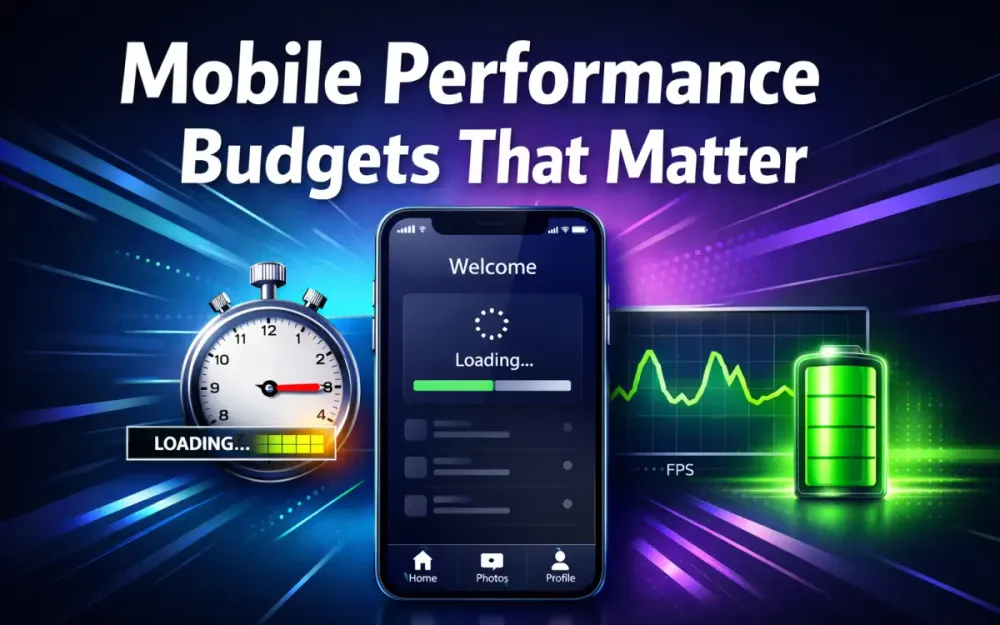
A well-defined performance budget covers startup time, frame stability, battery drain, memory usage, and network overhead. More importantly, it turns performance into an engineering system rather than a series of one-off optimizations. This section explains how to move to that model, what to measure, and why legacy thresholds no longer hold on modern hardware.
1.1 Moving from Reactive Optimization to Proactive Budgeting
Most teams are familiar with reactive optimization. A new feature ships, startup time jumps from 1.8 seconds to 3.2 seconds, and someone opens a performance ticket. Engineers profile, trim a few calls, and move on. The problem is that this approach never prevents the next regression.
Proactive budgeting changes the order of operations. Instead of asking “is this fast enough?” after implementation, teams start with “how much time is this allowed to take?” before writing code. That constraint shapes architecture decisions early, when changes are still cheap.
To make budgets actionable, they need concrete numbers. A useful starting point is to define a total startup target and then allocate it across subsystems. Typical cold-start budgets in 2026 look like this:
| App Category | Target TTID (P90) | Target TTFD (P90) |
|---|---|---|
| E-commerce | ≤ 900ms | ≤ 1.4s |
| Social / Media | ≤ 800ms | ≤ 1.3s |
| Fintech / Banking | ≤ 1.1s | ≤ 1.6s |
| Enterprise / Internal | ≤ 1.3s | ≤ 1.8s |
Within those totals, teams define smaller budgets. For example, a login flow might be constrained to 100ms of synchronous computation on the main thread and a single layout pass before first interaction. If a feature cannot meet that budget, it must be redesigned or deferred.
Budgets also coordinate work across teams. A payments SDK might be limited to a 300KB binary increase and no startup-time initialization. These constraints force trade-off discussions early, instead of letting performance degrade silently.
1.2 Performance Budgets as a Technical Risk-Control Mechanism
Performance discussions often drift into retention curves and acquisition metrics. Those outcomes matter, but from an engineering perspective, budgets are more valuable as a form of risk control.
Unbounded startup work increases variance. One new synchronous call might add 50ms on a flagship device and 400ms on a mid-range phone. Without a budget, that risk is invisible until users experience it. Budgets cap worst-case behavior and keep tail latency under control.
The same applies to rendering. Without a frame-time budget, a single expensive layout or animation can introduce intermittent jank that is hard to reproduce locally. With a defined frame budget, engineers know exactly how much work can safely run during user interactions.
In practice, teams that enforce budgets see fewer late-stage regressions, fewer emergency fixes before release, and more predictable performance across devices. The value is not theoretical; it shows up as reduced variance and easier reasoning about system behavior.
1.3 Establishing the “Service Level Indicators” (SLIs) for High-Scale Apps
Budgets are enforced through Service Level Indicators. SLIs translate abstract goals into numbers that can be measured, monitored, and automated. Mature mobile teams treat these metrics the same way backend teams treat latency and error rates.
Common mobile SLIs include:
- Startup time percentiles (P50, P90, P99) for cold, warm, and hot starts.
- Frame stability, measured as the percentage of frames that meet the target frame budget.
- Battery drain per minute during representative user flows.
- Network payload per session, including retries and background sync.
- Memory footprint, especially peak usage during startup and navigation.
Clear SLIs remove ambiguity. For example:
- TTID P90 ≤ 1.2s
- TTFD P90 ≤ 1.5s
- ≥ 95% of frames under 8.33ms on 120Hz devices
- ≤ 2% battery drain per minute during video playback
Once defined, these SLIs feed directly into dashboards, CI checks, and alerting systems. Engineers no longer argue about whether something “feels slow”; they look at whether it violates the agreed contract.
1.4 Why Legacy Thresholds Fail on Modern Hardware
Performance targets that were acceptable a few years ago no longer hold. Hardware capabilities have shifted, and with them, user expectations.
| Era | Typical Display | Frame Budget | Network Expectation |
|---|---|---|---|
| 2022 | 60Hz | 16.6ms | 4G (~50ms RTT) |
| 2026 | 120Hz+ | 8.33ms | 5G (~10ms RTT) |
High-refresh displays cut the available frame time in half. Code paths that barely fit into 16.6ms now miss frames consistently at 120Hz. This exposes layout inefficiencies, overdraw, and main-thread work that previously went unnoticed.
Network improvements have a similar effect. When configuration or content can arrive in tens of milliseconds, slow local computation becomes the dominant bottleneck. Fast networks don’t remove the need for budgets; they remove excuses for poor local performance.
In short, “good enough” thresholds from earlier hardware generations actively mask problems on modern devices. Budgets must be recalibrated to match today’s execution environment.
1.5 Budget Allocation Methodology: Dividing the Total Cost
A total performance budget is only useful if it is broken down. Teams that succeed treat budgets like financial planning: the total is fixed, and each subsystem gets a defined share.
A common startup allocation model looks like this:
- 40% Initialization: dependency setup, configuration loading, runtime warm-up.
- 30% Rendering: first layout, first draw, initial composition.
- 30% Data: critical network requests and disk reads required for interaction.
For a 1.5s TTFD target, that translates roughly to:
- 600ms initialization
- 450ms rendering
- 450ms data access
These numbers are not universal, but the approach is. Each team adjusts allocations based on product needs. Media-heavy apps may shift more budget toward rendering, while fintech apps may allocate more to secure data access.
The key is that no subsystem is allowed to consume the entire budget by default. When a feature needs more time, it must explicitly take it from somewhere else. That trade-off is the mechanism that keeps performance sustainable as the app grows.
2 Startup Time Architecture: Breaking Down the “First Three Seconds”
Cold start performance is one of the fastest ways users judge an app. When something appears quickly and responds immediately, the app feels reliable. When it doesn’t, users assume something is wrong, even if the delay is only a second or two. Predictable startup performance requires a clear mental model of what happens before the first frame and what can safely wait.
Startup behavior is best understood as a sequence of milestones rather than a single number:
- TTID (Time to Initial Display): when the user first sees meaningful UI.
- TTFD (Time to Full Display): when the UI is fully interactive.
- Warm and hot starts: variations where some state already exists.
This section focuses on measuring those milestones correctly, identifying what belongs on the critical path, and applying platform-specific techniques to keep startup within budget.
2.1 Measuring What Actually Matters: TTID vs. TTFD
TTID and TTFD measure different things, and confusing them leads to false wins. TTID answers “when does the user see something?” TTFD answers “when can the user actually use the app?” A splash screen at 300ms followed by a frozen UI for three seconds is fast TTID and terrible TTFD.
On Android, TTID is typically measured at the first successful draw.
Android TTID example:
val launchStart = SystemClock.uptimeMillis()

window.decorView.viewTreeObserver.addOnDrawListener {
    val ttid = SystemClock.uptimeMillis() - launchStart
    Log.d("Perf", "TTID = $ttid ms")
}
TTFD should be measured when all critical input handlers, data, and navigation are ready.
Android TTFD example:
fun markInteractive() {
    val ttfd = SystemClock.uptimeMillis() - launchStart
    reportMetric("TTFD", ttfd)
}
On iOS, teams commonly capture the launch timestamp in didFinishLaunching and complete measurement in the first visible screen.
iOS TTID example:
let launchStart = CFAbsoluteTimeGetCurrent()

// In the first view controller
override func viewDidAppear(_ animated: Bool) {
    super.viewDidAppear(animated)
    let ttid = CFAbsoluteTimeGetCurrent() - launchStart
    logMetric("TTID", ttid)
}
TTFD is usually the more important metric. Users tolerate loading indicators, but they abandon flows when taps don’t respond.
2.2 Critical Path Analysis: Binary Size Budgets and the Cost of Dynamic Imports
Every operation executed before TTID or TTFD consumes budget. Critical path analysis lists everything that must happen before the first usable frame and aggressively questions whether each step belongs there.
Common startup blockers include:
- Class loading and dependency graph construction.
- Asset decoding and decompression.
- Database schema checks.
- Configuration reads performed synchronously.
- Excessively large binaries increasing load time.
Dynamic imports are useful, but they are not free. Each dynamically loaded module introduces additional I/O, parsing, and execution cost. To keep this predictable, teams should budget dynamic imports explicitly.
A practical rule that works well in production:
- Each dynamically imported module should add no more than 50ms to warm-start time on mid-range devices.
Modules that exceed that budget should either be split further or moved off the startup path entirely.
In React Native, preloading must occur after the app reaches TTID, not during initial render.
Incorrect approach:
// Runs too early and competes with startup work
const HeavyModule = React.lazy(() => import('./HeavyModule'));
Correct approach using InteractionManager:
import { InteractionManager } from 'react-native';

// Preload after TTID and initial interactions
InteractionManager.runAfterInteractions(() => {
  import('./HeavyModule');
});
This ensures startup remains fast while still warming the module before the user needs it.
2.3 Optimizing the “Cold Start War”
2.3.1 Pre-warming and Baseline Profiles (Android Jetpack)
Android Baseline Profiles tell the runtime exactly which code paths matter during startup. Instead of interpreting or JIT-compiling them on first launch, the system compiles them ahead of time.
Gradle setup:
dependencies {
    implementation "androidx.profileinstaller:profileinstaller:1.3.1"
}
A minimal profile captures startup paths exercised during macrobenchmarks:
ProfileInstaller.writeProfile {
    includeStartupTracing()
}
Teams consistently see 15–40% cold-start improvements on mid-range hardware when profiles are correctly maintained.
2.3.2 Lazy-loading the Dependency Graph: Dagger/Hilt vs. Manual DI
Dependency injection frameworks can quietly inflate startup if large graphs are built eagerly. By default, many singletons are created at application start, even if they are not immediately needed.
Using lazy injection defers that cost:
@Provides
@Singleton
fun provideAnalytics(
    lazyClient: dagger.Lazy<AnalyticsClient>
): Analytics = Analytics(lazyClient)
Manual dependency wiring is faster in small apps but scales poorly. In larger codebases, Dagger or Hilt with strict scoping and lazy providers offers the best balance between maintainability and startup performance.
2.3.3 Cross-Platform Nuances: Hermes (React Native) and Impeller (Flutter) Warm-ups
Hermes improves JavaScript execution speed but still incurs startup cost during engine initialization. Teams reduce impact by:
- Preloading bytecode bundles.
- Avoiding large JS object graphs before first render.
- Deferring non-critical feature registration.
Flutter’s Impeller renderer improves frame consistency but loads shaders early. Common mitigation strategies include:
- Pre-building shader bundles during build time.
- Rendering a lightweight initial route before complex layouts.
Flutter warm-up example:
WidgetsFlutterBinding.ensureInitialized();
ShaderWarmUp()(ui.window);
These techniques shift work out of the critical path without sacrificing runtime smoothness.
2.4 Defining a “Gold Standard” Budget: P50, P90, and P99 Start Times
Startup budgets must account for device diversity. Targets that work on flagship phones fail silently on low-end hardware. Segmenting budgets by device class makes expectations explicit.
A realistic 2026 startup budget looks like this:
| Metric | Low-end Devices | Mid-range Devices | Flagship Devices |
|---|---|---|---|
| TTID P90 | < 1.2s | < 900ms | < 700ms |
| TTFD P90 | < 1.8s | < 1.5s | < 1.2s |
| TTID P99 | < 1.6s | < 1.2s | < 900ms |
| TTFD P99 | < 2.3s | < 2.0s | < 1.6s |
P99 remains critical. If the slowest devices fall outside budget, a large segment of users will experience the app as broken, even if averages look acceptable.
By tying startup architecture directly to explicit budgets, teams move from “it feels fast on my phone” to predictable, measurable performance across their entire user base.
3 Rendering Smoothness: Beyond “60 FPS” in the High-Refresh Era
Modern mobile devices are fast, but they are also unforgiving. High-refresh displays make even small rendering delays visible. Users may not articulate “frame drops,” but they feel stutters immediately. At this point, smoothness is less about average FPS and more about how consistently frames hit their deadlines.
Rendering performance must be budgeted just like startup time. Without explicit limits, UI work slowly creeps onto the main thread until scrolling, animations, and gestures start missing frames.
3.0 Defining Your Frame Budget
Before discussing detection or tooling, teams need a clear frame budget. This budget is derived directly from the display refresh rate, with a safety margin for system jitter.
The formula is simple:
Frame Budget = (1000ms / Refresh Rate) - Safety MarginA 2ms safety margin works well in practice to absorb scheduler variance and background work.
Examples:
- 60Hz display Raw budget: 16.6ms Effective budget: ~14.6ms
- 120Hz display Raw budget: 8.33ms Effective budget: ~6.33ms
That 6.33ms is the real budget your app must hit consistently on 120Hz devices. Anything slower risks visible jank. This is why code that was “fine” at 60Hz often fails silently on newer hardware.
3.1 The Mathematics of Jank: Why 8.33ms Is No Longer Enough
On a 120Hz screen, the system expects a new frame every 8.33ms. If rendering takes longer than that, the frame misses its refresh window and the user sees a stutter. Once this happens repeatedly, the UI feels unstable even if average FPS looks high.
In practice, teams should never aim for the raw refresh window. Scheduling delays, GC pauses, and input handling all compete for time. That is why the effective budget is lower than the theoretical maximum.
This constraint explains why large layout passes, list diffing, and expensive compositing must never run during active interactions. Even a single 10ms frame during a scroll can be felt immediately on a high-refresh display.
3.2 Advanced Jank Detection
3.2.1 Implementing JankStats (Android) and CADisplayLink (iOS)
Android’s JankStats library reports frame timing directly from the UI pipeline. It provides both detection and attribution, making it useful during development and internal testing.
Android example:
val jankStats = JankStats.createAndTrack(window) { frameData ->
    if (frameData.isJank) {
        Log.w(
            "Jank",
            "Jank frame: ${frameData.frameDurationUiNanos / 1_000_000} ms"
        )
    }
}
On iOS, CADisplayLink fires once per frame and exposes timestamps that can be used to detect missed deadlines.
iOS jank detection example:
@objc func onFrame(_ link: CADisplayLink) {
    let frameDuration = link.targetTimestamp - link.timestamp
    if frameDuration > 0.00833 { // 8.33ms threshold for 120Hz
        logJankEvent(duration: frameDuration)
    }
}
This makes jank visible during development instead of relying on user complaints or subjective testing.
3.2.2 Frame Time Distribution: Enforcing Tail Latency Budgets
Average FPS hides the real problem: tail latency. A UI that hits budget most of the time but occasionally spikes still feels broken.
Teams should enforce explicit distribution targets:
- 95% of frames under 8ms
- 99% of frames under 12ms
- 0 frames over 16ms during active interaction
These thresholds map cleanly to human perception on 120Hz devices.
Histogram buckets are still useful, but only when paired with enforcement:
- 0–8ms: within budget
- 8–12ms: tolerated but monitored
- >12ms: regression
Common causes of tail spikes include:
- Overdraw from layered backgrounds and shadows.
- Lazy initialization triggered on first scroll.
- RecyclerView or list diff calculations on the main thread.
Tracking the tail exposes issues long before average metrics change.
3.3 Main Thread Stewardship: Layout, Overdraw, and Compose Recomposition
The main thread is the most constrained resource in mobile rendering. Every millisecond spent parsing JSON, calculating diffs, or resolving layouts competes directly with frame rendering.
Reducing pressure on the main thread involves:
- Flattening view hierarchies.
- Avoiding unnecessary nesting.
- Precomputing layout or measurement data.
- Eliminating overdraw where layers overlap.
Android’s overdraw visualization remains one of the fastest ways to spot waste. Large red regions indicate multiple draw passes that should be merged or removed.
Jetpack Compose adds another dimension: recomposition. Excessive recompositions can quietly consume frame budget.
Compose-specific guidance:
- Use
derivedStateOfto avoid recomputing values on every recomposition. - Ensure state objects are stable.
- Avoid passing unstable lambdas or data structures into frequently recomposed composables.
Compose optimization example:
val visibleItems by remember {
    derivedStateOf { items.filter { it.visible } }
}
This prevents unnecessary recompositions and keeps layout work within budget.
3.4 Off-main-thread Computation: Worker Threads and Isolates
Smooth rendering depends on keeping heavy work off the main thread. Different platforms achieve this differently, but the principle is the same.
React Native: Worker Threads and Worklets
React Native does not support browser-style WebWorkers by default. Instead, teams use:
- Worker-thread libraries (e.g.,
react-native-workers) - Reanimated worklets for animation-adjacent logic
- Native modules for CPU-heavy tasks
The goal is to keep the JS thread free during interactions.
Conceptual example using a worker library:
const worker = new Worker('heavyTask.js');

worker.postMessage(data);
worker.onmessage = result => {
  handleResult(result);
};
Flutter: Isolates
Flutter isolates provide true parallelism and are the preferred way to run expensive computations.
final result = await compute(expensiveFn, inputData);This ensures that image processing, diffing, and analytics batching do not block the UI isolate.
Offloading work is not optional at high refresh rates. It is the difference between hitting a 6ms budget consistently and missing frames during every scroll.
4 Resource Efficiency: Battery Drain, Thermal Throttling, and Data Budgets
Resource efficiency is no longer a secondary concern that teams address after shipping features. Users notice battery drain, device heat, and degraded responsiveness immediately, often before they notice functional bugs. In practice, poor resource behavior breaks trust faster than almost any other performance issue.
Modern devices are powerful, but they are optimized for short bursts of work. Radio wakeups, CPU spikes, and background tasks that run longer than necessary push the system into high-power states. This section focuses on defining explicit resource budgets and enforcing them with concrete techniques.
4.1 The Silent Killer: Radio Usage and Wakelock Accounting
Radio usage is one of the most expensive operations on a mobile device. Each network request forces the modem to transition from idle to an active power state. That transition costs more energy than the data transfer itself. Apps that send frequent small requests often drain the battery faster than apps that send fewer, larger payloads.
To make radio behavior predictable, teams should set a clear budget:
- Target: Maximum 10 network state transitions per minute during active use
This budget forces batching, caching, and deferral by default. If a feature needs more frequent updates, it must justify the extra cost.
Wakelocks are another common source of hidden drain. A partial wakelock keeps the CPU awake even when the screen is off. These are easy to introduce accidentally when implementing background sync, location tracking, or retry logic.
A safe wakelock pattern always includes a timeout and a guaranteed release:
val pm = context.getSystemService(Context.POWER_SERVICE) as PowerManager
val lock = pm.newWakeLock(PowerManager.PARTIAL_WAKE_LOCK, "app:sync")

try {
    lock.acquire(10_000) // hard timeout prevents orphaned locks
    runBackgroundSync()
} finally {
    if (lock.isHeld) lock.release()
}
Without a timeout, crashes or process kills can leave the CPU running indefinitely, draining battery until the OS intervenes.
4.2 Profiling Power Consumption
Teams often assume they know what drains battery, but profiling regularly proves those assumptions wrong. Accurate diagnosis requires tools that correlate CPU usage, radio activity, GPU load, and lifecycle transitions.
4.2.1 Using Android Battery Historian for System-Wide Visibility
Battery Historian provides a timeline view of power-related events across the entire system. It shows wakelocks, radio activity, background jobs, and foreground transitions in one place.
A typical workflow starts by capturing a bug report:
adb bugreport bugreport.zipWhen reviewing the report, teams look for:
- Partial wakelocks that persist after backgrounding.
- Repeated radio spikes during idle periods.
- JobScheduler or WorkManager tasks firing too frequently.
A common fix is replacing fixed-interval polling with system-coordinated work. Using WorkManager with minimum latency allows Android to batch jobs across apps, reducing wakeups and radio churn.
4.2.2 Xcode Instruments (Energy Log): Pinpointing Energy-Hungry Components
On iOS, the Energy Log instrument breaks down energy impact by subsystem: CPU, networking, location, and graphics. It also aligns these signals with lifecycle events, making it clear which code paths trigger spikes.
A frequent issue is background work accidentally running at interactive priority. For example, image processing intended for background execution may run on the main queue.
Correcting that is straightforward:
let queue = DispatchQueue(label: "img.process", qos: .utility)
queue.async {
    let processed = applyFilters(image)
    DispatchQueue.main.async {
        completion(processed)
    }
}
After the change, Instruments typically shows lower sustained CPU frequency and reduced thermal pressure, especially on older devices.
4.3 Data Overhead Budgets: Payload Size and Image Compression
Data usage directly affects radio cost, latency, and battery drain. Teams should treat payload size as a first-class budget, not an implementation detail.
A practical baseline that works well across products:
-
API response budget:
- List endpoints: < 50KB
- Detail endpoints: < 10KB
-
Background sync payloads: < 5KB per event
These numbers force discipline around field selection, pagination, and compression.
Image assets are often the largest contributors to data overhead. Modern formats such as WebP and AVIF reduce size significantly without visible quality loss. However, AVIF requires proper tooling.
A realistic Python-based conversion pipeline uses pillow-avif-plugin:
import pillow_avif  # must be imported before PIL
from PIL import Image

img = Image.open("source.jpg")
img.save("compressed.avif", quality=60)
In practice:
- Use AVIF for feeds and thumbnails where size matters most.
- Use WebP for UI assets and stickers where compatibility is critical.
Reducing payload size lowers radio active time, shortens transfer duration, and reduces energy spent on decoding.
4.4 Thermal Throttling: How CPU-Intensive Tasks Trigger Hardware Slowdowns
Sustained CPU usage heats the device. Once thermal limits are reached, the system reduces CPU and GPU frequencies. The result is slower rendering, longer task execution, and visible UI degradation.
Thermal issues are often caused by work that runs too long without yielding: large loops, heavy ML inference, or bulk decompression. The solution is not sleeping threads, which wastes resources, but cooperative yielding.
On Android, CPU-heavy work should yield explicitly:
suspend fun processInChunks(items: List<Data>, chunkSize: Int = 50) {
    for (chunk in items.chunked(chunkSize)) {
        heavyTransform(chunk)
        yield() // cooperative cancellation and scheduler hint
    }
}
This allows the system to schedule other work, keeps temperatures lower, and prevents sustained throttling.
On-device ML workloads are especially sensitive. Teams mitigate impact by:
- Using quantized or smaller models.
- Caching intermediate results.
- Offloading work to NNAPI or Metal where available.
- Running inference opportunistically instead of continuously.
Thermal budgets are not optional. Once throttling starts, every other performance budget—startup, frames, and latency—becomes harder to meet.
Battery Drain Budgets at a Glance
To make resource expectations explicit, teams should publish simple, scenario-based targets:
| Scenario | Battery Budget |
|---|---|
| Idle (screen off) | < 0.5% per hour |
| Active browsing | < 3% per minute |
| Video playback | < 2% per minute |
| Background sync | < 0.1% per event |
These numbers give engineers a concrete reference. If a feature exceeds the budget, it must be redesigned, deferred, or gated behind user intent.
5 Tooling Landscape: The Architect’s Performance Stack
Performance budgets only work if they are enforced continuously. Tooling is what turns a budget from a document into an active constraint. Without tooling, teams notice regressions too late—usually after users do.
No single tool covers all dimensions of mobile performance. Mature teams combine build-time analysis, local profiling, automated testing, and real-user monitoring. The goal is not just visibility, but alignment: every tool should answer a budget-related question.
5.1 Open Source Powerhouses
5.1.1 Flashlight: Continuous Performance Scoring Against Budgets
Flashlight analyzes app builds and scores them against consistent checkpoints: startup time, frame stability, binary size, and energy-related signals. Its value lies in repeatability. Every build is measured the same way, making regressions obvious.
A typical CI step looks like this:
flashlight analyze --apk app-release.apk --output report.jsonTeams then compare results against defined budgets. For example:
- TTID P90 must remain under 900ms
- Binary size must not increase by more than 2%
- Frame stability must remain above 95%
If a build violates a budget, the pull request is blocked. This shifts performance discussions from opinion-based reviews to objective data.
5.1.2 LeakCanary: Enforcing Memory Budgets During Development
Memory leaks quietly destroy performance budgets. They increase allocation pressure, trigger more frequent garbage collection, and eventually cause OS-level kills. LeakCanary surfaces these issues early, while the code is still fresh in the developer’s mind.
A common leak pattern is holding UI references in long-lived objects:
object CacheHolder {
    var view: View? = null // leaks Activity context
}
LeakCanary flags this immediately. The fix is to remove the strong reference:
var view: WeakReference<View>? = nullTeams that run LeakCanary in debug builds effectively enforce a memory budget by preventing leaks from ever reaching production.
5.1.3 Maestro: Declarative UI Testing With Budget Assertions
Maestro automates end-to-end flows and captures timing data for each step. Its real value comes when tests assert against performance budgets, not just correctness.
A basic flow is easy to write:
appId: com.example.app
flow:
  - launchApp
  - tapOn: "Login"
  - assertVisible:
      id: "Welcome"
      timeout: 1500  # Budget: must appear within 1.5s
Here, the test fails if the welcome screen does not appear within the startup budget. Over time, this prevents gradual regressions in navigation speed or rendering cost. Performance becomes part of functional testing, not a separate activity.
5.2 Native Deep-Dives: Android Profiler, Xcode Instruments, and Flutter DevTools
When a budget is violated, engineers need tools that explain why.
Android Profiler provides timelines for CPU, memory, and network usage. It helps identify main-thread blocking, excessive allocations, or chatty network behavior. A common fix is moving heavy parsing work off the main thread:
viewModelScope.launch(Dispatchers.Default) {
    val data = parseLargeJson(file)
    withContext(Dispatchers.Main) {
        updateUi(data)
    }
}
Xcode Instruments offers similar depth on iOS, with tools like Time Profiler, Energy Log, Core Animation, and Allocations. These tools make it easy to see which call stacks exceed frame or energy budgets.
For Flutter apps, DevTools fills the same role. The performance overlay shows frame rendering times in real time, while the timeline view reveals jank sources, shader compilation, and isolate activity. Flutter teams use these tools to verify that UI work stays within frame budgets and that expensive tasks run off the main isolate.
5.3 Remote Monitoring: Enforcing Budgets With Real-World Data
Local tests cannot capture the full diversity of devices, OS versions, and usage patterns. Production monitoring closes that gap by measuring performance where it actually matters.
Tools like Sentry and Firebase Performance Monitoring collect startup times, frame metrics, network latency, and device characteristics. The key is tying this data back to budgets.
A useful production trace includes both the measurement and the expected limit:
{
  "transaction": "app.startup",
  "measurements": {
    "startup_time": 1223
  },
  "budget": {
    "startup_time": 1500,
    "status": "pass"
  }
}
This makes violations explicit. Dashboards can show not just raw numbers, but how often the app stays within budget at P50, P90, and P99. Engineers investigate deviations before they become widespread issues.
5.4 Mapping Tools to Budget Metrics
To keep tooling focused, each performance budget should have a clear primary owner tool and a secondary diagnostic tool. This avoids overlap and confusion.
| Budget Type | Primary Tool | Secondary Tool |
|---|---|---|
| Startup Time | Flashlight | Sentry / Firebase |
| Frame Stability | JankStats | Xcode Instruments / DevTools |
| Battery Drain | Battery Historian | Energy Log |
| Memory | LeakCanary | Android Profiler |
This mapping gives teams a playbook:
- Detection happens automatically through CI or production monitoring.
- Diagnosis happens through deep profiling tools.
- Enforcement happens through budget gates in tests and pipelines.
When every budget has a clear measurement path and an owner tool, performance stops being abstract. It becomes something engineers can reason about, defend, and improve with confidence.
6 Automated Performance Regression: Building the Guardrails
Performance budgets only work if regressions are caught immediately. Automation is what makes that possible at scale. Without it, performance slowly degrades as features accumulate, and teams only notice once users complain.
Automated regression detection turns performance into a shared responsibility. Every pull request either respects the budget or clearly violates it. This section explains how teams wire benchmarks into CI, gate merges on budget violations, and deal with the unavoidable noise in performance data.
6.1 Shifting Left: Running Performance Benchmarks in CI/CD
Shifting left means running performance checks as early as possible—on every pull request, not just before release. The goal is fast feedback. If a change breaks a budget, the author should see it while the context is still fresh.
On Android, this often starts with Macrobenchmark tests:
./gradlew :benchmark:connectedCheckA failing build should be explicit about what failed and why. For example:
BUILD FAILED
Startup P90 = 1350ms (budget: 1200ms)

Regression introduced in commit abc123:
- Added synchronous analytics initialization during Application.onCreate
This kind of output makes the next step obvious. The developer knows the regression exists, where it came from, and what budget was violated. Performance stops being a vague concern and becomes a concrete build failure.
6.2 Setting Up a Performance Lab
6.2.1 Using Dedicated Hardware vs. Device Clouds
Performance tests are sensitive to environmental noise. Dedicated hardware offers stability. Teams often keep a small lab of physical devices with fixed OS versions, stable power, and controlled temperature. These machines produce low-variance results and are ideal for budget enforcement.
Device clouds, such as Firebase Test Lab, provide breadth instead of precision. They run tests across many device models and OS versions, exposing issues that only appear on specific hardware. Variance is higher, but coverage is unmatched.
Most mature teams combine both:
- Dedicated devices for CI budget gates and nightly benchmarks.
- Device clouds for broader compatibility and regression discovery.
6.2.2 Automating Macrobenchmark in GitHub Actions
Macrobenchmark tests integrate cleanly into CI pipelines. A minimal GitHub Actions workflow looks like this:
name: macrobenchmark
on: [pull_request]

jobs:
  benchmark:
    runs-on: ubuntu-latest
    steps:
      - uses: actions/checkout@v3
      - name: Run benchmarks
        run: ./gradlew :app:macrobenchmark:connectedCheck
The benchmark output is saved as artifacts and parsed by subsequent steps. Over time, teams build dashboards that show startup and frame metrics per commit, making trends obvious.
6.3 Creating Budget Gates: Enforcing Limits Automatically
Budget gates are where automation becomes enforcement. Instead of passively reporting metrics, the pipeline actively blocks changes that exceed defined limits.
A common pattern is to parse benchmark output and compare it against budgets. For example, using a JSON result file:
STARTUP_P90=$(jq '.benchmarks[0].metrics.startupMs.P90' results.json)

if (( $(echo "$STARTUP_P90 > 1200" | bc -l) )); then
  echo "::error::Startup budget exceeded: P90 = ${STARTUP_P90}ms (budget = 1200ms)"
  exit 1
fi
This gate is simple but effective. If a pull request pushes startup beyond the budget, it cannot merge. Teams often allow a small tolerance band (for example ±5%) but reject anything larger.
The result is cumulative protection. Small regressions no longer stack up over months because each one is addressed immediately.
6.4 Handling Flakiness: Statistics and Environment Control
Performance data is noisy by nature. CPU scheduling, background services, and thermal state all introduce variance. Treating a single run as authoritative leads to false failures and developer frustration.
Real-world pipelines use repeated runs and statistical filtering. One effective technique is the trimmed mean, which removes outliers before averaging:
import statistics

def trimmed_mean(runs, trim_percent=0.1):
    sorted_runs = sorted(runs)
    trim_count = int(len(runs) * trim_percent)
    return statistics.mean(sorted_runs[trim_count:-trim_count])

runs = [1100, 1180, 3000, 1130, 1170]  # one clear outlier
print(trimmed_mean(runs))
This approach ignores extreme spikes caused by transient system noise while still reflecting real regressions.
Environment standardization matters just as much:
- Fixed device temperature and power state.
- Disabled background updates.
- Warm-up iterations before measurement.
- Disabled system animations where appropriate.
The combination of statistical filtering and environment control turns performance tests into reliable signals instead of flaky checks.
6.5 iOS Performance Baselines with XCTest
Android teams are not alone in automation. iOS provides native performance testing through XCTest. Startup performance can be measured directly using built-in metrics:
func testStartupPerformance() throws {
    measure(metrics: [XCTApplicationLaunchMetric()]) {
        XCUIApplication().launch()
    }
}
Xcode records launch times across multiple runs and reports statistics. Teams establish baselines and fail tests when launch time exceeds the allowed budget. These tests integrate cleanly into Xcode Cloud or other CI systems.
When Android and iOS both enforce startup budgets in CI, cross-platform teams gain confidence that performance standards are applied consistently.
7 Implementation Case Study: A Real-World Performance Overhaul
This case study follows a production cross-platform mobile app that suffered from a four-second cold start on mid-range Android devices and only marginally better results on iOS. The problem was visible in user behavior: first-run abandonment during onboarding was high, and internal dogfooding consistently felt sluggish. Rather than chasing isolated optimizations, the team chose to treat startup performance as a constrained system governed by explicit budgets.
Engineering leadership set a clear target: reduce cold-start TTFD to under 1.5 seconds at P90, without removing features or increasing memory pressure. This target became the non-negotiable constraint that guided every technical decision that followed.
7.1 The Scenario: Reducing a 4-Second Startup to <1.5 Seconds
Initial profiling showed that startup cost had grown incrementally over time. No single change caused the four-second delay; instead, multiple “small” additions accumulated on the critical path. These included synchronous configuration loading, eager initialization of optional features, and asset decoding that was not required for the first screen.
To make the problem tractable, the team translated the high-level target into concrete constraints:
- TTID P90 ≤ 900ms
- TTFD P90 ≤ 1500ms
- Binary size growth ≤ 2%
- No regression in memory or crash rates
These constraints immediately ruled out several naïve fixes. For example, adding a richer animated splash screen was rejected because it would consume rendering budget without improving interactivity. From this point on, every change had to justify its share of the startup budget.
7.2 Budget Allocation: Making Trade-offs Explicit
Before touching code, the team broke the 1.5-second TTFD budget into explicit allocations. This step was critical—it turned an abstract goal into a set of enforceable limits.
Total TTFD Budget: 1500ms
- Configuration loading: 300ms (20%)
- Runtime and DI initialization: 450ms (30%)
- First render and layout: 450ms (30%)
- Critical network requests: 300ms (20%)
Any work that did not fit into one of these buckets was automatically deferred until after first interaction. This allocation also prevented scope creep. Feature teams proposing additional startup work were required to identify which bucket would give up time. In most cases, they chose to defer instead.
7.3 Step 1: Baseline Audit Using Flashlight and Sentry
With budgets defined, the team established a baseline. Flashlight provided repeatable local measurements, while Sentry supplied real-world distributions across devices and OS versions.
A typical Flashlight run looked like this:
flashlight analyze --apk app-release.apk --output report.jsonThe report showed clear budget violations:
- Runtime initialization: ~1.1s (budget: 450ms)
- Config loading: ~800ms (budget: 300ms)
- Asset decoding before login: ~600ms (budget: 0ms)
Sentry confirmed the problem at scale. P99 startup times exceeded five seconds on lower-end devices, especially after long periods of inactivity.
{
  "transaction": "app.startup",
  "measurements": {
    "cold_start": 4021,
    "initial_interaction": 5134
  }
}
This data made it obvious that optimization had to focus on what ran on the critical path, not micro-tuning individual methods.
7.4 Step 2: Eliminating Main-Thread Contention Through Parallelism
The largest single win came from removing unnecessary serialization. Several independent startup tasks ran sequentially on the main thread simply because “that’s how they were added.”
In this app, shared business logic was written using .NET and consumed via Xamarin/.NET MAUI, which explains the C# layer. The issue was not the language, but how it was executed.
Problematic initialization (Xamarin/MAUI shared layer):
public async Task<AppConfig> InitializeAsync()
{
    var config = LoadConfig();          // blocking
    var locale = LoadLocaleResources(); // blocking
    var cache  = WarmCache();           // blocking
    return Merge(config, locale, cache);
}
All three operations were independent, yet they consumed nearly 800ms sequentially.
Budget-aligned version:
public async Task<AppConfig> InitializeAsync()
{
    var configTask = Task.Run(LoadConfig);
    var localeTask = Task.Run(LoadLocaleResources);
    var cacheTask  = Task.Run(WarmCache);

    await Task.WhenAll(configTask, localeTask, cacheTask);
    return Merge(configTask.Result, localeTask.Result, cacheTask.Result);
}
On the Android side, the same idea was applied using coroutines:
lifecycleScope.launch(Dispatchers.Default) {
    val config = async { loadConfig() }
    val locale = async { loadLocales() }
    val cache  = async { warmCache() }

    val merged = merge(config.await(), locale.await(), cache.await())
    withContext(Dispatchers.Main) {
        onReady(merged)
    }
}
This change alone brought runtime initialization back under its 450ms budget.
7.5 Step 3: Binary Shrinking and Asset Optimization
Even after fixing threading, startup still exceeded budget on slower devices. Binary size was the next constraint. Larger binaries increased load time and class resolution cost before the first frame.
The team tightened R8/ProGuard rules but did so cautiously.
-assumenosideeffects class com.example.logging.DebugLogger { *; }
-dontwarn com.example.unused.**
-keep class com.example.api.** { public *; }
Warning: assumenosideeffects must only be applied to debug-only logging. Crash reporting, analytics, and error logging must remain intact in production builds.
Asset optimization followed the same budget logic. Any asset not required for the first screen was removed from the startup path. PNGs were converted to WebP, and SVGs were deferred until after login.
from PIL import Image
import glob

for path in glob.glob("assets/**/*.png", recursive=True):
    img = Image.open(path)
    img.save(path.replace(".png", ".webp"), format="WEBP", quality=75)
These changes reduced decoding cost and I/O pressure during startup.
7.6 The Result: Budget Compliance and Measurable Gains
After all changes, the app consistently met its startup budgets across device tiers.
| Metric | Budget | Before | After |
|---|---|---|---|
| TTID P90 | 900ms | 2.8s | 0.92s |
| TTFD P90 | 1500ms | 4.0s | 1.41s |
| Binary Size | +2% max | 54MB | 42MB |
| Day-1 Retention | — | baseline | +30% |
The key outcome was not just faster startup, but predictable startup. Because budgets were enforced, future feature requests were evaluated in terms of cost, not just value. Several proposed “small” startup features were deferred once their impact was quantified.
This is the core lesson of the case study: performance budgets did not just optimize the app—they actively shaped its architecture and prevented regressions from returning.
8 Sustaining Performance Culture: Governance and Monitoring
Hitting performance targets once is not the hard part. The hard part is keeping them intact as the product grows, teams change, and hardware evolves. Without clear ownership and ongoing review, performance slowly degrades in small, almost invisible steps.
Sustained performance comes from culture backed by systems. Teams need shared expectations, clear budgets, and feedback loops that make regressions obvious before users feel them. This section focuses on the governance practices that keep startup time, frame stability, and battery usage within bounds over the long term.
8.1 Performance as a “Definition of Done” for Lead Developers
Performance must be evaluated with the same seriousness as correctness and security. That means every change explicitly states how it affects established budgets. Lead developers are responsible for enforcing this standard during reviews.
A lightweight but effective approach is a budget-aware PR checklist:
Performance Check:
- Startup impact: +15ms (within 50ms budget for this feature)
- Memory delta: +2.1MB (under 5MB limit)
- Frame impact: no new main-thread work during scroll
- New network calls: 1 (bundled with existing batch)
This format forces authors to quantify impact instead of relying on intuition. If a change cannot fit within its allocated budget, it must either be redesigned or deferred. Over time, developers internalize these limits and start designing features that respect them by default.
For larger features, teams often run short performance design reviews before implementation. These reviews focus on startup placement, threading strategy, and data access patterns. Catching issues here is far cheaper than fixing them after code is merged.
8.2 Building Real-Time Dashboards: Making Budgets Visible
Dashboards turn performance from a private engineering concern into a shared system signal. They combine CI results, synthetic benchmarks, and real-user telemetry into a single view that answers one question: are we still within budget?
Grafana and Datadog are commonly used to visualize:
- P50/P90/P99 startup times by app version
- Frame stability distributions by device class
- Battery drain per minute for common user flows
- Network payload size per session
Metrics are typically pushed from backend aggregation jobs or monitoring pipelines.
import requests
import time

def publish_metric(name, value):
    payload = {
        "metric": name,
        "value": value,
        "timestamp": int(time.time())
    }
    requests.post("https://metrics.example.com/push", json=payload)

publish_metric("startup.p90", 1420)
These dashboards become part of regular planning discussions. When a trend drifts toward a limit, teams address it proactively instead of reacting to incidents.
8.3 Alerting Hierarchies: Escalating Based on Budget Severity
Alerting only works if it reflects the importance of the issue. Performance budgets make it possible to define clear escalation tiers instead of treating every deviation as an emergency.
A practical hierarchy looks like this:
- Informational: Metrics approaching a limit. Logged or posted to Slack.
- Warning: Budgets exceeded briefly or at P90. Creates a ticket.
- Critical: Sustained budget violation at P99. Pages the on-call engineer.
Alert thresholds should be explicit and versioned:
alerts:
  startup_p90:
    warn: 1200
    critical: 1500
  startup_p99:
    warn: 1800
    critical: 2500
For example, exceeding the P90 startup budget for a few minutes may trigger a warning, while sustained P99 violations across regions trigger an incident. This structure avoids alert fatigue while ensuring serious regressions get immediate attention.
8.4 Future-Proofing: On-Device AI Within Performance Budgets
On-device AI significantly increases pressure on CPU, GPU, memory, and thermal budgets. Models that run continuously or opportunistically can easily break frame and battery constraints if left unchecked.
Future-proofing means treating AI workloads like any other feature: they get explicit budgets and must adapt to device conditions. On Android, thermal state can be queried directly:
val powerManager = getSystemService(PowerManager::class.java)
val thermalStatus = powerManager.currentThermalStatus

if (thermalStatus < PowerManager.THERMAL_STATUS_MODERATE) {
    runHeavyInference()
} else {
    runLightweightModel()
}
This ensures expensive inference only runs when the device can handle it. Similar checks exist on iOS through thermal notifications and quality-of-service controls.
AI-specific metrics—such as inference latency, memory spikes, and thermal impact—should appear alongside startup and frame metrics in dashboards. This keeps new capabilities from silently eroding existing budgets.
8.5 Reviewing and Updating Budgets Over Time
Performance budgets are not static. Devices, networks, and user expectations change. Mature teams review budgets on a quarterly cadence or alongside major OS releases.
These reviews answer questions like:
- Are new mid-range devices faster or slower than our assumptions?
- Has the baseline refresh rate shifted?
- Are users spending more time in AI-heavy or media-heavy flows?
Budgets are adjusted deliberately, not casually. Any increase must be justified by real-world data and accompanied by updated enforcement rules. This keeps budgets relevant without turning them into moving targets.
Conclusion: Performance Budgets as an Engineering System
This article focused on three budgets that matter most in mobile apps:
- Startup time: how quickly the app becomes usable.
- Frame stability: how consistently the UI hits its rendering deadlines.
- Battery efficiency: how responsibly the app uses power, radio, and thermal headroom.
Performance budgets turn these concerns into explicit constraints. They guide architecture, shape feature scope, and provide objective signals when something goes wrong. When enforced through tooling, automation, and governance, they prevent slow degradation and make performance a predictable property of the system.
In 2026, fast apps are not built through heroics or last-minute tuning. They are built by teams that define limits early, measure relentlessly, and treat performance as a shared responsibility.