1 Executive Summary: The 2025 Cross-Platform Chasm
Cross-platform mobile development in 2025 is no longer a fringe experiment or a budget-saving compromise. It has become the strategic backbone of how organizations deliver digital experiences across devices. The question for architects and decision-makers is no longer “Is cross-platform viable?” but rather “Which ecosystem aligns best with our long-term strategy?”
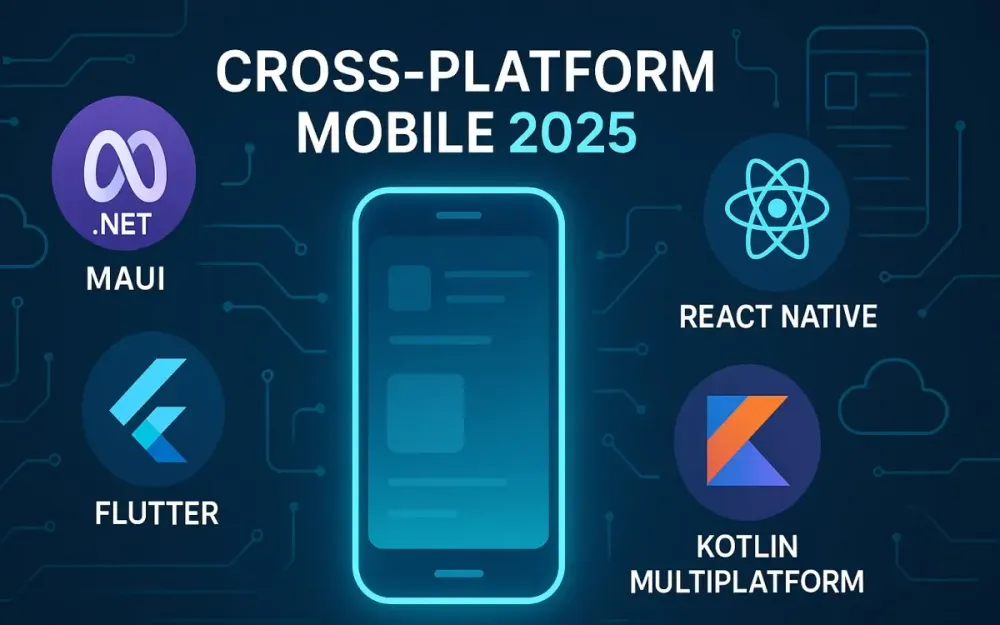
This guide distills the state of the four dominant players—.NET MAUI, React Native, Flutter, and Kotlin Multiplatform—into a structured decision framework. The goal is to help you cut through hype, match technology with business realities, and design a sustainable mobile strategy that delivers not just for the next release cycle, but for the next decade.
1.1 The Post-Native Era: Why “Is cross-platform viable?” is the wrong question in 2025
For most of the 2010s, the mobile development world was split into two camps:
- Native purists—those who insisted that only Swift/Objective-C for iOS and Java/Kotlin for Android could deliver truly performant, high-quality apps.
- Cross-platform pioneers—those who believed code sharing across platforms was the key to speed and cost savings, despite skepticism about performance and polish.
In 2025, that debate is effectively over. Every major company with a large-scale mobile presence—banks, retailers, logistics giants, even gaming platforms—relies on some form of cross-platform tooling. The rise of enterprise-grade performance benchmarks, richer abstraction layers, and massive investments from Microsoft, Google, Meta, and JetBrains has eliminated the stigma.
The real shift is philosophical:
- The native-first mindset has evolved into a strategy-first mindset.
- Organizations are asking, “Which framework gives us long-term adaptability, developer velocity, and sustainable costs?” instead of “Which one is the most ‘native’?”
Pro Tip: Treat cross-platform not as a shortcut, but as a strategic operating system for your product portfolio. The question is which ecosystem strengthens your talent pool, infrastructure investments, and product roadmaps.
1.2 Introducing the Contenders
Each framework represents a different philosophy of cross-platform development. Understanding their lineage helps you grasp their strengths, weaknesses, and cultural DNA.
1.2.1 .NET MAUI: The evolution of Xamarin, deeply integrated into the Microsoft ecosystem
.NET Multi-platform App UI (MAUI) is Microsoft’s official cross-platform toolkit, the successor to Xamarin.Forms. It provides a single C# codebase for Android, iOS, macOS, and Windows. Its defining traits:
- Uses native UI controls via a modern “handler” architecture (lighter and more flexible than Xamarin renderers).
- Deep integration with Visual Studio and the wider .NET ecosystem.
- Ability to embed Blazor Hybrid apps, uniting web and native in a first-class way.
- Strategic fit for enterprises standardized on Azure, Microsoft 365, and the .NET stack.
1.2.2 React Native: The JavaScript juggernaut, leveraging web talent for mobile
Born at Meta (then Facebook), React Native is the bridge between web and mobile. Its superpower is talent leverage: JavaScript/TypeScript developers can build mobile apps using familiar concepts. Its defining traits:
- Uses native UI components, orchestrated via JavaScript running in a separate thread.
- Evolving toward higher performance with JSI, Fabric Renderer, and TurboModules.
- Massive ecosystem via NPM and strong community support.
- Unique advantage in over-the-air (OTA) updates via tools like CodePush.
1.2.3 Flutter: Google’s UI toolkit for crafting beautiful, natively compiled apps
Flutter represents a bold vision: owning the entire rendering stack. Instead of relying on platform-native UI widgets, it paints pixels directly to the screen using its Skia-powered rendering engine. Its defining traits:
- Provides consistency across platforms—what you design is exactly what users see, whether on iOS, Android, or beyond.
- Powered by Dart, a language designed for both developer productivity and high-performance runtime execution.
- Strong in animation-heavy, design-centric apps, often preferred by product teams focused on brand identity.
- Expanding beyond mobile into Web, Desktop, and Embedded—Google positions Flutter as a true cross-device toolkit.
1.2.4 Kotlin Multiplatform (KMP): The pragmatic choice for sharing logic, not UI
JetBrains’ Kotlin Multiplatform offers a different approach: share business logic, but build native UIs. Its defining traits:
- Developers write common Kotlin code for models, networking, and core logic.
- UIs remain 100% native: SwiftUI on iOS, Jetpack Compose on Android.
- Offers the most granular control over what gets shared, minimizing the “abstraction tax.”
- A natural fit for teams already deep in Kotlin or Android development.
- With Compose Multiplatform, it is steadily encroaching into UI sharing territory.
Note: KMP doesn’t compete on “one UI everywhere.” Instead, it competes on performance, flexibility, and maintainability—especially in apps with deep native integration needs.
1.3 Who This Article is For
This guide is designed for practitioners who make architectural decisions with long-term business impact. Specifically:
- Solution Architects balancing trade-offs between ecosystems.
- CTOs and VPs of Engineering making multi-million-dollar bets on technology stacks.
- Technical Leads responsible for team composition, tooling pipelines, and developer experience.
It assumes you already know the basics of mobile development. What you need is clarity on how to compare these frameworks systematically, not just at the feature level, but at the strategic level.
If you’re facing questions like:
- “Should we double down on React Native or start migrating to Flutter?”
- “We’re a .NET shop—does MAUI make sense for us, or is it a trap?”
- “How much of our mobile app can we realistically share with Kotlin Multiplatform?”
…then this guide is for you.
1.4 Core Evaluation Lenses
To avoid analysis paralysis, we anchor our comparison on five pillars that consistently determine long-term outcomes for mobile strategy. Think of these as your decision lenses:
1.4.1 Delivery Speed
How quickly can your team iterate from concept to production? This covers inner-loop developer experience (hot reloads, debugging), tooling maturity, and real-world code sharing percentages.
1.4.2 Native Capability
How much of the platform do you get “for free,” and how much requires workarounds? Can you access low-level APIs like NFC, Bluetooth, background services, and hardware sensors without friction?
1.4.3 Performance
Does the app feel buttery smooth under stress? We’ll evaluate startup time, memory usage, rendering consistency (jank/frame drops), and how frameworks handle complex UIs like infinite scrolling feeds.
1.4.4 Hiring and Talent Pool
Technology doesn’t live in a vacuum. Can you hire the right developers at scale? What’s the onboarding curve if your existing talent pool is primarily web, .NET, or Android-heavy?
1.4.5 Total Cost of Ownership (TCO)
Beyond the upfront cost of building the app, what are the five-year implications? This includes maintenance overhead, breaking changes, ecosystem stability, CI/CD complexity, and hidden costs like debugging cross-platform edge cases.
Trade-off: No framework wins across all five lenses. The right choice is about matching the framework’s strengths with your organization’s DNA and product roadmap.
2 Architectural Deep Dive: Understanding the Philosophies
At the heart of every cross-platform framework lies a philosophy about control, abstraction, and developer productivity. For architects, understanding this “why” is more important than memorizing APIs. It shapes how your app will evolve, how your team will collaborate, and how sustainable the codebase will be over the next decade. In this section, we’ll examine each contender through its architectural lens, unpacking their unique choices in UI rendering, language design, and ecosystem strategy.
2.1 .NET MAUI: The Unifier for the .NET Shop
.NET MAUI is not just a technical upgrade to Xamarin.Forms; it represents Microsoft’s vision of a unified application development stack. By folding mobile into the broader .NET ecosystem, MAUI allows enterprises to consolidate skills, libraries, and infrastructure.
2.1.1 Core Architecture: From Xamarin’s Renderers to MAUI’s Handlers
Xamarin.Forms relied on “renderers,” which mapped each cross-platform control to its native equivalent. This often led to monolithic inheritance chains and performance bottlenecks when customizing controls. MAUI replaces this with a Handler architecture: each UI element delegates platform-specific behavior to a handler, which is modular, lean, and easily swappable.
For example, a Button in MAUI delegates to a platform-specific handler:
public class CustomButtonHandler : ButtonHandler
{
    protected override void ConnectHandler(Button platformView)
    {
        base.ConnectHandler(platformView);
        platformView.BackgroundColor = Colors.CadetBlue.ToPlatform();
    }
}
Pro Tip: Handlers make it easier to inject platform-specific logic without writing entire renderers. You can override or extend handlers incrementally, improving maintainability.
2.1.2 Rendering Strategy: True Native UI Controls
Unlike Flutter, which owns its rendering pipeline, MAUI leverages platform-native controls. A DatePicker in MAUI is an iOS UIDatePicker on iOS and a DatePickerDialog on Android. This ensures apps look and feel like first-class citizens, inheriting OS-level updates for free.
Trade-off: This strategy yields strong platform fidelity but reduces cross-platform UI consistency. A button may look slightly different on iOS and Android unless styled explicitly.
2.1.3 Language & Ecosystem: The Power and Maturity of C# 13, .NET 9, and NuGet
MAUI rides on the full power of modern C# 13 and .NET 9. Features like pattern matching improvements, enhanced records, and asynchronous streams make mobile codebases expressive and safe. The NuGet ecosystem remains one of the richest, enabling reuse of logging, networking, and data-access libraries already adopted in enterprise backends.
Example: Using modern C# records in MAUI models:
public record Product(int Id, string Name, decimal Price);

var discounted = product with { Price = product.Price * 0.9m };
Note: For enterprises standardized on .NET, MAUI dramatically reduces onboarding costs: the same developers who write APIs can also deliver mobile apps.
2.1.4 The Blazor Hybrid Angle: Web Meets Native
One of MAUI’s most strategic moves is Blazor Hybrid, which allows embedding Blazor components directly inside native apps. Unlike traditional WebViews, Blazor Hybrid runs on the .NET runtime, enabling tight integration with native APIs and avoiding the performance penalty of DOM/WebKit.
For instance, embedding a Blazor component:
<BlazorWebView HostPage="wwwroot/index.html">
    <BlazorWebView.RootComponents>
        <RootComponent Selector="#app" ComponentType="{x:Type local:Counter}" />
    </BlazorWebView.RootComponents>
</BlazorWebView>
Pitfall: While tempting, don’t overuse Blazor Hybrid as a crutch for “just porting” existing web apps. Performance and UX may still lag compared to native MAUI controls for complex interactions.
2.2 React Native: The Web-to-Mobile Bridge
React Native thrives by lowering the barrier for web-first teams to enter the mobile world. Its evolution from a simple bridge to a sophisticated runtime architecture has kept it relevant in 2025.
2.2.1 Core Architecture: From the Old Bridge to JSI, Fabric, and TurboModules
Historically, React Native’s architecture used a bridge: asynchronous JSON messages between JavaScript and native. This was flexible but led to latency under heavy UI workloads. The new JSI (JavaScript Interface) removes the bridge bottleneck by enabling direct memory access between JavaScript and native modules.
Meanwhile, Fabric (new renderer) and TurboModules (new module system) streamline UI updates and native calls. Together, they cut down on jank and improve startup performance.
Example: A native TurboModule in Android (Kotlin):
class DeviceInfoModule(reactContext: ReactApplicationContext)
  : ReactContextBaseJavaModule(reactContext) {

    override fun getName() = "DeviceInfo"

    @ReactMethod
    fun getBatteryLevel(promise: Promise) {
        val batteryManager = reactContext.getSystemService(Context.BATTERY_SERVICE) as BatteryManager
        val level = batteryManager.getIntProperty(BatteryManager.BATTERY_PROPERTY_CAPACITY)
        promise.resolve(level)
    }
}
Pro Tip: With JSI, you can integrate C++ libraries directly, making React Native viable even in performance-sensitive domains like AR or streaming.
2.2.2 Rendering Strategy: Native UI Controlled by JavaScript
React Native maps declarative JSX code to native UI controls, but orchestrates them via a JavaScript thread. Developers use the familiar React component model:
const ProfileCard = ({ user }) => (
  <View style={styles.card}>
    <Image source={{ uri: user.avatar }} style={styles.avatar} />
    <Text>{user.name}</Text>
  </View>
);
Trade-off: Native look-and-feel is maintained, but heavy reliance on the JS thread can still cause dropped frames if not optimized (e.g., avoid synchronous loops).
2.2.3 Language & Ecosystem: TypeScript, NPM, Expo vs Bare
By 2025, most React Native teams write in TypeScript, gaining type safety without losing JavaScript’s ubiquity. The NPM ecosystem provides unparalleled breadth, but not all libraries are production-ready.
A key decision:
- Expo workflow: Simplifies setup and updates, ideal for startups.
- Bare workflow: Offers maximum control, needed for custom native modules.
Note: Many mature teams start with Expo, then “eject” into Bare as complexity grows.
2.2.4 CodePush & Over-the-Air Updates
React Native’s killer feature is rapid iteration via OTA updates. With tools like Microsoft’s CodePush, you can ship bug fixes or UI tweaks instantly—bypassing app store review cycles.
appcenter codepush release-react -a MyOrg/MyApp -d ProductionPitfall: Don’t abuse OTA updates for significant feature releases. Both Apple and Google expect major changes to go through review, and violations can trigger rejections.
2.3 Flutter: The Canvas-Based Maverick
Flutter rejects the notion that mobile apps should be bound by the limitations of platform-native widgets. By controlling every pixel, it delivers predictable design consistency across devices.
2.3.1 Core Architecture: Flutter Engine, Skia, and Dart VM
Flutter apps run atop the Flutter Engine, which embeds the Skia graphics library. This engine handles rendering, text layout, and input. Dart code can be JIT-compiled for fast development cycles or AOT-compiled for production, yielding native machine code.
Pro Tip: The engine’s independence means Flutter can target not just Android/iOS, but also Web, Desktop, and even automotive displays, making it attractive for multi-surface experiences.
2.3.2 Rendering Strategy: Painting Pixels with Impeller
Flutter does not rely on native UI components. Instead, it paints pixels on a canvas, giving developers pixel-perfect control. The introduction of Impeller, Flutter’s new rendering backend, addresses shader compilation stutter by pre-compiling shaders.
Example: A Flutter list with custom animation:
ListView.builder(
  itemCount: users.length,
  itemBuilder: (context, index) {
    return AnimatedContainer(
      duration: Duration(milliseconds: 300),
      child: ListTile(
        leading: CircleAvatar(backgroundImage: NetworkImage(users[index].avatar)),
        title: Text(users[index].name),
      ),
    );
  },
);
Trade-off: Absolute control comes at the cost of deviating from native look-and-feel. You must invest in platform-specific design adaptation if brand identity requires blending with OS conventions.
2.3.3 Language & Ecosystem: Dart and Pub.dev
Dart in 2025 is mature, with sound null safety, modern syntax, and powerful concurrency primitives via async/await and isolates. While not as ubiquitous as JavaScript, the Pub.dev ecosystem has grown robust, with libraries for state management (Riverpod, Bloc), networking (Dio), and animations.
Note: Dart’s dual AOT/JIT model makes it uniquely suited for Flutter’s workflow: fast reload in development, optimized binaries in production.
2.3.4 Beyond Mobile: Flutter’s Expansion
Flutter is aggressively pursuing Web, Desktop, and Embedded platforms. Companies like Toyota and Canonical (Ubuntu) are betting on Flutter for cross-device UI.
Example: Flutter Desktop app snippet:
void main() {
  runApp(MaterialApp(
    home: Scaffold(
      appBar: AppBar(title: Text("Flutter Desktop")),
      body: Center(child: Text("Running on Windows!")),
    ),
  ));
}
Pitfall: Flutter’s Web performance, while improved, may still lag in highly interactive or SEO-critical scenarios. Use judiciously.
2.4 Kotlin Multiplatform: The Pragmatist’s Choice
Kotlin Multiplatform (KMP) offers a surgical approach: share where it makes sense, stay native where it matters. This makes it attractive for teams already maintaining separate iOS and Android codebases.
2.4.1 Core Architecture: Share What Makes Sense
KMP lets you write common Kotlin code in shared modules. These modules can define data models, network calls, and business rules, while UI remains platform-specific.
Example shared repository:
class UserRepository(private val client: HttpClient) {
    suspend fun getUser(id: String): User =
        client.get("https://api.example.com/users/$id").body()
}
On Android, you consume directly; on iOS, the shared module compiles to a framework usable in Swift.
Pro Tip: Start small—share networking and models first. Expand gradually into business rules and offline logic.
2.4.2 Rendering Strategy: Native UIs with SwiftUI & Jetpack Compose
Unlike Flutter or MAUI, KMP does not impose a cross-platform UI. Instead, you build with SwiftUI on iOS and Jetpack Compose on Android.
Example SwiftUI screen consuming KMP logic:
struct UserView: View {
    @StateObject var vm = UserViewModel()

    var body: some View {
        VStack {
            Text(vm.user.name)
            Text(vm.user.email)
        }
        .onAppear { vm.loadUser() }
    }
}
Trade-off: Maximum native fidelity, but less code sharing. This increases UI development effort but ensures apps align perfectly with platform conventions.
2.4.3 Language & Ecosystem: Kotlin + Coroutines + Ktor
Kotlin offers advanced features like extension functions, null safety, and coroutines for structured concurrency. The Ktor framework enables shared HTTP clients, while SQLDelight provides type-safe, multiplatform database access.
Example with coroutines:
scope.launch {
    val user = repository.getUser("123")
    println("Loaded user: $user")
}
Note: Unlike Flutter’s ecosystem, KMP relies more on JetBrains/third-party tooling than a centralized package repository. Choose libraries carefully.
2.4.4 Compose Multiplatform: Toward Shared UI
Compose Multiplatform is JetBrains’ attempt to extend Jetpack Compose beyond Android. By 2025, it supports Android, Desktop, Web, and iOS (experimental).
Example shared Compose screen:
@Composable
fun Greeting(name: String) {
    Text("Hello, $name!")
}
This can run across Android and Desktop today, and iOS with some caveats.
Pitfall: While Compose Multiplatform shows promise, it’s not yet as production-ready as Flutter for broad UI sharing. Treat it as an evolving option, not a turnkey replacement.
3 The Crucible: A Practical Head-to-Head Comparison
Frameworks are rarely chosen based on ideology alone. When CTOs and architects sit down to make decisions, the conversation inevitably turns to metrics. How quickly can the team ship? How does the app perform under real-world loads? How much of the system can be shared before complexity outweighs benefits? This section puts .NET MAUI, React Native, Flutter, and Kotlin Multiplatform into a practical crucible, exposing trade-offs in developer experience, runtime behavior, and native reach.
The following subsections will not just state claims but will demonstrate differences with realistic examples, code snippets, and comparative breakdowns.
3.1 Metric 1: Delivery Speed & Developer Experience (DX)
Delivery speed is often the most visible factor to business stakeholders. While architects worry about maintainability and technical debt, executives want answers to “How soon can we demo this?” Developer Experience (DX) underpins delivery speed—it determines whether engineers feel empowered or blocked during everyday development cycles.
3.1.1 Time-to-First-Render: Hot Reload vs. Fast Refresh vs. Live Edit
The inner development loop—write code → see result → adjust—is the heartbeat of productivity. Each framework offers its own tooling for minimizing the lag between keystrokes and on-screen results.
- .NET MAUI Hot Reload (2025): Allows developers to update XAML and C# files without restarting the app. Code-behind logic changes are preserved where possible. For UI-heavy applications, reloads often happen in less than 1 second.
- React Native Fast Refresh: Updates JavaScript/TypeScript code instantly, preserving component state. Still one of the fastest loops available, particularly when paired with Expo.
- Flutter Hot Reload & Hot Restart: Hot Reload injects new Dart code into the running VM without losing state. Hot Restart resets the app but recompiles quickly. Average reload latency is sub-second on modern machines.
- Kotlin Multiplatform Live Edit (via Android Studio): Works seamlessly for Jetpack Compose on Android, with iOS Live Previews gradually maturing. While KMP excels at logic sharing, UI preview fidelity is stronger on Android than iOS.
Pro Tip: In DX-sensitive projects (e.g., consumer apps requiring rapid design iteration), the speed of React Native Fast Refresh and Flutter Hot Reload can translate directly into shorter sprints and faster stakeholder feedback.
3.1.2 Tooling & IDEs: Visual Studio vs. VS Code vs. Android Studio/IntelliJ
Each framework has a preferred IDE ecosystem, and team comfort with these tools matters as much as raw feature lists.
- .NET MAUI: Anchored in Visual Studio 2022/2025. Strong integration with designers, debuggers, and Azure DevOps pipelines. Profiling tools (dotTrace, PerfView) integrate with .NET memory and CPU profiling, making it ideal for enterprise environments.
- React Native: Most teams use VS Code with React Native Tools extension. Lightweight, highly extensible, and integrates tightly with NPM scripts. Debugging with Flipper gives developers a near-native inspection experience.
- Flutter: Android Studio and IntelliJ provide the most complete experience, though VS Code has strong plugin support. The DevTools suite allows live widget inspection, performance tracing, and memory snapshots.
- Kotlin Multiplatform: Best supported in Android Studio (since JetBrains owns both). For iOS developers, integration with Xcode is serviceable but less ergonomic. Expect dual-IDE setups when teams are mixed.
Note: Tooling maturity is not just about convenience. Profiling and debugging capabilities affect long-term maintainability, especially when tracking memory leaks or performance regressions.
3.1.3 Code Sharing Reality: What Can You Really Share?
Framework marketing often touts “write once, run anywhere.” The real story is more nuanced. Let’s analyze a typical CRUD app with login, a product list, and offline caching.
| Layer / Concern | .NET MAUI | React Native | Flutter | Kotlin Multiplatform |
|---|---|---|---|---|
| UI Components | 90% (XAML, handlers) | 85% (JSX components) | 95% (widgets) | 0–30% (Compose Multiplatform optional) |
| Business Logic | 100% (C# shared) | 100% (TS/JS shared) | 100% (Dart shared) | 90–100% (Kotlin shared modules) |
| Networking | 100% (HttpClient) | 100% (Axios/fetch) | 100% (Dio/Http) | 100% (Ktor) |
| Data Models | 100% (C# records) | 100% (TS interfaces) | 100% (Dart classes) | 100% (Kotlin data classes) |
| Platform-Specific APIs | ~20% | ~20% | ~15% | ~30% |
Trade-off: Flutter and MAUI maximize UI sharing, while KMP explicitly sacrifices UI sharing for native fidelity. React Native sits in the middle, providing strong code reuse but occasionally requiring polyfills for missing NPM modules.
Pitfall: Overestimating code sharing percentages leads to underbudgeting. Always plan for at least 10–20% platform-specific code in real-world apps, regardless of framework.
3.2 Metric 2: Performance Benchmarks
No architect can afford to ignore runtime performance. While most frameworks can deliver smooth experiences for simple apps, complex use cases like infinite scrolling feeds or media-heavy apps reveal architectural differences.
3.2.1 The Sample Application: Defining the Test Case
Our benchmark scenario is a social media feed app with these features:
- Infinite scrolling feed with images and text.
- Offline caching of posts.
- Smooth animations on like/share interactions.
- Background sync for new data.
This scenario stresses UI rendering, networking, concurrency, and memory usage simultaneously.
3.2.2 Startup Time (Cold & Warm)
- .NET MAUI: Cold starts can be slightly slower due to the .NET runtime initialization, though Ahead-of-Time (AOT) compilation improves warm starts significantly.
- React Native: Historically weaker in cold starts, but improvements in Hermes engine (lightweight JS runtime) reduce overhead. Warm starts are fast thanks to JS bundle caching.
- Flutter: One of the fastest startup times. Precompiled Dart AOT binaries and Impeller shader pre-compilation minimize delays.
- KMP: Matches native startup since UI layers are platform-native. No runtime bridge overhead.
Note: For apps where first impression is critical (e.g., consumer fintech apps), Flutter and KMP currently lead in cold start responsiveness.
3.2.3 CPU & Memory Usage
- .NET MAUI: Memory footprint can be higher due to the .NET runtime. However, C#’s JIT/AOT balance allows controlled CPU usage.
- React Native: CPU spikes can occur on heavy JS computations, though Hermes and JSI mitigate bottlenecks. Memory usage is moderate but depends on JS bundle size.
- Flutter: Efficient memory management due to Dart isolates. CPU usage predictable but higher during heavy animations.
- KMP: Most efficient since shared logic compiles to native and UIs are built with platform SDKs.
3.2.4 UI Jank & Frame Rate
Profiling tools reveal subtle differences:
- Flutter: With Impeller, frame drops are rare even at 120fps animations.
- React Native: Still prone to dropped frames if JS thread is blocked, though libraries like Reanimated 3 mitigate this.
- MAUI: Generally smooth, though complex XAML-based UIs can stutter if not optimized.
- KMP: Smoothest possible since each platform uses native rendering pipelines (Compose/SwiftUI).
Pro Tip: Always benchmark on mid-range devices, not just flagships. Flutter and KMP maintain smoother performance under constrained hardware.
3.2.5 Code Example: High-Performance List Views
Efficient list rendering is a litmus test for frameworks. Here’s how each handles large, scrollable feeds.
Flutter (ListView.builder with caching):
ListView.builder(
  itemCount: posts.length,
  cacheExtent: 500,
  itemBuilder: (context, index) {
    final post = posts[index];
    return ListTile(
      leading: Image.network(post.imageUrl),
      title: Text(post.title),
    );
  },
);
React Native (FlashList):
import { FlashList } from "@shopify/flash-list";

<FlashList
  data={posts}
  renderItem={({ item }) => (
    <View>
      <Image source={{ uri: item.imageUrl }} style={{ width: 60, height: 60 }} />
      <Text>{item.title}</Text>
    </View>
  )}
  estimatedItemSize={80}
/>
.NET MAUI (CollectionView):
<CollectionView ItemsSource="{Binding Posts}">
    <CollectionView.ItemTemplate>
        <DataTemplate>
            <Grid>
                <Image Source="{Binding ImageUrl}" WidthRequest="60" HeightRequest="60"/>
                <Label Text="{Binding Title}" Grid.Column="1"/>
            </Grid>
        </DataTemplate>
    </CollectionView.ItemTemplate>
</CollectionView>
KMP (Jetpack Compose + SwiftUI):
Android (LazyColumn):
LazyColumn {
    items(posts) { post ->
        Row {
            AsyncImage(model = post.imageUrl, contentDescription = null)
            Text(post.title)
        }
    }
}
iOS (SwiftUI List):
List(posts) { post in
    HStack {
        AsyncImage(url: URL(string: post.imageUrl))
        Text(post.title)
    }
}
Trade-off: Flutter gives the most consistent experience across platforms. KMP delivers maximum performance but doubles UI work. React Native’s FlashList is optimized but requires awareness of the JS thread. MAUI’s CollectionView balances productivity with native fidelity.
3.3 Metric 3: Native Capability & Hardware Access
Beyond UI, many apps depend on deep integration with device hardware—from Bluetooth and NFC to background services. The real differentiator here is how frameworks let you “escape the abstraction” when necessary.
3.3.1 The Abstraction Ceiling
- .NET MAUI: Provides a rich set of cross-platform APIs, but dropping to native requires writing platform-specific code via conditional compilation.
- React Native: Native Modules and JSI enable bridging to platform APIs. However, custom native code means maintaining Android/iOS builds alongside JS.
- Flutter: Uses Platform Channels (method-channel messaging) or FFI (direct C interop) for advanced use cases.
- KMP: The
expect/actualpattern allows defining shared interfaces while providing platform-specific implementations. Clean, but requires discipline.
3.3.2 Mechanisms Compared
- MAUI:
#if ANDROID/#if IOSdirectives in C#. - React Native: Native Modules with TypeScript declarations.
- Flutter: Platform Channels for Dart↔Native messaging.
- KMP: Shared
expectdeclarations withactualplatform implementations.
3.3.3 Code Example: “Keep Screen Awake” Feature
.NET MAUI:
public void KeepScreenOn()
{
#if ANDROID
    Platform.CurrentActivity.Window.AddFlags(Android.Views.WindowManagerFlags.KeepScreenOn);
#elif IOS
    UIKit.UIApplication.SharedApplication.IdleTimerDisabled = true;
#endif
}
React Native (Native Module + JS wrapper):
class ScreenModule(reactContext: ReactApplicationContext)
  : ReactContextBaseJavaModule(reactContext) {
    override fun getName() = "Screen"

    @ReactMethod
    fun keepAwake() {
        currentActivity?.window?.addFlags(WindowManager.LayoutParams.FLAG_KEEP_SCREEN_ON)
    }
}
JavaScript side:
import { NativeModules } from 'react-native';
NativeModules.Screen.keepAwake();
Flutter (Platform Channel):
const platform = MethodChannel('screen_channel');

Future<void> keepScreenOn() async {
  await platform.invokeMethod('keepScreenOn');
}
Android implementation (Kotlin):
channel.setMethodCallHandler { call, result ->
    if (call.method == "keepScreenOn") {
        activity.window.addFlags(WindowManager.LayoutParams.FLAG_KEEP_SCREEN_ON)
        result.success(null)
    }
}
Kotlin Multiplatform:
Shared code:
expect class ScreenKeeper {
    fun keepOn()
}
Android actual implementation:
actual class ScreenKeeper {
    actual fun keepOn() {
        activity.window.addFlags(WindowManager.LayoutParams.FLAG_KEEP_SCREEN_ON)
    }
}
iOS actual implementation:
actual class ScreenKeeper {
    actual fun keepOn() {
        UIApplication.shared.isIdleTimerDisabled = true
    }
}
Trade-off: KMP provides the cleanest compile-time contract (expect/actual). Flutter requires more boilerplate but gives fine-grained control. React Native is flexible but introduces bridge maintenance overhead. MAUI integrates well but can become verbose with many conditional blocks.
4 The Long View: Strategic & Financial Implications
Choosing a framework is not just a matter of engineering elegance—it is a business strategy decision with implications that ripple across hiring, organizational structure, maintenance budgets, and future-proofing. While performance benchmarks and developer experience shape the short-term trajectory, the long-term success of a mobile program depends on the sustainability of talent, costs, and migration pathways. In this section, we evaluate the long arc of impact for .NET MAUI, React Native, Flutter, and Kotlin Multiplatform.
4.1 Metric 4: The Talent Equation - Hiring, Training & Team Structure
Talent availability and skill transferability often determine whether projects succeed or stall. Even the most elegant technology can fail if you cannot staff teams effectively or onboard new developers quickly.
4.1.1 Hiring Pool Analysis
By 2025, the global developer landscape has stabilized into four identifiable pools corresponding to our frameworks:
- C# / .NET pool (.NET MAUI): Still massive in enterprise environments. According to Stack Overflow’s 2025 survey, C# remains in the top five most widely used languages, with deep penetration in finance, government, and healthcare. MAUI is a natural extension for organizations already invested in .NET.
- JavaScript / React pool (React Native): JavaScript remains the most widely used programming language worldwide. The sheer size of the React web ecosystem feeds directly into React Native adoption. Hiring React developers is rarely a bottleneck, but training them in mobile specifics is crucial.
- Dart / Flutter pool (Flutter): Dart adoption continues to grow, though its pool is smaller than JS or C#. However, Flutter’s strong presence in Asia, Europe, and startups means there is a rising community of skilled developers. Pub.dev and Flutter meetups are vibrant talent pipelines.
- Kotlin / Android pool (KMP): Kotlin is now the de facto language for Android, and its adoption in backend services has expanded its reach. However, fewer iOS developers are natively comfortable with Kotlin, so organizations often need dual-skill teams when using KMP.
Pro Tip: If time-to-hire is critical, React Native offers the widest pool. If retention and long-term loyalty are strategic priorities, Flutter and KMP developers tend to form more specialized, less transient communities.
4.1.2 Required Skillsets
A common misconception is that any web developer can simply “slide into” mobile with React Native or Flutter. While partially true, producing high-quality apps requires more than JSX or widget fluency.
- React Native: Web developers familiar with React find onboarding fast. However, they must learn mobile paradigms: navigation stacks, lifecycle events, offline-first strategies, and platform constraints like background execution.
- .NET MAUI: C# developers can build apps quickly, but mobile nuances like adaptive UI, permission models, and battery optimization require domain learning.
- Flutter: Dart’s syntax is approachable, but UI design in Flutter is a different paradigm. Developers must embrace widget trees and declarative composition.
- KMP: The steepest curve if teams lack mobile expertise. Sharing logic is straightforward, but SwiftUI and Jetpack Compose each require platform mastery.
Pitfall: Assuming language familiarity equals mobile readiness. In practice, onboarding must include mobile domain training—not just framework syntax.
4.1.3 Optimal Team Composition
Framework choice directly influences team structure:
- .NET MAUI: Works best with unified teams of C# developers. Enterprises can often cross-train backend developers to mobile.
- React Native: Often splits into frontend-focused teams (web developers turned mobile) and native bridge maintainers who write modules in Swift/Kotlin.
- Flutter: Supports single cohesive teams, as both UI and business logic are shared. Design-heavy teams may include dedicated Flutter animation/UX specialists.
- KMP: Best for split teams: a shared logic team plus platform-native UI teams. This model ensures fidelity while still saving effort on business logic.
Trade-off: Unified teams lower coordination overhead but risk abstraction blind spots. Split teams maximize fidelity but increase management complexity.
4.2 Metric 5: Total Cost of Ownership (TCO)
Initial development speed often overshadows the more important metric: five-year costs. TCO captures the hidden burdens of maintaining, evolving, and integrating apps over time.
4.2.1 Initial Development Cost
- .NET MAUI: Low for .NET shops, high for non-.NET organizations due to tooling and language learning curves.
- React Native: Lower startup cost thanks to the web talent pool and fast prototyping. However, production hardening (e.g., native bridges) increases cost.
- Flutter: Moderate. Teams must learn Dart, but once fluent, the speed of iteration and consistency reduces design overhead.
- KMP: Highest initial cost since UI duplication persists. However, early investments pay off in mission-critical apps needing native fidelity.
Note: For MVPs or short-lived apps, React Native and Flutter usually offer the fastest ROI.
4.2.2 Maintenance Overhead
- .NET MAUI: Relatively stable, but tied tightly to Microsoft’s release cadence. NuGet packages are generally backward compatible, though major .NET updates can require migration effort.
- React Native: High overhead. Frequent breaking changes in React Native core and ecosystem libraries can create significant upgrade pain.
- Flutter: Moderate. Google enforces strong backward compatibility, and most Pub.dev libraries are maintained. However, engine-level changes (e.g., Impeller adoption) may require refactoring.
- KMP: Low for business logic. High for UI, since both SwiftUI and Jetpack Compose evolve rapidly and sometimes deprecate APIs aggressively.
4.2.3 Hidden Costs
Some costs only reveal themselves after deployment:
- Debugging abstraction bugs: React Native and MAUI developers sometimes chase bugs that occur only under the hood of cross-platform layers.
- CI/CD pipeline complexity: Flutter requires additional setup for multi-platform builds, while KMP introduces complexity by compiling shared modules to frameworks.
- App store review risks: OTA updates (React Native CodePush) must be used carefully. Overuse risks store rejections.
Pro Tip: Always allocate 15–20% of long-term budget to account for these hidden costs, regardless of framework.
4.2.4 TCO Projection Table
| Factor | .NET MAUI | React Native | Flutter | Kotlin Multiplatform |
|---|---|---|---|---|
| Initial Development Cost | ★★★★☆ | ★★★★★ | ★★★★☆ | ★★☆☆☆ |
| Maintenance Stability | ★★★★☆ | ★★☆☆☆ | ★★★★☆ | ★★★☆☆ |
| Hidden Costs | ★★★☆☆ | ★★☆☆☆ | ★★★★☆ | ★★★★☆ |
| 5-Year TCO Projection | Moderate | High | Moderate-Low | Moderate-High |
Trade-off: React Native wins on short-term cost but loses on long-term stability. KMP is expensive upfront but pays off in high-control, high-performance environments.
4.3 Migration & Integration Notes for Existing Systems
Very few organizations start on a greenfield. More often, teams must integrate or migrate from legacy systems. How frameworks handle brownfield adoption is a critical factor.
4.3.1 Greenfield vs. Brownfield
- .NET MAUI: Strong for greenfield apps in .NET environments. Brownfield adoption (e.g., embedding MAUI inside native iOS/Android apps) is possible but awkward.
- React Native: Excels at brownfield integration. Teams can add a single React Native screen inside existing native apps and expand gradually.
- Flutter: Supports add-to-app scenarios, but integration requires embedding FlutterEngine and handling lifecycle carefully.
- KMP: Ideal for brownfield because you can incrementally share layers—start with models, then networking, then business logic.
Pitfall: Treating Flutter or MAUI as easy drop-ins for brownfield projects. Both require significant bootstrapping and may duplicate infrastructure.
4.3.2 Migrating from Xamarin to .NET MAUI
Enterprises with Xamarin investments face an inevitable question: migrate or rebuild?
Migration involves:
-
Upgrade to .NET 9 SDKs.
-
Replace custom renderers with handlers. Example:
// Incorrect (Xamarin renderer) public class CustomButtonRenderer : ButtonRenderer { ... } // Correct (MAUI handler) public class CustomButtonHandler : ButtonHandler { ... } -
Refactor platform-specific code into multi-targeted projects.
-
Adopt Blazor Hybrid gradually if web assets exist.
Pro Tip: Plan migrations as phased refactors rather than big-bang rewrites. Start with non-critical apps to validate tooling.
4.3.3 Migrating from Native to KMP
KMP shines in gradual adoption. A typical path:
- Shared Models: Replace duplicated data models in Swift and Kotlin with a shared
commonMainmodule. - Networking Layer: Move API calls into KMP using Ktor.
- Business Logic: Consolidate validation, caching, and synchronization rules.
- Feature Modules: Eventually encapsulate entire features behind shared facades.
Example shared networking code:
class ApiClient(private val http: HttpClient) {
    suspend fun getPosts(): List<Post> =
        http.get("https://api.example.com/posts").body()
}
On iOS, the KMP module is consumed as a Swift framework:
let posts = try await apiClient.getPosts()Trade-off: Each migration step reduces duplicated code, but full adoption requires patience and disciplined architectural layering.
5 The Verdict: The Architect’s Decision Framework
After analyzing developer experience, performance, native reach, hiring implications, and total cost of ownership, the decision landscape becomes clearer. No single framework is universally best—each is optimized for a different strategic posture. The architect’s role is to translate these technical trade-offs into organizational value, aligning the right technology with the right business goals. This section consolidates our findings into a structured decision matrix and closes with opinionated recommendations for common use cases.
5.1 The 2025 Decision Matrix
The following table distills the comparison into a concise yet comprehensive format. Each framework is evaluated against our five pillars—Delivery Speed, Native Capability, Performance, Hiring, and TCO—plus two critical sub-metrics: UI Fidelity and Ecosystem Maturity. Ratings are on a 1–5 star scale, with a short justification.
| Metric / Framework | .NET MAUI | React Native | Flutter | Kotlin Multiplatform |
|---|---|---|---|---|
| Delivery Speed | ⭐⭐⭐⭐☆ – Excellent if team is already in .NET; tooling highly integrated | ⭐⭐⭐⭐⭐ – Fastest iteration cycles with Fast Refresh, great for prototypes | ⭐⭐⭐⭐⭐ – Hot reload + consistent widget tree makes iteration smooth | ⭐⭐☆☆☆ – Slower initial delivery due to separate UIs |
| Native Capability | ⭐⭐⭐⭐☆ – Access via Handlers and conditional compilation; rich .NET APIs | ⭐⭐⭐⭐☆ – Native Modules & JSI effective, but requires dual-skill teams | ⭐⭐⭐⭐☆ – Platform Channels & FFI flexible, though boilerplate heavy | ⭐⭐⭐⭐⭐ – expect/actual gives full native power |
| Performance | ⭐⭐⭐⭐☆ – Very good with AOT, but runtime overhead exists | ⭐⭐⭐☆ – Much improved, but JS thread can bottleneck | ⭐⭐⭐⭐⭐ – Impeller delivers consistent 120fps, near-native | ⭐⭐⭐⭐⭐ – Native UI + compiled Kotlin = top-tier |
| Hiring Pool | ⭐⭐⭐⭐☆ – Abundant in enterprises, especially Microsoft shops | ⭐⭐⭐⭐⭐ – Largest pool globally, fueled by JS/React ubiquity | ⭐⭐⭐☆ – Growing but smaller; concentrated in startups and emerging markets | ⭐⭐⭐☆ – Large on Android, but limited crossover with iOS devs |
| TCO (5-Year) | ⭐⭐⭐⭐☆ – Predictable under Microsoft’s roadmap | ⭐⭐☆☆☆ – High maintenance overhead, ecosystem churn | ⭐⭐⭐⭐☆ – Moderate; strong backward compatibility | ⭐⭐⭐☆ – Higher upfront, steady once stabilized |
| UI Fidelity | ⭐⭐⭐⭐☆ – Native controls ensure platform alignment | ⭐⭐⭐⭐☆ – Native controls, but thread-blocking risk | ⭐⭐⭐⭐⭐ – Absolute control with canvas rendering | ⭐⭐⭐⭐⭐ – Full native UI via Compose/SwiftUI |
| Ecosystem Maturity | ⭐⭐⭐⭐☆ – Rich .NET/NuGet ecosystem, strong support | ⭐⭐⭐⭐☆ – Vast NPM, but quality varies | ⭐⭐⭐⭐☆ – Pub.dev strong, but not as vast as NPM | ⭐⭐⭐☆ – Mature for logic, UI libraries still evolving |
Note: This matrix is not about declaring winners—it is about mapping strengths to contexts. A 5-star rating in one metric does not imply universal superiority. For example, React Native’s unmatched hiring pool comes with higher long-term maintenance costs.
Trade-off: Architects should weigh heavily the two metrics most aligned with their business drivers. A fintech enterprise optimizing for long-term maintainability might tolerate slower hiring (KMP or MAUI), while a startup racing to MVP might prioritize delivery speed (React Native or Flutter).
5.2 Opinionated Picks by Use Case
While no framework is a silver bullet, patterns emerge when aligning requirements with framework strengths. Below are opinionated recommendations for three common archetypes: enterprise CRUD systems, design-heavy consumer apps, and offline-first field apps.
5.2.1 For the Enterprise CRUD Application
Primary Concerns: Integration with existing systems (especially .NET backends), developer productivity, long-term support, and predictable TCO.
Top Pick: .NET MAUI
- Rationale: Enterprise CRUD apps thrive on alignment with existing stacks. .NET MAUI allows direct reuse of domain models, data-access libraries, and authentication layers already in .NET. Visual Studio integration and NuGet maturity accelerate delivery. The Blazor Hybrid option allows gradual reuse of existing web components without rewriting.
- Code Example – Reusing Shared Library Across Backend and Mobile:
// Shared library in .NET used across Web API and MAUI
public record Customer(int Id, string Name, string Email);

public class CustomerService {
    private readonly HttpClient _client;
    public CustomerService(HttpClient client) => _client = client;

    public async Task<List<Customer>> GetCustomersAsync() =>
        await _client.GetFromJsonAsync<List<Customer>>("https://api.example.com/customers");
}
This same model powers the web backend, API, and MAUI mobile client.
Strong Contender: React Native
- Fits enterprises with mixed web and mobile teams. Teams can staff quickly using JavaScript/TypeScript developers, though long-term costs of maintenance and ecosystem churn are higher.
Pro Tip: If you are already invested in Microsoft Azure and Active Directory, MAUI’s authentication story is almost turnkey compared to piecing together third-party libraries in React Native.
5.2.2 For the High-Fidelity, Brand-First UX App
Primary Concerns: Pixel-perfect UI control, complex animations, consistent look-and-feel across all platforms, fast rendering.
Top Pick: Flutter
- Rationale: Flutter owns the rendering pipeline, giving unparalleled control over every pixel. Impeller’s precompiled shaders ensure buttery-smooth animations at 120fps. This makes Flutter a favorite for design-first consumer apps such as e-commerce, travel, or media streaming.
- Code Example – Custom Animation in Flutter:
class HeartButton extends StatefulWidget {
  @override
  _HeartButtonState createState() => _HeartButtonState();
}

class _HeartButtonState extends State<HeartButton>
    with SingleTickerProviderStateMixin {
  late AnimationController _controller;

  @override
  void initState() {
    super.initState();
    _controller = AnimationController(
      vsync: this,
      duration: Duration(milliseconds: 400),
    );
  }

  void _toggle() {
    _controller.forward(from: 0);
  }

  @override
  Widget build(BuildContext context) {
    return ScaleTransition(
      scale: Tween(begin: 0.8, end: 1.2).animate(
        CurvedAnimation(parent: _controller, curve: Curves.elasticOut),
      ),
      child: IconButton(
        icon: Icon(Icons.favorite, color: Colors.red),
        onPressed: _toggle,
      ),
    );
  }
}
This level of fine-grained animation fidelity is difficult to achieve with frameworks dependent on native UI components.
Strong Contender: React Native (with a skilled team)
- While React Native can deliver high-fidelity apps using libraries like Reanimated 3 and Lottie, it demands more careful optimization to avoid JS-thread jank. With top-tier engineers, it can rival Flutter—but not out of the box.
Pitfall: Overengineering design in React Native without optimizing the JS thread often leads to dropped frames. Flutter avoids this by design.
5.2.3 For the Offline-First, Hardware-Heavy Field App
Primary Concerns: Deep native integration (Bluetooth, NFC, GPS), robust background processing, maximum performance, and shared business logic.
Top Pick: Kotlin Multiplatform
- Rationale: KMP shines where business logic is complex and must be shared, but native APIs are critical. By allowing shared logic (sync engines, encryption, data validation) while keeping UI and hardware APIs fully native, it avoids abstraction ceilings. Perfect for apps in logistics, healthcare, or utilities.
- Code Example – Shared Sync Logic in KMP:
class SyncEngine(private val client: HttpClient, private val db: Database) {
    suspend fun syncData() {
        val remoteData: List<Item> = client.get("https://api.example.com/items").body()
        db.saveItems(remoteData)
    }
}
Android consumption:
scope.launch { syncEngine.syncData() }iOS consumption (Swift):
Task {
    try await syncEngine.syncData()
}
The logic is shared, but each platform manages local storage, background services, and notifications natively.
Strong Contender: .NET MAUI
- Suitable for field apps in organizations already invested in .NET, especially when leveraging Microsoft’s enterprise-grade device management and Azure integration. However, MAUI’s abstraction can add overhead when tapping deeply into platform APIs compared to KMP’s
expect/actualmodel.
Note: Offline-first apps almost always hit OS-specific edge cases (e.g., iOS background task restrictions). KMP’s native-first approach ensures fewer surprises.
6 Conclusion: The Future is a Spectrum, Not a Monolith
Cross-platform development in 2025 is not about declaring a single winner. Instead, it is about recognizing that the landscape has matured into a spectrum of viable options, each optimized for a different balance of control, productivity, and sustainability. What matters most is not whether you choose .NET MAUI, React Native, Flutter, or Kotlin Multiplatform, but whether your choice aligns with your team’s strengths, your product’s requirements, and your organization’s strategic horizon.
6.1 Final Thoughts
No framework can be universally crowned as “the best.” .NET MAUI is an obvious choice for enterprises embedded in the Microsoft ecosystem; React Native dominates when hiring speed and delivery velocity matter most; Flutter thrives when design control and consistency are paramount; and Kotlin Multiplatform offers unmatched power for performance-sensitive, hardware-heavy use cases.
Trade-off: Any decision will involve compromises. If you optimize for hiring pool size, you may pay higher maintenance costs later (React Native). If you optimize for perfect fidelity and performance, you may need larger specialized teams (KMP). If you want unified tooling across the enterprise, you may trade off some early design flexibility (MAUI). If you choose Flutter for its UI control, you may sacrifice native conventions in favor of brand consistency.
The true winner is not the framework but the architecture that lets your organization adapt as technology shifts. In practice, many large organizations adopt a multi-framework strategy, using Flutter for consumer apps, KMP for field tools, and MAUI for enterprise dashboards—while maintaining React Native for legacy apps already in production.
6.2 The Road Ahead (2026 and Beyond)
Each ecosystem is evolving quickly, and understanding their trajectories is as important as assessing their present state.
MAUI’s Continued Integration Microsoft is deepening its vision of a unified .NET application layer. Expect closer integration between MAUI, Blazor, and Azure services. Features like cloud-synced authentication, cross-device notifications, and AI-powered copilots embedded into Visual Studio are likely to further reduce friction for enterprise teams. For architects in .NET-centric organizations, MAUI represents a stable, long-term bet.
React Native’s Maturing Core React Native has reached a point of architectural maturity. The investments in JSI, Fabric, and TurboModules are now paying dividends in real-world apps. As the ecosystem stabilizes, the overhead of constant churn is decreasing. At the same time, React Server Components and concurrent rendering patterns from the web world are bleeding into React Native, improving performance and developer experience.
Flutter’s Expansion Google continues to position Flutter as a cross-device UI layer, not just mobile. Flutter Web is increasingly viable for internal dashboards, while Flutter Desktop is finding adoption in tools and IoT interfaces. With the advent of Impeller rendering and WASM compilation for web, Flutter’s expansion beyond mobile will likely accelerate. The implication: choosing Flutter is less about building a mobile app and more about aligning with Google’s multi-surface strategy.
KMP & Compose Multiplatform JetBrains is committed to bridging the UI gap. Compose Multiplatform is steadily improving, bringing shared UI closer to production readiness. While KMP’s strength remains in shared business logic, by 2026 we may see more teams adopting Compose Multiplatform for true cross-platform UI. The appeal will be strongest for Android-heavy shops already fluent in Jetpack Compose.
Pro Tip: Architects should monitor how these ecosystems absorb AI-assisted tooling. Auto-generated boilerplate, AI-guided refactoring, and adaptive build pipelines will further blur differences in productivity. The framework that integrates AI-driven developer assistance most seamlessly may gain an outsized advantage.
6.3 Parting Advice
The most effective architectural decisions are rarely about chasing the latest hype. They are about aligning with your organizational DNA. Ask yourself:
- Do we already have a deep bench of .NET engineers? → MAUI.
- Do we need to hire quickly and iterate rapidly on consumer features? → React Native.
- Does our brand demand pixel-perfect consistency across devices? → Flutter.
- Do we require deep native integration for hardware or offline workflows? → KMP.
Pitfall: The biggest failure mode is adopting a framework solely because a competitor uses it or because it is trending. Without alignment to internal strengths and product goals, even the most technically capable framework can become an organizational liability.
Note: Expect hybrid strategies. You might use React Native for a customer-facing app, Flutter for a design-driven showcase product, and KMP for a field service tool—all under the same company umbrella. This is not a weakness; it is a reflection of strategic pragmatism.
Ultimately, the future of cross-platform mobile is not about convergence to a single framework, but about architectural agility—the ability to adopt, adapt, and integrate the best tools for each job. In this sense, the most valuable skill for architects is not mastery of any one framework, but the judgment to choose wisely, communicate trade-offs clearly, and position their teams for sustainable success.