1 Introduction: The Mobile-First Imperative in 2025
In 2025, mobile isn’t just a channel—it’s the default interface for billions of users worldwide. Whether someone is booking a ride in São Paulo, managing farm sensors in rural India, or streaming AR-enabled shopping experiences in New York, their first and often only touchpoint is through a mobile app. Behind that screen, the invisible engine driving responsiveness, battery efficiency, and user delight is API strategy.
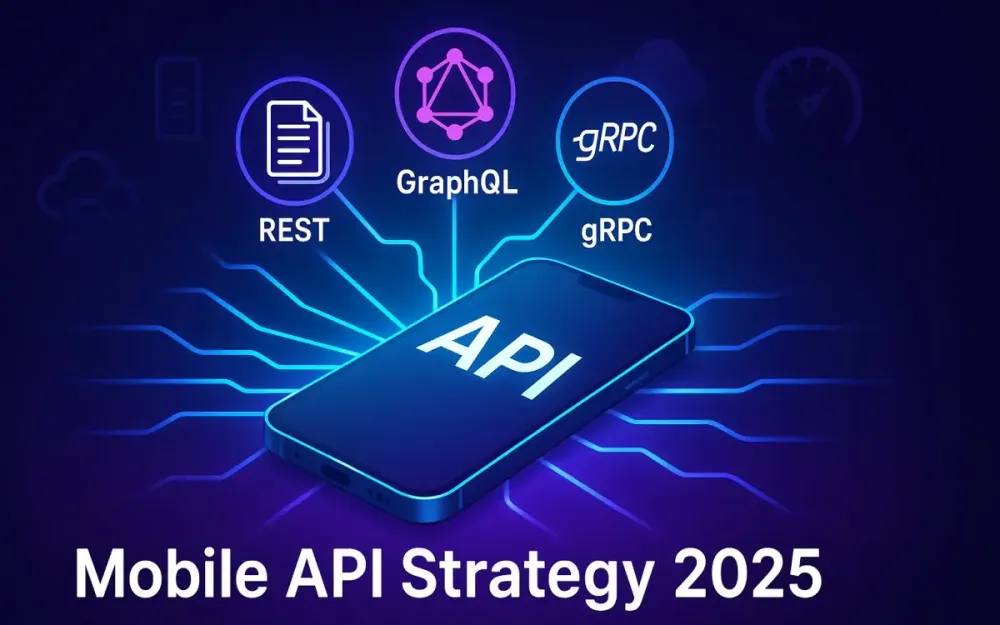
This article takes a deep dive into how REST, GraphQL, and gRPC—three dominant API paradigms—shape the mobile user experience, with special focus on battery consumption, bandwidth usage, and architectural fit. Our north star is pragmatic: how do you as a solution architect or senior engineer make informed, context-aware choices when every byte and every millisecond counts?
1.1 The State of Mobile Connectivity: Beyond 5G
5G adoption has spread globally, but the reality is uneven. A user in Seoul may enjoy sub-10ms latency, while a commuter in rural Africa is still constrained by 3G fallback. Even in dense urban areas, “full bars” don’t guarantee a smooth experience—cell handoffs in transit, building penetration issues, and throttling policies can all degrade performance.
For architects, this creates a paradox: design for the cutting edge, but be resilient to the lowest common denominator. The assumption that 5G “solves network problems” is a misconception. Instead, mobile APIs must handle:
- Intermittency: sudden drops and reconnects mid-request.
- Latency spikes: 10ms in theory, 400ms in reality when crossing congested networks.
- Throughput variability: high speed at one moment, painful slowness the next.
Pro Tip: Think of connectivity like electricity in the early grid era—not guaranteed. Design APIs that degrade gracefully and prioritize critical-path data first.
1.2 Why API Strategy is Crucial for Mobile UX
APIs are the bloodstream of mobile apps. Every swipe, refresh, or background sync translates into HTTP requests, JSON parsing, and network chatter. How those requests are structured has a direct impact on speed, battery, and cost.
1.2.1 The direct link between API performance and user-perceived speed
Users don’t see your API—they feel it. If loading a feed takes 2.5 seconds instead of 1.0, engagement plummets. Research continues to show abandonment rates rising steeply after a 3-second delay. Mobile APIs directly influence this metric because:
- Round trips matter: each additional API call incurs latency, even on fast connections.
- Payload size matters: a 300 KB JSON response takes longer to parse than a 30 KB one.
- Chattiness matters: multiple calls in sequence extend time-to-interactive.
In practice, poorly designed APIs can turn a high-performance app into one that “feels slow” despite modern hardware.
1.2.2 The “silent killer” of mobile apps: excessive battery drain
Battery is the currency of mobile trust. An app that drains 5% of a battery in the background won’t survive long on a user’s home screen. APIs are a prime culprit for hidden drains:
- Frequent polling instead of efficient push models.
- Large, uncompressed payloads requiring heavy CPU parsing.
- Long-lived connections that prevent radios from idling.
Note: Network radios (4G/5G modems, Wi-Fi chips) consume disproportionate battery when frequently waking from idle. Fewer, smaller, and well-batched API calls translate directly into longer device life.
1.2.3 The cost of data: respecting the user’s data plan
While unlimited data is common in developed markets, vast user segments still live under tight data caps or expensive metered connections. An app that consumes 500 MB per month for background sync is effectively unusable for them.
API efficiency becomes a matter of accessibility. By trimming payloads, caching intelligently, and supporting delta updates, developers both reduce operational costs and extend reach into bandwidth-sensitive markets.
1.3 Introducing the Contenders: REST, GraphQL, and gRPC
- REST: Born in the early 2000s, REST became the lingua franca of APIs. Its resource-oriented model and reliance on HTTP verbs made it approachable and tool-rich. But in mobile, it suffers from over-fetching (too much data) and under-fetching (not enough data), often requiring multiple calls.
- GraphQL: Introduced by Facebook, GraphQL addressed REST’s inefficiencies by giving clients control over data shape. Instead of multiple endpoints, one query could assemble all needed fields. Its flexibility comes at the cost of caching complexity and query governance.
- gRPC: Created by Google, gRPC leverages Protocol Buffers (Protobuf) over HTTP/2 for compact, high-performance communication. It shines in microservice backends and real-time streams, though it is less intuitive for front-end developers.
Each paradigm has matured into production-grade ecosystems with strong adoption. But their suitability for mobile depends on how they balance payload size, round trips, and resource consumption.
1.4 Article Goals
This article isn’t just a theoretical comparison. By the end, you’ll be able to:
- Understand the architectural DNA of REST, GraphQL, and gRPC.
- See how each performs in a mobile-first context—especially for battery and bandwidth.
- Apply decision criteria when choosing protocols for real-world features.
- Explore code-level examples in Node.js and C# to ground theory in practice.
- Build a mental model for hybrid architectures where multiple paradigms coexist.
2 The Established Standard: REST (Representational State Transfer)
REST has been the backbone of mobile APIs for nearly two decades. Its popularity stems from simplicity, universality, and the massive ecosystem of tools around it. For many mobile architects, REST is the “default” option, and understanding its strengths and limitations is key before evaluating newer paradigms.
2.1 Core Principles of REST: A Quick Refresher
REST isn’t a protocol but an architectural style defined by Roy Fielding’s dissertation. Its core principles include:
- Resources: Everything is modeled as a resource (users, posts, orders) with unique URIs.
- Statelessness: Each request contains all information necessary for processing—no server-side session state.
- Uniform Interface: Standard HTTP methods (GET, POST, PUT, DELETE) map to CRUD semantics.
- Representation-Oriented: Resources are typically represented in JSON or XML.
- Cacheability: Responses are explicitly cacheable or non-cacheable, enabling intermediaries to optimize traffic.
These principles made REST predictable and interoperable across clients and servers.
2.2 REST in a Mobile Context
2.2.1 Strengths: Caching simplicity, widespread adoption, and mature tooling
For mobile, REST’s biggest advantages are pragmatic:
- Caching: HTTP headers like
ETag,Cache-Control, andIf-Modified-Sincemake caching straightforward. Mobile apps can leverage OS-level caches for bandwidth savings. - Mature ecosystem: Frameworks like Express (Node.js) and ASP.NET Web API (C#) make REST APIs quick to build and deploy.
- Predictability: Developers worldwide understand REST; mobile SDKs, HTTP clients, and API gateways support it out-of-the-box.
- Debuggability: A REST call can be tested with nothing more than
curl. JSON responses are human-readable.
For mobile teams under time pressure, REST is the safest and fastest starting point.
2.2.2 Weaknesses: Over-fetching, under-fetching, and endpoint sprawl
The cracks show under mobile’s constraints:
- Over-fetching:
/users/123might return 20 fields, while the mobile app only needs 5. Every extra field inflates payload size unnecessarily. - Under-fetching: To render a profile with posts, the app may need
/users/123,/users/123/posts, and/users/123/friends. Multiple round trips increase latency and battery use. - Endpoint proliferation: For complex apps, endpoints multiply (
/users/123/orders,/users/123/settings), creating maintenance burdens and inconsistent payloads.
Pitfall: Treating REST like a one-size-fits-all solution can degrade mobile UX. Without thoughtful design, you’ll end up with chatty clients and bloated responses.
2.3 Real-World Example: Designing a REST API for a Simple Social Media Feed Screen
Imagine a mobile app that displays a feed screen showing:
- The current user’s profile picture and name.
- A list of posts with content, author info, and like counts.
- Whether the current user has liked each post.
A naïve REST design would expose multiple endpoints:
GET /users/{id}→ fetch profile.GET /users/{id}/posts→ fetch posts.GET /posts/{id}/likes→ fetch like counts and status.
This leads to 3+ API calls per screen render.
2.3.1 Code Example (Node.js/Express or C#/.NET Web API)
Here’s how this might look in Node.js with Express:
// userRoutes.js
const express = require('express');
const router = express.Router();
const db = require('./db');

// Fetch user profile
router.get('/users/:id', async (req, res) => {
  const user = await db.getUser(req.params.id);
  res.json(user);
});

// Fetch user posts
router.get('/users/:id/posts', async (req, res) => {
  const posts = await db.getPostsByUser(req.params.id);
  res.json(posts);
});

// Fetch likes for a post
router.get('/posts/:id/likes', async (req, res) => {
  const likes = await db.getLikes(req.params.id, req.user.id);
  res.json(likes);
});

module.exports = router;
And the equivalent in C# with ASP.NET Core Web API:
[ApiController]
[Route("api/[controller]")]
public class UsersController : ControllerBase
{
    private readonly IRepository _repo;

    public UsersController(IRepository repo)
    {
        _repo = repo;
    }

    [HttpGet("{id}")]
    public async Task<IActionResult> GetUser(int id)
    {
        var user = await _repo.GetUserAsync(id);
        return Ok(user);
    }

    [HttpGet("{id}/posts")]
    public async Task<IActionResult> GetUserPosts(int id)
    {
        var posts = await _repo.GetPostsByUserAsync(id);
        return Ok(posts);
    }
}

[ApiController]
[Route("api/[controller]")]
public class PostsController : ControllerBase
{
    private readonly IRepository _repo;

    public PostsController(IRepository repo)
    {
        _repo = repo;
    }

    [HttpGet("{id}/likes")]
    public async Task<IActionResult> GetPostLikes(int id)
    {
        var likes = await _repo.GetLikesAsync(id, GetCurrentUserId());
        return Ok(likes);
    }
}Trade-off: While easy to implement and test, this approach requires multiple client calls. On a flaky network, fetching a feed could take seconds, and each call wakes the radio, burning battery.
3 The Flexible Challenger: GraphQL
GraphQL entered the scene as a direct response to REST’s inefficiencies in mobile-first environments. Its defining promise is control: letting clients specify exactly what they need, no more and no less. Instead of being forced into rigid endpoint designs, developers query a flexible schema via a single endpoint. This seemingly simple shift has profound consequences for payload size, round-trip minimization, and development velocity.
In this section, we’ll move past buzzwords and unpack GraphQL’s mechanics in the context of mobile apps where every request matters. We’ll explore how GraphQL addresses long-standing pain points, where it introduces new challenges, and how to design APIs that align with the constraints of 2025’s mobile landscape.
3.1 Core Principles of GraphQL: A Single Endpoint, a Strong Type System, and Client-Driven Queries
GraphQL’s architecture differs fundamentally from REST. At its heart are three principles that reshape how mobile clients and servers interact.
-
Single Endpoint Instead of multiple URLs representing different resources (
/users,/posts,/comments), GraphQL consolidates interactions under a single endpoint, often/graphql. The client decides what data it wants using a structured query language. -
Strong Type System (Schema Definition Language) GraphQL APIs are defined by a schema that specifies object types, fields, and relationships. Clients can introspect this schema at runtime, which makes auto-completion, tooling, and validation possible. Types act as a contract between client and server, enabling confident iteration.
-
Client-Driven Queries In REST, the server decides what data each endpoint returns. In GraphQL, the client shapes the response. A client can request only the fields needed for a given screen, no matter how many different resources are involved in producing them.
Consider a query to fetch a user’s name, profile picture, and their last three posts. In GraphQL, this is a single request shaped by the client:
query GetUserFeed($id: ID!) {
  user(id: $id) {
    name
    profilePicture
    posts(limit: 3) {
      id
      content
      likesCount
    }
  }
}
The response contains exactly those fields—nothing extra. This precision is why GraphQL resonates so strongly in bandwidth-constrained environments.
Pro Tip: Always design schemas with relationships in mind. Mobile screens are rarely about isolated resources—they’re about stitched-together views of multiple entities.
3.2 GraphQL’s Solution to Mobile Woes
Where REST struggled with inefficiency, GraphQL thrives by giving clients agency. Two of its standout advantages directly target mobile’s biggest headaches: over/under-fetching and excessive round trips.
3.2.1 Solving Over/Under-fetching: How Clients Request Exactly What They Need
REST’s rigidity often forced clients into extremes: download too much data (over-fetching) or make multiple calls to piece together missing details (under-fetching). GraphQL mitigates both by letting the client shape the payload.
For example, a social feed in REST might return entire post objects with fields irrelevant to mobile (createdAt, updatedAt, deviceUsed, etc.). On a constrained network, those extra fields are wasted bytes. In GraphQL, the client chooses precisely which fields to include, minimizing payload weight.
Incorrect (REST):
{
  "id": "123",
  "username": "alice",
  "profilePicture": "https://cdn.com/alice.png",
  "createdAt": "2022-01-01T12:00:00Z",
  "updatedAt": "2022-07-01T12:00:00Z",
  "lastLoginIp": "192.168.1.1",
  "preferences": {
    "theme": "dark",
    "notifications": true
  }
}
Correct (GraphQL):
{
  "data": {
    "user": {
      "username": "alice",
      "profilePicture": "https://cdn.com/alice.png"
    }
  }
}
The second payload excludes noise while still being schema-validated. In aggregate, cutting kilobytes per request saves significant bandwidth and extends battery life by reducing processing overhead.
Trade-off: While clients gain control, the server must still enforce limits. Without guardrails, a poorly written query can request hundreds of fields or nested objects, creating massive payloads. Solutions like query depth limiting and persisted queries help mitigate abuse.
3.2.2 Fewer Round Trips: Aggregating Data from Multiple Resources in a Single Request
Mobile screens typically blend multiple data sources: user details, posts, likes, and metadata. With REST, each is often a separate endpoint call, compounding latency. GraphQL unifies these into one request and one response.
Take the feed example: fetching user profile, their posts, and whether the current user liked each post. REST required at least three calls. GraphQL merges them seamlessly:
query GetFeed($userId: ID!, $viewerId: ID!) {
  user(id: $userId) {
    name
    profilePicture
    posts(limit: 5) {
      id
      content
      likesCount
      likedByViewer(viewerId: $viewerId)
    }
  }
}
The result: one round trip, less time waiting, fewer network wake-ups, and lower energy consumption.
Note: On a flaky network, reducing the number of in-flight requests has outsized benefits. Instead of three opportunities for failure, one well-designed query carries all the payload.
3.3 Challenges and Considerations: Caching Complexity, Query Complexity Management, and the Learning Curve
GraphQL solves some problems elegantly but introduces new ones that architects must confront.
-
Caching Complexity REST aligns naturally with HTTP caching—responses map neatly to URLs. GraphQL queries, however, often use
POSTrequests to a single endpoint, breaking conventional caching mechanisms. Solutions include persisted queries (where queries are hashed and treated like resources) and client-side libraries (Apollo, Relay) with normalized caches. -
Query Complexity Management Giving clients control means queries can get arbitrarily complex. Nested queries can overload servers if not controlled. Depth-limiting middleware, query cost analysis, and operation whitelisting are essential safeguards.
-
Learning Curve and Tooling REST is universally understood; GraphQL requires developers to learn schemas, resolvers, query language, and specialized tooling. While libraries like Apollo and Hot Chocolate simplify adoption, the upfront learning curve can be steep for teams entrenched in REST.
Pitfall: Treating GraphQL as a silver bullet without operational discipline leads to inefficiency. Teams must invest in schema governance, query monitoring, and caching strategies to realize its potential.
3.4 Real-World Example: Re-designing the Social Media Feed Screen API with GraphQL
Let’s revisit the earlier feed screen problem. With REST, we needed multiple endpoints: /users/{id}, /users/{id}/posts, /posts/{id}/likes. In GraphQL, we collapse this into a single query that mirrors the screen’s needs.
The schema must expose types and relationships that align with the UI:
- A
Usertype with fields likename,profilePicture. - A
Posttype with fields likeid,content,likesCount, andlikedByViewer. - Query resolvers that can fetch and join data efficiently.
Instead of orchestrating multiple endpoints, the client issues one query shaped around the screen layout. This reduces complexity in mobile code and improves responsiveness under real-world network conditions.
3.4.1 Code Example (Node.js/Apollo Server or C#/Hot Chocolate)
Here’s how we might implement the GraphQL schema and query.
Node.js with Apollo Server:
// schema.js
const { gql } = require('apollo-server');

const typeDefs = gql`
  type User {
    id: ID!
    name: String!
    profilePicture: String
    posts(limit: Int): [Post!]!
  }

  type Post {
    id: ID!
    content: String!
    likesCount: Int!
    likedByViewer(viewerId: ID!): Boolean!
  }

  type Query {
    user(id: ID!): User
  }
`;

module.exports = typeDefs;
// resolvers.js
const resolvers = {
Query: {
user: (_, { id }, { dataSources }) => dataSources.users.getUser(id),
},
User: {
posts: (user, { limit }, { dataSources }) =>
dataSources.posts.getPostsByUser(user.id, limit),
},
Post: {
likesCount: (post, _, { dataSources }) =>
dataSources.likes.getCount(post.id),
likedByViewer: (post, { viewerId }, { dataSources }) =>
dataSources.likes.hasUserLiked(post.id, viewerId),
},
};
module.exports = resolvers;C# with Hot Chocolate:
public class User
{
    public int Id { get; set; }
    public string Name { get; set; } = "";
    public string? ProfilePicture { get; set; }
    public IEnumerable<Post> Posts { get; set; } = new List<Post>();
}

public class Post
{
    public int Id { get; set; }
    public string Content { get; set; } = "";
    public int LikesCount { get; set; }
    public bool LikedByViewer(int viewerId, [Service] ILikeRepository repo)
        => repo.HasUserLiked(Id, viewerId);
}
public class Query
{
public User GetUser(int id, [Service] IUserRepository repo)
=> repo.GetUser(id);
public IEnumerable<Post> GetPosts(User user, int limit, [Service] IPostRepository repo)
=> repo.GetPostsByUser(user.Id, limit);
}A single query now delivers all the data required for the feed screen:
query {
  user(id: 123) {
    name
    profilePicture
    posts(limit: 5) {
      id
      content
      likesCount
      likedByViewer(viewerId: 456)
    }
  }
}Trade-off: While this reduces round trips and payload size, server complexity increases. Resolvers must be carefully optimized to avoid N+1 query problems—where fetching posts triggers individual database queries for each post’s likes. DataLoader patterns and batching are crucial for efficient execution.
4 The High-Performer: gRPC (gRPC Remote Procedure Calls)
If REST was designed for universality and GraphQL for flexibility, gRPC was designed for raw performance. Originally developed at Google and now widely adopted, gRPC is a modern, contract-first RPC framework that leverages Protocol Buffers (Protobuf) and HTTP/2. While it shines in microservice backends, its strengths are increasingly relevant in mobile contexts where battery and bandwidth are premium resources.
In this section, we’ll dissect gRPC’s principles, explore why its performance profile is unmatched, discuss the trade-offs, and walk through a real-world chat feature implemented using bi-directional streaming.
4.1 Core Principles of gRPC: A Contract-First Approach with Protocol Buffers, HTTP/2 as a Transport Layer, and the Concept of Services and RPCs
Three pillars define gRPC’s architecture and why it behaves differently from REST or GraphQL:
-
Contract-First Development with Protocol Buffers (Protobuf) APIs in gRPC begin with
.protofiles. These describe service methods, message formats, and field types. Unlike REST’s loosely defined JSON contracts, Protobuf ensures strong typing and backward compatibility through explicit field numbering. -
HTTP/2 as the Transport Layer gRPC mandates HTTP/2, unlocking multiplexed streams, header compression, and persistent connections. This results in fewer TCP handshakes and more efficient use of radio time—a crucial factor for mobile.
-
Services and Remote Procedure Calls (RPCs) Instead of resources, gRPC defines services with methods that resemble function calls. Clients invoke these methods as if they were local, with the framework handling serialization, transport, and error mapping.
For example, a ChatService might define SendMessage and StreamMessages. To the client, these appear as functions; under the hood, Protobuf messages are exchanged over HTTP/2.
Pro Tip: Think of gRPC not as “REST with speed” but as “function calls across the network.” This paradigm shift impacts both API design and client integration.
4.2 gRPC’s Edge in Performance
gRPC’s efficiency stems from three core optimizations that matter deeply in mobile-first design: binary serialization, HTTP/2’s capabilities, and native support for streaming.
4.2.1 Binary Serialization: The Efficiency of Protobuf vs. Text-Based JSON
JSON is human-friendly but verbose. Field names, indentation, and textual representation of numbers all bloat payloads. Protobuf, by contrast, encodes data in a compact binary format.
Consider a user object with fields like id, name, profilePicture. In JSON, this might take 200 bytes; in Protobuf, it could shrink to 60 bytes. Across millions of requests, the savings are massive. More importantly, Protobuf parsing is faster and less CPU-intensive than JSON, which directly impacts battery life on mobile devices.
Trade-off: Binary formats are opaque to humans. Debugging Protobuf requires tooling, while JSON can be inspected in any text editor or with curl.
4.2.2 HTTP/2 Benefits: Multiplexing, Server Push, and Header Compression
gRPC’s reliance on HTTP/2 yields three critical advantages:
- Multiplexing: Multiple requests share a single TCP connection. Unlike REST over HTTP/1.1, which suffers head-of-line blocking, gRPC avoids serial delays.
- Server Push: The server can proactively send data, reducing wait times for clients anticipating updates.
- Header Compression: Repetitive HTTP headers (like authorization tokens) consume less bandwidth, again trimming overhead per call.
On mobile networks where latency spikes are common, multiplexing means smoother performance—one persistent connection handles all streams without repeated handshakes.
Note: Many operators now optimize for HTTP/2 traffic, making gRPC “network-friendly” in ways older protocols are not.
4.2.3 Streaming: Bi-Directional Streaming for Real-Time Communication
REST and GraphQL simulate real-time with polling or server-sent events. gRPC, by contrast, natively supports four communication patterns:
- Unary RPC (simple request-response).
- Server streaming (client sends one request, server streams multiple responses).
- Client streaming (client streams multiple requests, server responds once).
- Bi-directional streaming (both sides send streams concurrently).
For mobile apps, bi-directional streaming is a game-changer. Chat, collaborative editing, live location sharing—all map naturally onto streaming RPCs. Instead of constant polling (draining battery and bandwidth), a lightweight persistent stream keeps the client in sync.
Pitfall: Streaming requires careful connection management. On flaky networks, streams may drop frequently. Implement reconnection logic with exponential backoff to maintain reliability.
4.3 Challenges and Considerations: Limited Browser Support, Rigid Contracts, and Less Human-Readability
gRPC isn’t a panacea. Its strengths come with significant trade-offs that architects must weigh:
-
Limited Browser Support Browsers cannot directly consume gRPC over HTTP/2 due to missing APIs. Workarounds like gRPC-Web proxies exist but add operational overhead. For mobile apps (iOS, Android, Xamarin), this is less of an issue.
-
Rigid Contracts Contract-first development with
.protofiles enforces discipline, but also slows iteration. Adding or renaming fields requires careful versioning. REST and GraphQL allow more ad hoc evolution. -
Opaque Payloads Protobuf’s binary encoding is efficient but not human-readable. Debugging requires
protoctools or specialized inspectors, which can slow development.
Trade-off: For teams prioritizing developer convenience and rapid iteration, GraphQL may be better. For teams optimizing high-frequency, real-time workloads, gRPC’s performance wins out.
4.4 Real-World Example: Designing a Real-Time Chat Feature Within the Social Media App Using gRPC
Imagine our social media app adds real-time chat. Using REST, we’d resort to polling: the client repeatedly hits /messages every few seconds. GraphQL subscriptions improve this but still face overhead in transport. gRPC enables true streaming with far less chatter.
The chat service must support two core features:
- Sending a message to the server.
- Receiving a continuous stream of messages from other users.
A bi-directional streaming RPC is the natural fit. The client opens a stream; both client and server push messages across it as they arrive. This reduces network overhead and ensures near-instant delivery.
4.4.1 Code Example (Node.js/gRPC or C#/.NET gRPC)
Let’s define and implement a simple chat service.
Protobuf Definition (chat.proto):
syntax = "proto3";

service ChatService {
  rpc ChatStream(stream ChatMessage) returns (stream ChatMessage);
}

message ChatMessage {
  string userId = 1;
  string text = 2;
  int64 timestamp = 3;
}
This defines a bi-directional stream where both client and server exchange ChatMessage objects.
Node.js Server Implementation:
const grpc = require('@grpc/grpc-js');
const protoLoader = require('@grpc/proto-loader');

const packageDef = protoLoader.loadSync('chat.proto');
const grpcObject = grpc.loadPackageDefinition(packageDef);
const chatPackage = grpcObject.ChatService;

const clients = [];

function chatStream(call) {
  clients.push(call);

  call.on('data', (msg) => {
    // Broadcast message to all connected clients
    clients.forEach(c => {
      if (c !== call) {
        c.write(msg);
      }
    });
  });

  call.on('end', () => {
    const index = clients.indexOf(call);
    if (index > -1) clients.splice(index, 1);
    call.end();
  });
}

const server = new grpc.Server();
server.addService(chatPackage.service, { ChatStream: chatStream });
server.bindAsync('0.0.0.0:50051', grpc.ServerCredentials.createInsecure(), () => {
  server.start();
});
C# Server Implementation with ASP.NET Core gRPC:
public class ChatService : Chat.ChatService.ChatServiceBase
{
    private static readonly List<IServerStreamWriter<ChatMessage>> Clients = new();

    public override async Task ChatStream(
        IAsyncStreamReader<ChatMessage> requestStream,
        IServerStreamWriter<ChatMessage> responseStream,
        ServerCallContext context)
    {
        lock (Clients) { Clients.Add(responseStream); }

        await foreach (var message in requestStream.ReadAllAsync())
        {
            // Broadcast to all other clients
            lock (Clients)
            {
                foreach (var client in Clients.Where(c => c != responseStream))
                {
                    client.WriteAsync(message);
                }
            }
        }

        lock (Clients) { Clients.Remove(responseStream); }
    }
}
Client Usage (C#):
using var channel = GrpcChannel.ForAddress("https://localhost:5001");
var client = new Chat.ChatService.ChatServiceClient(channel);

using var call = client.ChatStream();

var readTask = Task.Run(async () => {
    await foreach (var msg in call.ResponseStream.ReadAllAsync())
    {
        Console.WriteLine($"{msg.UserId}: {msg.Text}");
    }
});

await call.RequestStream.WriteAsync(new ChatMessage {
    UserId = "123",
    Text = "Hello world!",
    Timestamp = DateTimeOffset.UtcNow.ToUnixTimeMilliseconds()
});
The result is a low-latency, bi-directional chat service with efficient Protobuf messages and minimal overhead. Clients stay connected without wasteful polling, saving battery and bandwidth while delivering a snappy real-time experience.
Pitfall: Streaming must be backed by scalable server infrastructure. Every open stream consumes memory and CPU. For high-scale chat systems, sharding, load balancing, and backpressure mechanisms are necessary.
5 Head-to-Head Comparison for Mobile in 2025
By now, we’ve walked through REST, GraphQL, and gRPC individually—their principles, strengths, and pitfalls. But architects rarely evaluate technologies in isolation. In practice, you’ll need to weigh them against one another, considering not only technical performance but also developer experience, ecosystem maturity, and the realities of your product roadmap.
This section is designed to give you a side-by-side comparison of how these paradigms behave under mobile constraints, both quantitatively (payload sizes, round trips, protocol overhead) and qualitatively (tooling, flexibility, support). We’ll conclude with a decision matrix you can use as a practical reference when making architectural choices.
5.1 Quantitative Analysis
Numbers cut through subjectivity. Let’s explore three dimensions where mobile developers feel the impact most: payload size, round trips, and protocol overhead. These aren’t theoretical—each directly maps to battery drain, bandwidth cost, and user-perceived performance.
5.1.1 Payload Size: A Comparative Analysis of a Typical User Profile Response
Imagine a mobile screen needs to render a user’s profile with the following fields:
idusernameprofilePicturefollowersCountfollowingCountrecentPosts(3 posts, each withid,content,likesCount)
REST (JSON) REST tends to return full objects, often with extra fields. A sample JSON might look like this:
{
  "id": "123",
  "username": "alice",
  "profilePicture": "https://cdn.com/u/alice.png",
  "followersCount": 1024,
  "followingCount": 200,
  "recentPosts": [
    { "id": "p1", "content": "Hello World", "likesCount": 50 },
    { "id": "p2", "content": "GraphQL vs REST?", "likesCount": 30 },
    { "id": "p3", "content": "Loving gRPC!", "likesCount": 70 }
  ],
  "createdAt": "2023-01-01T12:00:00Z",
  "updatedAt": "2025-01-01T12:00:00Z"
}
Approximate payload size: ~450 bytes. Notice extra metadata (createdAt, updatedAt) that the mobile client doesn’t need.
GraphQL (JSON) With GraphQL, the client requests only the fields it cares about:
{
  "data": {
    "user": {
      "id": "123",
      "username": "alice",
      "profilePicture": "https://cdn.com/u/alice.png",
      "followersCount": 1024,
      "followingCount": 200,
      "recentPosts": [
        { "id": "p1", "content": "Hello World", "likesCount": 50 },
        { "id": "p2", "content": "GraphQL vs REST?", "likesCount": 30 },
        { "id": "p3", "content": "Loving gRPC!", "likesCount": 70 }
      ]
    }
  }
}
Approximate payload size: ~300 bytes. Extra fields are trimmed, but the GraphQL envelope (data) adds some overhead.
gRPC (Protobuf Binary) The same object serialized with Protobuf could be under 150 bytes. Field names are replaced by numeric tags, and binary encoding compresses integers and strings efficiently. A binary dump might be unreadable, but to the mobile radio and CPU, it’s significantly lighter.
Takeaway: gRPC offers the leanest payloads, GraphQL trims REST’s waste, and REST carries the heaviest payloads due to text-based verbosity.
Pro Tip: If your app serves markets with costly data plans, GraphQL or gRPC can cut bandwidth usage dramatically, but gRPC pulls ahead when scaling millions of requests.
5.1.2 Round Trips: Charting the Number of Requests Needed for a Complex Screen
Consider rendering a “home” screen that shows:
- Current user’s profile.
- A feed of 10 posts.
- For each post: author info, content, and like status.
REST
GET /users/{id}→ user profile.GET /users/{id}/posts?limit=10→ posts.- For each post,
GET /posts/{id}/likes?viewer=123→ like status (10 requests). - For each post,
GET /users/{authorId}→ author profile (10 requests). Total: 22 requests.
GraphQL
- One query that fetches user profile, posts, and nested fields (author info, like status). Total: 1 request.
gRPC
- One RPC call returning a
FeedResponsecontaining user, posts, and embedded metadata. Total: 1 request.
Trade-off: REST quickly becomes chatty, especially when data is relational. GraphQL and gRPC compress these needs into a single call, which is much friendlier to mobile radios.
5.1.3 Protocol Overhead: HTTP/1.1 vs HTTP/2
REST typically rides on HTTP/1.1, while gRPC mandates HTTP/2. GraphQL can run on either, though most production systems still use HTTP/1.1.
- HTTP/1.1: Each request needs a TCP connection unless keep-alive is used. Parallel requests can cause head-of-line blocking. Headers are verbose (often >500 bytes per call).
- HTTP/2: Supports multiplexing over a single connection, compressed headers, and lower latency per request.
On mobile, overhead is amplified because radios wake up per TCP handshake. Consolidating requests with HTTP/2 keeps radios in low-power states longer.
Note: gRPC’s “always HTTP/2” stance is a key differentiator—it saves battery not just by smaller payloads but also by smarter connection reuse.
5.2 Qualitative Analysis
Performance is only half the story. Developer experience, flexibility, and community maturity often determine whether a team can sustain an API strategy over years.
5.2.1 Developer Experience & Tooling
- REST: Familiar to nearly all developers. Tools like Postman, Swagger (OpenAPI), and curl make building and testing trivial. Debuggability is excellent due to human-readable JSON.
- GraphQL: Excellent tooling via GraphiQL, Apollo DevTools, and schema introspection. Autocompletion makes it easy to explore APIs. However, debugging server performance requires extra instrumentation.
- gRPC: Tooling is less intuitive. Inspecting binary payloads requires
protoctools or gRPC-specific clients. IDE integration is strong in typed languages (C#, Go, Java), but weaker in scripting environments.
Pitfall: Choosing gRPC without proper developer onboarding leads to frustration. Teams may waste cycles debugging serialization issues that JSON would’ve exposed plainly.
5.2.2 Flexibility & Evolution
- REST: Easy to evolve informally—just add new endpoints or expand JSON fields. But deprecating old endpoints is painful, leading to long-tail maintenance.
- GraphQL: Schema-first evolution enables smoother deprecations. Fields can be marked
@deprecated, guiding clients away gracefully. Its flexibility is unmatched, but requires schema governance to avoid bloat. - gRPC: Strict contracts make versioning controlled but slower. Protobuf supports backward compatibility via optional fields and reserved tags, but renaming or restructuring is rigid.
Trade-off: REST is “fast and loose,” GraphQL is “flexible but schema-bound,” gRPC is “rigid but safe.” Your organizational culture (move fast vs. stability-first) should guide the choice.
5.2.3 Ecosystem & Community Support
- REST: Decades of maturity, with near-universal support across SDKs, cloud services, and client libraries. A safe bet anywhere.
- GraphQL: A thriving community, with Apollo, Relay, and Hasura leading the charge. Strong adoption in frontend-heavy ecosystems. Tooling for monitoring and caching continues to improve.
- gRPC: Strong in back-end and microservice communities, especially in enterprises and cloud-native stacks (Kubernetes, Envoy). Less adoption in consumer-facing APIs.
Pro Tip: Align with your team’s hiring market. If your region has abundant REST developers but scarce gRPC expertise, adoption cost increases significantly.
5.3 Protocol Selection Framework: Choosing the Right Tool for Your Context
The optimal protocol choice emerges from understanding your specific constraints rather than following universal recommendations. Each approach excels in distinct scenarios based on technical requirements, team capabilities, and architectural goals.
| Scenario | REST | GraphQL | gRPC |
|---|---|---|---|
| Public-Facing APIs | 🎯 Recommended - Universal compatibility, extensive tooling | 🔄 Consider carefully - Growing adoption but limited third-party tooling | 🚫 Avoid - Complex integration for external developers |
| Service-to-Service Communication | ⚖️ Functional - Adequate but verbose for internal calls | 🤔 Situational - Adds query complexity to simple operations | 🏆 Optimal - Type safety, efficient serialization, native contracts |
| Data-Heavy Client Applications | 🐌 Inefficient - Multiple requests, over-fetching common | 🎯 Excellent - Single queries, precise data selection | 🏆 Superior - Minimal payload size, structured data contracts |
| Live Data & Streaming | 📡 Workaround only - SSE/WebSocket additions needed | 🔄 Capable - Subscription support with infrastructure overhead | 🚀 Native strength - Built-in bidirectional streaming |
| Team Learning Curve | 📚 Minimal - Standard HTTP knowledge sufficient | 📖 Moderate - Schema design and query optimization required | 🎓 Significant - Protocol buffers and code generation setup |
| Tooling & Libraries | 🌐 Mature everywhere - Comprehensive cross-platform support | 🌱 Rapidly expanding - Strong frontend focus, growing backend tools | 🏢 Enterprise-focused - Excellent in cloud-native and distributed systems |
Decision Heuristics
Choose REST when: Building public APIs, working with diverse client technologies, or prioritizing developer accessibility over performance optimization.
Choose GraphQL when: Client applications need flexible data fetching, you’re building data-rich interfaces, or reducing network round-trips significantly impacts user experience.
Choose gRPC when: Performance is critical, you control both ends of the communication, or you’re building distributed systems where type safety and efficiency matter more than external accessibility.
Bottom Line: The “best” protocol is the one that aligns with your constraints—not the one with the most compelling technical features in isolation.
6 Practical Implementation: Optimizing for Battery and Bandwidth
So far we’ve looked at REST, GraphQL, and gRPC through the lens of architecture and protocol trade-offs. But theory alone doesn’t keep mobile apps responsive or efficient. In practice, your success hinges on how well you tune payloads, caching, and data-fetching strategies. This is the layer where architects and engineers can squeeze out the extra 30% performance that makes the difference between a “good enough” app and one that feels effortless under real-world network conditions.
This section focuses on hands-on tactics: setting payload budgets, compressing responses, using caching intelligently, and fetching data in smarter ways. Each decision here translates directly into longer battery life, reduced bandwidth usage, and smoother user experience.
6.1 Payload Budgeting and Management
Payloads are the currency of mobile APIs. Every extra kilobyte not only delays rendering but also forces the device radio to stay awake longer, draining power. Treating payload size as a first-class metric—rather than an afterthought—is essential.
6.1.1 Defining a Performance Budget: How to Set Realistic Limits for API Response Sizes
A performance budget sets upper bounds on response size. Think of it as a guardrail for teams: responses must stay within budget unless explicitly justified.
For example, you might define:
- User profile responses ≤ 50 KB.
- Feed endpoints ≤ 200 KB.
- Real-time updates ≤ 5 KB per message.
Budgets should be derived from realistic testing on mid-tier devices over average connections. Load your app on a typical Android phone in a 3G environment—measure how long it takes for a 500 KB vs 50 KB response to render. Then bake those findings into contracts.
Pro Tip: Automate response-size checks in CI. Write tests that flag responses exceeding budgets, forcing developers to consciously weigh trade-offs before merging changes.
6.1.2 Compression Techniques: Gzip and Brotli
Compression is one of the simplest wins for mobile performance. JSON compresses well, often reducing payload size by 60–80%.
- Gzip: The long-time default, supported universally.
- Brotli: Offers better compression ratios (10–20% smaller than Gzip), especially for text-heavy JSON. Supported in all modern browsers and many mobile stacks.
Example of enabling Brotli in Node.js:
const express = require('express');
const compression = require('compression');
const shrinkRay = require('shrink-ray-current'); // Brotli support

const app = express();

// Prefer Brotli, fallback to Gzip
app.use(shrinkRay());
app.get('/api/data', (req, res) => {
  res.json({ message: "This payload is compressed" });
});

app.listen(3000);
In C#, ASP.NET Core makes compression straightforward:
public void ConfigureServices(IServiceCollection services)
{
    services.AddResponseCompression(options =>
    {
        options.EnableForHttps = true;
        options.Providers.Add<BrotliCompressionProvider>();
        options.Providers.Add<GzipCompressionProvider>();
    });
}Trade-off: Compression adds CPU cost for both server and client. On very small payloads (<1 KB), overhead may outweigh savings. Use it strategically for larger responses.
6.1.3 Selective Field Retrieval: GraphQL Advantage and REST Mimicry
GraphQL’s client-driven queries naturally minimize payload size. But REST can mimic this via selective fields. Many APIs support a ?fields= parameter:
REST Example:
GET /users/123?fields=id,username,profilePictureResponse:
{
  "id": "123",
  "username": "alice",
  "profilePicture": "https://cdn.com/u/alice.png"
}
This trims unnecessary fields (preferences, lastLoginIp, etc.), cutting size dramatically.
Note: This approach requires careful implementation. Field whitelists must be validated server-side to prevent exposure of sensitive data.
6.2 Intelligent Caching Strategies
Caching is the single most effective way to save bandwidth and battery. A cached response is essentially “free”—no radio wake, no server load. But caching is only effective if done intentionally.
6.2.1 REST Caching Deep Dive: ETag, If-None-Match, and Cache-Control
REST aligns beautifully with HTTP caching headers:
- ETag: A unique identifier for a resource version.
- If-None-Match: Lets the client ask, “Has this changed since my last ETag?” If not, the server responds
304 Not Modified—tiny payload, minimal cost. - Cache-Control: Specifies freshness (e.g.,
max-age=3600).
Example workflow:
- Client fetches
/users/123, receives ETagabc123. - On next request, client sends
If-None-Match: abc123. - If unchanged, server responds with
304, no body sent.
Pro Tip: Use strong ETags (hash of the payload) for accuracy. Weak ETags (timestamps) can miss subtle changes.
6.2.2 Code Example: Implementing ETag Generation and Validation Middleware
Node.js Example:
const crypto = require('crypto');

function etagMiddleware(req, res, next) {
  const send = res.send;
  res.send = function (body) {
    if (body) {
      const etag = crypto.createHash('md5').update(body).digest('hex');
      res.setHeader('ETag', etag);

      if (req.headers['if-none-match'] === etag) {
        res.status(304).end();
        return;
      }
    }
    send.call(this, body);
  };
  next();
}

app.use(etagMiddleware);
C# Example:
app.Use(async (context, next) =>
{
    var originalBody = context.Response.Body;
    using var newBody = new MemoryStream();
    context.Response.Body = newBody;

    await next();

    newBody.Seek(0, SeekOrigin.Begin);
    var bodyBytes = await newBody.ToArrayAsync();
    var etag = Convert.ToBase64String(
        System.Security.Cryptography.MD5.Create().ComputeHash(bodyBytes));

    context.Response.Headers["ETag"] = etag;

    if (context.Request.Headers.TryGetValue("If-None-Match", out var match) &&
        match == etag)
    {
        context.Response.StatusCode = 304;
        await context.Response.CompleteAsync();
    }
    else
    {
        await originalBody.WriteAsync(bodyBytes);
    }
});
6.2.3 GraphQL Caching: Challenges and Solutions
GraphQL complicates caching because queries are usually sent as POST requests with variable payloads. Traditional caches key off URLs, not request bodies.
Solutions:
- Persisted Queries: Clients register queries with the server and receive a hash. Future requests use
GET /graphql?queryId=abcd1234, making caching feasible. - Client-Side Caching Libraries: Apollo Client normalizes responses by ID, caching fragments automatically.
- Response Caching at Gateway: Tools like Apollo Gateway or Apollo Router implement full query-level caching for repeated queries.
Pitfall: Avoid naive caching of GraphQL responses. Two queries requesting the same resource with slightly different fields won’t match unless normalized.
6.3 Smarter Data Fetching: Pagination
Mobile feeds are infinite by design—scroll forever, and new items appear. Without pagination, APIs become unbounded, flooding clients with massive payloads. Smart pagination strategies balance UX smoothness with bandwidth savings.
6.3.1 Offset-Based Pagination: The Easy but Inefficient Approach
Offset-based pagination uses simple parameters:
GET /posts?offset=20&limit=10The server skips 20 records and returns the next 10. While easy to implement, it has two issues:
- Inefficient for large datasets (database must scan/skips rows).
- Fragile under concurrent writes (new posts inserted at the top shift offsets).
6.3.2 Cursor-Based (Keyset) Pagination: The Preferred Method
Cursor-based pagination uses stable markers, typically an ID or timestamp:
GET /posts?after=post123&limit=10This ensures consistent ordering and efficient queries (WHERE id > last_seen_id). It’s ideal for infinite scrolling feeds, as users always see the correct sequence without duplicates or gaps.
Note: Cursor-based pagination requires deterministic sorting (e.g., by creation time or ID). Inconsistent orderings break cursors.
6.3.3 Code Example: Implementing Cursor-Based Pagination
Node.js Example:
app.get('/posts', async (req, res) => {
  const { after, limit = 10 } = req.query;
  let query = db('posts').orderBy('id').limit(limit);

  if (after) {
    query = query.where('id', '>', after);
  }

  const posts = await query;
  res.json({
    posts,
    nextCursor: posts.length ? posts[posts.length - 1].id : null
  });
});
C# Example:
[HttpGet]
public async Task<IActionResult> GetPosts([FromQuery] int? after, [FromQuery] int limit = 10)
{
    var posts = await _dbContext.Posts
        .Where(p => !after.HasValue || p.Id > after.Value)
        .OrderBy(p => p.Id)
        .Take(limit)
        .ToListAsync();

    return Ok(new {
        posts,
        nextCursor = posts.Any() ? posts.Last().Id : (int?)null
    });
}
Pro Tip: Always return the nextCursor explicitly. Don’t force clients to infer it—they may miscalculate and create duplicate fetches.
7 Architectural Patterns for Resilient Mobile APIs
Designing efficient payloads and using caching strategies is only part of the battle. In the real world, mobile networks are unpredictable, backend systems degrade under load, and clients are diverse in behavior and capability. Architectural patterns provide the scaffolding that ensures your APIs not only work but remain resilient under stress.
In this section, we’ll explore three patterns highly relevant to mobile API design in 2025: the API Gateway, the Backend for Frontend (BFF), and the Circuit Breaker. Each addresses resilience from a different angle—centralized access control, client-specific tailoring, and graceful degradation.
7.1 The API Gateway Pattern: A Single Entry Point for Mobile Clients
The API Gateway is the front door of your system. Instead of exposing dozens of microservices or endpoints directly to the mobile client, all traffic flows through a single gateway. This provides consistency, control, and resilience.
7.1.1 Responsibilities: Authentication, Rate Limiting, and Request Routing
An API Gateway has several core responsibilities that are especially useful for mobile applications:
- Authentication & Authorization: The gateway enforces identity checks (e.g., JWT validation, OAuth flows) so downstream services don’t duplicate effort.
- Rate Limiting & Quotas: Prevents abusive clients or accidental infinite loops from overwhelming services. Rate limiting is particularly important for mobile where intermittent networks can cause retry storms.
- Request Routing & Protocol Mediation: Routes requests to appropriate microservices. A gateway can also translate between protocols—for example, exposing a REST endpoint externally while calling internal gRPC services.
Pro Tip: Choose a gateway that supports protocol translation natively (e.g., Envoy, Kong, or AWS API Gateway). This gives you flexibility to expose REST or GraphQL to clients while keeping gRPC internally for efficiency.
Trade-off: An API Gateway can become a bottleneck or single point of failure if not scaled and monitored properly. Always deploy multiple instances behind load balancers.
7.2 Backend for Frontend (BFF): The Mobile-Specific Gateway
While an API Gateway is generic, the Backend for Frontend (BFF) pattern is specialized. A BFF is a client-specific gateway that tailors APIs to the needs of each client platform. This is especially important in mobile contexts where payload efficiency and device diversity matter.
7.2.1 Tailoring APIs for Specific Client Needs (iOS vs. Android vs. Web)
Different clients often have subtly different needs:
- The iOS app might preload high-resolution images.
- The Android app might prioritize lightweight payloads due to hardware variance.
- The web client might need broader data for larger screen layouts.
A BFF allows you to customize responses without polluting core microservices. For example, the BFF for iOS may include retina-quality image URLs, while Android’s BFF returns standard-quality links.
Note: BFFs also simplify versioning. When you deprecate fields in the backend, the BFF can continue serving legacy clients until they’re updated, insulating your core systems from mobile release cycles.
7.2.2 Aggregating and Transforming Data Closer to the Client
Another key BFF role is aggregation. Instead of forcing the client to orchestrate multiple API calls, the BFF collects data from several services and returns a single, optimized payload.
For instance, rendering a mobile feed may require:
- User profile service.
- Post service.
- Likes service.
- Notifications service.
The BFF queries all of these internally (where network is fast and reliable) and composes one response tailored to the mobile screen.
Pitfall: Avoid overloading the BFF with complex business logic. Its role should be orchestration and adaptation—not replacing domain services.
7.3 Handling Flaky Networks: The Circuit Breaker Pattern
Even with gateways and BFFs, mobile apps face a constant enemy: flaky networks. A key resilience tactic is the Circuit Breaker pattern, which prevents cascading failures when upstream services slow down or fail.
7.3.1 What is a Circuit Breaker? Preventing Cascading Failures
A circuit breaker monitors requests to a downstream service. If failures exceed a threshold, it “trips,” blocking further requests temporarily. Instead of hammering an already failing service, the system fails fast, freeing resources for other operations.
This is critical in mobile contexts where retries are common. Without circuit breakers, a poor network could trigger hundreds of retries, draining the battery and crashing backend services.
7.3.2 How it Works: Closed, Open, and Half-Open States
Circuit breakers operate in three states:
- Closed: Normal operation. Requests flow through. Failures are monitored.
- Open: After repeated failures, the breaker “opens.” Requests fail immediately, avoiding wasted work.
- Half-Open: After a cooldown, the breaker allows a limited number of test requests. If they succeed, the breaker closes again; if not, it reopens.
This adaptive model ensures systems degrade gracefully instead of collapsing under load.
Pro Tip: Always return a meaningful fallback when a circuit breaker opens—e.g., cached data or a reduced dataset. Users will tolerate “stale but available” over “app crashed.”
7.3.3 Conceptual Code Example: Implementing a Circuit Breaker
Node.js with Opossum:
const CircuitBreaker = require('opossum');
const axios = require('axios');

// Define the action
function fetchProfile(userId) {
  return axios.get(`https://api.example.com/users/${userId}`);
}

// Configure circuit breaker
const breaker = new CircuitBreaker(fetchProfile, {
  timeout: 3000, // if request takes longer, treat as failure
  errorThresholdPercentage: 50, // fail if 50% of requests fail
  resetTimeout: 10000 // try again after 10s
});

// Usage
breaker.fire(123)
  .then(res => console.log("User:", res.data))
  .catch(err => console.log("Fallback: showing cached profile"));
C# with Polly:
using Polly;
using Polly.CircuitBreaker;

var breaker = Policy
    .Handle<HttpRequestException>()
    .CircuitBreakerAsync(
        exceptionsAllowedBeforeBreaking: 3,
        durationOfBreak: TimeSpan.FromSeconds(10),
        onBreak: (ex, ts) => Console.WriteLine("Circuit opened!"),
        onReset: () => Console.WriteLine("Circuit closed."),
        onHalfOpen: () => Console.WriteLine("Testing circuit..."));

async Task<User?> GetUserProfileAsync(int userId)
{
    return await breaker.ExecuteAsync(async () =>
    {
        using var client = new HttpClient();
        var response = await client.GetAsync($"https://api.example.com/users/{userId}");
        response.EnsureSuccessStatusCode();
        return await response.Content.ReadFromJsonAsync<User>();
    });
}Trade-off: Circuit breakers add latency for monitoring and bookkeeping. In ultra-low-latency real-time systems, they may feel heavy-handed. However, for mobile APIs prone to flaky conditions, the resilience benefit vastly outweighs the overhead.
8 The Hybrid Approach: You Don’t Have to Choose Just One
One of the most persistent myths in API strategy is that organizations must commit entirely to one paradigm—REST, GraphQL, or gRPC. In reality, the most resilient architectures are hybrid. Each protocol has unique strengths and weaknesses, and modern platforms often combine them under a unified entry point. This approach balances flexibility with performance, tailoring communication to specific workloads rather than forcing a one-size-fits-all model.
In this section, we’ll see how an API Gateway can orchestrate multiple protocols, then ground the discussion with a practical case study of a modern e-commerce app.
8.1 Using an API Gateway to Unify Protocols: Exposing a GraphQL API to Mobile Clients While Communicating With Backend Microservices via gRPC and REST
An API Gateway doesn’t just shield services from direct client access; it can also mediate between protocols. For example, your mobile clients may interact exclusively with a GraphQL API for flexibility, while the gateway fans requests out to backend services via gRPC and REST.
- GraphQL to Mobile Clients: Developers query exactly the data they need, reducing payloads and round trips.
- gRPC to Internal Services: High-performance, binary-efficient calls power data-intensive workflows (like inventory or pricing).
- REST to Legacy Systems: Existing services remain accessible without expensive rewrites.
Here’s a simplified Node.js example of an API Gateway that translates a GraphQL query into a gRPC call and a REST call under the hood:
const { ApolloServer, gql } = require('apollo-server');
const grpc = require('@grpc/grpc-js');
const protoLoader = require('@grpc/proto-loader');
const fetch = require('node-fetch');

// Load gRPC definition
const packageDef = protoLoader.loadSync('inventory.proto');
const grpcObj = grpc.loadPackageDefinition(packageDef);
const inventoryClient = new grpcObj.InventoryService('localhost:50051', grpc.credentials.createInsecure());

// GraphQL schema
const typeDefs = gql`
  type Product {
    id: ID!
    name: String!
    stock: Int!
    price: Float!
  }
  type Query {
    product(id: ID!): Product
  }
`;

// Resolvers
const resolvers = {
  Query: {
    product: async (_, { id }) => {
      // Call REST service for product details
      const product = await fetch(`https://legacy.example.com/products/${id}`).then(res => res.json());

      // Call gRPC service for stock info
      const stock = await new Promise((resolve, reject) => {
        inventoryClient.GetStock({ productId: id }, (err, response) => {
          if (err) reject(err);
          else resolve(response.stock);
        });
      });

      return { ...product, stock };
    }
  }
};

const server = new ApolloServer({ typeDefs, resolvers });
server.listen().then(({ url }) => console.log(`Gateway running at ${url}`));
Pro Tip: Use gateways not only for protocol translation but also for enforcing observability. Every call—REST, GraphQL, or gRPC—should produce uniform metrics and traces.
Trade-off: A hybrid setup increases operational complexity. Monitoring, scaling, and securing multiple protocols require discipline and tooling investment.
8.2 Case Study: A Modern E-commerce App
To see hybrid API strategy in action, consider a mobile-first e-commerce app serving millions of users globally. Each part of the app’s functionality has unique demands, making a mixed protocol approach ideal.
8.2.1 Product Catalog & Search: GraphQL for Flexibility
The product catalog powers search and browsing. Mobile clients may want to request different data depending on screen: thumbnails for a grid view, full details for a product page, or only price and stock for a checkout flow. GraphQL’s field-level flexibility avoids multiple specialized REST endpoints.
Query example:
query GetProduct($id: ID!) {
  product(id: $id) {
    name
    price
    images { url, altText }
    reviews(limit: 3) { rating, comment }
  }
}
This delivers exactly what the client needs, no more.
8.2.2 User Authentication & Orders: REST for Standard CRUD Operations
Authentication, registration, and order management are well-suited for REST. They follow predictable CRUD semantics (POST /orders, GET /orders/123). REST’s widespread adoption ensures easy integration with third-party payment gateways and identity providers.
C# example of an order endpoint:
[ApiController]
[Route("api/[controller]")]
public class OrdersController : ControllerBase
{
    private readonly IOrderService _service;

    public OrdersController(IOrderService service) => _service = service;

    [HttpPost]
    public async Task<IActionResult> CreateOrder([FromBody] OrderDto dto)
    {
        var order = await _service.CreateOrderAsync(dto);
        return CreatedAtAction(nameof(GetOrder), new { id = order.Id }, order);
    }

    [HttpGet("{id}")]
    public async Task<IActionResult> GetOrder(int id)
    {
        var order = await _service.GetOrderAsync(id);
        return order != null ? Ok(order) : NotFound();
    }
}
8.2.3 Live Inventory Updates: gRPC for High-Performance, Real-Time Communication
Stock levels change rapidly during flash sales or global campaigns. REST or GraphQL polling would overwhelm both clients and servers. gRPC’s streaming RPCs provide real-time inventory updates with minimal overhead.
Proto definition for inventory streaming:
service InventoryService {
  rpc StreamStock(StockRequest) returns (stream StockUpdate);
}

message StockRequest {
  repeated string productIds = 1;
}

message StockUpdate {
  string productId = 1;
  int32 stock = 2;
}
Mobile clients subscribe once and receive updates as they occur, conserving battery and avoiding redundant calls.
Note: Real-time updates can be bandwidth-intensive during peak events. Always implement throttling or batching logic to prevent over-notification.
8.3 Architectural Diagram: A Visual Representation of the Hybrid Approach
Imagine this architecture as a layered flow:
-
Mobile App (single GraphQL endpoint exposed).
-
API Gateway translates GraphQL into backend calls.
- REST services: Authentication, orders, payments.
- gRPC services: Inventory, pricing engines.
- Legacy REST services: Product metadata.
 [Mobile App]
       |
   [GraphQL]
       |
   [API Gateway]
    /    |    \
 REST   gRPC   REST (legacy)
This hybrid model leverages each protocol’s strengths while hiding complexity from the client. Developers interact with one consistent GraphQL endpoint, while the gateway optimizes calls behind the scenes.
Pitfall: Without rigorous monitoring, failures in one protocol can cascade silently. Always implement circuit breakers and fallback responses at the gateway level.
9 Conclusion: Crafting Your Mobile API Strategy for 2025 and Beyond
With REST, GraphQL, and gRPC in your toolkit, the question isn’t which is “best” but which is best for your context. Mobile-first in 2025 means balancing user expectations of instant responsiveness with the messy realities of global connectivity, diverse devices, and resource constraints.
9.1 Recap of Key Takeaways: Tying Protocol Choice to User-Visible Outcomes
- REST: Universal, easy to debug, ideal for CRUD-style operations and public APIs.
- GraphQL: Flexible, minimizes over/under-fetching, excellent for aggregating data into screen-shaped responses.
- gRPC: High-performance, binary-efficient, perfect for internal microservices and real-time streaming.
Ultimately, users don’t care which protocol you use—they care about whether the app feels fast, responsive, and battery-friendly.
9.2 The Future is Contextual: No Single Protocol Wins
There is no absolute winner. REST continues to thrive for its universality, GraphQL dominates where frontends evolve rapidly, and gRPC is unbeatable in high-performance systems. The future is contextual: choose based on problem domain, team maturity, and user impact.
Trade-off: Dogmatically adopting one protocol often leads to inefficiency. Hybrid strategies, mediated through gateways, increasingly represent best practice.
9.3 Final Recommendations: A Checklist for Architects
When designing your next mobile API, don’t treat protocol choice as a purely technical decision. It’s a multidimensional trade-off that affects user experience, developer velocity, operational cost, and long-term maintainability. Use the following expanded checklist as a practical guide:
I. What data shapes do my clients need?
- Screen-driven payloads → GraphQL.
- Flat, CRUD-style resources → REST.
- Binary-efficient, structured messages → gRPC.
II. How real-time are the interactions?
- Live streams, push updates, chat → gRPC (streaming).
- Periodic refresh with tolerance for delay → REST/GraphQL with caching.
III. How public is the API?
- External developer adoption → REST (universal, familiar).
- Internal teams only → GraphQL or gRPC are viable.
- Hybrid scenarios → Gateway exposing REST/GraphQL, internal gRPC.
IV. How sensitive are users to battery and data costs?
- Markets with metered data or low-end devices → minimize payloads, compress aggressively, batch requests.
- Universal requirement → caching and offline-first design are non-negotiable.
V. How skilled is my team in these paradigms?
- REST skills are abundant.
- GraphQL requires schema governance and query monitoring.
- gRPC requires contract-first discipline and tool familiarity.
- Hiring/training costs matter as much as runtime efficiency.
VI. How will this API evolve over time?
- Frequent frontend changes → GraphQL allows graceful field deprecation.
- Strict contracts and compatibility → gRPC provides backward compatibility via Protobuf field numbering.
- Flexible but ad hoc → REST evolves fastest but risks endpoint sprawl.
VII. What are the operational realities?
- Do you have observability and tracing across protocols?
- Can you support protocol translation at the gateway (REST ↔ GraphQL ↔ gRPC)?
- Are fallback strategies defined when a downstream service fails (e.g., cached data, degraded responses)?
VIII. What are the scalability requirements?
- High-throughput, low-latency systems → gRPC outperforms.
- Medium-load, broad adoption → REST remains stable.
- Aggregated workloads with client variability → GraphQL optimizes round trips.
IX. What security/compliance constraints exist?
- REST integrates easily with existing auth standards (OAuth2, API keys).
- GraphQL requires depth limiting, persisted queries, and auth at field-level granularity.
- gRPC relies on TLS + service identity (mTLS in microservices).
X. What user experience outcomes are non-negotiable?
- Snappy screen loads → GraphQL or gRPC reduce round trips.
- Seamless offline behavior → REST + caching with background sync.
- Real-time collaboration → gRPC streaming.
Pro Tip: Prototype a representative feature in all three paradigms before committing. Measure payload sizes, battery drain, time-to-interactive, and developer effort. Real numbers beat whiteboard debates, and the insights often justify hybrid adoption rather than a single-protocol strategy.
9.4 Emerging Trends: A Brief Look at What’s Next
The API landscape is still evolving. By 2025, several emerging technologies are worth tracking:
- WebTransport: Built on QUIC/HTTP/3, it promises low-latency, bidirectional transport with native browser support—potentially a successor to gRPC-Web.
- Serverless APIs: Functions as a Service are reshaping how we think about scaling. Lightweight APIs may increasingly live as ephemeral, event-driven functions.
- GraphQL Federation: Distributed schema stitching is becoming mainstream, simplifying large-scale GraphQL adoption.
- Edge Computing: APIs served closer to users reduce latency and improve reliability for mobile clients in remote regions.
Note: Architects must design with adaptability in mind. The best strategy is not just picking a protocol, but building systems flexible enough to adopt new transport layers and paradigms as they mature.