1 Why Intent-Revealing Names Matter in C# Codebases
Software that only “works” is rarely enough for modern .NET teams. Systems evolve, new developers join, and features expand across services and repositories. When names fail to convey intent, every reader must reverse-engineer what code means before trusting or changing it. Intent-revealing names are the antidote. They act as live documentation—condensing domain knowledge, system purpose, and behavior into identifiers that communicate directly. This section explores why naming is not a cosmetic issue but an architectural one.
1.1 Outcomes You Can Expect
Teams that commit to intent-revealing names experience measurable improvements in four areas: review speed, onboarding time, safety of refactors, and overall code readability.
Fewer comments. When method names encode why and what, not just how, you eliminate redundant narration. Compare:
// Calculates discount for preferred customers
decimal CalcDisc(Customer c) { ... }
to:
decimal CalculatePreferredCustomerDiscount(Customer customer) { ... }The second example renders the comment unnecessary—the name tells the story.
Faster code reviews.
A reviewer shouldn’t need to open method bodies to infer purpose. Clear naming compresses context. A well-named method like RecalculateOutstandingBalance() lets a reviewer reason about correctness at the call site.
Safer refactors.
Intent-revealing names reduce dependency on tribal knowledge. If a method called ValidateInput actually persists data, the next refactor will likely break something. Proper naming aligns expectation with reality, protecting you during large-scale changes.
Easier onboarding.
New developers ramp faster when code explains itself. Reading OrderSubmissionWorkflow or CreditLimitExceededEvent immediately connects to business conversations and domain terms—no translation layer required.
These aren’t abstract benefits. In large .NET systems (especially microservice-heavy solutions with MediatR, EF Core, and ASP.NET Core APIs), naming clarity compounds daily: every call site, every integration, every review gains seconds that sum into hours saved per sprint.
1.2 From “Works” to “Communicates”
Many teams stop at code that “works.” That’s the baseline, not the finish line. Naming moves us from execution to communication—from code that computers understand to code that humans trust.
When you rename ProcessData() to GenerateMonthlyInvoiceReport(), you don’t just clarify intent; you reveal design boundaries. Naming shapes architecture. The clearer the language, the cleaner the dependency lines.
Consider two implementations:
Incorrect (ambiguous intent):
public class FileManager
{
    public void DoWork(string filePath)
    {
        var data = File.ReadAllText(filePath);
        Process(data);
    }

    private void Process(string data)
    {
        // ...
    }
}
Correct (communicates purpose):
public class InvoiceFileImporter
{
    public void ImportFromFile(string filePath)
    {
        var rawInvoices = File.ReadAllText(filePath);
        ParseInvoices(rawInvoices);
    }

    private void ParseInvoices(string csvContent)
    {
        // ...
    }
}
Now, each name forms part of the mental map: we’re importing, parsing, and processing invoices. In large systems, that precision compounds across hundreds of classes.
Good names reflect the system’s ubiquitous language. They make codebases conversational—developers, testers, and analysts can all “speak” in the same vocabulary without translation.
1.3 Ubiquitous Language as the North Star
Eric Evans’ Domain-Driven Design introduced a simple but transformative idea: build software in the same language the business uses. Martin Fowler reinforced this on martinfowler.com: names should express business intent, not just technical steps.
1.3.1 What Ubiquitous Language Looks Like in C#
A domain with ubiquitous language turns nouns and verbs from the business into types and methods in code. Instead of:
public class DataProcessor
{
    public void HandleData() { }
}
you’ll see:
public class PaymentProcessor
{
    public void AuthorizePayment(PaymentRequest request) { }
}
Now the code mirrors the product vocabulary. Discussions like “How does authorization work?” point to the AuthorizePayment method directly. No translation tax.
1.3.2 Benefits Across Layers
- Domain Layer: Entities and aggregates mirror business concepts (
Order,CustomerAccount,Invoice). - Application Layer: Commands and queries align with user actions (
PlaceOrderCommand,GetInvoiceQuery). - Infrastructure Layer: Technical details are named to reveal responsibility (
SqlOrderRepository,S3FileStorageService).
When naming converges across layers, communication friction collapses. Developers no longer debate “what Process() does”—they know, because the name itself tells them.
1.4 Core .NET Naming Guidance You Should Actually Enforce
Microsoft’s official naming conventions provide a consistent baseline, but teams often treat them as style linting rather than architectural discipline. Here’s what to actually enforce—and why it matters.
1.4.1 PascalCase vs. camelCase
- PascalCase: For public identifiers (classes, methods, properties, namespaces).
- camelCase: For private or local variables and parameters.
This distinction signals visibility and intent. Seeing CalculateTotal() implies a method you can call. Seeing calculateTotal suggests a local implementation detail.
public class OrderCalculator
{
    public decimal CalculateTotal(Order order)
    {
        decimal subtotal = CalculateSubtotal(order);
        return subtotal * 1.2m;
    }
}
1.4.2 Interface “I” Prefix
Use I for interfaces (IRepository, IEmailSender)—not to follow tradition, but to communicate abstraction. When refactoring, this prefix quickly surfaces extension points or dependency boundaries.
1.4.3 Attribute Suffixes
Custom attributes should end with “Attribute” (e.g., AuthorizeUserAttribute).
Even if the compiler allows omission, clarity wins. It helps future readers instantly recognize metadata usage, not runtime behavior.
1.4.4 Enum Naming
Enums should express closed sets of meaning, not numeric placeholders. Name the type as a singular noun and members as clear labels:
public enum PaymentStatus
{
    Pending,
    Completed,
    Failed
}
Avoid abbreviations (Pend, Comp, Fail) that force readers to decode context.
1.4.5 Why Hungarian Notation Still Hurts
Prefixes like strName, intCount, or bIsActive encode type, not intent. Modern C#’s strong typing, IDE hints, and analyzers already handle that.
Instead, name for meaning—emailAddress, not strEmail.
1.4.6 Enforcement Tools
- Roslyn analyzers: Enforce naming rules (
CA1707,CA1708, etc.). - EditorConfig: Codify conventions to prevent drift.
- StyleCop.Analyzers: Add semantic validation for suffixes and prefixes.
Naming consistency isn’t aesthetic; it’s cognitive. Predictable patterns reduce mental load when scanning code.
1.5 How Naming Reduces Comments
Clear naming is the single most effective way to eliminate redundant comments. When a function name already explains why it exists, comments become reserved for why not—exceptions, trade-offs, or business rules that aren’t self-evident.
1.5.1 Replace Comments with Meaningful Names
Before:
// Updates the last login date if user is active
public void UpdateUser(User user)
{
    if (user.IsActive)
        user.LastLogin = DateTime.UtcNow;
}
After:
public void UpdateLastLoginIfActive(User user)
{
    if (user.IsActive)
        user.LastLogin = DateTime.UtcNow;
}
No comment required. The name captures the condition and outcome.
1.5.2 Comments as Exceptions Policy
Use comments for rationale, not narration:
// Business rule: VIP users can bypass credit limit checks
public bool CanBypassCreditLimit(User user) => user.IsVip;
Now, the comment explains a domain exception—information not derivable from code alone.
1.5.3 Naming as Self-Documenting Behavior
When your codebase reaches the point where most comments describe why, not what, you know naming is doing its job. Good names transform comments from crutches into clarifiers.
2 A Practical Vocabulary: From Vague Nouns/Verbs to Precise Domain Terms
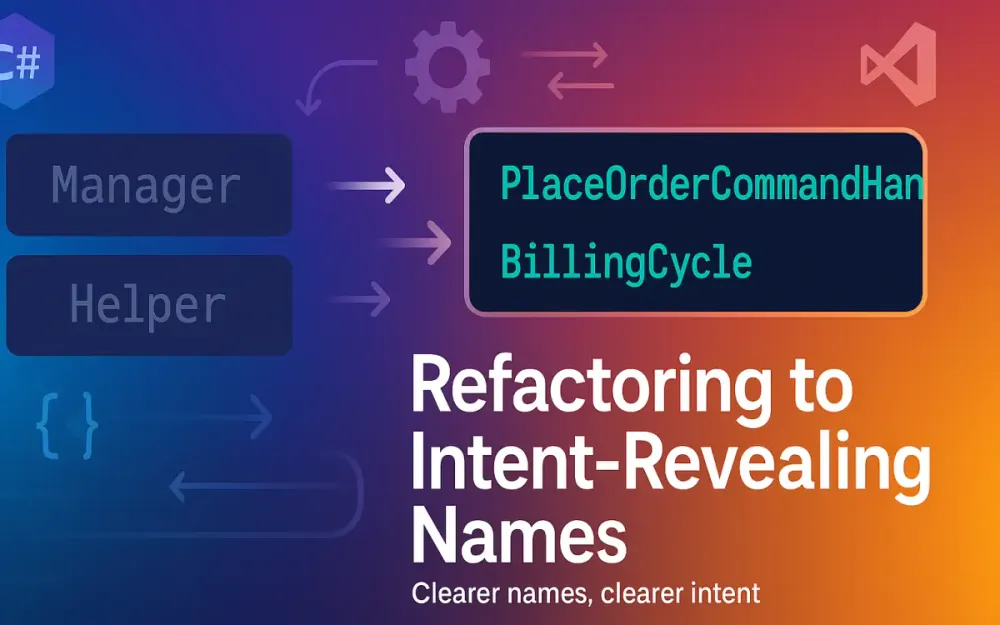
You can’t reveal intent if the vocabulary itself is vague. In legacy C# systems, generic nouns like “Manager,” “Helper,” or “Processor” infect namespaces until no one remembers what they manage or help. Section 2 provides a practical vocabulary—mapping common naming smells to precise replacements that align with .NET conventions and domain-driven design patterns.
2.1 Smell Catalog: Names That Hide Intent
Ambiguous names usually fall into one of three traps: role ambiguity, operation vagueness, or data shapelessness.
| Smell | Problem | Example |
|---|---|---|
Manager, Handler, Processor | No specific responsibility | PaymentManager could validate, process, or log payments |
Helper, Util | Collapses unrelated behaviors into junk drawers | StringHelper with 40 unrelated methods |
Process, Do, Handle, Execute | Describe mechanics, not purpose | DoWork() means nothing outside context |
Data, Info, DTO | Describe format, not semantics | CustomerData vs. CustomerProfile |
Service (without qualifier) | Overused catch-all | UserService might register, authenticate, or update users |
Each of these names forces readers to open the implementation to know what’s going on. That’s the opposite of intent-revealing.
2.2 Replace with Clear Role Markers
Domain clarity comes from naming roles explicitly. Replace vague labels with types that express where in the architecture they belong and what they represent.
2.2.1 Domain Entities, Value Objects, and Aggregates
Entities represent business identity. Value objects capture concepts defined by value equality. Aggregates define consistency boundaries.
// Entity
public class Order
{
    public Guid Id { get; init; }
    public Money Total { get; private set; }
}

// Value Object
public record Money(decimal Amount, string Currency);
Use Order, Payment, CustomerAccount—never OrderData or CustomerInfo.
2.2.2 Domain Services
Domain services perform operations not naturally belonging to an entity or value object. Name them around actions and concepts, not “manager” roles.
public interface IPaymentProcessor
{
    Task<PaymentResult> ProcessPayment(Order order);
}
The suffix Processor is fine here because it mirrors a business process, not a generic technical one.
2.2.3 Application Commands and Queries
In CQRS-oriented systems, commands change state; queries return data. Name them explicitly to separate intent.
public record PlaceOrderCommand(Guid CustomerId, IEnumerable<OrderItem> Items);
public record GetOrderByIdQuery(Guid OrderId);
Handlers should reflect their associated request type.
public class PlaceOrderCommandHandler : IRequestHandler<PlaceOrderCommand, OrderResult>
{
    public Task<OrderResult> Handle(PlaceOrderCommand command, CancellationToken ct)
    {
        // implementation
    }
}
2.2.4 DTOs with Purpose
DTOs are transport shapes. Their name should reveal destination or usage:
CustomerResponse(API response)CustomerViewModel(UI binding)CustomerContract(integration boundary)CustomerRecord(immutable projection)
Avoid ambiguous catch-alls like CustomerDto unless you’re literally passing it across a generic transport layer.
2.2.5 Events and Notifications
Events signal domain changes; notifications convey side effects. Names should be past-tense and precise:
public record OrderPlacedEvent(Guid OrderId);
public record InventoryDecrementedEvent(Guid ProductId, int Quantity);
These tell readers exactly what occurred—not just that “something happened.”
2.3 Command/Query Suffixes That Scale
In large .NET ecosystems (especially when using MediatR), consistent command/query naming is critical for traceability.
2.3.1 The Pattern
Every command or query should pair predictably with a handler:
| Request Type | Handler Type |
|---|---|
PlaceOrderCommand | PlaceOrderCommandHandler |
GetOrderByIdQuery | GetOrderByIdQueryHandler |
CancelSubscriptionCommand | CancelSubscriptionCommandHandler |
2.3.2 Example with MediatR
Command and Handler
public record PlaceOrderCommand(Guid CustomerId, List<OrderItem> Items) : IRequest<OrderResult>;

public class PlaceOrderCommandHandler : IRequestHandler<PlaceOrderCommand, OrderResult>
{
    private readonly IOrderService _orderService;
    public PlaceOrderCommandHandler(IOrderService orderService) => _orderService = orderService;

    public async Task<OrderResult> Handle(PlaceOrderCommand command, CancellationToken cancellationToken)
    {
        var order = await _orderService.PlaceOrderAsync(command.CustomerId, command.Items);
        return new OrderResult(order.Id, order.Total);
    }
}
Query and Handler
public record GetOrderByIdQuery(Guid OrderId) : IRequest<OrderDto>;

public class GetOrderByIdQueryHandler : IRequestHandler<GetOrderByIdQuery, OrderDto>
{
    private readonly IOrderRepository _repository;
    public GetOrderByIdQueryHandler(IOrderRepository repository) => _repository = repository;

    public async Task<OrderDto> Handle(GetOrderByIdQuery query, CancellationToken cancellationToken)
    {
        var order = await _repository.GetAsync(query.OrderId);
        return new OrderDto(order.Id, order.Total, order.Status);
    }
}
Now, searching for PlaceOrder or GetOrderById surfaces both request and handler pairs—no guesswork, no ambiguity.
2.3.3 Scaling Benefits
- Discoverability: Easy to navigate codebases by name pattern.
- Testing: Unit tests align with commands and queries (
PlaceOrderCommandTests). - Metrics: You can log, measure, or monitor pipeline behaviors per command type.
This convention isn’t aesthetic—it supports operational scalability and observability in CQRS systems.
2.4 The DTO Question
“DTO” (Data Transfer Object) has become a naming catch-all. Let’s clarify when to use it, when to rename it, and when to drop it.
2.4.1 When to Keep “DTO”
Keep *Dto when the object’s sole role is technical serialization across layers or services.
Example: between ASP.NET API and a front-end client.
public record CustomerDto(Guid Id, string FullName);DTOs here act as decoupled transport shapes, often flattened or mapped from domain models.
2.4.2 When to Rename to Record/Contract/Resource
Rename to Record when it’s a lightweight, immutable projection—often for read models or caching.
public record CustomerRecord(Guid Id, string Name, string Email);Rename to Contract or Resource when representing a shared API boundary or integration agreement.
public record CustomerContract(Guid Id, string FullName, AddressContract Address);These names signal external dependencies—something DTOs often blur.
2.4.3 When to Drop Mapping Entirely
In internal APIs or same-service boundaries, DTOs can become unnecessary indirection. With C# 10+ and record immutability, you can safely expose domain records directly if no transformation or filtering is required.
// Instead of mapping between nearly identical shapes
public record Customer(Guid Id, string Name, string Email);
Mapping should exist to enforce intentional translation, not to satisfy reflexive layers.
2.4.4 Refactoring Example
Before:
public class CustomerDto
{
    public string Name { get; set; }
    public string Email { get; set; }
}
After:
public record CustomerContract(string Name, string Email);This small rename shifts meaning: from a technical transport to a shared business agreement.
3 The Repeatable Rename Playbook (End-to-End Workflow)
You can’t rename your way to clarity by intuition alone. Senior teams need a repeatable, low-risk workflow—something you can apply consistently across services without breaking builds or confusing reviewers. This section outlines that process from discovery to rollout. It’s less about tools and more about disciplined sequencing: prepare, cluster, rename, stabilize, communicate.
3.1 Prepare a Domain Glossary
A successful refactor starts with language alignment. The domain glossary acts as your single source of truth for names, terms, and their definitions across the product and codebase.
3.1.1 Build It with Domain Experts
Pull vocabulary from:
- Business process documents and backlog items.
- Product requirement summaries and test cases.
- Existing APIs and reports your stakeholders already use.
For example, if your business calls a “Customer” an “Account Holder,” your domain glossary should reflect that explicitly:
| Business Term | Preferred Code Term | Description |
|---|---|---|
| Account Holder | CustomerAccount | Entity representing a customer with active services |
| Invoice Run | BillingCycle | Batch of invoices generated in a period |
| Refund | CreditNote | Accounting reversal document |
The goal isn’t perfection—it’s shared understanding. Capture evolving meaning, not just definitions.
3.1.2 Keep It Versioned and Reviewed
Treat the glossary like source code:
- Store it in version control (
/docs/domain-glossary.md). - Require pull requests for new terms or definitions.
- Tag releases when domain language changes (so historical commits align).
That way, if someone renames User to Customer in code, reviewers can check that the glossary supports it and QA can adjust test scripts accordingly.
3.1.3 Example Entry Template
A consistent template helps teams maintain clarity:
## Term: PaymentAuthorization
**Definition:** Domain process validating a customer's ability to pay.
**Code Representation:** `PaymentAuthorizationService`, `AuthorizePaymentCommand`
**Related Terms:** Transaction, PaymentProcessor
**Owner:** Payments domain
**Last Reviewed:** 2025-09-14
With this foundation, you’ve defined a shared language for the rename that follows.
3.2 Inventory & Cluster
Before renaming, identify which names need change and how widely they propagate.
3.2.1 Mining the Codebase
You can start by querying your code for suspect names:
grep -Ri "Manager" ./src
grep -Ri "Helper" ./src
grep -Ri "Data" ./src
Or use Roslyn analyzers and scripts to enumerate symbol names. If you’re using ReSharper or Rider, “Inspect Code → Type Names” gives a sorted report by namespace.
Then classify findings by scope and impact.
| Name | Layer | Impact | Notes |
|---|---|---|---|
OrderManager | Domain | High (used in 14 projects) | Candidate for split into processor/services |
DataHelper | Infrastructure | Low | Rename to SqlUtility |
CustomerDTO | API | Medium | Rename to CustomerResponse |
3.2.2 Cluster by Subsystem and API Exposure
Group names into logical clusters:
- Domain Core: High-stakes renames (entities, value objects).
- Application Layer: Command/query or service names.
- Infrastructure/Internal: Safe to refactor incrementally.
The cluster helps sequence work—inner, low-risk refactors first; public API renames last.
3.2.3 Detect Public Exposure
Run this small PowerShell snippet to find types exposed via ASP.NET controllers or public packages:
Get-ChildItem -Recurse -Filter *.cs |
Select-String -Pattern "public class" |
Where-Object { $_.Line -notmatch "internal" } |
Select-Object FileName, LineNumber, Line
Anything exposed publicly must be renamed carefully and versioned.
3.3 Propose Candidate Names
Once clusters are defined, propose new names grounded in your glossary and validated with stakeholders.
3.3.1 Map Each Smell to a Candidate
For every vague name, choose a replacement aligned to its true role.
| Old Name | Problem | Candidate | Rationale |
|---|---|---|---|
ReportManager | Too broad | MonthlyReportGenerator | Expresses scope and purpose |
DataHelper | Unclear | SqlScriptExecutor | Defines exact technical responsibility |
UserDTO | Generic | UserResponse | Defines output shape from API |
Handler | Ambiguous | OrderCancellationHandler | Clear domain operation |
3.3.2 Validate with Product and QA
Developers don’t own language alone. Review proposed names with product managers, domain analysts, or QA engineers. Their phrasing often reflects what end-users expect.
For example, QA might prefer “Deactivate Account” over “Disable User,” aligning with business UI and reducing confusion later.
3.3.3 Sample Validation Workflow
- Developer proposes new names via a glossary PR.
- Product owner or analyst reviews terms for business correctness.
- QA validates terminology in automated tests or UI copy.
- Approved terms merge into glossary and proceed to code refactor.
3.4 Plan the Refactor
The refactor succeeds or fails in planning. You want small, reversible, measurable changes.
3.4.1 Sequence of Changes
Follow an inside-out strategy:
- Rename private and internal members first.
- Refactor internal projects (repositories, services).
- Finally, rename public contracts, DTOs, and API models.
This minimizes disruption while keeping CI green.
3.4.2 Branching and CI
Create a short-lived feature branch for the rename. Set up your CI pipeline to run:
- All unit and integration tests.
- Static analyzers (
dotnet build /warnaserror). - Style checks to prevent naming regression.
Example YAML snippet for Azure Pipelines:
trigger: none
pr:
  branches:
    include:
      - feature/rename-*
jobs:
- job: Build
  steps:
  - script: dotnet build --warnaserror
  - script: dotnet test --no-build
3.4.3 Review Checklist
Before merging:
- All new names match glossary entries.
- Public API changes documented in CHANGELOG.
- Tests pass with new identifiers.
- No references remain to old names (confirmed by analyzers).
A predictable checklist ensures renames stay mechanical, not creative.
3.5 Execute Using IDE/Roslyn
When execution starts, resist the urge to “Find and Replace.” Instead, rely on compiler-driven refactoring tools.
3.5.1 Rename Symbol via IDE
In Visual Studio or JetBrains Rider:
- Place cursor on the symbol.
- Use Ctrl + R, R (Visual Studio) or Shift + F6 (Rider).
- Enable preview and check “Include comments and strings” only if intentional.
Roslyn performs semantic analysis—it updates method overloads, references, XML doc comments, and XAML bindings safely.
3.5.2 Example Rename
Original:
public class PaymentManager
{
    public void DoWork() { }
}
After Roslyn rename (PaymentManager → PaymentProcessor, DoWork → ProcessPayment):
public class PaymentProcessor
{
    public void ProcessPayment() { }
}
All references across the solution update atomically, with compiler verification before commit.
3.5.3 Scripting Bulk Renames
For cross-solution renames, use Roslyn APIs directly:
using Microsoft.CodeAnalysis.MSBuild;
using Microsoft.CodeAnalysis.Rename;

var workspace = MSBuildWorkspace.Create();
var solution = await workspace.OpenSolutionAsync("MyApp.sln");
var symbol = ... // find symbol by name
var newSolution = await Renamer.RenameSymbolAsync(solution, symbol, "NewName", workspace.Options);
await workspace.TryApplyChangesAsync(newSolution);
This approach scales when automating mechanical renames across repositories.
3.6 Stabilize
Once renamed, stabilize the codebase before merging.
3.6.1 Fix Analyzer Warnings
Run analyzers and fix warnings introduced by rename operations—especially mismatched filenames, missing suffixes, or obsolete members.
dotnet format --verify-no-changes
dotnet build --warnaserror
3.6.2 Adjust Documentation and Tests
Rename test methods to mirror the production naming pattern.
Before:
[Test]
public void Process_ShouldCalculateInvoiceTotal() { ... }
After:
[Test]
public void CalculateInvoiceTotal_ShouldReturnCorrectAmount() { ... }
Also, update Markdown documentation, XML summaries, and README examples that reference renamed APIs.
3.6.3 Regression Tests Around Renamed Seams
When refactoring public APIs, add narrow regression tests around renamed seams. These don’t assert new behavior—they confirm the old path is gone and the new one exists.
[Test]
public void ShouldExposeNewEndpoint_AfterRename()
{
    var routes = GetApiRoutes();
    Assert.Contains("/api/orders/place", routes);
    Assert.DoesNotContain("/api/orders/submit", routes);
}
This ensures your rename is not just syntactic but functionally aligned.
3.7 Communicate
Even the cleanest rename fails if the team doesn’t know what changed.
3.7.1 Write Changelog Notes
Add concise entries explaining intent, not just diffs:
### Changed
- `OrderManager` renamed to `OrderWorkflow` to align with domain terminology.
- Public API `/api/orders/submit` renamed to `/api/orders/place` (alias kept for one release).
3.7.2 Provide Migration Snippets
If the rename affects external consumers, include one-liners showing migration paths.
// Before
await _mediator.Send(new SubmitOrderCommand(...));

// After
await _mediator.Send(new PlaceOrderCommand(...));
3.7.3 PR Narrative
Write PR descriptions like design documents. Explain why the rename improves intent:
“Replaced generic ‘Manager’ suffixes with domain-driven names. Improves clarity and reduces ambiguity in order lifecycle classes.”
When teams understand reasoning, they replicate the pattern confidently.
4 Safe Rename Techniques for Senior Teams
Large teams can’t afford accidental regressions. Safety isn’t just about avoiding compile errors—it’s about preserving contracts, versioning correctly, and keeping behavior predictable during name transitions.
4.1 Compiler-Guided Safety
Use the compiler to drive every rename. Roslyn’s “Rename Symbol” operation updates all references across code, XAML, XML doc comments, and optionally string literals. This ensures every rename is semantic, not syntactic.
4.1.1 Example
Suppose you rename GetCustomer to FindCustomerAsync in an ASP.NET controller:
public class CustomerController
{
    public async Task<IActionResult> FindCustomerAsync(Guid id) { ... }
}
Roslyn automatically updates references in:
- API route attributes.
- XML documentation.
- Integration tests referencing the method symbol.
- Razor pages using
asp-action="GetCustomer"if configured through tag helpers.
It even warns when references exist in dynamic or reflection-based code where it can’t auto-update.
4.1.2 Manual Checkpoints
After rename:
- Build solution (
dotnet build). - Run tests.
- Use “Find All References” to ensure old names no longer exist.
- Check localized resources or XAML bindings still compile.
This discipline ensures 100% confidence before merging.
4.2 Treat Public APIs as Contracts
Public APIs are promises. Renaming a controller route or DTO property is a breaking change unless handled intentionally.
4.2.1 Using Obsolete Attributes
Use [Obsolete] for staged deprecation:
[Obsolete("Use PlaceOrderCommand instead of SubmitOrderCommand.")]
public record SubmitOrderCommand;
The compiler warns, but doesn’t break builds (error: false). After one or two releases, you can escalate severity or remove the member.
4.2.2 Type Forwarding
If you move or rename types across assemblies, preserve compatibility with type forwarding:
[assembly: TypeForwardedTo(typeof(MyApp.Orders.PlaceOrderCommand))]This allows old assemblies referencing SubmitOrderCommand to continue functioning until consumers upgrade.
4.2.3 Staged Rollouts
Expose both new and old names temporarily:
[HttpPost("submit")]
[HttpPost("place")]
public Task<IActionResult> PlaceOrder(PlaceOrderCommand command) => ...
Deprecate the old endpoint later via [Obsolete] attribute or versioned routing.
4.3 Cross-Solution Renames
Renaming isn’t always confined to a single assembly. Namespace, project, and package names carry business meaning too.
4.3.1 Namespace Renames
Use Visual Studio’s “Refactor → Rename” on namespaces.
This updates using directives, project references, and file headers automatically.
Example:
Rename MyApp.Data to MyApp.Persistence:
namespace MyApp.Persistence.Repositories
{
    public class OrderRepository { }
}
4.3.2 File-to-Type Sync
Keep file names consistent with type names to preserve traceability. Most IDEs can sync automatically:
dotnet format --folder ./src --verify-no-changes4.3.3 Package and Assembly Implications
If you rename an assembly or NuGet package:
- Update
<AssemblyName>and<RootNamespace>in.csproj. - Regenerate version notes and API docs.
- Use package deprecation messages on NuGet Gallery to redirect consumers.
Example .csproj update:
<PropertyGroup>
  <AssemblyName>MyApp.Billing</AssemblyName>
  <RootNamespace>MyApp.Billing</RootNamespace>
</PropertyGroup>
4.4 Transactional Strategy
Big renames should be transactional: atomic, reversible, and confined to one bounded context.
4.4.1 Small PRs
Split by business domain or microservice.
Example: rename everything in Orders module before touching Payments.
This isolates regression risks and simplifies reviews.
4.4.2 Feature Flags When Behavior Changes
If renaming coincides with logic changes (e.g., new command semantics), wrap behavior behind feature flags:
if (_featureFlags.IsEnabled("NewOrderPlacement"))
    return await _orderProcessor.PlaceOrderAsync(request);
else
    return await _orderService.SubmitOrderAsync(request);
That separation lets you merge naming updates even while behavior remains in transition.
4.5 Tooling for Mass Renames
When dealing with thousands of references, leverage specialized tooling—just use the right one for the job.
4.5.1 ReSharper and Rider
JetBrains’ IDEs handle large-scale renames well:
- “Find Usages” → “Preview Usages” avoids accidental replacements.
- Supports renaming in comments and string literals.
- Detects conflicts (e.g., two symbols with same final name).
Use these tools when renaming spans multiple layers but within one repository.
4.5.2 When to Defer to Roslyn
For codebases shared across CI builds, stick with Roslyn-based rename since it respects compiler semantics and supports batch automation through dotnet format and Roslynator.
dotnet tool run roslynator analyze -p src/MyApp.csprojThis ensures consistent results across developer environments.
4.6 Versioning & API Review
Even a “rename-only” change should trigger API review if it affects public contracts.
4.6.1 Use API Diffs
Run dotnet format analyzers or dotnet public-api-diff (from Roslyn SDK) to compare exported APIs between commits.
dotnet public-api-diff --baseline old.dll --target new.dllOutput:
- public record SubmitOrderCommand
+ public record PlaceOrderCommand
That output becomes part of your release notes.
4.6.2 Review Rules
Adopt a review checklist:
- Verify public surface area diffs.
- Validate
[Obsolete]attributes added where needed. - Confirm glossary consistency.
- Ensure tests reference new names only.
With strong review discipline, even cross-team refactors stay predictable.
5 Enforcing Naming at Scale with the .NET Toolchain
After a few successful renames, the next challenge is preventing drift. Automation enforces standards so you don’t rely on memory or discipline alone.
5.1 .editorconfig Naming Rules That Actually Bite
.editorconfig can codify naming conventions at the compiler level.
Here’s a working configuration fragment:
# Enforce PascalCase for classes
dotnet_naming_rule.classes_should_be_pascalcase.symbols = classes
dotnet_naming_rule.classes_should_be_pascalcase.style = pascal_case_style
dotnet_naming_rule.classes_should_be_pascalcase.severity = error

dotnet_naming_symbols.classes.applicable_kinds = class
dotnet_naming_style.pascal_case_style.capitalization = pascal_case

# Enforce camelCase for private fields
dotnet_naming_rule.private_fields_should_be_camelcase.symbols = private_fields
dotnet_naming_rule.private_fields_should_be_camelcase.style = camel_case_style
dotnet_naming_rule.private_fields_should_be_camelcase.severity = warning

dotnet_naming_symbols.private_fields.applicable_kinds = field
dotnet_naming_symbols.private_fields.applicable_accessibilities = private
dotnet_naming_style.camel_case_style.capitalization = camel_case
You can extend this with async method suffixes or interface prefixes:
dotnet_naming_symbols.async_methods.applicable_kinds = method
dotnet_naming_symbols.async_methods.required_modifiers = async
dotnet_naming_style.async_suffix_style.required_suffix = Async
dotnet_naming_rule.async_methods_should_end_with_async.symbols = async_methods
dotnet_naming_rule.async_methods_should_end_with_async.style = async_suffix_style
dotnet_naming_rule.async_methods_should_end_with_async.severity = warning
Set severity to error for non-negotiables. This makes naming enforcement part of every local build.
5.2 Built-in .NET Analyzers
Starting with .NET 5, SDKs include Microsoft.CodeAnalysis.NetAnalyzers. These enforce naming, performance, and reliability patterns.
Activate them with:
<PropertyGroup>
  <EnableNETAnalyzers>true</EnableNETAnalyzers>
  <AnalysisLevel>latest</AnalysisLevel>
</PropertyGroup>
You can adjust severities through
.editorconfig:
dotnet_diagnostic.CA1707.severity = error  # Identifiers should not contain underscores
dotnet_diagnostic.CA1710.severity = warning  # Identifiers should have correct suffix
If your SDK version lags, explicitly install:
dotnet add package Microsoft.CodeAnalysis.NetAnalyzersThis guarantees consistent rule coverage across CI and local builds.
5.3 Popular Open-Source Analyzers
Open-source analyzers fill in gaps left by the SDK.
5.3.1 Roslynator
Roslynator adds hundreds of diagnostics and refactorings:
- Rename suggestions for ambiguous or misspelled identifiers.
- Automated fixers for method/field naming.
- Batch execution via CLI.
Example:
dotnet tool install --global roslynator.dotnet.cli
roslynator analyze src/MyApp.csproj --fix
5.3.2 StyleCop.Analyzers
StyleCopAnalyzers enforces consistent casing, ordering, and XML doc presence.
It’s opinionated, but you can tune it to modern C# by disabling outdated rules (e.g., prefix I on interfaces is fine).
<PropertyGroup>
  <IncludeStyleCopAnalyzers>true</IncludeStyleCopAnalyzers>
  <TreatWarningsAsErrors>true</TreatWarningsAsErrors>
</PropertyGroup>
5.3.3 Other Useful Sets
- Meziantou.Analyzer: Security and naming validations.
- ErrorProne.NET: Catches misuse of records and immutability issues.
- Gu.Analyzers: Focuses on naming correctness for properties and dependency injection patterns.
Each can be selectively enabled per project type in .editorconfig for incremental adoption.
5.4 Mapping Libraries and Naming
Mapping libraries bridge domain models and DTOs. Naming clarity here prevents silent misalignments.
5.4.1 AutoMapper
AutoMapper relies on matching property names:
CreateMap<Customer, CustomerResponse>();If you rename FullName to DisplayName in one class but not the other, the mapping breaks silently unless configured:
CreateMap<Customer, CustomerResponse>()
    .ForMember(dest => dest.DisplayName, opt => opt.MapFrom(src => src.FullName));
Intent-revealing names reduce such brittle mappings.
5.4.2 Mapster and Source-Gen Mapping
Mapster and .NET source generators allow compile-time validation of mappings:
TypeAdapterConfig<Customer, CustomerContract>.NewConfig()
    .Map(dest => dest.Name, src => src.FullName);
Source-gen mappings catch mismatched property names at build time, aligning perfectly with intent-driven naming.
5.5 Validation Libraries and Naming
Validation expresses domain constraints. Good naming makes those constraints self-documenting.
5.5.1 FluentValidation Patterns
FluentValidation encourages expressive names through its fluent API:
public class PlaceOrderCommandValidator : AbstractValidator<PlaceOrderCommand>
{
    public PlaceOrderCommandValidator()
    {
        RuleFor(x => x.CustomerId).NotEmpty();
        RuleFor(x => x.Items).NotEmpty().WithMessage("An order must contain at least one item.");
    }
}
Because the validator and properties mirror domain vocabulary, rules read like English sentences—another form of intent revelation.
5.5.2 Naming Rules and Error Messages
Avoid vague identifiers like Request or Input. Instead, use specific names:
public class RegisterCustomerRequestValidator : AbstractValidator<RegisterCustomerRequest> { ... }Error messages can then use placeholders directly tied to field names:
RuleFor(x => x.Email)
    .EmailAddress()
    .WithMessage("{PropertyName} must be a valid email address.");
Readable validation rules reinforce intent across code and runtime.
6 IDE Workflows: Visual Studio, ReSharper, and Rider Tips
Once naming patterns and analyzers are in place, the next leverage point is your IDE. Every rename operation should feel predictable, reversible, and visible in scope. Modern .NET tooling provides guardrails if you know how to use them. This section focuses on workflows that reduce friction and prevent naming regressions in Visual Studio, ReSharper, Rider, and the Roslyn command line.
6.1 Visual Studio (2022/2025) Power Features
Visual Studio’s rename engine is built directly on the Roslyn compiler, which means symbol renames are semantic—not text replacements. When you rename a class, method, property, or namespace, the IDE updates all references, including XAML, XML documentation, and even project files that import the symbol.
6.1.1 Rename with Ctrl+R, R
The fastest and safest rename starts from the symbol itself:
- Place the caret on the symbol.
- Press
Ctrl + R, R. - Enter the new name.
- Check the Preview Changes window before confirming.
The preview highlights every reference that will be updated. You can expand nodes to deselect parts you don’t want to rename—such as comments or string literals when they’re intentionally descriptive rather than symbolic.
public class ReportManager
{
    public void Process() { }
}
Renaming ReportManager → MonthlyReportGenerator automatically updates:
public class MonthlyReportGenerator
{
    public void Process() { }
}
and all consuming code:
var generator = new MonthlyReportGenerator();
generator.Process();
6.1.2 Scope Control
The Rename dialog allows you to limit scope to current project, current solution, or open documents. Use this when renaming shared internal types that appear in multiple solutions or linked projects, avoiding cross-team conflicts.
6.1.3 Include Comments and Strings (When It’s Intentional)
The option “Include comments and strings” is powerful but dangerous. Use it only when the symbol name also appears in configuration, resource keys, or XML documentation. For example, a public endpoint method might appear in Swagger examples or Markdown docs.
6.1.4 Configure Naming Enforcement
Visual Studio surfaces .editorconfig naming rules under Tools → Options → Text Editor → C# → Code Style → Naming.
You can toggle enforcement levels, preview rule impacts, and export back into .editorconfig to share across repositories.
Set severity high enough that naming violations fail the build:
dotnet_analyzer_diagnostic.severity = error
dotnet_diagnostic.CA1708.severity = error
Visual Studio then enforces naming conventions the same way as any compilation rule—developers can’t commit inconsistent names unnoticed.
6.2 ReSharper/Rider Accelerators
JetBrains tools (ReSharper and Rider) give you faster feedback during rename operations and deeper visibility into symbol relationships.
6.2.1 Keyboard Flows
Use Shift + F6 to invoke “Rename” for the current symbol. The rename popup displays how many usages exist, allowing a quick sanity check before confirming.
If you rename a symbol used in XML or XAML, ReSharper prompts to include or exclude those usages.
For example, renaming GetCustomerAsync updates:
- View models referencing it via bindings.
- Tests with method name usage in test case attributes.
- Dependent classes in derived projects.
6.2.2 Conflict Detection and Symbol Awareness
ReSharper differentiates between symbol kinds (type, method, namespace) and warns of potential collisions:
Warning: Renaming 'Service' to 'OrderService' will conflict with existing 'OrderService' class in MyApp.OrdersYou can inspect conflicts before applying.
That visibility is invaluable in large solutions where generic names like Service or Manager already exist.
6.2.3 Batch and Safe Rename
ReSharper’s “Refactor → Rename” can batch multiple renames in one pass. Combine this with “Code Cleanup → Run on Solution” to reformat and validate post-change. Rider mirrors these capabilities across platforms with the same keyboard shortcuts and conflict previews.
6.3 Roslyn-Based Command-Line at Scale
When you need to rename symbols across dozens of projects or enforce naming systematically, the Roslyn API and CLI tools become essential.
6.3.1 Fix-All in Solution
Use dotnet format analyzers or Roslynator’s CLI to apply “fix all” suggestions across a solution:
dotnet format analyzers --fix-analyzers warn --verbosity detailedThis applies analyzer-based renames (such as async suffixes or interface prefixes) automatically.
6.3.2 Scripting Roslyn Renames
Roslyn’s Microsoft.CodeAnalysis.Rename API can programmatically rename symbols:
var workspace = MSBuildWorkspace.Create();
var solution = await workspace.OpenSolutionAsync("MyApp.sln");
var project = solution.Projects.First(p => p.Name == "Orders");
var document = project.Documents.First(d => d.Name == "OrderManager.cs");
var semanticModel = await document.GetSemanticModelAsync();

var symbol = semanticModel.GetDeclaredSymbol(...);
var newSolution = await Renamer.RenameSymbolAsync(solution, symbol, "OrderWorkflow", workspace.Options);
workspace.TryApplyChanges(newSolution);
Use automation when performing consistent renames across multiple bounded contexts—for example, renaming every Manager to Workflow or Processor.
6.3.3 When Not to Script
Avoid automated renames where semantics depend on domain meaning.
Scripts can’t judge whether UserManager should become UserService or UserDirectory.
Reserve automation for strictly mechanical refactors guided by analyzers.
6.4 Guardrails
Even the best IDE workflows need protection layers in CI and release processes.
6.4.1 Feature Flags and Snapshots
When renames coincide with behavioral change, wrap new code behind feature flags. Snapshot tests ensure serialized models, JSON responses, and API shapes remain stable between releases.
var json = JsonSerializer.Serialize(response);
Verify(json).UseDirectory("Snapshots");
If a rename accidentally breaks serialization or routing, the snapshot diff exposes it immediately.
6.4.2 CI Gates
Set CI gates that fail pull requests when analyzers detect public contract name changes.
A build script can diff public APIs using dotnet public-api-diff:
dotnet public-api-diff --baseline old.dll --target new.dll --fail-on-breakingThis prevents accidental renames in SDKs, client libraries, or REST contracts from sneaking into production without versioning approval.
7 Before/After Diffs: Cutting Cognitive Load with Concrete Examples
Concepts are easier to internalize through deltas. This section demonstrates practical renames that reduce cognitive load, showing how precise naming makes code self-explanatory.
7.1 From “Manager/Helper” to Intent-Revealing Roles
Before:
public class OrderManager
{
    public void Process(Order order)
    {
        // submit order and update inventory
    }
}
The name hides intent—what is being managed or processed? After:
public class PlaceOrderCommandHandler : IRequestHandler<PlaceOrderCommand, OrderResult>
{
    public async Task<OrderResult> Handle(PlaceOrderCommand command, CancellationToken ct)
    {
        await _inventory.ReserveItems(command.Items);
        return await _billing.ChargeAsync(command.CustomerId, command.Items);
    }
}
Now the class name tells you exactly when and why it runs. You can predict it fits into a MediatR pipeline and what result type it returns. Even without reading the body, intent is clear.
7.2 From Vague DTOs to Explicit Contracts
Before:
public class UserDto
{
    public string Name { get; set; }
    public string Email { get; set; }
}
The suffix Dto tells us only that it moves data somewhere.
After:
public record RegisterCustomerRequest(string FullName, string EmailAddress);
public record CustomerSummaryResponse(Guid Id, string FullName, DateTime RegisteredAt);
Now, the names express purpose—what direction the data flows and what each represents. Mapping libraries like AutoMapper or Mapster adapt easily:
CreateMap<Customer, CustomerSummaryResponse>();but even manual mapping is clearer:
return new CustomerSummaryResponse(customer.Id, customer.FullName, customer.CreatedAt);The code reads like a sentence—no ambiguity.
7.3 From Generic Verbs to Strong Verbs
Generic verbs like Do, Process, or Handle obscure intent.
Replace them with verbs that match the business operation.
Before:
public class PaymentService
{
    public void Do()
    {
        // ...
    }
}
After:
public class PaymentGateway
{
    public async Task<PaymentResult> ChargeAsync(PaymentRequest request)
    {
        // ...
    }
}
or within accounting context:
public class Ledger
{
    public void RecordPayment(Payment payment)
    {
        // ...
    }
}
Each method now expresses side effects—charging or recording payments—not generic actions.
7.4 Names That Remove Comments
Replace redundant comments with expressive names.
Before:
// Gets next billable cycle
public DateTime GetCycle()
{
    ...
}
After:
public DateTime GetNextBillableCycle()
{
    ...
}
Now the comment is unnecessary. Use XML docs only for domain-specific behavior or business rules:
/// <summary>
/// Returns the next billable cycle based on customer's subscription frequency.
/// </summary>
public DateTime GetNextBillableCycle(Customer customer)
Names narrate; docs clarify nuance.
7.5 Namespace and Folder Alignment
Clarity extends beyond identifiers—namespaces must mirror domain boundaries.
Before:
/Common
  /Utils
    OrderHelper.cs
After:
/Billing
  /Invoicing
    GenerateInvoiceCommandHandler.cs
and corresponding namespace:
namespace Billing.Invoicing
{
    public class GenerateInvoiceCommandHandler { ... }
}
Now, navigation in IDE matches conceptual structure. F12 takes you exactly where you expect—no generic “Common” folders hiding unrelated utilities.
7.6 Review the Cognitive Delta
Teams that adopt intent-driven naming often notice reduced review times and defect rates. In one production team, median review time for backend PRs dropped from 35 minutes to 20 after six weeks of consistent naming enforcement. Developers spent less time asking “what does this do?” and more time evaluating correctness.
7.6.1 Reviewer Checklist
- Does the name express intent or just mechanics?
- Does the suffix/prefix match the architectural role (Command, Query, Handler)?
- Are public contracts versioned or documented if renamed?
- Do tests mirror production naming for readability?
- Is there any remaining
Manager,Helper,Util, orDopattern?
That checklist, applied consistently, keeps the naming discipline alive through reviews.
8 Institutionalizing Better Names
Sustainable clarity requires institutional habits. You don’t want to rediscover naming rules every project; you want them woven into daily engineering practice.
8.1 Team Glossary Lifecycle
The domain glossary from earlier must evolve like source code.
8.1.1 Ownership and Cadence
Assign one or two maintainers per domain area. Schedule a quarterly review cycle to confirm terms still reflect business language. For example, if “Customer” becomes “Member” in product language, that change propagates everywhere—models, APIs, and documentation.
8.1.2 RFC Template for Naming Changes
Adopt a lightweight RFC template stored in /docs/rfcs/naming/. Example:
# RFC: Rename "InvoiceRun" to "BillingCycle"

**Proposed by:** Alex Carter
**Context:** Align code with product terminology from billing redesign
**Affected Areas:** Billing API, Reports, Scheduler
**Migration Plan:** Introduce `BillingCycle` class; mark `InvoiceRun` [Obsolete] for one release
**Reviewers:** Product, QA, Dev Lead
Each RFC anchors discussion before refactor starts.
8.2 PR Checklist
Build a pull request checklist aligned to naming guidelines:
- All new symbols are intent-revealing and domain-specific.
- Commands, Queries, and Handlers follow CQRS suffixes.
- Async methods end with
Async. - No classes end in
Manager,Helper, orUtil. - DTOs renamed for direction (
Request,Response,Contract,Record). - Namespace and folder paths mirror domain structure.
- Glossary updated if new domain term introduced.
Attach this checklist to PR templates in .github/pull_request_template.md.
Consistency becomes self-enforcing.
8.3 CI Enforcement
Automate policy enforcement in CI. Enable analyzers as errors for naming rules and run solution-wide fixers before merging.
Example GitHub Actions step:
- name: Enforce analyzers
  run: dotnet format analyzers --verify-no-changes
Combine with custom Roslyn rules that validate naming for public APIs:
if (symbol.Name.EndsWith("Helper"))
    context.ReportDiagnostic(Diagnostic.Create(Rule, symbol.Locations[0]));
Fail fast if code introduces naming smells before human review.
8.4 Migration Playbook
Large renames must preserve external compatibility while nudging consumers to upgrade.
8.4.1 Staged Obsolescence
Mark old endpoints or types [Obsolete] for one or two releases:
[Obsolete("Use BillingCycle instead of InvoiceRun.")]
public class InvoiceRun { ... }
Log warnings in telemetry to track remaining usage:
_logger.LogWarning("Deprecated API used: InvoiceRun");Once usage drops below threshold, remove old symbols in a major version.
8.4.2 Release Notes with Rename Maps
Provide clear rename maps for external consumers:
### Renamed
- `InvoiceRun` → `BillingCycle`
- `SubmitOrderCommand` → `PlaceOrderCommand`
- `UserDto` → `CustomerResponse`
These notes reduce upgrade friction and communicate intent across product, QA, and documentation.
8.5 Training the Organization
Cultural adoption completes the loop. Run short “brown-bag” sessions where developers walk through before/after diffs from your own codebase.
8.5.1 Internal Workshops
- 20–30 minute sessions focusing on one subsystem each time.
- Show one poor naming example, one refactored version, and explain reasoning.
- Encourage engineers to propose glossary updates or naming improvements.
8.5.2 Rotate “Naming Stewards”
Appoint a rotating steward per sprint—responsible for spotting naming regressions during code review. This shared ownership normalizes high standards without central bottlenecks.
8.5.3 Continuous Feedback Loop
Integrate feedback channels:
- Slack bot reminders for naming RFCs.
- Monthly “naming retros” summarizing top improvements and lingering smells.
- Automated reports from analyzers highlighting recurring violations.
Over time, the organization internalizes intent-revealing naming as a core quality metric—not an afterthought.