1 The 50,000-Space Challenge: Vision and Architectural Blueprint
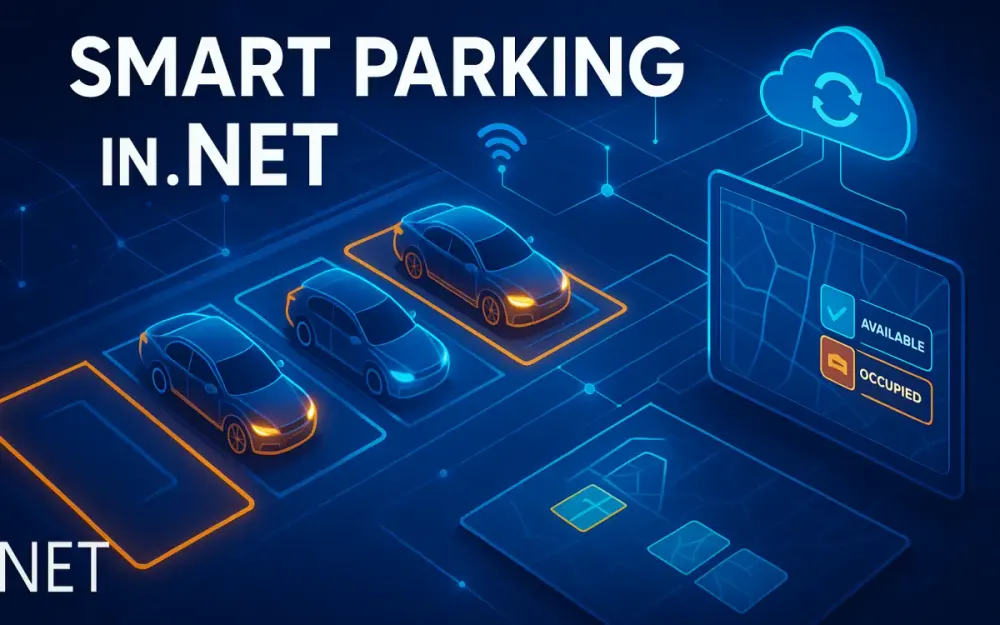
In any major city, the battle for parking is no longer about finding an empty spot—it’s about real-time visibility, efficient turnover, and intelligent pricing. A modern smart parking system aims to balance these with near-perfect accuracy while scaling to tens of thousands of spaces, sensors, and cameras. In this section, we’ll design a real-world .NET architecture capable of managing 50,000+ parking spaces with IoT, computer vision, and real-time processing, achieving 99.9% reliability.
1.1 The Urban Problem
When cities talk about “smart mobility,” parking remains one of the most overlooked yet high-impact domains. The average driver in an urban area spends 8–10 minutes searching for parking, generating significant emissions and congestion. Studies from INRIX and the International Transport Forum show that up to 30% of city traffic at peak hours is simply vehicles circling for a spot.
Traditional parking systems—basic occupancy sensors and “full/empty” signs—fail to adapt to this complexity. They lack real-time integration, context, and feedback loops. The result:
- Drivers see “full” signs when spots are free due to stale data.
- Operators lose revenue due to undetected overstays or sensor failures.
- Cities miss out on analytics that could optimize infrastructure investments.
The core problem isn’t sensing—it’s data fidelity and integration. Parking occupancy data needs to be timely, accurate, and fused from multiple heterogeneous sources. That’s where modern .NET and Azure-based IoT architectures come in: enabling distributed, event-driven, and AI-enhanced systems that can sense, decide, and act in milliseconds.
1.2 The 99.9% Accuracy Goal
In smart parking, “mostly accurate” isn’t good enough. A 95% accurate system may sound acceptable, but across 50,000 spaces, that’s 2,500 incorrect statuses—2,500 users misled every second. The consequences include driver frustration, lost revenue, and degraded trust in the system.
To reach 99.9% accuracy, we must fuse multiple data sources:
- IoT sensors detect object presence (“is there something above me?”).
- Computer vision (CV) verifies and classifies what’s there (“is it a car, motorcycle, or false trigger?”).
- Reservation systems indicate expected occupancy (“should a car be here now?”).
The combination of these forms a single source of truth (SSOT)—a dynamically weighted confidence model that resolves conflicts. For example:
double finalStatus = (sensorWeight * sensorStatus)
                   + (cvWeight * cvStatus)
                   + (reservationWeight * reservationStatus);
bool isOccupied = finalStatus > 0.5;
This fusion approach accounts for sensor faults, occluded camera views, and mismatched reservation states. It’s data science meets software architecture: the fusion engine ensures consistent, explainable, and measurable accuracy at scale.
1.3 The .NET 8/9 Ecosystem
The decision to use .NET 8 or 9 isn’t just about preference—it’s about performance, maturity, and integration with Azure’s IoT ecosystem. Modern .NET offers several advantages that make it ideal for large-scale smart parking:
- Cross-Platform Deployment: .NET 8 runs natively on Linux containers in Azure Kubernetes Service (AKS), enabling efficient edge and cloud deployments.
- Performance: With ahead-of-time (AOT) compilation and native memory optimizations, .NET 8 applications often rival Go or Rust in throughput for API and microservice workloads.
- Asynchronous Concurrency: Native
async/awaitand high-performanceIAsyncEnumerablemake real-time streaming and event-driven architectures efficient. - Integration with Azure: Seamless SDKs for IoT Hub, Cosmos DB, Service Bus, and Cognitive Services simplify full-stack implementation.
- AI Readiness: The new
System.Numerics.TensorsAPIs and ML.NET interop allow lightweight AI models to run within .NET microservices or at the edge.
Developers also benefit from minimal APIs, gRPC support, and native containers that reduce complexity in distributed deployments.
In short, .NET isn’t just an app framework—it’s a platform for distributed, intelligent, cloud-native systems, which makes it a natural choice for IoT-driven smart parking.
1.4 High-Level Architecture
At a macro level, the smart parking platform consists of five core pillars: Data Ingestion, Real-Time Processing, Business Logic, Analytics & AI, and User Consumption.
-
Data Ingestion
- IoT sensors and cameras push data via MQTT/AMQP and HTTP streams into Azure IoT Hub and Edge gateways.
- Event-driven architecture (using Azure Service Bus or Kafka) ensures scalability and resilience.
-
Real-Time Processing
- Azure Stream Analytics or Azure Functions handle transformation, fusion, and validation of events in near real-time.
- Redis serves as the in-memory store for spot availability and geolocation data.
-
Business Logic
- Implemented as microservices in .NET 8: reservation handling, pricing, payments, and notifications.
- Cosmos DB stores reservations, transactions, and user data.
-
Analytics & AI
- Azure Synapse and Machine Learning handle predictive models (e.g., demand forecasting, anomaly detection).
- Power BI visualizes KPIs and trends for operators.
-
User Consumption
- A mobile-friendly BFF API (using Minimal APIs or ASP.NET Core) serves drivers and operators.
- Azure SignalR provides real-time UI updates for availability and pricing.
Architecturally, think of this as a Solution in a Box—a reusable reference model for IoT-scale real-time systems, deployable across cities and parking operators.
1.5 Designing for Scale: A Microservices & Event-Driven Approach
A monolith can’t handle 50,000+ concurrent data feeds, especially when availability updates must propagate globally within seconds. To achieve scalability, fault isolation, and maintainability, we adopt a microservices and event-driven model.
1.5.1 Key Microservices
Each service is autonomous, deployable, and independently scalable:
IngestionApi– Receives raw events from IoT Hub, validates schema, and publishes normalized events to the Service Bus.AvailabilityService– Consumes fused data, updates Redis cache, and emits SignalR updates.ReservationService– Manages booking lifecycle with Cosmos DB and concurrency control.PricingService– Integrates with Azure ML endpoints to calculate real-time dynamic pricing.PaymentGateway– Handles payment tokenization and processing with external PCI-compliant providers.UserApi– Provides authentication, profiles, and session handling via Azure AD B2C.NotificationService– Dispatches emails, push notifications, or SMS via Azure Communication Services.
Each microservice is containerized and deployed to AKS, enabling independent scaling and rolling upgrades.
1.5.2 Communication
Communication patterns follow two guiding principles:
- Synchronous (gRPC/REST) for internal, request/response interactions like pricing lookups or reservation validation.
- Asynchronous (Service Bus/Kafka) for event-driven pipelines where reliability and decoupling matter more than immediacy.
Example: when a sensor update arrives, IngestionApi publishes an event:
await _serviceBusClient.CreateSender("spot-updates")
    .SendMessageAsync(new ServiceBusMessage(jsonPayload));
AvailabilityService listens asynchronously:
processor.ProcessMessageAsync += async args =>
{
    var spotUpdate = JsonSerializer.Deserialize<SpotUpdate>(args.Message.Body);
    await _redisCache.SetStringAsync($"spot:{spotUpdate.Id}", spotUpdate.Status);
};
This model enables horizontal scaling—new consumers can subscribe without touching the producers.
1.5.3 Open-Source Spotlight: Using Dapr
Dapr (Distributed Application Runtime) simplifies this distributed setup. It abstracts away the mechanics of service discovery, state management, and pub/sub messaging. Instead of tightly coupling services to Service Bus, Redis, or Kafka, you write code against Dapr components.
For example:
// Publish event via Dapr
await daprClient.PublishEventAsync("pubsub", "spot-updates", spotUpdate);
Underneath, Dapr handles retries, circuit breaking, and message delivery through a pluggable component model.
With Dapr’s sidecar architecture:
- Developers focus on business logic, not infrastructure wiring.
- Swapping messaging backends (e.g., from Service Bus to Kafka) requires no code changes.
- Observability is enhanced via built-in tracing and metrics.
By combining .NET 8 microservices, Azure cloud primitives, and Dapr, we build a resilient, flexible system that’s both production-grade and future-proof.
2 The “Eyes on the Ground”: Dual-Path Data Ingestion
Accurate availability starts with reliable sensing. In our architecture, we establish two complementary data ingestion paths—Path A (IoT Sensors) and Path B (Computer Vision). Together, they form the dual pipeline that fuels the fusion engine.
2.1 Path A: IoT Sensors (The “Is it there?” Signal)
IoT sensors provide the first level of occupancy detection: whether an object is present above a specific bay. The choice of sensor type and network protocol has major implications for cost, reliability, and maintenance.
2.1.1 Hardware
Common options include:
- Ultrasonic sensors: Measure distance to detect vehicles. Simple but prone to false positives in weather changes.
- Magnetic sensors: Detect changes in magnetic fields when metallic objects (cars) are nearby. Excellent for reliability and low power.
- PIR (Passive Infrared) sensors: Detect motion or heat changes; better for transient monitoring but less precise for static occupancy.
For large deployments, sensors use LPWAN (Low-Power Wide Area Networks) such as:
- LoRaWAN: Ideal for city-scale deployments. Low cost, multi-kilometer range, and battery life up to 5 years.
- NB-IoT: Cellular alternative with SIM-based identity and broader carrier support, though with higher operational costs.
Each sensor transmits lightweight occupancy payloads periodically or on change:
{
  "spotId": "A101",
  "status": "occupied",
  "battery": 3.7,
  "timestamp": 1731133245
}
2.1.2 Ingestion
At the cloud layer, all telemetry flows through Azure IoT Hub, which supports MQTT and AMQP at scale—up to millions of simultaneous connections.
Ingestion flow:
- Devices authenticate with X.509 certificates.
- IoT Hub receives and routes telemetry to downstream consumers via Event Grid or Service Bus.
- Azure Stream Analytics or Functions normalize and enrich messages before fusion.
A basic IoT Hub consumer in .NET 8:
await foreach (var message in eventHubConsumerClient.ReadEventsAsync())
{
    var body = Encoding.UTF8.GetString(message.Event.Body.ToArray());
    var telemetry = JsonSerializer.Deserialize<SensorTelemetry>(body);
    await _serviceBus.PublishAsync("raw-sensor-events", telemetry);
}
This model ensures scalability, replayability, and integration with downstream analytics.
2.1.3 Device Management
Managing tens of thousands of sensors manually isn’t feasible. Azure IoT Hub Device Provisioning Service (DPS) automates zero-touch provisioning.
DPS workflow:
- A new sensor boots and connects to DPS with its unique hardware ID and certificate.
- DPS evaluates registration rules (e.g., region, operator) and assigns it to the correct IoT Hub.
- Device twins maintain configuration, firmware, and health status centrally.
This setup reduces operational overhead and improves fleet observability.
2.2 Path B: Computer Vision (The “What is it?” Signal)
IoT sensors tell us something is there. Cameras tell us what is there. Together, they disambiguate false triggers, detect misuse, and provide insights into vehicle types, durations, and violations.
2.2.1 Hardware
A typical setup involves IP cameras with 1080p or 4K resolution covering multiple bays. PoE (Power over Ethernet) simplifies cabling and ensures consistent uptime.
Each camera is connected to an Edge Gateway (e.g., NVIDIA Jetson Nano or Xavier) that performs local inference and pushes metadata to the cloud. This avoids sending raw video streams over the internet, saving bandwidth and ensuring privacy compliance.
2.2.2 Edge Processing vs. Cloud
The key architectural decision: Where to run the model?
- Cloud-only: Simplifies management but demands high upstream bandwidth and incurs latency.
- Edge-first: Processes frames locally, sending only structured events (e.g., “spot A101: car detected”).
For production systems, Azure IoT Edge strikes the right balance. It allows deploying Docker-based inference modules that communicate with IoT Hub seamlessly.
Example deployment.json for IoT Edge:
{
  "modules": {
    "cv-inference": {
      "image": "registry.azurecr.io/parking-cv:latest",
      "createOptions": "{}",
      "env": {
        "MODEL_PATH": "/models/yolov8.onnx"
      }
    }
  }
}
The module reads frames from RTSP streams, performs inference, and publishes structured results:
{
  "cameraId": "L3-CAM-02",
  "spotId": "A101",
  "object": "car",
  "confidence": 0.96,
  "timestamp": 1731133259
}
2.2.3 LPR & Occupancy Detection
Two primary approaches exist:
Option 1: Azure Cognitive Services – Vision API
- Ideal for rapid setup.
- Supports license plate recognition (LPR) and object detection through pre-trained APIs.
- Example:
var client = new ComputerVisionClient(
    new ApiKeyServiceClientCredentials(apiKey)) { Endpoint = endpoint };
var results = await client.AnalyzeImageInStreamAsync(imageStream,
    new[] { VisualFeatureTypes.Objects });
Pros: Fast to implement, no training required. Cons: Limited customization and cost at scale.
Option 2: Custom Vision or YOLOv8
- Train a domain-specific model (e.g., recognizing SUVs vs. compact cars).
- Deploy on the edge using ONNX Runtime.
Edge inference example:
using Microsoft.ML.OnnxRuntime;
using Microsoft.ML.OnnxRuntime.Tensors;

using var session = new InferenceSession("yolov8.onnx");
var inputs = new List<NamedOnnxValue> { NamedOnnxValue.CreateFromTensor("input", imageTensor) };
var results = session.Run(inputs);
This hybrid approach (custom model on the edge, cloud for retraining) ensures both flexibility and cost efficiency.
2.3 The Fusion Engine: Achieving 99.9% Accuracy
Even with both sources, conflicts arise. A sensor may fail, or a camera may be obstructed. The fusion engine resolves inconsistencies to produce a unified, trusted status.
2.3.1 The Problem
Imagine:
- Sensor:
occupied - Camera:
empty - Reservation: active until 11:00
Which one should the system believe? Blindly trusting a single source leads to unreliable outputs.
2.3.2 The Solution: Confidence Scoring
We build an Azure Function that listens to both IoT Hub and CV event streams, calculates a weighted confidence score, and outputs a final occupancy state.
Example trigger function:
[Function("FusionEngine")]
public async Task RunAsync(
    [ServiceBusTrigger("fused-events", Connection = "ServiceBusConnection")] string message)
{
    var eventData = JsonSerializer.Deserialize<FusionInput>(message);
    double score = (eventData.SensorWeight * eventData.SensorStatus)
                 + (eventData.CVWeight * eventData.CVStatus)
                 + (eventData.ReservationWeight * eventData.ReservationStatus);
    eventData.FinalStatus = score > 0.5 ? "occupied" : "available";
    await _redisCache.SetStringAsync($"spot:{eventData.SpotId}", eventData.FinalStatus);
}
Weights are tuned dynamically based on telemetry health. For example:
- If sensor battery is low, decrease
SensorWeight. - If camera confidence < 0.8, down-weight CV input.
2.3.3 Fusion Logic
A typical weighting model:
FinalStatus = (0.4 * SensorStatus)
            + (0.4 * CVStatus)
            + (0.2 * ReservationStatus)
Statuses are numeric (occupied = 1, empty = 0).
The engine continuously recalibrates these weights using feedback loops—actual vs. predicted comparisons from historical data.
The result is 99.9% verified availability accuracy, not by over-engineering sensors, but through statistical consensus and event-driven orchestration.
3 Real-Time Availability: From Sensor to Screen in < 1 Second
By this point, our smart parking system can accurately determine whether a space is occupied using fused IoT and computer vision data. The next challenge is delivering that data—fast. Drivers expect to see parking availability updated instantly on their mobile apps or dashboards. Achieving this requires a real-time pipeline that can handle thousands of events per second with sub-second latency, from the moment a sensor triggers to when the UI reflects the change.
3.1 The Data Pipeline
The foundation of real-time availability is a hot-path processing pipeline—optimized for speed, not long-term storage. Each event travels through a chain that looks like this:
IoT Hub / Edge → Azure Stream Analytics → Azure Function → Redis → SignalR
Each stage performs a focused role:
- IoT Hub ingests telemetry from sensors and camera edge modules.
- Azure Stream Analytics filters out noise and aggregates high-frequency updates (for example, debounce signals from faulty sensors).
- Azure Functions apply the fusion logic and update the real-time cache.
- Redis serves as the system’s “single source of truth” for live spot status.
- SignalR broadcasts the updates to connected clients.
Stream Analytics jobs use SQL-like syntax to handle filtering and transformation:
SELECT
    DeviceId,
    MAX(OccupancyStatus) AS CurrentStatus,
    System.Timestamp AS EventTime
INTO
    [fused-events]
FROM
    [iot-hub-input]
GROUP BY
    DeviceId,
    TumblingWindow(second, 5)
This short tumbling window removes redundant toggles, ensuring downstream systems only receive meaningful updates.
An Azure Function subscribed to [fused-events] applies the previously discussed fusion logic:
[Function("ProcessSpotUpdate")]
public async Task Run(
    [ServiceBusTrigger("fused-events", Connection = "ServiceBusConnection")] string rawMessage)
{
    var update = JsonSerializer.Deserialize<SpotUpdate>(rawMessage);
    var finalStatus = _fusionEngine.Resolve(update);
    await _redisCache.HSetAsync($"spot:{update.SpotId}", "status", finalStatus);
    await _pubSub.PublishAsync("spot_updates", new { update.SpotId, finalStatus });
}
Each message passes through the system in under 500 ms. Because Azure Functions scale automatically, bursts from thousands of sensors are absorbed smoothly without manual intervention.
This architecture also supports replayability. If an outage occurs, unprocessed messages remain in the Service Bus queue and are reprocessed once the Function scales back up—ensuring consistency even under load.
3.2 The “Single Source of Truth”: Azure Cache for Redis
Real-time systems need an ultra-fast data store. While Cosmos DB or SQL can handle transactional workloads, they aren’t built to answer 10,000 queries per second about spot availability. That’s Redis’s domain.
Redis is an in-memory, key-value data structure server capable of handling millions of operations per second with sub-millisecond latency. It’s ideal for live state and ephemeral data—what’s happening right now.
3.2.1 Why Redis?
Three reasons make Redis indispensable for smart parking systems:
- Latency – Reads and writes in microseconds, compared to milliseconds for databases.
- Data Volatility – Parking spot statuses change constantly and don’t require persistence beyond a short window.
- Advanced Structures – Redis supports hashes, sorted sets, and geospatial indexes—perfect for representing parking zones and geolocation-based queries.
When users open a mobile app and search for nearby parking, the backend queries Redis directly, avoiding database round-trips.
3.2.2 Data Structures
Two Redis data structures dominate this architecture: Hashes and Geospatial indexes.
Redis Hashes store per-spot metadata:
HSET spot:A101 status occupied timestamp 1731133259 zone L3
HSET spot:A102 status available timestamp 1731133264 zone L3
Retrieving the status is instant:
HGETALL spot:A101From .NET:
var db = _redis.GetDatabase();
await db.HashSetAsync("spot:A101", new HashEntry[]
{
    new("status", "occupied"),
    new("timestamp", DateTimeOffset.UtcNow.ToUnixTimeSeconds()),
    new("zone", "L3")
});
Redis Geospatial adds “find near me” functionality:
GEOADD parking:zone1 12.9716 77.5946 spot:A101
GEOADD parking:zone1 12.9720 77.5948 spot:A102
You can now query:
GEORADIUS parking:zone1 12.9721 77.5950 200 mIn C#:
var results = await db.GeoRadiusAsync("parking:zone1",
    longitude: 77.5950, latitude: 12.9721, radius: 200, unit: GeoUnit.Meters);
Each result returns spot IDs within a 200-meter radius. Combined with their availability status, the mobile app can instantly render nearby parking options.
To ensure fault tolerance, Redis is deployed using Azure Cache for Redis Premium, configured with replication and persistence (AOF). While persistence isn’t required for every update, it’s crucial for restoring state after a large-scale failover.
Redis also serves as the coordination point for event publishing—bridging the gap between back-end state changes and real-time front-end updates.
3.3 The Real-Time Broadcast: SignalR + Redis Pub/Sub
Once Redis knows a spot’s status, the final step is telling every connected client—instantly. SignalR handles this fan-out communication efficiently across thousands or millions of devices.
3.3.1 The Architecture
A common mistake in early implementations is embedding SignalR directly into your main Web API. This quickly becomes a scaling nightmare because each API instance must maintain thousands of persistent WebSocket connections.
The correct pattern is to offload real-time messaging to the Azure SignalR Service, which manages scaling, connection routing, and message fan-out automatically.
Your .NET backend simply pushes messages to the service, and it handles the delivery to every subscribed client.
3.3.2 The Flow
The complete flow ties together the pipeline:
- Azure Function processes the fused update.
- It writes the result to Redis.
- It publishes a message to a Redis Pub/Sub channel (
spot_updates). - The SignalR Service subscribes to this channel and broadcasts to all clients subscribed to that specific zone or garage.
Here’s the Azure Function publishing updates:
await _redis.PublishAsync("spot_updates",
    JsonSerializer.Serialize(new { spotId = "A101", status = "available" }));
The SignalR Service (configured through a background worker or event bridge) picks it up:
public class SpotUpdateHub : Hub
{
    public async Task SubscribeToZone(string zone)
    {
        await Groups.AddToGroupAsync(Context.ConnectionId, zone);
    }
}
And in the background worker:
var sub = redis.GetSubscriber();
sub.Subscribe("spot_updates", async (channel, message) =>
{
    var update = JsonSerializer.Deserialize<SpotUpdate>(message);
    await _signalRClient.Group(update.Zone)
        .SendAsync("spotUpdated", update);
});
Clients (e.g., mobile apps) simply connect:
const connection = new signalR.HubConnectionBuilder()
  .withUrl("/spotUpdateHub")
  .build();

connection.on("spotUpdated", update => {
  renderSpot(update.spotId, update.status);
});

await connection.start();
The end result: drivers see updates within 500 milliseconds of a sensor or camera event—without polling or refresh cycles.
This completes the “real-time loop,” turning raw telemetry into actionable, instantly visible information for every stakeholder.
4 Core Business Logic: Reservations and Dynamic Pricing
Real-time occupancy data is powerful, but without intelligent business logic, it’s just noise. The next layer defines how users interact with parking—making reservations, enforcing temporal rules, and adjusting prices dynamically based on demand. This is where .NET microservices meet data science.
4.1 Designing a Temporal Reservation System
Parking reservations introduce time as a first-class citizen in your data model. Unlike standard CRUD systems, reservations involve overlapping intervals, concurrency conflicts, and automatic expirations.
4.1.1 The Challenge
Consider two users reserving the same spot:
- User A books 10:00–11:00
- User B requests 10:30–11:30
Without proper validation, both reservations might be accepted, leading to overbooking. You also need to manage “grace periods”—allowing a buffer (e.g., 15 minutes) for arrival delays without releasing the spot prematurely.
Concurrency challenges intensify when hundreds of users simultaneously target limited high-demand zones. We need atomic, idempotent operations to avoid race conditions and inconsistent states.
4.1.2 Database
Azure Cosmos DB (Core SQL API) is ideal for temporal reservation data:
- Scales elastically across regions.
- Supports fine-grained TTL (Time-to-Live) on documents.
- Provides optimistic concurrency with ETags.
A reservation document might look like:
{
  "id": "R12345",
  "spotId": "A101",
  "userId": "U5678",
  "startTime": "2025-11-09T10:00:00Z",
  "endTime": "2025-11-09T11:00:00Z",
  "status": "active",
  "ttl": 5400
}
The TTL (in seconds) ensures automatic expiration after 90 minutes, removing stale data and freeing space.
4.1.3 The Logic
Conflict detection checks if the requested window overlaps with existing active reservations:
var query = new QueryDefinition(
    "SELECT * FROM c WHERE c.spotId = @spotId " +
    "AND c.status = 'active' " +
    "AND @newStart < c.endTime AND @newEnd > c.startTime")
    .WithParameter("@spotId", spotId)
    .WithParameter("@newStart", newStart)
    .WithParameter("@newEnd", newEnd);

var results = container.GetItemQueryIterator<Reservation>(query);
if (results.HasMoreResults) throw new ConflictException("Time slot unavailable.");
If no conflicts exist, insert the new document:
await container.CreateItemAsync(new Reservation
{
    SpotId = spotId,
    UserId = userId,
    StartTime = newStart,
    EndTime = newEnd,
    Status = "active"
});
Grace periods are handled by extending the TTL or deferring the “available” update until the buffer expires.
This temporal logic ensures accurate, self-expiring bookings with minimal operational overhead.
4.1.4 Open-Source Spotlight: Polly
In distributed systems, transient failures are inevitable—especially under heavy load. Polly, a resilience library for .NET, provides declarative retry and circuit breaker patterns for Cosmos DB operations:
var retryPolicy = Policy
    .Handle<CosmosException>(ex => ex.StatusCode == HttpStatusCode.PreconditionFailed)
    .WaitAndRetryAsync(3, retryAttempt => TimeSpan.FromMilliseconds(200));

await retryPolicy.ExecuteAsync(() =>
    container.ReplaceItemAsync(reservation, reservation.Id,
        new PartitionKey(reservation.SpotId),
        new ItemRequestOptions { IfMatchEtag = etag }));
This ensures consistency even when multiple concurrent updates target the same record.
4.2 Dynamic Pricing with Azure Machine Learning
Static pricing wastes potential revenue and fails to influence user behavior effectively. Dynamic pricing uses AI to adjust rates in real time based on demand, occupancy, and external factors like weather or events.
4.2.1 The Goal
The objective is to maximize both utilization and revenue:
- Increase rates in zones approaching capacity.
- Offer discounts in underused areas or off-peak hours.
- Adjust dynamically for event schedules or weather conditions.
This approach benefits both the operator and driver—better distribution, less congestion, and fair market-driven rates.
4.2.2 The Model
Using Azure Machine Learning Studio, we can train a demand forecasting model (e.g., an XGBoost or Prophet-based regression model) to predict occupancy for the next time slot:
# Simplified example in Python using Azure ML SDK
from azureml.core import Workspace, Dataset, Experiment
from sklearn.ensemble import GradientBoostingRegressor

# Load dataset
ws = Workspace.from_config()
data = Dataset.get_by_name(ws, 'parking_occupancy_data').to_pandas_dataframe()

# Train model
model = GradientBoostingRegressor()
model.fit(data[['hour', 'day_of_week', 'temperature', 'event_score']], data['occupancy'])
The output model predicts occupancy percentage given inputs like time, weather, and local events. Azure ML then exposes this model as a REST endpoint for real-time predictions.
4.2.3 Data Inputs
Effective forecasting relies on multi-dimensional data:
- Historical occupancy – from Redis logs or Cosmos DB archives.
- Temporal features – hour, weekday, seasonality.
- External data – event schedules, weather forecasts, road closures.
These are continuously updated in a data pipeline using Azure Data Factory or Synapse.
4.2.4 Implementation
The PricingService microservice queries the ML endpoint in real time:
var input = new
{
    hour = DateTime.UtcNow.Hour,
    day_of_week = (int)DateTime.UtcNow.DayOfWeek,
    zone = "ZoneB",
    temperature = 29,
    event_score = 0.7
};
var response = await _httpClient.PostAsJsonAsync(_mlEndpoint, new { Inputs = input });
var predictedOccupancy = await response.Content.ReadFromJsonAsync<ModelOutput>();
Then, apply a simple tiering rule:
double price = baseRate;
if (predictedOccupancy.Value > 0.8) price *= 1.5;
else if (predictedOccupancy.Value < 0.4) price *= 0.8;
Finally, cache prices in Redis:
await _redis.HashSetAsync("pricing:ZoneB", new HashEntry[]
{
    new("hour", DateTime.UtcNow.Hour),
    new("price", price)
});
Drivers see updated prices dynamically in the app, and the operator’s yield management system continuously optimizes revenue.
5 The Customer Experience: Mobile App Backend & Payments
All the technical sophistication in the back end is meaningless without a smooth customer experience. The front end depends on a reliable, secure, and responsive backend-for-frontend (BFF) layer. This section covers how to build it using .NET 8, handle authentication, integrate maps, and manage secure payments.
5.1 The “Backend for Frontend” (BFF) in .NET
The BFF pattern creates a lightweight gateway between mobile apps and microservices, handling aggregation, caching, and security in one place.
5.1.1 API
Using .NET 8 Minimal APIs, we can build a concise and high-performance BFF:
var builder = WebApplication.CreateBuilder(args);
builder.Services.AddAuthentication().AddJwtBearer();
builder.Services.AddAuthorization();
var app = builder.Build();

app.MapGet("/availability/{zone}", async (string zone, IConnectionMultiplexer redis) =>
{
    var db = redis.GetDatabase();
    var spots = await db.HashGetAllAsync($"zone:{zone}");
    return Results.Ok(spots.ToDictionary());
}).RequireAuthorization();

app.Run();
This BFF aggregates data from Redis, Cosmos DB, and other services, providing a single optimized API for the mobile client.
5.1.2 Security
Authentication is delegated to Azure AD B2C, which supports password, social, and federated logins. The API validates JWT tokens issued by B2C:
builder.Services.AddAuthentication(JwtBearerDefaults.AuthenticationScheme)
    .AddMicrosoftIdentityWebApi(builder.Configuration.GetSection("AzureAdB2C"));
Each API call automatically validates tokens, eliminating manual session handling.
5.2 From Garage to Spot: Turn-by-Turn Navigation
Even with a reservation, users need navigation assistance from the city streets to the exact parking bay.
5.2.1 Outdoor Routing
For the outside route, integrate Azure Maps API:
var routeUrl = $"https://atlas.microsoft.com/route/directions/json?api-version=1.0" +
    $"&subscription-key={apiKey}&query={originLat},{originLon}:{garageLat},{garageLon}";
var result = await _httpClient.GetStringAsync(routeUrl);
The BFF returns a polyline that the mobile app renders directly.
5.2.2 Indoor Routing
The “last 50 meters” problem—navigating inside the garage—can be handled in two ways:
- BLE Beacons / Indoor Positioning: Provides precise turn-by-turn navigation.
- Simplified Text Guidance: “Drive to Level 3, Spot A101” or “Follow blue signs to Section B.”
A hybrid approach often works best: use beacons in large facilities and static directions in smaller ones.
5.3 PCI-Compliant Payment Processing
Payment processing is where most smart city projects get into trouble with compliance. The rule is simple: never handle raw credit card data.
5.3.1 The Golden Rule
Your backend services should only see payment tokens, never full card details. This shifts PCI burden to the payment provider.
5.3.2 The Tokenization Flow
Using Stripe as an example:
- The mobile app collects payment data using Stripe’s SDK.
- Stripe returns a one-time token.
- The app sends this token to your .NET backend.
- The backend uses it to create a charge via Stripe’s API.
5.3.3 Implementation
In the .NET PaymentService:
var options = new ChargeCreateOptions
{
    Amount = (long)(amount * 100),
    Currency = "usd",
    Description = $"Parking for {spotId}",
    Source = token
};
var service = new ChargeService();
Charge charge = await service.CreateAsync(options);
Only the token travels through your system; the actual card data remains within Stripe’s secure vault.
5.3.4 PCI Compliance
By delegating card handling to Stripe or Braintree, your system qualifies for the SAQ A-EP compliance level—meaning audits are limited to token handling and API security.
This approach drastically reduces compliance costs and risks while still enabling advanced features like refunds, recurring passes, and stored cards.
6 The “Brain”: Analytics for Operators and City Planners
Once the real-time system is running, operators and city planners need insight, not just data. The platform’s analytical layer transforms millions of sensor readings, camera detections, and transactions into actionable intelligence—identifying trends, predicting failures, and optimizing revenue. This is the “brain” of the ecosystem: where historical data meets business insight.
6.1 The Operator Dashboard
Operators require live visibility into the entire parking infrastructure—spot availability, garage utilization, sensor health, and revenue. A practical way to deliver this is embedding Power BI inside a Blazor Server or Blazor WebAssembly dashboard.
Power BI offers low-latency streaming datasets that can visualize occupancy in near real time. The dashboard can show color-coded parking zones, spot-level statuses, and summary KPIs (occupancy rate, average duration, revenue per spot).
Here’s an example of embedding Power BI within a Blazor component:
@page "/dashboard"
@inject IJSRuntime JS

<div id="reportContainer" style="height:900px"></div>

@code {
    protected override async Task OnAfterRenderAsync(bool firstRender)
    {
        if (firstRender)
        {
            var embedConfig = new
            {
                type = "report",
                tokenType = "Embed",
                accessToken = "<PowerBIEmbedToken>",
                embedUrl = "<PowerBIReportUrl>"
            };
            await JS.InvokeVoidAsync("powerbi.embed", "reportContainer", embedConfig);
        }
    }
}
This Blazor dashboard can connect directly to Azure Analysis Services or a Power BI workspace dataset that’s fed by the system’s Redis and Cosmos DB sources.
A typical operator view includes:
- Live Occupancy Map: color-coded zones (green = available, red = full).
- Revenue Trends: daily/weekly earnings per garage.
- Sensor Health: battery voltage, uptime percentage, and signal latency.
- Reservation Insights: current vs. future bookings and cancellation trends.
These dashboards help operators adjust pricing or direct maintenance crews efficiently.
Embedding analytics within the operational UI ensures decisions are data-driven and immediate.
6.2 The Cold Path: Azure Synapse Analytics
Real-time dashboards handle “what’s happening now,” but planners need “what happened over time.” Historical data enables forecasting, optimization, and reporting at scale. This long-term analytical pipeline is known as the cold path. It uses Azure Data Lake Storage Gen2 (ADLS) and Azure Synapse Analytics to process and query large volumes of data efficiently.
6.2.1 The Data Lake
Every event from IoT Hub, Azure Functions, and Redis Pub/Sub eventually lands in ADLS Gen2 for archival and analytical processing. Data is stored in a structured format such as Parquet or Delta, partitioned by date and source.
Data flow:
- Azure Stream Analytics writes filtered sensor events to ADLS:
SELECT
    DeviceId,
    OccupancyStatus,
    BatteryVoltage,
    EventEnqueuedUtcTime AS Timestamp
INTO
    [adlscoldpath]
FROM
[iot-hub-input];- Azure Data Factory orchestrates daily ingestion of transaction and reservation data from Cosmos DB.
- Raw, curated, and enriched layers organize data for consumption.
Directory structure:
/raw/iot/2025/11/09/
/raw/cv/2025/11/09/
/curated/reservations/
/curated/pricing/
/enriched/zone_aggregates/
In .NET, a background process can push data to the lake using the Azure.Storage.Files.DataLake SDK:
var serviceClient = new DataLakeServiceClient(new Uri("https://<storage>.dfs.core.windows.net"), new DefaultAzureCredential());
var fileSystem = serviceClient.GetFileSystemClient("parkingdata");
var dir = fileSystem.GetDirectoryClient("raw/iot/2025/11/09");
await dir.CreateIfNotExistsAsync();
var file = dir.GetFileClient("A101.json");
await file.AppendAsync(BinaryData.FromString(JsonSerializer.Serialize(sensorEvent)), 0);
await file.FlushAsync(sensorEvent.Length);
This creates a scalable, queryable data lake that becomes the historical foundation of the system.
6.2.2 The Warehouse
Azure Synapse Analytics connects directly to ADLS for high-performance querying of petabytes of data. City planners can run analytical queries such as:
“What was the average occupancy of Zone C on rainy Tuesdays in Q3?”
Example Synapse SQL:
SELECT
    ZoneId,
    AVG(OccupancyRate) AS AvgOccupancy
FROM
    EnrichedZoneAggregates
WHERE
    DATEPART(QUARTER, EventTime) = 3
    AND Weather = 'Rainy'
    AND DATENAME(WEEKDAY, EventTime) = 'Tuesday'
GROUP BY ZoneId;
Results can feed Power BI dashboards or exported to Azure Machine Learning for deeper predictive modeling.
Synapse’s integration with Serverless SQL Pools means you can query ADLS files directly without ETL. Combined with Materialized Views, you can pre-aggregate daily statistics, dramatically improving response times for recurring reports.
The cold path transforms the flood of raw telemetry into valuable insights for long-term decision-making—whether to expand garages, change layouts, or plan new installations.
6.3 Predictive Maintenance
Sensors fail. Batteries drain. Cameras go offline. Predictive maintenance prevents these issues from becoming outages by using machine learning to detect anomalies early and trigger automated actions.
6.3.1 The Model
A simple yet effective approach uses Azure ML’s Anomaly Detection capabilities. We train a model on sensor heartbeat intervals and voltage levels. Deviations from normal ranges indicate potential failure.
Example in Python:
from azureml.core import Workspace, Dataset
from pyod.models.iforest import IForest

ws = Workspace.from_config()
dataset = Dataset.get_by_name(ws, 'sensor_health').to_pandas_dataframe()

X = dataset[['heartbeat_interval', 'battery_voltage']]
model = IForest()
model.fit(X)
dataset['anomaly_score'] = model.decision_function(X)
dataset['predicted_fail'] = model.predict(X)
The model runs daily as a scheduled Azure ML pipeline. Output is written back to Cosmos DB or a dedicated “maintenance” collection:
{
  "deviceId": "SEN-3948",
  "anomalyScore": 0.94,
  "predictedFail": true,
  "timestamp": "2025-11-09T08:30:00Z"
}
6.3.2 The Action
When a potential failure is detected, a downstream automation takes over. Using Azure Logic Apps, the system can:
- Create a ticket in ServiceNow.
- Send a notification to a Microsoft Teams maintenance channel.
- Email the on-call engineer.
Example Logic App trigger payload:
{
  "deviceId": "SEN-3948",
  "alert": "Predicted Failure: Battery voltage dropping below threshold.",
  "priority": "High",
  "assignedTo": "MaintenanceTeam-Bangalore"
}
In a .NET microservice, the call could look like:
await _logicAppClient.TriggerAsync("maintenanceWorkflow",
    new { deviceId, message = "Battery likely to fail within 48 hours" });
This predictive layer turns maintenance from reactive firefighting into proactive system reliability, minimizing downtime and field costs.
7 Enterprise Readiness: DevOps, Security, and Governance
Building the platform is only half the battle. Running it reliably, securely, and at scale demands enterprise-grade DevOps and governance practices. These ensure every environment is reproducible, auditable, and resilient.
7.1 Infrastructure as Code (IaC)
Manual setup in the Azure portal doesn’t scale. Infrastructure as Code (IaC) ensures consistent deployments across environments. Two mature options stand out—Bicep and Terraform.
A Bicep snippet for provisioning IoT Hub and a Function App:
resource iotHub 'Microsoft.Devices/IotHubs@2023-04-01' = {
  name: 'parking-iothub'
  location: resourceGroup().location
  sku: {
    name: 'S1'
    capacity: 1
  }
}

resource functionApp 'Microsoft.Web/sites@2022-09-01' = {
  name: 'fusion-function'
  location: resourceGroup().location
  kind: 'functionapp'
  properties: {
    serverFarmId: appServicePlan.id
  }
}
Running:
az deployment group create --resource-group parking-rg --template-file main.bicepapplies the configuration declaratively.
Terraform provides similar capability with multi-cloud support, useful if integrating with on-prem or AWS-hosted systems.
7.2 CI/CD for a Distributed System
Continuous Integration/Continuous Deployment (CI/CD) pipelines automate builds, tests, and rollouts for microservices and infrastructure.
7.2.1 Pipelines
Each microservice (e.g., AvailabilityService, ReservationService) has its own build pipeline using Azure DevOps or GitHub Actions:
trigger:
- main

jobs:
- job: build
  pool:
    vmImage: ubuntu-latest
  steps:
  - task: DotNetCoreCLI@2
    inputs:
      command: 'publish'
      publishWebProjects: true
      arguments: '--configuration Release --output $(Build.ArtifactStagingDirectory)'
  - task: Docker@2
    inputs:
      command: 'buildAndPush'
      containerRegistry: 'parkingcr.azurecr.io'
      repository: 'availability-service'
      dockerfile: '**/Dockerfile'
      tags: '$(Build.BuildId)'
This builds and pushes containers to Azure Container Registry (ACR).
7.2.2 Strategy
Deployments to Azure Kubernetes Service (AKS) use separate pipelines. Each service can scale independently, minimizing blast radius and optimizing costs. Blue-green or canary strategies ensure zero downtime during upgrades.
7.2.3 Open-Source Spotlight: Helm
Helm charts manage Kubernetes manifests declaratively. A values.yaml example:
image:
  repository: parkingcr.azurecr.io/availability-service
  tag: "latest"
replicaCount: 3
resources:
  requests:
    cpu: "250m"
    memory: "256Mi"
Deploying:
helm upgrade --install availability-service ./charts/availabilityensures consistent versioned deployments with rollback capability. Helm abstracts away repetitive YAML management and version drift across environments.
7.3 Securing the Full Stack
Security underpins every part of the smart parking ecosystem—from edge sensors to APIs. A layered defense model minimizes risk.
7.3.1 Device Security
Each IoT device authenticates using X.509 certificates, issued and rotated via Azure IoT Hub Device Provisioning Service (DPS). Certificates prevent spoofing and ensure only authorized sensors send data.
7.3.2 Service-to-Service
Microservices authenticate through Managed Identities in Microsoft Entra ID (formerly Azure AD). This eliminates secrets in configuration:
var credential = new DefaultAzureCredential();
var client = new SecretClient(new Uri("https://parking-kv.vault.azure.net/"), credential);
This single credential handles all service-to-service communication securely, including Key Vault access and database connections.
7.3.3 Data-in-Transit
All communication channels use TLS 1.2+. MQTT connections to IoT Hub, gRPC calls between services, and HTTPS endpoints are encrypted by default. Certificates are auto-renewed via Azure App Service or Key Vault integration.
7.3.4 Network
All PaaS resources (Redis, Cosmos DB, IoT Hub) are deployed inside a Private Virtual Network (VNet). Access is restricted using Private Endpoints, blocking public exposure. Network Security Groups (NSGs) and Application Gateways control ingress, ensuring only whitelisted services can communicate.
This security posture ensures compliance with ISO 27001, SOC 2, and GDPR standards—critical for municipal and enterprise deployments.
8 Conclusion: The Future of Urban Mobility (And Your .NET Role)
Building a smart parking system isn’t just an IoT experiment—it’s a living, scalable ecosystem that connects sensors, AI, and real-time user experiences into a single cohesive platform. The architectural principles we’ve explored here extend far beyond parking.
8.1 Summary of the Architecture
From the ground up:
- Sensors and cameras feed data through IoT Hub and Edge modules.
- Fusion logic in Azure Functions ensures 99.9% accurate occupancy.
- Redis delivers sub-second availability.
- Microservices in .NET 8 handle reservations, pricing, and payments.
- SignalR broadcasts updates to millions of clients.
- Power BI and Synapse provide operators with deep analytics.
- DevOps, IaC, and Azure security ensure continuous, secure operations.
It’s a full-stack blueprint for event-driven, intelligent systems in .NET.
8.2 Beyond Parking
This same architecture—IoT ingestion, AI-powered fusion, real-time streaming, and analytics—applies directly to other smart city domains:
- Smart lighting: Dimming streetlights based on occupancy sensors.
- Waste management: Optimizing collection routes from sensor-filled bins.
- Traffic control: Dynamic signal adjustments based on congestion and events.
- Energy grids: Predictive load balancing using IoT telemetry.
In each case, the same .NET-based building blocks—Azure Functions, Redis, SignalR, and Synapse—form the core of scalable, intelligent infrastructure.
8.3 Final Call to Action
If you’re designing a similar platform, start with three principles:
- Model accuracy first. Reliable data fusion unlocks everything else.
- Design for real-time. Latency drives usability and trust.
- Secure by default. Governance and encryption are non-negotiable at scale.
As architects and developers in the .NET ecosystem, we’re uniquely positioned to bridge IoT, AI, and cloud-native technologies into tangible urban improvements.
The next generation of city systems will not just collect data—they’ll reason, adapt, and act. And the same .NET tools we’ve explored here are ready to power that transformation, one parking spot—and one smart city—at a time.