1 Architectural Foundations of a Global Scheduling System
At first glance, a scheduling system looks straightforward: create events, update them, show availability, and sync with other calendars. That model works for small, single-time-zone applications. It breaks down quickly in enterprise environments.
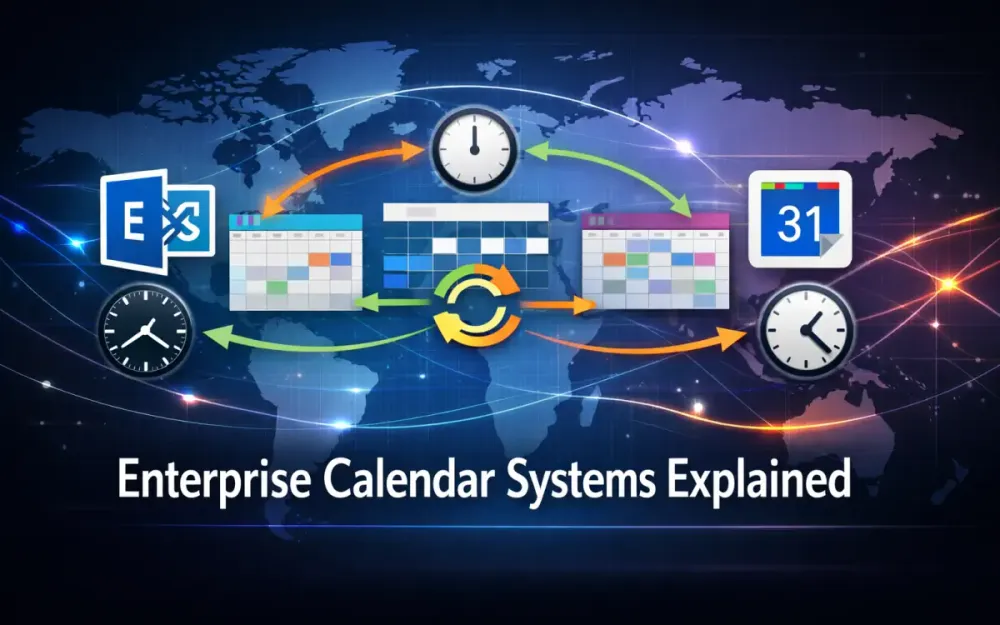
Once you add multiple time zones, recurring meetings, per-instance exceptions, shared resources, and synchronization with Exchange, Google Calendar, and CalDAV clients, the problem changes shape. You are no longer building CRUD screens. You are building a distributed system that models intent, resolves conflicts, and stays consistent under constant change.
This section lays out the architectural foundations required to support large user bases, high concurrency, and reliable external synchronization without turning the system into a fragile set of special cases.
1.1 The Core Domain Complexity
Most calendar systems fail because they underestimate the domain. The complexity does not come from storing events; it comes from how time, recurrence, and concurrency interact.
Time zones are the first trap. Local time is not stable. Daylight Saving Time rules change, sometimes with little notice, and different regions shift on different dates. If you store a meeting only in UTC, you lose the original intent. A recurring meeting scheduled for 9:00 AM in New York should stay at 9:00 AM New York time, even as offsets change. That means you must store the original local time and the IANA time zone, not just a converted UTC value.
Recurrence introduces a different kind of complexity. A single recurring meeting represents many future instances, and each instance can be modified or cancelled independently. Computing recurrence dynamically might work for a personal calendar, but it does not scale. Dashboards, availability checks, and sync engines all need fast access to concrete instances. Treating recurrence as a first-class concept—with explicit exception handling—is essential.
Concurrency is the third pressure point. In an enterprise system, many users and automated processes operate on the calendar at the same time. Availability checks must be fast. Conflicts must be detected reliably. Updates must be idempotent because external systems often resend the same change more than once. Optimistic concurrency and event-based updates are not optional; they are table stakes.
When these three concerns come together, a simple CRUD model stops working. You need to separate what the user intended from what actually exists at any point in time, track changes explicitly, and isolate read-heavy workloads from write operations. That is why serious calendar systems move toward CQRS and event-driven designs instead of a single monolithic data model.
1.2 Monolith vs. Microservices Strategy
The goal is not to break the system into as many services as possible. The goal is to isolate responsibilities that scale differently and fail differently.
A practical architecture splits the system into three logical subsystems: Calendar Management, Scheduling Engine, and Sync Adaptors.
Calendar Management is responsible for creating and updating events. It validates input, enforces domain rules, stores the canonical write model, and emits change events when something meaningful happens. This part of the system benefits from strong transactional guarantees and is usually backed by PostgreSQL or SQL Server.
The Scheduling Engine focuses on availability and conflict resolution. It answers questions like “When can these ten people meet?” or “Is this room free at 3:30 PM?” It consumes expanded event data and produces answers quickly. To do that efficiently, it is typically stateless and backed by Redis, where availability can be stored in compact, precomputed forms.
Sync Adaptors sit at the edge of the system. They translate between your internal model and external providers such as Exchange (via Microsoft Graph), Google Calendar, and CalDAV clients. These adaptors deal with rate limits, partial updates, retries, and inconsistent payloads. Keeping them loosely coupled allows them to scale independently and fail without taking down the core system.
All of this can run in a single deployment if needed. A pure monolith can work at smaller scales. But as traffic grows, cross-cutting concerns pile up. Separating the scheduling engine and sync adaptors is usually the right compromise. It improves scalability and operational clarity without introducing unnecessary microservice complexity.
1.3 Data Storage Paradigm (CQRS)
Calendar systems benefit enormously from separating how data is written from how it is read.
The write model captures intent. When a user creates a recurring meeting, you store one master record, its recurrence rule, and any explicit exceptions. Updates are recorded as domain events, and those events drive downstream processes. This model is normalized, consistent, and optimized for correctness rather than query speed.
The read model represents reality. It contains concrete instances of events, already expanded and ready to query. Dashboards, mobile apps, availability engines, and sync adaptors all read from this model. Instead of calculating recurrence on demand, they query simple rows that represent actual occurrences, usually projected 12–24 months into the future.
A simplified write model might look like this:
CREATE TABLE Events (
    EventId UUID PRIMARY KEY,
    Title TEXT NOT NULL,
    StartLocal TIMESTAMP NOT NULL,
    EndLocal TIMESTAMP NOT NULL,
    TimeZoneId TEXT NOT NULL,
    RRule TEXT NULL,
    CreatedBy UUID NOT NULL,
    RowVersion BYTEA NOT NULL
);
The corresponding read model:
CREATE TABLE ExpandedEvents (
    ExpandedId UUID PRIMARY KEY,
    EventId UUID NOT NULL,
    InstanceStartUtc TIMESTAMP NOT NULL,
    InstanceEndUtc TIMESTAMP NOT NULL,
    IsException BOOLEAN NOT NULL DEFAULT FALSE,
    FOREIGN KEY (EventId) REFERENCES Events(EventId)
);
This separation is what allows the system to scale. Reads never touch the transactional write tables, and expensive recurrence logic runs asynchronously instead of on every request. It also makes availability calculations predictable, which is critical for user trust.
1.4 Technology Stack Recommendations (2025)
A modern scheduling platform depends on getting time and recurrence right. The technology stack should support that directly instead of fighting it.
.NET 9 and recent .NET Core releases provide high-throughput async processing, efficient background workloads, and a mature ecosystem for building long-running services. They are a strong fit for scheduling engines and sync services that need to handle steady load.
NodaTime replaces DateTime and DateTimeOffset with types that make intent explicit. LocalDateTime, ZonedDateTime, and Instant clearly separate user input from absolute time. Using IANA time zones and tzdb data prevents subtle bugs when daylight rules change.
Ical.Net handles RFC 5545 recurrence rules correctly. It supports RRULE, RDATE, and EXDATE, and provides safe iteration over occurrences. This avoids years of edge cases that appear when recurrence logic is implemented manually.
PostgreSQL or SQL Server provide transactional integrity for the write model. PostgreSQL is often preferred for its partitioning support, concurrency characteristics, and JSONB capabilities, but both are viable choices.
Redis is used where latency matters most. Availability bitmaps and precomputed time slices fit naturally into Redis data structures and deliver consistent performance under high concurrency.
Together, this stack supports a system that models calendar intent accurately, scales under load, and integrates cleanly with enterprise calendar providers.
2 The Data Model: Time, Recurrence, and Expansion
In an enterprise calendar system, the data model determines whether the system remains correct six months from now or slowly drifts into inconsistency. Performance issues can often be optimized later. Incorrect time handling or recurrence modeling cannot. Once those mistakes reach production, every downstream system inherits them.
This section focuses on how time, recurrence, and expansion should be modeled so the system behaves predictably under load, across time zones, and during long-running recurring series.
2.1 Storing Time Correctly
A common belief is that storing everything in UTC solves time-related problems. UTC is useful, but it only represents an absolute moment. It does not capture why that moment exists. Calendar systems care deeply about intent, not just timestamps.
When a user schedules a meeting, they think in local terms: “9:00 AM in New York” or “2:00 PM London time.” If you store only the UTC value, that intent is lost. When daylight saving rules change, the system has no way to reconstruct what the user originally meant.
To avoid this, the data model needs three separate concepts:
LocalDateTime— the exact time the user enteredTimeZoneId— the IANA time zone that gives the local time meaningInstant— the resolved UTC value used for comparisons and indexing
For example, storing only 2025-03-10T09:00:00Z tells you when something happened, but not that it was “9 AM New York time.” Instead, the event model keeps the original intent and derives UTC when needed.
public class Event
{
    public Guid EventId { get; set; }
    public LocalDateTime StartLocal { get; set; }
    public LocalDateTime EndLocal { get; set; }
    public string TimeZoneId { get; set; } = default!;
    public ZonedDateTime StartZoned =>
        StartLocal.InZoneLeniently(DateTimeZoneProviders.Tzdb[TimeZoneId]);
}
Entity Framework Core can persist these values cleanly using NodaTime support. With PostgreSQL and Npgsql, the mapping is explicit and predictable.
builder.Property(e => e.StartLocal)
    .HasColumnType("timestamp")
    .UseNodaTime();
The important detail is when UTC is calculated. The system resolves LocalDateTime + TimeZoneId into UTC during expansion and querying, using the rules that apply on that specific date. This ensures that DST transitions are handled correctly even years after the event was created.
2.2 Implementing RFC 5545 (Recurrence Rules)
Recurring meetings are not just repeated events. They are a rule plus a growing set of deviations from that rule. Modeling this correctly means separating the definition of the series from the changes applied to individual instances.
The master record stores the recurrence rule exactly as defined by RFC 5545. A rule such as FREQ=WEEKLY;BYDAY=MO,WE;UNTIL=20250601T000000Z describes what should happen, not what has happened yet. It does not generate instances on its own.
Exceptions modify that rule over time. These fall into three categories:
EXDATE: cancel a specific occurrenceRDATE: add an extra occurrence outside the rule- Per-instance overrides: change the time or details for one occurrence
These exceptions must be stored explicitly so they survive future expansions and resync operations.
CREATE TABLE EventExceptions (
    ExceptionId UUID PRIMARY KEY,
    EventId UUID NOT NULL,
    OriginalDate DATE NOT NULL,
    NewStartLocal TIMESTAMP NULL,
    NewEndLocal TIMESTAMP NULL,
    IsCancellation BOOLEAN NOT NULL,
    FOREIGN KEY (EventId) REFERENCES Events(EventId)
);
Using Ical.Net, the system parses the RRULE once and treats it as an immutable definition. This avoids custom recurrence logic and ensures compatibility with Exchange, Google Calendar, and CalDAV clients.
var calendarEvent = new CalendarEvent
{
    DtStart = new CalDateTime(
        startLocal.Year,
        startLocal.Month,
        startLocal.Day,
        startLocal.Hour,
        startLocal.Minute,
        0,
        timeZoneId),
    RecurrenceRules = { new RecurrencePattern(rruleString) }
};
At this stage, nothing is expanded. The recurrence rule and its exceptions are stored as intent. Actual instances come later.
2.3 The “Expansion” Strategy (The Performance Secret)
Computing recurrence dynamically is one of the fastest ways to degrade a calendar system. It might work during early development, but once dashboards, availability checks, and sync processes all start querying recurrence, performance collapses.
The solution is expansion. Instead of calculating recurrence at query time, the system materializes future instances into a dedicated read store. This happens asynchronously and is driven by domain events.
A typical expansion flow looks like this:
- An event is created or updated
- A domain event is written to the outbox
- A background worker picks up the change
- Instances are generated for the next 12–24 months
- The read model is updated
This work runs in Hangfire, Azure Functions, or a dedicated worker service. It never blocks user requests.
CREATE TABLE ExpandedEvents (
    ExpandedEventId UUID PRIMARY KEY,
    EventId UUID NOT NULL,
    InstanceStartUtc TIMESTAMP NOT NULL,
    InstanceEndUtc TIMESTAMP NOT NULL,
    IsException BOOLEAN NOT NULL
);
Expansion converts each occurrence into a concrete time window. Time zone resolution happens here, using the correct DST rules for each date.
var occurrences = calendarEvent.GetOccurrences(startRange, endRange);

foreach (var occ in occurrences)
{
    var zoned = occ.Period.StartTime.Value.InZoneStrictly(zone);
    var instantStart = zoned.ToInstant();
    // Persist instance into ExpandedEvents
}
Once expanded, every downstream system works with simple rows. Availability engines scan time ranges. Dashboards render calendars. Sync adaptors compare instances with external providers. No one recomputes recurrence.
This expansion step is the single most important scalability decision in an enterprise calendar system. It turns an expensive, stateful computation into a predictable read operation and keeps the rest of the architecture simple and fast.
3 Building the High-Performance Availability Engine
Availability is the feature users notice immediately. When someone opens a scheduling view or clicks “Find a time,” they expect an answer almost instantly. Delays of even a few hundred milliseconds feel slow, especially when the system needs to consider multiple people, rooms, and constraints.
At enterprise scale, availability cannot be calculated by querying raw events and stitching results together on the fly. That approach works for a handful of users and fails as soon as concurrency increases. A high-performance availability engine relies on precomputed data, constant-time operations, and aggressive caching.
3.1 The “Time Slot” Bitmask Algorithm
The core idea is to discretize time. Instead of working with arbitrary timestamps, the system divides each day into fixed slots. A common choice is 15-minute intervals, which produces 96 slots per day. This resolution is precise enough for most business calendars and small enough to compute efficiently.
Each slot is represented by a single bit. A value of 1 means the slot is busy; 0 means it is free. With 96 slots, a full day fits comfortably inside two 64-bit integers. That compact representation is what enables fast merging and comparisons.
For example, a meeting from 10:00 to 11:00 occupies four 15-minute slots. If slot indexing starts at midnight, those might be slots 40 through 43. Marking them busy is a simple bit operation.
ulong[] mask = new ulong[2]; // 128 bits total

void MarkBusy(int startIndex, int endIndex)
{
    for (int i = startIndex; i <= endIndex; i++)
    {
        int bucket = i / 64;
        int offset = i % 64;
        mask[bucket] |= 1UL << offset;
    }
}
Merging calendars is equally simple. To combine a user’s calendar with a room calendar or a holiday calendar, the engine performs a bitwise OR.
var merged0 = userMask[0] | roomMask[0];
var merged1 = userMask[1] | roomMask[1];
Once merged, finding free time is just a matter of scanning for zero bits. These operations run in nanoseconds and scale linearly with the number of calendars being combined. This is why bitmask-based availability engines remain fast even when evaluating hundreds or thousands of participants.
3.2 In-Memory Caching Strategy
Even efficient algorithms become slow if they are executed too often. Availability calculations are read-heavy, so caching is essential. The system stores each user’s daily availability mask in Redis, keyed by user and date.
Redis bitmaps or raw byte arrays both work well here. The important point is that availability is precomputed and reused across requests. When the scheduling engine needs to evaluate availability, it fetches existing masks instead of recalculating them from scratch.
var key = $"avail:{userId}:{date:yyyyMMdd}";
var mask = await redis.StringGetAsync(key);
If the mask does not exist, the engine rebuilds it using the expanded events table and stores it back in Redis. This is a controlled fallback, not the normal path.
Cache invalidation is driven by change events. When an event is created, updated, or deleted, the system emits an outbox message. A background worker listens for those messages and recalculates availability only for the affected users and dates. This avoids broad cache clears and keeps recalculation localized.
The result is stable performance even during peak usage. Reads stay in memory, writes are bounded, and database access remains predictable.
3.3 Handling “Tentative” vs. “Busy”
Not all events block time equally. Some organizations treat tentative meetings as advisory, while others consider them hard conflicts. The availability engine needs to support both models without branching logic throughout the codebase.
A practical approach is to represent different states with separate bitmasks. Each user maintains:
- A busy mask for confirmed events
- A tentative mask for soft holds
During availability resolution, the engine decides which masks to apply based on policy.
if (vipMode)
    finalMask = busyMask;
else
    finalMask = busyMask | tentativeMask;
This keeps the underlying representation simple while allowing flexible business rules. Policies can vary by role, meeting type, or organizer without changing how availability is stored or merged.
Because the masks are independent, additional states can be introduced later, such as “focus time” or “out of office,” without rewriting the engine.
3.4 Performance Benchmarks
Consistent performance depends on consistent data access patterns. Availability pipelines should avoid tracking, projections should be narrow, and queries should target indexed fields only.
Entity Framework queries in this path always use .AsNoTracking() and return only the fields required to build the bitmask.
var instances = await db.ExpandedEvents
    .AsNoTracking()
    .Where(e => e.UserId == userId && e.InstanceStartUtc.Date == date)
    .Select(e => new { e.InstanceStartUtc, e.InstanceEndUtc })
    .ToListAsync();
This minimizes memory overhead and produces efficient SQL. The heavy lifting happens once during expansion, not during every availability request.
In practice, this design outperforms dynamic recurrence computation by orders of magnitude. With Redis caching enabled, a well-tuned availability engine can compute availability for 5,000 users in under 100 milliseconds. More importantly, performance remains stable as usage grows, which is what users ultimately notice.
4 External Synchronization: Exchange (Graph), Google, and CalDAV
External calendar synchronization is where otherwise clean internal designs are stress-tested. Unlike your own system, external providers are not transactional, not consistent in payload shape, and not guaranteed to deliver events exactly once. Updates may arrive late, out of order, or duplicated. Some changes are partial, others overwrite entire series.
The role of the sync layer is to absorb this unpredictability and translate it into stable, intentional updates to the internal calendar model. The goal is not to mirror providers perfectly, but to keep the internal write model aligned with external reality without corrupting intent, breaking recurrence, or triggering unnecessary recalculations.
4.1 The Sync Architecture
Reliable synchronization requires both push and pull mechanisms working together. Webhooks provide fast feedback when something changes, but they are signals, not guarantees. Providers drop notifications, batch them, or throttle delivery under load. Polling fills in the gaps by asking, “What changed since the last time I checked?”
In practice, the sync pipeline looks like this:
- A webhook notification arrives with minimal metadata
- The message is stored in an inbox table for durability
- A background worker fetches the full event from the provider
- The event is mapped into the internal write model
- An outbox event triggers downstream updates
Webhook handlers stay thin. They never apply changes directly. This keeps request latency low and avoids partial updates when providers resend notifications.
Because duplicate messages are common, idempotency is mandatory. A simple and effective approach is to combine the provider’s event ID with its version or ETag and treat that combination as a unique change.
public bool IsDuplicate(string providerEventId, string etag)
{
    var key = $"{providerEventId}:{etag}";
    return redis.SetContains("processed", key);
}
If the key already exists, the handler exits without modifying state. This prevents replay storms from creating conflicting updates or unnecessary expansions.
Polling runs on a schedule and acts as a safety net. Each calendar stores a sync checkpoint, such as a delta token or sync token. If polling detects that a token is invalid or expired, the system falls back to a controlled full resynchronization. This combination keeps the system correct without excessive API calls.
4.2 Microsoft Exchange / Office 365 (Graph API v5)
Microsoft Graph’s /delta endpoint is designed specifically for incremental synchronization. Instead of retrieving the full calendar repeatedly, the system requests only changes since the last successful sync. This reduces traffic and avoids rate-limit issues.
The sync job persists the delta token returned by Graph and uses it for the next request.
var request = graphClient.Users[userId]
    .Events
    .Delta()
    .Request()
    .Header("Prefer", "odata.track-changes");

if (!string.IsNullOrEmpty(savedDeltaToken))
    request = request.QueryOption("$deltatoken", savedDeltaToken);

var page = await request.GetAsync();

foreach (var graphEvent in page)
{
    await MapAndApplyAsync(graphEvent);
}

savedDeltaToken = page.AdditionalData["@odata.deltaLink"]?.ToString();
Graph events require careful interpretation because a single logical meeting can appear in multiple forms. Graph distinguishes between:
- The recurring master event
- Generated instances
- Modified instances that override the master
- Cancellations
An update may arrive for an individual instance even when the master has not changed. The sync layer uses fields such as SeriesMasterId and Type to decide how to apply the update. Master updates modify the recurrence definition and trigger re-expansion. Instance updates are stored as exceptions.
private InternalEvent MapGraphEvent(Event g)
{
    return new InternalEvent
    {
        ProviderId = g.Id,
        Title = g.Subject,
        StartLocal = g.Start.ToLocalDateTime(),
        EndLocal = g.End.ToLocalDateTime(),
        TimeZoneId = g.Start.TimeZone,
        RRule = g.Recurrence?.Pattern?.ToRRuleString(),
        IsInstance = g.Type == "occurrence" || g.Type == "exception"
    };
}
Graph occasionally emits updates where timestamps differ only in formatting or precision. Without idempotency checks, these cause unnecessary churn. Filtering them early keeps recurrence expansion and availability recalculation stable.
4.3 Google Calendar API
Google Calendar follows a similar incremental model but uses a syncToken instead of delta links. Each calendar stores its current token and includes it in subsequent requests. Google returns only events that changed since that token was issued.
var request = service.Events.List(calendarId);
request.SyncToken = savedSyncToken;

var events = await request.ExecuteAsync();

foreach (var e in events.Items)
{
    ApplyGoogleEvent(e);
}

savedSyncToken = events.NextSyncToken;
If the token becomes invalid, Google responds with a 410 Gone. This typically happens when too much time has passed or the calendar structure changed significantly. The correct response is not retrying but restarting the sync with a full fetch and a new token.
Google’s push notifications use a watch channel model. Notifications do not include event details; they simply signal that something changed. The system treats them as triggers for an incremental pull, not as authoritative updates. The inbox pattern ensures that multiple notifications for the same calendar collapse into a single sync job.
Google events also require careful handling of all-day events, which use date-only fields. The sync adaptor converts these into the internal local-time representation before storing them. Recurrence rules arrive as RFC 5545 strings and are stored unchanged, feeding directly into the expansion pipeline.
4.4 Implementing a CalDAV Server Interface
Some environments rely heavily on CalDAV clients, especially on Apple platforms. Supporting CalDAV means exposing the internal calendar as a standards-compliant server rather than relying on proprietary APIs.
Libraries such as CalDav.Server provide protocol handling for methods like PROPFIND, REPORT, PUT, and DELETE. The application maps these requests to internal reads and writes. For example, a REPORT request typically asks for events within a time range.
public async Task<IHttpActionResult> HandleReport(HttpRequestMessage req)
{
    var range = ParseTimeRange(req);
    var events = await expandedRepository.GetInstancesAsync(calendarId, range);

    var ics = GenerateIcs(events);
    return new IcsResponse(ics);
}
ICS generation uses the same expansion data already produced for availability and dashboards. This avoids duplication and ensures consistent behavior across all clients.
var calendar = new Calendar();

foreach (var ev in events)
{
    calendar.Events.Add(new CalendarEvent
    {
        DtStart = new CalDateTime(ev.LocalStart, ev.TimeZoneId),
        DtEnd = new CalDateTime(ev.LocalEnd, ev.TimeZoneId),
        Summary = ev.Title,
    });
}

var serializer = new CalendarSerializer();
string icsString = serializer.SerializeToString(calendar);
For privacy-sensitive deployments, the CalDAV interface can be limited to free/busy data instead of full event details. This keeps personal information protected while still enabling scheduling and availability checks.
When implemented correctly, the sync layer becomes a stabilizing force rather than a source of inconsistency. It absorbs provider quirks, preserves internal intent, and ensures that conflict resolution and availability calculations remain trustworthy across systems.
5 Resource Management & Conflict Resolution
Resource scheduling is where calendar systems move beyond personal productivity and into operational control. People can double-book themselves if they want to. Rooms, equipment, and shared assets cannot. Once physical resources enter the picture, conflicts must be prevented at write time, not discovered later.
Enterprise systems also need to account for real-world constraints such as setup time, teardown time, and partial availability. These rules must be enforced consistently while still allowing the system to scale. This section focuses on the patterns that make resource booking reliable under concurrency without slowing the system down.
5.1 Optimistic Concurrency Control
Preventing double booking requires more than checking availability before creating a reservation. In a concurrent system, two users may read the same availability state and attempt to book the same resource at nearly the same time. Without additional safeguards, both writes could succeed.
Optimistic concurrency solves this by detecting conflicts at write time. The idea is simple: assume conflicts are rare, but verify that the resource has not changed before committing the update. If it has changed, reject the operation and ask the caller to retry.
Relational databases support this pattern directly. SQL Server uses rowversion, while PostgreSQL uses xmin. The application reads the current version of the record and includes it as part of the update.
public class ResourceBooking
{
    public Guid BookingId { get; set; }
    public Guid ResourceId { get; set; }
    public Instant StartUtc { get; set; }
    public Instant EndUtc { get; set; }
    public byte[] RowVersion { get; set; } = default!;
}
When saving the booking, the original version is supplied to the context.
context.Entry(booking).OriginalValues["RowVersion"] = booking.RowVersion;

try
{
    await context.SaveChangesAsync();
}
catch (DbUpdateConcurrencyException)
{
    throw new ConflictException("The resource was booked by another request.");
}
If another transaction updated the same resource window, the database rejects the write. No locks are held, and no partial state is committed. This approach scales well in distributed systems and works naturally with stateless services.
At the API layer, the same principle applies using ETags. Clients include the last-known ETag when submitting a booking request. If the server detects a mismatch, it returns a conflict response instead of overwriting newer data.
5.2 Complex Room Rules
Real rooms rarely behave like simple time slots. Many require setup time before a meeting and teardown time afterward. These buffers effectively extend the busy window and must be included in both conflict detection and availability calculations.
Instead of complicating the availability engine, the system adjusts the effective booking window before it reaches that layer.
var effectiveStart = event.StartUtc - Duration.FromMinutes(room.SetupMinutes);
var effectiveEnd = event.EndUtc + Duration.FromMinutes(room.TeardownMinutes);
The scheduling engine works only with effective times, so buffers are enforced consistently everywhere—availability views, conflict checks, and external sync.
Room combining introduces another layer of complexity. A common example is two adjacent rooms separated by a movable wall. When combined, they function as a single large space. Booking the combined room must block both individual rooms, and booking either individual room must block the combined space.
This relationship is modeled explicitly.
public class Room
{
    public Guid RoomId { get; set; }
    public Guid? ParentRoomId { get; set; }
    public List<Room> Children { get; set; } = new();
}
Availability for a parent room is computed by aggregating the availability of its children. Likewise, a booking for any child propagates upward.
ulong[] parentMask = new ulong[2];

foreach (var child in children)
{
    parentMask[0] |= child.Mask[0];
    parentMask[1] |= child.Mask[1];
}
By handling this at the availability layer, the system avoids special-case logic during booking. Composite rooms behave predictably without duplicating rules across services.
5.3 Equipment & Inventory
Equipment scheduling differs from room scheduling because availability is quantitative rather than binary. A pool of laptops or projectors can support multiple bookings at the same time, up to a fixed limit. The system must track how many units are in use for a given time range and prevent over-allocation.
The core model starts with an inventory pool.
public class InventoryPool
{
    public Guid PoolId { get; set; }
    public int TotalUnits { get; set; }
}
When a booking request arrives, the system calculates how many units are already reserved for the overlapping window. If the requested number exceeds the remaining capacity, the booking is rejected.
var used = await inventoryUsage
    .Where(u => u.PoolId == poolId &&
                u.StartUtc < endUtc &&
                u.EndUtc > startUtc)
    .SumAsync(u => u.Units);

if (used + requestedUnits > pool.TotalUnits)
    throw new ConflictException("Not enough units available.");

inventoryUsage.Add(new InventoryUsage
{
    PoolId = poolId,
    StartUtc = startUtc,
    EndUtc = endUtc,
    Units = requestedUnits
});
This logic runs inside a transaction so availability remains consistent under concurrency. For higher volumes, the system can precompute daily counters or slot-based usage masks, similar to user availability bitmasks. Each slot tracks how many units are reserved rather than whether the slot is simply busy or free.
This approach supports partial availability, scales well across large organizations, and enables downstream reporting. Utilization trends, peak demand periods, and capacity planning all become straightforward once inventory usage is modeled explicitly.
6 Virtual Meeting Auto-Provisioning
In modern enterprises, creating a calendar event is no longer enough. Users expect a Teams, Zoom, or Google Meet link to appear automatically, work reliably, and remain valid even if the meeting is rescheduled. From the system’s perspective, this turns a simple calendar write into a multi-step workflow that crosses system boundaries.
Virtual meeting provisioning becomes part of the event lifecycle. Creating an event may trigger a remote API call. Updating an event may require modifying an existing meeting. Deleting an event may require cleanup in an external system. If this is handled poorly, users see broken links, duplicate meetings, or meetings owned by the wrong identity. This section describes how to integrate virtual meeting providers without tightly coupling the core scheduling logic to any single API.
6.1 The Provider Abstraction Layer
The first design decision is to treat virtual meeting providers as interchangeable integrations. The scheduling engine should not know whether a meeting is hosted on Teams, Zoom, or Google Meet. It should only know that a virtual meeting needs to be created, updated, or removed.
A small, stable interface keeps this boundary clean.
public interface IMeetingProvider
{
    Task<MeetingDetails> CreateMeetingAsync(MeetingRequest request);
    Task<MeetingDetails> UpdateMeetingAsync(string providerId, MeetingRequest request);
    Task DeleteMeetingAsync(string providerId);
}
MeetingRequest carries only the information the provider actually needs: start and end times, subject, organizer identity, and basic options. The provider returns MeetingDetails, which includes the join URL, dial-in information, and the provider-specific identifier required for future updates.
Meeting creation is triggered after the internal event is written, using the same outbox pattern described earlier. This ensures retries are safe and avoids creating meetings for events that never committed. If a provider is temporarily unavailable, the system can retry without duplicating meetings.
Internally, the event stores only the provider ID and the join details. The rest of the provider state remains external. This keeps the core domain model stable and makes it easy to add or replace providers later.
6.2 Microsoft Teams Integration
Microsoft Teams meetings are created through Microsoft Graph using the onlineMeetings endpoint. The key architectural choice here is permission model. Delegated permissions create meetings as the user, while application permissions create meetings as a service identity.
Delegated permissions are preferred when the organizer is a licensed user. The meeting appears under their identity and respects their policies.
var onlineMeeting = new OnlineMeeting
{
    StartDateTime = request.StartUtc,
    EndDateTime = request.EndUtc,
    Subject = request.Subject
};

var created = await graphClient.Me
    .OnlineMeetings
    .Request()
    .AddAsync(onlineMeeting);
The response includes the join URL, conference ID, and dial-in numbers. The provider stores the meeting ID so the system can reference it later.
Application permissions are useful when meetings are managed by automation or service accounts. In that case, the API targets the application endpoint instead of the user path, and ownership belongs to the app rather than an individual user.
Teams supports in-place updates. When a meeting’s time or subject changes, the system updates the existing meeting instead of creating a new one.
await graphClient.Me
    .OnlineMeetings[providerId]
    .Request()
    .UpdateAsync(updatedMeeting);
Teams preserves the join URL during updates, which is critical. Participants do not need to rejoin or update invitations, and cached links remain valid.
6.3 Zoom & Google Meet
Zoom and Google Meet follow different models, but both fit cleanly behind the same abstraction.
Zoom uses a server-to-server OAuth flow. The system authenticates using application credentials and creates meetings via the REST API.
var meeting = new
{
    topic = request.Subject,
    type = 2,
    start_time = request.StartUtc.ToString("o"),
    duration = (int)(request.EndUtc - request.StartUtc).TotalMinutes
};

var response = await http.PostAsJsonAsync(
    "https://api.zoom.us/v2/users/me/meetings",
    meeting);
Zoom returns a join_url and start_url. The system stores the join URL and embeds it into calendar notifications and ICS descriptions so clients can surface it consistently.
Google Meet works differently. There is no standalone “create meeting” API. Instead, Meet links are generated as part of Google Calendar event creation. The conferencing request is included when inserting or updating the calendar event.
var googleEvent = new Google.Apis.Calendar.v3.Data.Event
{
    Summary = request.Subject,
    Start = new EventDateTime
    {
        DateTime = request.StartLocal,
        TimeZone = request.TimeZoneId
    },
    End = new EventDateTime
    {
        DateTime = request.EndLocal,
        TimeZone = request.TimeZoneId
    },
    ConferenceData = new ConferenceData
    {
        CreateRequest = new CreateConferenceRequest
        {
            RequestId = Guid.NewGuid().ToString()
        }
    }
};

var created = await service.Events
    .Insert(googleEvent, calendarId)
    .ExecuteAsync();
The generated Meet link becomes part of the event’s conference data. Google preserves this link across updates unless conferencing is explicitly removed.
6.4 Handling Updates
The most important rule for virtual meetings is simple: do not create a new meeting unless you have to. Broken links are far more damaging to user trust than delayed updates.
When an event changes, the system evaluates whether the change affects the virtual meeting. Time changes usually require an update. Title changes may or may not. Participant changes often do not, because most providers sync attendees automatically through calendar integration.
if (eventChangedRelevantFields)
{
    var updated = await provider.UpdateMeetingAsync(
        existing.ProviderId,
        request);

    repository.UpdateMeetingMetadata(eventId, updated);
}
The provider ID remains immutable for the lifetime of the event. Only explicit user actions—such as switching providers or removing the virtual meeting—cause a new meeting to be created.
When notifications are sent, the scheduling engine includes the join URL in both emails and ICS payloads. This ensures Outlook, mobile clients, and external calendars all display consistent meeting information.
Handled this way, virtual meeting provisioning becomes a predictable extension of the scheduling workflow rather than a fragile side effect. The system stays resilient, links remain stable, and users can trust that rescheduling a meeting will not break how people join it.
7 Advanced Scenarios: Time Zones & Rescheduling
Most calendar systems look correct in simple scenarios and fail quietly in complex ones. Time zone transitions, long-running recurring meetings, and cross-region scheduling expose weaknesses that are easy to miss during development. These issues rarely appear in unit tests but show up quickly in production.
Enterprise systems must handle these scenarios in a way that matches user expectations while remaining internally consistent. That means modeling intent explicitly and applying algorithms that behave predictably as conditions change.
7.1 The “London to New York” Problem
Consider a recurring meeting scheduled for 9:00 AM London time. For part of the year, New York is five hours behind. For a few weeks each spring and fall, it is only four hours behind because the US and UK switch daylight saving time on different dates.
If the meeting is stored purely as a UTC timestamp, participants in New York will see the meeting “move” unexpectedly during those weeks. From their perspective, the system looks broken. From the system’s perspective, it is doing exactly what it was told.
The fix is to distinguish between floating and fixed time in recurrence rules. A floating time means “this meeting happens at 9:00 AM in the organizer’s local time zone,” regardless of how UTC offsets change. A fixed time means “this meeting always happens at this exact UTC instant,” even if local times shift.
Most recurring meetings should use floating time. Cross-region meetings that need strict global alignment may use fixed time explicitly.
new RecurrenceRule
{
    Pattern = "FREQ=WEEKLY;BYDAY=MO",
    Floating = true
};
During expansion, the worker applies the local time first, then resolves it to UTC using the correct daylight saving rules for that specific date. This ensures that the meeting stays at 9:00 AM London time throughout the year, even as offsets change.
If an individual occurrence is modified, that instance stores its own local time in the exception table. Future expansions respect that override, ensuring consistent behavior across recalculations.
7.2 Smart Rescheduling
Finding a time that works for multiple people across time zones is one of the hardest scheduling problems. The system must balance availability, working hours, and organizational preferences without overwhelming users with options.
The scheduling engine already has the building blocks: expanded events, availability bitmasks, and resource constraints. Smart rescheduling builds on these by evaluating overlap and ranking candidate slots instead of returning a simple yes or no.
The process starts by merging availability masks for all participants and required resources. Slots with conflicts are eliminated immediately. If no suitable slot exists on the target day, the search expands across additional days.
Each remaining slot is scored based on participant profiles.
def score_slot(slot_index, user_profiles):
    score = 0
    for profile in user_profiles:
        if slot_index in profile.core_hours:
            score += 5
        if slot_index in profile.preferred_hours:
            score += 3
        else:
            score -= 1
    return score
Profiles capture information such as core working hours, preferred meeting times, and flexibility. The scoring function reflects organizational priorities: minimizing disruption, respecting local time zones, and avoiding early or late meetings when possible.
Instead of forcing a single answer, the system returns a ranked list of options. The organizer selects the most appropriate time, and the system applies the change just like any other update. If a virtual meeting exists, the provider integration updates it automatically.
This approach keeps the complexity inside the system and presents users with clear, actionable choices.
7.3 Notification Workflows
Scheduling does not end when an invitation is sent. Responses from participants affect availability, conflict resolution, and future recommendations. The system must process these responses reliably without creating feedback loops or excessive load.
Modern clients like Outlook support actionable messages, allowing users to accept or decline directly from the email. These actions generate callbacks that flow back into the system through Graph webhooks or HTTP endpoints.
var card = new AdaptiveCard("1.0")
{
    Body = new List<AdaptiveElement>
    {
        new AdaptiveTextBlock("You have been invited to a meeting.")
    },
    Actions = new List<AdaptiveAction>
    {
        new AdaptiveSubmitAction
        {
            Title = "Accept",
            Data = new { Response = "Accept" }
        },
        new AdaptiveSubmitAction
        {
            Title = "Decline",
            Data = new { Response = "Decline" }
        }
    }
};
When a response is received, the system updates the attendee’s status and recalculates availability only for that participant. It does not trigger a full re-expansion or global recalculation. This keeps response handling lightweight even during large invitation waves.
Some environments still rely on IMAP-based workflows. In these cases, the system monitors a mailbox, parses incoming ICS responses, and extracts attendance changes. Once processed, the update is emitted as a domain event so downstream systems remain consistent.
Smooth notification handling directly affects trust. When responses are reflected quickly and accurately, users rely on availability data and scheduling recommendations. By keeping notifications aligned with internal state changes, the system remains authoritative while integrating cleanly with external mail and calendar clients.
8 Production Readiness: Resiliency & Scalability
A scheduling system is only successful if it behaves predictably when everything is happening at once. In production, calendars are not updated evenly throughout the day. Traffic comes in bursts, external providers behave inconsistently, and users expect the system to respond instantly regardless of load.
Production readiness is not about handling the average case. It is about surviving peak conditions without losing data, corrupting state, or degrading user trust. This section focuses on the operational patterns that allow an enterprise scheduling system to stay stable as usage and integrations grow.
8.1 Handling the “Monday Morning Storm”
Monday mornings are a stress test for any calendar platform. Users open their calendars after the weekend, devices resynchronize, and external providers deliver batches of delayed notifications. Webhooks fire, polling jobs run, and availability checks spike at the same time.
Without protection, this convergence overwhelms sync engines and downstream services. Rate limiting is the first line of defense. Instead of allowing unlimited concurrent sync operations, the system processes them at a controlled pace.
await rateLimiter.WaitAsync();

try
{
    await syncProcessor.ProcessAsync(calendarId);
}
finally
{
    rateLimiter.Release();
}
The rate limiter can be implemented as a token bucket or a distributed semaphore backed by Redis. This ensures that API quotas are respected and that internal resources are not saturated during bursts.
Equally important is queue-based load leveling. Webhook handlers should enqueue work rather than execute it immediately. Durable queues such as Azure Service Bus or RabbitMQ absorb spikes and let background workers process messages steadily.
await queueClient.SendMessageAsync(new SyncMessage(calendarId));Messages can include debounce metadata so multiple notifications for the same calendar collapse into a single sync operation. Combined with the outbox pattern used for internal changes, this approach prevents cascading failures during peak traffic.
8.2 Archival Strategies
Over time, calendar data grows without bound. Most events older than a year are rarely accessed but still consume space and degrade query performance if left in active tables. A production-ready system plans for this growth from the start.
Partitioning is the simplest and most effective strategy. By partitioning tables by year or month, recent data stays in small, fast partitions while older data moves into larger, colder ones. Both PostgreSQL and SQL Server support native partitioning that is transparent to application code.
CREATE TABLE ExpandedEvents (
    ExpandedEventId UUID,
    EventId UUID,
    InstanceStartUtc TIMESTAMP NOT NULL
) PARTITION BY RANGE (InstanceStartUtc);
Old partitions can be marked read-only or moved to slower storage. For long-term retention, historical events can be exported to cold storage such as Azure Blob Storage or S3 in a serialized format. A background job handles export and cleanup without blocking live traffic.
When users search across long time ranges, the system combines results from active partitions and archived data sources. This keeps day-to-day queries fast while still allowing historical access when needed.
8.3 Security & Privacy
Calendar data is sensitive by nature. Meeting titles, attendees, and locations often contain personal or confidential information. A production system must minimize exposure by design rather than relying on policy alone.
Logs should never contain raw event data. Instead, they reference events and users by opaque identifiers.
logger.LogInformation(
    "Event {EventId} updated by user {UserId}",
    eventId,
    userId);
This provides traceability without leaking content. Debugging remains possible, but sensitive data stays out of log streams.
External integrations introduce another risk surface. OAuth refresh tokens must be stored securely in encrypted vaults such as Azure Key Vault or AWS Secrets Manager. Services access these tokens through managed identities rather than configuration files or environment variables.
Access tokens are short-lived and retrieved on demand. They are never cached long-term in memory or persisted in Redis. Incoming webhooks from providers validate signatures or shared secrets to prevent spoofing.
Taken together, these practices reduce the blast radius of a compromised component and help meet enterprise security and compliance requirements.
8.4 Conclusion
Building an enterprise-grade scheduling system means designing for failure, scale, and change from the beginning. Time zone correctness, recurrence expansion, availability computation, conflict resolution, and external synchronization all interact continuously under load.
Off-the-shelf calendar tools work well for simple use cases. As requirements grow—multiple providers, shared resources, automation, custom policies—the cost of adapting generic solutions rises quickly. In these environments, a purpose-built system often becomes the more reliable option.
The architectural patterns, data models, and operational strategies described in this article provide a roadmap for building a scheduling platform that remains correct, responsive, and maintainable as complexity increases. When these foundations are in place, the system can evolve without breaking user trust, even as scale and integrations continue to grow.