1 Designing the Performance Workbench: Methodology and Tooling
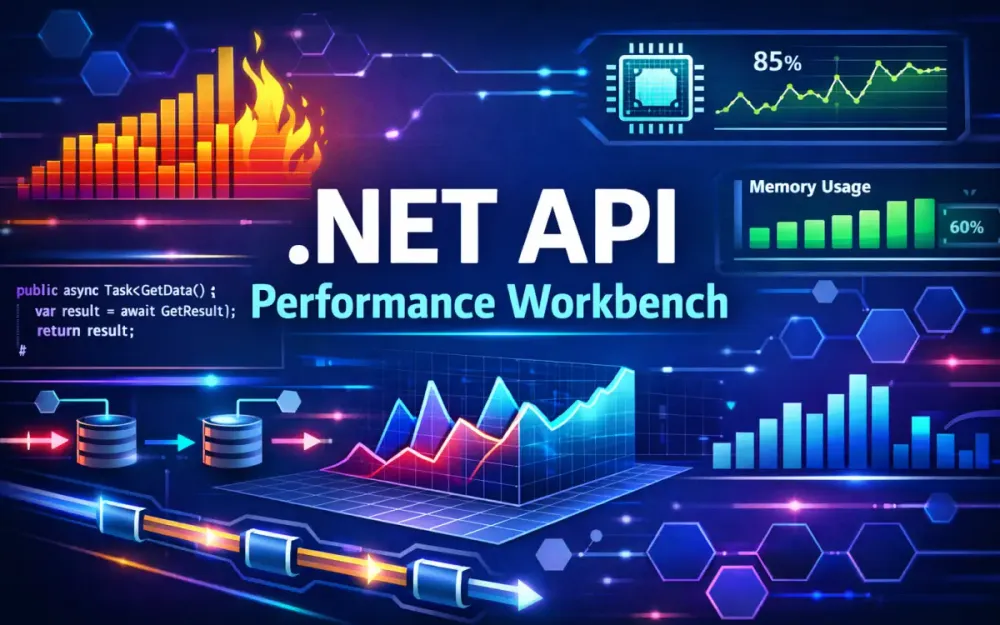
A performance workbench is a deliberate setup for understanding how a .NET API behaves under real conditions. Instead of reacting to slow endpoints or production incidents, it gives teams a way to measure, reason about, and improve performance before problems reach users. The emphasis is on repeatability: the same code, the same inputs, and the same environment should produce comparable results over time.
At its core, the workbench is a small performance lab. It combines micro-benchmarks for isolated logic, load tests that exercise the full HTTP pipeline, and diagnostics that explain what the runtime is doing internally. When used consistently, it replaces intuition with evidence and makes performance work part of everyday engineering rather than a last-minute firefight.
1.1 The Performance Loop
The performance loop defines how performance work should happen over time. Each step builds on the previous one, and skipping a step usually leads to misleading conclusions. The loop is intentionally simple so it can be repeated often as the system evolves.
1.1.1 Baseline
Baselining captures how the system behaves today, before any tuning or refactoring. This is not about finding problems yet; it is about establishing a reference point. Typical questions answered during this stage include:
- How long do the most common endpoints take to respond?
- What level of GC activity occurs under steady traffic?
- How many allocations happen per request?
Without a baseline, it becomes difficult to tell whether a later change actually improved performance or merely moved the cost elsewhere. A baseline also helps new team members understand what “normal” looks like for the service.
1.1.2 Stress
Stress testing pushes the system beyond its usual operating range. The goal is not to fix anything immediately, but to observe where behavior starts to degrade. High concurrency exposes issues that rarely appear during functional testing, such as thread pool starvation, lock contention, or inefficient I/O usage.
Common stress indicators include:
- CPU usage flattening near saturation
- sharp increases in p99 latency at specific request rates
- growing ThreadPool queues under sustained load
These signals show where the system begins to lose stability and provide clear boundaries for acceptable operating conditions.
1.1.3 Profile
Profiling answers the “why” behind the symptoms seen during stress. Metrics alone can show that latency increased, but profiling explains what code paths or runtime behaviors caused it. Flame graphs, CPU samples, and allocation traces reveal which methods dominate execution time or generate excessive garbage.
This step prevents premature optimization. Instead of guessing which code might be slow, engineers can focus only on paths that measurably affect throughput or latency.
1.1.4 Optimize
Optimization is a targeted response to what profiling reveals. Changes at this stage should be small and intentional. Typical examples include:
- reducing unnecessary allocations
- replacing expensive LINQ expressions in hot paths
- switching serialization strategies
- tuning queries or adding missing indexes
Large refactors are avoided unless the data clearly supports them. Each optimization is treated as an experiment that must be validated.
1.1.5 Verify
Verification closes the loop. Every optimization is re-measured against the baseline to confirm that it helped and did not introduce new problems. In practice, this means rerunning both micro-benchmarks and load tests.
Verification checks for issues such as:
- improvements in benchmarks that do not translate to real traffic
- lower CPU usage combined with higher memory pressure
- better average latency with worse tail latency
Only changes that survive verification should move forward.
1.2 The Tooling Ecosystem (2025 Standard)
A useful performance workbench relies on several categories of tools. No single tool can explain everything. Code-level benchmarks, load generators, observability platforms, and diagnostics each provide a different view of system behavior. Together, they form a complete picture.
1.2.1 Code Level: BenchmarkDotNet
BenchmarkDotNet is the standard tool for micro-benchmarking in .NET. It is designed to produce results that are statistically meaningful rather than anecdotal. It does this by:
- isolating code from background noise
- controlling warmup and execution iterations
- reporting stable metrics such as mean, median, and standard deviation
- exposing memory, hardware counter, and disassembly data
BenchmarkDotNet is well suited for evaluating CPU-bound logic, allocation behavior, and async code paths before they are exposed through an API.
1.2.2 Load Level: k6 or NBomber
Load testing exercises the entire request pipeline, including middleware, serialization, authentication, and dependencies. Two tools are commonly used:
- k6, which uses JavaScript for scenario definitions and scales well for distributed testing
- NBomber, which integrates directly with C# and works well for internal or protocol-level tests
k6 is often chosen for HTTP APIs because it models user behavior naturally and produces rich latency metrics. NBomber fits scenarios where staying entirely within the .NET ecosystem is preferable.
1.2.3 Observability: OpenTelemetry, Prometheus, Grafana
Observability ties client-side behavior to what happens inside the service. A typical modern stack includes:
- OpenTelemetry for emitting metrics, traces, and logs
- Prometheus for collecting and storing metrics
- Grafana for visualization and analysis
This setup makes it possible to correlate latency spikes with GC activity, thread pool behavior, or slow dependencies. It also supports per-endpoint and per-dependency analysis, which is essential for diagnosing real production issues.
1.2.4 Diagnostics: dotnet-counters, dotnet-trace, SpeedScope, dotMemory
When metrics point to a problem but don’t explain it fully, diagnostics tools provide deeper visibility. Commonly used tools include:
dotnet-countersfor live CPU, GC, and exception metricsdotnet-tracefor collecting runtime event traces- SpeedScope for exploring flame graphs
- dotMemory for detailed heap and allocation analysis
These tools are most valuable after load testing reveals a bottleneck that needs explanation.
1.3 Setting up the Test Environment
Accurate performance measurements depend on a controlled environment. Running benchmarks casually on a developer laptop often produces results that cannot be reproduced elsewhere. CPU frequency scaling, background services, and shared resources all distort timing.
1.3.1 The Risk of Localhost Benchmarks
Localhost testing introduces several distortions:
- background processes competing for CPU
- unrealistically fast network paths
- dependencies running in the same process or memory space
These conditions can make code appear faster than it will be in production, leading to false confidence.
1.3.2 Using Docker and Testcontainers
Testcontainers make it easy to create consistent test environments by running dependencies in containers. Databases, caches, and message brokers can be started on demand with known versions and clean state.
var sqlContainer = new MsSqlBuilder()
    .WithImage("mcr.microsoft.com/mssql/server:2022-latest")
    .WithPassword("StrongP@ss123!")
    .Build();

await sqlContainer.StartAsync();
This approach ensures:
- consistent dependency versions
- repeatable test runs
- clean data between experiments
Running the API itself in a container further improves realism by introducing real network boundaries.
1.4 Defining Service Level Objectives (SLOs)
SLOs translate performance work into concrete targets. Instead of vague goals like “make it faster,” they define acceptable limits for latency, errors, and resource usage.
Typical examples include:
- p99 latency below 50 ms at 1000 RPS
- error rate under 0.1%
- CPU usage below 65% during peak load
- memory usage within defined bounds under sustained traffic
SLOs guide optimization decisions and provide clear thresholds for automated regression detection in CI/CD pipelines. They also make performance discussions objective and easier to prioritize.
2 Micro-Benchmarking: Isolating the Critical Path
Micro-benchmarking focuses on the smallest units of work that matter for performance. Instead of testing a full HTTP request, it measures the cost of specific operations such as hashing, serialization, mapping, or string processing. This allows teams to understand where CPU time and memory allocations come from before those operations are buried inside controllers, middleware, or frameworks.
Used correctly, micro-benchmarks answer very practical questions: is this approach faster than the alternative, does it allocate more than expected, and will this choice scale under load? They are most valuable when run early, while changes are still cheap.
2.1 Configuring BenchmarkDotNet for Accuracy
BenchmarkDotNet needs deliberate configuration to produce numbers you can trust. Running it with defaults often works, but understanding what those defaults do helps avoid incorrect conclusions.
[SimpleJob(warmupCount: 5, iterationCount: 20)]
[MemoryDiagnoser]
public class HashBenchmark
{
    private readonly string _value = "sample";

    [Benchmark]
    public string ComputeSha256() =>
        Convert.ToHexString(
            SHA256.HashData(Encoding.UTF8.GetBytes(_value)));
}
This setup does three important things: it warms up the runtime, runs enough iterations to stabilize results, and records memory allocations alongside execution time. Without these, small differences can be lost in noise.
2.1.1 WarmupCount and IterationCount
Warmup allows the runtime to reach a steady state before measurements begin. During warmup, the JIT compiler finishes tiered compilation, the CPU stabilizes its frequency, and caches start behaving predictably.
Iteration count controls how many times the benchmarked code runs after warmup. Too few iterations exaggerate random fluctuations; too many waste time without adding insight. The goal is consistency, not speed of execution. Longer runs are usually worth it when evaluating changes that will execute millions of times in production.
2.1.2 Memory Diagnoser
Allocation behavior is one of the most common performance problems in .NET services. Even tiny allocations add up under load and translate directly into GC pressure. The memory diagnoser reports:
- allocated bytes per operation
- allocation count
- Gen0, Gen1, and Gen2 collections
A benchmark that allocates only a few bytes may look harmless, but at high request rates that overhead becomes visible as latency spikes. Reducing allocations by even single-digit bytes per operation can improve throughput and tail latency significantly.
2.1.3 Hardware Counters
For very hot code paths, CPU-level details matter. Hardware counters expose how efficiently the CPU executes your code. Commonly useful counters include:
- branch mispredictions
- cache misses
- stalled cycles
- instruction count
BenchmarkDotNet can collect these metrics directly:
[HardwareCounters(
    HardwareCounter.BranchMispredictions,
    HardwareCounter.CacheMisses)]
These numbers become relevant when comparing algorithms or rewriting tight loops. A method that appears fast may still waste cycles due to poor cache locality or unpredictable branches.
2.2 Case Study 1: The Cost of Serialization
Serialization frequently sits on the critical path of APIs. It runs on every request and response, often under high concurrency. Many teams switch serializers based on convention rather than measurement, which can hide real costs.
2.2.1 Comparing Newtonsoft.Json vs System.Text.Json
A simple benchmark reveals baseline differences:
[MemoryDiagnoser]
public class SerializationBenchmark
{
    private readonly Order _order = OrderFactory.Create();

    [Benchmark]
    public string Newtonsoft() =>
        JsonConvert.SerializeObject(_order);

    [Benchmark]
    public string SystemText() =>
        JsonSerializer.Serialize(_order);
}
In most cases:
- Newtonsoft.Json provides flexibility but allocates more and runs slower.
- System.Text.Json is generally faster but still allocates when using reflection-based models.
The key takeaway is not which library is “better,” but that default usage of either can still be expensive.
2.2.2 System.Text.Json Source Generators
Source generators remove reflection from serialization entirely. This shifts work to compile time and produces code that is faster and allocation-free at runtime.
[JsonSerializable(typeof(Order))]
public partial class JsonSourceContext : JsonSerializerContext { }
Usage then becomes explicit:
JsonSerializer.Serialize(
    _order,
    JsonSourceContext.Default.Order);
This approach avoids runtime metadata lookup, boxing, and unnecessary heap allocations. In high-throughput APIs, the difference is measurable and repeatable.
2.3 Case Study 2: Object Mapping Strategies
Mapping between domain models and DTOs looks simple, but it runs on nearly every request. In aggregate, mapping cost often rivals serialization cost.
2.3.1 Manual Mapping
Manual mapping is straightforward and fast:
public CustomerDto Map(Customer c) =>
    new CustomerDto
    {
        Id = c.Id,
        Name = c.Name
    };
It produces predictable code and minimal allocations. The downside is verbosity and maintenance effort as models evolve.
2.3.2 AutoMapper
AutoMapper trades performance for convenience. The overhead comes primarily from:
- runtime expression tree compilation
- configuration resolution on execution paths
In small systems this cost is often acceptable. In high-throughput APIs, it becomes visible in CPU profiles and allocation traces.
2.3.3 Mapster and Mapperly
Source-generated mappers provide a middle ground. They preserve maintainability while avoiding runtime cost.
[Mapper]
public partial class CustomerMapper
{
    public partial CustomerDto ToDto(Customer c);
}
Benchmarks consistently show source-generated mappers outperform AutoMapper, often by a wide margin, with fewer allocations and more predictable execution.
2.4 Case Study 3: LINQ vs Loops vs Spans
LINQ improves readability, but it hides allocations and iterator overhead. In hot paths, this overhead adds up quickly.
2.4.1 When to Drop LINQ
LINQ should be used carefully in:
- tight loops
- deserialization and validation pipelines
- string-heavy logic
- frequently executed endpoints
Replacing LINQ does not mean abandoning clarity everywhere. It means being selective where performance matters.
2.4.2 Using Span and Memory
Span<T> allows working with slices of data without allocations. For string parsing, this often removes temporary objects entirely.
Incorrect:
var parts = input.Split('.');Correct:
ReadOnlySpan<char> span = input.AsSpan();
int index = span.IndexOf('.');
var version = span[..index];
Span-based approaches typically eliminate allocations and reduce GC pressure, which directly improves latency under load.
2.5 Interpreting Results
Benchmark results are only useful if interpreted correctly. Raw numbers without context can be misleading.
2.5.1 Statistical Significance
BenchmarkDotNet reports several metrics:
- mean
- median
- standard deviation
- outliers
A high standard deviation usually signals instability, often caused by CPU scheduling, insufficient warmup, or background interference. Stable results matter more than the lowest mean.
2.5.2 Multi-Modal Distributions
When results cluster into distinct groups, it often indicates multiple execution paths. Common causes include:
- branch-heavy logic
- data-dependent behavior
- cache effects
Ignoring these patterns leads to overly optimistic conclusions. Looking at distributions helps ensure the benchmark reflects real-world usage rather than best-case scenarios.
3 Macro-Benchmarking: Realistic Load Testing with k6
Micro-benchmarks explain how individual pieces of code behave. Macro-benchmarks show how those pieces interact once the API is running end to end. Load testing measures the full HTTP request path, including middleware, routing, serialization, authentication, validation, database access, and outbound calls. This is where many performance assumptions are challenged.
Macro-benchmarking answers practical questions: how the system behaves under concurrency, how latency changes as load increases, and where the API stops scaling. These tests validate whether improvements found in micro-benchmarks actually matter once the entire pipeline is involved.
3.1 Strategy: The Three Pillars of Load Testing
Effective load testing is structured. Running a single aggressive test often produces noise without insight. Breaking tests into distinct categories makes the results easier to interpret and act on.
3.1.1 Smoke Testing
Smoke tests confirm that the environment is wired correctly before any serious load is applied. They are intentionally small and short-lived.
Typical characteristics include:
- 1–5 requests per second
- very low concurrency
- basic verification of routing, configuration, authentication, and database connectivity
Smoke tests prevent wasted time. If something is misconfigured, it is better to fail quickly than discover the problem halfway through a large test.
3.1.2 Load Testing
Load tests represent normal peak traffic. The goal is not to break the system, but to understand how it behaves when operating as intended.
A common setup might include:
- 300 requests per second for a mid-sized API
- concurrency levels that reflect real client behavior
- a realistic mix of endpoints rather than a single hot route
Load testing reveals p95 latency trends, steady-state CPU usage, and whether the system remains stable once caches are warm. This is usually where subtle inefficiencies surface.
3.1.3 Stress and Soak Testing
Stress testing pushes the system beyond expected traffic levels to find breaking points. It answers questions about how the API fails, not just when.
Typical stress signals include:
- p99 latency exceeding defined SLOs
- growing ThreadPool queues
- increased lock contention or timeouts
Soak testing focuses on time rather than intensity. These tests run for hours and look for slow-developing problems such as memory leaks, handle exhaustion, or connection pool depletion. Issues that never appear in short tests often surface here.
3.2 Implementing k6 for .NET APIs
k6 is commonly used for HTTP load testing because it models user behavior naturally and produces detailed latency metrics. Tests are written in JavaScript and executed independently of the API runtime, which avoids interference with server-side measurements.
A simple k6 script might look like this:
import http from 'k6/http';
import { sleep } from 'k6';
import { faker } from 'https://cdn.skypack.dev/@faker-js/faker';

export const options = {
  vus: 50,
  duration: '1m'
};

export default function () {
  const payload = JSON.stringify({
    email: faker.internet.email(),
    name: faker.person.firstName()
  });

  http.post('http://localhost:5000/api/users', payload, {
    headers: { 'Content-Type': 'application/json' }
  });

  sleep(0.2); // think time
}
This script simulates multiple users creating accounts, including randomized input and a small pause between requests. Think time is important because real users do not issue back-to-back requests without delay.
3.2.1 Data Parameterization with Bogus
Input variability affects performance. Validation logic, indexing strategies, and serialization paths can behave differently depending on the data. Bogus is often used to generate realistic datasets ahead of time so that tests reflect real-world payloads instead of static samples.
Pre-generated data also keeps the load test focused on API performance rather than spending time creating random values during execution.
3.3 Simulating High Concurrency
Concurrency modeling is a frequent source of confusion. Many load test results are misinterpreted because the relationship between users and throughput is misunderstood.
3.3.1 VUs vs RPS
Virtual users and request rate describe different aspects of load:
- Virtual users (VUs) represent concurrent clients executing scenarios.
- Requests per second (RPS) represent throughput.
High RPS with low VUs implies very fast endpoints. High VUs with low RPS often indicate slow or blocked requests. Understanding this relationship helps explain why latency increases as concurrency rises, even when CPU usage appears moderate.
3.3.2 Handling Authentication
Authentication cost should be included when it affects request latency. For APIs using JWTs, token validation is part of the request pipeline and should be measured.
When authentication relies on external providers, tokens are usually pre-generated and reused during the test. This avoids skewing results with network calls unrelated to the API itself while still measuring the cost of token validation and claims processing.
3.4 Server-Side Metrics Collection
Load test results are incomplete without server-side metrics. Client-side latency shows what users experience, but it does not explain why latency changes.
Important correlations to monitor include:
- latency spikes alongside ThreadPool queue growth
- GC pauses coinciding with p99 latency jumps
- CPU utilization flattening as throughput plateaus
- database connection pool saturation leading to timeouts
OpenTelemetry combined with Prometheus and Grafana makes these relationships visible. During a k6 run, engineers can watch metrics evolve in real time and link changes in load directly to runtime behavior. This context is essential for deciding what to optimize next and for validating that improvements address the real bottleneck rather than a symptom.
4 The Diagnostics Phase: Profiling and Flame Graphs
Load testing tells you that something is wrong. Diagnostics explain why. Once latency rises or throughput flattens, guessing is no longer useful. At this stage, the goal is to observe the runtime directly and understand where time and memory are actually being spent.
Think of the API as a machine under load. CPU, memory, threads, and I/O all leave signals as they operate. Diagnostics tools let you read those signals. When used correctly, they replace speculation with concrete evidence, so every optimization that follows is justified and targeted.
4.1 The “Black Box” Approach (Live Metrics)
Black-box diagnostics observe the process from the outside. They don’t require code changes or invasive instrumentation. Instead, they expose how the runtime behaves in real time while the application is under load. This is often the first place to look once a load test shows unexpected latency or throughput drops.
Live metrics can be captured with dotnet-counters:
dotnet-counters monitor \
    --counters System.Runtime \
    --process-name MyApi
This command streams key runtime signals, including:
- GC heap size and allocation rate
- Gen0, Gen1, and Gen2 collection frequency
- ThreadPool queue length and active threads
- exception rates
- contention-related indicators
These metrics are valuable because they align closely with user-facing symptoms. A sudden spike in p99 latency often coincides with a Gen2 collection or a growing ThreadPool queue. If CPU usage looks reasonable but latency still climbs, the problem is usually blocking I/O or external waits rather than pure computation. Black-box metrics help narrow the search before moving on to heavier tools.
4.2 The “White Box” Approach (Tracing)
When live metrics show a problem but don’t clearly identify the cause, tracing provides deeper visibility. Tracing records execution events inside the process, such as sampled call stacks, thread activity, and wait states. This level of detail is necessary to understand exactly where time is being spent.
A typical trace capture looks like this:
dotnet-trace collect \
    --process-id 39210 \
    --providers Microsoft-DOTNETCore-SampleProfiler \
    --format Speedscope \
    --output trace.json
The output is a structured trace file that captures runtime behavior over a short window. On its own, the file is hard to interpret. The next step is visualization using tools like SpeedScope or PerfView. Because tracing adds overhead, captures should be short and focused, ideally taken while reproducing a known slowdown.
4.2.1 Sampling vs. Instrumentation
There are two main tracing approaches, each with different trade-offs.
Sampling periodically captures stack traces from running threads. It has low overhead and is generally safe even on production systems. Sampling answers a simple but important question: where is CPU time going? Its limitation is precision. Very short-lived methods may not appear at all.
Instrumentation records events when methods start and finish or when specific runtime transitions occur. This provides exact timing and call counts, but at the cost of higher overhead and larger trace files. Instrumentation is best used in controlled environments and for short investigations.
In practice:
- sampling shows which code paths dominate execution
- instrumentation explains the exact cost of individual operations
Both approaches point to the same bottlenecks from different angles.
4.3 Visualizing Performance with Flame Graphs
Flame graphs are the most effective way to interpret trace data. They aggregate stack samples into a visual representation where width corresponds to time spent in a call path. Instead of scanning logs or counters, developers can see performance hotspots at a glance.
Tools such as SpeedScope and PerfView allow interactive exploration, including zooming, filtering, and switching between CPU time and wall time views.
4.3.1 Reading the Graph
Certain shapes appear repeatedly in flame graphs and are useful signals.
Icicles Icicles are tall stacks with narrow widths. They represent deep call chains where many small operations add up. Common causes include:
- heavy LINQ composition
- layered serialization or validation logic
- multiple middleware components executing per request
Plateaus Plateaus are wide, flat sections of the graph. They indicate long-running operations. These are typically caused by:
- database queries
- outbound HTTP calls
- synchronous file or network I/O
Interpreting a flame graph requires distinguishing between CPU time and wall time. CPU time reflects active work done by the process. Wall time includes waiting. A wide plateau with low CPU usage usually points to an external dependency. A wide plateau with high CPU usage suggests expensive internal computation.
SpeedScope makes this distinction clear by switching views, while PerfView adds insight into thread contention and GC pauses alongside the call stacks.
4.4 Memory Profiling
CPU is only part of the picture. Memory behavior often explains why an API slows down over time or behaves inconsistently under load. Memory profiling focuses on allocations, object lifetimes, and fragmentation patterns.
Tools such as JetBrains dotMemory or heap dump analysis highlight which code paths allocate the most and which objects stay alive longer than expected.
4.4.1 LOH Fragmentation
Objects larger than 85 KB are allocated on the Large Object Heap (LOH). Frequent allocation and deallocation of large objects fragments memory and can lead to expensive full-heap collections.
Memory profiling commonly reveals LOH pressure from:
- large byte arrays
- serialization buffers
- oversized request or response payloads
A common mitigation is buffer pooling:
var buffer = ArrayPool<byte>.Shared.Rent(1024 * 64);
// use buffer
ArrayPool<byte>.Shared.Return(buffer);
Pooling reduces LOH churn and stabilizes GC behavior under sustained load.
4.4.2 String Duplication and Closure Capture
Many memory issues come from small, repeated mistakes rather than obvious leaks. Typical examples include:
- calling
.ToString()inside tight loops - capturing large objects in lambda closures
- creating substrings instead of slicing with
Span<char>
Memory profilers surface these patterns as hot allocation sites. Fixing them usually involves small code changes, but the payoff is significant: fewer allocations, fewer GC pauses, and more predictable latency under load.
5 Optimization Patterns for .NET Architects
Once diagnostics explain why the system behaves the way it does, optimization becomes a focused exercise. At this stage, changes are driven by evidence, not preference. The goal is not to make the code “clever,” but to remove specific sources of latency, allocation, or contention that were already observed during profiling.
The patterns in this section reflect issues that consistently appear in real production APIs. Each one addresses a concrete problem surfaced by load tests, flame graphs, or memory profiles. Optimizations should always be small, measurable, and easy to verify.
5.1 Async/Await Best Practices
Async code is foundational to scalable .NET APIs. When used correctly, it allows the runtime to handle high concurrency with a limited number of threads. When used incorrectly, it becomes one of the fastest ways to starve the ThreadPool and destabilize latency.
A common source of trouble is mixing synchronous blocking calls into async request paths. Under load, these patterns quietly consume threads until the system stops scaling.
5.1.1 Eliminating Sync-over-Async
Blocking on async work ties up threads that should be released back to the pool.
Incorrect:
public string GetName()
{
    return _client.GetStringAsync("/users/1").Result;
}
Correct:
public async Task<string> GetNameAsync()
{
    return await _client.GetStringAsync("/users/1");
}
Under light load, the incorrect version may appear to work fine. Under high concurrency, it causes ThreadPool queues to grow and request latency to spike. Removing sync-over-async keeps threads available and allows the runtime to scale predictably.
5.1.2 Using ValueTask in Hot Paths
ValueTask helps reduce allocations when an async method often completes synchronously. This is common in cache-backed operations or fast in-memory lookups. Used correctly, it removes pressure from the GC without changing behavior.
Example:
public ValueTask<User> GetCachedUserAsync(int id)
{
    if (_cache.TryGetValue(id, out var user))
        return ValueTask.FromResult(user);

    return new ValueTask<User>(LoadUserFromDbAsync(id));
}
This avoids allocating a new Task when the cache hit path is taken. ValueTask should be reserved for hot paths and well-understood scenarios, as misuse can make code harder to reason about.
5.2 Database Interactions (EF Core)
Database calls often dominate request latency. Profiling typically shows long plateaus tied to query execution or object materialization. Optimizing database interactions focuses on reducing unnecessary work, limiting data transfer, and avoiding repeated queries.
5.2.1 Detecting the N+1 Issue
The N+1 pattern is easy to miss during development and easy to spot in flame graphs. It appears as repeated calls to the same query inside a loop.
Incorrect:
var users = await _context.Users.ToListAsync();
foreach (var u in users)
{
    var orders = await _context.Orders
        .Where(o => o.UserId == u.Id)
        .ToListAsync();
}
Correct:
var users = await _context.Users
    .Include(u => u.Orders)
    .ToListAsync();
When eager loading becomes too expensive due to data growth, projecting only the required fields provides a better balance:
var result = await _context.Users
    .Select(u => new UserWithOrdersDto
    {
        Id = u.Id,
        Name = u.Name,
        Orders = u.Orders.ToList()
    })
    .ToListAsync();
The right approach depends on data size and access patterns, which is why profiling and benchmarking matter.
5.2.2 Using AsNoTracking and Compiled Models
Change tracking adds overhead that is unnecessary for read-only queries. Disabling it reduces both CPU usage and allocations.
var users = await _context.Users
    .AsNoTracking()
    .ToListAsync();
Compiled models reduce metadata and query planning costs, especially during startup. While the gains are usually modest per request, they add up across services and improve cold-start behavior.
5.2.3 Dapper for Read-Heavy Scenarios
When profiling shows EF Core materialization dominating CPU time or allocations, switching to Dapper for specific queries can help.
const string sql = "SELECT Id, Name FROM Users WHERE Id = @id";
var user = await connection.QuerySingleAsync<User>(sql, new { id });
Dapper avoids change tracking and maps rows directly to objects. It works well for read-heavy paths where queries are simple and well understood.
5.3 High-Performance Logging
Logging is often overlooked as a performance cost. Under load, even small inefficiencies in logging paths can add noticeable overhead. This is especially true in hot request paths that log frequently.
5.3.1 Avoiding String Interpolation in Logs
String interpolation eagerly allocates strings, even when the log level is disabled.
Incorrect:
_logger.LogInformation($"Processing order {order.Id}");Correct:
_logger.LogInformation(
    "Processing order {OrderId}", order.Id);
Structured logging defers formatting and avoids unnecessary allocations. It also produces logs that are easier to query and analyze.
5.3.2 LoggerMessage Source Generators
For high-throughput logging, source generators eliminate runtime formatting costs entirely.
static partial class Log
{
    [LoggerMessage(1, LogLevel.Information,
        "Processing order {OrderId}")]
    public static partial void ProcessingOrder(
        ILogger logger, int orderId);
}
Usage:
Log.ProcessingOrder(_logger, order.Id);This pattern produces minimal allocations and predictable performance, even under heavy load.
5.4 Caching Strategies
Caching reduces repeated computation and database access, but it must be designed carefully. Poor caching strategies often introduce contention, stale data, or unpredictable latency.
5.4.1 IMemoryCache vs Redis
In-memory caching works well for single-instance services or data that does not need to be shared.
if (!_cache.TryGetValue(id, out User user))
{
    user = await _repository.LoadAsync(id);
    _cache.Set(id, user, TimeSpan.FromMinutes(5));
}
Redis is better suited for distributed systems where consistency across instances matters.
var user = await _redis.GetAsync<User>($"user:{id}");
if (user is null)
{
    user = await _repository.LoadAsync(id);
    await _redis.SetAsync($"user:{id}", user, TimeSpan.FromMinutes(5));
}
5.4.2 Handling Cache Stampede
When a cached value expires, many concurrent requests may try to refresh it at once. This amplifies load on the database.
A simple locking strategy avoids this:
private static readonly SemaphoreSlim _lock = new(1, 1);

public async Task<User> GetUserAsync(int id)
{
    var cached = await _redis.GetAsync<User>($"user:{id}");
    if (cached != null)
        return cached;

    await _lock.WaitAsync();
    try
    {
        cached = await _redis.GetAsync<User>($"user:{id}");
        if (cached != null)
            return cached;

        var user = await _repository.LoadAsync(id);
        await _redis.SetAsync($"user:{id}", user);
        return user;
    }
    finally
    {
        _lock.Release();
    }
}
This ensures only one refresh occurs while other requests wait briefly.
5.4.3 Hybrid Caching in .NET 9
Hybrid caching combines local in-memory speed with distributed consistency. Requests check the local cache first, then Redis, and finally the backing store if needed. This approach reduces network calls and smooths traffic spikes.
In practice, hybrid caching provides:
- fast access for hot data
- predictable expiration behavior
- improved stability during burst traffic
When paired with proper diagnostics and benchmarks, caching becomes a controlled performance tool rather than a source of hidden complexity.
6 Database and Dependency Benchmarking
An API is rarely the slowest part of a request. More often, it waits on a database, a cache, or another service. When that happens, no amount of controller or middleware optimization will improve end-to-end latency. To make good decisions, teams need to understand how fast their dependencies really are, independent of the API layer.
This section focuses on benchmarking databases and external services in isolation. The goal is to remove framework overhead and answer simple questions: how fast is this query, how well does this dependency scale, and how much headroom actually exists? These numbers become the reference point for everything measured later with load tests.
6.1 Database “Unit” Benchmarking
Database unit benchmarking measures query performance without EF Core, HTTP, or serialization in the way. It exposes raw execution cost and concurrency behavior, which helps distinguish database problems from API-level issues. If a query is slow here, it will be slow everywhere.
Running these tests in containers ensures consistency. Each run uses the same database engine, configuration, and schema. Testcontainers makes this repeatable:
var postgres = new PostgreSqlBuilder()
    .WithImage("postgres:16")
    .WithDatabase("app")
    .WithUsername("user")
    .WithPassword("pass")
    .Build();

await postgres.StartAsync();
Once the database is running and seeded with realistic data, queries can be exercised directly. The focus is on steady execution time and predictable latency:
using var connection = new NpgsqlConnection(postgres.GetConnectionString());
await connection.OpenAsync();

var cmd = new NpgsqlCommand(
    "SELECT id, name, created_at FROM users WHERE created_at > NOW() - INTERVAL '7 days'",
    connection);

for (int i = 0; i < 1000; i++)
{
    using var reader = await cmd.ExecuteReaderAsync();
    while (await reader.ReadAsync())
    {
        _ = reader.GetInt32(0);
    }
}
This removes EF Core materialization and change tracking from the equation. It highlights issues such as missing indexes, inefficient joins, or unnecessary sorting. To understand concurrency behavior, the same query can be executed in parallel:
var tasks = Enumerable.Range(0, 20)
    .Select(_ => Task.Run(async () =>
    {
        for (int i = 0; i < 200; i++)
        {
            await cmd.ExecuteNonQueryAsync();
        }
    }));

await Task.WhenAll(tasks);
If latency grows significantly under concurrency, the problem is usually locking, index contention, or query plan instability. These results provide a hard upper bound for API performance. Later, when load testing the API, any additional latency beyond this baseline can be attributed to application logic or infrastructure overhead.
6.2 HTTP Client Optimization
Many APIs spend a large portion of their time calling other services. In these systems, outbound HTTP behavior is just as important as database performance. Poor HTTP client configuration often shows up as unexplained latency spikes or throughput ceilings during load tests.
The .NET HttpClient is efficient when used correctly, but small misconfigurations can cause major problems. IHttpClientFactory is the recommended starting point because it manages connection pooling and handler lifetimes:
services.AddHttpClient("remote")
    .SetHandlerLifetime(TimeSpan.FromMinutes(5));
Handler lifetime controls how long connections stay open. If handlers are recycled too frequently, connections are torn down and re-established, which adds TLS and socket overhead. If load tests show frequent connection churn, this is often the first setting to review.
Connection pools also have limits. When too many concurrent requests target the same host, requests begin to queue:
services.AddHttpClient("remote")
    .ConfigurePrimaryHttpMessageHandler(() =>
        new SocketsHttpHandler
        {
            MaxConnectionsPerServer = 256,
            PooledConnectionLifetime = TimeSpan.FromMinutes(10)
        });
DNS behavior is another common source of trouble. Long-lived DNS caching can cause traffic to stick to unhealthy endpoints. Adjusting idle timeouts helps mitigate this:
new SocketsHttpHandler
{
    PooledConnectionIdleTimeout = TimeSpan.FromSeconds(30),
    AutomaticDecompression = DecompressionMethods.GZip
};
When profiling shows latency spikes aligned with outbound calls, benchmarking these dependencies directly—outside the API—helps determine whether the issue is the remote service itself or the client configuration. This mirrors the database benchmarking approach and keeps conclusions grounded in data.
6.3 Resiliency Impact
Resiliency mechanisms protect systems from failure, but they are not free. Retries, circuit breakers, and fallbacks all add work to the request path. Without measurement, it is easy to overcorrect and degrade performance during partial outages.
A simple retry policy illustrates the cost:
var retryPolicy = Policy
    .Handle<HttpRequestException>()
    .WaitAndRetryAsync(
        3,
        attempt => TimeSpan.FromMilliseconds(50));
Under failure conditions, retries multiply the number of outbound calls and introduce deliberate delays. At scale, this increases thread usage, memory allocation, and queue depth. What looks like a minor delay per request becomes significant when hundreds or thousands of requests retry simultaneously.
Circuit breakers trade retries for fast failure:
var breaker = Policy
    .Handle<Exception>()
    .CircuitBreakerAsync(
        exceptionsAllowedBeforeBreaking: 5,
        durationOfBreak: TimeSpan.FromSeconds(10));
When tuned correctly, breakers prevent cascading failures. When tuned poorly, they add monitoring overhead and can trip too frequently under load. Benchmarking helps validate whether breaker thresholds and evaluation logic are appropriate for real traffic patterns.
Resiliency policies should always be included in macro-benchmarks. This ensures that fallback paths, retries, and short-circuit behavior do not introduce unexpected latency or reduce throughput during stress scenarios. Measured this way, resiliency becomes a controlled trade-off rather than an unknown cost.
7 Automation: Continuous Performance Testing
Performance work breaks down when it depends on people remembering to run tests. As features are added and refactored, small regressions accumulate quietly until latency or throughput suddenly becomes a problem in production. Automation prevents this by turning performance into a continuous signal instead of a one-time activity.
Integrating performance checks into CI/CD does not mean running full-scale load tests on every commit. Instead, the goal is to catch obvious regressions early and keep performance within known bounds. Automated tests act as guardrails, ensuring the system stays close to its established baseline as it evolves.
7.1 Automated Regression Testing
BenchmarkDotNet supports explicit performance thresholds, which allow teams to define what “acceptable” means for critical code paths. These thresholds turn benchmarks into contracts: if performance degrades beyond an agreed limit, the build fails.
A simple example looks like this:
[SimpleJob]
[MemoryDiagnoser]
public class ParsingBenchmark
{
    [Benchmark]
    [BenchmarkDotNet.Attributes.SimpleThreshold(
        MeanLimit = BenchmarkDotNet.Attributes.TimingLimit.Percent(10))]
    public int ParseInt() => int.Parse("123456");
}
In this case, a slowdown of more than 10 percent is treated as a failure. This approach shifts performance discussions away from opinion and toward data. Instead of arguing whether a change “feels slower,” the team can see exactly when a threshold is crossed.
Thresholds are particularly effective for hot paths such as serialization, mapping, hashing, and string processing. These areas are easy to regress accidentally and hard to notice without measurement. When a threshold fails, BenchmarkDotNet produces structured output that shows both the new results and the previous baseline, making root-cause analysis much faster.
7.2 CI Pipeline Integration
CI environments are not designed for heavy load testing, so performance checks need to be lightweight and predictable. A common approach is to run micro-benchmarks and a short load test that exercises basic concurrency without stressing shared infrastructure.
For example, a pipeline might run:
- BenchmarkDotNet tests in Release mode
- a 20–30 second k6 smoke test with modest concurrency
A GitHub Actions workflow might look like this:
jobs:
  perf-test:
    runs-on: ubuntu-latest
    steps:
      - uses: actions/checkout@v4

      - name: Run Benchmarks
        run: dotnet run -c Release --project tests/Benchmarks

      - name: Run k6 smoke test
        run: k6 run tests/load/smoke.js

      - name: Upload artifacts
        uses: actions/upload-artifact@v4
        with:
          name: perf-results
          path: |
            BenchmarkDotNet.Artifacts
            results/smoke-summary.json
            traces/
This setup does not attempt to simulate production traffic. Instead, it verifies that basic performance characteristics remain stable. Benchmark reports, trace files, and load test summaries are stored as artifacts, which makes it easy to inspect regressions after the fact.
Azure DevOps pipelines follow the same pattern by publishing benchmark output and traces as build artifacts. The most important requirement is consistency. The same benchmark configuration, load script, and runtime settings should be used across all builds so results remain comparable.
7.3 Tracking Trends Over Time
Not all performance problems appear as sudden regressions. Many develop slowly as small changes add incremental overhead. Tracking results over time makes these trends visible before they turn into incidents.
BenchmarkDotNet emits JSON summaries that are easy to archive and process:
{
  "Title": "ParsingBenchmark",
  "Results": [
    {
      "Method": "ParseInt",
      "Mean": 12.3,
      "StdDev": 0.4
    }
  ]
}
Teams store these files in different ways. Some push them into a time-series database and visualize trends in dashboards. Others keep them in a separate repository dedicated to performance history. The storage method matters less than the discipline of keeping the data.
Trend analysis helps connect symptoms with causes. If mean execution time gradually increases while allocation counts rise, recent changes to mapping or serialization are likely contributors. Because results are versioned, it becomes straightforward to bisect commits or roll back problematic changes.
When performance data is collected continuously, it becomes part of normal engineering feedback. Developers see the impact of their changes quickly, and performance stops being an afterthought. Instead, it becomes a shared responsibility, backed by data rather than guesswork.
8 Advanced Frontiers: Native AOT and Dynamic PGO
Modern .NET runtimes include capabilities that go beyond traditional tuning and refactoring. Dynamic PGO and Native AOT change how code is compiled and executed, which can lead to meaningful performance gains without rewriting application logic. These features do not replace benchmarking, load testing, or profiling. Instead, they build on top of that work by allowing the runtime or compiler to produce better machine code based on real usage patterns or known constraints.
This section looks at where these technologies fit in a performance workbench, what problems they solve well, and where their trade-offs matter.
8.1 Dynamic PGO (Profile-Guided Optimization)
Dynamic PGO allows the runtime to observe how code actually runs and then optimize around those observations. Rather than relying only on generic heuristics, the JIT learns which branches are hot, which loops dominate execution, and which methods are worth inlining. These insights are fed directly into tiered compilation.
With tiered compilation, methods start in a lightly optimized form so they can execute quickly. As they are called more often, the runtime recompiles them with more aggressive optimizations. Dynamic PGO strengthens this process by providing real execution data instead of guesses. The result is machine code that better matches how the API is actually used.
Dynamic PGO can be enabled explicitly through runtime configuration:
{
  "runtimeOptions": {
    "configProperties": {
      "ReadyToRun": false,
      "TieredCompilation": true,
      "TieredPGO": true
    }
  }
}
In practice, Dynamic PGO often delivers “free” performance improvements, especially for APIs with stable traffic patterns. Endpoints that handle most of the request volume benefit the most. CPU-bound operations such as parsing, mapping, hashing, or validation commonly see noticeable gains, sometimes in the double-digit range. IO-bound endpoints benefit less, but even small improvements can add up at high request rates.
Because PGO relies on runtime feedback, warmup matters. Short tests may not show meaningful differences. Load tests and benchmarks should run long enough for hot paths to reach their optimized tiers. Once warmed up, PGO-optimized code tends to behave consistently, which makes it safe to rely on in long-running services.
8.2 Native AOT (Ahead-of-Time)
Native AOT takes a different approach. Instead of compiling code at runtime, the application is compiled ahead of time into a native executable. This removes JIT overhead entirely and significantly improves startup time. For some workloads, that single change matters more than any micro-optimization.
Native AOT is particularly well suited for:
- serverless functions
- short-lived background jobs
- CLI tools
- services that must respond immediately after scaling events
Enabling Native AOT is done at the project level:
<PropertyGroup>
  <PublishAot>true</PublishAot>
  <InvariantGlobalization>true</InvariantGlobalization>
</PropertyGroup>
The trade-off is flexibility. JIT-based applications can adapt to runtime behavior through tiered compilation and Dynamic PGO. Native AOT applications cannot; their performance characteristics are fixed at compile time. For long-running APIs with steady traffic, JIT plus PGO usually delivers better overall throughput.
Startup time and memory footprint are where AOT shines. Cold starts can drop from seconds to milliseconds, which is often critical in serverless environments. Binary size, however, tends to increase due to static linking and ahead-of-time optimizations. In containerized deployments, this can translate to larger images and slower pulls.
Another consideration is trimming. Native AOT aggressively removes unused code, which can break reflection-heavy scenarios. APIs that rely on runtime discovery or dynamic serialization often require explicit annotations:
[DynamicDependency(
    DynamicallyAccessedMemberTypes.All,
    typeof(UserDto))]
public void Configure() { }
This tells the compiler which members must be preserved. Applications with heavy dependency injection, dynamic plugins, or late-bound behavior may require additional work to be AOT-friendly.
Choosing between AOT and JIT usually comes down to one question: does the application run long enough to benefit from runtime optimization? If it does, JIT with Dynamic PGO is often the better choice. If startup time dominates the user experience, Native AOT is hard to beat. In ambiguous cases, running side-by-side benchmarks or load tests is the fastest way to make a confident decision.
8.3 Conclusion
Performance engineering works best when it replaces assumptions with measurement. The performance workbench described throughout this article provides a structured way to do that. Micro-benchmarks reveal code-level costs. Load tests show how the full system behaves under concurrency. Diagnostics explain why bottlenecks appear. Automation ensures regressions are caught early.
Dynamic PGO and Native AOT extend this workbench rather than replacing it. PGO improves hot paths automatically once the system is under real load. AOT removes startup overhead entirely for workloads where that matters most. Both are powerful tools when used intentionally and measured carefully.
A complete performance workbench typically includes:
- Reproducible environments using containers and isolated dependencies
- Micro-benchmarks with memory and hardware diagnosers
- Load tests that focus on latency distribution, not just averages
- Runtime diagnostics that correlate client and server behavior
- Isolated benchmarking of databases and HTTP dependencies
- Automated performance checks in CI/CD pipelines
- Historical storage of results to detect long-term drift
- Selective use of Dynamic PGO and Native AOT where they provide clear value
Teams that adopt this approach stop guessing about performance. Instead, they make deliberate trade-offs backed by data. The result is APIs that scale predictably, remain stable under load, and continue to perform well as systems grow in complexity and traffic.