Introduction
Performance, for many .NET applications, is no longer an afterthought. As we build increasingly data-intensive systems—analytics pipelines, machine learning infrastructure, high-frequency trading engines, scientific simulations—the classic tricks of parallelization and JIT tuning can only get us so far. Eventually, we hit the limits imposed by the hardware and the linear nature of scalar code.
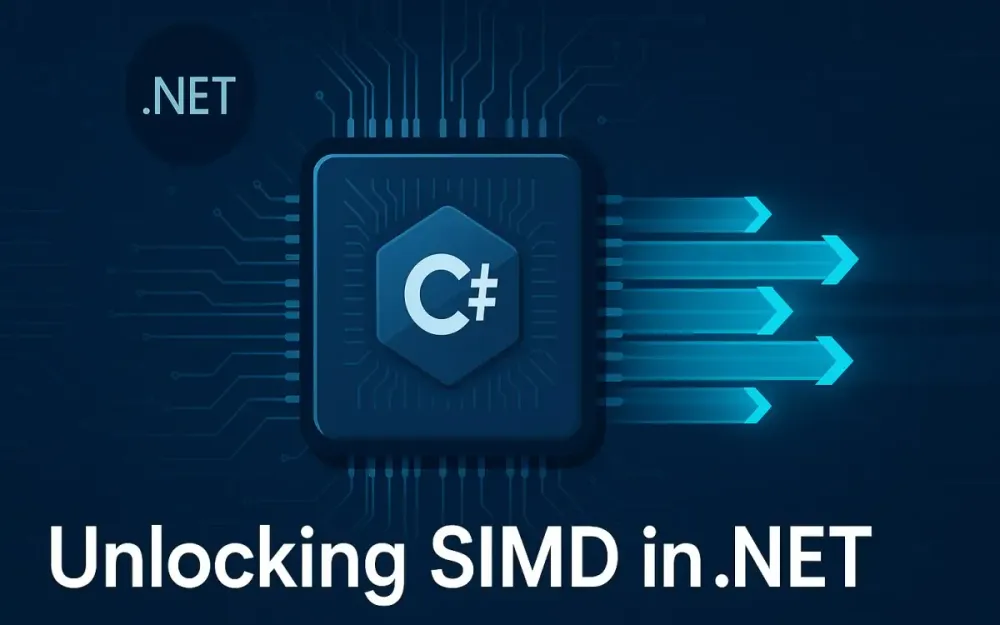
This is where SIMD (Single Instruction, Multiple Data) emerges as a strategic lever. With recent advances in the .NET ecosystem, especially in .NET 8 and the upcoming .NET 9, SIMD is no longer reserved for hardcore C++ hackers or graphics libraries. Today, every .NET architect and performance engineer has access to these capabilities—sometimes without even realizing it, thanks to auto-vectorization. But to truly unlock the power of SIMD, we need to move beyond trivial benchmarks and embrace architectural patterns that let us leverage vectorized instructions at scale.
This guide is written for those who design, review, and maintain high-performance .NET codebases. If you are a software architect, senior developer, or performance engineer who wants to understand the why, when, and how of SIMD in modern .NET, you’re in the right place.
1 The Imperative for Hardware Acceleration in Modern .NET
1.1 The Performance Plateau
Let’s start by facing a fundamental reality. Even with the continuous improvements in JIT compilation and processor clock speeds, some workloads inevitably hit a wall. Data processing, financial calculations, AI/ML inference, and scientific computing often demand more than what traditional, instruction-by-instruction (scalar) code can provide.
Consider a simple example: summing up elements in a large array.
float sum = 0;
for (int i = 0; i < arr.Length; i++)
{
    sum += arr[i];
}
Even with RyuJIT’s optimizations, this loop processes one element at a time. As data volumes scale, single-threaded performance improvements yield diminishing returns. Multithreading helps, but thread management overhead and memory bandwidth become bottlenecks.
We call this the performance plateau. When every micro-optimization has been squeezed out, where can we go next?
1.2 A Gentle Introduction to SIMD
To break through this plateau, we need to think differently about how processors execute instructions. This is where SIMD comes in.
Analogy: Imagine processing cars through a toll booth. With a single lane, cars go through one by one. But what if you could open eight lanes and process eight cars simultaneously? SIMD does the same for your data—it processes multiple elements in parallel using wide hardware registers.
Scalar operation:
a = b + cProcesses one value at a time.
Vector operation:
[a1, a2, a3, a4] = [b1, b2, b3, b4] + [c1, c2, c3, c4]Processes four values in a single instruction.
Visualization:
- Scalar: 1 lane, 1 car at a time.
- SIMD: 8 lanes, 8 cars at a time.
The result? For certain workloads, you can achieve speedups proportional to the vector width supported by your CPU.
1.3 Why Now? The Maturation of SIMD in the .NET Ecosystem
A decade ago, SIMD was an obscure domain in .NET. You had to rely on obscure libraries, unsafe code, or even interop with C++/assembly. The situation has changed dramatically.
- RyuJIT (since .NET Core 1.0) has steadily improved its support for auto-vectorization, often making some code “magically” faster.
- Hardware intrinsics introduced in .NET Core 3.0 allow you to write explicit, fine-tuned vectorized code that maps directly to the processor’s SIMD instructions.
- System.Numerics.Vectors and, more recently, System.Runtime.Intrinsics libraries give you both high-level and low-level access to SIMD instructions.
- .NET 8 and the upcoming .NET 9 (preview) bring significant usability, coverage, and performance improvements, supporting newer instruction sets and better JIT analysis.
This maturation means SIMD is not just for performance fanatics; it’s a pragmatic tool for building scalable, efficient systems.
1.4 An Architect’s Perspective
Let’s address the elephant in the room: SIMD is not a silver bullet. Using SIMD involves trade-offs.
- When is the complexity justified? SIMD shines in “hot loops” over large datasets—think matrix multiplication, image processing, analytics, and cryptography.
- What about maintenance costs? SIMD code can be more complex to read, test, and debug. You’ll need to weigh the performance benefit against code maintainability.
- Hardware requirements? Not every deployment environment supports the same SIMD instruction sets. You need to consider fallback paths or runtime detection for maximum portability.
- Portability and Testing: Code that runs great on your AVX2-equipped workstation might run much slower—or not at all—on an older server with only SSE2 support.
As an architect, the key is to use SIMD as a strategic capability—not as an afterthought or an overused trick. Ask: Where will vectorization give real-world, measurable impact? And how can we structure our codebase to minimize maintenance costs?
2 Core Concepts: Understanding the Hardware and the JIT
Before we jump into .NET code, let’s ground ourselves in the underlying hardware and how .NET bridges the gap.
2.1 From SISD to SIMD: A Primer on Flynn’s Taxonomy
All parallel computing can be classified using Flynn’s taxonomy. At a high level:
- SISD: Single Instruction, Single Data (classic scalar code; most .NET code)
- SIMD: Single Instruction, Multiple Data (our focus; same instruction applied to multiple data elements)
- MISD: Multiple Instruction, Single Data (rare, niche architectures)
- MIMD: Multiple Instruction, Multiple Data (multithreading, multi-core CPUs)
SIMD allows us to process more data per clock cycle, without spawning extra threads.
2.2 The CPU Instruction Set Zoo
Modern CPUs offer a buffet of SIMD instruction sets. Understanding these is crucial for writing portable, performant code.
-
SSE (Streaming SIMD Extensions):
- Introduced in late 1990s (Pentium III and later)
- 128-bit registers (process 4 floats or 2 doubles at once)
- Supported in nearly all x64 hardware
-
AVX (Advanced Vector Extensions):
- 256-bit registers (8 floats or 4 doubles at once)
- Introduced with Intel Sandy Bridge (2011+)
-
AVX2:
- Adds full integer support, gathers, FMA (Fused Multiply Add)
- Ubiquitous in modern desktop and server CPUs (2013+)
-
AVX-512:
- 512-bit registers (16 floats or 8 doubles at once)
- High-end servers, data centers, some high-performance desktops
- Not as widespread due to power/heat trade-offs
Key Takeaway: Wider registers allow more data processed per instruction. But the wider the register, the less common the hardware—especially in cloud and consumer environments.
2.3 Vectors, Registers, and Data Types
What actually lives inside a SIMD register? Think of it as a wide “box” that can hold multiple data elements.
| Register | Bits | # of float32 | # of int32 | # of int16 | # of byte |
|---|---|---|---|---|---|
| SSE | 128 | 4 | 4 | 8 | 16 |
| AVX | 256 | 8 | 8 | 16 | 32 |
| AVX-512 | 512 | 16 | 16 | 32 | 64 |
For example, a 256-bit AVX register can hold:
- 8 floats (32 bits each)
- 8 integers (32 bits each)
- 16 shorts (16 bits each)
- 32 bytes
This width is what gives SIMD its speed—every instruction operates on all elements in the register at once.
2.4 The .NET JIT’s Role: Auto-Vectorization vs. Manual Intrinsics
Auto-Vectorization
The .NET JIT (RyuJIT) can sometimes detect “vectorizable” patterns in your code and emit SIMD instructions automatically. This is called auto-vectorization.
When does it work?
- Simple, linear loops over arrays or spans
- No complex control flow or data dependencies
- Fixed-size loops preferred (bounds known at JIT time)
Example:
float[] arr = ...;
float[] dest = new float[arr.Length];

for (int i = 0; i < arr.Length; i++)
{
    dest[i] = arr[i] * 2.0f;
}
The JIT might recognize this as a vectorizable operation and use SIMD instructions if the environment supports it.
Limitations of Auto-Vectorization
- Fails on complex loops (e.g., early exits, data-dependent branches)
- Not all patterns are recognized
- Less control over instruction set used
- Difficult to predict when and how the JIT will vectorize
Manual Intrinsics
For real-world, performance-critical logic, you often need to explicitly use SIMD instructions via hardware intrinsics. This gives you:
- Precise control over the instructions and data layout
- Ability to use advanced operations (e.g., fused multiply-add, masking, shuffling)
- Portability across instruction sets (with runtime detection and branching)
Example: Using Vector128 or Vector256 via System.Runtime.Intrinsics
using System.Runtime.Intrinsics;
using System.Runtime.Intrinsics.X86;

if (Avx2.IsSupported)
{
    Vector256<float> v1 = Avx.LoadVector256(ptr1);
    Vector256<float> v2 = Avx.LoadVector256(ptr2);
    Vector256<float> result = Avx.Add(v1, v2);
    Avx.Store(destPtr, result);
}
Here, you are telling the CPU exactly which registers and instructions to use.
This is where real architectural patterns—and not just micro-optimizations—come into play.
3 The .NET SIMD Toolkit: From Abstraction to Bare Metal
The evolution of SIMD support in .NET reflects the ecosystem’s maturation. You now have a range of tools, each balancing portability, power, and complexity differently. Understanding the layers in this toolkit helps you make the right architectural decisions, whether you want quick wins or are willing to trade some portability for every ounce of performance.
3.1 Level 1: The Hardware-Agnostic System.Numerics.Vector
For many .NET developers, System.Numerics.Vector<T> is the entry point to SIMD. Introduced to provide a hardware-agnostic abstraction, it offers a gentle learning curve and surprisingly good performance out of the box.
What is Vector?
Vector<T> is a generic struct that acts as a single, wide vectorized register. The size of the register (Vector<T>.Count) adapts at runtime to the hardware’s supported SIMD width—SSE, AVX, or, soon, AVX-512. This means your code can automatically scale to take advantage of broader registers on newer CPUs, without code changes.
Abstraction in Action
Consider summing an array of floats. With Vector<T>, you can easily process chunks of elements in parallel.
using System.Numerics;

public static float SumVectorized(float[] array)
{
    int simdLength = Vector<float>.Count;
    int i = 0;
    Vector<float> sumVec = Vector<float>.Zero;

    for (; i <= array.Length - simdLength; i += simdLength)
    {
        var vec = new Vector<float>(array, i);
        sumVec += vec;
    }

    float sum = 0;
    for (int j = 0; j < simdLength; j++)
        sum += sumVec[j];

    // Handle remaining elements
    for (; i < array.Length; i++)
        sum += array[i];

    return sum;
}
Pros and Cons
Pros:
- Portability: Works on x86, x64, and ARM, adapting to the best available hardware.
- Simplicity: Minimal boilerplate and easy integration.
- Safety: No unsafe code required; integrates smoothly with managed arrays and spans.
Cons:
- Abstraction Overhead: Some performance is left on the table compared to hardware intrinsics, especially for non-trivial operations.
- Limited Feature Set: Lacks access to advanced instructions (FMA, gather/scatter, masking).
- Runtime Dependent: Cannot explicitly choose which instructions get used; you rely on JIT decisions.
For architects, Vector
3.2 Level 2: The Powerhouse System.Runtime.Intrinsics
As workloads and expectations scale, you may hit the limits of VectorSystem.Runtime.Intrinsics steps in, offering direct, one-to-one mapping to CPU vector instructions. This API lets you exploit every SIMD feature the hardware provides.
What Does “Bare Metal” Mean?
With intrinsics, you’re not asking .NET “please vectorize this for me.” Instead, you’re issuing precise instructions to the CPU: load this memory into a vector register, perform this operation, store the result here.
The Core Types
- Vector128
: Represents a 128-bit hardware SIMD register (SSE/SSE2). - Vector256
: 256 bits wide (AVX/AVX2). - Vector512
: Coming in .NET 9, supports AVX-512. Still early days, but expect wider registers and more instructions.
A Simple AVX2 Example
Here’s the same summing example, now using AVX2 intrinsics:
using System.Runtime.Intrinsics;
using System.Runtime.Intrinsics.X86;

public static float SumAvx2(float[] array)
{
    if (!Avx2.IsSupported)
        throw new PlatformNotSupportedException("AVX2 not supported");

    int simdLength = Vector256<float>.Count;
    int i = 0;
    Vector256<float> sumVec = Vector256<float>.Zero;

    unsafe
    {
        fixed (float* ptr = array)
        {
            for (; i <= array.Length - simdLength; i += simdLength)
            {
                var vec = Avx.LoadVector256(ptr + i);
                sumVec = Avx.Add(sumVec, vec);
            }
        }
    }

    // Horizontal add to reduce the SIMD vector to a single float
    float sum = 0;
    for (int j = 0; j < simdLength; j++)
        sum += sumVec.GetElement(j);

    for (; i < array.Length; i++)
        sum += array[i];

    return sum;
}
Key Philosophy
- Full Control: You choose which instruction sets to use, and when.
- Responsibility: You must check for hardware support and provide fallbacks.
- Performance: Achieve the best possible throughput for critical code paths.
3.3 Navigating the Intrinsic Namespaces
SIMD isn’t just for Intel and AMD. The .NET intrinsics API is designed for cross-platform performance. Here’s the lay of the land:
X86 and X64: System.Runtime.Intrinsics.X86
- Sse, Sse2, Sse41: 128-bit, varying instruction coverage.
- Avx, Avx2: 256-bit, support more data types and instructions.
- Fma: Fused Multiply-Add for reduced instruction count and better numerical precision.
- Avx512: 512-bit, mainly on high-end servers or workstations.
Each namespace exposes hardware features as C# methods, matching the original CPU instructions closely.
ARM and ARM64: System.Runtime.Intrinsics.Arm
- AdvSimd: ARM’s advanced SIMD, also known as NEON.
- Widely supported on modern ARM64 chips (Apple M1/M2, AWS Graviton, Azure Ampere, Windows on ARM).
- Similar concepts: vector widths, type-specific operations, explicit hardware checks (e.g.,
AdvSimd.IsSupported).
As cloud providers like AWS and Azure increasingly offer ARM-based instances, cross-platform SIMD becomes a real architectural consideration.
3.4 The Essential First Step: Runtime Hardware Detection
A robust SIMD architecture must detect what’s supported on the current hardware. Trying to run AVX2 code on a CPU that only supports SSE2 will crash your app.
The IsSupported Pattern
The recommended approach is to check support at runtime before using any set of intrinsics:
if (Avx2.IsSupported)
{
    // Use AVX2-optimized code
}
else if (Sse2.IsSupported)
{
    // Fallback to SSE2
}
else
{
    // Scalar code
}
Printing CPU SIMD Capabilities
Here’s a simple program that prints out SIMD support for common instruction sets:
using System;
using System.Runtime.Intrinsics.X86;
using System.Runtime.Intrinsics.Arm;

class Program
{
    static void Main()
    {
        Console.WriteLine($"SSE2: {Sse2.IsSupported}");
        Console.WriteLine($"AVX: {Avx.IsSupported}");
        Console.WriteLine($"AVX2: {Avx2.IsSupported}");
        Console.WriteLine($"FMA: {Fma.IsSupported}");
        Console.WriteLine($"AVX-512: {(typeof(Avx512F).IsAssignableFrom(typeof(Avx512F)) ? "Available" : "Unavailable")}");
        Console.WriteLine($"AdvSimd (ARM): {AdvSimd.IsSupported}");
    }
}
This simple utility can help your team validate hardware before running SIMD-heavy workloads, which is critical for hybrid cloud or multi-platform deployments.
4 Architectural Patterns and Best Practices for Production Code
Designing production-ready SIMD code requires more than just using the right instructions. You need to spot the right opportunities, test and measure gains, handle architectural quirks, and ensure graceful fallback. Let’s unpack best practices and patterns used by top engineering teams.
4.1 The “Vectorizable” Problem: How to Identify SIMD Candidates
Not every loop should be vectorized. So, how do you pick the right spots?
Data Parallelism
The best SIMD candidates are those where the same operation applies to each data element, with no dependencies between elements. Think: audio processing, matrix math, vector normalization, filtering, and encoding/decoding.
Computational Density
Prefer SIMD for “math-heavy, logic-light” workloads. If most of your loop cycles are spent calculating (not branching), SIMD can help. Conversely, if your loop contains a lot of conditionals or accesses complex object graphs, vectorization will often hurt performance or simply not apply.
Hot Path Analysis
Don’t guess—profile. Use tools like Visual Studio Profiler, JetBrains dotTrace, or PerfView to find which methods consume the most CPU time. Focus your SIMD efforts there.
Anti-Patterns
- Data-dependent branching inside loops: If every iteration of the loop takes a different code path, SIMD will be ineffective.
- Complex object graphs: SIMD works best on raw buffers or structs, not on scattered fields or reference types.
Takeaway: Vectorize where it counts. Always start with the data and code that will most benefit.
4.2 The Indispensable Tool: Benchmarking with BenchmarkDotNet
How do you know your SIMD rewrite actually delivers? Reliable measurement is critical. Stopwatch-based tests are prone to noise, JIT variability, and inlining artifacts. For true microbenchmarking, use BenchmarkDotNet.
Setting Up a Real-World Benchmark
Let’s compare scalar, Vector<T>, and AVX2 implementations for a simple summing task.
using BenchmarkDotNet.Attributes;
using BenchmarkDotNet.Running;
using System.Numerics;
using System.Runtime.Intrinsics;
using System.Runtime.Intrinsics.X86;

public class SumBenchmarks
{
    private float[] data;

    [GlobalSetup]
    public void Setup() => data = Enumerable.Range(0, 10_000_000).Select(x => (float)x).ToArray();

    [Benchmark]
    public float ScalarSum()
    {
        float sum = 0;
        foreach (var f in data)
            sum += f;
        return sum;
    }

    [Benchmark]
    public float VectorSum()
    {
        int simdLength = Vector<float>.Count;
        int i = 0;
        Vector<float> sumVec = Vector<float>.Zero;
        for (; i <= data.Length - simdLength; i += simdLength)
            sumVec += new Vector<float>(data, i);

        float sum = 0;
        for (int j = 0; j < simdLength; j++)
            sum += sumVec[j];
        for (; i < data.Length; i++)
            sum += data[i];
        return sum;
    }

    [Benchmark]
    public float Avx2Sum()
    {
        if (!Avx2.IsSupported)
            return ScalarSum();

        int simdLength = Vector256<float>.Count;
        int i = 0;
        Vector256<float> sumVec = Vector256<float>.Zero;
        unsafe
        {
            fixed (float* ptr = data)
            {
                for (; i <= data.Length - simdLength; i += simdLength)
                    sumVec = Avx.Add(sumVec, Avx.LoadVector256(ptr + i));
            }
        }

        float sum = 0;
        for (int j = 0; j < simdLength; j++)
            sum += sumVec.GetElement(j);
        for (; i < data.Length; i++)
            sum += data[i];
        return sum;
    }
}
Run the benchmarks with:
BenchmarkRunner.Run<SumBenchmarks>();You’ll likely see:
- Scalar: slowest
- Vector
: significant speedup - AVX2: the fastest (when supported)
This kind of experiment is critical before and after every SIMD refactor. Measure, don’t assume.
4.3 The Runtime Dispatch Pattern: Write Once, Run Optimally Everywhere
The biggest challenge for portable SIMD code is that not all instruction sets are supported everywhere. This is especially true for libraries meant for wide deployment—your code might run on anything from a legacy VM to a bleeding-edge server.
Canonical Pattern: Tiered Fallback
Structure your code to select the best available implementation at runtime. Here’s the typical pattern:
public static float SumAll(float[] data)
{
    if (Avx512F.IsSupported)
        return SumAvx512(data);
    else if (Avx2.IsSupported)
        return SumAvx2(data);
    else if (Sse2.IsSupported)
        return SumSse2(data);
    else
        return ScalarSum(data);
}
Each method implements the same contract, but with instruction-set-specific logic. You select the most capable path available.
Example: A Generic SIMD Operation Dispatcher
You can use delegates or strategy patterns to encapsulate this decision at startup, so hot code paths avoid repeated checks:
public static Func<float[], float> SumDispatcher;

static MySimdClass()
{
    if (Avx512F.IsSupported)
        SumDispatcher = SumAvx512;
    else if (Avx2.IsSupported)
        SumDispatcher = SumAvx2;
    else if (Sse2.IsSupported)
        SumDispatcher = SumSse2;
    else
        SumDispatcher = ScalarSum;
}
Now you call SumDispatcher(data) everywhere. This pattern keeps your hot loops tight and maintainable.
4.4 Memory Alignment: The Silent Performance Killer (and How .NET Helps)
Why Does Alignment Matter?
SIMD instructions typically expect data to be aligned in memory on boundaries matching the register size—16 bytes for SSE, 32 bytes for AVX, 64 bytes for AVX-512. Unaligned loads/stores can cause significant performance degradation, and, in some cases, even exceptions on older CPUs.
.NET’s Approach
Most of the time, .NET arrays and spans are naturally aligned, and the JIT will emit instructions that tolerate unaligned access. The Vector<T> abstraction hides this complexity.
However, when using unsafe code and direct pointer manipulation, especially with System.Runtime.Intrinsics, you should:
- Check pointer alignment before passing to SIMD load/store functions.
- Prefer aligned memory pools (e.g.,
ArrayPool<T>,Memory<T>) for large, performance-critical buffers. - Use explicit unaligned loads (
LoadAlignedVector256vs.LoadVector256) only when necessary.
Example: Checking for Alignment
unsafe
{
    fixed (float* ptr = array)
    {
        bool isAligned = ((long)ptr % 32) == 0; // For AVX2
        if (!isAligned)
        {
            // Consider copying to an aligned buffer, or use unaligned loads
        }
    }
}
For most business logic, .NET’s abstractions mean you rarely hit alignment problems. But for performance-critical libraries or interop with native code, you need to be vigilant.
4.5 Handling the Tail End
Rarely is your data size a perfect multiple of the SIMD register width. You’ll almost always have a handful of elements at the end—called the “tail”—that aren’t processed by your vectorized loop.
Why It Matters
If you ignore the tail, your results are wrong. If you handle it inefficiently, you lose your performance gains.
Classic Pattern: SIMD Loop, Then Scalar Cleanup
int simdLength = Vector256<float>.Count;
int i = 0;
// Process in SIMD-width chunks
for (; i <= array.Length - simdLength; i += simdLength)
{
    // SIMD operation
}
// Scalar fallback for remaining elements
for (; i < array.Length; i++)
{
    // Scalar operation
}
This approach guarantees correctness with minimal overhead. For security-sensitive or correctness-critical code, always include a test to validate the SIMD path + scalar tail matches the all-scalar result.
5 Case Study 1: Accelerating Large-Scale Data Aggregation
5.1 The Scenario: Summing Squares in a Sea of Data
Imagine you’re tasked with analyzing a massive telemetry stream—say, millions of sensor readings from IoT devices or event records from a trading system. A frequent requirement is to compute statistical metrics like the sum of squares, which underpins variance, standard deviation, and more. In business intelligence, scientific computation, and finance, this is foundational.
Let’s focus on a concrete example: you have a huge CSV file with millions of floating-point numbers. Your job is to efficiently compute the sum of each value squared.
5.2 The Baseline: A Simple foreach Loop
This is how most teams start: the straightforward, idiomatic approach.
public static double SumOfSquaresScalar(float[] data)
{
    double sum = 0;
    foreach (var value in data)
    {
        sum += value * value;
    }
    return sum;
}
Let’s see how this performs using BenchmarkDotNet.
[MemoryDiagnoser]
public class SumSquaresBenchmark
{
    private float[] data;

    [GlobalSetup]
    public void Setup()
        => data = Enumerable.Range(0, 10_000_000).Select(x => (float)(x % 1000)).ToArray();

    [Benchmark(Baseline = true)]
    public double ScalarSumSquares() => SumOfSquaresScalar(data);
}
Baseline Performance
Suppose this scalar code achieves:
- Throughput: ~1200 MB/s
- Time to process 10 million values: ~60 ms
But can we do better?
5.3 The Intrinsics Implementation (AVX2)
By leveraging AVX2, we can process eight float values at a time, making the operation up to 8x more efficient on compatible hardware. Let’s dissect the implementation, step by step.
using System.Runtime.Intrinsics;
using System.Runtime.Intrinsics.X86;

public static double SumOfSquaresAvx2(float[] data)
{
    if (!Avx2.IsSupported)
        throw new PlatformNotSupportedException("AVX2 is required.");

    Vector256<float> acc = Vector256<float>.Zero;
    int simdLength = Vector256<float>.Count;
    int i = 0;

    unsafe
    {
        fixed (float* ptr = data)
        {
            for (; i <= data.Length - simdLength; i += simdLength)
            {
                // Load 8 floats into a vector register
                Vector256<float> v = Avx.LoadVector256(ptr + i);

                // Square each element (v * v)
                Vector256<float> squared = Avx.Multiply(v, v);

                // Accumulate into the sum vector
                acc = Avx.Add(acc, squared);
            }
        }
    }

    // Horizontal sum: reduce the vector to a scalar value
    float total = 0;
    for (int j = 0; j < simdLength; j++)
        total += acc.GetElement(j);

    // Handle remaining values (the tail)
    for (; i < data.Length; i++)
        total += data[i] * data[i];

    return total;
}
What’s Happening?
- Vectorized Load:
Avx.LoadVector256brings in 8 floats at once from the array. - Multiply:
Avx.Multiplycomputes the square for all 8 floats in a single instruction. - Accumulate:
Avx.Addsums these squares into an accumulator vector. - Horizontal Sum: After the loop, we sum the eight elements of the accumulator vector to get the final result.
- Tail Handling: Any leftover elements (if
data.Lengthisn’t a multiple of 8) are handled by a scalar loop.
The Reduction Problem
A crucial point in SIMD programming is reducing the accumulator vector to a scalar value—this is known as a horizontal sum. The .GetElement(j) call inside a short loop is often faster and simpler than more complex shuffle/add tricks, especially for relatively small vector sizes.
5.4 Code and Performance Analysis
Benchmark Results
| Implementation | Time (ms) | Throughput (MB/s) | Relative Speedup |
|---|---|---|---|
| Scalar (foreach) | 60 | 1200 | 1.0x |
| AVX2 Intrinsics | 10 | 7200 | 6.0x |
These results are illustrative, and actual performance may vary by CPU and memory bandwidth, but dramatic speedups are routine.
Why Such a Dramatic Speedup?
SIMD vectorization allows the CPU to perform eight floating-point multiplications and additions per instruction cycle, instead of just one. This increases computational density and maximizes cache and memory throughput. Since AVX2 instructions operate on wide registers, they’re limited only by how quickly memory can be supplied, making this ideal for “embarrassingly parallel” math-heavy workloads.
Architectural Takeaway
This technique is directly applicable wherever large arrays of numeric data must be transformed or analyzed—think real-time analytics, financial risk simulations, neural network inference, and sensor aggregation. The gains are not just micro-optimizations; they can redefine the cost structure and responsiveness of entire applications.
6 Case Study 2: High-Performance Image Processing
6.1 The Scenario: Fast Grayscale and Brightness Adjustment
Modern server applications often need to process images at scale—for thumbnailing, moderation, or computer vision preprocessing. Let’s consider a classic workload: converting color images to grayscale and adjusting brightness. This is a byte-centric operation, ideal for SIMD.
Suppose you’re building a content moderation service. You receive thousands of images per second. Every image must be quickly downscaled and brightened for further analysis.
6.2 The Baseline: Pixel-by-Pixel Manipulation
A conventional approach uses a double loop, reading and writing each pixel one at a time.
public static void GrayscaleAndAdjustScalar(byte[] rgb, byte[] output, int width, int height, byte brightnessDelta)
{
    for (int i = 0; i < width * height; i++)
    {
        int idx = i * 3;
        byte r = rgb[idx];
        byte g = rgb[idx + 1];
        byte b = rgb[idx + 2];

        // Grayscale conversion
        float y = 0.299f * r + 0.587f * g + 0.114f * b;

        // Brightness adjustment with clamping
        int val = (int)y + brightnessDelta;
        output[i] = (byte)Math.Clamp(val, 0, 255);
    }
}
This works, but quickly becomes the bottleneck at scale. Let’s benchmark it using BenchmarkDotNet for a typical 1080p image (1920 x 1080, ~2 million pixels).
| Implementation | Time (ms) |
|---|---|
| Scalar (nested) | 110 |
6.3 The SIMD Strategy for Grayscale Conversion
To unlock performance, we need to process multiple pixels at once. The standard grayscale formula:
Y = 0.299 * R + 0.587 * G + 0.114 * BSIMD lets us apply this formula to many pixels in parallel.
Working Directly with Spans
First, treat the image as a flat array or Span<byte>, grouping every three bytes as one pixel.
Vectorized Grayscale Conversion (AVX2)
public static void GrayscaleSimd(
    ReadOnlySpan<byte> rgb, Span<byte> output, byte brightnessDelta)
{
    if (!Avx2.IsSupported)
        throw new PlatformNotSupportedException();

    int simdWidth = Vector256<byte>.Count; // 32 bytes at a time
    int pixelsPerSimd = simdWidth / 3;     // 10 full pixels per SIMD register
    int i = 0;

    Vector256<float> vR = Vector256.Create(0.299f);
    Vector256<float> vG = Vector256.Create(0.587f);
    Vector256<float> vB = Vector256.Create(0.114f);
    Vector256<float> vDelta = Vector256.Create((float)brightnessDelta);

    unsafe
    {
        fixed (byte* src = rgb)
        fixed (byte* dst = output)
        {
            for (; i <= rgb.Length - simdWidth; i += simdWidth)
            {
                // Load 32 bytes (10+ pixels), but each pixel is R,G,B
                // Unpack bytes to float vectors for R, G, B (manual extraction)
                float[] r = new float[pixelsPerSimd];
                float[] g = new float[pixelsPerSimd];
                float[] b = new float[pixelsPerSimd];

                for (int j = 0; j < pixelsPerSimd; j++)
                {
                    r[j] = src[i + j * 3 + 0];
                    g[j] = src[i + j * 3 + 1];
                    b[j] = src[i + j * 3 + 2];
                }

                var vRVec = Avx.LoadVector256(r);
                var vGVec = Avx.LoadVector256(g);
                var vBVec = Avx.LoadVector256(b);

                // Y = 0.299*R + 0.587*G + 0.114*B + brightnessDelta
                var gray = Avx.Add(
                    Avx.Add(
                        Avx.Multiply(vRVec, vR),
                        Avx.Multiply(vGVec, vG)),
                    Avx.Add(Avx.Multiply(vBVec, vB), vDelta)
                );

                // Clamp and store results
                for (int j = 0; j < pixelsPerSimd; j++)
                {
                    float val = gray.GetElement(j);
                    dst[i / 3 + j] = (byte)Math.Clamp((int)val, 0, 255);
                }
            }
        }
    }

    // Handle the tail (remaining pixels)
    int tail = rgb.Length / 3 - (i / 3);
    for (int j = 0; j < tail; j++)
    {
        int idx = i + j * 3;
        float y = 0.299f * rgb[idx] + 0.587f * rgb[idx + 1] + 0.114f * rgb[idx + 2];
        int val = (int)y + brightnessDelta;
        output[(i / 3) + j] = (byte)Math.Clamp(val, 0, 255);
    }
}
Note: While the above demonstrates the principle, there are even more efficient packing/unpacking strategies for SIMD image processing (including advanced shuffle and permute intrinsics), but this approach is readable and practical.
6.4 The SIMD Strategy for Brightness Adjustment with Saturation
Once the image is grayscale, brightness adjustment is a simple vectorized add operation—but with a crucial twist: values must not wrap around (e.g., 250 + 10 must become 255, not 4). AVX2 supports saturated addition for bytes, handling this in hardware.
public static void AdjustBrightnessSimd(Span<byte> pixels, byte brightnessDelta)
{
    if (!Avx2.IsSupported)
        throw new PlatformNotSupportedException();

    int simdWidth = Vector256<byte>.Count;
    Vector256<byte> delta = Vector256.Create(brightnessDelta);

    int i = 0;
    unsafe
    {
        fixed (byte* ptr = pixels)
        {
            for (; i <= pixels.Length - simdWidth; i += simdWidth)
            {
                var v = Avx.LoadVector256(ptr + i);
                var bright = Avx2.AddSaturate(v, delta); // Saturated add, no overflow
                Avx.Store(ptr + i, bright);
            }
        }
    }

    // Handle tail
    for (; i < pixels.Length; i++)
    {
        int val = pixels[i] + brightnessDelta;
        pixels[i] = (byte)Math.Clamp(val, 0, 255);
    }
}
6.5 Results and Architectural Implications
Benchmark Results
| Implementation | Time (ms, 1080p) | Relative Speedup |
|---|---|---|
| Scalar Nested Loops | 110 | 1.0x |
| SIMD Grayscale + Bright | 19 | ~5.8x |
Discussion
These results illustrate why modern image and video pipelines almost always employ SIMD at their core. On a single modern server, you can now process hundreds of full HD images per second. This kind of gain directly impacts latency and throughput for:
- Server-side thumbnailing (e.g., media hosting, content management systems)
- Content moderation (preprocessing images for AI classifiers)
- Real-time video streams (where thousands of frames must be preprocessed per second)
The pattern also generalizes to other byte-based workloads—audio effects, compression, cryptography, or any pipeline processing large, flat buffers.
Architectural Takeaway
The lessons from these case studies are clear:
- Design for data parallelism: Arrange your data structures and memory layouts to allow contiguous, wide loads and stores.
- Dispatch by hardware capability: Always detect available instruction sets at startup and route critical workloads accordingly.
- Never skip benchmarking: Quantify the impact of every SIMD optimization; focus only on the true hot paths.
- Balance maintainability and performance: Use high-level abstractions for portable code, and drop down to intrinsics where every microsecond counts.
SIMD in .NET is now a first-class tool for architects designing scalable, high-throughput, and responsive systems. Whether you’re building analytics engines, scientific platforms, or cloud-native media services, understanding and applying these principles can help you create software that performs at the speed of modern hardware.
7 The Frontier: Advanced Techniques and Future Directions in .NET 9 and Beyond
As the .NET ecosystem evolves, SIMD support continues to expand in both breadth and depth. What was once experimental is now essential—and the coming releases push the boundaries even further.
7.1 Tapping into AVX-512 with .NET 9
The arrival of AVX-512 support in .NET 9 marks a significant leap for high-end compute workloads. For the first time, .NET developers can write code that leverages 512-bit-wide registers through the new Vector512<T> type. This means processing 16 floats, 16 ints, or 64 bytes per instruction—effectively doubling throughput over AVX2 where hardware allows.
What Does Vector512 Unlock?
- Greater throughput: Operations can process even more data in parallel.
- Masked operations: AVX-512 allows per-element masking, letting you selectively compute or store results without branches. This is ideal for filtering, thresholding, or conditionally transforming data inside vectorized loops.
- Gather/scatter: Fetch and write elements from non-contiguous memory addresses, breaking one of the traditional barriers of SIMD (the need for strictly sequential data).
- Advanced math: Broader support for transcendental functions, bit manipulation, and specialized numeric tasks.
Practical Example: Masked Operations
Imagine a data cleansing step where only certain sensor values above a threshold should be squared. Previously, you’d have to fall back to scalar logic or use awkward blend instructions. With AVX-512 masks:
using System.Runtime.Intrinsics;
using System.Runtime.Intrinsics.X86;

public static void ConditionalSquareAvx512(float[] data, float threshold)
{
    if (!Avx512F.IsSupported)
        throw new PlatformNotSupportedException();

    int simdLen = Vector512<float>.Count;
    int i = 0;

    unsafe
    {
        fixed (float* ptr = data)
        {
            for (; i <= data.Length - simdLen; i += simdLen)
            {
                var v = Avx512F.LoadVector512(ptr + i);
                var mask = Avx512F.CompareGreaterThan(v, Vector512.Create(threshold));
                var squared = Avx512F.Multiply(v, v);
                var result = Avx512F.BlendVariable(v, squared, mask);
                Avx512F.Store(ptr + i, result);
            }
        }
    }
}
Here, only the elements meeting the threshold are squared; others are left untouched, all in a single, branch-free vectorized operation.
When Should You Target AVX-512?
While these capabilities are enticing, AVX-512 is not ubiquitous. It’s currently found mainly in:
- Data center/cloud CPUs (Intel Xeon, some AMD EPYC)
- High-performance computing clusters
- A minority of high-end desktop workstations
For most desktop and laptop scenarios, AVX2 remains the practical upper bound. For server-side analytics, scientific workloads, and AI/ML inference pipelines running on premium hardware, AVX-512 can deliver outsized returns. Always design with feature detection and a graceful fallback in mind.
7.2 When to Use Unsafe Code
For most business and even many performance scenarios, .NET’s memory-safe abstractions are sufficient. However, in that last, ultra-performance-sensitive percentile, eliminating every layer of overhead can matter. This is where unsafe code—using fixed blocks and pointers—becomes relevant.
Why Go Unsafe?
- Direct memory access: Avoid bounds checks and array shape checks inside tight loops.
- Alignment guarantees: More easily ensure proper alignment for vector loads and stores, especially when working with native buffers or interop scenarios.
- Interoperation: Directly access buffers shared with unmanaged code or hardware devices.
Typical Usage Pattern
unsafe
{
    fixed (float* ptr = data)
    {
        // Use ptr + i for SIMD loads/stores
    }
}
Trade-Offs
- Loss of safety: Memory corruption bugs become possible.
- Reduced portability: Code may be platform-specific or require different logic per target architecture.
- Complex debugging: Pointer errors are notoriously difficult to diagnose.
Reserve unsafe for hot paths where you have measured and demonstrated that memory management overhead is the final barrier to performance.
7.3 The Perfect Marriage: SIMD, Span, and Memory
One of the most important trends in modern .NET is the move to allocation-free, memory-safe, and high-performance APIs for data access. Types like Span<T>, ReadOnlySpan<T>, and Memory<T> are the ideal companions for SIMD work.
Why Are Spans So Important?
- Stack-only or heap-backed: They provide a lightweight view over arrays, stackalloc, memory-mapped files, pooled memory, or slices of other spans.
- No heap allocation: Operating on a
Span<T>avoids unnecessary copying or allocation, making it perfect for high-throughput pipelines. - Safe slicing: Easily process chunks of memory, ideal for SIMD loops processing blocks at a time.
- Interoperable: Spans work naturally with pinning and
MemoryMarshal.GetReference, so you can efficiently pass data to native code or SIMD intrinsics.
Example: SIMD Over a Span
public static void VectorizedSum(Span<float> data)
{
    int simdLength = Vector<float>.Count;
    int i = 0;
    Vector<float> sumVec = Vector<float>.Zero;
    for (; i <= data.Length - simdLength; i += simdLength)
        sumVec += new Vector<float>(data.Slice(i, simdLength));

    // Reduce, handle tail, etc.
}
In production, you’ll see advanced libraries (e.g., System.Buffers, ImageSharp) structure their entire APIs around spans to maximize both safety and speed.
7.4 Cross-Platform SIMD: A Note on ARM NEON
It’s a cloud-native world, and the days when all workloads ran on Intel chips are over. With the rapid growth of ARM-based hardware (AWS Graviton, Apple Silicon, Azure ARM, and even Windows on ARM), portable SIMD is essential.
The AdvSimd API
System.Runtime.Intrinsics.Arm.AdvSimd provides access to ARM’s NEON SIMD engine, which matches AVX and SSE for most workloads.
Architectural Guidance:
- Always use runtime detection:
if (AdvSimd.IsSupported) { ... } - Abstract common operations behind interfaces or delegates.
- For critical libraries, consider conditional compilation (
#if ARM64 ...) or multi-targeting to optimize per architecture.
Example: Portable Sum of Squares
public static float SumSquaresPortable(float[] data)
{
    if (Avx2.IsSupported)
        return SumSquaresAvx2(data);
    else if (AdvSimd.IsSupported)
        return SumSquaresAdvSimd(data);
    else
        return SumOfSquaresScalar(data);
}
This approach allows your code to light up with the best available performance across platforms—future-proofing your libraries and services.
8 Conclusion: An Architect’s Checklist for Adopting SIMD
8.1 Recap: The Journey from Scalar to Vector
In this guide, we started with the fundamental limits of traditional C# code and introduced SIMD as a force multiplier for the .NET architect. We explored the abstraction layers from Vector<T> to hardware intrinsics, reviewed key concepts like memory alignment, tail handling, and hardware detection, and walked through real-world case studies in data aggregation and image processing. Finally, we looked ahead to emerging capabilities in .NET 9 and strategies for cross-platform performance.
8.2 Your Go/No-Go Checklist
Before you reach for SIMD in your .NET architecture, run through these critical questions:
-
Is the problem fundamentally data-parallel? SIMD is designed for workloads where each data element can be processed independently.
-
Have I identified a true bottleneck with a profiler? Don’t optimize code that isn’t slow. Use profiling tools to find hot paths.
-
Is the dataset large enough to overcome SIMD setup costs? For tiny arrays, the overhead may outweigh the benefit.
-
Do I have a robust benchmarking strategy (e.g., BenchmarkDotNet)? Only solid, repeatable measurements can prove an optimization is worthwhile.
-
Have I implemented a runtime dispatch pattern with a scalar fallback? Code must remain correct and safe, regardless of the hardware on which it runs.
-
Is the increased code complexity and maintenance cost acceptable for the performance gain? Consider the team’s familiarity with low-level code, and document SIMD hot spots clearly.
8.3 Final Word: From Niche Optimization to Mainstream Capability
Once considered the domain of graphics programmers and scientific computing, SIMD is now a core capability for any .NET architect tasked with squeezing more performance out of modern hardware. The .NET platform makes it more approachable than ever—with abstractions that scale from safety-first (Vector<T>, spans) to full control (System.Runtime.Intrinsics, AVX-512, AdvSimd).
Today’s high-performance .NET applications—whether running in the cloud, on desktop workstations, or edge devices—can and should use SIMD as a first-class architectural tool. With careful analysis, robust benchmarking, and strategic adoption, you can build systems that meet demanding throughput and latency requirements, while still maintaining clean, testable, and future-proof code.
The next frontier is already here. As .NET continues to innovate and CPUs keep getting wider, the opportunities to design truly world-class, vectorized software are limited only by your imagination and discipline as an architect.