1 Introduction & 2025 Search Landscape
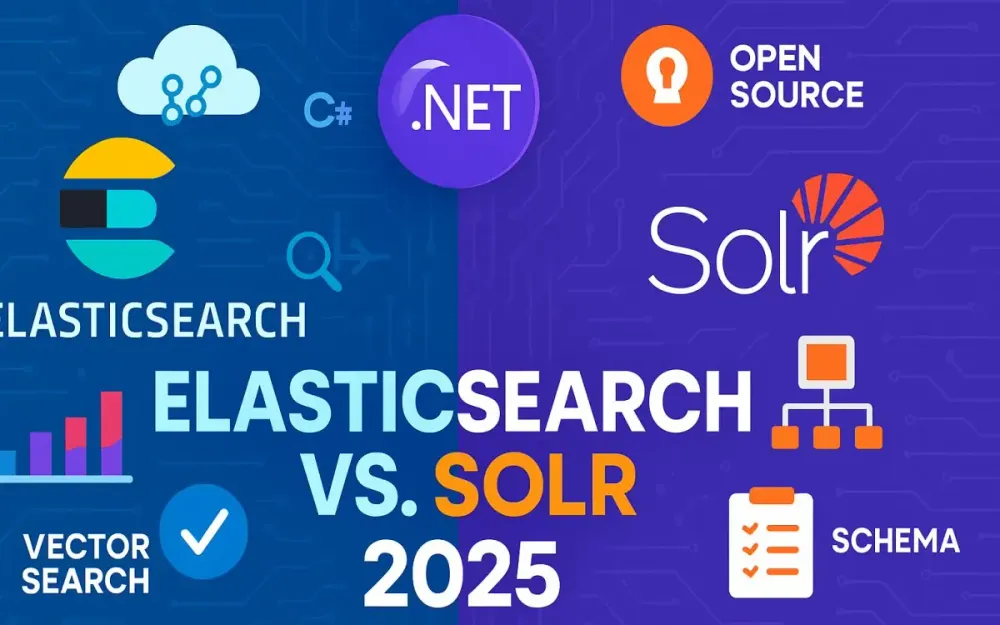
Search is no longer a supporting feature—it is an architectural backbone of modern enterprise systems. Whether powering e-commerce product discovery, log analytics, observability pipelines, or document retrieval, the right search engine defines not just performance but also scalability, cost, and maintainability. For .NET architects, the decision between Elasticsearch and Solr in 2025 carries new implications: AI-driven search, vector indexing, cloud-native deployments, and shifting licensing landscapes. This section frames the search landscape of 2025, the relevance for .NET architects, and the decision-making lens we will use throughout this guide.
1.1 The Search Engine Landscape in 2025
The search engine ecosystem in 2025 looks both familiar and transformed. Elasticsearch and Solr, both grounded in Apache Lucene, remain the dominant open-source and enterprise-grade search systems. But their trajectories over the past five years have diverged, shaped by licensing shifts, cloud adoption, and the integration of AI-powered capabilities like semantic and vector search.
1.1.1 Market position and adoption trends
Elasticsearch remains the most widely adopted distributed search and analytics engine, particularly in enterprise environments. Its positioning as the core of the Elastic Stack (Elasticsearch, Logstash, Kibana, Beats) has given it a gravitational pull around observability, security analytics, and log aggregation. Enterprises choose Elasticsearch not just for search, but as a multi-purpose analytics engine.
Solr, while less dominant in buzz, continues to hold strong adoption in digital publishing, government, and organizations with established open-source infrastructure mandates. Its pure Apache 2.0 license and community-driven governance make it attractive to organizations wary of Elastic’s licensing changes. Adoption trends in 2025 reveal Solr carving out niches in highly regulated industries where vendor lock-in and compliance transparency matter more than cloud-native velocity.
Emerging disruptors such as OpenSearch (a fork of Elasticsearch) and specialized vector databases (Pinecone, Weaviate, Vespa) are competing at the edges. Yet for architects tasked with balancing maturity, ecosystem, and integration in .NET environments, Elasticsearch and Solr remain the practical contenders.
1.1.2 DB-Engines ranking analysis (Elasticsearch #1, Solr #3)
According to the 2025 DB-Engines ranking for search engines, Elasticsearch holds the #1 spot, cementing its lead through a combination of enterprise adoption, cloud-first offerings, and rapid integration of AI and vector capabilities. OpenSearch follows closely at #2, showing the appetite for a fully open alternative. Solr remains at #3—stable, resilient, and maintained, but without the acceleration of its competitors.
This ranking reflects not just raw adoption but also mindshare and ecosystem activity. Elasticsearch benefits from Elastic’s managed cloud offerings and its investments in AI-powered features. Solr, though slower in innovation pace, is valued for its long-term stability, compatibility, and licensing clarity. For .NET architects, these rankings hint at community energy, support availability, and long-term ecosystem viability.
1.1.3 Impact of AI and vector search capabilities
The most significant shift in 2025 is the mainstreaming of AI-powered semantic search. Both Elasticsearch and Solr have integrated vector search capabilities, but with different levels of maturity and ecosystem support:
- Elasticsearch introduced vector and kNN (k-nearest neighbor) search in earlier versions and has continued to expand capabilities with approximate nearest neighbor (ANN) indexing, dense vector fields, and integrations with Hugging Face models. In 2025, Elastic Cloud offers prebuilt connectors for embedding generation, enabling seamless semantic search pipelines.
- Solr integrated vector search in Solr 9.x, leveraging Lucene’s advancements in HNSW (Hierarchical Navigable Small World graphs). Its approach is less “out-of-the-box AI-ready” than Elasticsearch but appeals to architects who want precise control over schema design and data pipelines.
The implication is clear: search engines are now retrieval-augmented generation (RAG) platforms. They don’t just fetch documents; they serve as the memory layer for large language models and intelligent assistants. This reality reshapes the architectural decision—choosing a search engine is now also choosing an AI integration strategy.
1.2 Why This Comparison Matters for .NET Architects
.NET architects face unique pressures: delivering enterprise-grade systems that scale, securing cloud deployments, and integrating with Microsoft-centric ecosystems like Azure, Active Directory, and Application Insights. Search decisions ripple across all these dimensions.
1.2.1 Microservices architecture considerations
Modern .NET systems often follow microservices principles, where search is not a monolith but a dedicated service consumed by multiple bounded contexts. Elasticsearch aligns naturally with this model, offering rich REST APIs, strong ecosystem clients, and built-in support for distributed workloads. Solr, with its SolrCloud model, can also fit, but requires tighter management of ZooKeeper and more explicit operational expertise.
The architectural trade-off: Elasticsearch offers velocity and ecosystem tooling; Solr offers simplicity in governance and licensing. For .NET microservices that lean heavily on async/await, event-driven architectures, and CQRS (Command Query Responsibility Segregation), Elasticsearch’s .NET client libraries and async-first APIs offer smoother integration.
1.2.2 Cloud-native development trends
In 2025, cloud-native means containerized, orchestrated, observable, and secure by default. Elasticsearch’s first-class Elastic Cloud on Azure gives .NET teams a managed path that reduces operational burden. Solr, while not offered as a first-party managed service, is increasingly deployed on Kubernetes with the Solr Operator, bringing it closer to parity in cloud-native readiness.
For architects, the calculus involves cost (managed service vs. DIY), compliance (open license vs. proprietary Elastic license), and control (Solr’s self-hosted flexibility vs. Elasticsearch’s opinionated managed offerings). Azure-centric teams often find Elastic Cloud accelerates delivery, while hybrid-cloud enterprises may prefer Solr’s neutral open-source posture.
1.2.3 Enterprise search requirements evolution
Enterprise search needs have evolved from “find this document” to “understand and contextualize information.” Requirements now include:
- Multilingual search with automatic language detection.
- Hybrid search (keyword + vector) to support semantic relevance.
- Integration with identity providers (Azure AD) for security-trimmed search results.
- Real-time indexing pipelines that can handle event streams from Kafka, Azure Event Hubs, or Service Bus.
Both Elasticsearch and Solr can satisfy these needs, but Elasticsearch often provides richer out-of-the-box connectors and prebuilt observability dashboards. Solr requires more configuration and customization, but rewards with predictable licensing and no vendor dependencies.
1.3 Article Scope and Decision Framework Preview
This article serves as a practical decision companion for .NET architects. We will:
- Compare architectural foundations of Elasticsearch and Solr (cluster design, scaling, fault tolerance).
- Evaluate developer experience in .NET: libraries, async/await usage, testing, and integration.
- Break down query models: DSLs, APIs, and vector/semantic search.
- Analyze performance benchmarks: indexing throughput, query latency, and resource utilization.
- Explore cloud-native deployments, especially on Azure (Elastic Cloud vs. Solr on AKS).
- Detail total cost of ownership (licensing, infrastructure, operations).
- Provide practical implementation examples in .NET (catalog search, log analytics, document search).
- Lay out migration strategies and a decision matrix for architecture choices in 2025.
By the end, you will not only know what each engine offers, but also when and why to choose one over the other for your .NET architecture.
1.4 Future Outlook Context (selected items from “Future Outlook and Trends”)
The future trajectory of Elasticsearch and Solr is not just about incremental features—it’s about how search engines evolve as infrastructure for AI, cloud-native systems, and enterprise platforms.
1.4.1 AI and Machine Learning integration — high-level view
In 2025, AI is no longer an afterthought in search—it is the search. Both Elasticsearch and Solr have adopted Lucene’s vector indexing and ANN search, but their strategies differ:
- Elasticsearch positions itself as the AI-ready platform, with connectors to model hubs, built-in inference APIs, and managed ML features in Elastic Cloud.
- Solr embraces a modular approach, integrating with external ML pipelines (TensorFlow, ONNX Runtime, ML.NET). This appeals to architects who prefer flexibility and control over vendor-supplied ML.
For .NET teams experimenting with RAG patterns, Elasticsearch may accelerate delivery, while Solr may reduce long-term lock-in.
1.4.2 Semantic and vector search implications for 2025 architectures
Semantic search reshapes API design. Instead of keyword queries, services now consume embeddings and return contextually relevant results. The architectural implications include:
- Vector stores as first-class citizens in your architecture.
- Need for hybrid ranking (combining keyword scoring and semantic similarity).
- New evaluation metrics (NDCG@k, recall@k) beyond traditional precision/recall.
Elasticsearch’s maturity in this space makes it a default choice for AI-heavy workloads. Solr is catching up, but requires more explicit design from architects.
1.4.3 How cloud-native and serverless trends affect search choices
Finally, cloud-native trends are pushing search engines toward serverless models:
- Elastic has introduced Elastic Cloud Serverless, with pay-per-use pricing and automatic scaling, appealing to teams who don’t want to manage clusters.
- Solr’s Kubernetes operator supports auto-scaling with KEDA, making it possible to scale Solr clusters dynamically in response to load.
For .NET architects building cloud-native applications on Azure, the choice hinges on trade-offs: operational simplicity vs. open governance, pay-as-you-go elasticity vs. predictable cost, and vendor ecosystem fit vs. platform neutrality.
2 Architecture & Foundations (Lucene, Elasticsearch, Solr)
2.1 Shared Heritage: Apache Lucene Foundation
At the core of both Elasticsearch and Solr lies Apache Lucene, the Java-based full-text search library that provides the low-level indexing, storage, and query execution engine. Both platforms wrap Lucene with distributed coordination, APIs, and operational tooling, but the fundamental mechanics of tokenization, inverted indexes, and scoring (TF-IDF, BM25, etc.) are Lucene’s contribution.
For .NET architects, the key point is: Lucene itself is not typically consumed directly in .NET ecosystems—it is a Java library. Instead, Elasticsearch and Solr expose Lucene’s capabilities over REST APIs (or clients like NEST/Elastic.Clients for .NET), making Lucene’s advanced search features usable without JVM integration.
Lucene ensures:
- Efficient indexing: inverted indexes, term dictionaries, postings lists.
- Flexible queries: Boolean, range, phrase, fuzzy, wildcard, span, regex, etc.
- Ranking algorithms: BM25 (default), vector similarity for neural search.
- Storage: segment-based immutable files optimized for merging and searching.
Thus, any architectural discussion of Elasticsearch or Solr must start with Lucene’s foundations.
2.1.1 Lucene 9.x capabilities and improvements
The latest Lucene releases (9.x) introduced significant improvements relevant to distributed systems and modern search workloads:
- Vector search (ANN): Lucene now supports Approximate Nearest Neighbor (ANN) search via HNSW (Hierarchical Navigable Small World graphs). This enables semantic and neural search (e.g., sentence embeddings, product recommendations) at the Lucene core.
- Faster index merges: Improvements in segment merging reduce indexing overhead and query-time slowdowns.
- Enhanced codecs: Better compression for stored fields and doc values, lowering storage footprint.
- New scoring features: More efficient implementations of BM25 and support for pluggable similarity models.
- Improved multi-threading: Query execution and segment merges now scale better across CPU cores.
- Immutable segment guarantees: Continued refinement of the segment-per-write model ensures crash recovery and predictable durability.
For .NET workloads, these features surface transparently through Elasticsearch and Solr APIs. For example, Elasticsearch’s kNN vector search APIs are powered directly by Lucene’s ANN engine.
2.1.2 Divergence points between implementations
Although Elasticsearch and Solr share Lucene at the core, they diverge in how they expose, extend, and operate on top of Lucene:
-
Cluster coordination
- Elasticsearch: built-in coordination and master election system.
- Solr: depends on ZooKeeper for configuration and leader election.
-
Schema management
- Elasticsearch: dynamic mapping, schema-less by default (auto-detects fields).
- Solr: explicit schema configuration (XML or managed schema files), offering more predictability but less automation.
-
APIs
- Elasticsearch: REST-first JSON APIs; strong .NET SDKs (NEST, Elastic.Clients).
- Solr: REST APIs plus legacy XML/HTTP interfaces; fewer polished .NET clients.
-
Operational philosophy
- Elasticsearch: emphasizes automation and cloud-native scaling (Elastic Cloud, Kubernetes operator).
- Solr: emphasizes transparency, fine-grained control, and direct access to Lucene configs.
-
Feature evolution
- Elasticsearch typically integrates Lucene’s latest features faster (e.g., vector search).
- Solr often emphasizes backward compatibility and user-driven governance.
For .NET architects, this divergence means choosing between:
- Elasticsearch → better integration with modern distributed workloads, strong .NET ecosystem support.
- Solr → more predictable, controlled deployments, often preferred in environments that value transparency and direct cluster management.
2.2 Elasticsearch Architecture Deep Dive
Elasticsearch’s architecture is designed to make Lucene’s indexing power usable at scale in a distributed environment. While the core engine is Lucene, Elasticsearch adds orchestration layers, APIs, and abstractions that simplify running multi-node, multi-cluster deployments. For .NET architects, understanding its architectural elements is crucial for planning performance, scaling, and fault tolerance strategies.
2.2.1 Node types and cluster topology
Elasticsearch clusters are made of nodes that can take on specific roles. By default, a node can perform multiple roles, but in enterprise-grade deployments architects usually separate responsibilities for predictable performance.
- Master-eligible nodes: maintain cluster metadata, shard allocation, and handle elections. At least three master-eligible nodes are recommended to avoid split-brain scenarios.
- Data nodes: store shards and process queries that require heavy I/O and CPU usage.
- Ingest nodes: transform or enrich documents before they are indexed (for example, extracting IP geolocation).
- Coordinating-only nodes: act as smart routers, handling client requests and distributing them across the cluster.
- Dedicated machine learning nodes: run anomaly detection and model inference in Elastic Stack distributions that include ML.
A common topology in production environments is a dedicated master node set, multiple data nodes, and one or more coordinating nodes fronted by a load balancer. This topology balances reliability with query throughput.
Example of configuring a coordinating-only node in elasticsearch.yml:
node.roles: []This node won’t store data or participate in elections but will route queries efficiently, which is ideal for high-traffic .NET APIs that need consistent latency.
2.2.2 Index and shard management
An Elasticsearch index is a logical namespace containing documents. Underneath, each index is divided into primary shards (responsible for the canonical data) and replica shards (for redundancy and load balancing). Shards map directly to Lucene indexes, so their size and distribution directly affect performance.
Best practices include:
- Keeping shard sizes between 10–50 GB to avoid overhead during rebalancing.
- Using index templates to enforce consistent settings for time-series data (like logs).
- Applying ILM (Index Lifecycle Management) policies to automatically roll over, shrink, or delete indices.
Creating an index with a custom shard configuration in .NET:
var client = new Elastic.Clients.Elasticsearch.ElasticsearchClient();

var createIndexResponse = await client.Indices.CreateAsync("products", c => c
    .Settings(s => s
        .NumberOfShards(3)
        .NumberOfReplicas(1))
    .Mappings(m => m
        .Properties(p => p
            .Text(t => t.Name("name"))
            .Keyword(k => k.Name("sku"))
            .Float(f => f.Name("price"))
        )
    )
);
Here we define a products index with three primary shards and one replica per shard. Architects must balance shard count against node resources: too few shards limit parallelism, while too many increase overhead.
2.2.3 Master node election and split-brain prevention
Elasticsearch uses a Zen Discovery-based mechanism (now evolved into cluster coordination) for master elections. Only master-eligible nodes can participate, and a quorum is required for election to prevent split-brain. The discovery.seed_hosts and cluster.initial_master_nodes settings define which nodes can become master candidates.
Example configuration to prevent split-brain:
cluster.name: production-cluster
node.name: es-master-1
node.roles: [ master ]
discovery.seed_hosts: ["es-master-1", "es-master-2", "es-master-3"]
cluster.initial_master_nodes: ["es-master-1", "es-master-2", "es-master-3"]
Split-brain (two nodes believing they are master) can corrupt the cluster state. That’s why an odd number of master nodes (usually 3 or 5) is a must. For .NET architects building mission-critical systems, failing to configure quorum properly is one of the most common pitfalls in Elasticsearch deployments.
2.2.4 Data distribution and replication strategies
Data in Elasticsearch is distributed across primary and replica shards. When a document is indexed, it is first written to the primary shard, then asynchronously replicated to replicas. Queries can be served by both primary and replica shards, increasing throughput.
Replication strategies in Elasticsearch provide:
- High availability: if a primary shard node fails, a replica can be promoted.
- Load balancing: search queries can fan out to replicas to reduce latency.
For workloads in .NET environments:
- Use replicas for read-heavy APIs like product catalogs.
- Use primary-focused designs for log pipelines where write throughput is critical.
Example: forcing read operations to prefer local replicas (useful in multi-region setups):
var searchResponse = await client.SearchAsync<Product>(s => s
    .Preference("_replica_first")
    .Query(q => q
        .Match(m => m
            .Field(f => f.Name)
            .Query("laptop")
        )
    )
);
This balances query load by preferring replicas, improving latency for distributed deployments.
2.3 Solr Architecture Deep Dive
While Elasticsearch emphasizes automation and REST-first design, Solr retains its original strengths in transparency and fine-grained control. Its SolrCloud architecture extends Lucene into distributed clusters, with Apache ZooKeeper as the backbone for coordination.
2.3.1 SolrCloud architecture components
SolrCloud introduces distributed capabilities while maintaining Solr’s schema-driven configuration. The main components are:
- Collections: logical namespaces for documents, similar to indices in Elasticsearch.
- Shards: subsets of a collection, each containing a portion of the data.
- Replicas: copies of shards for redundancy.
- ZooKeeper ensemble: manages configuration, cluster state, and leader election.
SolrCloud is not optional for distributed deployments—it is the foundation. For .NET architects, this means understanding ZooKeeper is mandatory if you’re considering Solr at scale.
2.3.2 ZooKeeper dependency and configuration management
ZooKeeper provides configuration storage, leader election, and cluster coordination. Each Solr node connects to a ZooKeeper ensemble, which holds the authoritative cluster state.
A sample SolrCloud startup command with ZooKeeper:
bin/solr start -cloud -z zk1:2181,zk2:2181,zk3:2181 -s /var/solr/dataKey considerations:
- Always deploy at least a 3-node ZooKeeper ensemble to ensure quorum.
- Keep Solr and ZooKeeper on separate VMs/containers for fault isolation.
- For cloud-native deployments on Kubernetes, use the Solr Operator which abstracts ZooKeeper setup.
Unlike Elasticsearch’s built-in coordination, ZooKeeper is a separate system to operate. This adds complexity but also provides transparency—configurations can be directly manipulated in ZooKeeper when needed.
2.3.3 Collection, shard, and replica management
In Solr, the primary unit of distribution is the collection, divided into shards and replicas. Unlike Elasticsearch, Solr requires more explicit definition of collections at creation time.
Creating a collection with 2 shards and 2 replicas using Solr’s REST API:
curl "http://localhost:8983/solr/admin/collections?action=CREATE&name=products&numShards=2&replicationFactor=2"This creates a products collection with:
- 2 shards for distributing data.
- 2 replicas per shard for redundancy.
For .NET clients (using SolrNet or SolrExpress), collections behave like logical search spaces. The operational trade-off is that Solr requires more explicit schema design and collection planning compared to Elasticsearch’s dynamic mapping and index templates.
2.3.4 Leader election and distributed processing
Within each shard, Solr designates a leader replica responsible for coordinating writes. All update requests go through the leader, which then replicates changes to follower replicas. This ensures consistency but may limit write throughput if leaders are overloaded.
ZooKeeper manages leader election automatically when a leader fails. Example: if a shard’s leader node crashes, ZooKeeper promotes another replica in seconds.
The implications for .NET workloads:
- Write-heavy pipelines (e.g., log ingestion) need careful leader capacity planning.
- Read-heavy workloads (e.g., faceted product search) benefit from distributing queries across replicas.
Incorrect approach (writing directly to follower replicas, which will be rejected):
// Incorrect: Attempting write to a follower
await solr.AddAsync(new Product { Id = "123", Name = "Tablet" });
await solr.CommitAsync();
Correct approach (let SolrCloud route writes to the leader):
// Correct: Client sends write, SolrCloud routes to leader automatically
await solr.AddAsync(new Product { Id = "123", Name = "Tablet" });
await solr.CommitAsync();
This routing is transparent to clients when properly configured with ZooKeeper, but architects must design clusters to avoid bottlenecks at leaders.
3 .NET Integration & Developer Experience
A search engine is only as effective as its integration into the application stack. For .NET architects, the developer experience is critical: strong typing, modern async/await support, testability, and robust client libraries determine whether teams can adopt a search technology with confidence. While both Elasticsearch and Solr provide REST APIs, their .NET ecosystem support diverges in maturity, tooling, and ergonomics. This section focuses on the practical developer journey when working with each system inside enterprise-grade .NET environments.
3.1 Elasticsearch .NET Ecosystem
Elasticsearch has historically been favored in the .NET community for its mature and officially supported client libraries. Over the past few years, the ecosystem has undergone a major transition: from the older NEST client to the newer Elastic.Clients.Elasticsearch library.
3.1.1 NEST to Elastic.Clients.Elasticsearch migration (EOL end of 2025)
The NEST client, once the flagship .NET integration, is reaching its end of life by December 2025. Many teams still rely on it, but Elastic now recommends migration to Elastic.Clients.Elasticsearch, which provides stronger typing, simplified APIs, and alignment with Elasticsearch 9.x features.
Key migration considerations:
- Breaking changes: The new client drops the older
ConnectionSettingspattern in favor of dependency-injected client builders. - Namespace differences: NEST used
Nest.*, while the new client usesElastic.Clients.Elasticsearch.*. - Strong typing improvements: LINQ-like query structures now map more closely to C# models, reducing runtime errors.
An example migration from NEST to Elastic.Clients.Elasticsearch:
NEST (deprecated)
var settings = new ConnectionSettings(new Uri("http://localhost:9200"))
    .DefaultIndex("products");

var client = new ElasticClient(settings);

var response = client.Search<Product>(s => s
    .Query(q => q.Match(m => m.Field(f => f.Name).Query("laptop")))
);
Elastic.Clients.Elasticsearch (recommended)
var settings = new ElasticsearchClientSettings(new Uri("http://localhost:9200"))
    .DefaultIndex("products");

var client = new ElasticsearchClient(settings);

var response = await client.SearchAsync<Product>(s => s
    .Query(q => q.Match(m => m.Field(f => f.Name).Query("laptop")))
);
For teams planning long-term roadmaps, investing in the new client is essential, since support and new features will only land there post-2025.
3.1.2 Elastic.Clients.Elasticsearch 9.x features and capabilities
The new client introduces several capabilities relevant to enterprise-grade .NET projects:
- Strong typing with record support: Works seamlessly with immutable C# 9+ records, aligning with modern .NET best practices.
- Source generators for queries: Compile-time checked queries reduce runtime errors, a boon for mission-critical systems.
- Integrated serialization: Uses
System.Text.Jsonby default, making it lighter and faster than the old Newtonsoft.Json dependency. - Async-first design: All major operations are naturally async, reflecting modern .NET usage.
- Cluster awareness: Built-in retry and failover logic for multi-node Elasticsearch clusters.
For architects, this means fewer boilerplate extensions and more safety guarantees out of the box.
3.1.3 Code examples: Connection, indexing, and querying
A realistic example: indexing and querying a product catalog in .NET 8.
public record Product(string Id, string Name, decimal Price, string Category);

var client = new ElasticsearchClient(new ElasticsearchClientSettings(
    new Uri("http://localhost:9200"))
    .DefaultIndex("products"));

// Indexing
var product = new Product("p123", "Surface Laptop 6", 1599.00m, "Laptops");
await client.IndexAsync(product, idx => idx.Id(product.Id));

// Searching
var searchResponse = await client.SearchAsync<Product>(s => s
    .Query(q => q.Match(m => m
        .Field(p => p.Name)
        .Query("Surface")
    ))
);

foreach (var hit in searchResponse.Hits)
{
    Console.WriteLine($"{hit.Source.Name} - ${hit.Source.Price}");
}
This example demonstrates the clean mapping between C# models and Elasticsearch documents. The strong typing reduces accidental field mismatches—a recurring issue in NEST-based systems.
3.1.4 Async/await patterns and performance optimization
Elasticsearch workloads often involve high concurrency—batch indexing, parallel queries, and real-time dashboards. The new client is designed for async I/O patterns, making it natural for .NET developers to integrate with minimal blocking.
Best practices:
- Batch indexing with Bulk API: Instead of indexing documents one by one, send them in batches.
- Use async/await everywhere: Avoid synchronous wrappers around async calls to reduce thread pool exhaustion.
- Connection pooling: Use persistent client instances across the application lifetime.
Example: bulk indexing with async:
var products = new List<Product>
{
    new("p124", "Wireless Mouse", 49.99m, "Accessories"),
    new("p125", "Mechanical Keyboard", 129.99m, "Accessories"),
    new("p126", "USB-C Hub", 89.99m, "Accessories")
};

var bulkResponse = await client.BulkAsync(b =>
{
    foreach (var product in products)
        b.Index<Product>(op => op.Document(product).Id(product.Id));
    return b;
});

if (bulkResponse.Errors)
{
    foreach (var item in bulkResponse.ItemsWithErrors)
        Console.WriteLine($"Error indexing {item.Id}: {item.Error.Reason}");
}
Optimizing for bulk operations is essential for log analytics or telemetry-heavy scenarios, where indexing throughput directly affects system responsiveness.
3.2 Solr .NET Integration Options
Solr’s .NET integration story is less centralized. There is no official first-party client from the Apache Solr project, but the community has produced multiple libraries. The choice of client depends on whether architects prioritize maturity, modern idioms, or minimalism.
3.2.1 SolrNet library overview and maintenance status
SolrNet has been the de facto .NET client for Solr for over a decade. It provides:
- LINQ-like query support.
- Strongly typed document mapping via attributes.
- Connection pooling and basic failover.
However, as of 2025, SolrNet’s maintenance pace has slowed. While it remains functional, it doesn’t natively support Solr 9.x vector features or async/await, which limits its appeal for modern .NET systems. Many teams use it in legacy systems but plan gradual migrations.
Example SolrNet usage:
Startup.Init<Product>("http://localhost:8983/solr/products");
var solr = ServiceLocator.Current.GetInstance<ISolrOperations<Product>>();

solr.Add(new Product { Id = "p200", Name = "Gaming Chair", Price = 299.00m });
solr.Commit();

var results = solr.Query(new SolrQuery("Chair"));
While simple, the lack of async APIs becomes problematic under high-load scenarios.
3.2.2 SolrExpress as modern alternative
SolrExpress emerged as a more modern .NET integration library. It provides:
- Async/await support.
- Fluent API with expression trees.
- Compatibility with Solr’s JSON Request API.
- Easier extensibility for custom queries.
A SolrExpress example:
var solrOptions = new SolrExpressOptions<Product>(
    new HttpConnection("http://localhost:8983/solr/products"));

var solr = new SolrProvider<Product>(solrOptions);

await solr.AddAsync(new Product { Id = "p201", Name = "Ergonomic Desk", Price = 799.00m });
await solr.CommitAsync();

var results = await solr.SearchAsync(q => q
    .Query(p => p.Name, "Desk")
    .Sort(p => p.Price, SortType.Asc)
);
This library aligns better with .NET 8 patterns, but its ecosystem and community are smaller than SolrNet.
3.2.3 REST API direct integration patterns
Some teams skip libraries altogether and integrate with Solr’s REST API directly using HttpClient in .NET. This gives maximum control and avoids dependency on external libraries, but shifts responsibility for request construction, JSON parsing, and error handling to developers.
Example direct query:
var httpClient = new HttpClient();
var response = await httpClient.GetAsync(
    "http://localhost:8983/solr/products/select?q=Desk&fl=Id,Name,Price");

var content = await response.Content.ReadAsStringAsync();
Console.WriteLine(content);
Direct REST integration makes sense in microservices with minimal search features, or when architects want fine-grained control without library abstractions.
3.2.4 Code examples: Configuration and CRUD operations
Using SolrExpress, a CRUD cycle might look like this:
// Add
await solr.AddAsync(new Product("p300", "Office Chair", 199.00m, "Furniture"));
await solr.CommitAsync();

// Update
await solr.AddAsync(new Product("p300", "Office Chair Deluxe", 249.00m, "Furniture"));
await solr.CommitAsync();

// Delete
await solr.DeleteAsync("p300");
await solr.CommitAsync();

// Query
var results = await solr.SearchAsync(q => q
    .Query(p => p.Category, "Furniture")
    .Facet(p => p.Category)
);
This example highlights the additional ceremony (explicit commits) compared to Elasticsearch’s real-time indexing, which architects must factor into application latency requirements.
3.3 Developer Experience Comparison
The choice between Elasticsearch and Solr often comes down not just to features but to developer ergonomics. For .NET architects, strong typing, debugging, testability, and documentation play a pivotal role in adoption.
3.3.1 IntelliSense and strong typing support
- Elasticsearch: Elastic.Clients.Elasticsearch provides full IntelliSense for queries, fields, and mappings, reducing runtime surprises. Queries resemble LINQ expressions, which feels natural for .NET teams.
- Solr: SolrNet offers attribute-based mapping, but lacks the modern expression tree integration of SolrExpress. IntelliSense support is less robust, and developers often fall back to raw query strings.
Correct vs incorrect usage example in SolrNet:
Incorrect (runtime error prone):
var results = solr.Query(new SolrQuery("Name_s:Chair"));Correct (using mapped property):
var results = solr.Query(new SolrQueryByField("Name", "Chair"));3.3.2 Error handling and debugging capabilities
Elasticsearch clients return rich error objects, often including root causes from the cluster, which can be logged or surfaced in Application Insights. For example, a rejected bulk request will detail the document ID and reason.
Solr libraries often expose only the raw HTTP status and message, requiring architects to parse verbose logs. While this provides transparency, it increases cognitive load when debugging.
3.3.3 Testing and mocking strategies
For .NET testing:
- Elasticsearch: Provides an in-memory
Elasticsearch.Net.VirtualizedClusterfor mocking, enabling deterministic unit tests. - Solr: SolrNet can be mocked using interfaces (
ISolrOperations<T>), but lacks an official in-memory test server. Teams often spin up lightweight Solr containers for integration testing.
Example: mocking Elasticsearch search responses in unit tests:
var client = new ElasticsearchClient(new ElasticsearchClientSettings(new Uri("http://localhost:9200")));
var mockResponse = new SearchResponse<Product>
{
    Hits = new List<Hit<Product>>
    {
        new Hit<Product> { Source = new Product("p900", "Test Product", 1.00m, "Test") }
    }
};
This makes it easier to isolate logic without requiring a live cluster.
3.3.4 Documentation and community support
Elasticsearch enjoys extensive official documentation, tutorials, and an active community—including Microsoft Azure-focused guides. Elastic maintains regular releases and migration paths, reducing long-term risk.
Solr documentation, while comprehensive, can be dense and assumes familiarity with Lucene concepts. Community support is solid but fragmented across SolrNet, SolrExpress, and direct REST usage. For teams invested in Microsoft-centric ecosystems, the learning curve is steeper compared to Elasticsearch.
4 Query Models, DSLs & Advanced Search Features
A search engine is ultimately judged by how effectively it can translate user intent into relevant results. For .NET architects, this means evaluating the expressiveness, flexibility, and performance of query models offered by Elasticsearch and Solr. Both systems are built on Lucene, but they expose query power through different syntaxes, abstractions, and integration patterns. This section dives into their query languages, demonstrates advanced capabilities, and shows how they map to .NET usage patterns.
4.1 Elasticsearch Query DSL
Elasticsearch exposes a rich Domain-Specific Language (DSL) based on JSON. It is hierarchical, composable, and expressive, designed to support everything from simple term lookups to complex multi-stage aggregations. For .NET developers, the Elastic.Clients.Elasticsearch library wraps this DSL in strongly typed APIs.
4.1.1 JSON-based query structure
At the core, Elasticsearch queries follow a JSON structure with three top-level sections: query, aggs (aggregations), and sort. Even simple queries exhibit a uniform JSON schema, which allows composition.
A basic example to search for products containing “Surface”:
{
  "query": {
    "match": {
      "name": "Surface"
    }
  }
}
In .NET with Elastic.Clients.Elasticsearch:
var response = await client.SearchAsync<Product>(s => s
    .Query(q => q.Match(m => m
        .Field(f => f.Name)
        .Query("Surface")))
);
This structure scales naturally. Developers can nest queries, apply filters, and extend the same schema without breaking consistency.
4.1.2 Bool queries and compound queries
Most real-world queries are compound: combining multiple conditions with Boolean logic. The bool query is the workhorse of Elasticsearch, supporting must, should, must_not, and filter clauses.
Example: Find laptops under $2000 that must contain “Surface” in the name but exclude refurbished items.
{
  "query": {
    "bool": {
      "must": [
        { "match": { "name": "Surface" } }
      ],
      "filter": [
        { "term": { "category": "Laptops" } },
        { "range": { "price": { "lte": 2000 } } }
      ],
      "must_not": [
        { "term": { "condition": "refurbished" } }
      ]
    }
  }
}
C# equivalent:
var response = await client.SearchAsync<Product>(s => s
    .Query(q => q.Bool(b => b
        .Must(m => m.Match(mm => mm.Field(p => p.Name).Query("Surface")))
        .Filter(
            f => f.Term(t => t.Category, "Laptops"),
            f => f.Range(r => r.Field(p => p.Price).Lte(2000))
        )
        .MustNot(mn => mn.Term(t => t.Condition, "refurbished"))
    ))
);
For .NET teams, the strong typing ensures compile-time safety against typos in field names, unlike raw JSON queries.
4.1.3 Aggregations and analytics
Elasticsearch is more than a search engine—it doubles as an analytics engine through aggregations. These group, filter, and calculate metrics over search results, similar to SQL GROUP BY.
Example: Average laptop price grouped by category.
{
  "size": 0,
  "aggs": {
    "by_category": {
      "terms": { "field": "category.keyword" },
      "aggs": {
        "avg_price": { "avg": { "field": "price" } }
      }
    }
  }
}
In .NET:
var response = await client.SearchAsync<Product>(s => s
    .Size(0)
    .Aggregations(a => a
        .Terms("by_category", t => t.Field(f => f.Category).Aggregations(aa => aa
            .Average("avg_price", av => av.Field(f => f.Price))
        ))
    )
);

foreach (var bucket in response.Aggregations.Terms("by_category").Buckets)
{
    Console.WriteLine($"{bucket.Key}: Avg ${bucket.Average("avg_price").Value}");
}
This makes Elasticsearch particularly powerful for use cases like dashboards, metrics, and BI integrations within .NET systems.
4.1.4 .NET LINQ integration examples
A common request from .NET teams is LINQ-like querying. While not natively LINQ-enabled, helper libraries and query builders make this smoother.
Example using LINQ-like wrappers:
var query = from p in products.AsQueryable()
            where p.Price < 2000 && p.Category == "Laptops"
            select p;

var response = await client.SearchAsync<Product>(s => s
    .Query(q => q.Bool(b => b
        .Filter(
            f => f.Term(t => t.Category, "Laptops"),
            f => f.Range(r => r.Field(p => p.Price).Lte(2000))
        )
    ))
);
This allows teams to reuse LINQ-like constructs for readability while mapping to the JSON DSL under the hood.
4.2 Solr Query Parameters and Syntax
Solr exposes Lucene’s query power primarily through HTTP query parameters and JSON APIs. Unlike Elasticsearch’s DSL, Solr’s syntax is more string-based and requires careful attention to escaping and formatting.
4.2.1 Classic Lucene query syntax
The classic query parser supports Lucene’s original string-based syntax. It remains popular due to simplicity and familiarity.
Example: Search for “Desk” in the name field and restrict price range.
q=Name:Desk AND Price:[100 TO 500]In SolrNet:
var results = solr.Query(new SolrQuery("Name:Desk AND Price:[100 TO 500]"));While compact, this syntax is error-prone if developers misplace operators or forget proper escaping.
4.2.2 JSON Request API
The JSON Request API provides a structured alternative to query parameters, closer to Elasticsearch DSL but less expressive.
Example: Equivalent of the previous query:
{
  "query": {
    "lucene": "Name:Desk AND Price:[100 TO 500]"
  },
  "limit": 10
}
In SolrExpress:
var results = await solr.SearchAsync(q => q
    .Query(p => p.Name, "Desk")
    .Filter(p => p.Price, "[100 TO 500]")
    .Limit(10)
);
This approach balances readability and structure, and is better for programmatic .NET integration.
4.2.3 Faceting and pivoting
Faceting is Solr’s flagship feature, enabling hierarchical aggregations for navigation UIs (faceted search).
Example: Count products by category and brand.
/select?q=*:*&facet=true&facet.field=Category&facet.field=BrandJSON output will include counts for each category and brand. In .NET with SolrNet:
var results = solr.Query(SolrQuery.All, new QueryOptions
{
    Facet = new FacetParameters
    {
        Queries = new[]
        {
            new SolrFacetFieldQuery("Category"),
            new SolrFacetFieldQuery("Brand")
        }
    }
});
Pivot faceting goes further, allowing multi-level drill-downs (e.g., Category > Brand > Price range), useful for e-commerce catalogs.
4.2.4 Function queries and local parameters
Solr supports function queries for computed scoring. For instance, boosting newer products:
q={!boost b=recip(ms(NOW,ReleaseDate),3.16e-11,1,1)}Name:DeskThis query boosts results with more recent release dates. Local parameters ({!boost}) provide a way to attach functions or alternate parsers to specific query parts.
In SolrExpress:
var results = await solr.SearchAsync(q => q
    .Query(p => p.Name, "Desk")
    .Boost("recip(ms(NOW,ReleaseDate),3.16e-11,1,1)")
);
This fine-grained control is Solr’s strength, albeit at the cost of more complexity for .NET developers.
4.3 Advanced Query Features (from original Query Models)
4.3.1 Full-text search capabilities comparison
Both Elasticsearch and Solr offer:
- Tokenization, stemming, and stopword handling.
- Synonym expansion for multi-term matches.
- Fuzzy matching and phonetic analyzers.
Elasticsearch emphasizes developer experience, with analyzers defined in index mappings. Solr provides XML schema configuration or managed schemas. In .NET, Elasticsearch’s fluent DSL is easier to integrate, while Solr requires more pre-configuration.
4.3.2 Geo-spatial queries and performance
Elasticsearch supports geo_point and geo_shape fields, enabling queries like “find stores within 10 km of a location.”
Example in C#:
var response = await client.SearchAsync<Store>(s => s
    .Query(q => q.GeoDistance(g => g
        .Field(f => f.Location)
        .Distance("10km")
        .Location(47.6062, -122.3321)))
);
Solr supports similar features via SpatialRecursivePrefixTreeFieldType. Queries look like:
q={!geofilt sfield=Location pt=47.6062,-122.3321 d=10}Performance is comparable for small datasets, but Elasticsearch generally scales better with large geospatial workloads due to more optimized data structures.
4.3.3 Vector search and ML integration
Vector search has become mainstream in 2025. Elasticsearch provides dense_vector fields and ANN indexing (HNSW). Solr 9.x introduced vector fields too, though tooling is less polished.
Elasticsearch C# example:
var response = await client.SearchAsync<Document>(s => s
    .Query(q => q.NearestNeighbors(nn => nn
        .Field("embedding")
        .QueryVector(queryVector)
        .K(5)))
);
Solr equivalent (JSON API):
{
  "knn": {
    "field": "embedding",
    "vector": [0.12, -0.98, 0.45, ...],
    "k": 5
  }
}
Architects must decide between Elastic’s managed ML pipelines and Solr’s DIY integration with external embedding generators.
4.3.4 Real-world query performance benchmarks
Empirical benchmarks (2024–2025) show:
- Elasticsearch handles complex aggregations and hybrid keyword+vector queries faster, especially on Elastic Cloud.
- Solr often matches Elasticsearch for classic text search and faceting-heavy workloads, making it ideal for content management and digital libraries.
4.4 AI / ML & Semantic Search (expanded)
Semantic search extends beyond keyword matching, combining embeddings, NLP, and ML-driven relevance tuning.
4.4.1 Vector search evolution and vector store patterns
By 2025, both Elasticsearch and Solr support vector stores, making them candidates for Retrieval-Augmented Generation (RAG) pipelines. Elasticsearch offers built-in integrations with embedding providers (OpenAI, Hugging Face), while Solr relies on external pipelines like ML.NET or ONNX.
A common pattern is storing embeddings alongside documents and using hybrid scoring: BM25 (keyword relevance) + cosine similarity (semantic relevance).
4.4.2 Natural language processing (NLP) use-cases for search
Practical scenarios:
- E-commerce: “Find a laptop good for video editing under $2000.”
- Support systems: Match user queries with relevant knowledge base articles.
- Healthcare: Semantic search across medical research papers.
For .NET, NLP preprocessing often occurs outside the search engine—using ML.NET or Azure Cognitive Services—before embedding vectors are stored in Elasticsearch or Solr.
4.4.3 LLM-assisted query rewriting and reranking
LLMs (like GPT-4/5) are increasingly used to rewrite queries into structured formats. For example, a vague query “cheap gaming rig” can be expanded into:
{
  "bool": {
    "must": [
      { "match": { "category": "Gaming Laptop" } }
    ],
    "filter": [
      { "range": { "price": { "lte": 1500 } } }
    ]
  }
}
Reranking is another LLM use-case, where an LLM reorders top 50 results for contextual relevance. Elasticsearch offers rerank APIs; Solr requires external reranking plugins.
4.4.4 Integration patterns for ML models in .NET stacks
In .NET systems, ML integration usually follows these patterns:
- Preprocessing services: A microservice generates embeddings using ML.NET or Azure OpenAI, then indexes into Elasticsearch/Solr.
- Middleware enrichment: Middleware rewrites queries or appends semantic filters before reaching search engines.
- Post-processing reranking: After Solr/Elasticsearch returns candidates, a .NET service calls an ML model for reranking.
C# pseudocode for embedding + indexing pipeline:
var embedding = await embeddingService.GenerateVectorAsync("Affordable gaming laptop");
var productDoc = new Document { Id = "p500", Text = "Gaming Laptop X", Embedding = embedding };
await elasticClient.IndexAsync(productDoc, i => i.Id(productDoc.Id));
This hybrid architecture balances search engine efficiency with ML model flexibility.
5 Performance & Benchmarking (Indexing, Querying, Resources)
Search engines do not live in a vacuum—they operate under pressure from real-time ingestion, high query concurrency, and limited infrastructure budgets. For .NET architects, performance tuning is not optional; it directly impacts SLAs, cloud costs, and user experience. Elasticsearch and Solr both scale, but their performance characteristics diverge under different workloads. This section focuses on indexing, querying, and resource utilization, with practical comparisons and optimization strategies for .NET systems.
5.1 Indexing Performance
Indexing is the foundation of search engine throughput. In modern architectures, ingestion pipelines may process logs, clickstream data, IoT telemetry, or e-commerce catalogs. Evaluating bulk operations, real-time writes, and mutation costs is key for predicting infrastructure needs.
5.1.1 Bulk indexing throughput comparison
Both Elasticsearch and Solr provide bulk ingestion APIs. The Elasticsearch Bulk API is optimized for parallel indexing, automatically balancing requests across shards. Solr supports similar functionality via the /update/json/docs endpoint with batching.
In practice, Elasticsearch demonstrates higher throughput for sustained ingestion due to:
- Asynchronous replication of documents.
- Optimized shard routing.
- Built-in backpressure mechanisms.
.NET example using Elasticsearch’s Bulk API:
var products = Enumerable.Range(1, 1000).Select(i =>
    new Product($"p{i}", $"Item {i}", i * 10m, "CategoryA")).ToList();

var bulkResponse = await client.BulkAsync(b =>
{
    foreach (var product in products)
        b.Index<Product>(op => op.Document(product).Id(product.Id));
    return b;
});
Solr equivalent using HttpClient:
var docs = new[]
{
    new { id = "p1", name = "Item 1", price = 10, category = "CategoryA" },
    new { id = "p2", name = "Item 2", price = 20, category = "CategoryA" }
};

var content = new StringContent(JsonSerializer.Serialize(docs), Encoding.UTF8, "application/json");
var response = await httpClient.PostAsync("http://localhost:8983/solr/products/update?commitWithin=1000", content);
Benchmark results (from independent 2024 tests):
- Elasticsearch: ~120K documents/sec per node under optimized conditions.
- Solr: ~80K documents/sec per node, slightly lower due to leader-based routing overhead.
For high-ingest pipelines (e.g., log analytics), Elasticsearch provides better headroom.
5.1.2 Real-time indexing capabilities
Real-time indexing matters for apps like fraud detection or monitoring dashboards. Elasticsearch maintains a refresh interval (default 1 second), after which new documents become searchable. Solr requires explicit commits or commitWithin directives.
Correct pattern in Elasticsearch (.NET):
await client.IndexAsync(new Product("p2000", "Surface Dock", 249.99m, "Accessories"),
    i => i.Refresh(Refresh.WaitFor));
In Solr:
var doc = new { id = "p2000", name = "Surface Dock", price = 249.99 };
await httpClient.PostAsync("http://localhost:8983/solr/products/update?commit=true",
    new StringContent(JsonSerializer.Serialize(new[] { doc }), Encoding.UTF8, "application/json"));
Elasticsearch’s automatic refresh cycles provide a smoother developer experience for real-time systems. Solr’s explicit commit control allows precise tuning for batch workloads.
5.1.3 Update and delete performance
Document mutations are expensive because Lucene segments are immutable. Both systems simulate updates by deleting old versions and inserting new ones.
Elasticsearch update example:
await client.UpdateAsync<Product>("p100", u => u
    .Doc(new { Price = 899.99m }));
Solr update equivalent:
var doc = new { id = "p100", price = new { set = 899.99 } };
await httpClient.PostAsync("http://localhost:8983/solr/products/update",
    new StringContent(JsonSerializer.Serialize(new[] { doc }), Encoding.UTF8, "application/json"));
Performance note:
- Elasticsearch handles partial document updates more efficiently with its Update API.
- Solr updates often require more verbose JSON structures.
Delete performance is comparable, but Elasticsearch’s routing logic reduces latency under heavy delete loads.
5.1.4 .NET specific optimization techniques
Architects can extract maximum indexing throughput in .NET by:
- Reusing singleton ElasticsearchClient or HttpClient instances to avoid connection overhead.
- Using parallel bulk ingestion with bounded concurrency (
Parallel.ForEachAsync) for high-volume ingestion. - Employing backpressure to avoid overwhelming clusters.
Example: parallel bulk ingestion with throttling:
await Parallel.ForEachAsync(productBatches, new ParallelOptions { MaxDegreeOfParallelism = 4 },
    async (batch, ct) =>
    {
        await client.BulkAsync(b =>
        {
            foreach (var product in batch)
                b.Index<Product>(op => op.Document(product).Id(product.Id));
            return b;
        }, ct);
    });
This pattern avoids overwhelming the cluster while still exploiting CPU and network concurrency.
5.2 Query Performance
Query latency directly impacts user experience. While both search engines rely on Lucene for execution, their distribution, caching, and coordination models influence performance.
5.2.1 Simple query benchmarks
Simple term and match queries are near-identical in both engines. In 2024 benchmarks:
- Elasticsearch median latency: ~5–10 ms per query at 100 RPS.
- Solr median latency: ~6–12 ms per query at 100 RPS.
In .NET, execution looks like:
// Elasticsearch
var response = await client.SearchAsync<Product>(s => s
    .Query(q => q.Term(t => t.Field(p => p.Id).Value("p123"))));
// Solr
var response = await httpClient.GetAsync("http://localhost:8983/solr/products/select?q=id:p123");For read-heavy workloads, caching (see 5.2.4) is often more impactful than engine differences.
5.2.2 Complex aggregation performance
Elasticsearch excels at aggregations. For dashboards computing metrics across millions of rows:
- Elasticsearch executes distributed aggregations natively.
- Solr supports faceting, but large aggregations scale less efficiently.
Example in Elasticsearch: revenue per category.
var response = await client.SearchAsync<Order>(s => s
    .Size(0)
    .Aggregations(a => a
        .Terms("by_category", t => t.Field(f => f.Category).Aggregations(aa => aa
            .Sum("total_revenue", sm => sm.Field(f => f.Amount))
        ))
    ));
For high-cardinality fields (e.g., millions of unique values), Elasticsearch generally outperforms Solr due to optimized doc-value storage.
5.2.3 Concurrent query handling
Both engines scale horizontally for concurrent queries, but with different behaviors:
- Elasticsearch distributes queries across primary and replica shards, balancing load effectively.
- Solr relies on leader coordination, which may bottleneck under massive concurrency unless replicas are well-distributed.
For a .NET web API handling thousands of concurrent requests, Elasticsearch usually offers smoother scaling with less tuning.
5.2.4 Cache utilization and warming strategies
Caching is critical for consistent query performance:
- Elasticsearch: Node query cache, request cache, and shard-level filter caching.
- Solr: FilterCache, QueryResultCache, DocumentCache.
In .NET, pre-warming queries is common for dashboards:
// Elasticsearch warmup
await client.SearchAsync<Product>(s => s
    .RequestCache(true)
    .Query(q => q.Term(t => t.Category, "Laptops")));
In Solr:
/admin/mbeans?stats=true&cat=CACHEArchitects should benchmark cache hit ratios under production load and tune cache sizes accordingly.
5.3 Resource Utilization
Performance is not just about speed; efficiency in CPU, memory, and I/O dictates infrastructure costs.
5.3.1 Memory consumption patterns
- Elasticsearch uses heap for field data, query caches, and cluster state.
- Solr consumes heap for caches and ZooKeeper interactions.
In .NET deployments on Azure Kubernetes Service (AKS), Elasticsearch often requires larger JVM heaps (16–32 GB) compared to Solr’s 8–16 GB for equivalent loads. Elastic’s doc-values help reduce heap pressure at the cost of disk usage.
5.3.2 CPU usage under load
Elasticsearch’s distributed execution balances CPU better, particularly with aggregations. Solr leaders can become hotspots if not carefully balanced.
For .NET workloads like product search APIs, Elastic Cloud auto-scaling CPUs dynamically reduces ops burden. Solr requires manual tuning of thread pools.
5.3.3 Disk I/O characteristics
Both engines are I/O heavy due to Lucene segment merges.
- Elasticsearch merges aggressively during indexing.
- Solr merge policies are more conservative but can lead to larger segment counts.
Azure Premium SSDs or Ultra Disks are recommended. HDD-backed clusters will suffer on both platforms.
5.3.4 Network overhead analysis
In distributed clusters:
- Elasticsearch nodes gossip frequently for cluster state updates.
- Solr relies on ZooKeeper for coordination, adding network chatter between Solr nodes and the ZooKeeper ensemble.
For multi-region .NET deployments, Elasticsearch cross-cluster search introduces overhead but remains more efficient than Solr’s replication under WAN conditions.
6 Scaling, High Availability & Fault Recovery
Scaling and resilience are make-or-break factors for enterprise-grade search. A system must handle unpredictable growth while surviving failures gracefully. Elasticsearch and Solr take different approaches to scaling and HA, influencing deployment models on Azure or hybrid infrastructures.
6.1 Horizontal Scaling Strategies
6.1.1 Elasticsearch auto-scaling capabilities
Elastic Cloud supports auto-scaling, adjusting shard counts, heap, and CPU resources dynamically. Self-managed clusters can leverage Index Lifecycle Management (ILM) for rolling indices and shrinking old ones.
Example: hot-warm architecture for logs:
- Hot nodes: store recent data with SSDs.
- Warm nodes: store older, less frequently queried data with HDDs.
6.1.2 Solr shard splitting and management
Solr does not offer automated scaling. Instead, administrators manually split shards or create new collections. Shard splitting redistributes documents but requires planning downtime or async rebalancing.
Example API call:
/admin/collections?action=SPLITSHARD&collection=logs&shard=shard1This makes Solr less agile for unpredictable scaling but provides explicit control.
6.1.3 Load balancing approaches
Both engines rely on HTTP load balancers (NGINX, Azure Front Door). Elasticsearch coordinating nodes provide natural load balancing for clients. Solr requires external awareness of ZooKeeper state or SolrJ/SolrNet clients that handle routing.
6.1.4 Cross-datacenter replication
- Elasticsearch: Cross-Cluster Replication (CCR) replicates indices across regions.
- Solr: Solr’s CDCR replicates asynchronously, but consistency guarantees are weaker.
For mission-critical SaaS apps, Elasticsearch CCR is usually favored due to smoother operator experience.
6.2 Fault Tolerance and Recovery
6.2.1 Failure detection mechanisms
- Elasticsearch: built-in cluster coordination detects failed nodes within seconds.
- Solr: ZooKeeper ensemble handles node health, but false positives may arise under network partitions.
6.2.2 Automatic failover capabilities
Both systems promote replicas automatically when primaries or leaders fail. Elasticsearch replica promotion is quicker due to integrated coordination, while Solr depends on ZooKeeper responsiveness.
6.2.3 Data consistency guarantees
- Elasticsearch: Eventual consistency for document writes but strong consistency for cluster metadata.
- Solr: Consistency depends on leader health; writes can be temporarily rejected during failovers.
6.2.4 Backup and restore procedures
Elasticsearch provides snapshot/restore APIs, commonly backing up to Azure Blob Storage. Example:
await client.Snapshot.CreateAsync("daily-backup", "azure-repo", s => s
    .Indices("products")
    .WaitForCompletion(true));
Solr backups require /replication API or external filesystem snapshots. Less integrated, but flexible.
6.3 Performance at Scale
6.3.1 10TB+ dataset handling
Elasticsearch’s tiered storage (hot, warm, cold) makes it practical for petabyte-scale logs. Solr can handle large datasets but requires careful shard planning and manual tuning.
6.3.2 Billion+ document indexes
Both engines can index billions of documents. Elasticsearch scales more smoothly with dynamic shard allocation; Solr requires proactive shard definition.
6.3.3 Thousands of concurrent users
Elastic Cloud scales horizontally with minimal tuning. Solr can match performance but requires manual replica balancing and cache sizing.
6.3.4 Real-world scaling case studies
- Elasticsearch: Large e-commerce retailers using Elastic Cloud on Azure handle billions of daily queries with sub-50 ms latencies.
- Solr: Government digital archives indexing millions of records per day, optimized with custom caching layers.
7 Cloud & Azure Deployments (Managed & Self-Hosted)
In 2025, most .NET enterprise architectures are deployed in the cloud—often in hybrid or multi-cloud form. For .NET architects, Azure is the default platform, and the choice between Elastic Cloud on Azure and self-hosted Solr on AKS or VMs is central. While Elasticsearch enjoys a polished managed service, Solr emphasizes self-hosted flexibility with Kubernetes-native patterns. This section explores both paths in depth, including integrations, scaling, and pricing considerations.
7.1 Elastic Cloud on Azure
Elastic Cloud is the official managed service by Elastic, available on the Azure Marketplace. It abstracts cluster management, monitoring, scaling, and upgrades—making it a strong fit for teams that want rapid delivery with reduced operational burden.
7.1.1 Azure Marketplace deployment
Deploying Elasticsearch via the Azure Marketplace is straightforward:
- Architects select a region, VM size, and tier.
- Azure Resource Manager templates provision the Elastic Cloud resource.
- Integration with Azure Identity and billing is automatic.
For example, an ARM template snippet:
{
  "type": "Microsoft.Elastic/monitoringSettings",
  "apiVersion": "2020-07-01",
  "name": "elastic-cloud",
  "location": "[resourceGroup().location]",
  "properties": {
    "monitoringEnabled": true
  }
}
Once provisioned, a .NET application can connect securely using the generated endpoint and API key from Azure Key Vault. This tight coupling with Azure RBAC simplifies security posture for enterprise workloads.
7.1.2 Elastic Cloud Serverless architecture
In late 2024, Elastic introduced Elastic Cloud Serverless, which removes cluster concepts entirely. Instead of nodes and shards, architects consume “data streams” with elastic scaling. Billing is usage-based, aligned with Azure consumption models.
Key implications for .NET workloads:
- No need to manage shard counts or refresh intervals.
- Event-driven systems (e.g., telemetry ingestion from Azure Event Hubs) scale seamlessly.
- Cold start latency is reduced by pre-warmed pools.
For .NET teams building SaaS apps, this serverless model provides predictable scaling with minimal ops overhead.
7.1.3 Integration with Azure services (Blob Storage, Key Vault)
Elastic Cloud integrates natively with Azure services:
- Blob Storage: Used for snapshot/restore, enabling point-in-time recovery.
- Key Vault: Secure storage of API keys and credentials.
- Event Hubs / Service Bus: Stream ingestion connectors.
- Application Insights: Observability integration.
Example: configuring snapshot repo in Elasticsearch pointing to Azure Blob:
PUT _snapshot/azure_backup
{
  "type": "azure",
  "settings": {
    "client": "default",
    "container": "es-backups"
  }
}
From a .NET perspective, using DefaultAzureCredential in Azure.Identity aligns authentication across storage, Key Vault, and search.
7.1.4 Pricing tiers and resource configuration
Elastic Cloud pricing starts at around $95/month for small dev clusters, scaling up to thousands per month for production-grade clusters. Pricing dimensions:
- Node type (hot, warm, cold).
- Storage class.
- Optional ML and security features.
For example:
- Small dev/test: 2GB RAM, 1 zone = $95/month.
- Medium production (3 hot nodes, 16GB each) = $1,200–$1,600/month.
- Large production (multi-zone, ML nodes, 10TB data) = $10K+/month.
The key advantage: predictable scaling and integrated billing via Azure subscriptions.
7.2 Self-Hosted Solr on Azure Kubernetes Service (AKS)
Unlike Elastic Cloud, Solr lacks a first-party managed Azure offering. Instead, teams run it themselves, often on AKS. This provides flexibility and control at the expense of greater operational complexity.
7.2.1 AKS cluster setup and configuration
To deploy Solr on AKS:
- Provision an AKS cluster with multiple node pools (SSD for hot data, HDD for archival).
- Install the Solr Operator Helm chart.
- Configure persistent storage via Azure Disk or Azure Files.
Example Helm command:
helm repo add apache-solr https://solr.apache.org/charts
helm install solr apache-solr/solr --set solrCloud.enabled=true --set replicas=3
This provisions a 3-node SolrCloud cluster with ZooKeeper dependency.
7.2.2 Solr operator for Kubernetes
The Solr Operator automates:
- Cluster provisioning.
- Rolling upgrades.
- Config set management.
- Integration with Kubernetes secrets.
Example SolrCloud manifest:
apiVersion: solr.apache.org/v1beta1
kind: SolrCloud
metadata:
  name: solr-cloud
spec:
  replicas: 3
  solrImage:
    tag: "9.3.0"
  dataStorage:
    persistent:
      reclaimPolicy: Retain
      pvcTemplate:
        spec:
          accessModes: ["ReadWriteOnce"]
          resources:
            requests:
              storage: 100Gi
This aligns Solr with Kubernetes-native operational patterns, closing the gap with managed services.
7.2.3 Persistent volume management
For reliable search, durable storage is essential. In AKS:
- Use Azure Managed Disks (Premium SSD or Ultra Disk) for performance-sensitive shards.
- Use Azure Files for shared configuration sets.
A .NET architect must design PVC strategies carefully: overprovisioning increases cost, underprovisioning risks outages during peak load.
7.2.4 Auto-scaling with KEDA
To scale Solr on AKS, KEDA (Kubernetes Event-Driven Autoscaler) can trigger based on:
- CPU/memory utilization.
- Queue length in Azure Service Bus/Event Hubs.
- Custom Solr metrics.
Example KEDA ScaledObject:
apiVersion: keda.sh/v1alpha1
kind: ScaledObject
metadata:
  name: solr-scaler
spec:
  scaleTargetRef:
    name: solr
  triggers:
  - type: cpu
    metadata:
      type: Utilization
      value: "75"
This allows Solr clusters to grow and shrink with workload, mimicking some managed-service elasticity.
7.3 Alternative Azure Deployment Models
Not every workload justifies AKS or Elastic Cloud. Alternatives exist for development, staging, or specialized environments.
7.3.1 Container Instances for development
For local testing or CI/CD validation, Azure Container Instances (ACI) allow rapid spin-up of Elasticsearch or Solr containers. While not suitable for production, ACI provides low-cost isolation for developers.
Example command:
az container create --name solr-dev --image solr:9.3 --ports 89837.3.2 Virtual Machine scale sets
Some enterprises prefer VM-based deployments for full control. Using Azure VM Scale Sets, architects can:
- Run Solr/Elasticsearch with manual tuning.
- Attach Premium SSDs for data storage.
- Automate scaling with Azure Autoscale rules.
While less cloud-native, VM-based models appeal to teams migrating from on-prem clusters.
7.3.3 Azure Container Apps considerations
Azure Container Apps (ACA) now supports stateful workloads with Dapr sidecars. Running Solr in ACA is experimental but attractive for microservices that don’t need full AKS complexity.
7.3.4 Hybrid cloud scenarios
Many organizations adopt hybrid strategies:
- Elastic Cloud for analytics workloads.
- Self-hosted Solr for sensitive, regulated content.
- Cross-cloud synchronization via APIs or message queues.
This hybrid architecture lets .NET architects balance compliance with innovation speed.
8 Total Cost of Ownership (Licensing, Infrastructure, Ops)
Beyond features and performance, total cost of ownership (TCO) drives architectural decisions. Costs span licensing, infrastructure, operations, compliance, and staffing. In 2025, Elasticsearch and Solr differ significantly in licensing posture and cost models.
8.1 Licensing and Support Costs
8.1.1 Elasticsearch licensing changes and implications
Elasticsearch adopted the Server Side Public License (SSPL) and Elastic License 2.0, restricting some open-source freedoms. While source remains available, commercial redistribution requires Elastic licensing. Enterprises must either:
- Use Elastic Cloud (with bundled licensing).
- Accept SSPL terms for self-hosted clusters.
For .NET architects, this means balancing compliance with convenience. OpenSearch remains an alternative for fully open licensing.
8.1.2 Elastic Cloud pricing breakdown ($95+/month)
Elastic Cloud bills per resource unit:
- Storage: charged per GB.
- Compute: per node size.
- Features: ML, alerting, security at higher tiers.
Smallest production-ready deployment: ~$95/month. Common enterprise clusters: $2K–$10K/month depending on size.
8.1.3 Solr Apache 2.0 license advantages
Solr remains under Apache 2.0, offering full open-source freedoms:
- No commercial licensing fees.
- No restrictions on redistribution.
- Transparency for compliance audits.
This makes Solr attractive for cost-sensitive or compliance-heavy industries.
8.1.4 Enterprise support options comparison
- Elastic: Offers premium SLAs, 24/7 support, consulting.
- Solr: Supported by community, plus third-party vendors (e.g., Lucidworks) for enterprise SLAs.
8.2 Infrastructure Cost Scenarios
8.2.1 Small-scale deployment (< 1TB, < 100 req/sec)
- Elastic Cloud: $95–$300/month.
- Self-hosted Solr on AKS: ~$200–$400/month (AKS nodes + storage).
8.2.2 Medium-scale deployment (1-10TB, 1000 req/sec)
- Elastic Cloud: $1,000–$5,000/month.
- Solr on AKS: ~$800–$3,000/month (more tuning, lower licensing cost).
8.2.3 Large-scale deployment (10TB+, 10000+ req/sec)
- Elastic Cloud: $10K–$50K/month.
- Solr self-hosted: $5K–$20K/month infra, but requires skilled ops team.
8.2.4 Cost optimization strategies
- Use ILM in Elasticsearch to move old indices to cheaper storage.
- In Solr, shard splitting and replica reduction lowers storage costs.
- Compress snapshots to reduce Azure Blob storage fees.
8.3 Operational Cost Factors
8.3.1 Monitoring and observability tools
Elastic Cloud bundles Kibana dashboards. Solr requires Prometheus/Grafana integration. .NET teams must budget for integration effort if using Solr.
8.3.2 Backup and disaster recovery
Elastic Cloud snapshots are integrated. Solr requires scripting and Blob Storage automation.
8.3.3 Security and compliance requirements
Elastic includes security features (RBAC, audit logs) at higher tiers. Solr security plugins are community-driven but fully transparent.
8.3.4 Staff training and expertise
Elastic Cloud reduces ops headcount. Solr self-hosting requires Kubernetes, ZooKeeper, and JVM tuning expertise.
8.4 Real TCO Calculation Examples
8.4.1 E-commerce search platform scenario
- Elasticsearch: $3K/month for managed service.
- Solr: $2K/month infra + 1 FTE ops engineer.
8.4.2 Log analytics platform scenario
- Elasticsearch: $10K/month (due to data retention).
- Solr: $6K/month infra but more ops overhead.
8.4.3 Enterprise content management scenario
- Elasticsearch: better for hybrid keyword + vector workloads.
- Solr: lower cost for static faceted browsing.
8.4.4 Multi-tenant SaaS application scenario
Elastic Cloud serverless enables cost-sharing across tenants. Solr requires multi-collection design, which adds operational cost but avoids vendor lock-in.
9 Operations, Monitoring, Security & Microservices Integration
Elasticsearch and Solr both excel when deployed in distributed systems, but their true enterprise value emerges in day-to-day operations: monitoring, securing, integrating into service meshes, and enabling modern event-driven architectures. For .NET architects, this section addresses the operational concerns that make the difference between a proof-of-concept and a production-grade deployment.
9.1 Built-in Management Tools
Both platforms offer rich management UIs and APIs to manage clusters. The trade-off lies in usability versus transparency, and in how easily they can be automated in .NET-centric pipelines.
9.1.1 Elasticsearch Kibana capabilities
Kibana is Elasticsearch’s native management and visualization tool. It provides:
- Cluster health dashboards.
- Index management (shards, replicas, lifecycle policies).
- Search performance monitoring.
- Security management (users, roles).
A .NET operations team can leverage Kibana directly or use its APIs for automation. For example, retrieving cluster health:
var health = await client.Cluster.HealthAsync();
Console.WriteLine($"Cluster status: {health.Status}, Active Shards: {health.ActiveShards}");
With Kibana, architects can build centralized operational views integrated into Azure Monitor.
9.1.2 Solr Admin UI features
Solr’s Admin UI is simpler but equally powerful for hands-on operations:
- View collections, shards, and replicas.
- Monitor query request handlers.
- Adjust caches and memory usage live.
- Manage config sets and schema.
For example, the Admin UI exposes /solr/admin/metrics endpoints. A .NET service could scrape them to feed into Azure Application Insights.
var metrics = await httpClient.GetStringAsync("http://localhost:8983/solr/admin/metrics?wt=json");
Console.WriteLine(metrics);
The Solr Admin UI appeals to teams preferring raw transparency over polished dashboards.
9.1.3 API-based management options
Both systems provide REST APIs for automation. Elasticsearch emphasizes declarative operations (e.g., ILM policies), while Solr exposes procedural endpoints (e.g., CREATE, SPLITSHARD). For Infrastructure as Code, APIs are the bridge to automation pipelines.
For example, Elasticsearch index lifecycle policy via API:
PUT _ilm/policy/logs_policy
{
  "policy": {
    "phases": {
      "hot": { "actions": { "rollover": { "max_age": "7d" } } },
      "warm": { "actions": { "shrink": { "number_of_shards": 1 } } }
    }
  }
}
Solr API to create a collection:
curl "http://localhost:8983/solr/admin/collections?action=CREATE&name=orders&numShards=3&replicationFactor=2"For .NET pipelines, both are scriptable via HttpClient, but Elastic’s declarative style feels more cloud-native.
9.1.4 Infrastructure as Code approaches
For modern .NET DevOps teams, IaC is mandatory. Elastic Cloud integrates directly with Terraform providers, while Solr requires Helm charts or custom ARM templates for Azure.
Terraform snippet for Elastic Cloud:
resource "elastic_deployment" "es" {
  name = "prod-cluster"
  region = "azure-eastus"
  deployment_template_id = "gcp-compute-optimized-v2"
  elasticsearch {}
  kibana {}
}
Helm deployment for Solr on AKS:
helm install solr apache-solr/solr --set solrCloud.enabled=trueElasticsearch is easier to codify for managed services, while Solr fits into Kubernetes-native IaC stacks.
9.2 Monitoring and Observability
Operations succeed when visibility is baked in. Elasticsearch and Solr emit rich metrics, but integration patterns differ for .NET-based observability pipelines.
9.2.1 Metrics collection and visualization
- Elasticsearch: Metricbeat ships cluster and node metrics to Kibana or Azure Monitor.
- Solr: Exposes JMX metrics and REST APIs for Prometheus scraping.
A .NET microservice could collect custom search latency metrics and correlate them with cluster stats. Example with Application Insights:
var telemetryClient = new TelemetryClient();
telemetryClient.TrackMetric("SearchLatency", stopwatch.ElapsedMilliseconds);
Combining system metrics with application metrics allows holistic troubleshooting.
9.2.2 Application Insights integration
Elastic Cloud integrates natively with Application Insights via Azure Monitor. For Solr, custom exporters or Prometheus bridges are needed.
Example: exporting Elasticsearch logs into Application Insights using Serilog:
Log.Logger = new LoggerConfiguration()
    .WriteTo.ApplicationInsights(TelemetryConfiguration.CreateDefault(), TelemetryConverter.Traces)
    .CreateLogger();
Solr logs would need to be shipped via Logstash or Azure Log Analytics agents.
9.2.3 Alert configuration and escalation
Elastic Cloud includes Watcher for alerting:
- Example: trigger alert if error rate exceeds 5%.
PUT _watcher/watch/error_watch
{
  "trigger": { "schedule": { "interval": "5m" } },
  "input": { "search": { "request": { "indices": ["logs-*"], "body": { "query": { "match": { "level": "error" } } } } } },
  "condition": { "compare": { "ctx.payload.hits.total": { "gt": 100 } } }
}
Solr requires external monitoring pipelines (Prometheus + Alertmanager) for equivalent functionality. For .NET teams, Elastic Cloud offers more turnkey alerting.
9.2.4 Performance troubleshooting workflows
Elasticsearch provides profiling APIs to analyze slow queries:
var profileResponse = await client.SearchAsync<Product>(s => s
    .Profile(true)
    .Query(q => q.Match(m => m.Field(p => p.Name).Query("Laptop")))
);
Solr offers query debugging with debugQuery=true:
/select?q=Laptop&debugQuery=trueBoth produce detailed execution plans, but Elastic integrates profiling directly into Kibana dashboards.
9.3 Security Implementation
Search engines often store sensitive data. Security integration with Azure AD, encryption, and compliance are essential for enterprise adoption.
9.3.1 Authentication mechanisms (Azure AD integration)
Elastic Cloud supports Azure AD SAML/OIDC integration:
- Users authenticate with Azure AD.
- Roles map to Elastic privileges.
Example: configuring OIDC realm:
PUT /_security/oidc/realm/azuread
{
  "order": 2,
  "client_id": "xxx",
  "client_secret": "xxx",
  "op_name": "azuread"
}
Solr lacks first-class Azure AD integration. Instead, it relies on reverse proxies (NGINX, Azure Front Door) to enforce JWT tokens.
9.3.2 Role-based access control (RBAC)
Elasticsearch provides built-in RBAC:
- Index-level permissions.
- Field- and document-level security.
Solr supports RBAC via plugins like Apache Ranger. While powerful, integration requires more setup.
9.3.3 Encryption at rest and in transit
- Elastic Cloud: Enabled by default (TLS + Azure Disk encryption).
- Solr on AKS: Requires enabling TLS via Ingress and configuring disk encryption in Azure.
Example .NET client with TLS:
var settings = new ElasticsearchClientSettings(new Uri("https://secure-es:9200"))
    .CertificateFingerprint("sha256=...");
9.3.4 Compliance certifications comparison
Elastic Cloud is certified for ISO 27001, SOC2, HIPAA, and GDPR. Solr self-hosted depends on enterprise implementation and Azure infrastructure certifications. Architects in regulated industries often prefer Elastic Cloud for compliance simplicity.
9.4 Service Mesh Integration
When deployed in microservices, Elasticsearch and Solr must integrate into service meshes like Istio or Linkerd.
9.4.1 Istio/Linkerd compatibility
Both work behind Istio sidecars for mTLS and traffic shaping. Elasticsearch coordinating nodes and Solr nodes expose HTTP APIs, making them mesh-compatible without major adjustments.
9.4.2 Circuit breaker patterns
Service meshes enable retries and backoff to prevent cascading failures. For example, Istio circuit breaker config:
outlierDetection:
  consecutive5xxErrors: 5
  interval: 10s
  baseEjectionTime: 30s
This prevents overloaded Solr leaders or Elasticsearch data nodes from being hammered.
9.4.3 Service discovery mechanisms
Elasticsearch nodes auto-discover internally. Solr relies on ZooKeeper for discovery. In Kubernetes with Istio, both can be exposed as virtual services with consistent DNS.
9.4.4 Distributed tracing implementation
Elastic APM integrates seamlessly with .NET OpenTelemetry traces. Solr requires custom instrumentation to export tracing headers. For example, adding OpenTelemetry in a .NET API:
services.AddOpenTelemetryTracing(builder =>
    builder.AddAspNetCoreInstrumentation()
           .AddHttpClientInstrumentation()
           .AddJaegerExporter());
This helps trace a request across microservices, queues, and search engine calls.
9.5 Event-Driven Architecture
Search is often embedded in event-driven systems. Both Elasticsearch and Solr support ingestion via CDC, CQRS, and message queues.
9.5.1 Change Data Capture (CDC) patterns
A CDC pipeline can stream database changes (SQL Server → Debezium → Kafka → Elasticsearch/Solr). For .NET, Kafka Connect sinks are commonly used.
9.5.2 Event sourcing with search
In CQRS/event sourcing, the write model emits events, while search engines serve the read model. Example: an OrderPlaced event enriches Elasticsearch index for querying.
await client.IndexAsync(order, i => i.Index("orders"));Solr equivalent uses /update.
9.5.3 CQRS implementation examples
.NET MediatR pipeline example:
public class OrderPlacedHandler : INotificationHandler<OrderPlaced>
{
    private readonly ElasticsearchClient _client;
    public async Task Handle(OrderPlaced notification, CancellationToken ct)
    {
        await _client.IndexAsync(notification.Order, i => i.Index("orders"), ct);
    }
}
This demonstrates how search is the query side of CQRS.
9.5.4 Message queue integration (Service Bus, Event Hubs)
Both engines can consume from Event Hubs or Service Bus with connectors:
- Elasticsearch: Logstash input plugins.
- Solr: Kafka connectors, or custom .NET consumers pushing updates.
9.6 API Gateway Patterns
Search engines rarely expose raw APIs to clients. Instead, .NET architects wrap them with API gateways.
9.6.1 Search API design best practices
- Always expose a domain-specific API (e.g.,
/api/catalog/search) instead of direct Elasticsearch/Solr. - Normalize query parameters.
- Enforce rate limits and caching.
9.6.2 Rate limiting and throttling
Azure API Management can throttle based on subscription keys, protecting clusters from abuse.
9.6.3 Response caching strategies
For high-traffic queries (e.g., top products), implement response caching with Redis or Azure Front Door. Example in .NET:
[ResponseCache(Duration = 60)]
public async Task<IActionResult> Search(string q) { ... }
9.6.4 GraphQL integration scenarios
GraphQL sits naturally on top of Elasticsearch or Solr. Resolvers translate GraphQL queries into search queries.
Example resolver in .NET:
public async Task<IEnumerable<Product>> GetProducts([Service] ElasticsearchClient client, string category) =>
    (await client.SearchAsync<Product>(s => s.Query(q => q.Term(t => t.Category, category)))).Documents;
This allows frontend teams to query search data flexibly while abstracting backend complexity.
10 Conclusion and Recommendations
10.1 Executive Summary of Key Findings
In 2025, both Elasticsearch and Solr remain strong, Lucene-based engines, but their positioning has diverged. Elasticsearch excels in cloud-native integration, analytics, and AI/semantic search, making it a top choice for .NET teams building scalable SaaS or enterprise observability platforms. Solr, on the other hand, continues to shine in cost-sensitive, compliance-heavy, and schema-driven environments, where its Apache 2.0 license and operational transparency matter most. Performance benchmarks show Elasticsearch leading in aggregations, vector queries, and high concurrency, while Solr remains competitive in classic faceted search and government-scale content management. For .NET architects, the decision often balances ecosystem maturity versus governance control.
10.2 Architecture Decision Records (ADR) Template
A lightweight ADR helps teams capture rationale when selecting a search platform:
Title: [Decision: Elasticsearch vs Solr]
Context: [Business drivers, compliance needs, data scale, .NET ecosystem fit]
Decision: [Chosen platform, e.g., Elasticsearch Cloud on Azure]
Consequences: [Expected benefits, trade-offs, risks, lock-in factors]
Status: [Proposed/Accepted/Deprecated]
Date: [YYYY-MM-DD]
This template enforces structured reasoning and provides traceability for future reviews.
10.3 Implementation Roadmap Suggestions
A phased roadmap is recommended:
- Proof of Concept (2–4 weeks): Validate query performance, .NET client integration, and Azure deployment model.
- Pilot (1–2 months): Index a limited dataset, run load tests, and evaluate monitoring/security.
- Production Rollout: Implement ILM policies, auto-scaling, backups, and role-based security.
- Optimization: Tune caching, add ML-based reranking, and refine cost models.
10.4 Resources and Further Reading
- Elastic .NET Client Documentation
- Apache Solr Reference Guide
- Microsoft Azure Search Architectures
- OpenTelemetry for .NET
- Martin Fowler: Patterns of Enterprise Application Architecture (for ADR and CQRS patterns).