1 The New Battlefield: Securing the Software Supply Chain
1.1 Introduction: Beyond the Perimeter
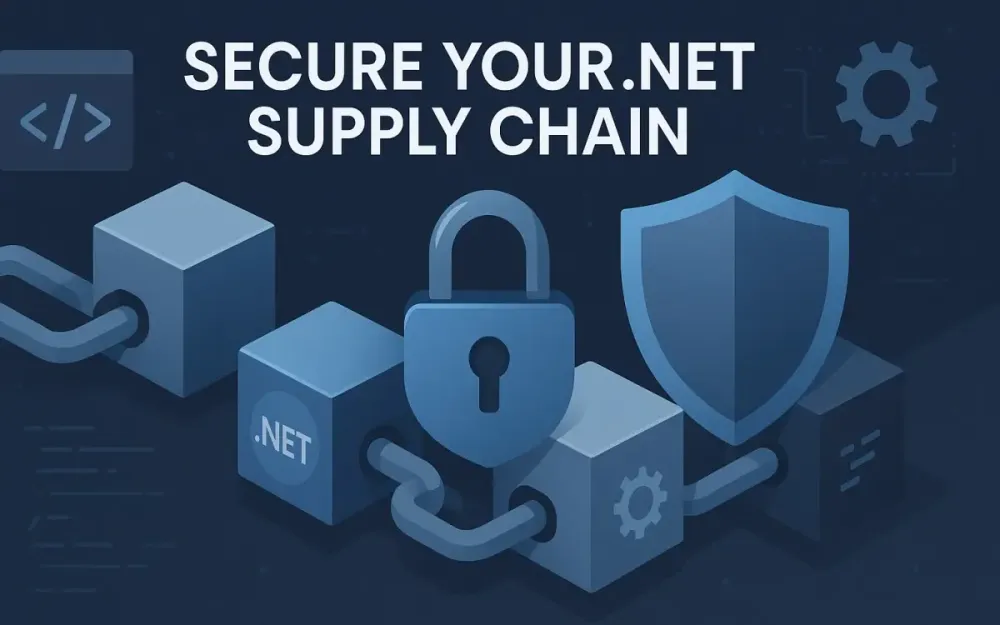
The classic notion of security once focused on fortifying your organization’s digital perimeter. Firewalls, intrusion detection, and network segmentation were the main line of defense. Today, that approach is no longer enough. Attackers have learned that software supply chains often present easier, more lucrative targets than the applications themselves.
1.1.1 The Shift in the Threat Landscape
In the past, organizations worried most about direct attacks on their web applications or APIs. Now, adversaries are turning their attention to the components that make up these applications. Supply chain vulnerabilities have become the new frontline.
Instead of attempting to exploit vulnerabilities in a well-defended production environment, attackers insert malicious code earlier—often by compromising a trusted dependency. Why struggle to break through the castle walls if you can sneak in with the daily supply run? As a .NET architect, you’re no longer just designing code; you’re curating an ecosystem of dependencies that extend far beyond your own organization.
1.1.2 High-Profile Supply Chain Attacks and Their Impact
Recent years have shown the devastating impact of supply chain attacks. Consider these real-world examples:
- SolarWinds (2020): Attackers compromised the build system for SolarWinds’ Orion product, pushing malicious updates to thousands of organizations, including US government agencies. This attack highlighted the dangers of trusting signed, seemingly legitimate updates.
- Log4j (2021): The discovery of a critical remote code execution vulnerability in the Log4j library triggered a worldwide race to identify and patch affected systems. This wasn’t about a single application, but a deep-seated flaw in a foundational component used everywhere.
- Dependency Confusion (2021): Attackers published malicious packages with the same names as internal dependencies to public registries like npm and PyPI. When build systems pulled from the wrong source, the attacker’s code was executed within enterprise networks.
Each of these incidents demonstrated that attackers increasingly prefer to compromise widely used dependencies rather than target individual applications. In the .NET world, this risk is real—your applications likely depend on hundreds of NuGet packages, many of which bring their own dependencies.
1.1.3 Defining the Software Supply Chain in the .NET Context
What does the “software supply chain” mean for a .NET application? It starts from the first line of code written on a developer’s workstation and stretches all the way to your production deployment. Along the way, it encompasses:
- Developer machines and their package managers
- Source control systems (like GitHub or Azure DevOps)
- Build and CI/CD pipelines (Azure DevOps, GitHub Actions, TeamCity, etc.)
- External dependencies (NuGet packages, private package feeds)
- Docker images and base OS layers (for containerized workloads)
- Artifacts pushed to production environments
Each stage and component presents an opportunity for a determined attacker. As .NET architects, it is critical to view supply chain security as a holistic discipline—one that requires attention at every step, not just at the edges.
1.2 The Architect’s Mandate in a Post-SolarWinds World
1.2.1 Why Supply Chain Security Is Now an Architectural Concern
Not long ago, many organizations considered supply chain security to be the domain of DevOps or IT security. The events of the last few years have changed that perspective. Today, software architects and technical leads play a critical role.
Why? Because the decisions architects make—about tooling, process, and technology stack—determine how much risk is introduced (or mitigated) throughout the software supply chain. Architects define:
- Which package sources are trusted
- How dependencies are managed, versioned, and updated
- What build and release practices are enforced
If you design a system that pulls dependencies from arbitrary sources or skips verification steps, you are effectively introducing risk at a foundational level.
1.2.2 The Architect’s Role: Policy, Tooling, and Culture
Supply chain security requires more than technical controls. It needs leadership and advocacy. As an architect, you are uniquely positioned to:
- Define Security Policies: Set organization-wide guidelines on dependency management, package source approval, and vulnerability remediation.
- Select and Integrate Tools: Choose tools that automate the discovery, tracking, and remediation of supply chain risks (for example, SBOM generators and NuGet vulnerability scanners).
- Champion Security Culture: Educate teams about the risks of insecure dependencies, model good security hygiene, and establish feedback loops for continuous improvement.
Ultimately, supply chain security is about building trust. Trust in your processes, trust in your dependencies, and trust in the integrity of your application from development through to deployment.
1.2.3 The Three Pillars of Modern .NET Supply Chain Security
Let’s introduce the three core pillars of modern .NET supply chain security:
- Transparency: Know what’s in your application with a Software Bill of Materials (SBOM).
- Vigilance: Continuously audit for vulnerabilities in your dependencies.
- Trust: Ensure packages come from verified sources and maintain their integrity.
Each pillar works together to form a resilient defense. In the sections that follow, we’ll explore how to implement these concepts in real-world .NET projects.
2 The Foundation of Transparency: The Software Bill of Materials (SBOM)
2.1 What Is an SBOM? Your Application’s “Ingredients List”
2.1.1 A Clear, Non-Technical Definition
An SBOM, or Software Bill of Materials, is like an ingredients label for your software. Just as a nutrition label lists every component in your food, an SBOM details all the software components and dependencies that make up your application.
Imagine trying to assess a food product for allergens without a complete ingredients list. In the same way, assessing software for security risks or license compliance is impossible without knowing what’s inside.
2.1.2 What Information Does an SBOM Contain?
A well-formed SBOM typically includes:
- Component Name: The name of each library or package included in your application (e.g.,
Newtonsoft.Json). - Version: The specific version of each component.
- Supplier: The origin or maintainer of the component.
- License: Licensing information for each component.
- Dependency Relationships: Which components depend on which others (including transitive dependencies).
This isn’t just a flat list of top-level NuGet packages. A modern SBOM traces the entire dependency tree, revealing even those components you never reference directly but which are pulled in by other packages.
2.1.3 SBOM: More Than Just a List of NuGet Packages
It’s easy to think of an SBOM as a list of packages you explicitly reference in your project files. But this view is incomplete.
Transitive dependencies—those brought in by your dependencies—often make up the majority of your application’s code footprint. Vulnerabilities and licensing issues often hide here. For example, you may never directly use log4net, but if a NuGet package you depend on does, your application is affected by any issues in log4net.
An SBOM must map the full dependency graph to be truly useful.
2.2 The “Why”: Business and Technical Drivers for SBOMs in .NET
2.2.1 Compliance: Meeting Regulatory and Industry Requirements
Legislation and industry standards increasingly demand SBOMs. In the United States, Presidential Executive Order 14028 (2021) mandated SBOMs for software supplied to federal agencies, setting a new bar for transparency. The EU’s Cyber Resilience Act is moving in a similar direction.
Even outside government, SBOMs are becoming a default expectation in regulated sectors like finance, healthcare, and energy. If you’re delivering .NET software to these industries, producing and maintaining SBOMs is no longer optional.
2.2.2 Risk Management: Proactive Vulnerability and Compliance Identification
SBOMs enable risk management by making it possible to:
- Identify vulnerable components as soon as new threats are disclosed.
- Track and audit software licenses to ensure compliance.
- Respond rapidly to incidents, pinpointing exactly where a vulnerable component is used across your application portfolio.
Without an SBOM, organizations are forced to scramble during an incident, spending valuable time manually reconstructing their dependency graph.
2.2.3 Operational Efficiency: Incident Response, License Management, and Analysis
Beyond compliance and risk, SBOMs provide practical benefits:
- Faster Incident Response: Quickly identify which applications are affected by a newly disclosed vulnerability.
- License Management: Avoid accidental inclusion of non-compliant or incompatible licenses.
- Streamlined Dependency Analysis: Make dependency updates, deprecations, and replacements more manageable.
These capabilities help organizations avoid costly delays, reduce technical debt, and maintain a more secure and agile development process.
2.3 Decoding the Standards: SPDX vs. CycloneDX
2.3.1 Overview: The Two Leading SBOM Formats
SBOMs must be machine-readable to be truly useful. Two formats dominate the landscape:
- SPDX (Software Package Data Exchange): Originated by the Linux Foundation. Widely adopted for license compliance.
- CycloneDX: Created by the OWASP Foundation. Focuses on security and vulnerability management.
Both formats are open standards, widely supported, and constantly evolving.
2.3.2 SPDX: Structure and Use Cases
SPDX was originally designed to solve the problem of software license compliance, especially in open-source contexts. Over time, it has grown to capture rich information about software components and their relationships.
Strengths:
- Strong focus on license identification and compliance
- Detailed metadata support
- Broad industry adoption, especially in Linux and embedded contexts
SPDX Structure:
- Files: Lists of files, packages, and their relationships
- Licenses: Explicit license identifiers (using a standardized license list)
- Creation Info: Data about who, how, and when the SBOM was generated
A typical SPDX document for a .NET project might look like this (in simplified JSON):
{
  "SPDXID": "SPDXRef-DOCUMENT",
  "name": "MyDotNetApp",
  "creationInfo": {
    "created": "2025-07-30T10:15:00Z",
    "creators": ["Tool: dotnet-spdx-generator"]
  },
  "packages": [
    {
      "name": "Newtonsoft.Json",
      "versionInfo": "13.0.3",
      "licenseConcluded": "MIT"
    }
  ]
}
2.3.3 CycloneDX: Structure and Use Cases
CycloneDX was developed by the OWASP Foundation with security in mind. While it also covers licensing, its primary focus is to provide security teams with actionable data for vulnerability identification and response.
Strengths:
- Designed for integration with vulnerability databases and tools
- Rich support for component provenance, dependency graphs, and cryptographic hashes
- Widely supported in DevSecOps pipelines
CycloneDX Structure:
- Components: Each library or dependency (with type, name, version, supplier, hashes, etc.)
- Dependencies: Explicit parent-child relationships
- Vulnerabilities (optional): Can include known vulnerabilities as annotations
A basic CycloneDX SBOM for a .NET application (JSON):
{
  "bomFormat": "CycloneDX",
  "specVersion": "1.6",
  "components": [
    {
      "type": "library",
      "name": "Newtonsoft.Json",
      "version": "13.0.3",
      "purl": "pkg:nuget/newtonsoft.json@13.0.3",
      "hashes": [{ "alg": "SHA-256", "content": "..." }]
    }
  ],
  "dependencies": [
    {
      "ref": "pkg:nuget/newtonsoft.json@13.0.3",
      "dependsOn": []
    }
  ]
}
2.3.4 Architect’s Recommendation: Which Format for .NET Projects?
For .NET projects, which format should you choose?
- If your primary concern is license compliance or you operate in industries where SPDX is mandated, prioritize SPDX.
- If your focus is on vulnerability management, DevSecOps automation, or you want richer dependency graphs, CycloneDX is often a better fit.
In practice, many organizations support both. Tools now exist to generate both SPDX and CycloneDX documents from .NET projects, making dual support feasible. Consider your downstream consumers (compliance, security teams, customers) and their needs when choosing.
3 Practical SBOM Generation for .NET Architects
As a .NET architect, knowing your options for generating, managing, and scaling SBOMs is critical. The modern .NET ecosystem offers a maturing landscape of tools—ranging from Microsoft’s official utility to third-party and open-source solutions—giving you flexibility, automation, and compliance at every stage of your workflow.
3.1 Tooling Up: The .NET SBOM Ecosystem
3.1.1 Introduction to the Official Microsoft SBOM Tool
Microsoft’s SBOM Tool stands out as the primary reference implementation for SBOM generation in the .NET world. This cross-platform, open-source CLI utility is tightly integrated with the conventions and needs of .NET projects. It supports both SPDX and CycloneDX formats and is under active development in step with evolving SBOM standards and supply chain security requirements.
Key Features:
- Generates detailed, standards-compliant SBOMs for .NET projects
- Handles both direct and transitive NuGet dependencies
- Integrates into both local developer workflows and CI/CD pipelines
- Supports output customization and filtering
Microsoft’s tool is also used under the hood by many of their own product build systems. For architects looking to align with official practices or deliver to Microsoft customers, this tool should be your default starting point.
3.1.2 Overview of Other Popular Open-Source and Commercial Tools
While Microsoft’s tool covers most .NET-centric scenarios, you may need broader coverage, advanced integrations, or specific workflow capabilities. Here’s a brief tour of the wider SBOM tooling ecosystem:
- Syft: Anchore’s Syft is a widely adopted, language-agnostic SBOM generator. It can scan source code, container images, and file systems to enumerate components and output both SPDX and CycloneDX formats. If you’re working in polyglot environments (e.g., .NET plus Node.js or Python), Syft’s flexibility is an asset.
- Snyk: Snyk’s commercial platform provides SBOM generation as part of its software composition analysis offering. It also integrates with vulnerability scanning, license compliance, and policy enforcement. Snyk is especially strong for organizations looking to tie SBOMs into broader DevSecOps practices.
- Anchore Enterprise: The commercial offering from Anchore builds on Syft’s open-source core and adds enterprise-grade reporting, policy, and compliance features. Useful for teams under regulatory or audit pressure.
- CycloneDX CLI: The CycloneDX command-line tool can generate, merge, and validate SBOMs, including those targeting .NET projects. It’s lightweight and scriptable for custom scenarios.
As a .NET architect, your tool choice should reflect the complexity of your environments, your team’s automation needs, and the expectations of your stakeholders. For many, starting with Microsoft’s tool and layering in additional scanning or aggregation from third-party tools strikes a good balance.
3.2 Hands-On Guide: Generating Your First SBOM with the Microsoft Tool
Let’s walk through the process of generating a real SBOM for a .NET application using Microsoft’s official tool. If you’re architecting team standards, consider running this exercise yourself and then codifying it into developer onboarding guides and CI/CD templates.
3.2.1 Prerequisites: Installing the .NET SDK and Microsoft SBOM Tool
Before you start, you’ll need:
- The .NET SDK (version 6.0 or higher recommended)
- The SBOM tool installed as a global tool
To install the tool globally, use the .NET CLI:
dotnet tool install -g Microsoft.Sbom.ToolVerify installation with:
sbom-tool --versionThis should print the installed tool version, confirming everything is ready.
3.2.2 Step-by-Step Walkthrough
Step 1: Targeting a Sample .NET Solution
Let’s assume you have a solution folder with a project, for example, MySampleApp. Start by building your application and publishing its output:
dotnet publish -c Release -o ./publishThis produces all the binaries and dependencies your app will ship with in the ./publish directory.
Step 2: Running the SBOM Tool
Navigate to your project root and execute:
sbom-tool generate \
  -b ./publish \
  -bc . \
  -pn "MySampleApp" \
  -pv "1.0.0" \
--format cyclonedx-b: Directory containing the published binaries-bc: Build component path (typically your solution or project directory)-pn: Project name-pv: Project version--format: Eithercyclonedxorspdx(you can run twice to generate both)
If you want both formats at once, you can specify both formats:
sbom-tool generate -b ./publish -bc . -pn "MySampleApp" -pv "1.0.0" --format spdx --format cyclonedxStep 3: Exploring the Output
You’ll find your SBOM(s) in the output directory (by default, ./_manifest). Inside, you’ll see files like:
sbom.cyclonedx.jsonsbom.spdx.json
3.2.3 Analyzing the Output: Key Fields and Relationships
Open sbom.cyclonedx.json in a code editor. You’ll see a structure similar to this (excerpted for clarity):
{
  "bomFormat": "CycloneDX",
  "specVersion": "1.6",
  "metadata": {
    "timestamp": "2025-07-30T14:00:00Z",
    "tools": [
      {
        "vendor": "Microsoft",
        "name": "sbom-tool",
        "version": "2.0.0"
      }
    ]
  },
  "components": [
    {
      "type": "library",
      "name": "Newtonsoft.Json",
      "version": "13.0.3",
      "purl": "pkg:nuget/newtonsoft.json@13.0.3",
      "hashes": [
        {
          "alg": "SHA-256",
          "content": "c7b88a..."
        }
      ],
      "licenses": [
        {
          "license": {
            "id": "MIT"
          }
        }
      ]
    }
  ],
  "dependencies": [
    {
      "ref": "pkg:nuget/newtonsoft.json@13.0.3",
      "dependsOn": []
    }
  ]
}
What should you look for?
- The
componentsarray lists all included libraries and frameworks, with detailed versioning and identifiers. - The
dependenciessection maps out the relationships between those components. - Each component entry includes cryptographic hashes (verifying integrity), license data (for compliance), and the package URL (purl) for unambiguous referencing.
Why does this matter?
This level of detail is invaluable for future audits, incident response, or regulatory reporting. If a new vulnerability is announced, you can quickly search for the affected purl or version in your stored SBOMs.
3.3 Automating SBOMs in Your CI/CD Pipeline
Producing an SBOM locally is useful, but real value comes when SBOM generation is woven seamlessly into your build and deployment workflows. The goal is simple: every artifact, every release, every time—without exception—gets a fresh, trustworthy SBOM.
3.3.1 The Goal: SBOM Generation as a Build Standard
By making SBOM generation non-optional, you eliminate blind spots. You also empower security and compliance teams to rely on build outputs for real-time visibility into what’s running in production. This is especially important for regulated industries or when serving enterprise customers.
3.3.2 Azure DevOps Example: Adding SBOM Tasks to Your Pipeline
Suppose you have a typical YAML-based Azure DevOps pipeline. You can add SBOM generation steps as follows:
- task: UseDotNet@2
  displayName: 'Install .NET SDK'
  inputs:
    packageType: 'sdk'
    version: '8.0.x'

- script: dotnet tool install -g Microsoft.Sbom.Tool
  displayName: 'Install Microsoft SBOM Tool'

- script: dotnet publish -c Release -o $(Build.ArtifactStagingDirectory)/publish
  displayName: 'Publish Application'

- script: |
    sbom-tool generate \
      -b $(Build.ArtifactStagingDirectory)/publish \
      -bc $(Build.SourcesDirectory) \
      -pn "$(Build.DefinitionName)" \
      -pv "$(Build.BuildNumber)" \
      --format cyclonedx
  displayName: 'Generate SBOM'

- task: PublishBuildArtifacts@1
  displayName: 'Publish SBOM as Artifact'
  inputs:
    PathtoPublish: '$(Build.ArtifactStagingDirectory)/publish/_manifest'
    ArtifactName: 'sbom'
What does this accomplish?
- Every build produces an up-to-date SBOM.
- The SBOM is published alongside your application artifacts, ready for deployment, scanning, or delivery to stakeholders.
3.3.3 GitHub Actions Example: Automating SBOM Generation
With GitHub Actions, you can automate the same process using job steps:
jobs:
  build:
    runs-on: ubuntu-latest
    steps:
      - uses: actions/checkout@v4

      - name: Setup .NET
        uses: actions/setup-dotnet@v4
        with:
          dotnet-version: '8.0.x'

      - name: Install SBOM Tool
        run: dotnet tool install -g Microsoft.Sbom.Tool

      - name: Publish App
        run: dotnet publish -c Release -o ./publish

      - name: Generate SBOM
        run: sbom-tool generate -b ./publish -bc . -pn "MySampleApp" -pv "${{ github.run_number }}" --format cyclonedx

      - name: Upload SBOM Artifact
        uses: actions/upload-artifact@v4
        with:
          name: sbom
          path: ./publish/_manifest
Key Points:
- The SBOM is generated in the build workflow and attached as an artifact.
- The process is fully automated, making security and compliance part of the developer’s daily reality rather than a last-minute scramble.
4 From Transparency to Action: Mastering NuGet Auditing
SBOMs provide visibility, but visibility alone is not enough. To truly secure your supply chain, you must act on what you know—auditing your dependencies continuously for vulnerabilities and policy violations. In .NET, this process has evolved from ad hoc checks to robust, first-class citizen support in the tooling.
4.1 The Evolving Landscape of NuGet Security
4.1.1 A Brief History: From Manual Checks to Automated Auditing
Not long ago, dependency security in .NET was left to chance or afterthought. Developers occasionally scanned packages.config or .csproj files for outdated packages. Some teams ran periodic Snyk or WhiteSource scans, but there was little automation or enforcement.
This landscape shifted dramatically with the introduction of security audit features directly in the .NET CLI and NuGet ecosystem:
- Built-in vulnerability auditing during
restore - Centralized vulnerability databases (GitHub Advisories)
- Pipeline automation for fail-fast builds
For architects, this means you can now design workflows where no vulnerable package ever makes it to production unnoticed.
4.1.2 How the .NET CLI Became the Center of Vulnerability Management
.NET 6 marked a turning point. Now, running dotnet restore or dotnet list package brings vulnerability awareness directly into the developer and build experience. No need for external scripts—vulnerability checks are integrated, standardized, and auditable.
4.2 Deep Dive: The dotnet restore Security Audit
4.2.1 Security Auditing as Default Behavior in .NET 6+
Since .NET 6, dotnet restore not only retrieves and caches dependencies but also audits them against the latest known vulnerability database. This audit covers both direct and transitive packages.
If issues are found, the CLI reports warnings or errors in the output, classified by severity.
4.2.2 Understanding the Vulnerability Database: GitHub Advisories
The vulnerability data comes from the GitHub Advisory Database, which is the canonical source for .NET and NuGet. This database is continually updated by the community, security researchers, and vendors.
When you run a restore or package audit command, NuGet queries this database and surfaces any matching CVEs or advisories.
4.2.3 Practical Example: Running dotnet restore on a Vulnerable Project
Let’s walk through a scenario. Suppose your project references a package with a known vulnerability.
Sample project file:
<ItemGroup>
  <PackageReference Include="Newtonsoft.Json" Version="12.0.1" />
</ItemGroup>
Run:
dotnet restoreSample output:
NU1901: Package 'Newtonsoft.Json 12.0.1' has a known vulnerability: Information exposure through log files.
Severity: Moderate
Advisory: https://github.com/advisories/GHSA-5cgm-2p3c-xm56
These warnings (NU1901 to NU1904) correspond to different classes of security findings.
- NU1901: Vulnerability detected, action recommended
- NU1902: Critical or high-severity vulnerability
- NU1903: Package is deprecated due to security reasons
- NU1904: Package has other policy violations
As an architect, you can specify how these warnings are handled in your build and deployment processes.
4.3 Fine-Tuning Your Audits: Configuration and Control
For most organizations, “default” settings aren’t enough. Security posture, risk tolerance, and operational requirements vary. The .NET SDK and NuGet allow you to customize audit behavior through MSBuild properties and project-level configuration.
4.3.1 Using MSBuild Properties to Customize Audit Behavior
Here’s how to tailor the audit process using properties in your .csproj or, more ideally, in a central Directory.Build.props file.
Enabling/Disabling the Audit:
<PropertyGroup>
  <NuGetAudit>true</NuGetAudit>
</PropertyGroup>
Setting the Minimum Severity Level:
Only fail the build for issues above a certain threshold.
<PropertyGroup>
  <NuGetAuditLevel>high</NuGetAuditLevel>
</PropertyGroup>
Accepted values: low, moderate, high, critical.
Auditing Only Direct Dependencies:
By default, all dependencies (including transitives) are audited. For special cases, you can restrict to direct:
<PropertyGroup>
  <NuGetAuditMode>direct</NuGetAuditMode>
</PropertyGroup>
Audit All Dependencies:
<PropertyGroup>
  <NuGetAuditMode>all</NuGetAuditMode>
</PropertyGroup>
4.3.2 Establishing Baseline Configuration with Directory.Build.props
A best practice for architects is to create a root-level Directory.Build.props file for your repository or solution, ensuring all projects inherit consistent audit settings.
Example:
<Project>
  <PropertyGroup>
    <NuGetAudit>true</NuGetAudit>
    <NuGetAuditLevel>high</NuGetAuditLevel>
    <NuGetAuditMode>all</NuGetAuditMode>
  </PropertyGroup>
</Project>
Place this at the root of your repository. Now every build across every project in the tree uses these standards, without developer-by-developer drift.
4.3.3 Suppressing Vulnerabilities: Responsible Usage of
There are cases when you must temporarily suppress a warning—perhaps a vulnerability is not exploitable in your context, or a fix isn’t yet available. NuGet provides suppression mechanisms, but use them with extreme caution.
Suppression Example:
<ItemGroup>
  <NuGetAuditSuppress Include="GHSA-5cgm-2p3c-xm56" Reason="Not exploitable in current deployment"/>
</ItemGroup>
Best Practices:
- Always document the rationale in the
Reasonattribute - Track suppressions in your security review or backlog
- Regularly review and remove obsolete suppressions
Suppression is not a shortcut for ignoring security—it’s a tactical measure to manage exceptions transparently.
4.4 Automating and Enforcing Audits in the Pipeline
Security needs to be enforced consistently. Relying on developers to notice CLI warnings is a recipe for missed vulnerabilities. Instead, integrate audits as a mandatory, automated step in your build pipelines.
4.4.1 Configuring CI to Fail Builds on High-Severity Vulnerabilities
With the right settings, your pipeline can fail fast if any high or critical issues are found—preventing deployment of risky builds. In most environments, this is done with the audit-level settings shown previously, plus build step scripting.
4.4.2 Azure DevOps Example: .NET Core CLI Audit in YAML
Add an explicit audit check after restore:
- task: DotNetCoreCLI@2
  displayName: 'Restore and Audit NuGet Packages'
  inputs:
    command: 'restore'
    projects: '**/*.csproj'
    arguments: '--warnaserror NU1902;NU1903;NU1904'

- script: dotnet list package --vulnerable
  displayName: 'List Vulnerable Packages'
The --warnaserror flag causes the build to fail if specified warnings (including vulnerability codes) are present. This ensures that issues must be addressed before merging or deploying.
4.4.3 GitHub Actions Example: Automated Audit and Workflow Control
Here’s how you might enforce NuGet audits in a GitHub Actions workflow:
jobs:
  build:
    runs-on: ubuntu-latest
    steps:
      - uses: actions/checkout@v4

      - name: Setup .NET
        uses: actions/setup-dotnet@v4
        with:
          dotnet-version: '8.0.x'

      - name: Restore Packages and Audit
        run: dotnet restore --warnaserror NU1902;NU1903;NU1904

    - name: Audit Dependencies for Vulnerabilities
        run: dotnet list package --vulnerable

    - name: Fail Workflow if Vulnerabilities Found
        run: |
        dotnet list package --vulnerable | grep -i 'severity: high' && exit 1 || exit 0
How does this work?
- The restore command fails if any high/critical warnings occur
- The audit step lists any vulnerabilities
- The final step parses output and explicitly fails the workflow if high-severity issues are present
This is a simple pattern, but can be extended to send Slack alerts, open GitHub issues, or trigger security incident workflows.
5 Building a Fortress: Hardening Your NuGet Supply Chain
With SBOM generation and vulnerability auditing automated in your pipelines, the next strategic imperative for a .NET architect is to address the trustworthiness of your dependencies at their source. Modern attack vectors target not only what your application consumes, but where and how it’s consumed. Hardening the NuGet supply chain requires a blend of policy, configuration, and platform features that together make it extremely difficult for malicious packages to slip through.
5.1 The Principle of Least Privilege for Packages: Source Verification
5.1.1 The Risk of Typosquatting and Dependency Confusion
Public repositories like nuget.org are a double-edged sword: they provide access to an enormous library of reusable code but also expose your build process to threats. Attackers have successfully executed:
- Typosquatting: Registering package names similar to popular libraries (e.g.,
NewtonSoft.Jsoninstead ofNewtonsoft.Json), hoping a simple typo or auto-complete mistake will lead a developer to install a malicious version. - Dependency Confusion: If your project references an internal package (say,
Company.Shared.Logging), but your NuGet configuration allows pulling from public feeds, an attacker can upload a package with the same name to nuget.org. If your build picks up the public package before your private one, you may unwittingly execute untrusted code.
This is not theory—these techniques have led to real-world breaches, data exfiltration, and ransomware events.
5.1.2 Package Source Mapping as a Primary Defense
To combat these attacks, NuGet introduced Package Source Mapping. This feature allows you to define, at a granular level, which packages are permitted to come from which feeds. It enforces the principle of least privilege for your dependencies: each package is only trusted if it originates from a known, vetted source.
This means:
- Internal packages can only be resolved from your private feed.
- Open-source packages can only come from nuget.org.
- Accidental or malicious cross-over is explicitly prevented.
As an architect, making source mapping a non-negotiable part of your build and release process closes one of the largest doors available to attackers.
5.2 Practical Guide: Implementing Package Source Mapping
5.2.1 Structuring Your nuget.config for Clarity and Security
The nuget.config file is the central configuration file for NuGet in your solution. It can be defined at multiple levels (project, solution, machine) but is most powerful and transparent when managed at the repository root.
A well-organized nuget.config does the following:
- Clearly names and prioritizes all package sources (e.g., nuget.org, Azure Artifacts, private feeds)
- Uses
packageSourceMappingto create allowlists for which packages can be restored from which sources - Disables fallback to untrusted feeds
5.2.2 Step-by-Step Configuration
Step 1: Define Your Official Sources
Suppose your organization uses both nuget.org for open source and an Azure Artifacts feed for internal packages:
<configuration>
  <packageSources>
    <add key="nuget.org" value="https://api.nuget.org/v3/index.json" />
    <add key="CompanyFeed" value="https://pkgs.dev.azure.com/yourorg/_packaging/yourfeed/nuget/v3/index.json" />
  </packageSources>
</configuration>
Step 2: Set Up Package Source Mapping
Now, enforce which packages come from which source:
<configuration>
  <packageSources>
    <add key="nuget.org" value="https://api.nuget.org/v3/index.json" />
    <add key="CompanyFeed" value="https://pkgs.dev.azure.com/yourorg/_packaging/yourfeed/nuget/v3/index.json" />
  </packageSources>
  <packageSourceMapping>
    <packageSource key="nuget.org">
      <package pattern="Newtonsoft.Json"/>
      <package pattern="Serilog*"/>
      <package pattern="NUnit*"/>
      <!-- Add patterns for all open-source packages you use -->
    </packageSource>
    <packageSource key="CompanyFeed">
      <package pattern="Company.*"/>
      <package pattern="Internal.*"/>
      <!-- Patterns for your organization’s internal packages -->
    </packageSource>
  </packageSourceMapping>
</configuration>
Step 3: Enforce Mapping for All Packages
Consider defining catch-all patterns if you want to lock down the sources even further. Any package not explicitly mapped will not be restored, causing the build to fail, which is precisely the behavior you want for security.
5.2.3 Real-World Example: Corporate Environment nuget.config
Here’s a sample nuget.config for a company using both public and private feeds:
<configuration>
  <packageSources>
    <add key="nuget.org" value="https://api.nuget.org/v3/index.json" />
    <add key="CompanyFeed" value="https://pkgs.dev.azure.com/yourorg/_packaging/yourfeed/nuget/v3/index.json" />
  </packageSources>
  <packageSourceMapping>
    <packageSource key="nuget.org">
      <package pattern="Microsoft.*"/>
      <package pattern="System.*"/>
      <package pattern="Newtonsoft.Json"/>
      <package pattern="Serilog*"/>
    </packageSource>
    <packageSource key="CompanyFeed">
      <package pattern="Company.*"/>
      <package pattern="Internal.*"/>
    </packageSource>
  </packageSourceMapping>
</configuration>
Tip: Always keep your patterns updated as your dependency graph evolves. Automate the review of this file as part of your regular dependency hygiene.
5.3 Ensuring Integrity: The Role of Signed NuGet Packages
5.3.1 What Is a Signed Package?
A signed NuGet package is one that includes a cryptographic signature by the author or repository. NuGet supports both author signatures (the package creator) and repository signatures (the feed operator, e.g., nuget.org itself).
5.3.2 How Signing Provides Authenticity and Integrity
- Authenticity: The signature proves that the package was created by the named author, not a forger.
- Integrity: Any modification to the package after signing invalidates the signature, alerting you to tampering.
By enforcing signature validation in your builds, you can prevent unsigned or tampered packages from being restored and used in your applications.
5.3.3 Verifying Signatures: dotnet nuget verify
To verify signatures on a package manually, use:
dotnet nuget verify --signatures <package.nupkg>Sample output:
Signature Hash Algorithm: SHA256
Timestamp: 2024-10-12T10:34:16Z
Primary signature is valid.
For automated validation, consider configuring your pipeline or package management policies to reject unsigned or invalidly signed packages.
5.4 Creating a Trusted Internal Ecosystem
5.4.1 The Benefits of a Private Package Feed
Running your own feed (Azure Artifacts, GitHub Packages, or JFrog Artifactory) offers significant benefits:
- Curation: Only vetted, approved packages are available to your teams.
- Isolation: Internal code stays inside your network—no accidental leaks to public feeds.
- Auditability: You have a complete log of who published what, and when.
5.4.2 Private Feeds as Curated Caches
Use your private feed not only for your proprietary libraries but as a cache for open-source dependencies you trust. Instead of every build restoring packages directly from nuget.org, you periodically mirror and approve packages to your internal feed. This insulates you from supply chain attacks on the public registry and gives you a reliable rollback point if a dependency is yanked or compromised upstream.
5.4.3 Upstream Sources: Combining Public and Private Securely
Azure Artifacts and similar platforms support upstream sources: your private feed proxies public ones. The private feed becomes your team’s sole source, but fetches packages from nuget.org as needed, caching them for future use and applying your organization’s policies to every restore.
Architectural Pattern:
- Developers and build servers point only to the internal feed.
- The internal feed fetches new packages from public sources on demand, subject to approval.
- Package source mapping ensures that only permitted packages are ever restored, regardless of feed configuration.
6 The Next Frontier: Advanced Strategies and Future-Proofing
As attackers innovate, so must defenders. Staying ahead means embracing new standards, leveraging modern .NET capabilities, and even applying AI to anticipate and counter emerging threats.
6.1 Beyond the Basics: SBOMs and Vulnerability Exploitability eXchange (VEX)
6.1.1 The Problem of Vulnerability Noise
Once you automate SBOMs and vulnerability audits, you’ll quickly discover a new challenge: vulnerability noise. Not every vulnerability reported in a component is actually exploitable in your specific application. Some may be unreachable, mitigated by your architecture, or only applicable in configurations you never use.
This can lead to alert fatigue, wasted remediation effort, and unnecessary risk acceptances.
6.1.2 Introducing VEX
The Vulnerability Exploitability eXchange (VEX) standard is designed to close this gap. A VEX document is a companion to an SBOM, specifying for each known vulnerability:
- Is it exploitable in the context of this application, as shipped?
- Has it been mitigated or rendered unreachable?
- What evidence or rationale supports the assessment?
This allows teams to focus remediation on real risks, not just theoretical ones.
6.1.3 Generating and Using VEX Information
VEX is still an emerging standard, but you can start laying the groundwork now:
- Record and track exploitability assessments in your security reviews.
- For each SBOM, document whether known vulnerabilities are present but not exploitable, with evidence.
- As tools mature, integrate automated VEX document generation into your pipeline alongside SBOMs.
6.2 Leveraging Modern .NET Features for a Secure Supply Chain
6.2.1 How .NET 8+ Features Can Reduce Attack Surface
Each new version of .NET introduces features that make supply chain attacks more difficult or less damaging.
- Improved Authentication: Built-in support for modern authentication protocols (OAuth 2.0, OpenID Connect) in ASP.NET Core minimizes the need for custom or risky code.
- Native AOT (Ahead-of-Time Compilation): With Native AOT, you ship only the code your application uses. Dead code is eliminated at publish time, shrinking the attack surface and limiting the exposure to vulnerabilities in unused libraries.
- Source Generators: Replace runtime reflection with compile-time code generation, reducing dynamic code paths that attackers can exploit.
6.2.2 Looking Ahead: .NET 9 and Beyond
Microsoft’s .NET roadmap continues to prioritize security. Potential enhancements on the horizon include:
- Even tighter SBOM integration and attestation support in publishing workflows
- Built-in support for consuming and validating VEX documents
- Enhanced code signing and certificate management in the SDK
- Stronger default security policies for new project templates
Architects should stay plugged into the official .NET roadmap and regularly re-evaluate project templates and DevSecOps pipelines as new capabilities emerge.
6.3 The Rise of AI in Supply Chain Security
6.3.1 AI and Machine Learning for Vulnerability Prediction
AI and machine learning are being increasingly used to:
- Analyze massive dependency graphs for risky patterns or anomalous update behaviors
- Predict which open-source packages are most likely to become attack targets
- Detect suspicious code contributions or package publication events before traditional scanners can
Major security vendors are already integrating these capabilities into their platforms. For architects, this means earlier warning of emerging threats and more contextual prioritization of patching efforts.
6.3.2 The Future: Automated Remediation and AI-Assisted Security Analysis
Imagine a build pipeline where, instead of just reporting vulnerabilities, the system can:
- Suggest (or even apply) safe upgrades to remediate issues
- Refactor code automatically to avoid deprecated or dangerous APIs
- Generate and review VEX documents with contextual, data-driven accuracy
While fully autonomous remediation remains aspirational, AI-powered triage and analysis are fast becoming a practical tool for architects aiming to scale security across large portfolios.
7 Conclusion: From Theory to Action
7.1 Recap: The Architect’s Checklist for .NET Supply Chain Security
As you guide your teams into the next era of secure .NET development, here’s a summary checklist to operationalize the strategies discussed in this article:
- SBOMs: Automate generation and distribution for every build.
- NuGet Auditing: Integrate vulnerability scanning into all pipelines.
- Source Mapping: Enforce strict package-to-source mapping in
nuget.config. - Package Signing: Require and verify package signatures.
- Private Feeds: Use a curated internal feed as the only source for all dependencies.
- Advanced Standards: Track and prepare for VEX adoption.
- Modern .NET Features: Stay current on features that reduce risk and attack surface.
- AI-Enhanced Security: Evaluate and adopt AI-powered analysis tools as they mature.
7.2 A Maturity Model for Your Organization
Every organization is on a journey. Use this simple model to assess your current level and plan your path forward:
- Level 1 (Reactive): No formal supply chain security. Dependencies are managed ad hoc, with manual patching after incidents.
- Level 2 (Aware): Auditing and basic vulnerability scanning are performed, usually at release time.
- Level 3 (Proactive): Automated SBOM generation, source mapping, and CI/CD enforcement are in place. Supply chain hygiene is part of the SDLC.
- Level 4 (Resilient): VEX context, curated feeds, AI-driven analysis, and continuous process improvement drive a culture of trust and transparency.
Where are you today? Conduct a frank assessment and use it to drive incremental, sustainable improvements. Aim for Level 4, but recognize that progress—even to Level 2 or 3—pays immediate dividends.
7.3 Final Thoughts: Security as a Continuous Journey
The software supply chain will always be a target. Technologies, standards, and threats will evolve, and so must your defenses. Supply chain security is not a one-time project or checklist—it’s a practice, a mindset, and a shared responsibility that runs through every part of your architecture.
As a .NET architect, you are uniquely positioned to lead this evolution:
- Embed SBOMs and auditing in your development pipelines, not as an afterthought, but as a foundational practice.
- Insist on trust: know not just what’s in your software, but where it came from and whether it belongs.
- Anticipate change. Follow the trajectory of new .NET security features, SBOM and VEX standards, and the rise of AI.
- Guide your organization towards greater maturity, one secure release at a time.
The stakes are high, but so is the opportunity: by securing your supply chain today, you build the trust and resilience that tomorrow’s applications—and users—will demand. Make supply chain security a habit, not a hope. Lead by example, and turn security from a blocker into a business enabler.