1 The DevSecOps Imperative for the Modern .NET Architect
1.1 Beyond “Bolted-On” Security: The Business Case for Shifting Left
Traditionally, security has been treated as an afterthought—a box to check near the end of development. Teams often rushed to plug gaps just before deployment, leading to reactive “bolted-on” solutions. This approach has significant drawbacks: vulnerabilities discovered late require extensive code rewrites, delaying releases and inflating costs. Sometimes, urgent patches grind delivery pipelines to a halt, diverting resources away from planned work.
Shifting security left means integrating security controls and practices at every stage of the software development lifecycle, from design to deployment. This proactive stance allows teams to identify and address risks while solutions are still inexpensive to fix. Detecting a vulnerability in a code review or an automated build step costs a fraction of what it would in production. Early detection also enables faster release cycles, as issues are resolved before they snowball into complex problems.
From a business perspective, shifting left directly impacts the bottom line. It minimizes costly post-release fixes, reduces the likelihood of damaging breaches, and maintains customer trust. Teams can move with greater confidence and velocity, knowing their pipeline is not vulnerable to unexpected security fires. Have you ever had a critical security issue force a late-night hotfix or stall a go-live? Shifting left is the key to breaking that cycle.
1.2 What Is DevSecOps? A Deep Dive into the Cultural and Technical Shift
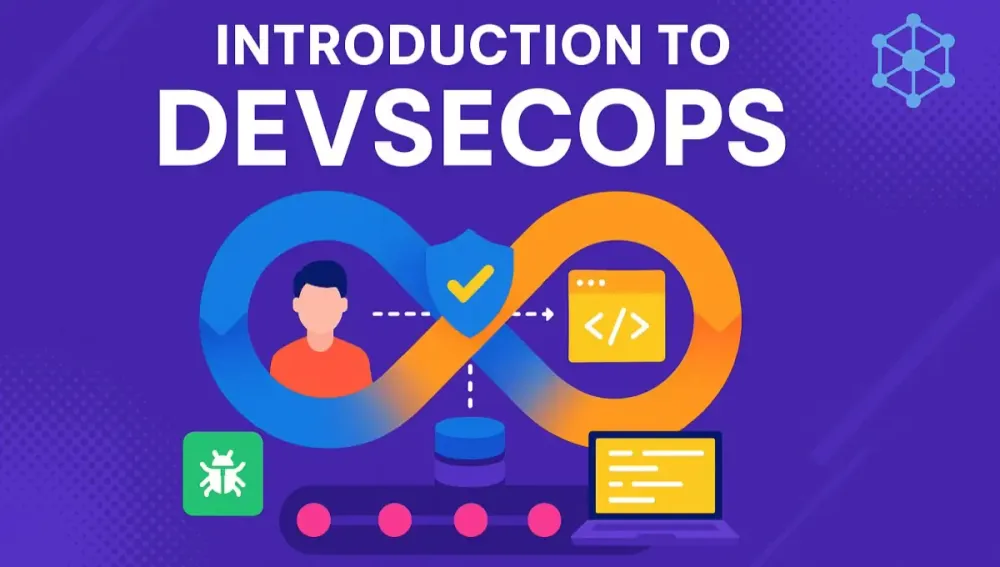
DevSecOps is more than a collection of security tools bolted onto your CI/CD pipeline. At its core, it represents a cultural and operational transformation in how software is built, delivered, and maintained. In traditional models, development, operations, and security often work in silos—each responsible for their own area, with limited collaboration. This separation leads to communication gaps and delayed responses to emerging threats.
With DevSecOps, the boundaries dissolve. Development, security, and operations become integrated partners, each sharing responsibility for the security and reliability of the application. Security moves from being a specialized checkpoint to an everyday concern for everyone involved. This shared responsibility is reinforced by continuous feedback: issues are detected early, communicated openly, and remediated quickly.
Automation is a cornerstone of DevSecOps. Security checks—such as static application security testing (SAST), dynamic analysis (DAST), and software composition analysis (SCA)—are integrated directly into your build and deployment pipelines. This ensures that every code change is automatically evaluated for risks, without relying on manual intervention. But technology alone isn’t enough; DevSecOps requires a mindset shift. Developers, ops, and security teams must collaborate closely, prioritize secure design, and treat security as a fundamental feature of every release.
1.3 The Modern .NET Ecosystem and Attack Surfaces
The .NET landscape has evolved dramatically in recent years. With .NET 8, the framework embraces modern paradigms such as minimal APIs, containerization, microservices, and cloud-native architectures. These advances bring powerful capabilities and improved productivity—but also introduce new and diverse attack surfaces.
Applications now span web APIs, serverless functions, and distributed containers across public and private clouds. Each layer introduces unique risks. Endpoints must be protected against injection and unauthorized access. Inputs need rigorous validation to prevent common exploits like cross-site scripting or command injection. Secrets—like connection strings or API keys—must be managed outside of code repositories, using vaults and secure stores.
Infrastructure as Code (IaC) is another double-edged sword. While it enables rapid, repeatable deployments, any misconfiguration can become a security hole replicated at scale. Containers need to be hardened and regularly scanned for vulnerabilities. Cloud-native features, such as managed identities and encrypted storage, can be leveraged for security—but must be configured correctly.
The good news? The .NET ecosystem now includes robust tooling for telemetry, monitoring, policy enforcement, and cloud integration. Strong security defaults, comprehensive logging, and automated scanning are all within reach for the modern .NET team. The challenge is ensuring these capabilities are thoughtfully applied throughout your software development process.
1.4 The Architect’s Mandate
As a software architect, you play a pivotal role in shaping not only the technical foundation of your systems but also the culture of your teams. Security is no longer a specialized afterthought delegated to a separate group. Instead, it is woven into the design, development, and operation of every application you oversee.
Your responsibilities now extend beyond selecting frameworks and designing APIs. You’re tasked with championing secure development practices, choosing and integrating security tooling, and advocating for continuous education within your teams. It’s up to you to ensure that governance and compliance requirements are met—not just at release, but throughout the entire software lifecycle.
You influence decisions about threat modeling, secure coding standards, and the structure of your CI/CD pipelines. By embedding security as a core architectural principle, you help set the tone for a security-first culture, where everyone understands their role in protecting data and users. In this way, the architect’s mandate is not only to build robust, scalable systems, but also to lead the way in adopting a secure, resilient approach to software delivery.
2 Foundational Pillars of .NET Security
Security in .NET is not just a feature—it’s an architectural foundation. To achieve robust, long-lived protection, software architects must master both the technical controls provided by the .NET ecosystem and the underlying principles guiding their application. With .NET 8, Microsoft has further expanded the security surface, offering new capabilities while introducing new areas for vigilance. This section explores the essential building blocks of .NET security, blending established best practices with practical application for real-world architectures.
2.1 Secure Coding Principles in C# and .NET 8
Secure coding is the baseline from which all other security practices flow. The .NET framework, especially in its latest versions, empowers teams to write safer code. However, it does not automatically make software secure. Understanding and applying the right patterns, as well as knowing where and how the platform can be leveraged, is crucial.
2.1.1 Input Validation and Output Encoding (Preventing Injection and XSS)
Untrusted data is the root of most software vulnerabilities. In .NET applications, especially those exposed via web APIs or user interfaces, robust input validation is non-negotiable. Why? Attackers routinely probe for injection points—anywhere data crosses a boundary from user to application logic.
Input Validation in C#: The key is to validate data as close to the boundary as possible. With ASP.NET Core, you can leverage model binding and data annotations, but don’t rely solely on them—custom logic is sometimes needed.
public class RegisterUserRequest
{
    [Required]
    [EmailAddress]
    public string Email { get; set; }

    [Required]
    [StringLength(100, MinimumLength = 8)]
    public string Password { get; set; }
}
Still, don’t assume annotations are a silver bullet. For complex or business-critical data, implement additional checks in your controller or service layer.
Output Encoding: While input validation is essential, output encoding ensures that untrusted data rendered back to the client cannot become a vector for Cross-Site Scripting (XSS) or similar attacks. Razor Pages and Blazor handle output encoding by default, but custom rendering or JSON responses require vigilance.
@Html.Encode(Model.UserInput)For APIs: Always use serializers (e.g., System.Text.Json) which escape output by default.
Entity Framework Core and SQL Injection: Parameterized queries are critical. Avoid dynamic SQL string concatenation.
var user = await dbContext.Users
    .Where(u => u.Email == email)
    .FirstOrDefaultAsync();
EF Core handles parameterization, but be wary of .FromSqlRaw() and similar APIs—never directly inject untrusted input.
2.1.2 Authentication and Authorization Deep Dive (Using ASP.NET Core Identity, JWTs, and OAuth 2.1)
Authentication answers “who are you?” Authorization answers “are you allowed to do this?” Both require careful, consistent implementation.
ASP.NET Core Identity: This is the foundational membership and user management library for .NET. It supports password-based, two-factor, and external logins.
builder.Services.AddDefaultIdentity<ApplicationUser>()
    .AddEntityFrameworkStores<ApplicationDbContext>();
JWT Bearer Authentication: Modern APIs commonly use JWT tokens for stateless authentication.
builder.Services.AddAuthentication(JwtBearerDefaults.AuthenticationScheme)
    .AddJwtBearer(options => {
        options.TokenValidationParameters = new TokenValidationParameters
        {
            ValidateIssuer = true,
            ValidIssuer = "yourIssuer",
            ValidateAudience = true,
            ValidAudience = "yourAudience",
            ValidateLifetime = true,
            IssuerSigningKey = new SymmetricSecurityKey(Encoding.UTF8.GetBytes("YourStrongKey"))
        };
    });
OAuth 2.1: For single sign-on and delegation, integrate with external providers (Azure AD, Google, etc.) using OAuth 2.1 flows. .NET provides robust middleware for this, including support for OpenID Connect.
builder.Services.AddAuthentication(OpenIdConnectDefaults.AuthenticationScheme)
    .AddOpenIdConnect(options => {
        options.Authority = "https://login.microsoftonline.com/...";
        options.ClientId = "your-client-id";
        options.ClientSecret = "your-client-secret";
    });
Always use HTTPS for all authentication flows and manage tokens securely.
2.1.3 Anti-Forgery (XSRF/CSRF) Protection in ASP.NET Core
Cross-Site Request Forgery (CSRF) exploits the trust a web application has in the user’s browser. ASP.NET Core includes built-in protection.
For MVC/Razor Pages: Anti-forgery tokens are generated and validated automatically.
<form method="post">
    @Html.AntiForgeryToken()
    <!-- ... -->
</form>
In your controller:
[HttpPost]
[ValidateAntiForgeryToken]
public IActionResult UpdateProfile(UserProfile model)
{
    // ...
}
For APIs: CSRF is typically not a concern for APIs consumed by non-browser clients (like mobile apps). For browser-based SPAs, use same-site cookies and/or custom headers to validate requests.
services.AddAntiforgery(options =>
{
    options.HeaderName = "X-XSRF-TOKEN";
});
2.1.4 Data Protection APIs for Encryption and Tokenization
Sensitive data must be protected in transit and at rest. .NET’s Data Protection API makes this accessible and easy to integrate.
Example:
var protector = dataProtectionProvider.CreateProtector("Purpose.String");
string protectedPayload = protector.Protect("Sensitive data here");
string unprotectedPayload = protector.Unprotect(protectedPayload);
.NET 8 enhances key storage options, including Azure Key Vault integration for enterprise-scale key management. For credit cards, health data, or any PII, use the Data Protection API or Azure Key Vault—not custom crypto.
Tokenization: If you need to replace sensitive data with non-sensitive surrogates, use proven libraries and ensure mapping keys are themselves protected.
2.1.5 Leveraging Built-in Security Features of .NET 8
.NET 8 introduces and improves many security features:
- Minimal API Authorization: Decorate endpoints with
[Authorize]. - Latest Protocol Support: HTTP/3, TLS 1.3.
- Improved Data Protection: Better algorithms, FIPS-compliance.
- First-class support for OpenTelemetry and structured logging.
- Enhanced secret management with Azure integration.
- ASP.NET Core middleware for rate limiting and IP restrictions.
These features reduce the attack surface and accelerate secure app delivery, but only if properly configured.
2.2 Threat Modeling for .NET Applications: Thinking Like an Attacker
The architect’s role isn’t just about defending against threats—it’s about anticipating them. Threat modeling is the structured practice of identifying, categorizing, and mitigating risks before code is written.
2.2.1 Introduction to Threat Modeling Methodologies (STRIDE, PASTA)
STRIDE (Spoofing, Tampering, Repudiation, Information Disclosure, Denial of Service, Elevation of Privilege) is a Microsoft-originated model that provides a framework for identifying threat categories.
- Spoofing: Can someone pretend to be someone else?
- Tampering: Can data be altered without detection?
- Repudiation: Can actions be denied without accountability?
- Information Disclosure: Can sensitive data be exposed?
- Denial of Service: Can service be interrupted?
- Elevation of Privilege: Can unauthorized users gain additional access?
PASTA (Process for Attack Simulation and Threat Analysis) goes further, aligning threats to business objectives and enabling risk-driven remediation.
Both methodologies encourage iterative analysis at every stage of development, not just at the outset.
2.2.2 A Practical Example: Threat Modeling a .NET 8 Microservice Architecture
Imagine a .NET 8 application composed of multiple microservices running in Kubernetes, exposed via an API gateway, and storing data in Azure SQL.
Step 1: Map the Architecture
- Entry points: API gateway, direct service endpoints, admin interfaces.
- Data flows: User input to services, service-to-service calls, data storage.
Step 2: Identify Threats (STRIDE)
- Spoofing: Are JWT tokens validated for every request?
- Tampering: Are requests and data encrypted in transit (TLS)?
- Repudiation: Are actions logged with user context and timestamps?
- Information Disclosure: Is PII encrypted in the database?
- Denial of Service: Are rate limits enforced at the gateway?
- Elevation of Privilege: Are role checks performed for sensitive operations?
Step 3: Rate and Prioritize
- Which threats are most likely and impactful? For instance, failing to validate tokens could allow account takeover—a high priority.
Step 4: Mitigation
- Implement strict authentication, TLS everywhere, fine-grained logging, and principle of least privilege.
2.2.3 Integrating Threat Modeling into the Agile Sprint Planning Process
Threat modeling should not be a once-a-project exercise. The most effective teams weave it into each sprint, ensuring new features are reviewed for security impact.
How?
- Include a “threat review” step for every user story or feature in planning.
- Use checklists derived from STRIDE or OWASP to spark discussion.
- Adjust threat models as architecture evolves—don’t let them become stale documents.
- Automate as much as possible (diagramming, risk scoring, tracking mitigations).
By making threat modeling routine, security awareness grows across the team, and security debt is reduced sprint by sprint.
2.3 The OWASP Top 10 (2025 Forecast) in a .NET Context
OWASP’s Top 10 provides a prioritized list of the most critical web application security risks. For .NET architects, understanding these risks and their .NET-specific nuances is essential for effective defense.
2.3.1 A01: Broken Access Control - Real-world .NET Examples and Mitigation
Access control failures are perennially at the top of the OWASP list. In .NET, these can manifest as missing or misconfigured [Authorize] attributes, improper policy enforcement, or leaking endpoints.
Common Issue: Developers expose an endpoint for admin use but forget to restrict access.
// Missing [Authorize(Roles = "Admin")]
app.MapGet("/admin", () => "Only admins should see this!");
Mitigation:
- Always enforce
[Authorize]at the controller or endpoint level. - Define clear, granular policies using ASP.NET Core’s policy-based authorization.
- Implement defense-in-depth—never trust client-side checks alone.
[Authorize(Roles = "Admin")]
public IActionResult AdminDashboard() { ... }
Automate access control testing in your pipelines using tools like ZAP or Burp Suite.
2.3.2 A02: Cryptographic Failures - Common Pitfalls with .NET’s Crypto Libraries
Many teams rely on default cryptography settings without understanding their limitations. Mistakes include using weak algorithms, hardcoding keys, or failing to rotate keys.
Pitfall:
Using MD5 or SHA1 for hashing sensitive data. These are broken.
Mitigation:
- Use
PBKDF2,bcrypt, orArgon2for password storage (ASP.NET Core Identity uses PBKDF2 by default). - Use
AesGcmorAesCngfor encryption. - Never hardcode keys—use Azure Key Vault or environment secrets.
var hasher = new PasswordHasher<ApplicationUser>();
string hashed = hasher.HashPassword(user, plainTextPassword);
Key Management: Rotate keys periodically. Automate this process where possible.
2.3.3 A03: Injection - Why Entity Framework Core Isn’t a Silver Bullet
Many .NET developers believe using Entity Framework Core eliminates injection risk. While EF Core parameterizes queries, risks remain:
- Using
FromSqlRaw()or interpolated strings with untrusted input. - Passing user input to stored procedures without validation.
Mitigation:
- Prefer LINQ queries and
FromSqlInterpolated()overFromSqlRaw(). - Always validate and sanitize input before database access.
- Use least privilege database accounts.
dbContext.Users.FromSqlInterpolated($"SELECT * FROM Users WHERE Email = {email}");2.3.4 A04: Insecure Design - Architecting for Security from the Start
Insecure design is a broader, systemic issue: failing to anticipate how the application could be misused or attacked.
Examples:
- Lacking audit logging for sensitive operations.
- Inadequate segregation of duties (e.g., combining admin and user functions).
- No formal process for threat modeling.
Mitigation:
- Practice “security by design”—involve security architects from the outset.
- Use secure design patterns: layered architecture, zero trust, least privilege.
- Regularly review architecture for risk as requirements evolve.
2.3.5 A05: Security Misconfiguration - Hardening Kestrel, appsettings.json, and Azure App Service
Default configurations can leave sensitive information exposed or expand the attack surface.
Common Risks:
- Leaving
appsettings.Development.jsonin production. - Exposing diagnostic endpoints.
- Allowing unrestricted CORS.
Mitigation:
- Strip development settings and debug endpoints before deploying to production.
- Use configuration providers and secrets managers for sensitive data.
- Harden Kestrel by limiting request size, enabling HTTPS, and disabling unused protocols.
- In Azure, restrict public access and use managed identities.
2.3.6 A06: Vulnerable and Outdated Components - The NuGet Supply Chain Risk
Modern applications rely heavily on third-party packages. Any unpatched or compromised component can introduce vulnerabilities.
Mitigation:
- Use tools like
dotnet list package --vulnerableto scan for known issues. - Enable automated dependency updates in CI.
- Favor packages with active maintenance and clear security policies.
- Monitor advisories from NuGet and Microsoft.
Automated Example:
dotnet list package --vulnerable2.3.7 A07: Identification and Authentication Failures - Session Management and Credential Stuffing
Weak session management, inadequate password policies, and reuse of credentials expose applications to account takeover attacks.
Mitigation:
- Use ASP.NET Core Identity for user management, with two-factor authentication enabled.
- Enforce strong password requirements.
- Implement account lockout after repeated failures.
- Integrate with services like Azure AD for centralized identity.
- Use
SameSiteandSecurecookies for sessions.
Credential Stuffing: Leverage rate limiting and IP-based blocking, and consider breached password detection via third-party APIs.
2.3.8 A08: Software and Data Integrity Failures - Protecting Against Insecure Deserialization
Deserialization vulnerabilities occur when untrusted data is processed as objects—this can result in code execution.
Mitigation:
- Avoid binary deserialization of untrusted data.
- Use JSON or XML serializers with strict type controls.
- Validate schema and content before deserializing.
var options = new JsonSerializerOptions
{
    // Disallow type information in payloads
    TypeNameHandling = TypeNameHandling.None
};
2.3.9 A09: Security Logging and Monitoring Failures - What and How to Log in .NET
Without adequate logging, attacks go unnoticed and incident response is hampered.
Best Practices:
- Log all authentication attempts, both successes and failures.
- Log access to sensitive resources.
- Use structured logging frameworks (Serilog, NLog, or built-in .NET logging).
- Ensure logs are immutable and centrally aggregated (Azure Monitor, ELK Stack).
- Mask sensitive data—never log passwords, secrets, or full credit card numbers.
Code Example:
logger.LogInformation("User {UserId} accessed {Resource} at {Time}", userId, resource, DateTime.UtcNow);2.3.10 A10: Server-Side Request Forgery (SSRF) - A Growing Threat for Cloud-Native .NET Apps
SSRF vulnerabilities allow attackers to induce your server to make requests to unintended destinations, potentially accessing internal-only resources.
Mitigation:
- Validate and sanitize all user-supplied URLs before making outbound calls.
- Restrict network egress at the infrastructure level (e.g., firewall rules).
- Use allow-lists for permitted destinations.
- Monitor for abnormal outbound traffic.
Code Example:
if (!allowedHosts.Contains(new Uri(userSuppliedUrl).Host))
{
    throw new SecurityException("URL not permitted");
}
3 Architecting the Secure .NET CI/CD Pipeline
In today’s distributed and fast-moving development environments, the CI/CD pipeline is no longer a simple conveyor belt for code. It’s the backbone of software trust and resilience—a critical enabler for modern DevSecOps. For .NET applications, a secure CI/CD pipeline not only automates build and deployment, but continuously enforces security, compliance, and quality at every stage. Let’s examine how to architect such a pipeline, aligning each phase with both business risk and technical best practice.
3.1 Choosing Your Platform: Azure DevOps vs. GitHub Actions
Selecting the right automation platform for your .NET workloads is a pivotal architectural decision. Both Azure DevOps and GitHub Actions offer first-class support for .NET, robust extensibility, and deep security features—but each has distinct strengths and integration patterns.
3.1.1 A Comparative Analysis for .NET Workloads
Azure DevOps has long been the go-to CI/CD solution for enterprise .NET teams. Its pipelines offer granular security controls, enterprise-grade approval workflows, and tight integration with Azure resources. Boards and artifact feeds provide end-to-end traceability, while built-in security scanning extensions (such as WhiteSource Bolt and Microsoft Defender for Cloud) streamline DevSecOps adoption.
GitHub Actions, by contrast, has rapidly become the industry standard for cloud-native and open-source .NET projects. Actions benefit from a vast marketplace of security actions, native support for GitHub Advanced Security, and seamless connection to GitHub code scanning, Dependabot, and CodeQL.
Considerations for .NET Architects:
- Enterprise vs. Open Collaboration: Azure DevOps is often preferred for large enterprises with strict governance, while GitHub Actions excels for distributed teams or hybrid public/private repo strategies.
- Security Integrations: Both support SAST, SCA, DAST, and container scanning, but GitHub Advanced Security is natively integrated with Actions and offers superior code scanning coverage.
- Policy and Auditing: Azure DevOps offers granular role-based access controls and audit trails; GitHub Actions increasingly supports similar capabilities, but integration with enterprise policy systems is maturing.
- Cost and Licensing: GitHub Advanced Security is a premium add-on, while some Azure DevOps features are included with Azure subscriptions.
3.1.2 Deep Dive into GitHub Advanced Security for Azure DevOps
GitHub Advanced Security (GHAS) can now be integrated with Azure DevOps, combining best-in-class security analysis with Azure’s workflow controls. For .NET teams, this means you can leverage CodeQL code scanning, secret scanning, and Dependabot updates directly within Azure DevOps pipelines.
Key Features:
- CodeQL: Semantic code analysis for C#, capable of finding complex vulnerabilities that other tools miss.
- Secret Scanning: Detects accidental secrets (e.g., connection strings, API keys) before they can be exploited.
- Dependabot: Automated pull requests for vulnerable NuGet dependencies, closing supply chain gaps.
Typical Architecture:
- Enable GHAS for your Azure DevOps repository.
- Configure pipelines to trigger CodeQL scans on PRs and main branch updates.
- Enforce branch protection rules based on scan results.
Example YAML Snippet:
- task: CodeQLAnalyze@0
  inputs:
    language: 'csharp'
    queries: 'security-extended,security-and-quality'
This approach makes security a visible, enforceable part of every code review and release.
3.2 Phase 1: Pre-Commit & Commit Time (The Developer’s Inner Loop)
Security is most effective when built into the daily developer workflow. By integrating checks and feedback directly into the coding process, you reduce both friction and risk.
3.2.1 IDE Security Plugins: Roslyn Analyzers, SonarLint, and Snyk Advisor for Real-Time Feedback
Roslyn Analyzers: Integrated into Visual Studio and VS Code, these analyzers provide compile-time feedback on code quality and security anti-patterns—often catching issues before code leaves the developer’s laptop.
SonarLint: Offers instant analysis against security rulesets and code smells, with direct links to SonarQube for centralized governance.
Snyk Advisor: Scans NuGet dependencies in real time, flagging vulnerable libraries and providing remediation advice inside the IDE.
Practical Flow: A developer writes a new controller. SonarLint highlights an insecure usage of user input; Snyk Advisor warns about a dependency with a recent CVE. The developer remediates before committing, saving time and reducing security debt.
3.2.2 Pre-Commit Hooks: Automatically Scanning for Secrets and Credentials Before They Enter the Repository
Pre-commit hooks serve as a “last mile” guardrail, preventing accidental introduction of secrets or sensitive patterns.
Popular Tools:
- git-secrets: Blocks commits containing potential secrets based on regex patterns.
- Gitleaks: Performs deep scanning of staged changes for known credential formats.
Example Integration:
- Configure a
.githooks/pre-commitscript that runsgitleakson every commit. - If a secret is found, the commit is rejected and the developer receives actionable feedback.
This step, though easily overlooked, prevents the most common source of data leaks: human error.
3.3 Phase 2: The Build & CI Phase (Automated Guardrails)
As code is merged and built, the pipeline must serve as a robust, automated quality gate—scanning for flaws and open-source risks before any deployment.
3.3.1 Static Application Security Testing (SAST): Finding Flaws in the Source Code
3.3.1.1 Integrating SonarQube or CodeQL (GitHub Advanced Security) into Your YAML Pipeline
SonarQube and CodeQL can be wired into both Azure DevOps and GitHub Actions with minimal configuration. These tools analyze code for hundreds of known vulnerabilities and anti-patterns, tailored for .NET and C#.
Pipeline Snippet (GitHub Actions):
jobs:
  build:
    steps:
      - uses: actions/checkout@v4
      - name: Setup .NET
        uses: actions/setup-dotnet@v4
        with:
          dotnet-version: '8.0.x'
      - name: SonarQube Scan
        uses: SonarSource/sonarcloud-github-action@v2
        with:
          projectBaseDir: .
          organization: ${{ secrets.SONAR_ORG }}
          token: ${{ secrets.SONAR_TOKEN }}
Pipeline Snippet (Azure DevOps):
- task: SonarQubePrepare@5
  inputs:
    SonarQube: 'SonarQubeServiceConnection'
    scannerMode: 'MSBuild'
- task: SonarQubeAnalyze@5
- task: SonarQubePublish@5
3.3.1.2 Example Pipeline Snippet: Running a SAST Scan on Every Pull Request
Enforce SAST on every PR by including analysis as a required build step. If issues above a configured severity threshold are detected, the PR is blocked.
- name: Run CodeQL analysis
  uses: github/codeql-action/analyze@v3
Results can be published as PR comments or required checks in GitHub/Azure DevOps.
3.3.2 Software Composition Analysis (SCA): Managing Open-Source Risk
3.3.2.1 Scanning NuGet Packages for Known Vulnerabilities (CVEs) Using Snyk, Mend, or GitHub Dependabot
Snyk and Mend can be integrated into the build phase to analyze the full dependency tree for vulnerable packages. Dependabot automatically creates pull requests to update affected packages.
Example:
- uses: snyk/actions/dotnet@v3
  env:
    SNYK_TOKEN: ${{ secrets.SNYK_TOKEN }}
3.3.2.2 Generating and Analyzing a Software Bill of Materials (SBOM) with CycloneDX
SBOMs provide a complete inventory of every component and dependency in your software, simplifying vulnerability tracking and compliance.
.NET Example:
dotnet sbom generatePipeline steps can upload and analyze SBOM artifacts for traceability.
3.3.2.3 License Compliance and Policy Enforcement
Legal compliance is security. Many organizations now enforce policies that restrict use of non-compliant licenses in their dependencies.
Enforcement: SCA tools can fail builds if disallowed licenses (e.g., GPL, AGPL) are detected, alerting architects before the risk reaches production.
3.3.3 Implementing Quality Gates: Automatically Failing the Build Based on Vulnerability Severity
Quality gates bring objectivity to security. With SonarQube, Snyk, or CodeQL, configure the pipeline to automatically fail if vulnerabilities of a certain severity are found.
Example Policy:
- Fail if any ‘Critical’ SAST finding is present.
- Fail if any dependency has a CVSS score > 8.
- Block deployment unless all SCA, SAST, and SBOM checks pass.
This ensures that no high-risk code or component can be released, even if manual reviews are missed.
3.4 Phase 3: The Post-Build & Test Phase
Security must extend beyond code: images, containers, and running applications all require scrutiny before release.
3.4.1 Container Security: Scanning Your .NET Images
3.4.1.1 Best Practices for a Secure Dockerfile for .NET 8 Applications
- Use official .NET images—they are regularly patched.
- Minimize layers: Multi-stage builds reduce final image size and attack surface.
- Run as a non-root user: Prevents privilege escalation in the event of compromise.
- Don’t bake secrets into images.
- Explicitly set permissions on copied files.
Sample Dockerfile:
FROM mcr.microsoft.com/dotnet/aspnet:8.0 AS base
WORKDIR /app
EXPOSE 80

FROM mcr.microsoft.com/dotnet/sdk:8.0 AS build
WORKDIR /src
COPY . .
RUN dotnet publish "MyApp.csproj" -c Release -o /app/publish

FROM base AS final
WORKDIR /app
COPY --from=build /app/publish .
USER appuser
ENTRYPOINT ["dotnet", "MyApp.dll"]
3.4.1.2 Integrating Trivy or Microsoft Defender for Containers to Scan Images for OS and Package Vulnerabilities
Trivy is widely adopted for scanning Docker images for OS and language-specific vulnerabilities.
Example pipeline step:
- name: Scan Docker image with Trivy
  run: trivy image myrepo/myapp:latest
Microsoft Defender for Containers (formerly Azure Security Center) can be configured to scan all images pushed to Azure Container Registry automatically.
3.4.2 Dynamic Application Security Testing (DAST): Testing the Running Application
3.4.2.1 Integrating an Automated DAST Scanner Like OWASP ZAP or Invicti Into the Pipeline
DAST tools probe live deployments, uncovering vulnerabilities such as authentication bypass, XSS, or SSRF.
Pipeline Integration:
- Deploy application to a temporary, isolated test environment.
- Trigger a DAST scan as a pipeline stage.
- Parse results and set pipeline status accordingly.
Sample GitHub Action:
- name: OWASP ZAP Baseline Scan
  uses: zaproxy/action-baseline@v0.10.0
  with:
    target: 'https://test.myapp.com'
3.4.2.2 Strategy: Running DAST Scans Against a Dedicated Test/Staging Environment
Never run DAST against production. Use ephemeral environments (e.g., Azure Web Apps deployment slots, AKS preview namespaces) spun up specifically for testing. Tear down resources after scans to limit exposure.
Tip: Coordinate test data and seed users to enable deep coverage in DAST.
3.5 Phase 4: The Deployment & CD Phase (Infrastructure and Release)
Deployment and infrastructure as code (IaC) can introduce risks if not treated with the same rigor as application code.
3.5.1 Infrastructure as Code (IaC) Security: Scanning Your Deployment Templates
IaC files (Bicep, ARM, Terraform) can inadvertently misconfigure firewalls, public access, or key vault policies.
Tools:
- Checkov and Terrascan: Scan templates for risky patterns (e.g., open storage accounts, weak SSL).
- Integrate scans in the pipeline as required steps before any deployment.
Pipeline Example:
- name: Checkov IaC Scan
  uses: bridgecrewio/checkov-action@master
  with:
    directory: './infrastructure'
3.5.2 Secure Secrets Management: The Right Way to Handle Connection Strings and API Keys
Principles:
- Never commit secrets to
appsettings.json, source control, or pipeline YAML. - Use Azure Key Vault or AWS Secrets Manager for storage.
- Access secrets at runtime via managed identities; never inject as environment variables in build artifacts.
Example (.NET 8):
builder.Configuration.AddAzureKeyVault(
    new Uri($"https://myvault.vault.azure.net/"),
    new DefaultAzureCredential()
);
In Azure Pipelines, grant pipeline identity (Service Principal or Managed Identity) the least privileges required to fetch secrets.
3.5.3 Release Gates and Approval Workflows: Combining Automated Checks with Manual Approvals
Automation is essential, but for production deployments, manual approvals and gates remain critical for compliance, audit, and incident prevention.
Typical Setup:
- Automated checks (SAST, SCA, DAST, IaC) must pass.
- Automated security policy evaluation (e.g., Azure Policy for infrastructure).
- Manual approval from a security lead, product owner, or architect before production release.
Azure DevOps Example:
- Use “Environments” and “Approvals and checks” for gated releases.
- Require specific reviewers for high-risk or customer-facing changes.
4 Security in Production: Runtime and Continuous Monitoring
Securing your pipeline and codebase is only half the journey. Once your .NET applications are live—running on cloud platforms, virtual machines, containers, or serverless infrastructure—the nature of risk shifts. Attackers target production systems, searching for misconfigurations, vulnerabilities, and behavioral anomalies that may have escaped your pre-release controls. Therefore, runtime protection and real-time monitoring become non-negotiable pillars of DevSecOps for .NET teams.
Modern cloud environments provide a wealth of tools to harden production assets, detect suspicious activity, and surface insights for rapid incident response. The key is to architect your deployment so that security doesn’t stop at the last pipeline stage, but instead evolves into a continuous, feedback-driven cycle.
4.1 Runtime Protection with Microsoft Defender for Cloud
Microsoft Defender for Cloud stands as a central, integrated security management platform for Azure workloads, extending its reach across infrastructure, platform services, and even hybrid or multicloud deployments. For .NET applications, Defender for Cloud acts as both a sentinel and an enforcer, reducing attack surfaces and surfacing threats in real time.
4.1.1 Cloud Workload Protection (CWP) for VMs, Containers, and App Services
CWP covers the main forms in which .NET applications are deployed:
- Virtual Machines (VMs): Defender for Cloud provides adaptive application controls, file integrity monitoring, endpoint protection, and network hardening. It continuously assesses your VM configurations, flagging weak points such as unpatched OS, excessive network exposure, or outdated agents.
- Containers: With .NET 8’s broad adoption of containerized microservices, container security is essential. Defender scans images in Azure Container Registry for known vulnerabilities before deployment, then monitors running containers for suspicious activity, anomalous process launches, and privilege escalations.
- App Services: For web apps and APIs hosted on Azure App Service, Defender automatically assesses configurations, monitors for code and dependency vulnerabilities, and detects common attacks like web shell deployments or credential theft attempts.
Practical Guidance:
- Enable Defender for Cloud on all Azure subscriptions by default.
- Regularly review Secure Score recommendations and implement remediations, focusing first on critical assets and internet-facing workloads.
- Leverage built-in playbooks for threat response, so that findings aren’t just surfaced—they’re actionable.
4.1.2 Just-In-Time (JIT) VM Access
A perennial challenge for operations teams is managing access to production systems. Leaving ports open (for RDP, SSH, or even custom admin APIs) is an open invitation to attackers. JIT VM Access reduces this risk by keeping management ports closed, only opening them for short windows and to authorized users when required.
Implementation Steps:
- Configure JIT policies via Defender for Cloud, specifying allowed ports, IP addresses, and time frames.
- Require multifactor authentication (MFA) for all privileged access.
- Monitor access logs and alert on any unexpected or repeated JIT requests.
This approach aligns with zero trust principles—never assume any persistent, broad access is safe.
4.2 Continuous Monitoring and Threat Detection
Monitoring in production should do more than record system health; it must provide deep visibility into the security posture and behavior of your .NET applications, enabling you to detect and respond to threats as they unfold.
4.2.1 Integrating Application Insights and Azure Monitor for Security-Relevant Events
Application Insights and Azure Monitor deliver rich observability for .NET applications, but you must intentionally design your logging and metrics to surface security-relevant events.
Key Practices:
- Log Authentication Events: Every successful and failed login, MFA challenge, password reset, and privileged action.
- Track Authorization Failures: Denied access to APIs, resources, or admin functions.
- Monitor Sensitive Operations: Changes to configuration, secrets, or user permissions.
- Custom Telemetry: Emit custom events for suspicious patterns—unexpected input, API usage spikes, or known attack signatures (e.g., SQL injection attempts).
Sample C# Logging with Application Insights:
var telemetry = new TelemetryClient();
telemetry.TrackEvent("UserLoginAttempt", new Dictionary<string, string> {
    { "UserId", userId },
    { "Result", "Failure" },
    { "SourceIP", sourceIp }
});
Integration:
- Wire Application Insights into your .NET app via the latest SDK.
- Configure Azure Monitor to ingest logs and metrics from all relevant sources—VMs, containers, App Services, and custom apps.
- Correlate logs across distributed microservices for end-to-end visibility.
4.2.2 Setting Up Alerts in Microsoft Sentinel for Anomalous Behavior
Azure Sentinel is Microsoft’s cloud-native SIEM (Security Information and Event Management) platform, designed to aggregate, analyze, and respond to threats across your entire cloud estate.
Alerting Strategy:
- Create analytic rules for suspicious authentication patterns (e.g., multiple failed logins, sign-ins from unusual geographies).
- Set thresholds for API abuse (e.g., excessive requests, payload anomalies).
- Ingest threat intelligence feeds to correlate application logs with known attack vectors.
- Automate incident response using Sentinel Playbooks (Logic Apps), which can isolate resources, reset credentials, or notify your security team in real time.
Sample Kusto Query for Sentinel Alert:
SigninLogs
| where ResultType != "0"
| summarize FailedAttempts=count() by UserPrincipalName, IPAddress, bin(TimeGenerated, 5m)
| where FailedAttempts > 5
This query identifies users with repeated failed sign-in attempts—a hallmark of credential stuffing or brute force attacks.
4.3 The Feedback Loop: Piping Production Findings Back to Development
A mature DevSecOps approach requires a tight, actionable feedback loop from production back into engineering. Security findings in runtime environments must not only be triaged and mitigated—they must inform changes in code, process, or tooling.
Effective Feedback Practices:
- Automate ticket creation: Integrate SIEM or monitoring tools with your issue tracker (e.g., Azure Boards, GitHub Issues) to automatically log high-severity incidents for engineering review.
- Tag and prioritize vulnerabilities: Classify issues by source (code defect, configuration, supply chain) and assign owners.
- Facilitate root cause analysis: Use incident post-mortems to identify systemic weaknesses—whether in code review, dependency management, or runtime configuration.
- Continuously update threat models: Each production incident is a learning opportunity; adjust your models, pipeline policies, and developer training accordingly.
This approach turns every detection in production into an opportunity to improve the security of future releases—a core principle of modern, adaptive security.
5 Cultivating a Security-First Culture
No set of tools or policies can substitute for a strong security culture. Security must become a shared, continuous responsibility—woven into every decision, from initial design to incident response. In organizations where security is “someone else’s problem,” technical controls alone will never be enough. For .NET architects, enabling this cultural transformation is one of the most valuable and lasting contributions you can make.
5.1 The Architect’s Role as a Security Champion and Educator
Architects are uniquely positioned to influence both the technical direction and the mindset of engineering teams. As a security champion, you bridge the gap between strategic business risk and day-to-day development practice.
Championing Security:
- Advocate for secure defaults: Embed secure patterns in templates, starter projects, and documentation.
- Mentor engineers: Lead by example in code reviews, threat modeling sessions, and architecture decisions.
- Act as a liaison: Connect development teams with security operations, compliance, and risk management stakeholders.
Education Strategies:
- Organize regular “brown bag” sessions or lunch-and-learns focused on security topics relevant to .NET and your industry.
- Translate abstract security principles into relatable engineering challenges (e.g., “What’s the real impact if someone can enumerate our API endpoints?”).
- Provide clear, accessible documentation and “cheat sheets” for secure coding in C#, secure dependency usage, and proper configuration.
5.2 Gamification and Training: Security Katas, Capture the Flag Events, and Resources like Secure Code Warrior
Learning and practicing security doesn’t have to be tedious. By making training interactive and competitive, you build engagement and real retention.
Security Katas: Short, focused coding exercises designed to illustrate a single security flaw (such as SQL injection or XSS) and its remediation in .NET. Run these as part of onboarding, team meetings, or standalone workshops.
Capture the Flag (CTF) Events: Organize CTFs tailored for .NET engineers, where participants race to find and exploit vulnerabilities in intentionally vulnerable .NET apps—then compete to fix them fastest. CTFs foster team collaboration, adversarial thinking, and creative defense.
Online Resources:
- Secure Code Warrior: Offers hands-on, scenario-based learning modules for C# and .NET security issues. Track progress and reinforce learning with periodic challenges.
- Microsoft Learn and Pluralsight: Continuously updated courses on .NET security practices, Azure secure deployment, and modern cloud risk.
Practical Steps:
- Make training mandatory, but keep it engaging—reward top performers and encourage peer-to-peer teaching.
- Regularly rotate new exercises and scenarios so content stays fresh and relevant.
- Measure participation and progress to ensure consistent upskilling across the team.
5.3 Measuring What Matters: Key DevSecOps Metrics
You can’t improve what you don’t measure. Effective DevSecOps metrics empower teams to understand their current posture, set goals, and drive continuous improvement.
Essential Metrics:
- Mean Time to Remediate (MTTR): The average time taken to fix security vulnerabilities after discovery. A lower MTTR signals a responsive, agile security process.
- Vulnerability Density: The number of vulnerabilities per thousand lines of code (KLOC) or per feature/release. This highlights risky code areas and the impact of ongoing training.
- Scan Frequency: How often are SAST, SCA, DAST, and IaC scans performed? Higher frequency means earlier detection and prevention.
- Incident Rate: The number of security incidents detected in production over a given period.
- Coverage: Percentage of applications, pipelines, and infrastructure protected by automated security checks.
Operationalizing Metrics:
- Visualize metrics on dashboards visible to engineering and leadership.
- Review trends during retrospectives and planning meetings.
- Tie improvements in key metrics to recognition and incentives, reinforcing security as a shared objective.
6 Reference Implementation: A Real-World .NET 8 Web API on Azure
Turning theory into practice is the real test for any architecture. In this section, we step through a reference implementation of a secure-by-design .NET 8 application, deployed as a multi-container workload in Azure, managed by a modern CI/CD pipeline, and instrumented for production resilience. This blueprint demonstrates the real decisions, code, and configurations you’ll need to bring DevSecOps to life.
6.1 Scenario Overview: A Simple Multi-Container Application
Let’s anchor our implementation on a concrete, relatable scenario.
Scenario: You are building an online product catalog for a B2B retailer. The system includes:
- A public-facing .NET 8 Web API for product queries and orders.
- An internal .NET 8 worker service (background processing, order fulfillment, integration with third-party logistics).
- Both services run as containers, orchestrated by Azure Container Apps (or Azure Kubernetes Service, if needed).
- Data is stored in Azure SQL Database; secrets are managed with Azure Key Vault.
- The solution is deployed and managed via Azure DevOps or GitHub Actions, using Infrastructure as Code (Bicep/Terraform).
Security goals:
- Protect customer data and PII.
- Prevent supply chain attacks.
- Block common exploits (XSS, injection, SSRF).
- Secure secrets and configurations—never in code or repo.
- Ensure continuous compliance and auditability.
The rest of this section walks through each artifact: the CI/CD pipeline, configuration files, and application code—explaining security considerations at every step.
6.2 The Complete Azure DevOps/GitHub Actions YAML Pipeline (Fully Annotated)
A secure pipeline isn’t just a collection of steps—it’s a layered set of defenses, enforcing security at each point from source to release.
Pipeline Phases
1. Pre-build (Lint, SAST, Secrets scan) 2. Build (Compile, unit test) 3. SCA (Dependency vulnerability check, SBOM) 4. Container Build and Scan 5. IaC Scan (Bicep/Terraform) 6. DAST (Staging deployment + automated security scan) 7. Approval & Release
Below is a representative GitHub Actions YAML pipeline for this scenario. The same steps can be adapted for Azure DevOps with native or marketplace tasks.
Example: GitHub Actions Pipeline (comments inline for clarity)
name: Secure .NET 8 API CI/CD Pipeline

on:
  push:
    branches: [main]
  pull_request:
    branches: [main]

jobs:
  pre-build:
    runs-on: ubuntu-latest
    steps:
      - name: Checkout code
        uses: actions/checkout@v4

      - name: Run Roslyn analyzers
        run: dotnet build --no-restore /p:RunAnalyzers=true

      - name: Scan for secrets (Gitleaks)
        uses: gitleaks/gitleaks-action@v2

  build-test:
    runs-on: ubuntu-latest
    needs: pre-build
    steps:
      - uses: actions/checkout@v4
      - name: Setup .NET 8
        uses: actions/setup-dotnet@v4
        with:
          dotnet-version: '8.0.x'

      - name: Restore dependencies
        run: dotnet restore

      - name: Run unit tests
        run: dotnet test --no-restore --verbosity normal

  sast:
    runs-on: ubuntu-latest
    needs: build-test
    steps:
      - uses: actions/checkout@v4
      - name: CodeQL initialization
        uses: github/codeql-action/init@v3
        with:
          languages: csharp
      - name: CodeQL Analysis
        uses: github/codeql-action/analyze@v3

  sca:
    runs-on: ubuntu-latest
    needs: build-test
    steps:
      - uses: snyk/actions/dotnet@v3
        env:
          SNYK_TOKEN: ${{ secrets.SNYK_TOKEN }}

      - name: Generate SBOM
        run: dotnet sbom generate

  container:
    runs-on: ubuntu-latest
    needs: [sast, sca]
    steps:
      - name: Build Docker image
        run: docker build -t myapi:${{ github.sha }} .

      - name: Scan container with Trivy
        uses: aquasecurity/trivy-action@master
        with:
          image-ref: myapi:${{ github.sha }}

  iac-scan:
    runs-on: ubuntu-latest
    needs: container
    steps:
      - name: Scan Bicep with Checkov
        uses: bridgecrewio/checkov-action@master
        with:
          directory: ./infra

  deploy-staging:
    runs-on: ubuntu-latest
    needs: iac-scan
    environment: staging
    steps:
      - name: Azure Login
        uses: azure/login@v1
        with:
          creds: ${{ secrets.AZURE_CREDENTIALS }}
      - name: Deploy Bicep
        run: az deployment group create --resource-group my-rg --template-file ./infra/main.bicep
      - name: Deploy Container App
        run: az containerapp update --name myapi --resource-group my-rg --image myapi:${{ github.sha }}

  dast:
    runs-on: ubuntu-latest
    needs: deploy-staging
    steps:
      - name: OWASP ZAP Baseline Scan
        uses: zaproxy/action-baseline@v0.10.0
        with:
          target: 'https://staging.myapi.com'
        continue-on-error: true  # fail the job if critical vulnerabilities found

  release-prod:
    runs-on: ubuntu-latest
    needs: dast
    environment: production
    if: github.ref == 'refs/heads/main'
    steps:
      - name: Approval Gate
        uses: softprops/approval-action@v1
        with:
          reviewers: 'sec-architect,dev-lead'
      - name: Deploy to production
        run: |
          az deployment group create --resource-group prod-rg --template-file ./infra/main.bicep
          az containerapp update --name myapi --resource-group prod-rg --image myapi:${{ github.sha }}
Explanation:
- Pre-build ensures code is checked for basic issues and secrets before any further investment of resources.
- Build-test phase compiles and tests the application.
- SAST (CodeQL) inspects code for vulnerabilities.
- SCA (Snyk) checks dependencies, SBOM ensures supply chain traceability.
- Container build is immediately scanned for OS/package vulnerabilities with Trivy.
- IaC-scan prevents deployment of insecure infrastructure.
- DAST (OWASP ZAP) probes the live staging environment for runtime issues.
- Release-prod requires both automation and human sign-off, enforcing least privilege and compliance.
6.3 Key Configuration Snippets
The foundation of a secure application is not only code, but how you build, package, and provision it. Below, find key snippets for real-world .NET 8 and Azure security.
6.3.1 Example Secure Dockerfile
FROM mcr.microsoft.com/dotnet/aspnet:8.0 AS base
WORKDIR /app
EXPOSE 80

# Drop privileges: Create a non-root user
RUN addgroup --system appgroup && adduser --system --ingroup appgroup appuser

FROM mcr.microsoft.com/dotnet/sdk:8.0 AS build
WORKDIR /src
COPY . .
RUN dotnet publish -c Release -o /app/publish

FROM base AS final
WORKDIR /app
COPY --from=build /app/publish .
USER appuser
ENTRYPOINT ["dotnet", "MyApi.dll"]
Security Notes:
- Official Microsoft images are patched and trusted.
- Multi-stage build keeps final images slim and free from build secrets.
- Non-root user limits impact of potential container escapes.
- No secrets are ever baked into the image.
6.3.2 Bicep Template with Key Vault Integration
A secure infrastructure starts with good defaults and automated secrets management.
resource keyVault 'Microsoft.KeyVault/vaults@2023-02-01' = {
  name: 'mysecurekv'
  location: resourceGroup().location
  properties: {
    enableSoftDelete: true
    enablePurgeProtection: true
    sku: { family: 'A'; name: 'standard' }
    tenantId: subscription().tenantId
    accessPolicies: [
      {
        tenantId: subscription().tenantId
        objectId: '<<ManagedIdentityObjectId>>'
        permissions: {
          secrets: [
            'get', 'list'
          ]
        }
      }
    ]
  }
}

resource app 'Microsoft.Web/sites@2022-03-01' = {
  name: 'myapi-prod'
  location: resourceGroup().location
  identity: {
    type: 'SystemAssigned'
  }
  properties: {
    siteConfig: {
      appSettings: [
        {
          name: 'AzureKeyVault__VaultUri'
          value: keyVault.properties.vaultUri
        }
      ]
    }
  }
}
Security Notes:
- Key Vault is configured with soft-delete and purge protection.
- Managed Identity is granted least-privilege read-only access to secrets.
- The application pulls secrets at runtime—no plain secrets in source, environment, or config.
6.3.3 Program.cs Security Hardening (Minimal API Style, .NET 8)
using Azure.Identity;

var builder = WebApplication.CreateBuilder(args);

// Load secrets securely from Key Vault
builder.Configuration.AddAzureKeyVault(
    new Uri(builder.Configuration["AzureKeyVault__VaultUri"]),
    new DefaultAzureCredential()
);

builder.Services.AddAuthentication(JwtBearerDefaults.AuthenticationScheme)
    .AddJwtBearer(options => {
        options.Authority = builder.Configuration["Auth__Authority"];
        options.Audience = builder.Configuration["Auth__Audience"];
        options.TokenValidationParameters = new TokenValidationParameters
        {
            ValidateIssuer = true,
            ValidateAudience = true,
            ValidateLifetime = true,
            // Other security-critical settings
        };
    });

builder.Services.AddAuthorization();

builder.Services.AddAntiforgery(options => {
    options.HeaderName = "X-XSRF-TOKEN";
});

// Secure headers middleware
builder.Services.AddHsts(options =>
{
    options.MaxAge = TimeSpan.FromDays(365);
    options.IncludeSubDomains = true;
});

// Configure minimal API with endpoint authorization
var app = builder.Build();

app.UseHttpsRedirection();
app.UseHsts();
app.UseAuthentication();
app.UseAuthorization();

app.MapGet("/api/products", [Authorize] (IProductService service) =>
    service.GetProducts())
    .RequireAuthorization();

app.Run();
Security Notes:
- All secrets and tokens are loaded securely from Azure Key Vault.
- JWT authentication is enforced for all API endpoints.
- HSTS, HTTPS redirection, and secure headers are enabled by default.
- Antiforgery protections are in place for web UIs.
- Minimal API endpoints explicitly require authorization, not relying on global defaults.
7 Conclusion: The Future of .NET is Secure by Design
7.1 Recapping the Architect’s Journey from Planner to Guardian
Throughout this guide, we have moved from understanding the “why” of DevSecOps in .NET—through foundational principles, modern pipeline design, and runtime monitoring—to a concrete, end-to-end implementation for a real-world cloud-native API.
The modern .NET architect:
- Designs for security from day one—threat modeling before a line of code is written.
- Champions secure coding and builds developer confidence through automation.
- Constructs CI/CD pipelines as first responders, blocking vulnerabilities and misconfigurations early.
- Ensures secrets never leak and configurations are never left to chance.
- Operates with runtime vigilance, not just shipping software but actively defending it.
- Feeds back lessons and incidents into continuous improvement for both process and team.
By living these principles, you become not just a planner, but a true guardian of your software—and the business it supports.
7.2 Final Checklist for Implementing DevSecOps in Your .NET Organization
As you take these ideas back to your team or organization, consider this practical checklist as a living blueprint for secure .NET delivery:
Planning & Design
- Model threats and risks before development.
- Choose frameworks and cloud platforms with strong, default security postures.
Secure Coding & Build
- Adopt and enforce secure coding standards.
- Integrate SAST and secrets scanning into the inner dev loop.
Dependency & Supply Chain Security
- Perform SCA and SBOM generation every build.
- Automate dependency updates and review supply chain advisories.
Containerization & IaC
- Use official, minimal base images and run as non-root.
- Scan all images and IaC templates in the pipeline.
- Automate secrets management with Key Vault or equivalent.
Testing & Release
- Block deployment on critical vulnerabilities or policy violations.
- Use ephemeral test environments for DAST and integration tests.
- Require manual approval for production releases.
Runtime & Monitoring
- Enable Defender for Cloud and Just-in-Time access for all resources.
- Instrument with Application Insights, Azure Monitor, and SIEM for visibility.
- Establish alerting and incident response runbooks.
Continuous Improvement & Culture
- Regularly update threat models and pipeline policies based on production findings.
- Foster a culture of shared responsibility—train, gamify, and celebrate security wins.
- Measure and report on key DevSecOps metrics to drive ongoing improvement.