1 Introduction: The Unseen Risk in Modern Applications
1.1 The Elephant in the Codebase:
Why hardcoded secrets, connection strings, and API keys are a critical vulnerability
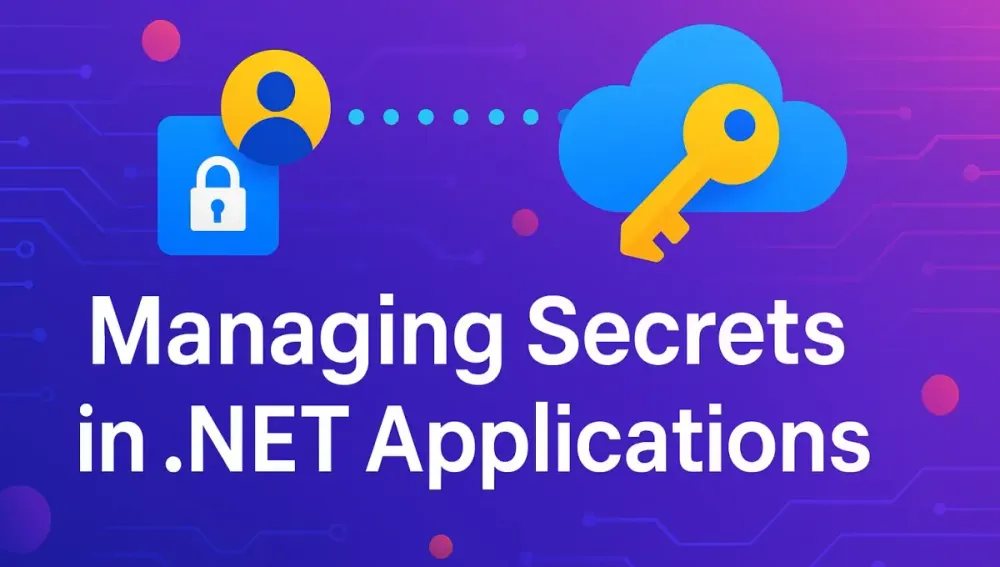
In every modern application, secrets lurk just below the surface. It could be a database connection string, a payment gateway API key, or a cryptographic certificate. Whatever the format, one reality is inescapable: every application that does something useful interacts with external systems that require authentication. And with authentication comes secrets.
For decades, developers have reached for the quickest fix—hardcoding secrets in the source code. Maybe it’s a shared configuration file in version control, or a set of environment variables tucked into a deployment script. These shortcuts, while convenient in the moment, introduce enormous risks. One careless commit, a forgotten debug dump, or a rogue screenshot could leak production credentials.
Is this just scaremongering? Hardly. Over the last decade, public breaches—ranging from startups to Fortune 500 companies—have been traced directly to exposed secrets. A leaked database password can give an attacker access to production data. A compromised API key might allow unauthorized billing or worse, data exfiltration.
1.2 Beyond .config Files and Environment Variables:
The evolution and limitations of traditional secret management techniques
Historically, secrets have been managed in several ways:
- App.config or Web.config files, sometimes encrypted, but still sitting on disk.
- Environment variables injected by DevOps scripts or CI/CD pipelines.
- Password managers for humans, but not for service-to-service communication.
Each method has its own set of problems. Encrypting values in configuration files requires key management for the encryption keys. Environment variables can leak through logs, process listings, or support dumps. And none of these methods provide auditing, fine-grained access control, or automated rotation.
The rise of cloud-native architectures has only compounded these challenges. Secrets must be shared across multiple environments, sometimes spanning public cloud, private data centers, and edge locations. In the microservices era, you might have hundreds of small applications, each with their own set of secrets, multiplying the attack surface exponentially.
1.3 The Goal: Achieving a “Secretless” Application Architecture
What if you could build an application that never handles raw secrets at all? Imagine a world where:
- Secrets are not stored in source code, configuration files, or environment variables.
- Applications request secrets securely at runtime, and only if they need them.
- Secrets can be rotated or revoked without touching a line of application code.
- Access to secrets is tightly controlled, auditable, and easy to review.
This vision is called “secretless” architecture—not because there are no secrets, but because application code and configuration never directly manage them. Instead, secrets are centrally managed and securely delivered on demand. This is the north star for secure application design.
1.4 What This Article Will Cover:
A roadmap from the “what” and “why” to a full-fledged, production-ready implementation in .NET using Azure Key Vault and Managed Identities
This article is designed to take you, step by step, from understanding the risks and limitations of legacy secret management to implementing a robust, cloud-native solution with Azure Key Vault and Managed Identities. Here’s the journey we’ll take together:
- We’ll demystify what constitutes a “secret” and why managing them is so challenging.
- We’ll examine Azure Key Vault—its architecture, key concepts, and why it’s more than a digital safe.
- We’ll dive into Managed Identities, the backbone of secretless access in the Azure ecosystem.
- You’ll get hands-on guidance for building a secure, production-ready .NET application that pulls secrets at runtime, never stores them locally, and operates at the principle of least privilege.
Along the way, you’ll see practical C# code samples using the latest .NET features, insights into design decisions, and pointers for avoiding common pitfalls.
2 The Foundation: Understanding Application Secrets
2.1 What Constitutes a “Secret”?
Let’s start by clarifying what we mean by “secrets” in the context of software systems. A secret is any sensitive piece of information that must be protected from unauthorized access, because its exposure could compromise security or privacy.
Common types of secrets in .NET applications:
2.1.1 Connection Strings (SQL, Cosmos DB, etc.)
A connection string typically contains a server address, database name, and credentials. If an attacker obtains this string, they might have full access to your databases.
Example:
var connectionString = "Server=tcp:mydb.database.windows.net;Database=MyDb;User ID=appuser;Password=SuperSecret123;";2.1.2 API Keys (Third-party services)
API keys are used to authenticate requests to external services such as payment gateways, email providers, or analytics tools. A leaked key can allow malicious use or rack up billing costs.
2.1.3 Certificates (TLS/SSL, Token Signing)
Certificates and their private keys are used for encrypting communications or signing tokens (such as JWTs). If the private key is exposed, encrypted data can be intercepted, or tokens can be forged.
2.1.4 Application Keys & Passwords
Some internal applications rely on custom keys or passwords for features like encryption, application-level authentication, or third-party integrations.
2.1.5 OAuth Client Secrets & Credentials
Modern applications often act as OAuth clients, using client secrets to obtain access tokens from identity providers. If these secrets leak, attackers can impersonate your app.
Ask yourself: How many of these secrets are present in your current solution? Where are they stored today? If you had to rotate one of them in an emergency, how difficult would that be?
2.2 The Lifecycle of a Secret: Creation, rotation, and revocation
Managing secrets securely is not a one-time task. It’s an ongoing process that involves three key stages:
- Creation: Generating a strong, unique secret using approved algorithms.
- Rotation: Regularly replacing secrets to reduce the window of exposure. Rotation might be triggered by policy, a breach, or a scheduled process.
- Revocation: Immediately invalidating a secret when it’s no longer needed or has been compromised.
An effective secret management solution must support all three stages, and do so in a way that minimizes operational overhead.
2.3 The High Cost of a Leaked Secret: Real-world examples and potential business impact
Let’s look at the impact a leaked secret can have.
- Financial Damage: In 2020, a company left AWS access keys in a public GitHub repository. Attackers used those keys to spin up expensive cloud resources, running up a bill of over $100,000 in hours.
- Reputational Harm: When a healthtech startup’s MongoDB connection string was exposed online, sensitive patient data was accessed and leaked. The result? Loss of customer trust and negative media coverage.
- Legal Consequences: In regulated industries (finance, healthcare), a data breach due to poor secret management can result in fines and legal actions under GDPR, HIPAA, or PCI-DSS.
Can your organization afford the risk of a secret leak? For most, the answer is no.
3 Azure Key Vault: Your Centralized Cloud Safe
3.1 Introducing Azure Key Vault: More than just a password manager
Azure Key Vault is a cloud service for securely storing and managing secrets, encryption keys, and certificates. It’s built for both humans and applications, providing a centralized location to control and audit access to sensitive information.
3.1.1 Core Concepts: Vaults, Keys, Secrets, and Certificates
Azure Key Vault is more than a simple key-value store. Let’s break down the key concepts:
- Vault: A secure, isolated container in Azure for storing keys, secrets, and certificates.
- Secrets: Arbitrary pieces of data (e.g., API keys, connection strings, passwords).
- Keys: Cryptographic keys used for encryption and signing. Can be hardware-protected (HSM) or software-protected.
- Certificates: TLS/SSL certificates and their private keys. Key Vault can even handle certificate renewal.
3.1.2 Key Vault’s Role in a Secure Development Lifecycle
Key Vault isn’t just a “safe” for secrets. It’s designed to be part of your DevSecOps pipeline. You can:
- Store secrets once, use them across multiple applications and environments.
- Enforce access control policies, separating duties between developers, DevOps, and applications.
- Audit every access to a secret, satisfying compliance and forensics requirements.
- Automate rotation and renewal, reducing manual overhead.
3.2 Architecting Your Key Vault Strategy
3.2.1 Vault per Environment vs. Single Vault with Prefixes
One of the first architectural decisions is how to organize your Key Vaults:
- Vault per Environment: Separate vaults for dev, test, staging, and production. This enforces isolation and reduces the blast radius of a breach.
- Single Vault with Prefixes: Use naming prefixes (e.g., “dev-”, “prod-”) to organize secrets within one vault. This is easier to manage but increases the risk of accidental cross-environment access.
In most regulated or security-conscious organizations, a vault-per-environment approach is best. However, smaller teams might opt for a single vault initially, migrating as needs grow.
3.2.2 Naming Conventions and Tagging for Discoverability and Management
Consistent naming and tagging makes secrets easier to find, manage, and audit. Consider including environment, application, and resource type in secret names. Use tags for metadata such as owner, expiration, and criticality.
Example naming:
Prod-MyApp-SqlConnectionStringDev-MyApp-SendGridApiKey
Example tagging:
{"Owner": "TeamA", "Environment": "Production", "Expires": "2025-12-31"}
3.3 Setting Up Your First Key Vault: A Practical Walkthrough
3.3.1 Creating the Vault via Azure Portal, CLI, and ARM/Bicep templates
You can create a Key Vault through several approaches:
Azure Portal:
- Navigate to “Key Vaults”, click “Create”, fill in details (resource group, region, name).
- Set access policies and networking.
Azure CLI:
az keyvault create --name MyKeyVault --resource-group MyResourceGroup --location eastusBicep/ARM Template Example:
resource keyVault 'Microsoft.KeyVault/vaults@2023-02-01' = {
  name: 'my-key-vault'
  location: 'eastus'
  properties: {
    tenantId: subscription().tenantId
    sku: {
      family: 'A'
      name: 'standard'
    }
    accessPolicies: []
  }
}
3.3.2 Understanding SKU differences (Standard vs. Premium/HSM-backed)
Azure Key Vault offers two SKUs:
- Standard: Most features, software-backed keys.
- Premium: Adds support for HSM (Hardware Security Module)-backed keys, required for some compliance scenarios.
Most secrets and software keys can live in the Standard tier. For hardware-protected keys, such as those needed for government or financial compliance, choose Premium.
3.3.3 Configuring Network Access & Firewalls: Public vs. Private Endpoints
By default, Key Vault is accessible from the public internet, secured by Azure AD authentication and (optionally) firewall rules. For sensitive environments, enable private endpoints—Key Vault will only be accessible via your virtual network.
- Public endpoint: Easier setup, but increases exposure.
- Private endpoint: Reduced attack surface, aligns with zero trust.
3.4 The Access Model: Who Can Do What?
3.4.1 The Old Way: Access Policies (and why they are becoming legacy)
Originally, Key Vault used access policies to grant users and applications permissions such as “get secret”, “list keys”, etc. While straightforward, this model doesn’t integrate well with Azure-wide RBAC and can become hard to audit.
3.4.2 The Modern Way: Azure Role-Based Access Control (RBAC)
The principle of least privilege in action
Azure now recommends managing access through RBAC. You can assign built-in or custom roles at the vault, resource group, or subscription level, enabling you to grant just enough permissions to users, groups, and service principals.
- Built-in roles: “Key Vault Reader”, “Key Vault Secrets User”, “Key Vault Administrator”, etc.
- Principle of Least Privilege: Only grant access to the minimum necessary secrets and operations.
3.4.3 Defining Custom Roles for Granular Permissions
If built-in roles aren’t granular enough, define custom roles. For instance, you might create a role that allows reading only a specific set of secrets, or writing but not deleting keys.
Example:
{
  "Name": "Key Vault Read Application Secrets",
  "Description": "Read-only access to application secrets",
  "Actions": [
    "Microsoft.KeyVault/vaults/secrets/read"
  ],
  "AssignableScopes": ["/subscriptions/{subscription-id}/resourceGroups/{resource-group}/providers/Microsoft.KeyVault/vaults/{vault-name}"]
}
4 Managed Identities: The End of Service Principal Credentials
4.1 The Problem with Service Principals: Managing the “secret of the secret”
Let’s step back for a moment and look at a classic paradox in cloud security: You want your application to authenticate securely to Azure services such as Key Vault, but you’re forced to create and maintain a set of credentials (client ID and client secret) to do so. These are often called “service principal credentials.”
The original idea behind service principals was sound: create an identity for your application, grant it permissions, and keep its credentials secret. But in practice, this solution quickly runs into the very problem it was meant to solve:
- Where do you store the service principal’s secret?
- How do you rotate it safely?
- How do you ensure it isn’t accidentally checked into source control or dumped in logs?
- Who’s responsible for keeping it out of harm’s way in a large team?
You end up managing the “secret of the secret,” shifting the problem around instead of solving it. Rotating these secrets without downtime is hard. Auditing their use is even harder.
This approach is no longer acceptable for modern, cloud-native applications—especially those operating at scale or in regulated industries.
4.2 Introduction to Managed Identities: An Identity for Your Azure Resources
Enter Managed Identities. This Azure innovation fundamentally changes how applications prove who they are to other Azure resources, including Key Vault. With Managed Identities, Azure handles the identity lifecycle for you.
What does this mean in practice?
- No more storing or rotating service principal credentials.
- No need to embed any credentials in code, configuration, or environment variables.
- Applications can authenticate to Azure Active Directory (AAD) and access resources such as Key Vault using only the infrastructure around them.
Think of Managed Identities as a system-generated, auto-managed “username and password” for your cloud resource—but you never see, store, or manage these credentials yourself. Azure handles the heavy lifting, so your application can focus on what it does best.
4.3 Types of Managed Identities: Choosing the Right Tool
Azure offers two flavors of managed identity, each serving a slightly different use case. Understanding the distinction is essential for good architecture.
4.3.1 System-Assigned Managed Identity
A system-assigned managed identity is created and tied to a specific Azure resource—such as an App Service, Azure Function, Virtual Machine, or Azure Container Instance. The identity’s lifecycle is directly linked to the resource. When the resource is deleted, the managed identity is also removed.
Key characteristics:
- Scoped to a single resource: Can only be used by the resource it’s attached to.
- Automatic cleanup: Identity disappears if the resource is deleted.
- Simplicity: Ideal for scenarios where one-to-one mapping is sufficient.
4.3.2 User-Assigned Managed Identity
A user-assigned managed identity is a standalone Azure resource. It can be created independently and then associated with one or more Azure resources.
Key characteristics:
- Reusable: Can be assigned to multiple resources (even across resource groups).
- Independent lifecycle: Not deleted automatically if an attached resource is removed.
- Centralized management: Ideal for scenarios requiring shared identity, such as a fleet of microservices needing identical permissions.
4.3.3 Architectural Decision: When to Use System-Assigned vs. User-Assigned
- Use System-Assigned when each app or service instance should have a unique identity with limited scope. For example, a production and a staging app each get their own managed identity, reducing the risk if one is compromised.
- Use User-Assigned when you want to share a single identity (and permissions) across multiple resources. For instance, a set of Azure Functions working in concert, or a blue/green deployment scenario where two instances need identical access.
In general, start with system-assigned for simple applications or where isolation is preferred. Choose user-assigned for more complex scenarios requiring identity reuse or centralized management.
4.4 How It Works Under the Hood: The Token Acquisition Flow Without Credentials in Your Code
Let’s lift the hood and see what happens when your .NET application uses a managed identity to authenticate:
- Token Request: At runtime, your app makes a request for a token—typically using the
DefaultAzureCredentialclass in .NET (more on this soon). - Azure Infrastructure: The platform intercepts this request, recognizes the resource’s managed identity, and authenticates it automatically.
- Token Issued: Azure Active Directory (AAD) issues a short-lived token to your app. No username, password, or secret is needed.
- Access Granted: Your app uses this token to authenticate to Azure services such as Key Vault, Storage, or SQL Database.
From the developer’s perspective, it “just works.” No secrets, no rotation scripts, no risky copy-paste into configuration files.
Analogy: Imagine you’re an employee entering your office building. Instead of remembering and typing a PIN code every day, you simply swipe your badge (managed identity), and the security system handles the rest. If you lose your badge, the system can instantly revoke it—no need to change the building’s locks.
5 Practical Implementation: Bringing it All Together in .NET
Let’s turn theory into practice. Here’s how you implement secure, secretless access in a real-world .NET application using Azure Key Vault and Managed Identities.
5.1 Project Setup: A Modern .NET Application (e.g., .NET 8 API)
Suppose you’re building a .NET 8 Web API running in Azure App Service or Azure Container Apps. You need to connect securely to a production database, call third-party APIs, and sign JWT tokens with a certificate—all without storing any secrets in your source code or config files.
5.1.1 Essential NuGet Packages
Before writing any code, ensure your project references the necessary packages. Here are the key players:
- Azure.Identity Provides a unified way to authenticate to Azure services. It’s the backbone of secretless authentication in .NET.
- Azure.Extensions.AspNetCore.Configuration.Secrets Integrates Azure Key Vault secrets into ASP.NET Core’s configuration system, so secrets can be injected like any other config value.
- Azure.Security.KeyVault.Secrets Allows direct, programmatic interaction with Key Vault, supporting advanced operations beyond configuration.
Install these packages using the .NET CLI:
dotnet add package Azure.Identity
dotnet add package Azure.Extensions.AspNetCore.Configuration.Secrets
dotnet add package Azure.Security.KeyVault.Secrets
5.2 Connecting to Key Vault from Your .NET App
5.2.1 The Magic of DefaultAzureCredential: The Chain of Authentication Providers
At the heart of Azure’s modern authentication model for .NET is the DefaultAzureCredential class. This class encapsulates a chain of credential providers. When your app requests a token, the chain tries each provider in order until one succeeds.
Here’s the order:
- Environment variables (for local development with service principal)
- Managed identity (when running on Azure resources)
- Visual Studio/VS Code credentials (for debugging)
- Azure CLI/Azure PowerShell login
This means you can develop locally with your user account or a test service principal, then deploy to Azure and let the managed identity take over—no code changes required.
5.2.2 Integrating Key Vault with IConfiguration in Program.cs
With ASP.NET Core’s flexible configuration system, you can make Key Vault secrets appear as if they were ordinary app settings. Here’s how:
Sample code in Program.cs (.NET 8 minimal hosting model):
using Azure.Identity;

var builder = WebApplication.CreateBuilder(args);

// Add Azure Key Vault as a configuration provider
string keyVaultUrl = builder.Configuration["KeyVaultUri"]; // e.g., https://my-key-vault.vault.azure.net/

builder.Configuration.AddAzureKeyVault(
    new Uri(keyVaultUrl),
    new DefaultAzureCredential()
);

var app = builder.Build();
Now, any secret stored in Key Vault is available through IConfiguration, just like settings from appsettings.json or environment variables.
5.2.3 Seamlessly Injecting Secrets via Dependency Injection
Once Key Vault is wired up, you can inject configuration settings into your controllers or services:
public class DatabaseService
{
    private readonly string _connectionString;

    public DatabaseService(IConfiguration config)
    {
        _connectionString = config["Prod-MyApp-SqlConnectionString"];
    }

    // Use _connectionString securely...
}
Notice there’s no reference to Key Vault in the service itself—this keeps code clean, testable, and agnostic to where secrets are stored.
5.3 Code Example: Retrieving a Database Connection String
5.3.1 Storing the Connection String in Key Vault
Let’s say you want to store a production SQL Server connection string securely. You’d add it to Key Vault, either via the portal, CLI, or IaC template.
Azure CLI:
az keyvault secret set --vault-name MyKeyVault --name Prod-MyApp-SqlConnectionString --value "Server=tcp:prod-db.database.windows.net;Database=ProdDb;User ID=appuser;Password=SuperSecret123"5.3.2 Reading the Connection String from IConfiguration
As shown earlier, your .NET code reads the connection string via configuration:
public class WeatherForecastService
{
    private readonly string _dbConnection;

    public WeatherForecastService(IConfiguration config)
    {
        _dbConnection = config["Prod-MyApp-SqlConnectionString"];
    }
}
5.3.3 The Code Looks the Same, but the Security Posture is Worlds Apart
To the application, it’s just another configuration value. But under the hood:
- The connection string is never stored in appsettings.json, environment variables, or source code.
- Access is granted to the application’s managed identity only.
- If the secret is rotated, the app picks up the new value on next restart without any code change.
- Access can be audited and revoked instantly in the Key Vault’s access control.
Takeaway: You get robust, production-grade secret management with no extra work for the developer after initial setup.
5.4 Working with Certificates
Applications often need to use certificates—whether for mutual TLS (mTLS), token signing, or other cryptographic operations. Key Vault can store and manage certificates, providing a secure API for fetching and using them at runtime.
5.4.1 Storing a PFX Certificate in Key Vault
Suppose you have a PFX file used to sign JWT tokens for your API. You upload it to Key Vault:
Azure CLI:
az keyvault certificate import --vault-name MyKeyVault --name MyJwtSigningCert --file ./mycert.pfx5.4.2 Programmatically Fetching and Using the Certificate for Tasks Like Signing JWTs or Making mTLS Calls
You can fetch certificates from Key Vault in .NET using the Azure.Security.KeyVault.Certificates package.
Sample code:
using Azure.Identity;
using Azure.Security.KeyVault.Certificates;
using System.Security.Cryptography.X509Certificates;

// Build a certificate client
var certificateClient = new CertificateClient(new Uri(keyVaultUrl), new DefaultAzureCredential());

// Fetch the certificate with private key
var certResponse = await certificateClient.GetCertificateAsync("MyJwtSigningCert");
var certSecretName = certResponse.Value.Name;

// The actual certificate is stored as a secret (base64-encoded PFX)
var secretClient = new SecretClient(new Uri(keyVaultUrl), new DefaultAzureCredential());
var secret = await secretClient.GetSecretAsync(certSecretName);

// Convert the base64 PFX into a X509Certificate2
var pfxBytes = Convert.FromBase64String(secret.Value.Value);
var certificate = new X509Certificate2(pfxBytes, string.Empty, X509KeyStorageFlags.Exportable);

// Use 'certificate' to sign JWTs or establish mTLS connections
This approach keeps the private key out of disk and memory except when needed, minimizing exposure.
5.5 Direct Client Interaction: When IConfiguration Isn’t Enough
Sometimes you need to interact with Key Vault more directly—perhaps to list all versions of a secret, set a new value, or trigger a rotation workflow. For these scenarios, use the Key Vault SDK clients.
5.5.1 Using SecretClient for More Advanced Operations
Here’s how to list all versions of a secret:
using Azure.Identity;
using Azure.Security.KeyVault.Secrets;

var secretClient = new SecretClient(new Uri(keyVaultUrl), new DefaultAzureCredential());

await foreach (SecretProperties secretVersion in secretClient.GetPropertiesOfSecretVersionsAsync("Prod-MyApp-SqlConnectionString"))
{
    Console.WriteLine($"Version: {secretVersion.Version}, Enabled: {secretVersion.Enabled}");
}

// Fetch a specific version if needed:
KeyVaultSecret oldSecret = await secretClient.GetSecretAsync("Prod-MyApp-SqlConnectionString", "<secret-version>");
Direct SDK access is also the right approach for key management, custom rotation logic, or when you need to write or delete secrets as part of your application workflow.
6 The Local Development Experience: A Critical Hurdle
6.1 The Challenge: How Do Developers Run the App on Their Machines Without a Managed Identity?
It’s easy to design robust secret management for production, but what about local development? In production, your app’s managed identity transparently unlocks Key Vault. Locally, however, your laptop is not an Azure resource—there’s no managed identity available. Yet developers must regularly run, debug, and test applications, often requiring access to the same secrets (with different values).
How do you keep the experience seamless, secure, and developer-friendly—without slipping back into bad habits like hardcoding secrets or using local config files that drift from production?
6.2 Strategies for Local Development
There are several strategies to solve the local development authentication gap. The best solutions blend security with ease-of-use, ensuring developers remain productive without ever needing to know or manage production secrets directly.
6.2.1 Recommended: Using Developer Credentials (az login, Visual Studio, VS Code)
The recommended path is to rely on Azure’s developer authentication experience. When using DefaultAzureCredential, your application will check for a developer’s authenticated session via:
- Azure CLI (
az login) - Visual Studio login
- Visual Studio Code Azure Account extension
If a developer is signed in locally (e.g., az login in their terminal), the SDK will transparently use those credentials to access Azure resources. This means no secrets or credentials are stored on disk or in the codebase.
Developer experience:
- Open a terminal and run
az loginto authenticate. - Start the application locally—no code changes required.
In code:
// No change needed, DefaultAzureCredential just works
builder.Configuration.AddAzureKeyVault(
    new Uri(keyVaultUrl),
    new DefaultAzureCredential()
);
The experience feels almost magical—your code authenticates in the cloud and on your laptop with the same logic, keeping a single source of truth.
6.2.2 Using a Local Service Principal (with Client Secret) via Environment Variables
Some organizations require more controlled access for local development, such as granting only limited Key Vault permissions. In this case, developers can be assigned a service principal with restricted rights.
Setup:
-
Register a service principal in Azure AD with minimum necessary Key Vault access.
-
Provide developers with the client ID and secret (ideally via a secure channel).
-
Configure environment variables:
AZURE_CLIENT_IDAZURE_TENANT_IDAZURE_CLIENT_SECRET
DefaultAzureCredential will pick these up automatically and use them for authentication. This approach is more prescriptive but can be useful for tightly regulated environments.
6.2.3 The dotnet user-secrets Tool as an Alternative for Local-Only Overrides
For non-production, development-only scenarios, you may use the dotnet user-secrets tool. This stores secrets in a local, encrypted store tied to the user profile—not in the codebase or config files.
Example:
dotnet user-secrets set "ThirdPartyApiKey" "dev-only-api-key"Then in your code:
builder.Configuration.AddUserSecrets<Program>();This pattern should never be used for production secrets but is helpful for local testing against non-production resources. It keeps development agile without risking production leaks.
6.3 A Seamless Flow: The Same Code Works Locally and in the Cloud Without IF/ELSE Blocks
The real strength of DefaultAzureCredential and ASP.NET Core’s configuration model is that your code doesn’t need environment-specific hacks.
There’s no need for blocks like:
if (Environment.IsDevelopment())
{
    // Use local config
}
else
{
    // Use Key Vault
}
Instead, your authentication method automatically adapts to the environment. This not only reduces code complexity and risk of mistakes but also allows for better testability and easier onboarding for new developers.
Summary: By embracing the credential chain, you ensure the developer experience is as frictionless as production, with no compromise on security.
7 Advanced Topics & Production Considerations
Once you have basic secret management in place, new challenges emerge—scaling secret rotation, integrating with CI/CD, monitoring access, and controlling costs. Let’s explore these advanced topics.
7.1 Secret Rotation and Versioning
7.1.1 Programmatic Secret Rotation Strategies
Rotating secrets is a critical practice, especially for regulatory compliance and risk reduction. Key Vault supports versioned secrets, allowing for seamless updates.
Manual Rotation:
- Add a new secret version in Key Vault.
- Applications automatically pick up the new version if referencing by name only (without a version ID).
Automated Rotation:
- Build an Azure Function or Logic App that runs on a schedule or trigger, generates a new secret, and updates Key Vault.
- Notify dependent services (e.g., via Azure Service Bus or Event Grid) to reload configuration or restart.
Example: Rotating a database password
var secretClient = new SecretClient(new Uri(keyVaultUrl), new DefaultAzureCredential());
await secretClient.SetSecretAsync("Prod-MyApp-SqlConnectionString", "NewConnectionStringValueHere");
7.1.2 Leveraging Key Vault Events with Event Grid to Trigger Rotation Logic
Key Vault emits events (such as secret creation, update, or near-expiry) via Azure Event Grid. You can use this to automate rotation workflows:
-
Subscribe an Azure Function to Key Vault’s Event Grid events.
-
When a secret nears expiry, the function triggers:
- Rotates the secret or renews the certificate.
- Notifies applications to reload or fetch the latest version.
Example event handler (Azure Function):
[Function("SecretRotationFunction")]
public async Task Run([EventGridTrigger] EventGridEvent eventGridEvent)
{
    // Parse eventGridEvent, check event type (e.g., SecretNearExpiry)
    // Rotate secret logic here
}
7.2 Integration with CI/CD Pipelines (Azure DevOps / GitHub Actions)
7.2.1 Securely Referencing Key Vault Secrets at Build/Release Time Without Exposing Them in Logs
Modern pipelines often require secrets during build or deployment (e.g., for deploying infrastructure, configuring services). Azure DevOps and GitHub Actions provide native integration with Key Vault to fetch secrets securely.
- Azure DevOps: Use the Key Vault task in your pipeline, mapping secrets into pipeline variables, which can be marked as “secret” to avoid accidental logging.
- GitHub Actions: Use the Azure/login and Azure/keyvault-secrets actions to authenticate and retrieve secrets at runtime.
Best practices:
- Never print secrets to logs.
- Limit the lifetime and scope of pipeline service principals.
- Use RBAC for pipeline access—never more than necessary.
7.2.2 The “Variable Group” Pattern in Azure DevOps
Azure DevOps Variable Groups allow you to link a set of pipeline variables to Key Vault secrets directly. This means changes to Key Vault are reflected in your pipelines automatically, and variable values are never checked into source code.
- Define a Variable Group.
- Link to Key Vault.
- Reference variables in build and release tasks without ever seeing their raw values.
7.3 Monitoring and Auditing
7.3.1 Enabling and Analyzing Key Vault Diagnostic Logs
Key Vault provides rich diagnostic logging, capturing every request to list, get, set, or delete secrets, keys, or certificates. Enable logging to Azure Monitor, Log Analytics, or Event Hubs.
- Monitor for unusual access patterns (e.g., spikes in access, failed attempts).
- Review which identities accessed which secrets and when.
Sample Kusto query to find all secret accesses:
AzureDiagnostics
| where ResourceType == "VAULTS" and OperationName == "SecretGet"
| project TimeGenerated, CallerIPAddress, Identity, ResultType
7.3.2 Setting Up Alerts for Suspicious Activity
Define alerts for:
- Mass secret access (possible credential scraping).
- Access from untrusted locations (e.g., outside corporate IP ranges).
- Failed access attempts or permission changes.
Use Azure Monitor alerts, and route to email, Teams, or an incident management platform.
7.4 Performance and Cost
7.4.1 Understanding Key Vault Throttling and API Limits
Key Vault is a shared cloud service, subject to API rate limits. Excessive traffic (e.g., thousands of secrets fetched per minute) can cause throttling (HTTP 429 errors).
Current limits (subject to change):
- 2000 operations per 10 seconds per vault (standard tier).
7.4.2 Caching Strategies in Your .NET Application to Reduce Latency and Cost
To avoid excessive calls:
- Cache secrets in memory (e.g., use MemoryCache).
- Only reload secrets at startup or on a timed interval.
- For critical values, set up a change notification (with Event Grid) to refresh cache.
Example: Simple in-memory cache
private static readonly MemoryCache _cache = MemoryCache.Default;

public async Task<string> GetSecretAsync(string secretName)
{
    if (_cache.Contains(secretName))
        return (string)_cache.Get(secretName);

    var secret = await secretClient.GetSecretAsync(secretName);
    _cache.Add(secretName, secret.Value.Value, DateTimeOffset.UtcNow.AddMinutes(10));
    return secret.Value.Value;
}
7.4.3 Cost Implications of Different SKUs and Transaction Volumes
- Standard SKU: Most affordable, ideal for typical application needs.
- Premium SKU: Higher cost, necessary for HSM-backed keys and FIPS compliance.
- Cost drivers: Number of operations (reads/writes), volume of secrets, and vault count.
Monitor your usage in the Azure portal to avoid surprises. Frequent secret rotations, certificate renewals, and large-scale microservice deployments can drive up costs.
8 Putting It to the Test: A Real-World Scenario
8.1 Architecture Overview: A Multi-Service .NET Application
Let’s ground all this theory in a practical example—a multi-service .NET solution deployed to Azure:
- Web API: Serves client requests, needs to connect to a SQL database and Redis cache.
- Background Worker: Processes jobs, needs the same database and cache access.
- Front-End (Blazor or Angular): Calls the API, no direct secret access.
- Deployed To: Azure App Service (API and Worker) and Azure Functions for scheduled tasks.
Secrets managed:
- SQL Database connection string
- Redis cache password
- Third-party payment gateway API key
8.2 The Challenge: Securely Manage All Secrets Across All Services
Traditionally, each service would require its own copy of secrets, increasing risk and management complexity. Our goal: centralize secret storage, use managed identities for access, and keep secrets out of code, config files, and local development environments.
8.3 The Solution Blueprint
8.3.1 A User-Assigned Managed Identity Shared by the App Service and Function App
- Create a user-assigned managed identity (
MyApp-Identity). - Assign this identity to both the App Service and Function App resources.
- This ensures both services have exactly the same access and can be rotated or revoked in one step.
8.3.2 A Key Vault with RBAC Permissions Granted to the Managed Identity
- Create a Key Vault (
MyApp-KV). - Grant the user-assigned managed identity the
Key Vault Secrets Userrole at the vault level. - Store all production secrets in Key Vault, naming with clear prefixes (e.g.,
Prod-Api-SqlConnectionString,Prod-Api-RedisPassword,Prod-Api-PaymentApiKey).
8.3.3 A Step-by-Step Walkthrough of the Configuration and Code
Step 1: Assign User-Assigned Managed Identity
- In the Azure Portal, go to each App Service and Function App.
- Under “Identity”, enable “User Assigned” and select
MyApp-Identity.
Step 2: Store Secrets in Key Vault
az keyvault secret set --vault-name MyApp-KV --name "Prod-Api-SqlConnectionString" --value "..."
az keyvault secret set --vault-name MyApp-KV --name "Prod-Api-RedisPassword" --value "..."
az keyvault secret set --vault-name MyApp-KV --name "Prod-Api-PaymentApiKey" --value "..."
Step 3: Assign Key Vault RBAC
az role assignment create --assignee <object-id-of-MyApp-Identity> \
    --role "Key Vault Secrets User" \
    --scope /subscriptions/<sub>/resourceGroups/<rg>/providers/Microsoft.KeyVault/vaults/MyApp-KV
Step 4: Update .NET Configuration
builder.Configuration.AddAzureKeyVault(
    new Uri("https://MyApp-KV.vault.azure.net/"),
    new DefaultAzureCredential()
);
Step 5: Access Secrets in Code
public class PaymentService
{
    public PaymentService(IConfiguration config)
    {
        var sqlConnection = config["Prod-Api-SqlConnectionString"];
        var redisPassword = config["Prod-Api-RedisPassword"];
        var paymentApiKey = config["Prod-Api-PaymentApiKey"];
        // Use these values securely...
    }
}
Step 6: Local Development
- Developers authenticate using
az loginor a local service principal. - The same code runs locally and in Azure with no modification.
Step 7: Secure CI/CD Integration
- In Azure DevOps, link pipeline variable groups to Key Vault.
- At build/deploy time, secrets are injected only into the running job, never exposed in code or logs.
Result: All services securely fetch secrets at runtime via managed identity and Key Vault. Secrets are never present in source control, config files, or local machines. Rotation, revocation, and auditing are centralized and streamlined.
9 Conclusion: A New Standard for .NET Security
9.1 Recap: From Vulnerable Code to Secure, Manageable Secrets
Historically, hardcoded secrets and scattered credentials have left .NET applications exposed to risk and operational headaches. Modern architectures demand something better: centralized, cloud-native secret management that scales with your systems and keeps secrets out of code, config files, and developer machines.
Throughout this guide, we’ve shown how Azure Key Vault and Managed Identities replace legacy approaches with a secure, auditable, and developer-friendly model. By letting Azure manage credentials and using Key Vault as the single source of truth, you remove the main causes of secret sprawl and human error—while making your applications easier to manage and audit.
9.2 Key Takeaways
- DefaultAzureCredential enables your app to authenticate seamlessly, both locally and in production, using the best-available credentials with no code changes.
- Managed Identities remove the need to store or rotate secrets for Azure resources, aligning your architecture with security best practices.
- Azure Key Vault isn’t just storage—it’s an automated, compliant, and scalable solution for secrets, certificates, and keys, with RBAC, logging, and versioning built in.
- Unified Approach: With these tools, your application code can run securely in any environment without environment-specific logic, reducing complexity and risk.
9.3 Your Next Steps
- Assess your current practices: Identify where secrets live in your stack.
- Pilot modern secret management: Implement Key Vault and Managed Identities for one application.
- Share knowledge: Help your teams understand the value of secretless architectures.
- Automate and standardize: Build these approaches into your deployment pipelines and templates.
- Monitor and improve: Use Key Vault diagnostics to track and audit access.
In summary: Secret management is no longer an afterthought—it’s foundational to secure, reliable, and scalable .NET applications. Azure Key Vault and Managed Identities let you achieve this with less effort and more confidence. As an architect, you can set a new standard. Champion these practices, and raise the security bar for your organization and your users.